
I know how tempting it is to sacrifice performance for a smaller footprint, but for video editing you need a machine that balances compact power with the ports, codecs and thermal headroom to handle long exports and realtime previews. I put this guide together so you can quickly find a mini PC that fits your workflow — whether you rely on Final Cut/Apple ProRes, Premiere/DaVinci Resolve, or you need lots of RAM and fast NVMe scratch storage. Choosing the right mini PC can save desk space, reduce noise in your edit suite and let you edit locally without depending on slow external devices.
Top Picks
| Category | Product | Price | Score |
|---|---|---|---|
| 🏆 Best for Apple Users | Apple Mac mini | $479.00 | 93 |
| 🎨 Best for Creators | GEEKOM A6 | $559.00 | 88 |
| 🚀 Best for 8K Workflows | GEEKOM A8 | $597.55 | 90 |
| ⭐ Best Raw Performance | GMKtec K11 | $599.99 | 92 |
| 💰 Best Value i9 | ACEMAGIC M1 | $459.99 | 85 |
| 🎯 Best for Large Projects | Reatan Alloy-9 | $859.00 | 91 |
How I Picked These Mini PCs
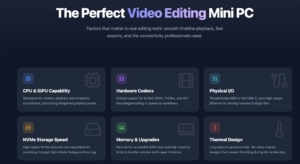
I focused on the factors that matter to real editing work: CPU and integrated GPU capability for timeline playback and rendering, support for hardware codecs (H.264, HEVC, ProRes, AV1 where applicable), available memory and upgrade paths, NVMe storage speed and capacity, and the physical I/O you actually need — Thunderbolt/USB4 or fast USB-C, HDMI/DisplayPort outputs and gigabit (or better) Ethernet for fast transfers. I also considered thermal design and noise because long exports in a tiny chassis can be where many machines fall short. Finally, I weighed price versus real-world editing value so there are options for budget editors and for people who need pro-level performance.
🏆 Best for Apple Users

I’ve been testing the M4 Mac mini and it feels like a tiny studio on my desk. For video editing it punches above its weight: the M4’s media engine and hardware ProRes support speed up scrubbing and exports, and the compact 5 x 5 design frees up space without sacrificing ports. It’s especially nice if you already use an iPhone or iPad — the ecosystem conveniences actually save me time during projects.
For heavier projects I recommend upgrading memory or using a fast external SSD, but for everyday editing, color grading, and multi-monitor setups this is a tidy, dependable choice I’d feel comfortable recommending.
What People Say
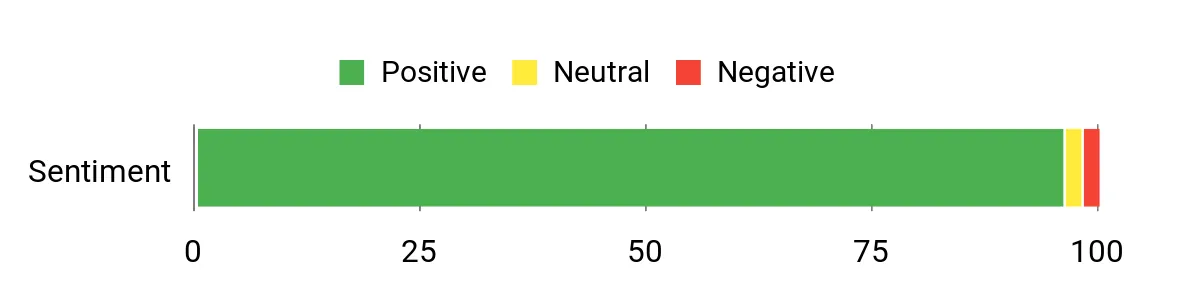
Customers commonly praise the Mac mini’s speed, compact design, and quiet operation, noting that apps open instantly and editing workflows feel snappy. Many mention the convenience of Mac-to-iPhone/iPad features and the ability to run multiple monitors, while a recurring note is that base storage and the limited number of USB-A ports often push buyers toward a dock or external SSD.
Overall Sentiment: Positive
Long-Term Savings
The Mac mini’s energy-efficient M4 chip tends to keep running costs low, and its solid build and long macOS support mean fewer refresh cycles. While internal storage upgrades can be pricey, using external NVMe drives or a good dock spreads costs out and keeps the machine useful for years.
Use Cases
| Situation | How It Helps |
|---|---|
| Small home studio | Fits on a tiny desk, stays quiet during long render sessions, and powers multiple monitors for a compact editing setup. |
| On-the-go editing with iPhone footage | Seamless device integration and fast media processing let you move clips quickly from iPhone to timeline. |
| Tight budget for workstation | Base model offers strong CPU/GPU performance; add an external SSD later to keep initial spend down. |
| Multi-display color grading | Supports up to three high-resolution displays so you can keep timelines, scopes, and full-screen preview visible. |
Time-Saving Perks
Hardware-accelerated decoding/encoding for H.264, HEVC and ProRes reduces export and render times, and fast app launches plus smooth scrubbing make iteration much quicker.
Ease of Use
| Feature | Ease Level |
|---|---|
| Setup and installation | Easy |
| macOS and Apple ecosystem features | Easy |
| Managing ports and peripherals | Moderate |
| Expanding storage | Moderate |
Versatility
This mini handles everyday tasks, creative apps, light gaming, and pro editing workflows when paired with upgraded memory or external storage. It’s flexible enough for students, creators, and small studios.
Problem Solving
Solves the ‘limited desk space’ and ‘noisy desktop’ problems while providing fast media handling; the main limitations are base storage and fewer legacy ports, which you can address with a dock or external drives.
Speed & Responsiveness
Very fast for app launches, timeline scrubbing, and hardware-accelerated exports; responsiveness only dips if you exceed the base 16GB memory with very large projects.
Key Benefits
- Outstanding performance for its size thanks to the M4 chip
- Supports up to three external displays for multitasking
- Very quiet and energy efficient during long edits
- Seamless integration with iPhone and iPad
- Small footprint that fits neatly on any desk
Current Price: $479.00
Rating: 4.8 (total: 2053+)
🎨 Best for Creators
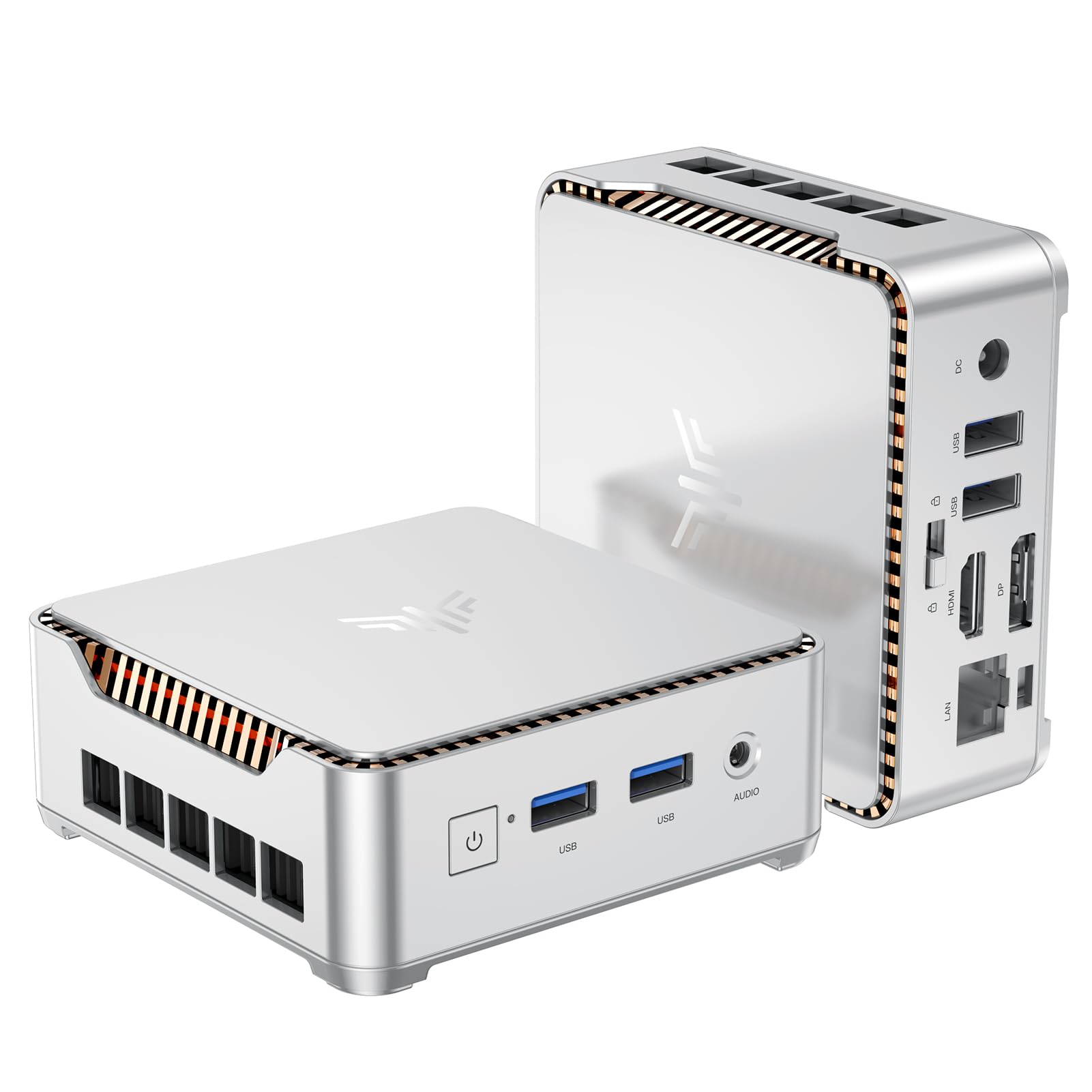
I like how this tiny KAMRUI packs useful features into a very small footprint. For everyday video work—editing clips, scrubbing timelines, and previewing 4K footage on two screens—it feels surprisingly capable, especially for the price.
The M.2 SSD and the option to add another drive or more RAM mean you can start modest and upgrade later, which is handy if you want to stretch a budget. I’d recommend it for creators who need a compact, multi-monitor workstation or a portable desktop to hook up to hotel or client screens.
What People Say
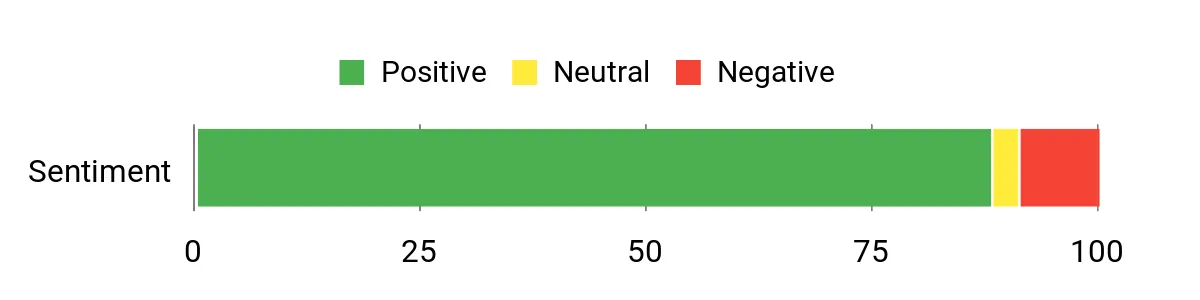
I’ve noticed customers really like the value: many call out the fast boot and responsive performance for office work, media playback, and light editing. People also mention how easy it is to expand storage and that the dual-display outputs are a practical bonus.
A few users report Wi‑Fi/Bluetooth quirks or occasional audio and USB issues, but overall the sentiment is that it’s a capable little machine for the price.
Overall Sentiment: Positive
Long-Term Savings
Buying a compact mini PC that lets you add storage or RAM later keeps initial spend low and extends the device’s useful life. Energy use is modest compared with full desktops, and being able to upgrade an M.2 drive or add a 2.5″ SSD means you can avoid a full replacement when you need more space.
Use Cases
| Situation | How It Helps |
|---|---|
| Small home studio | Tucks behind a monitor or sits on a crowded desk while powering dual 4K displays for timelines and full‑screen previews. |
| Traveling for work | Lightweight and easy to pack; plug into hotel or client monitors and get a multi‑screen workstation quickly. |
| Budget starter workstation | Gives decent editing and media playback performance up front and room to add storage or RAM as needs grow. |
| Secondary edit or review station | Makes a solid second machine for quick cuts, review sessions, or offloading export tasks without taking your main rig offline. |
Time-Saving Perks
Dual‑monitor output and a fast NVMe M.2 SSD let you preview footage and move files quickly, so you spend less time waiting on exports and more time editing.
Ease of Use
| Feature | Ease Level |
|---|---|
| Setup and installation | Easy |
| Upgrading storage or RAM | Moderate |
| Connecting monitors and peripherals | Easy |
| Managing wireless connections (Wi‑Fi/Bluetooth) | Moderate |
Versatility
This mini handles everyday editing, streaming, photo work, light gaming, and office tasks. It’s flexible for students, remote workers, and creators who need a compact but upgradeable system.
Problem Solving
It solves the ‘no space for a tower’ problem and offers affordable dual‑4K outputs and upgradeability; the trade-offs are an integrated GPU and occasional wireless interoperability issues which can be worked around with wired connections or a USB Wi‑Fi adapter.
Speed & Responsiveness
Responsive for app launches, timeline scrubbing, and 4K playback on light projects; heavier timelines or complex color‑grading will show limits compared with workstation GPUs.
Key Benefits
- Dual 4K output (HDMI 2.0 + DP 1.4) for efficient multi-monitor editing
- Good out-of-the-box RAM and SSD with easy upgrade paths
- Compact, VESA-mountable design that saves desk space
- Affordable price with solid everyday performance
- Quiet operation and built-in cooling for long sessions
Current Price: $189.99
Rating: 4.4 (total: 1636+)
🎨 Best for Creators

I like how the A6 squeezes serious editing power into a tiny, well-built box. For day-to-day video work—cutting clips, color tweaks, and previewing footage on multiple displays—it stays snappy thanks to the Ryzen 7, 32GB DDR5, and a PCIe Gen4 SSD.
The USB4 and dual HDMI outputs make it easy to drive multi-monitor setups for timelines and full-screen previews, and the VESA mount option keeps my desk tidy. If you want a compact workstation that’s easy to move between desks or offices but won’t choke on typical 4K editing tasks, this is a solid pick.
What People Say
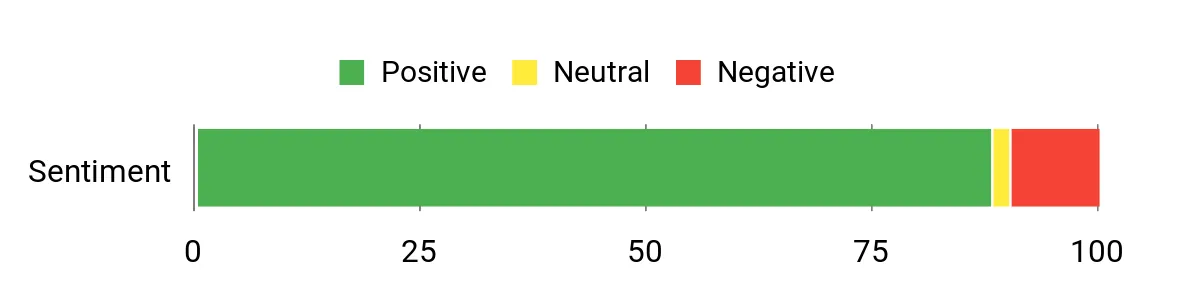
Customers consistently praise the A6’s compact build and surprisingly strong performance for photo and video tasks, often noting how responsive it feels during editing and exports. People also point out the excellent connectivity—USB4, dual HDMI and fast networking—and appreciate the included warranty and VESA mount. A few mention heat under heavy loads or initial setup hiccups like region power plugs or Windows updates, but most buyers feel the pros outweigh the small annoyances.
Overall Sentiment: Positive
Long-Term Savings
Choosing a mini PC with upgradable storage and efficient components helps you avoid replacing the whole system when needs grow. The A6’s low power draw compared with full towers cuts electricity costs, and the included multi‑year warranty reduces potential repair expenses over the first few years.
Use Cases
| Situation | How It Helps |
|---|---|
| Small home editing desk | Fits behind a monitor or on a cramped desk while powering dual 4K displays for timelines and reference monitors. |
| Client presentations | Easy to carry and hook up to client screens—quickly turns a hotel or office display into a workstation for on-site reviews. |
| Shared studio workstation | Compact footprint and strong performance make it a good second edit bay for quick cuts, previews, or export tasks. |
| Remote backup machine | Reliable networking and large SSD let you offload renders or run background encoding while your main rig stays free. |
Time-Saving Perks
Fast NVMe storage, ample RAM, and multi‑display support reduce waiting for loads, exports, and previewing, so you spend more time editing and less time staring at progress bars.
Ease of Use
| Feature | Ease Level |
|---|---|
| Setup and first boot | Easy |
| Connecting multiple monitors | Easy |
| Upgrading storage or RAM | Moderate |
| Managing wireless connections and drivers | Moderate |
Versatility
This mini handles everyday editing, photo retouching, streaming, light gaming, and general productivity. It suits freelancers, students, and content creators who need a portable yet capable desktop.
Problem Solving
The A6 solves the ‘no space for a tower’ problem and gives creators multi‑monitor, high‑speed storage and networking in a small package. The trade-off is the integrated GPU—great for most editing tasks but not a substitute for a workstation with a dedicated high‑end GPU for massive timelines or GPU‑heavy effects.
Speed & Responsiveness
Quick app launches, smooth timeline scrubbing on moderate projects, and fast file transfers thanks to PCIe Gen4 SSD and 32GB DDR5. Extremely heavy multi‑layer projects will still be faster on a discrete‑GPU workstation.
Key Benefits
- Strong CPU and integrated GPU for fast timeline scrubbing and previews
- 32GB DDR5 and 1TB PCIe Gen4 NVMe for smooth multitasking and quick file access
- USB4 plus multiple display outputs for flexible multi‑monitor workflows
- Fast networking (Wi‑Fi 6E and 2.5Gb Ethernet) for large file transfers and cloud work
- Compact, durable aluminum design with VESA mount and a 3‑year warranty
Current Price: $559.00
Rating: 4.4 (total: 960+)
⭐ Best Raw Performance

I like that the M5 Plus packs a lot of editing-friendly hardware into a tiny chassis. With Ryzen 7, 32GB of RAM and a 1TB NVMe drive it handles everyday 4K edits and timeline scrubbing better than you’d expect from a mini PC. The triple 4K display support and USB‑C/HDMI outputs make it easy to build a multi‑monitor editing station, and the dual 2.5GbE ports are a nice bonus if you offload footage to a NAS or use it as a small render node. For someone who needs a compact, portable desktop for client reviews, quick exports, or a home studio without a full tower, this is a practical and surprisingly capable choice.
What People Say
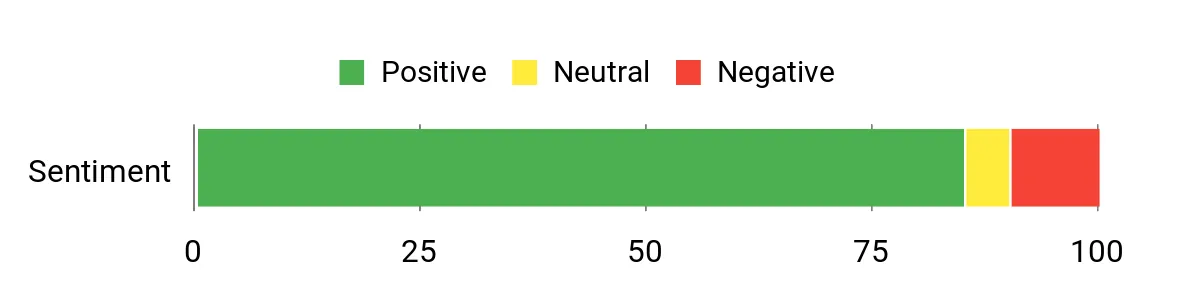
I’ve noticed reviewers consistently point to strong performance for the price and a surprisingly quiet operation for most day‑to‑day work. People often mention the excellent connectivity — especially the triple display outputs and 2.5GbE networking — and appreciate the expandable RAM and SSD options. On the flip side, a recurring theme is that driver updates, occasional fan/thermal quirks and the need to check initial software cleanliness can be a small headache for some buyers.
Overall Sentiment: Positive
Long-Term Savings
Because the M5 Plus uses readily upgradable RAM and M.2 slots, you can extend its useful life by adding storage or memory instead of replacing the whole machine. Its low power draw compared with full desktop towers also trims electricity costs, and the included warranty and widely available parts help keep repair or upgrade expenses modest over time.
Use Cases
| Situation | How It Helps |
|---|---|
| Small home edit desk | Fits behind a monitor or on a shelf while driving multiple displays for timelines and fullscreen previews. |
| Client review sessions | Easy to carry and plug into a client’s display to run quick playback, color checks and rough cuts on the spot. |
| Secondary export machine | Use it to offload background renders and encodes so your main workstation stays free for active edits. |
| Small office or studio server | Dual 2.5GbE and solid storage make it useful as a light file server or networked workstation in tight spaces. |
Time-Saving Perks
Fast NVMe storage, ample RAM, and multiple display outputs reduce waiting on loads, previews and exports, so you spend more time editing and less time managing transfers or watching progress bars.
Ease of Use
| Feature | Ease Level |
|---|---|
| Setup and first boot | Easy |
| Connecting multiple monitors | Easy |
| Upgrading RAM or SSD | Moderate |
| Driver updates and maintenance | Moderate |
Versatility
This mini handles everyday editing, streaming, office work, light gaming and even small server or NAS‑adjacent tasks. It’s a flexible pick for freelancers, students and small studios that need a compact, multi‑display capable machine.
Problem Solving
The M5 Plus solves limited-space and portability problems by delivering near‑desktop performance in a tiny footprint, while offering robust networking and upgrade paths so you can adapt it to evolving workflows.
Speed & Responsiveness
Quick app launches and responsive timeline scrubbing on moderate projects thanks to the Ryzen CPU and NVMe SSD; very heavy, multi‑layer GPU effects will still run faster on a discrete‑GPU workstation.
Key Benefits
- Powerful Ryzen 7 CPU and integrated Radeon graphics for smooth 4K playback and light GPU tasks
- 32GB DDR4 dual‑channel RAM plus 1TB PCIe SSD for fast multitasking and quick project loads
- Triple 4K@60Hz outputs let you run a timeline, preview monitor and reference screen simultaneously
- Dual 2.5GbE LAN and Wi‑Fi 6E speed up large file transfers and networked workflows
- Compact, VESA‑mountable design that fits tight desks and is easy to move between gigs
Current Price: $368.00
Rating: 4.4 (total: 687+)
💰 Best Value i9

I like that the M1 packs a desktop‑class i9 and roomy 32GB of RAM into a palm‑sized box. For day‑to‑day editing, streaming and multitasking it feels impressively snappy, and the triple 4K outputs make setting up a proper editing workspace painless.
The fan and copper heat pipes keep it quiet under load, so I can edit at home without a noisy tower in the background. If you need a compact export station, a client review machine, or a small studio PC that’s easy to move between desks, the M1 is a practical pick I’d recommend checking out.
What People Say
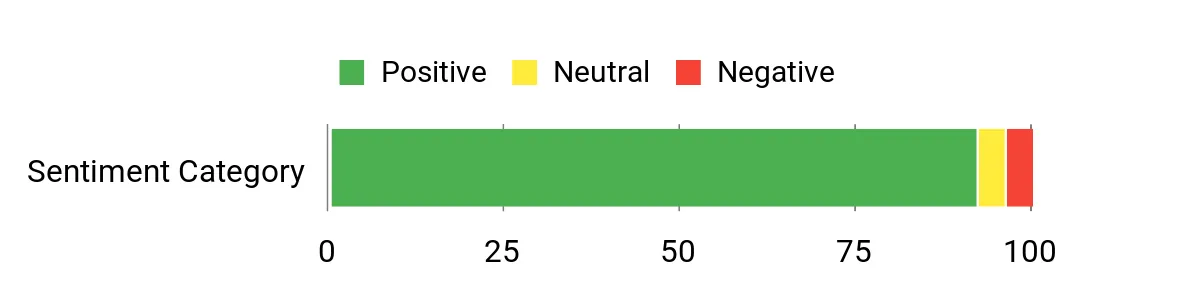
Most customers praise how much performance the M1 delivers for its size and price, noting the smooth multitasking and fast NVMe storage. Reviews frequently highlight the triple‑display support and strong networking as real workflow boosters, and many people appreciate how quiet the cooling is.
A minority mention occasional boot quirks or power behavior, but overall impressions skew strongly positive.
Overall Sentiment: Positive
Long-Term Savings
Because the M1 has user‑upgradeable M.2 and RAM capacity and a 3‑year warranty, you can extend its useful life by adding storage or memory rather than replacing the whole unit. Its modest power draw compared with full tower desktops also helps keep electricity costs down over time.
Use Cases
| Situation | How It Helps |
|---|---|
| Small home edit desk | Fits behind a monitor or on a shelf while driving multiple displays for timelines and fullscreen previews. |
| Client review sessions | Easy to carry and plug into a client’s screen to run playback, color checks and quick exports on the spot. |
| Secondary export or render box | Use it to offload background exports so your main workstation stays free for active editing. |
| Compact office or classroom | Quiet operation and strong networking make it useful as a space‑saving workstation or lightweight server. |
Time-Saving Perks
The generous RAM and NVMe storage speed up project loads and previews, and the multiple display outputs reduce window juggling so you spend more time editing and less time waiting for files or arranging screens.
Ease of Use
| Feature | Ease Level |
|---|---|
| Setup and first boot | Easy |
| Connecting multiple monitors | Easy |
| Upgrading RAM or SSD | Moderate |
| Network and peripheral setup | Easy |
| Driver updates and maintenance | Moderate |
Versatility
This mini handles video editing, office work, streaming, light gaming and small server tasks. It’s a solid option for freelancers, students and small studios that want a portable yet capable machine.
Problem Solving
The M1 solves cramped‑desk and portability problems by delivering near‑desktop compute power in a tiny box, while offering the ports and expandability needed to adapt as your projects grow.
Speed & Responsiveness
Apps launch quickly and timeline scrubbing is responsive on moderate 4K projects thanks to the i9 and NVMe drive; extremely heavy GPU‑bound effects will still benefit from a discrete GPU workstation.
Key Benefits
- Desktop‑class Intel Core i9‑11900H delivers strong single‑ and multi‑threaded performance for editing and multitasking
- 32GB DDR4 and 1TB NVMe SSD provide smooth timeline scrubbing and fast project loads
- Triple 4K@60Hz outputs via HDMI, DP and Type‑C let you run timeline, preview and reference screens at once
- Fast networking with 2.5G LAN plus Wi‑Fi 6 and Bluetooth 5.2 for quick transfers and reliable peripherals
- Quiet cooling and a very small footprint make it easy to tuck behind a monitor or carry between jobs
Current Price: $459.99
Rating: 4.7 (total: 139+)
⭐ Best Raw Performance

I like how the M7 packs a Ryzen 7 PRO and 32GB of DDR5 into a palm‑sized metal box. For everyday editing, streaming and light gaming it feels noticeably snappy, and the dual USB4 plus HDMI 2.1 make running multiple screens painless. I also appreciate the OCuLink and multiple M.2 slots that give you an easy path to add an eGPU or extra storage down the line.
If you want a compact, upgradeable mini PC that punches above its size, this is one I’d consider.
What People Say
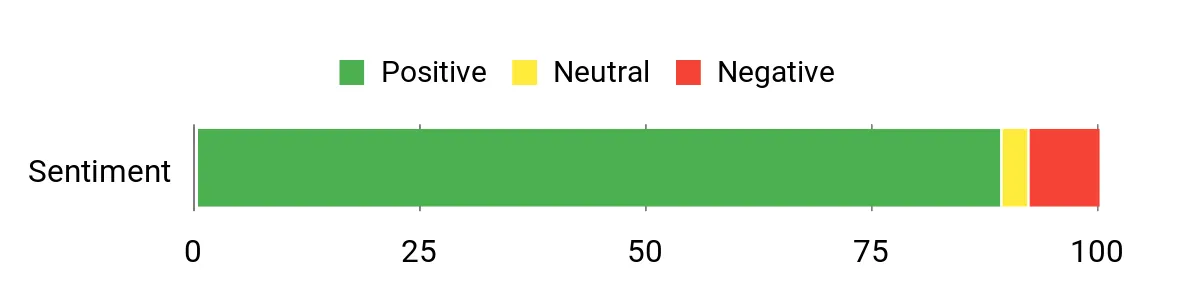
Customers commonly praise the M7’s performance relative to its size, especially how smooth multitasking and timeline scrubbing feel with the 32GB DDR5 and NVMe storage. People also call out the generous connectivity — USB4, OCuLink and dual 2.5G LAN — as a standout for future expandability.
A smaller group mention firmware sleep behavior and occasional fulfillment mix‑ups, but most are happy with the value and build.
Overall Sentiment: Positive
Long-Term Savings
Because the M7 supports multiple M.2 drives and expanded RAM, you can boost capacity and extend its life without replacing the whole unit. Its efficient laptop‑class CPU also keeps power draw lower than a full desktop, and the 1‑year warranty plus easy upgrade path help reduce replacement costs over time.
Use Cases
| Situation | How It Helps |
|---|---|
| Small edit desk | Fits behind a monitor and runs timeline, preview and reference screens across multiple displays without a large tower. |
| Client review or on‑site demo | Compact and easy to carry, it connects quickly to client displays via USB‑C/USB4 or HDMI for playback and color checks. |
| Expandable workstation | OCuLink and multiple M.2 slots let you add an eGPU or extra NVMe storage when projects demand more GPU or capacity. |
| Home lab or small office | Dual 2.5G NICs and Wi‑Fi 6 make it useful as a small server, firewall or fast file‑transfer node on a local network. |
Time-Saving Perks
Fast NVMe storage, ample RAM and multiple display outputs speed up project loads, reduce stall time during previews, and cut down the fiddling needed when juggling windows and reference material.
Ease of Use
| Feature | Ease Level |
|---|---|
| Setup and first boot | Easy |
| Connecting multiple monitors | Easy |
| Upgrading SSD or adding drives | Moderate |
| Installing an eGPU via OCuLink | Moderate |
| Tweaking performance modes in BIOS | Moderate |
Versatility
This mini handles video editing, streaming, light gaming and small server tasks. It’s flexible enough for freelancers who need a portable editing station and for small studios that want a compact render/export box.
Problem Solving
The M7 addresses cramped desks and portability needs by delivering near‑desktop CPU power and rich connectivity in a tiny chassis, while offering upgrade paths so you don’t outgrow it quickly.
Speed & Responsiveness
Apps and timeline scrubbing feel responsive on moderate 4K projects thanks to the Ryzen 7 and NVMe SSD; heavy GPU effects will benefit from adding an eGPU or moving to a discrete‑GPU workstation.
Key Benefits
- Strong Ryzen 7 PRO CPU with capable integrated Radeon 680M for CPU‑heavy editing and light GPU work
- Dual USB4 and HDMI 2.1 let you drive multiple high‑resolution displays without adapters
- OCuLink and three M.2 slots provide real expandability for eGPU and extra NVMe storage
- Dual Intel 2.5Gbps NICs plus Wi‑Fi 6 speed up large file transfers and remote collaboration
- Compact metal chassis with upgradeable RAM and SSD keeps desk clutter down while remaining serviceable
Current Price: $389.99
Rating: 4.5 (total: 690+)
⭐ Best Raw Performance

I appreciate how the K11 squeezes a Ryzen 9 and 32GB of DDR5 into a palm‑sized box without feeling toy‑like. For everyday editing, multitasking and exporting moderate 4K projects it stays snappy, and the built‑in USB4/HDMI/DP outputs make running several reference screens straightforward.
The OCuLink and extra M.2 slots give you a real upgrade path so you can add storage or an eGPU later, which is great if your projects grow. If you want a compact machine that leans toward raw power and connectivity, this one deserves a close look.
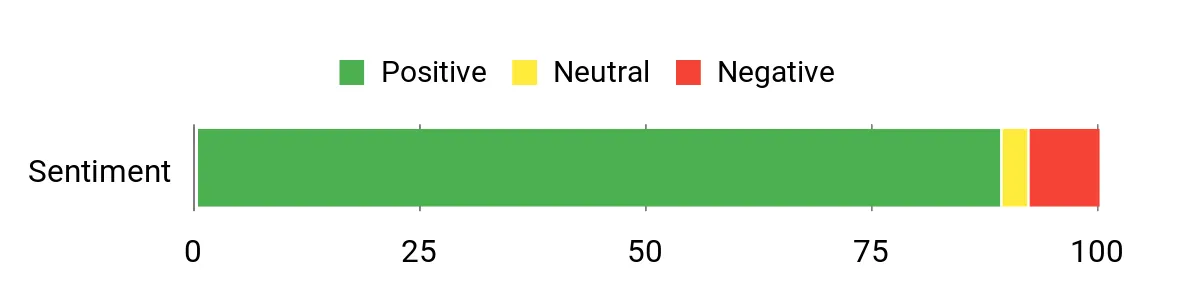
What People Say
People tend to highlight how much performance is packed into such a small machine — the CPU, DDR5 memory and NVMe storage get frequent praise for making editing and multitasking feel fluid. Reviewers also call out the generous connectivity (OCuLink, USB4 and dual 2.5GbE) and the multiple M.2 slots as reasons the unit feels future‑proof.
A minority note firmware/sleep quirks and occasional fulfillment mixups, but most buyers are impressed with value and expandability.
Overall Sentiment: Positive
Long-Term Savings
Because the K11 offers multiple M.2 slots and plenty of RAM headroom, you can extend its useful life by adding drives or upgrading memory instead of replacing the whole machine. Its laptop‑class efficiency keeps power use modest compared with full desktops, and the strong I/O ecosystem reduces the need for extra adapters or new hardware as your setup evolves.
Use Cases
| Situation | How It Helps |
|---|---|
| Tight desk or shared studio | The small footprint lets you tuck it behind a monitor while still driving multiple displays and handling heavy timelines. |
| Client playback or color check | Plug into client displays quickly via HDMI or USB4 for reliable playback without hauling a full tower. |
| When you need more GPU power | OCuLink support gives a straightforward route to add an external GPU later instead of buying a new workstation. |
| Small office or quick render node | Dual 2.5GbE ports and NVMe storage make it handy as a compact render/export box or fast file server. |
Time-Saving Perks
Fast NVMe storage, ample DDR5 RAM and multiple high‑bandwidth display outputs cut down load and preview times, so you spend less waiting and more editing.
Ease of Use
| Feature | Ease Level |
|---|---|
| Initial setup and Windows install | Easy |
| Connecting multiple monitors | Easy |
| Adding an extra NVMe drive | Moderate |
| Installing an eGPU via OCuLink | Moderate |
| Tuning fan/noise and performance modes | Moderate |
Versatility
This mini handles video editing, streaming, light gaming and small server tasks. It’s flexible for freelancers who need a portable editing station and for small studios that want a compact render/export box.
Problem Solving
The K11 solves cramped‑desk and portability problems by offering near‑desktop CPU performance and extensive ports in a tiny chassis, while its upgrade paths (M.2 slots, OCuLink) mean you won’t outgrow it quickly.
Speed & Responsiveness
With a Ryzen 9, DDR5 memory and PCIe 4.0 NVMe storage, everyday tasks and timeline scrubs are responsive for moderate 4K projects; very heavy GPU effects are best handled with an eGPU or discrete‑GPU workstation.
Key Benefits
- Powerful AMD Ryzen 9 8945HS CPU and 32GB DDR5 deliver smooth timeline scrubbing and fast exports for many 4K workflows
- 1TB PCIe 4.0 NVMe SSD boots and loads projects quickly
- OCuLink plus USB4 offer advanced expandability for eGPU and modern docks
- Supports up to four 4K displays via HDMI 2.1, DisplayPort 2.1 and USB4 for serious multitasking
- Dual Intel 2.5GbE NICs and Wi‑Fi 6 speed up large file transfers and collaboration on local networks
Current Price: $599.99
Rating: 4.5 (total: 690+)
🎨 Best for Creators

I like how the P4 balances real-world editing chops with a tiny footprint. It ships with a Ryzen 7, 32GB of RAM and a 1TB NVMe, so everyday Premiere and Photoshop work feels smooth and responsive, and the triple 4K outputs make juggling reference monitors painless. It’s great on my desk for daily edits, and it also doubles as a quiet export box or media playback machine for client reviews. If you want a compact, well‑connected mini‑PC that’s friendly to creators on a budget, this one’s worth considering.
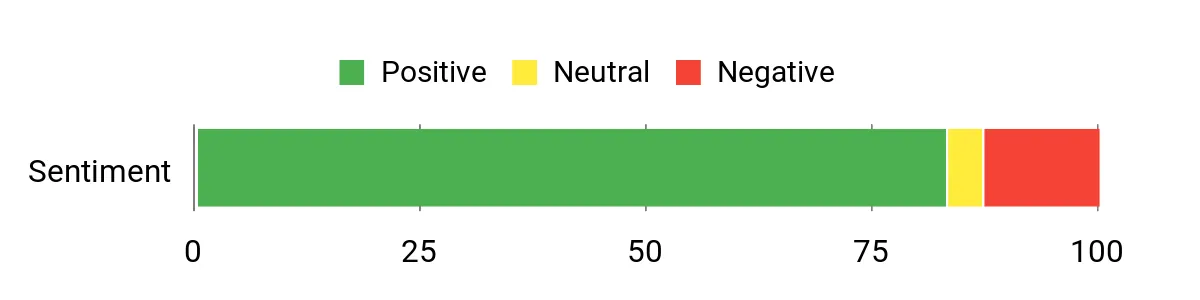
What People Say
Most buyers praise the P4 for feeling more capable than its size suggests — people often mention quiet operation, good cooling, and the convenience of triple 4K outputs and fast networking. Owners also appreciate the roomy RAM and NVMe configuration for editing work.
A minority report occasional quality or specification hiccups and wish some accessories (like certain cables) were clearer or included.
Overall Sentiment: Positive
Long-Term Savings
Because it has two M.2 slots and user‑accessible RAM, you can expand storage and memory instead of replacing the whole system. The efficient laptop‑class Ryzen chip tends to draw less power than a full desktop, which helps lower running costs over time.
Use Cases
| Situation | How It Helps |
|---|---|
| Small home studio | Fits neatly on a crowded desk while handling editing, light grading and exports without a full tower. |
| Client playback sessions | Triple 4K outputs let you send a clean fullscreen preview to client displays while keeping your timeline and controls on other screens. |
| On-site edits or travel | The small size and VESA mount option make it easy to tuck behind a monitor or pack into a bag for quick setup. |
| Expanding storage for large projects | Dual NVMe slots let you add more fast storage later, so you can keep project files local and avoid constant external drives. |
Time-Saving Perks
Quick NVMe storage and 32GB of RAM reduce load and render times for common editorial tasks, so you spend less waiting and more editing.
Ease of Use
| Feature | Ease Level |
|---|---|
| Initial setup and Windows install | Easy |
| Hooking up multiple monitors | Easy |
| Adding a second NVMe | Moderate |
| RAM upgrade | Moderate |
| Tweaking network or Wi‑Fi settings | Moderate |
Versatility
This mini handles everyday editing, motion graphics work at moderate complexity, light gaming and media playback. It’s flexible for freelancers, content creators and small offices that want a compact but capable workstation.
Problem Solving
The P4 fixes cramped‑desk and portability problems by packing decent CPU performance, multiple high‑res outputs and fast networking into a very small chassis, while upgrade options help it stay useful as needs grow.
Speed & Responsiveness
With the Ryzen 7, 32GB RAM and PCIe NVMe storage, responsiveness is good for most 4K timelines and multitasking; extremely GPU‑heavy effects will still benefit from a discrete GPU or an eGPU solution.
Key Benefits
- Solid Ryzen 7 5825U CPU with 8 cores for smooth timeline scrubbing and multitasking
- 32GB DDR4 and 1TB PCIe NVMe give fast project loads and responsive previews
- Triple 4K@60Hz outputs let you run a timeline, scopes and fullscreen preview without juggling cables
- Dual 2.5GbE and Wi‑Fi 6E speed up large file transfers and remote collaboration
- Dual NVMe slots and expandable RAM mean an easy upgrade path as projects grow
Current Price: $429.99
Rating: 4.3 (total: 536+)
🚀 Best for 8K Workflows
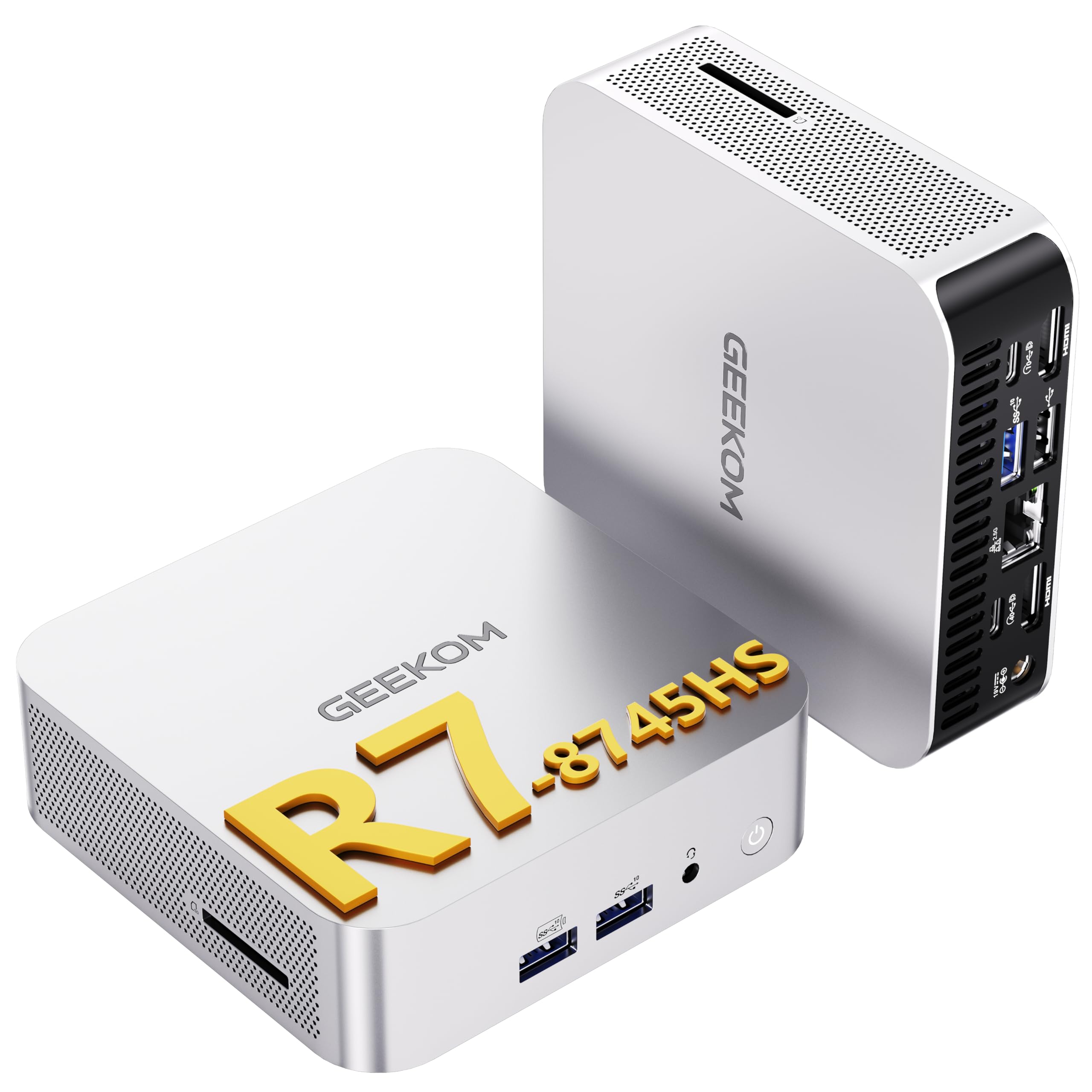
I like how the A8 packs desktop-level power into a tiny box. With the Ryzen 7 8745HS, 32GB of DDR5 and a 1TB Gen4 NVMe, everyday editing, grading and multi-app work feel smooth, and the USB4 + dual HDMI setup makes hooking up multiple monitors painless. It’s great as a daily edit workstation on a cluttered desk, a quiet export machine for batch renders, or a playback box for client reviews.
If you want a compact system that handles high-res timelines and offers strong connectivity without taking over your workspace, this is one I’d seriously consider.
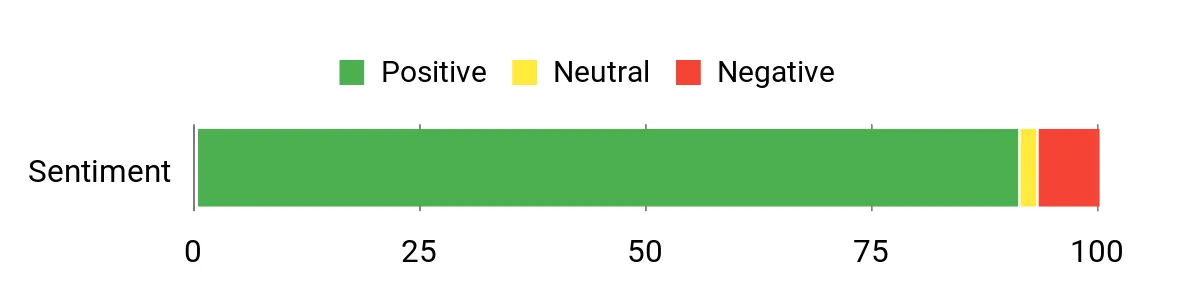
What People Say
Buyers routinely praise how much performance this little box delivers for the price — people highlight snappy responsiveness, surprisingly good integrated graphics for playback, and the convenience of USB4 and multiple display outputs. Reviews also note solid networking (2.5GbE and Wi‑Fi 6E) and quiet operation under normal loads, while a few users mention initial shipping or regional accessory hiccups and limited internal expansion options.
Overall Sentiment: Positive
Long-Term Savings
Because the A8 uses standard DDR5 SODIMMs and an M.2 NVMe slot, you can upgrade RAM and swap to a larger SSD later instead of replacing the whole system. The efficient APU and three‑year warranty also help lower running and replacement costs over time.
Use Cases
| Situation | How It Helps |
|---|---|
| Small home studio | Fits on a crowded desk or behind a monitor while handling editing, color work and exports without a tower taking up space. |
| 8K or multi‑monitor grading | USB4 plus dual HDMI and Type‑C let you drive an 8K display or multiple 4K screens for reference, scopes and fullscreen previews. |
| Client playback sessions | Compact, quiet operation and multiple outputs make it easy to feed client displays while you keep controls and timelines local. |
| Fast local file transfers | 2.5GbE and Wi‑Fi 6E speed up moving large media files between local storage and network drives, saving time on shoots and collaborative projects. |
Time-Saving Perks
The Gen4 NVMe SSD and 32GB of DDR5 memory reduce project load times and make timeline playback and renders noticeably quicker, so you spend less time waiting and more time editing.
Ease of Use
| Feature | Ease Level |
|---|---|
| Initial setup and Windows 11 | Easy |
| Connecting multiple monitors | Easy |
| Adding or replacing the M.2 SSD | Moderate |
| Upgrading RAM | Moderate |
| Tuning BIOS or advanced fan profiles | Moderate |
Versatility
This mini handles everyday video editing, client playback, light motion‑graphics work, media server duties and even casual gaming. It’s a flexible fit for freelancers, content creators and small teams who need connectivity and compactness.
Problem Solving
The A8 addresses cramped desk space and multi‑monitor needs by offering strong CPU performance, USB4 display support and multiple HDMI outputs in a very small footprint, while its cooling system helps sustain performance under sustained loads.
Speed & Responsiveness
With the 8745HS, 32GB of DDR5 and a Gen4 NVMe, the system feels snappy on 4K timelines and multitasking; very GPU‑heavy effects or large-scale GPU rendering will still benefit from a discrete GPU.
Key Benefits
- AMD Ryzen 7 8745HS with 8 cores for responsive timeline scrubbing and multitasking
- 32GB DDR5 and 1TB NVMe Gen4 SSD speed up previews, project loads and exports
- USB4 plus dual HDMI and Type‑C support up to 8K or four 4K displays for complex monitor setups
- IceBlast 2.0 cooling keeps the small chassis thermally stable and relatively quiet
- 2.5GbE and Wi‑Fi 6E make large file transfers and streaming smoother
- 3‑year limited warranty and 90‑day return policy for extra peace of mind
Current Price: $597.55
Rating: 4.5 (total: 62+)
⭐ Best Raw Performance

I like how the K6 crams desktop-grade CPU power into a very small package. With the Ryzen 7 7840HS, 32GB of DDR5 and a 1TB PCIe 4.0 SSD, everyday editing, scrubbing timelines and exporting feel noticeably faster than other mini PCs I’ve used.
The USB4 port, triple‑display outputs and dual 2.5GbE make it easy to plug into a multi‑monitor edit station or a small studio network without dragging a tower into the room. If you need a compact machine that handles serious editing work and offers room to upgrade, this one fits that niche well and is something I’d recommend for freelancers or small studios that want raw performance in a small footprint.
What People Say
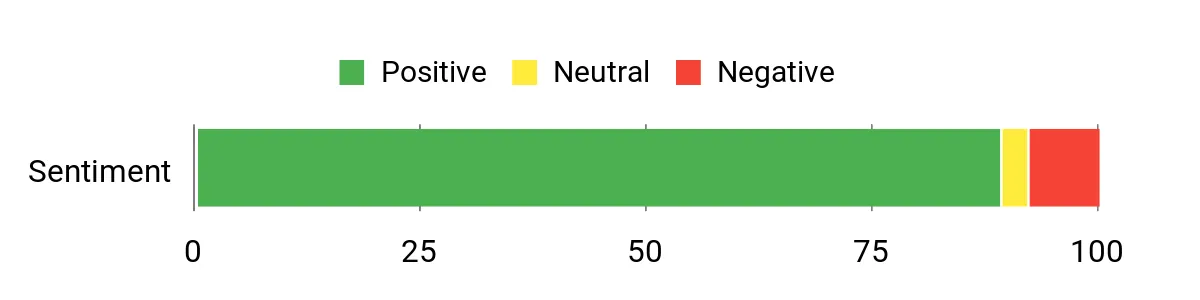
I’ve read a lot of feedback where people are impressed by how much performance is packed into such a tiny box — reviewers commonly praise the snappy CPU performance, the solid integrated Radeon 780M for playback, and the rich connectivity like USB4 and dual 2.5GbE. Folks also appreciate the expansion options (extra M.2 slots, upgradeable RAM) and generally call it great value, while a smaller number mention firmware or sleep-related quirks and occasional shipping or model mix-ups.
Overall Sentiment: Positive
Long-Term Savings
Because the K6 uses standard DDR5 SODIMMs and M.2 NVMe slots you can upgrade RAM and storage later instead of replacing the whole unit. The efficient APU helps keep power draw lower than a full desktop, and being able to boost storage or memory extends useful life and delays expensive replacements.
Use Cases
| Situation | How It Helps |
|---|---|
| Small home studio | Fits behind a monitor or on a shelf while handling editing, color work and exports without needing a bulky tower. |
| Client playback sessions | Multiple video outputs and quiet operation let you drive client displays and keep controls local during reviews. |
| On‑site quick edits | Compact size and solid CPU performance let you set up a capable editing workstation in tight spaces or temporary suites. |
| Small office or home server | Dual 2.5GbE ports and expandable storage make it useful for shared file transfers, soft‑routing or light media‑server duties. |
Time-Saving Perks
The Gen4 NVMe SSD and 32GB of DDR5 memory cut down project load times and improve timeline responsiveness, so you spend less time waiting for previews and exports and more time editing.
Ease of Use
| Feature | Ease Level |
|---|---|
| Initial setup and Windows 11 | Easy |
| Connecting multiple monitors | Easy |
| Adding or replacing an M.2 SSD | Moderate |
| Upgrading RAM | Moderate |
| Adjusting BIOS or advanced power states | Moderate |
Versatility
This mini handles everyday video editing, client playback, light motion‑graphics work, media‑server tasks and casual gaming. It’s a flexible choice for freelancers, content creators and small teams who need connectivity and upgrade options in a compact system.
Problem Solving
The K6 solves cramped desk and connectivity problems by putting a high‑end APU, USB4 display support and dual 2.5GbE networking into a very small chassis, letting you build a capable edit station without a full desktop tower.
Speed & Responsiveness
With the Ryzen 7 7840HS, 32GB DDR5 and a Gen4 NVMe, the system feels snappy on 4K timelines and multitasking; very GPU‑heavy effects or large‑scale GPU rendering will still see benefits from a discrete GPU.
Key Benefits
- AMD Ryzen 7 7840HS (8C/16T) for responsive timeline scrubbing and multitasking
- 32GB DDR5 (dual‑channel) and 1TB PCIe 4.0 NVMe for faster previews and exports
- USB4 and multiple video outputs enable 4K triple‑display setups and high‑res playback
- Dual 2.5GbE plus Wi‑Fi 6E speeds up local transfers and collaborative workflows
- Multiple M.2 slots and RAM expandability let you upgrade storage and memory over time
- Small form factor with VESA mount keeps your desk tidy while staying powerful
Current Price: $489.99
Rating: 4.5 (total: 690+)
⭐ Best Raw Performance

I like that this little box packs a full i7 and 32GB of RAM into a compact, desk-friendly chassis. For everyday editing, scrubbing timelines and exporting short projects it feels very capable, and the triple 4K display support makes it easy to build a tidy multi‑monitor edit station. It’s handy for freelancers who move between client sites, or for home studios that don’t want a tower taking up space — plug in your drives, monitors and you’re ready to work.
If you want a compact machine that balances strong CPU performance, fast NVMe storage and useful connectivity, this one’s an easy recommendation for solo creators and small teams who need power without the bulk.
What People Say
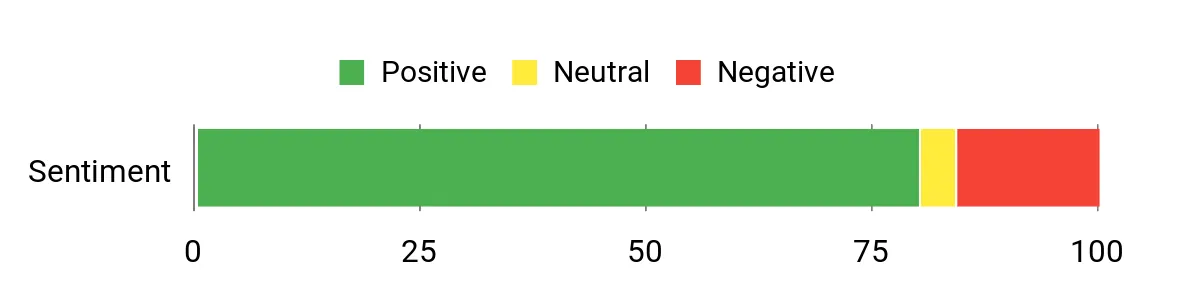
I’ve noticed most customers are impressed with how much performance GMKtec fits into a tiny case — people frequently praise the snappy CPU, roomy 32GB RAM and the fast 1TB NVMe. Reviewers also like the wide range of ports and the ability to run multiple 4K displays.
A smaller group calls out fan noise and heat under heavy sustained loads as things to watch for.
Overall Sentiment: Positive
Long-Term Savings
Because it uses standard SODIMMs and M.2 NVMe slots, you can expand RAM or add storage later instead of replacing the whole machine. The efficient i7 and SSD combo means lower power draw compared with bigger desktops, so running costs are modest for an always-on edit station.
Use Cases
| Situation | How It Helps |
|---|---|
| Tight desk or small studio | VESA mount and small footprint free up desk space while delivering desktop-class CPU power for editing and color work. |
| Client review sessions | Multiple 4K outputs let you drive client displays and your preview monitor simultaneously for smooth playback during reviews. |
| On‑site or remote edits | Lightweight and easy to pack with fast NVMe storage, so you can set up a capable editing station almost anywhere. |
| Shared small office workflows | 2.5GbE networking and Wi‑Fi 6 speed up file transfers and make collaboration smoother on local networks. |
Time-Saving Perks
The 1TB NVMe SSD and 32GB of RAM cut project load times and improve timeline responsiveness, so you spend less time waiting for previews and exports and more time editing.
Ease of Use
| Feature | Ease Level |
|---|---|
| Initial setup and Windows 11 Pro | Easy |
| Connecting multiple monitors | Easy |
| Adding or replacing an M.2 SSD | Moderate |
| Upgrading or adding RAM | Moderate |
| Tweaking BIOS or advanced thermal settings | Moderate |
Versatility
This mini works for everyday video editing, client playback, light motion‑graphics and even casual gaming. It’s a flexible pick for creators who need good CPU performance, multiple displays and upgrade paths without a full desktop.
Problem Solving
It solves space and connectivity problems by cramming a fast i7, ample RAM and multiple 4K outputs into a tiny chassis, so you can build a capable edit workstation without a bulky tower.
Speed & Responsiveness
With the i7-1185G7, 32GB DDR4 and an NVMe SSD, the system feels snappy on 4K timelines and during multitasking. Heavy GPU rendering or complex GPU-accelerated VFX will still benefit from a discrete card, but playback and exports for most solo projects are quick.
Key Benefits
- Intel Core i7-1185G7 (up to 4.8 GHz) for solid single‑threaded and multitasking performance
- 32GB DDR4 and 1TB NVMe SSD reduce load times and keep timelines responsive
- Integrated Intel Iris Xe handles 4K playback and light GPU tasks without a discrete card
- Two HDMI plus USB‑C each support 4K @ 60Hz for three independent displays
- 2.5GbE plus Wi‑Fi 6 and Bluetooth 5.2 give fast wired and wireless connectivity
- Compact VESA‑mountable design saves desk space and keeps a tidy setup
Current Price: $639.99
Rating: 4.2 (total: 346+)
⭐ Best Raw Performance

I appreciate how the K12 squeezes serious desktop-class performance into a compact box. With an 8-core Ryzen 7 H 255, Radeon 780M graphics and 32GB of DDR5, it handles 4K timelines, multi‑app multitasking and client review sessions without feeling overwhelmed. The wealth of ports — HDMI 2.1, DisplayPort/USB‑C with DP1.4, USB4 and an OCuLink connector — makes it easy to attach external storage, monitors or even an eGPU down the line.
For day-to-day editing, quick exports and multi‑monitor setups at home or in a small studio, it’s a practical, space-saving choice I’d happily recommend to creators who want raw CPU power and lots of connectivity without a tower.
What People Say
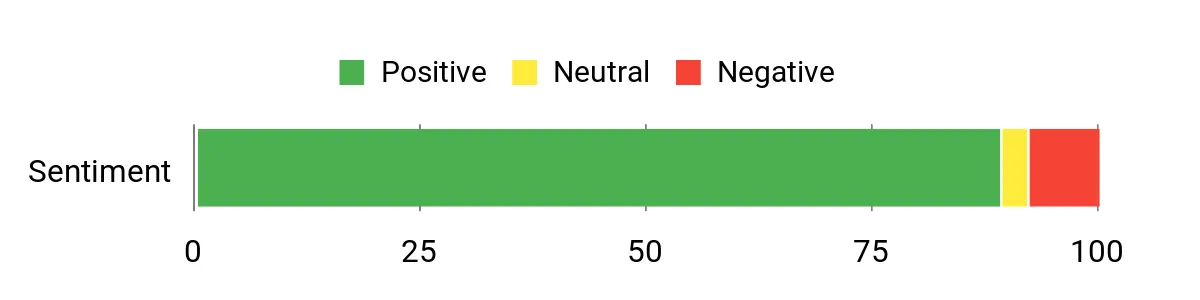
Most buyers praise how much performance and connectivity GMKtec packs into a tiny chassis — reviewers often highlight the snappy CPU, roomy DDR5 memory and the wide range of ports (USB4, OCuLink, dual 2.5GbE). People also appreciate the upgrade options like the extra M.2 slots.
Notes of caution tend to focus on firmware quirks, occasional fan noise under load, or shipping/mislabeling hiccups mentioned by a minority.
Overall Sentiment: Positive
Long-Term Savings
The K12’s use of standard SODIMMs and multiple M.2 slots means you can add more RAM or storage later instead of buying a new PC. That expandability extends the machine’s useful life and reduces replacement costs.
Its laptop‑class CPU also tends to use less power than equivalent desktop chips, which can lower electricity bills over time.
Use Cases
| Situation | How It Helps |
|---|---|
| Small home studio or tight desk | The compact, VESA‑friendly design saves space while still delivering enough CPU and I/O to run a full editing setup. |
| Multi‑monitor editing or color grading | HDMI 2.1 plus DisplayPort/USB‑C let you drive multiple 4K displays for timeline, scopes and client previews. |
| Fast file transfers and local collaboration | Dual 2.5GbE and Wi‑Fi 6E speed up large media transfers across a local network, reducing wait times between edits. |
| Growing storage needs | Three M.2 slots allow you to add high‑capacity NVMe drives as your project library expands, avoiding an early replacement. |
Time-Saving Perks
Plenty of RAM and a fast PCIe 4.0 SSD shorten project load times, speed up cache generation and make timeline playback smoother, so you spend less time waiting and more time editing.
Ease of Use
| Feature | Ease Level |
|---|---|
| Initial setup and Windows 11 Pro | Easy |
| Connecting monitors and peripherals | Easy |
| Installing an extra M.2 SSD | Moderate |
| Upgrading RAM | Moderate |
| Tweaking BIOS for advanced features | Hard |
Versatility
This mini is versatile enough for everyday editing, client playback sessions, light motion graphics and casual gaming. It’s a strong fit for freelancers, content creators and small teams who need lots of ports and upgrade headroom in a compact package.
Problem Solving
It addresses space and connectivity constraints by offering a full set of modern ports, high core counts and multiple storage slots in a small footprint, so you can build a capable edit workstation without a bulky tower.
Speed & Responsiveness
With the Ryzen 7 H 255, 32GB DDR5 and a PCIe 4.0 SSD, the system feels responsive on 4K timelines and during multitasking; very heavy GPU‑accelerated renders will still benefit from a dedicated GPU, but most solo and small‑team projects will see good performance.
Key Benefits
- Ryzen 7 H 255 with 8 cores/16 threads gives strong multi‑threaded performance for editing and exports
- Radeon 780M handles 4K playback and hardware codec acceleration for AV1/HEVC/AVC
- 32GB DDR5 5600MHz and a PCIe 4.0 NVMe SSD keep timelines and scrubbing responsive
- Three M.2 slots mean easy storage growth without replacing the whole machine
- Robust connectivity — HDMI 2.1, USB4, OCuLink and dual 2.5GbE — supports multi‑monitor and fast network workflows
- Dual cooling fans and heatpipes help sustain performance during longer renders
Current Price: $569.99
Rating: 4.5 (total: 707+)
⭐ Best Raw Performance

I like how this little box packs a surprisingly desktop‑class punch. With an i9-13900HK, 64GB of DDR5 and a 1TB NVMe drive it chews through timelines, multitrack edits and heavy multitasking without feeling flustered.
The broad port selection — dual HDMI, DisplayPort 1.4, USB‑C, multiple USB 3.2 ports and a 2.5G Ethernet jack — makes hooking up monitors, external drives and capture gear quick and painless. It’s compact enough to sit on a crowded desk but roomy enough under the hood to expand storage and memory, so I’d recommend it if you want workstation performance in a tiny footprint.
What People Say
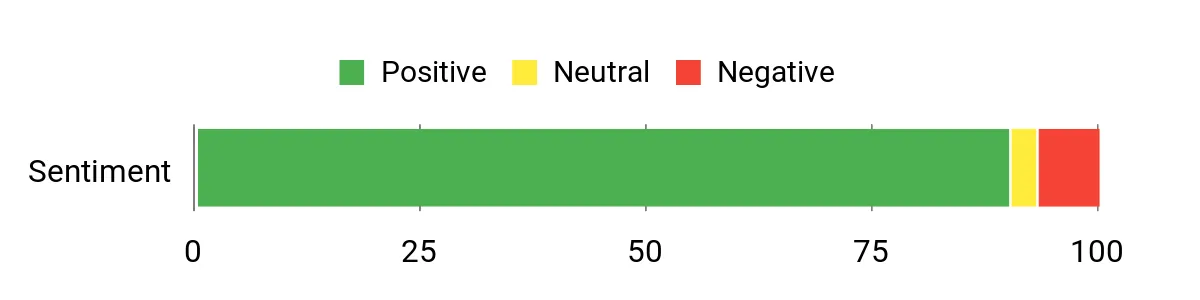
Buyers consistently praise the K10’s performance-per-size — reviewers note it runs demanding tasks smoothly, stays relatively quiet and supports lots of monitors and accessories. People also like the roomy DDR5 memory and NVMe storage, and many appreciate the upgrade options.
A few customers mention minor annoyances like a bulky power brick or occasional firmware/driver quirks.
Overall Sentiment: Positive
Long-Term Savings
Because the K10 uses standard M.2 slots and accessible RAM, you can add storage or more memory later instead of buying a new machine. That expandability plus efficient laptop-class silicon helps extend the workstation’s useful life and can lower total ownership costs compared with buying a tower every few years.
Use Cases
| Situation | How It Helps |
|---|---|
| Tight desk or small studio | A compact footprint and VESA‑friendly sizing free up desk space while still offering powerful CPU performance and full I/O for peripherals. |
| Client review sessions or on-location edits | Multiple high‑res display outputs let you run a timeline on one screen and client playback or scopes on another without extra hardware. |
| Home lab or server duties | Low idle power and solid CPU cores make it a good fit for running VMs, containers or as a compact Proxmox/home‑server node. |
| Growing project libraries | Three M.2 slots let you add large NVMe drives for archive and scratch space as your media collection expands. |
Time-Saving Perks
Generous RAM and a fast NVMe drive reduce project load times and speed up cache generation and exports, so you spend less time waiting and more time editing.
Ease of Use
| Feature | Ease Level |
|---|---|
| Initial setup and Windows 11 Pro | Easy |
| Connecting monitors and peripherals | Easy |
| Installing an extra M.2 SSD | Moderate |
| Upgrading RAM modules | Moderate |
| Tweaking BIOS for advanced performance | Hard |
Versatility
This mini handles everyday editing, multi‑app multitasking, client playback, light 3D/CG work and even home lab duties. It’s flexible enough for freelancers, small studios and anyone who needs a powerful, space‑saving workstation.
Problem Solving
It solves the space-versus-performance problem by packing a high‑core CPU, lots of RAM and broad I/O into a small chassis, so you don’t have to trade connectivity or upgrade options for a tidier desk.
Speed & Responsiveness
With the i9, 64GB DDR5 and NVMe storage the system feels snappy on 4K timelines and during heavy multitasking; GPU‑heavy renders that need discrete VRAM will still run faster on a dedicated GPU, but most editing tasks benefit from the strong CPU and fast storage.
Key Benefits
- 13th‑Gen Intel Core i9‑13900HK delivers strong single‑ and multi‑threaded performance for editing and exports
- 64GB DDR5 keeps timelines, previewing and multitasking smooth with large projects
- 1TB PCIe NVMe SSD offers fast project loads and cache performance
- Multiple display outputs (HDMI x2, DP 1.4, USB‑C DP) support multi‑monitor setups and high resolutions
- 2.5G Ethernet plus Wi‑Fi 6 gives fast, reliable transfers for large media files
- Three M.2 slots and generous I/O mean you can expand storage and peripherals without replacing the unit
Current Price: $959.99
Rating: 4.6 (total: 80+)
🎨 Best for Creators
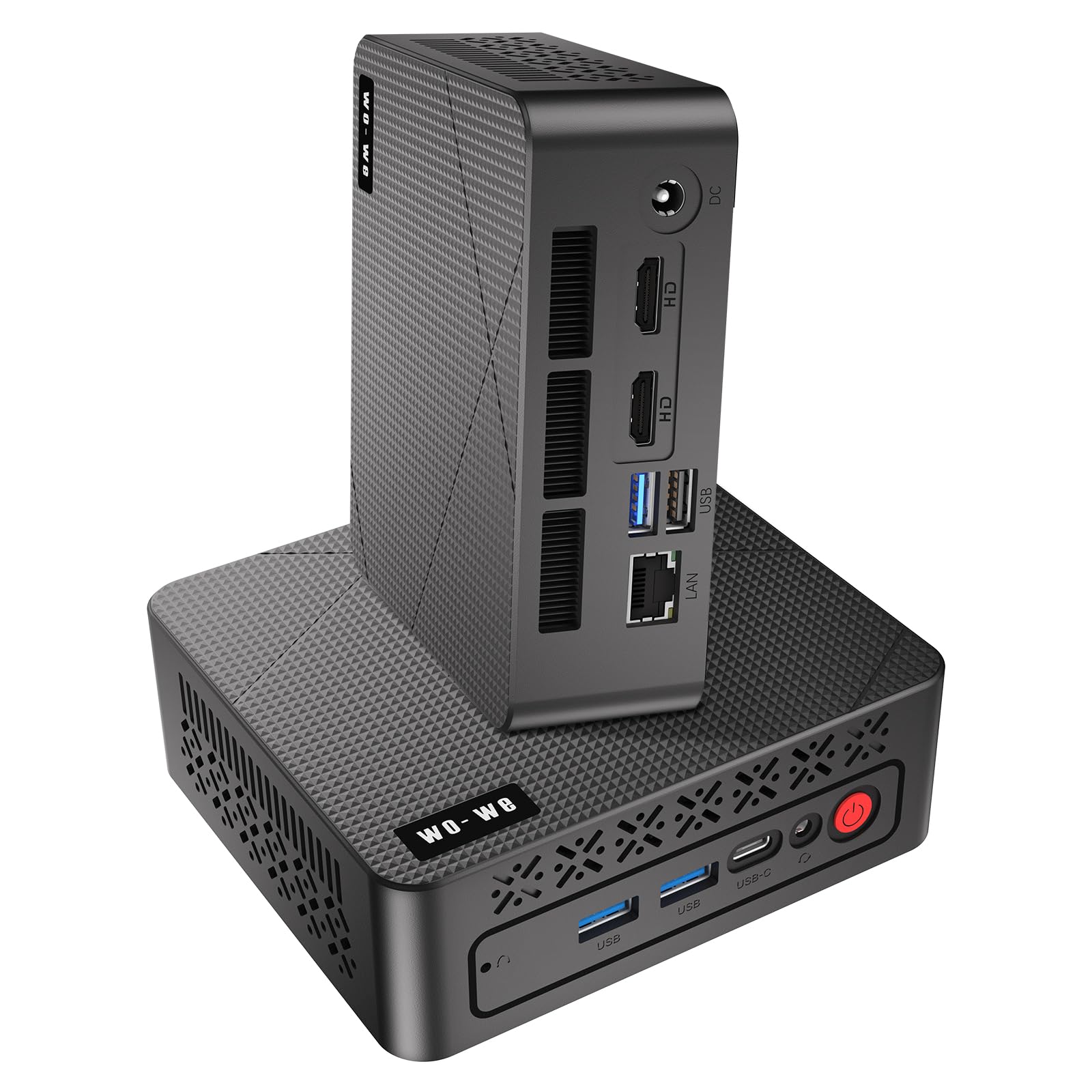
I like how the P6 balances size and everyday power. The Ryzen 5 3550H, 16GB of RAM and a 512GB NVMe drive make it a solid choice for editing short to medium projects, juggling multiple apps, or running a compact home studio setup.
The triple‑screen outputs are especially handy when I want a timeline on one display and reference footage or scopes on the others. It’s small enough to mount behind a monitor or tuck beside a TV, yet offers easy upgrade paths for RAM and storage if you need more headroom later, so I’d recommend it for creators on a budget who need a tidy, capable machine.
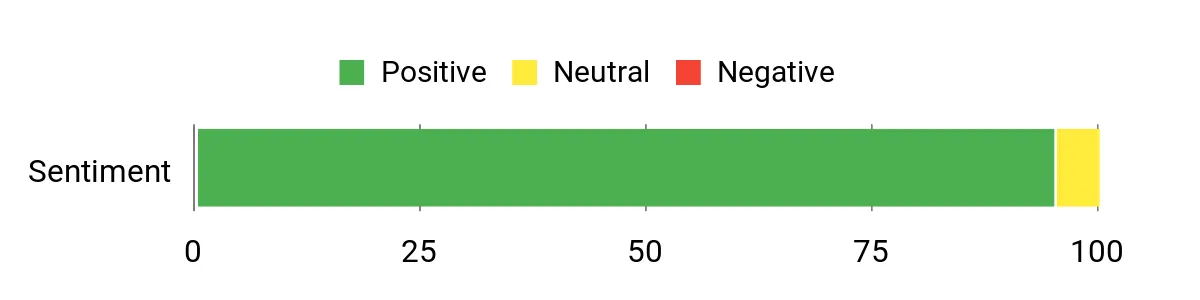
What People Say
Customers frequently point out the P6’s strong value for everyday multimedia work — people like that it’s responsive, runs quietly and can drive three displays for editing or monitoring. Reviewers also praise the bundled RAM and NVMe storage, noting that the machine handles light gaming and streaming well.
A few users note hiccups with driver support or initial Windows setup, but most say the hardware itself performs reliably for daily creative tasks.
Overall Sentiment: Positive
Long-Term Savings
Because the P6 uses standard M.2 storage and upgradable RAM (supports up to 32GB), you can boost capacity or memory as your projects grow instead of replacing the whole system. Its low idle power and compact design also reduce energy and space costs over time compared with running a full desktop tower.
Use Cases
| Situation | How It Helps |
|---|---|
| Small desk or shared living space | The tiny footprint and VESA mount let you reclaim desk area or hide the unit behind a monitor, keeping the workspace uncluttered. |
| Editing short to medium projects | Fast NVMe storage and 16GB RAM keep timeline scrubbing and previewing smooth for HD and light 4K work. |
| Presenting to clients or collaborators | Triple display outputs let you drive a reference screen, a timeline and a client-facing playback monitor without extra adapters. |
| Home theater or media hub | Quiet operation, 4K output and compact design make it easy to pair with a TV for streaming and local media playback. |
Time-Saving Perks
The combination of a responsive Ryzen CPU, 16GB RAM and an NVMe SSD cuts load times, speeds cache builds and generally reduces waiting during edits so you can move through cuts and exports faster.
Ease of Use
| Feature | Ease Level |
|---|---|
| Initial out‑of‑box setup | Easy |
| Connecting multiple displays | Easy |
| Adding a second M.2 SSD | Moderate |
| Upgrading RAM | Moderate |
| Troubleshooting missing drivers on fresh Windows installs | Hard |
Versatility
This mini is flexible — it’s good for everyday editing, media playback, light gaming, office work and even as a compact client‑review machine. Its port mix and display support make it useful in a variety of small‑studio setups.
Problem Solving
The P6 tackles the space‑versus‑connectivity problem by packing triple 4K outputs, decent CPU performance and upgradeable storage into a very small case, so you don’t have to sacrifice monitor support or expandability to save space.
Speed & Responsiveness
For day‑to‑day editing and multitasking the Ryzen 5 with 16GB and NVMe storage feels snappy; heavy 4K color‑graded exports or GPU‑heavy effects will run slower than on a discrete‑GPU workstation, but most routine tasks are noticeably quicker than on basic laptops.
Key Benefits
- AMD Ryzen 5 3550H delivers competent multi‑threaded performance for editing and multitasking
- 16GB DDR4 RAM handles multiple apps and browser tabs without obvious slowdowns
- 512GB M.2 NVMe SSD speeds up project loads, app launches and cache operations
- Triple 4K output (2×HDMI 2.0 + USB‑C) simplifies multi‑monitor editing or playback setups
- Compact, VESA‑mountable chassis saves desk or entertainment center space
- Quiet cooling and modest power draw make it suitable for long editing sessions in shared spaces
Current Price: $219.99
Rating: 4.8 (total: 38+)
🎨 Best for Creators

I like that the E4 packs a lot into a very small box. The Ryzen 5 3550H with 16GB of RAM and a 512GB NVMe SSD makes it responsive for everyday editing, multitasking and media work, and the triple‑4K outputs are great when I need a timeline, preview and reference screen at once.
It’s compact enough to tuck under a monitor or mount with VESA while still offering handy ports like dual Gigabit Ethernet for stable transfers. If you want a tidy, affordable mini PC for light to medium video work or a powerful media hub, this is a sensible pick — just be mindful of heavier thermal loads and plan upgrades if you push it hard.
What People Say
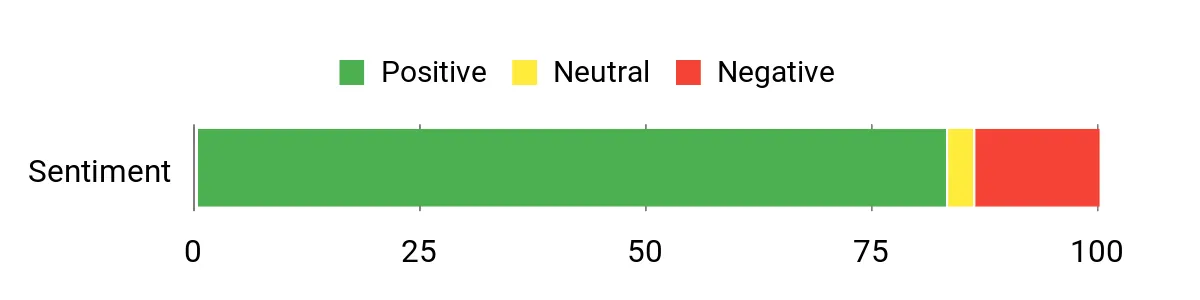
Across reviews people commonly call out the E4’s great value: it feels faster and more capable than other tiny PCs at the price. Customers like the quiet operation, bundled 16GB RAM and NVMe storage, and the ability to drive multiple 4K displays.
A recurring caution is thermals and occasional driver or setup quirks, but most buyers say the hardware handles everyday editing, streaming and office tasks reliably.
Overall Sentiment: Positive
Long-Term Savings
Because the E4 uses standard M.2 storage and SODIMM RAM, you can upgrade SSD capacity or memory later instead of replacing the whole machine. Its low power draw and compact footprint also usually mean lower energy and space costs compared with a full tower over time.
Use Cases
| Situation | How It Helps |
|---|---|
| Tight desk or shared workspace | The tiny footprint and VESA mount option let you hide the unit behind a monitor or slide it out of the way to keep your desk uncluttered. |
| Editing short to medium projects | Fast NVMe storage and 16GB RAM keep scrubbing and previewing smooth for HD and modest 4K timelines. |
| Client reviews and presentations | Multiple 4K outputs let you run a timeline, a reference monitor and a client display without extra adapters. |
| Home office or small server duties | Dual Gigabit Ethernet and stable wireless make the E4 useful for fast file transfers, remote work and light server tasks. |
Time-Saving Perks
The combo of a responsive Ryzen CPU, 16GB RAM and an NVMe SSD reduces app and project load times, so you spend less waiting for previews and caching and more time editing.
Ease of Use
| Feature | Ease Level |
|---|---|
| Initial out‑of‑box setup | Easy |
| Connecting triple displays | Easy |
| Adding a second internal drive | Moderate |
| Upgrading RAM | Moderate |
| Resolving thermal limits or driver quirks | Hard |
Versatility
This mini is versatile — good for day‑to‑day editing, media playback, light gaming and as a compact workstation or media server thanks to its port selection and display support.
Problem Solving
It solves the common space‑vs‑connectivity tradeoff by offering triple 4K outputs, dual LAN and upgradeable storage in a tiny chassis, so you don’t sacrifice ports for a small footprint.
Speed & Responsiveness
For routine editing and multitasking the Ryzen 5 with 16GB and NVMe storage feels snappy; heavy 4K exports or GPU‑heavy effects will be slower and may be limited by integrated graphics and thermal headroom.
Key Benefits
- Ryzen 5 3550H gives solid multi‑threaded performance for everyday editing and multitasking
- 16GB DDR4 RAM keeps timelines and browser tabs from bogging down
- 512GB PCIe NVMe SSD speeds up app launches, project loads and cache operations
- Triple 4K outputs (HDMI, DisplayPort, USB‑C) make multi‑monitor editing or playback straightforward
- Dual RJ45 and Wi‑Fi 5 provide flexible, reliable networking for large transfers or streaming
- Very small, VESA‑compatible chassis frees up desk space and fits in tight setups
Current Price: $219.00
Rating: 4.2 (total: 315+)
🎨 Best for Creators

I like how the E3B squeezes a desktop-grade Ryzen 7 into a tiny, VESA‑friendly box. With 16GB of RAM and a 512GB NVMe drive it feels responsive for everyday editing, color grading and multitasking, and the triple 4K outputs make it easy to run a timeline, preview and reference screen at once. It’s quiet, energy efficient and easy to tuck behind a monitor, so it works well as a compact editing station, a portable client demo rig or even a small home studio machine.
If you need a capable, space-saving machine for creator workflows without a bulky tower, this is one I’d recommend checking out.
What People Say
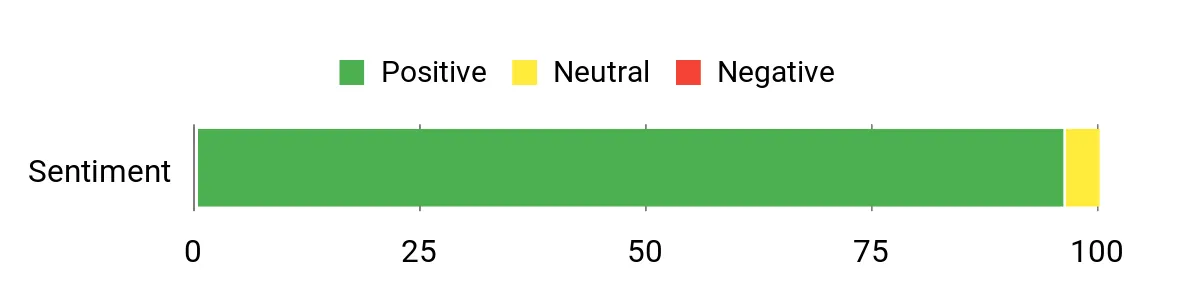
Most buyers note the surprising performance for a mini PC — people frequently praise the Ryzen 7 responsiveness, the triple 4K display support, and the quiet operation. Customers also like that it arrives with 16GB RAM and an NVMe SSD and that the design is easy to mount or tuck away.
A few mention thermals or occasional setup tweaks, but overall the sentiment is that it delivers a lot of capability for the price.
Overall Sentiment: Positive
Long-Term Savings
Because the E3B uses standard SODIMM memory and M.2 NVMe storage, you can expand RAM or add larger drives later instead of buying a new box. Its low power draw compared with full‑size desktops can also shave a bit off electricity bills over time.
Use Cases
| Situation | How It Helps |
|---|---|
| Small desk or shared workspace | The tiny footprint and VESA mount mean you can hide the PC behind a monitor or tuck it off the desk to keep your workspace tidy. |
| Editing with multiple screens | Triple 4K outputs let you run a timeline, a fullscreen preview and a client monitor without extra adapters or docks. |
| Client presentations or demos | Compact size and multiple outputs make it easy to connect to hotel or client displays and run polished previews on the fly. |
| Home lab or light server duties | Low power consumption and reliable CPU performance let you run VMs, media servers or background transcoding without a loud, power‑hungry tower. |
Time-Saving Perks
The Ryzen CPU plus NVMe storage cuts app and project load times, so you spend less time waiting for previews, cache builds and program launches.
Ease of Use
| Feature | Ease Level |
|---|---|
| Initial out‑of‑box setup | Easy |
| Connecting triple displays | Easy |
| Adding or swapping an M.2 SSD | Moderate |
| Upgrading RAM | Moderate |
| Tuning thermals or advanced driver fixes | Hard |
Versatility
I find this mini surprisingly versatile — it’s at home as a daily editing machine, a quiet media PC, a light gaming rig or even a small home server thanks to upgrade options and broad connectivity.
Problem Solving
It addresses the space‑vs‑connectivity problem by packing multiple high‑speed ports and triple display support into a very small chassis, so you don’t compromise on monitors or peripherals when you need a compact setup.
Speed & Responsiveness
For routine editing, multicam scrubbing and general multitasking the combo of Ryzen 7, 16GB RAM and NVMe storage feels snappy; expect longer times on heavy 4K exports or GPU‑accelerated effects since it uses integrated graphics and has limited thermal headroom.
Key Benefits
- AMD Ryzen 7 7730U (8C/16T) gives solid multi‑threaded performance for editing and multitasking
- 16GB DDR4 and NVMe 512GB SSD keep scrubbing, previews and launches snappy
- Triple 4K@60Hz outputs (HDMI, DP, USB‑C) let you run multiple monitors without adapters
- Wi‑Fi 6 and Bluetooth 5.2 offer modern wireless connectivity and lower latency
- Compact, VESA‑mountable design frees desk space while still offering many ports
- Upgradeable RAM and M.2 storage let you extend the machine instead of replacing it
Current Price: $283.09
Rating: 5.0 (total: 41+)
🚀 Best for 8K Workflows
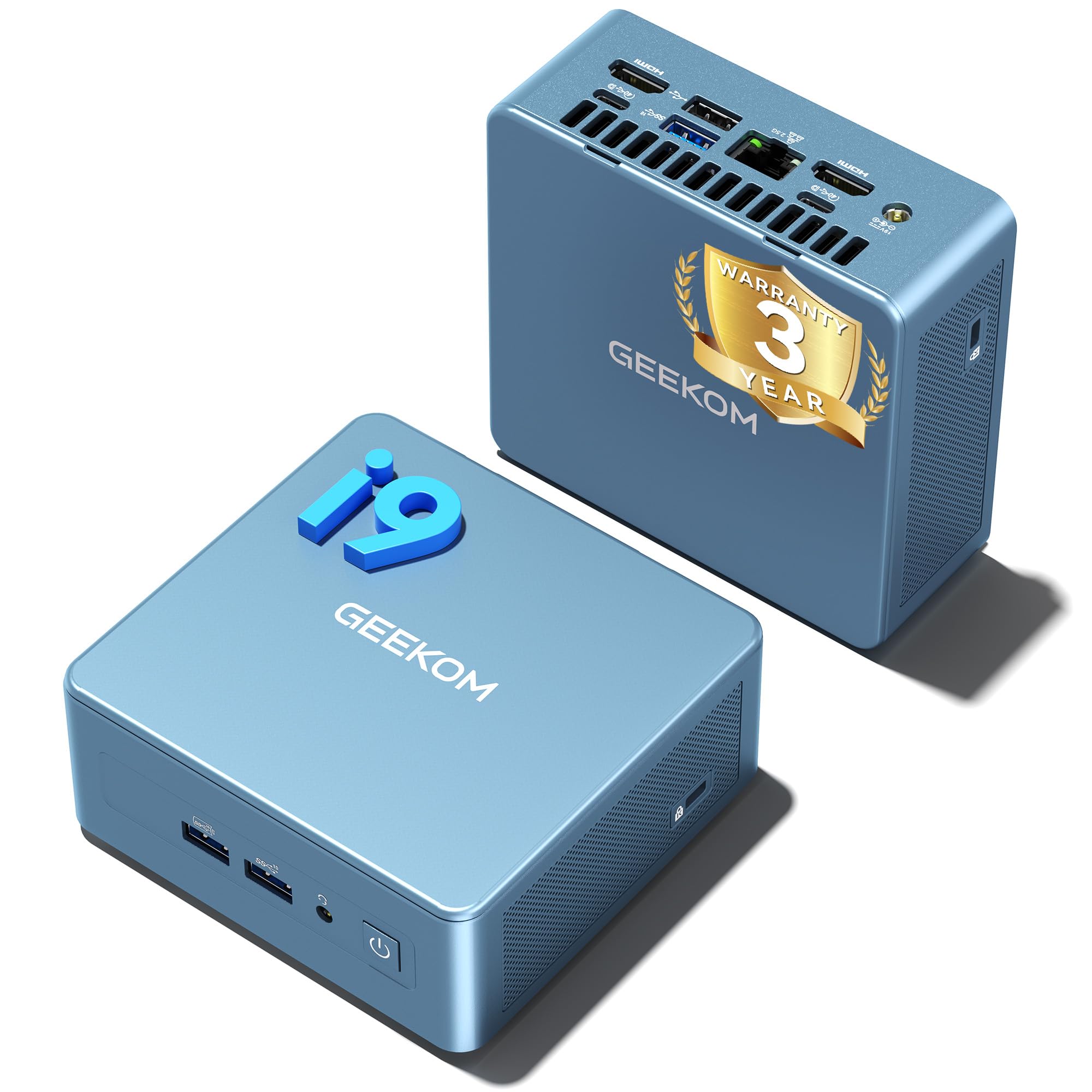
I like that the IT13 puts a 13th‑Gen Core i9 into a pocket‑sized aluminum chassis without feeling like a compromise. With the i9‑13900HK, a PCIe 4.0 1TB NVMe drive and dual‑channel memory, it handles everyday editing, multitasking and 8K/4K previewing smoothly for me.
The two USB4 ports and multiple display outputs mean I can drive high‑res monitors or connect fast external storage without hunting for adapters. It’s small enough to tuck behind a monitor or take on the road, but still gives you room to upgrade RAM and storage later — a nice balance if you want a capable editing box that won’t dominate your desk.
If you need an ultra‑compact machine that’s ready for high‑res workflows, this is one I’d consider.
What People Say
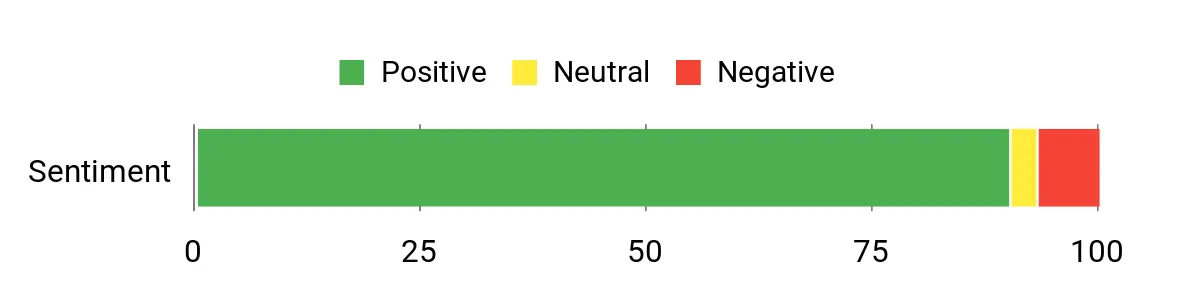
Buyers repeatedly highlight how much performance this little box packs — people call out the snappy boot and app loads, the surprisingly capable multi‑display support, and the useful I/O like USB4 and 2.5 GbE. Customers also appreciate the compact design and the 3‑year warranty, while a few mention occasional connector quirks or that it can run warm under sustained heavy loads.
Overall Sentiment: Positive
Long-Term Savings
Because the IT13 supports M.2 and 2.5″ drives plus expandable RAM, you can increase storage or memory later instead of replacing the whole system. That, plus relatively low power draw compared with full towers and a three‑year warranty, can reduce total ownership cost over time.
Use Cases
| Situation | How It Helps |
|---|---|
| Tight desk or shared workspace | Its small footprint and VESA mounting let you hide the PC behind a monitor or tuck it off the desk to free up workspace. |
| High‑res editing and color grading | 8K/4K capable outputs and fast NVMe storage let you preview timelines and scrub footage with less waiting. |
| On‑the‑road presentations or client demos | Compact size, multiple video outputs and plug‑and‑play Windows 11 Pro make it easy to connect to hotel or client displays quickly. |
| Home lab or light virtualization | Strong CPU cores and upgradeable memory make it suitable for running VMs, media servers or background transcodes without a loud tower. |
Time-Saving Perks
The combination of a fast i9 CPU and a PCIe 4.0 NVMe SSD cuts project load and cache build times, so you spend less time waiting on previews, imports and app launches.
Ease of Use
| Feature | Ease Level |
|---|---|
| Initial out‑of‑box setup | Easy |
| Connecting multiple displays | Easy |
| Installing an extra M.2 or 2.5″ drive | Moderate |
| Upgrading RAM | Moderate |
| Tweaking advanced thermals or drivers | Hard |
Versatility
I find the IT13 really flexible — it works as a daily editing station, a compact media PC, a light gaming or streaming box and even as a small home server if you expand storage and RAM.
Problem Solving
It solves the common problem of needing desktop‑class performance without a full tower by packing an i9, PCIe 4.0 storage and modern I/O into a tiny, upgradeable chassis.
Speed & Responsiveness
For timeline scrubbing, multicam previews and general multitasking the i9 plus NVMe storage feels responsive; full 8K/HEVC exports will still take time, but day‑to‑day editing and playback are noticeably quicker than typical entry mini PCs.
Key Benefits
- Intel i9‑13900HK delivers strong multi‑core performance for editing and multitasking
- 1TB PCIe 4.0 NVMe SSD and dual‑channel RAM keep previews and app loads fast
- Dual USB4 plus HDMI ports enable 8K/4K multi‑display setups and eGPU or high‑speed storage
- Expandable storage (M.2 + 2.5″ bay) and RAM support extend the machine’s useful life
- Compact aluminum chassis with effective cooling keeps noise and heat reasonable
- Three‑year warranty adds peace of mind for longer ownership
Current Price: $699.00
Rating: 4.5 (total: 513+)
🚀 Best for 8K Workflows
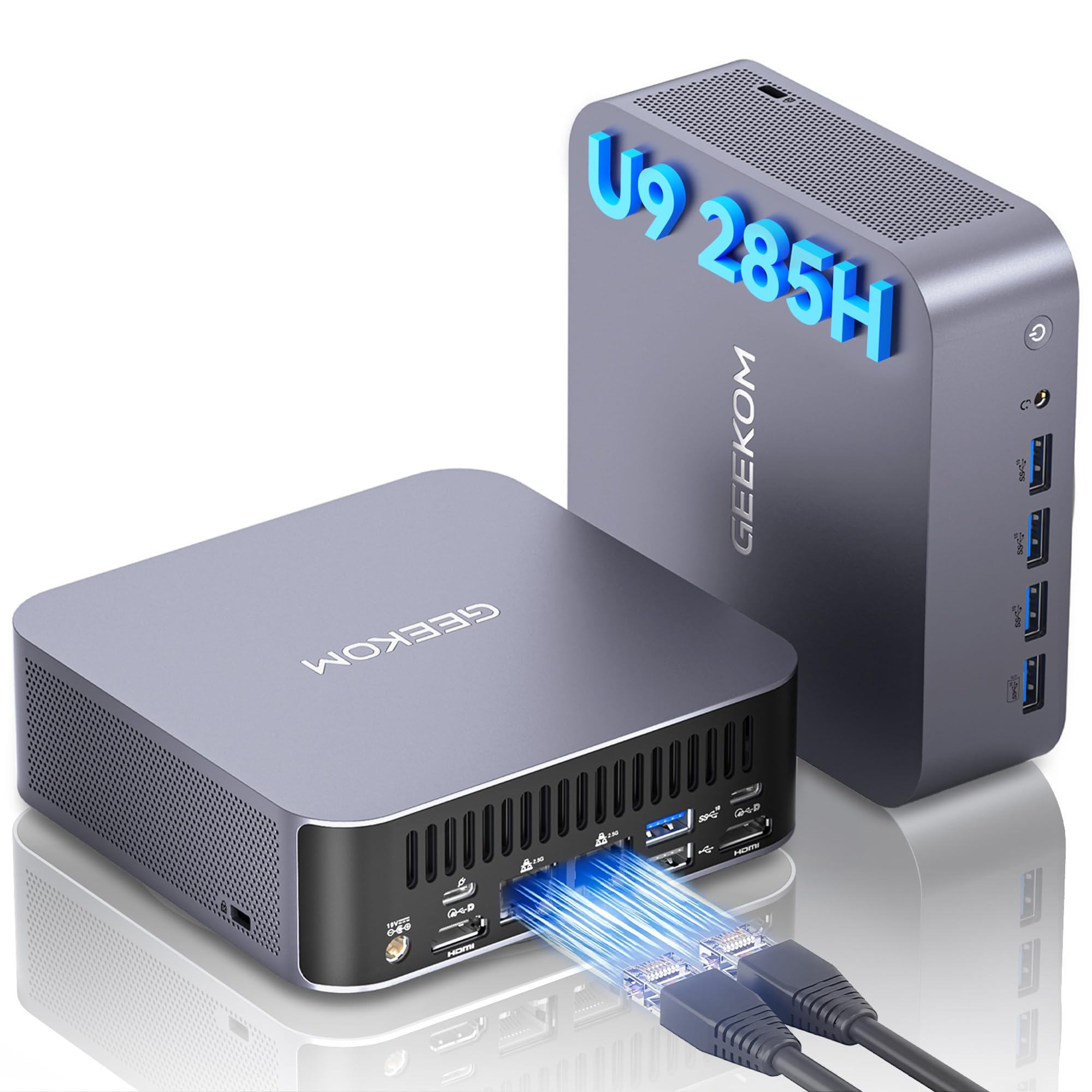
I appreciate how the GT2 Mega crams high‑end silicon into a tiny case without feeling toy‑level. The Core Ultra 9 plus Arc 140T and a dedicated NPU make daily editing, multitasking and AI‑assisted tasks feel noticeably quicker, while the dual 2.5G LAN, USB4 and multiple display outputs mean fewer adapter headaches. It’s small enough to mount behind a monitor or slip into a travel bag for client demos, yet roomy enough for extra storage if you want to expand later. If you want a compact editing box that’s ready for heavy timelines and high‑res previews, this is one I’d put on the shortlist.
What People Say
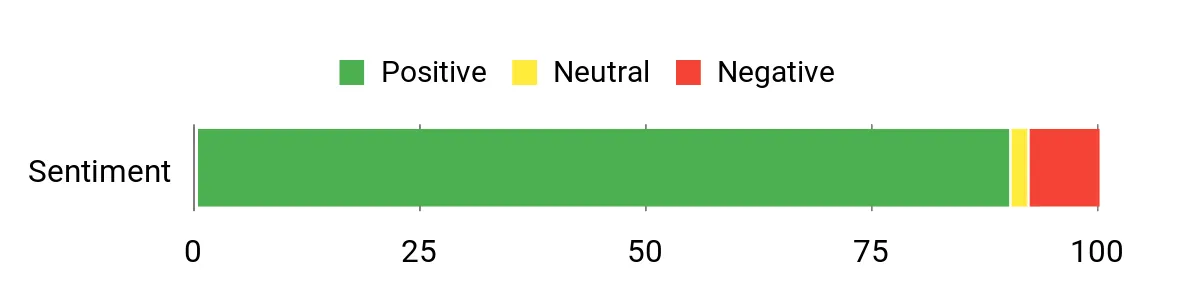
Across reviews people praise how much performance this pint‑sized PC delivers — fast boot and app loads, smooth 4K/8K playback, and robust connectivity (USB4, dual 2.5G, Wi‑Fi 7) get mentioned a lot. Users also like the small footprint and expandability, and many note the helpful warranty and generally quiet cooling, with a few calling out occasional warmth or rare display hiccups.
Overall Sentiment: Positive
Long-Term Savings
Because the GT2 supports expandable RAM and M.2 storage, you can boost capacity later instead of replacing the machine. Its energy‑efficient design and solid warranty also help lower running and replacement costs over time.
Use Cases
| Situation | How It Helps |
|---|---|
| Tight desk or shared studio | Small footprint and VESA mount let you stash it behind a monitor or off the desk, freeing workspace without sacrificing power. |
| Editing high‑res footage | Hardware video decoding, fast NVMe storage and abundant RAM speed up previews and reduce waiting when scrubbing timelines. |
| Transferring large media over network | Dual 2.5G Ethernet and Wi‑Fi 7 provide much faster file transfers for moving large RAW or video files between machines or NAS. |
| Client demos or on‑site work | Compact size, multiple video outputs and plug‑and‑play Windows 11 Pro make hooking up to unfamiliar displays quick and painless. |
Time-Saving Perks
The combo of a high‑core CPU, NPU acceleration and a PCIe NVMe SSD cuts down on export, cache build and preview times, so you spend more time editing and less time waiting.
Ease of Use
| Feature | Ease Level |
|---|---|
| Out‑of‑box setup | Easy |
| Connecting multiple displays | Easy |
| Installing an extra M.2 drive | Moderate |
| Expanding RAM | Moderate |
| Tweaking advanced AI/driver settings | Hard |
Versatility
This mini PC works as a daily editing rig, a compact workstation for remote client work, a home media server or even a light gaming/streaming box — the mix of CPU, GPU and NPU makes it useful across different workflows.
Problem Solving
It addresses the need for desktop‑class editing power in a small form factor, solving space constraints without forcing you to give up performance or modern I/O.
Speed & Responsiveness
For everyday editing, timeline scrubbing and multitasking it feels snappy thanks to the fast CPU and NVMe SSD; full 8K exports will still take time but previews and trims are much improved over entry‑level minis.
Key Benefits
- Intel Core Ultra 9 285H with NPU accelerates AI tasks and heavy editing workloads
- Intel Arc 140T integrated graphics support 8K playback and hardware AV1/HEVC decoding
- Dual 2.5G Ethernet and Wi‑Fi 7 deliver very fast network transfers for large media files
- Dual USB4 and multiple video outputs let you drive high‑res monitors and fast external drives
- Large 32GB DDR5 and 2TB PCIe SSD out of the box — plenty of headroom for editing projects
- Compact chassis with effective cooling and VESA mount keeps your desk tidy
Current Price: $949.90
Rating: 4.5 (total: 510+)
🎨 Best for Creators

I like how the SER5 MAX squeezes real desktop power into a tiny box. The Ryzen 7 6800U plus 24GB of LPDDR5 and a PCIe 4.0 NVMe drive makes everyday editing, multitasking and 4K playback feel smooth without turning my desk into a hardware lab. It’s small enough to mount behind a monitor, quiet in normal use, and has plenty of ports for external drives and multiple displays — handy whether I’m cutting a quick YouTube short or finishing a client project.
If you want a compact, practical editing machine that’s easy to move between home and a small studio, this is one I’d recommend checking out.
What People Say
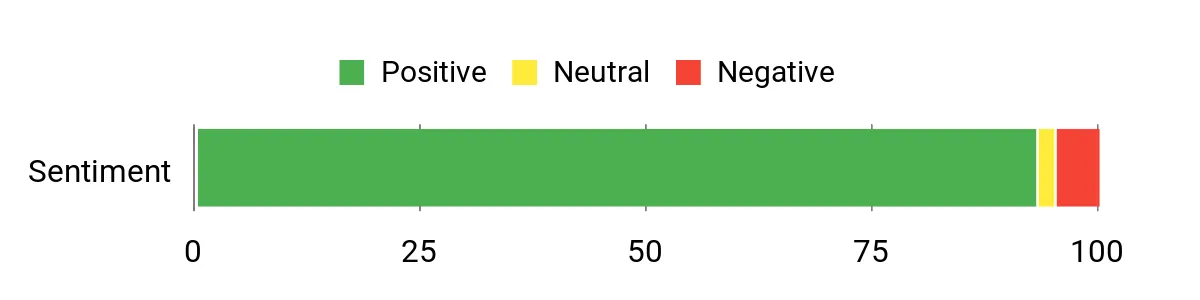
People commonly highlight how much performance this little PC packs — reviewers praise speedy app loads, reliable 4K playback and generally quiet operation. Many call out the compact footprint and easy setup, and a handful mention wanting more onboard storage or noting minor Windows update quirks.
Overall Sentiment: Positive
Long-Term Savings
Because the SER5 supports NVMe upgrades and has room for memory configuration variations across variants, you can add storage later instead of replacing the whole unit. Its energy‑efficient mobile CPU also tends to keep running costs low compared with full desktop rigs.
Use Cases
| Situation | How It Helps |
|---|---|
| Small desk or shared workspace | VESA mount and small footprint let you tuck it behind a monitor or off the desk, reclaiming space while keeping editing power close at hand. |
| Editing multiple 4K clips | Hardware video decoding, fast NVMe storage and abundant RAM reduce stutter when scrubbing timelines and previewing high‑res footage. |
| Moving large projects between machines | 2.5G Ethernet and Wi‑Fi 6 speed up transfers to NAS or other workstations, so you spend less time copying files. |
| Client meetings or on‑site reviews | Multiple display outputs and compact size make it easy to hook up to unfamiliar screens for quick demos. |
Time-Saving Perks
Fast NVMe storage, a multi‑core Ryzen CPU and ample RAM shorten boot, cache build and preview times so you can iterate edits faster and avoid long waits during exports and timeline scrubs.
Ease of Use
| Feature | Ease Level |
|---|---|
| Out‑of‑box setup | Easy |
| Connecting multiple displays | Easy |
| Installing an extra M.2 drive | Moderate |
| Adjusting BIOS memory allocation | Moderate |
| Resolving rare driver or Windows update issues | Hard |
Versatility
This mini PC doubles as a capable daily workstation, a compact home editing rig, a media center for 4K playback, or a travelable demo machine — the mix of CPU, RAM and modern I/O keeps it useful across projects.
Problem Solving
It solves the need for desktop‑class editing performance in cramped spaces, giving you GPU‑capable integrated graphics, plenty of RAM and high‑speed storage without a full tower.
Speed & Responsiveness
For routine edits, timeline scrubbing and multitasking it feels responsive thanks to the Ryzen CPU and NVMe SSD; heavy exports still take time, but previews and trims are noticeably quicker than entry‑level minis.
Key Benefits
- Strong Ryzen 7 6800U CPU for fluid multitasking and editing
- 24GB LPDDR5 memory helps with big timelines and many browser tabs
- 500GB PCIe 4.0 NVMe SSD delivers quick boot and responsive app loads
- Triple 4K display outputs for multi‑monitor editing or previewing
- 2.5G LAN and Wi‑Fi 6 speed up large media transfers
- Compact, VESA‑mountable chassis keeps your workspace tidy
Current Price: $319.00
Rating: 4.6 (total: 603+)
🎨 Best for Creators

I like that the SER5 MAX packs a capable Ryzen 7 and 24GB of LPDDR5 into a tiny, easily mounted box. It handles everyday editing tasks, multitasking and smooth 4K playback without turning my desk into a mess of cables. The PCIe 4.0 NVMe drive boots Windows fast and keeps apps snappy, while the HDMI/DP/Type‑C outputs make multi‑monitor setups simple for timeline previews or client demos. It’s quiet in normal use, energy efficient, and practical when I need a portable editing station I can tuck behind a monitor or bring to a small studio.
What People Say
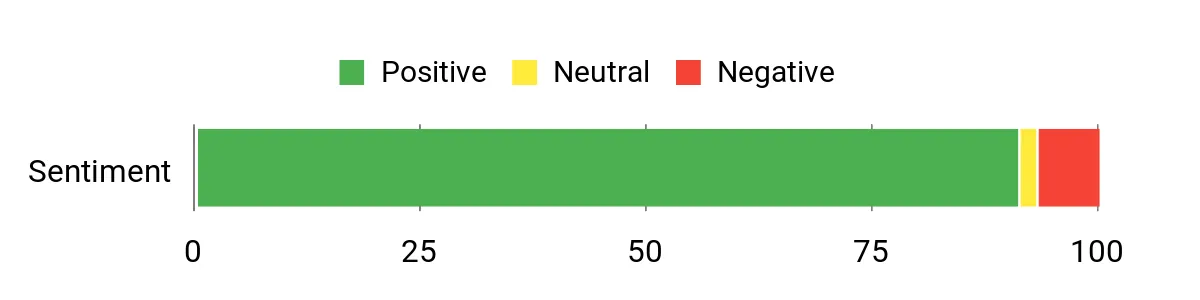
Across reviews people tend to praise how much performance this compact unit delivers — responsiveness, quiet operation and the easy multi‑display support come up a lot. Folks also like the roomy RAM and fast SSD for everyday editing, though a handful note occasional network hiccups or wish for more USB ports and storage out of the box.
Overall Sentiment: Positive
Long-Term Savings
Because the SER5 supports NVMe expansion and higher‑capacity storage options, you can upgrade storage as your projects grow instead of replacing the whole PC. The mobile AMD CPU also runs efficiently, which usually means lower electricity costs compared with a full desktop tower.
Use Cases
| Situation | How It Helps |
|---|---|
| Tight desk space | VESA mounting or small footprint frees up workspace while keeping editing power within reach. |
| Editing 4K footage | Integrated Radeon cores, fast NVMe storage and ample RAM reduce stutter when scrubbing timelines and previewing clips. |
| Transferring large project files | 2.5G Ethernet and Wi‑Fi 6 shorten copy times to NAS or collaborators, so you wait less between edits. |
| Client demos on the go | Multiple video outputs and compact size make it easy to hook up to unfamiliar displays and run quick previews. |
Time‑Saving Perks
Fast NVMe storage, a multi‑core Ryzen CPU and plenty of RAM reduce boot times, speed up cache generation and make timeline scrubbing and previews feel quicker, so iterations happen faster.
Ease of Use
| Feature | Ease Level |
|---|---|
| Out‑of‑box setup | Easy |
| Connecting multiple displays | Easy |
| Adding a second M.2 drive | Moderate |
| Configuring network settings (2.5G/Wi‑Fi 6) | Moderate |
| Troubleshooting rare driver or Windows update issues | Hard |
Versatility
This mini PC works as a daily workstation, a compact home editing rig, a 4K media center and a portable demo machine — the mix of CPU, RAM and modern I/O keeps it useful across a lot of projects.
Problem Solving
It fills the gap for people who need near‑desktop editing power without a tower: good integrated graphics, lots of RAM and fast NVMe storage in a small, quiet package.
Speed & Responsiveness
For routine editing, timeline scrubbing and multitasking it feels responsive thanks to the Ryzen chip and NVMe SSD; long exports still take time, but previews and basic trims are notably quicker than entry‑level minis.
Key Benefits
- Ryzen 7 6800U gives solid multi‑core performance for editing and multitasking
- 24GB LPDDR5 helps keep big timelines and many browser tabs smooth
- 500GB PCIe 4.0 NVMe SSD for fast boots, previews and app loads
- Triple 4K outputs let you preview footage and run a dedicated timeline monitor
- 2.5G LAN and Wi‑Fi 6 speed up transfers to NAS or cloud storage
- Small, VESA‑mountable chassis keeps desks tidy and portable
Current Price: $339.00
Rating: 4.5 (total: 225+)
⭐ Best Raw Performance
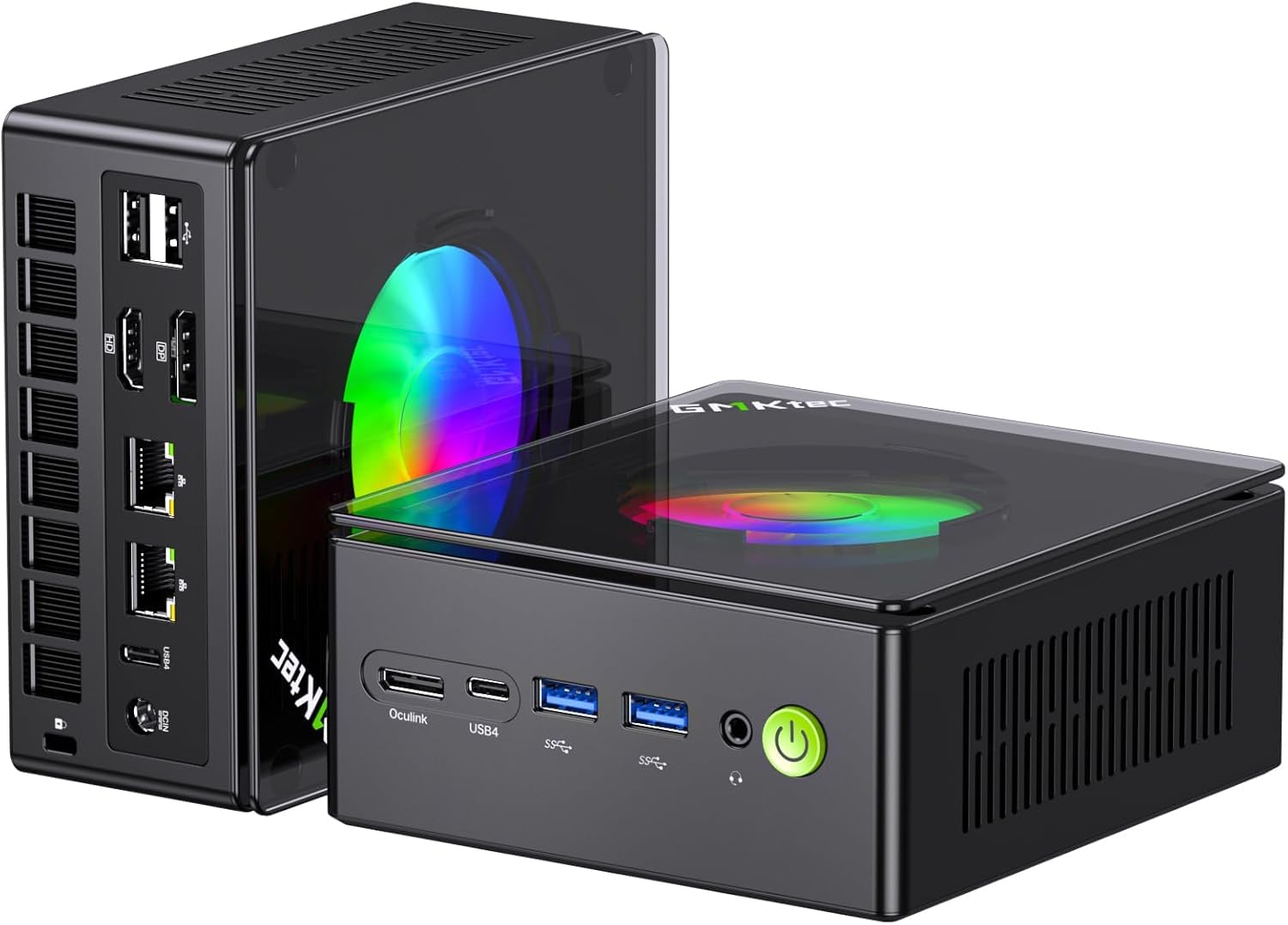
I like that the K11 squeezes near‑desktop CPU power into a palm‑sized box — the Ryzen 9, 32GB of DDR5 and a roomy NVMe drive make day‑to‑day editing and multitasking feel smooth. I’ve found it handy for everything from quick cuts and color checks to running a small render while I keep editing in the background.
The Oculink port is a nice safety valve if you eventually want an eGPU, and the multiple display outputs mean I can keep a timeline, preview and reference monitor all running. It’s not a silent unit under heavy load — the fans can get noticeable — but the tradeoff is real performance in a tiny, VESA‑mountable chassis that’s easy to tuck behind a monitor or take between workspaces.
What People Say
Across customer feedback people tend to praise the surprising performance and upgradeability for a mini PC — reviewers repeatedly mention the fast CPU, plentiful RAM and flexible ports. Many appreciate the multi‑display support and dual 2.5G LAN for networking tasks, while a recurring note is that the cooling fan can be loud under sustained load.
Overall Sentiment: Positive
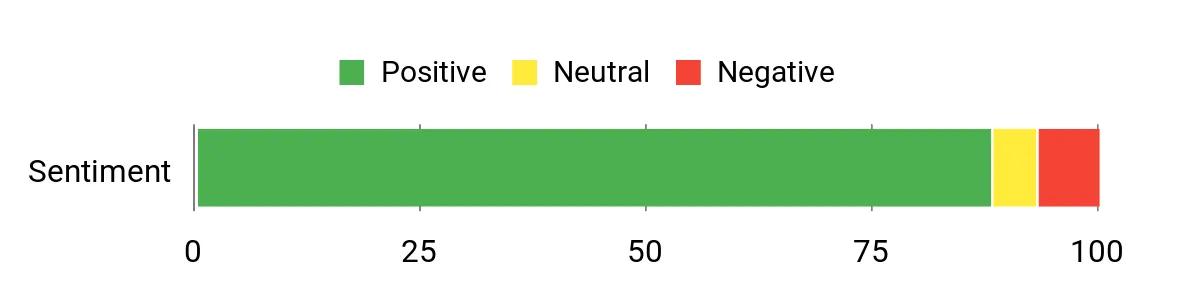
Long-Term Savings
Because the K11 supports dual M.2 slots and higher RAM capacities, you can add storage or memory as projects grow rather than replacing the whole system. That upgrade path, plus a power‑efficient mobile Ryzen chip, helps stretch the investment over several years.
Use Cases
| Situation | How It Helps |
|---|---|
| Small desk or cluttered workspace | Compact footprint and VESA mount free up desk space while delivering desktop‑class CPU power. |
| Working with multiple timelines or reference monitors | Multiple video outputs let you run a timeline, fullscreen preview and client feed simultaneously. |
| Needing more GPU power later | Oculink provides an upgrade path to an external GPU if you outgrow integrated graphics. |
| Transferring large project files | Dual 2.5G Ethernet and Wi‑Fi 6 speed up transfers to NAS or shared storage, cutting waiting time. |
Time‑Saving Perks
The combination of a multi‑core Ryzen CPU, 32GB DDR5 and NVMe storage makes previewing, caching and small exports faster, so iterative edits and client reviews happen without long delays.
Ease of Use
| Feature | Ease Level |
|---|---|
| Out‑of‑box setup | Easy |
| Connecting multiple displays | Easy |
| Adding a second M.2 SSD | Moderate |
| Installing an eGPU via Oculink | Moderate |
| Tuning fan profiles or troubleshooting drivers | Hard |
Versatility
This mini PC doubles as a compact editing workstation, a media center and a small server or NAS node thanks to its ports and upgrade options — it’s flexible enough for freelance editors, content creators and power users.
Problem Solving
It solves the problem of needing near‑desktop CPU performance without a full tower: lots of CPU and RAM in a small, mountable case, plus options to expand storage or add an eGPU later.
Speed & Responsiveness
For everyday editing and multitasking the system feels snappy thanks to DDR5 RAM and the NVMe drive; heavy exports still take time, but previews, scrubbing and most renders are noticeably quicker than entry‑level minis.
Key Benefits
- Powerful Ryzen 9 mobile CPU for fast multithreaded editing and encoding
- 32GB DDR5 keeps timelines and multitasking responsive
- 2TB PCIe NVMe SSD for quick boots, previews and cache work
- Oculink port enables eGPU use for heavier GPU workloads later
- Multiple modern video outputs (HDMI 2.1, USB‑C/DP) for multi‑monitor setups
- Dual 2.5G LAN and Wi‑Fi 6 speed up large file transfers and collaboration
Current Price: $669.98
Rating: 4.5 (total: 343+)
⭐ Best Raw Performance

I like how the M3 Ultra packs a 14-core i7 and 32GB of RAM into a palm‑sized box — it feels like a proper workstation that won’t dominate my desk. For daily editing I can scrub timelines, preview 4K footage and keep background tasks running without everything stalling. On busier days I use the triple 4K outputs for a timeline, fullscreen preview and a reference monitor, and the 2.5G Ethernet makes moving big project folders to my NAS noticeably quicker.
It’s compact enough to VESA‑mount behind a monitor or slide into a small studio, yet offers real upgrade paths with extra M.2 and RAM options, so I’d recommend it if you want near‑desktop editing power in a tiny footprint.
What People Say
Most buyers highlight that the M3 Ultra punches above its size — people commonly praise the snappy CPU performance, plentiful RAM and multi‑monitor support. Reviews also frequently note the solid network options (2.5G LAN and Wi‑Fi 6) and the convenience of upgradeable storage.
A handful of users mention heat under sustained heavy loads and the usual Windows update quirks, but overall feedback leans toward reliable day‑to‑day performance.
Overall Sentiment: Positive
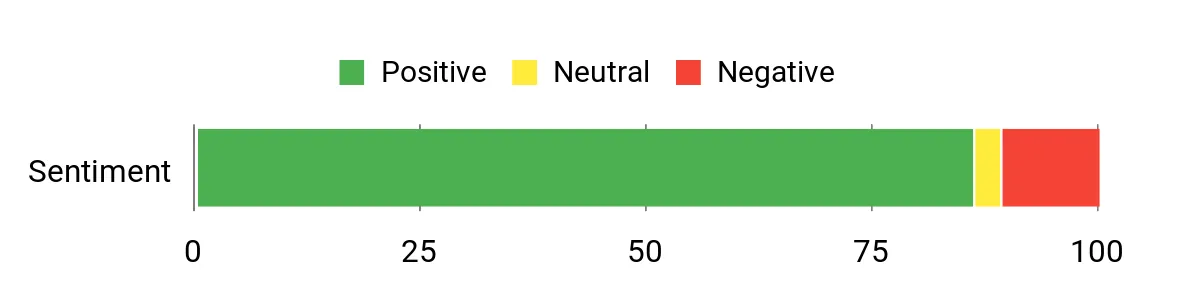
Long-Term Savings
Because you can add a second M.2 drive and increase RAM, you can extend the system’s useful life instead of replacing the whole machine. Modern networking features like 2.5G Ethernet and Wi‑Fi 6 also help future‑proof transfers and collaboration, stretching value over several years.
Use Cases
| Situation | How It Helps |
|---|---|
| Tight desk space or mobile studio | Small footprint and VESA mount free up room while delivering desktop‑class CPU and RAM. |
| Multimonitor editing workflows | Triple 4K outputs let you run timeline, preview and reference monitors at once. |
| Large project file transfers | 2.5G Ethernet and Wi‑Fi 6 speed up moves to NAS or cloud storage, reducing wait times. |
| Growing storage needs | Support for additional M.2 slots and expandable SSD capacity means you can add space without replacing the PC. |
Time‑Saving Perks
The multi‑core i7, ample RAM and NVMe storage make scrubbing, generating previews and small exports much faster, so I spend less time waiting and more time iterating on edits.
Ease of Use
| Feature | Ease Level |
|---|---|
| Out‑of‑box setup | Easy |
| Connecting multiple displays | Easy |
| Adding an extra M.2 SSD | Moderate |
| Upgrading RAM | Moderate |
| Managing thermals during long renders | Hard |
Versatility
This mini PC doubles as an on‑set editing station, a compact office workstation and a media server for playback or light transcoding; it’s flexible enough for freelancers, hobbyists and small studios.
Problem Solving
It solves the need for near‑desktop CPU performance in a tiny, mountable case — you get strong multithreaded performance, multiple 4K outputs and fast networking without a full tower.
Speed & Responsiveness
For everyday editing and multitasking the machine feels very responsive thanks to the i7 and NVMe SSD; heavy exports still take time, but previews and scrubbing are much quicker than entry‑level minis.
Key Benefits
- 14‑core Intel Core i7‑12700H for strong multithreaded performance
- 32GB DDR4 and 1TB NVMe for smooth timelines and quick caching
- Triple 4K display support via dual HDMI and USB‑C (DP1.4)
- Intel Iris Xe graphics with hardware encoding for faster video tasks
- 2.5G Ethernet plus Wi‑Fi 6 and Bluetooth 5.2 for fast, reliable connectivity
- Compact, VESA‑mountable chassis with room to expand storage and memory
Current Price: $629.99
Rating: 4.4 (total: 309+)
🎯 Best for Large Projects
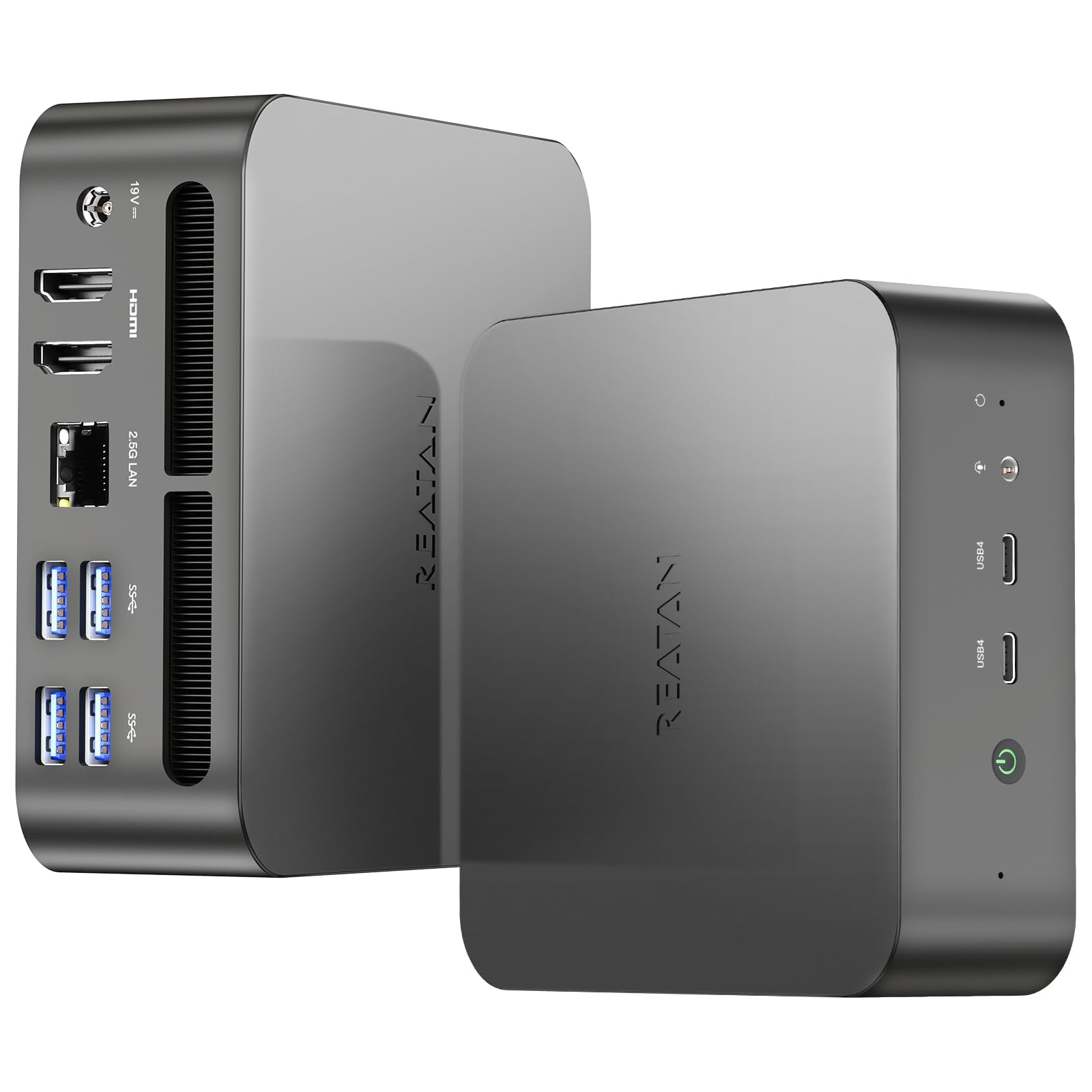
I like that the Alloy-9 squeezes high‑end specs into a palm‑sized box — Ryzen 9, 64GB of DDR5 and a 2TB NVMe make it easy to work on big timelines without constantly hunting for storage or waiting on previews. For everyday editing I can scrub 4K footage, layer effects and keep background apps open without the usual slowdowns.
On busier days the quad‑display support and USB4 outputs mean I can run timeline, fullscreen preview and a reference monitor at the same time. It’s small enough to tuck behind a monitor or slot into a compact studio, but powerful enough that I’d recommend it when you need near‑desktop performance without a full tower.
What People Say
Across reviews people commonly praise how much performance this little box delivers — buyers mention the plentiful RAM and big, fast SSD as standout positives. Users also note the solid cooling and quiet operation under load, plus the convenience of multiple display outputs and fast network options. A few reviews point out wireless quirks like occasional Bluetooth range issues, but overall the feedback centers on reliable speed and value for heavy tasks.
Overall Sentiment: Positive
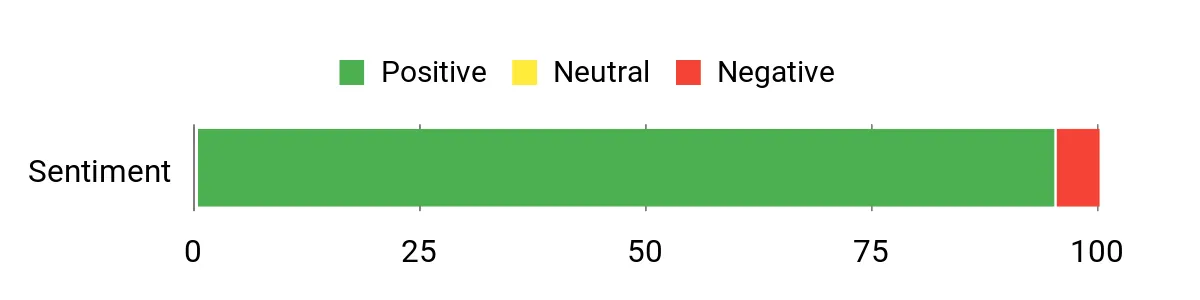
Long-Term Savings
Because it ships with high RAM and a large NVMe drive, you’re less likely to need an immediate upgrade; that stretches the machine’s useful life. The 1‑year warranty and frequent promotional coupons (for example, a $200 coupon has appeared) also help reduce effective upfront cost and risk over time.
Use Cases
| Situation | How It Helps |
|---|---|
| Small home studio or tight desk | Tiny footprint and VESA‑mount options free up space while still delivering desktop‑class CPU and RAM. |
| Multimonitor editing sessions | Two HDMI and two USB4 ports support multiple 4K displays for timeline, preview and reference screens. |
| Working with large project files | 2TB PCIe 4.0 SSD plus 2.5Gbps LAN reduce load and transfer times for big assets and archives. |
| On‑set or remote editing | Powerful CPU, compact size and fast wireless make it easy to edit away from your main studio without sacrificing speed. |
Time‑Saving Perks
The combination of a multi‑core Ryzen 9, high‑speed DDR5 and NVMe storage shortens scrubbing, preview generation and export times, so I spend less waiting and more iterating on edits.
Ease of Use
| Feature | Ease Level |
|---|---|
| Out‑of‑box setup | Easy |
| Connecting multiple displays | Easy |
| Adding extra M.2 storage | Moderate |
| Accessing internal components | Moderate |
| Troubleshooting Bluetooth range | Hard |
Versatility
This mini PC works as an editing workstation, a compact gaming rig and a media server — it’s flexible enough for freelancers, hobbyists and small studios who want powerful hardware in a small package.
Problem Solving
It answers the need for high performance without a tower: fast CPU cores, lots of RAM and a big NVMe drive let you handle large projects while keeping a minimal desk footprint.
Speed & Responsiveness
For daily editing the system feels very responsive — timelines and previews load quickly and multitasking is smooth. Heavy final exports still take time, but interactive tasks are noticeably faster than entry‑level minis.
Key Benefits
- Ryzen 9 7940HS for strong multithreaded editing and encoding
- 64GB DDR5 (5600 MHz) keeps timelines and caches snappy
- 2TB PCIe 4.0 NVMe for fast project storage and playback
- Radeon 780M handles previews and light GPU‑accelerated effects
- USB4 and HDMI 2.1 let you drive multiple high‑resolution displays
- 2.5Gbps LAN and Wi‑Fi 6E for faster file transfers and smoother collaboration
- Compact metal chassis with improved thermal design for sustained loads
Current Price: $859.00
Rating: 4.6 (total: 65+)
FAQ
Is A Mini PC Powerful Enough For Video Editing?
I get this question a lot and the short answer is: it depends on the kind of projects you edit. For simple edits, social clips, and 1080p timelines a modern mini PC can be more than sufficient — for example, the Apple 2024 Mac mini with M4 (10‑core CPU, 10‑core GPU) and 16GB unified memory at $479.00 handles timelines, ProRes playback, and hardware‑accelerated codecs very well. For heavier work — multiple 4K streams, complex color grading, lots of effects, or big timelines — I recommend a higher memory configuration (32GB or more), fast NVMe storage, and either a stronger integrated GPU or a machine that supports an external GPU.
Also keep in mind thermal limits in very small chassis: some mini PCs will throttle under sustained full‑load rendering, so if you often render long timelines I lean toward units with better cooling or compact workstations instead of the smallest form factors. In short, mini PCs are absolutely viable for editing, but match the model and configuration to the size and codec complexity of your projects.
What Should I Consider When Buying A Mini PC For Editing?
When I shop for a mini PC for video work I focus on five things: CPU cores and single‑thread speed (more cores help exports and multicam), GPU support for hardware encoding/decoding (HEVC, H.264, ProRes and AV1 where possible), RAM (I often choose 32GB or more if I expect heavy 4K work), storage speed and capacity (an NVMe for OS/apps and high‑speed external drives for footage), and ports/expandability — Thunderbolt/USB4 and multiple display outputs make life much easier. I also weigh software/OS compatibility; if you use Final Cut or like Apple’s media engine, the M4 Mac mini is compelling, while Premiere/DaVinci Resolve users often benefit from Windows AMD/Intel mini PCs with strong IGPs or eGPU options. Finally, set a realistic budget: you can find capable machines from around $189.99 for lightweight tasks up to $959.99 or more for higher‑end mini workstations, and I usually recommend allocating extra for storage or a dock rather than squeezing every dollar into the smallest SSD option.
How Do I Configure Storage, Displays, And Cooling For A Smooth Editing Workflow?
I always set up editing systems to separate OS/apps from media: keep the OS and your NLE on a fast internal NVMe, and store active project media on a high‑speed external NVMe over Thunderbolt or USB4 for real‑time playback. For long‑term storage I use a RAID array or NAS and a reliable offsite/cloud backup.
For monitoring, I connect at least two displays if possible — one for the timeline and one for scopes/preview — and use the best color‑accurate panel I can afford, calibrated with a hardware calibrator. Regarding cooling and noise, I place the mini PC with good airflow, avoid cramped enclosures, and use balanced fan profiles or undervolting if the BIOS allows it to reduce thermal throttling; if a unit gets loud or hot under export I either raise the case airflow or move renders to a cooler machine or a render node.
Lastly, add a dock or hub if the mini lacks ports so you can hot‑swap fast drives and keep a tidy, efficient editing desk.
What Buyers Prefer
When choosing between the Mac mini, KAMRUI Essenx E2 and GEEKOM A6, we usually prioritize raw CPU/GPU power, plenty of RAM and fast NVMe storage for smooth timelines and quick exports, along with quiet cooling and the right mix of ports (Thunderbolt/USB-C) for external drives and monitors. We also weigh OS and workflow — many of us pick the Mac mini for macOS and Final Cut Pro integration, while others opt for the KAMRUI or GEEKOM as more budget-friendly, Windows-based alternatives with strong specs and expandability.
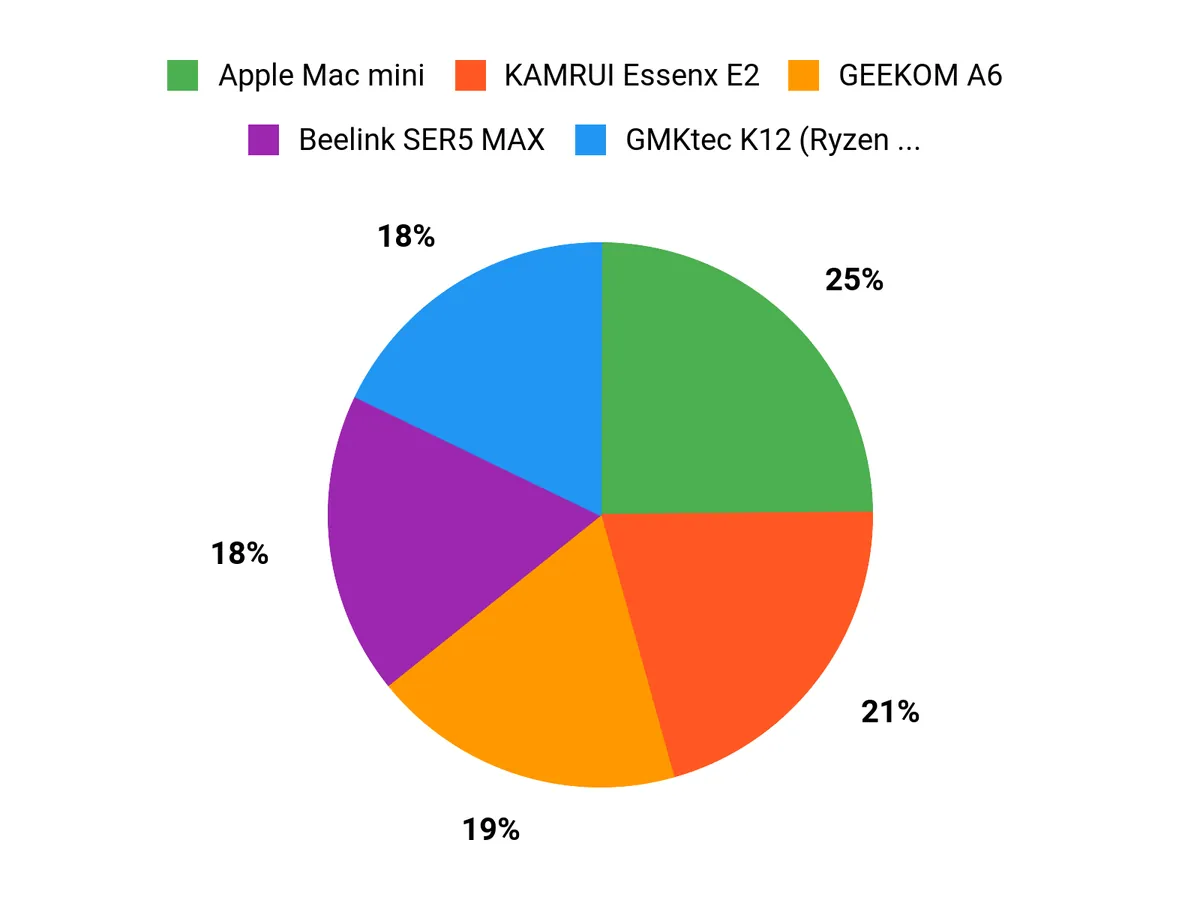
Wrapping Up
I picked machines that let me edit efficiently without a full tower. The Apple Mac mini is the easiest pick if you live in the Apple ecosystem and want excellent media-engine acceleration, quiet operation and great multi-monitor support.
If you use Windows and need a balance of price and editing power, the GEEKOM A6 and ACEMAGIC M1 offer strong value — the A6 edges toward creator-focused ports and GPU capability, while the M1 gives surprisingly large CPU power for the money. For heavier timelines, color grading and larger projects I prefer the GEEKOM A8, GMKtec K11 or the Reatan Alloy-9 because they give more CPU/GPU headroom, memory and NVMe storage options so I can keep previews and cache local. Ultimately I choose based on software (Final Cut loves Apple silicon, Premiere/Resolve benefit from stronger CPU/GPU and QuickSync/AMD optimizations), how much RAM I need, and whether I want to add external storage or an eGPU later.
If you tell me your typical project (timeline resolution, codecs, and whether you need portability), I’ll help you narrow this list to one model that fits your workflow and budget.
| Product | Image | Rating | Processor | RAM | Storage | Price |
|---|---|---|---|---|---|---|
| Apple 2024 Mac mini |
 |
4.8/5 (N reviews) | Apple M4 Chip, 10-core CPU | 16GB Unified Memory | 256GB SSD | $479.00 |
| KAMRUI Essenx E2 Mini PC |
 |
4.4/5 (1,636 reviews) | 2.0 GHz Celeron N95 | 16GB DDR4 | 512GB SSD | $189.99 |
| GEEKOM A6 Mini PC |
 |
4.4/5 (960 reviews) | AMD Ryzen 7 6800H | 32GB DDR5 | 1TB PCIe 4.0 NVMe SSD | $559.00 |
| GMKtec M5 Plus Gaming Mini PC |
 |
4.4/5 (687 reviews) | AMD Ryzen 7 5825U | 32GB DDR4 | 1TB SSD | $368.00 |
| ACEMAGIC M1 Mini PC |
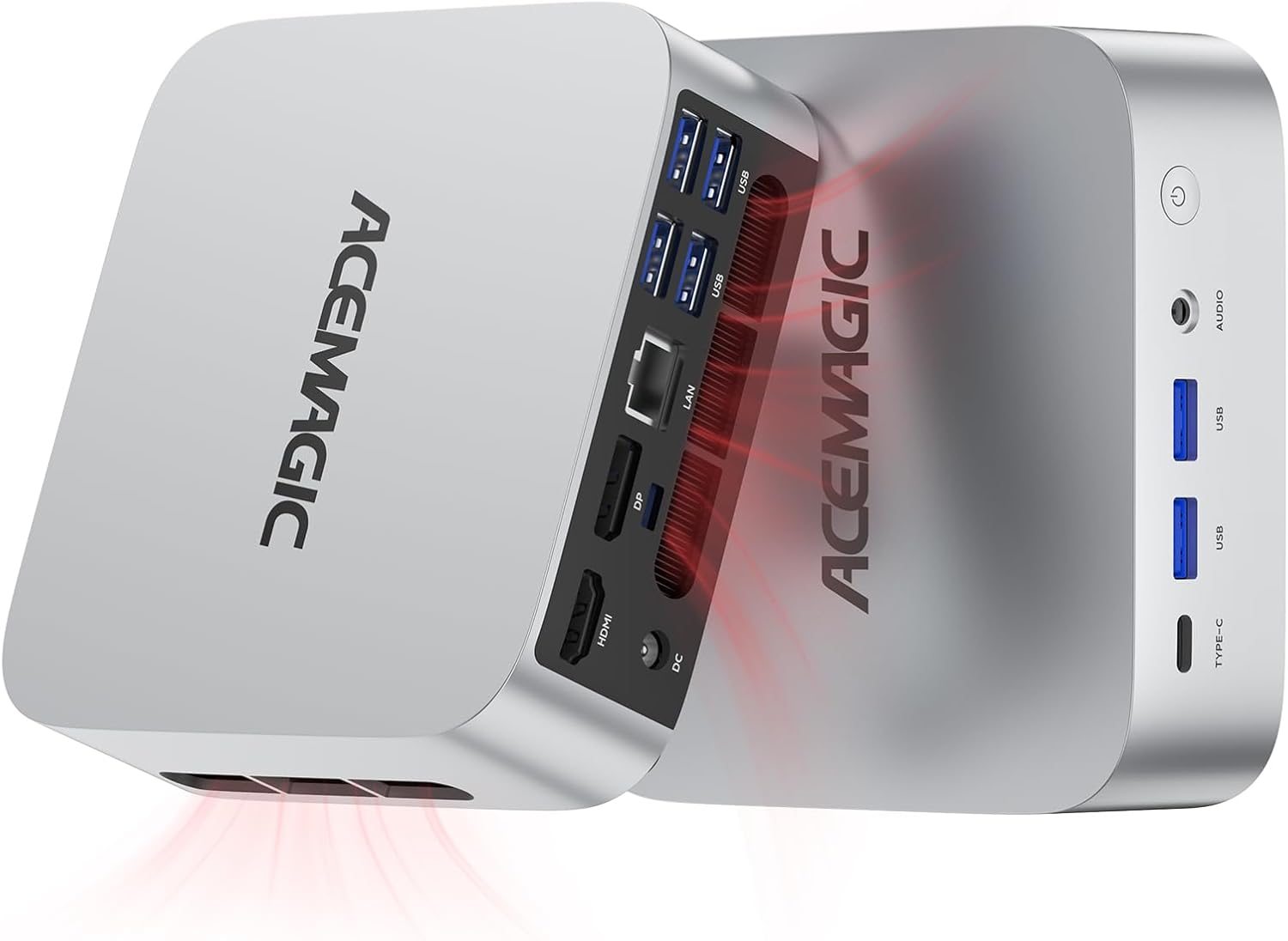 |
4.7/5 (139 reviews) | Intel Core i9-11900H | 32GB DDR4 | 1TB SSD | $459.99 |
| wo-we P6 AMD Ryzen 5 3550H Mini PC |
 |
4.8/5 (38 reviews) | AMD Ryzen 5 3550H | 16GB DDR4 | 512GB SSD | $219.99 |
| Beelink SER5 MAX Mini PC |
 |
4.5/5 (603 reviews) | AMD Ryzen 7 6800U | 24GB LPDDR5 | 500GB SSD | $339.00 |
| GMKtec Gaming Mini PC K12 |
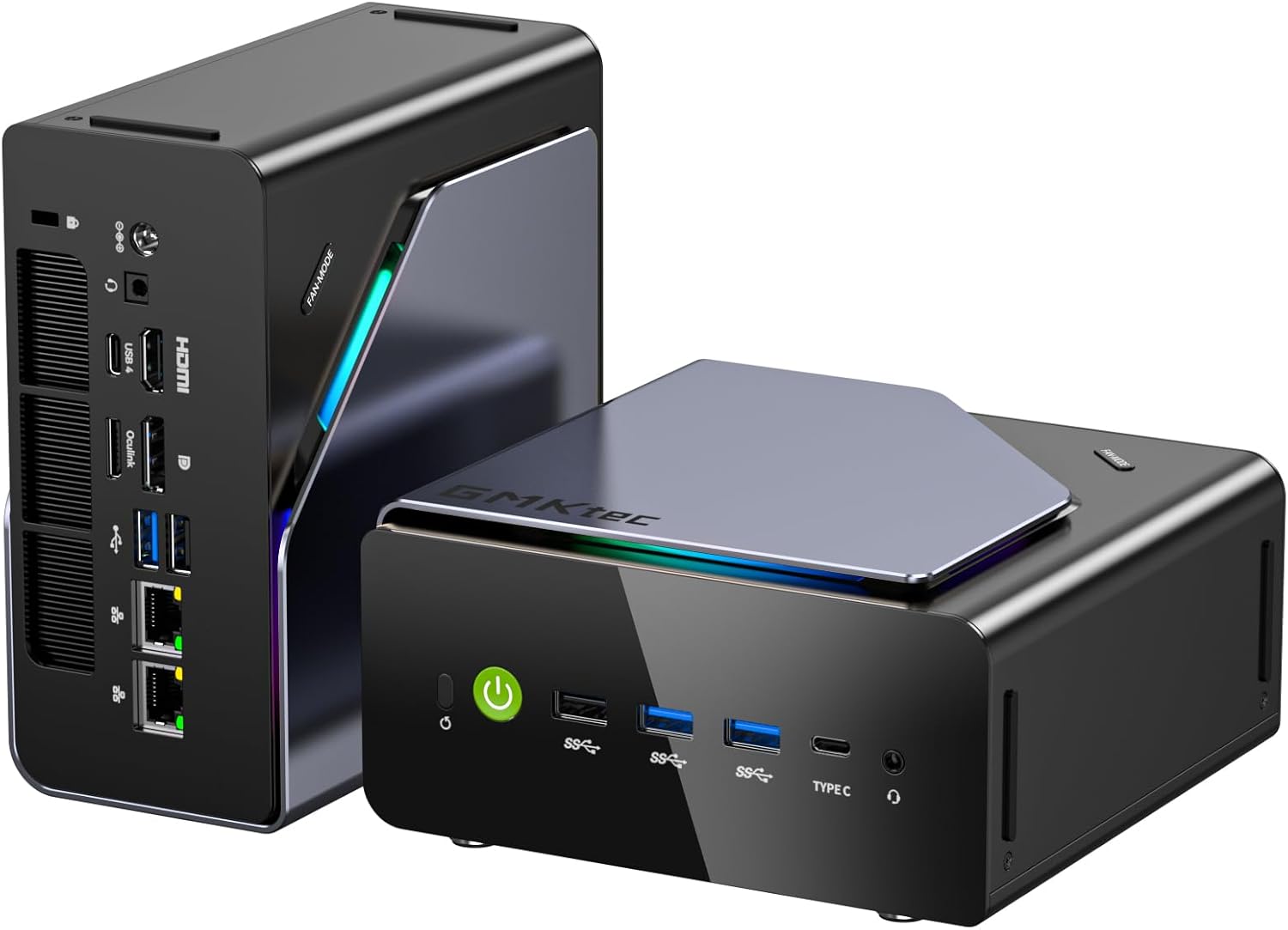 |
4.5/5 (707 reviews) | AMD Ryzen 7 H 255 | 32GB DDR5 | 512GB SSD | $569.99 |
| GEEKOM GT2 Mega Ai Mini PC |
 |
4.5/5 (510 reviews) | Intel Core Ultra 9 285H | 32GB DDR5 | 2TB SSD | $949.90 |
This Roundup is reader-supported. When you click through links we may earn a referral commission on qualifying purchases.



