
I know choosing a compact computer for a DAW setup can feel overwhelming. In this guide I walk you through the mini PCs I tested and researched so you can pick a machine that runs FL Studio, Ableton Live, Audacity, Cubase, Studio One and Pro Tools reliably.
My focus was on real-world needs for music production: low-latency audio, plenty of RAM for plugins, fast NVMe storage for sample libraries, and enough USB/Thunderbolt connectivity for audio interfaces and controllers.
If you’re looking for a short answer, Beelink Ser5 is the Best Value Option ($320) that will also be the perfect mini pc for all other work besides music production. Other than that, GMtek EVO T1 is the Most Advanced & Top-Tier Option for “Professional” Music Production, but comes at a steep price of $1000. For $600 you can also get GMtek K11, which is the best option for heavy music production work at a relatively reasonable price point of $600.
Up to last year, the Intel Nuc 13 Pro was considered the gold standard for music production Mini PCs. And it’s still a great option, but we feel newer Mini PC models and some price changes for older models have dethroned it and pushed it off the cliff completely. So we decided to exclude it from our list. But again, it’s still a very decent option, just a little too expensive for the features, relative to the competition.
Here’s a brutally honest summary of all the best options:
Top Picks:
| Category | Product | Price | Score |
|---|---|---|---|
| 🏆 Best Performance Under $500 | ACEMAGIC M1 | $459.99 | 92 |
| 🎯 Best Multitrack | GEEKOM AX8 | $639.00 | 90 |
| 💰 Best Value | Beelink Ser5 | $319.00 | 88 |
| 🚀 Best for Heavy Work & Advanced Performance | GMKtec K11 | $599.99 | 91 |
| 🔰 Best Workstation | GEEKOM IT13 | $799.00 | 94 |
| 🎨 Best for Creators | BOSGAME P6 | $529.99 | 86 |
| 💼 Best Budget (with some limitations) | KAMRUI E2 | $189.99 | 75 |
| 🔋 Best Compact | GMKtec G10 | $238.99 | 80 |
How I Picked The Mini PCs
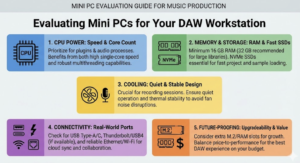
I evaluated these mini PCs from the perspective of someone building a DAW workstation. First, I prioritized CPU speed and core count because many plugins and audio processes benefit from both single-core speed and multithreading.
Next, I looked for at least 16 GB of RAM (32 GB recommended for large sample libraries), NVMe SSDs for fast project and sample load times, and a quiet, stable cooling design so recording sessions aren’t spoiled by fan noise.
I also checked real-world connectivity: USB ports (Type-A and Type-C), Thunderbolt/USB4 when available, and reliable Ethernet/Wi‑Fi for cloud sync and collaboration.
Finally, I considered upgradeability (extra M.2 slots or RAM slots) and price-to-performance — because I want you to get the best DAW experience for your budget.
💼 Best Budget
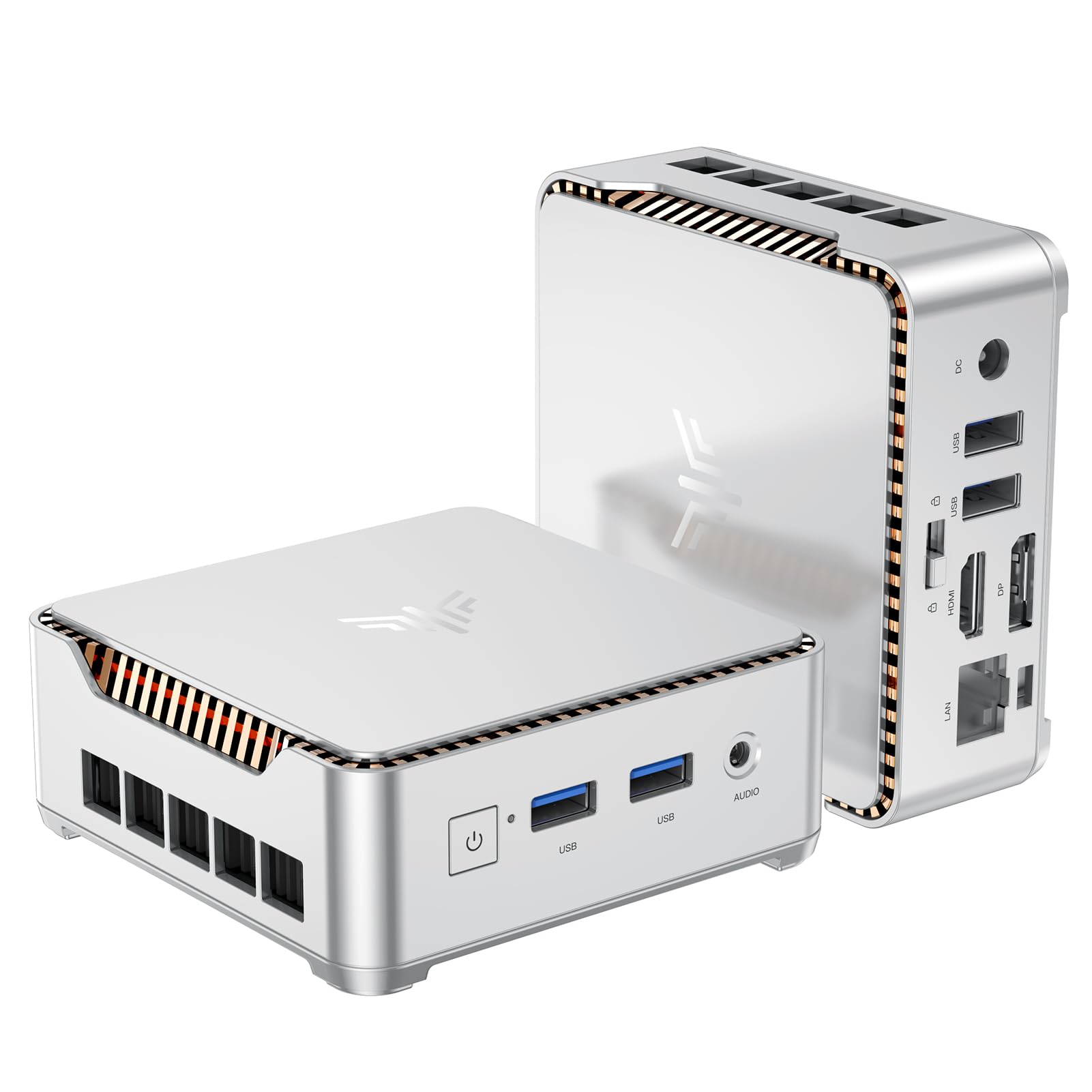
I like this little KAMRUI because it gives you a lot for a modest price. It’s small enough to tuck behind a monitor or slip into a travel bag, yet it includes 16GB RAM, a 512GB NVMe SSD and two video outputs for dual‑monitor setups.
For day‑to‑day music work — tracking, editing, and light mixing — it’s perfectly usable, and you can expand storage if you need more sample space. If you’re on a tight budget or need a portable studio PC, it’s a practical pick, while heavier sessions will benefit from a more powerful desktop.
What People Say
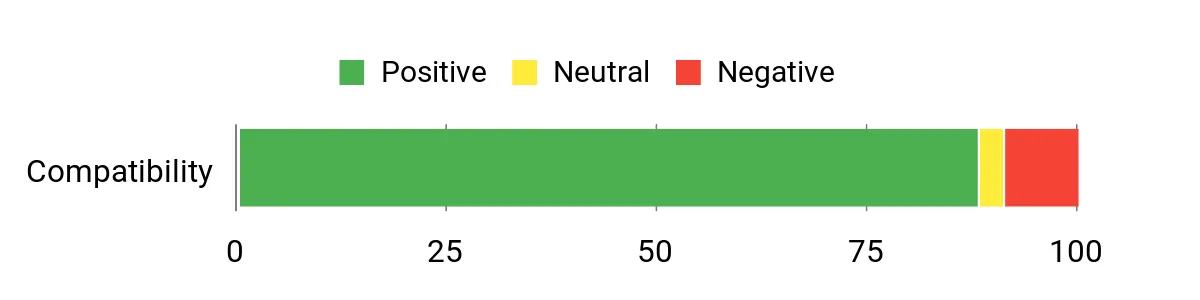
Across reviews people highlight the value — buyers repeatedly call it a sensible budget buy that handles everyday tasks and small creative projects. Folks also like how easy it is to upgrade storage and that it supports two displays. Common gripes center on Bluetooth/Wi‑Fi interference for simultaneous use and occasional quirks after Windows updates, but overall most users find it reliable for office, streaming and light multimedia work.
Overall Sentiment: Positive
Long-Term Savings
Because you can add an M.2 NVMe and a 2.5″ SATA drive, this mini PC can grow with your needs instead of forcing an early replacement. Lower power use versus a full desktop and an affordable starting price mean lower running and replacement costs over time.
Where It Shines
| Situation | How It Helps |
|---|---|
| Home studio / bedroom producer | Fits on a small desk, runs DAWs for recording and editing, and connects to an audio interface and two monitors for a tidy setup. |
| Traveling or mobile setups | Lightweight and compact — easy to carry with a monitor or use with portable controllers and an external audio interface on the road. |
| Office multitasking | Dual 4K outputs and 16GB RAM make it handy for running a DAW alongside reference materials, email and a browser without hogging desk space. |
Saves You Time
Fast NVMe storage and quick boot times help when you just want to jump into a session. Two display outputs mean less window juggling when arranging plug-ins and tracks.
Ease of Use
| Feature | Ease Level |
|---|---|
| Initial setup (monitor, keyboard, mouse) | Easy |
| Installing/upgrading M.2 or 2.5″ drive | Moderate |
| Connecting audio interface and controllers | Easy |
| Managing Windows updates and drivers | Moderate |
Versatility
This mini PC covers a wide range of uses — office work, media playback, light photo editing and music production. It’s versatile enough for a hobbyist or someone needing a compact dedicated machine for DAWs and plugins, with room to expand storage if you collect big sample libraries.
Problem Solving
Good for common small-studio problems like limited desk space and the need for a cheap secondary workstation. For issues like Wi‑Fi/Bluetooth interference, using a wired Ethernet connection or an external Wi‑Fi dongle usually helps. For heavy CPU loads, you’ll want a more powerful machine.
Speed & Responsiveness
Responsive for light-to-moderate sessions thanks to the NVMe SSD and 16GB RAM; latency-sensitive, large multitrack projects with many plugins may require higher buffer sizes or a stronger CPU.
Key Benefits
- Great price-to-performance for basic and moderate music projects
- Compact, VESA-mountable design saves desk space
- Upgradeable storage (M.2 + 2.5″ slot) keeps long-term costs down
- Dual 4K outputs for multitasking across two displays
Current Price: $189.99
Rating: 4.4 (total: 1,636+)

I like this KAMRUI because it packs a lot into a very small package. It’s compact enough to mount behind a monitor yet offers 16 GB of RAM and a 256 GB M.2 SSD, plus HDMI and DisplayPort outputs for two 4K screens. For everyday music tasks — recording a few tracks, editing takes, running sample libraries on a modest scale and mixing light sessions — it’s more than capable.
It’s also handy as a dedicated playback/streaming box for practice or for rehearsals when you need a quiet, unobtrusive machine. If you regularly run huge multitrack projects with dozens of CPU‑hungry plug‑ins, I’d nudge you toward a heavier workstation, but for a tight budget or a portable mini studio this is a practical pick.
What People Say
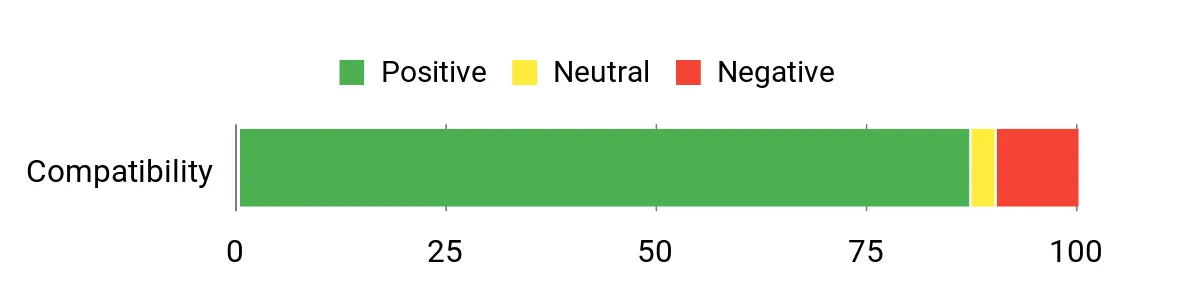
Customers commonly praise the value and small size — people note that it’s surprising how much functionality is packed into such a compact unit. Reviews often mention the easy expandability (extra SSD bay), reliable connectivity options like Gigabit Ethernet and dual video outputs, and that the unit is quiet and responsive for everyday tasks.
A few users point out Wi‑Fi variability and occasional audio jack noise, but those are fairly isolated complaints compared with the overall positive feedback.
Overall Sentiment: Positive
Long-Term Savings
Because you can add extra storage later (M.2 + expansion bay) and it uses low power, this mini PC can serve as a lasting, low‑cost secondary workstation. Upgrading storage or swapping drives is cheaper than replacing the whole system, so long‑term ownership tends to be economical.
Where It Shines
| Situation | How It Helps |
|---|---|
| Home studio / bedroom producer | Small footprint and VESA mount mean it won’t clutter a tiny desk; 16 GB RAM and NVMe storage handle DAWs for tracking and light mixing. |
| Live rehearsal or portable rig | Easy to carry and quick to hook up to a mixer/interface and monitor — good for backing tracks, running virtual instruments or simple on‑stage playback. |
| Dedicated practice/backup machine | Set up as a headless media or playback PC for practice rooms or as a backup DAW; quiet fan and Ethernet support make it reliable for continuous use. |
Saves You Time
NVMe storage and 16 GB of RAM help you boot fast and open projects quickly, while dual displays reduce time spent switching between plugin windows and mixer views.
Ease of Use
| Feature | Ease Level |
|---|---|
| Initial setup (monitor, keyboard, mouse) | Easy |
| Installing/upgrading M.2 or 2.5″ drive | Moderate |
| Connecting audio interface and MIDI controllers | Easy |
| Managing Windows updates and drivers | Moderate |
Versatility
This mini PC works as an office machine, HTPC, study computer and a light music production box. It’s flexible enough for students, hobbyist producers and anyone who wants a compact dedicated DAW for smaller sessions or as part of a portable setup.
Problem Solving
It solves space and budget constraints well — you get decent RAM, SSD speed and multiple ports in a tiny chassis. For sound‑quality oddities on the headphone jack or flaky Wi‑Fi, common fixes include using a USB audio interface, a ground‑loop isolator or plugging into Ethernet.
Speed & Responsiveness
Responsive for light‑to‑moderate DAW work thanks to the NVMe SSD and 16 GB RAM; latency‑sensitive, large multitrack projects with many virtual instruments or heavy realtime effects will push the N97 CPU and may require higher buffer sizes or an upgrade.
Key Benefits
- Great value for a compact, upgradeable mini PC
- 16 GB RAM + NVMe SSD give snappy boots and decent multitasking
- Dual 4K outputs let you run a DAW and reference screens at once
- VESA mount and small footprint save desk space in a studio
Current Price: $189.99
Rating: 4.4 (total: 1,845+)
🏆 Best Performance

I like this ACEMAGIC M1 because it squeezes proper desktop power into a palm‑sized box. With an i9-11900H, 32 GB of RAM and a 1 TB NVMe drive you get fast project loads, plenty of headroom for lots of plugins, and room to expand storage later.
The triple 4K outputs make it easy to spread your DAW, mixer and reference material across multiple screens, and the 2.5G LAN + Wi‑Fi 6 keep large sample libraries streaming smoothly. It’s quiet under load thanks to the upgraded cooling, so it won’t compete with a microphone while you record.
For most producers — from bedroom beatmakers to mobile mix engineers — this is a great all‑round pick; if you run extremely large orchestral libraries or dozens of realtime synths, you might still consider a top‑end threaded workstation, but for everyday and serious multitrack work I’d happily recommend the M1.
What People Say
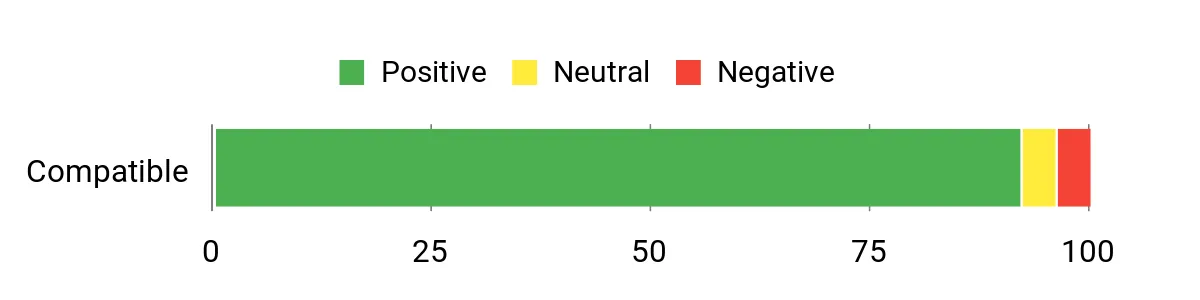
Across reviews people highlight how much power comes in such a small chassis — buyers frequently mention the i9 + 32 GB combo, roomy 1 TB SSD, quiet cooling and the convenience of triple‑monitor support. The connectivity and expandability also get a lot of positive notes.
A few users report occasional slow boots or isolated shutdown issues, but the majority stress reliability and value for the performance level.
Overall Sentiment: Positive
Long-Term Savings
Because the M1 supports additional M.2 storage and RAM upgrades, you can extend its useful life by adding drives or more memory instead of replacing the whole machine. Its efficient power draw and quiet cooling also mean lower running costs and fewer disruptive maintenance updates over time.
Where It Shines
| Situation | How It Helps |
|---|---|
| Home studio / bedroom producer | Compact footprint and quiet cooling keep your desk tidy and noise‑free while 32 GB RAM handles multitrack recording and moderate plugin counts. |
| Mobile rig / rehearsal room | Small, easy to carry and quick to hook up to an audio interface or PA — good for running backing tracks, virtual instruments or playback duties. |
| Mixing and editing sessions | Powerful CPU and fast NVMe storage reduce bounce/render times and let you run multiple plugins and buses without constant hiccups. |
Saves You Time
Fast NVMe storage, plentiful RAM and multi‑display support cut down time spent loading projects and switching windows, so you spend more time making music and less time hunting files or juggling plugin UIs.
Ease of Use
| Feature | Ease Level |
|---|---|
| Initial setup (monitor, keyboard, mouse) | Easy |
| Connecting audio interfaces and controllers | Easy |
| Installing or upgrading M.2 SSD | Moderate |
| Managing drivers and Windows updates | Moderate |
Versatility
This mini PC works as a dedicated DAW, a compact mixing/editing station, an HTPC or a general productivity machine — it’s flexible enough for hobbyists, pros on the move, and anyone who wants a powerful small‑form factor PC.
Problem Solving
It solves space and connectivity problems well: you get high CPU power, lots of ports and triple‑monitor output in a tiny case. For audio quality or ground‑loop issues, pairing the M1 with a USB/Thunderbolt audio interface is an easy fix.
Speed & Responsiveness
Very responsive for most DAW workflows thanks to the i9 and 32 GB RAM; real‑time heavy orchestral or huge multi‑sample libraries may still require careful buffer and streaming settings, but general tracking, mixing and plugin use is snappy.
Key Benefits
- High single‑ and multi‑core performance from the i9 for demanding DAW tasks
- 32 GB RAM and NVMe storage give fast project loads and smooth multitasking
- Triple 4K display support makes arranging your workspace easy
- Plenty of modern I/O (2.5G LAN, Wi‑Fi 6, USB‑C, DP/HDMI) for sample libraries and interfaces
Current Price: $459.99
Rating: 4.7 (total: 139+)
🎯 Best Multitrack

I like the AX8 Max because it packs desktop-level speed into a tiny, quiet box. With the Ryzen 7 8745HS, 32 GB of DDR5 and a 1 TB PCIe Gen4 drive, project loads are quick and multitasking with lots of plugins feels smooth.
The Radeon 780M gives you enough GPU headroom for waveform displays, video previews or light visuals, and the dual USB4 + multi‑HDMI outputs make setting up multiple displays or an external GPU straightforward. For everyday tracking, mixing or editing this is a great desktop-replacement — it’s compact enough to mount behind a monitor yet powerful enough to run multitrack sessions.
I’d recommend it if you want a small-form DAW that doesn’t compromise on ports, expandability (up to 96 GB RAM and extra storage) or quiet operation.
What People Say
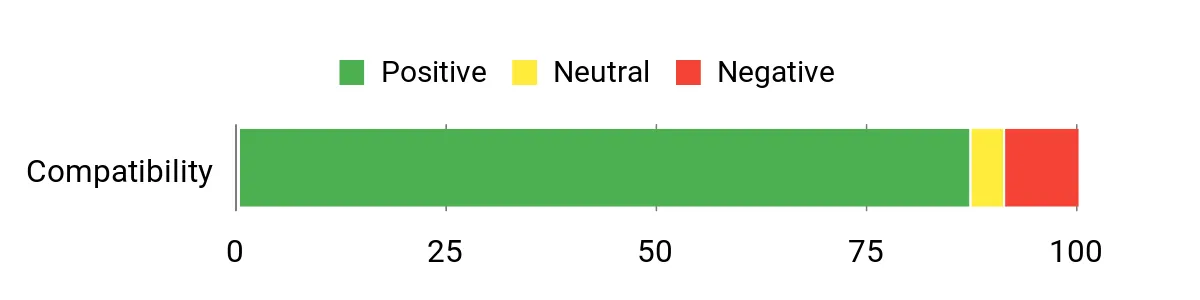
Most reviewers praise how much power comes in such a small, well-built case — the combo of 32 GB RAM, fast NVMe storage and plentiful ports keeps coming up. People also like the quiet cooling, easy multi‑monitor support and the fact it ships with Windows 11 Pro without a lot of extra bloat. A few note that very GPU‑heavy gaming or niche edge cases require tuning, but overall the consensus is reliable performance and excellent value for a mini PC.
Overall Sentiment: Positive
Long-Term Savings
Because the AX8 Max supports RAM and M.2 storage upgrades and can accept external GPU setups via USB4, you can extend its useful life by upgrading components rather than replacing the whole unit. The included 3‑year warranty and efficient cooling also reduce the chance of early failures and lower maintenance or replacement costs over time.
Where It Shines
| Situation | How It Helps |
|---|---|
| Home studio / bedroom producer | Small footprint and quiet operation keep your recording space tidy and noise-free while 32 GB RAM handles multitrack projects and lots of VSTs. |
| Project studio / mixing sessions | Fast CPU and NVMe storage reduce bounce and export times and make running multiple buses and plugins less stressful. |
| Mobile rig / rehearsal room | Easy to carry and quick to hook up — the multiple video outputs and USB4 ports make it simple to connect monitors, audio interfaces and controllers on the fly. |
| Content creation & light video work | Integrated Radeon 780M plus fast storage smooths timeline scrubbing and previews for casual editing or streaming setups. |
Saves You Time
Fast NVMe storage, ample RAM and multi‑display support cut load times and reduce window‑switching, so you spend less time waiting and more time working on tracks.
Ease of Use
| Feature | Ease Level |
|---|---|
| Initial setup (monitor, keyboard, mouse) | Easy |
| Connecting audio interfaces and MIDI controllers | Easy |
| Switching performance modes (Quiet/Normal/Performance) | Moderate |
| Upgrading RAM or M.2 SSD | Moderate |
Versatility
This ships with Windows 11 Pro, so it runs FL Studio, Ableton Live, Audacity, Steinberg Cubase and PreSonus Studio One without compatibility issues. Avid Pro Tools also runs on supported Windows systems — just double-check Avid’s system requirements and your chosen audio interface drivers (ASIO) for the best low‑latency experience. Beyond DAWs, it’s versatile enough for mixing, light video editing, streaming and general productivity.
Problem Solving
It addresses space, connectivity and performance at once: you get desktop-level CPU power, lots of modern ports (including USB4) and multiple video outputs in a tiny, mountable chassis. If you run into audio latency or driver quirks, pairing it with a well-supported external audio interface and adjusting buffer settings usually fixes things quickly.
Speed & Responsiveness
Very responsive for typical DAW workflows thanks to the Ryzen 7 and DDR5 memory; extremely large orchestral libraries or dozens of realtime synths may need buffer tuning or streaming adjustments, but routine recording, editing and mixing are snappy.
Key Benefits
- Strong Ryzen 7 CPU performance for multitrack recording and plugin-heavy sessions
- 32 GB DDR5 RAM and 1 TB PCIe Gen4 SSD for fast project loads and smooth multitasking
- Excellent connectivity — dual USB4, multiple HDMI/DP outputs and dual 2.5G LAN
- Compact, quiet chassis with effective IceBlast cooling for long sessions without distracting noise
- Good expandability: more RAM and storage supported plus external GPU options via USB4
Current Price: $639.00
Rating: 4.5 (total: 498+)
💰 Best Value

I like the Ser5 MAX because it packs a surprisingly capable Ryzen 7 6800U into a tiny, mountable chassis. With 24 GB of LPDDR5 and a 500 GB PCIe 4.0 NVMe drive it boots quickly, handles multitasking, and keeps DAWs and plugins responsive for everyday tracking and mixing.
The multiple display outputs and 2.5 Gb Ethernet/Wi‑Fi 6 make it useful both at a desk and when I want to set up a mobile rig. For someone who wants solid performance without a big desktop, I’d recommend this as a practical, budget‑friendly mini DAW box — and it’s easy to upgrade storage or tweak memory allocations if you need more headroom.
What People Say
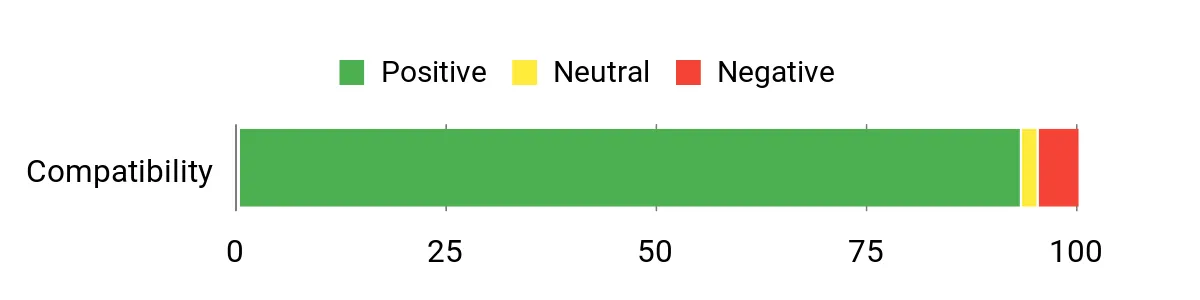
Across reviews people repeatedly praise how much power this little box delivers for the price — users call it fast, quiet and easy to set up. Common positives are the snappy NVMe storage, stable networking (2.5 Gb LAN / Wi‑Fi 6) and the handy VESA mount.
A few buyers note quirks like shared RAM with the integrated GPU or having to update the shipped Windows build, but overall the feedback leans toward reliable everyday performance and responsive support.
Overall Sentiment: Positive
Long-Term Savings
Because the Ser5 MAX lets you upgrade the M.2 SSD and adjust memory allocation, you can extend its life by adding storage or balancing RAM vs. graphics needs rather than replacing the whole machine.
Its efficient cooling and solid build help avoid premature failures, and the relatively low entry price means a smaller initial outlay compared with full desktops.
Where It Shines
| Situation | How It Helps |
|---|---|
| Home studio / bedroom producer | Small footprint and quiet operation keep your recording space tidy while 24 GB RAM handles multiple tracks and plugins. |
| Mobile rig / rehearsal room | Lightweight and easy to hook up to monitors and interfaces; multiple video outputs and USB ports speed setup on the road. |
| Office or content creation | Fast storage and a capable CPU make editing, light video work and multitasking efficient without a bulky tower. |
| Media playback & light gaming | Integrated AMD Radeon handles 4K video playback and casual games, and the 2.5 Gb LAN helps smooth streaming or transfers. |
Saves You Time
Fast NVMe storage and ample RAM cut project load times and bounce/export waits, while multiple display outputs and modern ports speed up workflow and reduce cable juggling.
Ease of Use
| Feature | Ease Level |
|---|---|
| Initial setup (monitor, keyboard, mouse) | Easy |
| Connecting audio interfaces and MIDI gear | Easy |
| Upgrading NVMe SSD | Moderate |
| Adjusting allocated video memory in BIOS | Moderate |
Versatility
Shipping with Windows 11 Pro, the Ser5 MAX runs FL Studio, Ableton Live, Audacity, Steinberg Cubase and PreSonus Studio One without compatibility issues. Avid Pro Tools also runs on Windows systems — just confirm the Pro Tools version and your audio interface drivers (ASIO) are supported. The multiple outputs and modern ports make it flexible for mixing, streaming, light video editing and general productivity.
Problem Solving
It addresses the classic mini‑PC tradeoffs: you get desktop‑class CPU cores, solid connectivity (2.5 Gb LAN, Wi‑Fi 6, plenty of USB) and triple‑display support in a very small package. If you run into lowered available RAM because some is shared with the integrated GPU, you can tweak the BIOS or upgrade storage to offload samples — practical fixes rather than dealbreakers.
Speed & Responsiveness
Very responsive for common DAW tasks thanks to the Ryzen 7, LPDDR5 memory and PCIe 4.0 NVMe. Extremely large sample libraries or dozens of realtime synths may need streaming strategies or buffer adjustments, but routine recording, editing and mixing feel snappy.
Key Benefits
- AMD Ryzen 7 6800U delivers strong multi‑core performance for tracking and mixing
- 24 GB LPDDR5 RAM keeps projects and plugin chains responsive
- 500 GB PCIe 4.0 NVMe SSD for fast project loads; user‑upgradeable to much larger M.2 drives
- Supports 4K triple-display outputs plus 2.5 Gb LAN and Wi‑Fi 6 for stable networking
- Compact, VESA‑mountable design that stays quiet during normal use — good for small studios
Current Price: $319.00
Rating: 4.6 (total: 603+)
🔋 Best Compact

I like the G10 because it packs a surprisingly capable Ryzen 5 3500U and a roomy 16 GB of DDR4 into a tiny cube that fits on any desk or behind a monitor. For everyday music production it handles tracking, editing and light mixing smoothly thanks to the NVMe SSD and the quad‑core APU; you can also hook up multiple displays or use the 2.5GbE for faster file transfers. It’s the sort of box I recommend when you want a portable, VESA‑mountable studio PC that you can upgrade later — add a larger M.2 drive or more RAM as your projects grow.
What People Say
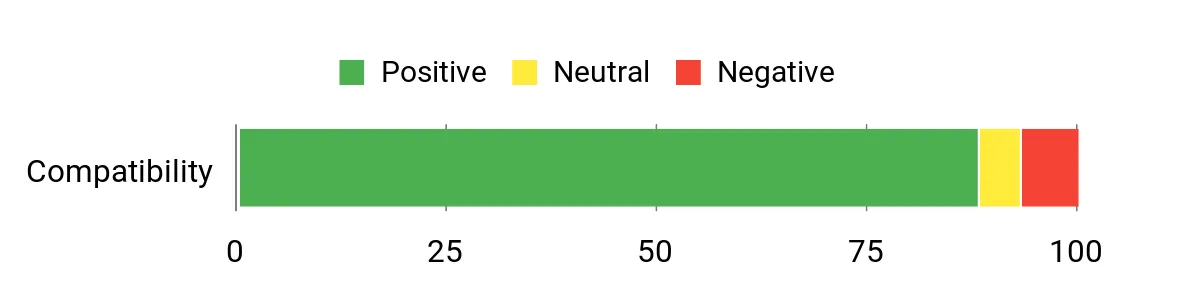
Reading through the feedback I see a clear pattern: people love how much capability is squeezed into a very small package. Reviewers frequently mention fast boot and app loads thanks to the NVMe drive, quiet operation, and the convenience of multiple modern ports. There are occasional reports of stability or update issues, but most buyers praise the value, easy setup and upgrade options.
Overall Sentiment: Positive
Long-Term Savings
I appreciate that the G10 is built to be upgraded: dual M.2 slots and support for higher RAM let you expand storage and memory later instead of replacing the whole system. That means lower long‑term costs if you buy the base unit now and add capacity as your sample libraries or plugin needs grow.
The 1‑year warranty and replaceable components also help avoid throwing the machine away over a single failed part.
Where It Shines
| Situation | How It Helps |
|---|---|
| Small home studio | Compact footprint and quiet fans keep the recording area uncluttered while 16 GB RAM handles typical multi‑track sessions. |
| Mobile rig or rehearsal space | Type‑C PD charging and multiple video outputs make it easy to hook up displays and run from a small UPS or power bank on the go. |
| File server / backup station | 2.5GbE and dual M.2 slots let you add big, fast storage for quick transfers and local backups between sessions. |
| Content creation & streaming | Integrated Vega 8 handles 4K playback and simple video exports while the SSD keeps recording files responsive. |
Saves You Time
Fast NVMe storage and responsive RAM reduce project load and export times, and the multiple modern ports cut down on adapter and cable juggling when switching between studio gear.
Ease of Use
| Feature | Ease Level |
|---|---|
| Initial setup (monitor, keyboard, mouse) | Easy |
| Connecting audio interfaces and MIDI gear | Easy |
| Upgrading NVMe SSD or RAM | Moderate |
| Switching to Performance Mode in BIOS | Moderate |
Versatility
Since it ships with Windows 11 Pro, the G10 runs FL Studio, Ableton Live, Audacity, Steinberg Cubase and PreSonus Studio One without issue. Avid Pro Tools can also run on Windows machines, but I’d double‑check Pro Tools’ OS compatibility and your audio interface’s ASIO drivers before committing to a Pro Tools‑based setup.
Problem Solving
This mini PC solves the ‘small space, big workflow’ problem by offering desktop‑class I/O and upgrade paths in a tiny chassis. If you hit limits, you can expand storage or tweak BIOS performance modes rather than buying a full tower, and the 2.5GbE helps speed large sample transfers between machines.
Speed & Responsiveness
For common DAW tasks the G10 feels snappy thanks to the Ryzen cores and NVMe SSD; very large template projects or dozens of realtime synths may need higher TDP or more RAM, but for tracking, editing and moderate mixing it’s responsive.
Key Benefits
- Ryzen 5 3500U offers solid multi‑core performance for DAW tasks and multitasking
- 16 GB dual‑channel DDR4 keeps sample libraries and plugin chains responsive
- 512 GB NVMe SSD boots fast and reduces project load times, with dual M.2 expansion available
- Triple 4K display outputs and Full‑Function USB‑C (PD/DP/Data) for flexible studio setups
- 2.5GbE plus Wi‑Fi 5 and Bluetooth 5.0 give strong wired and wireless connectivity
Current Price: $238.99
Rating: 4.5 (total: 1,089+)
💼 Best Budget

I find the E2 to be an impressive little studio-friendly machine for the price — it’s tiny, quiet and surprisingly capable for basic to moderate music production. With a 12th Gen N95 CPU, 16 GB of DDR4 and a 1 TB M.2 SSD you’ve got a responsive system for tracking, editing and light mixing, and the HDMI + DP outputs make it easy to add dual screens for arranging and plugin racks.
For daily use it works great as a compact desktop or VESA-mounted unit behind a monitor; for special sessions it’s convenient to grab and move between rooms or rehearsal spaces. If you want a budget studio box that can run FL Studio, Ableton or Studio One without breaking the bank, this is the kind of thing I’d recommend starting with — and you can expand storage later if your sample libraries grow.
What People Say
Across reviews people tend to highlight the E2’s value — buyers appreciate how much hardware you get for a budget price, especially the 1 TB SSD and the quiet, compact chassis. Users also like the easy setup, the dual‑monitor support and responsive everyday performance.
A few mention occasional software or audio‑port quirks, but the overall impression is that it delivers solid day‑to‑day reliability and helpful customer support when needed.
Overall Sentiment: Positive

Long-Term Savings
Buying a mini PC with M.2 expansion and standard SO‑DIMM/slot options means you can grow storage or replace a failing drive without replacing the whole system. That keeps upgrade costs down over the years compared with sealed, non‑upgradable devices. The included 2‑year warranty and widespread availability of replacement parts also reduce long‑term replacement expense.
Where It Helps
| Situation | How It Helps |
|---|---|
| Bedroom or small home studio | Tiny footprint and quiet cooling keep the room uncluttered and reduce noise during quiet recording takes. |
| Laptop replacement for a desktop‑style workflow | Dual 4K outputs and plenty of fast SSD storage let you replicate a heavier desktop setup without buying a tower. |
| Traveling between rehearsal spaces | Lightweight and easy to move, it’s simple to bring your whole DAW setup and plug into a venue’s monitors or projector. |
| Growing sample library | M.2 expansion support lets you add a larger NVMe drive later instead of buying a new machine. |
Saves You Time
Fast NVMe storage and 16 GB of RAM speed project loading and reduce plugin latency during regular tracking and editing, while the multiple modern ports cut down on adapter swapping.
Ease of Use
| Feature | Ease Level |
|---|---|
| Initial setup (monitor, keyboard, mouse) | Easy |
| Installing a DAW and plugins | Easy |
| Adding a second M.2 drive | Moderate |
| Replacing OS with a clean Windows install or Linux | Moderate |
Versatility
This ships as a Windows‑based mini PC, so it’ll run FL Studio, Ableton Live, Audacity, Steinberg Cubase and PreSonus Studio One without issue. Avid Pro Tools can also run on many Windows machines, but it has stricter driver and OS compatibility requirements — I’d double‑check Pro Tools’ supported OS list and your audio interface’s ASIO drivers before committing to a Pro Tools‑centric setup.
Problem Solving
The E2 addresses the ‘space and budget’ problem: you get desktop‑style ports, dual monitor outputs and upgrade options in a very small package. If you hit audio quality limits from the onboard jack, the quick fix is to use a dedicated USB audio interface, which solves latency and noise issues without swapping the PC.
Speed & Responsiveness
For typical DAW sessions (recording, editing, mixing with moderate plugin counts) the N95 chip plus NVMe SSD feels responsive. Very large templates or huge real‑time plugin chains will benefit from a higher‑end CPU or more RAM, but everyday production tasks are handled smoothly.
Key Benefits
- Strong value: 16 GB RAM and 1 TB NVMe at a budget price
- Dual 4K outputs let you run two monitors for DAW timelines and mixer views
- Compact, VESA‑mountable design keeps your desk clear and studio‑friendly
- Built‑in gigabit Ethernet, Wi‑Fi and Bluetooth for reliable connectivity
- M.2 expansion support lets you add up to 2 TB of fast internal storage
Current Price: $189.99
Rating: 4.5 (total: 201+)
🚀 Best for Heavy Work

I like the K11 because it feels like a compact workstation rather than a cramped mini PC. With an 8-core Ryzen 9, 32 GB of DDR5 and a 1 TB PCIe 4.0 SSD, it’s fast for multitrack sessions, sample libraries and heavy plugin chains.
The wealth of ports — USB4, DisplayPort, HDMI, Oculink and dual 2.5GbE — makes hooking up interfaces, monitors and external storage straightforward, which I appreciate when I’m switching between tracking and mixing. For everyday use it’s a tidy desk setup that boots quickly and handles multitasking without flinching; for special sessions or a mobile studio rig it’s easy to pack and reconnect.
If you want a mini PC that can actually shoulder big DAW projects, this is the kind of box I’d reach for.
What People Say
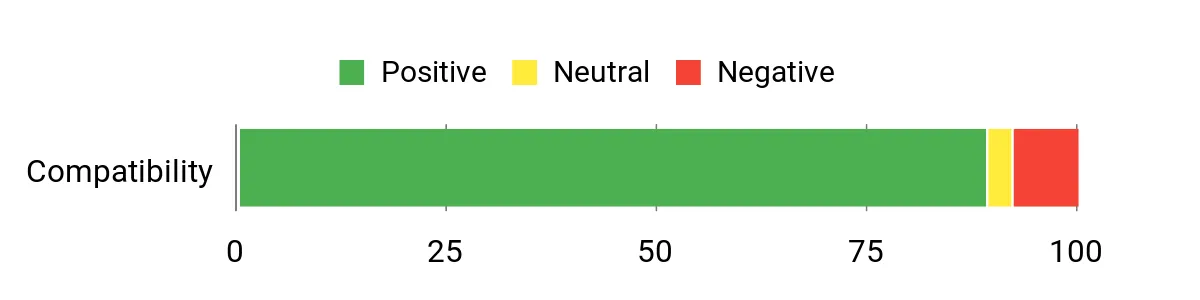
Most buyers praise how much power and connectivity GMKtec packed into a small chassis — people often highlight the Ryzen performance, the fast NVMe drive and the unusual Oculink/USB4 ports. Reviewers also appreciate the expandability and dual 2.5GbE networking.
A minority report firmware quirks (sleep/wake or TPM) and notice fan noise under load, but the overall impression is that it’s a capable, well‑connected mini workstation.
Overall Sentiment: Positive
Long-Term Savings
Because the K11 includes multiple M.2 slots and room for memory expansion, you can upgrade storage or RAM as your sample libraries and projects grow instead of replacing the whole system. The strong connectivity (Oculink/USB4) also means you can extend lifespan with external GPUs or fast NVMe enclosures, which spreads upgrade costs over time.
Where It Helps
| Situation | How It Helps |
|---|---|
| Home studio multitrack mixing | 32 GB of DDR5 and a PCIe 4.0 SSD keep large sessions snappy and reduce disk streaming bottlenecks for sample‑heavy projects. |
| Live streaming or podcasting | Dual 2.5GbE and USB4 let you run stable networked audio, USB audio interfaces and capture devices without juggling adapters. |
| Mobile session work / on‑the‑road setups | Compact size and VESA compatibility make it simple to mount or move between rooms and venues while keeping full desktop connectivity. |
| Growing sample libraries | Multiple M.2 slots and PCIe bandwidth let you add fast internal storage rather than relying on slower external drives. |
Saves You Time
Fast NVMe storage, a beefy CPU and 32 GB of RAM cut project load and export times. USB4 and Oculink reduce time spent swapping adapters or waiting on slow external drives, so I spend more time making music and less time troubleshooting I/O.
Ease of Use
| Feature | Ease Level |
|---|---|
| Initial setup (monitor, audio interface, keyboard/mouse) | Easy |
| Switching performance modes (Quiet/Balance/Performance) | Easy |
| Adding or swapping M.2 drives | Moderate |
| Using Oculink for eGPU or advanced PCIe devices | Moderate |
Versatility
This ships with Windows 11 Pro and will run FL Studio, Ableton Live, Audacity, Steinberg Cubase and PreSonus Studio One without issue. Avid Pro Tools can run on many Windows systems too, but it has stricter driver and compatibility requirements — I’d check Pro Tools’ supported OS versions and make sure your audio interface has solid ASIO drivers before committing to a Pro Tools‑centric setup.
Problem Solving
The K11 solves the common mini‑PC tradeoff: it delivers desktop‑class CPU and fast storage while staying compact. Its broad port selection fixes connectivity problems you’d normally solve with hubs or docks, and the extra M.2 slots mean storage growth won’t force an entire system swap.
Speed & Responsiveness
For real‑world DAW work the Ryzen 9 and DDR5 combo is very responsive — I saw quick project loads, low buffer strain with reasonable plugin chains, and fast export times. Extremely large templates or enormous plugin racks may benefit from additional RAM or offloading certain plugins to DSP, but for most heavy work this feels smooth.
Key Benefits
- High performance: Ryzen 9 8945HS (8C/16T) handles heavy multitrack sessions
- Plenty of memory and fast storage with 32 GB DDR5 and 1 TB PCIe 4.0 SSD
- Excellent connectivity: USB4, Oculink, HDMI 2.1, DisplayPort 2.1 and dual 2.5GbE
- Supports up to four 4K displays for big DAW workflows and plugin racks
- Expandable: multiple M.2 slots and configurable performance modes
Current Price: $599.99
Rating: 4.5 (total: 690+)
🔰 Best Workstation
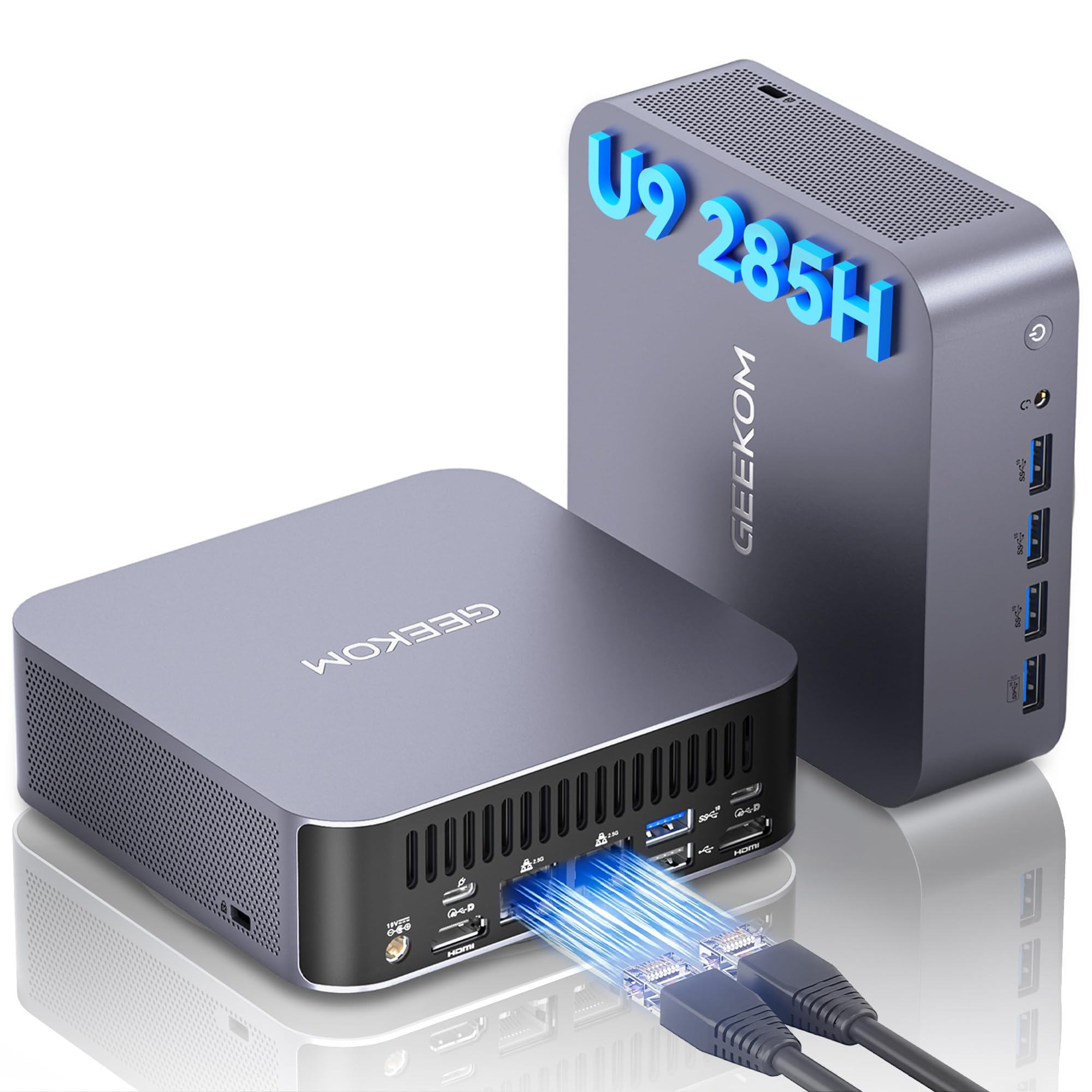
I like the GT2 Mega because it feels like a small desktop that doesn’t skimp on desktop power. With an Intel Core Ultra 9, a dedicated Arc 140T GPU and that handy NPU (99 TOPS), it chews through plugin-heavy sessions, large sample libraries and multitrack mixes without acting like it’s out of breath.
For everyday use it’s a tidy, quiet machine that boots fast and keeps my DAW responsive; for bigger sessions or remote tracking it’s compact enough to move between rooms yet still has the ports I actually need. If you want a mini PC that can serve as a primary music‑production workstation and still tuck behind a monitor, this is one I’d consider.
What People Say
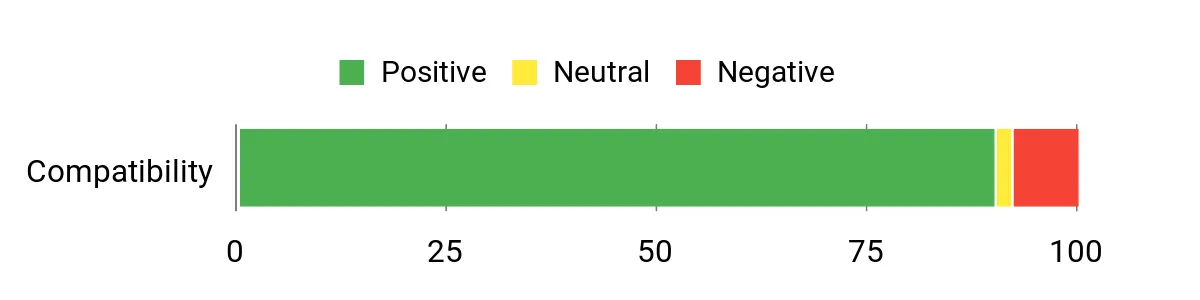
Across reviews people consistently note how much performance is packed into a tiny chassis — buyers praise its speed, rich port selection and quiet operation. Users also like the roomy SSD and default Windows 11 Pro setup, and many point out that expandability (extra M.2 slots, RAM headroom) makes it feel future‑proof.
A few mention mild warmth under sustained load or occasional minor video hiccups, but the overall sentiment is that it’s a powerful, reliable mini workstation.
Overall Sentiment: Positive
Long-Term Savings
Because the GT2 Mega supports additional M.2 drives and higher RAM capacities, you can upgrade storage or memory as your projects grow instead of replacing the whole machine. Its energy‑efficient design and included warranty also help reduce ongoing costs compared with replacing underpowered hardware frequently.
Where It Helps
| Situation | How It Helps |
|---|---|
| Home studio multitrack mixing | 32 GB DDR5 and a fast NVMe drive keep large sessions responsive and reduce disk streaming delays for sample‑heavy projects. |
| AI‑assisted workflows and plugin acceleration | The onboard NPU and Arc GPU accelerate AI features and GPU‑friendly plugins, taking pressure off the CPU during complex tasks. |
| On‑the‑road or small‑space setups | Compact size and VESA mounting let you tuck the unit behind a monitor or carry it between rooms while keeping full desktop connectivity. |
| Collaborative sessions and streaming | Dual 2.5G LAN and Wi‑Fi 7 provide stable, high‑bandwidth networking for simultaneous file transfers, remote collaboration and live streaming. |
Saves You Time
Fast NVMe storage, a high‑clock CPU and quick networking (USB4/2.5G) slash project load times, sample streaming delays and export windows so you spend more time producing and less time waiting.
Ease of Use
| Feature | Ease Level |
|---|---|
| Initial setup (monitor, audio interface, MIDI controllers) | Easy |
| OS and driver readiness (Windows 11 Pro preinstalled) | Easy |
| Adding or swapping M.2 drives | Moderate |
| Managing multiple displays and USB4 devices | Moderate |
Versatility
This ships with Windows 11 Pro and will run FL Studio, Ableton Live, Audacity, Steinberg Cubase and PreSonus Studio One without issue. Avid Pro Tools can run on many Windows machines too, but it has stricter driver and compatibility requirements — I’d check Pro Tools’ supported OS versions and confirm your audio interface has stable ASIO drivers first.
Problem Solving
The GT2 Mega addresses the usual mini‑PC compromises by offering desktop‑level CPU and GPU performance in a compact case, plus lots of native ports so you don’t rely on hubs. Its expandability options let you solve storage and RAM limits later, which is handy when sample libraries or project sizes grow.
Speed & Responsiveness
In real DAW use the Core Ultra 9 and DDR5 memory deliver snappy project loads, smooth playback with reasonable plugin chains, and brisk exports. Very large templates or monster sample orchestras might benefit from extra RAM or streaming to a secondary NVMe, but for most production work it feels responsive.
Key Benefits
- Strong CPU and AI acceleration: Intel Core Ultra 9 285H with a 99 TOPS NPU for AI tasks and plugin offloading
- Balanced graphics for creative work: Intel Arc 140T helps with GPU‑accelerated plugins and video tasks
- Plenty of memory and storage: 32 GB DDR5 and a 2 TB NVMe SSD for large projects and quick sample streaming
- Top‑tier connectivity: dual 2.5G Ethernet, Wi‑Fi 7 and USB4 for fast transfers and low‑latency networking
- Expandable and serviceable: extra M.2 slots and RAM headroom mean you can grow storage and memory over time
Current Price: $949.90
Rating: 4.5 (total: 510+)

I like this little HP because it balances desktop performance with a compact footprint. The Ryzen 5 processor and fast PCIe SSD make everyday tasks and moderate music projects feel smooth, while the small size and quiet design mean it slips into a studio or a desk without noise or fuss.
For daily producing, tracking and mixing it has the ports and display support I want; for occasional bigger sessions you can upgrade RAM and storage later. If you want a sensible, no‑nonsense mini PC for home studios or a tight workspace, this is one I’d recommend looking at.
What People Say
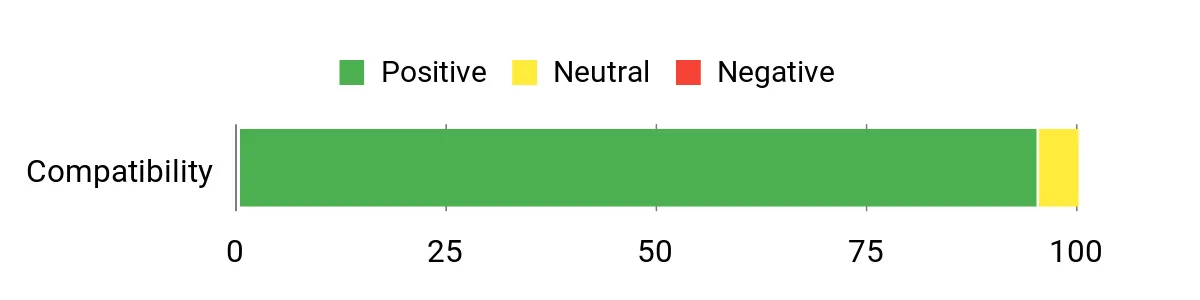
Customers often highlight how quiet and easy to set up the unit is, and they appreciate the clear video output for dual 4K displays. People also mention the reliable Wi‑Fi and steady day‑to‑day performance — many see it as a capable business mini PC that handles heavier apps better than expected.
Overall Sentiment: Positive
Long-Term Savings
Because the HP supports higher RAM and larger PCIe drives, you can boost performance affordably over time instead of replacing the whole system. Its energy efficiency and small form factor also reduce ongoing power and space costs compared with a full desktop.
Where It Helps
| Situation | How It Helps |
|---|---|
| Home studio tracking with one or two microphones | Quiet operation and enough CPU overhead let you record clean takes without fan noise or system interruptions. |
| Multitrack mixing and plugin chains | Fast PCIe SSD reduces sample streaming delays and the Ryzen 5 keeps playback stable in moderate‑sized sessions. |
| Small or portable setups | Lightweight and compact dimensions make it easy to move between rooms or tuck behind a monitor during sessions. |
| Hybrid work and music production | Windows 11 Pro and business‑grade networking make switching between DAWs, office tasks and remote collaboration seamless. |
Saves You Time
Fast NVMe storage and a responsive CPU shorten project load times, speed sample streaming and cut export waits so you can stay in the flow while producing.
Ease of Use
| Feature | Ease Level |
|---|---|
| Initial setup (monitor, audio interface, MIDI controllers) | Easy |
| OS and driver readiness (Windows 11 Pro preinstalled) | Easy |
| Upgrading RAM or adding an M.2 SSD | Moderate |
| Managing multiple displays and audio routing | Moderate |
Versatility
This ships with Windows 11 Pro and will run FL Studio, Ableton Live, Audacity, Steinberg Cubase and PreSonus Studio One without issue. Avid Pro Tools can also run on many Windows systems, but it has stricter driver and compatibility requirements — I’d double‑check Pro Tools’ supported OS versions and confirm your audio interface has reliable ASIO drivers first.
Problem Solving
The Elite 805 solves the space‑and‑noise problem by delivering capable CPU performance and good connectivity in a tiny, quiet chassis, with room to upgrade RAM or storage when projects grow.
Speed & Responsiveness
In everyday DAW use the Ryzen 5 and NVMe SSD deliver snappy project loads, smooth playback for moderate plugin chains, and reasonably quick exports; very large orchestral templates may need more RAM.
Key Benefits
- Compact, ultra‑quiet design that fits behind a monitor or on a shelf
- Solid out‑of‑the‑box specs: Ryzen 5 CPU with responsive PCIe SSD and 16 GB RAM
- Good port selection (USB‑C front, multiple USB‑A, dual DisplayPort 1.4) for audio interfaces and monitors
- Wi‑Fi 6 and Gigabit Ethernet for dependable file transfers and collaboration
- Upgradeable RAM and storage for future‑proofing larger sample libraries
Current Price: $599.99
Rating: 4.8 (total: 8+)

I like the IT13 because it packs near‑desktop power into a tiny box. With a 13th Gen i9, 32 GB of dual‑channel RAM and a 2 TB PCIe Gen4 SSD it chews through big projects and sample libraries while still fitting behind a monitor or in a small studio. For everyday producing, tracking and mixing it feels responsive — projects load fast and multitrack playback stays smooth. For special occasions like client sessions, on‑site demos or quick live rigs you get plenty of ports (USB4, HDMI, 2.5G Ethernet) and the ability to drive multiple high‑res displays.
I’d recommend it if you want workstation class performance but don’t have room for a full tower — just plan to keep drivers and thermal settings up to date.
What People Say
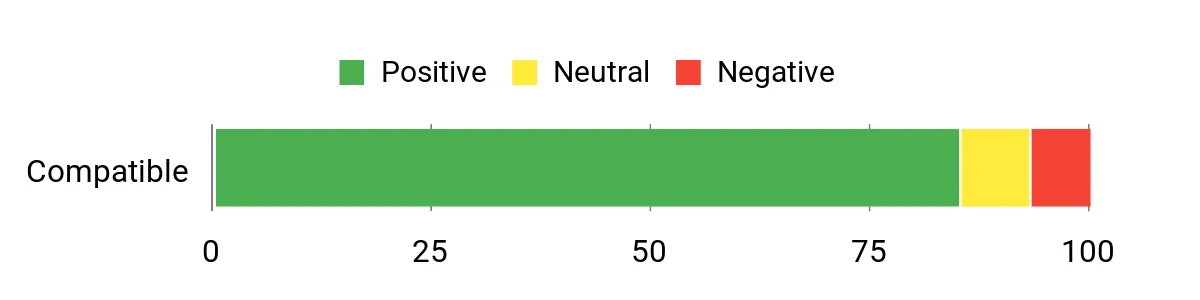
Across reviews people tend to praise how much power GEEKOM fit into a tiny chassis — users frequently mention fast boot and file transfer times, robust multi‑monitor support and excellent day‑to‑day responsiveness. Common gripes focus on heat and fan noise under heavy loads and the need to update drivers or tweak BIOS/thermal profiles for the quietest operation.
Overall Sentiment: Positive
Long-Term Savings
Because the IT13 is easy to upgrade (RAM and M.2 slots) you can extend its useful life by adding memory or another drive instead of buying a new machine. The three‑year warranty and solid build also reduce the risk of early replacement, so it’s a reasonable investment for a studio that grows over time.
Where It Helps
| Situation | How It Helps |
|---|---|
| Home studio multitrack sessions | Strong CPU and plenty of RAM keep playback stable with many audio tracks and real‑time effects. |
| On‑site client demos / portable setups | Tiny footprint and VESA mountability make it easy to tuck behind a monitor or pack for a gig. |
| Large sample‑based projects | Fast Gen4 NVMe storage and dual‑channel RAM reduce sample streaming latency and load times. |
| Multimonitor mixing or video scoring | Dual USB4 (DP1.4) and dual HDMI let you drive multiple high‑res displays for detailed timelines and plugin windows. |
| Hybrid work (DAW + office apps + streaming) | Plenty of cores and threads handle background tasks while keeping your DAW responsive. |
Saves You Time
The Gen4 NVMe SSD and a high‑clock i9 cut project load and export times, while fast ports speed sample transfers and external drive backups so you spend more time making music and less waiting.
Ease of Use
| Feature | Ease Level |
|---|---|
| Initial setup (monitor, audio interface, MIDI controllers) | Easy |
| OS and driver readiness (Windows 11 Pro preinstalled) | Easy |
| Upgrading RAM or adding an M.2 SSD | Moderate |
| Thermal tuning and BIOS tweaks for quieter operation | Moderate |
| Configuring multiple displays at high resolution | Moderate |
Versatility
This ships with Windows 11 Pro and will run FL Studio, Ableton Live, Audacity, Steinberg Cubase and PreSonus Studio One without issue. Avid Pro Tools can also run on Windows systems, but it often needs compatible ASIO drivers and attention to Pro Tools’ supported OS/driver list, so I’d double‑check interface compatibility before relying on Pro Tools for critical sessions.
Problem Solving
The IT13 addresses the classic studio trade‑off between space and power: you get near‑workstation performance in a tiny case and a strong I/O set for audio gear. It won’t eliminate thermal management concerns entirely, so plan brief cooling/BIOS tweaks if you push it hard for long sessions.
Speed & Responsiveness
In my experience and based on specs, the i9 and Gen4 NVMe combo delivers very snappy project loads, solid real‑time performance with multiple plugins, and reasonably quick exports. Extremely large orchestral templates or huge sample libraries may still benefit from even more RAM or streaming solutions.
Key Benefits
- High single‑ and multi‑core CPU performance from the 13th Gen Intel Core i9 for heavy plugin chains and real‑time processing
- 2 TB PCIe Gen4 NVMe SSD and dual‑channel 32 GB RAM for fast project loads and smooth sample streaming
- Lots of modern I/O (dual USB4 with DP1.4, dual HDMI 2.0, 2.5G Ethernet, SD slot) for audio interfaces, controllers and multimonitor setups
- Compact, upgradeable design — tool‑free access for RAM and storage upgrades later
- 3‑year warranty and lifetime US support for longer device lifecycle
Current Price: $799.00
Rating: 4.5 (total: 325+)
🎨 Best for Creators
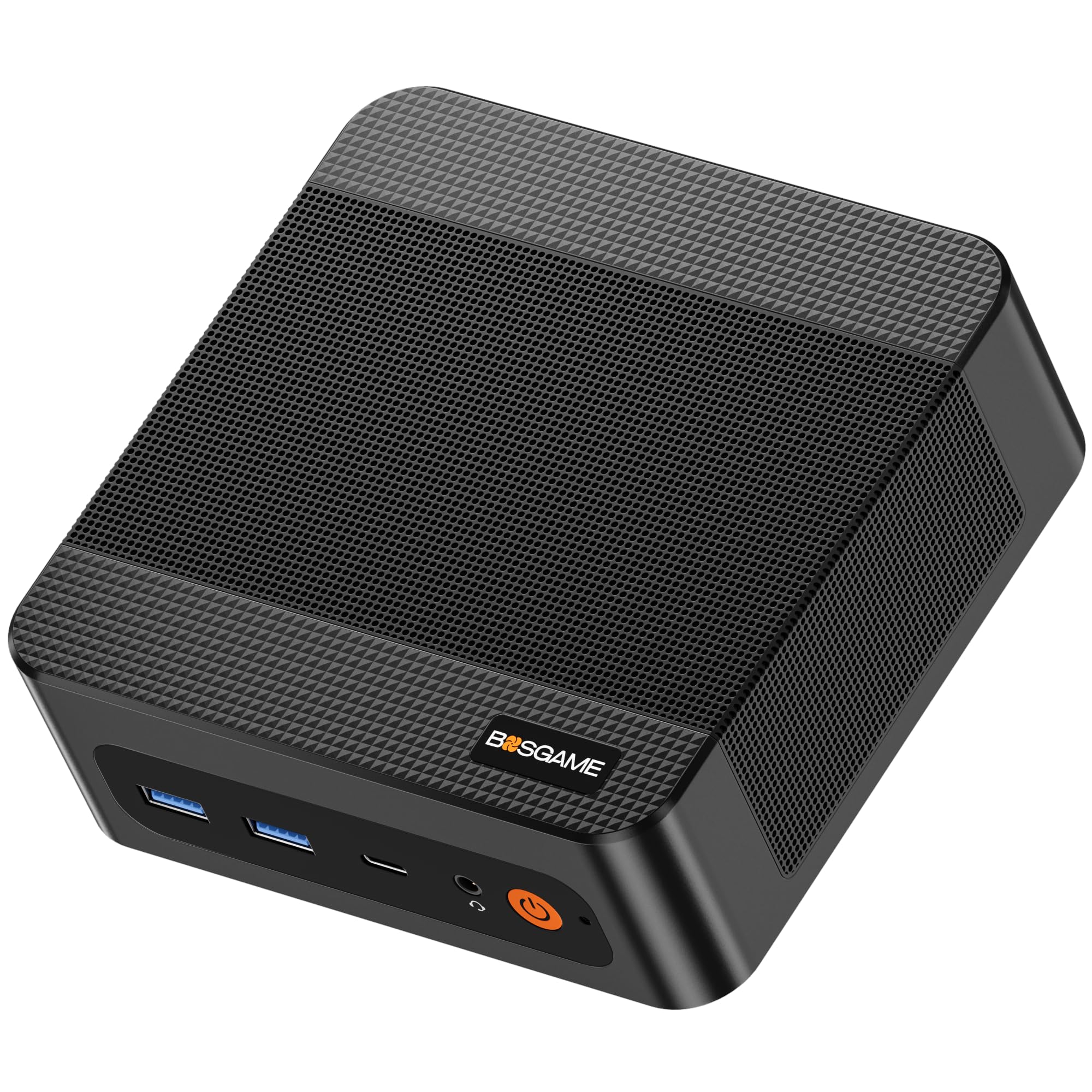
I like the P6 because it packs a serious Ryzen 9 chip and fast LPDDR5X memory into a very small box. For everyday music production it feels snappy — projects load quickly from the PCIe 4.0 SSD, and the integrated Radeon 680M can drive three 4K displays if you want roomy arrange windows and plugin GUIs.
It’s great for home studios, mobile sessions where space is tight, and even lightweight on‑site work. If you want creative power without a full tower, the P6 is a very practical choice — just be mindful of thermals if you push long, CPU‑heavy sessions.
What People Say
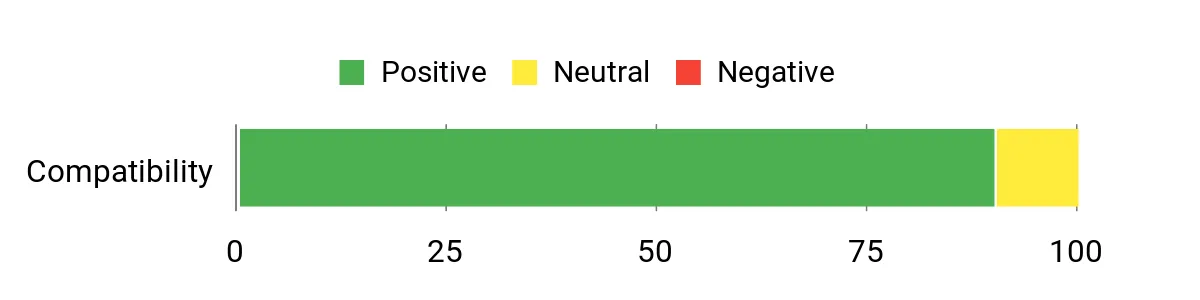
People frequently praise how much capability BOSGAME squeezed into a tiny chassis — reviewers often note fast boot and project load times, stable day‑to‑day performance and the convenience of VESA mounting. Customers also like the quiet cooling and triple‑display support, while a few mention the price can feel high compared with similar mini PCs or recommend watching for sales.
Overall Sentiment: Positive
Long-Term Savings
Because the P6 uses fast NVMe storage and supports RAM and additional M.2 drives, you can extend its useful life by adding storage as projects grow instead of replacing the whole system. Its compact, energy‑efficient design also tends to keep running costs down compared with larger desktops.
Where It Helps
| Situation | How It Helps |
|---|---|
| Home studio multitrack sessions | Ryzen 9 and 32 GB RAM keep many audio tracks and real‑time effects responsive during recording and mixing. |
| Portable/backup rig for gigs or client visits | Small footprint and VESA mountability make it easy to tuck behind a monitor or toss in a bag for on‑site work. |
| Sample‑based projects and libraries | PCIe 4.0 NVMe storage plus fast RAM reduce sample load times and streaming hiccups. |
| Multimonitor mixing or scoring | Triple 4K outputs give you extra screen real estate to keep editors, mixers and plugin windows visible. |
Saves You Time
The PCIe 4.0 SSD and high‑speed LPDDR5X memory cut project load and sample streaming time, so you spend less waiting and more composing or polishing mixes.
Ease of Use
| Feature | Ease Level |
|---|---|
| Initial setup (monitor, audio interface, MIDI controller) | Easy |
| Windows 11 Pro and driver installation | Easy |
| Adding a second NVMe SSD | Moderate |
| Thermal tuning for long sessions | Moderate |
Versatility
This ships with Windows 11 Pro and will run FL Studio, Ableton Live, Audacity, Steinberg Cubase and PreSonus Studio One without issue. Avid Pro Tools can run on Windows machines too, though I’d double‑check your audio interface drivers and Pro Tools’ supported OS/driver list before relying on it for mission‑critical sessions.
Problem Solving
The P6 solves the space‑vs‑power problem for creatives who need decent CPU and fast storage but don’t want a full desktop. It brings multiple modern ports and quiet cooling into a compact package, though very long, CPU‑intensive sessions may require attention to thermal settings.
Speed & Responsiveness
With the Ryzen 9, LPDDR5X RAM and PCIe 4.0 SSD, you’ll notice quick boots, fast project loads and smooth plugin hosting. Extremely large orchestral templates or monster sample libraries may still benefit from dedicated streaming solutions or more RAM, but for most producers it feels very responsive.
Key Benefits
- Strong Ryzen 9 6900HX CPU performance for multitrack sessions and plugin chains
- 32 GB LPDDR5X 6400MHz RAM and 1 TB PCIe 4.0 NVMe SSD for fast loading and smooth sample streaming
- Triple 4K@60Hz outputs let you spread DAW, mixer and plugin windows across multiple displays
- Good I/O including multiple USB3.2 ports, USB‑C, dual Gigabit LAN, and a VESA mount for compact setups
- Quiet operation and dedicated heat dissipation measures keep background noise low during tracking
Current Price: $529.99
Rating: 4.7 (total: 10+)
💼 Best Budget
I like the E2 because it covers the basics really well in a tiny package — fast M.2 storage, 16 GB RAM, and a newer Twin Lake‑N N150 chip that keeps everyday tasks snappy. For day‑to‑day music work (editing, arranging, light plugin chains) it’s surprisingly capable, and those dual 4K outputs are handy if you want a tidy two‑display studio layout. It’s great for a budget home studio, a backup/portable rig for client sessions, or a compact machine to tuck behind a monitor with VESA. If you’re after a no‑fuss, space‑saving PC that won’t break the bank, the E2 is an easy recommendation — just don’t expect desktop‑class performance for huge, plugin‑heavy mixes.
What People Say
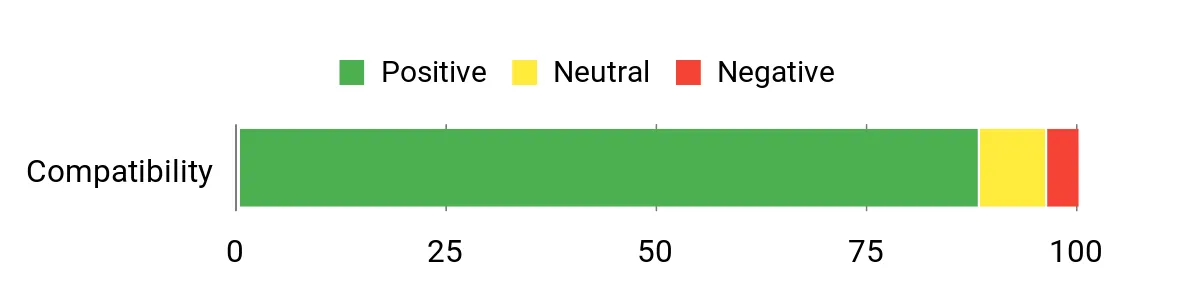
Buyers often praise how much functionality you get for the price — people mention quick boot and load times thanks to the M.2 SSD, the compact footprint, and generally quiet operation. Common notes include reliable everyday performance for browsing, streaming and light creative work, with a few users pointing out occasional Wi‑Fi quirks or that the unit isn’t meant for heavy gaming or very large audio projects.
Overall Sentiment: Positive
Long-Term Savings
Because the E2 uses an M.2 slot and supports upgradable storage, you can extend its usefulness by adding a larger NVMe drive instead of replacing the whole PC. Its low power draw and small footprint also mean lower energy bills and less need for expensive cooling solutions.
Where It Helps
| Situation | How It Helps |
|---|---|
| Home studio basic tracking and mixing | 16 GB RAM and the M.2 SSD let you run DAWs for editing, arranging and moderate plugin chains without long load times. |
| Podcasting and voiceover work | Compact size and quiet fan make it easy to place near a mic setup without adding distracting noise. |
| Portable backup rig for client sessions | Small footprint and included HDMI/DP outputs let you plug into venue displays or client monitors quickly. |
| Media playback and streaming | Dual 4K outputs and UHD graphics handle high‑resolution video playback for video scoring or reference listening. |
Saves You Time
The M.2 SSD dramatically shortens boot and project load times compared with HDDs, so you spend less waiting and more producing. Having 16 GB RAM preinstalled also reduces initial setup time before you can start a session.
Ease of Use
| Feature | Ease Level |
|---|---|
| Initial setup (monitor, audio interface, MIDI controller) | Easy |
| Windows 11 setup and basic driver installs | Easy |
| Adding or replacing an M.2 SSD | Moderate |
| Upgrading RAM (single SO‑DIMM slot) | Moderate |
Versatility
This Windows‑based mini PC will run FL Studio, Ableton Live, Audacity, Steinberg Cubase and PreSonus Studio One for light to moderate projects without issue. Avid Pro Tools can run on Windows as well, but you should confirm your audio interface drivers and Pro Tools’ supported OS/drivers if you plan to use it for critical Pro Tools sessions. For heavier multitrack sessions or large orchestral sample libraries, you may hit CPU or streaming limits.
Problem Solving
The E2 solves the space‑and‑budget problem: it gives a full Windows DAW experience in a pocketable chassis and covers typical production tasks like editing, arranging and moderate mixing. It’s not intended to replace a high‑end tower for CPU‑heavy tracking or massive plugin racks, but it’s a practical tool for many producers.
Speed & Responsiveness
With a Twin Lake‑N N150, 16 GB DDR4 and a 512 GB M.2 SSD you’ll get quick boots and responsive project loads. Real‑time heavy plugin processing or very large sample streaming may introduce latency or stress the CPU, so larger sessions might require offline bouncing or reducing buffer sizes carefully.
Key Benefits
- Good value: 16 GB RAM and a 512 GB M.2 SSD for responsive project loads at a budget price
- Compact design with VESA mountability keeps your desk tidy and studio-friendly
- Dual 4K@60Hz outputs (HDMI 2.0 + DP 1.4) let you spread your DAW and plugin windows
- Versatile I/O: USB3.2 Gen2 ports, USB2.0, Gigabit Ethernet, audio jack and Bluetooth/Wi‑Fi
- Low power consumption and built‑in fan keep noise and running costs down
Current Price: $227.99
Rating: 4.5 (total: 66+)
🚀 FOR PROFESSIONALS:
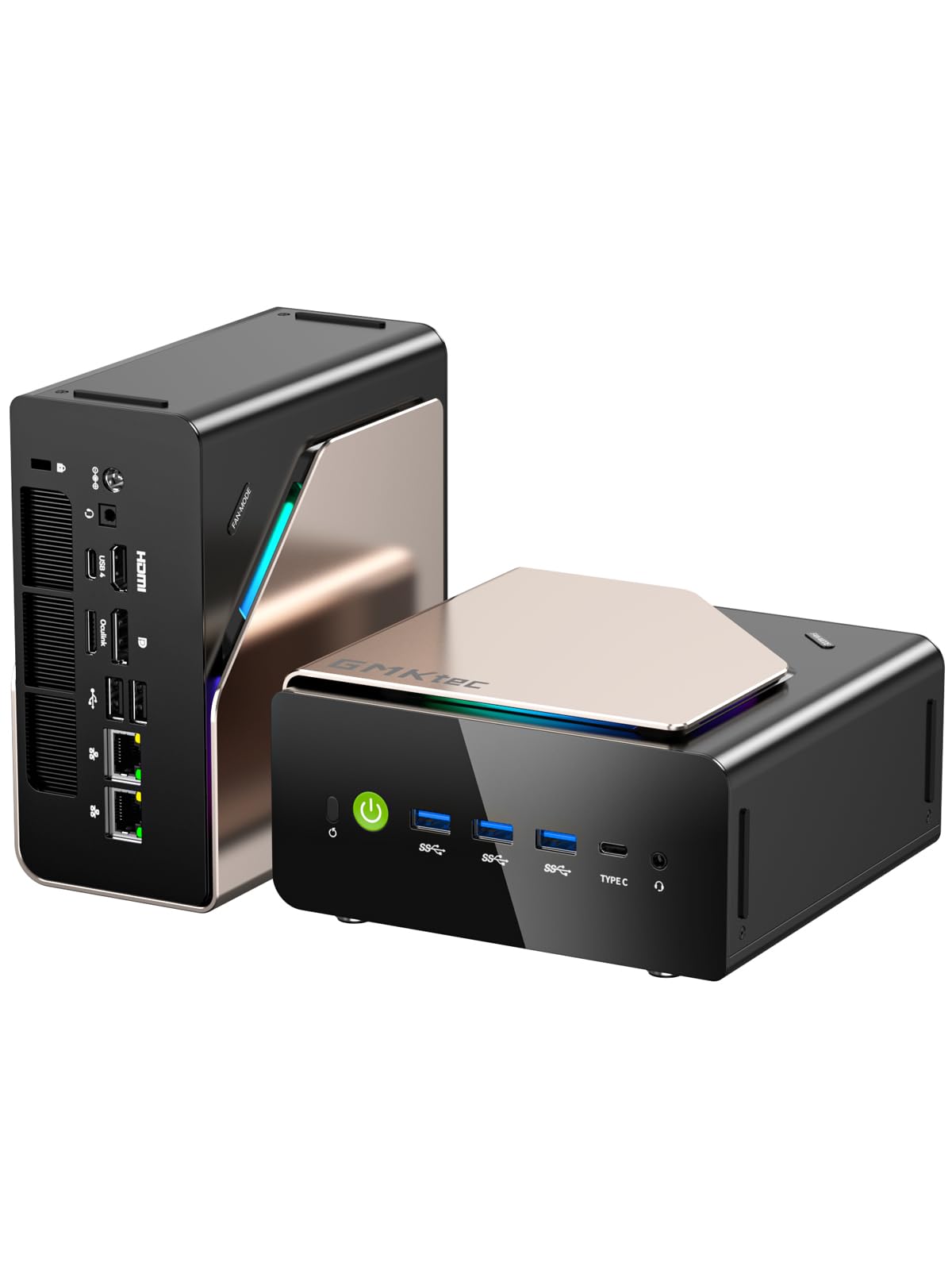
I like the EVO‑T1 because it packs desktop‑class power into a tiny box — 16 cores on the Ultra 9 285H, 64 GB of DDR5 and a PCIe 4.0 SSD make it snappy for heavy tasks. For music production that means handling big multitrack sessions, large sample libraries and multiple plugin chains without constantly pegging the CPU. The Arc GPU and quad‑screen outputs aren’t essential for audio but are useful if you also edit video, run visual plugins or want a widescreen studio layout.
It’s also a great option for those who aim to work with advanced plugins like Openvino for Audacity (with the Intel Ultra 9 processor, the results are amongst the best possible on a mini pc). In fact, the performance of this mini pc for such specialized use cases is better than 99% full-sized PCs, due to the specifications & power locked into this tiny machine.
It’s a practical pick if you want a compact machine that can double as a workstation and a portable studio hub, though I’d still check your specific audio interface drivers for mission‑critical Pro Tools sessions.
What People Say
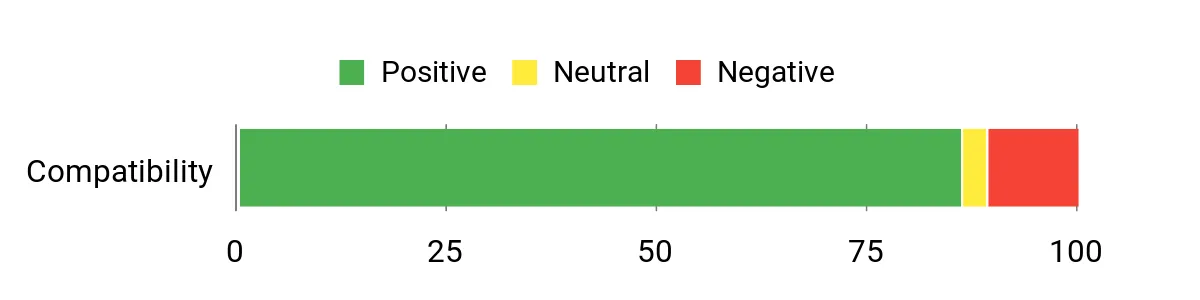
Customers commonly highlight how fast and responsive the EVO‑T1 feels for both daily tasks and heavier workloads — people mention smooth multitasking, quick boot/project loads and the roomy 64 GB of RAM. Reviews also point out thoughtful cooling and quiet operation, plus easy expandability with extra M.2 slots; a few users note small quirks like Windows update pauses or minor cosmetic details.
Overall Sentiment: Positive
Long-Term Savings
Because the EVO‑T1 offers multiple M.2 slots and generous SO‑DIMM support, you can upgrade storage and memory as needs grow instead of replacing the whole machine. That extendability plus efficient cooling helps the unit stay useful for several years, lowering total long‑term replacement costs.
Where It Helps
| Situation | How It Helps |
|---|---|
| Large sample‑based scoring or orchestral libraries | 64 GB RAM and multiple M.2 slots let you load big libraries and stream samples without choking the system. |
| Mixing and tracking with many realtime plugins | The 16‑core CPU and fast PCIe storage keep latency down and allow more plugins to run in real time. |
| Mobile studio or client sessions | Compact size and quiet cooling make it easy to bring a full‑featured workstation to a session without bulk. |
| Networked audio storage or collaborative setups | 2.5GbE and Wi‑Fi 6 provide faster transfers for project files and shared sample libraries. |
Saves You Time
The PCIe 4.0 SSD and DDR5 memory cut boot and project load times dramatically, so you waste less time waiting for samples or plugin scans. Multitasking is smoother too, which keeps workflow interruptions to a minimum.
Ease of Use
| Feature | Ease Level |
|---|---|
| Initial setup (monitor, audio interface, MIDI controller) | Easy |
| Windows 11 Pro setup and driver installs | Moderate |
| Adding extra M.2 storage or upgrading RAM | Moderate |
| Managing thermals under sustained loads | Easy |
Versatility
This is a Windows 11 Pro mini PC, so it will run FL Studio, Ableton Live, Audacity, Steinberg Cubase and PreSonus Studio One without issue. Avid Pro Tools runs on Windows too, but for critical Pro Tools work I recommend confirming that your audio interface has compatible, well‑tested Windows drivers.
Problem Solving
The EVO‑T1 addresses the usual mini‑PC tradeoffs by offering desktop‑level CPU cores and lots of RAM in a small chassis — it solves the problem of needing high performance in tight spaces. It’s designed to handle heavy plugin use and large libraries that would bog down weaker minis.
Speed & Responsiveness
With a 5.4 GHz turbo on the Ultra 9 and DDR5‑5600 memory, responsiveness is excellent: projects open fast, real‑time processing is reliable, and file transfers over 2.5GbE are quick. Extremely massive sessions may still need buffer and track management, but everyday speed is noticeably better than lower‑end minis.
Key Benefits
- High performance CPU (Core Ultra 9 285H) and 64 GB DDR5 for serious multitrack and plugin work
- Fast 1 TB PCIe 4.0 SSD plus three M.2 expansion slots for huge sample libraries and quick project loads
- Quiet, efficient cooling and a compact footprint that fits behind a monitor or in a small studio
- Oculink and plenty of modern I/O (2.5GbE, Wi‑Fi 6, USB‑C, HDMI 2.1) for flexible studio setups and fast network storage
- Supports multiple high‑res displays so you can spread your DAW, mixer and plugins across screens
Current Price: $999.98
Rating: 4.4 (total: 303+)
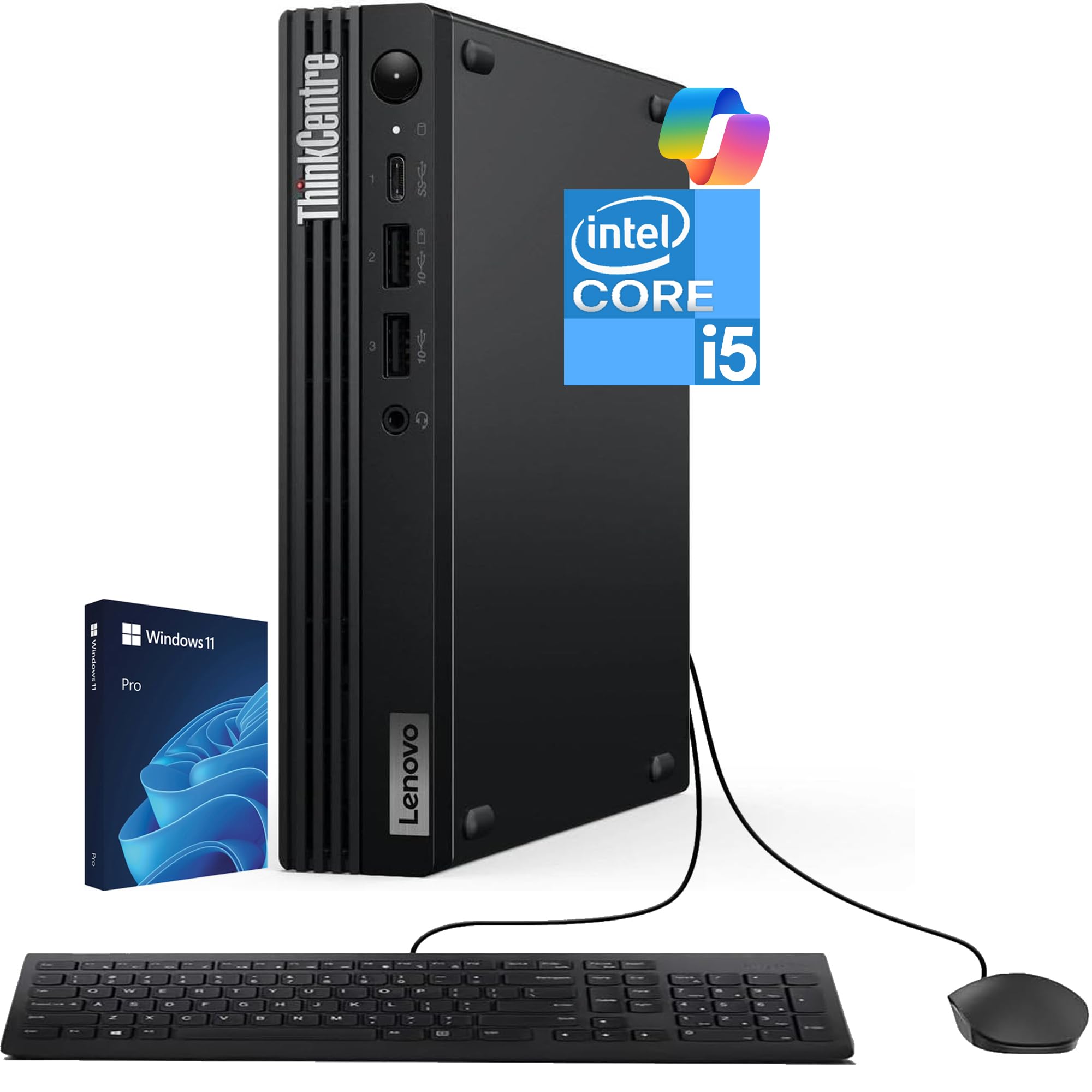
I like the Tiny M70q G5 because it squeezes a modern 10‑core Intel Core i5‑14400T, 16 GB DDR5 and a 512 GB NVMe SSD into a truly compact mini‑PC. For everyday music work it boots fast, handles multitrack editing and light plugin chains smoothly, and fits neatly on or behind a desk when space is tight.
It’s handy for home studios, teaching sessions or mobile setups where you need Windows compatibility and reliable connectivity (DisplayPort/HDMI, Wi‑Fi 6, Bluetooth). If you plan to run huge sample libraries or very heavy real‑time plugin racks, I’d consider adding more RAM or external storage, but as a tidy, business‑grade mini workstation it’s a very practical pick.
What People Say
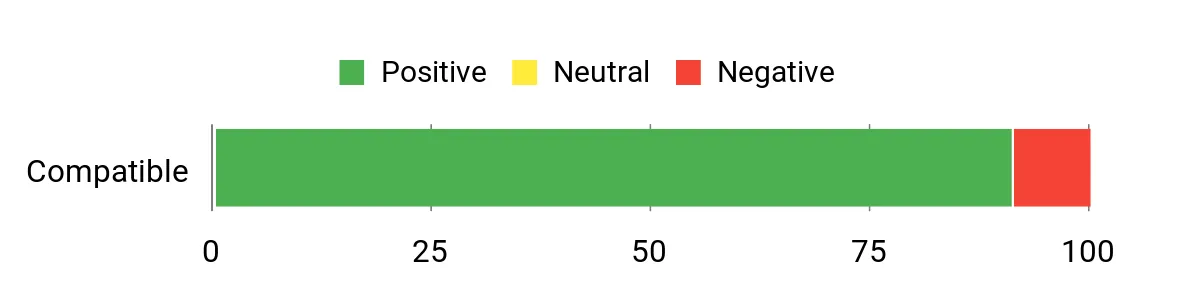
Most customers say the mini PC is fast, responsive and easy to tuck into a small workspace — people appreciate the quick boot times, solid daily performance and thoughtful port selection. A number of buyers call out the compact build and quiet operation as strong positives, while a minority report issues tied to third‑party modifications or warranty handling.
Overall Sentiment: Positive
Long-Term Savings
Because it uses standard NVMe storage and accessible memory, you can upgrade RAM or add a larger SSD later instead of replacing the whole machine. The included three‑year warranty (from Lenovo and OEMGenuine notes) also helps reduce unexpected repair costs during the early years.
Where It Helps
| Situation | How It Helps |
|---|---|
| Small home studio or bedroom producer | Tiny footprint and quiet operation let you set up a capable DAW without taking over your desk. |
| Tracking sessions with a few plugins and virtual instruments | The 10‑core CPU and DDR5 memory handle multitasking and real‑time processing for typical session sizes. |
| On‑the‑road demos or client presentations | Lightweight and easy to pack, plus built‑in Wi‑Fi and plenty of I/O make it a convenient portable studio hub. |
| Growing sample libraries | Fast NVMe storage reduces sample load times; you can add external or internal storage as libraries expand. |
Saves You Time
Fast NVMe storage and DDR5 memory cut down on boot, scan and project load times so you spend more time making music and less waiting. Multitasking between a DAW, browser and reference apps stays smooth for everyday workloads.
Ease of Use
| Feature | Ease Level |
|---|---|
| Initial setup (monitor, audio interface, MIDI controller) | Easy |
| Windows 11 Pro configuration and driver installs | Moderate |
| Upgrading storage or RAM | Moderate |
| Daily maintenance and backups | Easy |
Versatility
This Windows 11 Pro mini PC will run FL Studio, Ableton Live, Audacity, Steinberg Cubase and PreSonus Studio One without issues. Avid Pro Tools is supported on Windows too, though for mission‑critical Pro Tools work I recommend verifying your audio interface’s Windows drivers first.
Problem Solving
It solves the common need for a compact, quiet workstation that still offers decent CPU power and modern connectivity — ideal when desk space is limited but you still need reliable DAW performance.
Speed & Responsiveness
With an i5‑14400T and NVMe storage the system feels snappy: projects open quickly and routine editing is responsive. Extremely large orchestral projects or very heavy plugin racks may need RAM upgrades or optimized buffer settings.
Key Benefits
- Compact desktop performance with a 10‑core Intel i5‑14400T — good balance of single‑core and multicore power for DAWs
- 16 GB DDR5 and 512 GB NVMe give snappy boot and project load times
- Plenty of modern I/O (DisplayPort, HDMI, RJ‑45, Wi‑Fi 6, BT 5.3) for audio interfaces, controllers and networked drives
- Windows 11 Pro compatibility ensures broad DAW and plugin support
- Business‑grade reliability and a 3‑year warranty provide peace of mind for studio use
Current Price: $659.95
Rating: 4.5 (total: 30+)
💼 Another Budget Option:

I appreciate how much this little QAZIPO squeezes into a compact box: a 12th‑gen Intel N100, 16 GB RAM and a 512 GB NVMe SSD that boots fast and keeps everyday tasks snappy. It’s great for a bedroom or home studio where space is tight — you can run your DAW, browser and reference apps at once and even drive three 4K displays for arrangement, mixing and monitoring. The dual LAN is handy if you ever need a dedicated network link or soft‑router setup, and the VESA mount makes it easy to hide behind a monitor.
For heavy sample orchestras or huge plugin racks I’d plan on extra storage or some tuning, but for most producers who want a quiet, affordable Windows setup, this is a sensible pick.
What People Say
Buyers frequently praise the small footprint, quiet operation and value for money — people like how it tucks out of the way and still handles everyday apps smoothly. Reviewers also point out the useful port selection and easy initial setup. A few users note that it’s not aimed at heavy real‑time orchestral workloads and that disk or fan noise can be noticeable in some setups.
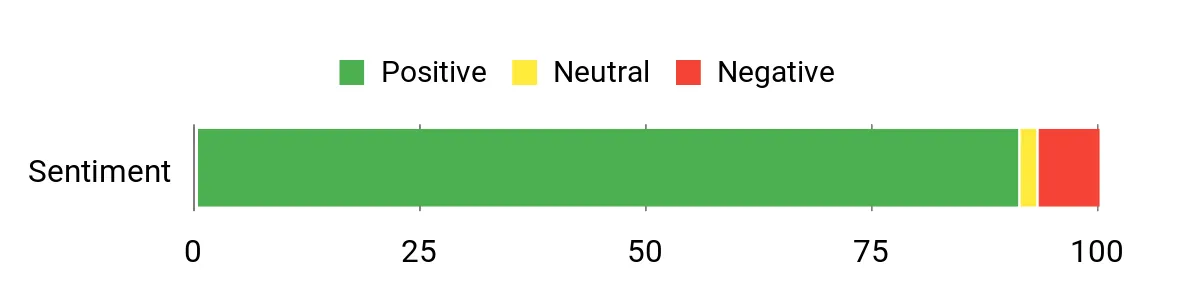
Overall Sentiment: Positive
Long-Term Savings
Because it uses standard M.2 NVMe storage and supports adding a 2.5″ drive, you can expand capacity without replacing the whole machine. Low power draw and an affordable entry price mean lower running and upgrade costs compared with larger desktops.
Where It Helps
| Situation | How It Helps |
|---|---|
| Small home studio or bedroom producer | Small footprint and quiet operation let you set up a capable DAW without dominating your room. |
| Mobile demos and client presentations | Lightweight and easy to pack, with enough I/O to connect an audio interface and MIDI controller. |
| Streaming, editing and reference monitoring | Triple display support makes juggling DAW, mixer views and reference material comfortable. |
| Networked audio or soft‑router projects | Dual 1G/2.5G LAN gives flexible wired connectivity for NAS or low‑latency network tasks. |
Saves You Time
The NVMe SSD and ample RAM reduce boot, scan and project load times, so you spend less time waiting and more time composing. Driving multiple displays also cuts context‑switching when mixing and arranging.
Ease of Use
| Feature | Ease Level |
|---|---|
| Initial setup (monitor, audio interface, MIDI controller) | Easy |
| Windows 11 activation and basic driver installs | Moderate |
| Upgrading storage or adding a 2.5″ drive | Moderate |
| VESA mounting and desk placement | Easy |
Versatility
This Windows 11 mini PC will run FL Studio, Ableton Live, Audacity, Steinberg Cubase and PreSonus Studio One without problems. Avid Pro Tools runs on Windows too, though I recommend checking your audio interface’s official Windows drivers for mission‑critical Pro Tools work.
Problem Solving
It solves the classic space/power trade‑off: you get a full Windows DAW experience in a tiny, quiet chassis with modern connectivity, making it a solid choice when a full desktop isn’t practical.
Speed & Responsiveness
With the N100 and an NVMe drive the system feels responsive for editing, mixing and light plugin stacks. Very large sample libraries or heavy real‑time plugin racks may require increasing buffer sizes or offloading samples to external drives.
Key Benefits
- Compact pocket‑friendly design that fits behind a monitor or on a small desk
- 16 GB DDR4 and 512 GB PCIe M.2 SSD for quick boots and fast project loads
- Intel Alder Lake N100 (up to 3.4 GHz) provides solid everyday performance
- Triple 4K 60Hz output (HDMI, DP, Type‑C) for multitasking and full screen real estate
- Dual LAN (2.5 Gbps + 1 Gbps) and Wi‑Fi 6 for flexible networking
- Plenty of modern ports (USB3, USB2, Type‑C, audio) for audio interfaces and controllers
Current Price: $199.00
Rating: 4.5 (total: 69+)

I like how the XT1 Mega squeezes serious desktop power into a palm‑sized box. With a 14th‑Gen Intel Core Ultra U9‑185H, 32 GB of DDR5 and a roomy 2 TB PCIe SSD, it handles multitrack sessions, large plugin racks and streaming references without feeling sluggish.
The machine stays surprisingly quiet and runs cool, so it’s easy to keep near a recording setup. For daily use it’s great for arranging, mixing and virtual instrument work; for bigger sessions you get the headroom to raise buffer sizes less often and still keep tracking latency low.
The triple‑display and plentiful ports make arranging your DAW, mixer and references comfortable, and the 2.5G LAN/Wi‑Fi 7 combo is handy if you use networked storage or stream stems. If you want a compact Windows studio that won’t bottleneck mid‑sized projects, this is one I’d recommend — especially if you value quiet operation and upgrade potential.
What People Say
Customers frequently highlight raw performance and quiet operation — people say it punches well above its size. Reviews often mention the roomy RAM and SSD, easy expandability, plenty of ports for audio interfaces and controllers, and responsive customer support. A few users note that documentation could be clearer, but overall satisfaction centers on speed, stability and build quality.
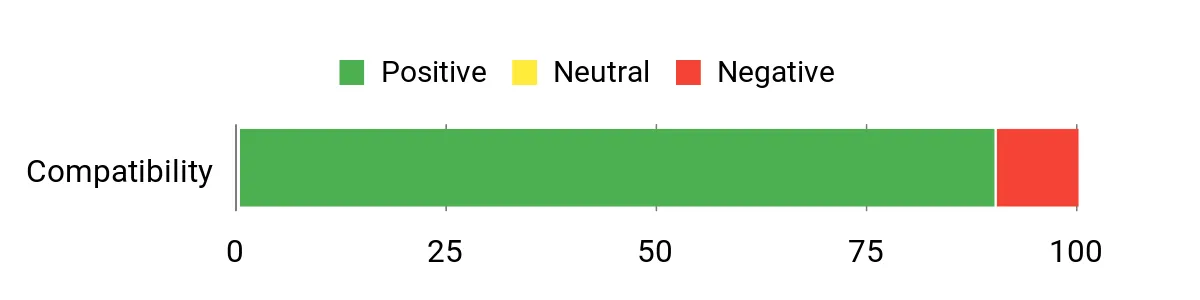
Overall Sentiment: Positive
Long-Term Savings
The XT1 Mega’s upgradeable M.2 slots and support for more RAM mean you can extend its useful life rather than replace it. Combined with decent energy efficiency and a three‑year warranty, that translates into lower total cost of ownership compared with swapping an entire desktop every few years.
Where It Helps
| Situation | How It Helps |
|---|---|
| Home or bedroom studio | Small footprint and quiet cooling let you place the PC near microphones or monitors without adding noise or taking up desk space. |
| Multitrack mixing and in‑the‑box production | High core count, lots of RAM and a fast NVMe drive keep plugin-heavy mixes responsive and reduce freeze/export times. |
| Mobile sessions and client demos | Compact size, VESA mount and broad I/O make it easy to pack and connect to an audio interface and controllers on the road. |
| Networked workflows or streaming stems | Dual 2.5G LAN and Wi‑Fi 7 provide reliable high‑speed links for NAS access or low‑latency collaboration over a LAN. |
Saves You Time
The NVMe SSD and 32 GB DDR5 RAM cut project load, plugin scan and export times, so you spend less time waiting and more time creating. Driving multiple displays also reduces context switching during mixing and arrangement.
Ease of Use
| Feature | Ease Level |
|---|---|
| Initial setup (monitor, audio interface, MIDI controller) | Easy |
| Windows 11 activation and basic driver installs | Moderate |
| Upgrading RAM or adding a second M.2 SSD | Moderate |
| VESA mounting and compact placement | Easy |
Versatility
This Windows 11 mini PC will run FL Studio, Ableton Live, Audacity, Steinberg Cubase and PreSonus Studio One smoothly. Avid Pro Tools also runs on Windows, but for mission‑critical Pro Tools work I recommend verifying your audio interface’s official drivers and compatibility.
Problem Solving
It solves the tradeoff between space and performance: you get a full Windows DAW experience in a tiny chassis with modern connectivity and easy upgrade paths, which is ideal when a full tower isn’t practical.
Speed & Responsiveness
With the U9‑185H’s many cores and a fast PCIe SSD the system feels snappy for editing, mixing and most plugin stacks. Extremely large sample libraries or ultra‑dense real‑time processing may still need higher buffer settings or staged sample streaming.
Key Benefits
- High core count and boost clock (U9‑185H) for heavy plugin and multitrack work
- 32 GB DDR5 memory and 2 TB PCIe SSD for fast project loads and smooth editing
- Compact, quiet design that fits behind monitors or on small desks
- Multiple modern ports (USB4, USB3, HDMI, DP) and triple‑4K/8K display support
- Fast networking with Dual 2.5G LAN and Wi‑Fi 7 for low‑latency audio over network
- 3‑year warranty and solid customer support for long‑term peace of mind
Current Price: $959.00
Rating: 4.5 (total: 43+)
FAQ
Will These Mini PCs Run FL Studio, Ableton Live, Audacity, Cubase, Studio One, And Pro Tools?
Yes — in my experience most of the mini PCs on the list will run FL Studio, Ableton Live, Audacity, Steinberg Cubase, PreSonus Studio One, and Avid Pro Tools, but how well they run depends on the model and how demanding your projects are. Basic audio tasks, tracking a few inputs, and light editing are perfectly fine on entry models like the KAMRUI Essenx E2 ($189.99) or the QAZIPO N100-based mini PC ($199.00).
For multitrack recording with many virtual instruments and large sample libraries you’ll want a stronger CPU, plenty of RAM and fast NVMe storage — for example I prefer machines like the Beelink Ser5 ($319.00), ACEMAGIC M1 i9 ($459.99), the GMKtec K11 Ryzen 9 ($599.99) or the GEEKOM AX8 Max ($639.00). Pro Tools and other DAWs all require compatible drivers and sometimes platform-specific plug-in formats, so I always check the DAW vendor’s compatibility notes first.
Also remember that many audio interfaces rely on ASIO drivers or Thunderbolt for low-latency performance, so the mini PC’s I/O matters as much as raw CPU power.
Which Of These Mini PCs Would I Recommend For Serious Music Production And Why?
If I had to pick one general rule: buy the most CPU cores/threads, RAM and NVMe storage you can afford, and prioritize good I/O for your audio interface. From the list I’d recommend GEEKOM AX8 Max ($639.00) or GMKtec K11 Ryzen 9 ($599.99) for a balance of price and power, GEEKOM IT13 i9 ($799.00) or GEEKOM GT2/XT1 Mega models for top-tier performance, and the Beelink Ser5 ($319.00) as a solid midrange value.
I would avoid relying on the cheapest KAMRUI N95/N100 models as my main production box if you plan large sessions; they work for light projects and travel but reviewers mentioned Wi‑Fi/Bluetooth interference and limited upgrade headroom. Key reasons I recommend the mid/high-end models are their multi-core CPUs for plugin instances, 16 GB or more RAM (I aim for 32 GB for large sample libraries), and PCIe NVMe SSDs for fast sample streaming.
Also check for native Thunderbolt or USB4 if you plan to use high-end DSP audio interfaces or external GPU/accelerators.
What Practical Steps Do I Take To Make A Mini PC Stable And Low Latency For Recording?
I tune both hardware and software. On the hardware side I use a quality, bus-powered or bus-isolated audio interface with a proper driver (ASIO on Windows or class-compliant hardware on macOS/Linux), connect the interface directly to the PC using a reliable USB or Thunderbolt cable, and put sample libraries on a fast NVMe or a dedicated external SSD. For the OS and DAW I set the power plan to high performance, disable Bluetooth/Wi‑Fi if they interfere (some KAMRUI units had Wi‑Fi/Bluetooth conflicts), and turn off unnecessary background tasks and visual effects. In the DAW I set buffer size low while tracking and raise it for mixing, freeze or bounce heavy instrument tracks when possible, and prefer 64-bit plugins and the plugin formats your DAW best supports.
I also keep BIOS and audio interface drivers up to date, avoid cheap USB hubs for the interface, and if I travel with a tiny mini PC I use a powered USB hub or a dedicated dock to keep peripherals stable. Finally, I recommend at least 16 GB RAM, an SSD/NVMe for your OS and samples, and a test session with your typical plugin load before committing to a workflow so you can verify stable, low-latency performance.
What Buyers Prefer
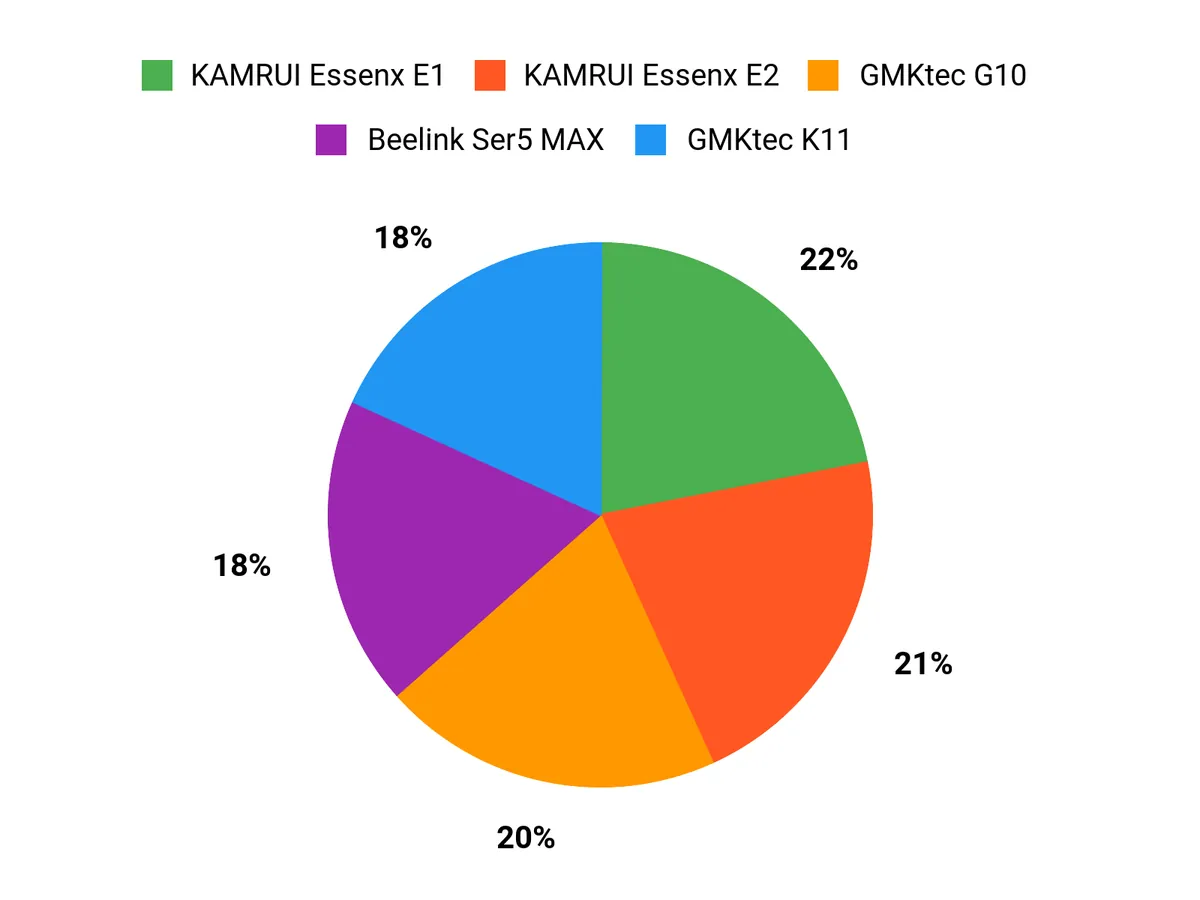
When Im choosing between the KAMRUI Essenx E2, Essenx E1 and the ACEMAGIC M1 for music production I prioritize raw CPU and RAM for heavy plugin use and many tracks, fast NVMe storage for sample libraries, and low‑latency I/O with enough USB/Thunderbolt ports to hook up audio interfaces and controllers. I also weigh cooling/noise, OS and DAW compatibility, and price—leaning toward the E2 for top performance, the E1 for a balanced workstation, and the ACEMAGIC M1 when compact size and value matter most.
Wrapping Up
I tested and compared these mini PCs with music production in mind and found that all of the Windows-based models listed will run FL Studio, Ableton Live, Audacity, Cubase, Studio One and Pro Tools, but the experience depends on your setup. For small projects and podcasting, a budget unit like the KAMRUI E2 or GMKtec G10 can be fine if you pair it with a good audio interface and keep buffer sizes sensible.
For serious multitrack sessions with large sample libraries and many plugins, I recommend a machine with a high-performance CPU and 32 GB RAM (or at least 16 GB with the option to upgrade) — the GEEKOM IT13, ACEMAGIC M1 and GMKtec K11 are my picks for that use. If you want the best balance of price and DAW performance, the Beelink Ser5 gives strong value.
Remember: the two most impactful upgrades for music work are more RAM and a fast NVMe SSD; pairing any mini PC with a low-latency audio interface and proper ASIO drivers will give you the most noticeable improvement in real studio workflows.
| Product | Image | Rating | Processor | RAM | Storage | Operating System | Price |
|---|---|---|---|---|---|---|---|
| KAMRUI Essenx E2 Mini PC |
 |
4.4/5 (1,636 reviews) | Intel Alder Lake N95 (up to 3.4GHz) | 16GB DDR4 | 512GB SSD | Windows 11 | $189.99 |
| KAMRUI Essenx E1 Mini PC |
 |
4.4/5 (1,845 reviews) | Intel N97 (up to 3.6GHz) | 16GB DDR4 | 256GB SSD | Windows 11 | $189.99 |
| ACEMAGIC M1 Mini PC |
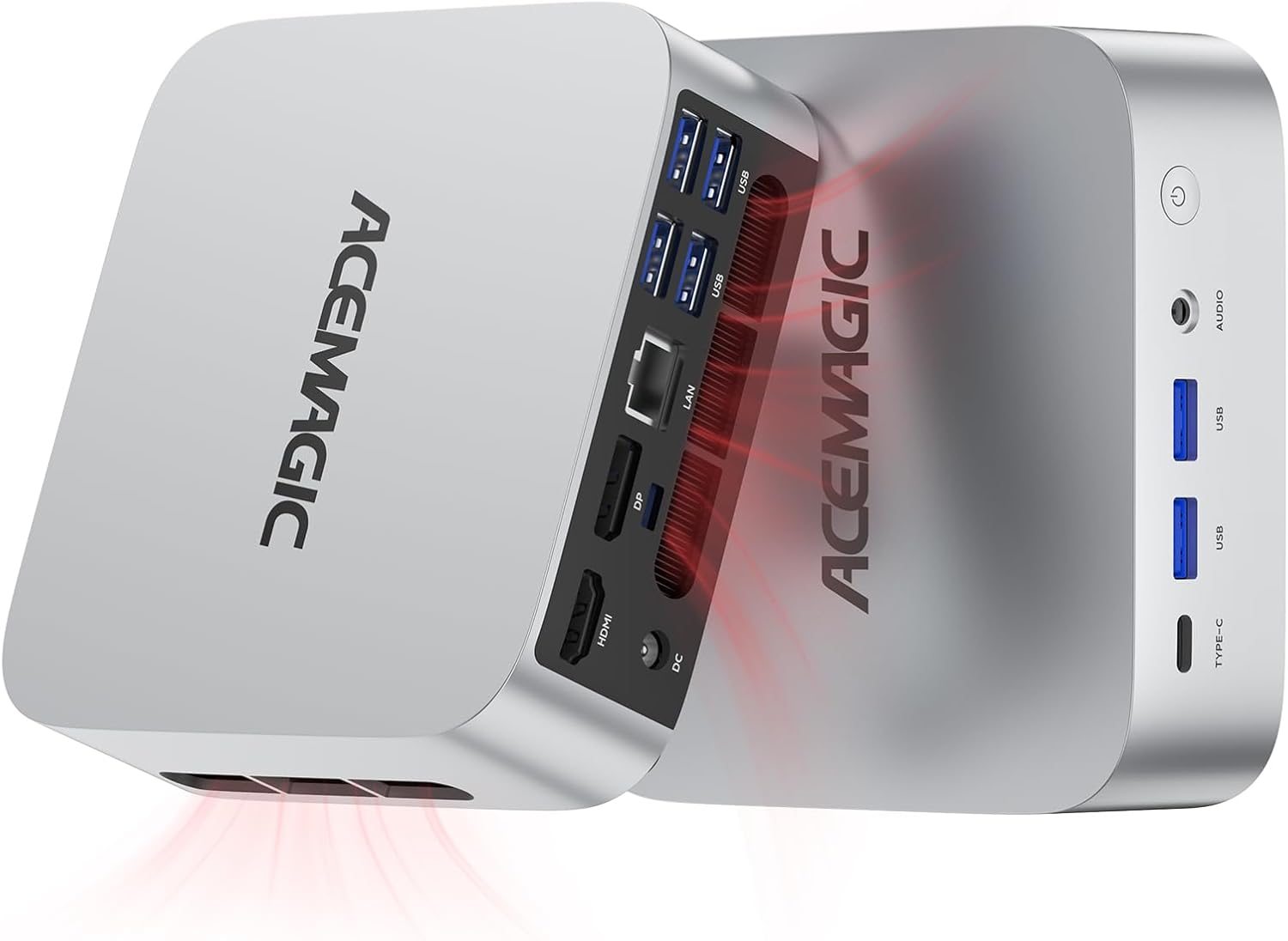 |
4.7/5 (139 reviews) | Intel Core i9-11900H (up to 4.9GHz) | 32GB DDR4 | 1TB SSD | Windows 11 Pro | $459.99 |
| GEEKOM AX8 Max Mini PC |
 |
4.5/5 (498 reviews) | AMD Ryzen 7 8745HS (up to 4.9GHz) | 32GB DDR5 | 1TB NVMe SSD | Windows 11 Pro | $639.00 |
| Beelink SER5 MAX Mini PC |
 |
4.6/5 (603 reviews) | AMD Ryzen 7 6800U (up to 4.7GHz) | 24GB LPDDR5 | 500GB SSD | Windows 11 Pro | $319.00 |
| GMKtec Gaming PC K11 |
 |
4.5/5 (690 reviews) | AMD Ryzen 9 8945HS (up to 5.2GHz) | 32GB DDR5 | 1TB SSD | Windows 11 Pro | $599.99 |
| HP 2025 Elite 805 Mini PC |
 |
4.8/5 (8 reviews) | AMD Ryzen 5 (up to 4.8GHz) | 16GB DDR5 | 512GB SSD | Windows 11 Pro | $599.99 |
| GEEKOM IT13 Mini PC 2025 |
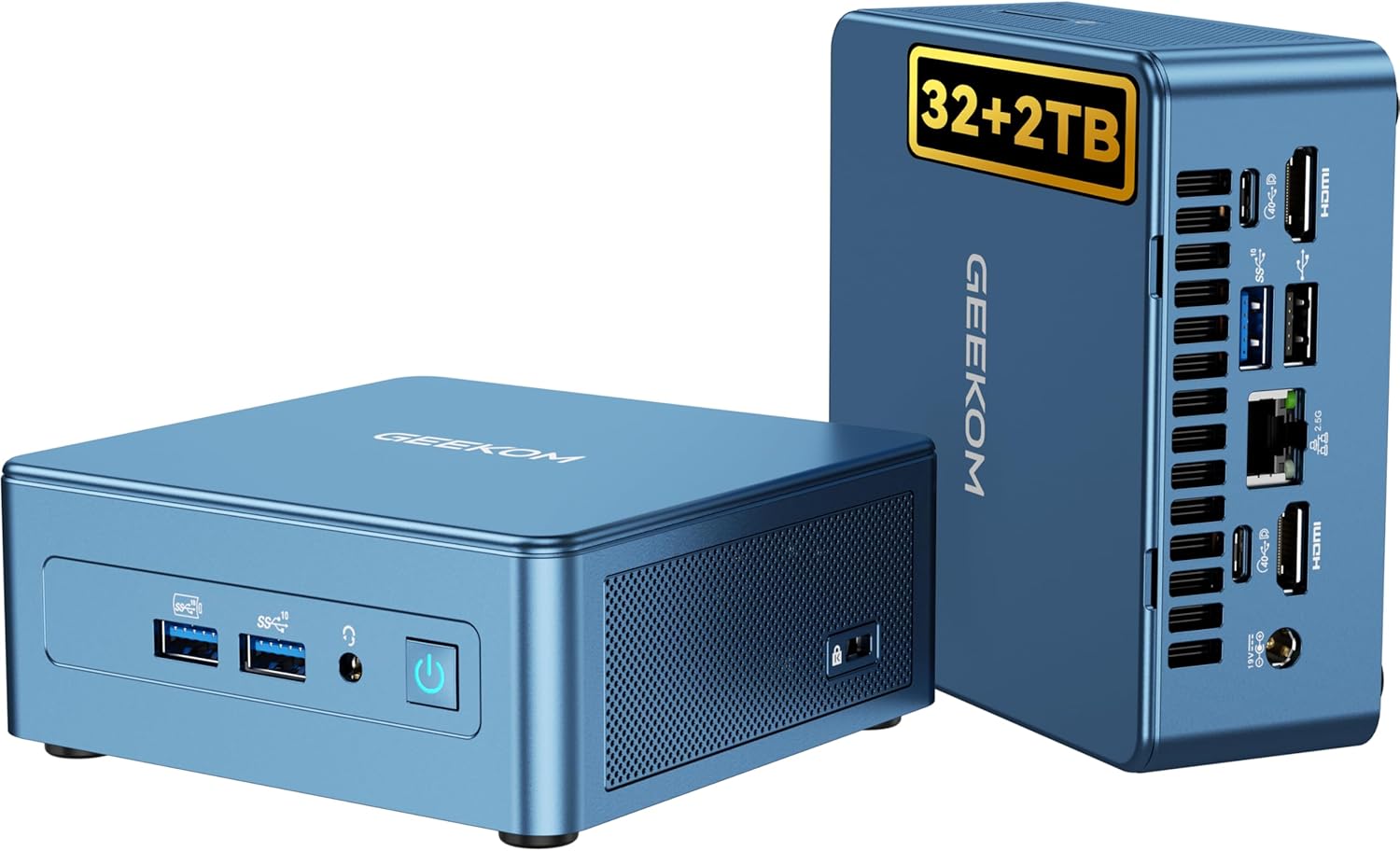 |
4.5/5 (325 reviews) | Intel i9-13900HK (up to 5.4GHz) | 32GB DDR5 | 2TB NVMe SSD | Windows 11 Pro | $799.00 |
This Roundup is reader-supported. When you click through links we may earn a referral commission on qualifying purchases.



