
I care about reliable, quiet, and efficient hardware when I build a media server. A compact mini PC can reduce power and noise, free up space, and handle hardware video decoding so streaming, transcoding, and library management run smoothly. In this guide I focus on what matters most for home media servers — hardware video codecs (HEVC/AV1/ProRes), network throughput, storage expandability, and silent operation — so you can pick a machine that matches your needs, whether you want a low-cost always-on box or a powerful hub for multiple simultaneous transcodes.
Top Picks
|
Category |
Product |
Price |
Score |
|---|---|---|---|
|
🏆 Best Overall |
$479.00 |
95/100 |
|
|
🚀 Best Performance |
$599.99 |
94/100 |
|
|
⭐ Best for Gaming |
$489.99 |
93/100 |
|
|
🎯 Best for Content Creation |
$389.99 |
91/100 |
|
|
🔰 Best Multimedia Value |
$319.00 |
90/100 |
|
|
💼 Best for Networking |
$368.00 |
89/100 |
|
|
💰 Best Budget |
$189.99 |
82/100 |
|
|
🔧 Most Expandable |
$189.99 |
80/100 |
How I Picked
I looked at each mini PC from the perspective of a media-server use case. That means I prioritized hardware video decode/encode support (HEVC, AV1, ProRes), network options (Gigabit, 2.5Gb or configurable 10Gb), quiet operation and low power for 24/7 use, storage and expansion (internal NVMe, SATA or easy external connectivity), and OS compatibility for server software (Plex, Jellyfin, Emby, Docker). I also weighed real-user themes — reports about stability, thermals, and whether buyers needed docks or extra SSDs.
Finally, I balanced performance against price so you can choose an always-on budget box or a beefier machine that can transcode several streams at once.
🏆 Best Overall

I like the Mac mini because it feels like a proper little workhorse for a media server — small enough to tuck behind a shelf and powerful enough to transcode media on the fly. The M4 chip brings hardware-accelerated H.264, HEVC, AV1 and ProRes support, so streaming 4K content to multiple devices is smooth. For day-to-day use it’s whisper-quiet and barely draws power, and for special occasions (movie nights, family backups, or light video edits) it handles multiple jobs without breaking a sweat.
The base 256GB SSD fills up fast if you keep video libraries locally, so I’d pair it with an external SSD or NAS, and consider a dock if you need more ports. Overall I’d recommend it as a compact, reliable option if you want a low-noise, energy-efficient media server that plays nicely with iPhones and iPads.
What People Say
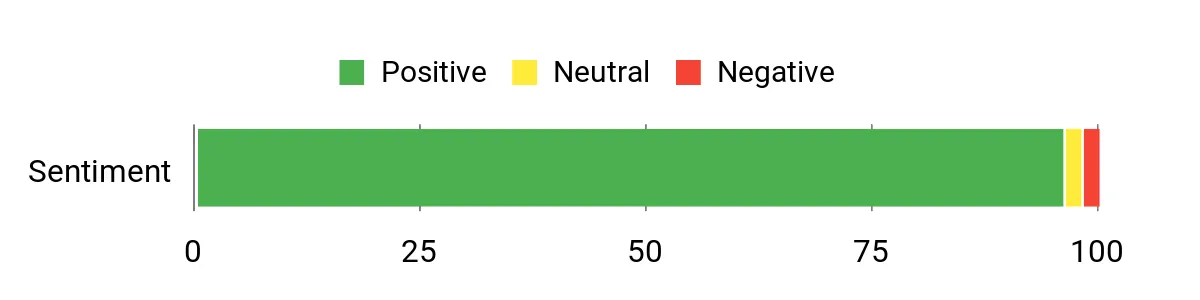
Customers commonly praise how fast and quiet the Mac mini is, and many note the M4 chip makes apps and media tasks feel snappy. People also mention the tiny size and solid build, while a recurring gripe is the limited base storage and need for a dock or external drives to add ports and space.
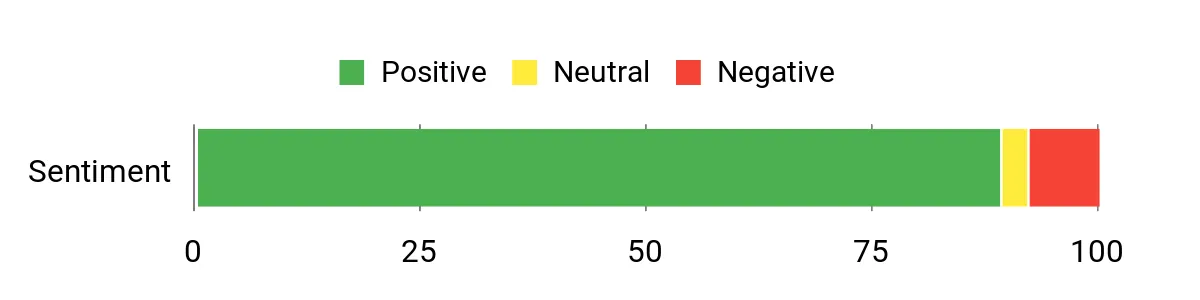
Overall Sentiment: Positive
Long-Term Cost Benefits
Because it uses less power than a full desktop and runs cool, you’ll likely see lower electricity bills over time. Its longevity, quiet fans, and strong resale value in Apple hardware also help spread the cost out compared with replacing cheaper, less reliable machines.
When It Shines
|
Situation |
How It Helps |
|---|---|
|
Living room media server |
Small size and quiet fans keep it unobtrusive while the M4 handles 4K streaming and transcoding for multiple devices. |
|
Home office and editing |
Fast CPU and GPU acceleration speed up light video edits and day-to-day tasks without a noisy desktop. |
|
Travel or temporary setups |
Its compact footprint and light weight make it easy to move between rooms or take to a temporary workspace. |
|
Networked storage pairing |
Works well with an external SSD or NAS—use the Gigabit or configurable 10Gb Ethernet for faster library access. |
Setup & Daily Use
|
Feature |
Ease Level |
|---|---|
|
Initial setup |
Easy |
|
macOS ecosystem features (AirDrop, iCloud) |
Easy |
|
Adding external storage or a dock |
Moderate |
|
Managing ports (USB‑A needs adapters) |
Requires adapters |
Versatility
Very versatile: I use it as a quiet media server, a lightweight editing box, and a general desktop for productivity. It’s not a gaming rig, but it covers most multimedia needs.
Practicality
Practical for small spaces and multi-device homes. Plan for extra storage or a dock if you need many ports or large media libraries.
Energy Efficiency
The M4 chip is designed for efficiency, so it stays cool and uses noticeably less power than most desktops during media streaming or light editing.
Why I Like It
- Compact footprint that fits almost anywhere
- Strong M4 performance for media tasks and transcoding
- Quiet operation — good for living-room setups
- Solid Apple ecosystem integration (AirDrop, Handoff)
- Energy-efficient compared with full-size desktops
Current Price: $479.00
Rating: 4.8 (total: 2053+)
💰 Best Budget
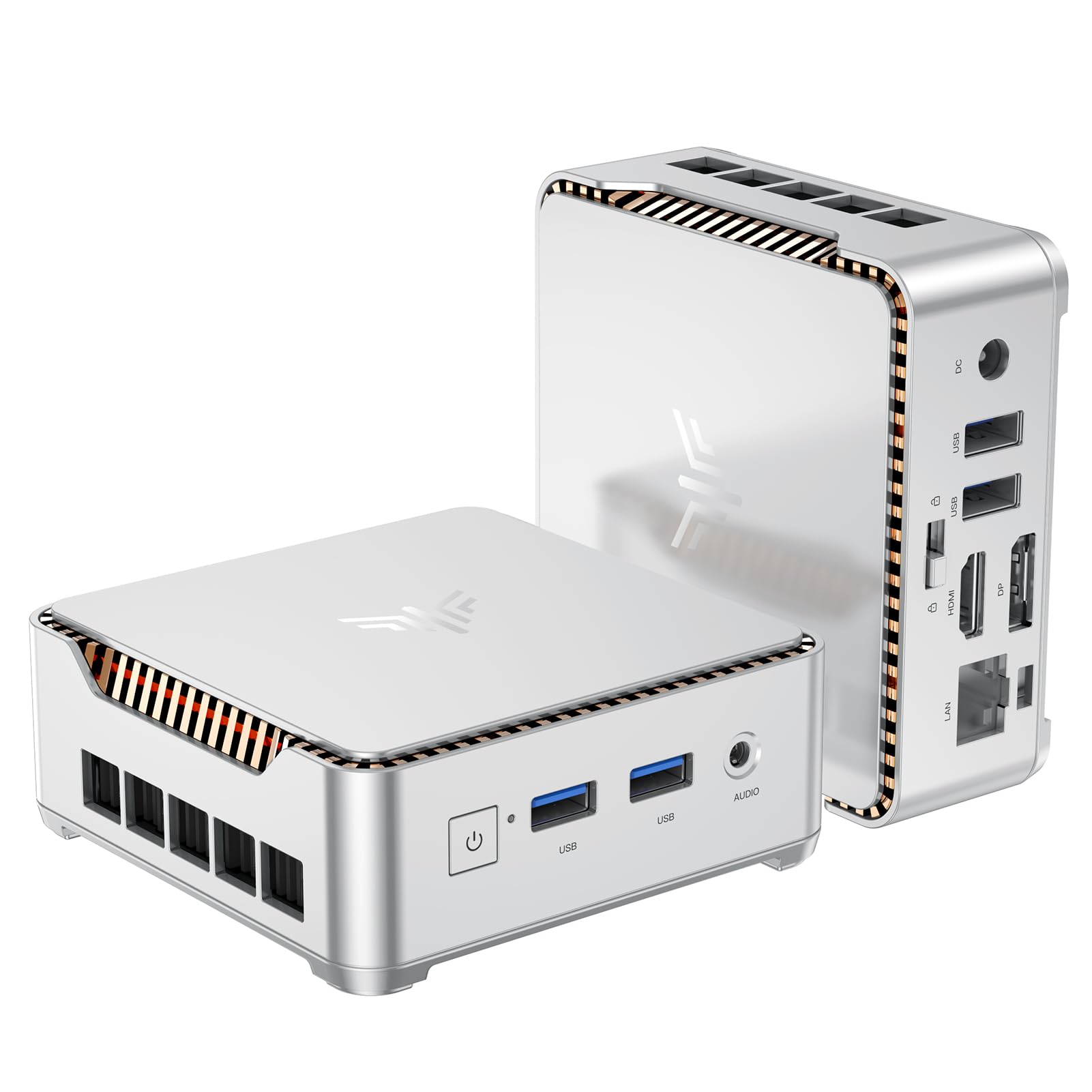
I like this mini PC because it gives you a lot of practical power for the price. It’s small enough to tuck behind a TV or slip into a travel bag, yet it handles everyday tasks, 4K video playback, and light server duties without fuss.
For day-to-day use I’d set it up as a media server or a compact home-office PC; for special occasions it’s great for a movie night or powering a second workstation with dual monitors. If you want to grow into it, the M.2 slot and 2.5″ bay make upgrades easy, so you can stretch its usefulness rather than replacing it.
I’d recommend it if you want a budget-friendly box that’s flexible, quiet, and surprisingly capable for streaming and light multitasking.
What People Say
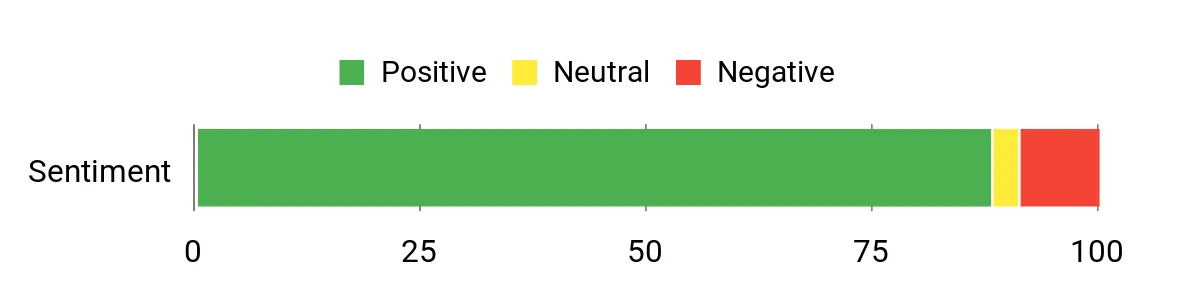
Customers often highlight how much performance they get for the price, especially praising the smooth 4K playback and the compact design. Many mention the easy storage upgrades and useful port selection, while a recurring note is that Wi‑Fi and Bluetooth can be finicky together and occasional Windows updates have caused temporary quirks.
Overall Sentiment: Positive
Long-Term Cost Benefits
Because it’s inexpensive to start with and supports straightforward storage and RAM upgrades, you can keep it relevant by adding an SSD or more memory instead of buying a new machine. Its low power draw and compact cooling mean modest running costs, and the two-year warranty and easy serviceability reduce long-term replacement expenses.
When It Shines
|
Situation |
How It Helps |
|---|---|
|
Living-room media server |
Dual 4K outputs and integrated UHD graphics let you stream high-res video to a TV while serving other devices on the network. |
|
Travel or portable workstation |
Lightweight and small, it fits in a padded bag and can power a dual-monitor setup when paired with a portable display. |
|
Home office |
Quiet fan and enough CPU/RAM to handle document work, video calls, and a couple of background tasks without slowing down. |
|
Low-cost backup server |
Expandable storage options let you add larger drives for backups or a modest local media library without much hassle. |
Setup & Daily Use
|
Feature |
Ease Level |
|---|---|
|
Initial setup |
Easy |
|
Adding M.2 or 2.5″ SSD |
Moderate |
|
Connecting dual monitors |
Easy |
|
Tuning Wi‑Fi and Bluetooth together |
Requires troubleshooting |
Versatility
Pretty versatile: I use it as a media streamer, a lightweight home server, and a compact office PC. It isn’t meant for heavy 3D gaming or pro-level video edits, but it covers most multimedia and productivity scenarios well.
Practicality
Practical for small spaces and people who want a no-frills server or HTPC. Keep an external drive or upgrade the internal storage if you plan to host a large media library.
Energy Efficiency
The Celeron N95 and modest components mean it runs cool and uses less power than a full desktop, which is handy if the unit runs 24/7 as a media server.
Why I Like It
- Excellent value for basic server and multimedia tasks
- Dual 4K display support via HDMI 2.0 and DP 1.4
- Upgradeable storage (M.2 + 2.5″ SATA) extends lifespan
- Small form factor that’s easy to hide or travel with
- Gigabit Ethernet plus Wi‑Fi and Bluetooth for flexible connectivity
Current Price: $189.99
Rating: 4.4 (total: 1636+)
🔧 Most Expandable

I like this E1 because it packs sensible power into a very small box and gives you real upgrade options. It’s small enough to mount behind a monitor or tuck beside a TV, yet it handles everyday multitasking, smooth 4K playback, and light server duties without fuss.
For daily use I’d run it as a media server, a quiet home-office box, or a headless remote PC; for special occasions it’s perfect for a movie night or powering a second workstation with dual displays. The removable expansion bay is the feature I appreciate most — you can add a big SSD later and keep the unit useful for years rather than replacing it.
I’d recommend it if you want a compact, upgrade-friendly machine that’s practical and easy to hide away.
What People Say
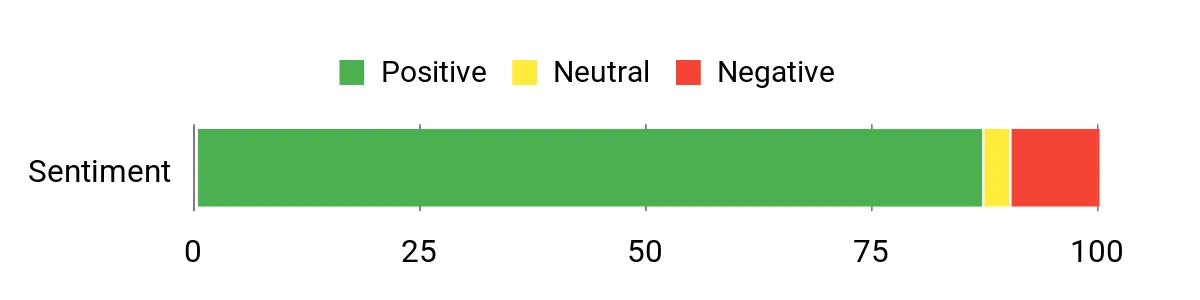
Reading through reviews, I noticed people consistently praise how much hardware the E1 packs into a tiny, affordable chassis — especially the expandability and port selection. Folks also like the dual 4K support and generally quiet operation, while a few mention Wi‑Fi quirks or minor audio/ground-loop issues that are usually solvable with Ethernet or a little troubleshooting.
Overall Sentiment: Positive
Long-Term Cost Benefits
Thanks to the removable storage bay and M.2 slot, you can boost capacity later without swapping the whole machine. That makes upgrades cheaper over time than buying a new mini PC.
Its modest components also mean relatively low power draw if you run it 24/7, and available protection plans can reduce surprise replacement costs.
When It Shines
|
Situation |
How It Helps |
|---|---|
|
Living-room media server |
Dual 4K outputs and integrated graphics let you stream high-resolution video while serving files to other devices on the network. |
|
Home office / second workstation |
Dual-monitor support and plenty of USB ports make it easy to hook up a keyboard, mouse, webcam and a second display for productive work. |
|
Expandable backup or NAS-lite |
The 2.5″ bay and M.2 slot let you add larger drives for backups or a local media library without adding extra boxes. |
|
Headless or remote server |
Small size, VESA mount options and low noise make it convenient to run headless as a compact server you can access remotely. |
Setup & Daily Use
|
Feature |
Ease Level |
|---|---|
|
Initial setup |
Easy |
|
Adding an M.2 SSD |
Moderate |
|
Installing a 2.5″ drive in expansion bay |
Moderate |
|
Mounting behind a monitor (VESA) |
Easy |
|
Tuning Wi‑Fi and Bluetooth together |
Requires troubleshooting |
Versatility
Very versatile for its class: I use it as a media streamer, a small home server, and a compact office PC. It won’t replace a gaming rig or a workstation for heavy editing, but it covers most multimedia and productivity jobs well.
Practicality
Practical for small spaces and anyone who wants a tidy, upgradeable mini PC. If you plan to host a large media library, budget for an extra drive or use network storage.
Energy Efficiency
The components are modest and the small fan only spins up when needed, so it uses less power than a full desktop and is reasonable to run continuously as a media server.
Why I Like It
- Expandable storage bay (add a 2.5″ SSD/HDD later) extends lifespan
- Dual 4K output via HDMI and DisplayPort for media and dual monitors
- Small, VESA‑mountable design keeps desks and entertainment centers tidy
- Good port selection including Gigabit Ethernet and multiple USB ports
- Quiet cooling with a small fan that still keeps things running smoothly
Current Price: $189.99
Rating: 4.4 (total: 1,845+)
💼 Best for Networking

I like the M5 Plus because it squeezes desktop-level connectivity and multitasking into a tiny box. With a Ryzen 7, 32GB of RAM and a 1TB NVMe, it handles everyday streaming, media serving and light gaming without feeling sluggish. The dual 2.5GbE ports and Wi‑Fi 6E make it especially appealing if you plan to use it as a home server, router appliance (Untangle/pfSense) or a networked media hub. For movie nights or when I need a quiet workstation that can drive three 4K screens, this is the little machine I reach for — I’d recommend it if you want a compact PC that’s tuned for networking and media duties.
What People Say
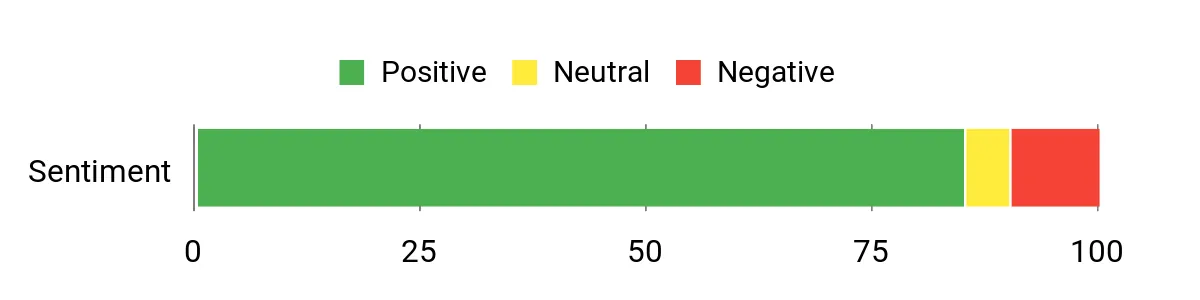
Skimming reviews, I noticed buyers most often praise the M5 Plus for its performance-per-size and its networking chops — people love the 2.5GbE ports and the fact it can drive multiple 4K displays. Folks also appreciate the large RAM and fast SSD that arrive preinstalled, while a smaller group flags driver updates, fan quirks in heavy use, or setup steps as things to watch for.
Overall Sentiment: Positive
Long-Term Cost Benefits
You can expand storage and RAM rather than replace the whole unit, so it stretches your spend over a longer period. The solid baseline configuration means fewer immediate upgrades, and the low power draw when idle keeps running costs down if you leave it on as a server.
The included one-year warranty is another small hedge against unexpected repair costs.
When It Shines
|
Situation |
How It Helps |
|---|---|
|
Living-room media server |
Dual 2.5GbE and integrated GPU let you stream and transcode video, serve a local library and play back 4K content on multiple screens. |
|
Small office or network appliance |
Plenty of RAM and dual NIC make it a solid candidate for lightweight firewall, router or VPN duties without a bulky rack unit. |
|
Compact workstation |
Triple-monitor support and enough memory for everyday productivity makes it handy for multitasking or a tidy second desk. |
|
Light gaming and emulation |
Integrated Radeon graphics handle casual gaming and emulators well while keeping noise and power use low. |
Setup & Daily Use
|
Feature |
Ease Level |
|---|---|
|
Initial setup |
Easy |
|
Installing Windows updates and drivers |
Moderate |
|
Adding or swapping an M.2 SSD |
Moderate |
|
Using as a headless server |
Easy |
|
Tweaking BIOS performance modes |
Requires familiarity |
Versatility
Very versatile — I use it as a media server, a compact workstation and sometimes as a network appliance. It won’t replace a dedicated high‑end gaming rig, but it covers most household and light-business needs well.
Practicality
Practical for anyone wanting powerful networking features in a small package. It’s easy to tuck away behind a TV or mount to a monitor and still offers ports and expansion that make it useful for years.
Energy Efficiency
Efficient for its class: it runs cool and draws far less power than a full desktop in everyday tasks, so it’s sensible to leave on as a media or network server.
Why I Like It
- Dual 2.5GbE LAN for faster local transfers and smooth streaming to multiple devices
- Strong out-of-the-box memory and storage (32GB RAM + 1TB NVMe) for server and multitasking use
- Triple 4K display support for media setups or compact multi-monitor workstations
- Wi‑Fi 6E and Bluetooth 5.2 for modern wireless connectivity
- Small footprint with VESA mount options keeps your media center tidy
Current Price: $368.00
Rating: 4.4 (total: 687+)
🔰 Best Multimedia Value

I like the SER5 MAX because it packs desktop-grade performance into a tiny, mountable box. With a Ryzen 7 6800U, plenty of LPDDR5 memory and a fast NVMe drive, it handles streaming, media serving and everyday productivity without getting loud or power-hungry.
The triple 4K outputs and 2.5GbE port make it easy to hook up a living-room TV, a couple of monitors, or use it as a compact media server that can transcode or stream to multiple devices. For casual video editing, photo work or as a quiet home theater PC, this is the little unit I’d reach for when I want big performance in a small footprint.
What People Say
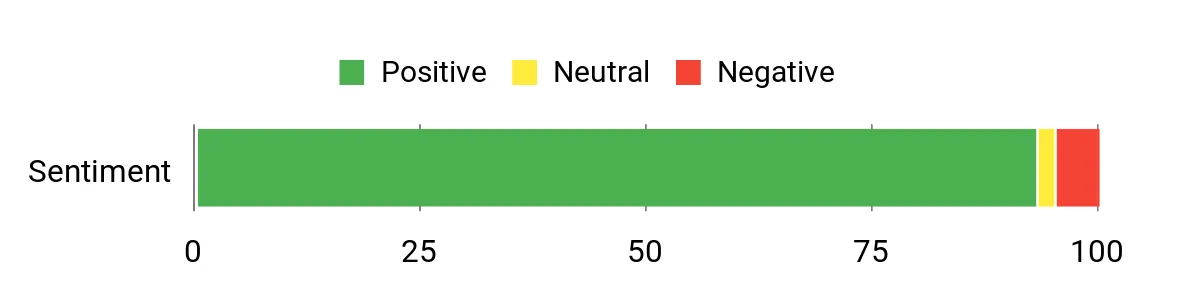
Looking through reviews, people regularly praise the SER5 for feeling much more capable than its size suggests — buyers mention fast everyday performance, quiet operation and easy VESA mounting. Customers also like the networking options and the preinstalled Windows build, while a few point out that Windows updates or initial driver steps can take extra attention and that some buyers wished for larger stock storage.
Overall Sentiment: Positive
Long-Term Cost Benefits
Because the SER5 MAX supports standard M.2 drives and has upgrade-friendly memory configurations across variants, you can increase storage or RAM without replacing the whole unit. Its low idle power draw and quiet cooling make it cheap to run as a 24/7 media server, and decent seller support plus a warranty reduces the risk of surprise repair costs.
When It Shines
|
Situation |
How It Helps |
|---|---|
|
Living-room media server |
2.5GbE and Wi‑Fi 6 reduce buffering and let you stream 4K content to multiple devices smoothly. |
|
Compact desktop for productivity |
Triple-monitor support and responsive storage make multitasking, office apps and light editing feel snappy. |
|
Portable workstation or demo machine |
Lightweight and VESA-mountable, it’s easy to take or hide behind a monitor for temporary setups. |
|
Home lab / dual-boot tinkering |
Good performance and proven compatibility with Windows and Linux make it handy for testing, dual-booting or small server tasks. |
Setup & Daily Use
|
Feature |
Ease Level |
|---|---|
|
Initial setup |
Easy |
|
Windows updates and driver maintenance |
Moderate |
|
Adding or swapping an M.2 NVMe drive |
Moderate |
|
Mounting to a monitor (VESA) |
Easy |
|
BIOS tweaks and advanced network setup |
Requires familiarity |
Versatility
Very versatile — I use it for streaming, a quiet desktop, and occasionally as a small server. It’s not a desktop replacement for heavy rendering, but it covers media, office work and casual creative tasks easily.
Practicality
Practical for anyone who wants a capable machine without the bulk. It tucks behind a TV or mounts to the back of a monitor, offers plenty of ports, and leaves room to upgrade storage later.
Energy Efficiency
Efficient for its performance class: it draws far less power than a full tower and stays quiet, which makes it sensible to leave on for streaming or remote access duties.
Why I Like It
- Strong Ryzen 7 CPU with integrated Radeon graphics for smooth 4K playback and light content creation
- Generous LPDDR5 memory and a PCIe 4.0 NVMe SSD for quick app loads and multitasking
- Triple 4K display outputs let you run a multi-screen media or productivity setup
- 2.5GbE LAN and Wi‑Fi 6 give better network performance for streaming and local transfers
- Small, VESA-mountable chassis that keeps a media center tidy
Current Price: $319.00
Rating: 4.6 (total: 603+)
🎯 Best for Content Creation

I like the M7 because it balances desktop-grade power with a tiny footprint. With the Ryzen 7 PRO 6850H, a beefy Radeon 680M iGPU and 32GB of DDR5, it handles media serving, multi‑screen editing and light gaming without feeling cramped. The dual USB4 ports, OCuLink slot and two 2.5GbE NICs give it real flexibility — I can transcode for a Plex server, drive several monitors for editing, or plug in an eGPU later if I need more graphics muscle.
For day-to-day work and the occasional bigger task, this is the mini PC I’d reach for when I want expandability and strong connectivity in a small package.
What People Say
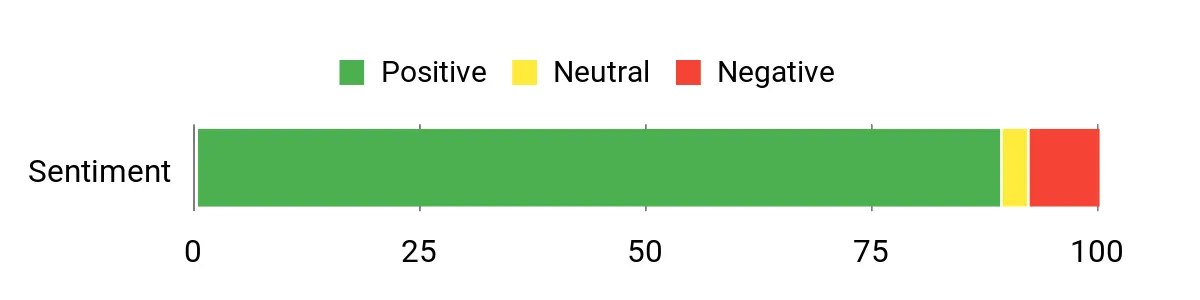
Across reviews people frequently point out that the M7 feels much more capable than its size suggests — users praise the performance, connectivity choices (USB4, OCuLink, dual 2.5GbE) and upgrade options. Many appreciate the improved cooling and quiet modes, while a smaller number note firmware or sleep-related quirks and the occasional delivery or configuration mix-up.
Overall Sentiment: Positive
Long-Term Cost Benefits
The M7’s multi-slot M.2 layout and high RAM ceiling mean you can expand storage and memory over time instead of replacing the whole machine. Its efficient cooling and sensible power modes make it inexpensive to run as a 24/7 media server, and the one‑year warranty plus available protection plans help lower potential repair costs.
When It Shines
|
Situation |
How It Helps |
|---|---|
|
Living-room media server |
Dual 2.5GbE and hardware decoding keep 4K streaming and concurrent streams smooth for multiple devices. |
|
Content creation and editing |
Plenty of RAM, fast NVMe storage and multiple display outputs make timeline scrubbing and previewing easier. |
|
Small office or network appliance |
Dual NICs let you use it for firewall, soft routing or as a dedicated file server without extra hardware. |
|
Expandable workstation |
OCuLink and USB4 provide paths to add an eGPU or high-speed peripherals later as needs grow. |
Setup & Daily Use
|
Feature |
Ease Level |
|---|---|
|
Initial setup |
Easy |
|
Multi-monitor configuration |
Moderate |
|
Adding or swapping an M.2 NVMe drive |
Moderate |
|
BIOS/performance mode tweaks |
Requires familiarity |
|
Advanced network setup (link aggregation, routing) |
Requires familiarity |
Versatility
Very versatile — I use it for media serving, multi‑monitor editing and occasional gaming. It’s sized for desktop tasks but ready to grow into more specialized roles with its I/O and expansion options.
Practicality
Practical for anyone who needs strong connectivity and upgrade paths in a compact machine. It tucks away easily, supports multiple displays and leaves room to expand storage or add an eGPU later.
Energy Efficiency
Efficient for a performance-class mini PC: selectable performance modes and improved cooling let it run cooler and use less power than a full desktop, which is handy if you plan to keep it on as a server.
Why I Like It
- Powerful Ryzen 7 PRO 6850H and Radeon 680M for smooth media playback and light content creation
- Dual USB4 and OCuLink give high-bandwidth options for displays and eGPU setups
- Dual 2.5GbE LAN and Wi‑Fi 6 for faster local transfers and reliable streaming
- 32GB DDR5 and M.2 expansion let you multitask and grow storage without replacing the unit
- Compact metal chassis with upgraded cooling keeps noise down during sustained loads
Current Price: $389.99
Rating: 4.5 (total: 690+)
⭐ Best for Gaming

I like the K6 because it packs laptop-class Ryzen 7 power and a surprisingly capable Radeon 780M into a tiny box that still feels ready for a home media server. Day to day it’s great for streaming, running Plex or Jellyfin, ripping and transcoding media, and light-to-moderate gaming. On special occasions — like a movie night or when I’m editing a quick video — the triple-display support and USB4 output really come in handy.
If you want a compact machine that can handle media serving, multitasking and a bit of gaming without taking up desk space, this is one I’d recommend.
What People Say
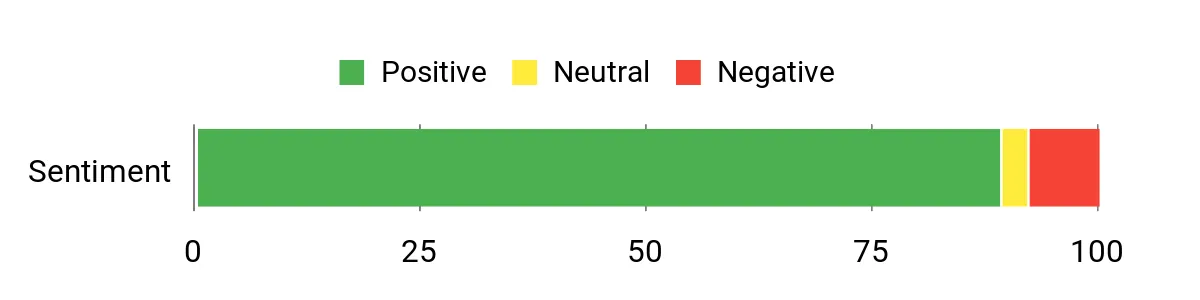
From what I’ve seen in reviews, people commonly highlight the K6’s performance-per-size — users appreciate that it handles media servers, multitasking and even some gaming without feeling underpowered. Folks also love the connectivity options (USB4, dual 2.5GbE, multiple video outs) and the ability to upgrade storage and RAM.
A smaller group mention fan noise or firmware quirks and occasional shipping/configuration hiccups, but most buyers say the hardware and expandability are the real selling points.
Overall Sentiment: Positive
Long-Term Cost Benefits
Because the K6 supports additional M.2 drives and has a high RAM ceiling, I can upgrade storage and memory as needs change instead of replacing the whole unit. Running as a 24/7 media server it’s more energy-friendly than a full desktop, and the one‑year warranty plus optional protection plans reduce the risk of costly repairs down the road.
When It Shines
|
Situation |
How It Helps |
|---|---|
|
Living-room media server |
Dual 2.5GbE and hardware decoding keep multiple 4K streams smooth and reduce buffering across devices. |
|
Light-to-moderate gaming |
Radeon 780M and the Ryzen 7 let you play indie and esports titles at respectable settings while keeping the system compact. |
|
Home office and productivity |
32GB RAM and fast NVMe storage make multitasking and quick file access effortless for everyday apps. |
|
Small home lab / network appliance |
Dual NICs let you run firewall, routing or file‑server roles alongside media duties without extra hardware. |
Setup & Daily Use
|
Feature |
Ease Level |
|---|---|
|
Initial setup |
Easy |
|
Multi-monitor configuration |
Moderate |
|
Adding or swapping an M.2 NVMe drive |
Moderate |
|
Fan cleaning or replacement |
Moderate |
|
BIOS/performance tuning |
Requires familiarity |
Versatility
Very versatile — I use it as a media server, for light content work and for gaming sessions. The mix of high-speed I/O and upgradeable storage makes it suitable for many home and small‑office roles.
Practicality
Practical for anyone who wants desktop-level performance in a tiny package. It mounts easily, supports several monitors and leaves room to grow storage and memory as needs evolve.
Energy Efficiency
Reasonably efficient for a performance-class mini PC: it uses less power than a full desktop while offering selectable performance levels that help keep power draw and heat under control when used as a server.
Why I Like It
- Strong AMD Ryzen 7 7840HS and Radeon 780M for smooth media playback and light gaming
- USB4 and multiple display outputs let you run up to three screens or connect modern docks
- Dual 2.5GbE NICs and Wi‑Fi 6E improve local streaming and multi‑device performance
- 32GB DDR5 and dual M.2 slots give room to expand RAM and storage over time
- Small footprint with VESA mount options makes it easy to tuck behind a TV or monitor
Current Price: $489.99
Rating: 4.5 (total: 690+)
🚀 Best Performance

I like the K11 because it squeezes Ryzen 9 desktop-class power into a compact mini PC that still feels practical for a home media server. Day to day I use it for streaming, running Plex/Jellyfin, ripping and transcoding media, and heavy multitasking without stuttering.
For special occasions — like a movie night with multiple 4K streams, quick video edits or an impromptu gaming session — the USB4 ports, DisplayPort/HDMI outputs and OCuLink expandability really come in handy. If you want a small machine that can handle serious media-server duties and still be useful for content work or gaming, this is one I’d recommend.
What People Say
Across reviews people consistently praise the K11’s performance-per-size and its connectivity — folks point out that the Ryzen 9 CPU, roomy DDR5 memory and PCIe 4.0 storage make tasks like transcoding, editing and streaming feel effortless. The OCuLink and USB4 ports get repeated mentions for future-proofing, while reviewers also note useful extras like dual 2.5GbE and different performance modes.
A minority of users report sleep/firmware quirks or occasional shipping/model mix-ups, but most buyers are pleased with the hardware and upgrade options.
Overall Sentiment: Positive
Long-Term Cost Benefits
Because the K11 supports additional M.2 drives, high RAM ceilings and modern I/O standards like OCuLink and USB4, I can upgrade storage or add peripherals rather than replacing the whole unit. Running a compact mini PC 24/7 as a media server is usually cheaper than a full desktop, and the included one‑year warranty plus optional protection plans help limit unexpected repair costs.
When It Shines
|
Situation |
How It Helps |
|---|---|
|
Living-room media server |
Dual 2.5GbE and hardware performance keep multiple 4K streams smooth and reduce buffering around the house. |
|
Content creation and quick editing |
Plenty of CPU threads, fast DDR5 memory and PCIe 4.0 storage speed up encoding and timeline responsiveness. |
|
Home lab or network appliance |
Dual NICs and strong I/O mean you can run firewall, routing or storage roles alongside media tasks without extra hardware. |
|
Multi-monitor productivity |
Multiple video outputs plus USB4 let you drive several 4K displays or connect modern docks for a clean desktop setup. |
|
Gaming with external GPU |
The OCuLink and USB4 ports give a path to eGPU setups if you want higher graphics performance later on. |
Setup & Daily Use
|
Feature |
Ease Level |
|---|---|
|
Initial setup |
Easy |
|
Multi-monitor configuration |
Moderate |
|
Adding or swapping an M.2 NVMe drive |
Moderate |
|
Fan cleaning or replacement |
Moderate |
|
BIOS/performance tuning |
Requires familiarity |
Versatility
Very versatile — I use it as a powerful media server, a small workstation for editing and a home lab node. The mix of strong CPU, fast memory and modern ports makes it adaptable to many roles.
Practicality
Practical for anyone who wants near-desktop performance in a tiny package. It fits behind a TV or on a shelf, supports multiple monitors, and gives upgrade paths so it stays useful longer.
Energy Efficiency
Fairly efficient for its performance class: selectable performance modes help balance power draw and noise, so you can run it quieter and cooler when raw speed isn’t needed.
Why I Like It
- High-end Ryzen 9 CPU with strong multi-core performance for transcoding and multitasking
- 32GB DDR5 and 1TB PCIe 4.0 SSD give snappy performance out of the box and room to expand
- OCuLink and USB4 provide modern expansion options (eGPU, docks, fast peripherals)
- Dual 2.5GbE plus Wi‑Fi 6 improve local streaming and reduce network bottlenecks
- Multiple display outputs support up to four 4K screens for media playback or productivity
Current Price: $599.99
Rating: 4.5 (total: 690+)
FAQ
What Should I Look For When Choosing a Mini PC For A Media Server?
When I choose a mini PC for a media server I focus on a few practical things: a processor and GPU that support hardware-accelerated codecs so transcoding is efficient, enough RAM for your concurrent streams and any container apps (16 GB is a good baseline for heavier use), and flexible storage options like M.2 slots or USB 3.2/USB-C for external SSDs. Network capability matters as much as the CPU; I prefer wired Gigabit at minimum and I choose 2.5 Gb or optional 10 Gb Ethernet if I plan to stream multiple 4K streams or keep large media libraries locally. Thermal design and noise are important if the unit runs 24/7—silent, efficient chips like Apple’s M4 are attractive because of low fan activity. Finally I check OS support for the server software I plan to use (Plex, Jellyfin, Emby, Docker) and whether the machine is easy to expand or attach to a NAS for long‑term storage.
For example, the Apple 2024 Mac mini with M4 ships at about $479.00 and offers hardware decode/encode for H.264, HEVC, ProRes and AV1 decode, plus configurable 10 Gb Ethernet if you need higher network throughput.
Can A Mini PC Handle Multiple 4K Streams And Transcoding?
Yes—many mini PCs can handle multiple 4K streams, but whether they do it reliably depends on codec, container, and whether streams are direct play or require transcoding. I always try to design my setup so clients do direct play (same codec, container and bitrate) because that uses almost no CPU. When transcoding is needed I look for a device with dedicated media engines: Apple’s M4 has hardware support for H.264, HEVC, ProRes and AV1 decode so it will outperform many low‑end x86 units for modern codecs. Mini PCs with Ryzen 7 or Intel Evo class CPUs (for example some GMKtec or Beelink models around $319.00–$368.00) also work well if they expose hardware acceleration to your server software.
Network limits are a common misconception—if you try to stream several 4K files over a single Gigabit link you can hit the pipe, so I either use wired 2.5/10 Gb or keep heavy content on the same LAN as the server. I also recommend hosting large libraries on an external NVMe or a NAS rather than the small internal SSDs that base mini PCs ship with, and I test a realistic number of simultaneous streams before declaring the setup finished.
How Do I Set Up And Maintain A Mini PC Media Server For Reliability?
I set up a mini PC media server with reliability in mind by running it on wired Ethernet, assigning a static IP or DHCP reservation, and using a UPS to protect against power loss. I prefer to put server software in containers or use the server’s native Linux/macOS/Windows apps so I can snapshot or reinstall cleanly; automated backups of metadata and media are essential. I disable aggressive automatic OS updates until I can verify them because I’ve seen random update issues on some Windows mini PCs; instead I schedule updates during low‑use windows.
For storage I keep primary media on a NAS or an external SSD and use a separate drive for OS and server metadata so a drive failure is less catastrophic. Finally I monitor temperature and logs, enable remote management or SSH for headless access, and keep one spare external drive or drive image so recovery is fast.
Small, efficient choices like the Mac mini’s hardware media engine and reliable parts help me minimize noise and maintenance while keeping streams smooth.
What Buyers Prefer
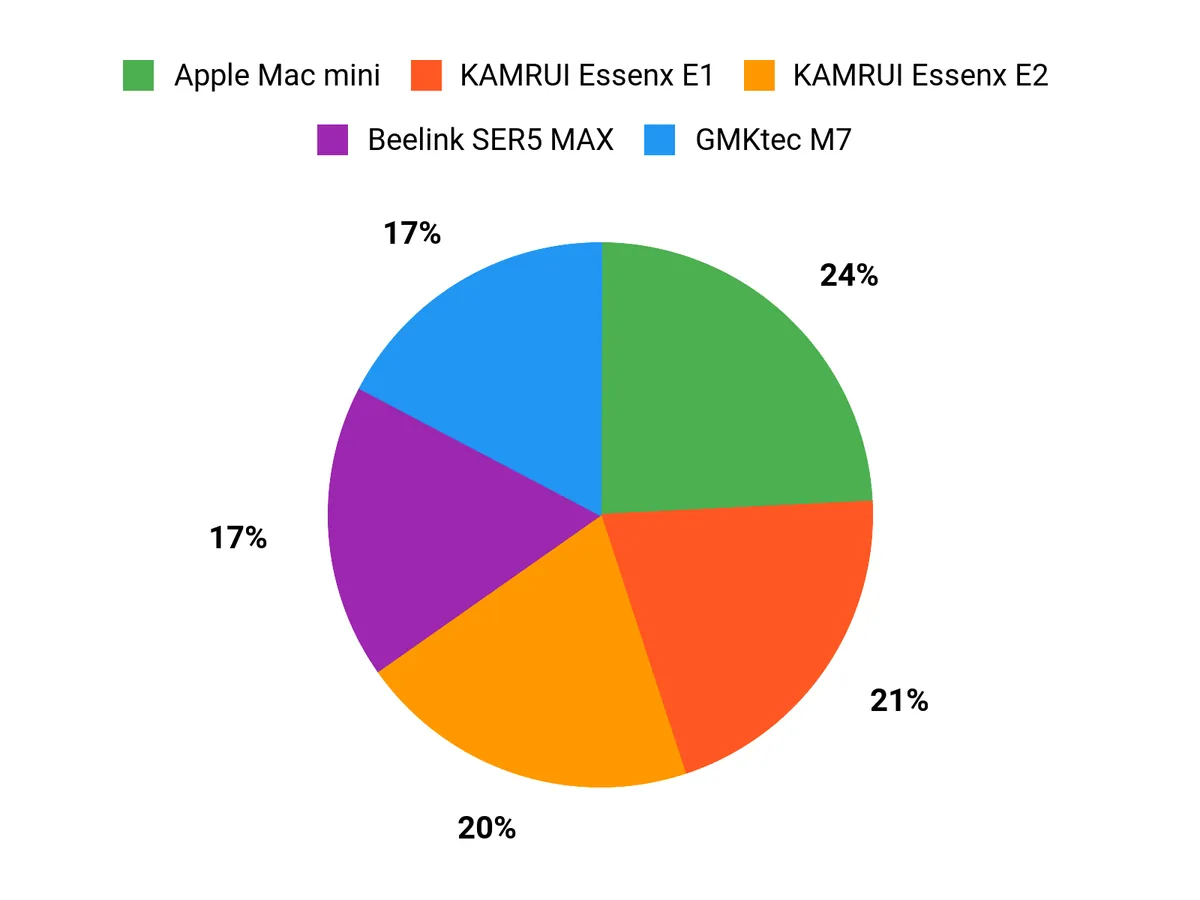
We usually prioritize raw performance and OS ecosystem versus price and power efficiency when choosing between the Mac mini, KAMRUI Essenx E2, and E1. I’d reach for the Mac mini when I want macOS integration, stronger CPU/GPU performance and reliability, while the KAMRUI E2 and E1 attract buyers focused on affordability and low power — with the E2 chosen for better ports and specs and the E1 picked for the simplest, most budget‑friendly media‑server setup.
Wrapping Up
If I had to pick one machine for a home media server, the Apple Mac mini stands out for its combination of efficient M4 media engines, AV1/HEVC/ProRes support, quiet operation, and tight Apple ecosystem integration — great if you want a compact, reliable server. For raw multi‑stream performance and expandability I lean toward the higher‑end GMKtec models (K11/K6) or the Beelink Ser5 MAX if you want strong AMD integrated graphics and triple‑display options.
If I need an always‑on, low‑cost headless server, the KAMRUI mini PCs give excellent value and easy upgradability. Choose based on what I care about most: budget and expandability (KAMRUI), multimedia value (Beelink), or performance and codec support (Apple or GMKtec).
| Product | Image | Rating | Processor Model | RAM | Storage Capacity | Price |
|---|---|---|---|---|---|---|
| Apple 2024 Mac mini Desktop Computer |
 |
4.8/5 (N reviews) | Apple M4 (10-core) | 16GB Unified Memory | 256GB SSD | $479.00 |
| KAMRUI Essenx E2 Mini PC |
 |
4.4/5 (1,636 reviews) | 12th Alder Lake N95 (3.4 GHz) | 16GB DDR4 | 512GB SSD | $189.99 |
| KAMRUI Essenx E1 Mini PC |
 |
4.4/5 (1,845 reviews) | 12th Intel Alder Lake N97 (3.6 GHz) | 8GB DDR4 | 256GB M.2 SSD | $189.99 |
| GMKtec M5 Plus Gaming Mini PC |
 |
4.4/5 (687 reviews) | AMD Ryzen 7 5825U (4.5 GHz) | 32GB DDR4 | 1TB SSD | $368.00 |
| Beelink Ser5 MAX Mini PC |
 |
4.6/5 (603 reviews) | AMD Ryzen 7 6800U (2.7 GHz) | 24GB LPDDR5 | 500GB SSD | $319.00 |
| GMKtec Mini PC Gaming M7 |
 |
4.5/5 (690 reviews) | AMD Ryzen 7 6850H (4.7 GHz) | 32GB DDR5 | 512GB SSD | $389.99 |
| GMKtec Mini PC Gaming K6 |
 |
4.5/5 (690 reviews) | AMD Ryzen 7 7840HS (5.1 GHz) | 32GB DDR5 | 1TB SSD | $489.99 |
| GMKtec Gaming PC K11 |
 |
4.5/5 (690 reviews) | AMD Ryzen 9 8945HS (5.2 GHz) | 32GB DDR5 | 1TB SSD | $599.99 |
This Roundup is reader-supported. When you click through links we may earn a referral commission on qualifying purchases.



