
I tested the GEEKOM A9 Max AI Mini PC to see whether a tiny chassis can deliver real-world desktop power in 2026. This model packs an AMD Ryzen AI 9 HX 370 with Radeon 890M, 32 GB DDR5 and a 2 TB NVMe SSD into a compact silver case, and it retails for about $949.00.
I think this topic matters because mini PCs have become a practical alternative to bulkier desktops: they save space, use less power, and can serve as home workstations, media hubs, edge compute nodes, or lightweight gaming rigs. In this review I focus on the things that matter to most buyers — day-to-day performance, AI capability, connectivity, thermals and upgradeability — so you can decide if this machine fits your needs.
TL;DR
|
Feature |
Verdict |
|---|---|
|
Ease of Use |
⭐️⭐️⭐️⭐️ – Smooth Windows 11 Pro setup and responsive daily use; occasional driver/initial update requirements ⏱️ |
|
Performance |
⭐️⭐️⭐️⭐️⭐️ – Desktop-class Ryzen AI 9 HX 370 gives impressive multitasking and CPU-heavy workloads, great for productivity and light content creation 🔍 |
|
AI Capabilities |
⭐️⭐️⭐️ – Useful for CPU-based LLMs but the integrated NPU/iGPU underdeliver for GPU-accelerated generative image/video tasks 🤖 |
|
Connectivity & Ports |
⭐️⭐️⭐️⭐️ – Excellent I/O: HDMI 2.1, USB4, DP1.4, Wi‑Fi 7/BT 5.4 and dual 2.5G LAN; be aware of antenna wiring if you plan to upgrade internal parts 🔌 |
|
Value |
⭐️⭐️⭐️⭐️ – Competitive performance per dollar compared with larger-brand desktops, especially if you want a compact, energy-efficient machine 💸 |
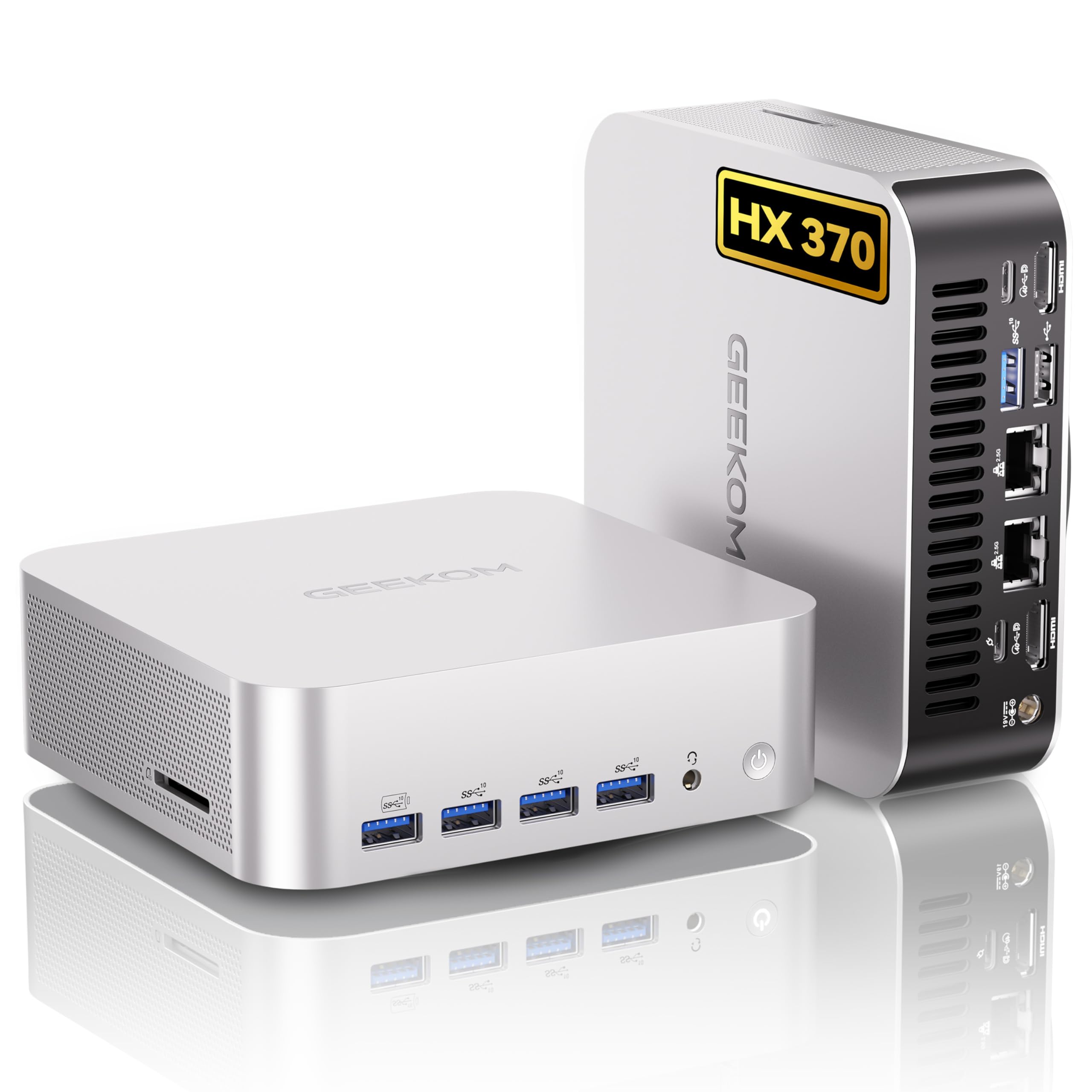
I spent a few weeks with the A9 Max and what struck me first was how much it packs into such a tiny box. It’s the kind of machine I’ll reach for when I want desktop power without the desk takeover: fast boot from the NVMe drive, snappy multitasking thanks to 32GB of DDR5, and enough graphics oomph for lighter gaming or video playback.
For daily stuff — email, spreadsheets, Zoom calls and editing photos — it feels overbuilt in a good way. For special occasions like a small streaming setup or a quick local AI experiment, it’s surprisingly capable, though I’d temper expectations for heavy on-device image-generation workloads until software support improves.
I like that it stays compact and mounts out of the way, yet gives me plenty of ports and room to expand. If you want a small, powerful PC that won’t look out of place at your desk and can handle most creative and productivity tasks, this is one I’d recommend checking out.
|
Pros |
Cons |
|---|---|
|
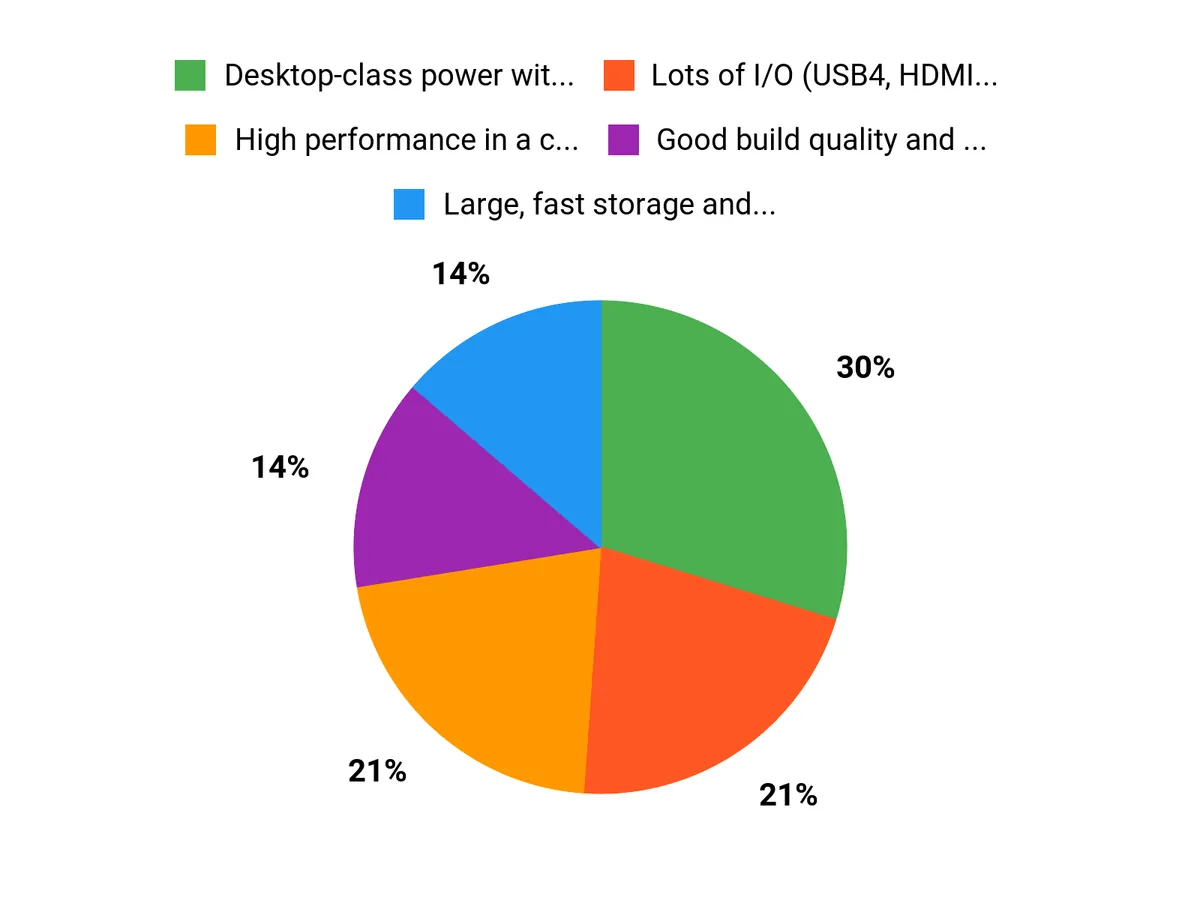
✅ Desktop-class power without a full-size tower |
❌ AI model performance depends on software support |
|
✅ Lots of I/O (USB4, HDMI 2.1, dual LAN) |
❌ Integrated GPU isn’t suited for heavy image generation |
|
✅ Good build quality and VESA mountable |
❌ Fans can get noticeable under peak load |
|
✅ Energy efficient compared with full desktops |
❌ Some internal upgrades can be fiddly (antenna wires) |
Long-Term Cost Benefits
Over time this mini PC can save you money on power and space. It draws far less than a full desktop during normal use, which helps on electric bills and lets it run longer on a UPS.
The 2TB NVMe and user-upgradeable RAM mean you can extend useful life rather than replace the whole system, and the three-year warranty gives added peace of mind.
Situational Benefits
|
Situation |
How It Helps |
|---|---|
|
Home Office |
Fits neatly on or behind a monitor, handles video calls, office apps and light multitasking without taking desk space. |
|
Content Creation |
Fast NVMe storage and plenty of RAM speed up photo and light video edits; good I/O for external drives and capture cards. |
|
Compact Gaming |
Runs esports and less demanding titles smoothly at 1080p, plus HDMI 2.1 makes connecting modern displays simple. |
|
Edge Or Home Server |
Low power draw, dual 2.5GbE and solid storage make it a tidy option for small servers, NAS clients or monitoring setups. |
Ease Of Use
|
Feature |
Ease Level |
|---|---|
|
First-Time Setup |
Easy |
|
Port Access |
Easy |
|
Operating System |
Easy |
|
Hardware Upgrades |
Moderate |
Versatility
I appreciate how versatile this little PC is — from a clean home office build to a travel-friendly workstation or a compact gaming box. It’s a solid middle ground when you want more than a thin client but don’t need a full tower.
Innovation
The A9 Max brings newer AI-focused silicon to a mini PC form factor, which is neat for experimenting with local models. In practice, the hardware is promising; real-world AI speed can depend heavily on the apps and drivers you use.
Energy Efficiency
In day-to-day use it draws much less power than a standard desktop, making it easy to keep running on a UPS and cheaper to run long term. That makes it attractive if you’re conscious of power use or need a compact always-on machine.
Reliability
Build quality feels solid and the cooling design keeps temperatures reasonable under load. GEEKOM’s three-year limited warranty and positive user reports suggest it’s a dependable choice, though noisy fans under heavy stress are something to expect sometimes.
Key Benefits
- High performance in a compact chassis
- Large, fast storage and generous RAM
- Plenty of modern ports for monitors and peripherals
- Good cooling for sustained loads
- Built-in Wi‑Fi 7 and dual 2.5GbE for fast networking
Current Price: $949.00
Rating: 4.4 (total: 294+)
FAQ
Is The GEEKOM A9 Max Worth Buying For AI Workloads And Creative Tasks?
I think the A9 Max is an impressive compact but powerful mini PC for general productivity, virtualization, video editing at moderate settings, and multitasking — especially given the $949.00 price point. If your primary goal is local image or video generation with large neural nets, I’ll be upfront: the device’s AMD NPU/iGPU support and ecosystem for on-device LLM/image-generation is still limited, so you’ll often end up running models on the CPU or waiting much longer than on a comparable NVIDIA GPU system. For CPU-bound development, VMs, business analytics, and everyday creative work it shines; for heavy GPU-accelerated AI/large model inference or large-scale image synthesis, I recommend testing your exact workflow first or choosing a system with a discrete NVIDIA GPU.
Can I Upgrade The RAM And Storage Myself, And Are There Any Gotchas?
I installed extra drives and upgraded RAM on a similar mini PC and, while the A9 Max is designed to be serviceable, there are a few practical tips to follow. Expect a straightforward M.2 NVMe upgrade and some units include a 2.5″ expansion bay, but be careful when opening the chassis because the Wi‑Fi/Bluetooth antenna wires are short and can be fragile — some users have reported accidentally disconnecting or even needing to resolder them, so I recommend working slowly, using an ESD strap, and if you’re not comfortable with tiny antenna connectors, have a technician help.
Also make sure you update BIOS and Windows drivers after swapping hardware; Windows 11 Pro may prompt for a 25H2 update on first boot, so allow time for initial system updates.
How Does The A9 Max Perform In Everyday Use, Gaming, Thermals, And Connectivity?
In my experience the A9 Max is snappy for web browsing, office work, photo editing, and running multiple apps or monitors; the integrated AMD Radeon 890M handles light to moderate gaming and is capable for 1080p titles but won’t match a discrete high-end GPU for demanding games. Thermals and noise are usually modest — quiet at idle, with fans ramping under sustained load — and many users report the system stays cool enough for continuous duty; if you plan sustained heavy loads, I suggest keeping the vents clear and updating firmware to benefit from any thermal optimizations. Connectivity is a strength: HDMI 2.1, USB4/DP1.4, dual 2.5G LAN and Wi‑Fi 7/BT 5.4 give flexible multi-monitor and network setups, though you may need to check router settings (enable WPA3 or force 5 GHz) if the unit tries to join a 6 GHz band unexpectedly.
If you want a small, energy‑efficient machine that’s easy to put on a UPS and packs lots of ports, I’d recommend the A9 Max; if your priority is top-tier AI image generation or high‑end gaming, consider a system with a discrete NVIDIA GPU instead.
Why Choose A9 Max
I choose the GEEKOM A9 Max because it delivers desktop-class AI and multitasking performance in a compact, whisper-quiet chassis that fits anywhere, and its generous ports and upgrade options make it easy to connect and expand. Customers gravitate toward it for the smart AI acceleration, reliable cooling, and strong price-to-performance balance that turn a mini PC into a capable everyday and creative workstation.
Wrapping Up
After spending time with the GEEKOM A9 Max AI, I came away impressed by its compact desktop-class performance and strong I/O for the size. The Ryzen AI 9 HX 370, paired with 32 GB DDR5 and a 2 TB PCIe NVMe drive, makes the unit responsive for multitasking, virtual machines, media playback up to 8K, and general productivity at a price of about $949.00.
That said, if your primary goal is fast, GPU-accelerated generative AI (image or large model inference using the NPU/iGPU), this mini PC is not the ideal choice — the integrated Radeon 890M and NPU show limits compared with discrete NVIDIA solutions. I also noted a few practical points: initial Windows updates and driver installs can take time, some users encounter Wi‑Fi band/configuration hiccups, and internal antenna wiring is delicate when upgrading.
Overall, I recommend the A9 Max if you want a small, energy-efficient machine with strong CPU performance and excellent connectivity; if you need heavy GPU-based AI or high-end real-time rendering, I would look to a system with a dedicated discrete GPU instead.
This Roundup is reader-supported. When you click through links we may earn a referral commission on qualifying purchases.



