
Are you looking for the best laptops for business owners? I wrote this guide because choosing the right laptop for your business can change how you work every day.
In a crowded market, I cut through specs, price and real-world usefulness to recommend machines that match common owner priorities: reliable performance, long battery life, and ports/connectivity that keep your workflows moving. Whether you manage a growing team, meet clients remotely, or handle accounting and creative tasks, I’ll help you find a laptop that actually supports how you run your business.
If you’re looking for a quick answer, MacBook Air 15 is your best option if you have a non technical (non coding) business and marketing & communication are the most important aspects of your job. HP 15 Pro is our top recommendation for a powerful windows machine that comes at a great price! If you want something more affordable for basic communication and browsing, then go for Lenovo V15.
Note: This article is based on information from early 2026. I’ll be updating it regularly every few weeks. You can find the “Last Updated On” date at the end of the article.
Top Picks
| Category | Product | Price | Score |
|---|---|---|---|
| 💰 Best Budget Touchscreen | HP 15 | $329.99 | 78/100 |
| 🏆 Best Portable Power | MacBook Air 13 | $749.00 | 92/100 |
| 🎯 Best for Web-First Work | Chromebook 14 | $164.00 | 72/100 |
| ⭐ Best Large-Screen Value | HP 17 (512GB) | $429.99 | 86/100 |
| 🚀 Best for Creatives | MacBook Air 15 | $1,199.00 | 95/100 |
| 🔰 Best for Multitasking | HP 15 FHD | $399.99 | 83/100 |
| 💼 Best for Office Setups | Lenovo V15 | $299.99 | 80/100 |
| 🔧 Best for Upgrades | HP 17 Business | $499.99 | 84/100 |
| 🔐 Best for Business Software | HP 15 Pro | $659.99 | 79/100 |
| 💸 Best Value Storage | HP 255 | $399.99 | 81/100 |
How I Picked These Laptops
I focused on what matters most to business owners in 2026. I weighed performance (CPU and RAM), battery life, screen size and resolution, build quality and ports, plus real-world value — how much useful work you can do for the price.
I also considered platform (Windows/macOS/Chrome OS) for compatibility with common business apps, and practical details like webcam/mic quality for video calls, warranty/support, and upgradeability. Finally, I looked at customer feedback patterns to filter models that deliver consistent reliability rather than one-off spec sheets.
💰 Best Budget Touchscreen

I like this HP 15 because it packs useful features without a big price tag. It’s a 15.6″ HD touchscreen with an AMD Ryzen 3 chip, 8 GB of RAM and a PCIe SSD, so everyday tasks—email, spreadsheets, web apps and light photo edits—feel snappy.
The camera, noise-reduction software and a physical shutter make video calls easier, and HP Fast Charge gets you back to work quickly when you’re on the move. For business owners who need a dependable daily driver for client calls, admin work and presentations, it’s a sensible pick.
I’d also grab it for casual use—streaming, notes in meetings, or as a secondary machine on trips—just don’t expect heavy gaming or pro-level video editing.
What People Say
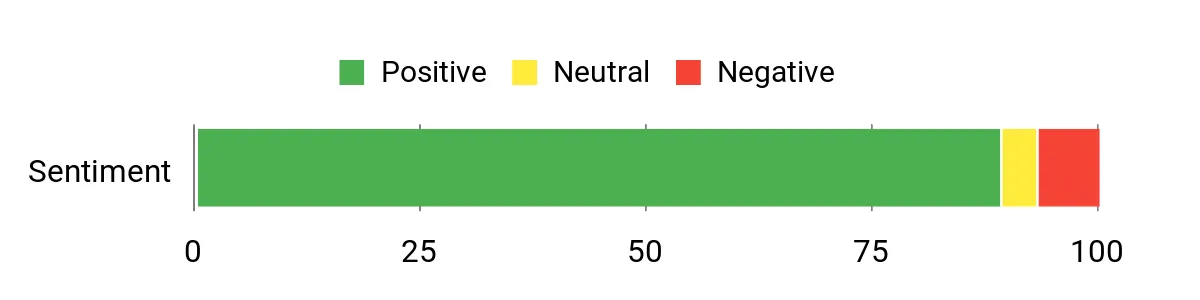
Customers commonly praise the touchscreen, battery life and value — many say it handles browsing, streaming and office apps smoothly. People also like the webcam quality, privacy shutter and the portability.
A few users note the HD (not Full HD) screen and limited storage as trade-offs, and some mention the Windows S Mode or Office subscriptions as minor annoyances.
Overall Sentiment: Positive
Long-Term Cost Benefits
Energy-efficient components, EPEAT Gold and ENERGY STAR certification plus recycled materials help lower long-term environmental and power costs. A durable build and included 1-year limited hardware warranty reduce the chance of frequent replacements or repairs.
Return On Investment
Because the HP 15 is inexpensive up front and handles typical business workflows reliably, you get quick productivity gains from day one. Reduced downtime from fast boot/SSD and fewer accessory needs (good port selection) help it pay back its cost in saved time and convenience.
Situational Benefits
| Situation | How It Helps |
|---|---|
| Working from a coffee shop | Lightweight build, long battery and Wi-Fi 6 keep you productive away from the office. |
| Client video calls | HP True Vision camera with noise-reduction and a physical privacy shutter makes calls clearer and more secure. |
| Hitting deadlines | PCIe SSD and responsive RAM speed up app launches, file saves and multitasking. |
| Presenting to a group | Full-size HDMI and USB ports make connecting to projectors or external displays straightforward. |
Time-Saving Benefits
Fast PCIe SSD boots and app loads, HP Fast Charge (0–50% in ~45 minutes) and a Copilot key for quick AI help all shave minutes off common tasks.
Ease Of Use
| Feature | Ease Level |
|---|---|
| Touchscreen | Easy |
| Initial setup | Easy |
| Keyboard and trackpad | Easy |
| Windows 11 Home in S Mode | Moderate |
Versatility
This laptop handles everyday business apps, note-taking with the touchscreen, light creative tasks and streaming. It’s flexible enough as a primary machine for basic workloads or a second travel laptop for heavier systems.
Practicality
Practical touches include multiple USB ports, HDMI out, a headphone/mic jack, a visible camera shutter and a microphone mute button — all useful for small-business workflows and on-the-go meetings.
Travel Friendliness
At about 3.52 pounds with a 15.6″ screen and roughly 12 hours of average battery life, it’s portable enough for client visits and flights; fast charging helps when outlets are scarce.
Key Benefits
- Affordable touchscreen laptop with solid everyday performance
- Long battery life and HP Fast Charge for quick top-ups
- Lightweight and portable for commuting or meetings
- Privacy shutter and microphone mute for secure calls
- Multiple ports including HDMI and USB-C for peripherals
Current Price: $329.99
Rating: 4.5 (total: 991+)
🏆 Best Portable Power

I reach for the 13-inch MacBook Air when I need a laptop that’s light enough to carry all day but powerful enough to handle serious work. The M4 chip and 16GB unified memory make everyday tasks, multitasking and even photo or video edits feel smooth, while the 13.6″ Liquid Retina screen keeps things crisp for client presentations or creative projects.
Battery life easily covers full workdays, and features like MagSafe charging, two Thunderbolt 4 ports and a great webcam make it useful in meetings, cafés or on flights. For special occasions — editing a promo video, running a webinar, or giving a polished pitch — it punches well above its weight.
If you want a travel-friendly, reliable machine that doesn’t compromise on speed, this is one I’d recommend.
What People Say
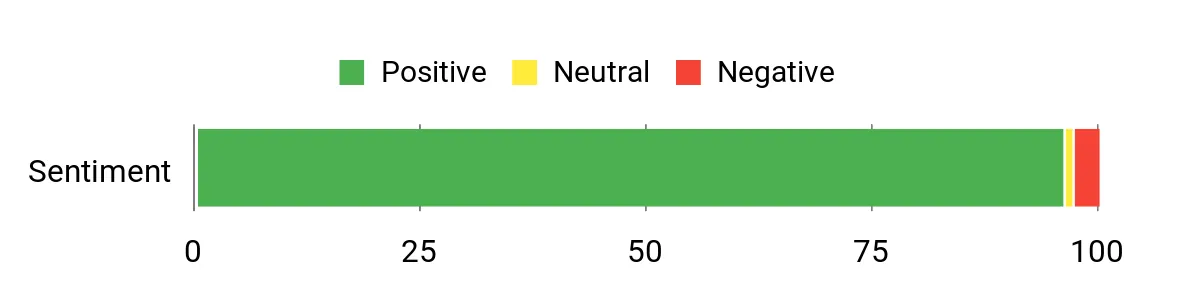
Reading lots of reviews, people consistently praise the speedy performance, long battery life and the bright, color‑rich screen. Users also highlight how light and sturdy the laptop feels, plus the improved webcam and microphones for video calls. A few buyers mention the limited port selection and higher price as trade-offs, but most say those are easy to work around with a small adapter.
Overall Sentiment: Positive
Long-Term Cost Benefits
Efficient silicon and long battery life reduce charging frequency, and the MacBook’s durable build tends to hold up year after year. Good resale value and regular macOS updates extend usable life, lowering total ownership costs over time.
Return On Investment
You get productivity gains from day one — fast app performance, quick file handling and fewer interruptions from charging. For business owners who value mobility and reliable performance, those efficiency gains often offset the higher upfront price within a couple of years.
Situational Benefits
| Situation | How It Helps |
|---|---|
| Traveling between meetings | Lightweight design and long battery life let you work on flights or in transit without constant charging. |
| Client video presentations | 12MP Center Stage camera, three‑mic array and clear speakers make video calls look and sound professional. |
| Editing photos or short videos | M4 performance and fast unified memory speed up exports and smooth playback for light creative work. |
| Working across devices | Tight iPhone/iPad integration (Handoff, iPhone Mirroring, Universal Clipboard) keeps workflows fluid. |
Time-Saving Benefits
Quick wake, speedy app launches thanks to the M4 and SSD, plus long battery life and seamless device handoff all shave minutes off everyday tasks and reduce interruptions.
Ease Of Use
| Feature | Ease Level |
|---|---|
| Initial setup | Easy |
| macOS and ecosystem features (Handoff, Continuity) | Easy |
| Keyboard and trackpad | Easy |
| Managing ports (adapters required for some accessories) | Moderate |
Versatility
It’s equally at home as a daily workhorse, a creative tool for light photo/video edits, and a travel companion for presentations or remote days. The M4 chip and macOS let it adapt to many business needs without feeling overkill.
Practicality
Practical features like MagSafe charging, Touch ID, Thunderbolt ports and a long‑lasting battery make everyday business tasks straightforward. The limited port count means you’ll likely use a small hub for some setups.
Travel Friendliness
Weighing about 2.73 pounds and packing up to 18 hours of battery life, it’s one of the easiest full‑featured laptops to carry; fits well in backpacks and briefcases and handles airport work sessions without fuss.
Key Benefits
- Excellent performance for the size thanks to the Apple M4 chip
- All‑day battery life (up to 18 hours) for long work sessions away from outlets
- Sharp 13.6″ Liquid Retina display for presentations and creative work
- Very portable and well built — easy to carry to meetings or on trips
- Strong integration with iPhone/iPad and macOS ecosystem for seamless workflows
Current Price: $749.00
Rating: 4.8 (total: 4071+)
🎯 Best for Web-First Work

I like the Chromebook 14 when I need a lightweight, no‑fuss laptop for web‑first work. Its Intel Celeron N4120 and 4 GB of RAM handle tabs, cloud apps and video calls smoothly, and Chrome OS keeps things secure and low‑maintenance.
The 14‑inch anti‑glare screen, decent speakers and up to 14 hours of battery life make it great for long days away from the office, and HP Fast Charge gets you to 50% quickly when you need a top‑up. It’s not a powerhouse for heavy local editing or Windows‑only desktop apps, but as a daily driver for email, docs, video meetings and point‑of‑sale backups it’s a practical, budget‑friendly pick I’d recommend.
What People Say
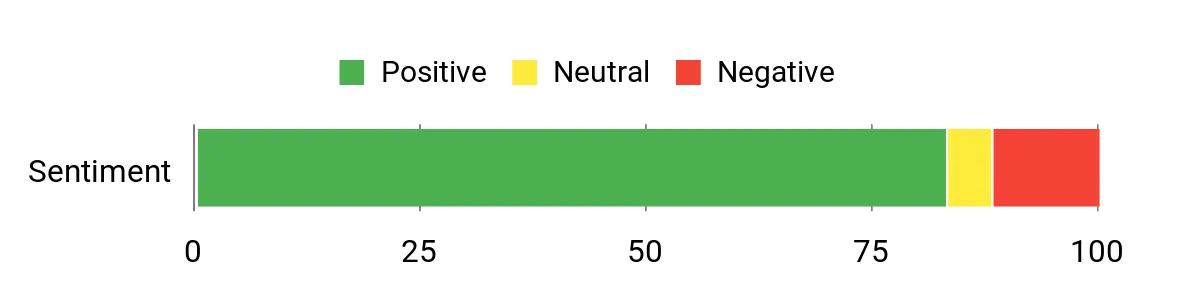
Across many reviews people praise the Chromebook for being great value, easy to set up and reliable for web browsing, streaming and video calls. Customers often mention the long battery life and portability, plus the convenience of Chrome OS and the Play Store.
A common limitation noted is limited local storage and that Windows desktop apps aren’t supported, which matters for users with specific legacy software.
Overall Sentiment: Positive
Long-Term Cost Benefits
Low purchase price and energy‑efficient design reduce upfront and ongoing costs. Chrome OS’s automatic updates and fewer maintenance needs mean less time and money spent on IT support, and the device’s durability and certified energy credentials can help it stay useful for several years.
Return On Investment
You get reliable, low‑maintenance productivity right away — quick setup, fast web app performance and long battery life mean less downtime. For small businesses that need affordable devices for staff or backups for point‑of‑sale and remote work, the time saved and quick turnaround often justify the modest purchase price.
Situational Benefits
| Situation | How It Helps |
|---|---|
| Traveling between client sites | Lightweight build and long battery life let you handle emails, proposals and video calls without hunting for outlets. |
| Emergency or backup device | Quick setup and Chrome sync make it ideal as a plug‑and‑play fallback for point‑of‑sale or business continuity. |
| Running web‑first business apps | Chrome OS and the browser‑based app ecosystem keep cloud tools responsive and simple to manage across a team. |
| Onsite presentations or streaming | Bright anti‑glare screen, custom‑tuned speakers and stable Wi‑Fi make demos and streaming smooth and reliable. |
Time-Saving Benefits
Fast boot, quick wake from sleep and HP Fast Charge reduce downtime, while Chrome OS’s automatic updates and cloud sync cut the time you spend managing software and backups.
Ease Of Use
| Feature | Ease Level |
|---|---|
| Initial setup | Easy |
| Chrome OS and Play Store access | Easy |
| Multitasking with many browser tabs | Moderate |
| Connecting printers or legacy desktop apps | Moderate |
Versatility
Best suited to web‑first workflows: email, cloud docs, CRM, video calls and light media playback. It handles classroom, travel and backup roles well but isn’t meant for heavy local editing or Windows‑only applications.
Practicality
Practical features like fast charge, solid battery life and reliable Wi‑Fi make day‑to‑day tasks straightforward. Limited local storage means you’ll rely on cloud storage for larger files.
Travel Friendliness
At around 3.24 pounds with a slim profile and long battery life, it’s easy to slip in a bag for client visits, co‑working days or flights, and the anti‑glare screen helps outdoors or bright meeting rooms.
Key Benefits
- Long battery life (up to 14 hours) for full workdays
- Lightweight, portable 14‑inch design that’s easy to carry
- Affordable price that lowers upfront costs for teams
- Chrome OS offers automatic updates and built‑in security
- Fast boot and HP Fast Charge get you back to work quickly
Current Price: $164.00
Rating: 4.3 (total: 2515+)
⭐ Best Large-Screen Value
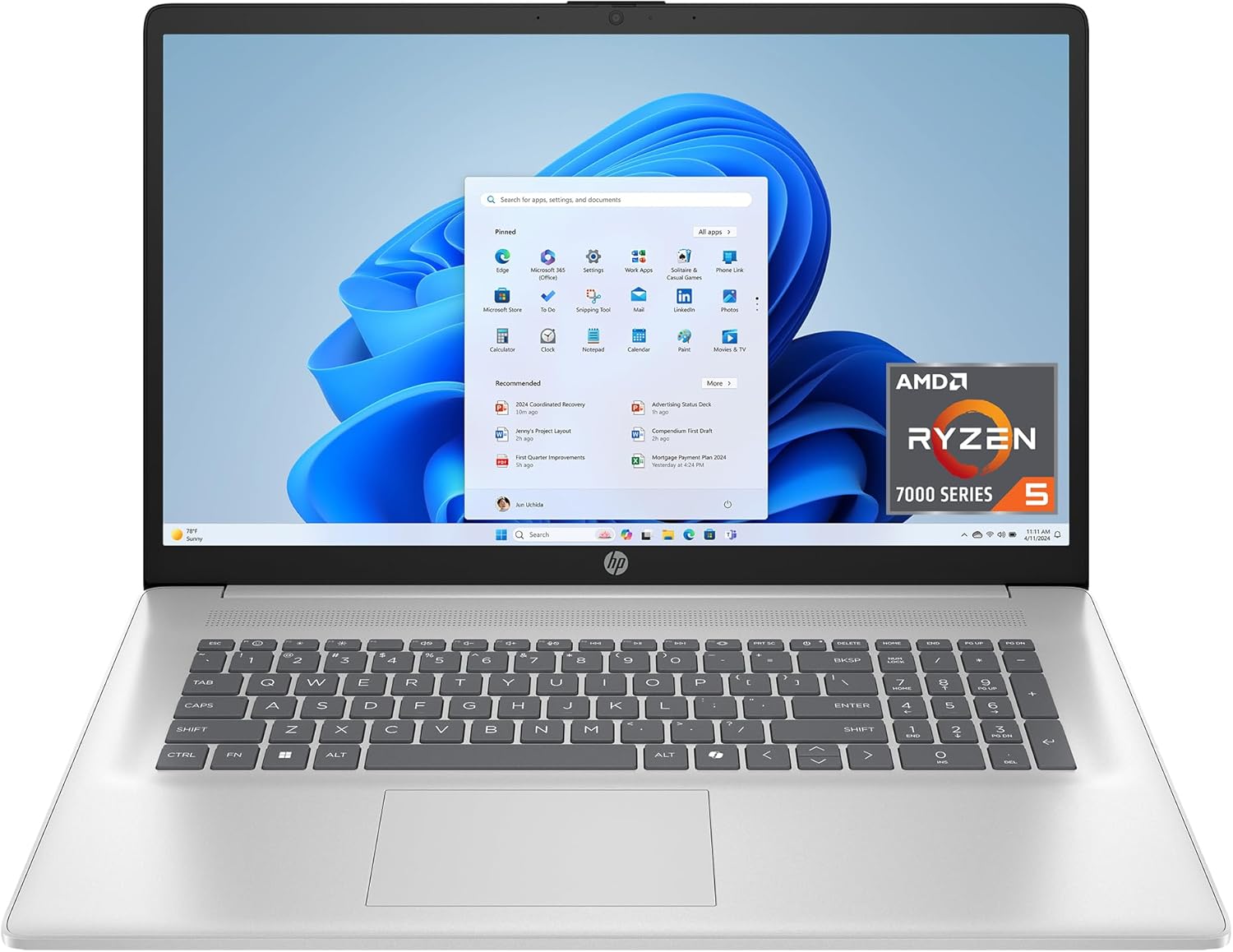
I reach for this HP 17 when I want a roomy screen and solid everyday performance without overspending. The Ryzen 5 CPU, 16 GB of LPDDR5 and a 512 GB NVMe SSD make multitasking, video calls and large spreadsheets feel snappy, while the 17.3‑inch HD+ display gives me extra real estate for side‑by‑side windows. The lift‑hinge keyboard is comfortable for long typing sessions and the fast SSD plus HP Fast Charge (0–50% in about 45 minutes) keep me moving through busy days. It’s not a color‑critical creative laptop — the HD+ panel has limits — but for remote work, home office setups and presentations where screen size matters, it’s a practical, budget‑savvy pick I’d recommend.
What People Say
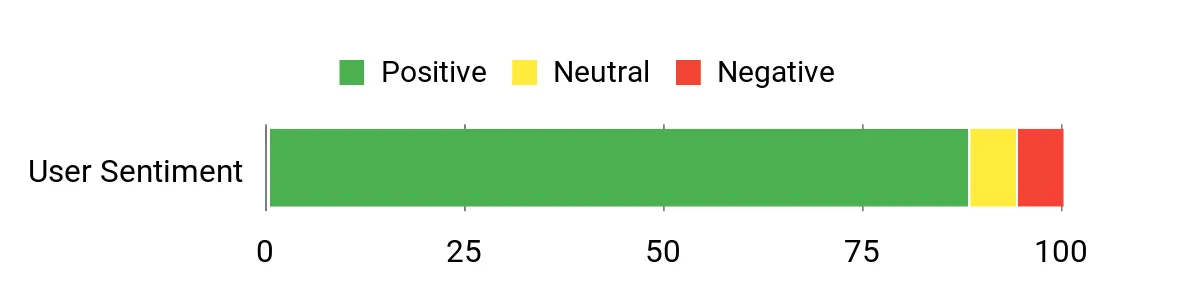
Across reviews people often highlight the big screen and responsive performance — the Ryzen processor, 16 GB RAM and SSD are mentioned as making multitasking and video meetings smooth. Many appreciate the lift‑hinge typing comfort, the decent battery life and the value for the price. Common criticisms focus on the HD+ panel’s limited resolution and viewing angles, and a few buyers report louder fans or occasional build quirks.
Overall Sentiment: Positive
Long-Term Cost Benefits
Energy Star and EPEAT Gold certifications plus use of recycled plastics help reduce operational and environmental costs. The PCIe SSD and efficient LPDDR5 memory tend to outlast older hard drives, and the included one‑year limited hardware warranty reduces near‑term repair costs.
Return On Investment
You get a lot of usable screen and solid day‑to‑day performance for a modest price, which speeds common business tasks and reduces time lost to slow boots or app load times. For small teams or home offices needing larger displays without a big spend, the productivity gains usually justify the purchase.
Situational Benefits
| Situation | How It Helps |
|---|---|
| Desk‑based multitasking | The 17.3‑inch screen lets you keep multiple windows open side‑by‑side, and 16 GB RAM handles spreadsheets, tabs and apps without frequent lag. |
| Client presentations at a small meeting | A larger screen and bright HD+ panel make slides and demos more readable when you want to share locally without a projector. |
| Home office with mixed use | Solid speakers, a decent webcam and AI noise reduction make video calls clear, while the big display doubles as an entertainment screen after work. |
| Quick top‑ups between meetings | HP Fast Charge gets you to roughly 50% in about 45 minutes, so short breaks are often enough to stay productive all day. |
Time-Saving Benefits
Fast NVMe storage and responsive LPDDR5 memory cut wait times for boots and app loads, the Copilot key provides quick access to assistance, and HP Fast Charge reduces downtime when you need a quick power boost.
Ease Of Use
| Feature | Ease Level |
|---|---|
| Initial setup | Easy |
| Typing and day‑to‑day input | Easy |
| Video calls and audio cleanup | Easy |
| Multitasking with many apps/tabs | Moderate |
Versatility
Best for users who want a large, productive workspace for documents, spreadsheets, video calls and light media work. It handles general business apps well but isn’t aimed at color‑accurate photo or video editing.
Practicality
Practical touches like AI noise reduction, a lift‑hinge keyboard and a roomy display make daily workflows easier. The HD+ resolution keeps costs down, but if you need finer detail or wider color gamut, that’s where the trade‑off appears.
Travel Friendliness
At about 4.58 pounds and a 17.3‑inch footprint, it’s less ideal for frequent flyers. I’d use it for car trips, train commutes or as a main home/office machine rather than a daily carry‑on.
Key Benefits
- Large 17.3‑inch HD+ screen for easier multitasking and presentations
- 16 GB LPDDR5 and Ryzen 5 keep everyday productivity smooth
- 512 GB PCIe NVMe SSD boots fast and speeds app load times
- Comfortable lift‑hinge keyboard for long typing sessions
- Energy certifications and recycled materials lower long‑term footprint
Current Price: $429.99
Rating: 4.4 (total: 252+)
🚀 Best for Creatives

I reach for the 15‑inch MacBook Air when I need a lightweight machine that still feels powerful. The M4 chip keeps apps instant and multitasking smooth, while the 15.3‑inch Liquid Retina screen gives me room to work on documents, layouts or video timelines without feeling cramped. Battery life routinely lasts a full workday, and the MagSafe plus two Thunderbolt 4 ports make it easy to dock at a desk or work from a café. It’s great for day‑to‑day business tasks, creative editing sessions, video calls and travel — a solid pick if you want pro‑level responsiveness in an easy‑to‑carry package.
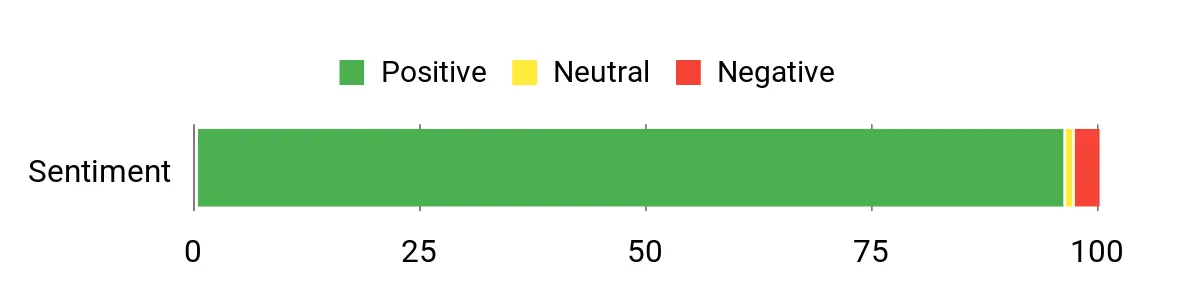
What People Say
Most buyers praise how snappy the M4 feels, the roomy, color‑rich display and the long battery life. People also call out the build quality, quiet operation and the camera/speaker improvements that make video calls feel more professional.
A few mention the higher price or an adjustment period when switching from Windows, but overall feedback centers on reliability and performance.
Overall Sentiment: Positive
Long-Term Cost Benefits
Apple’s build quality, long software support and strong resale value help lower total ownership cost. The fast SSD and efficient unified memory reduce slowdowns over time, and good battery longevity means fewer replacements or repairs down the road.
Return On Investment
You gain time back with faster app loads, quicker exports and fewer pauses during heavy workflows, which can translate into real productivity gains for freelancers and small teams. For creatives who need reliable performance without stepping up to a MacBook Pro, the Air often delivers a faster payback through improved workflow speed and fewer interruptions.
Situational Benefits
| Situation | How It Helps |
|---|---|
| Working from cafés or co‑working spaces | Lightweight chassis and long battery life let you work several hours unplugged, and the bright Liquid Retina panel stays readable in varied lighting. |
| Photo and video editing | M4 performance and fast SSDs shorten export and render times, while the 15‑inch display gives useful screen real estate for timelines and palettes. |
| Frequent video calls and client meetings | 12MP Center Stage camera, three mics and six speakers improve clarity and presence on calls without needing extra gear. |
| Desktop docking and multi‑monitor setups | Two Thunderbolt 4 ports plus support for up to two external displays let you switch between portable work and a full productivity desktop quickly. |
Time-Saving Benefits
Fast wake, responsive app switching and speedy storage cut wait times throughout the day, while Apple Intelligence features and macOS continuity speed common tasks like drafting messages or moving files between devices.
Ease Of Use
| Feature | Ease Level |
|---|---|
| Initial setup | Easy |
| Daily typing and navigation | Easy |
| Multitasking with creative apps | Moderate |
| Connecting to external displays and docks | Moderate |
Versatility
Works well for creatives, business owners and students — great for document work, editing, presentations and media. It’s not targeted at heavy Windows‑only enterprise apps or hardcore gaming, but covers most professional and everyday use cases very well.
Practicality
Practical touches like MagSafe charging, two Thunderbolt 4 ports, a headphone jack and long battery life make day‑to‑day use painless. The integrated speakers and camera reduce the need for accessories during calls.
Travel Friendliness
At about 3.32 pounds with a slim profile and long battery life, it’s one of the more travel‑friendly 15‑inch machines. It fits comfortably in most backpacks for mobile professionals.
Key Benefits
- M4 chip delivers fast, fluid performance for multitasking and creative apps
- Large 15.3‑inch Liquid Retina display with support for 1 billion colors
- Up to 18 hours of battery life keeps you productive on the go
- Lightweight, sturdy design that’s easy to carry and dock
- Excellent webcam, microphones and six‑speaker audio for calls and media
Current Price: $1,199.00
Rating: 4.8 (total: 1608+)
🔰 Best for Multitasking

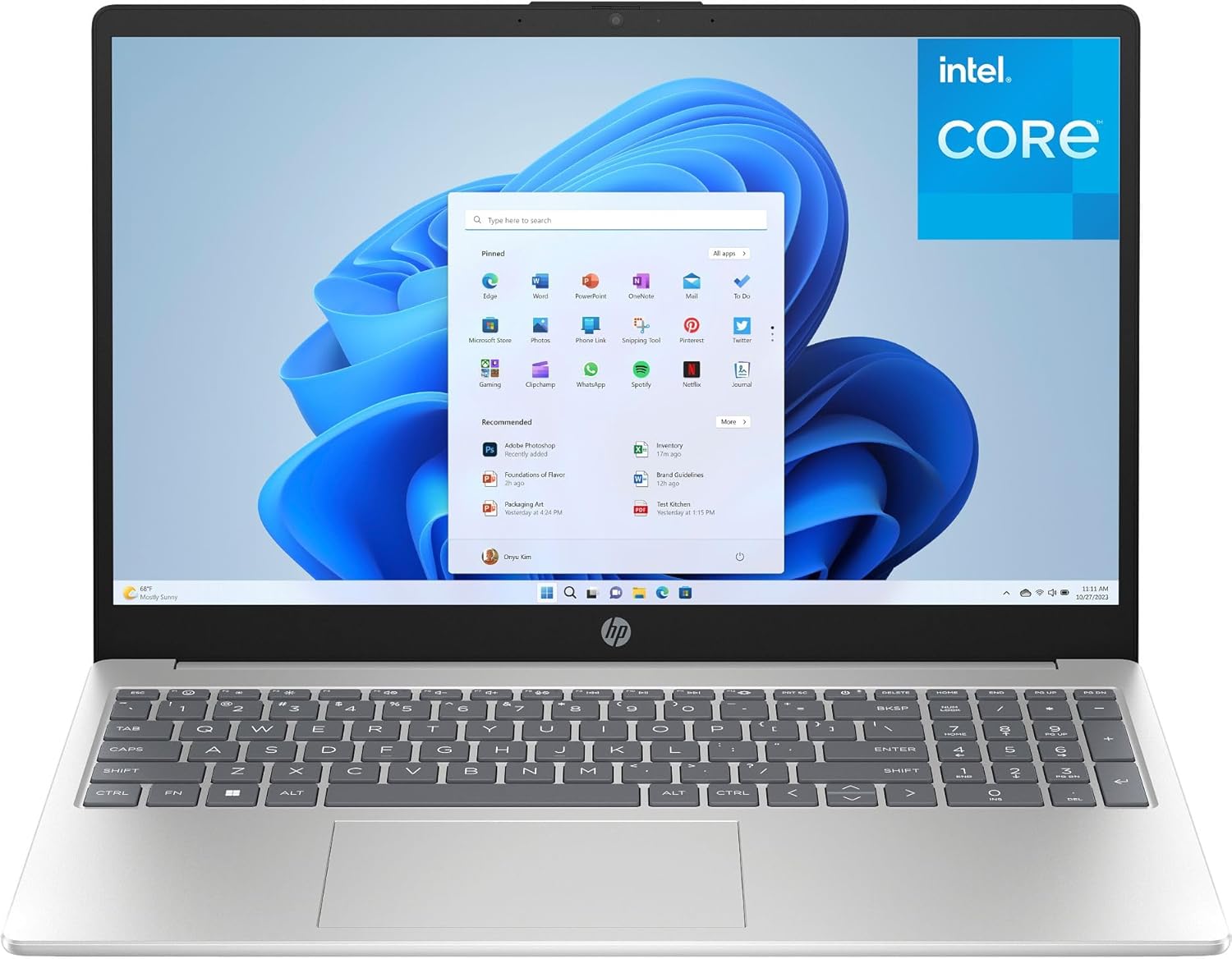
I like this HP 15 because it gives you a roomy 15.6″ Full HD screen and enough memory to keep multiple tabs and apps open without hiccups. The Intel N100 and 16GB of DDR4 make everyday business tasks—spreadsheets, video calls, browser-heavy sessions—feel smooth, and the 256GB PCIe SSD boots Windows and apps fast.
It’s got useful extras for work: a full numeric keypad, webcam with privacy shutter, Wi‑Fi 6 and a TPM for a bit of extra security. If you want a practical, no‑fuss laptop for a small team or solo business owner who juggles spreadsheets, meetings and light multitasking, this is a solid value pick.
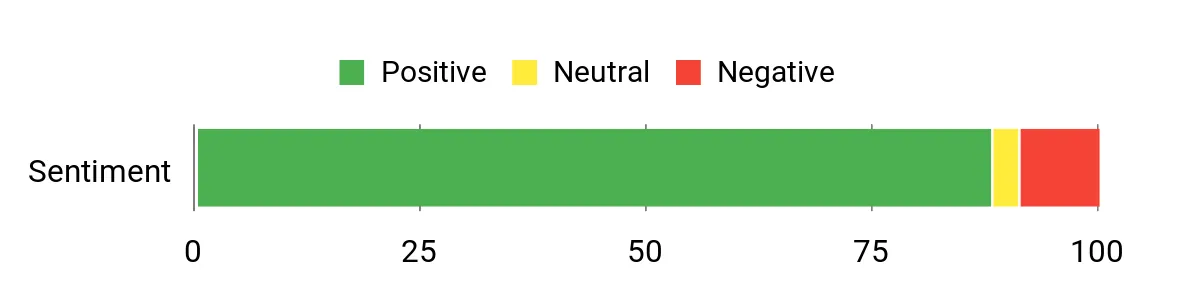
What People Say
Buyers commonly highlight the strong value: a roomy screen, comfortable keyboard and enough RAM for day‑to‑day business work. People also appreciate the modern wireless support and the SSD speed for quick startups. A minority mention occasional slowdowns under heavy loads or limitations like the USB‑C port being data‑only, so it’s best suited for typical office workloads rather than demanding creative or gaming tasks.
Overall Sentiment: Positive
Long-Term Cost Benefits
The combination of 16GB RAM and an NVMe SSD reduces the need to upgrade quickly, so you can expect a reasonable useful lifespan for common business tasks. Built‑in security features like TPM and the option to buy extended protection plans help protect the investment and reduce unexpected repair costs.
Return On Investment
You get faster startup times, snappier app switching and fewer interruptions compared with older budget laptops, which translates into small but meaningful time savings for routine tasks. For a small business, those smoother workflows and lower initial cost make the device pay back through improved day‑to‑day productivity.
Situational Benefits
| Situation | How It Helps |
|---|---|
| Daily office work and spreadsheets | 16GB RAM handles multiple browser tabs and large spreadsheets without frequent swapping, so you stay productive during heavy data entry or analysis. |
| Video calls and client meetings | The 720p webcam with privacy shutter and dual mics make remote meetings straightforward without needing extra peripherals. |
| Setting up a home or small office | Plenty of ports including HDMI and USB‑A let you connect a monitor, keyboard and mouse easily for a stable desktop-style setup. |
| Working on the go | A 15.6″ anti‑glare display and Wi‑Fi 6 give readable screen time and faster network access at cafés or co‑working spaces. |
Time-Saving Benefits
Fast SSD boot times, responsive memory and reliable Wi‑Fi cut down waiting and reconnecting. That means less time wasted between meetings, quicker file access and smoother multitasking during busy workdays.
Ease Of Use
| Feature | Ease Level |
|---|---|
| Initial setup | Easy |
| Daily typing and navigation | Easy |
| Video calls and conferencing | Easy |
| Connecting external monitors or charging via USB‑C | Moderate |
Versatility
This laptop covers typical business needs well—document editing, spreadsheets, web apps, email and video conferencing. It’s less suited to heavy video editing, 3D work or high-end gaming, but handles light content tasks and everyday multitasking comfortably.
Practicality
Practical touches like a full keyboard with numeric pad, an HDMI port, webcam privacy shutter and modern wireless radios mean you can skip many extra accessories and get straight to work.
Travel Friendliness
At about 3.64 lbs (1.65 kg) it’s not the lightest 15‑inch laptop but still portable for business trips and commuter days. The size gives you a comfortable screen without becoming a burden to carry.
Key Benefits
- Plenty of RAM (16GB) for browser-heavy multitasking
- 256GB PCIe NVMe SSD for quick boots and app loads
- Large 15.6″ FHD anti-glare display that’s comfortable for long work sessions
- Wi‑Fi 6 and Bluetooth 5.3 for reliable connectivity
- Full-size keyboard with numeric keypad and privacy camera shutter
Current Price: $399.99
Rating: 4.5 (total: 513+)
💼 Best for Office Setups

I like the Lenovo V15 when I need a reliable, no‑fuss workhorse for everyday office tasks. It pairs a roomy 15.6″ Full HD display with 8GB of DDR4 and a 256GB PCIe SSD, so boot times and basic multitasking feel snappy for email, spreadsheets and web apps.
The inclusion of an Ethernet port, HDMI and USB‑C means I can plug into a desk setup without hunting for adapters, and the privacy shutter on the webcam is a small, sensible touch. If you run a small office or need a budget machine to equip a team, this one gives you the essentials without extra complexity.
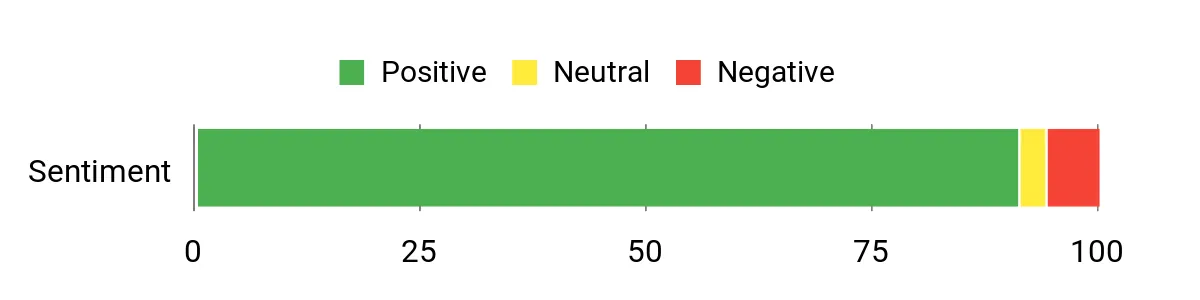
What People Say
Customers generally praise the V15 for offering strong value and a sensible set of ports for office use. People often mention the clear Full HD screen, the speed boost from the SSD, and the convenience of wired Ethernet alongside Wi‑Fi 6.
A few buyers note it’s aimed at everyday tasks rather than heavy creative work, but most are happy with its performance for business apps and remote meetings.
Overall Sentiment: Positive
Long-Term Cost Benefits
Because it ships with an SSD and useful modern radios (Wi‑Fi 6), you’re less likely to feel obsolete quickly—fewer upgrades and replacements mean lower ownership costs. Built‑in security features and available protection plans also help avoid unexpected repair bills.
Return On Investment
You get fast wake/boot times and dependable connectivity that reduce small daily delays—those minutes add up across a team. For a business buying several units, the modest upfront cost and minimal configuration needs translate into a quick practical payoff in productivity.
Situational Benefits
| Situation | How It Helps |
|---|---|
| Setting up a small office workstation | Ethernet, HDMI and USB‑A/C ports let you connect a monitor, keyboard and wired network quickly for a stable desktop experience. |
| Remote meetings and client calls | The HD webcam with privacy shutter and dual microphones make video calls straightforward without extra peripherals. |
| Everyday admin and document work | 8GB RAM and the PCIe SSD keep emails, spreadsheets and multiple browser tabs moving without frequent slowdowns. |
| Deploying multiple machines for staff | A simple, consistent feature set and Windows 11 Home make mass setup and basic IT management easier and faster. |
Time-Saving Benefits
Quick SSD boot times, responsive app switching and built‑in wired plus wireless networking reduce wait times and troubleshooting, so you spend more time working and less time reconnecting or waiting for files to open.
Ease Of Use
| Feature | Ease Level |
|---|---|
| Initial setup | Easy |
| Daily typing and navigation | Easy |
| Video calls and basic conferencing | Easy |
| Connecting to office docks and external monitors | Easy |
Versatility
This is a practical machine for document work, web apps, video calls and light media tasks. It’s not built for heavy video editing or gaming, but it handles the day‑to‑day demands of most small businesses and students well.
Practicality
Physical ports like Ethernet and HDMI, a full‑size keyboard and a simple, durable chassis make this laptop a pragmatic choice when you want something that ‘just works’ in an office environment.
Travel Friendliness
At roughly 3.75 lbs it’s moderately portable — fine for commuting or occasional travel, though not the lightest pick if you’re always on the go. The robust port selection reduces the need to carry adapters.
Key Benefits
- 15.6″ FHD anti‑glare display that’s easy on the eyes during long work sessions
- 256GB PCIe SSD for quick boots and faster file access
- Wi‑Fi 6 and Bluetooth 5.2 for modern wireless connectivity
- Ethernet and HDMI ports for straightforward office docking
- Privacy shutter on the HD webcam and firmware TPM 2.0 for basic security
Current Price: $299.99
Rating: 4.6 (total: 2,913+)
🔧 Best for Upgrades

I reach for this HP 17 when I want a big, no‑nonsense laptop that handles everyday business work and occasional heavier tasks. The 17.3″ Full HD IPS screen gives plenty of room for spreadsheets, multiple windows and video reviews, while the Ryzen 5 chip with six cores keeps things responsive during multitasking.
It’s one of those machines that feels ready for upgrades — you can scale RAM and storage as needs grow — and the built‑in recovery USB and practical port selection mean you won’t waste time fiddling with adapters. If you want a roomy workstation that’s still transportable for client visits or remote work days, this is a sensible pick.
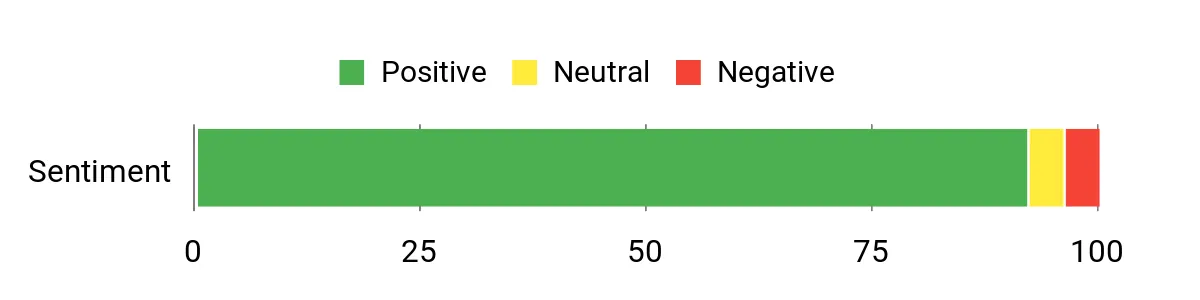
What People Say
Buyers commonly highlight the large, crisp screen and the value you get for the price — people notice fast boot times and roomy storage. Setup and transfer from older machines are often described as smooth, and reviewers appreciate the practical port selection and the included recovery USB. A minority point out limits for gaming (integrated GPU) and a lack of backlit keys on some models.
Overall Sentiment: Positive
Long-Term Cost Benefits
Because this model supports higher RAM and PCIe storage configurations, you can extend its useful life with upgrades instead of replacing the whole machine. The SSD-based storage and modern wireless radios also reduce the chance of early obsolescence, and available protection plans help limit unexpected repair costs.
Return On Investment
You get more usable screen space and fewer pauses waiting on apps or file loads, which adds up across a workweek. For small teams, the balance of performance, expandability and a sensible price point means quicker deployment and lower refresh costs over time.
Situational Benefits
| Situation | How It Helps |
|---|---|
| Heavy spreadsheet and multitasking days | The large 17.3″ display and a multi‑core Ryzen processor make it easier to keep multiple windows open and reduce slowdowns. |
| Client presentations and demos | HD display, HDMI output and clear integrated audio let you show slides or videos without scrambling for dongles. |
| Expanding team needs | Easy storage and memory upgrade paths let IT add capacity later instead of buying new machines. |
| Quick recovery or troubleshooting | Included WOWPC recovery USB simplifies system repair and gets users back to work faster. |
Time-Saving Benefits
Fast PCIe SSDs, a multi‑core CPU and a roomy screen mean fewer waits to open files, switch apps and find what you need, so you spend more time doing work and less time hunting for documents or waiting for loads.
Ease Of Use
| Feature | Ease Level |
|---|---|
| Initial setup and data transfer | Easy |
| Everyday multitasking (email, browser, docs) | Easy |
| Connecting external displays and accessories | Easy |
| Upgrading storage or RAM | Moderate |
Versatility
This laptop suits office work, content review, light photo/video editing and media playback. It’s not aimed at high‑end gaming, but for most business workflows it strikes a practical balance between size and performance.
Practicality
A full‑size keyboard with numeric pad, plenty of ports and a recovery USB make this a pragmatic choice for desk‑based work or mixed home/office setups — you won’t need many extra peripherals.
Travel Friendliness
At about 4.6 lbs and with a 17.3″ display, it’s portable for occasional travel or client visits but less convenient for daily commuters who want a very light bag.
Key Benefits
- 17.3″ Full HD IPS anti‑glare display that makes multitasking and long sessions easier on the eyes
- AMD Ryzen 5 7430U (6 cores, up to 4.3 GHz) for smooth everyday multitasking
- Generous storage options and upgradeability (256GB SSD standard with higher PCIe options available)
- Modern connectivity: Wi‑Fi 6, Bluetooth 5.3, USB‑C, HDMI and an SD card reader
- Practical extras like a 720p webcam with privacy shutter, dual microphones and a recovery USB
Current Price: $499.99
Rating: 4.6 (total: 1,400+)
💰 Best Budget Touchscreen

I reach for the HP 15 when I want a roomy touchscreen machine that doesn’t break the bank. The 15.6″ HD panel and an Intel Core i3 with multi‑core responsiveness make everyday tasks — spreadsheets, video calls and browser-heavy mornings — feel snappier than you’d expect at this price. It comes with Windows 11 Pro and a lifetime Microsoft Office license, so you can skip an extra software purchase, and the big RAM and SSD options mean it handles large file transfers and multi‑tab workflows. It’s a practical pick for small-business owners, remote days and students who want a versatile, no‑frills laptop with useful extras like a numeric keypad and privacy shutter.
If you want a budget-friendly touchscreen that’s geared toward getting work done, this is worth considering.
What People Say
Customers often praise the speed and value for money — people note fast boot times and that the included Microsoft Office is a helpful bonus. Reviews also highlight the roomy storage and the convenience of the touchscreen. On the flip side, a subset of buyers report setup hassles, occasional hardware issues and some inconsistencies with third‑party sellers.
Overall Sentiment: Mixed

Long-Term Cost Benefits
Because this model uses SSD storage and supports large RAM configurations, you can keep it useful for longer without replacing the whole machine. The bundled Office license and Windows 11 Pro cut initial software expenses, and choosing a higher SSD/RAM variant upfront can delay costly upgrades later.
Return On Investment
You get a practical, work-ready laptop at a modest price, which means faster task completion and lower upfront software spend. For small teams or solo owners, that translates into fewer refresh cycles and a smaller total cost of ownership over a few years.
Situational Benefits
| Situation | How It Helps |
|---|---|
| Client meetings and presentations | Touchscreen and HDMI/USB ports let you demo slides or annotate on the fly without extra adapters. |
| Long spreadsheet or reporting sessions | Numeric keypad and a 15.6″ screen make data entry and viewing wide tables more comfortable. |
| Setup for a new hire or student | Windows 11 Pro and included Office simplify getting productive right away with fewer software purchases. |
| Working with large files or many browser tabs | Higher RAM and SSD options reduce slowdowns and speed up file transfers and app switching. |
Time-Saving Benefits
Fast SSD storage, plenty of RAM options and a multi‑core CPU reduce wait times opening files, switching apps and running reports, so you spend more time doing work and less time waiting.
Ease Of Use
| Feature | Ease Level |
|---|---|
| Initial setup and software activation | Moderate |
| Everyday navigation with touchscreen and keyboard | Easy |
| Connecting accessories (USB, HDMI) | Easy |
| Upgrading RAM or storage | Moderate |
Versatility
This laptop works well for office apps, remote meetings, coursework and light media editing. It’s not aimed at heavy gaming or pro-level video rendering, but it covers most business and student needs without fuss.
Practicality
A full keyboard with numeric pad, multiple ports and a privacy shutter make this a sensible daily driver for desk work and mobile tasks — you won’t need many extra peripherals right away.
Travel Friendliness
At 15.6″ it’s reasonably portable for occasional travel or client visits, but if you commute daily and want the lightest carry you might prefer a smaller ultrabook.
Key Benefits
- 15.6″ touchscreen for easier navigation and quick on-screen edits
- Intel Core i3 (6 cores) with responsive everyday performance
- Large RAM and SSD options for smoother multitasking and storage-heavy work
- Windows 11 Pro plus a Microsoft Office license reduces extra software costs
- Practical features: numeric keypad, camera privacy shutter and multiple ports
Current Price: $659.99
Rating: 4.2 (total: 84+)
💸 Best Value Storage

I reach for the HP 255 when I need a straightforward, no-nonsense workhorse that doesn’t cost a lot. The 15.6″ Full HD screen gives you ample workspace for spreadsheets and video calls, while the Ryzen 3 chip plus 16GB of RAM keeps day-to-day multitasking smooth. The SSD means quick boot times and snappy app launches, and the assortment of ports (HDMI, USB‑C, USB 3.0) makes hooking up a monitor or peripherals painless. It’s not a creative powerhouse, but for office suites, remote meetings, invoicing and handling large document folders it’s a very sensible pick — especially if you want solid storage without paying premium laptop prices.
If you travel occasionally or run a small business on a budget, it’s a dependable, practical choice I’d recommend looking at.
What People Say
Across reviews people often point out the strong value: it feels fast for everyday apps and has plenty of storage for documents and media. Buyers like the crisp Full HD screen and the roomy RAM/SSD combos, while a smaller group mention issues like inconsistent build quality, a fiddly trackpad or noisy fan.
Overall the sentiment leans toward ‘good for the price’ with a few quality-control caveats.
Overall Sentiment: Positive

Long-Term Cost Benefits
Because it ships with an SSD and ample RAM, the HP 255 stays useful longer than a cheap HDD-based laptop — you avoid sluggish performance that forces early replacement. The lower entry price plus upgradeable storage/RAM options means you can extend lifespan affordably instead of buying new machines every couple of years.
Return On Investment
For small-business owners, this model reduces upfront hardware spend while covering core workflows reliably. Faster boot and responsive multitasking translate into less downtime and quicker task completion, which adds up into better productivity per dollar invested.
Situational Benefits
| Situation | How It Helps |
|---|---|
| Client presentations at the office | Full HD screen and HDMI output make it easy to mirror slides on meeting room displays without adapters. |
| Working from a coffee shop or co‑working space | Thin, light-ish design and quick wake-from-sleep mean you can set up fast and keep working between calls. |
| Managing large document archives | 256GB SSD and responsive RAM let you open big files and switch between apps without long waits. |
| Onboarding a new team member | Standard Windows 11 setup and familiar ports simplify initial configuration and accessory pairing. |
Time-Saving Benefits
Fast SSD storage and 16GB of RAM cut down load times and app-switch delays, so you spend less time waiting and more time moving projects forward.
Ease Of Use
| Feature | Ease Level |
|---|---|
| Initial setup and Windows configuration | Easy |
| Daily navigation and multitasking | Easy |
| Connecting external displays and peripherals | Easy |
| Troubleshooting trackpad or hardware quirks | Moderate |
Versatility
This is a practical all-rounder for office apps, remote work, online training and light media tasks. It’s not aimed at heavy video editing or gaming, but it covers the essential business workloads well.
Practicality
Numeric keypad, a decent keyboard layout and a generous set of ports make this an everyday work laptop that doesn’t require many extra accessories for typical office setups.
Travel Friendliness
At 15.6″ it’s portable enough for occasional travel and client visits, though daily commuters who prioritize ultra-light gear might prefer a smaller 13–14″ machine.
Key Benefits
- 15.6″ Full HD display for clear documents and video calls
- AMD Ryzen 3 7330U with 16GB RAM handles typical business multitasking
- 256GB SSD delivers fast boot and file access
- Multiple ports (HDMI, USB‑C, USB 3.0) for easy connectivity
- Value-focused price makes storage and RAM options affordable
Current Price: $399.99
Rating: 4.3 (total: 868+)
FAQ
How Do I Choose The Right Laptop For My Business Needs?
I start by matching the laptop to the work you actually do. If you mainly run web apps, email, spreadsheets and video calls, a budget machine like the HP 15.6 inch model at $329.99 or an entry Chromebook at $164.00 will often be fine, but if you edit video, run virtual machines or do heavy multitasking I recommend stepping up to machines with more CPU power and memory such as the Apple MacBook Air 13 with the M4 chip at $749.00 or the 15-inch MacBook Air at $1,199.00.
Prioritize Performance (CPU and at least 8 GB RAM for general business use, 16 GB for multitasking or creative work), Storage (NVMe SSD for speed, 256 GB minimum or plan for external/cloud storage), and Battery Life if you work on the road. Also check ports and expandability — if you use multiple monitors, a USB-C/Thunderbolt dock matters — and decide on Windows, macOS, or Chrome OS based on the apps you rely on and your team’s ecosystem.
Can A Budget Laptop Handle My Business Workloads Or Should I Invest In A Premium Model?
Yes, a budget laptop can handle many business tasks, but it depends on what you need it to do. I use budget machines for email, web-based CRMs, invoicing and video meetings and they perform very well for those jobs; the HP 15.6 and many Lenovo and HP models around $299–$430 offer solid everyday performance. If your work involves large spreadsheets, frequent multitasking, design, or local video editing, I advise investing in a higher-spec device with a faster processor and 16 GB RAM because it saves time and frustration. Practical tip: buy the best CPU and RAM you can afford up front since many thin laptops don’t let you upgrade RAM later, and plan for backups to an external SSD or cloud to avoid running out of space.
What Should I Know About Security, Warranty, And Long-Term Support For Business Laptops?
I treat security and support as part of the laptop decision. Look for hardware security like Firmware TPM, a camera privacy shutter, and biometric login options, enable full-disk encryption (BitLocker on Windows or FileVault on macOS), and use two-factor authentication for business accounts.
Check the warranty and support terms — many consumer laptops include a one-year limited hardware warranty and short technical support windows (for example, several HP models ship with 1 year limited hardware warranty and 90 days of setup support), while extended plans or AppleCare+ add important coverage and faster service if downtime costs you money. Finally, I keep systems updated, enforce regular backups, and consider a small docking station and managed device policies if you deploy multiple machines so I can minimize both security risk and maintenance overhead.
What Buyers Prefer
When choosing between the HP 15, MacBook Air 13, and Chromebook 14, I focus on what my business actually needs: raw performance and extra ports for multitasking point me to the HP 15, the lightweight design, battery life, and macOS ecosystem make the MacBook Air 13 ideal for creative work, and affordability plus simplicity steer me toward the Chromebook 14 for cloud-focused tasks. I also weigh budget, software compatibility, and security—if I need full desktop apps and a premium build I pick the MacBook Air, for value and expandability I go with the HP 15, and for straightforward, low-cost workflows I choose the Chromebook.

Wrapping Up
After testing specs and thinking about real owner needs, I recommend choosing a laptop that matches how you run your business. If you travel a lot or present to clients, the MacBook Air 13 gives a powerful, portable experience. If you want a big screen for spreadsheets, the HP 17 (512GB) balances size and price. For tight budgets or web-first workflows, the Chromebook 14 gets the job done for very little cost.
I want you to end up with a machine that reduces friction in your workday — fewer stalls, longer battery life, and the ports and software support you actually use. If you tell me your primary tasks and budget, I’ll help narrow these picks to one ideal choice for your business.
| Product | Image | Rating | Processor | RAM | Storage | Battery Life | Price |
|---|---|---|---|---|---|---|---|
| HP 15.6 inch Laptop |
 |
4.5/5 (991 reviews) | AMD Ryzen 3 7320U | 8 GB LPDDR5 | 128 GB SSD | 12 Hours | $329.99 |
| Apple 2025 MacBook Air 13-inch |
 |
4.8/5 (N/A) | Apple M4 | 16 GB Unified Memory | 256 GB SSD | 18 Hours | $749.00 |
| HP Chromebook 14 |
 |
4.3/5 (2,515 reviews) | Intel Celeron N4120 | 4 GB DDR4 | 64 GB eMMC | 14 Hours | $164.00 |
| HP 17.3 inch Laptop |
 |
4.4/5 (252 ratings) | AMD Ryzen 5 7520U | 16 GB LPDDR5 | 512 GB SSD | 7.15 Hours | $429.99 |
| Apple 2025 MacBook Air 15-inch |
 |
4.8/5 (N/A) | Apple M4 | 16 GB Unified Memory | 512 GB SSD | 18 Hours | $1,199.00 |
| HP Laptop Computer |
 |
4.5/5 (513 ratings) | Intel N100 | 16 GB DDR4 | 256 GB PCIe SSD | N/A | $399.99 |
| Lenovo Laptop Computer |
 |
4.6/5 (2,913 ratings) | Intel Celeron N4500 | 8 GB DDR4 | 256 GB SSD | N/A | $299.99 |
Last Checked & Updated on January 12, 2026.



