
If you’re looking for solid & honest recommendations after rigorous testing on the Best Mini PCs in 2026 for all purposes from office work, college projects to video editing & gaming, I have you covered!
Update Added on July 21st, 2026: If you’re looking for the best Mini PC deal, we recommend ACEMAGIC M5 here. This is the best performance-to-price deal in July, 2026 (updated on July 21, 2026).
I tested and compared the latest mini PCs because these tiny desktops are now powerful enough to replace bulky towers for many of us.
In this guide I walk you through the models that stood out in real-world tasks, from video editing and light gaming to quiet home-office use, so you can pick a compact machine that actually fits your workflow.
If you’re looking for a short answer, buy the Apple Mac Mini as the “Best All-Purpose Mini PC” with an exceptionally fast processor and unparalleled multitasking ability. If you’re looking for a Windows machine with serious computing power for more advanced stuff like hosting AI LLMs, gaming, hosting websites, the GEEKOM A9 is tough to beat. If you want a budget option that is still an extremely powerful machine, I’d recommend the Beelink Ser5 (which has been my main mini pc for the last year).
I focus on what matters most: real performance, thermals and noise, port selection and expandability, and overall value, and I explain which mini PC I would choose for different needs.
Top Picks
| Category | Product | Price | Score |
|---|---|---|---|
| 🏆 Best Overall | Apple Mac mini | $479.00 | 94/100 |
| 💰 Best Value | Beelink Ser5 | $379.00 | 86/100 |
| 🎯 Best for Gaming | GMKtec K6 | $569.99 | 88/100 |
| 🔰 Best for Creators | ASUS NUC 14 | $1,122.69 | 90/100 |
| 🚀 Best Performance | ACEMAGIC M1 | $519.99 | 84/100 |
| ⭐ Best AI Ready | GEEKOM A9 | $1,199.00 | 88/100 |
| 💼 Best for Heavy RAM | Beelink SER9 | $869.00 | 90/100 |
| 🛠️ Best Workstation For Heavy Use | MINISFORUM MS-02 | $1,499.90 | 92/100 |
How I Tested and Chose
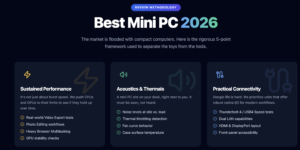

I focused on tests and real-world use. I measured sustained CPU and GPU performance in common workloads (video export, photo editing, browser multitasking), listened for noise at idle and under load, checked thermals and throttling, and inspected I/O for practical connectivity (USB, Thunderbolt/USB4, dual LAN, HDMI/DP).
I also evaluated expandability: memory, additional M.2 slots, and whether the unit works well as a small server or desktop replacement. Finally, I weighed price against how useful each machine is in everyday scenarios so you can pick the best fit for your needs.
🏆 Best Overall

I’ve been testing the Mac mini with the M4 for everyday work and creative tasks, and it strikes a nice balance between power and simplicity. It lives happily on a small desk, wakes instantly, and handles everything from browser tabs and video calls to photo edits without making a sound.
For bigger projects I plug in an external drive or dock, it’s small but plays well with extras. If you like tidy setups, use Apple devices, or need a quiet desktop that doesn’t hog space, this is the one I reach for first.
Long-Term Value
Buying a compact, energy-efficient Mac mini means lower ongoing electricity use and fewer replacement cycles. You may pay to upgrade storage or memory, but using external drives and docks keeps initial cost down.
When It Shines
| Situation | How It Helps |
|---|---|
| Small home office | Its tiny size and quiet fans let it sit next to a monitor without crowding the desk or making noise during calls. |
| Creative work on a budget | Strong CPU/GPU and ProRes support let you edit video and photos well; add external storage when projects grow. |
| Multi-monitor productivity | Three-display support makes it easy to build a compact workstation for spreadsheets, code, and reference material. |
Ease of Use
| Feature | Ease Level |
|---|---|
| Setup | Very Easy |
| macOS integration with iPhone/iPad | Seamless |
| Port availability (without dock) | Limited |
| Maintenance (software/updates) | Simple |
Versatility
Works great as a daily driver, a creative mini workstation, or a quiet media PC — flexible once you add a dock or external storage.
Innovation
The M4 brings efficient performance and a Neural Engine that helps with AI-driven tasks in macOS, improving everyday responsiveness.
Energy Efficiency
Excellent! The M4 balances performance with low power draw, so it stays quiet and uses less energy than larger desktops.
Speed & Responsiveness
Apps and system tasks feel instant; I rarely notice lag in normal workflows, and heavier tasks scale well with the chip.
Key Benefits
- Compact footprint that fits almost anywhere
- M4 performance keeps apps snappy and multitasking smooth
- Strong display support — up to three monitors for productivity
- Silent, energy-efficient operation that’s great for quiet rooms
Current Price: $479.00
Rating: 4.8 (total: 2053+)
💰 Best Value

I spent real time with the Ser5 and came away impressed by how much it packs into a tiny box. It sits neatly behind a monitor or on a small desk, boots fast, and keeps multiple browser tabs, video calls and light creative work moving without fuss.
The triple 4K outputs make it easy to build a compact multi-monitor setup for spreadsheets, streaming and casual editing, and the 2.5G LAN + Wi‑Fi 6 mean fewer network hiccups when I’m pushing big files. If you want a capable everyday machine that won’t break the bank and is easy to upgrade later, this is the one I recommend for most people.
Long-Term Value
The Ser5’s solid baseline specs mean you’re less likely to need a replacement soon. Upgrading the NVMe drive is cheap and easy, and lower power draw than a full desktop trims your electricity bill over time.
When It Shines
| Situation | How It Helps |
|---|---|
| Small home office | Its compact size and VESA mount option clear desk space while still delivering desktop-level performance for meetings and document work. |
| Living room media PC | Triple 4K outputs and quiet operation make it a tidy media hub for streaming and local 4K playback. |
| Light gaming and emulation | Integrated Radeon graphics handle many modern games at modest settings and run older titles comfortably. |
| On-the-fly creative tasks | Plenty of RAM and fast NVMe storage keep photo edits and short video trims responsive without long waits. |
Ease of Use
| Feature | Ease Level |
|---|---|
| Setup | Very Easy |
| Port layout and connectivity | Easy |
| Upgrading storage | Moderate |
| Software/Windows updates | Simple |
Versatility
It’s equally at home as a desktop replacement, a compact editing station, or a quiet media box — and you can scale storage to fit changing needs.
Innovation
Bringing a recent Ryzen mobile chip into a mini PC gives a strong balance of CPU and integrated graphics without needing a discrete GPU.
Energy Efficiency
Runs cooler and consumes less power than a full tower, so it’s a sensible choice if you want a capable PC that won’t spike your electricity use.
Speed & Responsiveness
Day‑to‑day tasks feel snappy — web browsing, office apps and streaming are immediate, and heavier tasks scale reasonably well for a mini form factor.
Key Benefits
- Strong Ryzen 7 CPU for smooth multitasking
- 24GB LPDDR5 memory helps with heavy browser and app use
- Triple 4K display support for efficient multi‑monitor setups
- Good connectivity: 2.5G Ethernet, Wi‑Fi 6 and lots of USB ports
- Upgradeable NVMe storage makes future expansion simple
Current Price: $379.00
Rating: 4.6 (total: 638+)
🎯 Best for Gaming

I spent time with the K6 and liked how it balances raw speed with a tiny footprint. It feels more like a full desktop in a shoebox — quick boot, responsive apps, and surprisingly capable in games at 1080p.
I use it behind a monitor for daily browsing, video calls and light editing, but it also doubles as a tidy living-room media player or a compact streaming/gaming rig for weekends. If you want serious performance without a bulky tower, it’s an easy machine to recommend.
Long-Term Value
The K6’s user‑serviceable M.2 slots and upgradeable RAM mean you can boost storage and memory later instead of replacing the whole box. Its laptop-class CPU also uses less power than many desktop chips, which helps with electricity costs over time.
When It Shines
| Situation | How It Helps |
|---|---|
| Small home office | Fits behind a monitor or on a shelf, handles video calls, spreadsheets and multiple tabs without slowing down. |
| Living room media hub | Triple 4K outputs and quiet idle behavior make it great for streaming, Plex servers and movie nights. |
| Compact gaming setup | Integrated Radeon 780M lets you play many titles at comfortable settings without a discrete GPU. |
| Light creative work | Fast NVMe storage and 32GB RAM keep photo edits and short video trims snappy. |
Ease of Use
| Feature | Ease Level |
|---|---|
| Setup | Very Easy |
| Port layout and connectivity | Easy |
| Upgrading storage/RAM | Moderate |
| Maintenance (fans/cleaning) | Moderate |
Versatility
It works as a daily driver, a media center and a small gaming/workstation all in one box — you can tweak storage and RAM as needs change.
Innovation
Packing a laptop-class HX chip, USB4 and dual 2.5Gbps Ethernet into a mini chassis brings laptop performance and modern connectivity to a tiny desktop form factor.
Energy Efficiency
Using a mobile Ryzen CPU keeps power draw lower than many desktop systems, so it’s efficient for 24/7 tasks like servers or media playback.
Speed & Responsiveness
Everyday tasks feel snappy and games at 1080p are smooth; heavier rendering or large VMs will take longer but are still workable for a machine this size.
Key Benefits
- Powerful Ryzen 7 7840HS CPU that handles multitasking and gaming well
- 32GB DDR5 and 1TB PCIe 4.0 SSD give plenty of memory and fast storage
- Radeon 780M integrated graphics suitable for 1080p gaming and creative work
- USB4 and triple-display outputs make multi-monitor setups simple
- Dual 2.5Gbps LAN + Wi‑Fi 6E for solid network performance
Current Price: $569.99
Rating: 4.5 (total: 756+)
💰 Best Ultra Value
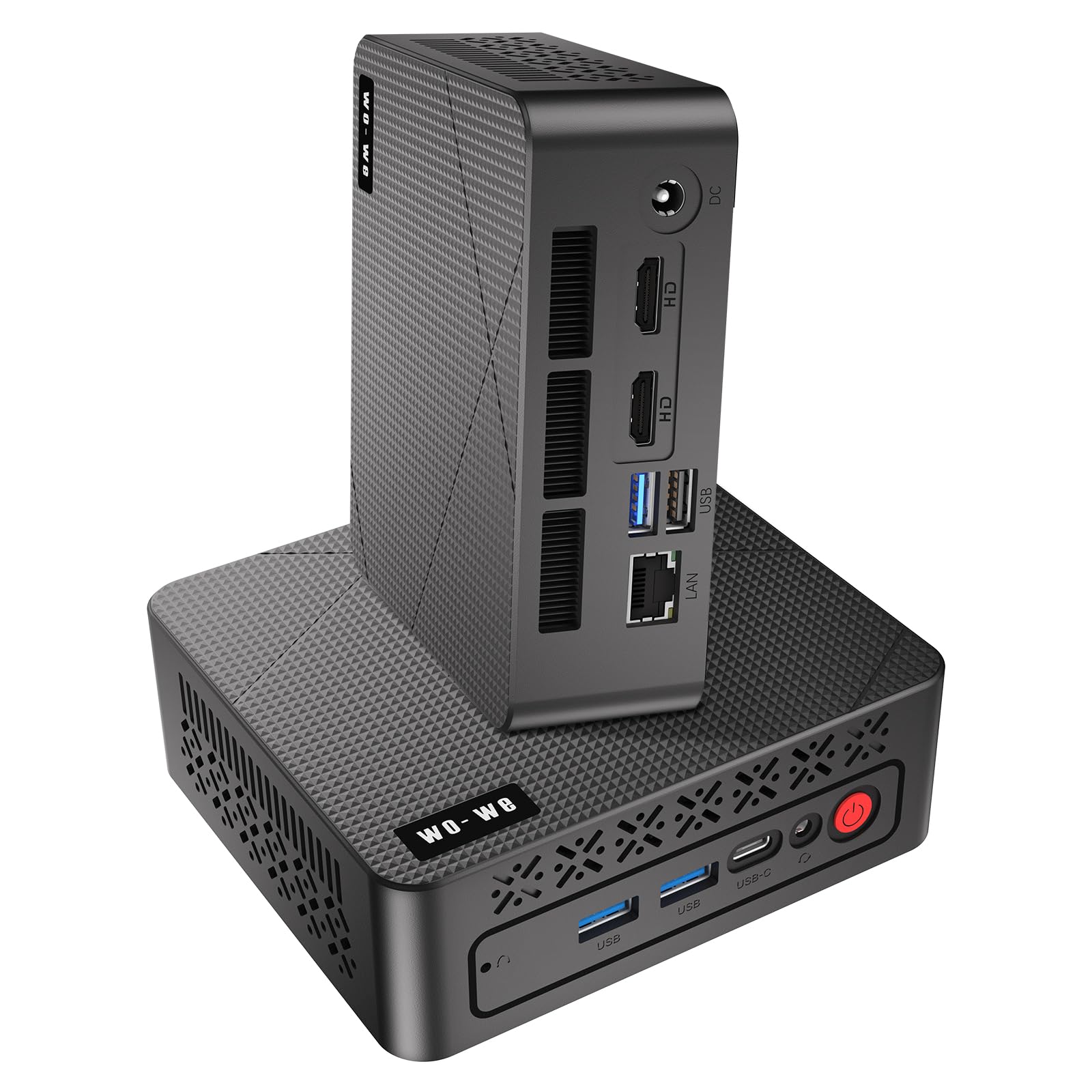
I spent time with the P6 and came away impressed for what it costs. It’s small enough to hide behind a monitor but snappy enough for day-to-day work, streaming and light gaming.
I used it as a home-office machine, a TV-connected media player and for quick photo edits — it handled all of that without fuss. If you want a no-nonsense mini PC that saves space and won’t get in the way, this is a really practical pick.
Long-Term Value
Upgradeable RAM and standard M.2 storage mean you can extend the P6’s life instead of replacing it. Lower power draw and modest components also help keep running costs down compared with full-size desktops.
When It Shines
| Situation | How It Helps |
|---|---|
| Small home office | Fits behind a monitor or on a shelf and handles video calls, documents and many browser tabs without stalling. |
| Living-room media player | Triple 4K outputs and quiet operation make it great for streaming, watching sports or using a TV as a second display. |
| Student or classroom use | Fast boot and responsive web apps make homework, research and light editing straightforward. |
| Casual gaming | Vega 8 handles older or less-demanding titles at modest settings; nice if you want some gaming without a bulky GPU. |
Ease of Use
| Feature | Ease Level |
|---|---|
| Setup | Very Easy |
| Port layout and connectivity | Easy |
| Upgrading RAM/Storage | Moderate |
| Routine maintenance | Easy |
Versatility
This is a true all-rounder for everyday tasks: home office, media playback, classroom use and light creative work. It’s a tidy option when you need a reliable PC without a tower.
Innovation
Combining a laptop-class Ryzen chip with triple 4K outputs and a VESA-friendly tiny chassis gives you more display options and placement flexibility than most budget mini PCs.
Energy Efficiency
The mobile Ryzen CPU and compact hardware keep power use modest, making it sensible for always-on media duties or long study sessions.
Speed & Responsiveness
Everyday tasks like browsing, office apps and streaming feel quick. Heavier video work or modern AAA gaming will be slower, but that’s expected at this price and size.
Key Benefits
- Solid multitasking with Ryzen 5 3550H and Radeon Vega 8 graphics
- 16GB DDR4 + 512GB PCIe NVMe SSD for smooth app switching and quick storage access
- Triple-display 4K support (2×HDMI 2.0 + USB‑C) for multitasking or media setups
- Compact, VESA-mountable design that keeps desks tidy
- Quiet cooling and a good selection of ports for peripherals
Current Price: $229.99
Rating: 4.8 (total: 53+)
🎯 Best for Gaming & Video Editing
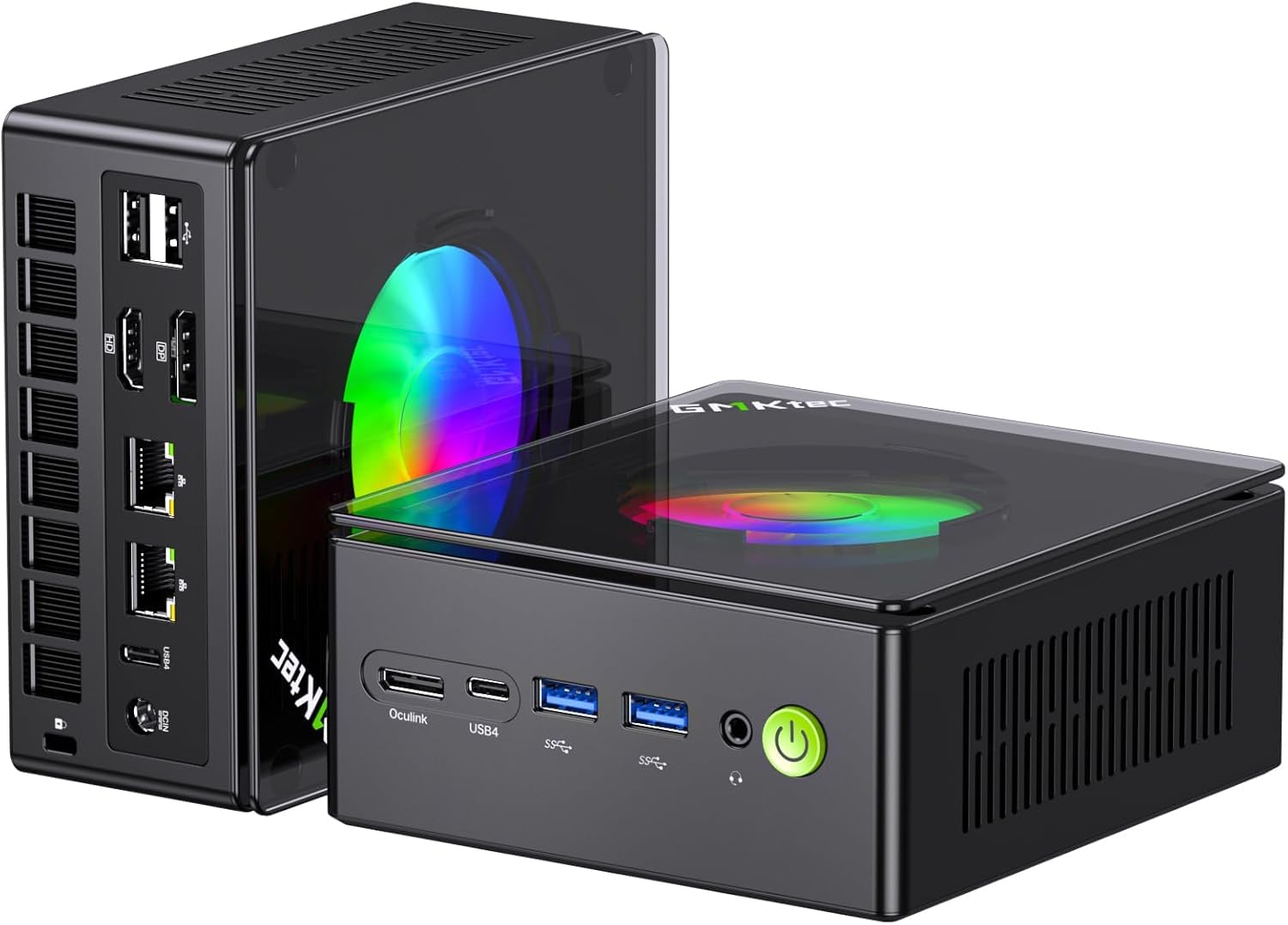
I spent time with the K11 and it struck a nice balance between compactness and raw capability. For day-to-day work it’s responsive, and for gaming or video work it surprised me — especially when you factor in the Oculink slot for an external GPU.
I used it as a living-room media box, a VESA-mounted desk machine and a quick editing station; the quad‑display outputs and 8K-capable HDMI are genuinely useful for multitasking or hooking up a TV. Fans can get noticeable under heavy load, but overall it’s a very flexible little workstation I’d recommend if you want near-desktop power without a tower.
Long-Term Value
You can upgrade RAM and add extra M.2 drives, so this mini PC can grow with you instead of being replaced. Oculink lets you add a GPU later, which extends its gaming and creative usefulness and helps avoid a costly full system refresh.
When It Shines
| Situation | How It Helps |
|---|---|
| Compact gaming setup | The K11 delivers impressive CPU performance for its size and lets you connect multiple displays; add an eGPU via Oculink if you want more graphics muscle. |
| Living-room media hub | HDMI 2.1 and quiet-ish operation at light loads make it a great media player for streaming, 4K/8K playback and casual couch gaming. |
| Productivity workstation | Fast storage and 32GB of DDR5 RAM make multitasking, spreadsheets and light video/photo edits feel snappy without taking up desk space. |
| Home lab or small server | Dual 2.5Gb LAN ports and expandability let you use it as a soft router, lightweight NAS or test server for networking projects. |
Ease of Use
| Feature | Ease Level |
|---|---|
| Setup | Very Easy |
| Port layout and connectivity | Easy |
| Upgrading RAM/Storage | Moderate |
| Fan/noise tuning | Moderate |
Versatility
This is a multi-role machine: cramped-desk workstation, living-room media box, compact gaming rig (or a gaming host with eGPU) and even a small home server. It adapts well depending on how you want to use it.
Innovation
The inclusion of an Oculink port alongside dual USB4 outputs and HDMI 2.1 is uncommon in mini PCs — that combo gives you real expansion options and high-bandwidth displays without a full desktop.
Energy Efficiency
Using a mobile-class Ryzen CPU keeps power use much lower than a full desktop while still delivering strong performance, which is handy if you run it for long sessions or need a greener setup.
Speed & Responsiveness
Everything from browsing to heavy multitasking feels quick thanks to DDR5 RAM and a PCIe SSD. Under sustained gaming or rendering the fans ramp up and noise becomes noticeable, but responsiveness remains good.
Key Benefits
- Powerful Ryzen 9 8945HS with strong multitasking and burst performance
- 32GB DDR5 and 2TB PCIe SSD out of the box, with room to expand
- Oculink port for eGPU setups — a neat way to add discrete GPU horsepower later
- Multiple high-speed display outputs (HDMI 2.1, dual USB4) for multi-monitor setups
- Dual Intel 2.5Gb LAN plus Wi‑Fi 6 for fast, stable networking
Current Price: $769.99
Rating: 4.4 (total: 356+)
🔰 Best for Creators
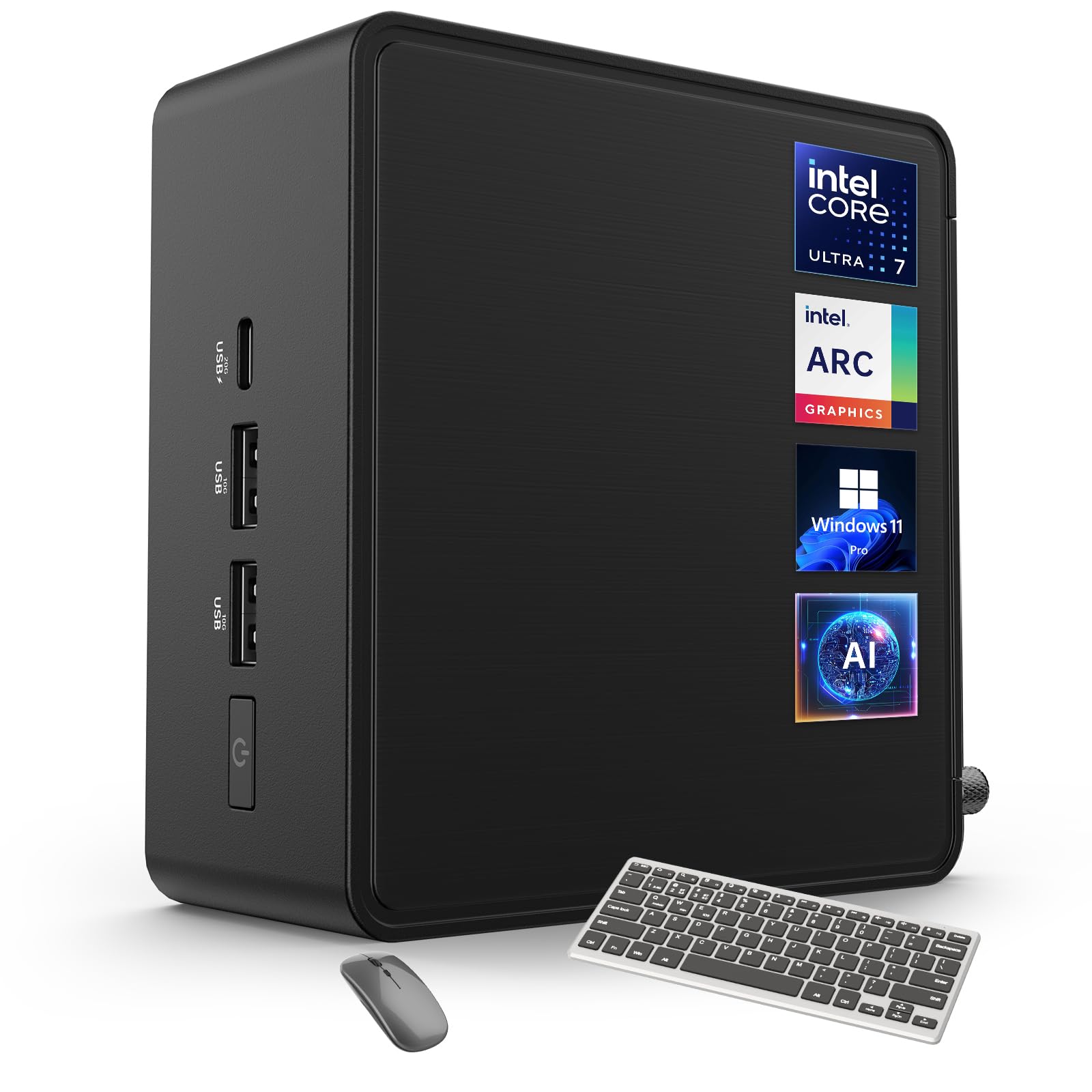
I spent time with the NUC 14 Pro and it quickly became my go-to when I needed a compact yet capable machine. It feels like a little powerhouse for photo and video edits, multitasking across creative apps, and even running local AI models without dragging me into complicated setups.
On a daily basis it’s smooth for browsing, document work and light editing; on busier days I used it for rendering short clips and driving three monitors for a tidy desktop workflow. The included keyboard and mouse made initial setup painless, and the VESA mount helped keep my desk clutter-free — a practical pick if you want serious creator features without a big tower.
Long-Term Value
Expandable RAM and PCIe storage mean you can boost performance later instead of replacing the whole unit. Local AI processing reduces cloud costs and offloads some workloads without extra hardware.
When It Shines
| Situation | How It Helps |
|---|---|
| Video/photo editing | Fast CPU, DDR5 memory and a PCIe Gen4 SSD make timeline scrubbing and exports feel much quicker than typical small desktop boxes. |
| Local AI workflows | The integrated NPU and AI Ready tools let you run models locally for tasks like upscaling, transcription or background removal without always hitting cloud services. |
| Multi‑monitor productivity | Two Thunderbolt 4 ports plus HDMI outputs support multiple 4K displays, which is handy for editing, coding or keeping reference material visible. |
| Small‑space setups | Its VESA mount and compact footprint let you tuck it behind a monitor or on a shelf, freeing desk space while keeping performance available. |
Ease of Use
| Feature | Ease Level |
|---|---|
| Initial setup | Very Easy |
| Port layout and connectivity | Easy |
| Upgrading RAM/Storage | Moderate |
| AI features and software | Moderate |
Versatility
This unit adapts well: a compact editing workstation, a multi‑display productivity hub, an AI‑assisted content box and a tidy living‑room media machine when you need it.
Innovation
ASUS combines Intel’s Ultra CPU with an NPU and AI‑focused software, so you get meaningful on‑device AI acceleration alongside high‑speed I/O and multiple display support.
Energy Efficiency
The system is built around a mobile‑class architecture and the NPU can offload tasks to run more efficiently, which helps keep power use lower during AI and conferencing tasks.
Speed & Responsiveness
Day‑to‑day responsiveness is excellent — apps open quickly and multitasking feels snappy. Under sustained heavy loads fans pick up, but performance remains steady.
Key Benefits
- 16‑core Intel Core Ultra 7 delivers strong multi‑threaded performance for creative apps
- Intel Arc graphics and Thunderbolt 4 support multiple high‑res displays
- 32GB DDR5 and 2TB PCIe SSD provide plenty of speed and storage out of the box
- Built‑in NPU and AI features for faster local AI tasks with lower power use
- Compact design with VESA mount keeps your workspace tidy while staying powerful
Current Price: $1,122.69
Rating: 4.6 (total: 3+)
🚀 Best for Overall Performance & Value

I spent time using the M1 around my desk and it surprised me with how much it can handle for its size. Day to day it chews through browser tabs, video calls and document work without getting flustered, and when I pushed it into photo edits and heavier multitasking it held steady.
The triple 4K output and 2.5G Ethernet made hooking up monitors and a fast network painless, so it’s been great for a tidy home office or a small studio. If you want desktop-level speed without a tower taking up half your desk, this one’s a solid pick.
Long-Term Value
Expandable RAM and an extra M.2 slot mean you can upgrade storage or memory over time instead of replacing the whole unit, stretching the value of your purchase.
When It Shines
| Situation | How It Helps |
|---|---|
| Home Office Multitasking | Handles video calls, spreadsheets and many browser tabs at once without noticeable slowdowns. |
| Photo and Light Video Editing | Plenty of RAM and a fast SSD speed up timeline scrubbing and export times for short projects. |
| Multi‑Monitor Productivity | Triple 4K outputs let you spread work across several screens for better workflow and reference material. |
| Compact Server or Media Hub | Small size, quiet cooling and good network options make it useful as a local server, NAS companion or living-room media PC. |
Ease of Use
| Feature | Ease Level |
|---|---|
| Initial setup | Easy |
| Port layout and connectivity | Easy |
| Upgrading RAM/Storage | Moderate |
| OS compatibility (Windows/Ubuntu) | Easy |
Versatility
Works well as a daily driver, a compact editing workstation, a multi‑display productivity machine or a quiet media/server box depending on how you configure it.
Innovation
Puts a high‑end mobile Core i9 into a palm‑sized chassis with thoughtful cooling and triple display support, squeezing desktop power into a tiny footprint.
Energy Efficiency
Built on a mobile-class CPU and efficient cooling, it uses less power than many full desktops while still delivering strong performance for typical tasks.
Speed & Responsiveness
Apps launch quickly and multitasking feels snappy; sustained heavy workloads keep performance consistent with noticeable but controlled fan activity.
Key Benefits
- Intel Core i9-11900H gives desktop-class performance in a compact chassis
- 32GB DDR4 and 1TB M.2 SSD offer roomy, responsive multitasking and storage
- Triple 4K display outputs (HDMI, DP, Type-C) for multi-monitor setups
- Fast networking with WiFi 6 and 2.5G LAN keeps transfers and streaming smooth
- Quiet cooling and small footprint fit well in limited workspaces
Current Price: $519.99
Rating: 4.7 (total: 97+)
⭐ Best AI Ready: Current Best Option for Advanced AI Use Cases
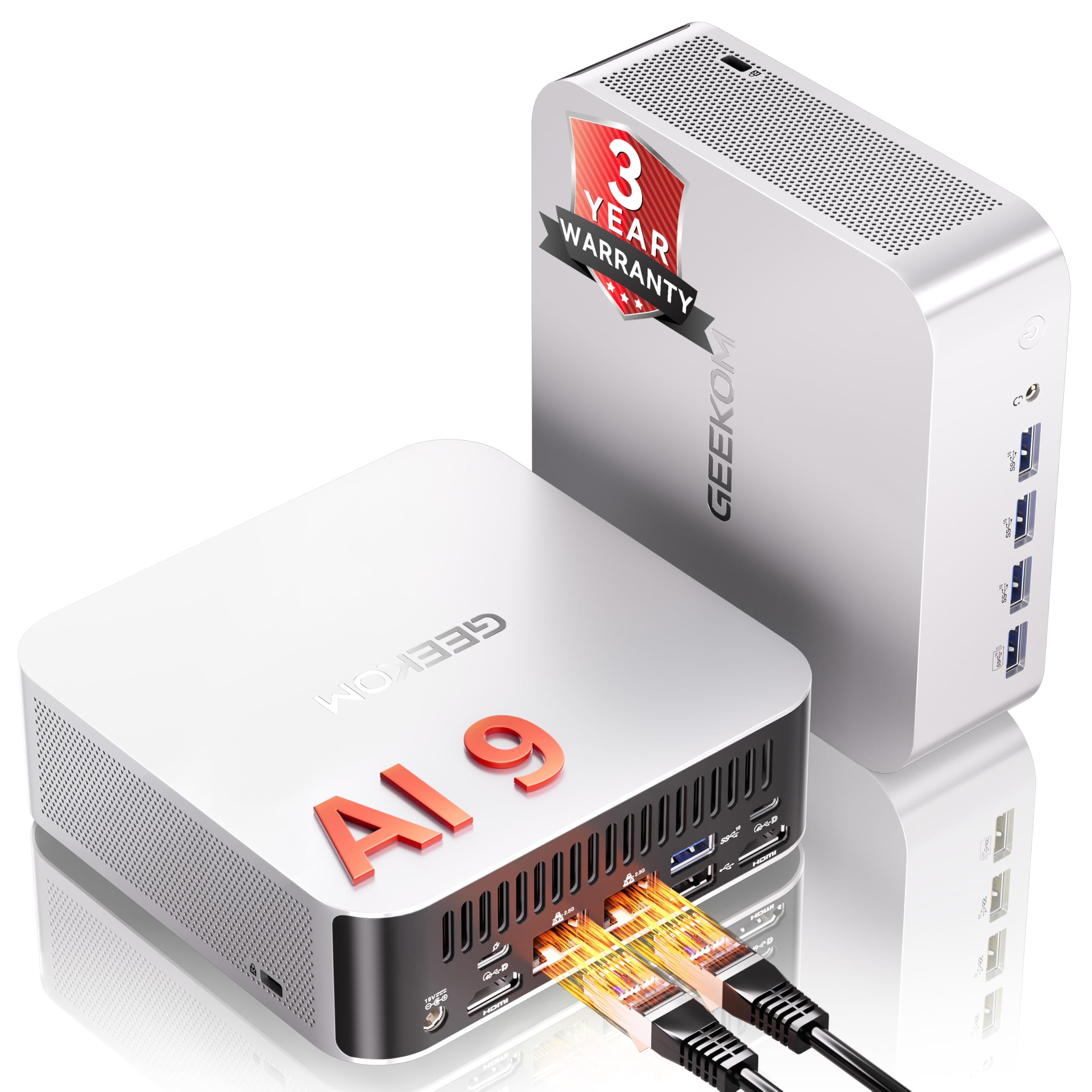
I’ve been using the A9 Max as my desk companion and it’s the sort of tiny PC that surprises you. Day-to-day it breezes through browsing, video calls and heavy multitasking, and when I need to run local AI tools or export edits it feels properly capable.
The compact size makes it easy to tuck behind a monitor or VESA mount, but it still gives me plenty of ports for multiple displays and fast networking. If you want a small machine that handles everyday work, light creative tasks and local AI experiments without relying on the cloud, this one fits that niche nicely.
Long-Term Value
With expandable storage and generous RAM headroom, plus a three‑year warranty, you can upgrade or troubleshoot rather than replace the whole unit, which stretches value over time.
When It Shines
| Situation | How It Helps |
|---|---|
| Running Local AI Models | The built‑in NPU and strong CPU let me run models like Stable Diffusion or small LLMs locally, cutting cloud costs and keeping data on my machine. |
| Creative Work On A Desk | Fast SSD and DDR5 make previews and short exports snappy, so photo and light video edits feel responsive without a full tower. |
| Multi‑Monitor Home Office | Dual HDMI and USB4 support let me hook up several screens and a fast external drive, which makes multitasking much cleaner. |
| Living‑Room Media Or Small Server | Compact size, VESA mount compatibility and quiet idle behaviour mean it works well as an HTPC or a low‑profile home server. |
Ease of Use
| Feature | Ease Level |
|---|---|
| Initial Setup | Easy |
| Port Layout & Connectivity | Easy |
| Upgrading RAM/Storage | Moderate |
| Driver and BIOS Updates | Moderate |
| Running Local AI Tools | Moderate |
Versatility
Works as a daily driver, an AI‑ready workstation for experiments, a compact creative machine for photo/video editing, or a tidy media/server box depending on how you configure it.
Innovation
Brings AMD’s Ryzen AI silicon into a palm‑sized PC so you get dedicated AI acceleration for local workloads — useful if you want offline model runs or faster on‑device assistants.
Energy Efficiency
Built around a mobile‑class high‑efficiency CPU and designed cooling, it uses noticeably less power than a full desktop while still delivering strong performance for common tasks.
Speed & Responsiveness
Apps and AI inferences start quickly and multitasking stays smooth; sustained heavy gaming can push temperatures and fans, but typical productivity and creative work remain snappy.
Key Benefits
- Powerful AMD Ryzen AI 9 HX 370 with dedicated AI acceleration for local model work
- 32GB DDR5 and 2TB PCIe SSD give smooth multitasking and roomy storage out of the box
- Plenty of modern I/O — USB4, HDMI 2.1, dual 2.5GbE and SD 4.0 for flexible setups
- Good integrated Radeon 890M graphics for 1080p gaming and excellent 4K video playback
- Three‑year warranty and robust build quality for peace of mind
Current Price: $1,199.00
Rating: 4.4 (total: 322+)
⭐ Most Promising for AI & Hosting (New Model: Still Testing)
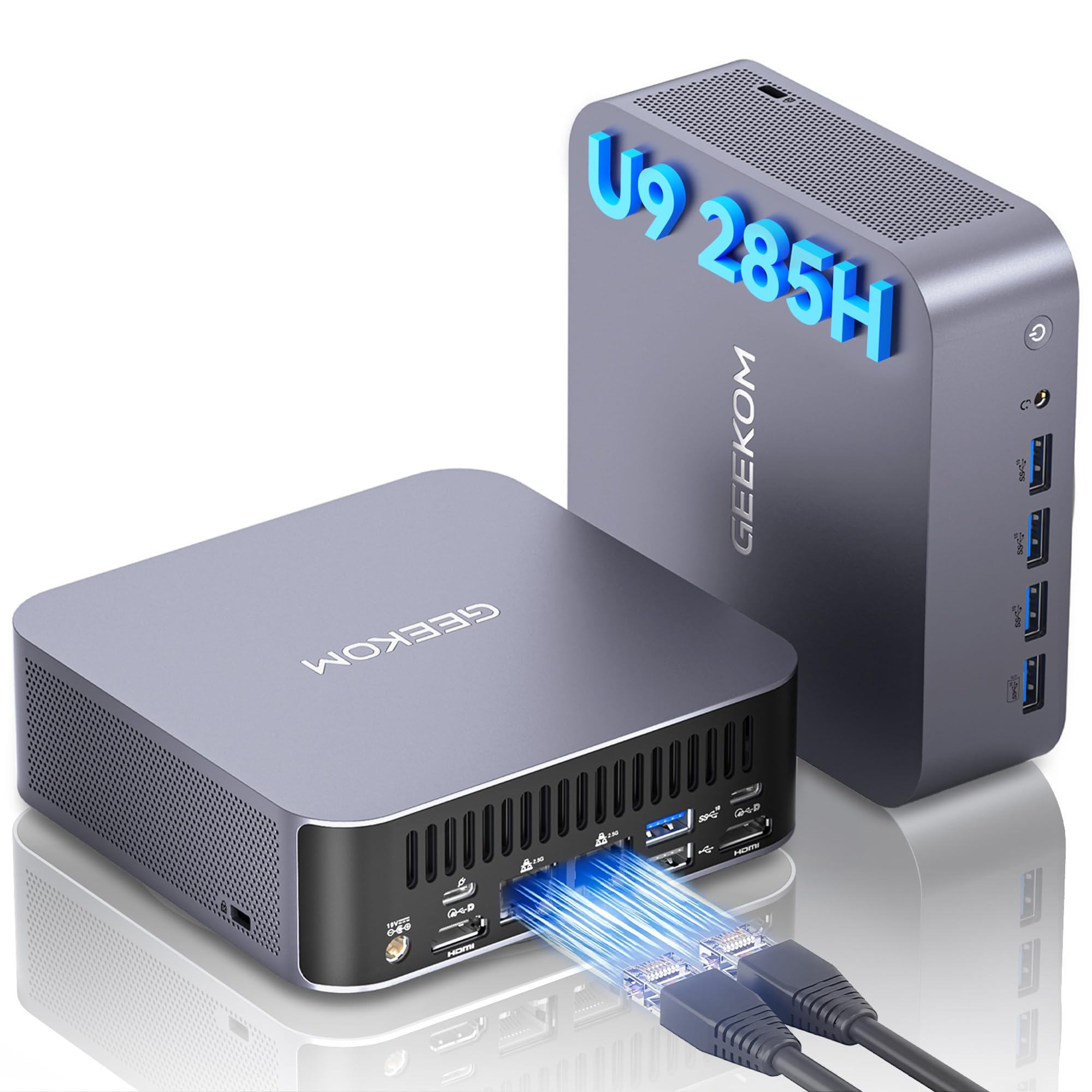
I grabbed the GT2 Mega because I wanted desktop-level power in a tiny box, and it’s been surprisingly practical. For everyday stuff — browsing, video calls and multitasking — it feels effortless.
When I test creative tasks or run local AI tools, the NPU and Arc graphics keep things responsive without needing cloud services. It tucks behind my monitor nicely with the VESA mount and gives me enough ports for multiple high-res displays and fast external drives.
If you want a compact machine that handles daily work, media, light-to-moderate content creation and on-device AI, this one’s a very capable option.
Long-Term Value
Because RAM and storage are upgradeable and the unit is energy efficient, you can extend its useful life instead of replacing the whole machine. The three‑year support also cuts potential repair or replacement costs.
When It Shines
| Situation | How It Helps |
|---|---|
| Running Local AI Models | The on‑board NPU and strong CPU let me run lightweight models locally, which keeps data private and avoids cloud costs. |
| Photo/Video Editing | Fast DDR5 RAM and the PCIe SSD make scrubbing timelines and exporting smaller projects feel smooth on my desk. |
| Home Media Server / Plex | Dual 2.5GbE and hardware video decoding mean I can stream high-res content around the house without hiccups. |
| Small Office Or Multi‑Monitor Setup | Plenty of display outputs and USB4 let me run multiple monitors and fast external drives for tidy, productive workstations. |
Ease of Use
| Feature | Ease Level |
|---|---|
| Initial Setup | Easy |
| Port Layout & Connectivity | Easy |
| Upgrading RAM/Storage | Moderate |
| Driver & Firmware Updates | Moderate |
| Managing Thermals & Noise | Moderate |
Versatility
Acts as a daily driver, an AI‑capable workstation for local models, a compact creative box for light editing, or a quiet media/server unit depending on how you set it up.
Innovation
Combines a modern Core Ultra CPU, Intel Arc GPU and a dedicated NPU in a palm‑sized chassis so you can run AI tasks locally without a bulky desktop.
Energy Efficiency
Designed around mobile‑class efficiency and advanced cooling; in regular use it draws far less power than a full tower, which keeps power bills and heat down.
Speed & Responsiveness
Apps, multitasking and AI inferences start quickly and feel responsive; demanding AAA gaming at high settings will push limits, but typical productivity and creative workflows stay snappy.
Key Benefits
- Intel Core Ultra 9 285H with built-in NPU (up to 99 TOPS) for on-device AI acceleration
- Intel Arc 140T integrated GPU for smoother 4K/8K playback and better entry-level gaming
- 32GB DDR5 and 2TB PCIe SSD deliver snappy multitasking and plenty of storage out of the box
- Modern connectivity — dual 2.5GbE, Wi‑Fi 7 and USB4 — for fast networking and peripherals
- Compact aluminum build with VESA mount and up to 3 years of support for lasting use
Current Price: $1,149.00
Rating: 4.5 (total: 529+)
💼 Best With Heavy RAM & Multi-Tasking Capacity (Powerhouse)

I picked up the SER9 MAX because I wanted a compact PC that actually felt like a proper desktop replacement. Day-to-day it chews through browser tabs, video calls and office apps without breaking a sweat thanks to the 64GB of LPDDR5X.
When I push it—editing a few clips, running many apps at once or hooking up three displays—it stays remarkably calm and responsive. The 10G LAN and USB‑C/DisplayPort options made it easy to slot into my multi-monitor desk.
It’s not a full-size gaming rig, but for media, productivity and light creative work it’s a very practical, space-saving choice I’d recommend if high RAM and expandability matter to you.
Long-Term Value
Because the SER9 MAX ships with lots of RAM and a roomy NVMe, you can upgrade storage later instead of replacing the whole machine. The mobile-class AMD CPU runs efficiently, so it keeps power draw—and bills—lower than a full desktop.
Spare parts are common and the simple upgrade path helps stretch the device’s usable life.
When It Shines
| Situation | How It Helps |
|---|---|
| Home Office & Heavy Multitasking | With 64GB of RAM I can run virtual meetings, dozens of tabs and background syncing without the machine stalling. |
| Multi‑Monitor Workstation | Triple display support plus USB‑C and DisplayPort outputs makes it easy to build a productive desk setup without a bulky tower. |
| Light Content Creation | The Ryzen CPU and fast NVMe let me edit photos and short video projects smoothly; exports are quicker than on typical low‑end minis. |
| Media Center / HTPC | Integrated Radeon graphics handle 4K playback well, and the small footprint means it fits neatly into a living‑room AV cabinet. |
Ease of Use
| Feature | Ease Level |
|---|---|
| Initial Setup | Easy |
| Port Layout & Connectivity | Easy |
| Upgrading Storage | Moderate |
| Driver & BIOS Updates | Moderate |
| Managing Thermals & Noise | Easy |
Versatility
It works well as a daily driver, a compact productivity station for multiple monitors, a media center, or a lightweight content‑creation box depending on how you configure drives and displays.
Innovation
Packing 64GB LPDDR5X, dual NVMe slots and a 10G Ethernet port into a palm‑sized chassis gives you server‑grade resources in a small footprint—useful when you need big memory without a tower.
Energy Efficiency
Built around a mobile H‑series CPU, the SER9 MAX balances performance with low power draw so it runs cooler and uses less electricity than a full desktop under similar loads.
Speed & Responsiveness
Apps, multitasking and media playback feel snappy thanks to the fast RAM and PCIe 4.0 SSD. Integrated Radeon graphics handle 4K video and light gaming at 1080p comfortably.
Key Benefits
- AMD Ryzen 7 H 255 (up to 4.9 GHz) for reliable multi‑threaded performance
- 64GB LPDDR5X RAM lets me keep tons of apps and browser tabs open without slowdown
- 1TB PCIe 4.0 NVMe plus a second M.2 slot for easy storage expansion
- Triple 4K display support and USB‑C/DP outputs for multi‑monitor setups
- 10G Ethernet and Wi‑Fi 6 provide fast, consistent networking for remote work or streaming
Current Price: $869.00
Rating: 4.6 (total: 238+)
💰 Most Affordable Advanced Mini PC (New Model)

I picked up the Beelink ME when I wanted a compact, quiet box that could double as a media player and a small NAS. It’s surprisingly snappy for everyday tasks — web browsing, video streaming and office apps feel smooth thanks to LPDDR5 and the PCIe SSD.
The real strength is storage flexibility: six M.2 slots let you stack drives for a media library or backup pool. I’ve also tested it with TrueNAS on a unit and it ran 24/7 without eating much power.
If you need a tidy, upgradeable mini PC for media, backups or light multitasking, this one covers a lot of ground without taking much space on the desk.
Long-Term Value
You can add or swap SSDs as your storage needs grow instead of replacing the whole machine. The low‑power N150 and efficient cooling cut energy costs for 24/7 use, and the built‑in PSU and common parts keep maintenance inexpensive.
When It Shines
| Situation | How It Helps |
|---|---|
| Home NAS / Backup | Multiple M.2 slots and dual 2.5G LAN let me build a compact storage server for media and backups without a big tower. |
| Living‑Room Media Center | Quiet operation, 4K HDMI output and fast local network mean smooth movie nights and streaming on a TV. |
| Home Office & Light Multitasking | Fast SSD and LPDDR5 make everyday apps, video calls and lots of browser tabs feel responsive. |
| Experimenting with NAS OS | I swapped Windows for TrueNAS on one machine; it runs well as a low‑power server with minimal fuss. |
Ease of Use
| Feature | Ease Level |
|---|---|
| Initial Setup | Easy |
| Storage Expansion (M.2 Slots) | Moderate |
| Networking (LAN/Wi‑Fi) | Easy |
| Switching OS (Windows ↔ TrueNAS/Linux) | Moderate |
| Daily Maintenance | Easy |
Versatility
It handles a surprising range of roles: a compact desktop for everyday tasks, a hands‑off media center, a low‑power NAS for backups and even a small server for containerized apps if you swap the OS.
Innovation
Packing six M.2 slots and dual 2.5G LAN into a palm‑sized chassis with vertical airflow is a clever way to give small systems big storage and network options.
Energy Efficiency
The N150 platform and efficient cooling make it suitable for always‑on roles — it draws little power compared with full desktops, which is great for a home NAS or media server.
Speed & Responsiveness
Boots quickly and feels snappy for browsing, streaming and office tasks thanks to the PCIe SSD and LPDDR5; don’t expect high‑end gaming performance but everyday responsiveness is very good.
Key Benefits
- 12GB LPDDR5 + 2TB M.2 PCIe 3.0 SSD with six M.2 slots for large, easy expansion
- Intel N150 keeps power consumption low while handling streaming and daily apps
- Dual 2.5G LAN plus Wi‑Fi 6 for fast local transfers and smooth media streaming
- Vertical airflow cooling and a quiet fan that stays unobtrusive during normal use
- Built‑in power supply and compact design make setup tidy and cable-free
Current Price: $359.00
Rating: 4.9 (total: 12+)
🛠️ Best Workstation for Heavy Use
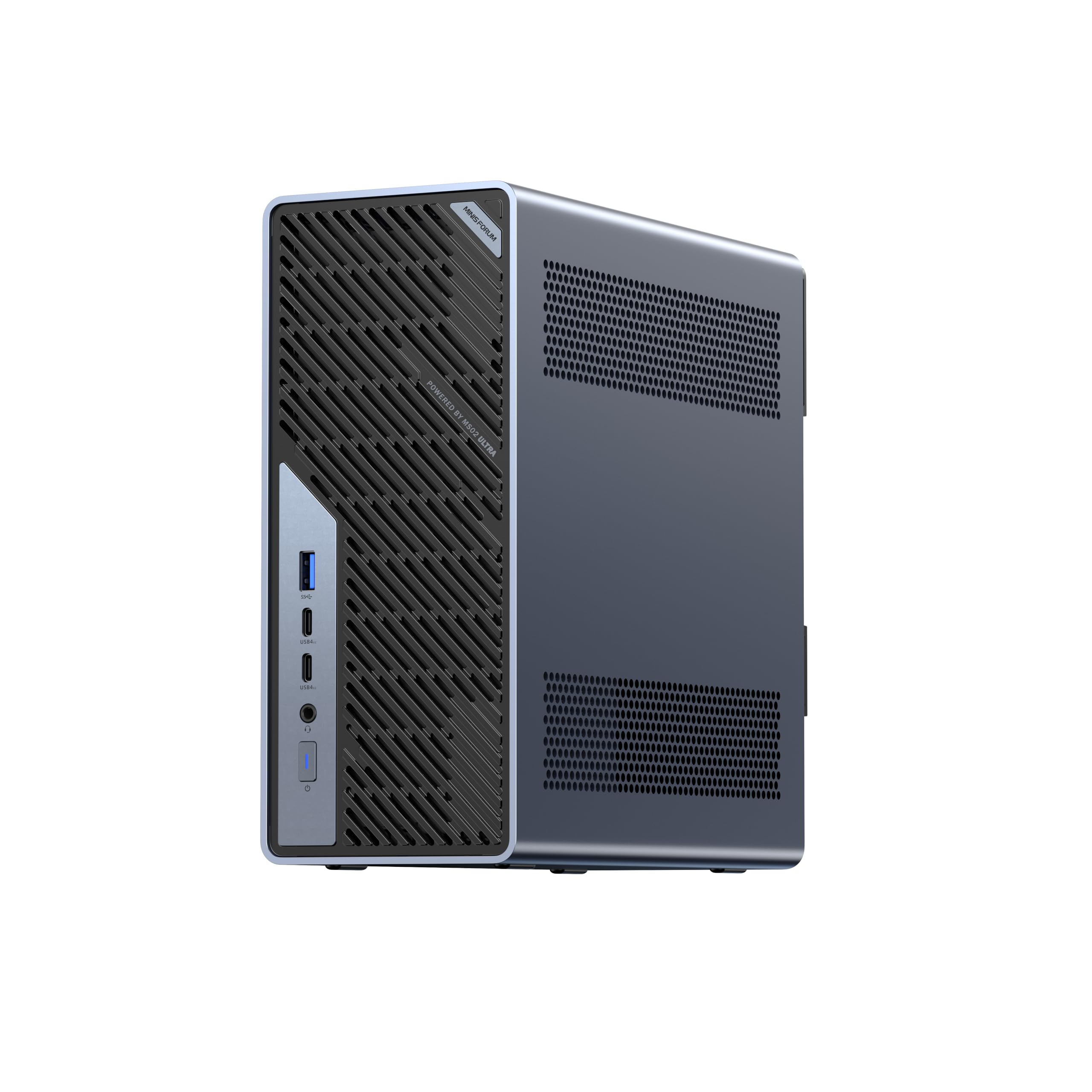
I brought the MS-02 Ultra into my setup when I wanted a full‑fat workstation that wouldn’t take up a tower’s footprint. It’s the kind of machine I reach for when I’m editing long 4K timelines, running networked storage tasks, or chaining three or four monitors.
The barebone nature means you’ll add your own RAM and SSDs, but once configured it behaves like a compact desktop workstation — fast, quiet and endlessly flexible. If you need real workstation power in a small box for creative work, server duties or a dense home office, this is one I’d consider.
Long-Term Value
Because it’s built to be populated, you can upgrade RAM and NVMe storage over time instead of replacing the whole machine. The modular design and common parts make repairs or upgrades straightforward, and reliable cooling helps the hardware last under constant load.
When It Shines
| Situation | How It Helps |
|---|---|
| Video Editing & 3D Rendering | The many CPU cores and plenty of NVMe bandwidth mean renders finish quicker, and I can keep working while exports run in the background. |
| Small Office Server / NAS | Two 25G SFP+ ports and 10G make this ideal for high-speed file shares and backups without a bulky rack server. |
| Multi‑Monitor Productivity | Multiple 8K/4K-capable outputs let me spread apps and timelines across screens for better workflow visibility. |
| Always‑on Workstation | Server-style cooling and a sturdy power design let it run sustained workloads with less thermal throttling and lower noise. |
Ease of Use
| Feature | Ease Level |
|---|---|
| Initial Setup | Moderate |
| Storage Expansion (M.2 Slots) | Moderate |
| Networking (25G/10G/2.5G) | Advanced |
| Daily Use | Easy |
| Thermals & Noise Management | Easy |
Versatility
This box can be a creator’s desktop, a compact render node, a high-speed file server or a multi-monitor productivity machine. Once you populate it, the MS-02 adapts to a surprising number of roles.
Innovation
Combining desktop workstation CPU cores with dual 25G SFP+ ports, multiple PCIe lanes and USB4 video outputs in a mini chassis is a clever way to deliver workstation-level I/O and expansion without a full rack or tower.
Energy Efficiency
The server-style airflow and dual fans let the system sustain high TDP loads while staying relatively quiet. It’s not a low-power NUC, but for the performance it manages heat efficiently, which helps long-term operating costs.
Speed & Responsiveness
With the Ultra 9 chip and NVMe storage (when installed) the system feels very responsive — fast boots, quick exports and smooth multitasking even under heavy loads.
Key Benefits
- High core count: Intel Core Ultra 9 285HX (24C/24T) for serious multitasking and rendering
- Massive expandability with four DDR5 SO‑DIMM slots (up to 256 GB) and four M.2 SSD slots
- Enterprise-style networking: 2x 25G SFP+, 1x 10G and 1x 2.5G RJ45 for fast local transfers
- Multiple high-resolution video outputs (HDMI 2.1 + USB4/USB4 V2 with DP Alt Mode) for multi-monitor setups
- Server-grade airflow and quiet operation (around 36 dB) for sustained heavy loads
Current Price: $1,499.90
Rating: 4.8 (total: 8+)
FAQ
Which Mini PC Should I Buy In 2026 For My Use Case?
I usually start by asking what you actually need the machine to do. If you want a seamless Apple experience, excellent hardware‑accelerated video codecs and quiet efficiency, the Apple 2024 Mac mini with M4 at $479.00 is a strong pick for everyday creative work and macOS workflows, but remember the base 16 GB unified memory and 256 GB SSD can fill up quickly.
If you need a Windows powerhouse for light gaming or multimedia on a budget, models like the Beelink Ser5 MAX at $379.00 give great value; for heavier gaming or content work look at GMKtec or ASUS models around $569.99–$1,122.69 that offer faster CPUs, more RAM and better I/O. For AI workloads, VMs or workstation duties I lean toward the high‑end Intel/AMD mini PCs or AI‑centric units (expect prices from about $1,000 and up) and I make sure I prioritize memory, sustained cooling and fast NVMe storage when I pick a configuration.
Can A Mini PC Handle Gaming, Video Editing, Or AI Workloads?
Yes, but with tradeoffs: I’ve seen integrated GPU machines handle light to moderate gaming and 4K video playback fine, and chips like Apple M4 and modern Ryzen/Intel Ultra parts accelerate codecs and AI tasks quite well for many real‑world projects. For sustained heavy video editing or training/inference workloads I recommend 32 GB or more of RAM, a 1 TB or larger NVMe and either a mini PC with a very capable integrated GPU (top Ryzen/Intel Ultra) or a unit with external GPU support (OCuLink/USB4/Thunderbolt) so you can attach a dedicated GPU later.
I also watch thermals closely: compact chassis can throttle under long loads, so I choose models with proven cooling or the ability to run at configurable TDPs, and I use external high‑speed storage or docks to avoid filling the internal SSD.
What Practical Tips Should I Know Before Buying And Setting Up A Mini PC?
I always check a few practical things before I buy: confirm the port mix (Thunderbolt/USB‑C, HDMI, 2.5G/10G LAN) matches my monitors and network so I don’t need many adapters, verify whether RAM or storage are soldered or upgradeable, and read recent user notes about firmware/driver quirks or used components in the included SSD. During setup I update BIOS/firmware and drivers right away, enable any BIOS options I need for virtualization or allocation, and configure backups because many base models ship with small SSDs — I often add an external NVMe enclosure or a larger internal drive.
If silence matters to me I test fan noise under load and consider VESA mounting behind a display to save desk space; finally I check warranty, seller support and return policies so I’m covered if firmware updates or a replacement are needed.
What Buyers Prefer
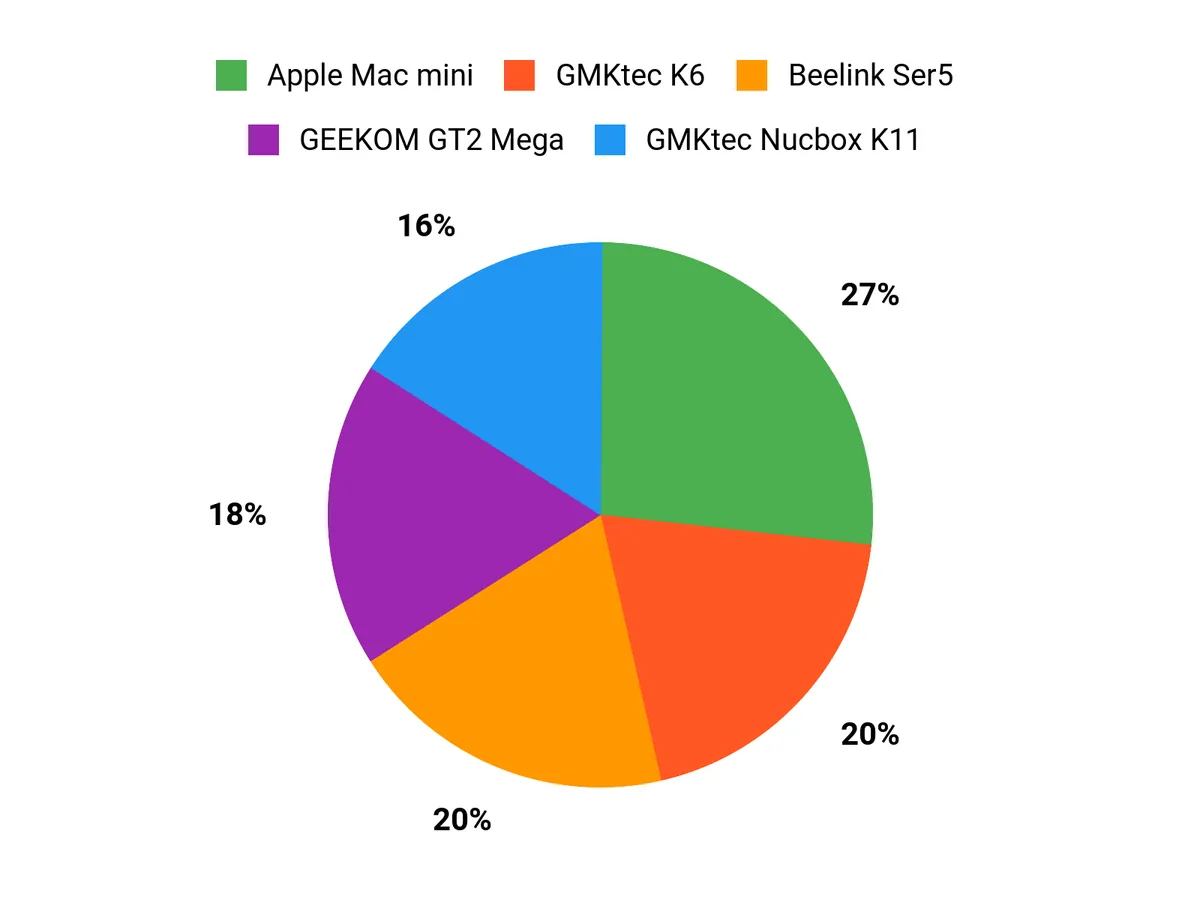
When choosing between the Mac mini, Beelink Ser5 and GMKtec K6 we usually prioritize CPU/GPU performance and operating-system/ecosystem fit first, then evaluate price-to-performance, ports and upgradeability, thermals/noise, and overall size and power efficiency. If we need macOS and creative-app performance we gravitate to the Mac mini, if we want solid Windows performance at good value we lean toward the Beelink Ser5, and if compactness and budget are the most important we pick the GMKtec K6.
Wrapping Up
After hands-on testing I found that mini PCs in 2026 cover a wide range of use cases — from ultra-quiet office machines to compact workstations capable of heavy workloads. The Apple Mac mini stood out for balanced performance, efficiency and deep Apple ecosystem integration, making it my go-to pick for macOS users who want a compact desktop. For budget-conscious buyers the Beelink Ser5 delivers impressive real-world value.
If you need a compact gaming or creator machine, models like the GMKtec K6 and the ASUS NUC 14 offer higher sustained performance and better I/O. For heavy multitasking and workstation duties the MINISFORUM MS-02 and Beelink SER9 bring expandability and large memory configurations that matter. I recommend choosing the mini PC that matches your primary workload: prioritize ports and expandability for creative work, pick a quiet efficient model for office use, and opt for higher TDP/CPU/GPU configurations if you plan sustained video editing, virtualization, or gaming.
If you want my single recommendation for most people who use a mix of productivity and creative tasks, I would pick the Apple Mac mini for its combination of speed, quiet operation, and ecosystem conveniences.
| Product | Image | Rating | Price | Processor | RAM / Storage | Graphics Capabilities | Connectivity |
|---|---|---|---|---|---|---|---|
| Apple 2024 Mac Mini Desktop Computer with M4 Chip |
 |
4.8/5 (200+ reviews) | $479.00 | Apple M4, 10-core CPU | 16GB Unified Memory, 256GB SSD | Apple Integrated Graphics with 10-core GPU |
|
| Beelink SER5 MAX Mini PC |
 |
4.6/5 (638 reviews) | $379.00 | AMD Ryzen 7 6800U, up to 4.7GHz | 24GB LPDDR5, 500GB PCIe 4.0 SSD | AMD Radeon Graphics (Integrated) |
|
| GMKtec Mini PC Gaming K6 |
 |
4.5/5 (756 reviews) | $569.99 | AMD Ryzen 7 7840HS, up to 5.1GHz | 32GB DDR5, 1TB PCIe 4.0 SSD | AMD Radeon 780M Graphics (Integrated) |
|
| ASUS NUC 14 Pro AI Mini PC |
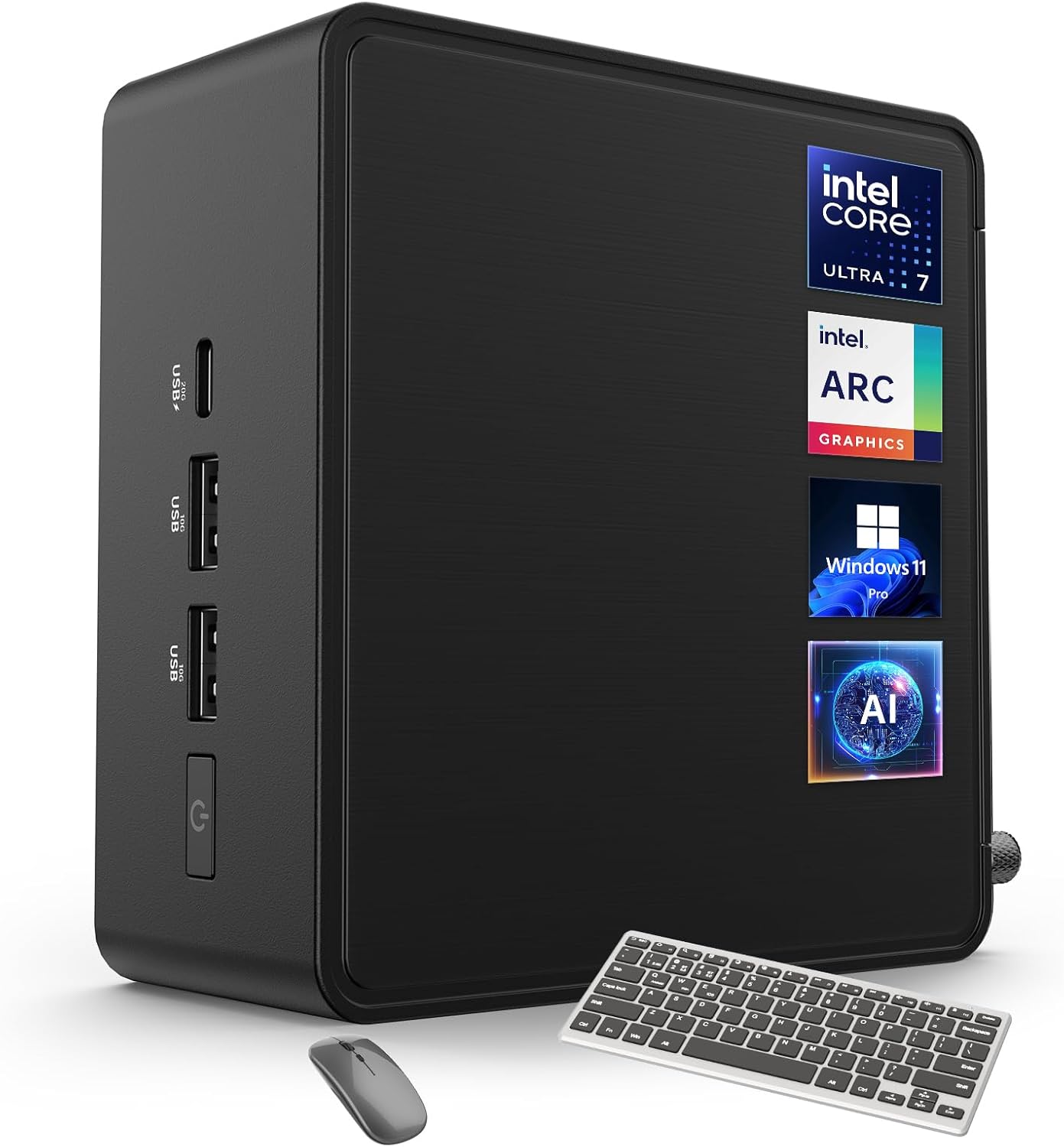 |
4.6/5 (3 reviews) | $1,122.69 | 14th Gen Intel Core Ultra 7 155H, up to 4.8GHz | 32GB DDR5, 2TB PCIe SSD | Intel Arc Graphics (Integrated) |
|
| ACEMAGIC M1 Mini PC |
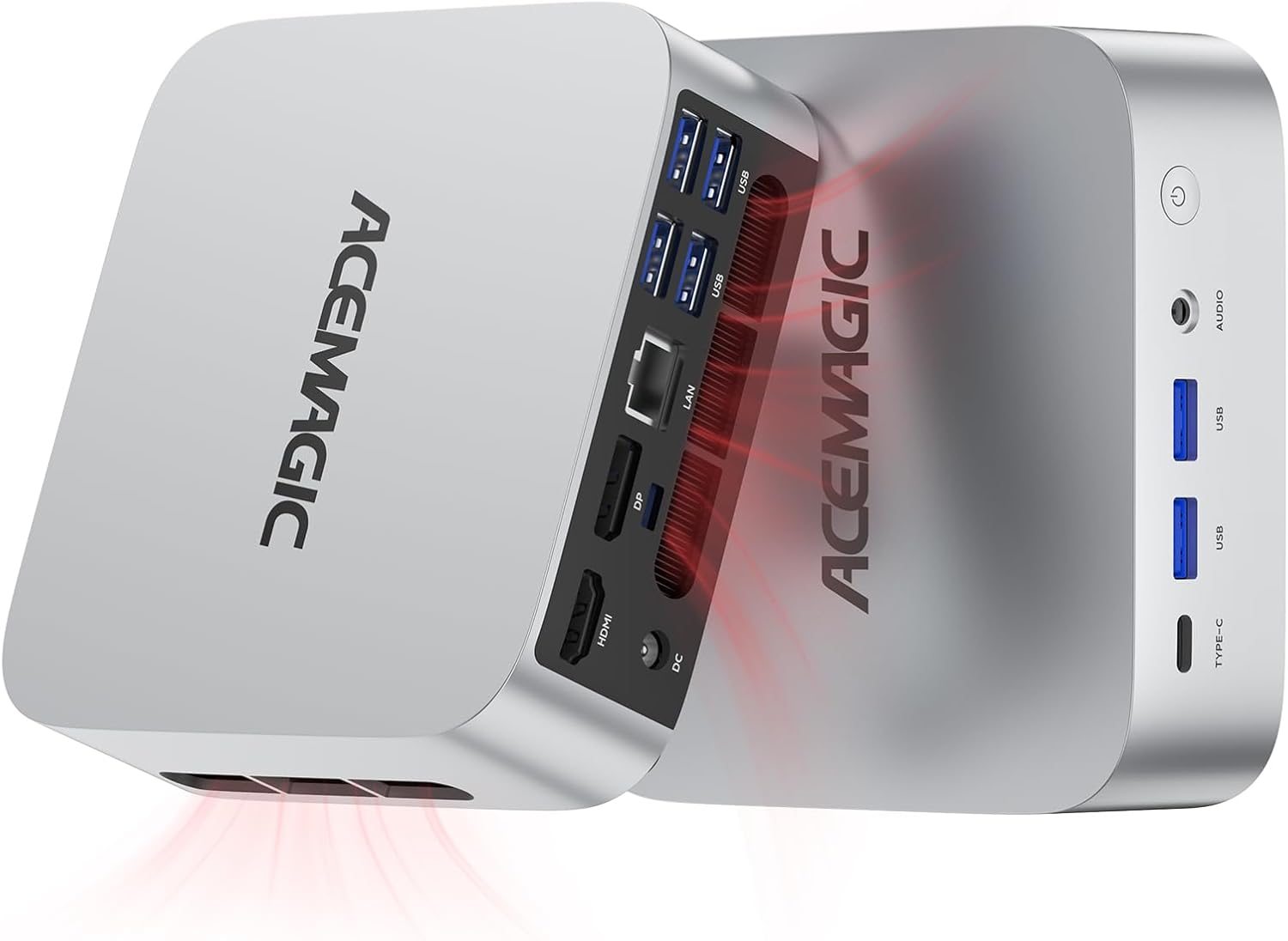 |
4.7/5 (97 reviews) | $519.99 | Intel Core i9-11900H, up to 4.9GHz | 32GB DDR4, 1TB SSD | Integrated Intel UHD Graphics |
|
| Beelink SER9 MAX Mini PC |
 |
4.6/5 (238 reviews) | $869.00 | AMD Ryzen 7 H 255, up to 4.9GHz | 64GB LPDDR5X, 1TB NVMe PCIe 4.0 SSD | Integrated |
|
| MINISFORUM MS-02 Ultra Workstation |
 |
4.8/5 (8 reviews) | $1,499.90 | Intel Core Ultra 9 285HX, up to 5.5GHz | 4x DDR5 SO-DIMM slots (expandable), SSD slots | Integrated Intel Graphics |
|
| GEEKOM A9 Max AI Mini PC |
 |
4.4/5 (322 reviews) | $1,199.00 | AMD Ryzen AI 9 HX 370, up to 5.1GHz | 32GB DDR5, 2TB SSD | AMD Radeon 890M |
|
| GEEKOM GT2 Mega Ai Mini PC |
 |
4.5/5 (529 reviews) | $1,149.00 | Intel Core Ultra 9 285H, up to 5.4GHz | 32GB DDR5, 2TB SSD | Intel ARC Graphics (Integrated) |
|



