
Looking for the Best Mini PC for OpenClaw (formerly called Clawdbot & Moltbot)? I have you covered!
If you’ve heard the names Clawdbot or Moltbot floating around GitHub or your X feed, you’re looking at the same beast: an AI project that went from a niche developer tool to a viral phenomenon with over 190,000 GitHub stars in a matter of weeks. Think of OpenClaw not as another chatbot you visit in a browser, but as a digital nervous system that lives on your hardware and talks to you through the apps you already use.
I put this guide together because finding the best OpenClaw machine depends on more than just RAM. Whether I am developing agents, running multiple simulations, or connecting to hardware, the right mini PC makes the workflow smoother, stable, and more portable.
In case you want a short answer, this base Apple Mac Mini M4 is the safest (security) and most popular OpenClaw PC option (in fact it is so popular that I think it is overrated, especially in the current market when it is being sold above its $599 price point due to unavailability since Apple is phasing it out to replace it with Mac Mini M5 in upcoming months).
If you’re looking for a POWERFUL PC that can both run OpenClaw and also give you the ability and flexibility to add local LLMs (either to power your OpenClaw instance for free or otherwise), then the ACEMAGIC M5 is unbeatable in terms of performance (processing power) at the $599 price point (currently in promo).
It comes with the ultra-powerful Intel Core 14500HX processor & 32GB of DDR4 RAM, with 1TB SSD. It is an ideal machine for deploying OpenClaw with local LLMs, so that you can reduce your API credit expense ($100s of dollars a month) by delegating low-level tasks to a free local LLMs like Ollama.
However, if you can afford it, and have commerical use-cases like hosting servers, and deploying multiple Local LLMs (to reduce your API costs), you should definitely consider the newly launched (updated on May 7, 2026) — ACEMAGIC M1A Pro (Check Price Here). Do not buy it without reading the next few paragraphs!
In short, this PC (that comes with a dedicated GPU) would let you run multiple local LLMs (free LLM calls), substantially reducing your AI credit costs. Often by $1000s of dollars for a week of heavy/full-time usage.
When you have a powerful machine that can support multiple local LLMs, you have the luxury to dedicate each task to a different LLM. So you can assign 1 task to the local OLLAMA LLM for example (free), another one to local Qwen2.5-14B-Instruct model (free), one to Llama-3.1-8B (free), and another one (requiring higher intelligence) to the paid Opus 4.6.
If you are serious about using OpenClaw, and don’t want to pay $1000s of dollars in API costs for a few days of compute, this is the only sustainable approach.
People who recommend doing everything on the expensive Claude/OpenAI paid models, end up burning thousands of dollars for simple tasks. Only higher intelligence tasks should be delegated to paid model. You can also decide to use the free local models for 50% of the simpler tasks, and higher level paid models for everything else.
The ROI on buying the machine would be a couple of weeks at max (usually a few days for serious users).
However, it is important to note that this machine is a REAL BEAST for OpenClaw, but you should only buy it if you can actually utilize its power! Otherwise you’ll just be wasting money. Because OpenClaw itself is pretty resource efficient. If you want to do basic stuff like updating your blog, summarizing emails, etc, you can even use a $200 Raspberry Pi. So again, this machine is ONLY suitable for those interested in demanding commercial use-cases, who want to fully optimize their API credit optimization.
The Real Difference Between the AceMagic M5 & M1A Pro: The M1A Pro comes with an Intel Arc A770 with 16GB of dedicated VRAM. This allows you to run models like Llama 3 (8B) or Mistral entirely on the GPU at high tokens per second. The M5 would have to rely on the CPU (System RAM), which is slower. Also, OpenClaw thrives when it can offload “thinking” tasks to a GPU while the CPU handles the agent logic and browser automation. The M1A Pro’s dedicated 16GB VRAM provides the “headroom” needed to run an LLM in the background while the agent works.
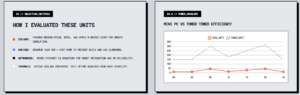
My Primary Criteria: I focus on what matters for OpenClaw users: consistent CPU and GPU performance, enough RAM and fast storage, the right ports for sensors and displays, and good thermals and support so the system stays online when I need it most.
What is the difference between a PC and a Mini PC for OpenClaw?
A Mini PC is a PC. It simply uses an efficient mobile architecture to fit into a tiny chassis. For OpenClaw, Mini PCs are often superior to towers: they draw 15W–45W (vs. 300W+), operate silently, and provide the same processing logic in a compact, “always-on” footprint ideal for 24/7 hosting.
Update Added on March 10th, 2026:
Even though we wrote the article only days ago, the speed of change in PC technology is insane. It’s mainly because PC manufacturers are fighting to pull the AI-use case market, even in the consumer segments.
ACEMAGIC M5 was recently launched and has now become available on Amazon. I think it’s an ideal mid-tier Mini PC for OpenClaw. Since it comes with the super powerful Intel Core i5-14500HX processor (14 Cores/20Threads, Turbo 4.9GHz) & 32GB of Ram, this PC gets very close to the performance of the $1200 Geekom A9 Mini PC, at the current introductory price tag of $799.
We think this is a great sub-$1000 mini PC option, and even though the regular price is expected to be around $899 after the initial promotional price, it will still disrupt the current market.Most importantly, this is a great PC for OpenClaw and even for deploying local AI LLM models (since it also comes with 1TB of storage).
|
Advanced PC for OpenClaw (Currently In Launch Deal) |
(Check Today’s Price) |
$599
|
95 |
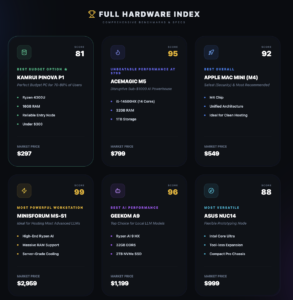
Overall Top Picks: Best Mini PC for OpenClaw
| Category | Product | Price | Score |
|---|---|---|---|
| 💰 Best Ultra Budget Option (Limiting) | KAMRUI Pinova P1 | $297 | 81 |
| 🎯 Best Overall (*update: currently in short supply and being sold at a premium) | Apple Mac Mini (Check Price) | $549 | 92 |
| 🎮 Best for OpenClaw & Light Gaming (if you plan to use OpenClaw part-time) | Beelink SER5 | $419 | 86 |
| 🚀 Best For AI Performance (If You Want to Run Local AI Models – LLMs) | GEEKOM A9 (Check Price) | $1,199 | 96 |
| 🔰 Another Powerful Option (But Too Expensive. Also currently unavailable as on March 28, 2026) | MINISFORUM MS-S1 | $2,959 | 99 |
| *Removed because it became unavailable due to supply shortages. | |||
| *Removed because it became unavailable due to supply shortages. |
What is Openclaw (formerly called moltbot/clawdbot)?:
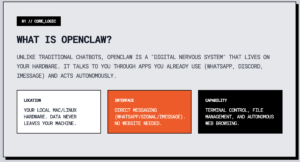
At its core, OpenClaw is a self-hosted autonomous agent. Unlike ChatGPT, which sits in a silo, OpenClaw is designed to be “always on” and deeply integrated with your local system.
-
It Lives Where You Are: You don’t go to its website; you DM it on WhatsApp, Telegram, Signal, Discord, or iMessage.
-
It Runs on Your Hardware: You host it on your own Mac (the viral “Mac Mini” trend was fueled by this), Linux server, or VPS. This means your files stay on your machine.
-
It’s Not Just Talk: While it uses LLMs (like Claude 3.5, GPT-4o, or local models via Ollama) to think, it has “hands.” It can run terminal commands, manage your files, and browse the web.
What Wonders Can It Do (OpenClaw Use-Cases)?
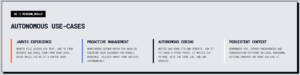
The “wonder” of OpenClaw is its autonomy. It doesn’t just wait for you to ask a question; it can proactively manage your life through “Skills.”
-
The “Jarvis” Experience: You can text it from a coffee shop: “Find the Q4 report on my desktop and email it to Sarah,” and it will search your local drive, draft the email, and send it.
-
Proactive Life Management: It can monitor your GitHub repos for bugs, check your calendar to warn you about double-bookings, or even watch your smart home devices (like adjusting your Philips Hue lights or Sonos speakers).
-
Autonomous Coding: It can literally write and run its own scripts to solve problems you give it. If you ask it to track a specific stock price every hour, it can write the Python script, set up a cron job, and message you the updates.
-
Persistent Memory: It actually remembers you. It stores your preferences, past conversations, and work patterns in local Markdown files, so it gets “smarter” and more personalized the more you use it.
However, as OpenClaw has the keys to your terminal and your DMs, a misconfigured setup is a nightmare fuel scenario for security pros. It’s a tool for the vibe coders and the brave, those who want a true AI assistant and are willing to manage the risks of giving an AI the steering wheel to their digital life.
How I Picked These Mini PCs for openclaw?
When I evaluated these mini PCs for OpenClaw I focused on real world needs rather than marketing specs. First, CPU and GPU capability matter because I want smooth simulation and any on-device inference, so I favored modern Ryzen, Intel, and Apple M-series chips.
I looked for at least 16 GB of RAM or easy upgrade paths and fast NVMe storage so builds and logs do not slow down. Ports and networking are critical for robot integration, so I checked for multiple video outputs, USB types, and reliable Ethernet. Thermals and noise influence long runs, so I gave extra weight to systems that manage heat and stay stable under load.
Finally, I balanced price and support because a dependable device with good warranty and driver availability reduces downtime.
💰 Best Ultra-Budget pc for openclaw
Kamrui P1 (4 cores, 4 threads, up to 3.7GHz) covers the essentials without asking for a big budget. It boots fast, handles daily development tasks and runs Windows or Linux comfortably thanks to 16GB of RAM (DDR4), Ryzen 3 4300U processor, and a 512GB SSD. The triple-display outputs are handy when I want one screen for logs, another for visualization and a third for dashboards. It’s small enough to tuck under a monitor or take to a lab, and for most OpenClaw workflows: testing agents, running demos, or doing light inference. It’s more than capable for all of it.
In short, this is a decent “starter” OpenClaw machine, and would be good enough for most browser-based workflows due to 16GB Ram and a very decent Ryzen 3 processor (easily beats the Intel N150 in benchmark testing). It would also be more than capable of running software like Excel without any issues. But don’t expect it to be able to do even basic video editing or or running CAD software. This computer is not designed to be great for a lot of multi-tasking.
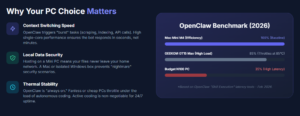
If you want a complete machine which can do just about anything and would allow you to run dozens of concurrent OpenClaw workflows, simply get the Apple Mac Mini M4. It’s unbeatable in terms of the performance it offers for $500. No Windows Mini PC Under $1000 even comes close to it. And this is not just my opinion, but something we has actually rigorously tested, with technical performance benchmarks shared here.
Long-Term Cost Benefits
Buying a well-specced but budget mini PC like this reduces the need for upgrades early. The NVMe SSD and 16GB RAM delay storage and memory bottlenecks, and lower power draw cuts operating costs if it runs 24/7.
Situational Benefits
| Situation | How It Helps |
|---|---|
| Home Lab Development | Runs multiple consoles and lightweight simulated agents while staying quiet and compact on my desk. |
| Classroom Or Student Work | Affordable enough to equip several stations while handling coding, compilation and document workflows. |
| Demo And Visualization | Triple 4K outputs let me show a dashboard, camera feed and logs simultaneously during demonstrations. |
| Media Center / HTPC | Smooth 4K video playback and small footprint make it a practical living-room or office media box. |
Ease Of Use
| Feature | Ease Level |
|---|---|
| Initial Setup | Easy |
| OS Installation | Moderate |
| Peripheral Hookups | Easy |
| Driver Support | Moderate |
Versatility
This mini PC handles a wide mix of tasks from office work to lightweight edge compute. It’s not a high-end training box, but its display and port flexibility make it useful across development, demos and home use.
Practicality
Small footprint, multiple video outputs and common USB ports make it practical for desk setups and portable labs. You may want a dock or USB hub if you attach many sensors or dongles.
Energy Efficiency
The Ryzen 4300U is a low-power processor, so the unit runs cool and keeps electricity use modest during long runs or continuous demos.
Speed / Response Time
With an NVMe SSD and 16GB of RAM the Pinova feels snappy for booting, compiling code and switching applications; heavier model training will still be limited by integrated graphics.
Key Benefits
- Strong value: Modern Ryzen 4300U with 16GB/512GB at a low price
- Triple 4K-capable outputs make multi-monitor setups easy
- Compact, quiet design that fits on crowded desks
- Sufficient ports for typical robotics peripherals and displays
Current Price: $249.00
Rating: 4.4 (total: 1,754+)
🎮 Best for openclaw & light Gaming
I reach for the Beelink SER5 when I want a compact machine that can actually handle visuals and light gaming while staying useful for development and demos. The Radeon 680M and Ryzen 7 give me more GPU headroom than most integrated setups, so running three displays with dashboards, camera feeds and logs feels natural.
It’s easy to tuck behind a monitor or use as a small server, and I appreciate the faster LAN when I need low-latency connections. A couple of reviewers mentioned quirky DP ports and the occasional reboot, so I test my exact peripheral mix before I commit, but in day-to-day use it’s a smooth, space-saving option that balances power and price.
Long-Term Cost Benefits
Investing in a mini PC with a solid integrated GPU and ample RAM reduces the need for early upgrades. The faster network and NVMe storage also lower the chance of bottlenecks, so you spend less time troubleshooting and more time working.
Situational Benefits
| Situation | How It Helps |
|---|---|
| Multi-Monitor Development | Triple display outputs let me keep code, logs and a visualization window open at once without juggling windows. |
| Light Game Testing | The Radeon 680M handles older and mid-tier titles well for quick gameplay tests or demos at 1080p. |
| Small Server Or Lab Node | Quiet operation and low power draw make it suitable to run as a compact server for builds and CI tasks. |
| Portable Demo Box | Small form factor and plenty of ports make it easy to move between meeting rooms and show working systems. |
Ease Of Use
| Feature | Ease Level |
|---|---|
| Initial Setup | Easy |
| Connecting Displays | Easy |
| Driver Updates | Moderate |
| Expanding Ports | Moderate |
Versatility
This unit comfortably covers gaming, multimedia, development and small server roles; it’s a solid all-rounder if your priorities include display flexibility and stronger integrated graphics.
Practicality
Plenty of modern ports and a compact footprint make it practical for desks, mounts and small racks. If you attach many USB sensors or cameras, plan for a quality hub.
Energy Efficiency
Built on an efficient Ryzen mobile chip and LPDDR5 memory, the SER5 offers good performance per watt so it stays cool during typical office and development loads.
Speed / Response Time
Boots quickly from the NVMe drive and feels responsive when switching apps, compiling small projects or running multiple browser tabs; heavy long-running workloads may still push thermal limits.
Key Benefits
- Strong integrated graphics for visualization and light gaming
- Triple 4K display support fits multi-monitor workflows
- 24GB LPDDR5 plus 500GB NVMe gives fast responsiveness
- 2.5GbE and Wi‑Fi 6 provide reliable network performance
Current Price: $419.00
Rating: 4.6 (total: 662+)
🚀 Best for AI Performance & LLM
I turn to the GEEKOM A9 when I need a compact machine that keeps up with heavier development, multi‑monitor workflows and occasional AI tasks. It feels like a small workstation: lots of RAM and storage, a powerful Ryzen AI chip and modern connectivity that make everyday builds, multitasking and media work smooth.
It does run warmer under heavy GPU loads, so I avoid long gaming marathons on it, but for OpenClaw development, running multiple visualizations, and even light model inference, it offers headroom most mini PCs lack.
Long-Term Cost Benefits
Picking a higher-spec mini PC up front reduces upgrade cycles: the large SSD and ample DDR5 RAM delay storage or memory upgrades, and the advanced ports mean fewer compatibility purchases later.
Situational Benefits
| Situation | How It Helps |
|---|---|
| Development Workstation | Plenty of RAM and a fast CPU make compiling code, running containers and switching between IDEs and browsers speedy. |
| Multi-Monitor Visualization | High-performance integrated graphics and USB4 support let me drive several high-resolution displays for dashboards and camera feeds. |
| Edge Inference And AI Tasks | The Ryzen AI core offers extra matrix performance for lightweight on-device inference and accelerated preprocessing. |
| Portable Power User | Small form factor with lots of ports makes it easy to move between desks or mount behind a monitor for demos. |
Ease Of Use
| Feature | Ease Level |
|---|---|
| Initial Setup | Easy |
| Driver & BIOS Updates | Moderate |
| Thermal Management | Moderate |
| Port Expansion | Easy |
Versatility
This machine covers a wide range of use cases: development, multimedia, light gaming tests and small-scale AI workloads, making it a true all-round performer for power users who need a compact desktop.
Practicality
With fast networking, multiple high-speed ports and large internal storage, it’s practical as a single-box solution for desk, lab node or portable demo machine; consider an external hub for many USB sensors.
Energy Efficiency
Performance per watt is solid for its class, but sustained heavy GPU or AI loads will draw more power and increase fan activity and heat output.
Speed / Response Time
The NVMe SSD and DDR5 RAM make boot, load and context switching feel immediate; heavier long-running GPU tasks may throttle performance as thermals kick in.
Key Benefits
- Top-tier Ryzen AI processor and Radeon 890M for strong CPU/GPU balance
- 32GB DDR5 and 2TB NVMe keep builds, VMs and large datasets responsive
- Modern I/O: USB4, Dual 2.5GbE and Wi‑Fi 7 for fast networking and peripherals
- Supports multiple high-resolution displays and heavy multitasking
Current Price: $1,199.00
Rating: 4.4 (total: 322+)
🔰 Best Workstation – most powerful & ideal for commerical use-cases
I reach for the MS-S1 when I need a true mini workstation that won’t compromise on performance. It feels like a scaled-down tower: massive RAM, roomy NVMe storage and a powerful Ryzen AI core make heavy multitasking, large builds and even some AAA workloads feel smooth.
There is nothing Mini about this PC other than the size. This is a beast with 128GB LPDDR5x RAM, 2TB SSD and most importantly the powerful AMD Ryzen AI Max+ 395 processor. This is the PC you get for OpenClaw if you are serious about commercial use cases and having ample bandwidth to install multiple local AI models, or self-host your website or application. This would also give you ample room to run multiple instances of Openclaw within the same machine!
Moreover, the PCIe x16 slot and dual 10GbE are the sort of extras I appreciate for lab use and quick data transfers, and the built-in power supply keeps the setup tidy. It’s not a cheap pick, but for intensive OpenClaw development, multi-monitor visualizations and on-device inference, it’s a compact workhorse that saves me time during large jobs.
Long-Term Cost Benefits
Investing in a high-spec mini workstation reduces upgrade cycles: ample RAM, large NVMe storage and modern I/O delay the need for replacements and cut the time spent juggling external peripherals or slow transfers.
Situational Benefits
| Situation | How It Helps |
|---|---|
| High-Performance Development | Runs multiple containers, IDEs and builds simultaneously without swapping or slowdowns thanks to 128GB RAM. |
| Edge AI Prototyping | Ryzen AI cores and fast storage let me test lightweight inference and preprocessing locally before cloud deployment. |
| Media And Rendering | USB4 v2 and PCIe expansion speed large file transfers and accelerate media workflows for short render jobs. |
| Network-Heavy Tasks | Dual 10GbE provides the low-latency, high-bandwidth link I rely on for fast dataset movement between nodes. |
Ease Of Use
| Feature | Ease Level |
|---|---|
| Out-of-box Setup | Moderate |
| BIOS & Driver Updates | Moderate |
| Hardware Expansion | Moderate |
| Daily Maintenance | Easy |
Versatility
This machine handles development, visualization, light GPU tasks and even add-in cards, making it suitable for bench work, a compact lab server or a portable workstation for demanding demos.
Practicality
Despite its power, the MS-S1 stays compact and replaces multiple boxes: internal PSU, lots of ports and expansion options reduce the need for external adapters and separate servers.
Energy Efficiency
Performance-per-watt is competitive for a high-end mini, but sustained heavy AI or GPU jobs will raise power draw and fan activity more than smaller, lower-spec units.
Speed / Response Time
Boots and loads large projects quickly with NVMe storage and ample RAM; interactive tasks and multi-window workflows feel immediate even under heavy use.
Key Benefits
- Desktop-class CPU/GPU performance in a small form factor
- 128GB RAM and 2TB NVMe for large datasets and many VMs
- USB4 v2, Dual 10GbE and PCIe x16 for fast I/O and expansion
- Strong cooling and built-in 320W PSU for sustained workloads
Current Price: $2,959.00
Rating: 5 (total: 10+)
🍏 Best overall [the realiability (M4 Processor)& security of Apple OS at an unbeatable price]
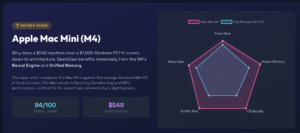
I pick the Mac mini when I want a tiny, dependable desktop that just works without any issues. The M4 chipset makes multitasking feel effortless and the unified memory helps when I have many apps, browser tabs and photo libraries open.
For OpenClaw, I like it for its stability & security, quiet cooling and speed when compiling or running visualization tools, though you’ll want more internal storage if you keep large datasets locally. Which can easily be achieved by purchasing an expansion dock like this one. This is much more affordable than upgrading SSD within Apple’s ecosystem, which is highway robbery.
I persoanlly think at this price point, it is practically impossible for any other Mini PC to beat the performance of Mac Mini, especially for an autnomous agent (OpenClaw), both for the speed and power of the M4 processor, and the superior security that an Apple OS offers over Windows.
Long-Term Cost Benefits
The M4 platform and robust macOS support mean fewer driver headaches and longer usable life; that stability reduces maintenance and replacement costs over several years.
Situational Benefits
| Situation | How It Helps |
|---|---|
| Development On macOS | Native toolchains and fast single-core performance make compiling and local testing feel snappy. |
| Apple Ecosystem Workflows | Seamless Handoff, AirDrop and continuity features speed file transfer and multitasking with iPhone/iPad. |
| Multi-Display Monitoring | Thunderbolt and HDMI outputs let me run multiple high-resolution displays for visualizations and logs. |
| Content Playback And Editing | Hardware media engines handle H.264, HEVC and ProRes well for smooth playback and quicker exports. |
Ease Of Use
| Feature | Ease Level |
|---|---|
| Initial Setup | Easy |
| macOS Integration | Very Easy |
| Upgrading Storage | Hard |
| Peripheral Setup | Easy |
Versatility
Great for developers who prefer macOS, creators working with Apple media formats, and anyone who values a compact, quiet workstation that pairs well with other Apple hardware.
Practicality
Small footprint and solid ports make it practical for desks, studios and lab stations; plan for external storage if you work with large datasets or media libraries.
Energy Efficiency
The M4 chip delivers strong performance per watt, so the Mac mini stays cool and economical to run during long sessions.
Speed / Response Time
Boots quickly and feels immediate during everyday tasks, app launches and most development work; very responsive for interactive visualizations and edits.
Key Benefits
- Apple M4 performance in a compact, quiet chassis
- Excellent macOS integration with iPhone and iPad workflows
- Three-display support via Thunderbolt and HDMI for dashboards
- Good baseline memory and fast SSD for responsive everyday use
Current Price: $549.00
Rating: 4.8 (total: 2,579+)
FAQ
Which Mini PC Is Best For Running OpenClaw?
I pick a mini PC based on what I actually run with OpenClaw: light development and demos need less than full AI workloads. For most users I recommend at least 16GB RAM, an NVMe SSD for fast builds and logs, and a modern CPU (Ryzen/Intel or Apple M4) — that combo handles simulations, multiple monitors and basic inference.
If you plan on on-device AI or heavy visualization, I lean toward higher-tier machines like the GEEKOM A9 ($1,199.00) or the MINISFORUM MS-S1 ($2,959.00); for tight budgets the KAMRUI Pinova ($249.00) or ACEMAGIC K1 ($219.99) are solid picks but may need a dock or hub for extra ports.
Will Mini PCs Work With Sensors And Robot Hardware?
Yes, but I always check connectivity before I commit. Most mini PCs give you plenty of USB and Ethernet, so using a USB-to-serial adapter, powered USB hub or a small interface board covers sensors, cameras and microcontrollers. I avoid relying solely on Wi‑Fi for robotic links; wired Ethernet is steadier for telemetry and remote control. Also test drivers and OS support for any interface you need, and plan for a powered hub if you attach multiple cameras or USB peripherals.
How Do I Keep A Mini PC Stable During Long Runs?
I treat stability as a combination of thermal, power and software care. Pick a model with decent cooling and avoid cramped mounts that block airflow, disable aggressive sleep/power saving for long experiments, and keep firmware and drivers current.
I also use wired networking for reliability, monitor temps and CPU load during long jobs, and plug critical setups into a small UPS to survive brief power hiccups.
What Buyers Prefer
When deciding between the KAMRUI Pinova, ACEMAGIC K1 and Beelink SER5, I find buyers prioritize a mix of value, connectivity and graphics headroom. Budget-focused users gravitate to the Pinova for its price-to-performance, office and classroom buyers pick the K1 for steady networking and dual‑4K support, and those who need stronger visuals or multi‑display setups opt for the SER5 for its better integrated GPU and faster LAN.
Wrapping Up
To pick the right mini PC for OpenClaw I recommend matching the machine to how you work. If you want the lowest cost that still runs Windows or Linux reliably I would choose the KAMRUI Pinova, while Beelink offers stronger integrated graphics for visualization and light gaming.
For heavy models, AI workloads, or multi monitor development the GEEKOM A9 and the MINISFORUM MS-S1 provide significantly more headroom. If you prefer macOS and tight Apple ecosystem integration the M4 Mac mini is the easiest, most refined choice.
Ultimately I pick based on required ports, thermal reliability, and how much future expansion I expect, and I suggest testing drivers and connectivity for your exact OpenClaw setup before committing.
| Product Name | Image | Rating | Processor | RAM | Storage Capacity | Price |
|---|---|---|---|---|---|---|
| KAMRUI Pinova P1 Mini PC |
 |
4.4/5 (1,754 reviews) | AMD Ryzen 4300U (Up to 3.7 GHz) | 16 GB DDR4 | 512 GB SSD | $249.00 |
| ACEMAGIC K1 Mini PC |
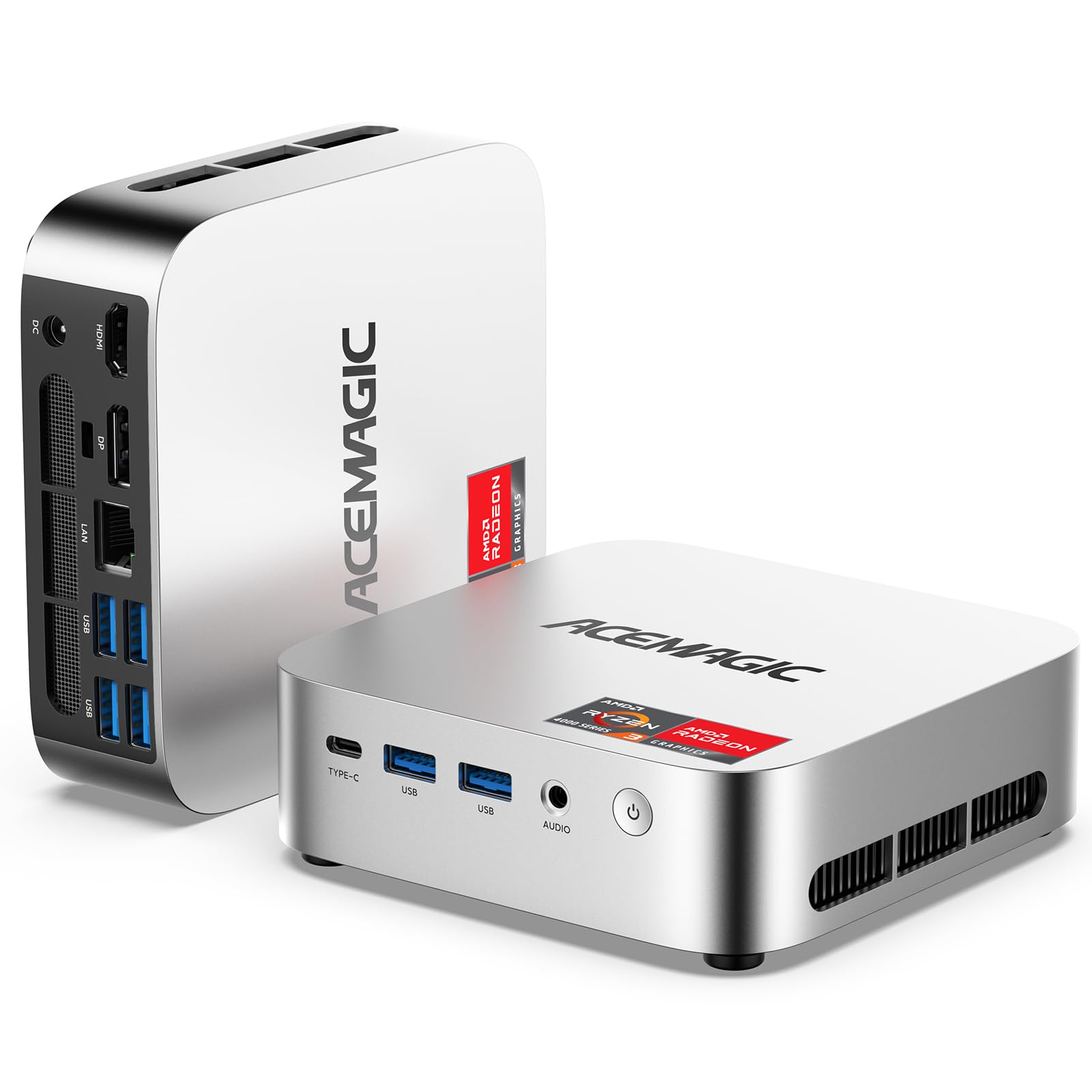 |
4.3/5 (116 reviews) | AMD Ryzen 4300U | 16 GB DDR4 | 256 GB SSD | $219.99 |
| Beelink Mini PC |
 |
4.6/5 (662 reviews) | AMD Ryzen 7 6800U (Up to 4.7 GHz) | 32 GB LPDDR5 | 500 GB SSD | $419.00 |
| GEEKOM A9 Max AI Mini PC |
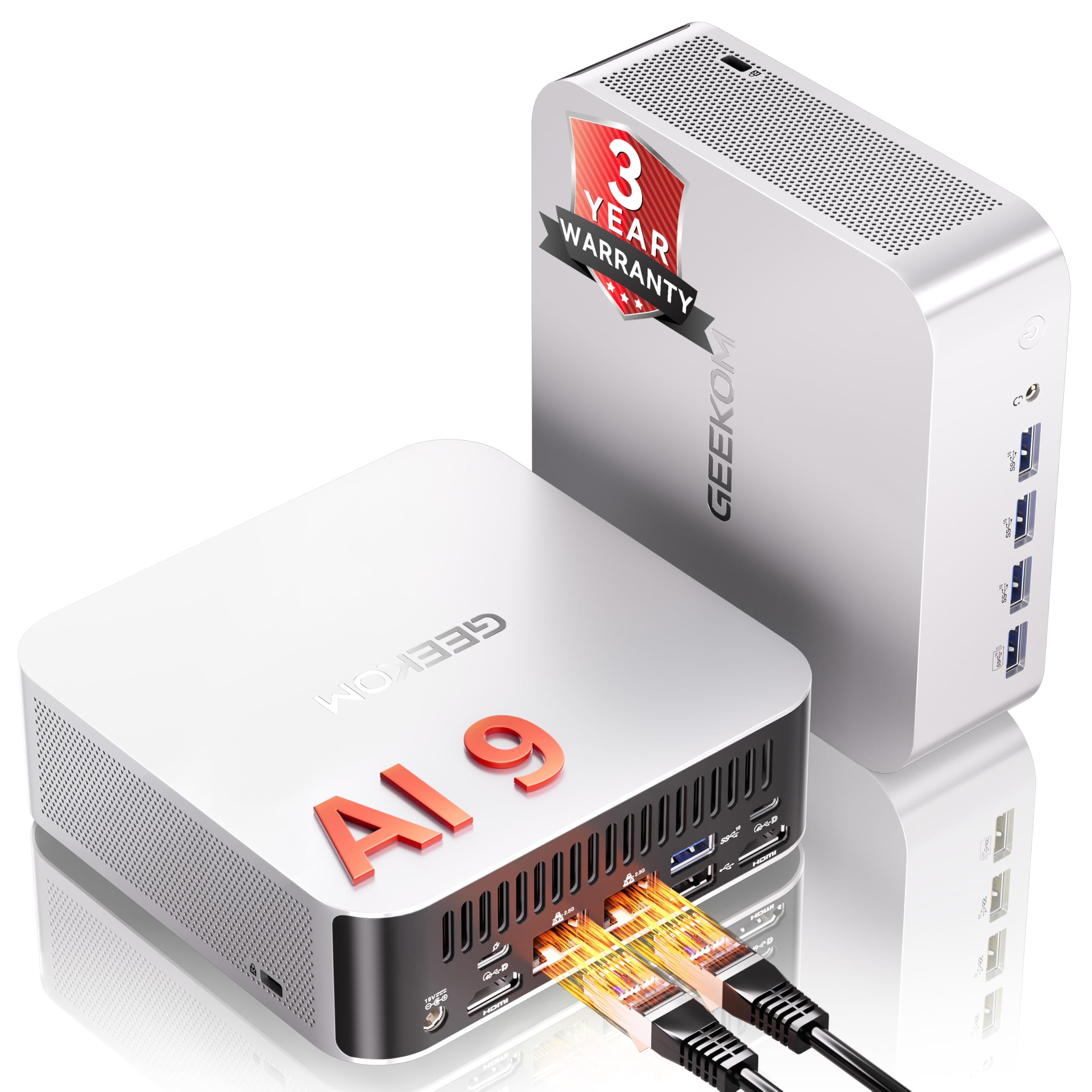 |
4.4/5 (322 reviews) | AMD Ryzen AI 9 HX 370 (Up to 5.1 GHz) | 32 GB DDR5 | 2 TB SSD | $1,199.00 |
| MINISFORUM MS-S1 MAX Mini AI Workstation |
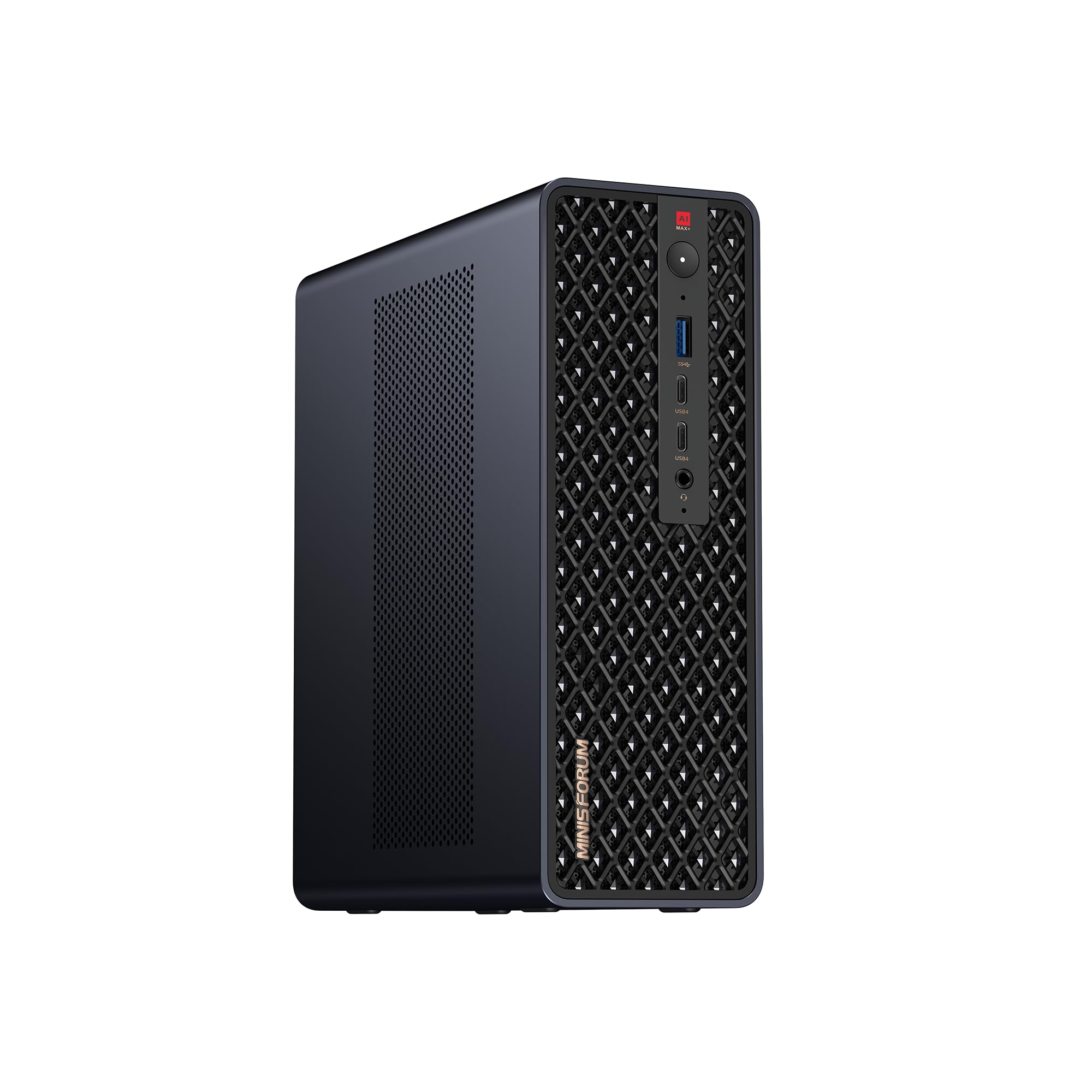 |
5.0/5 (10 reviews) | AMD Ryzen AI Max+ 395 (Up to 5.1 GHz) | 128 GB LPDDR5x | 2 TB SSD | $2,959.00 |
| ASUS NUC 14 Pro AI Mini PC |
 |
4.5/5 (139 reviews) | Intel Core i7 155H (Up to 4.8 GHz) | 32 GB DDR5 | 1 TB SSD | $999.00 |
| Apple 2024 Mac Mini Desktop Computer |
 |
4.8/5 (N/A) | Apple M4 chip (10-core CPU and GPU) | 16 GB Unified Memory | 256 GB SSD | $549.00 |
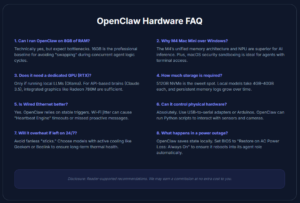
OpenClaw Hardware FAQ: The Ultimate Guide
OpenClaw (formerly Clawdbot/Moltbot) is a self-hosted autonomous agent. To run this “digital nervous system” privately and reliably, your hardware choice is critical. Here are the 12 essential hardware questions answered.
Can I run OpenClaw on 8GB of RAM?
Technically yes, but expect bottlenecks. 16GB is the professional baseline. OpenClaw runs concurrent processes—core logic, memory databases, and often local LLMs (via Ollama). 8GB will cause “swapping,” drastically slowing your agent’s response time.
Why is the M4 Mac Mini recommended over Windows machines?
The M4 excels due to its high-speed NPU and Unified Memory architecture, which handles AI inference natively and efficiently. Additionally, macOS’s sandboxed security simplifies protecting an agent that has full access to your terminal and files.
Does OpenClaw require a dedicated GPU (RTX)?
Only if running models locally (e.g., Llama 3 via Ollama). For cloud-based APIs (Claude 3.5/GPT-4o), high-end integrated graphics like the Radeon 780M/890M are sufficient. Local models require high VRAM/bandwidth to process “thinking” cycles quickly.
How much storage do I need?
A 512GB NVMe SSD is the “sweet spot.” While the base install is small, local AI models take 4GB–40GB each, and OpenClaw’s “Persistent Memory” (Markdown logs) grows over time with usage.
Is Wired Ethernet better than Wi-Fi?
Yes. OpenClaw relies on stable triggers via DMs (WhatsApp/Discord). Jitter or latency on Wi-Fi can cause the agent to time out or miss proactive events. Wired Gigabit ensures a constant, responsive connection.
Can a Mini PC control physical hardware via OpenClaw?
Absolutely. Most Mini PCs feature multiple USB 3.2/USB4 ports. By connecting USB-to-Serial adapters or Arduinos, OpenClaw can run Python scripts to interact with sensors and cameras, acting as a robotic brain.
Will a Mini PC overheat if left on 24/7?
OpenClaw is light at idle but spikes during “Autonomous Coding” or simulations. Avoid fanless “stick” PCs; choose models with active cooling (fans) like the Geekom A9 or Beelink SER5 to ensure long-term thermal stability.
What happens if the power goes out?
OpenClaw saves its state to local Markdown files. To ensure 100% uptime, use a small UPS and configure your BIOS “Restore on AC Power Loss” setting to “Always On” so the agent reboots automatically.
Does OpenClaw run better on Linux, Mac, or Windows?
Linux (Ubuntu/Debian) is the most stable for managing “Terminal Skills” and cron jobs. macOS is excellent for security and NPU performance. Windows 11 Pro is fully supported but requires more overhead.
Can I host multiple agents on one Mini PC?
Yes, if you have the RAM. Each agent instance adds memory overhead. A 64GB or 128GB machine (like the Minisforum MS-S1) can support an “agent swarm” performing different specialized tasks simultaneously.
Is it worth buying a used Mini PC?
Yes, if it has at least a Ryzen 4000 series chip. Avoid older Intel Celeron or N-series processors; OpenClaw requires the “snappy” context-switching capabilities found in mid-tier performance chips.
Disclosure: This Roundup is reader-supported. When you click through links we may earn a referral commission, at NO EXTRA COST to the reader.



