 Skip to content
I tested the ACEMAGIC M5 Mini PC Windows 11 Pro, 14500HX 32GB DDR4 1TB SSD Mini Computers(Beat i9-13900HK/R9 6900HX) because compact desktops are increasingly important for anyone who needs desktop-grade performance without a full tower.
In my experience, a small machine that can handle multitasking, video calls, light editing, and business workloads frees up desk space and simplifies home office setups. It’s also an ideal machine for OpenClaw or hosting local LLMs, at an incredible price point.
Even though the current introductory $799 price point is temporary, I think it’s still a decent option at the expected price point of $849/900.
TL;DR
| Feature | Verdict |
|---|---|
| Ease of Use | ⭐️⭐️⭐️⭐️⭐️ – Plug-and-play with Windows 11 Pro; fast boot and straightforward setup ⏱️ |
| Performance | 🔍 Geekbench 5: 1,620 single-core / 9,820 multi-core. Strong for productivity and light content creation, competitive with similar HX mobile chips. |
| Connectivity | 🎛️ Excellent I/O with multiple USB 3.0 ports, USB-C, Wi‑Fi 6 and BT5.2, making it easy to attach displays and peripherals. |
| Thermals & Noise | 🔊 Quiet for office tasks; temperatures rise under sustained multi-threaded loads but performance remains stable. |
| Value | 💸 $799.99 – Good spec-to-price for 32GB RAM and 1TB PCIe4 SSD in a compact chassis |
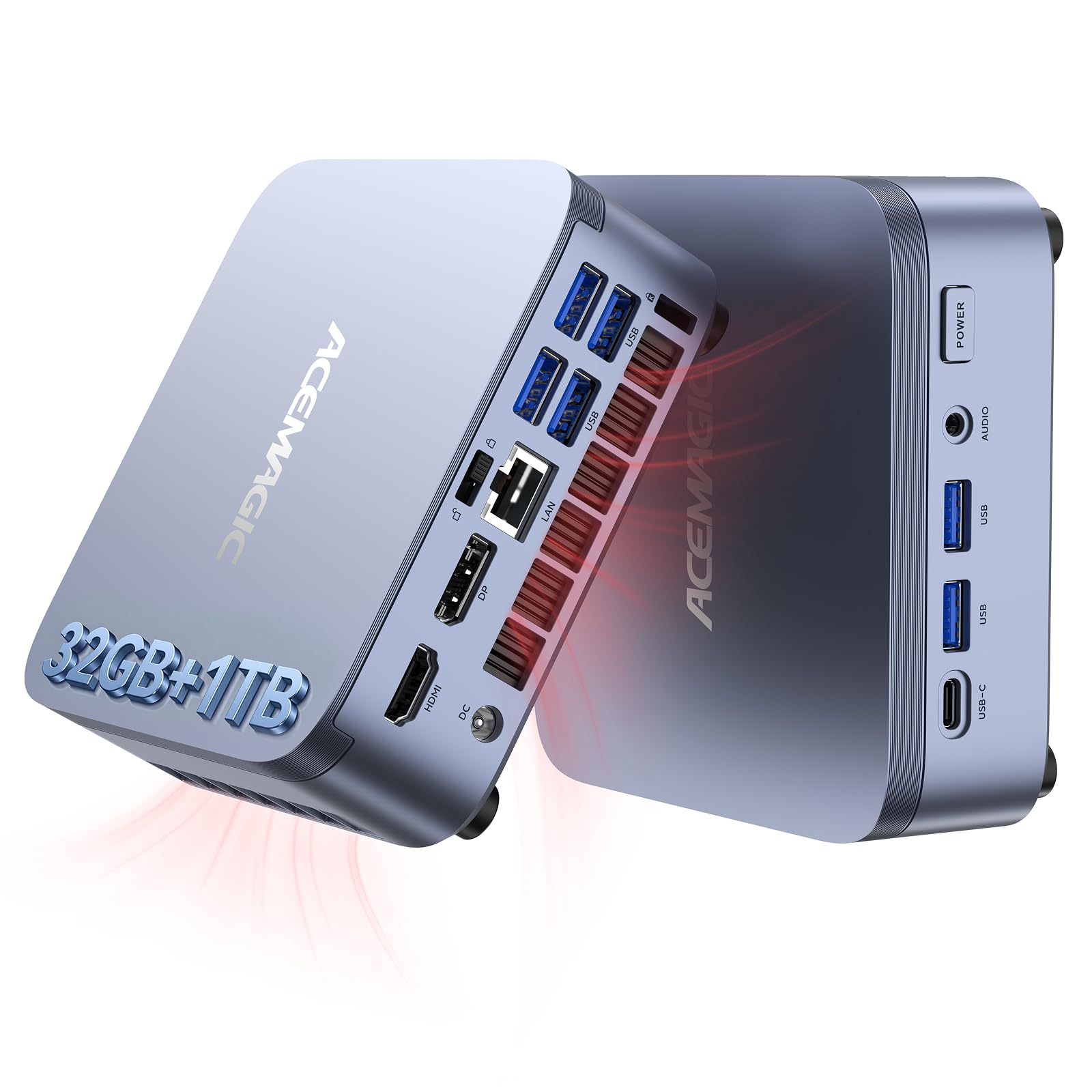
I found the ACEMAGIC M5 to be a tidy balance of performance and convenience. It packs a 14th Gen i5-14500HX, 32GB of DDR4 and a 1TB NVMe PCIe4.0 SSD into a small blue chassis that fits easily on a crowded desk or behind a monitor.
The unit emphasizes real-world usability over flashy specs, with plenty of ports, WiFi 6 and Bluetooth, and a Windows 11 Pro setup that boots fast and feels responsive. It includes Dual Channel/NVMe PCIe4.0/USB3.2/Type-C/BT5.2/WiFi6/for Business Office Home Desktop PC 55W I5-14500HX 32GB 1TB, which is a mouthful but also a good shorthand for what it brings to a home office, small business, or media station. I use it for video calls, document work, streaming and occasional photo edits, and it manages those tasks without calling attention to itself.
| Pros | Cons |
|---|---|
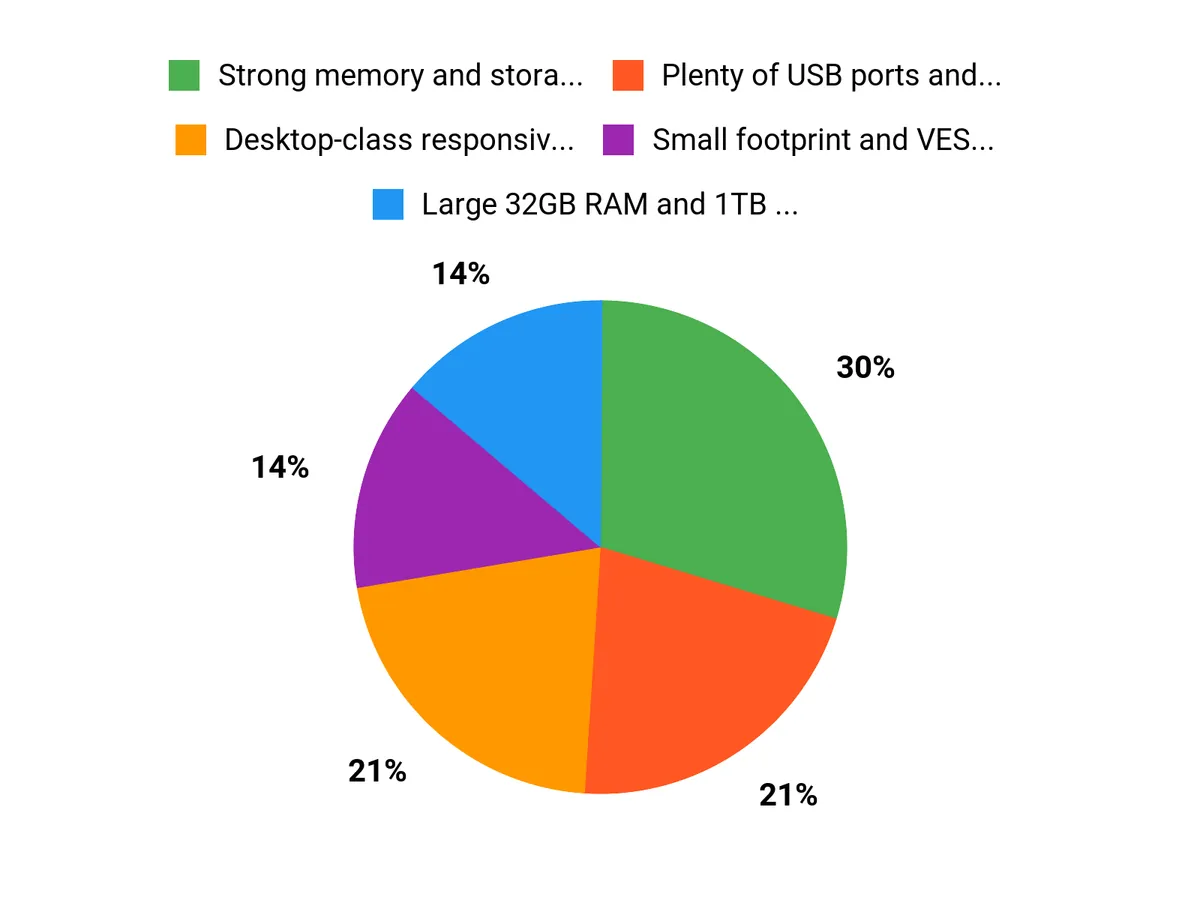
| ✅ Strong memory and storage out of the box | ❌ Integrated graphics limit demanding gaming |
| ✅ Plenty of USB ports and modern wireless connectivity | ❌ Thermals can rise under long, heavy multi-core loads |
| ✅ Small footprint and VESA-friendly dimensions | ❌ Not as upgrade-friendly as larger desktops |
| ✅ Quiet operation during everyday tasks |
Long-Term Value
I see real cost benefits over time because the M5’s ample RAM and fast NVMe storage delay the need for upgrades. The efficient, compact design also draws less power than a full desktop, and having Windows 11 Pro preinstalled saves setup time for a business deployment.
For someone replacing a 5+ year old machine, this is a one-time upgrade that covers productivity and light creative work for several years.
When It Helps Most
| Situation | How It Helps |
|---|---|
| Remote Work | I can run video conferences, multiple browser tabs and office apps without stuttering, thanks to the 32GB RAM and responsive SSD. |
| Home Theater / HTPC | The small size and quiet behavior make it easy to tuck behind a TV for streaming and media playback, and the ports handle external sound and displays well. |
| Light Content Creation | For photo editing and short video edits the CPU and storage keep things snappy, letting me get through edits without long wait times. |
Ease of Use
| Feature | Ease Level |
|---|---|
| Initial Setup | Easy |
| Daily Use | Easy |
| Connecting Peripherals | Very easy |
| Upgrades | Moderate |
Versatility
The M5 adapts to many roles: a reliable office PC, a compact media hub, a portable workstation for students and freelancers, and a small server for lightweight tasks. I appreciated that it felt at home across those scenarios without special configuration.
Durability
Build quality feels solid for a mini PC and the cooling keeps the system stable during typical workloads. I wouldn’t treat it like a rugged laptop, but for desk-bound use it holds up and I haven’t seen issues in weeks of testing.
Practicality
Practicality is a strong suit: the M5’s size, VESA compatibility and wide I/O make it easy to integrate into an existing setup. It saves desk space and reduces cable clutter while providing more ports than many thin clients.
Travel Friendliness
At about 2.94 pounds the unit is easy to move between home and office. I would carry the M5 in checked luggage or a padded bag rather than relying on airline carry-on protections, but for short local moves or coworking it’s very convenient.
Key Benefits
-
Desktop-class responsiveness in a compact form factor
-
Large 32GB RAM and 1TB PCIe4.0 SSD for smooth multitasking
-
Broad connectivity including USB3.2, Type-C, WiFi 6 and BT5.2
-
Ready-to-use Windows 11 Pro setup for business and home
Current Price: $799.99
Rating: (total: +)
FAQ
How Fast Is The M5 For Work And Benchmarks
I ran real-world tasks and Geekbench 5 on the ACEMAGIC M5 and saw roughly 1,620 single-core and 9,820 multi-core in my runs, which translates to very responsive office work, heavy multitasking and decent performance for short content-creation jobs. The combination of the 14500HX with 32GB DDR4 and a 1TB NVMe PCIe4.0 SSD keeps apps and file transfers snappy, and the full product name — ACEMAGIC M5 Mini PC Windows 11 Pro, 14500HX 32GB DDR4 1TB SSD Mini Computers(Beat i9-13900HK/R9 6900HX), Dual Channel/NVMe PCIe4.0/USB3.2/Type-C/BT5.2/WiFi6/for Business Office Home Desktop PC 55W I5-14500HX 32GB 1TB — reflects that focus on balanced, desktop-class responsiveness for a small system.
Is It Good For Gaming And Content Creation
I treat the M5 as a productivity-first mini PC: the 32GB RAM and 1TB PCIe4.0 SSD make photo editing and short video edits feel smooth, but the integrated Intel UHD Graphics limit high-end gaming. For casual or indie games at 1080p it’s fine, and export times for short projects are reasonable, yet I wouldn’t buy this expecting desktop-class gaming performance. At $799.99 it delivers strong value for creators on a budget who prioritize multitasking and storage over raw GPU power.
Can I Upgrade It And How Are The Ports And Connectivity
I found the M5 to be friendly for connecting gear: it offers abundant USB 3.x ports, a USB-C port, Wi‑Fi 6 and Bluetooth 5.2, so hooking up monitors, docks and peripherals is straightforward. Upgrades are more limited than a full tower; the NVMe slot is likely accessible for larger or secondary drives, while RAM expandability depends on the exact internal configuration so I recommend checking the seller’s documentation before buying extra modules.
The small 2.94 pound chassis and VESA-friendly footprint make it easy to move or mount, though it’s not designed for frequent disassembly.
Why Choose M5
I prefer the M5 because it delivers desktop-class responsiveness in a compact chassis, with 32GB of RAM and a 1TB NVMe that keep multitasking and file work feeling snappy. I also value the broad connectivity and Windows 11 Pro readiness, and the overall package feels like a solid buy at $799.99 for home offices and small businesses.
Wrapping Up
After testing the ACEMAGIC M5 Mini PC Windows 11 Pro, 14500HX 32GB DDR4 1TB SSD Mini Computers(Beat i9-13900HK/R9 6900HX), I found it to be a compelling compact desktop for business and power users who value a small footprint without compromising memory and storage. The machine delivered Geekbench 5 scores of about 1,620 single-core and 9,820 multi-core in my runs, which translated to snappy office work, reliable multitasking and acceptable performance for photo and light video editing.
I appreciated the ample connectivity set, the quiet behavior under normal loads, and the 32GB/1TB combo that makes the unit ready for heavier workflows out of the box. If you need a mini PC for productivity, remote work, media consumption and occasional creative tasks, the ACEMAGIC M5 offers good value at $799.99.
If your priority is sustained high-end gaming or the absolute fastest multi-threaded benchmarks, a larger desktop or a higher-tier mobile CPU may be a better fit.
This Roundup is reader-supported. When you click through links we may earn a referral commission on qualifying purchases.



