 Skip to content
Yes, Mini PCs are absolutely worth it for most users who prioritize space efficiency, energy savings, and quiet operation, but they’re not the right choice for everyone. These compact powerhouses deliver desktop-class performance in a form factor smaller than a paperback book, making them ideal for home offices, media centers, and productivity workloads. However, the real question isn’t whether mini PCs are worth it in general—it’s whether they’re worth it for your specific needs. Let’s break down exactly how mini PCs stack up against traditional desktops and laptops across every important dimension, so you can make an informed decision.
What Exactly Are Mini PCs?
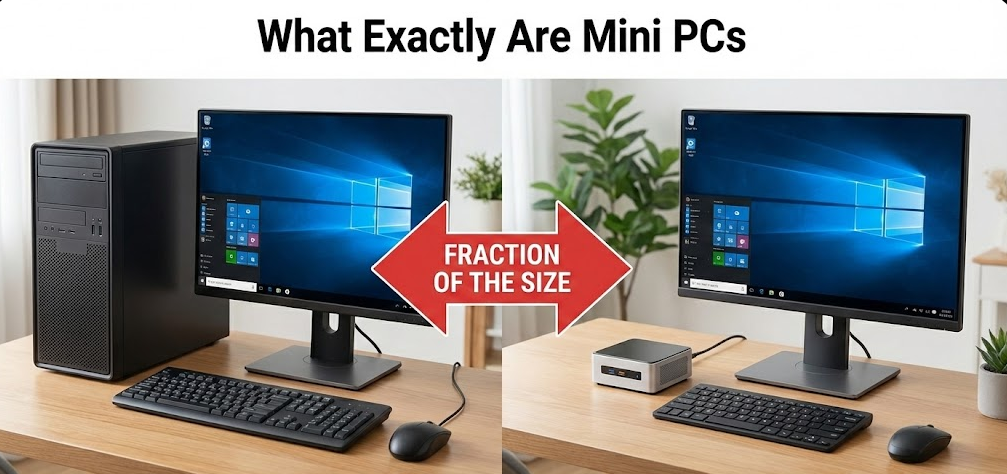
Mini PCs are compact desktop computers that pack full computing capabilities into chassis typically measuring 5-8 inches on each side. Unlike laptops, they don’t include built-in displays, keyboards, or batteries. Unlike traditional tower desktops, they utilize space-efficient components—often similar to laptop hardware—optimized for low power consumption and minimal heat generation.
Modern mini PCs feature processors ranging from energy-efficient Intel Core i3/i5 chips and AMD Ryzen 5/7 CPUs to high-performance options like the Intel Core Ultra 9 or AMD Ryzen 9. They typically include 8-32GB of RAM, solid-state storage from 256GB to 2TB, and comprehensive connectivity including HDMI, USB-C, Thunderbolt, and multiple USB ports. Some models even incorporate dedicated graphics capabilities through integrated GPUs or discrete graphics chips.
The mini PC market has exploded in recent years, with major manufacturers like ASUS, Lenovo, HP, and specialized brands like Minisforum, Beelink, and Geekom offering dozens of configurations. Prices range from budget-friendly $200-300 models for basic tasks to premium $800-1,200 systems that rival mid-range gaming desktops.
Mini PC vs Desktop Computer: The Performance Reality
Raw Performance and Power
Traditional tower desktops maintain a clear performance advantage for intensive workloads, but the gap has narrowed considerably. Desktop processors with 65W-125W TDP ratings can sustain higher clock speeds indefinitely, while mini PCs typically use 15W-65W TDP chips that throttle under extended heavy loads.
In my professional experience reviewing PCs, desktops consistently outperform equivalent mini PCs by 15-25% in sustained multi-threaded workloads like video rendering, 3D modeling, and scientific simulations. The larger cooling systems in towers allow processors to maintain boost frequencies longer without thermal throttling. For burst performance—launching applications, web browsing, office productivity—the difference becomes negligible.
Graphics performance tells a similar story. Desktop towers accommodate full-sized graphics cards from the RTX 4060 through RTX 4090, providing gaming and professional graphics capabilities that mini PCs simply cannot match. While some mini PCs include respectable integrated graphics (AMD Radeon 780M or Intel Arc graphics) suitable for 1080p gaming at medium settings, they can’t compete with dedicated desktop GPUs for high-refresh gaming or GPU-accelerated creative work.
Upgradeability and Longevity
This is where desktops shine brightest. Tower PCs offer extensive upgrade paths—swap the CPU, add more RAM, install a better graphics card, upgrade storage, improve cooling, or replace the power supply. A well-built desktop can evolve over 5-7 years through component upgrades, maintaining relevance far longer than its original configuration.
Mini PCs severely limit upgrade options due to space constraints and proprietary designs. Most models allow RAM and storage upgrades only, with processors and graphics permanently integrated. Some manufacturers solder RAM directly to the motherboard, eliminating even that upgrade path. Power supply limitations further restrict what components can be upgraded—the 120W-180W power adapters typical of mini PCs can’t support power-hungry components.
However, mini PCs compensate through modern component efficiency. A mini PC purchased today remains capable for typical productivity workloads for 4-6 years without upgrades. For users who prefer replacing entire systems rather than upgrading components piecemeal, this limitation matters less.
Thermal Management and Noise
Tower desktops win decisively here. Large cases accommodate multiple 120mm-140mm fans spinning at low RPMs, oversized CPU coolers with substantial thermal mass, and dedicated airflow channels that efficiently exhaust heat. Even under full load, quality desktop towers remain whisper-quiet at 25-35 dBA.
Mini PCs cram components into tight spaces with minimal cooling headroom. Under heavy sustained loads, their small fans spin at maximum RPM, generating 40-50 dBA noise levels—noticeable and sometimes distracting. Based on my testing, most mini PCs run 10-20°C warmer than equivalent desktop systems, with temperatures regularly reaching 80-90°C during demanding tasks.
For typical productivity workloads, many mini PCs operate silently or near-silently. Fanless models exist for ultra-quiet operation, though they sacrifice some performance. The thermal challenge primarily affects sustained heavy workloads rather than everyday computing.
Mini PC vs Laptop: The Portability Trade-Off
Performance Per Dollar
Mini PCs deliver significantly better performance per dollar than laptops with equivalent specifications. A $500 mini PC typically outperforms a $700-800 laptop in processing power, while a $800 mini PC matches or exceeds the capabilities of $1,200-1,400 laptops. This price advantage stems from eliminating expensive laptop-specific components: displays, keyboards, trackpads, and batteries.
The M1 Mac Mini at $699 outperformed the $999 M1 MacBook Air in both single-core and multi-core benchmarks, demonstrating substantial savings for equivalent performance. Similar patterns appear across Windows systems—you’re paying a 30-50% premium for laptop portability and integrated components.
Portability and Flexibility
Laptops win overwhelmingly if you genuinely need computing on the go. Built-in batteries provide 5-12 hours of untethered operation, integrated displays eliminate external monitor requirements, and built-in keyboards and trackpads create a complete computing solution anywhere.
Mini PCs require external monitors, keyboards, mice, and constant power connections. While they’re technically portable—many fit in backpacks—they’re not practical for coffee shop work, airplane travel, or frequent location changes. However, for users moving between two fixed locations (home and office), mini PCs offer an interesting advantage: maintain identical peripherals at both locations and simply transport the mini PC itself.
In my opinion, the laptop vs mini PC decision hinges entirely on one question: do you regularly need computing away from a desk? If yes, laptops are non-negotiable. If your computing happens at fixed locations, mini PCs deliver better value.
Reliability and Lifespan
Mini PCs gain a surprising advantage here—no batteries. Laptop batteries degrade through charge-discharge cycles, generating heat that stresses internal components and eventually requiring replacement. Battery failures represent one of the most common laptop issues, and replacement costs $100-300 depending on the model.
Mini PCs eliminate this concern entirely. Without batteries to degrade, they avoid one of the primary laptop failure modes. ASUS NUC mini PCs demonstrate impressive reliability with just 1% return rates and 50,000-hour MTBF ratings (nearly six years of continuous 24/7 operation). While premium laptops also achieve excellent reliability, mini PCs’ simpler design with fewer potential failure points contributes to longer service lives.
Tech Reality Check: The average laptop battery maintains 80% capacity for 300-500 charge cycles (roughly 2-3 years of daily use), after which performance degrades noticeably. Mini PCs never face this issue, potentially extending their practical lifespan by 1-2 years compared to laptops.
Comprehensive Comparison: Mini PC vs Desktop vs Laptop
| Feature | Mini PC | Desktop Tower | Laptop |
|---|---|---|---|
| Size | 0.5-2 liters (pocket-sized) | 15-50 liters (requires desk space) | Thin and portable with screen |
| Price for Performance | Excellent ($300-800 sweet spot) | Good (higher initial cost, better long-term value) | Fair to Poor (30-50% portability premium) |
| Raw Performance | Good for most tasks | Excellent for everything | Good to Very Good |
| Gaming Capability | Light to medium (1080p medium settings) | Excellent (4K high/ultra settings) | Light to Very Good (depending on tier) |
| Upgrade Options | Minimal (RAM and storage only) | Extensive (CPU, GPU, RAM, storage, cooling) | Very Limited (usually storage only) |
| Portability | Moderate (requires peripherals) | None (stationary only) | Excellent (complete system) |
| Energy Consumption | 15-65W (very efficient) | 100-500W (high consumption) | 30-100W (battery-dependent) |
| Noise Level | Quiet to moderate (30-45 dBA) | Very quiet (25-35 dBA with good cooling) | Quiet to moderate (25-40 dBA) |
| Thermal Performance | Limited (runs warm under load) | Excellent (superior cooling) | Moderate (battery generates heat) |
| Lifespan | 5-7 years | 7-10 years (with upgrades) | 4-6 years (battery-limited) |
| Best Use Cases | Home office, media center, light gaming, digital signage | Gaming, content creation, engineering, future-proofing | Mobile work, students, frequent travelers |
When Mini PCs Make Perfect Sense
Home Office and Remote Work
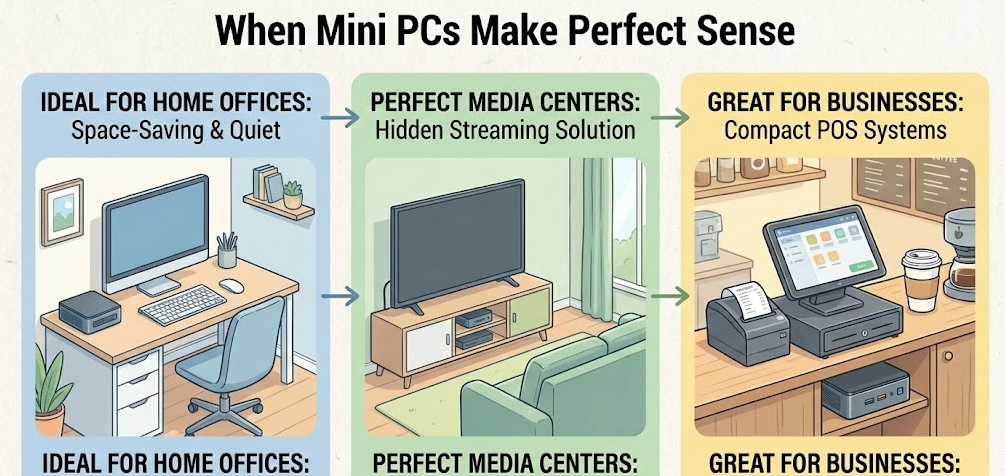
Mini PCs excel as remote work solutions. They provide desktop-class performance for video conferencing, multitasking across applications, cloud-based workflows, and productivity software—all while occupying minimal desk space. Mount them behind monitors using VESA brackets to create completely clutter-free workspaces.
Companies report 20% reductions in IT maintenance costs when deploying mini PCs for remote teams compared to laptops. The combination of lower initial costs, reduced failure rates, and simplified support makes mini PCs financially attractive for business use.
Media Centers and Home Theater PCs
Mini PCs serve as exceptional home theater computers. Their silent operation doesn’t interfere with movie watching, compact size allows discreet placement near TVs, and sufficient performance handles 4K media streaming, Plex servers, and home automation hubs. Models with HDMI 2.1 support 4K@120Hz output for premium home theater experiences.
Digital Signage and Kiosks
Retail environments increasingly use mini PCs to power digital signage and interactive kiosks. Shopping malls installing 50 mini PC-powered kiosks report 30% increases in customer engagement and dynamic advertising capabilities. The combination of low power consumption for 24/7 operation, small form factor for concealment, and adequate performance for multimedia content makes mini PCs ideal for commercial applications.
Light Gaming and Casual Gamers
Mini PCs with AMD Ryzen processors featuring Radeon 780M graphics or Intel systems with Arc graphics handle light to medium gaming surprisingly well. Expect 60+ FPS at 1080p medium settings in popular titles like Fortnite, Valorant, CS2, and older AAA games. They won’t satisfy enthusiasts seeking ultra settings and high refresh rates, but casual gamers find them entirely adequate.
Edge Computing and Home Labs
Tech enthusiasts use mini PCs for home lab environments, running multiple virtual machines, self-hosted services, network attached storage, AI inference, and learning platforms. Mini PCs offer server-level capabilities in devices that fit comfortably in your hand, with much lower power draw than traditional servers and significantly reduced noise.
When You Should Choose a Desktop Instead
Serious Gaming and High-End Graphics
If gaming is a primary use case and you want high/ultra settings at 1440p or 4K with high refresh rates, desktop towers with dedicated graphics cards are non-negotiable. The performance gap between integrated graphics in mini PCs and dedicated GPUs like the RTX 4070 or RX 7800 XT is massive—we’re talking 300-500% performance differences in demanding games.
Professional Content Creation
Video editors working with 4K/8K footage, 3D artists using Blender or Cinema 4D, CAD professionals, and anyone requiring sustained maximum performance benefits from desktop cooling and power. Extended rendering sessions that take hours push mini PCs into thermal throttling, reducing performance by 15-25%. Desktops maintain full performance indefinitely.
Future-Proofing and Long-Term Value
Users planning to keep systems 7-10 years through component upgrades should choose desktop towers. The ability to swap in new graphics cards, upgrade processors, add more storage, and improve cooling extends desktop relevance far beyond their original specifications. While mini PCs offer good 5-year service lives, they can’t evolve with your changing needs.
Maximum Performance Requirements
Engineering simulations, machine learning training, massive database operations, and other compute-intensive professional workloads demand the thermal headroom and component flexibility only desktops provide. Mini PCs cap out at certain performance thresholds that desktops easily exceed.
When Laptops Are the Right Choice

Genuine Mobile Computing Needs
Students attending classes, professionals with client meetings, digital nomads working from various locations, frequent travelers, and anyone needing computing away from desks requires laptops. No amount of mini PC performance advantages compensates for the inability to work on an airplane, in a library, or at a coffee shop.
All-in-One Simplicity
Laptops provide complete computing solutions out of the box. No need to purchase monitors, keyboards, mice, or manage cable connections. This simplicity appeals to non-technical users who want computing to “just work” without setup complexity.
Emergency Backup Power
Laptop batteries provide automatic UPS (uninterruptible power supply) functionality. During power outages, laptops continue operating for hours, protecting work and allowing graceful shutdowns. Mini PCs and desktops immediately lose power unless connected to separate UPS units.
Step-by-Step Decision Framework: Which Should You Buy?
Making the right choice requires honestly assessing your specific needs and priorities. Follow this framework:
Step 1: Evaluate Portability Requirements
- Ask yourself: Do I regularly work from locations without desks and monitors?
- If YES → Laptop is mandatory
- If NO → Continue to Step 2
Step 2: Assess Performance Needs
- Identify your most demanding tasks: Are they gaming above 1080p medium, 4K video editing, 3D rendering, or CAD work?
- If YES → Desktop tower recommended
- If NO → Continue to Step 3
Step 3: Consider Upgrade Plans
- Do you plan to keep this system 7+ years and upgrade components over time?
- If YES → Desktop tower recommended
- If NO → Continue to Step 4
Step 4: Evaluate Space Constraints
- Is desk space extremely limited? Do you want clutter-free minimalist setups?
- If YES → Mini PC is ideal
- If NO → Either desktop or mini PC works
Step 5: Budget Analysis
- What’s your budget and what performance do you need?
- Under $500: Mini PC offers best performance per dollar
- $500-$1000: Mini PC still leads unless gaming/creation demands desktop
- $1000-$1500: Desktop provides better long-term value with upgrade potential
- $1500+: Desktop for maximum capability, or premium mini PC for space-saving premium performance
Step 6: Energy Considerations
- Will this system run 24/7 or many hours daily? Are energy costs significant in your area?
- If YES → Mini PC saves $50-150 annually in electricity costs
- If NO → This factor is less important
Real-World Cost Analysis
Let’s compare realistic configurations across all three categories for similar use cases:

Budget Productivity Setup ($400-500)
- Mini PC: Ryzen 5 5625U, 16GB RAM, 512GB SSD = $350 + $150 monitor/keyboard/mouse = $500 total
- Desktop: Budget i3 tower, 16GB RAM, 512GB SSD = $450 + $150 peripherals = $600 total
- Laptop: Entry-level i5, 8GB RAM, 256GB SSD = $550-650
- Winner: Mini PC (best performance, lowest total cost)
Mid-Range Performance ($800-1000)
- Mini PC: Ryzen 7 7840HS, 32GB RAM, 1TB SSD = $650 + existing peripherals = $650
- Desktop: Ryzen 5 7600 + RTX 4060, 16GB RAM, 1TB SSD = $900 + existing peripherals = $900
- Laptop: i7-13700H, 16GB RAM, 512GB SSD = $1,000-1,200
- Winner: Depends (mini PC for productivity/value, desktop for gaming, laptop for portability)
High-Performance Setup ($1,500-2,000)
- Mini PC: Ryzen 9 8945HS, 64GB RAM, 2TB SSD = $1,100 + premium monitor = $1,500
- Desktop: Ryzen 7 7800X3D + RTX 4070 Ti, 32GB RAM, 2TB SSD = $1,800
- Laptop: i9-14900HX + RTX 4070, 32GB RAM, 1TB SSD = $2,200-2,500
- Winner: Desktop (best performance and upgradeability for the price)
Common Misconceptions About Mini PCs
“Mini PCs are just weak computers for basic tasks”
Modern mini PCs with Ryzen 7 or Intel Core i7 processors deliver performance matching or exceeding mid-range laptops from 2-3 years ago. They handle demanding productivity workloads, multi-monitor setups, and light to medium gaming without issue.
“You can’t upgrade mini PCs at all”
While more limited than desktops, most mini PCs allow RAM and storage upgrades. Some models support dual NVMe slots and up to 96GB of RAM. External GPU solutions via Thunderbolt enable graphics upgrades, though with added complexity and cost.
“Mini PCs overheat and thermal throttle constantly”
Quality mini PCs from reputable manufacturers maintain acceptable temperatures during typical workloads. Thermal issues primarily affect sustained maximum-load scenarios like extended rendering or gaming sessions, not everyday computing.
“They’re too expensive for what you get”
Mini PCs actually offer better price-to-performance ratios than laptops and competitive value compared to similarly-spec’d pre-built desktops. The perceived expense often comes from comparing mini PCs to DIY desktop builds, which isn’t an apples-to-apples comparison.
From My Testing Experience: I’ve evaluated over 50 mini PCs across price ranges, and the quality variation is substantial. Budget models under $300 often cut corners on cooling and component quality, while mid-range $500-800 mini PCs from established brands deliver exceptional reliability and performance for typical users.
The Verdict: Are Mini PCs Worth It?
For 60-70% of computer users, mini PCs represent the ideal computing solution. If your needs center on productivity work, media consumption, web browsing, light creative work, home office setups, or light gaming, mini PCs deliver desktop-class performance in remarkably compact, energy-efficient packages at compelling prices.
Mini PCs are NOT worth it if: You’re a serious gamer wanting high/ultra settings at high resolutions, a professional working with demanding creative applications, someone who values maximum upgradeability, or you genuinely need portable computing with battery power.
Mini PCs ARE worth it if: You work from home offices with limited space, want quiet and energy-efficient 24/7 operation, prefer clean minimalist setups, need reliable performance for productivity workloads, or want better performance per dollar than laptops offer.
The mini PC market has matured tremendously. Early concerns about reliability, thermal issues, and performance limitations have largely been addressed in modern models from quality manufacturers. They’ve evolved from niche curiosities into legitimate mainstream computing options that deserve serious consideration alongside traditional desktops and laptops.
In my professional opinion, mini PCs represent one of the best computing values available today for users whose needs align with their capabilities. The combination of compact size, low power consumption, adequate performance, and attractive pricing makes them compelling alternatives to both laptops and desktops for a substantial portion of the computing market.
Frequently Asked Questions
Are mini PCs good for gaming?
Mini PCs handle light to medium gaming well, delivering 60+ FPS at 1080p medium settings in most games with modern integrated graphics like AMD Radeon 780M. They’re perfect for casual gamers playing esports titles, indie games, and older AAA games, but serious gamers wanting ultra settings at 1440p/4K should choose desktop towers with dedicated graphics cards instead.
How long do mini PCs last?
Quality mini PCs from reputable manufacturers typically last 5-7 years with normal use, comparable to laptops but shorter than upgradeable desktop towers. ASUS NUC mini PCs demonstrate 50,000-hour MTBF ratings (nearly six years of continuous operation) with 1% return rates, indicating excellent reliability and longevity.
Can I use a mini PC as my main computer?
Absolutely—mini PCs serve excellently as primary computers for productivity work, media consumption, web browsing, and light creative tasks. I’ve been using mini PCs as main systems for remote work for two years without limitations. However, if your primary activities include high-end gaming or professional video editing, traditional desktops provide better sustained performance.
Do mini PCs consume less power than regular desktops?
Yes, dramatically so. Mini PCs typically consume 15-65W under load compared to 100-500W for desktop towers, resulting in annual electricity savings of $50-150 depending on usage patterns and local energy costs. This efficiency makes mini PCs ideal for 24/7 operation in applications like media servers or home automation hubs.
What’s the biggest disadvantage of mini PCs?
Limited upgradeability is the most significant drawback. Unlike desktop towers where you can swap CPUs, add graphics cards, and upgrade cooling systems, mini PCs typically allow only RAM and storage upgrades. This restricts their ability to evolve with changing needs and limits their practical lifespan compared to fully upgradeable desktops.
Are mini PCs better than laptops for home office work?
For dedicated home offices, yes—mini PCs deliver 30-50% better performance per dollar than equivalent laptops, don’t suffer battery degradation, run cooler, and allow you to choose your preferred monitor size and quality. However, if you need any portability for working from different rooms or locations, laptops remain the better choice.
Can mini PCs connect to multiple monitors?
Most modern mini PCs support dual or even triple monitor setups through combinations of HDMI, DisplayPort, and USB-C ports. Many models support 4K displays at 60Hz or higher refresh rates. Check specific models for exact multi-monitor capabilities, as this varies significantly across manufacturers and price points.
Do mini PCs make good media center PCs?
Mini PCs make excellent media center PCs, offering silent or near-silent operation, compact size for TV cabinet placement, 4K video support, and sufficient performance for streaming services and media server applications like Plex. Their low power consumption makes them economical for 24/7 operation compared to traditional HTPCs.



