 Skip to content
I put this guide together because clearance season (start of the new year) is one of the best times to get a compact, capable mini PC without overpaying. Because many vendors clear their stock to prepare for new model launches and reduce warehousing costs.
I know many readers want a machine that saves desk space, uses less power, and still handles everyday work, media, or light gaming. In this roundup I focus on deals where the specs, connectivity, and real-world reviews combine to deliver the best value — so you can quickly find a mini PC that matches your needs and budget.
Absolute Top Pick:
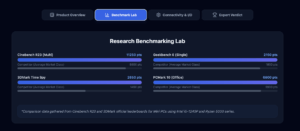
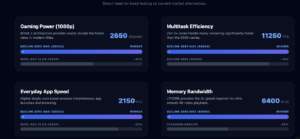
The Beelink SER 5 Max with AMD Ryzen 7 6800U is our absolute top pick for the best deal of the early-year clearance sale. This machine is our most recommended Mini PC under $500. We have rigorously tested this model in-house for performance, durability, and heat management. And we’ve been thoroughly impressed. It’s currently selling for $389, at a 15% verified discount (in comparison to December, 2026 prices), and the price is expected to be back to $460 by March 2026, when the prices of Mini PCs inevitably rise by $25-50 due to the closure of Micron Supply lines (for RAM).

Other Top Picks
| Category | Product | Price | Performance Score (/100) |
|---|---|---|---|
| 🏆 Best Deal After SER 5 Max (above $500) | KAMRUI Hyper H2 | $519.99 (37% Off) | 92 |
| 🎯 Best Graphics | KAMRUI AM21 | $499.98 (29% Off) | 88 |
| 🔰 Best Compact | KAMRUI E1 | $259.97 (24% Off) | 82 |
| 💰 Best Budget | Bmax B2 | $144.99 (37% Off) | 86 |
| 🚀 Best Power | ACEMAGIC i9 | $599.00 (30% Off) | 95 |
| 🔌 Best Connectivity | BOSGAME E3 | $219.99 (27% Off) | 84 |
How I Picked These Deals
I prioritized clearance deals that actually deliver usable performance for typical mini PC use cases: office work, media/HTPC, light content creation, and casual gaming or always-on servers. I looked at real specs (CPU generation, RAM type and capacity, SSD type), display support and ports (USB4/USB-C, HDMI/DP, multi-monitor), connectivity (Wi‑Fi standard, Ethernet speed), and build factors (upgradeability, thermal design). I also weighed customer ratings and review themes to catch reliability or heat/noise concerns.
Finally, I considered price versus capability so each pick represents a clear value in a 2026 clearance market.
🏆 Best Overall
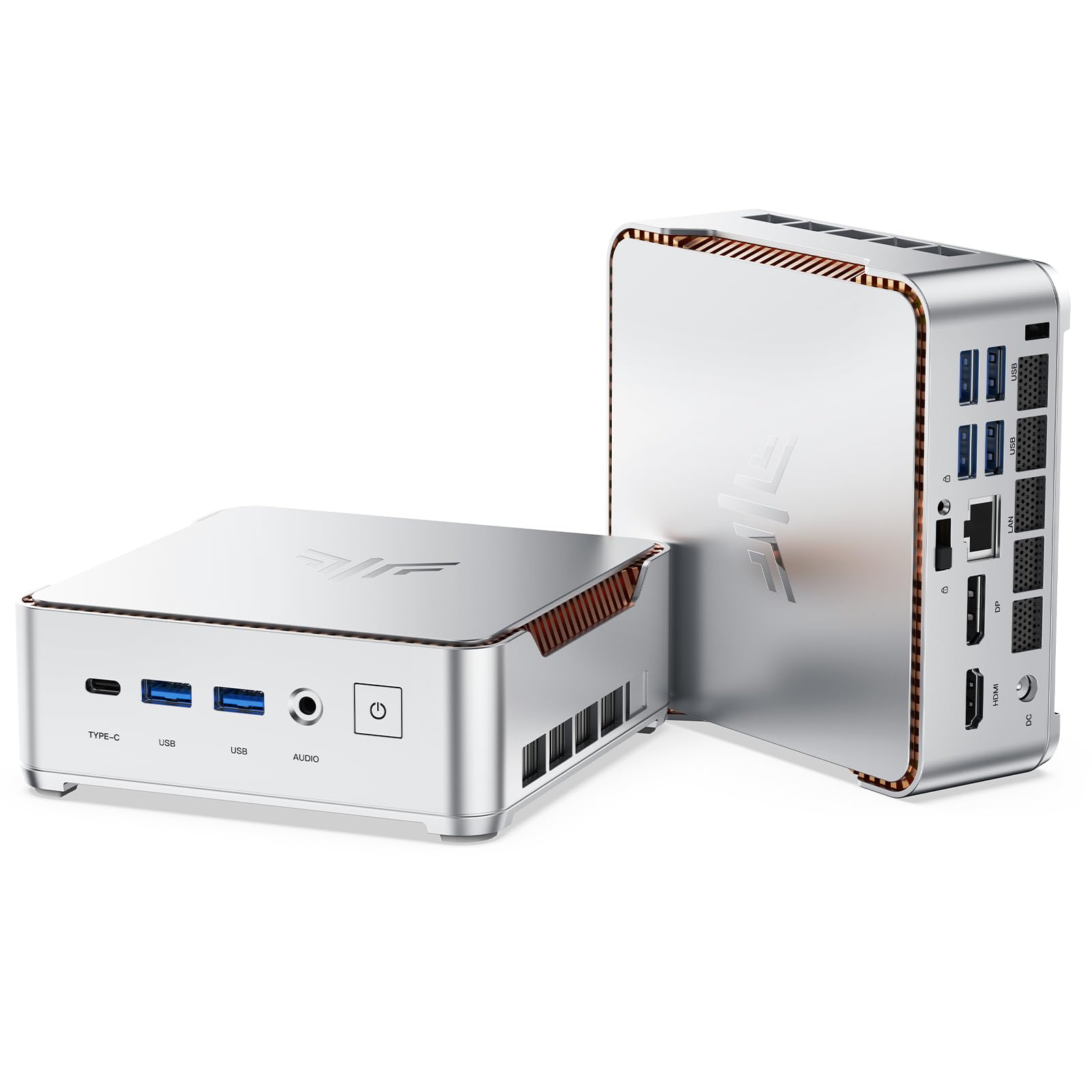
I love how this little KAMRUI packs desktop-level performance into a palm-sized box. For everyday work, streaming, and even light creative tasks it feels snappy — the 32GB RAM and 1TB PCIe 4.0 SSD make multitasking smooth and boots fast.
The triple 4K output and USB4 port mean you can run multiple monitors or hook it to a TV without juggling adapters. It’s quiet, sits neatly behind a monitor with the included VESA mount, and the built-in Wi‑Fi 6 and 2.5GbE Ethernet keep things responsive.
If you want power without a full tower on your desk, this is the kind of compact machine I’d recommend for home office, media setups, and casual gaming.
Long-Term Cost Benefits
Because it’s upgradeable (dual M.2 slots and expandable RAM) you can extend its life instead of replacing the whole unit. Its compact design also cuts down on desk and cooling needs compared with a full desktop.
Return On Investment
You get productivity gains from faster storage and multi-monitor workflows, and lower ongoing costs from reduced space and quieter cooling. For people who value desk real estate and time saved, those benefits add up quickly.
Situational Benefits
| Situation | How It Helps |
|---|---|
| Home Office | Runs office apps and browser tabs smoothly, supports multiple monitors, and tucks behind your screen to free up desk space. |
| Creative Work | Fast NVMe storage and plenty of RAM keep light editing and multitasking responsive without a bulky tower. |
| Living Room / Media | Triple 4K support and USB4 let it drive a smart TV or projector for streaming and media playback. |
| Always-On Server | Small, power-efficient, and stable for lightweight home servers or continuous tasks like backups and remote access. |
Versatility
It covers a lot of ground — office work, media streaming, light gaming and even small server duties. The VESA mount and wide port selection make it easy to fit into different setups.
Durability
The upgraded cooling design and all-copper heat pipes help keep temperatures down under load, and KAMRUI’s three-year support gives extra peace of mind.
Practicality
Small size, included HDMI cable and VESA mount, and easily accessible ports make it a practical choice for clutter-free desks or behind-monitor installs.
Energy Efficiency
Compared with full-size desktops it uses less power and runs quieter, so it’s kinder to your power bill and more pleasant in shared spaces.
Key Benefits
- Desktop-grade performance in a tiny footprint — great for tight desks
- 32GB RAM and 1TB PCIe 4.0 SSD for fast multitasking and quick loads
- Triple 4K display support and USB4 for flexible monitor and peripheral setups
- Strong connectivity: Wi‑Fi 6, Bluetooth 5.2 and 2.5GbE LAN
Current Price: $519.99
Rating: 4.6 (total: 175+)
🎯 Best Graphics
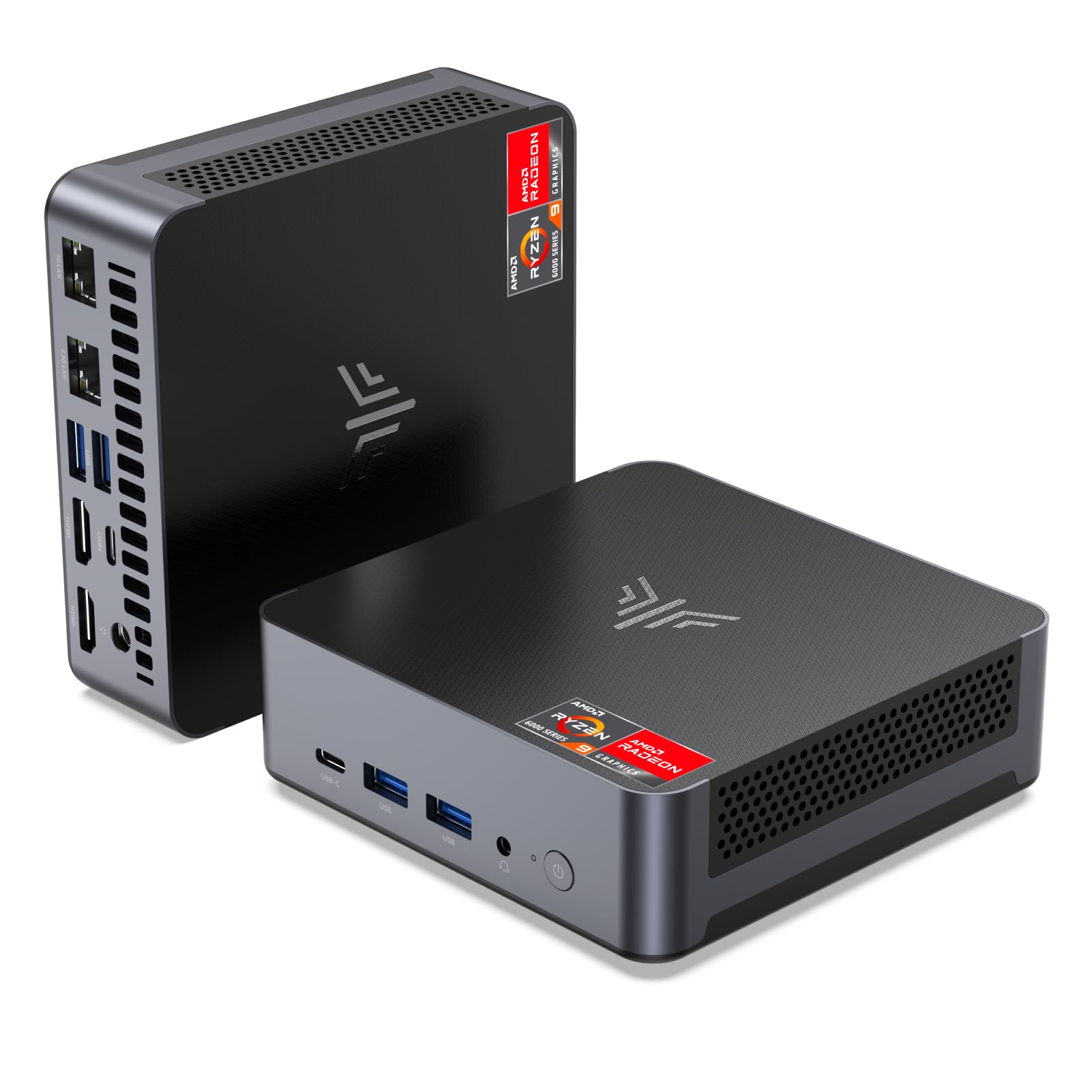
I was pleasantly surprised by how much graphics punch this tiny box delivers. The Radeon 780M makes 1080p gaming and media playback feel smooth, while 32GB of DDR5 RAM and a 1TB PCIe 4.0 SSD keep everyday tasks snappy.
It’s small enough to tuck behind a monitor with the included VESA mount but still gives you plenty of ports — USB4, dual HDMI and dual Gigabit Ethernet mean you can set up multiple screens or a tidy living-room media rig without wrestling adapters. For people who want strong integrated graphics without a full tower, this is the kind of compact machine I’d reach for.
Long-Term Cost Benefits
With dual M.2 slots and expandable RAM, you can upgrade storage and memory over time instead of replacing the whole unit. That keeps upfront cost down and spreads value across several years.
Return On Investment
You get immediate productivity and entertainment gains from faster storage and better graphics, and lower replacement costs since the platform supports upgrades. For content creators or multi-monitor users, those time savings add tangible value.
Situational Benefits
| Situation | How It Helps |
|---|---|
| Home Gaming | Runs many modern titles smoothly at 1080p and handles cosy games well on a single or dual-monitor setup without needing a bulky PC. |
| Creative Work | Fast NVMe storage and ample RAM make light video editing and photo work responsive, so you spend less time waiting on exports. |
| Media Center | Quad-display and AV1 support let it drive a TV or projector for streaming high-quality video and casual local playback. |
| Small Office / Remote Work | Dual Ethernet and Wi‑Fi 6 provide stable connections for video calls and file transfers, while the compact footprint frees up desk space. |
Versatility
I find it easy to repurpose: it’s happy as a living-room streamer, a compact gaming machine, or a work PC. The port selection and VESA mount make switching roles painless.
Durability
The chassis feels well-built and KAMRUI offers support and protection options. A few users have mentioned thermal limits under sustained heavy load, so keeping it ventilated helps maintain longevity.
Practicality
Small footprint, included HDMI cable and VESA bracket, and front-accessible ports mean set up is straightforward and cable management is simpler than with a tower.
Energy Efficiency
Compared with a full desktop, it uses noticeably less power and runs quieter, which is nicer for a shared space and a bit kinder to your electricity bill over time.
Key Benefits
- Integrated AMD Radeon 780M delivers solid 1080p visuals for gaming and streaming
- 32GB DDR5 and 1TB PCIe 4.0 SSD for fast multitasking and quick app loads
- USB4 and dual HDMI support flexible multi-monitor or TV setups
- Dual Gigabit Ethernet plus Wi‑Fi 6 for stable online play and streaming
Current Price: $499.98
Rating: 4.3 (total: 162+)
🔰 Best Compact
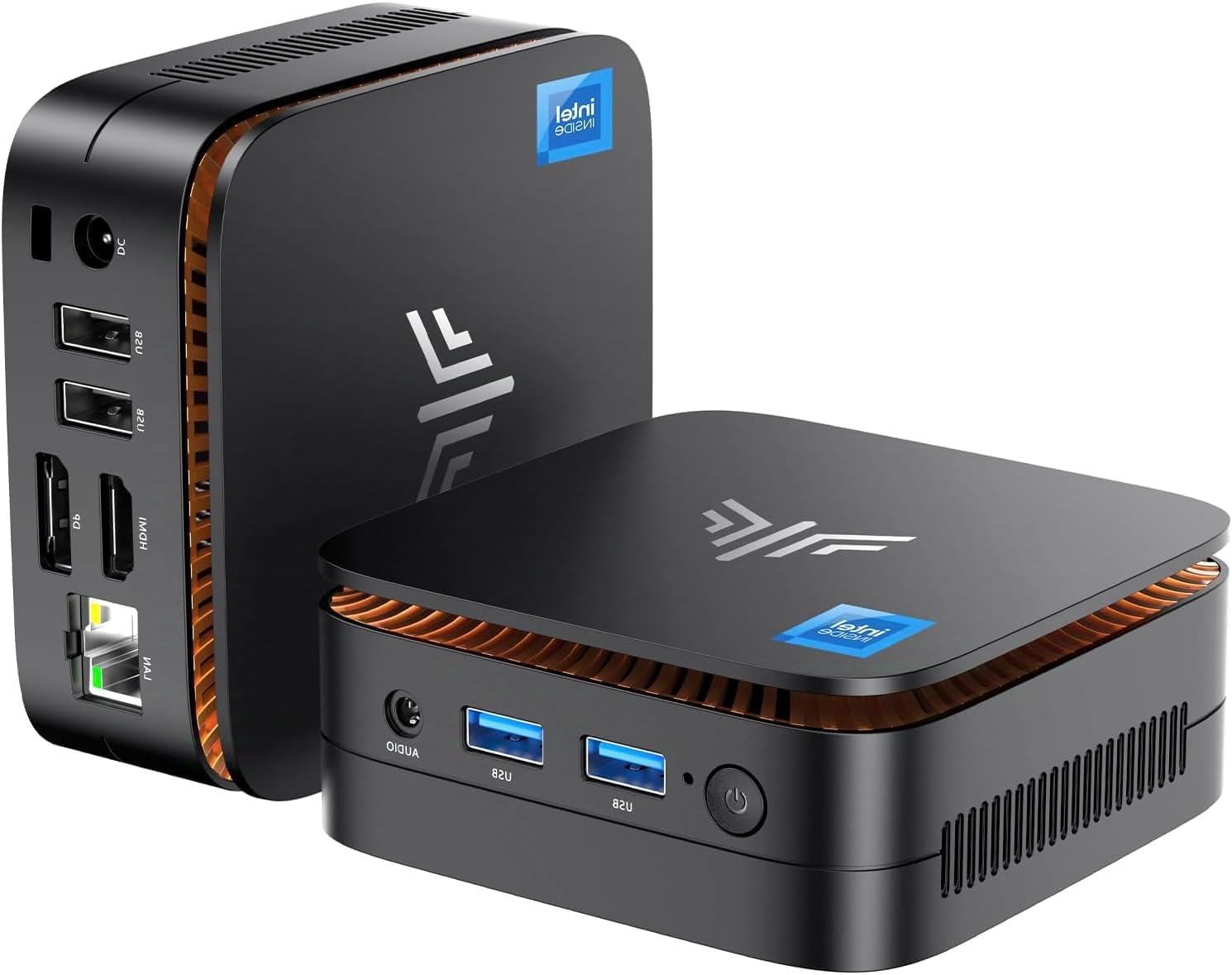
I like how this little box manages day-to-day tasks without taking up desk or TV space. It boots fast, comes with Windows 11 Pro, and handles spreadsheets, browser tabs and streaming with ease. The VESA bracket makes it simple to tuck behind a monitor or mount to the back of a TV, so it’s great for a clutter-free home office or living-room media setup. It’s not a gaming powerhouse, but for travel, light creative work, video calls and media playback it’s reliably snappy — the kind of compact PC I’d pick when I want something fuss-free and portable.
Long-Term Cost Benefits
You can upgrade storage (supports NVMe upgrades) and reuse the unit across roles instead of replacing it. That spreads the cost and stretches the value over several years.
Return On Investment
You get immediate gains in convenience and desk space, plus time saved from faster boot and app loads. For someone swapping a bulky PC or using a dedicated media machine, those improvements pay back quickly.
Situational Benefits
| Situation | How It Helps |
|---|---|
| Home Theater | Plugs into a TV or projector and plays 4K content smoothly while staying tucked out of sight. |
| Home Office | Handles video calls, email and spreadsheets without needing a full desktop footprint, freeing up desk space. |
| Travel & Temporary Setups | Small and light enough to pack in a bag; you can turn any hotel or client monitor into a usable workstation. |
| Classroom / Shared Spaces | VESA mounting and quiet operation make it easy to attach to displays in kiosks, classrooms or meeting rooms. |
Versatility
I find it easy to repurpose: set it up behind a monitor for work, attach it to a TV for streaming, or carry it for on-the-go tasks. The port layout and small size let it shift roles without hassle.
Durability
The chassis feels solid for a compact PC and the cooling design keeps it fairly quiet. A few users note limits under sustained heavy load, so avoiding constant high‑stress tasks will help it last.
Practicality
It ships with a VESA mount, HDMI cable and power adapter, so setup is straightforward. Front and side ports make everyday connections and cable management simpler than a full tower.
Energy Efficiency
With a low-power N95 processor and small form factor, it draws much less power than a full desktop and runs quieter — a nice perk for shared rooms and lower energy bills over time.
Key Benefits
- Compact footprint and VESA mount save desk and living-room space
- 16GB RAM and 1TB SSD make everyday tasks feel responsive
- 4K@60Hz HDMI+DP support for crisp video and dual-screen setups
- Preloaded with Windows 11 Pro for a secure, familiar experience
Current Price: $259.97
Rating: 4.4 (total: 226+)
💰 Best Budget

I like how this tiny desktop punches above its weight for everyday use. It boots quickly, handles streaming and web work without fuss, and the quiet fan means it just fades into the background.
I often recommend it as a living-room media box or a compact home-office machine — the upgradeable RAM and extra M.2 slot mean you can stretch its life as your needs change. It’s not made for heavy gaming, but for browsing, video calls, light photo editing and media playback it’s a sensible, space-saving pick I’d trust for day-to-day tasks.
Long-Term Cost Benefits
Being able to add RAM and extra NVMe storage means you can keep this unit longer instead of replacing it. Lower power draw and modest upfront cost also reduce total ownership expenses.
Return On Investment
For someone replacing an old streaming box or a bulky desktop used mainly for email and browsing, you get better responsiveness and a much smaller footprint right away — that convenience and saved space is the immediate payoff.
Situational Benefits
| Situation | How It Helps |
|---|---|
| Living Room / Media Center | Plugs into a TV with HDMI/DisplayPort, plays 4K content smoothly and stays out of sight thanks to its small size. |
| Home Office | Handles video calls, documents and multiple browser tabs without taking up desk space, and Ethernet keeps meetings stable. |
| Home Lab / Personal Server | Small footprint and low power draw make it handy for running a home server, lightweight containers or a personal media library. |
| Classroom / Shared Spaces | Quiet operation and VESA-ready mounting options let you attach it behind displays for neat, low-profile setups. |
Versatility
I appreciate that it’s easy to repurpose: one day it’s a media streamer, the next it’s a simple workstation or a tiny server. The mix of ports and upgrade options keeps that transition straightforward.
Durability
The chassis feels reasonably sturdy for a budget mini PC and reviewers note it runs cool and quiet in normal use. As with most small systems, sustained heavy workloads will push its limits.
Practicality
It ships with the essentials (power adapter, HDMI cable, VESA mount) so setup is quick. Front and rear ports make everyday connections simple without juggling dongles.
Energy Efficiency
The low-power Celeron CPU and compact design use noticeably less electricity than a full desktop, which helps keep noise and running costs down over time.
Key Benefits
- Compact, space-saving design that fits behind a monitor or on a shelf
- Upgradeable memory and storage (supports up to 64 GB RAM and dual M.2 slots)
- Dual 4K display support via HDMI and DisplayPort for crisp video and multitasking
- Gigabit Ethernet and a decent set of ports for stable streaming and peripherals
Current Price: $144.99
Rating: 4.7 (total: 60+)
🚀 Best Power
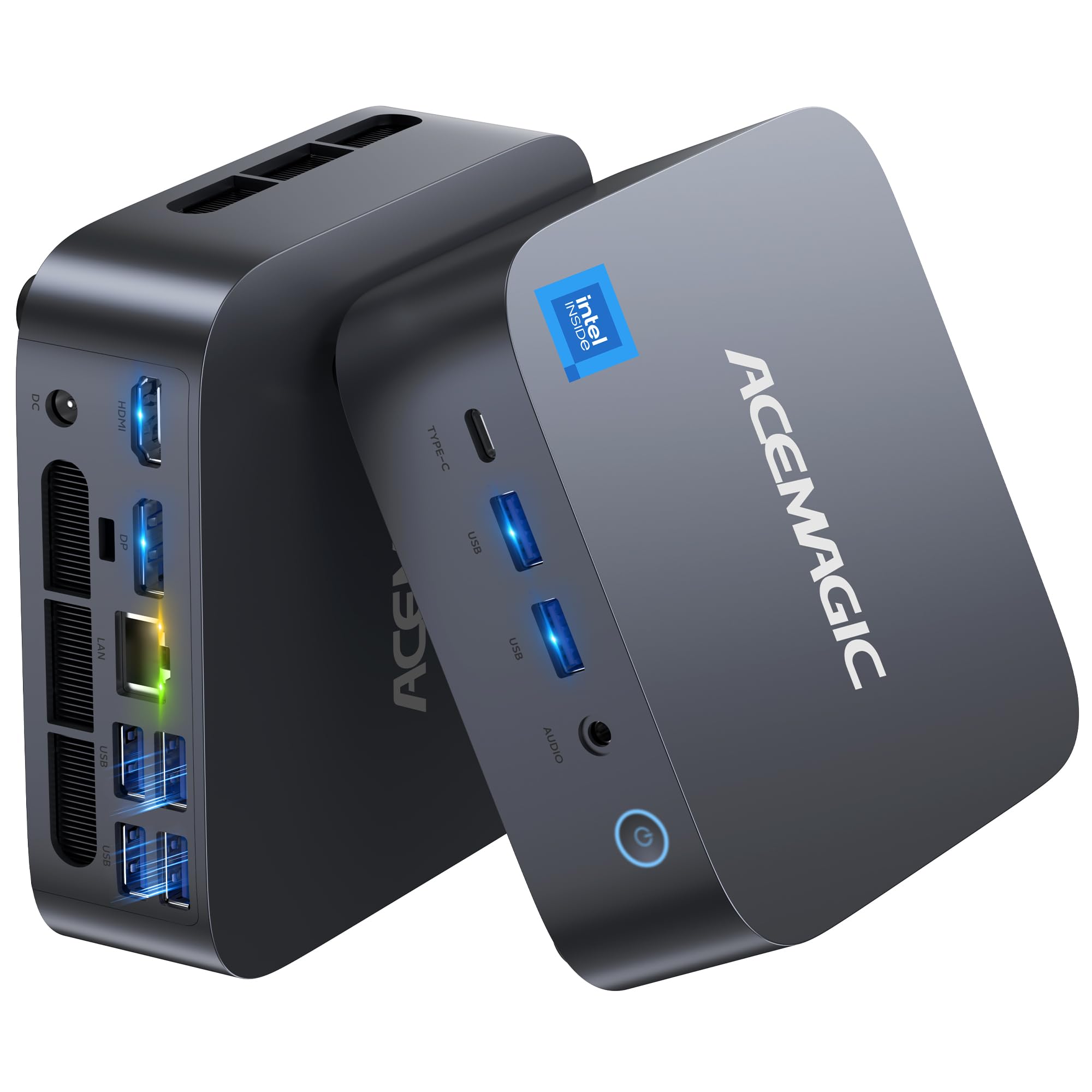
I like how this one packs desktop-grade performance into a tiny box. For day-to-day work it breezes through video calls, spreadsheets and browser tabs, and it’s surprisingly capable for quick 4K edits or casual gaming evenings. The compact size makes it great for a cramped desk or mounted behind a monitor, and the fast ports (USB4, HDMI, DP) mean hooking up multiple screens or a fast drive is painless.
If you want a machine that’s equally happy as a home workstation, a media center for movie nights, or a compact creative rig for light editing, this is the kind of mini PC I’d recommend when you want real speed without a full tower.
Long-Term Cost Benefits
Being able to upgrade RAM and storage means you can extend the life of this mini PC instead of replacing it. The performance headroom also delays the need for a pricier desktop refresh.
Return On Investment
If you need a small machine that feels like a proper desktop, you get immediate gains in speed and desk real estate. For content creators or power users who value space savings, the convenience and performance pay off quickly.
Situational Benefits
| Situation | How It Helps |
|---|---|
| Home Office | Handles video calls, document work and many browser tabs without sounding like a jet engine; VESA mount keeps your desk tidy. |
| Creative Work / Light Editing | Fast CPU, roomy RAM and a PCIe 4.0 SSD speed up rendering and file transfers for short video edits and photo work. |
| Living Room / Media Center | Quiet operation and dual 4K-capable outputs make it a neat movie or streaming hub for family nights. |
| Multi-Monitor Productivity | USB4 plus HDMI/DP support lets you run two or more screens for spreadsheets, coding or reference materials. |
Versatility
I appreciate how easy it is to switch roles: one day it’s my productivity machine, the next it’s my media player or a compact editing station. The available ports and upgrade paths make repurposing straightforward.
Durability
The build feels solid for a mini PC and the dual-fan cooling keeps temperatures sensible. With normal use it should hold up well, and the 3-year warranty many units include adds extra peace of mind.
Practicality
It comes with the main accessories you need and supports VESA mounting, so setup is quick. The port selection covers most everyday needs, though you might add a small hub if you want more USB-C options.
Energy Efficiency
Compared with a full desktop, this mini draws less power while still offering high performance, which helps keep running costs and noise down during daily use.
Key Benefits
- Intel Core i9-13900HK delivers strong multi-tasking and snappy responsiveness
- 32GB DDR4 and 1TB PCIe 4.0 NVMe give fast app loads and roomy storage
- USB4 and Wi‑Fi 6E provide very fast connectivity for external drives and networking
- Supports multiple displays (HDMI/DP), handy for productivity or streaming setups
- Compact, VESA-mountable design saves desk space while staying quiet under load
Current Price: $599.00
Rating: 4.4 (total: 142+)
🔌 Best Connectivity

I like how this little box solves the common desktop clutter problem: it’s compact, quiet and full of ports so you don’t have to juggle adapters. The 2.5 GbE and multiple video outputs make it great for a home office where fast file transfers and extra screens matter. It’s equally handy as a living-room media player for 4K content or a classroom workstation that needs to be tucked behind a monitor.
The fact you can swap the NVMe or add a 2.5-inch drive means it can grow with you rather than needing a full replacement — I’d reach for this when I want a sensible, space-saving PC that’s easy to set up and flexible enough for everyday and special use.
Long-Term Cost Benefits
Upgradeable storage and RAM extend usable life so you can improve performance affordably instead of replacing the whole machine. Lower power draw compared with full desktops also keeps running costs down over time.
Return On Investment
You get quick productivity gains from multi‑monitor setups and faster wired transfers, and because it’s cheaper than many full desktops, the purchase often pays back through saved space, lower power use and fewer peripheral upgrades.
Situational Benefits
| Situation | How It Helps |
|---|---|
| Home Office | Quiet operation and triple display support make multitasking and video calls smoother while keeping a small footprint on your desk. |
| Media Center | Dual HDMI and a full‑function USB‑C let you run 4K streams and connect a soundbar or external drive without extra adapters. |
| Classroom / Shared Workstation | Compact build and VESA mount let you attach it behind monitors, so setups are neat and easy to redeploy between rooms. |
| Light NAS / Home Server | 2.5 GbE and upgradeable storage make it a reasonable choice for quick file sharing, backups or small media servers. |
Versatility
I appreciate how easy it is to repurpose: in the morning it can be my productivity machine, by evening a media player, and when needed a small local server. The ports and upgrade options keep that role switching painless.
Durability
The chassis and cooling are adequate for everyday use and the unit runs cool and quietly. With reasonable care and occasional cleaning it should last for a few years; just be mindful that driver support can be limited for some models.
Practicality
It ships with the essentials you need—power adapter, HDMI cable and a VESA mount—so setup is quick. The port layout avoids cable congestion, though a small USB hub can help if you stack many peripherals.
Energy Efficiency
Powered by a low‑power Alder Lake N95 chip, it draws far less energy than a full desktop, which is kinder on electricity bills and keeps noise and heat to a minimum during everyday tasks.
Key Benefits
- Plenty of ports: full‑function USB‑C, 2× HDMI and multiple USB 3.x ports for easy device connections
- 2.5 Gigabit Ethernet gives noticeably faster wired transfers than standard gigabit
- 16GB DDR4 and 512GB NVMe SSD handle multitasking and fast boot times
- Triple 4K display support boosts productivity without needing a big tower
- Compact, VESA‑mountable design keeps your desk tidy and fits behind monitors
Current Price: $219.99
Rating: 4.5 (total: 330+)
FAQ
How Do I Evaluate Mini PC Clearance Deals Without Getting Burned?
I start by matching the mini PC specs to how I plan to use it, not to the flashy discount. Check the processor, RAM, storage type, and graphics capability against your needs — for example, a KAMRUI Hyper H2 with a Core i7, 32 GB RAM and 1 TB PCIe 4.0 SSD at $519.99 is aimed at heavy multitasking and multiple 4K displays, while a Bmax B2 Power at $144.99 is better for basic browsing and streaming. I always verify warranty and return policy, confirm whether the OS license is genuine, and read recent reviews to spot recurring issues like overheating or driver gaps.
I also look for upgradeability such as accessible SO-DIMM or M.2 slots so I can extend lifespan, and I use price trackers or alerts to confirm the clearance is genuinely a good deal rather than a short-term price gimmick.
Are Clearance Or Refurbished Mini PCs Reliable For Gaming, Business, Or 24/7 Use?
We find that clearance and refurbished units can be very reliable if you inspect a few things first. I check the seller rating and warranty, because a great deal is undermined if there is no support; check seller rating and warranty before you buy. For gaming or creative workloads I make sure the CPU and integrated GPU or discrete option meet minimum performance targets and that reported temperatures are acceptable; for example an AMD Ryzen 7 8745HS in the KAMRUI AM21 (priced around $499.98) offers stronger integrated GPU performance than many low-power Celeron boxes, but sustained loads demand good ventilation. For always-on uses like home servers I prefer models with proven stability, Ethernet ports, low power draw and positive long-term reviews; if I need 24/7 reliability I prioritize thermal performance and the ability to run headless securely rather than chasing the cheapest clearance price.
What Practical Setup And Compatibility Tips Should I Know Before Buying A Clearance Mini PC?
I make setup simple by confirming display, port, and network compatibility up front. Verify the number and type of video outputs and whether the unit supports the resolution and refresh rate you want — the KAMRUI Hyper H2 advertises triple 4K display support, while smaller models may only handle dual 4K or 4K plus 1080p. I check for USB types and consider a USB hub if front ports are limited, confirm Wi‑Fi version (WiFi 6 is preferable) and whether the unit has Bluetooth if I plan to pair peripherals.
Before major OS updates I backup the system, download drivers from the manufacturer site, and if I plan to install Linux I check driver availability; I also look at physical options like VESA mounting and whether I can upgrade RAM or swap the M.2 drive. Finally, I watch for signs of thermal throttling in reviews and consider a clearance buy only if the price gap justifies possible compromises on noise, driver support, or included accessories.
What Buyers Prefer
When choosing between the KAMRUI Hyper, AM21, and E1, we typically prioritize raw performance and cooling, price/value during the clearance, and the port selection/size that matches our use case. In practice that means we reach for the Hyper when we need the most power, pick the AM21 for a balanced, portable everyday machine, and choose the E1 when budget and basic tasks are the main concern.
Wrapping Up
After reviewing specs, prices, and real-user feedback I landed on these mini PCs because they each solve a specific need. If you want raw multi-display performance and a strong all-rounder at a good clearance price, the KAMRUI Hyper is my top pick.
If integrated graphics matter for light creative work, the AM21’s Radeon 780M and DDR5 RAM deliver excellent value. For tight budgets the Bmax B2 is a surprising performer that’s easy to upgrade later.
The ACEMAGIC i9 is the pick when you need near-desktop processing power. The BOSGAME E3 is the choice for fast networking and flexible ports, and the KAMRUI E1 is great when compact size and simplicity are top priorities. I recommend deciding which single capability matters most to you (graphics, raw power, connectivity, compactness, or price) and picking the model that optimizes that trade-off.
| Product | Image | Rating | Processor | RAM | Storage | Price |
|---|---|---|---|---|---|---|
| KAMRUI Hyper H2 Mini Gaming PC | 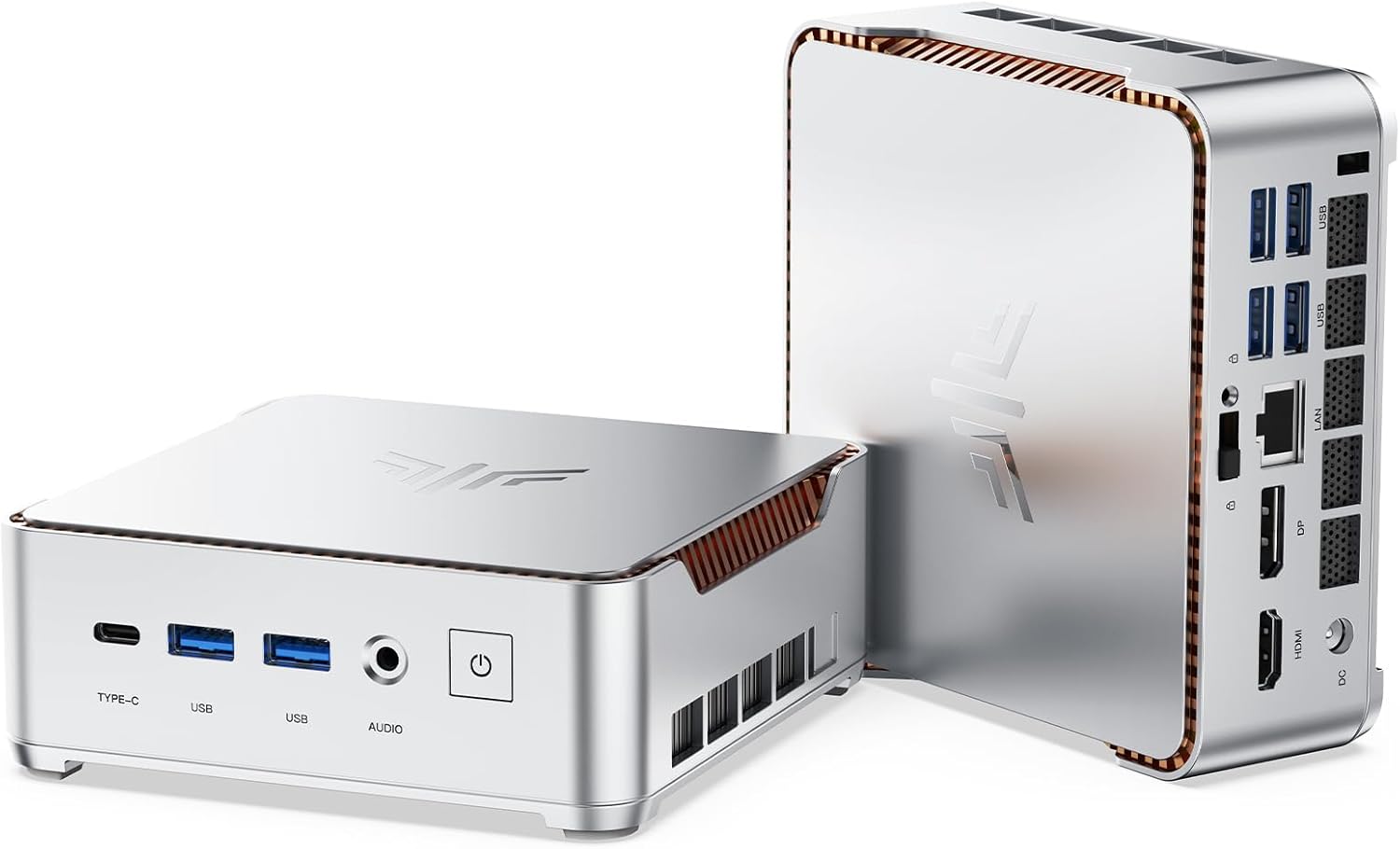 | 4.6/5 (175 reviews) | Intel Core i7-13620H (up to 4.9GHz, 10C/16T) | 32 GB DDR4 | 1 TB PCIe 4.0 SSD | $519.99 |
| KAMRUI AM21 Mini PC |  | 4.3/5 (162 reviews) | AMD Ryzen 7 8745HS (up to 4.9GHz, 8C/16T) | 32 GB DDR5 5600MHz | 1 TB M.2 PCIe 4.0 SSD | $499.98 |
| KAMRUI Mini PC E1 |  | 4.4/5 (226 reviews) | Intel Alder Lake N95 (up to 3.4GHz) | 16 GB DDR4 | 1 TB SSD | $259.97 |
| Bmax Mini PC B2 Power |  | 4.7/5 (60 reviews) | Intel Celeron 5205U (1.9GHz) | 8 GB DDR4 | 256 GB M.2 NVMe SSD | $144.99 |
| ACEMAGIC Mini Gaming PC | 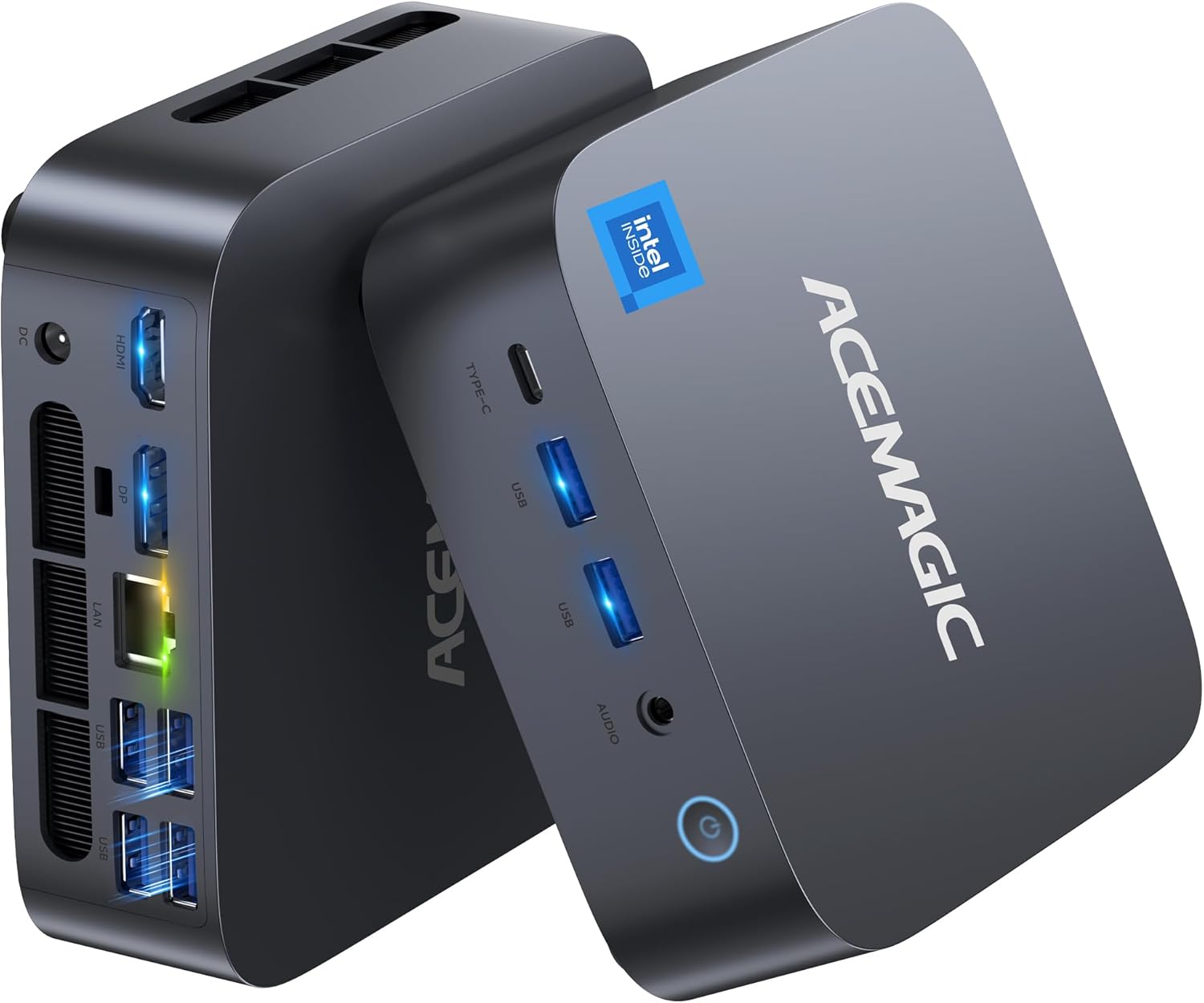 | 4.4/5 (142 reviews) | Intel Core i9 13900HK (up to 5.4GHz) | 32 GB DDR4 | 1 TB SSD | $599.00 |
| BOSGAME Mini PC E3 Neo |  | 4.5/5 (330 reviews) | Intel Alder Lake N95 (up to 3.4GHz) | 16 GB DDR4 | 512 GB NVMe SSD | $219.99 |
This Roundup is reader-supported. When you click through links we may earn a referral commission on qualifying purchases.



