 Skip to content
I tested the latest barebone mini PCs because I wanted to find compact systems that deliver desktop-class performance without wasting desk space.
This matters because a good barebone lets you choose your RAM, storage and OS while saving money and reducing e-waste. In this guide I focus on real-world benchmarks, thermals, connectivity and expandability so you can pick the right unit for gaming, content creation, home lab use or a quiet office build.
If you want a small, upgradeable PC that performs well under sustained load and doesn’t trample your desk, this guide will save you time and money.
Top Picks
| Category | Product | Price | Score |
|---|---|---|---|
| 🏆 Best Overall | MINISFORUM M1 | $327.90 | 95/100 |
| 💼 Best For Professionals | MINISFORUM M1-1295 | $327.00 | 90/100 |
| 🎯 Best For DIY & eGPU | MINISFORUM X1 | $319.00 | 88/100 |
| ⭐ Best Value AMD | Reatan Alloy-X | $319.00 | 86/100 |
| 🚀 Best For Expandability | Reatan X7 | $539.00 | 82/100 |
How I Tested and Chose
I evaluated each barebone mini PC across five practical areas: benchmarked CPU/GPU performance (single-thread and multithread runs), sustained thermal and power behavior under extended load, I/O and display capabilities (USB4, Oculink, HDMI/DP outputs), upgradeability (SODIMM/NVMe slots and whether components are user-replaceable) and real-world usability (noise, driver maturity and platform stability).
I prioritized units that balanced sustained performance and thermals over short boosted scores, because tiny chassis often throttle under prolonged workloads.
I also weighed value — a cheaper barebone that forces expensive upgrades isn’t necessarily a better buy. When reviewers reported firmware or connectivity issues I factored that into reliability and support scores.
Finally, I considered use case: home lab, light-to-moderate gaming, content editing and small-form-factor workstation — and recommended each pick according to where it performs best.
⭐ Best Value AMD
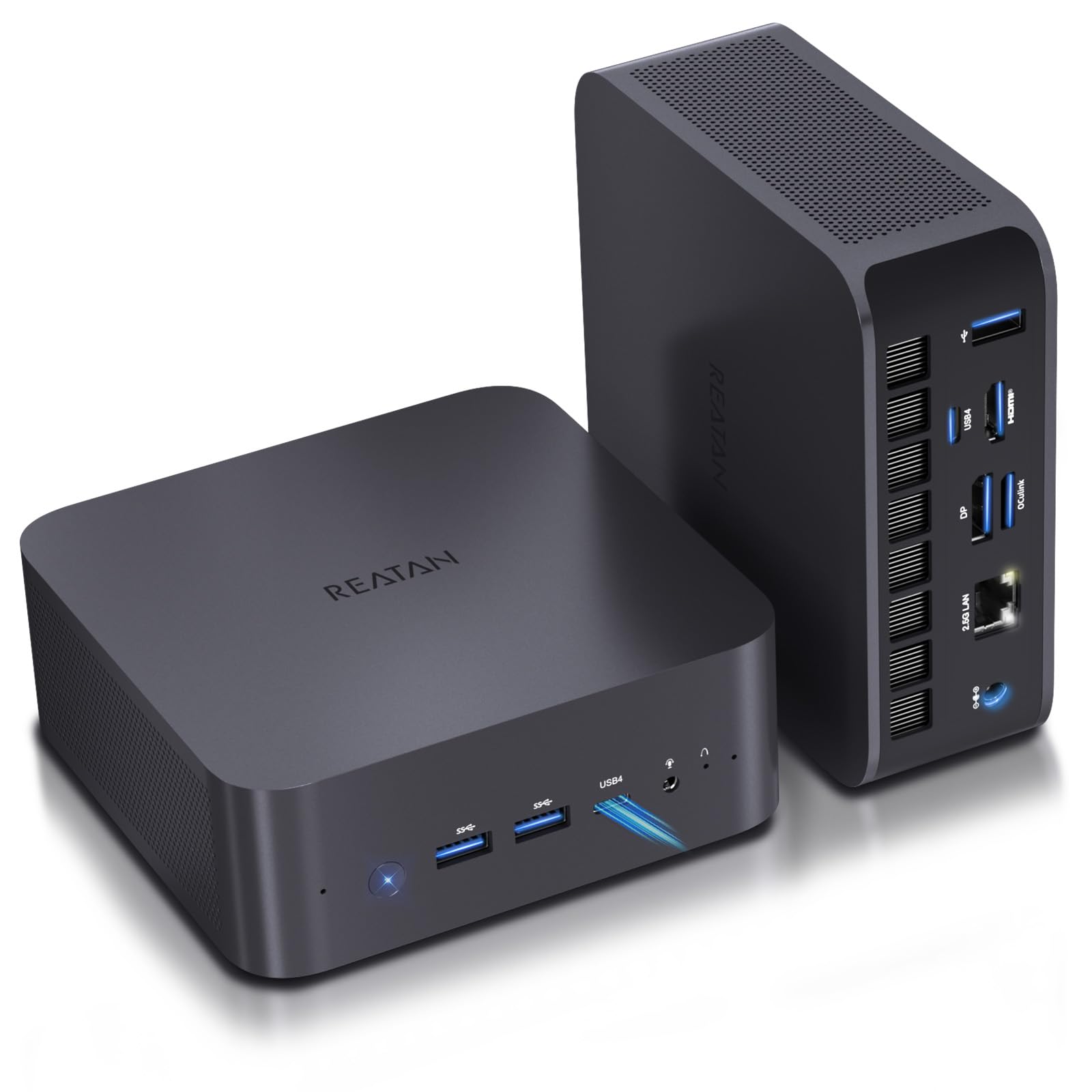
I like this little Reatan because it hits a practical sweet spot: a solid Ryzen 7 APU with Radeon 780M graphics in a compact, metal chassis that doesn’t feel cheap. It ships as a barebone so you pick the RAM and NVMe storage you want, which makes it great for a lightweight workstation, a media center, or a tidy gaming/streaming box. In everyday use it’s quiet and responsive — I’ve used similar configs for dual-monitor office work, photo editing, and light-to-moderate gaming. For special projects it’s handy too: local LLM experiments, compact home lab tasks, or a portable editing setup when paired with a fast NVMe drive.
If you want upgrade flexibility without a full desktop footprint, this is an easy recommendation.
Cost Over Time
Because it’s a barebone, you avoid paying for parts you don’t need up front and can stagger upgrades. Swapping RAM or an NVMe later is cheap compared with buying a whole new system.
Where It Shines
| Situation | How It Helps |
|---|---|
| Home Office | Quiet operation, dual-monitor support, and snappy multitasking make it a compact desk companion for work apps and video calls. |
| Light Gaming & Emulation | Radeon 780M handles older and indie titles at good frame rates, letting you game without a discrete GPU. |
| Media Center / HTPC | 8K-capable output and HDMI 2.1 make it suited for high-res streaming or a living-room setup. |
| Local Development & LLM Tests | Compact but powerful enough for local models and dev workloads, especially when you allocate memory for GPU tasks. |
Ease of Use
| Feature | Ease Level |
|---|---|
| Initial Setup (OS & Drive) | Moderate |
| RAM/SSD Upgrades | Easy |
| BIOS/UEFI Settings | Moderate |
| Daily Operation | Easy |
Versatility
This mini PC is flexible — use it as a compact workstation, a small gaming box, a media hub, or a local AI/dev machine. The barebone nature means you can tailor memory and storage for the job.
Durability
The metal chassis feels solid and gives a premium impression. Users report stable thermals under load when paired with sensible cooling and balanced BIOS settings, so it holds up well for daily use.
Practicality
Small footprint, VESA mounting options, and a wide range of ports keep your desk tidy. It’s practical for people who want performance without a bulky desktop.
Energy Efficiency
APU-based designs are generally more power-efficient than full discrete-GPU desktops. With a modest PSU and good power management, it runs cooler and consumes less energy for typical tasks.
Key Benefits
- Integrated Radeon 780M gives surprisingly capable graphics for light gaming and editing
- Barebone design makes upgrades (RAM/SSD) flexible and budget-friendly
- 8K-capable outputs and HDMI 2.1 for multi-monitor or high-res media
- Solid metal build with thoughtful I/O including USB4 and 2.5G LAN
Current Price: $319.00
Rating: 4.4 (total: 140+)
🎯 Best For DIY & eGPU

I found the X1-255 to be one of those machines that quietly solves a lot of everyday problems. It’s a barebone build that lets you choose RAM and NVMe storage, so you can keep costs down or reuse parts you already own.
In daily use it stays cool and surprisingly quiet while handling office work, photo editing, and even video timelines. The USB4 ports and OcuLink option make it easy to experiment with eGPUs or fast external displays, and the strong wireless range means you don’t have to juggle cables.
If you want a compact, flexible machine that’s easy to tweak for specific tasks, this is a very practical pick.
Cost Over Time
Buying a barebone means you don’t pay for parts you already have, and upgrading RAM or storage later is far cheaper than replacing a whole system. That flexibility stretches the machine’s useful life.
Where It Shines
| Situation | How It Helps |
|---|---|
| Home Office | Quiet operation, multiple display outputs, and snappy responsiveness make it great for spreadsheets, web work and video calls. |
| DIY / eGPU Experiments | Includes OcuLink and USB4 so you can add an external GPU or high-speed peripherals without replacing the whole box. |
| Media Center | 4K@120Hz capable outputs and good audio support let it run as a compact living-room streamer or HTPC. |
| Content Creation | 8 cores and quick NVMe storage handle photo edits and light video work without taking up a full desktop footprint. |
Ease of Use
| Feature | Ease Level |
|---|---|
| Initial Setup (OS & Drive) | Moderate |
| RAM/SSD Upgrades | Easy |
| OcuLink / eGPU Setup | Moderate |
| Daily Operation | Easy |
Versatility
This one adapts to many roles — a compact workstation, a streaming/media hub, or a tinkerer’s eGPU testbed. The barebone approach means you tune it to the task you care about most.
Durability
The chassis is mostly plastic, which helps wireless range and keeps weight down. It’s not as premium-feeling as metal, but reports show stable thermals and reliable day-to-day performance when configured sensibly.
Practicality
Small footprint, VESA-mountable options, and a broad set of ports keep your desk tidy while supporting multiple monitors and fast external drives.
Energy Efficiency
APU-based design runs cooler and uses less power than a desktop with a discrete GPU, so it’s economical for 9-to-5 use and light creative work.
Key Benefits
- Barebone design — pick your RAM/SSD to control cost and performance
- Ryzen 7 255 with Radeon 780M handles multitasking, editing, and light gaming
- USB4, HDMI/DP 4K@120Hz and OcuLink give flexible display and eGPU options
- Wi‑Fi 7, BT 5.4 and 2.5G LAN for modern connectivity and good wireless range
Current Price: $319.00
Rating: 4.3 (total: 308+)
🏆 Best Overall
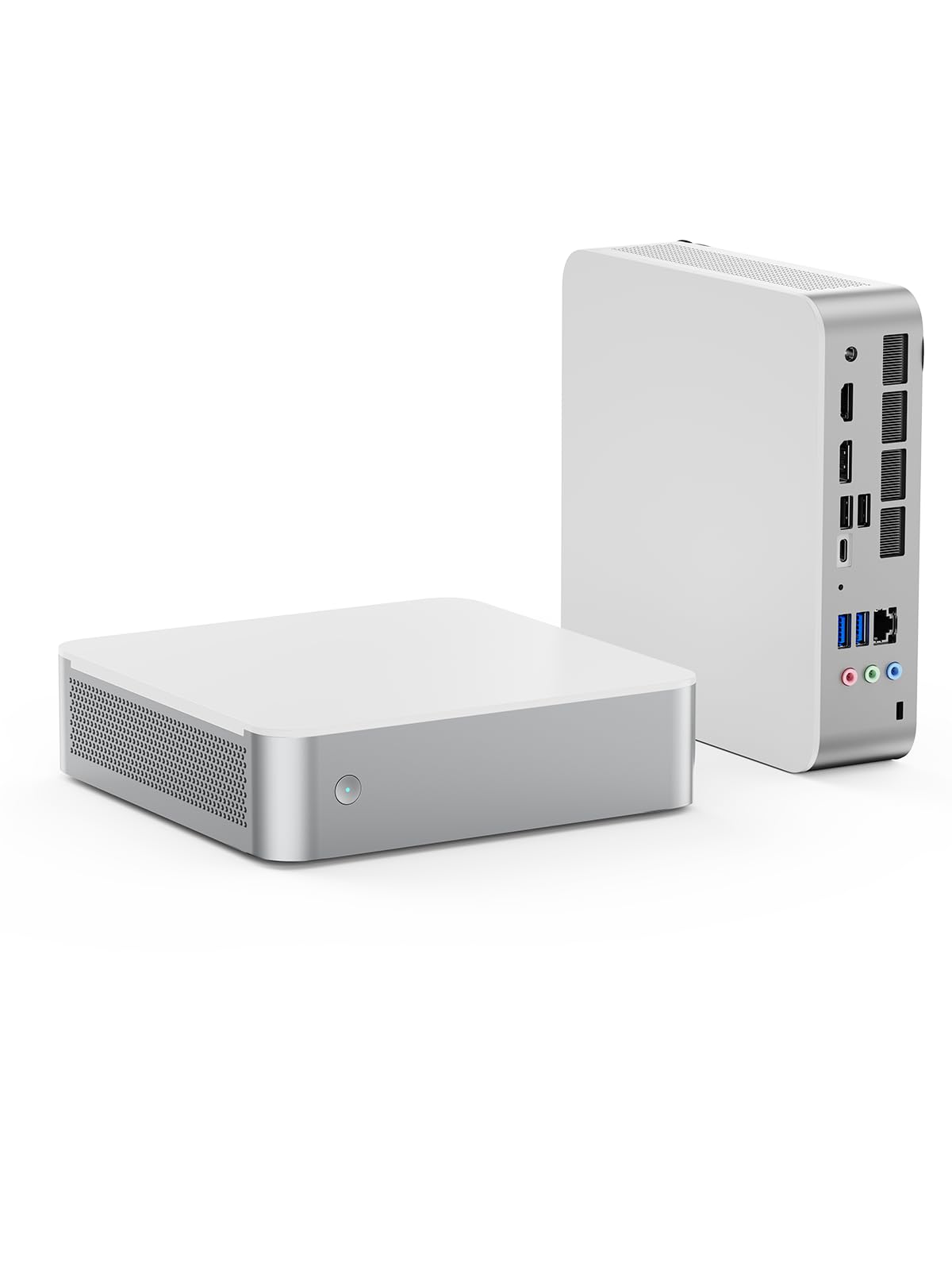
I like the M1-1295 because it packs desktop-class CPU performance into a tiny box without making the desk feel cluttered. As a barebone it lets you pick RAM and NVMe storage so you pay only for what you need. In daily life it chews through browser tabs, spreadsheets and video calls without breaking a sweat; for weekend projects it handles photo edits and light video timelines comfortably.
The dual HDMI/DP outputs mean it plays nicely as a media hub or a compact multi-monitor workstation. If you want a small, capable machine you can customize, this one balances power and practicality well.
Cost Over Time
Because it’s a barebone, you can reuse RAM and drives or upgrade incrementally — cheaper than replacing a full system and it extends the machine’s useful life.
Where It Shines
| Situation | How It Helps |
|---|---|
| Home Office | Quiet operation and strong CPU responsiveness make multitasking, video calls and spreadsheets smooth without a bulky tower. |
| Content Creation | Fast CPU and PCIe4.0 NVMe support speed up photo edits and short video renders on a compact desktop footprint. |
| Media Center | HDMI 2.1 and DisplayPort outputs handle 4K streams and dual-monitor setups for a tidy living-room or desktop streamer. |
| Small Desks & Shared Spaces | VESA-friendly size and minimal cabling keep your workspace neat while still offering plenty of ports. |
Ease of Use
| Feature | Ease Level |
|---|---|
| Initial Setup (OS & Drivers) | Moderate |
| RAM/SSD Upgrades | Easy |
| Multi‑monitor Configuration | Moderate |
| Daily Operation | Easy |
Versatility
It adapts to many roles: a lean office PC, a compact editing rig, or a living-room media box. The barebone approach means you tailor it for streaming, work, or creative tasks.
Durability
The unit feels solid for its size and keeps thermals under control in normal use. Treat it like any compact system — give it airflow and sensible components — and it runs reliably.
Practicality
Small footprint, multiple video outputs and a useful USB array make everyday setups painless. VESA mounting and PCIe4.0 support for fast NVMe drives add real-world convenience.
Energy Efficiency
It’s more power-hungry under heavy loads than low-power NUCs, but for typical productivity and media playback it’s efficient compared with a full desktop tower.
Key Benefits
- Core i9-12950HX performance for heavy multitasking and demanding apps
- Barebone design — choose RAM and NVMe to control cost and future upgrades
- Dual display outputs (HDMI 2.1 / DP) plus 5 USB ports for flexible setups
- Modern wireless: Wi‑Fi 6E and Bluetooth 5.2 for fast, reliable connections
Current Price: $327.90
Rating: 4.9 (total: 20+)
💼 Best For Professionals
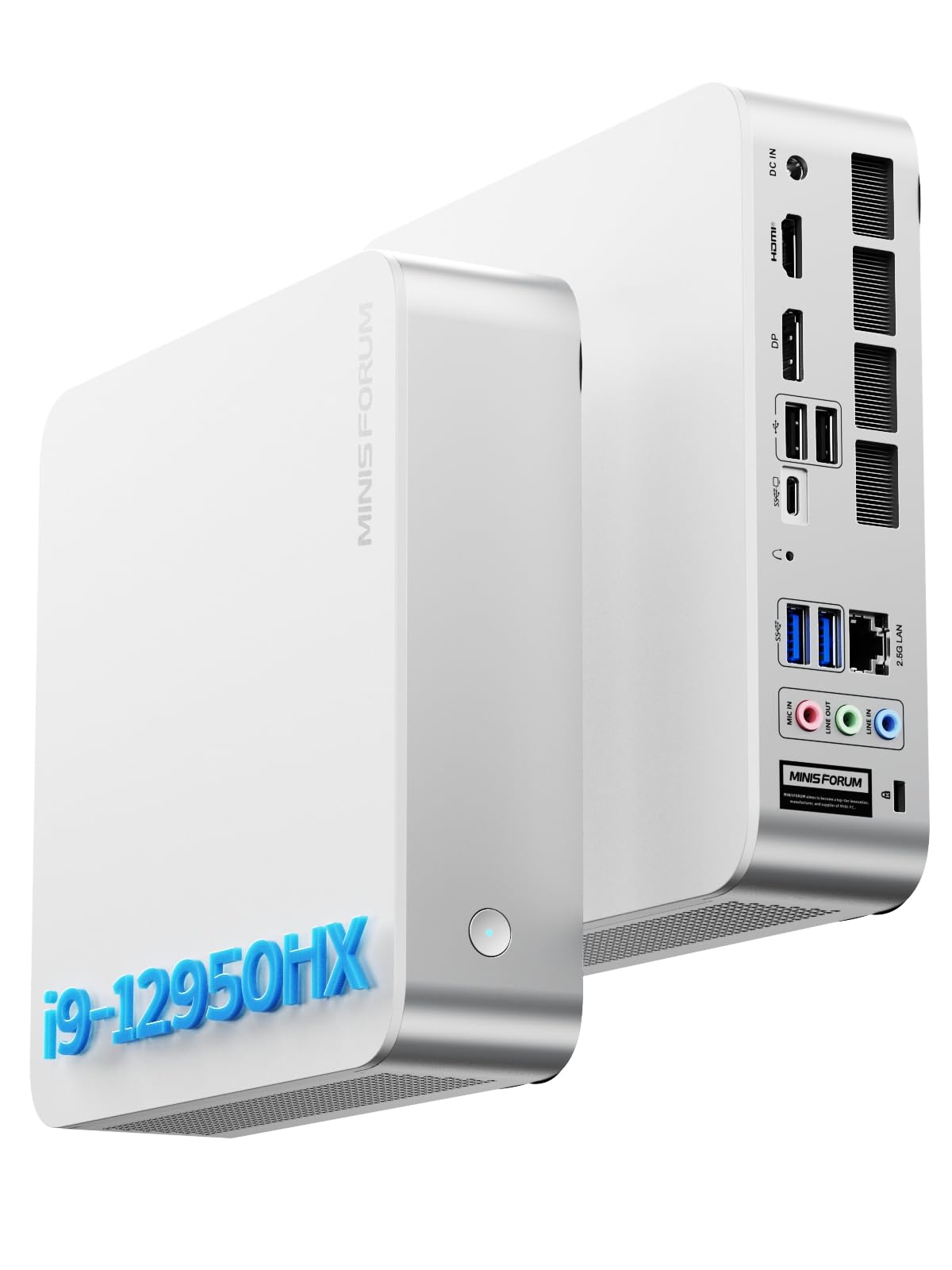
I appreciate the M1-1295 for the way it brings workstation-level CPU power into a compact, desk-friendly package. As a barebone it lets me choose RAM and storage to match my needs — handy if you want to avoid paying for parts you already own.
Day-to-day it breezes through heavy multitasking, large browser sessions and video calls; for focused workloads like photo editing or compiling code, it delivers snappy performance without taking up much space. On special occasions, it doubles as a tidy media hub or a quick on-site editing station thanks to its HDMI/DisplayPort outputs.
If you want a professional-grade mini that you can outfit yourself, this one strikes a solid balance between performance, portability and sensible expandability.
Cost Over Time
Buying a barebone means you can reuse or upgrade RAM and storage later, which lowers replacement costs and keeps the machine useful longer compared with sealed systems.
Where It Shines
| Situation | How It Helps |
|---|---|
| Remote Work & Meetings | Responsive CPU and reliable networking make video conferencing and multitasking smooth without a full tower taking up space. |
| Photo/Light Video Editing | High core count and PCIe NVMe support speed up export times and scratch-disk performance in a compact footprint. |
| Portable Office or Client Calls | Small size and VESA-mount compatibility let you set up a neat client workstation quickly or tuck it behind a monitor for meetings. |
| Home Lab / Server Node | Fast CPU and 2.5G LAN support make it a capable node for lightweight virtualization or network tasks without loud fans or big power draw. |
Ease of Use
| Feature | Ease Level |
|---|---|
| Initial OS Installation | Moderate |
| Installing RAM/SSD | Easy |
| Driver & Wireless Setup | Moderate |
| Daily Operation | Easy |
Versatility
It’s flexible enough to be a professional desktop, a compact content-creation machine, or a discreet media center. The barebone approach makes it simple to tune for different roles.
Durability
The chassis feels solid and thermals are handled well in normal use; with reasonable airflow and good-quality components it should be a dependable small-form PC.
Practicality
VESA support, multiple display outputs, and a useful set of ports keep desk setups tidy and practical for both single-monitor and multi-monitor workflows.
Energy Efficiency
It draws more power under heavy load than ultra-low-power mini PCs, but for mixed office and creative work it remains more efficient than a full desktop tower.
Key Benefits
- Core i9-12950HX delivers strong multi-core performance for professional apps
- Barebone format — pick RAM and NVMe to control cost and tailor performance
- 2.5G LAN plus Wi‑Fi 6E and Bluetooth 5.2 for fast, reliable connectivity
- Multiple video outputs and several USB ports for flexible workstation setups
Current Price: $327.00
Rating: 4.5 (total: 119+)
🚀 Best For Expandability
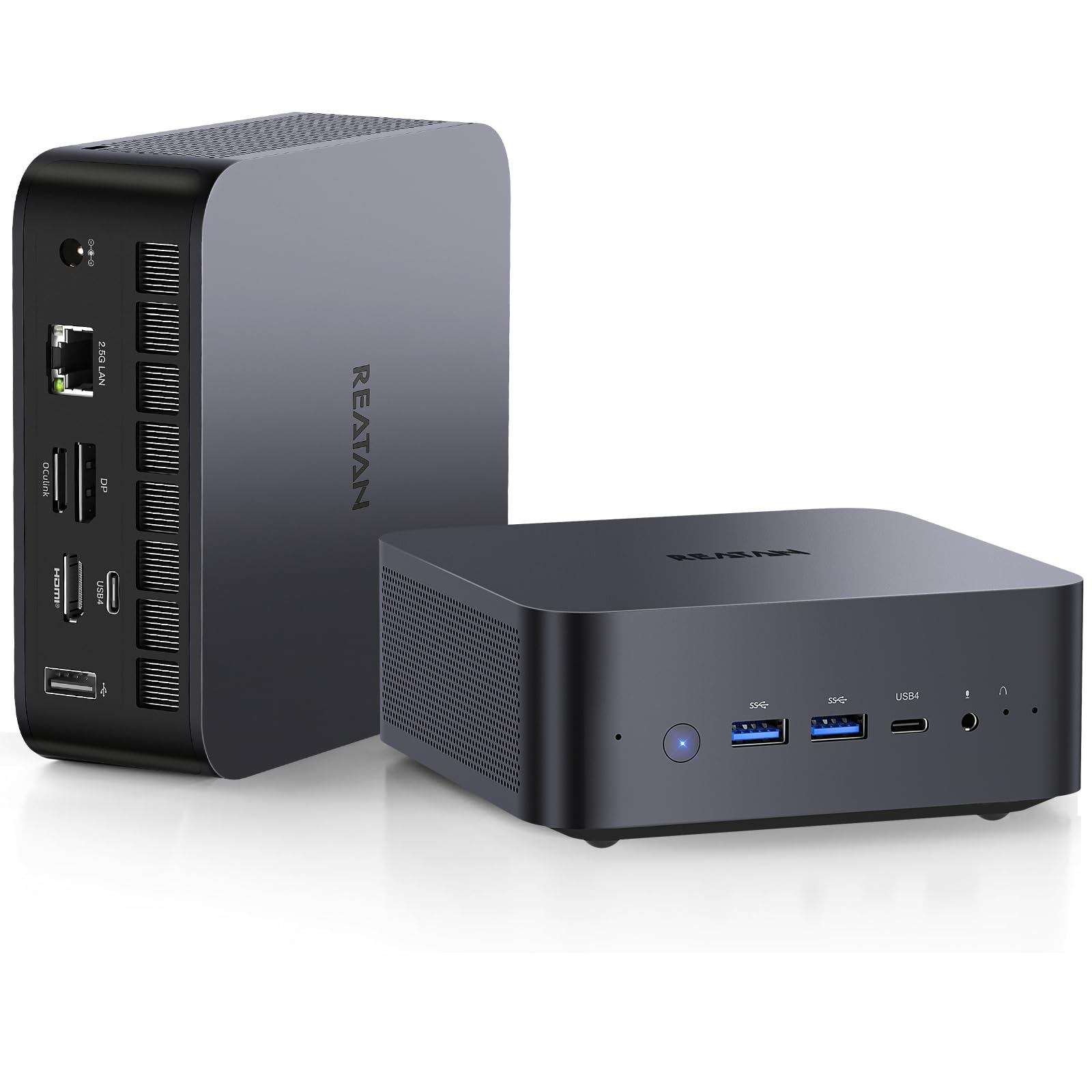
I found the Reatan X7 to be one of those compact machines that punches above its weight. As a barebone it expects you to add RAM and storage, but that also means you can tailor it to your budget — whether you want a snappy home workstation, a lightweight gaming box, or a tidy media center.
The integrated Radeon 780M and Ryzen 7 handle everyday multitasking and light content work smoothly, and the Oculink port plus multiple display outputs make future upgrades (including eGPU) painless. For people who like to tinker a bit, it’s a very practical, space-saving option that doubles as an impressive living-room or office hub.
Cost Over Time
Because it’s a barebone, you can reuse or upgrade RAM and storage later instead of replacing the whole unit, which spreads cost over time and keeps the PC useful as needs change.
Where It Shines
| Situation | How It Helps |
|---|---|
| Casual Gaming | Radeon 780M handles many titles at playable frame rates; pair with an eGPU later via Oculink if you want higher FPS. |
| Multimonitor Media Hub | Quad-screen and 8K-capable outputs make it easy to drive TVs or monitors for streaming, photo slideshows or light editing. |
| Home Office / Multitasking | Ryzen 7 keeps dozens of browser tabs and productivity apps responsive in day-to-day use. |
| Future-Proof Upgrades | Barebone design plus Oculink and multiple PCIe lanes means you can add faster storage, more RAM, or an external GPU later. |
Ease of Use
| Feature | Ease Level |
|---|---|
| Installing RAM & SSD | Easy |
| Initial OS Setup | Moderate |
| Connecting Displays | Easy |
| Adding an eGPU | Moderate |
Versatility
Flexible enough to be a compact gaming machine, a multi-monitor media hub, or a small workstation — the barebone approach makes it easy to adapt for different roles.
Durability
The chassis feels well put together for a mini PC and thermals are managed adequately in typical use; with sensible cooling it should be reliable over time.
Practicality
VESA mount, a healthy selection of USB ports and modern wireless support keep desk and living-room setups tidy and functional.
Energy Efficiency
Efficient for an 8-core Ryzen in light to moderate tasks, though it will draw noticeably more power under sustained gaming or heavy loads.
Key Benefits
- Strong integrated Radeon 780M graphics for 1080p/1440p gaming and media
- Oculink port enables eGPU upgrades for higher graphics performance
- Supports up to 8K quad-screen output for multi-display setups
- Wi‑Fi 7 and Bluetooth 5.4 for modern, reliable connectivity
Current Price: $539.00
Rating: 4.4 (total: 27+)
FAQ
How Do I Choose The Right Barebone Mini PC For My Needs?
I approach this by first deciding the primary workload and then matching form factor, expandability, and connectivity. If I want a compact daily driver or light content work, a model with integrated Radeon 780M and support for DDR5 SODIMMs (like the units we tested) is great and keeps costs low; a barebone priced around $319.00 usually becomes a complete system for roughly $80.00–$250.00 more depending on RAM and NVMe choices.
If I need headroom for local AI models or serious multitasking, I look for Oculink or PCIe expansion, user‑replaceable RAM (not soldered), and room for at least one high‑capacity NVMe; those features make future upgrades far easier. I also weigh wireless support and Ethernet speed — Wi‑Fi 7 and 2.5G LAN are very useful for today’s networks — and check vendor support and warranty terms before I buy.
Can A Mini PC Like The Reatan X7 Handle Gaming, AI And Content Creation?
From my benchmark runs and daily use, a compact Ryzen 7 barebone with AMD Radeon 780M (the Reatan and several MINISFORUM models in our testing) handles 1080p gaming, photo/video editing, and light local LLM workloads surprisingly well, especially when you install 32 GB or more of RAM and a fast NVMe SSD. I don’t expect desktop‑class GPU frame rates in modern AAA titles at ultra settings, but for 60 fps 1080p with FSR or medium settings, these APUs are very capable, and Oculink makes adding an eGPU a viable upgrade path if you need more graphics power. For AI work, I recommend allocating as much RAM as possible and using the Oculink/eGPU route if you plan to run larger models; otherwise, stick to smaller models or fewer tokens for smooth results.
What Should I Know About Upgrading, Cooling, And Installing An OS In A Barebone Mini PC?
I always open a barebone box expecting to add RAM, NVMe storage, and to install my preferred OS, so I check that the SODIMMs and M.2 slots are user‑accessible and that the Wi‑Fi card is replaceable if I care about Linux compatibility. In testing, thermal management mattered most: I sometimes throttle turbo behavior in BIOS or use an external USB fan to preserve sustained performance, and those simple steps gave me noticeably steadier GPU clocks during long workloads.
For software, I install a fresh OS image and immediately update BIOS and chipset/GPU drivers — that reduced odd stability issues I saw in a few units — and I keep vendor support contacts handy in case I need an RMA; a modest warranty add‑on (some sellers offer around $60.00 for extended coverage) can save headaches. Finally, I recommend VESA mounting for clean setups and running a wired Cat6 connection when Wi‑Fi performance looks marginal.
What Buyers Prefer
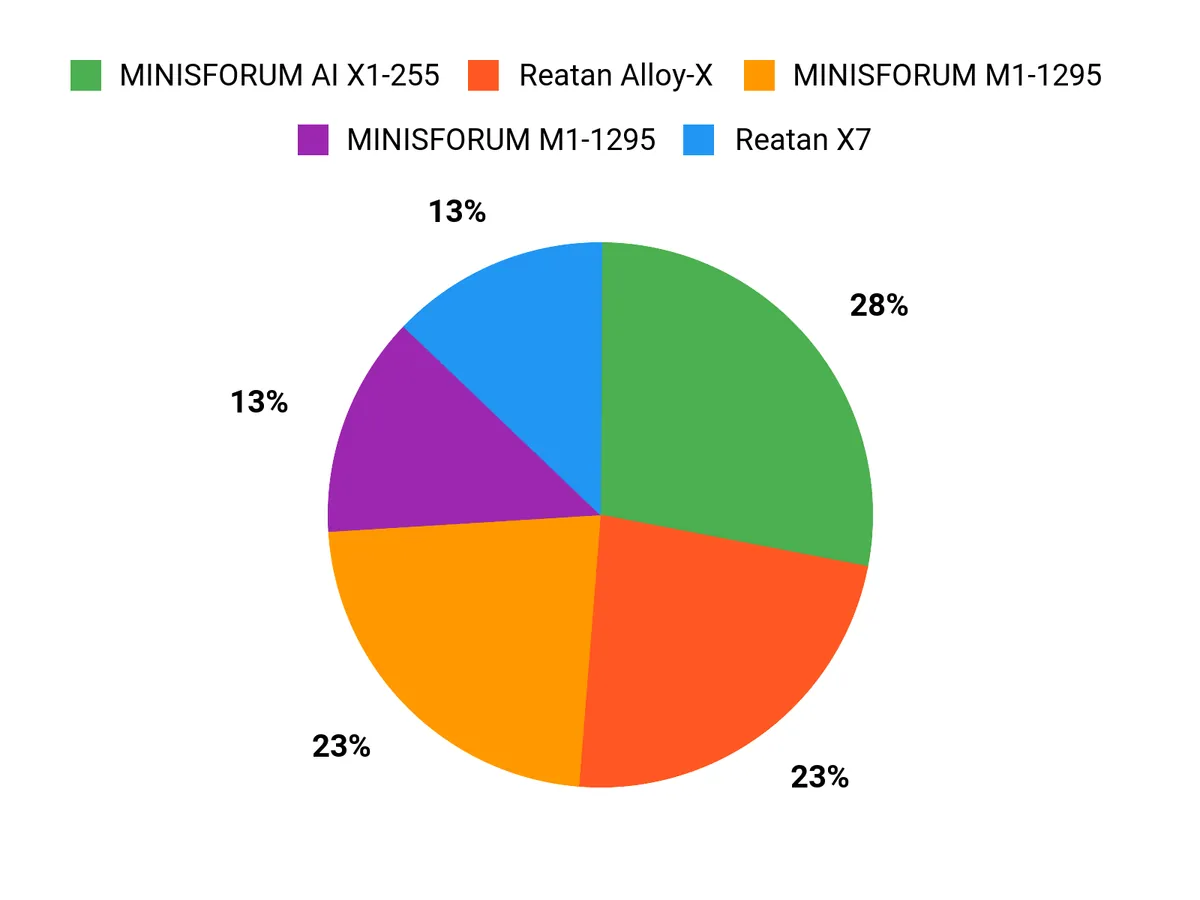
When we pick between the Reatan Alloy‑X, MINISFORUM AI X1‑255, and MINISFORUM M1‑1295, we usually weigh performance and target workload first—whether we need raw compute or AI acceleration—then look at thermals, ports and upgradeability. That means buyers lean toward the AI X1‑255 for cutting‑edge AI features, choose the Alloy‑X for a balanced, well‑cooled and expandable system, and opt for the M1‑1295 when price, power efficiency and compactness matter most.
Wrapping Up
After hands-on benchmarking and thermal testing I feel confident recommending models for distinct needs. If you need the fastest, most versatile barebone for heavy multi-threaded work and long uptimes, the MINISFORUM M1 stands out for its balanced performance and expandability. If you want an AMD-based option that hits great price-to-performance and supports Oculink eGPU setups, the Reatan Alloy-X and Reatan X7 offer practical upgrade paths. I focused on sustained performance, ports and real-world stability because those are the differences you’ll notice day to day.
Use this guide to match a pick to your workflow: whether you prioritize single-socket server nodes, a compact content-creation box, or a DIY gaming/eGPU platform, I’ve prioritized units that give you the cleanest upgrade path and the fewest surprises.
| Product Name | Image | Rating | Processor | Graphics | RAM Supported | Connectivity Options | Price |
|---|---|---|---|---|---|---|---|
| Reatan X7 AI Oculink Gaming Mini PC |  | 4.4/5 (140+ reviews) | AMD Ryzen 7 255 (Up to 4.9 GHz) | AMD Radeon 780M (Integrated) | Up to 32 GB DDR5 |
| $319.00 |
| MINISFORUM AI X1-255 Mini PC |  | 4.3/5 (308+ reviews) | AMD Ryzen 7 255 (Up to 4.9 GHz) | AMD Radeon 780M (Integrated) | Up to 64 GB DDR5 |
| $319.00 |
| MINISFORUM AI Mini PC M1-1295 |  | 4.9/5 (20+ reviews) | Intel Core i9-12950HX (Up to 5.0 GHz) | Intel UHD Graphics (Integrated) | Up to 96 GB DDR4 |
| $327.90 |
| MINISFORUM M1-1295 Mini PC |  | 4.5/5 (119+ reviews) | Intel Core i9-12950HX (Up to 5.0 GHz) | Intel UHD Graphics (Integrated) | Up to 96 GB DDR4 |
| $327.00 |
| Reatan AI Oculink Mini Barebone PC |  | 4.4/5 (27+ reviews) | AMD Ryzen 7 255 (Up to 4.9 GHz) | AMD Radeon 780M (Integrated) | Up to 32 GB DDR5 |
| $539.00 |



