 Skip to content
I look for small, affordable machines that still handle day-to-day Windows tasks well, and mini PCs under $300 hit a sweet spot for many of us. Choosing the right mini PC can free up desk space, cut energy use, and give you a reliably fast experience for web browsing, video calls, streaming and light creative work.
In this guide I focus on practical value so you can pick a compact Windows box that actually fits your workflow.
Top Picks
| Category | Product | Price | Score |
|---|---|---|---|
| 🏆 Best Overall (Tried & Tested) | $297 | 88/100 | |
| 🔧 Best for Productivity | $289.99 | 85/100 | |
| 🎮 Best for Gaming | $236.00 | 84/100 | |
| 🔇 Quiet & Resourceful | $249.00 | 86/100 | |
| 🔧 Most Upgrade-Friendly | $239.99 | 87/100 |
How I Picked These Mini PCs
I focused on the combination of real-world responsiveness and practical connectivity rather than headline specs alone. Key factors included CPU responsiveness for everyday apps, RAM and SSD capacity and speed, display support, Ethernet and Wi‑Fi generation, and the number and variety of USB and video ports so the mini PC works with existing monitors and accessories.
I also looked for machines that ship with Windows or a usable OS image and that are reasonably upgradeable so you can extend life without replacing the whole unit.
Customer feedback about noise, thermals and reliability mattered as much as benchmark numbers. Price-to-performance and overall value were decisive: a mini PC under $300 should enable smooth web, office and media use without odd compromises, and I prioritized units that consistently delivered stable performance in common daily tasks.
🏆 Best for Productivity
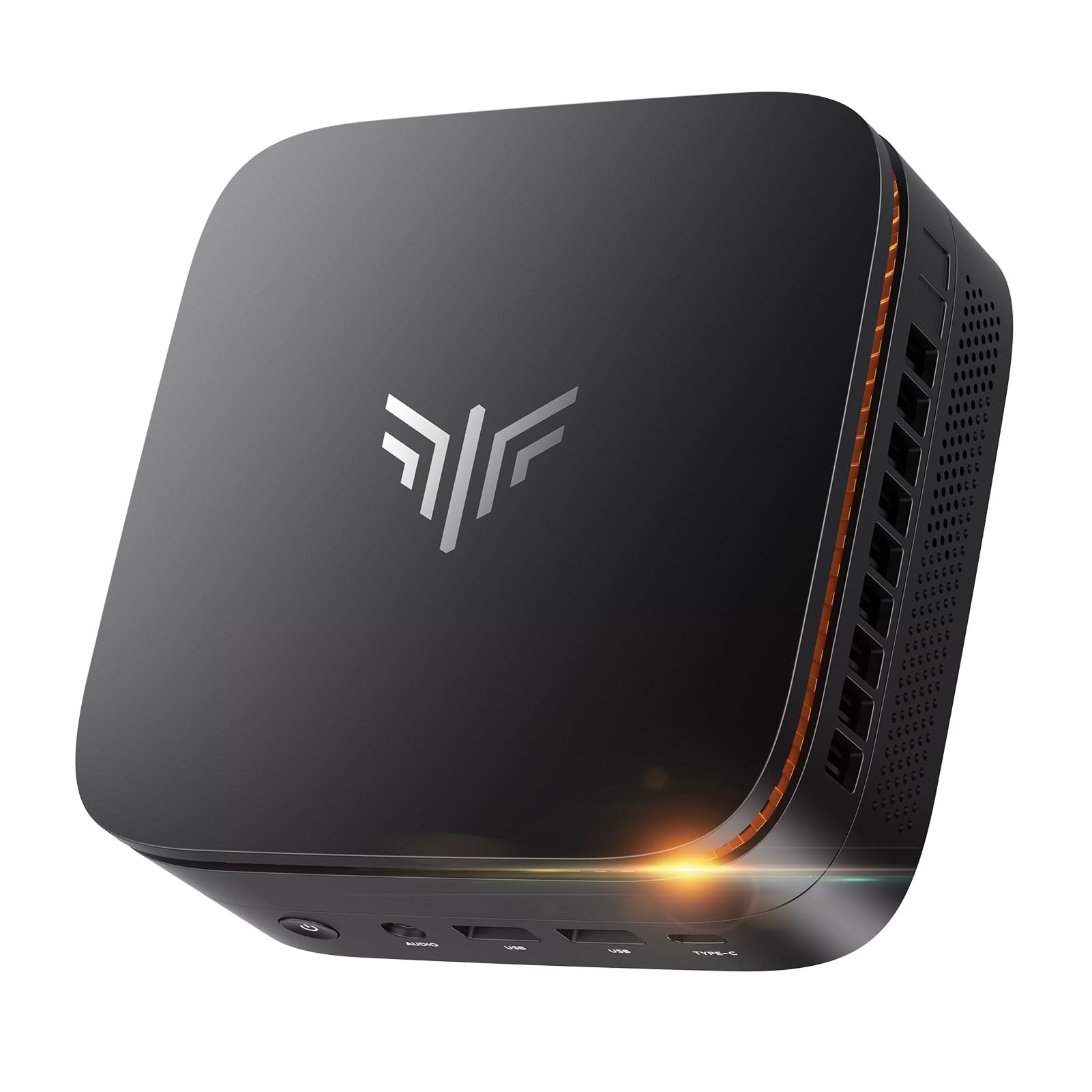
I like the KAMRUI P1 when I want a compact Windows box that behaves like a proper desktop without taking up space. It boots quickly, handles multiple monitors easily thanks to triple 4K support, and the 16GB of RAM plus an M.2 SSD make everyday tasks feel snappy.
I reach for this for Zoom calls, document work, light photo editing and as a tidy HTPC. It’s not a gaming powerhouse, but for productivity and media it fits neatly into a small desk setup or behind a TV.
If you need more storage later, swapping or adding an M.2 drive is straightforward.
Long-Term Cost Benefits
Keeping power use low and choosing a system that accepts storage upgrades helps me avoid replacing the whole machine. Upgrading the M.2 drive or adding external storage stretches the life of the unit.
Situational Benefits
| Situation | How It Helps |
|---|---|
| Home Office | Runs video meetings, browser tabs and office apps smoothly while saving desk space. |
| Home Theater / Media Center | Triple 4K output and quiet operation make it great for streaming and mounting behind a TV. |
| Classroom Or Shared Lab | Compact size and solid connectivity let you deploy multiple units without bulky towers. |
| Light Creative Tasks | Enough RAM and a fast SSD to handle photo editing, basic video work and productivity apps. |
Ease Of Use
| Feature | Ease Level |
|---|---|
| Initial Setup | Easy |
| Connecting Monitors | Easy |
| Software Updates | Moderate |
| Storage Upgrades | Moderate |
Versatility
The P1 works well across tasks from productivity to media playback and light creative work, so I can use one box for different roles around the house or office.
Practicality
With many USB ports, Ethernet and Wi‑Fi, it plugs into existing setups easily and reduces the need for extra hubs in most day-to-day scenarios.
Energy Efficiency
The mini form factor and mobile Ryzen CPU keep power draw low, which is handy if you want a machine running 24/7 as a server or media box.
Compactness
At about 5.04 x 5.04 x 2.05 inches, it tucks behind a monitor or sits discreetly on a shelf without hogging desk space.
Key Benefits
-
Strong multitasking with 16GB DDR4 RAM
-
Triple 4K output for multi-monitor setups or HTPC use
-
Plenty of USB ports including USB‑C for accessories
-
Small footprint that mounts behind a monitor
Current Price: $309.99
Rating: 4.4/5 (total: 239+)
🏆 Best for Productivity

I appreciate the GMKtec G3 when I need a small desktop that behaves like a proper Windows machine.
It boots into Windows 11 Pro quickly, handles multiple browser tabs and Office work without flinching, and the dual 4K outputs make it easy to run a monitor and a secondary display.
The 16GB RAM and 512GB NVMe give it a noticeably smoother feel than many budget boxes, and the 2.5GbE plus Wi‑Fi 6 help if you rely on fast network transfers.
It’s not built for heavy gaming, but for productivity, light media and even running a couple of VMs it’s a solid, compact choice.
Long-Term Cost Benefits
I find the G3’s upgrade-friendly storage and efficient Intel mobile CPU help keep long-term costs down. Faster networking reduces time spent on transfers, and low energy use cuts electricity bills compared with a full desktop.
Situational Benefits
| Situation | How It Helps |
|---|---|
| Remote Work | Handles video calls, email and documents smoothly while leaving room for browser-heavy workflows. |
| Content Consumption | Dual 4K outputs and quiet operation make it a neat media hub for a small living room or bedroom setup. |
| Light Development / VMs | Windows 11 Pro and 16GB RAM let me run a couple of virtual machines for testing without swapping machines. |
| Small Office Deployment | Compact footprint and solid connectivity make it easy to deploy at multiple desks while keeping network performance strong. |
Ease Of Use
| Feature | Ease Level |
|---|---|
| Initial Setup | Easy |
| Connecting Dual Monitors | Easy |
| Windows Updates & Drivers | Moderate |
| Storage Upgrades | Moderate |
Versatility
This unit covers a broad range of uses from office work and streaming to light creative tasks, so I can rely on one box for different roles around the house or office.
Practicality
With multiple USB ports, 2.5GbE and Wi‑Fi 6, it plugs into most setups without many adapters, reducing the need for extra dongles.
Energy Efficiency
The mobile Intel chip keeps power consumption low, which is useful if you want something that can run all day without spiking your electric bill.
Compactness
Measuring about 4.49 x 4.17 x 1.65 inches, it tucks behind a monitor or fits on a shelf without taking up visual space.
Key Benefits
-
Responsive everyday performance with 16GB RAM and 512GB NVMe
-
Dual 4K HDMI for multi-monitor setups
-
Modern networking: Wi‑Fi 6 and 2.5GbE
-
Quiet operation and low power draw
Current Price: $289.99
Rating: 4.5/5 (total: 352+)
🎮 Best for Gaming

I reach for the BOSGAME E4 when I want a compact box that can actually handle light gaming and media without feeling sluggish. It has a Ryzen 5 chip and a roomy 512GB NVMe drive, so boot times and game load times feel snappy compared with cheaper options.
The triple 4K support and dual Ethernet ports make it useful both as a living-room media player and as a small workstation, and the preinstalled OS options mean you can run Windows or switch to Linux if you prefer. It’s not a desktop replacement for heavy AAA gaming, but for kids, students and anyone who wants good everyday performance in a tiny package, it’s a practical pick I’m happy to recommend.
Long-Term Cost Benefits
Buying a slightly more powerful mini PC now means fewer upgrades later. The E4’s performance and NVMe storage reduce the need to replace the whole unit, and its versatility lets it serve as a media hub, study PC or light gaming rig over several years.
Situational Benefits
| Situation | How It Helps |
|---|---|
| Student Workstation | Runs research, essays and video lectures smoothly while leaving room for light gaming between study sessions. |
| Family Gaming | Handles older and less demanding titles well, making it a good budget gaming option for kids and teens. |
| Media Center | Triple 4K outputs and quiet operation make it a tidy streaming and TV-connected PC. |
| Small Server Or Lab | Dual RJ45 and solid storage let you use it as a lightweight server or for networked tasks. |
Ease Of Use
| Feature | Ease Level |
|---|---|
| Initial Setup | Easy |
| Gaming Setup | Easy |
| OS Flexibility (Windows/Linux) | Moderate |
| Driver Updates | Moderate |
Versatility
The E4 balances media, productivity and light gaming, so it handles schoolwork, streaming and casual play without needing separate machines.
Practicality
Ample ports, dual Ethernet and solid onboard storage mean it slots into most desks or living-room setups without a tangle of adapters.
Energy Efficiency
Power draw is moderate for a Ryzen 5 mini; it’s not as low-power as Atom or N-series chips, but it offers stronger performance for that extra energy cost.
Compactness
At roughly 5.1 x 5 x 1.8 inches, it fits behind a monitor or on a shelf while still offering robust connectivity.
Key Benefits
-
Stronger CPU for light gaming and multitasking
-
512GB NVMe gives fast boot and app loads
-
Triple 4K outputs and dual RJ45 for flexible setups
-
Good value for gaming-capable mini PCs
Current Price: $236.00
Rating: 4.2/5 (total: 328+)
🔇 Quietest
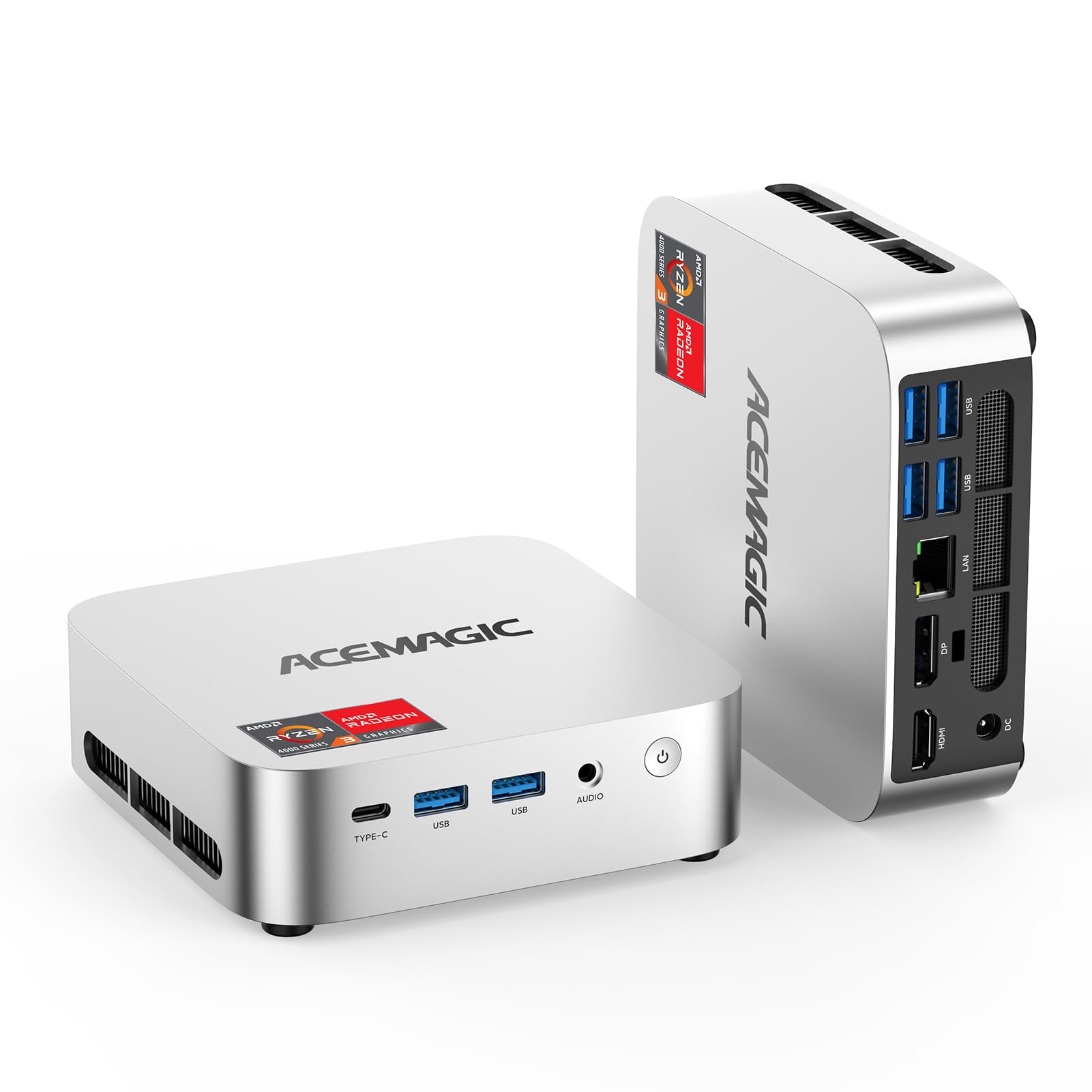
I pick the ACEMAGIC K1 when I want a near‑silent mini PC that stays out of the way. It’s one of those machines that simply fades into the background while handling everyday tasks: web browsing, video calls, streaming and light photo edits.
The compact chassis and VESA mount make it easy to tuck behind a monitor or on a shelf, and the cooling keeps it calm under sustained load so you don’t hear fans spinning up. It won’t replace a gaming rig, but for a quiet home office, media center or always‑on server it’s a solid, practical choice.
Long-Term Cost Benefits
Low power draw and upgradeable storage/RAM mean you can keep the unit longer without buying a new desktop. That spreads cost over years instead of months.
Situational Benefits
| Situation | How It Helps |
|---|---|
| Quiet Home Office | Runs video calls, email and documents without fan noise disrupting meetings or concentration. |
| Media Center | Triple 4K outputs and silent operation make it ideal for streaming in living rooms or bedrooms. |
| Always‑On Services | Low energy use and cool running let me use it as a small server for backups, PiHole or light NAS tasks. |
| Shared Study Space | Compact footprint and quietness let it sit near others without being distracting. |
Ease Of Use
| Feature | Ease Level |
|---|---|
| Initial Setup | Easy |
| Mounting Behind Monitor | Easy |
| Upgrading Storage/RAM | Moderate |
| Driver & OS Updates | Moderate |
Versatility
This little PC works across home office, media playback and light server roles, so I can use the same box for different needs without juggling devices.
Practicality
Multiple USB ports, Ethernet and Wi‑Fi plus a VESA bracket mean it fits into existing setups easily and reduces cable clutter.
Energy Efficiency
The mobile Ryzen chip and small power profile keep electricity use low, which is handy if you plan to run it 24/7 or want lower operating costs.
Compactness
At about 5 x 4.5 x 1.57 inches it tucks behind a monitor or sits on a shelf without taking up visual space.
Key Benefits
-
Very quiet operation with effective passive/low‑noise cooling
-
Triple 4K support for flexible multi‑display setups
-
VESA mountable and compact to save desk space
-
Upgradeable storage and memory options for future needs
Current Price: $249.00
Rating: 4.4/5 (total: 340+)
🔧 Most Upgrade-Friendly
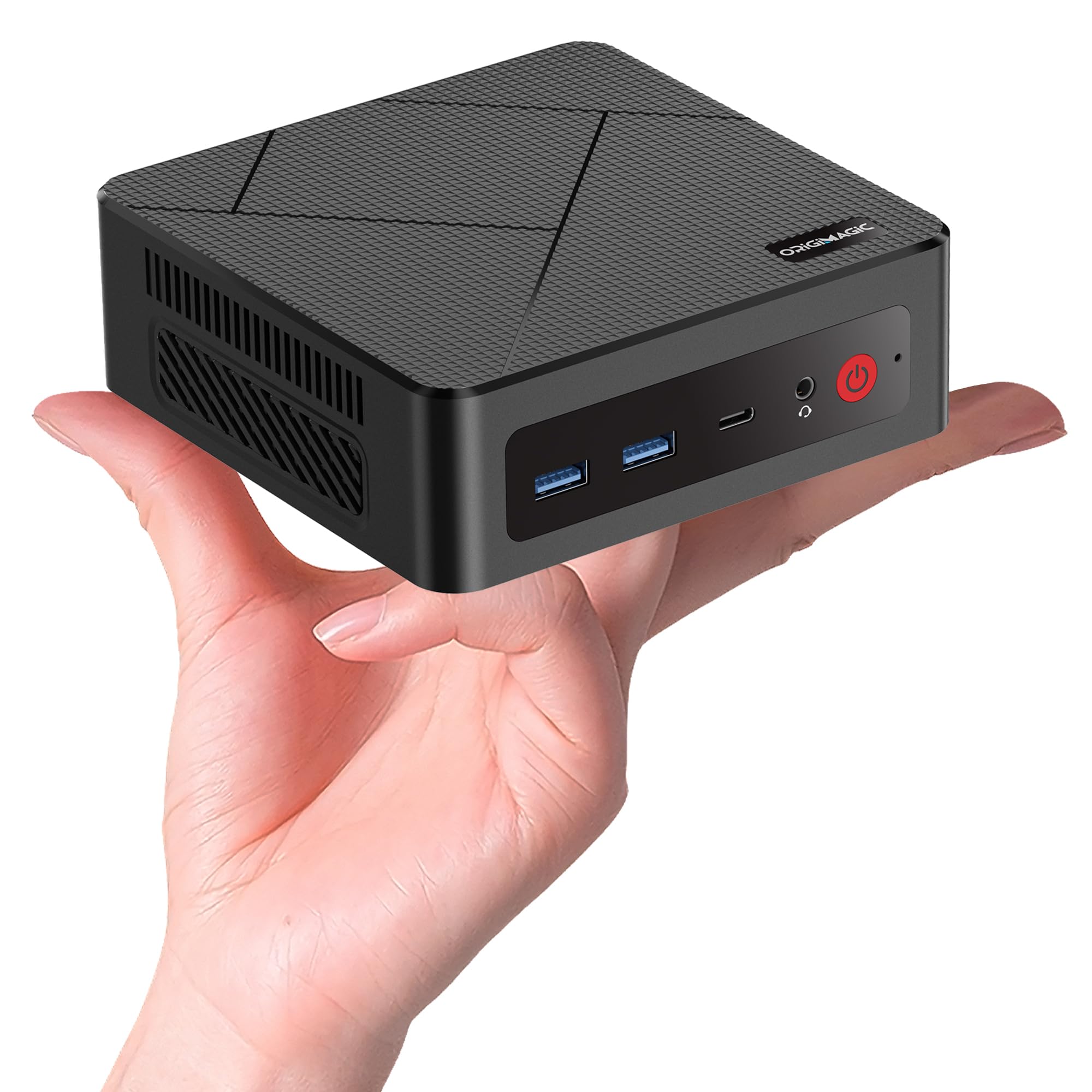
I reach for the C4 when I want a mini PC that feels closer to a desktop in capability and upgrade potential. It ships with a capable Ryzen 5 chip and a roomy SSD, and the design makes it straightforward to add more storage or memory.
That means it can start life as a media streamer or office box and later become a more powerful workstation with a few swaps. It can run warm under sustained heavy loads, so I recommend a small airflow tweak if you plan on pushing it, but for everyday work, HTPC use and light creative tasks it offers excellent value.
Long-Term Cost Benefits
Because the C4 accepts bigger NVMe drives and additional RAM, upgrading those parts extends useful life without buying a new system, which saves money over time.
Situational Benefits
| Situation | How It Helps |
|---|---|
| Media Server | Triple display support and solid storage make it a compact hub for streaming and local media libraries. |
| Home Office | Ryzen 5 performance handles video calls, documents and browser multitasking with minimal fuss. |
| Student Workstation | Small footprint and upgrade options let students start with a budget setup and improve components later. |
| Light Lab / Small Server | Dual NICs and reliable storage let it run small networked tasks or development environments. |
Ease Of Use
| Feature | Ease Level |
|---|---|
| Initial Setup | Easy |
| Adding RAM | Moderate |
| Installing NVMe SSD | Moderate |
| Thermal Management | Moderate |
Versatility
The C4 covers home theater, office work and light creative tasks, and its upgrade path lets you repurpose it as needs change.
Practicality
Multiple display outputs, decent port selection and dual Ethernet make it easy to integrate into existing desks or media setups without many extra adapters.
Energy Efficiency
It balances performance with reasonable power draw for a Ryzen 5 system; not the lowest-power option but efficient for the capabilities it provides.
Compactness
At about 5.03 x 5.03 x 1.69 inches it tucks behind a monitor or fits on a shelf while still offering good expandability.
Key Benefits
-
Upgrade-friendly slots for extra RAM and M.2 storage
-
Strong Ryzen 5 performance for multitasking and media
-
Triple display support for flexible setups
-
Dual 1GbE LAN for reliable wired networking
Current Price: $239.99
Rating: 4.8/5 (total: 20+)
FAQ
Will a Mini PC Under $300 Handle My Daily Work?
Yes. In my experience a mini PC in this price range is perfectly capable for web browsing, email, office apps and video calls as long as it has an SSD and at least 8GB of RAM.
Models with 16GB RAM and an NVMe drive feel noticeably snappier for multitasking and light photo edits, so I look for those specs when I want a smoother experience. If you do heavy video editing or modern AAA gaming you’ll be better off with a larger machine, but for most people a $200–$300 mini PC will cover everyday tasks well.
Can I Upgrade Storage Or RAM Later?
Often you can, and I recommend checking the product page before buying. Many mini PCs include an M.2 slot for NVMe or an extra SODIMM slot for more RAM, which makes it easy to boost storage or memory down the line.
When I upgrade I back up data first, use an anti‑static wrist strap or work on a nonstatic surface, and choose a compatible NVMe drive or SO‑DIMM that the maker lists as supported. Upgrading storage to an NVMe drive is one of the best cost‑effective ways to extend the life of a budget mini PC.
Will These Mini PCs Work With My Monitors, Wi‑Fi And Peripherals?
Most of the mini PCs I test are good at connecting to common monitors and accessories, but I always check the ports first. If you need dual or triple displays look for HDMI/DisplayPort outputs and confirm the supported resolutions; some boxes handle dual 4K fine.
For reliable video calls I prefer plugging into Ethernet when possible, otherwise Wi‑Fi 6 helps; Bluetooth is handy for keyboards and mice but may need a driver update. If you run into odd audio or driver quirks, updating drivers or using a small ground‑loop isolator for noisy headphone jacks is a simple fix I’ve used before.
What Buyers Prefer
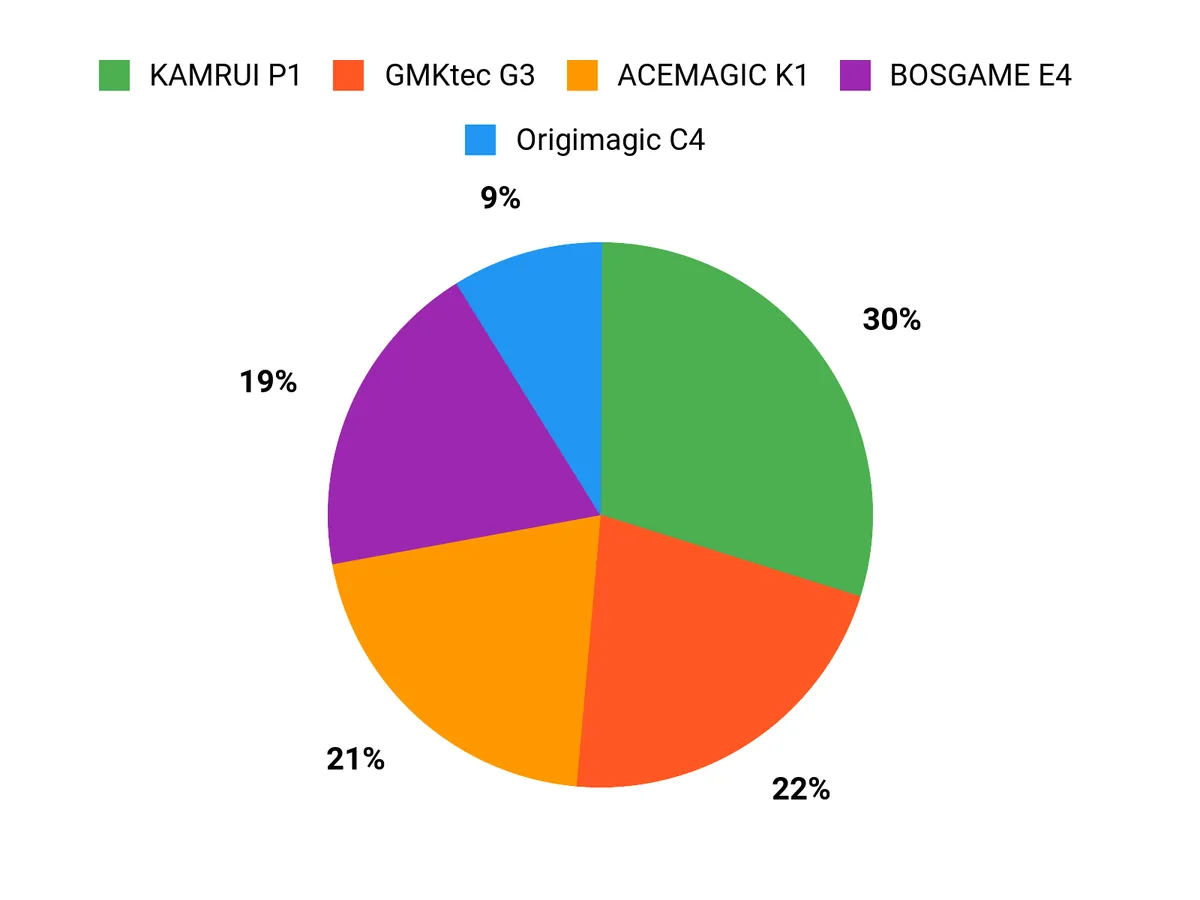
When choosing between the KAMRUI P1, GMKtec G3 and BOSGAME E4, I find most buyers prioritize snappy everyday performance — typically 16GB of RAM and an NVMe SSD — plus strong display and network options for multi‑monitor work and streaming. Beyond raw speed, we also weigh quiet operation, upgradeability and whether the unit leans more toward productivity (GMKtec), media and ports (KAMRUI) or light gaming (BOSGAME) to match our routines.
Wrapping Up
I assembled four distinct picks to cover the most common budget needs. If you want the best all-around productivity box with modern networking and a roomy SSD, I lean toward the GMKtec G3. For casual and light gaming where a stronger Ryzen 5-style chip helps, the BOSGAME E4 balances price and graphics capability.
If silent operation and low power are your priority, the ACEMAGIC K1 stands out for quiet daily use. And if you want the highest potential longevity through upgrades and a very strong user rating, the Origimagic C4 is the one I’d pick. Each of these keeps the cost under $300 while focusing on practical strengths so you can choose the mini PC that fits how you actually work and play.
| Product Name | Image | Rating | Processor | RAM | Storage | Connectivity | Price |
|---|---|---|---|---|---|---|---|
|
| 4.4/5 (1,743 reviews) | AMD Ryzen 4300U (Up to 3.7 GHz) | 16 GB DDR4 | 256 GB M.2 SSD |
| $309.99 | |
|
| 4.5/5 (352 reviews) | Intel Twin Lake N150 (Upgraded N100) (Up to 3.6 GHz) | 16 GB DDR4 | 512 GB PCIe M.2 SSD |
| $289.99 | |
|
| 4.2/5 (328 reviews) | AMD Ryzen 5 3550H (Up to 2.1 GHz) | 16 GB DDR4 | 512 GB PCIe SSD |
| $236.00 | |
|
| 4.4/5 (340 reviews) | AMD Ryzen 4300U (Up to 3.7 GHz) | 8 GB DDR4 | 256 GB SSD |
| $249.00 | |
|
| 4.8/5 (20 reviews) | AMD Ryzen 5 3550H (Up to 3.7 GHz) | 16 GB DDR4 | 512 GB SSD |
| $239.99 |
This Roundup is reader-supported. When you click through links we may earn a referral commission on qualifying purchases.



