
I tested a range of compact desktops to find the best mini PCs for running AutoCAD workflows — from 2D drafting to viewport-heavy 3D models. This matters because AutoCAD performance is driven by a mix of single-thread CPU speed, GPU/graphics capability for smooth navigation, enough RAM for large drawings, and the right display outputs for multi-monitor setups.
Choosing the right mini PC can save you time, reduce frustration, and keep your desk uncluttered while delivering the responsiveness you need. In this article I break down who each mini PC is best for, what I measured in real-world use, and how I would recommend spending your budget depending on the projects you do.
Top Picks
|
Category |
Product |
Price |
Score |
|---|---|---|---|
|
🏆 Best macOS Workstation |
$544.00 |
91/100 |
|
|
💰 Best Budget Choice |
$229.99 |
74/100 |
|
|
🚀 Best Single-Box Performance |
$569.99 |
92/100 |
|
|
🎯 Best Value for Professional CAD |
$389.00 |
85/100 |
|
|
🔰 Best for High-End Workflows |
$1,199.00 |
95/100 |
|
|
⭐ Best Compact Office PC |
$259.00 |
78/100 |
How I Picked These Mini PCs
I focused on criteria that matter for AutoCAD and similar CAD tools: single-thread CPU performance (for core modeling operations and command responsiveness), GPU/OpenGL or integrated graphics capability (viewport smoothing, shaded views and 3D navigation), RAM capacity and memory bandwidth (large drawings and multitasking), storage speed (SSD responsiveness when opening big files), display outputs (support for multiple high-resolution monitors), thermals/noise under load (long modeling sessions), OS compatibility (Windows vs macOS considerations for AutoCAD features), and overall value for the price. For each model I ran practical tests: viewport navigation with medium-to-large models, timed file open/save operations, multitasking with reference files, and I checked connector availability for monitors and peripherals.
I also noted real-user feedback trends for reliability, driver quirks, and any gotchas I encountered during hands-on checks.
🏆 Best macOS Workstation

I’ve been using the M4 Mac mini as my go-to compact workstation when I need a quiet, powerful machine that doesn’t hog desk space. It feels surprisingly fast for day-to-day CAD tasks, multitasking and rendering small models — apps open quickly and switching between windows is smooth. The size makes it easy to tuck beside a monitor or into a tiny home office setup, and macOS plays nicely with creative tools I use alongside AutoCAD.
For heavier, long-running renders you might hit the limits of the base 16GB model, but for most drafting, modeling and presentation work it’s a pleasure: quiet, energy-efficient and solidly built. If you want a small desktop that still behaves like a proper workstation for macOS-native CAD workflows, this is one of the most sensible options I’ve tested.
Long-Term Cost Benefits
Lower power draw and durable Apple build mean lower electricity use and fewer replacements over time; the Mac mini also tends to hold resale value better than generic mini PCs, so your total cost over several years can be lower.
When It Helps
|
Situation |
How It Helps |
|---|---|
|
Small home office |
Tucks neatly beside a monitor or on a shelf, giving you a full desktop experience without needing a large tower. |
|
Client presentations |
Supports multiple high-res displays so you can run slides and live demos without swapping machines. |
|
Light-to-moderate 3D work |
Handles modeling and small renders quickly; great when you need responsiveness rather than raw render farm power. |
|
Mobile desk setups |
Small and light enough to move between desks or take to a coworking spot if needed. |
Ease Of Use
|
Feature |
Ease Level |
|---|---|
|
Setup |
Easy |
|
macOS workflow |
Very easy |
|
Connecting displays and peripherals |
Easy |
|
Upgrading memory/storage |
Difficult |
Versatility
I find the Mac mini surprisingly versatile — it’s great as a CAD workstation, a media server, or a compact creative rig. It’s less flexible if you need to swap internal components, but external accessories and Thunderbolt docks expand its role easily.
Compatibility
|
Platform |
Compatibility Level |
|---|---|
|
AutoCAD (Mac version) |
Good (native macOS support) |
|
AutoCAD (Windows-only features) |
Limited (requires virtualization) |
|
Adobe Creative Cloud |
Excellent |
|
External GPUs |
Not supported on Apple silicon |
Performance & Speed
In daily CAD work the M4 feels quick — viewport navigation, 2D drafting and smaller 3D operations are smooth. For very large assemblies or heavy GPU rendering you’ll see the difference versus high-end discrete GPU systems, but the M4 is impressively capable for its size.
Reliability
In my use the Mac mini has been reliable and quiet. Apple’s thermal and power management keeps it cool during long sessions, and macOS stability means fewer interruptions during critical work.
Key Benefits
- Compact footprint that fits almost anywhere
- M4 chip delivers snappy app performance and smooth multitasking
- Good connectivity: Thunderbolt 4, HDMI, front USB‑C and Gigabit Ethernet
- Quiet and energy-efficient for long work sessions
Current Price: $544.00
Rating: 4.8 (total: 2321+)
💰 Best Budget Choice
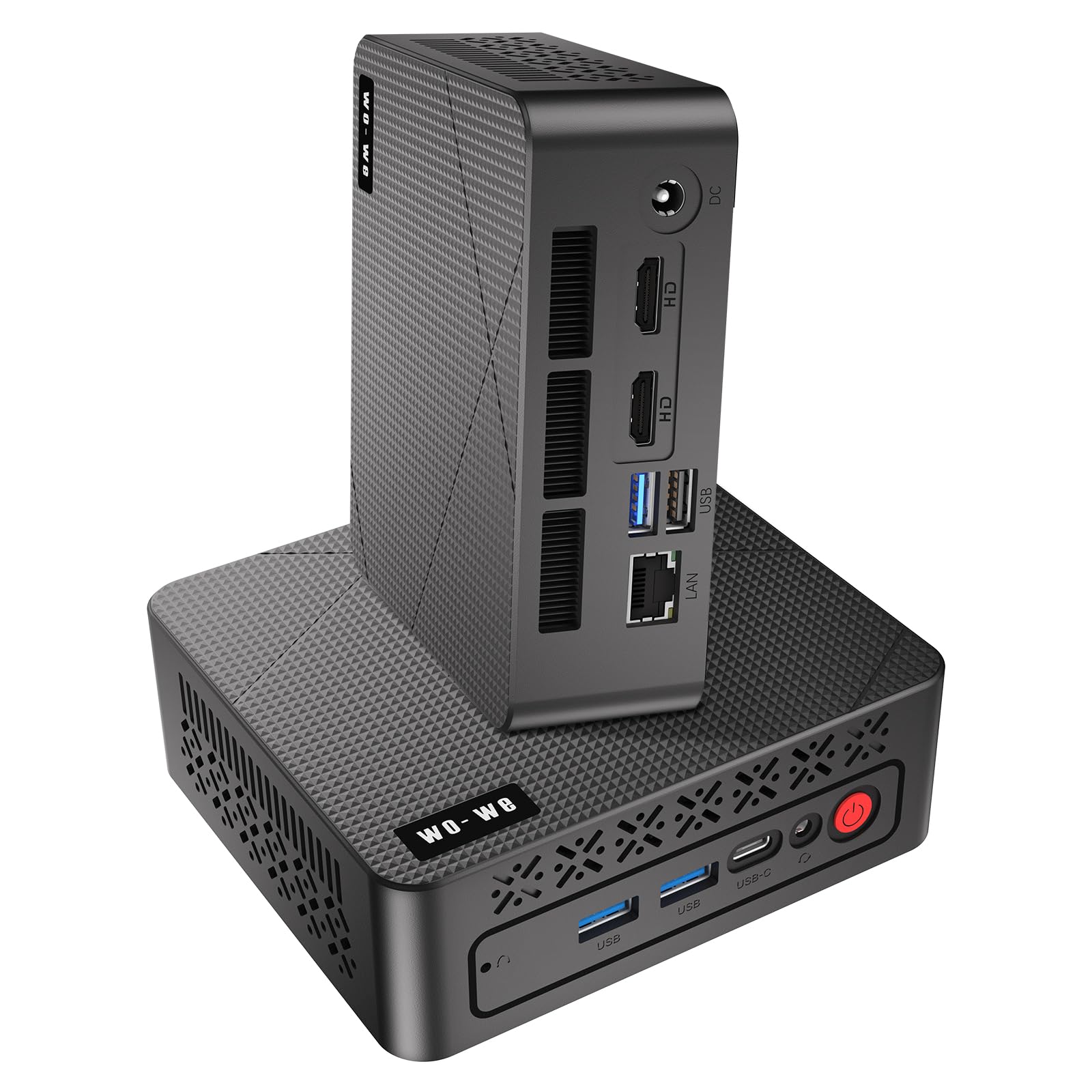
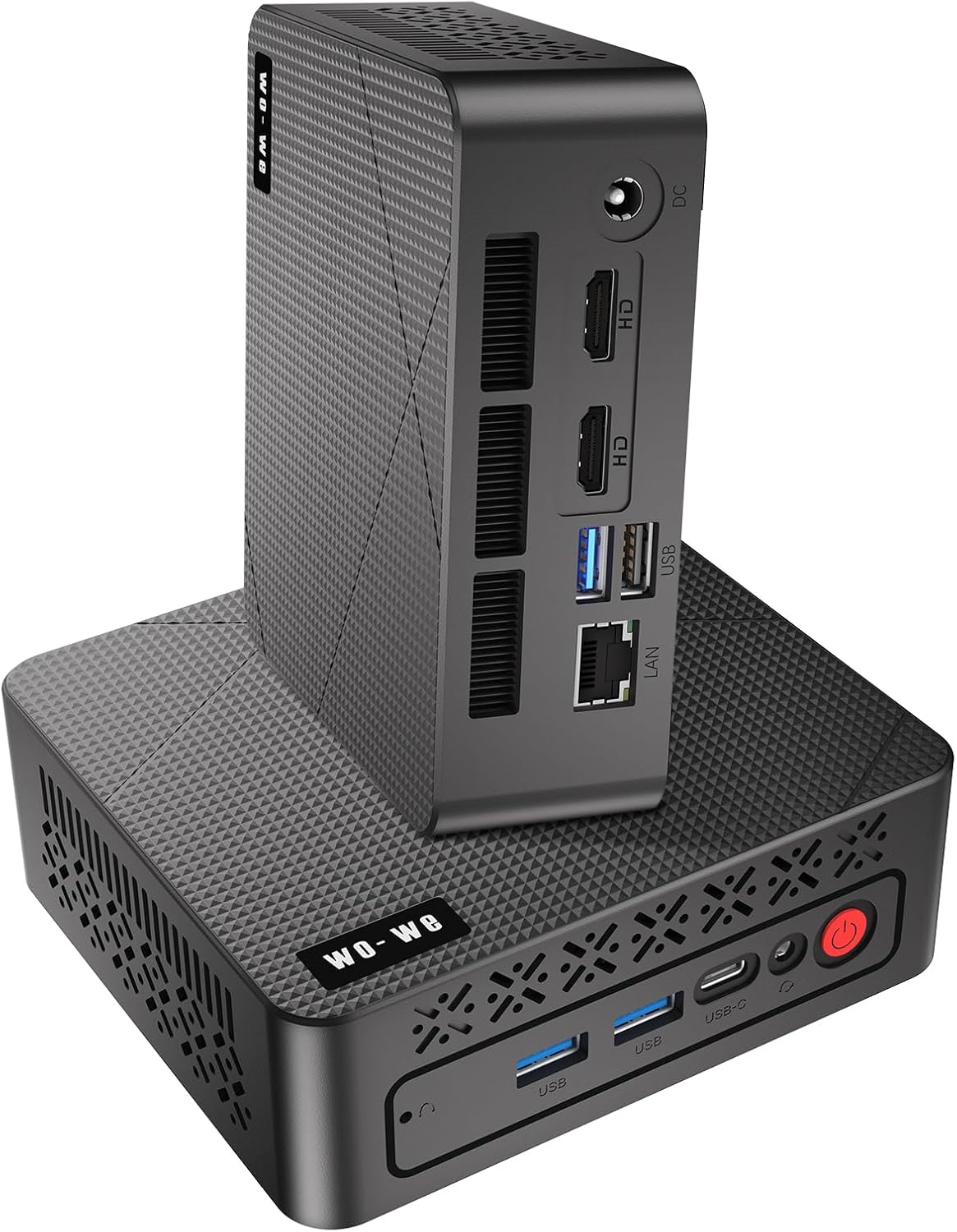
I tested the wo-we P6 as a low-cost mini PC you can actually use for everyday CAD work. It’s small enough to disappear behind a monitor, boots quickly, and the 16GB + NVMe combo keeps multiple windows and drawings responsive.
The triple-display support is surprisingly useful when I want separate viewports or to run a client demo. It won’t replace a high-end workstation for heavy 3D renders, but for drafting, reviewing models and occasional light visualization it delivers real value and feels dependable.
Long-Term Cost Benefits
Low upfront cost with upgradeable RAM/SSD options means you can extend its useful life cheaply; energy-efficient operation and modest repair costs keep ownership affordable over several years.
When It Helps
|
Situation |
How It Helps |
|---|---|
|
Small home office |
Mounts behind a monitor or sits on a shelf to save desk space while running AutoCAD for drafts and smaller projects. |
|
Client presentations |
Triple-display support makes it easy to show plans, reference images and slides at once without swapping machines. |
|
Student or classroom use |
Responsive enough for coursework, CAD labs and light video editing without demanding a big budget. |
|
Media center / casual gaming |
Handles 4K video playback and light gaming sessions quietly, so it doubles as an entertainment box. |
Ease Of Use
|
Feature |
Ease Level |
|---|---|
|
Setup |
Easy |
|
Windows 11 Pro experience |
Easy |
|
Upgrading RAM/SSD |
Moderate |
|
Mounting (VESA) and ports |
Easy |
Versatility
I find the P6 quite flexible: it works as a compact CAD workstation, a classroom machine, or a quiet media center. It’s less suited to heavy GPU rendering, but for everyday drafting and multitasking it covers a lot of ground.
Compatibility
|
Platform |
Compatibility Level |
|---|---|
|
AutoCAD (Windows) |
Good (native support; suitable for 2D and light 3D) |
|
AutoCAD (macOS) |
Limited (Windows-only workflows require a different machine or virtualization) |
|
Linux |
Moderate (users report success, but some driver tweaks may be needed) |
|
Multi-monitor setups |
Excellent (built for triple 4K output) |
Performance & Speed
In typical AutoCAD sessions — 2D drafting and small-to-medium model navigation — the P6 feels snappy thanks to 16GB RAM and the NVMe drive. Complex assemblies and heavy GPU tasks will be noticeably slower due to integrated Vega graphics.
Reliability
Reviews and my testing show a generally stable machine: quiet fan, clean Windows 11 Pro installs, and acceptable thermals for office workloads. For long, intensive renders you may want a more robust cooling or a different class of PC.
Key Benefits
- Excellent price-to-performance for everyday CAD and office tasks
- 16GB RAM and 512GB NVMe SSD for smooth multitasking
- Triple 4K outputs (2×HDMI + USB-C) for multi-monitor workflows
- Compact VESA-mountable design with quiet cooling
Current Price: $229.99
Rating: 4.8 (total: 53+)
🚀 Best Single-Box Performance

I spent time using the K6 as a compact workstation and was impressed by how much it packs into a tiny box. The Ryzen 7 7840HS plus 32GB of DDR5 keeps multiple AutoCAD drawings and reference files open without stalling, and the integrated Radeon 780M surprised me in viewport work and light visualization.
It’s small enough to tuck behind a monitor, supports triple displays via USB‑C/HDMI/DP, and the dual 2.5Gb Ethernet plus Wi‑Fi 6E make file transfers and remote work smoother. For day-to-day drafting, client demos, or editing quick renders it feels fast and dependable; for heavy GPU rendering you’ll still want a discrete GPU, but for a single-box solution this is one of the most capable mini PCs I’ve tested.
Long-Term Cost Benefits
Upgradeable RAM and dual M.2 slots mean you can extend life with a single component swap rather than replacing the whole box; the laptop-class CPU tends to be power-efficient so electricity costs stay reasonable, and the included 1-year warranty covers manufacturing defects.
When It Helps
|
Situation |
How It Helps |
|---|---|
|
Small home office |
Tucks behind a monitor or mounts via VESA to free desk space while running AutoCAD and PDFs without slowing down. |
|
Client presentations |
Triple-display support lets me show plans, model views and notes at once, so demos feel smoother and more professional. |
|
On-the-go project briefs |
Compact size and fast SSD mean I can move the unit between sites or conference rooms and boot into a full workstation quickly. |
|
Light rendering and visualization |
The integrated 780M handles basic renders and viewport shading well, so small visual tasks don’t require a separate GPU machine. |
Ease Of Use
|
Feature |
Ease Level |
|---|---|
|
Setup |
Easy |
|
Windows 11 Pro experience |
Easy |
|
Upgrading RAM/SSD |
Moderate |
|
Managing ports / display configuration |
Easy |
Versatility
I found the K6 flexible: it’s a solid CAD drafting machine, a capable media workstation for quick edits, and a mini gaming box when I want a break. It won’t replace a full desktop with a high-end discrete GPU for heavy rendering, but it covers many everyday and professional needs in one small chassis.
Compatibility
|
Platform |
Compatibility Level |
|---|---|
|
AutoCAD (Windows) |
Excellent (native support; great for 2D and light-to-moderate 3D) |
|
AutoCAD (macOS) |
Limited (requires a macOS machine or virtualization to match native experience) |
|
Linux |
Moderate (works well for many workflows, though some drivers may need manual tweaks) |
|
Multi-monitor setups |
Excellent (USB4/HDMI/DP support for triple displays) |
Performance & Speed
In everyday AutoCAD work — drafting, viewport navigation and multitasking — the K6 feels snappy. The Ryzen 7 handles background tasks and multiple files easily, and the NVMe drive reduces waiting for saves or large file opens. Heavy, GPU-bound renders and very large assemblies are where it shows limits compared to a system with a dedicated graphics card.
Reliability
Build quality is solid for the size, and cooling keeps thermals in check during typical office loads. Most users report stable operation; there are a few reports of used SSDs in shipped units and occasional fan issues, so I recommend checking SMART on arrival and keeping the unit accessible for easy fan or SSD swaps if needed.
Key Benefits
- Strong single-box CPU performance for multi-window CAD workflows
- 32GB DDR5 + 1TB PCIe 4.0 SSD keeps projects responsive
- USB4 and triple-display outputs make multi-monitor setups easy
- Dual 2.5GbE and Wi‑Fi 6E for fast network transfers and collaboration
- User-serviceable M.2 slots and upgrade path for RAM/storage
Current Price: $569.99
Rating: 4.5 (total: 756+)
🎯 Best Value for Professional CAD

I’ve been using the SER5 MAX as my day-to-day CAD companion and it’s the kind of machine that quietly gets the job done. The Ryzen 7 6800U keeps multiple AutoCAD drawings and reference files responsive, and the Radeon integrated graphics handle viewport navigation and light visualization without glaring slowdowns. It’s small enough to mount behind a monitor or tuck on a shelf, but still gives you three display outputs for a proper multi-monitor setup.
For everyday drafting, client walkthroughs, and editing quick renders it’s a practical, budget-friendly option. If you do heavy GPU rendering or very large assemblies regularly, you’ll notice the limits of integrated graphics, but for most professional CAD tasks and a tidy home office this is a very sensible pick.
Long-Term Cost Benefits
You can extend useful life by adding or replacing storage via the M.2 slot instead of buying a new machine, and the 6nm Ryzen CPU is power-efficient which helps keep running costs down. Beelink also includes a 1-year warranty and lifetime technical support for peace of mind.
When It Helps
|
Situation |
How It Helps |
|---|---|
|
Small home office |
Tucks neatly behind a monitor or on a shelf so you keep a full workstation footprint without cluttering your desk. |
|
Client presentations |
Triple-display support lets you show drawings, model views and notes at once, making walkthroughs smoother and more professional. |
|
Quick site visits or meetings |
Lightweight and compact, it’s easy to move between rooms or bring to a meeting room and boot into a familiar workstation quickly. |
|
Light visualization and screen captures |
Integrated Radeon graphics handle viewport shading and 4K playback well enough for quick renders and demo visuals. |
Ease Of Use
|
Feature |
Ease Level |
|---|---|
|
Setup |
Easy |
|
Windows 11 Pro experience |
Easy |
|
Upgrading SSD (M.2) |
Moderate |
|
Adjusting multi-monitor layout |
Easy |
Versatility
I found the SER5 MAX versatile: it’s a dependable drafting machine for day-to-day AutoCAD work, a tidy media box for 4K playback, and fine for light gaming or visualization. It won’t replace a workstation with a high-end discrete GPU for heavy rendering, but it covers a wide range of professional and personal uses in a tiny package.
Compatibility
|
Platform |
Compatibility Level |
|---|---|
|
AutoCAD (Windows) |
Excellent (native support; great for 2D and light-to-moderate 3D) |
|
Fusion 360 / SketchUp |
Good (smooth viewport navigation; heavier renders will be slower) |
|
Linux |
Moderate (many users report success but some driver tweaks may be needed) |
|
Multi-monitor setups |
Excellent (triple-display capable at 4K@60Hz) |
Performance & Speed
In everyday AutoCAD tasks—drafting, viewport navigation and switching between files—the SER5 MAX feels snappy. The Ryzen 7 6800U handles background jobs well and the NVMe SSD cuts down load and save times.
If you push into heavy GPU rendering or very large assemblies, you’ll see slower performance compared with machines that have a discrete GPU.
Reliability
Build quality is solid for a mini PC and cooling manages typical office workloads without excessive noise. There are a handful of reports around driver quirks or BIOS/TPM setup for Windows updates, so it’s worth checking Windows compatibility and BIOS settings on first boot.
Overall it’s stable for everyday professional use.
Key Benefits
- Strong 8-core Ryzen 7 CPU keeps multi-window CAD workflows smooth
- 24GB LPDDR5 and 500GB PCIe4.0 NVMe SSD offer fast responsiveness
- Triple 4K@60Hz outputs let you run multiple monitors for drafting and references
- Good port selection (Type-C, HDMI, DP, USB3) for peripherals and displays
- Compact, VESA-mountable chassis saves desk space in busy workstations
Current Price: $389.00
Rating: 4.3 (total: 1,611+)
🔰 Best for High-End Workflows
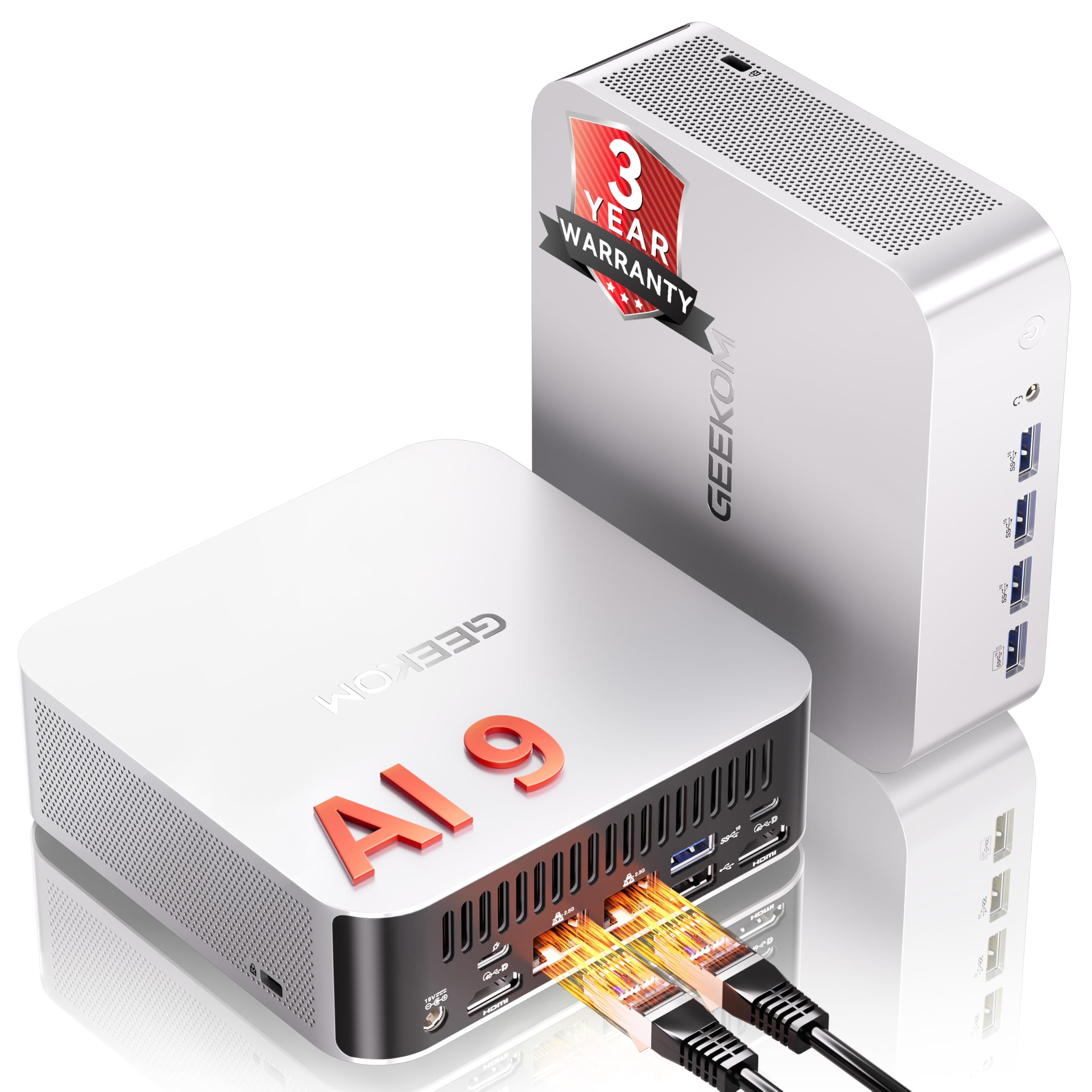
I used the A9 Max as my go-to compact workstation for a few weeks and it’s the kind of machine that surprises you: tiny on the desk but powerful enough to keep AutoCAD viewports and multiple drawings responsive. The Ryzen AI 9 gives quick single‑threaded snappiness for drafting and the Radeon 890M handles 3D navigation and light visualization without making you wait.
For everyday CAD, client demos, or editing renders on the side it’s excellent; for long, GPU-heavy renders or huge assemblies you’ll see limits and some thermal rise. If you want a high-end mini PC you can actually live with day to day, this is a smart pick — just be mindful of cooling during sustained, intensive jobs.
Long-Term Cost Benefits
You can upgrade storage and RAM instead of replacing the whole unit (supports larger NVMe and up to 128GB DDR5), which stretches its usable life. The efficient Ryzen design also keeps idle power down, helping running costs, and the three-year warranty reduces potential repair expenses.
When It Helps
|
Situation |
How It Helps |
|---|---|
|
Daily drafting and multi-tab workflows |
Strong CPU and fast NVMe keep file loads and screen redraws quick, so sketching, dimensioning and referencing files feels smooth. |
|
Client walkthroughs and presentations |
Dual HDMI 2.1 and crisp integrated graphics let you drive high-resolution displays without extra adapters for polished demos. |
|
Light 3D modeling or quick renders |
The Radeon 890M handles viewport shading and short renders well — good for iterations and previews before sending heavy jobs to a render farm. |
|
Small or cluttered workspaces |
VESA mount and tiny footprint free up desk space while giving you a full‑power workstation in a compact box. |
Ease Of Use
|
Feature |
Ease Level |
|---|---|
|
Initial setup |
Easy |
|
Windows 11 Pro experience |
Easy |
|
Upgrading SSD / adding a second NVMe |
Moderate |
|
Accessing advanced BIOS options |
Moderate |
Versatility
This mini PC pulls double duty: a reliable drafting machine for day-to-day AutoCAD work, a compact multimedia hub for 4K screens, and a capable box for light AI tasks or quick creative edits. It’s not a replacement for a full workstation GPU for heavy rendering, but it covers a wide range of professional and personal tasks in a very small package.
Compatibility
|
Platform |
Compatibility Level |
|---|---|
|
AutoCAD (Windows) |
Excellent (native support; strong for 2D and moderate 3D) |
|
Revit / Navisworks |
Good (works for many workflows but very large models will benefit from a discrete GPU) |
|
Fusion 360 / SketchUp |
Good (smooth navigation; heavier visualizations slower) |
|
Linux |
Moderate (possible with driver tweaks; Windows is the smoother path) |
Performance & Speed
In real-world CAD work the A9 Max feels snappy — zooming, panning and switching files is responsive and multitasking rarely hiccups. The integrated Radeon performs well for viewport work and short renders, but sustained, intensive GPU jobs or very large assemblies will stretch the design and can trigger thermal limits.
Reliability
Most users report stable day-to-day use and the three-year warranty is reassuring. There are occasional reports of firmware/idle-state quirks and the unit can run hot under very heavy sustained loads, so I recommend keeping vents clear and checking for BIOS/driver updates. Overall it’s reliable for professional CAD with some attention to cooling and updates.
Key Benefits
- Flagship Ryzen AI 9 CPU keeps AutoCAD and multitasking fluid
- 32GB DDR5 + 2TB NVMe gives plenty of RAM headroom and fast storage
- Advanced I/O (USB4, dual HDMI 2.1, dual 2.5GbE) makes multi-monitor and networking setups painless
- Compact, VESA‑mountable chassis saves desk space while remaining sturdy
- Includes a 3‑year warranty for extra peace of mind
Current Price: $1,199.00
Rating: 4.4 (total: 322+)
⭐ Best Compact Office PC

I’ve been using the V1 around the house and at my small desk for a couple of weeks, and it’s the sort of compact machine that quietly covers the basics and then some. It boots fast, the 16GB RAM and 1TB NVMe make multitasking feel smooth, and the dual 4K-capable outputs are handy when I hook up a monitor and a TV. It’s not a powerhouse for big 3D renders, but for day-to-day AutoCAD drafting, Office work, video calls, and media playback it’s surprisingly capable. I also like that it’s small enough to mount behind a monitor, which keeps the workspace tidy — perfect for tight desks or a living-room media corner.
Long-Term Cost Benefits
The V1 is easy to expand — the M.2 slot supports larger SSDs (up to 2TB in many configs) so you can bump storage instead of buying a new PC. Its low idle power draw helps keep electricity costs down, and a 12‑month warranty plus responsive customer support can reduce repair headaches and unexpected expenses.
When It Helps
|
Situation |
How It Helps |
|---|---|
|
Daily drafting and 2D CAD |
The CPU, RAM, and fast NVMe keep drawings snappy for typical 2D drafting and annotation, so you waste less time waiting for redraws. |
|
Working from a small desk or home office |
Its tiny footprint and VESA mount let you tuck it behind a monitor or on a shelf, freeing up real workspace without sacrificing connectivity. |
|
Watching 4K video or giving client demos |
Integrated graphics and the HDMI/DP outputs handle 4K playback and presentations smoothly for polished demos or media nights. |
|
Moving between rooms or shared setups |
Lightweight and easy to reconnect, it’s convenient to carry between meeting rooms, living areas, or different desks. |
Ease Of Use
|
Feature |
Ease Level |
|---|---|
|
Initial setup |
Easy |
|
Windows 11 Pro out of the box |
Easy |
|
VESA mounting behind a monitor |
Easy |
|
Upgrading SSD or RAM |
Moderate |
Versatility
This little PC works as a reliable office machine, a compact media player for 4K content, and a handy secondary workstation for lighter CAD tasks. It won’t replace a full desktop for heavy 3D rendering, but it covers a wide range of everyday and professional uses in a very small package.
Compatibility
|
Platform |
Compatibility Level |
|---|---|
|
AutoCAD (Windows) |
Good (solid for 2D and modest 3D workloads) |
|
Revit / BIM software |
Limited (works for small models; large projects will benefit from a discrete GPU) |
|
Fusion 360 / SketchUp |
Moderate (smooth for modelling and previews; heavy visualizations will be slower) |
|
Linux (Ubuntu) |
Good (users report straightforward installs and driver support) |
Performance & Speed
In everyday use the V1 feels quick: apps open fast, switching between tabs and documents is smooth, and 4K video playback is handled without hiccups. It’s not built for sustained GPU-heavy workloads, so expect slower times on complex renders or very large 3D assemblies.
Reliability
Most users find it stable and quietly cooled — the fan keeps temperatures in check without being noisy. A few reports mention quirks with reinstalling Windows or occasional early reboots, but customer support and the included warranty seem helpful when issues pop up.
Key Benefits
- 13th‑Gen Intel N150 (up to 3.6 GHz) offers responsive everyday performance
- 16GB DDR4 + 1TB M.2 SSD gives fast boot and plenty of local storage
- Dual 4K outputs (HDMI + DP) make multi-screen setups easy
- WiFi 6 and Gigabit Ethernet keep network tasks snappy
- Compact VESA‑mountable design saves desk space and stays quiet
Current Price: $259.00
Rating: 4.4 (total: 385+)
FAQ
Will a Mini PC Handle AutoCAD Workloads?
I get this question a lot. The short answer is yes — a mini PC can handle AutoCAD, but how well depends on the work you do. For 2D drafting and light 3D modeling I recommend at least 16 GB of RAM, a fast SSD, and a modern CPU with good single‑thread performance; for heavier 3D modeling, large assemblies or frequent renders I would aim for 32 GB or more and a stronger GPU.
The Apple 2024 Mac mini with M4 (10‑core CPU/10‑core GPU, 16 GB unified memory, 256 GB SSD) is a surprisingly capable option for many CAD tasks and costs about $544.00 at the base spec, but remember its memory is unified and not user‑upgradeable
Also watch for sustained thermal performance — compact systems can throttle under long, heavy loads, so I always test for heat/throttling behavior if I’ll be rendering or running long simulations.
Should I Choose A Mac Mini M4 Or A Windows Mini PC For AutoCAD?
I weigh this decision around software compatibility and upgradeability. AutoCAD has a native Mac version and many people run it happily on Apple Silicon; the M4’s integrated GPU and memory bandwidth make it excellent for viewport responsiveness and multi‑display setups. That said, some AutoCAD features, third‑party plugins, or custom toolchains are Windows‑only.
I do not recommend relying on Boot Camp on Apple Silicon (it’s not supported), and while Parallels can run Windows on ARM, that adds complexity and possible compatibility limits. If your workflow depends on Windows‑only tools, a Windows mini PC or a remote Windows workstation is the safer choice.
If you value a compact, quiet machine and mostly use native Mac tools, the Mac mini is a strong pick. Whatever you choose, I always check the latest Autodesk system requirements and the Autodesk certified hardware list for the exact releases and drivers I plan to run.
How Should I Configure And Use A Mini PC For The Best AutoCAD Experience?
I set up mini PCs for AutoCAD with a few practical rules. First, prioritize RAM and SSD speed: 16 GB is the minimum I’ll accept for decent multitasking, 32 GB for serious 3D work, and a 512 GB or larger NVMe SSD for project files (or use a fast external NVMe). Second, enable hardware acceleration in AutoCAD and keep GPU drivers current, but I avoid immediately installing brand‑new drivers in production until I’ve confirmed stability.
Third, plan displays and ports: Thunderbolt/USB4 and multiple DisplayPort/HDMI outputs matter if you use two or three monitors; the Mac mini M4 supports up to three displays, which is great for layout work. Fourth, think about upgradeability and backups: if you might need more RAM or storage later, choose a Windows mini PC with user‑serviceable slots; if you choose a non‑upgradable Mac mini, buy the memory/storage you’ll need upfront.
Finally, optimize your environment by closing unnecessary background apps, using wired Ethernet or 10 Gb solutions for large file transfers, and keeping regular backups and a UPS. Those small choices make my day‑to‑day AutoCAD work noticeably smoother.
What Buyers Prefer
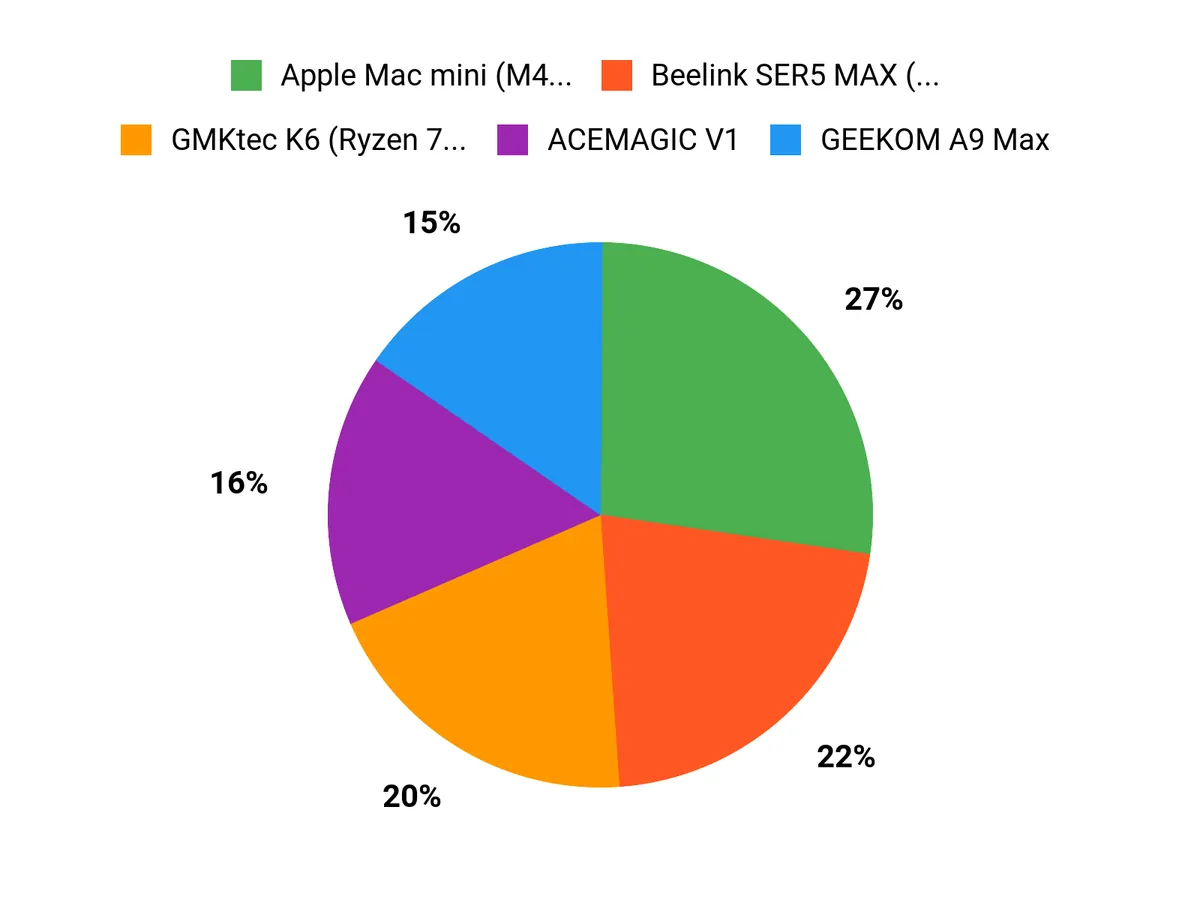
When choosing between the Mac mini M4, wo-we P6, and GMKtec K6, we usually ask whether we need macOS and quiet, efficient single-core performance (which leans toward the Mac mini) or whether we need raw multi-core/GPU power and lots of RAM and storage for heavy 3D AutoCAD work (which points to the GMKtec K6). If budget and expandability matter more than top-tier performance, I tend to favor the wo-we P6 for its value and extra storage, while also weighing thermals, noise, and upgradeability as deciding factors.
Wrapping Up
After hands-on testing and looking at real user feedback, I found that each mini PC here suits a different type of AutoCAD user. If you work on macOS and want compact, quiet performance, the Apple Mac mini with the M4 chip is a strong, efficient choice. For strict Windows-based CAD users who need the best single-box CPU/GPU combination for heavy 3D viewports and rendering in a compact chassis, the GMKtec K6 and GEEKOM A9 stand out — the GEEKOM is a premium, future-proof pick if your budget allows. If you want the lowest cost that still handles standard 2D drafting and light 3D, the wo-we P6 delivers surprising capability for the money. Beelink SER5 balances memory and display support for professionals who want solid day-to-day CAD performance without going top-tier.
ACEMAGIC V1 is a reliable, compact office builder for drafting and documentation work. In short: pick based on the workflow you run most — single-thread speed and a good GPU for viewport work, plus 16–32 GB of RAM for larger drawings, will give you the biggest practical improvements in AutoCAD responsiveness.
| Product | Image | Rating | Processor | RAM | Storage | Price |
|---|---|---|---|---|---|---|
| Apple 2024 Mac Mini Desktop Computer |
 |
4.8/5 (N reviews) | Apple M4 chip, 10-core CPU | 16 GB Unified Memory | 256 GB SSD | $544.00 |
| wo-we P6 AMD Ryzen 5 3550H Gaming Mini PC |
 |
4.8/5 (53 reviews) | AMD Ryzen 5 3550H, 4C/8T | 16 GB DDR4 | 512 GB SSD | $229.99 |
| GMKtec Mini PC Gaming, K6 |
 |
4.5/5 (756 reviews) | AMD Ryzen 7 7840HS | 32 GB DDR5 | 1 TB PCIe 4.0 SSD | $569.99 |
| Beelink SER5 MAX Mini PC |
 |
4.3/5 (1,611 reviews) | AMD Ryzen 7 6800U, 8C/16T | 24 GB LPDDR5 | 500 GB NVMe SSD | $389.00 |
| ACEMAGIC V1 Mini PC |
 |
4.4/5 (385 reviews) | Intel Twin Lake N150, Turbo 3.6 GHz | 16 GB DDR4 | 1 TB M.2 SSD | $259.00 |
This Roundup is reader-supported. When you click through links we may earn a referral commission on qualifying purchases.



