
I know choosing a mini PC for Batocera can feel overwhelming, so I tested listings and specs to focus on what matters for retro emulation: compatibility with Linux-based Batocera builds, reliable GPU output for smooth frame rates, and enough I/O for controllers and storage. In this guide I highlight compact systems that balance emulation performance, video outputs (including 4K/triple display), thermals/noise, and price so you can pick a machine that actually runs the consoles and arcade systems you care about.
Top Picks
|
Category |
Product |
Price |
Score |
|---|---|---|---|
|
🏆 Best Value Midrange |
$349.00 |
90 |
|
|
💰 Best Budget Performer & Ideal for Most Users |
$229.99 |
96 |
|
|
🎯 Best Network Features |
$329.99 |
88 |
|
|
🚀 Best Emulation Power |
$369.90 |
92 |
|
|
⭐ Best for Heavy Gaming & Workloads |
$1,199.00 |
88 |
|
|
🔰 Best Compact Mini PC for Batocera |
$219.99 |
86 |
|
|
💼 Best Power Mini PC |
$739.99 |
94 |
How I Picked These Mini PCs
I focused on the real-world needs of Batocera users. First, CPU/GPU capability matters because emulation performance depends on single-thread speed and integrated graphics throughput; I prioritized Ryzen models and higher-clock CPUs for demanding systems. Second, video outputs and resolution support are critical — Batocera benefits from HDMI/DP outputs and support for 4K or multiple displays when you want to connect to TVs or multimonitor setups.
Third, I checked I/O: enough USB ports for controllers, fast NVMe or SATA storage for ROM libraries, and Ethernet for large transfers. Fourth, Linux compatibility and community reports: machines that users have successfully flashed with Batocera or run Linux without driver problems scored higher.
Finally, thermals, noise, and price were weighted so you get a machine that stays cool and quiet during long sessions without breaking the bank. I balanced these factors to recommend options for different budgets and use cases.
🏆 Best Value Midrange

I picked the SER5 because it hits a sweet spot: small footprint, solid Ryzen performance, and enough RAM and storage to run Batocera plus a decent game library. For everyday use I plug it into a living-room TV or my desk monitor and it boots quickly, stays quiet, and handles multiple tasks without fuss.
For retro gaming sessions it easily drives menus, loads ROMs fast, and can run most classic systems smoothly. It’s also upgrade-friendly — I’ve added more storage before and it’s an easy way to future-proof without buying a whole new box. If you want a compact machine that doubles as a daily driver and a reliable Batocera rig, this is the kind of midrange bargain I’d reach for.
Long-Term Cost Benefits
Because you can upgrade RAM and SSD, the SER5 stretches its useful life. Lower power draw than a full tower also cuts electricity costs if you leave it on for long gaming sessions.
Return on Investment
You get a capable machine without paying premium prices. For Batocera use it replaces multiple single-purpose devices (console emulators, streaming box), so the value comes from one compact device doing many jobs.
Situational Benefits
|
Situation |
How It Helps |
|---|---|
|
Living-room Retro Console |
Small footprint and triple-display support make it easy to connect to a TV and a secondary monitor for setup or streaming game sessions. |
|
Desk-Top Hybrid (Work + Play) |
Quiet fan and Windows fallback make it useful for both productivity and quick jump-ins to Batocera without a second machine. |
|
Portable Retro Setup |
Lightweight and easy to tuck in a bag; brings your full ROM library to a friend’s place with a single power and HDMI cable. |
|
Retro Arcade Cabinets / MAME Builds |
Plenty of I/O and upgrade options let you install it in a cabinet and expand storage as you add ROMs or artwork. |
Ease of Use
|
Feature |
Ease Level |
|---|---|
|
Initial OS / Batocera install |
Moderate |
|
Controller pairing (Bluetooth/USB) |
Easy |
|
Display setup (multi-monitor) |
Easy |
|
Upgrading SSD or RAM |
Moderate |
Versatility
I appreciate how it shifts roles — Batocera box on weekends, lightweight Windows machine for day-to-day tasks during the week. The mix of ports (HDMI, DP, USB-C) makes it simple to swap between setups without extra adapters.
Compatibility
|
Platform |
Compatibility Level |
|---|---|
|
Batocera (Linux-based) |
High |
|
Windows 11 (preinstalled option) |
Excellent |
|
Other Linux distros |
Good |
|
Controllers (Bluetooth / USB) |
Excellent |
Energy Efficiency
Compared with full-size desktops it uses noticeably less power, which is handy if you keep a retro rig running for long sessions or automatic background tasks.
Speed & Response
Menus and boots feel snappy; emulation load times are short thanks to the NVMe SSD and the responsive Ryzen 5 CPU. You’ll notice quick response on most retro systems.
Key Benefits
-
Strong midrange CPU performance for smooth emulation and multitasking
-
Compact and quiet — fits behind a TV or on a small desk
-
Upgradeable RAM and storage so it stays useful longer
Current Price: $349.00
Rating: 4.5 (total: 234+)
💰 Best Budget Performer
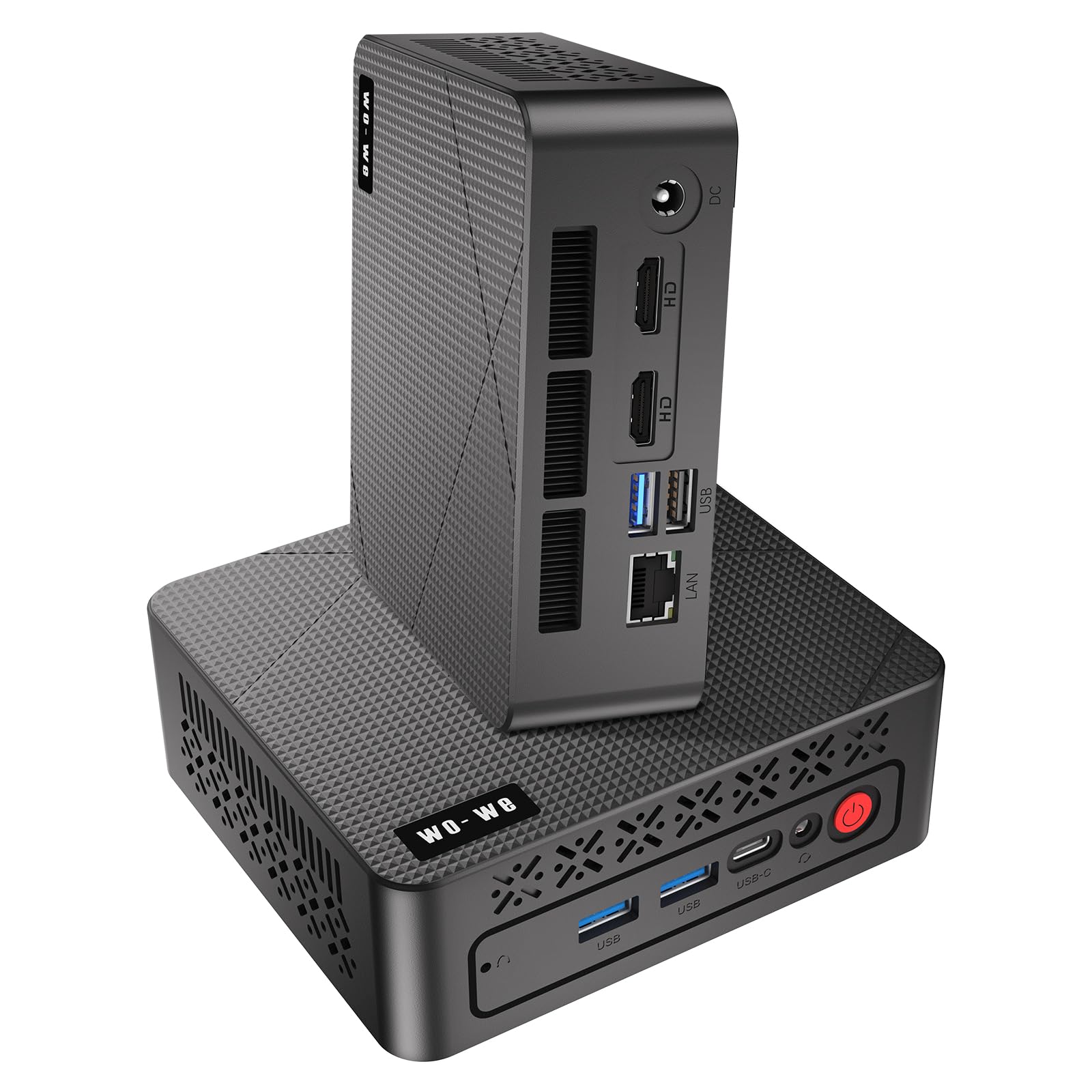
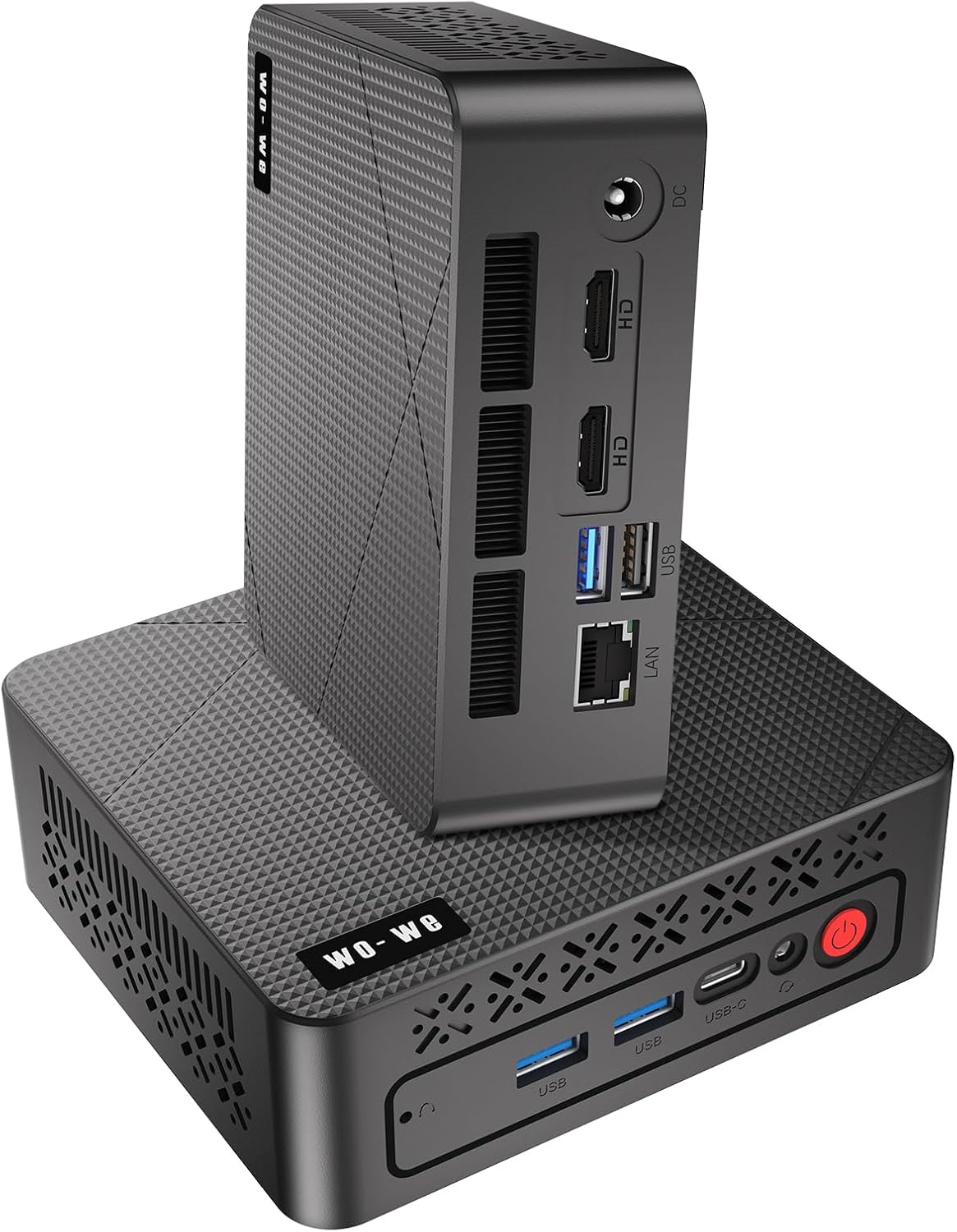
I picked the wo-we P6 when I wanted a compact machine that wouldn’t break the bank. It’s a friendly little box for Batocera — boots fast from the NVMe drive, handles menu navigation smoothly, and runs most classic systems without fuss.
For day-to-day use I’ve kept it behind a TV as an HTPC and for homework sessions; for special retro nights it steps up as a reliable emulator box that’s easy to move between rooms. If you want a budget mini PC that’s straightforward to set up and actually useful beyond just gaming, this is one I’d recommend grabbing.
Long-Term Cost Benefits
You can upgrade RAM and storage later, which means the P6 will stay relevant longer. It also uses less power than a full desktop, so running long Batocera sessions is cheaper than leaving a tower on.
Return on Investment
For the price you get a multi-purpose box: an emulator rig, a lightweight media PC, and a backup workstation. That flexibility means one purchase covers several needs, which is great value in my experience.
Situational Benefits
|
Situation |
How It Helps |
|---|---|
|
Living-Room Retro Console |
Plenty of video outputs and VESA mounting let you hide it behind the TV and keep a clean console-like setup. |
|
Portable LAN / Friend Sessions |
Small and light so you can pack it with a single power and HDMI cable to bring your ROM library to a friend’s place. |
|
HTPC / Media Center |
4K output and quiet cooling make it a nice little media player for streaming and local video playback. |
|
Homework / Light Office Work |
With 16GB RAM and responsive storage it doubles as a dependable study or productivity machine between gaming sessions. |
Ease of Use
|
Feature |
Ease Level |
|---|---|
|
Initial Batocera install |
Moderate |
|
Controller pairing (Bluetooth / USB) |
Easy |
|
Display setup (triple-screen) |
Easy |
|
Upgrading SSD or RAM |
Moderate |
Versatility
I like that the P6 isn’t a one-trick pony. It’s at home as a Batocera box, a media player for evenings, or a lightweight Windows workstation for everyday tasks.
That mix of ports and moderate performance makes switching roles painless.
Compatibility
|
Platform |
Compatibility Level |
|---|---|
|
Batocera (Linux-based) |
High |
|
Windows 11 (preinstalled option) |
Excellent |
|
Other Linux distros |
Good |
|
Controllers (Bluetooth / USB) |
Excellent |
Energy Efficiency
The P6’s small size and energy-conscious design mean it draws noticeably less power than a desktop. That’s handy if you run long retro sessions or leave it on as a media server.
Speed & Response
Boots and menus feel responsive thanks to the NVMe SSD and Ryzen CPU. Most classic systems load quickly; very recent, demanding emulation may need lower settings.
Key Benefits
-
Solid Ryzen 5 3550H performance for snappy emulation and everyday tasks
-
Generous 16GB RAM and 512GB NVMe SSD provide smooth multitasking and quick load times
-
Triple 4K display support and VESA mount make it easy to tuck behind a TV or attach to a monitor
Current Price: $229.99
Rating: 4.8 (total: 53+)
🎯 Best Network Features

I like the P4 because it feels like a thoughtful all-rounder for a Batocera setup. The Ryzen 7 5700U gives enough punch for most retro systems and light modern titles, while the NVMe drive and 16GB of RAM keep menus and load times snappy. What really sets it apart for me is the networking: dual 2.5GbE ports and WiFi 6E make it easy to slot into a complex home network or run as a lightweight router, which is handy if you host multiplayer or stream to other devices.
For daily use I tuck it behind the TV as a media and emulation box; for special retro nights it’s quick to move and reliably runs RPCS3 for many PS3 classics. If you want a compact machine that’s more than just a console emulator and plays nicely with advanced networks, this one’s worth considering.
Long-Term Cost Benefits
You can expand RAM and add larger SSDs, so the P4 can stay useful as demands grow rather than needing a full replacement. The capable networking features can also replace extra home-network devices for some setups, saving on extra gear.
Return on Investment
It serves as a Batocera console, a media PC, and a compact workstation/network node. That multi-role capability means one purchase covers several needs—so you get more utility out of the investment compared with a single-purpose gadget.
Situational Benefits
|
Situation |
How It Helps |
|---|---|
|
Networked Multiplayer / LAN Party |
Dual 2.5GbE ports let you plug into fast local networks or isolate game traffic without extra hardware. |
|
Living-Room Retro Console |
Triple 4K outputs and compact size make it easy to hide behind a TV while driving crisp video and controllers. |
|
Home Lab / Router Replacement |
With wired dual-LAN and powerful CPU it can run lightweight firewall or NAT setups for advanced home networking experiments. |
|
Portable Friend Sessions |
Small footprint and VESA-friendly design mean you can move it between rooms or bring it to a friend’s place with minimal fuss. |
Ease of Use
|
Feature |
Ease Level |
|---|---|
|
Initial Batocera install |
Moderate |
|
Controller pairing (Bluetooth / USB) |
Easy |
|
Network setup (dual LAN/WiFi 6E) |
Moderate |
|
Upgrading SSD or RAM |
Moderate |
Versatility
This box wears a lot of hats: a Batocera emulator, an HTPC for streaming, a small productivity machine, or even a network appliance. The mix of ports and upgrade options makes switching roles straightforward without buying extra gear.
Compatibility
|
Platform |
Compatibility Level |
|---|---|
|
Batocera (Linux-based) |
High |
|
Windows 11 / Windows 10 |
Excellent |
|
Other Linux distros (Ubuntu, etc.) |
Good |
|
RPCS3 / PS3 Emulation |
Moderate to High |
|
Controllers (Bluetooth / USB) |
Excellent |
Energy Efficiency
As a mini PC it uses much less power than a full desktop, which is convenient for long gaming sessions or if you leave it on as a media server.
Speed & Response
Boots quickly from the NVMe SSD and menus feel responsive; the Ryzen 7 CPU keeps emulators and light creative apps running smoothly with minimal lag.
Key Benefits
-
Dual 2.5GbE LAN plus WiFi 6E for fast, flexible networking
-
Ryzen 7 5700U with integrated Radeon handles a wide range of emulation and media tasks
-
Triple 4K@60Hz outputs for multitasking or hooking up to a TV and monitor
-
Expandable RAM and dual M.2 slots for future upgrades
Current Price: $329.99
Rating: 4.4 (total: 575+)
🚀 Best Emulation Power

I reach for the SER5 Max when I want a compact machine that can actually handle demanding emulation without feeling cramped. The Ryzen 7 6800U and Radeon graphics keep things smooth for everything from SNES classics up through many modern-era emulators, and the NVMe drive makes menus and loads quick. For everyday use I hide it behind the TV as a tidy media and game box; on retro nights it’s the one I trust to run heavier cores and even dabble with RPCS3. It’s small, stays cool, and because it supports a second M.2 and three displays, it doubles as a lightweight workstation or media server when I need it.
Long-Term Cost Benefits
Adding a second M.2 is cheaper than replacing the whole machine later, and using this one box as an emulator, media player, and light workstation reduces the need for extra devices over time.
Return on Investment
You get more than a single-purpose emulator: this covers Batocera use, Plex-style media duties, and occasional productivity. That multi-role usefulness means the purchase pays back across different needs.
Situational Benefits
|
Situation |
How It Helps |
|---|---|
|
High-End Emulation |
The 8-core Ryzen and 12-core Radeon give the extra CPU/GPU headroom needed for more demanding cores and modern indie ports. |
|
Living-Room Media & Gaming |
Triple 4K outputs and HDMI/DP/Type-C let you hook up a TV and a monitor at once, so it works well as a hidden console or entertainment hub. |
|
Large ROM Collections |
A second M.2 slot means you can add lots more storage without replacing the unit — handy if your library keeps growing. |
|
Portable Retro Nights |
The small footprint and quiet cooling make it easy to move between rooms or bring to a friend’s place with minimal fuss. |
Ease of Use
|
Feature |
Ease Level |
|---|---|
|
Initial Batocera install |
Moderate |
|
Controller pairing (Bluetooth / USB) |
Easy |
|
Upgrading storage (M.2) |
Moderate |
|
Setting up triple monitors |
Moderate |
Versatility
It’s at home as a Batocera box, an HTPC, or a compact productivity machine. The mix of ports, triple-display support, and extra storage slot make it simple to switch roles without buying new hardware.
Compatibility
|
Platform |
Compatibility Level |
|---|---|
|
Batocera (Linux-based) |
High |
|
Windows 11 / Windows 10 |
Excellent |
|
Other Linux distros (Ubuntu, etc.) |
Good |
|
RPCS3 / PS3 Emulation |
High for many titles |
|
Controllers (Bluetooth / USB) |
Excellent |
Energy Efficiency
As a mini PC it uses significantly less power than a full desktop, which is convenient for long gaming sessions or leaving it on as a media server.
Speed & Response
Boots fast from the NVMe SSD and menus feel responsive; the Ryzen 7 keeps emulators and light creative apps running smoothly with minimal lag.
Key Benefits
-
AMD Ryzen 7 6800U with strong integrated Radeon graphics for high emulation headroom
-
24GB LPDDR5 + 500GB PCIe 4.0 NVMe SSD for snappy menus and smooth multitasking
-
Triple 4K@60Hz outputs and plenty of ports make it great behind a TV or on a desk
-
Second M.2 slot and solid cooling let you expand storage and keep sustained performance
Current Price: $369.90
Rating: 4.6 (total: 93+)
⭐ Best for AI & Heavy Workloads
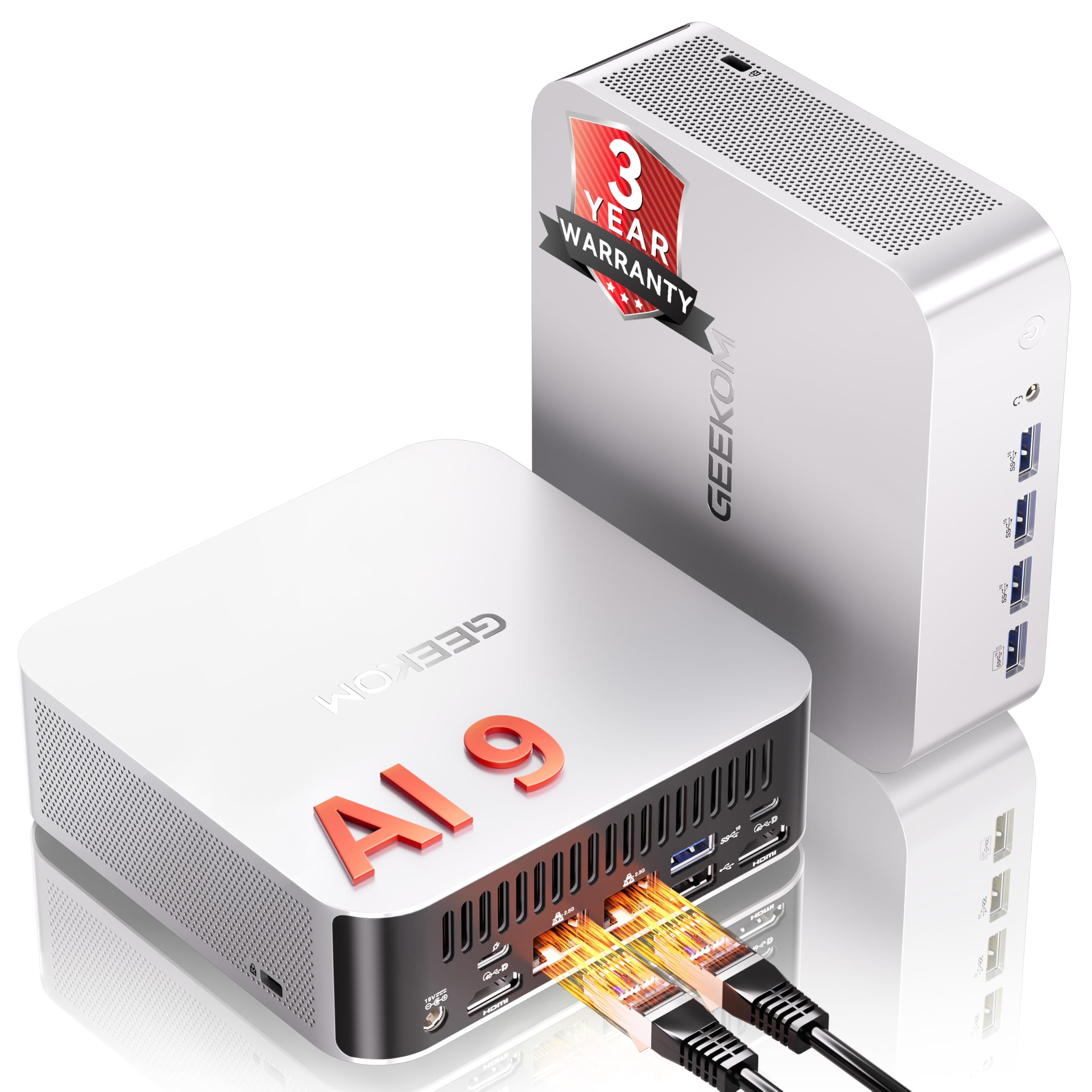
I like the A9 Max because it feels like a tiny powerhouse — great when I want one box that can handle local AI experiments and also double as a Batocera retro machine. Out of the box it’s snappy for menus and multitasking, and the big SSD + DDR5 memory means less faffing with slow loads.
For everyday use I tuck it behind the TV as a media + emulation hub; when I want to experiment with local LLMs or run heavier cores, it has the CPU and I/O to keep things moving. Be aware it can warm up under sustained heavy gaming, but for the mix of AI work, emulation, and media playback it’s a very handy all-rounder — compact, well-connected, and expandable.
Long-Term Cost Benefits
Buying a single, powerful mini PC that handles AI, emulation, and media means you won’t need separate boxes for those roles. Expandable NVMe slots and generous RAM headroom delay the need to replace the unit as your needs grow.
Return on Investment
This isn’t just a niche toy — it doubles as an emulator box, a compact workstation, and an AI testbed. That multi-role usefulness spreads the value across hobbies and light professional use, so the upfront cost pays back over time.
Situational Benefits
|
Situation |
How It Helps |
|---|---|
|
Running Local AI Models |
The Ryzen AI processor and NPU performance let you run smaller local LLMs and image models without relying on the cloud. |
|
Batocera Retro Gaming |
Strong CPU/GPU horsepower handles demanding emulator cores and high-resolution shaders while keeping the system compact and quiet enough for the living room. |
|
Media Center / Streaming |
HDMI 2.1 and powerful integrated graphics deliver smooth 4K/8K playback and make it easy to use as an HTPC. |
|
Home Lab / Edge Tasks |
Dual 2.5GbE, USB4, and robust thermal design let it act as a lightweight server or networked compute node for small projects. |
Ease of Use
|
Feature |
Ease Level |
|---|---|
|
Initial Batocera install |
Moderate |
|
Controller pairing (Bluetooth / USB) |
Easy |
|
Setting up local AI tools |
Moderate |
|
Upgrading storage (M.2) |
Moderate |
Versatility
The A9 Max easily switches between roles: Batocera-powered retro box, compact workstation for light creative work, or a local AI/testing machine. Its blends of ports and expansion options make role changes painless.
Compatibility
|
Platform |
Compatibility Level |
|---|---|
|
Batocera (Linux-based) |
High |
|
Windows 11 (preinstalled) |
Excellent |
|
Ubuntu / Other Linux Distros |
Excellent |
|
Local LLMs & AI tools (LM Studio, Ollama) |
Excellent |
|
Controllers (Bluetooth / USB) |
Excellent |
Energy Efficiency
Idles relatively efficiently compared with a full desktop, but under heavy AI or gaming loads it draws more power. For mixed use (emulation, media, occasional AI) it’s a reasonable balance of performance and efficiency.
Speed & Response
NVMe storage and DDR5 RAM make boots and menu navigation snappy; AI inference and emulation run with minimal lag for most retro and mid-range workloads.
Key Benefits
-
Top-tier Ryzen AI 9 HX 370 with dedicated NPU power for local AI tasks
-
32GB DDR5 and 2TB NVMe SSD keep menus, emulators, and models responsive
-
High-end I/O: USB4, HDMI 2.1, dual 2.5GbE and WiFi 7 for fast networking and multiple displays
-
Compact metal chassis with VESA mount and room to expand storage or memory
Current Price: $1,199.00
Rating: 4.4 (total: 322+)
🔰 Best Compact Office
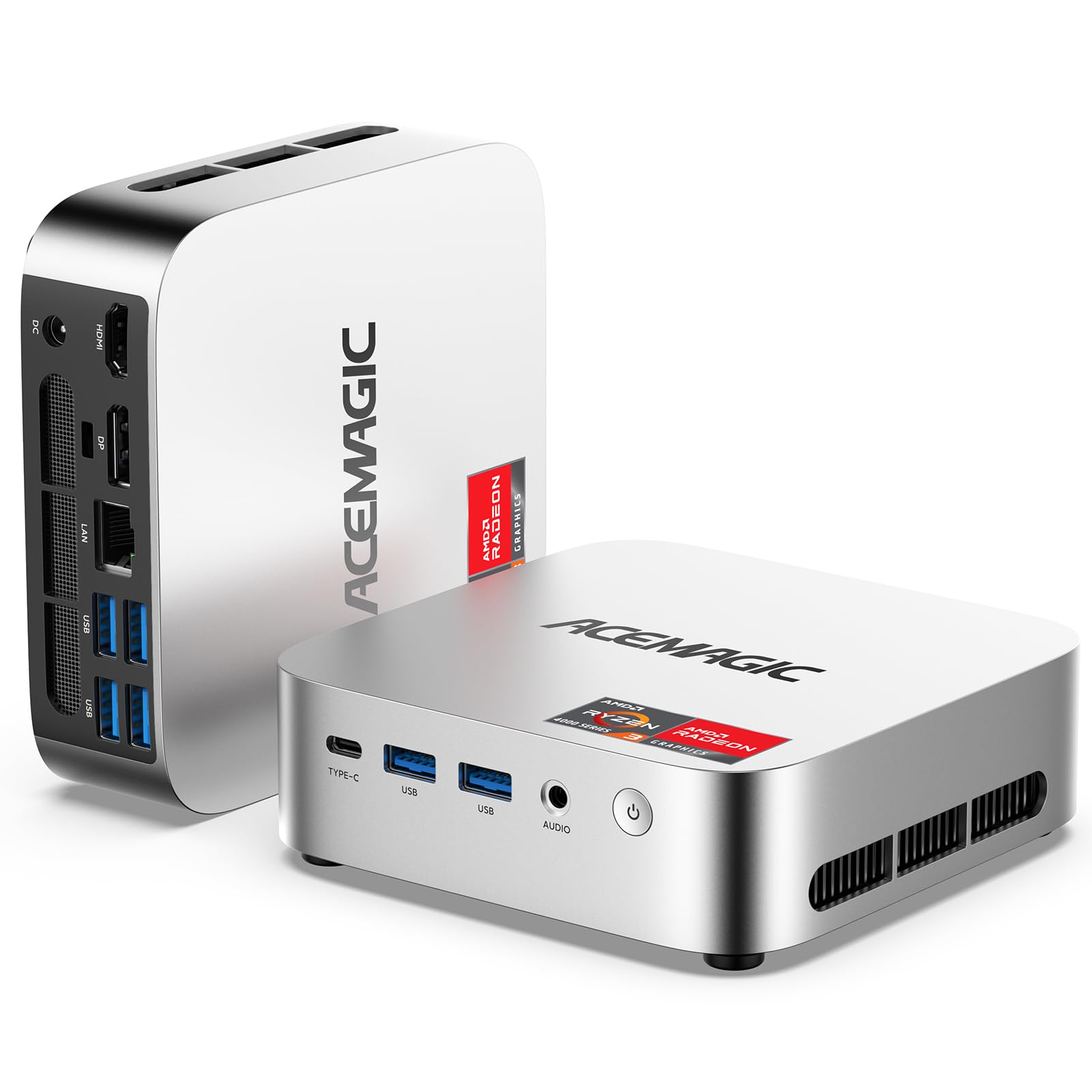
I like the K1 because it’s one of those tiny boxes that just gets out of the way and works. For Batocera, it’s roomy enough to run snappy menus and most emulator cores I use on the TV, while still being a sensible desktop when I need it for browsing or video calls.
The triple-display-capable ports and M.2 expansion mean I can tuck it behind a monitor at my desk during the week, then slide it by the TV on weekends for retro sessions. The fan and aluminum body keep it reasonably quiet during long play sessions, and the upgrade path (swap or add an M.2) means I don’t feel locked in if my ROM collection grows.
Long-Term Cost Benefits
Because you can add storage later and it uses a low-TDP Ryzen chip, you’re less likely to replace the whole unit. That upgradeability and modest power draw keep total cost of ownership down over time.
Return on Investment
I see this as a multi-role purchase: a Batocera box, a light HTPC, and a compact office PC. That mix of uses spreads value across daily work and hobby time, so the modest up-front price delivers practical returns.
Situational Benefits
|
Situation |
How It Helps |
|---|---|
|
Batocera Retro Gaming |
Handles menus and most emulator cores smoothly, so games load fast and controllers stay responsive on the TV. |
|
Small-Space Office |
Fits behind a monitor or on a tiny desk, yet supports multi-monitor workflows for spreadsheets and video calls. |
|
Living-Room Media Hub |
Dual 4K outputs and solid integrated graphics make streaming and 4K playback straightforward without a bulky PC. |
|
Travel / LAN Setup |
Lightweight and pocketable — easy to toss in a bag for a friend’s place or a quick LAN night. |
Ease of Use
|
Feature |
Ease Level |
|---|---|
|
Initial Batocera install |
Moderate |
|
Controller pairing (Bluetooth / USB) |
Easy |
|
Upgrading storage (M.2 slot) |
Easy |
|
Mounting behind a monitor |
Easy |
Versatility
It’s flexible enough to be a weekend retro console, a weekday productivity box, or a compact media player. Swapping roles is a quick change of cables or an OS image, so it adapts to different needs without fuss.
Compatibility
|
Platform |
Compatibility Level |
|---|---|
|
Batocera (Linux-based) |
High |
|
Windows 11 (preinstalled) |
Excellent |
|
Ubuntu / Other Linux Distros |
Good |
|
Controllers (Bluetooth / USB) |
Excellent |
Energy Efficiency
With a 28W CPU TDP, it uses far less power than a desktop. For steady emulation and media playback it’s efficient; under prolonged heavy loads it draws more, but still much less than a full-size rig.
Speed & Response
NVMe storage and 16GB RAM make boots, menu navigation, and game loads feel quick — snappy enough for comfortable Batocera use and everyday tasks.
Key Benefits
-
28W Ryzen 3 4300U with 16GB DDR4 gives smooth multitasking and responsive emulation
-
256GB NVMe SSD with extra M.2 slot for easy storage expansion
-
Multiple display outputs (Type-C DP1.4 + DP1.4 + HDMI 2.0) for dual/triple 4K setups
-
Compact, VESA-friendly design with a quiet cooling solution for living-room use
Current Price: $219.99
Rating: 4.3 (total: 116+)
💼 Best Power Mini PC

I picked the K11 because it’s the kind of compact box that actually keeps up. For Batocera it handles menus and most emulator cores smoothly — even higher-end stuff feels responsive thanks to the 32GB RAM and fast NVMe storage.
On weekdays it doubles as a quiet desktop or media hub; on weekends I mount it by the TV for retro sessions. The Oculink/USB4 options mean you’ve got upgrade paths (external GPU, fast docks) if you want them, and the three power modes let you choose quiet couch play or full performance when needed.
If you want a mini PC that’s powerful out of the box but won’t leave you stuck later, this one strikes a good balance.
Long-Term Cost Benefits
Because RAM and storage can be expanded and the cooling is designed for longevity, you can upgrade instead of replace. The configurable power modes also help limit running costs when you don’t need peak performance.
Return on Investment
This acts as a Batocera console, a capable HTPC, and a compact workstation or home server. That multi-role use means the upfront price pays back across hobby and daily tasks.
Situational Benefits
|
Situation |
How It Helps |
|---|---|
|
Batocera Retro Gaming |
Reliable performance for a wide range of emulator cores, fast loads from NVMe, and stable controller input for couch play. |
|
External GPU / Upgrades |
Oculink and USB4 give a path to add a GPU or fast peripherals if you want to boost graphics later without buying a new machine. |
|
Home Server / Networking |
Dual 2.5GbE and Wi‑Fi 6 let you use it for file transfers, light server tasks, or even a compact soft router between gaming sessions. |
|
Living-Room Media Hub |
Multiple 4K outputs and quiet operation in lower-power mode make it easy to run as a streaming and playback box. |
Ease of Use
|
Feature |
Ease Level |
|---|---|
|
Initial Batocera install |
Moderate |
|
Controller pairing (Bluetooth / USB) |
Easy |
|
Upgrading storage (M.2 slots) |
Easy |
|
Switching performance modes (UEFI) |
Easy |
Versatility
The K11 is flexible enough to be a dedicated Batocera box, a weekend gaming/streaming center, or a compact daily driver. Swapping roles is mostly a matter of cables or an OS image, so it adapts without drama.
Compatibility
|
Platform |
Compatibility Level |
|---|---|
|
Batocera (Linux-based) |
High |
|
Windows 11 (preinstalled) |
Excellent |
|
Ubuntu / Other Linux Distros |
Good |
|
eGPU via Oculink / USB4 |
Good |
Energy Efficiency
Three performance modes let you pick lower-power, quiet operation for casual use or switch to higher power when you need it. That flexibility helps keep energy use in check for day-to-day running.
Speed & Response
NVMe storage and DDR5 RAM make boots, menu navigation, and game loads feel snappy — everything feels responsive whether you’re jumping between ROMs or doing light editing.
Key Benefits
-
Powerful Ryzen 9 8945HS with 32GB DDR5 keeps emulators and multitasking smooth
-
1TB PCIe 4.0 NVMe with dual M.2 expansion for simple storage upgrades
-
Oculink and USB4 let you add external GPUs or high-speed peripherals later
-
Dual 2.5GbE plus Wi‑Fi 6 for fast transfers and stable online play
-
Multiple 4K-capable outputs and compact VESA-friendly design for living-room setups
Current Price: $739.99
Rating: 4.5 (total: 772+)
FAQ
Which Mini PC Should I Choose For Batocera And Retro Emulation?
I usually focus on a few simple priorities when recommending a mini PC for Batocera: strong single‑thread CPU performance, a decent integrated GPU for upscaling and shader work, fast SSD storage, and reliable I/O for controllers and network access. For example, the Beelink SER5 with the Ryzen 5 5500U ($349.00) and the SER5 MAX with the Ryzen 7 6800U (about $369.90) are great all‑around choices because they balance CPU/GPU power, NVMe storage options and triple 4K outputs which help for high‑resolution frontends.
If you want a budget option I’ve seen excellent value in Ryzen 3550H style boxes like the wo‑we P6 ($229.99), while high‑end users who need maximum headroom can consider more expensive units such as the GEEKOM A9 Max ($1,199.00). I always recommend at least 8–16 GB of RAM and an NVMe SSD for snappy emulation; if you plan to run heavier cores (PS2/Dreamcast) prioritize a faster Ryzen model. Watch thermals and fan noise in very small enclosures, and if you plan to expand storage or swap OSes, pick a model with a second M.2 slot or easy access to the drive.
How Do I Install Batocera On A Mini PC Without Losing My Windows Setup?
I take a cautious approach: first I back up my Windows system and any data, then I decide whether I want a live USB, dual‑boot, or a full install to an internal drive. If I want to preserve Windows, I either install Batocera to a separate NVMe or SSD (many units like the Beelink have a second M.2 slot) or run Batocera from a well‑prepared USB stick so the internal Windows disk is untouched. Before booting Batocera I check the BIOS/UEFI and disable Secure Boot if necessary and set USB/UEFI boot priority; many mini PCs ship with Windows 11 Pro so I make a recovery image or note the license first. For file transfers and ROM management I use Batocera’s built‑in Samba share or enable SSH for more advanced transfers.
If you prefer keeping Windows for other tasks, I recommend using a dedicated external SSD for Batocera so switching between systems is just a matter of changing the boot device.
What Should I Expect For Performance With PS2, Dreamcast And Newer Consoles?
I always temper expectations: older systems like NES, SNES, Genesis, CPS/Arcade, PlayStation 1 and most Game Boy/Handheld titles run flawlessly on nearly any modern mini PC. For PS2 and Dreamcast you need stronger CPU single‑thread performance and a capable GPU; in my experience Ryzen 5/7 models (like the SER5 MAX’s 6800U) will run many PS2 and Dreamcast titles very well, but performance varies by game and emulator core.
PS3 emulation (RPCS3) and recent console ports are much more demanding and generally need a desktop‑class CPU/GPU to be consistently playable, so I don’t promise full PS3 compatibility on most mini PCs. To squeeze the best results I recommend trying Vulkan drivers in Batocera where supported, enabling multithreaded recompilers in the core settings, and testing each game you own rather than assuming blanket compatibility. Also keep your controller mappings, shaders and resolution choices conservative while testing so you can find the sweet spot between visual quality and smooth frame rates.
Gamers Top Picks
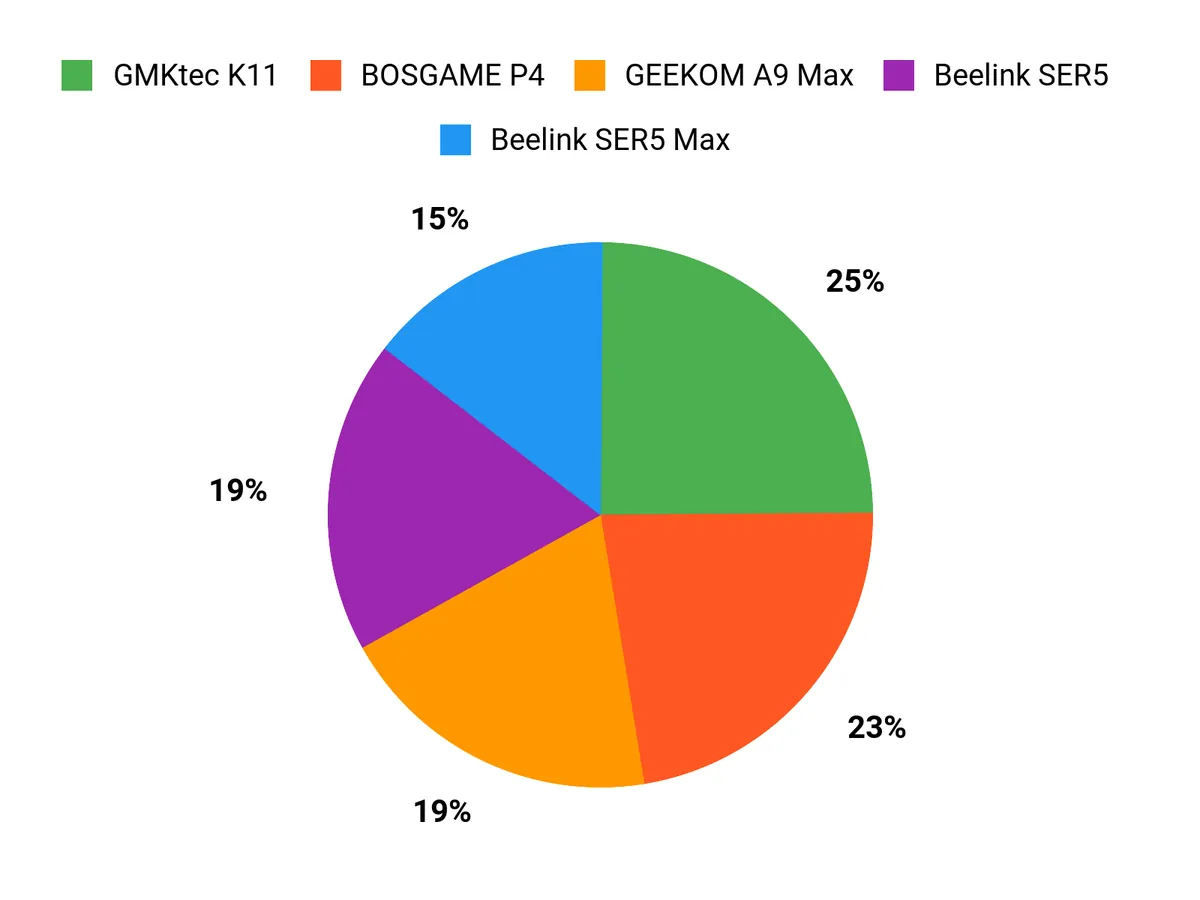
We typically prioritize raw CPU/GPU performance for smooth high‑level emulation, verified Batocera compatibility and driver support, plenty of USB ports and fast internal storage for ROM libraries, plus quiet cooling and thermal stability. For those reasons the Beelink SER5 is our go‑to when we want the most power, the wo-we P6 hits the sweet spot between size, features and price, and the BOSGAME P4 appeals when compactness and specific I/O layouts are the deciding factors.
Wrapping Up
I put these mini PCs together to help you find a Batocera-ready machine that fits your priorities: value, power, connectivity, or compactness. If you want the cheapest solid emulation box with respectable performance, the wo-we P6 is the best budget pick. For the best balance of price and raw emulation capability, the Beelink SER5 and SER5 Max are my top choices. If you need workstation-level power or AI/workload headroom and many ports, the GEEKOM A9 and GMKtec K11 give you headroom at higher cost.
Use the selection criteria I shared to match a machine to the consoles you plan to emulate and the displays/controllers you’ll connect. I’ve aimed to make this practical so you can pick a mini PC and get Batocera running smoothly with minimal fiddling.
|
Product |
Image |
Rating |
Processor |
RAM |
Storage |
Price |
|---|---|---|---|---|---|---|
|
|
4.5/5 (234 reviews) |
AMD Ryzen 5 5500U (6C/12T, up to 4.0 GHz) |
16 GB DDR4 |
500 GB SSD |
$349.00 |
|
|
|
4.8/5 (53 reviews) |
AMD Ryzen 5 3550H (4C/8T, 2.1 GHz) |
16 GB DDR4 |
512 GB SSD |
$229.99 |
|
|
|
4.4/5 |
AMD Ryzen 7 5700U (8C/16T, 4.3 GHz) |
16 GB DDR4 |
512 GB SSD |
$329.99 |
|
|
|
4.6/5 (93 reviews) |
AMD Ryzen 7 6800U (8C/16T, 2.7~4.7GHz) |
24 GB LPDDR5 |
500 GB SSD |
$369.90 |
|
|
|
4.4/5 (322 reviews) |
AMD Ryzen AI 9 HX 370 (up to 5.1 GHz) |
32 GB DDR5 |
2 TB SSD |
$1,199.00 |
|
|
|
4.5/5 (772 reviews) |
AMD Ryzen 9 8945HS (8C/16T, up to 5.2 GHz) |
32 GB DDR5 |
1 TB SSD |
$739.99 |



This Roundup is reader-supported. When you click through links we may earn a referral commission on qualifying purchases.



