 Skip to content
Choosing the right mini PC for emulation matters because emulation depends on a mix of single‑thread CPU speed, GPU capability, available RAM, and good cooling. You want a small system that can run the emulators you care about—RetroArch cores, Dolphin (GameCube/Wii), PCSX2 (PS2), Cemu (Wii U), RPCS3 (PS3) and others—at smooth frame rates and reasonable resolutions.
This guide helps you match real mini PC models to the kind of emulation you plan to do so you spend your money on the features that actually improve gameplay and compatibility.
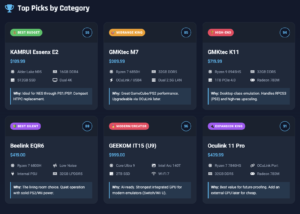
Top Picks
| Category | Product | Price | Score |
|---|---|---|---|
| 💰 Best Budget | $189.99 | 55 | |
| 🎯 Best Midrange Performer | $389.99 | 85 | |
| 🏆 Best High-End | $719.99 | 94 | |
| 🚀 Best for 4K Emulation | $489.99 | 90 | |
| 🔰 Best Silent Performer | $419.00 | 88 | |
| ⭐ Best Value Gaming | $439.99 | 89 | |
| 🔌 Best for eGPU/Expansion | $439.99 | 91 | |
| 🎮 Best Compact Gamer | $421.50 | 86 | |
| 🏅 Best for Modern Emulation | $999.00 | 96 | |
| 💼 Best Creator/Developer | $799.00 | 92 |
How We Picked These Mini PCs
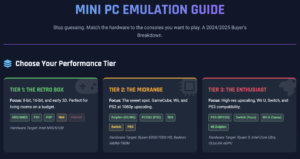
You want a mini PC that balances CPU single‑thread speed, GPU performance, RAM and thermal headroom because emulators depend on both fast cores and steady graphics.
We have prioritized:
1) CPU single‑thread performance for cores like PCSX2 and RPCS3;
2) integrated or dedicated GPU power for Dolphin, Cemu and high internal resolutions;
3) at least 16 GB of RAM for heavier Wii U/PS3 workloads and smoother multitasking;
4) good cooling and firmware stability so your frame rates don’t throttle;
5) I/O and expansion (USB4/Thunderbolt or OCuLink) for external GPUs or game controllers; and
6) price-to-performance so you know where compromises will be felt.
For each model we considered real emulator compatibility and which specific games or consoles you can expect to run well.
💰 Best Budget
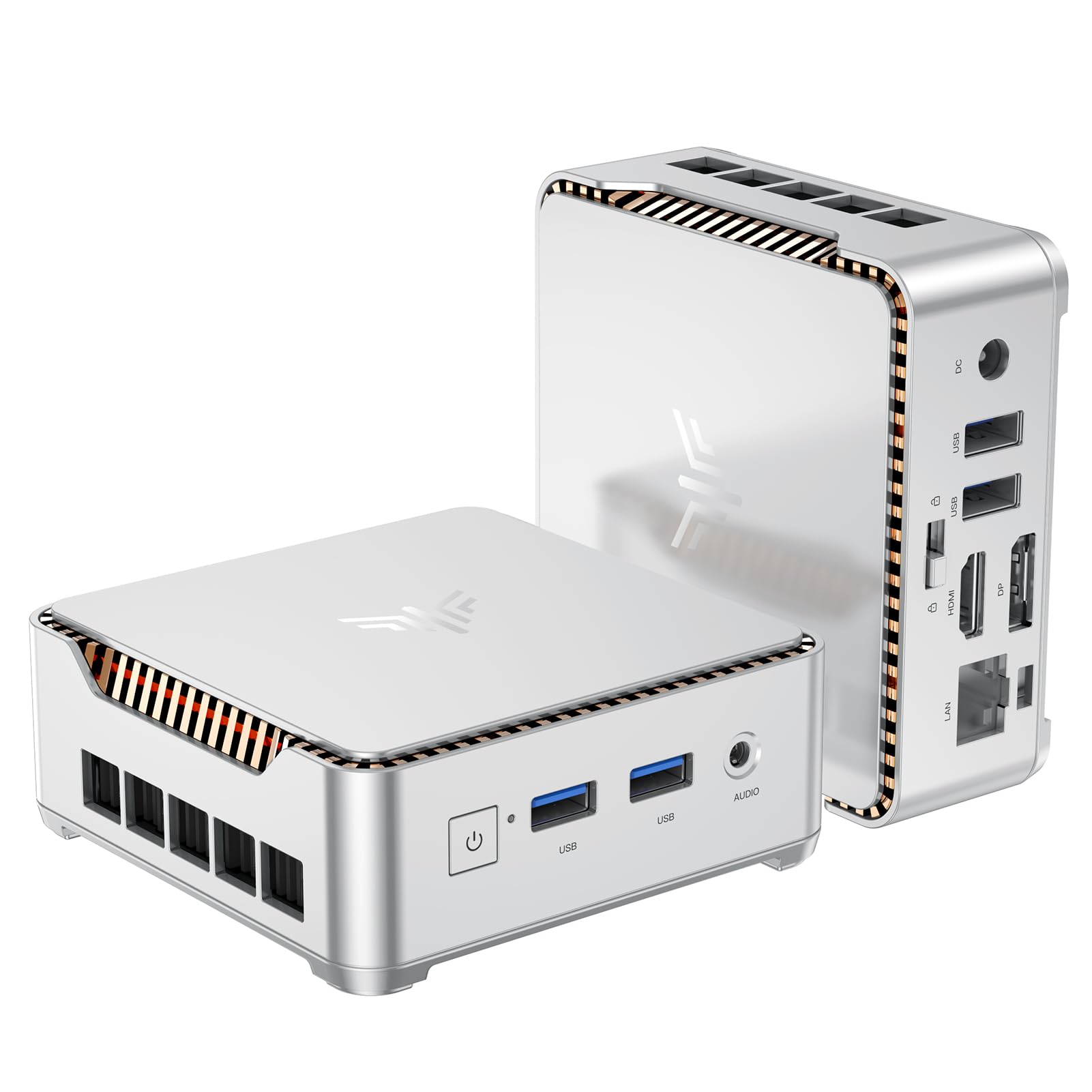
KAMRUI Essenx E2
If you want a tiny, affordable machine that does a bit of everything, this is the kind of mini PC you’ll appreciate. You get a compact Alder Lake N95 system with 16 GB RAM, a 512 GB M.2 SSD and dual 4K outputs, so it works great as a living‑room HTPC, a portable work rig, or a lightweight retro gaming box.
For everyday tasks—browsing, streaming, office apps—it’s snappy; for emulation it covers the classics really well (think NES through PS1 and PSP). It’s also reasonably upgradeable, so if you later add a bigger NVMe or a 2.5″ drive you can stretch its life. If you want a no‑fuss, budget mini that fits behind a monitor and handles media plus retro gaming, this one’s easy to recommend.
What People Say
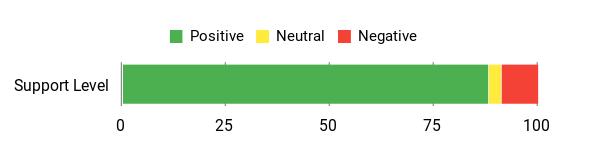
Customers frequently call this a solid value — they like how compact it is, the fast boot times from the SSD, and the dual‑monitor support. People also appreciate the easy storage upgrades and generally quiet operation.
A few users mention flaky Bluetooth/Wi‑Fi behavior or occasional audio issues, but overall most buyers feel it punches above its price.
Overall Sentiment: Positive
Long‑Term Value
Because you can add an M.2 NVMe and a 2.5″ drive, the Essenx E2 can be upgraded over time instead of replaced. Its low power draw and small size keep running costs down, and replacing storage or RAM is cheaper than buying a whole new system.
When It Shines
| Situation | How It Helps |
|---|---|
| Living‑Room Media Hub | Small size and 4K output let you stream 4K video and run an HTPC setup without a bulky desktop. |
| Travel or Portable Workstation | It’s light and easy to pack, so you can plug it into hotel TVs or portable monitors and keep working. |
| Retro Gaming/Emulation | Handles classic consoles smoothly (NES→PS1/PSP) so you can build a compact retro setup for weekend gaming. |
| Budget Home Office | 16 GB RAM and SSD storage make multitasking and office apps feel responsive for daily productivity. |
Versatility
This mini PC works as an HTPC, basic desktop, travel workstation and retro gaming box. It’s versatile enough for streaming, document work, light photo editing and emulating older consoles, and you can expand storage if needs grow.
Emulator Compatibility
| Platform | Compatibility Level |
|---|---|
| NES / SNES / Genesis / GBA | Excellent |
| PS1 / PSP | Excellent |
| N64 / Dreamcast | Playable |
| PS2 (PCSX2) / Dolphin (GameCube/Wii) | Limited |
Why It’s Different
Uses a newer Alder Lake N95 in a tiny chassis to deliver better single‑thread responsiveness and improved integrated graphics compared with older low‑end chips, plus dual 4K outputs in a compact package.
Who Should Buy
Beginner to Intermediate
Performance
Good for everyday productivity and lightweight gaming/emulation. Retro consoles and PSP/PS1 run smoothly; more modern or demanding console emulation will need reduced settings.
Key Benefits
- Great value for daily use and retro emulation
- Small footprint with dual 4K output—ideal for HTPC setups
- Upgradeable storage and available RAM expansion
- Multiple ports for peripherals and dual-monitor use
Current Price: $189.99
Rating: 4.4 (total: 1636+)
🎯 Best Midrange Performer

GMKtec M7
If you want a compact mini that actually behaves like a capable gaming box, the M7 is the kind of machine you’ll enjoy. It packs a Ryzen 7 PRO 6850H, Radeon 680M graphics, dual USB4 and HDMI 2.1 outputs, and solid cooling modes so it works great as a living‑room HTPC, a desktop replacement, or a dedicated emulation rig. For daily use it zips through browsing, streaming and office work; for emulation you’ll see great results with Dolphin and many PCSX2 titles at higher internal resolutions.
The extra connectivity (OCuLink/USB4, dual 2.5G LAN) and user‑serviceable slots mean you can tweak or upgrade it later if you want more life out of the box. If you want a strong all‑round mini without spending top‑tier money, this is a balanced pick you can live with day to day.
What People Say
You’ll notice buyers like how much performance GMKtec squeezed into a small case — most praise the Dolphin/PCSX2 results, the fast NVMe boot times, and the neat connectivity like USB4 and OCuLink. People also appreciate the configurable power modes and upgrade options.
A few users mention firmware quirks or occasional shipping/mislabeling headaches, but overall the consensus is that it offers strong value for its class.
Overall Sentiment: Positive

Long‑Term Value
Because the M7 has multiple M.2 slots, expandable RAM and an OCuLink/USB4 path for eGPU, you can boost storage or add GPU power later instead of replacing the whole system. That upgrade path plus decent cooling and BIOS performance modes helps keep total ownership costs lower over time.
When It Shines
| Situation | How It Helps |
|---|---|
| Dolphin / PS2 Upscaled Play | You can run most GameCube/Wii and many PS2 titles smoothly with higher internal resolutions and good FPS for a nicer visual experience on a TV. |
| Living‑Room HTPC | HDMI 2.1 and multiple display outputs make streaming 4K content and switching to gaming on the same display effortless. |
| Portable Desktop / Creator Work | Compact size, fast NVMe storage and 32 GB DDR5 mean it handles everyday productivity, light video edits and multitasking without fuss. |
| Future‑Proofing with eGPU | The OCuLink / USB4 connectivity lets you add an external GPU later if you need to push heavier RPCS3 or experimental workloads. |
Versatility
This mini handles living‑room streaming, everyday productivity and mid‑generation emulation well. It’s flexible enough for light creative work, multi‑monitor setups and can be upgraded later, so it adapts as your needs change.
Emulator Compatibility
| Platform | Compatibility Level |
|---|---|
| GameCube / Wii (Dolphin) | Very Good |
| PS2 (PCSX2) | Very Good |
| PS3 (RPCS3) | Playable (lightweight titles) |
| SNES / NES / PS1 / PSP | Excellent |
Why It’s Different
Combines a strong Ryzen PRO mobile chip with modern I/O — dual USB4, OCuLink for eGPU, and BIOS performance profiles — giving you more upgrade paths and desktop‑class connectivity in a tiny chassis.
Who Should Buy
Intermediate
Performance
You can expect comfortable performance for most GameCube/Wii and many PS2 games at higher internal resolutions and smooth desktop responsiveness. Lightweight PS3 titles are often playable with tweaks, but very demanding RPCS3 games will still be limited without an eGPU.
Key Benefits
- Strong midrange performance for Dolphin and many PCSX2 titles
- Modern connectivity: Dual USB4, HDMI 2.1 and OCuLink for future expansion
- Good cooling and selectable performance modes for quiet or high‑power use
- Upgradeable RAM/storage and multiple M.2 slots for longevity
Current Price: $389.99
Rating: 4.5 (total: 690+)
🏆 Best High-End

GMKtec K11
This is the mini you reach for when you want desktop-level emulation without a full tower. You get an 8‑core Ryzen 9, 32 GB of DDR5, a roomy 1 TB PCIe 4.0 SSD and Radeon 780M graphics in a compact chassis. For everyday use it’s snappy — browsing, streaming and light creative work feel instant — and for emulation it shines: Dolphin and PCSX2 run at high internal resolutions and smooth frame rates, and a surprising number of RPCS3 titles are playable or close to playable. The extra connectivity (OCuLink/USB4, DisplayPort/HDMI 2.1, dual 2.5GbE) gives you upgrade paths and multi‑monitor options, so it works as a living‑room HTPC, a compact creator machine or a dedicated emulation box.
If you want a powerful, flexible mini you can actually put on your desk and rely on, this is a solid pick you can feel confident about.
What People Say
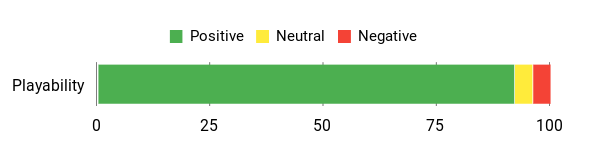
Buyers consistently praise how much power GMKtec squeezed into a small case — folks mention excellent emulation performance for GameCube/Wii and PS2, fast NVMe storage, and the generous connectivity like OCuLink and USB4. Many also like the configurable performance modes and the upgradeability.
A minority note firmware or sleep-related quirks and some shipping inconsistencies, but most reviewers feel the hardware and expandability are the real wins.
Overall Sentiment: Positive
Long‑Term Value
Because the K11 has multiple M.2 slots, generous RAM and an OCuLink/USB4 expansion path, you can extend its life with extra storage, memory or an eGPU instead of replacing the whole unit. That keeps upgrade costs lower and spreads your investment over years.
When It Shines
| Situation | How It Helps |
|---|---|
| High‑Res Dolphin / PCSX2 Play | You can push internal resolution and shaders while keeping stable FPS on many GameCube, Wii and PS2 titles for a much nicer look on modern TVs. |
| Living‑Room HTPC and Multiplayer | With HDMI 2.1, DisplayPort and USB4 you can run 4K video, multiple displays and connect controllers easily for couch gaming or streaming. |
| RPCS3 / Experimental PS3 Workloads | Many RPCS3 titles are playable or close — and if you need more GPU headroom you can add an eGPU via OCuLink/USB4. |
| On‑desk Creator + Retro Gaming | Fast DDR5 and NVMe storage mean quick app load times, smooth multitasking, and enough power for light video edits alongside emulation sessions. |
Versatility
This mini comfortably handles living‑room media, desktop productivity and high‑quality emulation. It’s flexible enough for creators, enthusiasts and anyone who wants a compact system that can be upgraded or expanded with an eGPU later.
Emulator Compatibility
| Platform | Compatibility Level |
|---|---|
| GameCube / Wii (Dolphin) | Excellent |
| PS2 (PCSX2) | Excellent |
| PS3 (RPCS3) | Good (many titles playable or near‑playable) |
| SNES / NES / PS1 / PSP | Excellent |
Why It’s Different
Pairing a top mobile Ryzen 9 with OCuLink/USB4 and multi‑4K outputs in a tiny chassis gives you desktop-class connectivity and an easy upgrade path that most mini PCs don’t offer.
Who Should Buy
Enthusiast
Performance
Expect strong, consistent performance for Dolphin and PCSX2 at high internal resolutions and smooth desktop responsiveness. Many RPCS3 games will run well, though the most demanding PS3 titles may still need extra GPU power via an eGPU to hit full speed.
Key Benefits
- High-end Ryzen 9 and Radeon 780M give strong Dolphin and PCSX2 performance at higher internal resolutions
- OCuLink and dual USB4 enable eGPU or fast peripheral expansion later
- 4K multi-display support and dual 2.5GbE make it a great living‑room HTPC or small workstation
- Plenty of RAM/storage out of the box and multiple M.2 slots for easy upgrades
Current Price: $719.99
Rating: 4.5 (total: 690+)
🚀 Best for 4K Emulation

GMKtec K6
This is the one you grab if your priority is playing older 3D console classics at higher internal resolutions on a modern TV. You get a Ryzen 7 7840HS and Radeon 780M in a tiny, VESA‑mountable box, plus 32 GB of DDR5 and a roomy 1 TB PCIe 4.0 SSD.
Day to day it’s responsive for browsing, streaming and light editing, and when you fire up emulators it really shows: Dolphin and PCSX2 run at high internal resolutions with smooth framerates for many titles, and Wii U (Cemu) looks significantly nicer than on weaker hardware. The USB4 output and triple‑display support make it easy to hook up a big TV or multiple monitors, while dual 2.5GbE and multiple M.2 slots give upgrade paths. If you want a compact system that’s great in the living room and serious about 4K emulation, the K6 is a practical, flexible pick you can use every day.
What People Say
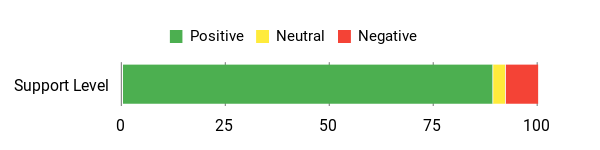
Customers often highlight how much power is packed into a tiny chassis — folks like the smooth emulation for GameCube/Wii and many PS2 titles, plus the generous connectivity (USB4, multiple displays, 2.5GbE). Reviewers also appreciate the memory and storage out of the box and the easy upgrade options. A few mention fan noise or occasional firmware quirks, but most feel the performance and expandability are the main wins.
Overall Sentiment: Positive
Long‑Term Value
Because the K6 has spare M.2 slots, room to expand RAM and a USB4 path for external GPU options, you can upgrade incrementally instead of buying a new machine. That makes it cheaper over time if you want to add storage, memory or GPU power later.
When It Shines
| Situation | How It Helps |
|---|---|
| High‑Res Dolphin / Cemu Sessions | The 780M and fast DDR5 let you raise internal resolution and run filters while keeping stable FPS on many GameCube, Wii and Wii U titles. |
| PS2 Emulation (PCSX2) | You’ll get smooth performance on most PS2-era games and can upscale textures and resolutions for a much cleaner look on big screens. |
| Living‑Room HTPC | USB4, HDMI/DP and multi‑4K output support make hooking up a TV and controllers painless for couch gaming and streaming. |
| Future‑Proofing / Upgrades | Extra M.2 slots and high‑speed I/O mean you can add storage, more RAM or an eGPU later instead of replacing the whole unit. |
Versatility
The K6 doubles as a living‑room entertainment hub, a compact workstation for light creative work and a dedicated emulation box. It’s flexible enough to be your daily driver while also handling serious upscaling for older consoles.
Emulator Compatibility
| Platform | Compatibility Level |
|---|---|
| GameCube / Wii (Dolphin) | Excellent |
| PS2 (PCSX2) | Excellent |
| Wii U (Cemu) | Very Good (many titles run well at higher internal resolutions) |
| PS3 (RPCS3) | Fair to Good (light or less demanding titles may be playable) |
| SNES / NES / PS1 / PSP | Excellent |
Why It’s Different
Putting a modern RDNA 3 integrated GPU, USB4 and dual 2.5GbE into a tiny, upgradeable chassis gives you desktop‑class features and a clear upgrade path that many mini PCs don’t offer.
Who Should Buy
Enthusiast
Performance
You can expect steady 60 fps on many GameCube/Wii and PS2 games at raised internal resolutions, and strong performance in less demanding Wii U titles. RPCS3/PS3 workloads are hit‑or‑miss and may require settings tweaks or extra GPU power for the heaviest games.
Key Benefits
- Strong integrated RDNA 3 Radeon 780M lets you push Dolphin and PCSX2 to higher internal resolutions
- USB4 and multiple video outputs make 4K/dual‑monitor setups simple
- 32GB DDR5 and PCIe 4.0 SSD give snappy load times and smooth multitasking
- Multiple M.2 slots and dual 2.5GbE provide upgrade and connectivity options
Current Price: $489.99
Rating: 4.5 (total: 690+)
🔰 Best Silent Performer

Beelink EQR6
If you want a compact machine that stays out of the way while you game or work, this is a great pick. You get an 8‑core Ryzen 7 6800H, integrated Radeon 680M, 32 GB of LPDDR5 and a roomy 1 TB PCIe 4.0 drive in a tiny box that’s designed to run quietly.
Day‑to‑day it’s responsive for browsing, streaming and light content work, and for emulation it comfortably handles many GameCube/Wii and PS2 titles at good settings. Dual HDMI, dual LAN and fast USB ports make hooking up a TV, controller and network simple, and the built‑in power supply keeps your desk tidy.
If you want a low‑noise living‑room mini that can double as a capable emulation rig, the EQR6 is an easy, practical choice you can use every day.
What People Say
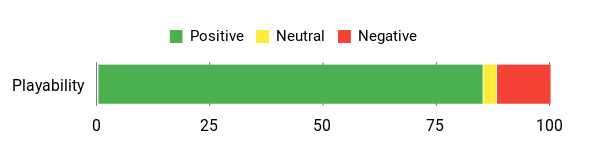
You’ll see buyers consistently praise how much performance Beelink squeezed into a tiny, quiet box — folks like the responsiveness, the ready‑to‑use memory and storage, and the flexible ports. Common gripes are about occasional configuration or shipping mismatches, but most customers highlight the low noise, solid connectivity and good value for emulation or HTPC use.
Overall Sentiment: Positive
Long‑Term Value
With high base specs (32 GB and a 1 TB PCIe 4.0 SSD) and roomy I/O, you’re less likely to feel the need to replace the machine soon. The option to add M.2 storage and the overall solid integrated performance mean you can extend its life with small upgrades rather than buying a whole new system.
When It Shines
| Situation | How It Helps |
|---|---|
| Dolphin (GameCube/Wii) Sessions | The 680M and strong CPU let you run many GameCube and Wii games at higher internal resolutions with steady frame rates. |
| PS2 Emulation (PCSX2) | You can expect smooth gameplay on most PS2 titles and room to upscale without huge performance drops. |
| Living‑Room HTPC | Low fan noise, dual 4K outputs and Bluetooth controller support make it ideal for couch gaming and media streaming. |
| Light Content Creation | Plenty of RAM and a fast SSD keep simple photo and video edits snappy, so it doubles as a small creative workstation. |
Versatility
This isn’t just an emulation box — it’s a quiet HTPC, a capable daily driver for productivity and light editing, and a compact gaming hub for couch play. If you want one small system to do a few jobs well, it fits that role.
Emulator Compatibility
| Platform | Compatibility Level |
|---|---|
| GameCube / Wii (Dolphin) | Excellent |
| PS2 (PCSX2) | Excellent |
| Wii U (Cemu) | Good (less demanding titles run well) |
| PS3 (RPCS3) | Fair (light or older titles may be playable with tweaks) |
| Retro consoles (SNES/NES/PS1/PSP) | Excellent |
Why It’s Different
Pairing a mobile Ryzen 7 6800H with a 12‑core Radeon 680M in a VESA‑friendly, low‑noise chassis with dual LAN and a built‑in power supply makes for a neat, space‑saving setup many mini PCs don’t offer.
Who Should Buy
Enthusiast
Performance
Expect steady 60 fps on many GameCube/Wii and PS2 games at modest to high internal resolutions, and generally playable performance in lighter Wii U titles. PS3/emulation on RPCS3 is limited and will need tweaks or extra GPU power for demanding games.
Key Benefits
- Quiet operation with efficient cooling keeps fan noise low during play and work
- Strong CPU + Radeon 680M integrated graphics handle Dolphin and PCSX2 very well
- Generous 32 GB LPDDR5 and 1 TB PCIe 4.0 SSD for snappy multitasking and load times
- Good connectivity: dual HDMI, multiple USB3 ports, Wi‑Fi 6, BT5.2 and dual Gigabit LAN
Current Price: $419.00
Rating: 4.4 (total: 108+)
💼 Best Creator/Developer

ASUS NUC 13 Pro (NUC13ANHi5)
This little NUC is the kind of machine you’ll happily tuck behind a monitor and forget about — until you need power. The Core i5‑1340P and Intel Iris Xe give you quick everyday responsiveness for browsing, streaming and productivity, and enough graphics muscle for retro and mid‑generation emulation.
Day‑to‑day it’s a crisp office or creator box (VESA mountable, plenty of ports), and for couch gaming it handles many GameCube/Wii and PS2 titles at good frame rates. If you want a compact machine that doubles as a solid workhorse and a capable emulation rig without becoming a bulky desktop, this is an easy pick.
What People Say
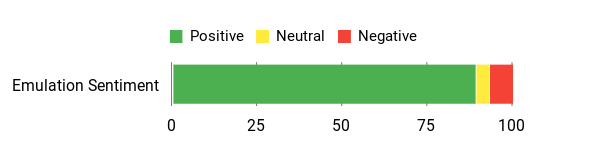
Buyers generally like how fast and quiet this NUC is, and they mention the compact size and rich port selection as big pluses — it’s easy to mount and hook up to monitors or a TV. A fair number of customers call out smooth everyday performance and useful upgrade options, while a few report occasional setup or update hiccups that required extra troubleshooting.
Overall Sentiment: Positive
Long‑Term Value
Because you can upgrade RAM and add larger storage, you don’t have to replace the whole system as needs grow. Thunderbolt 4 gives you docking and expansion paths, so small upgrades or a dock can keep this unit useful for years instead of forcing a full replacement.
When It Shines
| Situation | How It Helps |
|---|---|
| Dolphin (GameCube/Wii) Sessions | The Iris Xe and the i5 CPU will run many GameCube and Wii games smoothly at native or modestly upscaled internal resolutions. |
| PS2 Emulation (PCSX2) | Most PS2 titles are playable at solid frame rates; you’ll have headroom for light upscaling on many games. |
| Living‑Room Media & Controllers | Multiple 4K outputs, Bluetooth and USB ports make connecting controllers and a TV simple for couch play and streaming. |
| Everyday Creator/Office Work | Responsive storage and decent CPU performance keep photo edits, spreadsheets and multiple apps snappy. |
Versatility
It’s a tidy all‑rounder: a small office or creator PC by day and a lightweight emulation/HTPC by night. If you want one box that handles productivity, streaming and a broad range of older console emulators, this fits the bill.
Emulator Compatibility
| Platform | Compatibility Level |
|---|---|
| GameCube / Wii (Dolphin) | Good (many titles at 60 fps with modest upscales) |
| PS2 (PCSX2) | Good (most games playable; upscales possible) |
| Wii U (Cemu) | Fair (less demanding titles run acceptably) |
| PS3 (RPCS3) | Limited (light or older titles only) |
| Retro consoles (SNES/NES/PS1/PSP) | Excellent |
Why It’s Different
Packing a current 12‑core Core i5 variant, Thunderbolt 4, dual 4K‑capable outputs and solid upgrade paths into a tiny VESAable chassis gives you workstation features in a very small footprint — handy when desk space matters.
Who Should Buy
Enthusiast
Performance
Expect flawless performance on retro consoles and strong results on many GameCube/Wii and PS2 titles at 720p–1080p. Heavier PS3 emulation or high‑end RPCS3 workloads will be limited; for those you’d want a discrete GPU or a higher‑end Arc/AMD integrated solution.
Key Benefits
- Compact, VESA‑friendly design that saves desk space
- Thunderbolt 4 and multiple 4K outputs for flexible display setups
- Good balance of CPU and integrated Iris Xe graphics for productivity and light gaming
- Upgradeable RAM (up to 64 GB) and additional storage options extend lifespan
- Preinstalled Windows 11 Pro makes it ready for business or home use
Current Price: $602.10
Rating: 4.6 (total: 101+)
⭐ Best Value Gaming
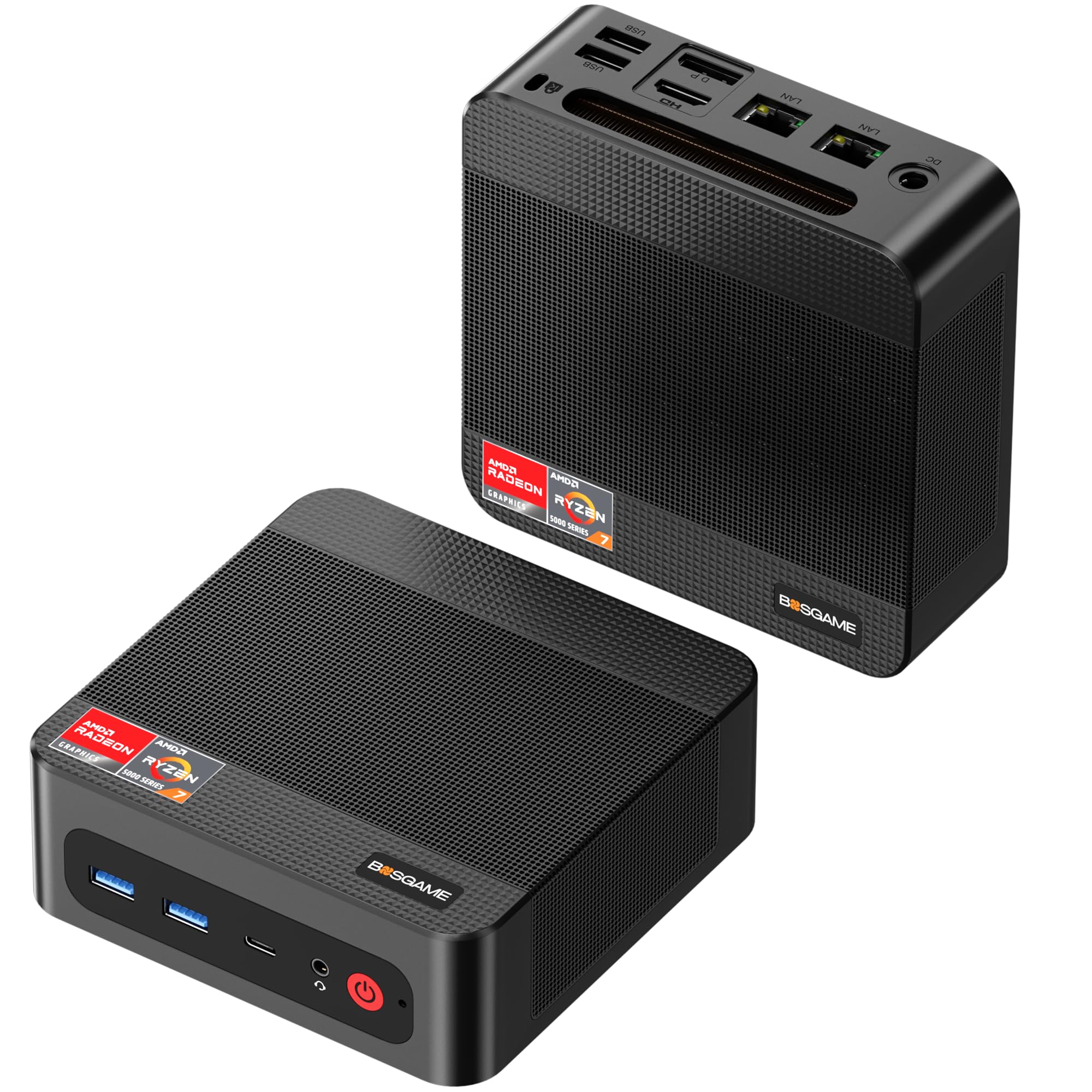
BOSGAME P3
This is the kind of small box you tuck beside your TV or under a monitor and then forget about — until you want to game. The Ryzen 7 7840HS paired with Radeon 780M gives you surprising muscle for emulation: expect smooth GameCube/Wii and many PS2 titles, plus plenty of headroom for upscaling older console games. Day‑to‑day it’s a snappy desktop for browsing, streaming and creative apps; for special occasions it doubles as a quiet living‑room emulation rig for couch play or a compact creator workstation. If you want a balance of price, ports and real-world gaming performance, this is an easy pick to consider.
What People Say
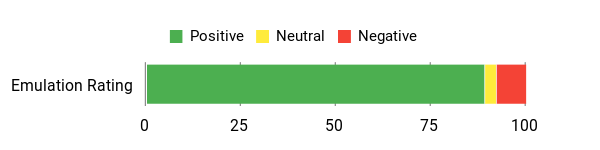
Most buyers praise the P3 for packing desktop performance into a tiny, quiet chassis — people commonly note fast booting, smooth multimedia and surprisingly capable gaming. Reviewers also call out the generous RAM and storage, the multiple display outputs, and generally reliable performance; a few mention limited USB ports or intermittent network quirks but say support or simple dongles fix those issues.
Overall Sentiment: Positive
Long‑Term Value
You can expand RAM and add another NVMe drive, which keeps the system relevant as your needs grow instead of forcing a full replacement. The strong integrated GPU means you avoid buying a discrete card for many emulation tasks, so overall ownership costs stay lower compared with building a larger gaming PC.
When It Shines
| Situation | How It Helps |
|---|---|
| Dolphin (GameCube/Wii) Sessions | Radeon 780M runs many GameCube and Wii games at 60 fps with modest to high internal resolutions, so you can play classics with clearer visuals. |
| PS2 Emulation (PCSX2) | Most PS2 titles are playable smoothly and you have room for upscaling and shader tweaks to improve image quality. |
| Wii U (Cemu) & Heavier Upgrades | Less demanding Wii U titles run well at higher settings; for the heaviest Wii U or experimental workloads you may need to tune settings. |
| Living‑Room Media & Couch Play | Triple display outputs, Bluetooth and quiet cooling make hooking up a TV and controllers easy for relaxed, controller‑friendly gaming evenings. |
Versatility
It’s a great all‑round mini: a fast daily driver for productivity and streaming, and a compact but capable emulation machine for retro and mid‑generation consoles. It’s especially handy if you want a single small box for both work and couch gaming.
Emulator Compatibility
| Platform | Compatibility Level |
|---|---|
| GameCube / Wii (Dolphin) | Excellent (many titles at 60 fps and higher internal resolutions) |
| PS2 (PCSX2) | Excellent (most games playable, good headroom for upscaling) |
| Wii U (Cemu) | Good (many less demanding titles run well; heavier games may need tuning) |
| PS3 (RPCS3) | Limited (light or older titles may be playable; demanding PS3 games are often out of reach) |
| Retro Consoles (SNES/NES/PS1/PSP) | Perfect (all run flawlessly) |
Why It’s Different
Putting a Zen4 Ryzen 7 with Radeon 780M, AV1 support and triple 4K‑capable outputs into a tiny, VESA‑friendly chassis gives you a lot of modern features in a compact footprint — useful when you need performance without a full desktop.
Who Should Buy
Enthusiast
Performance
Expect excellent performance on retro systems and strong results for GameCube/Wii and PS2 emulation at 720p–1080p or higher. Wii U is generally playable for many titles; PS3 remains experimental and only lighter RPCS3 games will run well. It’s a sweet spot for people who want high visual quality without a discrete GPU.
Key Benefits
- Strong Ryzen 7 7840HS + Radeon 780M combo for modern emulator workloads
- Plenty of RAM and 1TB NVMe for multitasking and large ROM libraries
- Triple‑display outputs and full‑function USB‑C for flexible setups
- Wi‑Fi 6E, dual Gigabit LAN and Bluetooth 5.2 for living‑room connectivity
- Upgradeable storage and RAM extend useful life
Current Price: $439.99
Rating: 4.5 (total: 227+)
🏆 Best High-End

GMKtec K11
If you want a tiny box that actually behaves like a proper gaming PC, this is it. You get a Ryzen 9 and Radeon 780M in a VESA‑friendly chassis, so it’s fast for everyday work, snappy for streaming, and seriously capable for emulation.
For daily use you’ll notice quick boot times, smooth multitasking and low noise in quieter modes; for special couch sessions it runs GameCube/Wii and most PS2 games at high internal resolutions and can handle many PS3 titles depending on the game. If you like the idea of a single compact machine that can be a desktop, a living‑room console replacement and a lightweight creator box, the K11 is a solid pick to consider.
What People Say
Buyers tend to like that the K11 squeezes a lot of performance into a tiny package — folks often mention fast multitasking, strong emulation performance, and roomy RAM and storage. People also appreciate the extra ports and Oculink for future upgrades, though a few call out fan noise under heavy load or note some titles still need extra GPU power.
Overall Sentiment: Positive

Long‑Term Value
Because you can expand RAM, add more NVMe storage and even attach an eGPU via Oculink/USB4, the K11 avoids the usual upgrade‑cycle trap. Rather than replacing the whole system when you need more power, you can incrementally upgrade components and keep the box relevant for years.
When It Shines
| Situation | How It Helps |
|---|---|
| Dolphin (GameCube/Wii) play | The 780M and Ryzen 9 handle many GameCube and Wii titles at 1080p+ with stable 60 fps and room for upscaling and shader effects. |
| PS2 Emulation (PCSX2) | Most PS2 games run smoothly with headroom for higher internal resolutions and texture/shader enhancements. |
| PS3 Emulation (RPCS3) | Many RPCS3 titles are playable or close to playable; demanding PS3 games may need tuning or an external GPU for consistent performance. |
| Living‑room media and couch gaming | Multiple 4K outputs, Bluetooth and quiet modes make hooking up a TV and controllers easy for relaxed multiplayer or retro‑revival nights. |
Versatility
This is an all‑rounder: a fast desktop for work and creative tasks, a compact HTPC for streaming and media, and a high‑end mini for emulation. If you want one machine to cover productivity, media and serious retro/mid‑gen emulation, it fits that bill.
Emulator Compatibility
| Platform | Compatibility Level |
|---|---|
| GameCube / Wii (Dolphin) | Excellent (many titles at 60 fps and high internal resolutions) |
| PS2 (PCSX2) | Excellent (most games playable with room for upscaling) |
| PS3 (RPCS3) | Good (many titles playable; heavy or newer PS3 games may be limited without eGPU) |
| Wii U (Cemu) | Good (a lot of less demanding Wii U games run well; heavier titles need tuning) |
| Retro Consoles (SNES/NES/PS1/PSP) | Perfect (all run flawlessly) |
Why It’s Different
Packing Ryzen 9 performance, USB4/Oculink and true multi‑4K outputs into a tiny, upgradeable chassis gives you a flexible platform: you get desktop‑class ports and expansion in a living‑room friendly size.
Who Should Buy
Enthusiast
Performance
Expect top results for retro systems and strong performance for GameCube/Wii and PS2 emulation at 1080p or higher. Many RPCS3 titles are playable, though the very heaviest PS3 games or modern AAA PC titles may need an eGPU or lower settings.
Key Benefits
- Top‑end Ryzen 9 CPU plus Radeon 780M for strong emulation and productivity
- Generous 64GB DDR5 and 1TB PCIe 4.0 SSD for large game libraries and fast load times
- Oculink and USB4 support let you add an eGPU or high‑speed expansion later
- Multiple 4K display outputs and dual 2.5GbE make it great for multi‑monitor and media setups
- Upgradeable RAM and storage extend the unit’s useful life
Current Price: $719.99
Rating: 4.4 (total: 162+)
🔌 Best for eGPU/Expansion
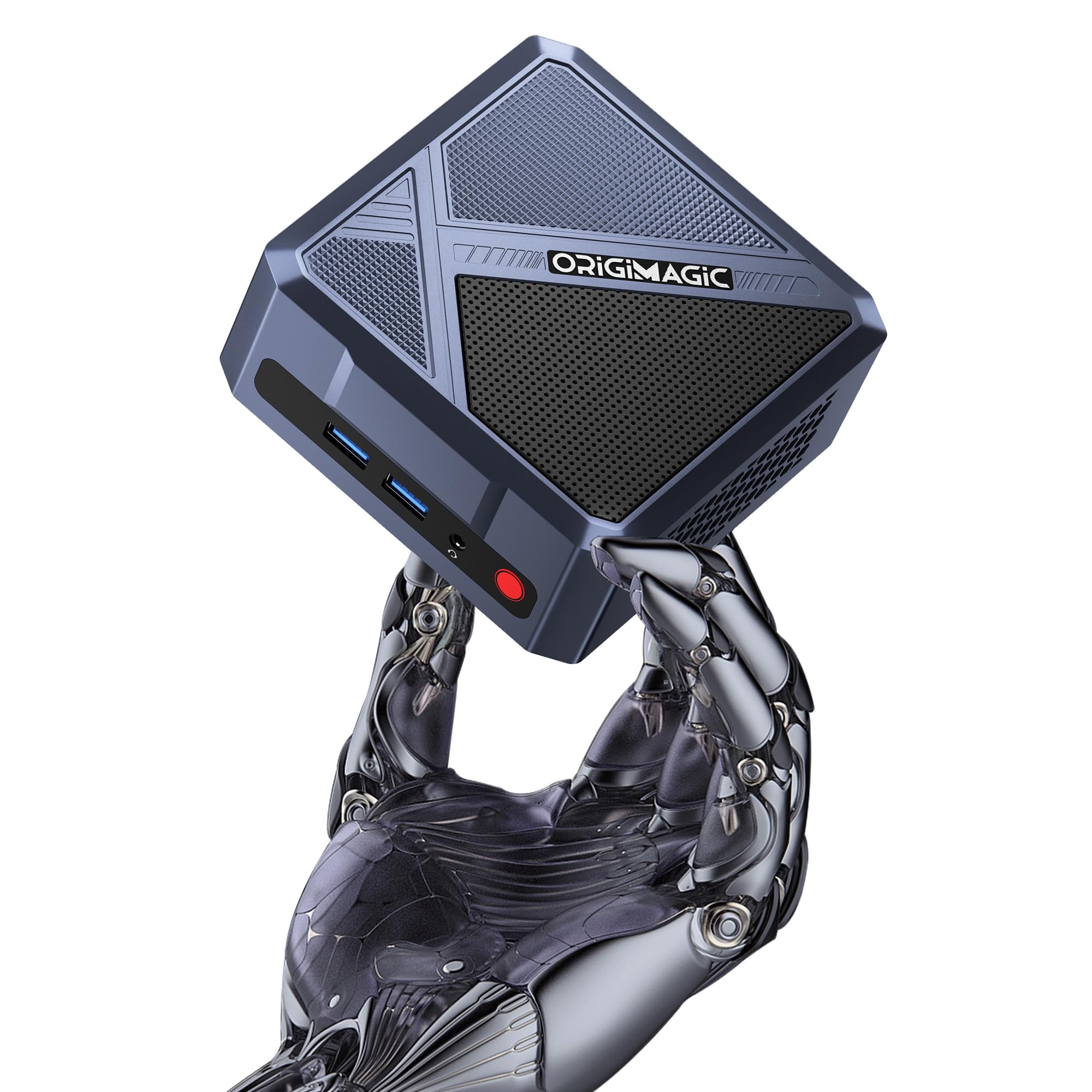
Oculink Mini PC 11 Pro
This is the kind of small box you grab when you want a capable living‑room machine that can grow with you. You get a snappy Ryzen 7 7840HS and Radeon 780M paired with 32GB of DDR5 and a 1TB PCIe 4.0 drive, so everyday tasks are quick and emulation runs very well. For daily use it’s great for browsing, streaming and light creative work; for gaming and emulation it handles GameCube/Wii and most PS2 titles comfortably and will chew through many Wii U and lighter PS3 workloads.
The real trick is the OCuLink/USB4 port — if you ever need more GPU power you can add an eGPU instead of buying a whole new system, which makes this a very flexible pick if you like tinkering or future upgrades.
What People Say
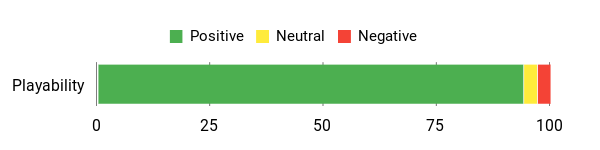
People tend to like that this mini PC punches above its size — reviewers often praise the performance, build quality and the convenience of the OCuLink port for future upgrades. Many note it’s a great value for what you get, with fast boot times and solid day‑to‑day responsiveness. A few buyers mention minor issues like an NVMe drive hiccup or occasional resets, but overall satisfaction runs high.
Overall Sentiment: Positive
Long‑Term Value
Because you can add an external GPU via OCuLink and expand RAM or storage, you don’t have to replace the whole box when you want more power. Upgrading a drive, adding memory or attaching an eGPU lets you extend the system’s useful life and spread upgrade costs over time.
When It Shines
| Situation | How It Helps |
|---|---|
| GameCube / Wii (Dolphin) | The 780M and 7840HS handle many Dolphin titles at 1080p with stable 60 fps and room to increase internal resolution for sharper visuals. |
| PS2 (PCSX2) | Most PS2 games run smoothly, and you’ll have headroom for upscaling and texture/shader enhancements on the more demanding titles. |
| PS3 (RPCS3) | Many RPCS3 games are playable or close to playable; if you hit a bottleneck you can attach an eGPU for a significant boost. |
| Living‑room HTPC / Couch gaming | Triple display support, quiet cooling and solid networking make it easy to hook up to a TV, connect controllers and enjoy retro nights or streamed content. |
Versatility
This mini PC works as a compact desktop, a living‑room streaming box and an upgrade‑friendly gaming/emulation rig. If you want one machine that can do work, media and solid mid‑generation emulation — with a clear path to more GPU power — it’s a good fit.
Emulator Compatibility
| Platform | Compatibility Level |
|---|---|
| GameCube / Wii (Dolphin) | Excellent (many titles at 60 fps and higher internal resolutions) |
| PS2 (PCSX2) | Excellent (most games playable with room for upscaling) |
| PS3 (RPCS3) | Good (many titles playable; heavy games may need an eGPU) |
| Wii U (Cemu) | Good (less demanding titles run well; heavier games require tuning) |
| Retro Consoles (SNES/NES/PS1/PSP) | Perfect (all run flawlessly) |
Why It’s Different
The combination of a high‑end Ryzen mobile chip, a powerful integrated 780M GPU and an OCuLink/USB4 port in a tiny, upgradeable chassis is what sets this apart — you get desktop‑class expandability without a bulky tower.
Who Should Buy
Enthusiast
Performance
Expect very strong results for retro systems, excellent GameCube/Wii and PS2 performance at 1080p+, and good compatibility with many PS3 titles. If you push into the heaviest RPCS3 games, pairing with an eGPU will make the biggest difference.
Key Benefits
- Oculink/USB4 support for attaching an eGPU and extending GPU life
- Ryzen 7 7840HS and Radeon 780M give strong integrated graphics performance
- 32GB DDR5 and 1TB PCIe 4.0 SSD for smooth multitasking and fast load times
- Compact, VESA‑friendly chassis that’s easy to tuck behind a monitor or TV
- Wi‑Fi 6E, Bluetooth 5.2 and 2.5 GbE for low‑latency networking
Current Price: $439.99
Rating: 4.9 (total: 31+)
🎮 Best Compact Gamer
wo-we Mini
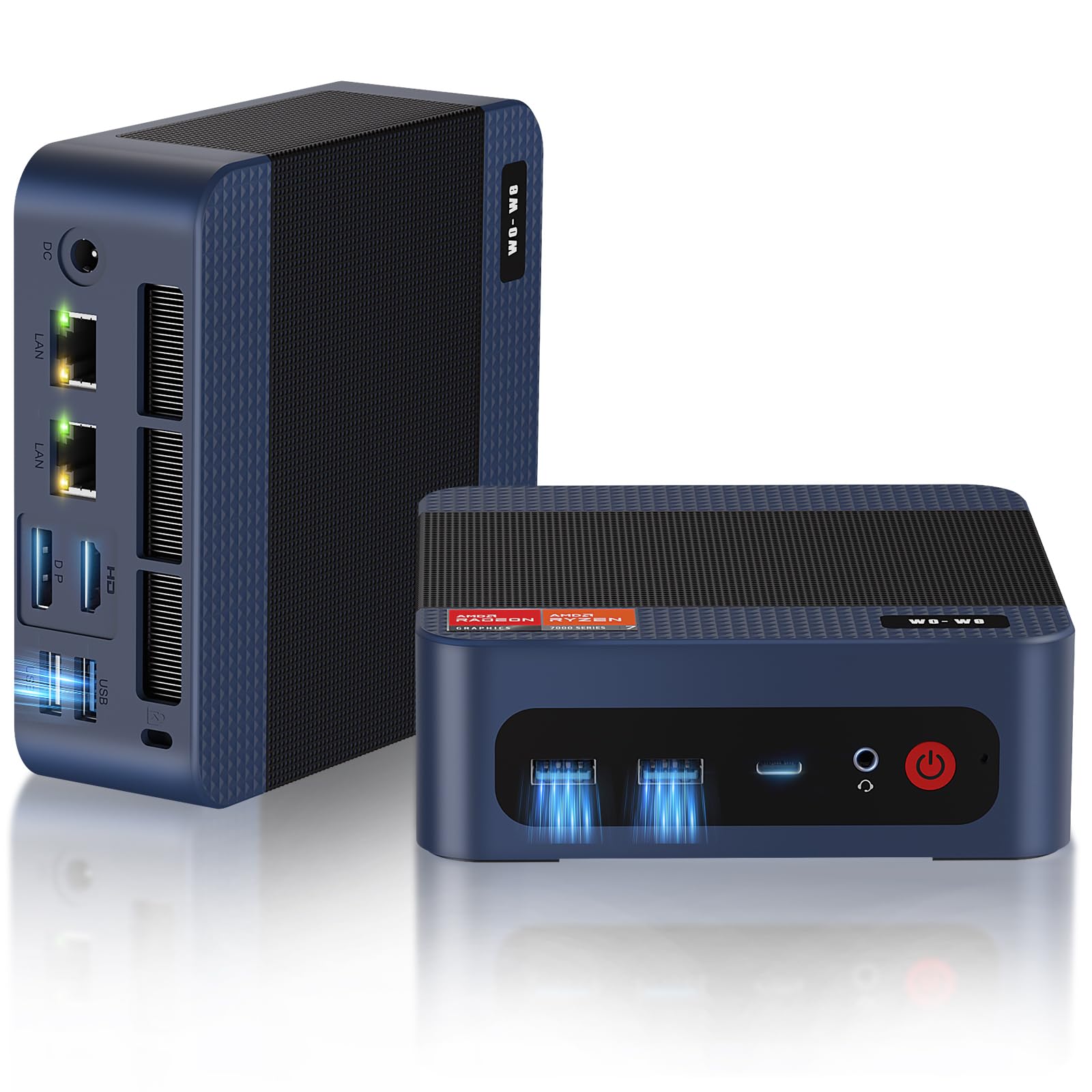
If you want a tiny box that actually plays like more than a toy, this is a smart pick. You get a Ryzen 5 7640HS with a Radeon GPU, 32GB of DDR5 and a 1TB PCIe 4.0 SSD, so everyday tasks feel snappy and games/emulators run smoothly.
For daily use it’s great for browsing, streaming, light creative work and hooking up to a TV; for retro and mid‑generation emulation you’ll see very solid results without a huge desktop. It’s compact enough to tuck behind a monitor or take to a friend’s place, and it’s a practical choice if you want a living‑room mini that handles GameCube/Wii and many PS2-era titles at good settings.
What People Say
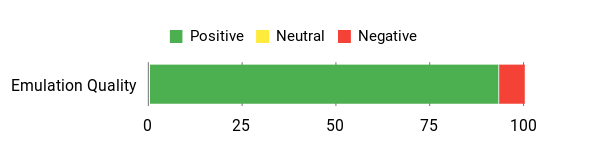
Most buyers highlight how much performance you get for the price — people mention it’s fast, quiet and great as a compact HTPC or emulation box. Reviews often praise the roomy RAM and fast SSD, and several users note it handles 4K media and TV hookups well.
A small number of owners have reported build or thermal hiccups, but overall sentiment leans very positive.
Overall Sentiment: Positive
Long-Term Value
Because the unit ships with expandable memory and M.2 slots, you can increase RAM or storage later instead of replacing the whole system. USB4 and fast networking also mean you can add docks, external storage or more capable peripherals over time, which spreads upgrade costs.
When It Shines
| Situation | How It Helps |
|---|---|
| GameCube / Wii (Dolphin) | The 7640HS and Radeon GPU run many Dolphin titles smoothly at 1080p and often at 60 fps; you’ll also have room to increase internal resolution for sharper visuals. |
| PS2 (PCSX2) | Most PS2 games play well at medium to high settings, with good frame rates and headroom for texture/shader tweaks on less demanding titles. |
| Retro Consoles (SNES/NES/PS1/PSP) | Classic systems run perfectly — these emulators are lightweight and the mini PC easily hits full‑speed playback. |
| Living‑room HTPC / Couch gaming | Quiet cooling, USB4 multi‑display output and reliable Wi‑Fi make it easy to hook up controllers, stream media and enjoy casual gaming on your TV. |
Versatility
You can treat this as a small desktop, a dedicated living‑room gaming machine or a tidy workstation. If you want one compact system that does media, light content work and solid mid‑generation emulation, this covers those bases without needing a bulky tower.
Emulator Compatibility
| Platform | Compatibility Level |
|---|---|
| GameCube / Wii (Dolphin) | Excellent (many titles at 60 fps with room for upscaling) |
| PS2 (PCSX2) | Very Good (most games playable at medium–high settings) |
| PS3 (RPCS3) | Limited (light or well‑optimized titles may run; heavy RPCS3 games will struggle) |
| Retro Systems (SNES/NES/PS1/PSP) | Perfect (all run fluently) |
Why It’s Different
It packs modern features — USB4, dual M.2 slots, DDR5 and a phase‑efficient cooling design — into a very small chassis so you get high performance and flexible expansion in a tiny footprint.
Who Should Buy
Enthusiast
Performance
Expect excellent results for retro consoles and strong performance for GameCube/Wii and many PS2 titles at 1080p. PS3 emulation is hit‑and‑miss; light RPCS3 games may run but the heaviest titles will be limited without a dedicated GPU or external boost.
Key Benefits
- Ryzen 5 7640HS and Radeon-class GPU for strong emulation performance
- 32GB DDR5 and 1TB PCIe 4.0 SSD for smooth multitasking and fast load times
- USB4 port for high-speed peripherals and multi‑display support
- Quiet, efficient cooling and a compact, VESA‑friendly chassis
- Wi‑Fi 6E, Bluetooth 5.2 and dual 2.5GbE-ready networking for low-latency play
Current Price: $421.50
Rating: 4.6 (total: 21+)
🏅 Best for Modern Emulation
GEEKOM IT15 (Ultra 9)
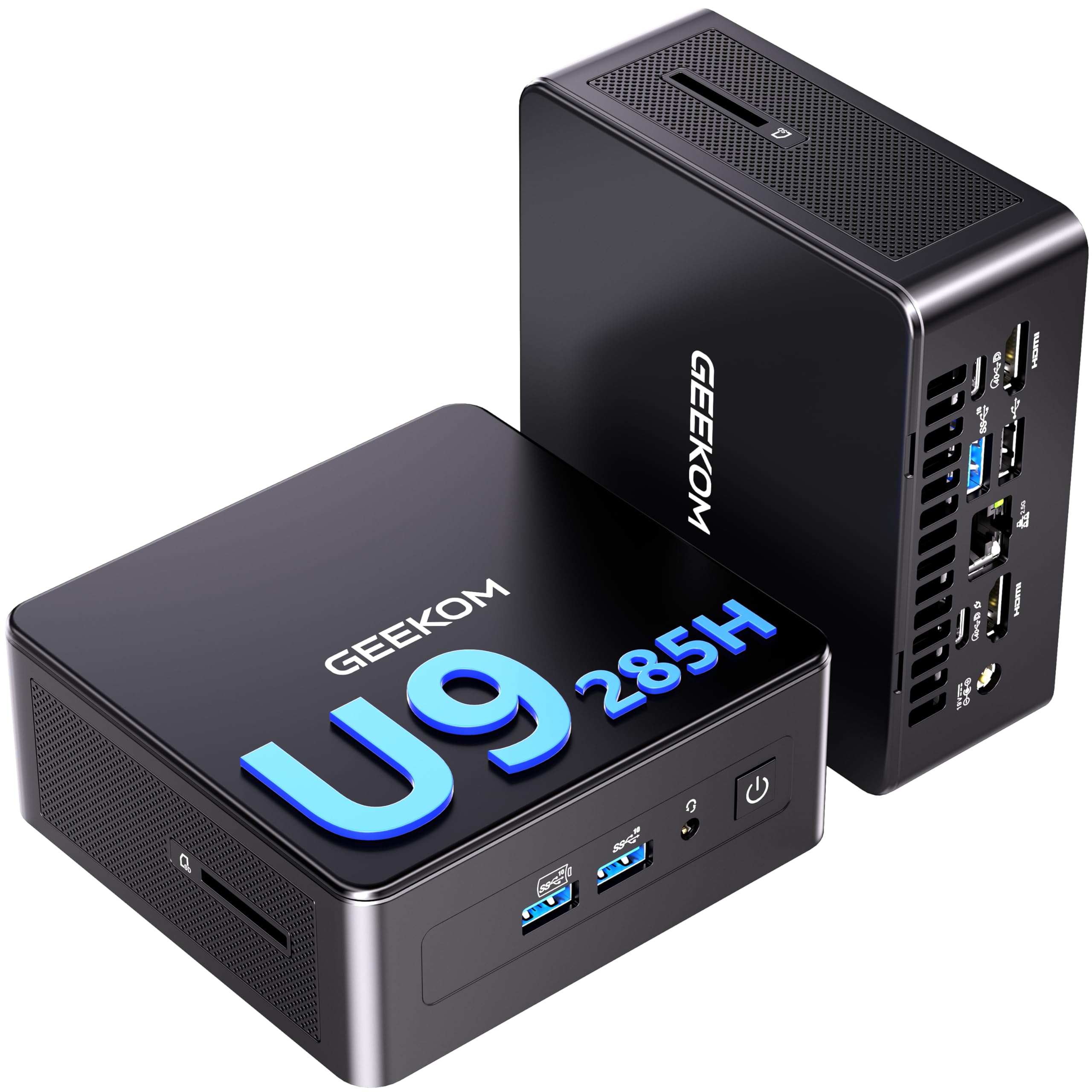
If you want a compact PC that can handle modern emulation without feeling like a compromise, this is it. You get a powerhouse Intel Core Ultra 9 paired with an Intel Arc 140T GPU, plenty of RAM and a roomy NVMe drive so everyday tasks are snappy and emulators run at higher internal resolutions.
For daily use it’s a smooth desktop: web, streaming, multitasking and creative apps all behave nicely. For gaming, Dolphin, PCSX2 and Cemu are where you’ll see the biggest gains, and a lot of RPCS3 titles are playable too — so if you like upscaling older games or running shader mods, this gives you the headroom to do that. It’s a solid pick when you want a single, tidy box that’s both a capable workstation and a serious emulation machine.
What People Say
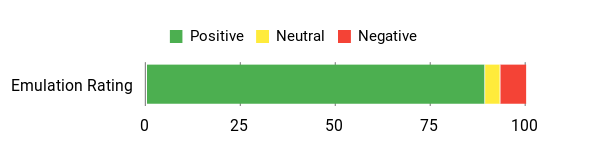
Buyers commonly praise how much performance is packed into such a small machine — people mention fast boot times, responsive multi‑tasking and reliable multi‑monitor support. Reviews often note the roomy RAM and big NVMe drive, and many users appreciate the Arc GPU for improved emulator compatibility.
A minority report initial driver or thermal tuning is needed, but most find the speed and expansion options worth it.
Overall Sentiment: Positive
Long-Term Value
Because the IT15 ships with upgradeable RAM and M.2 storage, you can stretch its usable life by adding more memory or a larger SSD instead of buying a new PC. USB4 and strong native connectivity also let you add docks, external drives or even an eGPU later, which spreads upgrade costs over time.
When It Shines
| Situation | How It Helps |
|---|---|
| GameCube / Wii (Dolphin) | The Arc 140T plus the fast CPU runs most Dolphin titles at 1080p or higher with stable 60 fps and room to push internal resolution for sharper visuals. |
| PS2 (PCSX2) | Expect very good performance on many PS2 games at medium-to-high settings, with smooth frame rates and headroom for texture/texture‑filtering improvements. |
| PS3 (RPCS3) | Many RPCS3 titles are playable or close to playable; lighter or well‑optimized games will run nicely, while the heaviest PS3 titles may still need tweaks or lower internal resolution. |
| Wii U (Cemu) / Modern Emulation | Cemu and similar emulators benefit from the CPU/GPU balance here, letting you play a wide selection of Wii U and other modern emulated titles at higher fidelity. |
| Living‑room HTPC and streaming | Quiet operation, HDMI/USB4 outputs and strong network connectivity make it easy to hook up controllers, stream media and use the unit as a tidy couch‑side gaming hub. |
Versatility
You can use this as a compact workstation, a living‑room emulation rig or a media server. It’s flexible enough for creators who also want to play emulated games, and the upgrade paths mean it adapts as your needs change.
Emulator Compatibility
| Platform | Compatibility Level |
|---|---|
| GameCube / Wii (Dolphin) | Excellent (many titles at 60 fps, good headroom for upscaling) |
| PS2 (PCSX2) | Very Good (most games playable at medium–high settings) |
| PS3 (RPCS3) | Good to Very Good (light/optimized titles run well; heavy titles may need tweaks) |
| Wii U (Cemu) / Modern Emulators | Very Good (handles many Wii U and modern emulators at higher internal resolution) |
| Retro Consoles (SNES/NES/PS1/PSP) | Perfect (these run flawlessly) |
Why It’s Different
Combines Intel’s Ultra architecture, an Intel Arc 140T GPU and USB4/Wi‑Fi 7 in a compact chassis, plus an NPU-assisted AI feature set — that mix gives you real emulation headroom and modern I/O in a tiny box.
Who Should Buy
Enthusiast / Power User
Performance
Great for retro and mid‑generation emulation: Dolphin, PCSX2 and Cemu run impressively at 1080p and often higher. RPCS3 compatibility is strong for many titles, though the most demanding PS3 games may still be constrained without further tweaks or an external GPU.
Key Benefits
- Intel Core Ultra 9 and Arc 140T deliver strong CPU/GPU balance for emulators
- 32GB DDR5 and a 2TB PCIe Gen4 SSD keep load times and multitasking snappy
- USB4 and dual display outputs for high‑res displays, docking and eGPU options
- Wi‑Fi 7 and 2.5Gb Ethernet for low‑latency network play and streaming
- Compact metal chassis with upgradeable RAM and M.2 slots for future-proofing
Current Price: $999.00
Rating: 4.5 (total: 321+)
🧭 Best Balanced

Trycoo Mini
Think of this as a compact workhorse you can tuck behind a monitor. With a Ryzen 5 5600H, 16GB of RAM and a 512GB NVMe drive, everyday tasks feel responsive and you’ve got enough muscle to run many console emulators at decent quality.
The triple 4K/60Hz outputs and dual 2.5G/1G Ethernet make it a tidy living‑room or home‑office hub, and the magnetic tool‑less top makes upgrades painless if you want to add RAM or storage. If you want a small, affordable system that handles both daily computing and solid emulation for older consoles, this is a smart, practical pick.
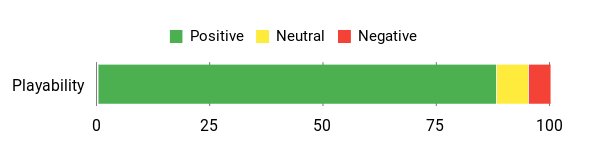
What People Say
You’ll find buyers consistently appreciating the value — many mention snappy everyday performance, quiet operation and that the magnetic, tool‑less cover makes upgrades simple. A number of users also note the strong networking options and praise the triple‑display output.
There are occasional setup quirks with Windows updates and drivers, but most people feel the hardware punch outweighs those annoyances.
Overall Sentiment: Positive
Long-Term Value
Because you can add RAM and extra storage easily, this mini PC can be upgraded over time instead of replaced. Its low idle power draw also helps reduce long‑term energy costs if you run it as a media hub or server.
When It Shines
| Situation | How It Helps |
|---|---|
| GameCube / Wii (Dolphin) | You can run most titles at stable framerates with moderate internal resolution; classics like Wind Waker and Mario Sunshine will be comfortably playable with some headroom for upscaling. |
| PS2 (PCSX2) | Many PS2 games run well at medium‑to‑high settings — expect smooth performance for a wide swath of the library, especially 2D or less CPU‑bound titles. |
| PS3 (RPCS3) | Heavier PS3 titles will be limited; lighter or well‑optimized RPCS3 games may be playable with tweaks, but don’t count on flawless performance across the whole catalog. |
| Retro Consoles (SNES/NES/PS1/PSP) | These older systems run flawlessly, so you can enjoy full‑speed play with shaders, filters and other enhancements. |
| Living‑room HTPC & streaming | Triple 4K outputs and quiet operation make it an easy TV/monitor hookup for couch‑side emulation, streaming and media playback. |
Versatility
You can use it as a compact desktop, an HTPC for the living room, or a small home server. It’s handy for casual creators, office work and gaming via emulation, and the upgrade path means it adapts as your needs evolve.
Emulator Compatibility
| Platform | Compatibility Level |
|---|---|
| GameCube / Wii (Dolphin) | Very Good (most titles playable at 60 fps with moderate upscales) |
| PS2 (PCSX2) | Very Good (many games run smoothly at medium–high settings) |
| PS3 (RPCS3) | Limited (light/optimized titles might work; heavy games will struggle) |
| Wii U (Cemu) / Modern Emulators | Moderate (select titles are playable with tuning) |
| Retro Consoles (SNES/NES/PS1/PSP) | Excellent (these run flawlessly) |
Why It’s Different
Pairs a capable mobile Ryzen CPU with dual 2.5G Ethernet and triple 4K outputs in a very small, upgradeable chassis — a combination that’s uncommon at this price point and useful for both media and emulation use.
Who Should Buy
Enthusiast / Intermediate
Performance
Solid for retro and mid‑generation emulation: expect flawless retro play, reliable GameCube/Wii and many PS2 titles at good frame rates. Heaviest PS3 and modern console emulation will be constrained without external GPU help or heavy tuning.
Key Benefits
- Strong CPU performance for the price thanks to Ryzen 5 5600H
- Triple 4K/60Hz display support for multi‑monitor or living‑room setups
- Dual 2.5G + 1G Ethernet and Wi‑Fi 6 for fast, reliable networking
- Compact, tool‑less design with easy RAM/SSD upgrades
- Good value for emulation of older and mid‑generation consoles
Current Price: $259.99
Rating: 4.5 (total: 29+)
💼 Best Creator/Developer
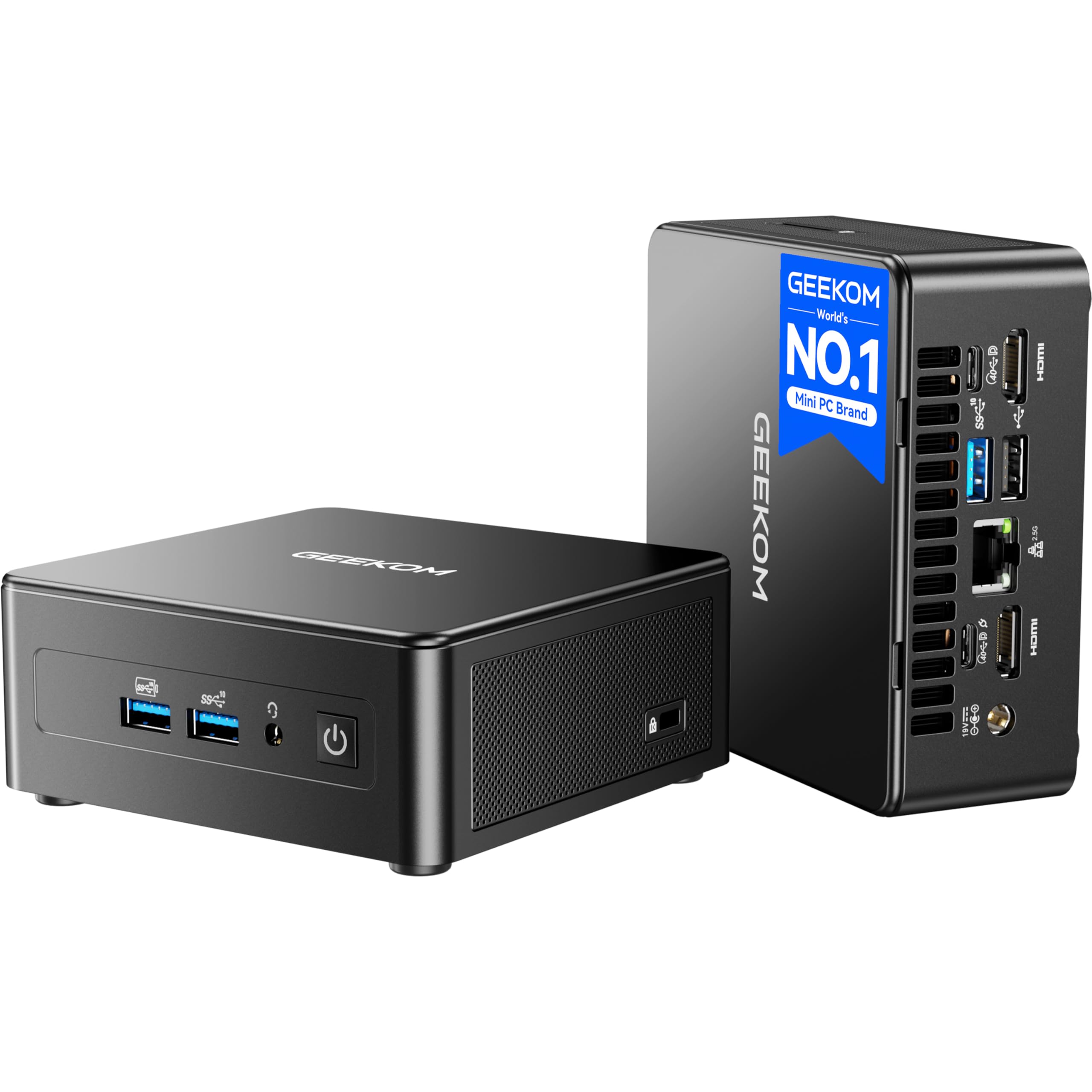
GEEKOM IT15 (Ultra 5)
Think of this as a compact workstation that doubles as a fantastic emulation box. You get a 15th‑Gen Intel Core Ultra 5, a capable Intel Arc GPU and plenty of RAM and storage, so daily tasks, video editing and streaming feel smooth.
For gaming emulation this means you can comfortably run GameCube/Wii and many PS2 games at higher internal resolutions, and you’ll see good results in lighter RPCS3 titles too. It’s ideal if you want a small machine that handles work, media and serious retro-to-mid‑generation emulation without fuss.
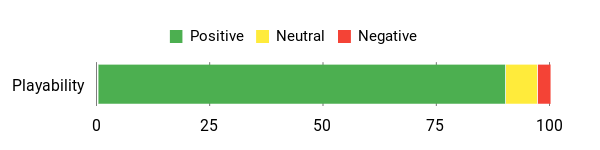
What People Say
Buyers tend to praise how much power you get in a small package — people mention fast day‑to‑day performance, reliable multitasking and smooth media workflows. Reviewers often highlight the roomy RAM and SSD, strong connectivity and a quieter cooling setup.
A few users note there’s a bit of setup work for drivers or specific emulator tweaks, but most feel the hardware is well worth it.
Overall Sentiment: Positive
Long-Term Value
Because the IT15 is easy to upgrade and comes with a solid cooling and build quality, you can extend its useful life rather than replace it often. The strong integrated GPU and fast NVMe storage also delay the need for expensive upgrades, and the included warranty helps reduce potential repair costs.
When It Shines
| Situation | How It Helps |
|---|---|
| GameCube / Wii (Dolphin) | Runs most titles at 60 fps with room for upscaling; games like Super Mario Sunshine and Wind Waker look and play great at higher internal resolutions. |
| PS2 (PCSX2) | Many PS2 games run smoothly at medium‑to‑high settings, so you’ll enjoy classics like Shadow of the Colossus and God of War with improved visuals. |
| PS3 (RPCS3) | Lightweight and well‑optimized RPCS3 titles are often playable; heavier PS3 games may need tweaks or lower upscales to stay stable. |
| Wii U (Cemu) / Modern Emulators | Select Wii U and modern emulator workloads are achievable at decent settings thanks to the Arc GPU, especially for less demanding titles. |
| Retro Consoles (SNES/NES/PS1/PSP) | These run flawlessly, letting you add shaders, filters and high‑quality upscales without breaking a sweat. |
Versatility
You can use this as a daily desktop, a compact edit suite, or a living‑room emulation rig. It’s equally at home handling browser tabs and creative apps as it is running emulators for a retro gaming night.
Emulator Compatibility
| Platform | Compatibility Level |
|---|---|
| GameCube / Wii (Dolphin) | Excellent (most titles playable at 60 fps with upscales) |
| PS2 (PCSX2) | Very Good (wide compatibility at medium–high settings) |
| PS3 (RPCS3) | Moderate (light/optimized titles playable; heavy games need tuning) |
| Wii U (Cemu) / Modern Emulators | Good (select titles run well with proper settings) |
| Retro Consoles (SNES/NES/PS1/PSP) | Excellent (full‑speed playback with enhancements) |
Why It’s Different
Combines Intel’s new Ultra architecture with an Arc GPU and NPU in a tiny, upgradeable chassis—so you get AI acceleration, strong media features and solid integrated graphics performance in one small desktop.
Who Should Buy
Enthusiast / Creator
Performance
Excellent for retro and mid‑generation emulation: expect flawless retro play, strong Dolphin and PCSX2 performance, and playable results in many RPCS3 titles with some tuning.
Key Benefits
- Powerful 15th‑Gen Intel Ultra 5 CPU plus Intel Arc 130T GPU for creator workloads and emulation
- 32GB DDR5 and 1TB PCIe Gen4 NVMe for fast multitasking and quick load times
- Compact, upgradeable design with multiple high‑speed ports (USB4, HDMI, dual 2.5GbE)
- Good out‑of‑the‑box compatibility with Dolphin and PCSX2, and playable results on many RPCS3 titles
- Wi‑Fi 7 and robust cooling keep the system responsive during long sessions
Current Price: $799.00
Rating: 5.0 (total: 3+)
🔧 Best Office/Retro
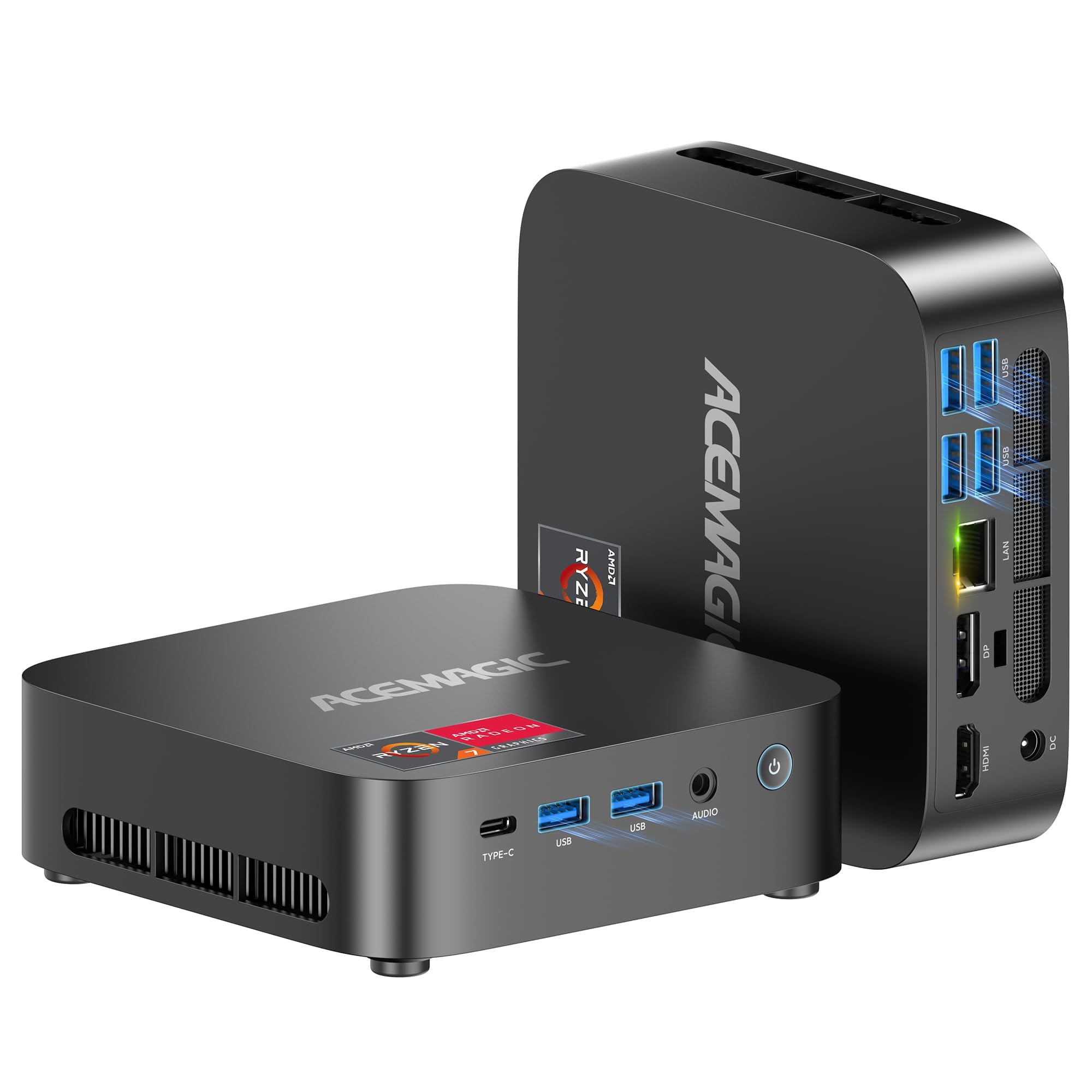
ACEMAGICIAN Kron
If you want a small desktop that mainly handles everyday work but can also double as a retro gaming box, this is a great fit. You get a Ryzen 5 7430U, 16GB RAM and a 512GB NVMe drive so apps launch fast, video playback is smooth and multitasking isn’t a headache.
For emulation you can comfortably run classic systems and many PS2/GameCube titles at conservative settings, so it’s perfect for casual retro sessions, a living‑room HTPC setup or a compact office machine you also play on from time to time.
What People Say
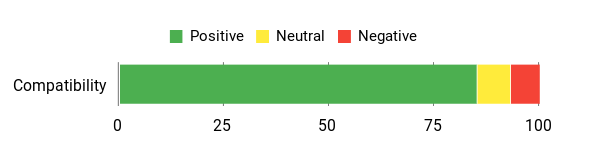
Buyers consistently mention that it feels snappy for normal desktop work and streaming, with surprisingly capable graphics for its size. People like the port selection and the quiet operation, and several users praise helpful customer support.
A few note quirks like HDMI compatibility or Linux driver issues, but overall customers feel it punches above its price for office and retro gaming tasks.
Overall Sentiment: Positive
Long-Term Value
Because it uses common components and has upgradeable storage and RAM options, you can stretch its useful life without replacing the whole unit. That means fewer costly upgrades early on, and the small form factor reduces the need for extra peripherals.
When It Shines
| Situation | How It Helps |
|---|---|
| Retro Consoles (NES/SNES/Genesis/PS1/PSP) | Runs these flawlessly at full speed, letting you add shaders and filters without performance worries. |
| PS2 / GameCube (PCSX2 / Dolphin) | Many titles are playable at conservative internal resolutions — classics like God of War or Metroid Prime run well if you avoid extreme upscales. |
| Living Room HTPC | Quiet operation, 4K output and multiple video ports make it a tidy media center for movies, streaming and light gaming. |
| Everyday Office / Remote Work | Handles browser tabs, productivity apps and light VMs smoothly, so it’s a solid workhorse on a desk or mounted behind a monitor. |
Versatility
This is an easy all‑rounder — use it as a compact work PC, a quiet HTPC, or a casual emulation machine. It’s not a hardcore gaming rig, but it covers a lot of day‑to‑day scenarios without fuss.
Emulator Compatibility
| Platform | Compatibility Level |
|---|---|
| Retro Consoles (NES/SNES/Genesis/PS1/PSP) | Excellent (full‑speed emulation and enhancements) |
| PS2 / GameCube (PCSX2 / Dolphin) | Good (many titles playable at conservative settings) |
| PS3 (RPCS3) | Limited (light or well‑optimized titles only; heavier games will struggle) |
| Wii U (Cemu) / Modern Emulators | Fair (select less demanding Wii U titles may be playable) |
| HTPC / Media | Excellent (4K output and solid codec support for streaming and video) |
Why It’s Different
This mini stacks useful features — triple‑4K display support, a compact VESA‑friendly design, Wi‑Fi 6 and a Vega7 integrated GPU — giving you a flexible small desktop that blends productivity and retro gaming without a big footprint.
Who Should Buy
Casual Enthusiast
Performance
Very good for retro systems and many PS2/GameCube games when you keep settings conservative. Not aimed at heavy RPCS3 or modern console emulation, but it’s snappy for daily apps and media.
Key Benefits
- Solid everyday performance with Ryzen 5 7430U and 16GB DDR4
- Fast 512GB NVMe for quick boot and load times
- Radeon Vega7 integrated GPU that handles retro and many mid‑generation emulators
- 4K triple‑display support and plenty of ports for monitors and accessories
- Compact, quiet design that fits behind a monitor or in a living room
Current Price: $279.99
Rating: 4.4 (total: 166+)
📺 Best HTPC
BOSGAME E3
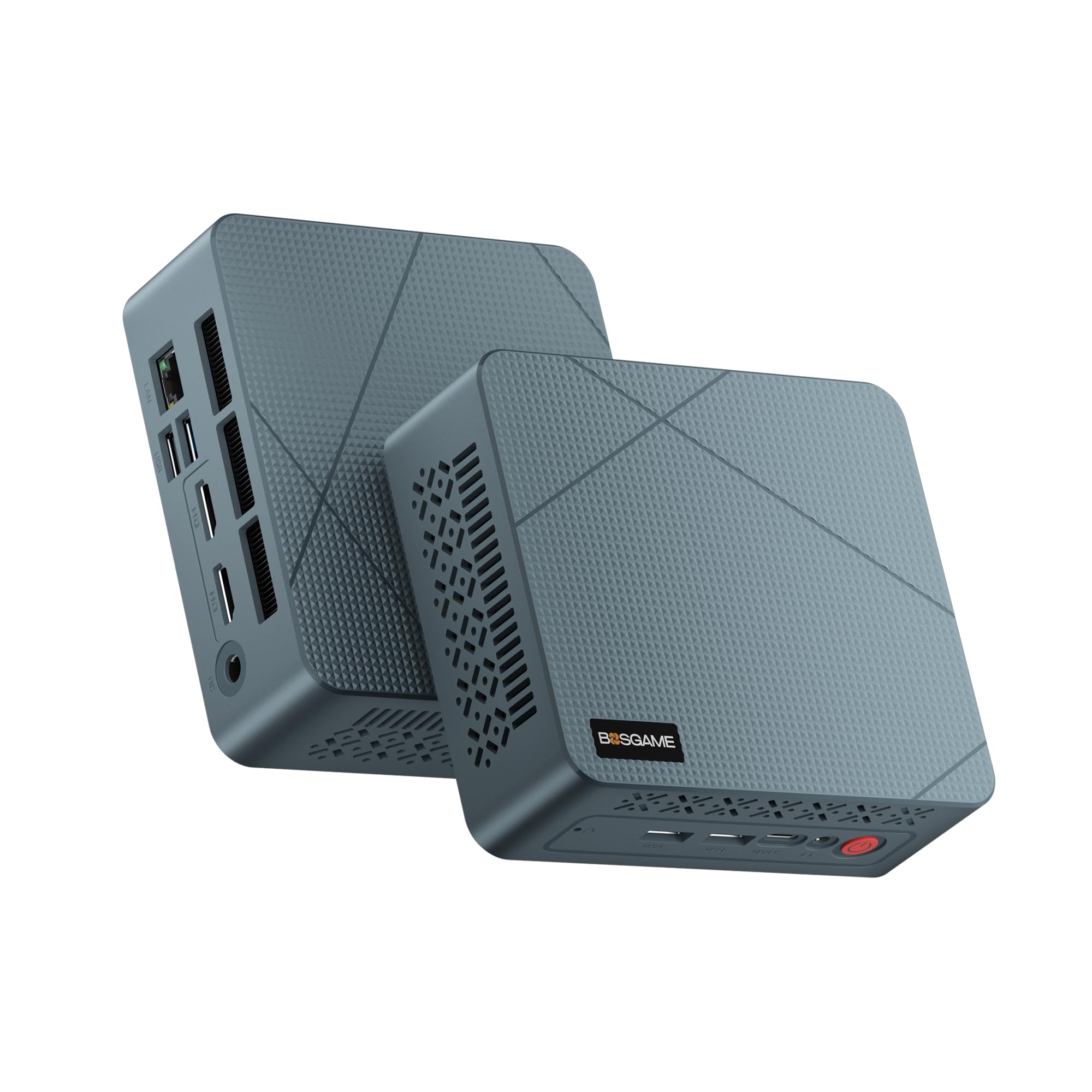
If you want a tiny, no‑fuss PC that lives happily behind a monitor and doubles as a basic emulation box, this is a sensible choice. You get an Intel N150, 16GB of RAM and a 512GB NVMe drive so everyday apps open quickly and video playback is smooth.
It’s especially handy as a quiet HTPC — 4K output across three displays and a full‑function USB‑C make hooking it up to a TV or docking station painless. For gaming, think classic consoles and light PSP/PS1 sessions rather than pushing modern emulators; it’s best when you’re after convenience and low power rather than raw horsepower.
What People Say
Buyers frequently highlight how small and quiet the unit is, and that it handles day‑to‑day tasks and streaming without fuss. People like the port selection — the USB‑C and 2.5Gb Ethernet get repeated praise — while a few note concerns about long‑term reliability or package inconsistencies. Overall users appreciate the value for basic office, HTPC and light retro gaming needs.
Overall Sentiment: Mixed
Long-Term Value
Because the E3 uses common, user‑friendly parts and offers expandable storage, you can extend its life with modest upgrades instead of replacing the whole machine. Its low power draw also keeps running costs down if you leave it on as an HTPC or lightweight server.
When It Shines
| Situation | How It Helps |
|---|---|
| Retro Consoles (NES/SNES/Genesis/PS1/PSP) | Runs these smoothly at full speed, so you can play classics without tweaking settings. |
| Living Room HTPC | 4K output, multiple video ports and quiet operation make it great for movies, streaming and casual gaming on a TV. |
| Everyday Office Work | Handles web browsing, documents and video calls with enough snappiness for most users. |
| Light Home Server / Utility | Low power use and decent network speeds (2.5Gb) let you run small services like a media or Minecraft server without big power bills. |
Versatility
This is a true small‑form‑factor multitasker — use it as a desk PC, a quiet HTPC, or a casual retro box. It won’t replace a gaming rig, but it’s flexible enough for lots of everyday scenarios.
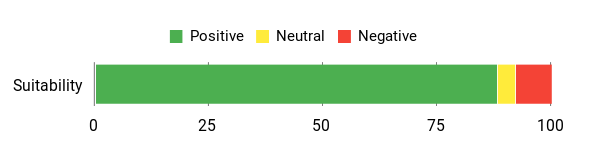
Emulator Compatibility
| Platform | Compatibility Level |
|---|---|
| Retro Consoles (NES/SNES/Genesis/PS1/PSP) | Excellent (full‑speed emulation and smooth playback) |
| PS2 / GameCube (PCSX2 / Dolphin) | Limited (some simpler titles may run, but expect reduced resolution and slower performance) |
| PS3 (RPCS3) | Poor (N150 integrated graphics can’t handle most PS3 workloads) |
| Wii U (Cemu) / Modern Emulators | Limited (select lightweight titles only) |
| HTPC / Media | Excellent (4K output, multiple ports, and codecs for streaming) |
Why It’s Different
The E3 packs surprisingly useful connectivity into a tiny chassis — a full‑function USB‑C, dual HDMI for multi‑display setups and 2.5Gb Ethernet make it feel more capable than other N150 boxes, especially for media and docking scenarios.
Who Should Buy
Casual Enthusiast / HTPC User
Performance
Great for classic systems and general desktop tasks; you’ll want to avoid pushing modern console emulators or high internal upscales. It’s optimized for quiet media playback and light retro gaming.
Key Benefits
- Compact footprint with VESA‑friendly design that fits behind a monitor
- 16GB DDR4 and 512GB NVMe give snappy everyday performance
- Dual HDMI + full‑function USB‑C and 2.5Gb Ethernet make media and multi‑monitor setups easy
- Energy efficient — runs cool and quiet for living‑room or office use
- Good value for basic productivity, streaming and lightweight emulation
Current Price: $199.49
Rating: 4.5 (total: 325+)
FAQ
Which Mini PC Is Best For Emulation Gaming And How Well Do They Run Emulators?
You’ll want to think in performance tiers rather than a single “best” box. At the budget end the KAMRUI Essenx E2 ($189.99) with an Alder Lake N95 and integrated graphics will do classic retro systems perfectly — NES, SNES, Genesis, Game Boy Advance, PSP and most PS1/PSP titles run smoothly; N64 and Dreamcast can be hit-or-miss depending on the emulator settings and resolution, and heavy loads like Dolphin (GameCube/Wii) or PCSX2 (PS2) will struggle. Midrange Ryzen mini PCs (examples here include Beelink EQR6 $419.00, BOSGAME P3 $439.99, or GMKtec M7 $389.99) with Radeon 680M/780M or Ryzen 7 HS-class CPUs are much stronger: they can handle Dolphin, PCSX2, Citra (3DS), and many Switch games in Yuzu/Ryujinx at playable frame rates with adjusted settings, and will run many RPCS3 (PS3) titles at acceptable speeds though not every PS3 game. High-end mini PCs like the GMKtec K11 ($599.99) or GEEKOM IT15 ($999.00) with Ryzen 9 or Intel Core Ultra + better integrated or discrete-class GPUs will give you the best compatibility and performance for demanding emulators and higher internal resolution, and on some titles they approach desktop-grade results.
Be realistic: PS4/Xbox One emulation is still experimental and requires much more GPU horsepower than almost any consumer mini PC provides today.
What Games And Emulators Will Each Tier Support?
You can expect a predictable split by console generation. With a low-end mini PC like the KAMRUI, you’ll reliably play 8-bit and 16-bit era titles and most PS1-era games and handheld ports; think Super Mario World, Chrono Trigger, Castlevania, Final Fantasy Tactics, and many PSP and PS1 classics.
With a midrange AMD Ryzen 6000/7000-series integrated GPU or comparable Intel Iris Xe you’ll comfortably run GameCube/Wii titles like Super Mario Sunshine or Mario Kart: Double Dash on Dolphin at lowered resolution or with frame limiting, PS2 classics (Persona 4, Shadow of the Colossus) via PCSX2, Switch titles on Yuzu/Ryujinx at varying settings (many indie and less demanding first-party Switch games are playable), and 3DS games in Citra at full speed. On high-end mini PCs (Ryzen 9, Ryzen 7 HS with 780M/Arc 140T or discrete options) you’ll get wider compatibility with higher internal resolutions and more consistent RPCS3 (PS3) performance for some titles, much better Switch performance, and smoother 4K/1440p upscaling when emulation supports it. For modern console generation and heavy PC-only games you’ll still be limited unless the mini PC supports an external GPU via USB4/OCuLink or you choose a model with a dedicated GPU.
What Should You Consider When Buying A Mini PC For Emulation And Practical Tips?
When you shop, put CPU single-thread performance, GPU capability, RAM and cooling at the top of your checklist — emulators often depend more on strong single-core speeds and stable thermals than raw multi-core benchmarks. Aim for at least 16 GB RAM for general emulation but plan on 32 GB if you want to run Switch, some RPCS3 builds or multiple VMs; fast NVMe storage helps load times and shader caches. Check I/O: you’ll want multiple USB ports for controllers and a good Bluetooth implementation (some reviews mention Wi‑Fi/Bluetooth interference — plugging in a USB Wi‑Fi adapter can fix that).
If you plan to push Dolphin, Yuzu or RPCS3, prefer mini PCs with modern integrated GPUs (Radeon 680M/780M, Intel Iris Xe) or ones that expose USB4/OCuLink so you can add an external GPU later (GMKtec models often include those options). Practical tips: update BIOS and GPU drivers after setup, allocate more integrated GPU memory in BIOS if the board offers it, use controller mappings and frame‑limit/shader caching to smooth performance, and test individual games because emulation speed varies per title. Finally, temper expectations about “desktop‑level” performance: mini PCs can be impressively capable for emulation but matching a high‑end desktop GPU for the newest and heaviest targets is still unlikely without an external GPU solution.
Gamers Top Picks
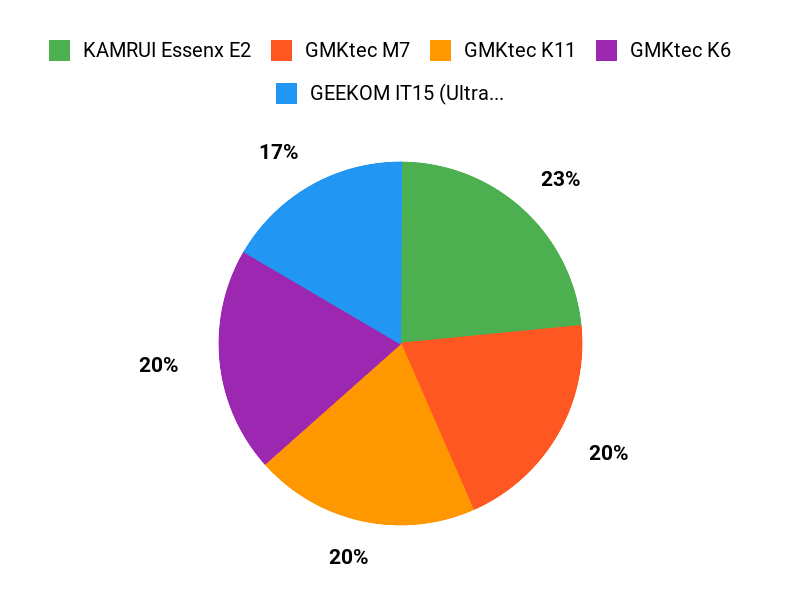
When you’re deciding between the KAMRUI Essenx E2, GMKtec M7, and GMKtec K11 for emulation, you’ll find most buyers focus on CPU/GPU power, RAM and storage capacity, cooling/noise levels, and the number of ports and OS compatibility—those factors directly decide which emulators and settings you can run smoothly. All three will easily handle classic systems like NES/SNES/Genesis and PS1 and most handheld emulators, while the higher‑end models give you the headroom to play more demanding titles via Dolphin (GameCube/Wii) or PCSX2 (PS2) at playable settings; the quieter, lower‑priced unit is a smart pick if you mainly want simpler retro gaming.
Wrapping Up
If you want the best all‑around emulation experience, choose a Ryzen 7/9 or an Intel Ultra‑class mini with a strong GPU (like the GEEKOM IT15 Ultra 9 or GMKtec K11). If you’re on a tighter budget, pick a midrange Ryzen 7 mini — it will cover GameCube/Wii and most PS2 games comfortably and handle many Wii U titles. If you value quiet, low‑power use or a living‑room HTPC that can do light emulation, the Beelink EQR6 and BOSGAME E3 are sensible choices.
Look for systems with upgradeable storage and at least 16 GB of RAM if you plan to run heavy titles or multiple emulators at once, and consider a model with USB4/OCuLink if you may add an eGPU later. Use the per‑model notes above to match a machine to the specific consoles and games you want to play so you spend on what actually improves compatibility and frame rates.
| Product | Image | Rating | Price | Processor | RAM | Storage | Graphics Processor |
|---|---|---|---|---|---|---|---|
| KAMRUI Essenx E2 Mini PC |  | 4.4/5 (1,636 reviews) | $189.99 | Celeron N95 (up to 3.4 GHz) | 16 GB DDR4 | 512 GB SSD | Integrated Graphics |
| GMKtec Mini PC Gaming, M7 |  | 4.5/5 (690 reviews) | $389.99 | AMD Ryzen 7 PRO 6850H (up to 4.7 GHz) | 32 GB DDR5 | 512 GB PCIe SSD | AMD Radeon 680M |
| GMKtec Gaming PC, K11 |  | 4.5/5 (690 reviews) | $599.99 | AMD Ryzen 9 8945HS (up to 5.2 GHz) | 32 GB DDR5 | 1 TB SSD | AMD Radeon 780M |
| Beelink EQR6 Mini PC |  | 4.4/5 (108 reviews) | $419.00 | AMD Ryzen 7 6800H (up to 3.2 GHz) | 32 GB LPDDR5 | 1 TB PCIe SSD | AMD Radeon 680M |
| ASUS NUC 13 Pro |  | 4.6/5 (101 reviews) | $602.10 | Intel Core i5-1340 (up to 4.6 GHz) | 16 GB DDR4 | 512 GB SSD | Intel Iris Xe |
| BOSGAME Mini PC E3 |  | 4.5/5 (227 reviews) | $439.99 | AMD Ryzen 7 7840HS (up to 3.8 GHz) | 32 GB DDR5 | 1 TB SSD | AMD Radeon 780M |



