 Skip to content
I know choosing a mini PC for Home Assistant can feel overwhelming because you’re balancing power, reliability, connectivity, and cost. I put this list together so you can quickly find a compact computer that will run Home Assistant reliably 24/7, host add-ons or VMs if needed, and fit your budget and space.
Whether you want a turnkey Home Assistant hub, a fanless quiet server, or a high-performance machine that can also handle media and content creation, I highlight each model’s real strengths so you can pick the one that meets your needs and avoid unnecessary upgrades later.
Top Picks
| Category | Product | Price | Score |
|---|---|---|---|
| 🎯 Best for Power Users | ACEMAGIC M1 | $459.99 | 94/100 |
| 🎬 Best for Content Creation | GEEKOM A6 | $559.00 | 92/100 |
| 🎮 Best for Gaming | BOSGAME P6 | $529.99 | 90/100 |
| 💼 Best for Business | MSI PRO DP21 | $799.00 | 95/100 |
| 🏆 Best Turnkey Hub | Pulcro TK Two | $219.00 | 91/100 |
| 🧩 Best Small Hub | Pulcro QBE | $209.00 | 89/100 |
| 💰 Best Value | Beelink S13 Pro | $252.00 | 86/100 |
| ⭐ Best for Home Server | Beelink EQ14 | $275.00 | 87/100 |
| 🔌 Best I/O & Displays | KAMRUI Hyper H2 | $759.92 | 88/100 |
| 🎨 Best HTPC | KAMRUI E1 | $189.99 | 84/100 |
How I Chose These Mini PCs
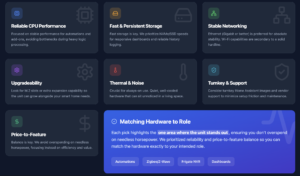
I focused on the factors that matter most when running Home Assistant 24/7: reliable CPU performance for automations and add-ons, fast and persistent storage, Ethernet (preferably gigabit or better) for stable networking, upgradeability (M.2 or extra slots) so the unit can grow with your needs, and thermal/noise behavior for always-on use. I also considered turnkey Home Assistant images and vendor support where available, plus price-to-feature balance so you don’t overspend on needless horsepower. Each pick highlights the one area where the unit stands out so you can match hardware to your intended role.
🎨 Best HTPC

I like the Essenx E1 because it feels like a proper little workhorse. It’s compact enough to tuck behind a monitor or mount on the back of a TV, but it still packs useful features — N97 CPU, 16GB RAM, 256GB M.2 SSD, dual 4K outputs and gigabit Ethernet. For daily use I run web apps, media streaming and light automation tasks without hiccups, and for occasional heavier jobs the SSD and extra RAM keep things snappy.
If you want a Home Assistant host, the Ethernet, Wake on LAN and RTC options make it an easy choice for a small always-on server. I’d recommend it when you want a balance of size, ports and expandability without spending much.
What People Say
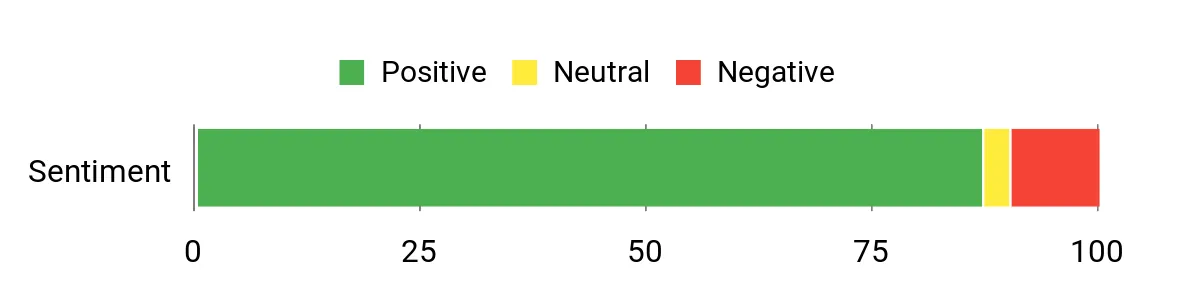
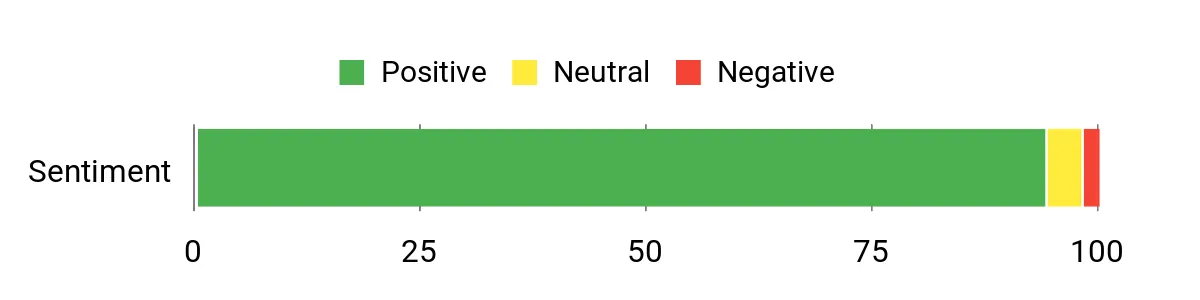
Across many reviews people praise how much capability you get for the price — buyers often call out the compact size, reliable performance for everyday tasks, and the dual monitor/4K support. Expandable storage and the quiet fan get consistent mentions, while a few users note Wi‑Fi variability and occasional audio quirks.
Overall the consensus is that it’s a great value mini PC that handles media, office apps and light server duties well.
Overall Sentiment: Positive
Cost Benefits
Because it’s energy‑efficient compared with a full desktop and you can add storage later, you can avoid buying a new machine when you need more space. Its VESA mount and small size also let you reuse monitors and setups, stretching the lifetime of your workspace gear.
Situational Benefits
| Situation | How It Helps |
|---|---|
| Home Assistant Server | Ethernet, low power N97 CPU and Wake on LAN let you run a stable, always-on automation hub without a noisy tower. |
| Home Theater PC (HTPC) | Dual 4K HDMI/DP outputs and integrated Intel UHD graphics make streaming and connecting to a TV effortless. |
| Small Office Or Remote Desktop | Compact size and multiple USB ports allow a neat workstation setup; it’s fast enough for Office, Zoom and browser work. |
| Temporary Classroom Or Study Stations | Low cost and VESA mounting mean you can deploy several units quickly and keep them tidy on the back of monitors. |
Ease Of Use
| Feature | Ease Level |
|---|---|
| Initial Setup | Easy |
| VESA Mounting | Easy |
| Adding Storage | Moderate |
| Software Updates | Moderate |
Versatility
This mini PC works as a living-room media player, a lightweight desktop, or a small home server. The mix of ports, VESA mount and upgrade bay means you can reassign it as needs change without buying new hardware.
Compatibility
| Platform | Compatibility Level |
|---|---|
| Windows 11 | High |
| Linux (x86) | High |
| Home Assistant (Docker/Supervised) | Good |
| Virtualization / Docker | High |
Energy Efficiency
Powered by a low‑power N97 chip and a small fan, it’s suitable for 24/7 use without drawing as much power as a full desktop — a sensible pick if you want an always-on Home Assistant box.
Security Features
| Feature | Protection Level |
|---|---|
| Wake On LAN / Auto Power On | Helps availability |
| Ethernet (wired network) | Improves network reliability |
| Windows Security Updates (when used with Windows) | Basic |
Key Benefits
- Small footprint that mounts cleanly behind a monitor
- Dual 4K outputs and plenty of USB ports for peripherals
- Upgradeable storage bay keeps this useful long-term
- Gigabit Ethernet and Wake on LAN for reliable home server use
Current Price: $189.99
Rating: 4.4 (total: 1,845+)
🎯 Best for Power Users

I appreciate the M1 because it squeezes desktop-class performance into a palm-sized box. With an i9-11900H, 32GB of RAM and a 1TB M.2 drive, it handles heavy multitasking — photo and video editing, compiling, and even light 3D work — without feeling cramped. For everyday use I run browsers, media streams and automation services smoothly; for special projects I can spin up Docker containers or run builds and the triple 4K outputs make multi-monitor workflows painless.
If you want a Home Assistant host that can also double as a capable workstation or HTPC, this is a sensible pick — just know it’s more powerful (and a bit thirstier) than tiny low-power N-series minis.
What People Say
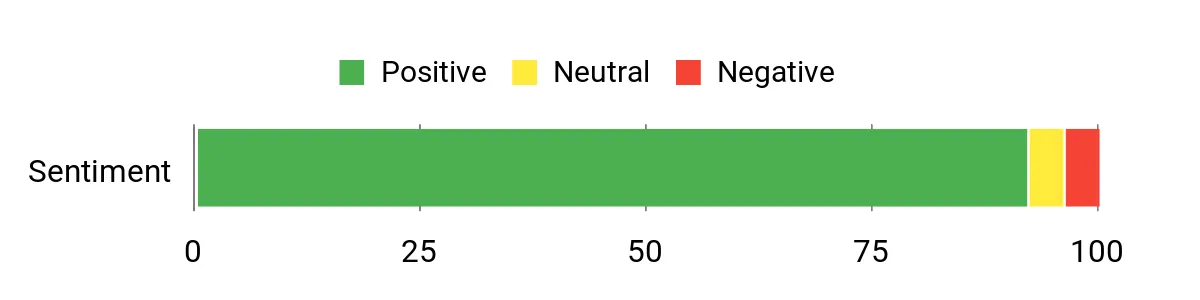
Across reviews people regularly mention how much power you get for the size — buyers like the i9 CPU, roomy RAM and fast SSD. The triple‑display support, 2.5G Ethernet and variety of ports are frequent highlights, and many users compliment the quiet cooling.
A handful of owners note occasional boot or stability quirks, but most are pleased with the value and performance.
Overall Sentiment: Positive
Cost Benefits
Because you can upgrade RAM and add extra SSD storage, the M1 can evolve with your needs instead of forcing an early replacement. Its small footprint also lets you reuse monitors and mounts, and the three‑year warranty reduces repair or replacement risks.
Situational Benefits
| Situation | How It Helps |
|---|---|
| Home Assistant Server | Wired 2.5G LAN and plenty of RAM let you run Home Assistant and add-ons reliably; expand storage for logs and backups without swapping machines. |
| Content Creation | The i9 processor, 32GB RAM and fast SSD keep editing and rendering snappy, and triple 4K outputs let you spread timelines and previews across monitors. |
| Home Theater / Media PC | Integrated Intel UHD graphics with 4K@60Hz support and multiple video outputs make it a neat HTPC that hides behind a TV or mounts on a bracket. |
| Small Office Workstation | Compact size and lots of ports create a tidy desk setup while supplying enough power for multitasking, video calls and productivity apps. |
Ease Of Use
| Feature | Ease Level |
|---|---|
| Initial Setup | Easy |
| OS Flexibility (Windows/Linux) | Moderate |
| Adding Storage / RAM | Moderate |
| Multi‑monitor Configuration | Easy |
Versatility
This M1 can be an always-on automation hub, a powerful desk workstation, or a living‑room media box. The combination of high CPU performance, lots of ports and upgradeable storage means you can repurpose it as needs change without buying new hardware.
Compatibility
| Platform | Compatibility Level |
|---|---|
| Windows 11 Pro | High |
| Linux (Ubuntu, Debian) | High |
| Home Assistant (Docker/Supervised) | Good |
| Virtualization / Docker | High |
Energy Efficiency
This is a performance‑oriented mini, so it draws more power than low‑end N‑series boxes, but it’s still more efficient than a full desktop tower. If you plan 24/7 host duties, expect slightly higher electricity than the very low‑power alternatives.
Security Features
| Feature | Protection Level |
|---|---|
| Wired Ethernet (2.5G) | Improves network reliability |
| OS Security Updates (Windows/Linux) | Basic to Moderate |
| Vendor Warranty & Support (3 years) | Helps recovery and repairs |
Key Benefits
- Desktop-grade i9 performance in a compact chassis
- 32GB RAM and 1TB M.2 SSD with additional M.2 slot for easy storage expansion
- 2.5G LAN plus Wi‑Fi 6 and Bluetooth 5.2 for fast, reliable connectivity
- Triple 4K output (HDMI, DP, Type‑C) for multitasking and media setups
- Robust cooling design that stays relatively quiet under load
Current Price: $459.99
Rating: 4.7 (total: 139+)
💰 Best Value
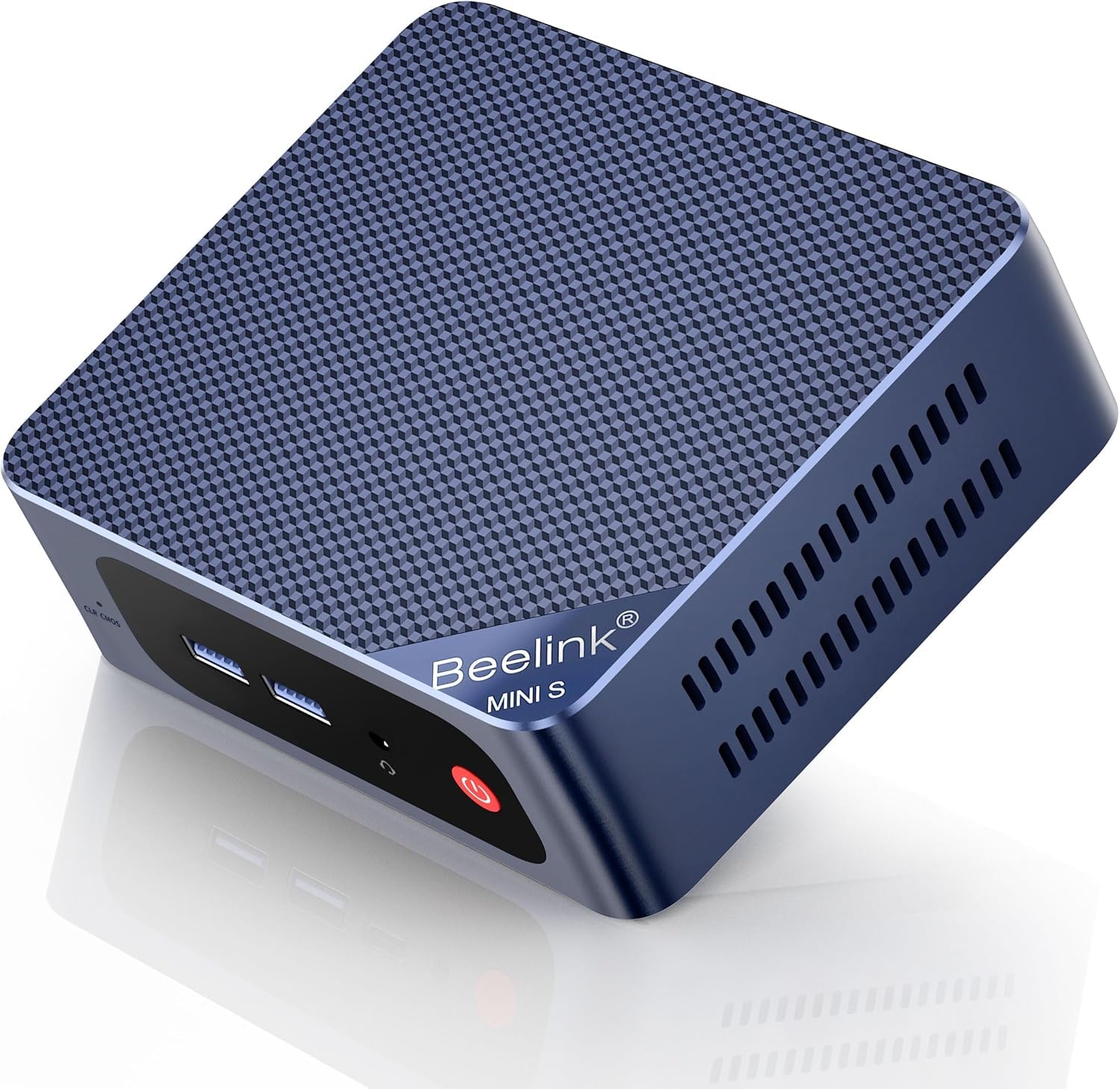
I like the S13 Pro because it balances everyday speed with a tiny footprint. The N150 CPU, 16GB of RAM and a 500GB NVMe drive make it snappy for web browsing, media streaming, light photo edits and running Home Assistant add‑ons.
The dual 4K HDMI outputs, 2.5G wired port and Wi‑Fi 6 give you flexibility for a HTPC setup, a compact office PC, or a small home server. It’s quiet, easy to tuck behind a monitor with the VESA mount, and expandable enough that you can grow storage as your setup matures — a practical pick if you want capable hardware without overpaying.
What People Say
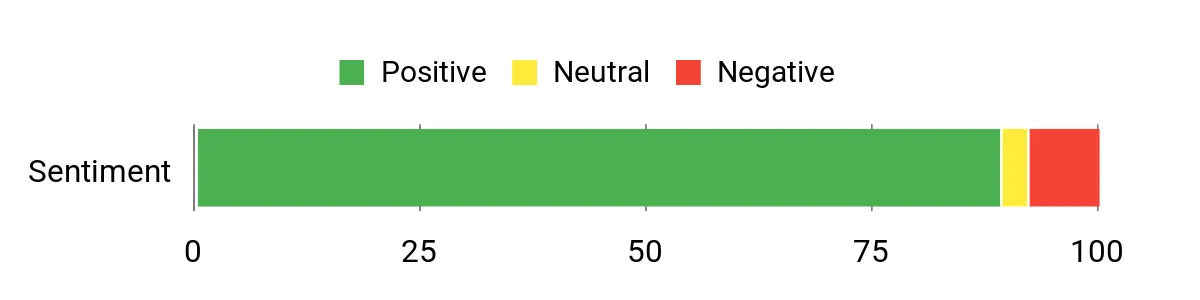
Most buyers notice how much capability is packed into a tiny box — people frequently praise the fast boot times, quiet operation and the dual HDMI outputs. Reviews also highlight the strong networking (2.5G LAN and Wi‑Fi 6) and the convenience of upgradeable storage and RAM. A handful of users mentioned occasional Windows update hiccups and some did a clean OS install for a smoother experience.
Overall Sentiment: Positive
Cost Benefits
Because RAM and storage can be upgraded, this mini can stay useful as your needs change instead of forcing a full replacement. Its low power draw compared with a desktop also reduces running costs if you leave it on for Home Assistant or media services.
Situational Benefits
| Situation | How It Helps |
|---|---|
| Home Assistant Host | Quiet, always‑on capable hardware with enough RAM and a reliable 2.5G wired option for add‑ons, backups and logs. |
| Living Room Media PC | Dual 4K HDMI and integrated Intel graphics let you run a smooth HTPC setup and stream 4K content without a bulky machine. |
| Small Office / Remote Work | Fast SSD, 16GB RAM and compact size give a tidy workstation for browsing, documents and video calls. |
| Home Server / NAS Light Duties | Expandable M.2 storage and stable wired networking make it suitable for light NAS duties, backups and media serving. |
Ease Of Use
| Feature | Ease Level |
|---|---|
| Initial Setup | Easy |
| Adding Storage | Moderate |
| Installing OS / Clean Install | Moderate |
| Connecting Peripherals | Easy |
Versatility
This mini handles daily tasks, media playback, lightweight home server duties and Home Assistant hosting. With upgradeable storage and standard ports, you can switch roles as your needs shift without buying new hardware.
Compatibility
| Platform | Compatibility Level |
|---|---|
| Windows 11 | High |
| Linux (Ubuntu, Debian) | Good |
| Home Assistant (Docker/Supervised) | Good |
| Media software (Kodi, Plex) | High |
Energy Efficiency
This is a low‑power N‑series mini, so it’s efficient for 24/7 use compared with a full desktop. Expect modest electricity costs if you run it as a Home Assistant host or media server.
Security Features
| Feature | Protection Level |
|---|---|
| WOL / PXE Boot | Helps remote management and recovery |
| Wired 2.5G Ethernet | Improves network reliability |
| Vendor Certifications (FCC, CE, RoHS) | Basic hardware compliance |
Key Benefits
- Good everyday performance from the 13th Gen N150 and 16GB DDR4
- 500GB NVMe SSD with an extra M.2 slot for easy storage upgrades
- Dual 4K@60Hz HDMI outputs for multitasking or HTPC use
- 2.5G LAN plus Wi‑Fi 6 and Bluetooth 5.2 for fast, stable connections
- Very compact design with VESA mount for tidy installs
Current Price: $252.00
Rating: 4.5 (total: 661+)
🎬 Best for Content Creation

I appreciate the A6 because it packs desktop-class Ryzen 7 performance into a tiny aluminium case. For day-to-day work it feels fast — photo edits, video timelines and heavy multitasking all run smoothly thanks to 32GB DDR5 and a 1TB PCIe Gen4 SSD. It’s also handy as a Home Assistant host or living-room media box thanks to USB4, dual HDMI and 2.5Gb Ethernet, and the VESA mount keeps my desk tidy.
If you want a small machine that can double as a creative workstation and an always-on hub, this is one I’d recommend.
What People Say
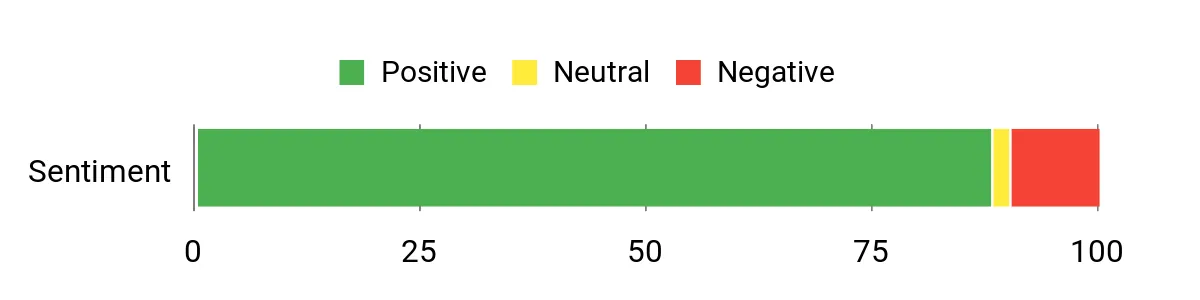
I see a lot of customers impressed by the build quality and real-world speed — people often mention the snappy SSD, roomy RAM, and the convenience of rear USB‑C/USB4 ports. Reviewers also like the strong networking (2.5Gb and Wi‑Fi 6E) and the included Windows 11 Pro; a minority report setup quirks like Windows update slowdowns, regional power plugs or occasional heat under heavy sustained loads.
Overall Sentiment: Positive
Cost Benefits
The high-spec CPU, ample RAM and fast NVMe storage mean you won’t feel forced to upgrade for several years. The spare M.2 slot and VESA-friendly form factor let you expand storage or tuck the unit away, and the three‑year warranty reduces replacement risk compared with cheaper short-warranty boxes.
Situational Benefits
| Situation | How It Helps |
|---|---|
| Home Assistant Host | Plenty of RAM and a fast SSD make snapshots, add‑ons and backups reliable; wired 2.5Gb helps networked backups and camera traffic. |
| Content Creation | Ryzen 7 and Radeon 680M handle photo editing and light video work well, while USB4 and multiple displays speed up editing workflows. |
| Living Room Media PC | Dual HDMI and 4K playback support let you run an HTPC setup without a bulky tower, plus VESA mounting clears space. |
| Small Office / Remote Work | Quiet, compact and responsive for documents, browser tabs, video calls and occasional heavy tasks. |
Ease Of Use
| Feature | Ease Level |
|---|---|
| Initial Setup | Easy |
| Mounting (VESA) | Easy |
| Adding/Upgrading Storage | Moderate |
| Tuning Performance / BIOS | Advanced |
Versatility
This mini handles daily browsing, media playback, Home Assistant hosting and creative tasks without feeling out of place. With USB4, multiple display outputs and decent networking, it’s easy to switch roles from HTPC to workstation or a small always‑on server.
Compatibility
| Platform | Compatibility Level |
|---|---|
| Windows 11 | High |
| Linux (Ubuntu, Debian) | Good |
| Home Assistant (Docker/Supervised) | Good |
| Media software (Kodi, Plex) | High |
Energy Efficiency
Compared with full-sized desktops the A6 is relatively efficient for 24/7 tasks; it offers sensible power for sustained loads and a dedicated video decode path for smooth media playback.
Security Features
| Feature | Protection Level |
|---|---|
| Windows 11 Pro | Built‑in OS security and management features |
| 2.5Gb Wired Ethernet | Stable wired networking reduces packet loss and improves reliability |
| Vendor Certifications (FCC, CE, RoHS, ENERGY STAR) | Hardware compliance and safety assurances |
| 3‑Year Limited Warranty | Extended coverage lowers replacement risk |
Key Benefits
- Powerful Ryzen 7 6800H and Radeon 680M for content tasks and light gaming
- 32GB DDR5 RAM and 1TB PCIe Gen4 NVMe SSD for smooth multitasking and fast storage
- USB4 and multiple display outputs for up to quad 4K workflows
- 2.5Gb Ethernet plus Wi‑Fi 6E for fast, reliable networking
- Compact aluminium chassis with VESA mount and a three‑year warranty
Current Price: $559.00
Rating: 4.4 (total: 960+)
🔌 Best I/O & Displays
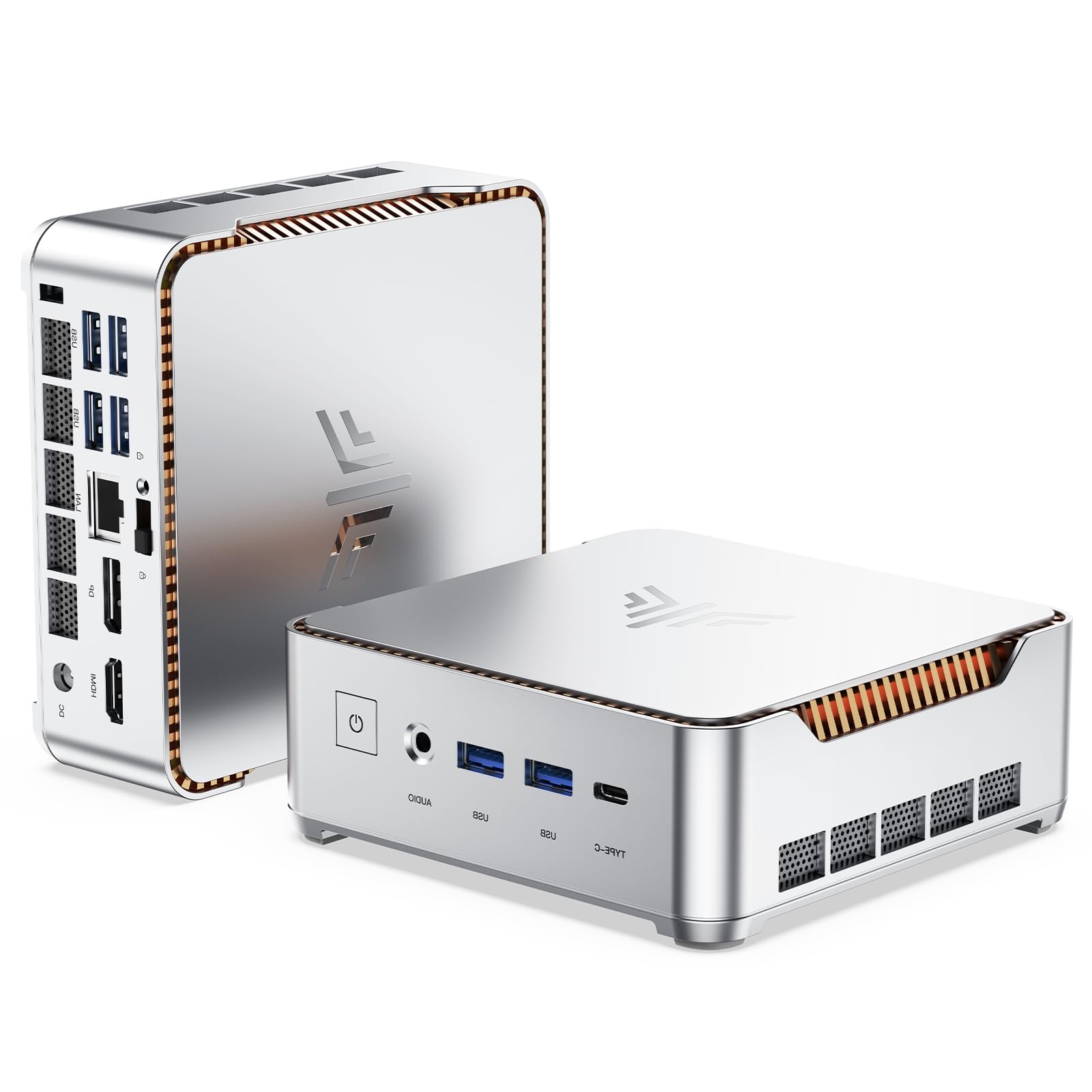
I like the Hyper H2 because it puts high-end laptop-class i9 performance into a tiny package while giving you a ridiculous amount of ports and display options. On a daily basis it’s great as a living-room media box or a Home Assistant host — the triple 4K outputs and multiple USB3.2 ports make hooking up cameras, external drives and monitors painless.
It also handles heavier tasks like photo edits, video rendering and multitasking without stuttering, and the VESA mount keeps my desk or TV area uncluttered. If you want a compact PC that prioritizes connectivity and screens, this is one I’d reach for.
What People Say
Most buyers praise the raw performance and the sheer number of ports — people often note smooth 4K playback, fast boot times and easy connections to external drives and monitors. Reviewers also appreciate the compact, mountable design and quiet fan. A few mention driver or BIOS tuning quirks and minor mounting or wake-from-sleep annoyances, but those seem to be the exception rather than the rule.
Overall Sentiment: Positive

Cost Benefits
The high-spec CPU, roomy RAM and fast NVMe mean the unit should stay useful for years without needing a full replacement. You can expand storage, tuck it behind a display with VESA mounting and rely on the vendor’s extended support options to reduce maintenance costs over time.
Situational Benefits
| Situation | How It Helps |
|---|---|
| Home Assistant Host | Fast CPU and ample RAM keep add-ons, backups and database tasks snappy; multiple USB ports make connecting Z‑Wave/Zigbee sticks and external storage easy. |
| Living‑Room Media PC / HTPC | Triple 4K outputs and hardware video decode let you run a smooth media center or connect a TV and a monitor for different rooms. |
| Plex / Media Server | Strong single- and multi-threaded performance plus plenty of USB bandwidth handle on‑the‑fly transcoding and large external drives. |
| Video Editing & Multitasking | i9 CPU, 32GB RAM and fast NVMe shorten render times and make switching between heavy apps much smoother. |
Ease Of Use
| Feature | Ease Level |
|---|---|
| Initial Setup | Easy |
| Mounting (VESA) | Easy |
| Adding/Upgrading Storage | Moderate |
| Driver/Bios Tuning | Advanced |
Versatility
This mini is built around connectivity and screens, so it can be a powerhouse HTPC, a compact workstation, a Plex server or a Home Assistant hub. Switching roles is straightforward thanks to the ports, VESA mount and solid performance.
Compatibility
| Platform | Compatibility Level |
|---|---|
| Windows 11 | High |
| Linux (Ubuntu, Debian) | Good |
| Home Assistant (Docker/Supervised) | Good |
| Media software (Plex, Kodi) | High |
Energy Efficiency
Not as low-power as ARM-based mini hosts, but still far more efficient than a full desktop; idle power usage is sensible for always-on tasks and the fan keeps thermals in check.
Security Features
| Feature | Protection Level |
|---|---|
| Windows 11 Pro | OS-level security and management features |
| UEFI / Secure Boot support | Boot integrity and malware protection |
| Vendor certifications (FCC, CE, UKCA) | Regulatory safety and compliance assurances |
| Extended support options | Longer service window reduces replacement and repair risk |
Key Benefits
- Core i9-11900H performance in a small chassis for demanding apps
- 32GB RAM and 1TB NVMe for responsive multitasking and fast storage
- Triple 4K@60Hz display outputs for multi-monitor or HTPC setups
- Six USB 3.2 ports plus USB-C, HDMI and DisplayPort for maximum I/O
- VESA mountable, quiet cooling and lifetime tech support with extended service options
Current Price: $759.92
Rating: 4.4 (total: 654+)
⭐ Best for Home Server

I reach for the EQ14 when I want a compact, quiet box that can do real work without taking up desk space. It balances low power draw with useful performance thanks to the N150 CPU, and the internal PSU keeps cable clutter to a minimum.
For everyday use it’s great for browsing, media and light productivity, and for special projects I’ve used it as a home server, firewall or a headless Linux host. If you want a small machine that’s easy to tuck away but powerful enough for Home Assistant, Plex, or edge-routing duties, this is a solid pick.
What People Say
Buyers frequently praise the EQ14’s networking chops and quiet operation — the dual 2.5G ports and stable cooling show up in lots of reviews. People also like the compact design with an internal PSU and say it’s easy to run Linux or use as a firewall, while many point out it’s versatile enough for media, light productivity and server tasks.
Overall Sentiment: Positive

Cost Benefits
Because the unit has ample RAM, fast NVMe storage and expandable M.2 slots, you can upgrade instead of replacing the whole machine. The efficient CPU and integrated power supply help keep electricity and accessory costs low, and its reliability for server and routing roles reduces the need for frequent replacements.
Situational Benefits
| Situation | How It Helps |
|---|---|
| Home Assistant Host | Enough RAM and fast NVMe keep the database and add‑ons responsive; multiple USB ports make attaching Zigbee/Z‑Wave sticks and backup drives straightforward. |
| Firewall / Edge Router | Dual 2.5G LAN ports and modest CPU power are perfect for OPNsense/pfSense or soft‑routing without saturating the hardware. |
| Home Server / Plex | 500 GB NVMe (expandable) and decent I/O handle media libraries and light transcoding, while quiet cooling keeps a living room pleasant. |
| HTPC / Living‑Room Media PC | Dual HDMI 4K@60Hz outputs and Intel UHD graphics let you drive a TV and a monitor for streaming or casual media tasks. |
Ease Of Use
| Feature | Ease Level |
|---|---|
| Initial Setup | Easy |
| Installing Linux / Headless Server | Moderate |
| Expanding Storage (M.2) | Moderate |
| Network / Firewall Configuration | Advanced |
Versatility
The EQ14 is a true jack‑of‑many‑trades: it’s compact enough for an HTPC, capable as a home server, and network‑focused enough for firewall or router roles. Switching between these uses is straightforward thanks to good I/O and OS flexibility.
Compatibility
| Platform | Compatibility Level |
|---|---|
| Windows 11 | High |
| Linux (Ubuntu, Debian) | Good |
| Home Assistant (Docker/Supervised) | Good |
| pfSense / OPNsense / Proxmox | Good |
Energy Efficiency
The N150 CPU is low‑power compared with desktop chips, so it’s a sensible choice for always‑on duties; idle power is modest and cooling keeps fans quiet under load.
Security Features
| Feature | Protection Level |
|---|---|
| UEFI / Secure Boot support | Boot integrity and basic malware protection |
| 2.5G Dual LAN | Enables hardware segmentation and robust firewall setups |
| Windows 11 security features | OS-level protections when using Windows |
| Vendor firmware updates | Ongoing fixes and improvements (dependent on vendor support) |
Key Benefits
- 2.5G dual LAN makes it ideal for firewall, routing and network-heavy tasks
- Internal power supply reduces cable mess and improves portability
- 16 GB DDR4 and 500 GB NVMe provide responsive performance and roomy storage
- Wi‑Fi 6 and Bluetooth 5.2 for modern wireless connectivity
- Dual HDMI 4K@60Hz outputs let you run displays or a media center easily
Current Price: $275.00
Rating: 4.5 (total: 288+)
🔰 Best Compact
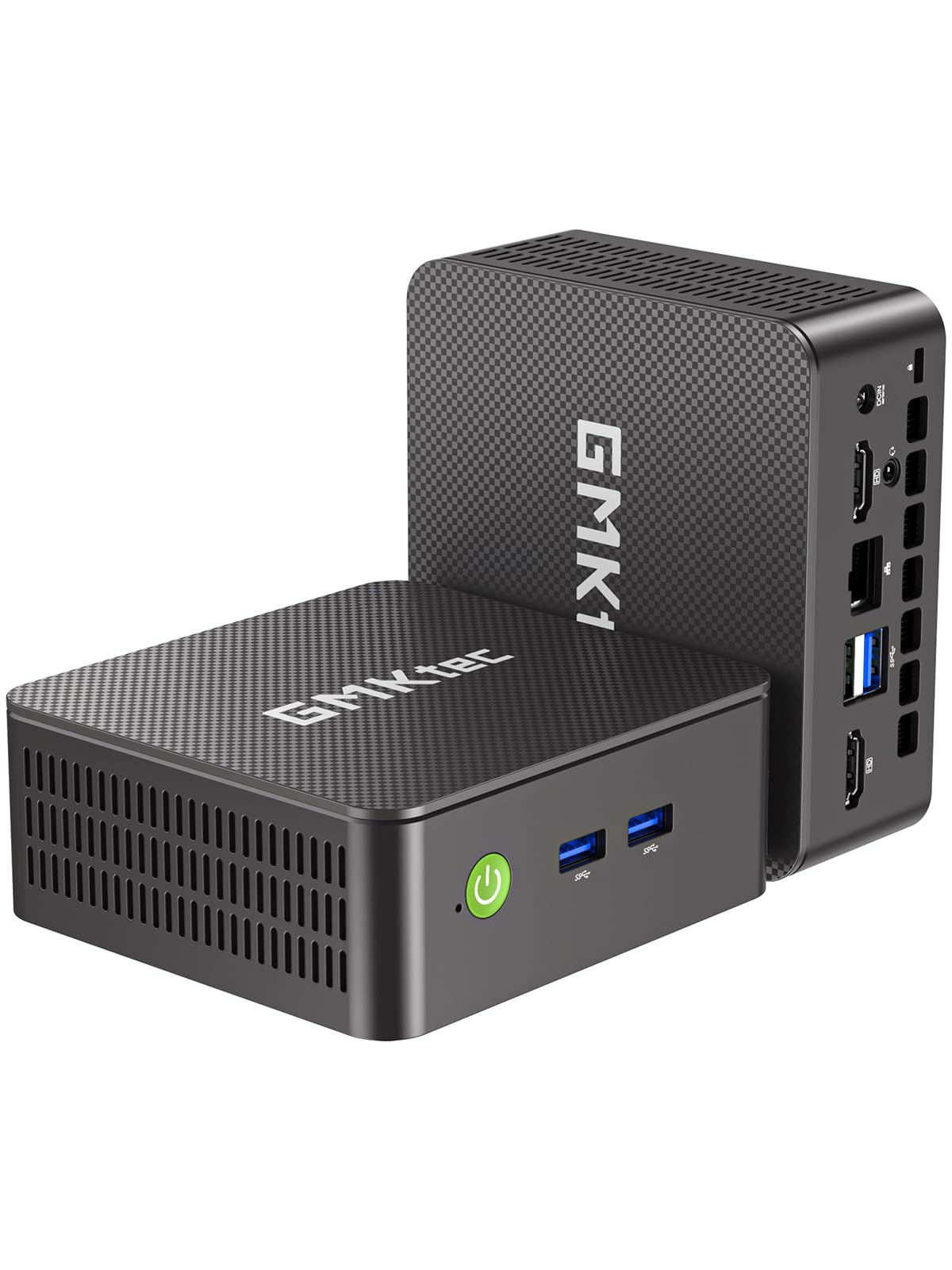
I like the G3S when I need a tiny, no-fuss machine that still handles real work. It’s small enough to tuck behind a monitor or mount with VESA, yet it packs 16 GB of RAM, a 512 GB SSD and dual 4K HDMI outputs so streaming, spreadsheets and a few VMs feel snappy.
For daily use I run browsers, Office apps and media without drama; for special projects I’ve used it as a headless Linux host, a lightweight Home Assistant node, and an HTPC for the living room. If you want a compact, affordable mini PC that punches above its size, this is one I’d recommend keeping on your shortlist.
What People Say
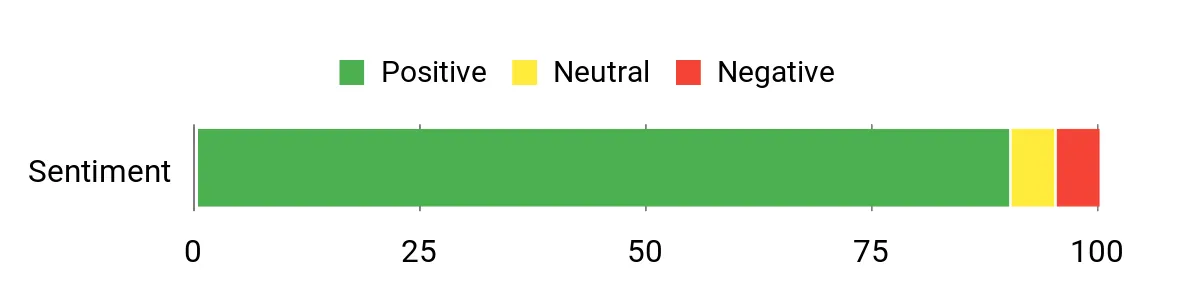
People consistently praise how small and capable this mini PC is — reviewers mention the surprising speed for everyday tasks, clean Windows setup, and reliable dual‑4K output. Many buyers also note it works well with Linux and as an always‑on device, though a few call out louder fan behavior at times or minor packaging and USB port quirks.
Overall Sentiment: Positive
Cost Benefits
The G3S’s M.2 SSD and standard RAM allow upgrades instead of full replacement, and its efficient mobile‑class CPU keeps power draw low for always‑on uses. Between modest energy consumption and the option to expand storage or memory, you can extend its useful life and avoid frequent hardware churn.
Situational Benefits
| Situation | How It Helps |
|---|---|
| Home Assistant Host | 16 GB RAM and fast SSD keep the database and add‑ons responsive; Gigabit Ethernet and multiple USB ports make attaching Z‑Wave/Zigbee sticks straightforward. |
| HTPC / Living Room Media | Dual HDMI 4K@60Hz outputs and Intel UHD graphics handle streaming and dual‑display layouts without fuss. |
| Office / Productivity Workstation | Quick boot times and smooth multitasking for browsers, office suites and light editing—great when desk space is limited. |
| Light Server / Linux Host | Proven compatibility with popular Linux distros makes it useful as a headless server for small services, backups or container workloads. |
Ease Of Use
| Feature | Ease Level |
|---|---|
| Initial Setup | Easy |
| Installing Linux / Headless Server | Moderate |
| Expanding Storage (M.2) | Moderate |
| Advanced BIOS / Fan Tuning | Advanced |
Versatility
The G3S is surprisingly flexible: small and tidy as an HTPC or office box, yet capable enough for light server duties or a Home Assistant node. Swapping between Windows and Linux setups is straightforward, which makes it useful in a variety of home and small‑office roles.
Compatibility
| Platform | Compatibility Level |
|---|---|
| Windows 11 | High |
| Linux (Ubuntu, Mint, Debian) | Good |
| Home Assistant (Docker/VM) | Good |
| Proxmox / Virtualization | Moderate |
Energy Efficiency
Powered by a low‑power Intel N95, the G3S is efficient for 24/7 tasks — idle draw is modest and you won’t need heavy cooling, making it sensible for always‑on roles.
Security Features
| Feature | Protection Level |
|---|---|
| UEFI / Secure Boot support | Boot integrity and basic malware protection |
| Windows 11 Pro security features | OS-level protections when running Windows |
| Vendor firmware updates | Addresses bugs and improves stability when kept up to date |
| Gigabit Ethernet | Wired networking reduces wireless attack surface and supports network segmentation |
Key Benefits
- Compact footprint and VESA mount make it easy to hide or attach to a monitor
- 16 GB DDR4 plus 512 GB M.2 SSD gives responsive multitasking and quick boots
- Dual HDMI 2.0 outputs with 4K@60Hz support for comfortable multi‑display setups
- Good connectivity: USB 3.2, Gigabit Ethernet, Wi‑Fi 5 and Bluetooth 5.0
- Comes with Windows 11 Pro but runs Linux well for headless or server tasks
Current Price: $189.99
Rating: 4.5 (total: 256+)
💰 Best Value

I reach for the Mini S13 when I want a compact, no‑drama machine that still handles real work. It ships with 16 GB of RAM and a 500 GB NVMe, and the Twin Lake‑N150 CPU keeps everyday tasks snappy while only sipping power. For daily stuff I use it for browsing, media and spreadsheets; for special projects I’ve set it up as a Home Assistant host, a small media server, and even tucked it behind a monitor as an HTPC. If you want solid performance and lots of ports without spending a fortune, this one’s worth a close look.
What People Say
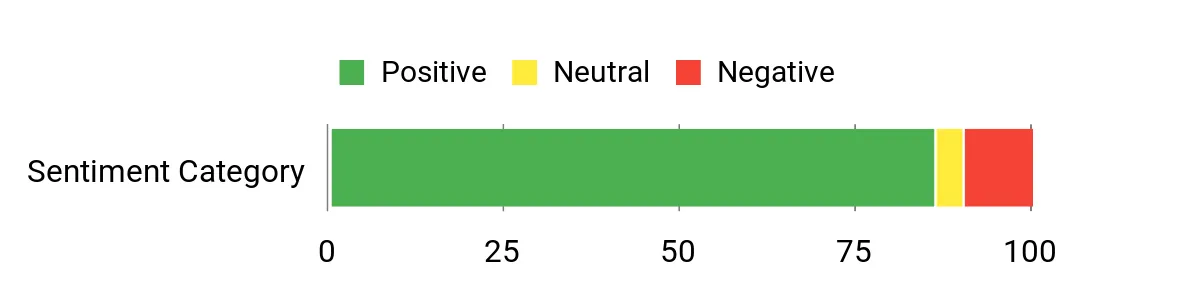
Buyers often highlight how small and capable the S13 feels for the price — people mention quick boots, smooth daily performance, and reliable dual‑4K output. Reviewers also like the roomy RAM and NVMe storage for multitasking, and many say it’s easy to use as a Home Assistant node or HTPC. A few buyers note the fan runs continuously under some loads and that Linux wireless drivers can require extra work.
Overall Sentiment: Positive
Cost Benefits
Because it uses standard M.2 storage and DDR4 RAM, you can upgrade the S13 instead of replacing it — swapping a larger SSD or adding storage is straightforward. Its low power draw for idle/always‑on roles keeps electricity costs down, and that combination extends useful life and reduces upgrade pressure.
Situational Benefits
| Situation | How It Helps |
|---|---|
| Home Assistant Host | 16 GB RAM and a fast NVMe SSD keep the database and add‑ons responsive; Gigabit Ethernet and multiple USB ports make adding Z‑Wave/Zigbee sticks simple. |
| HTPC / Living Room Media | Dual HDMI 4K@60Hz outputs and Intel UHD graphics handle streaming and multi‑screen layouts without hiccups. |
| Office / Productivity | Small footprint with VESA mount frees desk space while offering smooth performance for browsers, Office apps and video calls. |
| Small Home Server / NAS Alternative | Expandable storage (dual M.2) and solid connectivity make it a practical, low‑power option for file shares or light server duties. |
Ease Of Use
| Feature | Ease Level |
|---|---|
| Initial Setup | Easy |
| Installing Home Assistant (VM/Docker) | Moderate |
| Upgrading Storage (M.2) | Moderate |
| Tuning Fan / Thermal Behaviour | Advanced |
Versatility
This mini PC is flexible enough to serve as a Windows desktop, a headless Linux box, an HTPC or a Home Assistant node. It balances everyday responsiveness with enough ports and expansion to adapt to different roles around the house.
Compatibility
| Platform | Compatibility Level |
|---|---|
| Windows 11 | High |
| Linux (Ubuntu, Debian, Mint) | Good |
| Home Assistant (Docker/VM) | Good |
| Proxmox / Virtualization | Moderate |
Energy Efficiency
The N150 is a low‑power mobile‑class CPU with a 25 W peak TDP and very modest idle draw in real use, which makes the S13 sensible for always‑on tasks like Home Assistant or a small server.
Security Features
| Feature | Protection Level |
|---|---|
| UEFI / Secure Boot support | Helps maintain boot integrity and reduce malware risks |
| Windows 11 security features | OS‑level protections when running Windows 11 Home/Pro |
| Vendor firmware updates | Fixes firmware bugs and improves stability when kept current |
| Gigabit Ethernet | Enables wired segmentation and more secure network setups |
Key Benefits
- Powerful for its class: 13th Gen Twin Lake‑N150 with 16 GB DDR4 and a 500 GB PCIe M.2 SSD
- Dual 4K@60Hz HDMI outputs and Intel UHD graphics make it great for multi‑display setups
- Plenty of ports (4× USB 3.2 Gen2, Gigabit Ethernet, audio) and a VESA mount for tidy installs
- Wi‑Fi 6 and Bluetooth 5.2 for fast wireless connectivity
- Supports Wake on LAN, PXE Boot and has room for storage expansion (dual M.2 support)
Current Price: $249.00
Rating: 4.4 (total: 694+)
🏆 Best Turnkey Hub
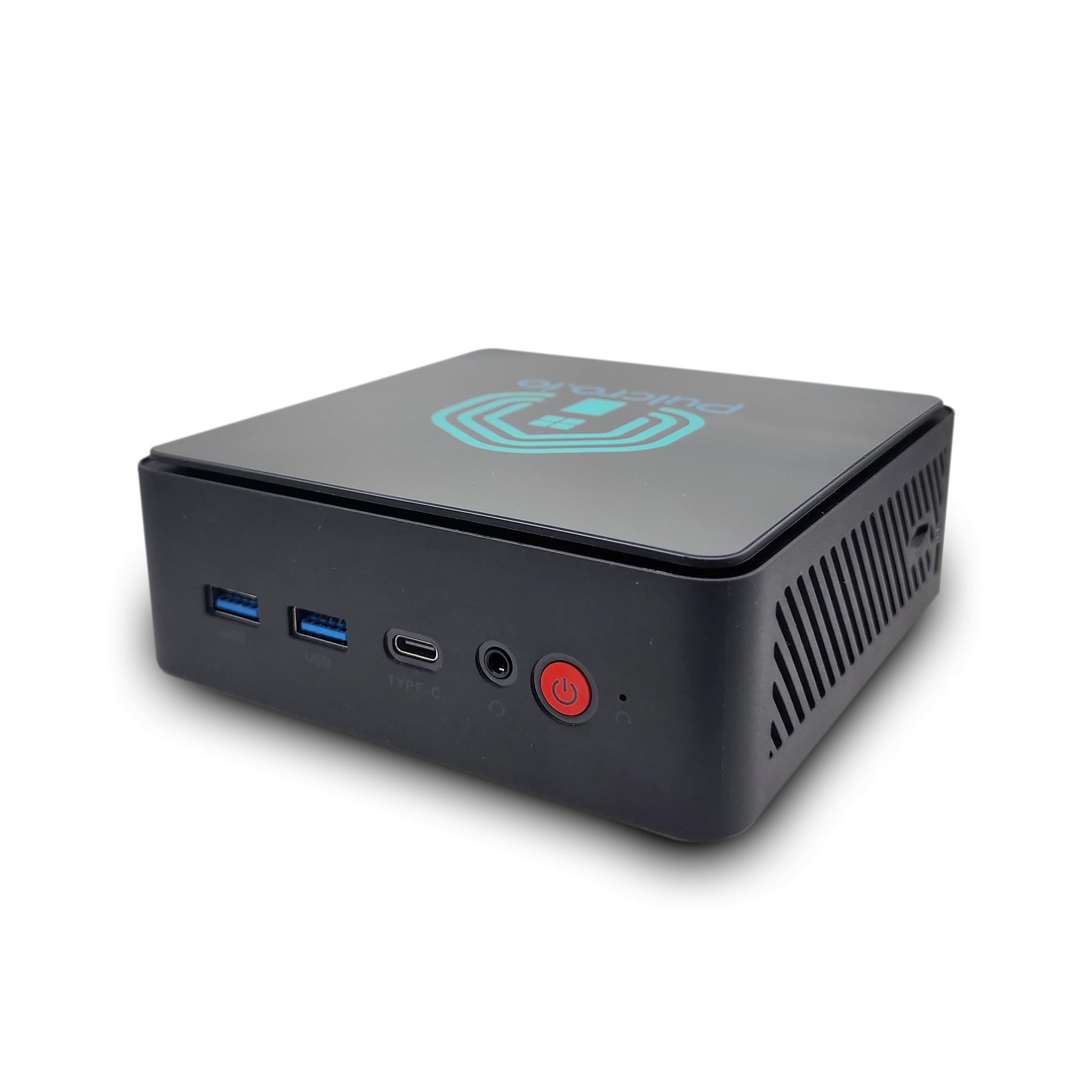
I like the TK Two when I want a no‑fuss smart home hub that just works. It ships assembled in the U.S.
with Home Assistant OS already set up, so you can plug it into your router and get control of lights, blinds and routines fast. The 16 GB RAM and 512 GB SSD keep automations, add‑ons and backups responsive, while triple 4K output and 2.5GbE give it room to grow into media or small server roles.
For everyday use it’s a quiet, energy‑friendly box I’m happy to leave running 24/7; for special projects it’s handy to have a preconfigured device that saves time on setup.
What People Say
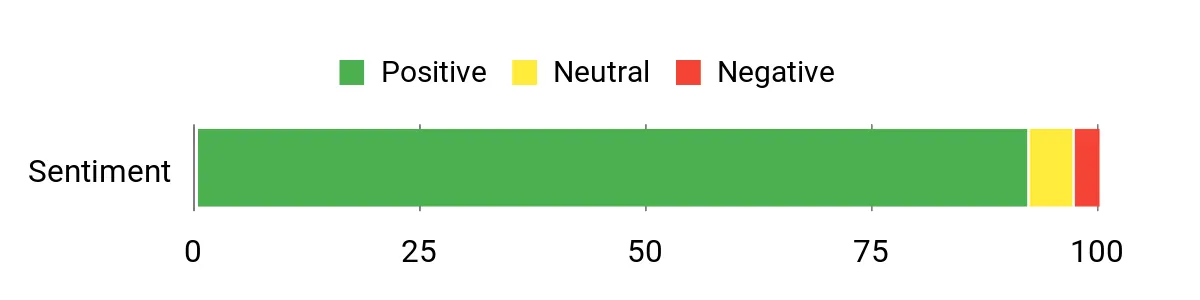
Most buyers appreciate how turnkey the device is — reviewers frequently mention quick setup, reliable Home Assistant performance, and the convenience of having the OS preinstalled. People also like the solid spec‑for‑size (16 GB/512 GB), the quiet operation and the triple 4K outputs.
A small number report fan noise or needed follow‑up support, but overall the consensus is that it simplifies getting a robust smart home up and running.
Overall Sentiment: Positive
Cost Benefits
Upgradeable RAM and NVMe storage mean you can extend the device’s useful life rather than replace it. Its low power profile keeps electricity costs down for 24/7 roles, and having a preconfigured unit reduces time spent troubleshooting — that saves hours for makers of smart home projects.
Situational Benefits
| Situation | How It Helps |
|---|---|
| Home Assistant Host | Preinstalled Home Assistant, 16 GB RAM and NVMe storage keep databases and add‑ons responsive and reliable for large automations. |
| Turnkey Smart Hub for Non‑tinkerers | Ships ready to use out of the box so you can avoid lengthy installs and get automations running quickly. |
| HTPC / Dashboard | Triple 4K outputs and integrated graphics handle displays for media playback or wall‑mounted dashboards. |
| Always‑On Small Server | 2.5GbE wired networking, quiet cooling and low idle power make it suitable for light server duties or local backups. |
Ease Of Use
| Feature | Ease Level |
|---|---|
| Initial Setup | Very Easy |
| Restoring Home Assistant Backup | Easy |
| Adding Integrations / Add‑ons | Easy |
| Upgrading RAM / NVMe | Moderate |
Versatility
This is a focused device that nevertheless adapts well: it’s ideal as a dedicated Home Assistant hub but easily doubles as an HTPC, a small always‑on server or a headless Linux node thanks to its ports and upgrade paths.
Compatibility
| Platform | Compatibility Level |
|---|---|
| Home Assistant (preinstalled) | High |
| Proxmox / Virtualization (variant available) | Good |
| Windows (compatible variants) | Good |
| General Linux distributions | Good |
Energy Efficiency
Designed for always‑on operation, the TK Two draws modest power (reported around 30 W under load and under 1 kWh/day typical), which keeps running costs low for a home hub.
Security Features
| Feature | Protection Level |
|---|---|
| Home Assistant OS | Platform-level security and regular updates through the Home Assistant ecosystem |
| UEFI / Firmware updates | Vendor firmware updates improve stability and patch issues when maintained |
| Wired 2.5GbE networking | Allows secure wired segmentation and reduces reliance on wireless for critical devices |
| Two‑year limited warranty (US assembled) | Covers hardware defects and gives added peace of mind |
Key Benefits
- Home Assistant preinstalled for a fast, plug‑and‑play smart home setup
- 16 GB DDR4 and 512 GB M.2 SSD for snappy add‑on performance and local storage
- Triple 4K@60Hz display support (HDMI, DisplayPort, USB‑C) for media or monitoring
- Intel i226 2.5Gbps Ethernet plus dual‑band Wi‑Fi and Bluetooth for flexible networking
- Compact, quiet design with low power draw suitable for always‑on use
Current Price: $219.00
Rating: 4.6 (total: 49+)
🎮 Best for Gaming
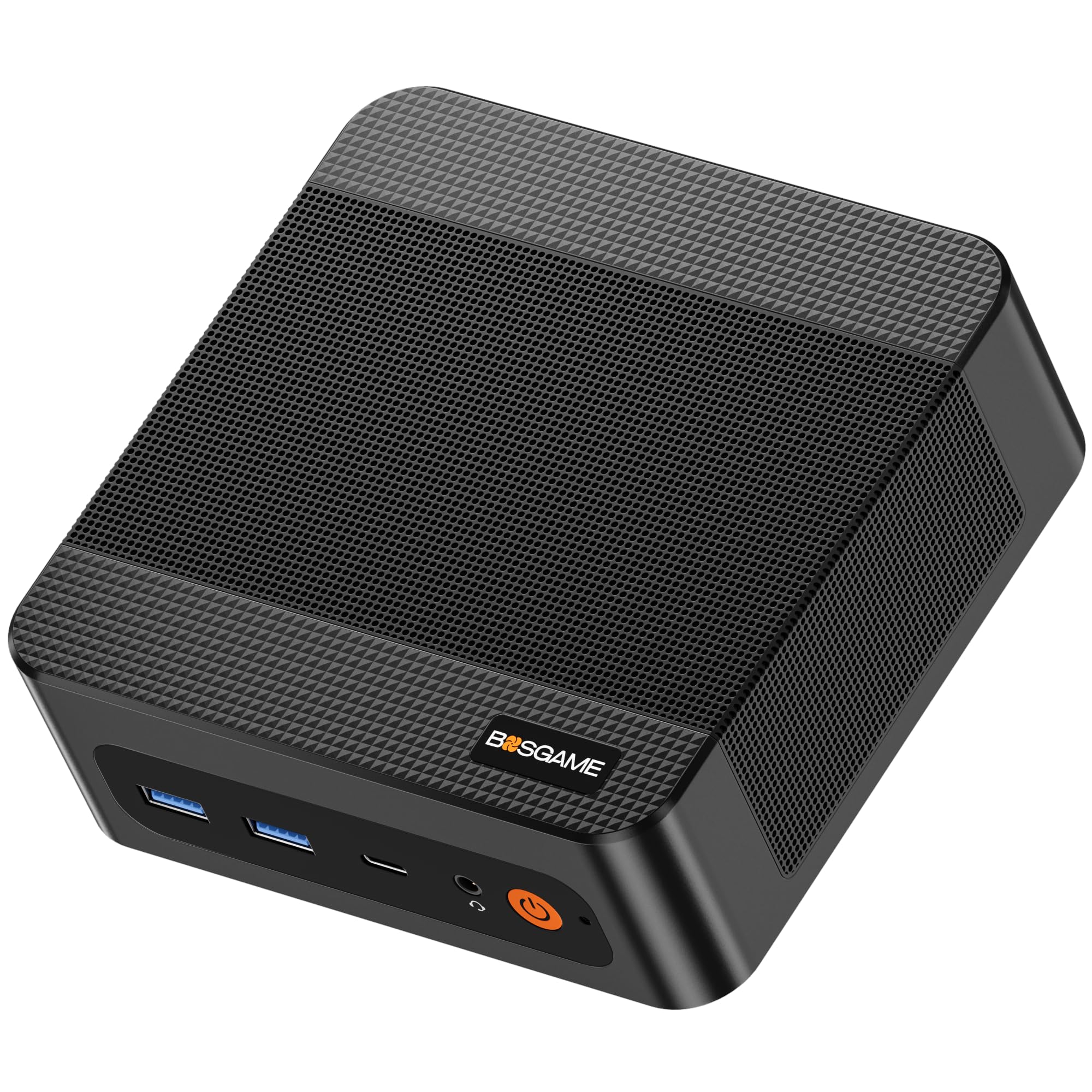
I reach for the P6 when I want serious punch in a tiny box. It packs a Ryzen 9, fast LPDDR5X memory and a 1 TB PCIe 4.0 SSD into a compact VESA‑mountable chassis, so it works as a powerful desktop replacement, a media box for a big TV, or a headless server for things like Jellyfin or Home Assistant.
In daily use it’s impressively quiet and handles multitasking, video playback and light content work without flinching. If you want a small machine that can grow (more NVMe slots, upgradeable memory) and still sit behind a monitor, this is the kind of unit I’d recommend—especially if you catch it on sale.
What People Say
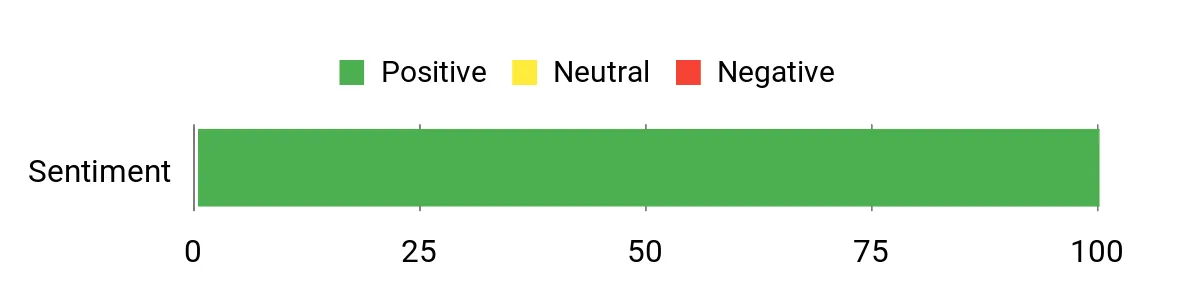
I see customers consistently praise the P6 for delivering desktop‑level performance in a tiny chassis and for being quiet under load. Reviewers also like the triple 4K outputs, upgradeable NVMe storage and roomy RAM, though a number of buyers mention the price can feel high unless it’s on sale.
Overall Sentiment: Positive
Cost Benefits
You can extend the unit’s useful life by adding or swapping NVMe drives and making the most of the generous RAM—upgrades keep it relevant instead of replacing the whole machine. For lightly loaded server roles it uses far less space than a tower and the 65 W adapter keeps electricity modest compared with full desktop rigs.
Situational Benefits
| Situation | How It Helps |
|---|---|
| Home Assistant Host | Fast CPU and ample RAM keep automations, databases and add‑ons responsive, while NVMe slots give plenty of room for backups and logs. |
| HTPC / Media Center | Triple 4K@60Hz outputs and integrated Radeon graphics handle high‑res playback and multi‑screen dashboards with ease. |
| Compact Desktop / Creator Workstation | Ryzen 9 performance and fast storage mean snappy editing, multitasking and productivity in a small footprint. |
| Home Server / NAS Companion | Dual LAN, quiet operation and multiple NVMe slots make it useful as a compact server or a storage front‑end paired with external DAS. |
Ease Of Use
| Feature | Ease Level |
|---|---|
| Initial Setup (Windows 11 Pro included) | Easy |
| Installing Linux / Headless Server | Moderate |
| Upgrading NVMe Storage | Moderate |
| Upgrading RAM | Moderate |
Versatility
This mini PC can be a daily driver, a media hub, or a compact server — its ports and storage expandability let me switch roles without buying another machine.
Compatibility
| Platform | Compatibility Level |
|---|---|
| Windows 11 Pro | High |
| General Linux distributions | Good |
| Home Assistant (Linux/VM install) | Good |
| Virtualization (light VMs/containers) | Moderate |
Energy Efficiency
It’s not a low‑power N‑series device, but the 65 W adapter and efficient components mean it’s reasonably economical for a Ryzen 9 mini‑PC; fine for many always‑on roles if you balance load and expectations.
Security Features
| Feature | Protection Level |
|---|---|
| Windows 11 Pro security features | OS‑level protections and TPM‑backed features when enabled |
| UEFI / Firmware updates | Regular firmware updates improve stability and patch vulnerabilities when maintained |
| Dual Gigabit Ethernet | Allows network segmentation for safer device separation and critical services |
| Physical VESA mounting | Helps keep the unit out of sight and reduce tampering risk |
Key Benefits
- High single‑ and multi‑core performance from the Ryzen 9 6900HX for smooth multitasking
- 32 GB LPDDR5X 6400 MHz and 1 TB PCIe 4.0 NVMe offer fast responsiveness and storage
- Triple 4K@60Hz display support makes it great for multi‑monitor setups or dashboards
- Dual Gigabit LAN and AX210 Wi‑Fi 6E provide flexible, stable networking options
- VESA mountable, compact and relatively quiet for always‑on or tucked‑away installs
Current Price: $529.99
Rating: 4.7 (total: 10+)
💰 Best Value

I like this little Beelink for projects where I want something dependable but not power hungry. It’s compact, runs on a low‑power N150 chip and comes with 16 GB of RAM and a 512 GB NVMe drive, so it boots fast and handles Home Assistant, Plex, or a light desktop without fuss.
The dual 4K HDMI and plenty of USB ports make it useful as an HTPC or a small office box, and the built‑in fan keeps things cool and relatively quiet. If you want an affordable always‑on host that you can tuck behind a display or mount on a wall, this is the sort of unit I’d recommend for most home automation and media tasks.
What People Say
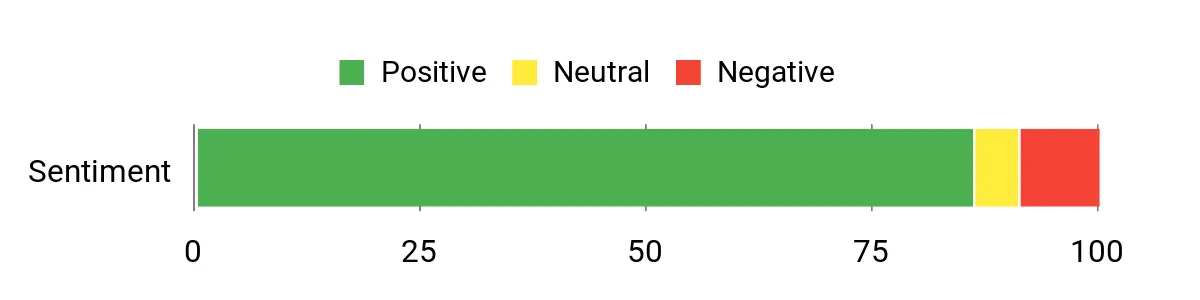
Across reviews people tend to highlight the S13’s solid value: it’s fast enough for Home Assistant, Plex and light server roles, and customers like the dual HDMI and expandability. Many mention quiet cooling and responsive storage, while a minority report frustrations around Windows edition/upgrades and initial update quirks.
Overall Sentiment: Positive
Cost Benefits
Because the S13 is low‑power and supports NVMe storage upgrades, you can keep it running 24/7 without a big electricity bill and extend its useful life by swapping drives or adding storage rather than replacing the whole unit.
Situational Benefits
| Situation | How It Helps |
|---|---|
| Home Assistant Host | Low power draw and enough RAM keep automations and add‑ons responsive without heating up the house. |
| Plex / Media Server | Dual 4K HDMI and a fast NVMe drive let you stream and transcode lighter media libraries, or pair with external storage for more content. |
| HTPC / Living Room | Small footprint and dual display support make it easy to run a media center or a dashboard behind a TV. |
| Small Office / Productivity | Responsive boot and app performance for office tasks, plus plenty of USB ports for peripherals. |
Ease Of Use
| Feature | Ease Level |
|---|---|
| Initial Setup (Windows 11 Home) | Easy |
| Switching to Linux / Headless Server | Moderate |
| Running Headless with Remote Access | Moderate |
| Upgrading NVMe Storage | Moderate |
Versatility
This mini PC works as a media player, a home automation host, a small office machine or a lightweight server — I can repurpose it easily as needs change.
Compatibility
| Platform | Compatibility Level |
|---|---|
| Windows 11 Home | High |
| General Linux distributions | Good |
| Home Assistant (Linux/VM install) | Good |
| Virtualization (light VMs/containers) | Moderate |
Energy Efficiency
With a low TDP design and efficient components it’s inexpensive to run 24/7, which makes it a practical choice for always‑on services like Home Assistant.
Security Features
| Feature | Protection Level |
|---|---|
| Windows 11 security features (Home) | Moderate |
| UEFI / Firmware updates | Moderate |
| Gigabit Ethernet | Allows network segmentation for safer device separation |
| VESA / wall mount option | Low — helps reduce physical tampering |
Key Benefits
- Energy‑efficient 13th Gen Intel N150 delivers usable performance at a low 25 W TDP
- 16 GB DDR4 and 512 GB NVMe SSD make the system snappy for apps and databases
- Dual HDMI outputs support two 4K displays for dashboards or media playback
- Good selection of ports (4 × USB 3.2, Gigabit LAN, audio) for accessories and networked services
- Compact, VESA‑friendly size that’s easy to hide or wall‑mount for always‑on use
Current Price: $239.00
Rating: 4.4 (total: 32+)
🌡️ Best Fanless / Quiet

I like this MeLE for anyone who wants a quiet, always‑on host without taking up much space. It packs a Twin Lake N150 four‑core chip with 16 GB of LPDDR5 and a 512 GB drive, so Home Assistant, light server duties, or a media dashboard run smoothly. The triple 4K output (two HDMI plus USB‑C) makes it handy for a living‑room dashboard, a small Plex client, or a multi‑monitor admin station. It’s fanless, so it stays whisper‑quiet, but that passive design means the case can run warm under sustained load — still, for wall‑mounting behind a display or running 24/7 in a closeted hub it’s a solid, low‑power choice I’d recommend for most home automation setups.
What People Say
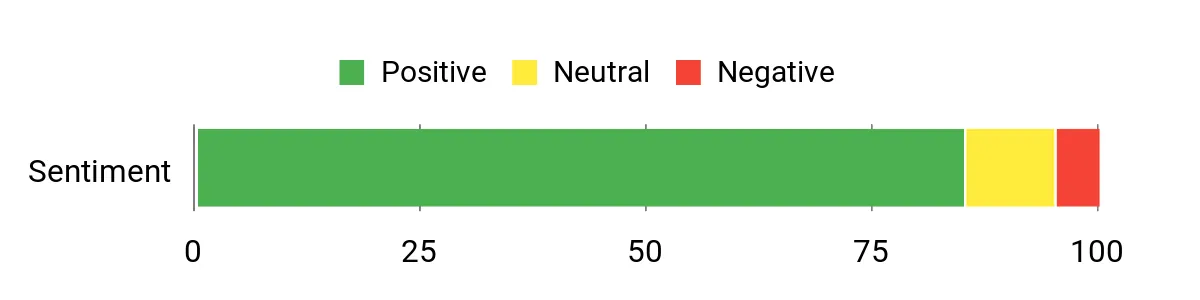
Across reviews people appreciate how quiet and compact the Quieter 4C is, and many call out the triple 4K outputs and roomy 16 GB + 512 GB configuration as useful for Home Assistant, media, and small server roles. Customers also note the easy storage expandability and reliable Wi‑Fi/Bluetooth. The most common caveats are higher surface temperatures under load and a couple of setup wrinkles like enabling Ethernet in firmware.
Overall Sentiment: Positive
Cost Benefits
Thanks to its low power profile and NVMe support you can run this as an always‑on host without a big electricity bill, and extend its usefulness by adding or swapping drives instead of replacing the whole unit.
Situational Benefits
| Situation | How It Helps |
|---|---|
| Home Assistant Host | Quiet 24/7 operation with enough RAM and storage for add‑ons and databases without noisy fans. |
| Plex / Media Client | Triple 4K outputs and fast internal storage make it great for streaming and driving a media display. |
| HTPC / Living Room Dashboard | Small footprint and VESA mount friendly design let you hide it behind a TV while driving multiple screens. |
| Home Lab / Worker Nodes | Low energy use and silent operation work well for many lightweight nodes running containers or remote desktops. |
Ease Of Use
| Feature | Ease Level |
|---|---|
| Initial Setup (Windows 11 / out of box) | Easy |
| Enabling Ethernet (BIOS setting) | Moderate |
| Installing an NVMe drive | Moderate |
| Switching to Linux / headless server | Moderate |
Versatility
This little box works as an automation hub, media client, HTPC or lightweight home‑lab node — I’ve found it easy to repurpose as needs change.
Compatibility
| Platform | Compatibility Level |
|---|---|
| Windows 11 | High |
| General Linux distributions | Good |
| Home Assistant (Linux/VM install) | Good |
| Virtualization / containers (light) | Moderate |
Energy Efficiency
The fanless design and efficient N150 platform use very little power, so it’s inexpensive to keep running 24/7 compared with a full desktop.
Security Features
| Feature | Protection Level |
|---|---|
| UEFI / Firmware updates | Moderate |
| Gigabit Ethernet (once enabled) | Allows network segmentation for safer device separation |
| VESA mount | Low — reduces casual physical tampering |
| Windows security features (if using Windows) | Moderate |
Key Benefits
- Silent, fanless design suited to always‑on duties
- 16 GB LPDDR5 and 512 GB storage give responsive performance for automations and light desktop use
- Triple 4K display support via two HDMI ports and a full‑function USB‑C
- Expandable storage (MicroSD up to 2 TB and internal M.2 2280 NVMe/SATA up to 4 TB)
- Low power draw keeps running costs down for 24/7 services
Current Price: $279.99
Rating: 4.5 (total: 661+)
🧩 Best Small Hub
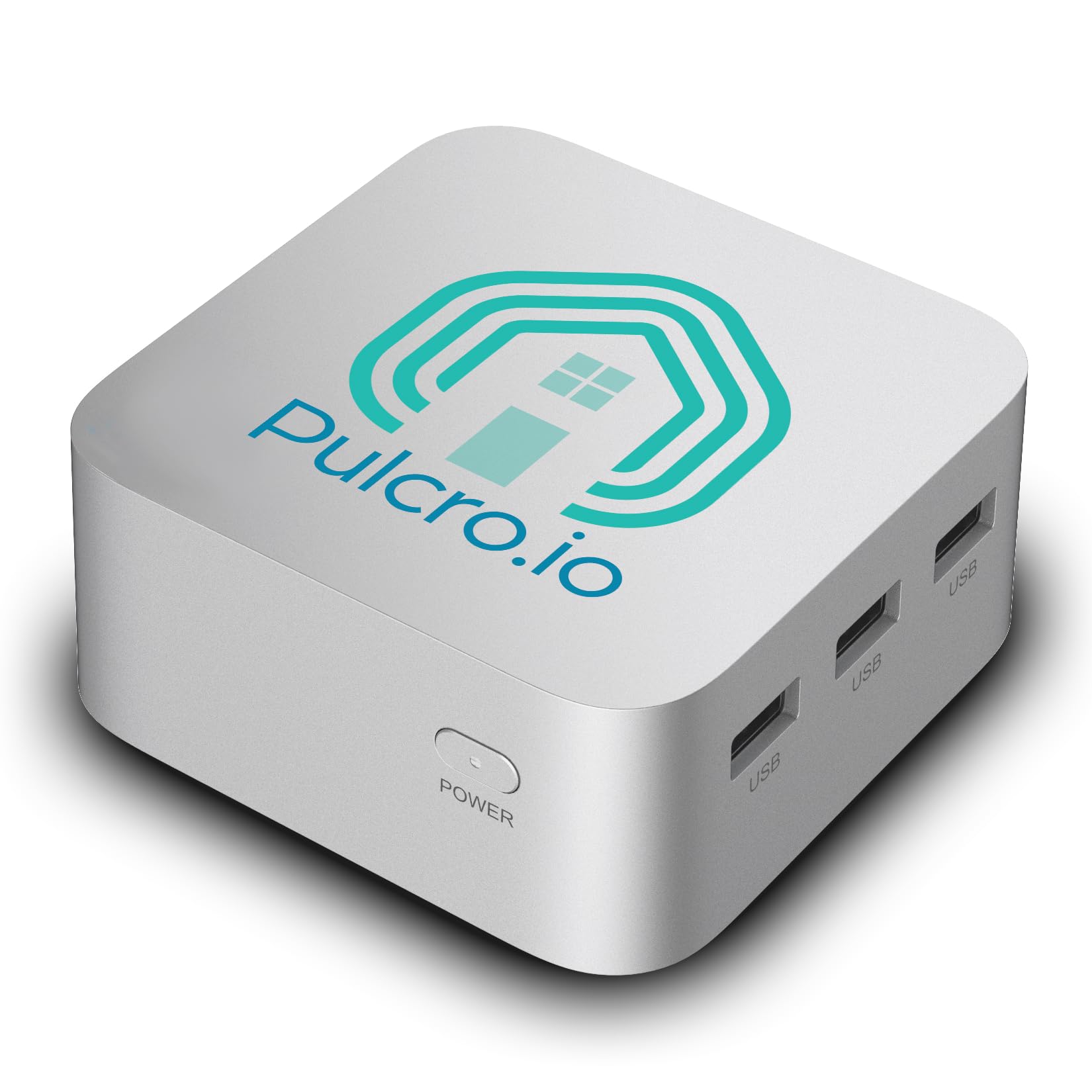
I like the Pulcro QBE because it arrives as a ready‑to‑run Home Assistant hub — no fumbling with images or complicated installs. The Intel N100 paired with 16GB of LPDDR5 and a 512GB M.2 gives a responsive experience for automations, dashboards, and a handful of add‑ons.
Dual Gigabit Ethernet and three 4K HDMI ports mean it’s equally at home as a reliable networked hub or a tiny media/dashboard box behind a TV. For everyday use it’s perfect as an always‑on controller; for special occasions you can spin up a media display for guests or use it as a local backup/edge node. I’d recommend the QBE if you want a small, well‑connected turnkey device that mostly “just works.”
What People Say
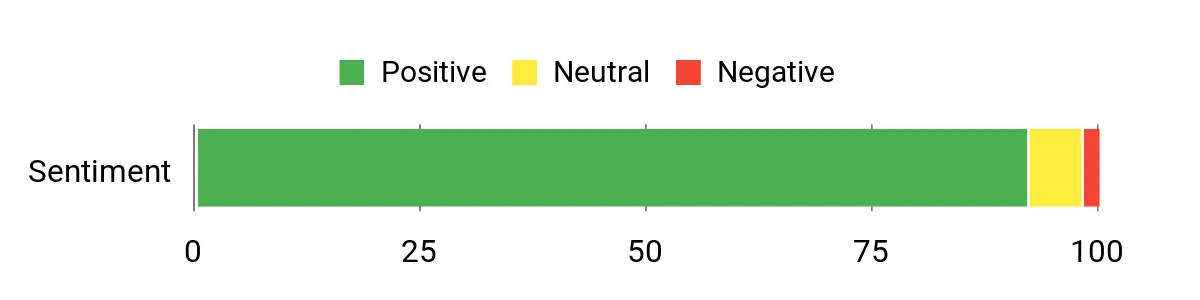
Across reviews people consistently praise the QBE’s turnkey Home Assistant setup and the snappy feel from its 16GB/512GB configuration. Buyers also highlight the dual Ethernet and multiple HDMI outputs as practical for real‑world use, and many appreciate the thoughtful packaging, quick shipping, and US assembly.
A few mention a small learning curve if you’re new to Home Assistant, but overall the feedback centers on reliability and convenience.
Overall Sentiment: Positive
Cost Benefits
With low power consumption (under 1 kWh/day) and solid onboard storage, the QBE is inexpensive to run as an always‑on hub and avoids frequent upgrades. The reliable networking and compact form factor also reduce maintenance time and replacement costs over the long run.
Situational Benefits
| Situation | How It Helps |
|---|---|
| Primary Home Assistant Host | Preinstalled OS and ample RAM let you run automations, databases and add‑ons without constant tuning. |
| Dashboard / HTPC | Triple 4K HDMI outputs make it easy to drive a living‑room dashboard or a dedicated media display for guests. |
| Network Gateway / Segmented Hub | Dual Gigabit Ethernet supports separate network segments for IoT and general traffic, improving reliability and security. |
| Edge Node / Local Backup | Fast M.2 storage and stable runtime make it useful for local snapshots, small backups, or running light edge services. |
Ease Of Use
| Feature | Ease Level |
|---|---|
| Out‑of‑box Home Assistant | Easy |
| Connecting multiple displays | Easy |
| Advanced network setup (VLANs, segmentation) | Moderate |
| Swapping or upgrading the M.2 SSD | Moderate |
| Installing a different OS | Moderate |
Versatility
This little turnkey box works great as a dedicated Home Assistant hub, a compact media/dashboard player, or an edge device for backups and light server tasks — easy to repurpose as needs change.
Compatibility
| Platform | Compatibility Level |
|---|---|
| Home Assistant (preinstalled) | High |
| Linux (headless distributions) | Good |
| Windows 11 (requires reflash) | Moderate |
| Containers / Docker (light) | Moderate |
Energy Efficiency
Pulcro quotes under 1 kWh/day (about $0.15/day at typical US rates), so it’s cheap to run 24/7 as an automation host compared with a full desktop.
Security Features
| Feature | Protection Level |
|---|---|
| Home Assistant OS (regular updates) | High |
| Dual Gigabit Ethernet | Allows network segmentation for safer device separation |
| UEFI / firmware updates | Moderate |
| VESA mounting | Low — helps prevent casual tampering |
Key Benefits
- Preinstalled Home Assistant for a quick, turnkey smart home setup
- Solid performance from Intel N100 with 16GB LPDDR5 and 512GB M.2 SSD
- Dual Gigabit Ethernet plus Wi‑Fi 6 and Bluetooth 5 for reliable connectivity
- Triple 4K@60Hz HDMI outputs for dashboards or media displays
- Compact, VESA‑mountable design assembled in the USA with a 2‑year warranty
Current Price: $209.00
Rating: 5.0 (total: 4+)
💼 Best for Business

I find the MSI PRO DP21 to be a great example of a small-form desktop that doesn’t skimp on muscle. With a 13th Gen i7, 32GB of RAM and a 1TB NVMe drive it handles everything from heavy multi‑tab workflows to local containers without flinching.
The generous I/O — USB‑A, USB‑C, HDMI and DisplayPort — makes it easy to hook up two 4K monitors for dashboards or control panels, and Wi‑Fi 6 keeps things tidy when you don’t want extra cables. For daily use it’s a solid office or workstation machine; for special projects you can repurpose it as a compact media server, a development box, or a Home Assistant host if you don’t mind a bit more power draw than ultra‑low‑power hubs.
If you want reliable, small desktop performance and plenty of room for multitasking, this is one I’d recommend looking at.
What People Say
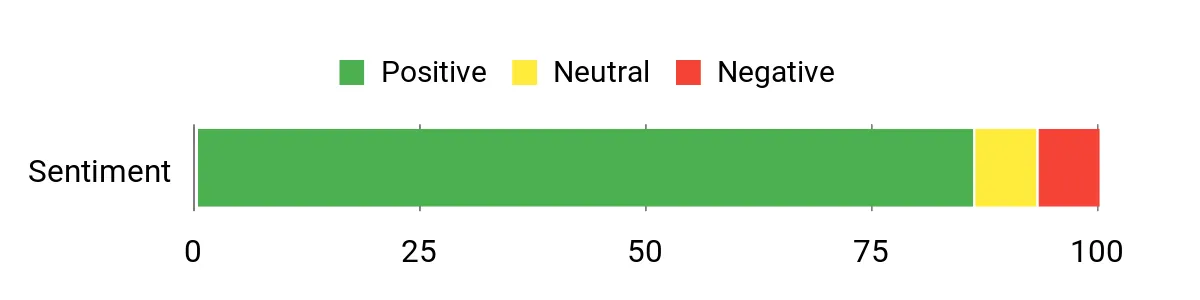
Across reviews people tend to praise the DP21’s compact size and strong performance — many buyers highlight how quickly apps and drives respond and how well it fits small workspaces. The I/O and wireless connectivity get called out as practical pluses, while a minority mention noisy fans or initial setup hiccups.
Overall the feedback centers on solid day‑to‑day speed and reliable hardware for office and small business use.
Overall Sentiment: Positive
Cost Benefits
Its roomy RAM and fast NVMe storage reduce the need for near‑term upgrades, and the durable mini desktop form factor tends to last longer than bargain compact PCs. While it’s not as frugal as ultra‑low‑power hubs, keeping it updated and using power profiles can help control running costs compared with replacing slower machines more often.
Situational Benefits
| Situation | How It Helps |
|---|---|
| Office Workstation | Strong CPU and ample RAM keep spreadsheets, video calls and browser tabs smooth for day‑to‑day productivity. |
| Home Assistant / Home Server | Enough CPU and storage to run multiple add‑ons or light container workloads, though it uses more power than N‑series mini hubs. |
| Media / Dashboard Player | Dual 4K monitor support and fast storage make it ideal for local dashboards or a small HTPC setup. |
| Small Office Edge Node | Wired networking, Wi‑Fi 6 and lots of ports let it act as a compact gateway, local file server, or backup host. |
Ease Of Use
| Feature | Ease Level |
|---|---|
| Out‑of‑box Windows 11 Pro | Easy |
| Connecting dual monitors | Easy |
| Adjusting BIOS/firmware settings | Moderate |
| Swapping RAM or M.2 SSD | Moderate |
| Flashing a different OS (Linux/Home Assistant) | Moderate |
Versatility
This mini desktop works as a compact office PC, a media/dashboard machine, or a lightweight server — it’s flexible enough to handle different roles as your needs change.
Compatibility
| Platform | Compatibility Level |
|---|---|
| Windows 11 Pro | High |
| Linux (popular distributions) | Good |
| Home Assistant (reflash required) | Moderate |
| Virtualization / Containers | Good |
Energy Efficiency
As a full‑powered 13th Gen i7 mini desktop it draws more power than tiny N‑series hubs; it’s fine for occasional 24/7 use but isn’t the most energy‑efficient choice for always‑on, low‑load tasks.
Security Features
| Feature | Protection Level |
|---|---|
| Windows 11 Pro security features (BitLocker, TPM) | High |
| UEFI firmware updates | Moderate |
| Wired Ethernet | Allows secure network segmentation |
| Physical VESA mounting option | Low — reduces casual tampering |
Key Benefits
- High single‑thread and multi‑thread performance from Intel Core i7‑13700
- 32GB RAM and 1TB PCIe NVMe SSD for smooth multitasking and fast boot/load times
- Plenty of ports including USB‑C, multiple USB‑A, HDMI and DisplayPort for dual 4K displays
- Wi‑Fi 6 and wired Gigabit support for flexible networking
- Compact footprint that fits tight desks or VESA‑mounted setups
Current Price: $799.00
Rating: 4.8 (total: 14+)
🏆 Best Turnkey Hub
I like the TK Two because it removes the usual setup headaches — it ships preinstalled with Home Assistant and includes the recovery tool, so you can go from box to dashboard in minutes. It’s compact, quiet and energy‑friendly, yet still packs useful features: Intel N150 CPU, 16GB RAM, 256GB SSD, 2.5Gb Ethernet and support for three 4K displays. That makes it handy for a living‑room control panel, a dedicated home automation server, or a small media/dashboard player for parties or presentations. If you want a fuss‑free, always‑on smart hub that you can upgrade later, this is one I’d reach for.
What People Say
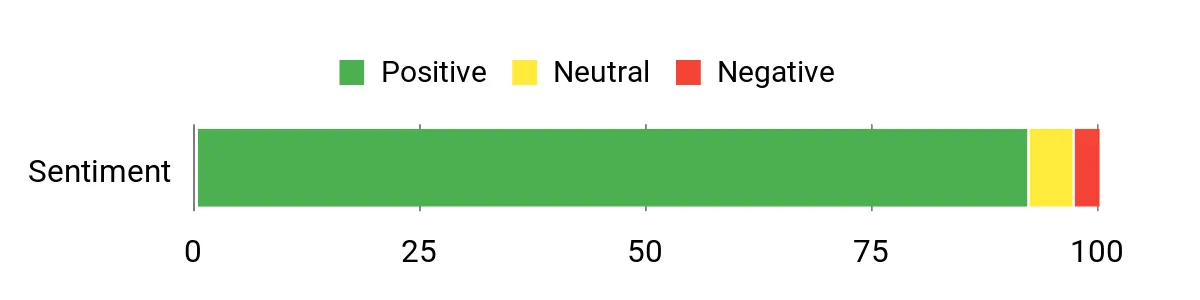
People commonly praise how easy the TK Two is to get running — many note that having Home Assistant preinstalled saved them time and hassle. Reviews often highlight the quiet, low‑power operation and reliable networking, while others appreciate the triple‑monitor support and upgrade options.
A few users mention occasional fan noise or wish for different OS choices, but overall feedback centers on convenience and dependable day‑to‑day performance.
Overall Sentiment: Positive
Cost Benefits
Because it’s preconfigured and upgradable, you save time and avoid repetitive setup costs. The efficient power draw helps keep monthly energy bills low compared with full‑powered desktops, and the ability to add RAM or NVMe drives means you can extend the device’s useful life instead of replacing it.
Situational Benefits
| Situation | How It Helps |
|---|---|
| Turnkey Smart Home Hub | Preinstalled Home Assistant and Pulcro’s recovery tool get your automations running quickly with minimal tinkering. |
| Media / Dashboard Player | Triple 4K output and quiet cooling make it ideal for running a central dashboard or streaming to multiple displays. |
| Small Home Server / Lab | Upgradeable RAM and NVMe storage let you add lightweight services like Pi replacements, backups or small VMs over time. |
| Space‑constrained Installations | Small footprint and included VESA mount keep it out of the way while providing full network and peripheral connectivity. |
Ease Of Use
| Feature | Ease Level |
|---|---|
| Out‑of‑box Home Assistant | Easy |
| Connecting triple monitors | Moderate |
| VESA mounting and placement | Easy |
| Upgrading RAM or NVMe storage | Moderate |
| Flashing a different OS (Proxmox/Windows/Linux) | Moderate |
Versatility
This little box works as a dedicated Home Assistant hub, a compact media/dashboard machine, or a small home server thanks to its upgradability and multiple OS options.
Compatibility
| Platform | Compatibility Level |
|---|---|
| Home Assistant (preinstalled) | High |
| Proxmox / FreePBX | High |
| Windows (variant available) | Good |
| Linux distributions | Good |
Energy Efficiency
Designed for low continuous use — quoted consumption under typical loads is low (around 30 W reported by users), making it cheap to run as a 24/7 hub.
Security Features
| Feature | Protection Level |
|---|---|
| Local Home Assistant control (reduces cloud dependence) | High |
| Wired 2.5Gb Ethernet (supports VLANs and segmentation) | Moderate |
| Firmware and OS update support | Moderate |
| VESA mount (physical tamper reduction) | Low |
Key Benefits
- Preinstalled Home Assistant for fast, turnkey smart home setup
- Assembled in the USA and backed by a 2‑year limited warranty
- Low power draw and whisper‑quiet operation suitable for 24/7 use
- Triple 4K@60Hz output (HDMI, DisplayPort, USB‑C) for dashboards or displays
- 2.5Gb Ethernet, dual‑band Wi‑Fi and Bluetooth for flexible networking
Current Price: $194.00
Rating: 4.6 (total: 49+)
🧩 Best Small Hub

I like the QBE because it makes running Home Assistant boring in the best way — it just works. It ships with Home Assistant OS preinstalled on a compact, whisper‑quiet chassis powered by an Intel N100, 8GB LPDDR5 and a 256GB M.2 SSD.
For daily use it’s perfect as an always‑on hub that handles automations, voice integrations and backups without chewing power or making noise. For special occasions — say a weekend DIY party where I use multiple dashboards or stream a few local feeds — the triple 4K HDMI outputs and dual Gigabit Ethernet come in handy. If you want a small, reliable smart home server that’s ready out of the box, this is the sort of device I’d recommend reaching for.
What People Say
People repeatedly praise how easy the QBE is to get running — many buyers note that having Home Assistant preinstalled saved them time. Reviews also highlight the small, silent design and reliable networking (dual Ethernet and Wi‑Fi 6). A few users point out missing conveniences like a two‑state power switch, but the overall tone is satisfaction with the device’s out‑of‑the‑box reliability and support.
Overall Sentiment: Positive
Cost Benefits
Because it arrives preconfigured and draws very little power, you save time and reduce ongoing electricity costs compared with a full desktop server. The included VESA mount and upgradeable storage options mean you can adapt the unit over time instead of replacing it, stretching the device’s useful life.
Situational Benefits
| Situation | How It Helps |
|---|---|
| Turnkey Smart Home Hub | Preinstalled Home Assistant gets automations and integrations running immediately, so you skip lengthy installs. |
| Edge / Local Automation | Dual Gigabit Ethernet and local Home Assistant control keep automations responsive even during internet outages. |
| Multi‑display Dashboards | Three 4K HDMI outputs let you drive multiple dashboards or displays for monitoring and media. |
| Tight Spaces / Wall‑mounting | Tiny footprint plus included VESA mount means you can tuck it behind a TV or under a shelf without clutter. |
Ease Of Use
| Feature | Ease Level |
|---|---|
| Out‑of‑box Home Assistant | Easy |
| Connecting triple HDMI displays | Moderate |
| VESA mounting and placement | Easy |
| Upgrading M.2 SSD | Moderate |
| Switching to a different OS | Moderate |
Versatility
I find the QBE versatile: it’s a dedicated Home Assistant hub out of the box, but it can also serve as a compact dashboard player, local edge server or a lightweight media box thanks to its video outputs and networking.
Compatibility
| Platform | Compatibility Level |
|---|---|
| Home Assistant (preinstalled) | High |
| FreePBX / Proxmox | High |
| Windows (variant available) | Good |
| Linux distributions | Good |
Energy Efficiency
Very low power draw for a 24/7 device — reported consumption is under 1 kWh/day in typical use, so it’s cheap to keep running as your home hub.
Security Features
| Feature | Protection Level |
|---|---|
| Local Home Assistant control (reduces cloud dependence) | High |
| Dual Gigabit Ethernet (supports segmentation/VLANs) | Moderate |
| Firmware and OS update support from vendor | Moderate |
| VESA mount (keeps unit out of reach) | Low |
Key Benefits
- Home Assistant preinstalled for fast, no‑fuss setup
- Compact, quiet design suitable for 24/7 operation
- Dual Gigabit Ethernet plus Wi‑Fi 6 and Bluetooth 5 for flexible networking
- Triple 4K@60Hz output across 3x HDMI for dashboards or multi‑display setups
- Includes power adapter, Ethernet cable and VESA mount; assembled in the USA with a 2‑year warranty
Current Price: $174.00
Rating: 4.9 (total: 12+)
FAQ
What Should I Look For When Choosing A Mini PC For Home Assistant?
I start by asking how you plan to use Home Assistant: a simple sensor hub, a camera-heavy NVR, or a virtualized lab. For most users I recommend prioritizing a reliable CPU with at least four logical cores, 8 GB RAM minimum (16 GB if you run add‑ons, Zigbee/Z‑wave coordinators or many integrations), and an NVMe SSD for fast database and snapshot performance.
Network matters: I prefer wired Ethernet and suggest 1 Gbps or 2.5 Gbps if you expect lots of camera traffic; Wi‑Fi is fine for fallback. Pay attention to expandability (extra M.2 or 2.5″ bays) and whether the unit supports BIOS options like auto power-on after AC loss.
For small budgets you can find capable boxes under $250 like some Beelink and KAMRUI models (for example around $189.99 or $252.00), while more demanding camera or virtualization setups benefit from higher‑end mini PCs such as units in the $450–$800 range like ACEMAGIC ($459.99) or GEEKOM ($559.00).
Can I Run Home Assistant 24/7 On A Mini PC And What About Reliability?
Yes — I run Home Assistant 24/7 on mini PCs and they make excellent always-on hubs when configured properly. I watch temperatures and prefer units with decent cooling (fanless designs are quiet but can run hotter; actively cooled units may last longer under load), keep the system on a small UPS to survive outages, enable BIOS setting to auto power on after AC returns, and schedule regular automated snapshots plus an offsite backup so I can recover quickly. Power draw is typically low (many devices idle in single‑digit to low‑double‑digit watts) but will vary by model and workload; monitor logs and use a watchdog or simple script to auto‑restart services if something hangs.
Finally, I keep Home Assistant and add‑ons updated but test big upgrades on a snapshot or a separate VM first to avoid surprises.
Should I Buy A Preconfigured Home Assistant Mini PC Or Install It Myself?
I recommend preconfigured units if you want the fastest, lowest‑friction path: turnkey options (for example purpose‑built Pulcro units that ship with Home Assistant preinstalled) let me plug, point my browser and restore a snapshot in minutes. If you value flexibility or plan to run Proxmox, multiple VMs or extra services (Plex, Blue Iris, Docker containers), I prefer buying a standard mini PC and installing HAOS or supervised Home Assistant myself because it gives me full control over partitions, virtualization and backup strategy. In short, buy turnkey for convenience and faster setup, or DIY for maximum control; either way I make sure there are enough USB ports for radios, an SSD with ample free space for the database, and a plan for regular snapshots and a UPS.
What Buyers Prefer
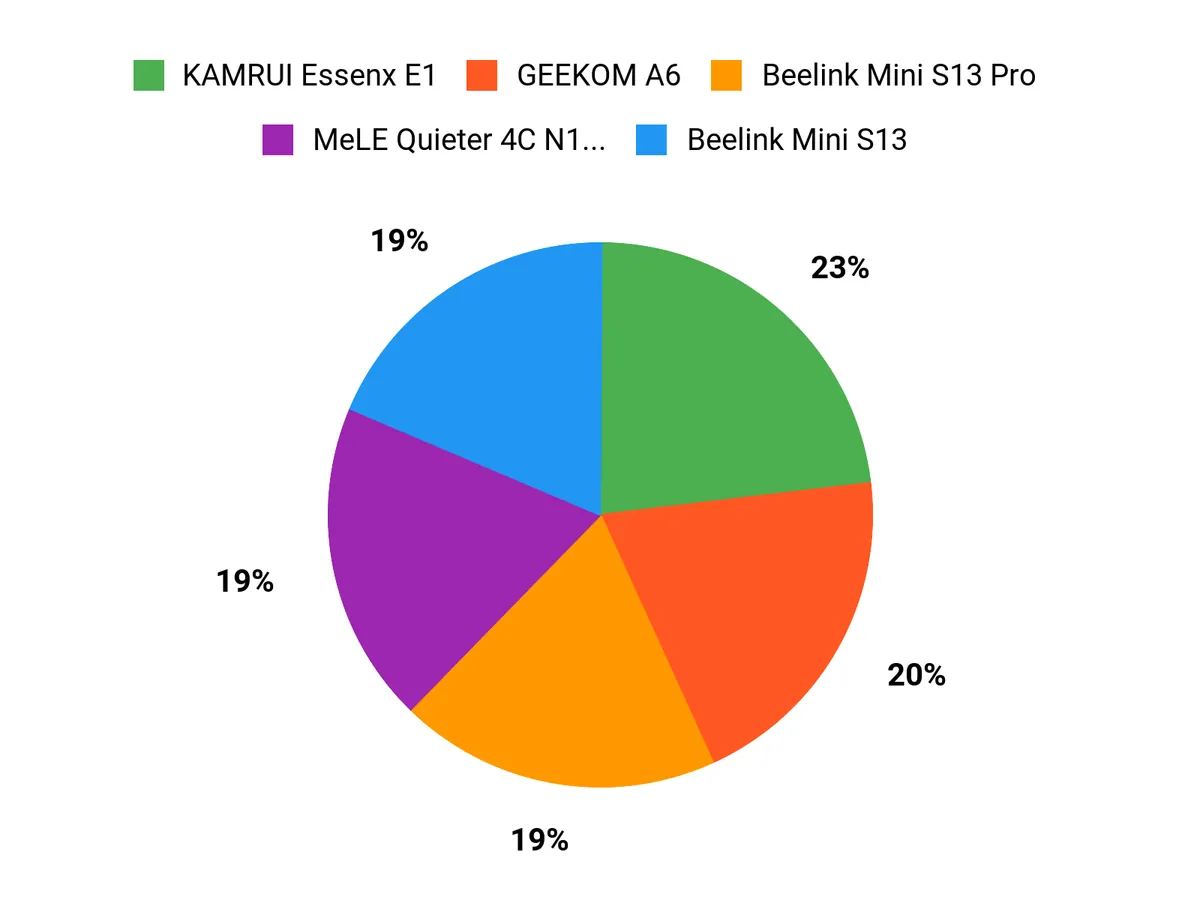
When choosing between the KAMRUI Essenx E1, ACEMAGIC M1, and Beelink Mini S13 Pro for Home Assistant, we mainly prioritize CPU and RAM for smooth automation, reliable wired networking and plenty of I/O for device integrations, quiet cooling and low power draw for 24/7 uptime, and overall value versus warranty. That means we tend to pick the KAMRUI for budget-friendly setups, the ACEMAGIC when extra ports and connectivity matter, and the Beelink when sustained performance and build quality are the top priorities.
Wrapping Up
I tried to give you a compact, practical guide so you can pick the right mini PC for running Home Assistant without guesswork. If you want maximum reliability with business-grade hardware, I recommend the MSI PRO DP21. If you want a ready-to-run Home Assistant device with minimal setup, the Pulcro TK Two or Pulcro QBE are the easiest choices.
For power users who also need media or content-creation capability, the ACEMAGIC M1 or GEEKOM A6 strike a strong balance of performance and expandability. For a quiet, always-on hub where silence matters, consider the MeLE fanless model.
Whatever route you take, I suggest prioritizing wired Ethernet, an NVMe SSD, and at least 8–16 GB of RAM to keep Home Assistant responsive as your automations grow.
| Product | Image | Rating | Processor | RAM | Storage | Price |
|---|---|---|---|---|---|---|
| KAMRUI Essenx E1 Mini PC |  | 4.4/5 (1,845 reviews) | Intel Alder Lake-N97 (3.6 GHz) | 16GB DDR4 | 256GB M.2 SSD | $189.99 |
| ACEMAGIC M1 Mini PC | 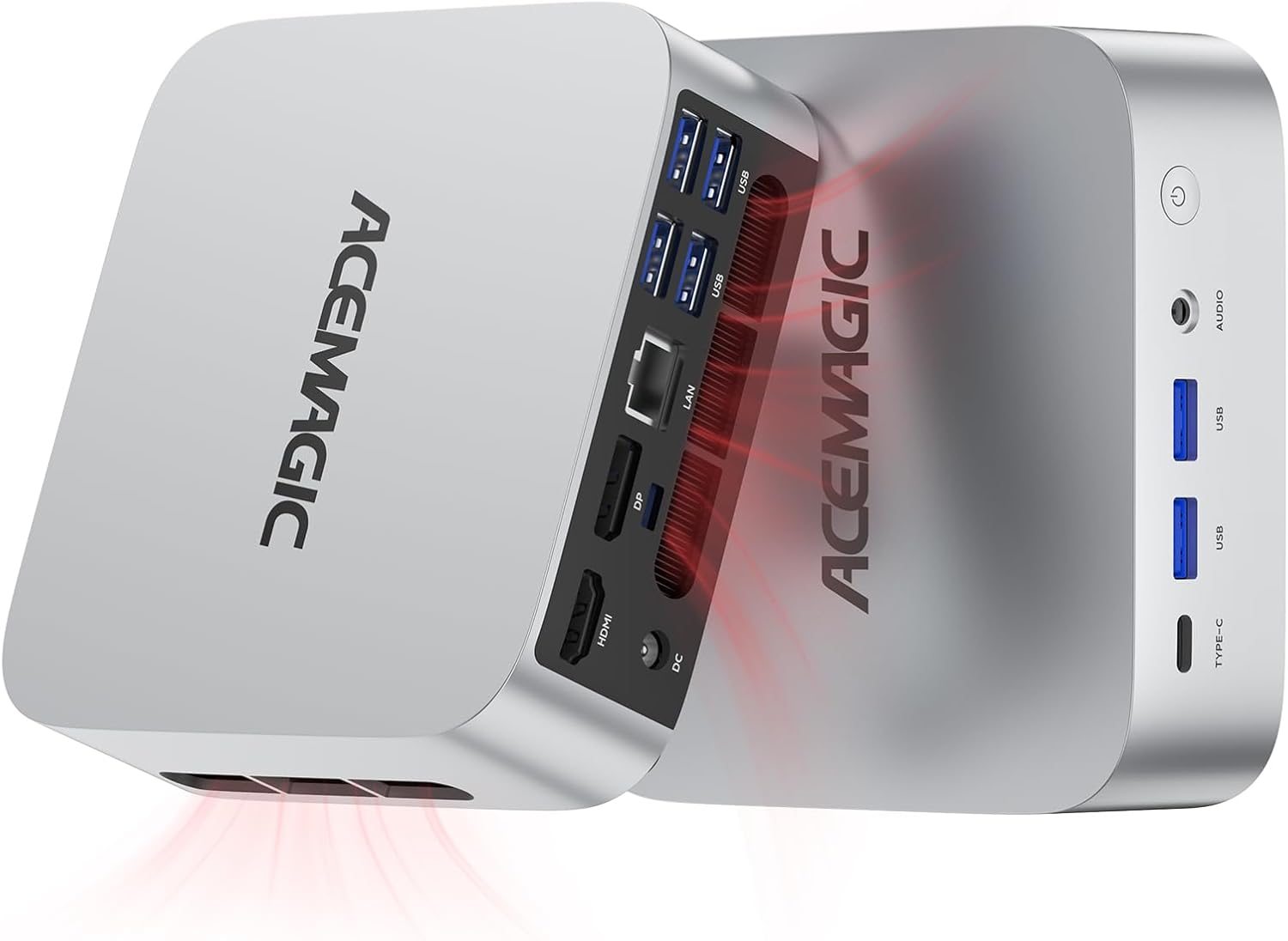 | 4.7/5 (139 reviews) | Intel Core i9-11900H (4.9 GHz) | 32GB DDR4 | 1TB SSD | $459.99 |
| Beelink Mini S13 PRO |  | 4.5/5 (661 reviews) | Intel 13th N150 (up to 3.6 GHz) | 16GB DDR4 | 500GB SSD | $252.00 |
| BOSGAME P6 Ryzen 9 6900HX Mini PC |  | 4.7/5 (10 reviews) | AMD Ryzen 9 6900HX (3.3 GHz) | 32GB LPDDR5X | 1TB PCIe 4.0 NVMe SSD | $529.99 |
This Roundup is reader-supported. When you click through links we may earn a referral commission on qualifying purchases.



