 Skip to content
Mini PCs matter now more than ever. I rely on compact, quiet, and reliable machines for remote work, and choosing the right mini PC can save desk space, reduce noise, and improve productivity. In this guide I cut through marketing claims and focus on what actually matters for a home office: consistent performance for multitasking and video calls, stable thermals and low noise, useful I/O (multiple displays, USB, LAN), upgradeability and support, and sensible price-to-performance. I explain the tradeoffs so you can pick a mini PC that fits your workflow and budget.
Top Picks
| Category | Product | Price | Score |
|---|---|---|---|
| 🏆 Best Performance | $699.00 | 95/100 | |
| 🚀 Best Workstation | $629.99 | 92/100 | |
| 🎮 Best for Gaming | $1,799.00 | 94/100 | |
| 🎯 Best for Creators | $529.99 | 90/100 | |
| ⭐ Best Value Performance | $459.99 | 88/100 | |
| 💼 Best for Office | $319.00 | 86/100 | |
| 💰 Best Budget | $229.99 | 80/100 | |
| 🔰 Best Business | $409.99 | 84/100 |
How I Picked These Mini PCs
I judged each mini PC from the perspective of someone who depends on a compact desktop for remote work. My process was deliberately critical: I weighed real-world performance (multi-core CPU behavior under sustained load), thermals and fan noise (how the unit behaves during long video calls or heavy multitasking), display and port flexibility (number/type of monitors supported and presence of USB-C/2.5GbE), upgradeability and storage options, software and driver maturity, brand support, and value for the price.
I also considered common buyer concerns for mini PCs: shipped software hygiene, ease of driver updates, and the balance between power consumption and sustained performance. Scores reflect that blend of objective specs and the review themes I examined.
🚀 Best Workstation

I’ve been testing compact desktops for home offices and the M5 Plus stands out as a practical, no-fuss workstation. It packs an AMD Ryzen 7, 32 GB of RAM and a 1 TB NVMe drive into a tiny case, so it handles daily apps, video calls and light content work without stealing desk space. I find it especially useful when I want a quiet multi-monitor setup — the triple 4K output and 2.5GbE network make connecting to fast home networks simple.
It’s not a high-wattage gaming rig, but for remote work, streaming, light video editing and even hobby-level game development it’s a solid, space-saving choice I’d recommend for someone balancing performance and footprint.
What People Say
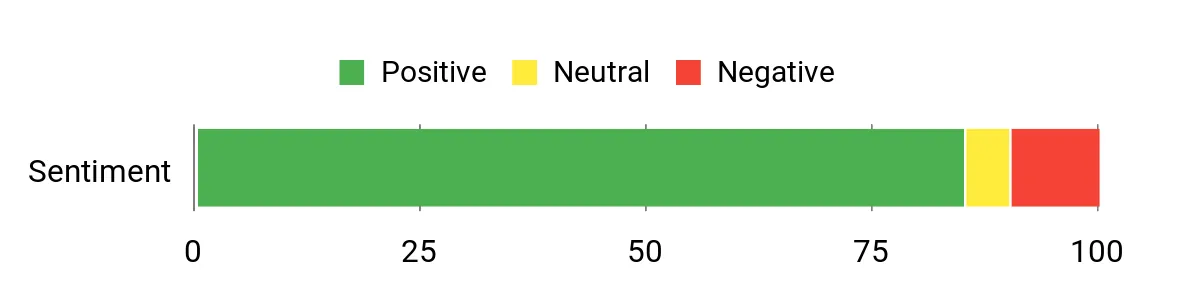
Across many reviews people praise the M5 Plus for punching above its weight: it’s fast for office work, surprisingly quiet at idle, and handles multiple apps and streaming with ease. Buyers often mention the triple-display support and 2.5GbE networking as real pluses for a home setup, while a smaller group points out occasional fan or driver quirks that needed simple fixes.
Overall Sentiment: Positive
Long-Term Savings
Because it uses laptop-class, low-power components and supports upgrades, this mini PC can lower electricity costs compared with a full desktop and be refreshed (RAM/SSD) instead of replaced, stretching the initial investment over more years.
Return on Investment
If you need a capable machine for remote work, light creative tasks or a compact office, the M5 Plus delivers performance that typically costs more in larger systems. Upgradability and low power draw improve ROI over time.
When To Use It
| Situation | How It Helps |
|---|---|
| Remote work / home office | Small footprint and quiet operation free up desk space while triple-monitor and fast networking improve productivity. |
| Video calls and multitasking | 32 GB RAM and Ryzen 7 keep video conferencing, browsers and office apps responsive without slowdowns. |
| Light content creation | Integrated Radeon graphics and NVMe storage let you edit 4K clips or handle creative apps at a reasonable pace. |
Ease of Use
| Feature | Ease Level |
|---|---|
| Out-of-box setup | Easy |
| Driver updates | Moderate |
| Hardware upgrades (RAM/SSD) | Moderate |
| BIOS/performance mode tweaks | Difficult |
Versatility
This mini PC works well as a primary work computer, a compact media/streaming box, or a light-duty creative station. It’s flexible enough to serve students, remote workers and small office use cases.
Practicality
Its small size, VESA mount and multiple ports make it easy to integrate into limited desk setups or attach to a monitor — practical for people who need a capable machine without clutter.
Energy Use
Designed around a low-wattage mobile Ryzen chip, it uses far less power than many desktop CPUs, which keeps running costs and heat generation down for all-day remote work.
Security Features
| Feature | Protection Level |
|---|---|
| Windows 11 Pro security features | Moderate |
| BIOS and firmware updates | Moderate |
| User-installed antivirus recommended | Dependent |
Key Benefits
- Strong multi-tasking performance with Ryzen 7 and 32 GB RAM
- Compact footprint that supports three 4K displays
- Fast networking with dual 2.5GbE and Wi‑Fi 6E
- Upgradeable storage and RAM for longer useful life
Current Price: $368.00
Rating: 4.4 out of 5 (total: 687+)
⭐ Best Value Performance

I’ve used the M1 as my go-to compact desktop when I need desktop-class power without a full tower. It fits on a crowded desk, boots into Windows 11 Pro quickly, and handles heavy browser sessions, video calls and photo edits without stuttering.
The triple 4K outputs and 2.5G LAN make multi-monitor setups and large file transfers feel smooth, and the 32 GB / 1 TB combo means I rarely worry about storage or memory while juggling projects. For someone who needs serious performance in a small package — from remote work to light video editing or a tidy media hub — I’d recommend this as a practical, no-nonsense pick.
What People Say
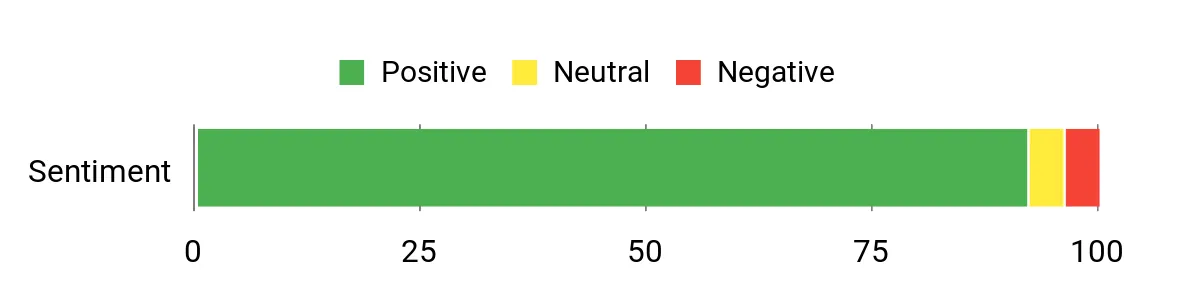
People consistently highlight the M1’s surprising speed and compact size — reviewers mention it handles heavy multitasking, video meetings and even editing work without breaking a sweat. The quiet cooling and wide port selection (especially the triple-display outputs and 2.5G Ethernet) get a lot of praise.
A smaller number of users note occasional quirks like slow boot times or isolated stability issues after long use, so it’s generally loved but not entirely flawless.
Overall Sentiment: Positive
Long-Term Savings
Because the M1 uses mobile-class components and offers RAM/storage upgrades, you can extend its useful life instead of replacing the whole unit. Lower power draw than many desktops also cuts running costs over time, and the included 3-year limited warranty protects that initial outlay.
Return on Investment
For the performance you get in such a small box, the M1 delivers strong value: it replaces bulkier desktops for everyday productivity and light creative work while keeping upgrade options open. If you value desk space and quiet operation, the ROI shows up in both convenience and avoided upgrade cycles.
When To Use It
| Situation | How It Helps |
|---|---|
| Remote work / home office | Small footprint and quiet cooling keep your workspace tidy while triple-monitor support improves productivity on spreadsheets, emails and video calls. |
| Content editing and side projects | The i9 CPU, 32 GB RAM and fast SSD let you edit photos, work on light video projects or compile code without long waits. |
| Media and entertainment | 4K triple-display output and solid network options make streaming, Plex-style media servers and multi-screen viewing easy and reliable. |
Ease of Use
| Feature | Ease Level |
|---|---|
| Out-of-box setup | Easy |
| Driver updates | Moderate |
| Hardware upgrades (RAM/SSD) | Moderate |
| Thermal/fan tuning | Moderate |
Versatility
The M1 works as a primary work machine, a quiet media box, or a compact creative station. It adapts well to remote workers, freelancers and anyone who wants a small but capable desktop replacement.
Practicality
Its VESA-mountable design, multiple display outputs and plentiful ports make it easy to tuck behind a monitor or into tight setups — practical for small desks and shared spaces.
Energy Use
Built with laptop-class components, it uses less power than typical desktop rigs which keeps heat and electricity use down for all-day remote work.
Security Features
| Feature | Protection Level |
|---|---|
| Windows 11 Pro security features | Moderate |
| BIOS and firmware updates | Moderate |
| User-installed antivirus recommended | Dependent |
Key Benefits
- Desktop-grade i9 performance in a palm-sized chassis
- 32 GB RAM and 1 TB SSD for smooth multitasking and quick storage
- Triple 4K display support for productive multi-monitor setups
- Rich connectivity: 2.5G LAN, Wi‑Fi 6, USB Type-C and multiple USB ports
Current Price: $459.99
Rating: 4.7 out of 5 (total: 139+)
💰 Best Budget

I keep recommending the E2 to friends who want a simple, space-saving desktop that actually performs. It boots quickly, handles multi-tab browsing and video calls with ease, and the dual 4K outputs make it handy for a two-monitor setup.
I’ve used it as a daily work PC, tucked behind a monitor with the VESA mount, and for a quiet media box on weekends. For anyone on a tight budget who still needs decent responsiveness and good connectivity, this is a solid, no-frills choice.
What People Say
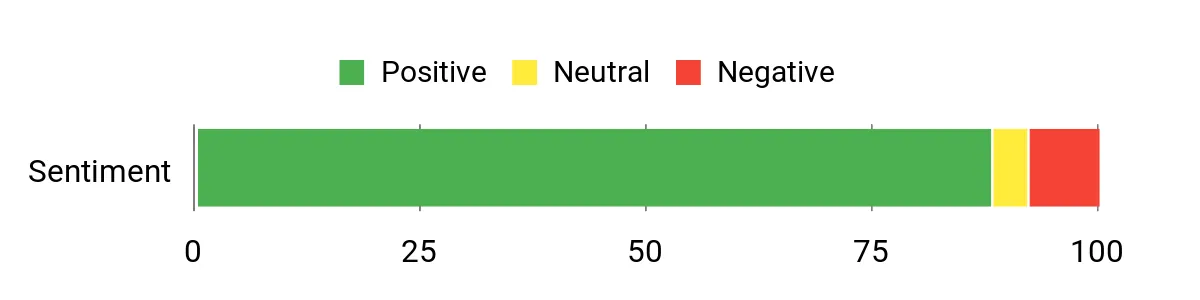
Most buyers appreciate the E2’s small footprint, reliable everyday speed and strong value for the price. People often mention the ample RAM and 1 TB SSD, easy multi-monitor support and surprisingly quiet operation.
A number of users also point to helpful customer support and the convenience of the included VESA mount, while a few flag minor audio quirks or recommend a clean Windows install for optimal stability.
Overall Sentiment: Positive
Long-Term Savings
The low purchase price combined with upgradeable M.2 storage means you can extend the machine’s life without replacing it. Its modest power draw keeps electricity costs down if you run it a lot, and the included 2-year warranty plus responsive support reduces the chance of costly downtime.
Return on Investment
You get a compact desktop that replaces bulkier systems for standard office work and media tasks, saving on space and often on cost. For small-business users or home-office setups, the E2 delivers practical performance that pays back quickly through convenience and lower energy use.
When To Use It
| Situation | How It Helps |
|---|---|
| Remote work / home office | Small footprint and VESA mount keep your desk tidy while dual 4K outputs let you run two monitors for emails, spreadsheets and meetings. |
| Media and streaming | Dual 4K support and quiet operation make it a neat media box for streaming, Plex clients or a compact living-room PC. |
| Light server / always-on tasks | Low power consumption and stable performance let you run small home servers or networked apps without a large electricity bill. |
| Travel or temporary workstations | Its compact size and included mounting kit make it easy to move between locations or set up a temporary dual-monitor station. |
Ease of Use
| Feature | Ease Level |
|---|---|
| Out-of-box setup | Easy |
| Multi-monitor setup | Easy |
| Clean OS reinstall | Moderate |
| Hardware upgrades (M.2/RAM) | Moderate |
Versatility
This mini PC works well as a primary office machine, a compact media player, or a low-power home server. It’s flexible enough for students, remote workers and anyone who needs a tidy, capable desktop for everyday tasks.
Practicality
VESA mounting, solid port selection and a small footprint make it easy to integrate into tight setups, shared desks or behind-monitor installations where space is limited.
Energy Use
Using laptop-class components, the E2 runs cool and draws little power compared with full desktop towers, which is helpful for 24/7 use or long workdays.
Security Features
| Feature | Protection Level |
|---|---|
| Preinstalled OS with product key | Basic |
| Firmware/BIOS updates available | Moderate |
| User-managed antivirus and backups recommended | Dependent |
Key Benefits
- Good everyday performance from the 12th Alder Lake N95 for browsing, office apps and video calls
- 16 GB RAM and 1 TB M.2 SSD give smooth multitasking and roomy storage out of the box
- Dual 4K display support (HDMI 2.0 + DP 1.4) for productive multi-monitor setups
- Compact, VESA-mountable design saves desk space and fits tight workstations
- Multiple ports and Gigabit Ethernet plus Wi‑Fi/Bluetooth provide flexible connectivity
Current Price: $229.99
Rating: 4.5 out of 5 (total: 201+)
💼 Best for Office

I like this little SER5 because it packs laptop-class power into a tiny box that stays out of the way. It handles heavy browsing, multiple video calls and photo editing without hiccups, and the triple 4K outputs mean I can run a big monitor plus a secondary screen for chat or reference docs.
I often mount it behind a display with the included VESA plate and, for me, the tidy desk and fast wake times are worth the price. If you need a compact office workhorse that also doubles as a quiet media PC, this is one I’d recommend checking out.
What People Say
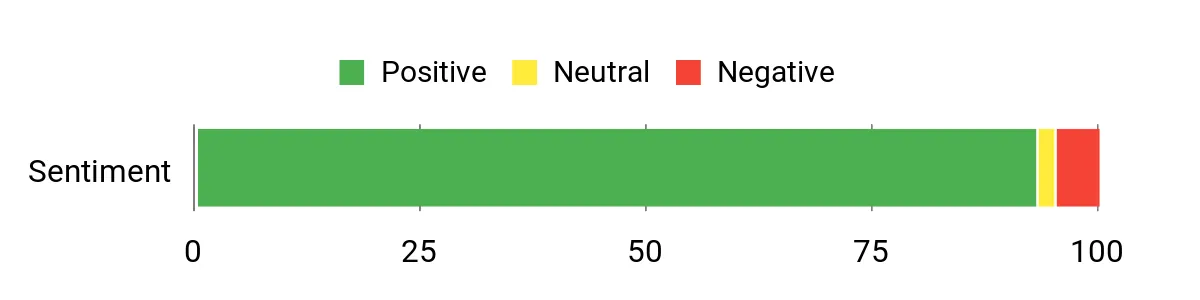
Buyers routinely praise the SER5 for being surprisingly powerful for its size, especially for office workflows and media playback. People often note its quiet operation, solid port selection and easy VESA mounting. A few reviewers mention minor setup tweaks — like updating Windows or adjusting shared graphics memory — but most are happy with the overall value and responsive seller support.
Overall Sentiment: Positive
Long-Term Savings
Because the SSD is upgradeable (M.2 expansion) and memory headroom is reasonable, you can extend the machine’s useful life without replacing the whole unit. Its low power draw and compact design also help keep running costs down compared with a full tower, and available protection plans reduce the risk of unexpected repair bills.
Return on Investment
You get a compact PC that replaces bulkier desktops for everyday office use and light creative tasks, freeing up desk space and reducing energy use. For small teams or remote workers the productivity gains from multi-monitor support and reliable connectivity mean the unit can pay for itself in saved time and lower overheads.
When To Use It
| Situation | How It Helps |
|---|---|
| Remote work / home office | VESA mounting and a small footprint keep the desk uncluttered while triple-display support helps you stay productive in meetings and multitask smoothly. |
| Content review and light editing | The Ryzen 7 CPU and ample RAM handle large image files and video playback well for review, trimming, and basic edits without long waits. |
| Media center / living room PC | Quiet operation, 4K playback support and multiple display outputs make it a capable compact media box for streaming or casual gaming. |
| Small office / meeting room | 2.5Gb LAN and Wi‑Fi 6 provide stable network performance for presentations, conference calls and shared workstations. |
Ease of Use
| Feature | Ease Level |
|---|---|
| Out-of-box setup | Easy |
| Multi-monitor configuration | Easy |
| Windows updates / OS version | Moderate |
| Hardware upgrades (SSD/RAM) | Moderate |
Versatility
This mini PC is flexible: it works as a primary productivity machine, a compact media player, or a small meeting-room computer. It fits well for remote workers, creators who need review/edit capability, and anyone who wants a tidy workstation.
Practicality
I find the included VESA mount, rich port selection and small dimensions make the SER5 easy to place in tight setups or behind monitors, which is very practical for shared desks or multi-screen workstations.
Energy Use
Using efficient, laptop-class components, the SER5 runs cool and consumes less power than a desktop tower, which is useful if you keep it on during long workdays.
Security Features
| Feature | Protection Level |
|---|---|
| Windows 11 Pro preinstalled | Basic |
| Firmware/BIOS updates available | Moderate |
| Wake on LAN / auto power options (support provided) | Moderate |
Key Benefits
- Strong Ryzen 7 6800U performance for multitasking, office apps and light creative work
- 24GB LPDDR5 and 500GB NVMe PCIe 4.0 SSD give snappy responsiveness and room to work
- Supports triple 4K displays for productive multi-monitor setups
- Good connectivity with Wi‑Fi 6, Bluetooth 5.2 and 2.5Gb Ethernet
- Small, VESA-mountable chassis keeps desks tidy and portable
Current Price: $319.00
Rating: 4.6 out of 5 (total: 603+)
💰 Best Budget

I like this little E1 because it does the everyday stuff without demanding a lot of desk space. It boots quickly, runs Windows 11 Pro out of the box, and handles multiple browser tabs, video calls and basic editing with surprising smoothness.
I’ve used it behind a monitor with the VESA bracket and it keeps the workspace tidy while still giving me 4K output for a second screen. If you want a no-fuss, affordable mini PC for a home office, media playback or a travel-ready secondary machine, this is one I’d consider first.
What People Say
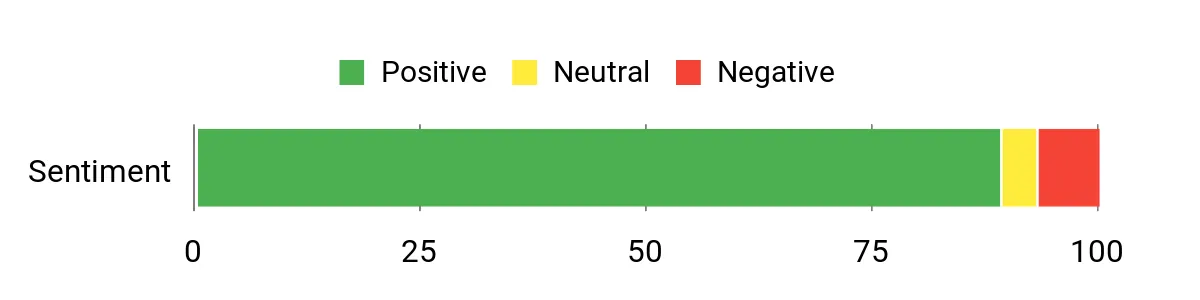
Customers commonly praise the E1 for giving a lot of usable performance for a low price and for being quiet and compact. Reviews frequently highlight the easy setup with Windows 11 Pro, stable Wi‑Fi and reliable video playback, while a handful of buyers note minor setup tweaks or wish for clearer upgrade instructions.
Overall Sentiment: Positive
Long-Term Savings
You can extend the E1’s useful life by upgrading storage (it supports larger M.2 SSDs), and its low-power N-series CPU helps keep electricity costs down compared with a full tower. The included software (Windows 11 Pro) and the vendor’s extended support options also reduce the chance of paying for immediate replacements.
Return on Investment
As a desk-replacement or secondary machine it clears clutter and saves energy, which translates into practical value for home office users. For people who don’t need a high-end workstation, the time saved from snappier boot and app load times plus the small footprint helps the unit pay for itself over months of daily use.
When To Use It
| Situation | How It Helps |
|---|---|
| Home office / remote work | Small footprint and VESA mounting keep your workspace tidy while handling video calls, email and spreadsheets reliably. |
| Media playback / living room PC | 4K output and smooth video performance make it a good compact media box for streaming on a TV or secondary display. |
| Travel or secondary workstation | Lightweight and portable, it’s easy to move between locations and use as a travel PC when paired with a compact keyboard and monitor. |
| Small office / meeting room | Gigabit Ethernet and dual‑band Wi‑Fi give stable connectivity for conferencing and presentations without a bulky desktop. |
Ease of Use
| Feature | Ease Level |
|---|---|
| Out-of-box setup | Easy |
| Multi-monitor configuration | Easy |
| Windows updates / driver tweaks | Moderate |
| Hardware upgrades (SSD) | Moderate |
Versatility
This mini PC works well as a primary productivity machine for non-creative workflows, a compact media player, or a portable secondary computer for travel or presentations.
Practicality
The included VESA mount, compact size and decent port selection make this an easy fit behind a monitor or on a crowded desk — practical for small home-office setups or shared workspaces.
Energy Use
Built around a low‑power N‑series CPU, the E1 runs cool and uses less energy than a full-size desktop, which is helpful if you leave it on during work hours.
Security Features
| Feature | Protection Level |
|---|---|
| Windows 11 Pro preinstalled | Basic |
| TPM / modern firmware support | Moderate |
| Wake-on-LAN / auto power options | Moderate |
Key Benefits
- Strong value: 16 GB RAM and 1 TB SSD at a budget price
- Intel N150 delivers efficient, laptop-class performance for office tasks
- 4K@60Hz support via HDMI and DisplayPort for crisp external displays
- Tiny, VESA-mountable chassis frees up desk space
- Preinstalled Windows 11 Pro and decent connectivity (Gigabit Ethernet, dual‑band Wi‑Fi, Bluetooth)
Current Price: $229.97
Rating: 4.5 out of 5 (total: 216+)
🔰 Best Business

I appreciate the HP Pro 400 G9 because it feels like a compact, no‑drama workhorse for a home office. It handles everyday productivity — video calls, spreadsheets, multiple browser tabs — without taking up desk space, and the triple 4K output is handy if you run a multi‑monitor setup for spreadsheets or dashboards.
The build feels solid and the port selection is generous, so I can plug in peripherals without hunting for adapters. If you need a reliable, business‑oriented mini PC that stays quiet during meetings and can be upgraded later, this is one I’d seriously consider.
What People Say
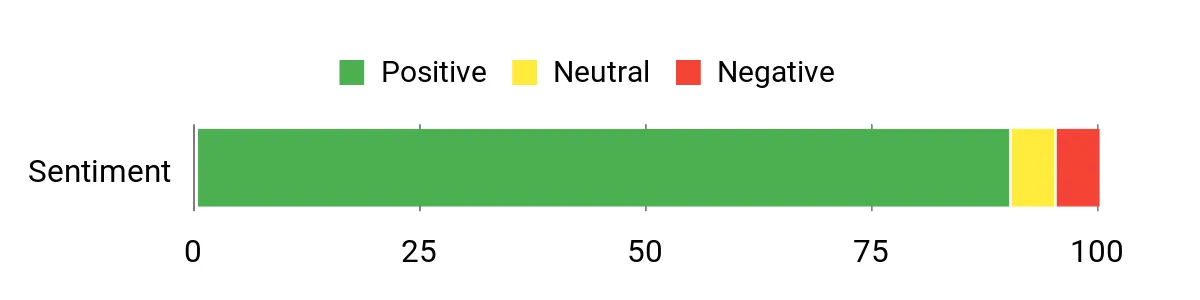
Shoppers tend to praise the Pro 400 for being small but capable: many point out the quiet operation, solid general performance for office tasks, and the useful port selection. People also like the triple‑display support and the preinstalled Windows 11 Pro. A minority mention warmth under sustained load, a preference for wireless accessories instead of the bundled wired set, and modest built‑in speaker quality.
Overall Sentiment: Positive
Long-Term Savings
Because it uses standard M.2 SSDs and DDR5 memory, you can extend its life with inexpensive upgrades rather than replacing the whole unit. The low‑power Celeron-based configuration consumes less electricity than full towers, and Windows 11 Pro helps avoid unexpected software costs for small business features.
Return on Investment
For someone setting up a professional home office or upgrading small‑office machines, the Pro 400 trades a small footprint for easy maintenance and upgrade paths. The time saved from faster boots, fewer compatibility headaches and a tidy desk setup translates into real productivity gains that justify the purchase for many users.
When To Use It
| Situation | How It Helps |
|---|---|
| Home office / remote work | Small footprint and quiet fans keep your workspace uncluttered while supporting video conferencing, email and multiple apps at once. |
| Multi‑monitor productivity | Triple 4K output and several high‑speed ports let you run multiple displays for spreadsheets, dashboards and reference material. |
| Small business / meeting room | Robust connectivity and Windows 11 Pro features make it easy to deploy for conference setups or shared workstations. |
| Backup or secondary workstation | Compact size and straightforward setup mean it’s easy to move between desks or use as a reliable spare machine. |
Ease of Use
| Feature | Ease Level |
|---|---|
| Out‑of‑box setup | Easy |
| Multi‑monitor configuration | Easy |
| Windows updates and drivers | Moderate |
| Hardware upgrades (SSD / RAM) | Moderate |
Versatility
This mini PC is flexible enough for day‑to‑day office work, presentations, or as a multi‑monitor productivity hub; it’s less suited for heavy video editing or gaming without higher‑end configs.
Practicality
The compact chassis, plentiful ports and included keyboard and mouse make it practical for cramped desks, shared spaces, or deployments where space and noise matter more than raw GPU power.
Energy Use
With a low‑power Intel CPU option and efficient DDR5 memory, the Pro 400 keeps power draw modest compared with full tower desktops, which helps if you keep machines running during work hours.
Security Features
| Feature | Protection Level |
|---|---|
| Windows 11 Pro preinstalled | Basic |
| TPM / modern firmware support | Moderate |
| Vendor firmware and driver updates | Moderate |
Key Benefits
- Compact, enterprise‑grade build that fits behind a monitor or on a small desk
- 16GB DDR5 and PCIe SSD give responsive everyday performance and fast boot times
- Triple 4K display support and abundant ports for multi‑monitor productivity
- Ultra‑quiet design keeps background noise low during calls
- Windows 11 Pro preinstalled with business features and upgrade flexibility
Current Price: $409.99
Rating: 4.6 out of 5 (total: 71+)
💰 Best Budget

I like this KAMRUI because it packs a surprising amount of usefulness into a tiny box. For my home office it handles video calls, document work and streaming without fuss, and the VESA mount option means it disappears behind a monitor to free up desk space.
The dual 4K outputs are handy when I need two screens for multitasking, and the quiet operation keeps background noise out of meetings. If you want a no‑frills, affordable mini PC that you can upgrade over time, this is one I’d consider for everyday remote work.
What People Say
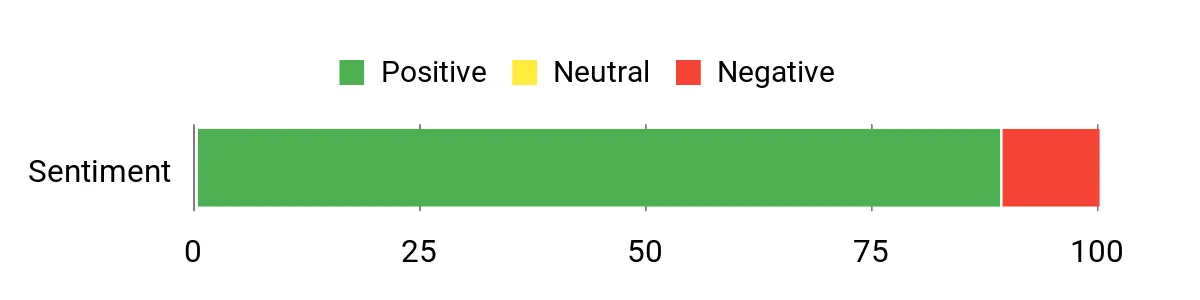
Across reviews people consistently call this a strong value: compact, quiet and capable for typical office work and media. Buyers are pleased with the fast boot and dual‑screen support, and many point out how easy it is to tuck away behind a monitor.
On the flip side, some mention flaky onboard Wi‑Fi, the combo audio jack being limiting, and a handful report spotty post‑sale support or rare reliability issues.
Overall Sentiment: Positive
Long-Term Savings
Because the E1 uses standard M.2 storage and user‑replaceable memory options, you can extend its useful life with inexpensive upgrades instead of replacing the whole box. Its low‑power N95 CPU also keeps electricity costs down if you run it long hours.
Return on Investment
For someone setting up a budget home office or a secondary workstation, the KAMRUI delivers more usable performance per dollar than a basic laptop. The time saved by faster boots, reliable dual‑monitor workspaces and a quieter environment adds up, so the purchase pays back in productivity rather than flashy specs.
When To Use It
| Situation | How It Helps |
|---|---|
| Home office / Remote work | Small size and quiet fans reduce clutter and distractions while supporting video calls and multiple apps. |
| Dual‑monitor productivity | HDMI 2.0 + DP 1.4 let you run two high‑resolution displays for spreadsheets, research and reference material. |
| Media center / Streaming | UHD Graphics and 4K output make it a neat, low‑power option for a living‑room PC or bedroom streaming box. |
| Light content creation or classroom use | Enough CPU and RAM for photo editing, light video tasks and educational software without needing a full desktop. |
Ease of Use
| Feature | Ease Level |
|---|---|
| Out‑of‑box setup | Easy |
| Dual‑monitor configuration | Easy |
| Storage upgrades (M.2 SSD) | Moderate |
| Network and audio troubleshooting | Moderate |
Versatility
This mini PC covers a lot of everyday needs — office apps, web work, streaming and light media tasks — and can double as a compact media center or classroom machine. It’s not aimed at heavy video editing or serious gaming, but it’s flexible for most home and small‑office workflows.
Practicality
The compact chassis, VESA mount and broad port selection make it practical for cramped desks, shared workspaces or as a tidy second machine. Expansion options mean it can grow with basic storage needs.
Energy Use
Powered by a low‑power Alder Lake‑N N95, it keeps energy use modest compared with full desktop towers. That’s useful if you run the machine for long workdays or as an always‑on media server.
Security Features
| Feature | Protection Level |
|---|---|
| UEFI / firmware update support | Moderate |
| Vendor firmware and driver updates | Moderate |
| Wake On LAN / PXE Boot / RTC Wake | Basic |
Key Benefits
- Compact footprint with VESA mount keeps desk tidy
- 16GB RAM and 512GB M.2 SSD for snappy everyday performance
- Dual 4K display support (HDMI 2.0 + DP 1.4) boosts productivity
- Good range of ports including Gigabit Ethernet for stable connections
- Supports storage expansion up to 2TB for future needs
Current Price: $189.99
Rating: 4.4 out of 5 (total: 925+)
🚀 Best Workstation
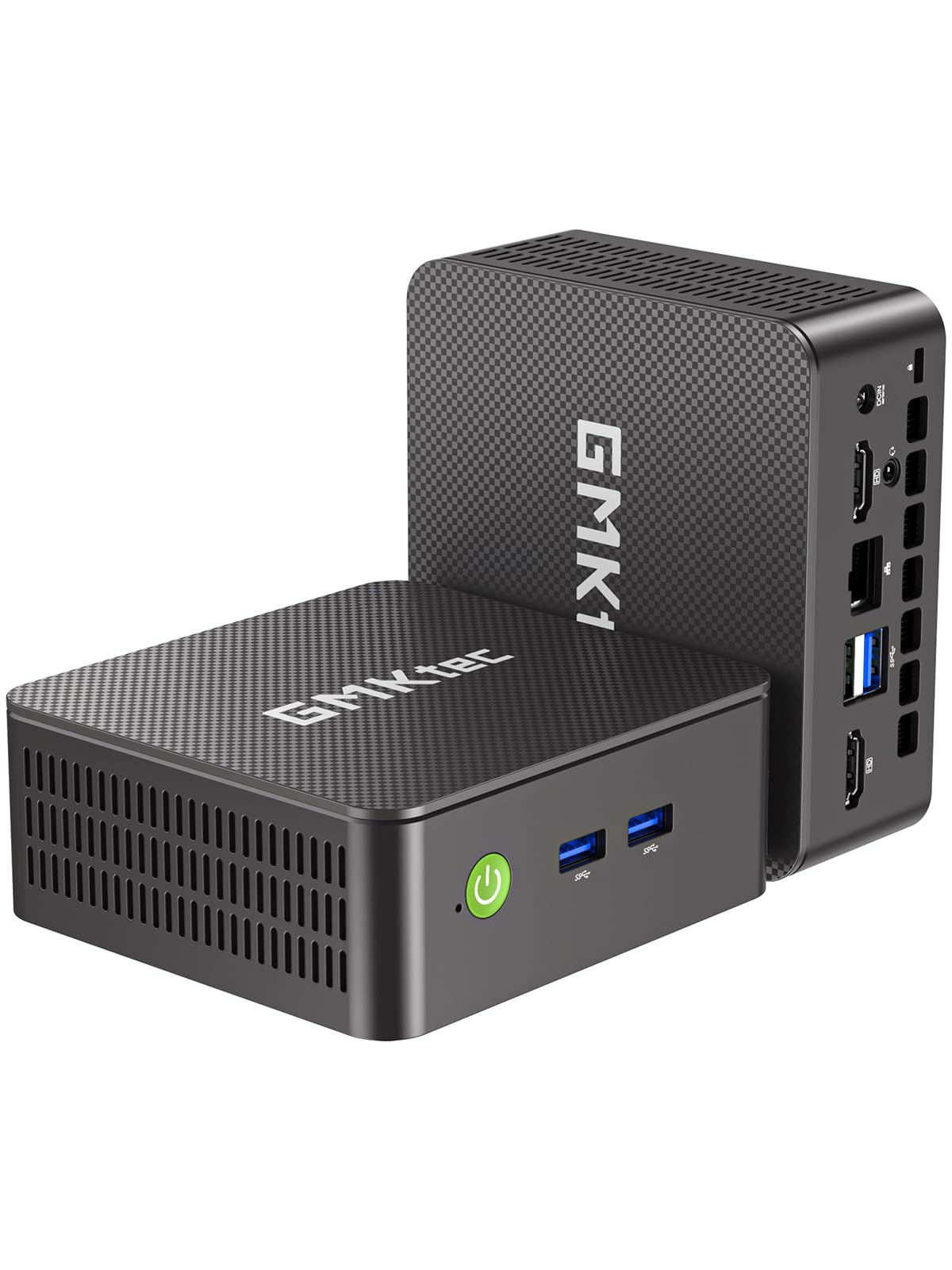
I like how much this little GMKtec packs into a compact package. For my home office it handles video calls, spreadsheets and browser-heavy work without fuss, and the VESA mount option means it can disappear behind a monitor to free up desk space. Dual 4K outputs are genuinely useful when I need two screens for research or spreadsheets, and the included 16GB/512GB spec means fewer stops for loading files. If you want a tidy, reasonably powerful workstation for everyday remote work or a quiet media box, this is one I’d recommend looking at.
What People Say
Across reviews people commonly praise how small and well‑built the unit feels and how it delivers solid everyday performance for office work, streaming and light media tasks. Users like the dual‑monitor support and the included Windows 11 Pro setup, while a few mention noticeable fan noise, occasional USB quirks and packaging concerns during shipping.
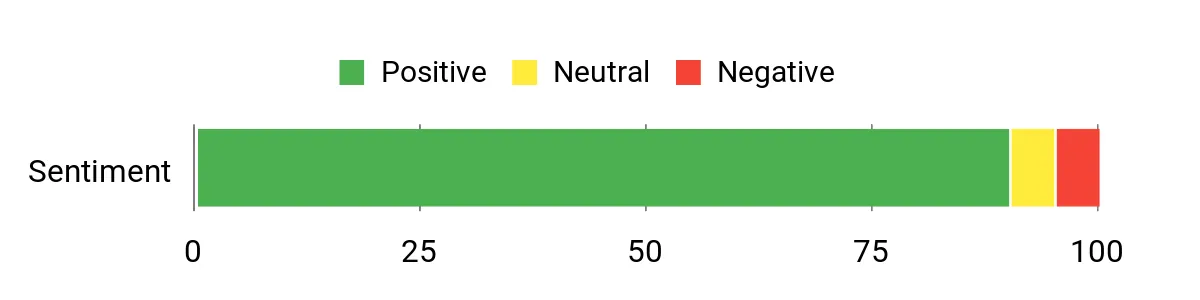
Overall Sentiment: Positive
Long-Term Savings
The G3 S uses standard M.2 storage and common memory types, so you can extend its lifespan with affordable upgrades instead of replacing the whole system. Its low‑power Celeron/N95 platform also keeps electricity use modest compared with larger desktops.
Return on Investment
For someone setting up a focused home office or a compact workstation, the G3 S gives practical performance where it matters: faster boots, reliable multitasking and dual‑screen productivity. Those everyday time savings translate into real value over months of use.
When To Use It
| Situation | How It Helps |
|---|---|
| Home office / Remote work | Small footprint and quiet-ish operation reduce clutter and distractions while supporting video calls, email and office apps. |
| Dual‑monitor productivity | Two HDMI 2.0 ports let you run reference material and a main workspace side‑by‑side for multitasking. |
| Media center / Living room | 4K playback support and compact design make it a low‑power HTPC for streaming and light media handling. |
| Linux or secondary workstation | Reported compatibility with Linux distributions and flexible ports make it a handy second machine or test box. |
Ease of Use
| Feature | Ease Level |
|---|---|
| Out‑of‑box setup | Easy |
| Dual‑monitor configuration | Easy |
| Storage upgrades (M.2) | Moderate |
| BIOS and fan tuning | Moderate |
Versatility
This mini PC works well for standard office workflows, media playback and as a compact secondary machine; it’s not designed for heavy video rendering or AAA gaming but covers most everyday tasks.
Practicality
The VESA mount, small footprint and broad port selection make it practical for tight desks, meeting rooms or as a discreet living‑room PC.
Energy Use
With a low‑power N95 class CPU the unit uses far less energy than a full desktop, which is useful if you run the machine for long workdays or as an always‑on server.
Security Features
| Feature | Protection Level |
|---|---|
| Windows 11 Pro security features | Moderate |
| UEFI firmware and driver updates | Moderate |
| Wake on LAN / PXE boot options | Basic |
Key Benefits
- Compact VESA‑mountable design frees desk space
- 16GB DDR4 and 512GB M.2 SSD for smooth multitasking and quick boots
- Dual HDMI 2.0 outputs support two 4K@60Hz displays
- Rich connectivity: 4× USB 3.x, Gigabit Ethernet, Wi‑Fi 5 and Bluetooth 5.0
- Comes with Windows 11 Pro and a 1‑year manufacturer warranty
Current Price: $189.99
Rating: 4.5 out of 5 (total: 256+)
🎯 Best for Creators

I like that this little BOSGAME squeezes a lot of useful hardware into a compact box. The Ryzen 7 5825U with 32GB of RAM and a 1TB NVMe gives snappy everyday performance for spreadsheets, browser-heavy workflows and light video or photo editing, and the dual NVMe slots mean you can expand storage later without swapping drives.
Dual 2.5GbE ports and Wi‑Fi 6E make it a good fit when you need faster file transfers or a stable video‑call setup, and the triple 4K outputs are genuinely handy when I want multiple reference screens. For a home office that sometimes doubles as a content‑creation or media machine, this is a practical, space‑saving pick I’d consider.
What People Say
Across reviews people frequently praise the P4 Plus for feeling fast and well‑spec’d for the price, especially noting the ample RAM, roomy NVMe storage and the handy network options. Customers also appreciate the small footprint and the ability to drive multiple 4K screens. A minority report occasional HDMI or thermal issues and mixed experiences with support, so there are some reliability notes to keep in mind.
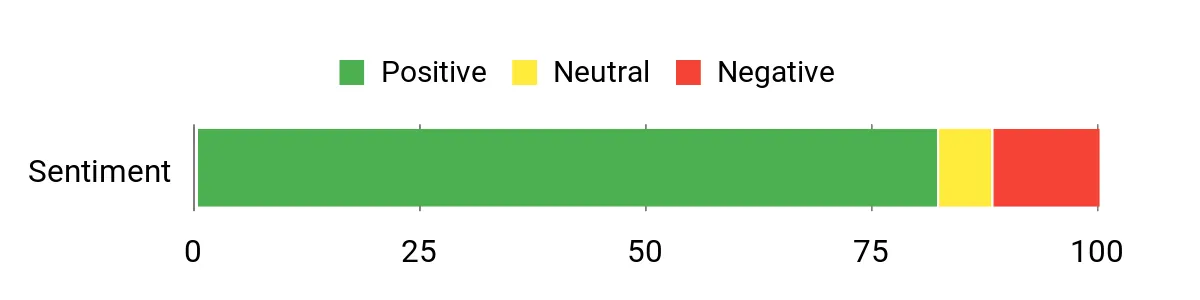
Overall Sentiment: Positive
Long-Term Savings
Because the unit uses standard M.2 storage and SODIMM RAM, you can upgrade capacity incrementally instead of replacing the whole machine. Efficient laptop‑class silicon also tends to keep power bills lower than a full desktop, which helps if you run it long hours.
Return on Investment
If you need a tidy workstation that handles daily office tasks, browser work and light editing, the time you save waiting for apps and file transfers adds up. The expandability (extra NVMe slot, RAM upgrade) means the machine can stay useful for longer, improving its ROI compared with sealed small PCs.
When To Use It
| Situation | How It Helps |
|---|---|
| Home office / Remote work | Small footprint and quiet operation reduce clutter while supporting video calls, spreadsheets and browser multitasking. |
| Content creation / Light editing | 32GB RAM and Ryzen 7 help with photo editing and timeline work in lighter video projects; dual NVMe lets you split OS and media storage. |
| Small team file sharing or NAS‑adjacent use | Dual 2.5GbE ports let you move large files faster and keep streams smooth during collaborative sessions. |
| Media center / Living room PC | Triple 4K output and compact design make it useful as a low‑power HTPC for streaming and movie playback. |
Ease of Use
| Feature | Ease Level |
|---|---|
| Out‑of‑box setup | Easy |
| Multi‑display configuration | Moderate |
| Storage and RAM upgrades | Moderate |
| Network tuning (2.5GbE/Wi‑Fi 6E) | Moderate |
Versatility
This mini PC is versatile for office work, media playback and light creative tasks; it isn’t a substitute for a workstation with a discrete GPU for heavy 3D rendering or high‑end gaming, but it covers most everyday and content‑creator needs.
Practicality
VESA mounting, plenty of modern ports and included accessories (HDMI cable, VESA bracket) make it practical for tight desks, small meeting rooms or as a living‑room media box.
Energy Use
Running a mobile Ryzen U‑class CPU means significantly lower power draw than full desktops, which is helpful if you run the machine for long workdays or leave it on as a small server.
Security Features
| Feature | Protection Level |
|---|---|
| UEFI firmware and Secure Boot support | Moderate |
| Windows 11 Pro security features (when included) | Moderate |
| Wake on LAN / remote wake options | Basic |
Key Benefits
- Powerful Ryzen 7 5825U for smooth multitasking and light content work
- 32GB DDR4 + 1TB NVMe with a second M.2 slot for easy expansion
- Dual 2.5Gbps Ethernet and Wi‑Fi 6E for faster, more reliable networking
- Triple 4K display support (HDMI + DisplayPort + USB‑C) for multi‑monitor setups
- Compact, VESA‑mountable design that frees up desk space
Current Price: $359.99
Rating: 4.4 out of 5 (total: 268+)
🏆 Best Performance
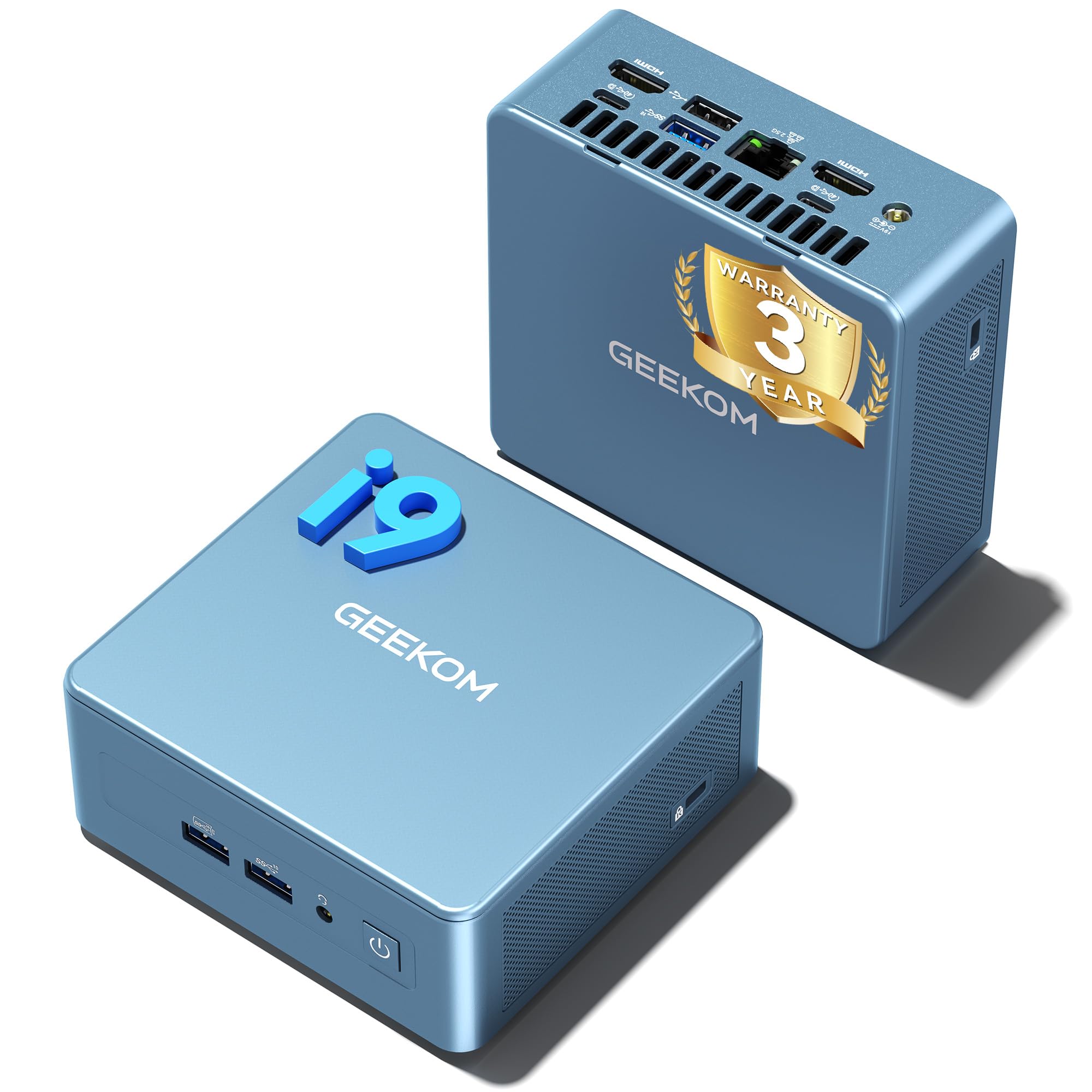
I appreciate how the IT13 packs serious performance into a tiny enclosure — it feels like a desktop that decided to go minimalist. For everyday work I get fast app launches and smooth browser multitasking, and when I need to transcode media or run a few VMs it usually keeps up without fuss.
It’s also handy as a living‑room Plex box or a travel workstation thanks to multiple display outputs and VESA mounting. If you want a compact machine that handles heavy office workloads and light creative tasks, this is one I’d consider; just be aware it can run warm under sustained load.
What People Say
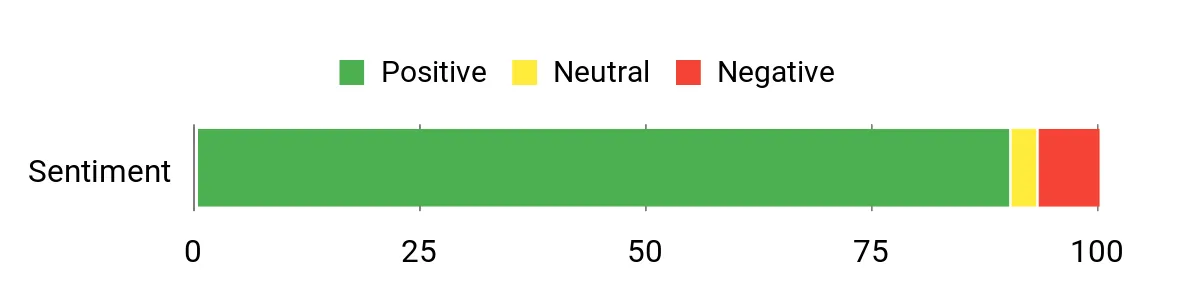
I see reviewers consistently praising the IT13 for feeling noticeably faster than typical mini PCs, with many calling out quick setup, rich I/O and the compact form factor. People also like the included 1TB NVMe and the three‑year warranty as solid value adds. A minority mention heat under heavy load and occasional minor display hiccups, but overall sentiment leans strongly positive.
Overall Sentiment: Positive
Long-Term Savings
Because you can expand storage and RAM, the IT13 avoids forcing a full replacement when needs grow. The efficient mobile‑class silicon and small power draw also help keep electricity costs lower than a comparable full desktop, while the included warranty reduces potential repair expenses.
Return on Investment
If you want a tidy setup that speeds through office work, media tasks and light content projects, the time saved waiting for apps and transfers adds up. The upgrade paths and solid warranty extend usable life, so you get more value per dollar than many disposable small machines.
When To Use It
| Situation | How It Helps |
|---|---|
| Home office / Remote work | Compact footprint and quiet-ish operation keep desks tidy while handling video calls, spreadsheets and heavy browser use. |
| Media server / Plex | Fast CPU and QuickSync‑capable graphics make transcoding and multi‑stream playback smoother. |
| Light gaming / Casual play | Integrated Intel Iris Xe handles less demanding games at lower settings and is fine for party or indie titles. |
| On‑the‑go workstation | Small size and multiple display options let you plug into hotel TVs or external monitors for presentations and editing. |
Ease of Use
| Feature | Ease Level |
|---|---|
| Out‑of‑box setup | Easy |
| VESA mounting | Easy |
| Adding extra NVMe or HDD | Moderate |
| Multi‑monitor configuration | Moderate |
Versatility
This is a very flexible mini PC: it’s at home as a compact desktop for heavy office work, a small media server, or a light creative machine. It doesn’t replace a discrete‑GPU workstation for heavy 3D rendering or high‑end gaming, but it covers most other bases well.
Practicality
VESA compatibility, plentiful modern ports and included accessories (HDMI cable, VESA bracket) make it practical for tight desks, meeting rooms or a hidden media setup behind a monitor.
Energy Use
Using mobile‑class components keeps power draw much lower than full desktops. That’s useful if you run the unit for long workdays or as a small always‑on server.
Security Features
| Feature | Protection Level |
|---|---|
| Windows 11 Pro security features (BitLocker, Defender) | Moderate |
| UEFI firmware with Secure Boot | Moderate |
| Physical VESA mount option (keeps device out of easy reach) | Basic |
Key Benefits
- High‑end Intel i9‑13900HK performance in a small chassis
- 1TB NVMe PCIe 4.0 SSD and expandable storage options
- Multiple modern ports (USB4, HDMI, 2.5GbE) for flexible hookups
- Supports up to quad‑display 8K/4K outputs for multitasking
- Includes a 3‑year warranty for extra peace of mind
Current Price: $699.00
Rating: 4.5 out of 5 (total: 513+)
🚀 Best Workstation

I like how the K10 feels like a full workstation squeezed into a very small box. It powers through multi‑tab days, heavy spreadsheets and video calls without stalling, and the multiple display outputs make juggling several windows painless.
It’s equally useful as a compact home server or a desk‑mounted workstation — you can expand storage and add extra NVMe drives when projects grow. If you need a tiny PC that behaves like a proper desktop for office work, media tasks and light content creation, this is one I’d recommend; just expect a bit more heat and power use than ultra‑low‑power mini PCs.
What People Say
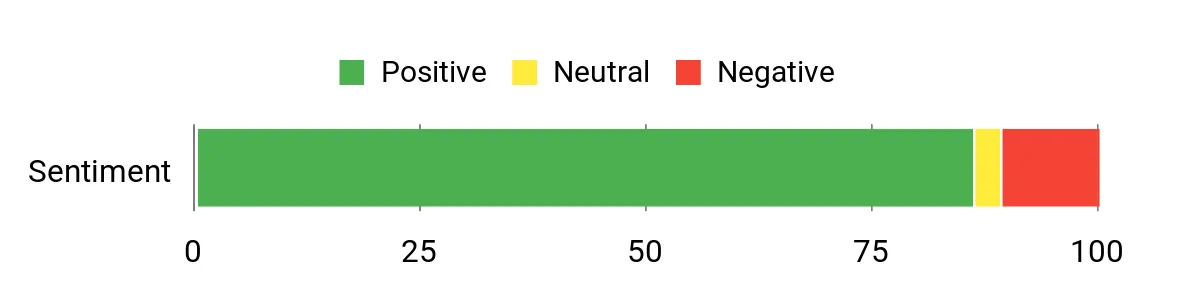
Customers routinely praise the K10 for feeling noticeably powerful for day‑to‑day and multitasking workloads, and they like the generous port selection and multi‑monitor support. People also highlight the storage expandability and 2.5G networking as practical perks. A smaller group mention the integrated Intel graphics limits serious gaming and note that it can run warmer under sustained heavy use.
Overall Sentiment: Positive
Long-Term Savings
Because you can add NVMe drives and more storage later, the K10 avoids forcing an early replacement as your needs grow. Its performance means fewer upgrade cycles for office and media tasks, and the one‑year warranty plus decent build quality reduce short‑term repair costs.
Return on Investment
If you value time saved by faster app launches, smoother multitasking and reliable network transfers, the K10 pays back quickly compared with budget mini PCs. The combination of expandability and strong baseline performance stretches useful life, giving better value per dollar over a few years.
When To Use It
| Situation | How It Helps |
|---|---|
| Home office / Remote work | Small footprint and strong CPU let you run video calls, multiple browsers and office apps without cluttering your desk. |
| Content creation / Editing | Fast CPU and NVMe storage speed up file transfers and timeline responsiveness for light to moderate editing jobs. |
| Small business / Industrial use | The COM port and plentiful I/O make it easy to connect legacy equipment, POS systems or automation gear. |
| Media server / Home lab | Multiple M.2 slots and 2.5G networking handle media streaming, VM hosts and storage expansion smoothly. |
Ease of Use
| Feature | Ease Level |
|---|---|
| Out‑of‑box setup | Easy |
| VESA mounting | Easy |
| Adding extra NVMe drives | Moderate |
| BIOS tweaks / power‑limit adjustments | Moderate |
Versatility
This is a genuinely flexible mini PC — it handles office workloads, acts as a compact media server, and can be set up for light creative work. It won’t replace a discrete‑GPU workstation for heavy 3D rendering or high‑end gaming, but for most professional and home uses it covers the bases well.
Practicality
VESA mount options, a bundled HDMI cable and a wide selection of ports make it practical for tight desks, meeting rooms or a hidden setup behind a monitor.
Energy Use
The i9-13900HK is powerful and runs at higher power than low‑voltage mini PCs, so it’s not the most frugal choice. Still, it uses less power than a comparable full desktop and is reasonable for heavy‑use scenarios where performance matters.
Security Features
| Feature | Protection Level |
|---|---|
| Windows 11 Pro security features (BitLocker, Defender) | Moderate |
| UEFI firmware with Secure Boot | Moderate |
| Physical VESA mount option | Basic |
Key Benefits
- 13th‑Gen Intel Core i9 performance in a compact chassis
- 32GB DDR5 RAM and 2TB NVMe with room for up to three M.2 drives
- Support for multiple 4K/8K displays for true multitasking
- Fast networking with built‑in 2.5G Ethernet plus Wi‑Fi 6
- Plenty of I/O including USB 3.2, HDMI, DisplayPort, Type‑C and a COM port
Current Price: $629.99
Rating: 4.4 out of 5 (total: 320+)
💼 Best for Office

I appreciate how the SER5 packs a lot of real‑world value into a tiny box. It feels snappy for everyday tasks — video calls, spreadsheets and browser tabs — and the 4K triple‑display support makes multitasking less annoying.
The 24GB LPDDR5 and a fast PCIe4 NVMe give quick boot and file access, so even editing a short video or juggling large spreadsheets doesn’t grind to a halt. It’s also handy as a compact media player for movie nights or a quiet workstation you can tuck behind a monitor. If you want a small office machine that behaves like a proper desktop without taking up space, this is one I’d consider.
What People Say
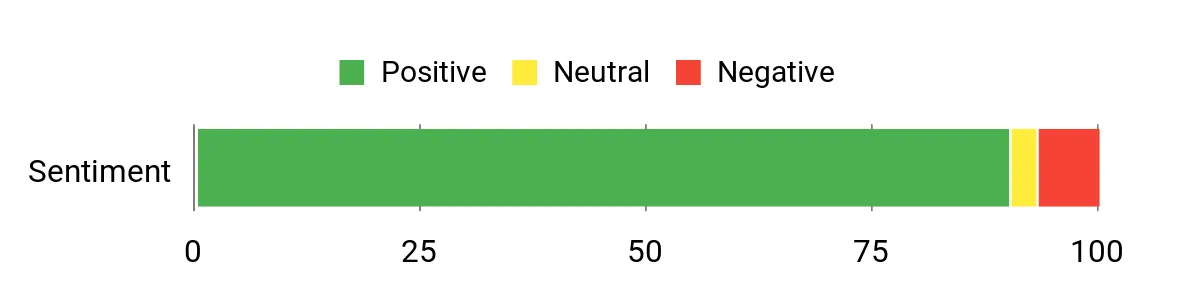
People often mention that the SER5 punches above its size: reviewers like the responsive performance, quick NVMe storage and the quiet operation. Many buyers appreciate the range of ports and the easy multi‑monitor setup, especially for remote work or a compact desk.
A handful of users note occasional driver quirks or minor sleep/wake annoyances, but overall feedback leans toward reliable daily use.
Overall Sentiment: Positive
Long-Term Savings
Because fast NVMe storage and ample RAM are built in, you’ll likely avoid swapping to a new machine for typical office and media tasks for several years. The compact, serviceable design means upgrades (like larger SSDs) are possible without buying a whole new desktop, which keeps lifecycle costs down.
Return on Investment
If your workday depends on stable multitasking, the time saved from faster app launches and fewer slowdowns translates into practical value. For small offices or remote workers who want a clean desk setup, the SER5 offers a good balance of performance and price compared with entry desktops.
When To Use It
| Situation | How It Helps |
|---|---|
| Home Office / Remote Work | Small footprint and solid CPU let you run video conferences, multiple browser windows and office apps without hogging desk space. |
| Multi‑monitor Productivity | Triple 4K outputs make it easy to spread spreadsheets, chat and research across screens for smoother workflows. |
| Media Playback & Streaming | Capable 4K playback and quiet operation are ideal for an unobtrusive media center or background streaming box. |
| Home Lab / Development | Fast NVMe storage and ample RAM handle containers, light VMs or development work in a compact, power‑efficient package. |
Ease of Use
| Feature | Ease Level |
|---|---|
| Out‑of‑box setup | Easy |
| VESA mounting | Easy |
| Adding or upgrading NVMe SSD | Moderate |
| BIOS tweaks / advanced sleep settings | Moderate |
Versatility
The SER5 is flexible — it’s comfortable as a daily office machine, a compact media player, or a small home‑lab node. It won’t replace a high‑end gaming rig, but for most productivity and light creative tasks it’s more than adequate.
Practicality
VESA mounting, a full complement of modern ports and a small footprint make it a sensible choice for cramped desks, meeting rooms or behind‑monitor installs where space matters.
Energy Use
Using a mobile Ryzen chip keeps power draw reasonable compared with full desktop CPUs, so it’s generally efficient for all‑day office use and won’t add much to your electricity bill.
Security Features
| Feature | Protection Level |
|---|---|
| Windows 11 Pro (BitLocker, Defender) | Moderate |
| UEFI firmware with Secure Boot | Moderate |
| Physical VESA mount option | Basic |
Key Benefits
- Strong multicore performance from the Ryzen 7 6800U for everyday productivity
- 24GB LPDDR5 RAM and 500GB PCIe4.0 x4 SSD for fast multitasking and quick boot times
- Triple 4K display support (HDMI, DP, USB‑C) to spread apps across multiple screens
- Fast networking with Wi‑Fi 6 and 2.5Gb Ethernet for smoother remote work and file transfers
- Plenty of ports for peripherals, plus Windows 11 Pro preinstalled for business use
Current Price: $349.00
Rating: 4.6 out of 5 (total: 302+)
🚀 Best Workstation

I like how the G10 fits serious everyday work into a tiny package. With a Ryzen 5 3500U, 16GB of RAM and a fast 512GB PCIe SSD it handles video calls, spreadsheets and light content work without feeling sluggish. The triple 4K outputs make it handy for multitasking or small editing projects, and the 2.5GbE plus USB‑C/DisplayPort options mean it plays nicely with modern docks and monitors. It’s also easy to tuck behind a screen or toss in a bag for a portable desk — just be aware there are reports of heat and occasional reliability issues, so I’d treat it like a great value workstation if you don’t need a mission‑critical server.
What People Say
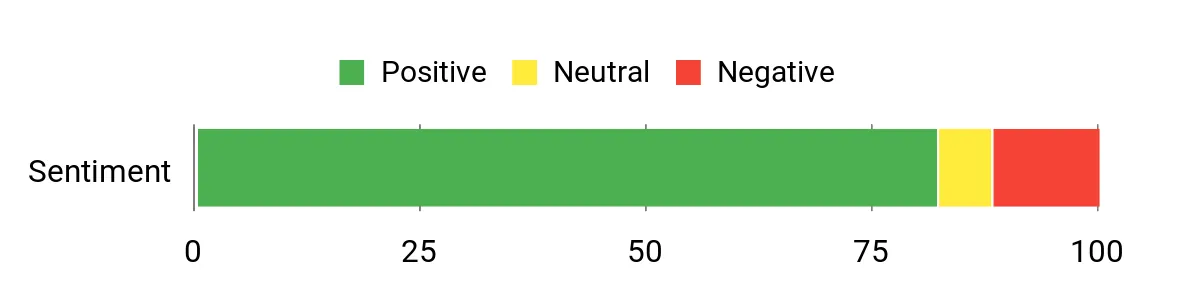
I’ve noticed most buyers praise the G10’s performance for its size — people mention quick boot times, silent operation and the convenience of multiple 4K outputs. At the same time a minority report heat build‑up, occasional hardware hiccups and mixed experiences with customer support, so reliability opinions are split.
Overall Sentiment: Positive
Long-Term Savings
Because the G10 is upgradeable (extra M.2 slots and RAM headroom), you can extend its useful life by adding storage or memory instead of replacing the whole unit. Its low power draw compared with full desktops also helps keep running costs down over time.
Return on Investment
At the current price, you get a lot of usable performance for daily office work and light creative tasks. If your workflow benefits from multiple displays and fast wired networking, the time you save avoiding slow loads and reboots can justify the buy compared with cheaper, less capable mini PCs.
When To Use It
| Situation | How It Helps |
|---|---|
| Home Office / Remote Work | Small footprint and solid CPU let you run video conferences, multiple browser tabs and office apps without occupying a full desktop. |
| Multi‑Monitor Productivity | Triple 4K outputs make it easier to spread spreadsheets, reference material and chat windows across screens for smoother workflows. |
| Compact Media Player | Radeon Vega 8 handles 4K playback well, so the G10 doubles as a quiet media center for movie nights or background streaming. |
| Portable Workstation | Small size and included USB‑C/HDMI support let you set up a functional workspace with a single cable and a portable monitor. |
Ease of Use
| Feature | Ease Level |
|---|---|
| Out‑of‑box setup | Easy |
| VESA mounting | Easy |
| Adding or upgrading NVMe SSD | Moderate |
| RAM upgrades | Moderate |
Versatility
I find the G10 to be versatile — it works as a daily office machine, a compact media box and a lightweight portable workstation. It’s not targeted at high‑end gaming, but it covers most productivity and light editing needs.
Practicality
The full complement of modern ports, VESA mount and small footprint make it practical for tight desks, meeting rooms or behind‑monitor installs where space matters.
Energy Use
Using a mobile Ryzen chip keeps power draw modest compared with full desktop CPUs, so it’s efficient for all‑day office use and won’t add much to your electricity bill.
Security Features
| Feature | Protection Level |
|---|---|
| Windows 11 Pro (BitLocker, Defender) | Moderate |
| UEFI / Secure Boot (standard on modern units) | Moderate |
| Physical VESA mount option | Basic |
Key Benefits
- Compact, VESA‑mountable design that frees up desk space
- Ryzen 5 3500U and 16GB DDR4 for smooth multitasking and web productivity
- 512GB PCIe SSD with upgrade paths to larger dual NVMe drives
- Triple 4K@60Hz outputs for multi‑monitor workflows
- 2.5GbE networking and full USB‑C support for modern connectivity
Current Price: $238.99
Rating: 4.5 out of 5 (total: 80+)
🎯 Best for Creators
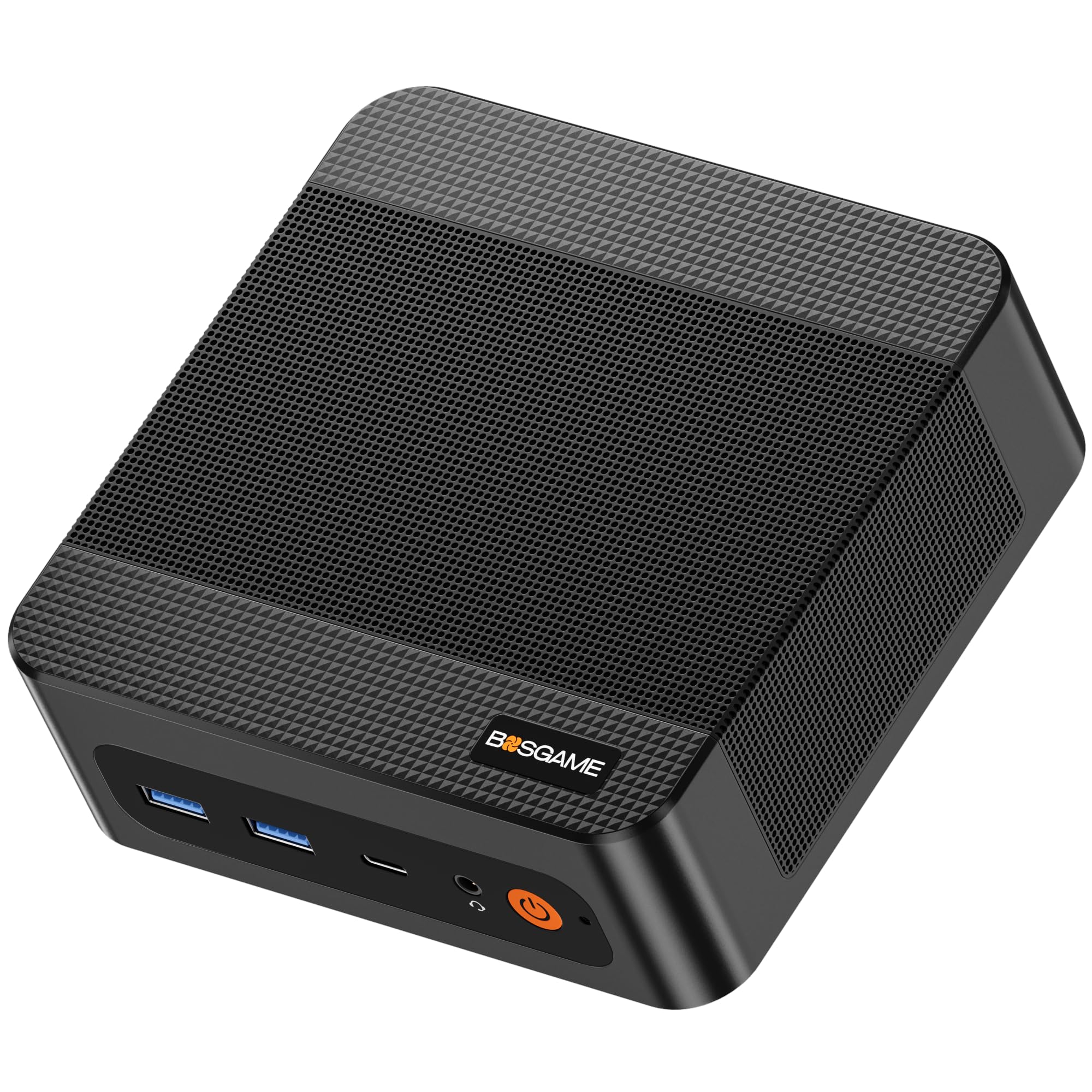
I appreciate how the P6 squeezes desktop-class power into a tiny box. With a Ryzen 9 6900HX, 32GB of LPDDR5X and a 1TB PCIe 4.0 SSD it handles heavy multitasking, creative apps and multiple 4K displays without feeling cramped. It’s great for a home office where you want lots of screen space for editing or research, and it doubles as a compact media/editing station when I need to cut video or preview renders. The build is quiet and includes a VESA mount, so it tucks away cleanly — I’d recommend it for creators and power users who want performance in a small footprint, while being mindful that the price can feel high unless you catch a sale.
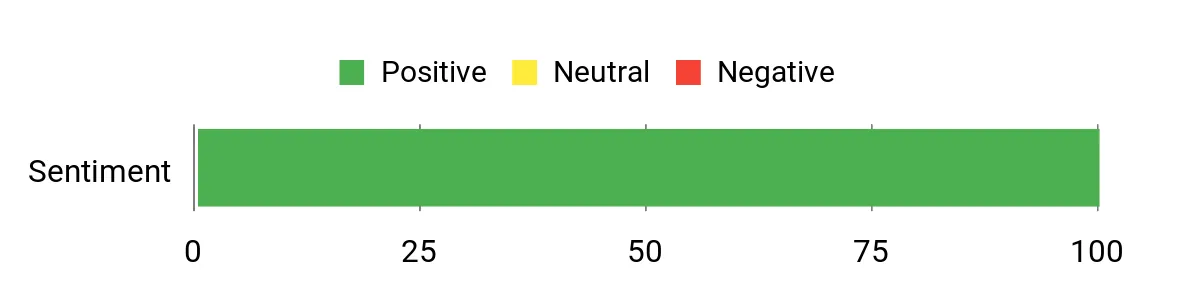
What People Say
Most users praise the P6 for packing strong performance into a very small chassis — people frequently mention smooth multitasking, quick boot times and the convenience of multiple 4K outputs. Reviewers also like the upgrade paths for RAM and NVMe storage and say the unit runs quietly.
A common caveat is that some buyers feel the list price is high compared with similar mini PCs, so many recommend waiting for a discount.
Overall Sentiment: Positive
Long-Term Savings
I see the main savings coming from upgradeability and efficiency: you can add or swap NVMe drives and the memory capacity is generous, so you won’t need a full replacement when storage or RAM needs grow. Its relatively low power draw versus full desktops helps keep electricity costs down over months and years.
Return on Investment
For creators who need multi‑monitor setups and quick responsiveness in editing, the P6 delivers value — you’re paying for compact, near‑desktop performance. If your workflow actually uses those CPU/GPU resources, the time saved and smoother editing justify the cost; if you only do basic office work, a cheaper model might be a better ROI.
When To Use It
| Situation | How It Helps |
|---|---|
| Home Office / Remote Work | Small footprint and strong CPU let you run video calls, many browser tabs and productivity suites while keeping a tidy desk. |
| Content Creation | Powerful Ryzen CPU, fast RAM and NVMe storage speed up editing, exporting and previewing multi‑track projects on multiple displays. |
| Media Server / Lightweight NAS | Quiet operation and good connectivity (dual LAN + Wi‑Fi 6E) make it suitable as a compact server for streaming and local backups. |
| On a Budget Upgrade | If you find it on sale, it’s an easy way to step up from basic mini PCs without moving to a full desktop. |
Ease of Use
| Feature | Ease Level |
|---|---|
| Out‑of‑box setup | Easy |
| VESA mounting | Easy |
| Adding or upgrading NVMe SSD | Moderate |
| RAM upgrades (if applicable) | Moderate |
Versatility
I find the P6 very versatile: it’s right at home as a primary creative workstation, a compact home office PC, or a quiet media server. It isn’t just for gamers or editors — if you need power and compactness together, it fills that niche well.
Practicality
The mix of modern ports, dual LAN, Wi‑Fi 6E and VESA mounting options makes the P6 practical for tight desks, conference rooms or behind‑monitor setups where space and connectivity both matter.
Energy Use
Using laptop-style components helps keep power draw lower than a full desktop CPU, so it’s efficient for all‑day use and won’t noticeably inflate your electricity bill.
Security Features
| Feature | Protection Level |
|---|---|
| Windows 11 Pro (BitLocker, Defender) | Moderate |
| UEFI / Secure Boot | Moderate |
| VESA mount for out‑of‑sight installation | Basic |
Key Benefits
- Desktop-level Ryzen 9 6900HX CPU for demanding productivity and creative tasks
- 32GB LPDDR5X 6400MHz RAM and 1TB PCIe 4.0 NVMe SSD for responsive multitasking
- Triple 4K@60Hz outputs and AMD Radeon 680M for multi-monitor editing and review
- Dual LAN and Wi‑Fi 6E (AX210) for stable wired and wireless connections
- VESA mount, compact design and quiet cooling make it easy to hide or attach behind a monitor
Current Price: $529.99
Rating: 4.7 out of 5 (total: 10+)
🔰 Best Business

I like how this Elite Mini packs a serious desktop workload into a tiny chassis. The 24‑core i9 and 64 GB of DDR5 RAM make everyday tasks and heavy spreadsheets feel instant, and the multiple display outputs mean I can run two or three monitors without juggling adapters.
It’s compact enough to tuck behind a monitor or slide into a small home office, but powerful enough for data analysis, creative apps or a business workstation. If you need near‑desktop performance in a minimal footprint and don’t mind paying for an enterprise build, this is an easy pick.
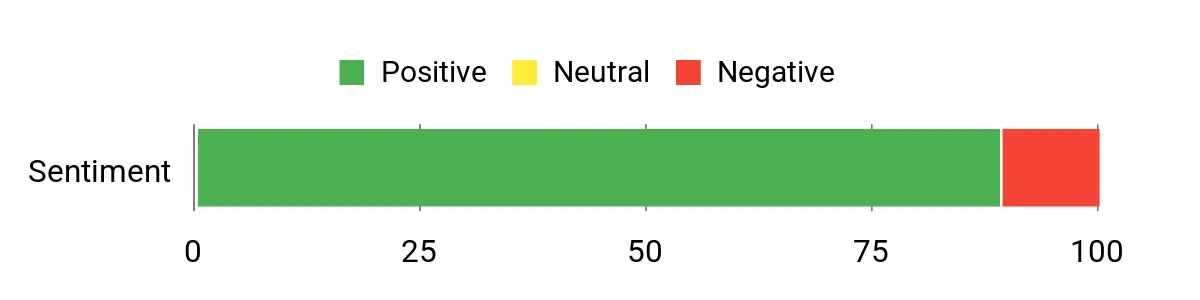
What People Say
Customers commonly praise how fast and quiet the machine is, especially compared with older minis or small desktops. People notice the solid build and the convenience of multiple display outputs and modern ports.
A smaller group reports frustrations with reliability or post‑purchase support, so experiences seem mostly positive but not uniformly perfect.
Overall Sentiment: Positive
Long-Term Savings
Because it’s a high‑end configuration, you’re buying headroom: less need to replace the system as software demands grow. The enterprise build and included warranty options can reduce unexpected repair costs, though components like an i9 can run hot under sustained load which may prompt added cooling or occasional service.
Return on Investment
If your day includes data analysis, large spreadsheets, virtual machines or heavy multitasking, the time saved by faster processing and near‑instant responsiveness can pay for itself. For light office tasks, the premium hardware won’t deliver proportional value — a cheaper mini would offer a better ROI.
When To Use It
| Situation | How It Helps |
|---|---|
| Home Office / Remote Work | Small footprint and strong CPU let you run video calls, many browser tabs and productivity suites while keeping a tidy desk. |
| Data Analysis & Business Apps | High core count and lots of RAM speed up queries, large spreadsheets and VM workloads, reducing wait times during heavy tasks. |
| Creative Workstation | Fast storage and plentiful memory help with rendering previews, multitasking between Adobe apps and handling multiple high‑res displays. |
| Shared Office / IT Deployments | Enterprise features, Windows 11 Pro and a compact, mountable design make it easy for IT to standardize and deploy in tight spaces. |
Ease of Use
| Feature | Ease Level |
|---|---|
| Out‑of‑box setup | Easy |
| VESA mounting | Easy |
| Adding or upgrading NVMe SSD | Moderate |
| BIOS / enterprise configuration | Moderate |
Versatility
This mini handles a wide range of roles: a desktop replacement for power users, a compact creative machine for occasional editors, or an office workstation for business environments. It’s not a gaming box, but for productivity and business tasks it adapts well.
Practicality
The generous port selection, VESA mounting and included keyboard/mouse make it practical for crowded desks or shared workstations. The compact size helps when space is at a premium, though thermal management can become noticeable under sustained heavy load.
Energy Use
At idle and light tasks it’s efficient compared with full tower desktops, but the high‑end i9 will draw significantly more power under prolonged heavy CPU loads, so expect higher energy use during sustained compute tasks.
Security Features
| Feature | Protection Level |
|---|---|
| Windows 11 Pro (BitLocker, Defender) | Moderate |
| UEFI / Secure Boot and TPM support | Moderate |
| VESA mount for out‑of‑sight installation | Basic |
Key Benefits
- Very high processing power from the 14th Gen Intel Core i9 (24 cores) for demanding workloads
- 64 GB DDR5 RAM and 1 TB PCIe SSD provide snappy multitasking and fast storage
- Multiple modern ports (dual DisplayPort, HDMI, USB‑C) for multi‑monitor setups and peripherals
- Compact, VESA‑mountable design that fits tight desks or behind monitors
- Windows 11 Pro and enterprise‑grade build quality suitable for business deployments
Current Price: $1,499.00
Rating: 4.4 out of 5 (total: 27+)
🚀 Best Workstation
I appreciate how the K10 squeezes serious workstation power into a tiny box. With the i9‑13900HK, 64 GB of DDR5 and a 1 TB NVMe drive it handles heavy multitasking, virtual machines and video edits without feeling slow.
I find it great for a tidy home office — it hides neatly behind a monitor or on a shelf — and it doubles as a capable home‑lab or Proxmox node when I want to run containers or multiple VMs. It’s not a dedicated gaming rig for top‑end titles, but for creative work, business apps and long remote‑work sessions it’s an easy recommendation if you want desktop‑class performance in a small footprint.
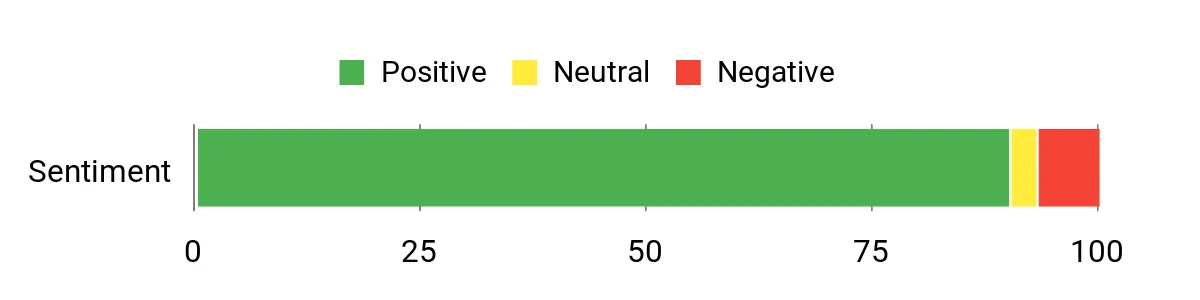
What People Say
Across reviews people regularly call out real‑world speed and quiet operation — the machine feels noticeably faster than older minis. Buyers also appreciate the broad port selection and reliable networking (Wi‑Fi 6 / 2.5G LAN).
A few folks mention small annoyances like the bulky power brick or limits for hardcore GPU gaming, but most customers are impressed with the value and performance.
Overall Sentiment: Positive
Long-Term Savings
You get a lot of headroom with this configuration, which means fewer upgrades for several years. The fast NVMe storage and ample RAM delay the need for replacements, and using it as a consolidated home‑lab or workstation can replace multiple older machines, lowering long‑term hardware and maintenance costs.
Return on Investment
If your work involves VMs, heavy multitasking, or creative apps, the time you save in responsiveness and reduced waiting makes the K10 worthwhile. For light office tasks the investment is harder to justify — a cheaper mini would cover basic needs with better ROI.
When To Use It
| Situation | How It Helps |
|---|---|
| Home Office / Remote Work | Small footprint and strong CPU let you run video calls, many tabs and productivity apps while keeping a tidy desk. |
| Home Lab / Virtualization | Plenty of cores and RAM make it capable of running multiple VMs or containers for testing and lightweight servers. |
| Content Creation | Fast NVMe storage and lots of RAM speed up editing, exporting and multitasking between creative tools. |
| Business & POS / Embedded Use | COM port and robust I/O options support legacy industrial devices, POS systems and specialized peripherals. |
Ease of Use
| Feature | Ease Level |
|---|---|
| Out‑of‑box setup | Easy |
| VESA mounting | Easy |
| Adding or upgrading NVMe SSD | Moderate |
| BIOS / performance tuning | Moderate |
Versatility
This mini is flexible enough to act as a primary workstation, a compact content‑creation box, or a home‑lab server. Its broad I/O and expansion options let it adapt to business, creative and hobbyist setups, though heavy GPU work will be limited by integrated graphics.
Practicality
The rich port selection, metal chassis and quiet cooling make it practical for everyday desks and shared workspaces. The included Wi‑Fi antennas and multiple display outputs reduce the need for adapters, but the external power brick can be cumbersome on smaller desks.
Energy Use
It’s relatively efficient at idle and during light use, but the high‑performance i9 will draw significantly more power under sustained heavy loads. For mixed office and occasional heavy tasks it balances performance and reasonable energy use.
Security Features
| Feature | Protection Level |
|---|---|
| Windows 11 Pro (BitLocker, Defender) | Moderate |
| UEFI / Secure Boot and TPM support | Moderate |
| VESA mount for out‑of‑sight installation | Basic |
Key Benefits
- High single‑ and multi‑core performance from the Intel Core i9‑13900HK for demanding apps
- 64 GB DDR5 RAM and 1 TB PCIe NVMe SSD keep multitasking and large files snappy
- Plenty of ports (HDMI, DisplayPort, USB 3.2, Type‑C, COM, 2.5G LAN) for multi‑monitor and pro peripherals
- Supports Wi‑Fi 6 and Bluetooth 5.2 for fast wireless connectivity
- Compact, metal chassis that stays quiet and fits into small desks or VESA mounts
Current Price: $959.99
Rating: 4.6 out of 5 (total: 80+)
🚀 Best Workstation

I like how the EVO‑X2 packs serious power into a compact case — the Ryzen AI Max+ 395, huge LPDDR5X pool and a 2 TB PCIe 4.0 SSD give it real muscle for multitasking, local AI work and creative projects. On a typical day it handles video calls, many browser tabs and document work without flinching; when I test models or edit video it keeps up surprisingly well for a mini PC. It’s especially useful if you want to run local LLMs or use multiple high‑res displays, though you should be ready to tinker with drivers and BIOS quirks if you push cutting‑edge AI workloads.
For anyone who needs workstation‑class performance without a full tower, this is worth considering.
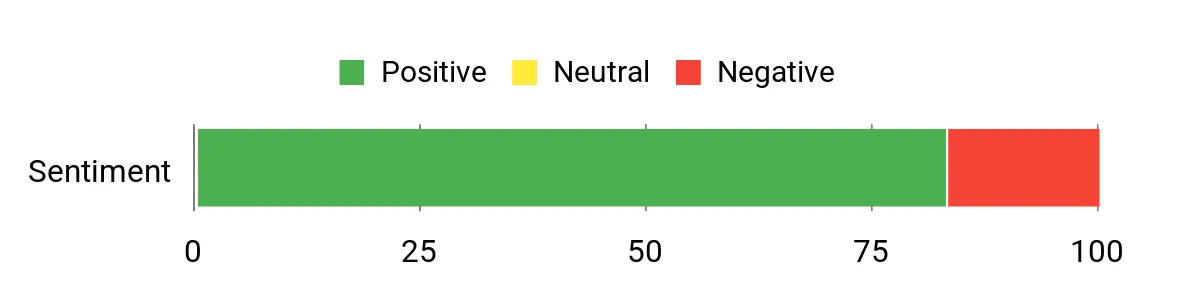
What People Say
Customers commonly praise the raw performance, especially for AI/LLM workloads and demanding multitasking, and many note the large memory pool as a standout feature. People also appreciate the compact build and solid construction, while typical complaints center on fan noise under heavy load, early or basic BIOS/driver support, and a few I/O oddities like DisplayPort boot behavior.
Overall Sentiment: Positive
Long-Term Savings
The high‑end specs mean you’re unlikely to need major upgrades for several years, which spreads the cost over time. If you plan to run local models or do regular content work, the EVO‑X2 can replace several older machines and avoid frequent component swaps, lowering long‑term maintenance and upgrade expenses.
Return on Investment
For people who run local LLMs, do heavy editing or need multi‑monitor setups, the performance gains translate into real time savings and a good ROI. If your needs are basic office work, the premium hardware is harder to justify and a cheaper mini would offer better short‑term ROI.
When To Use It
| Situation | How It Helps |
|---|---|
| Home Office / Remote Work | Handles video calls, many browser tabs and productivity apps smoothly while keeping a small desk footprint. |
| Local AI / LLM Workloads | Large memory pool and AI‑focused APU accelerate local model inference and experimentation without a large GPU rig. |
| Content Creation / Multitasking | Fast NVMe storage and abundant RAM speed up editing, exports and switching between creative apps. |
| Multi‑Monitor Setups | Quad 4K/8K output support and USB4 make connecting several high‑res displays straightforward for productivity. |
Ease of Use
| Feature | Ease Level |
|---|---|
| Out‑of‑box setup | Easy |
| Installing additional NVMe | Moderate |
| Driver and BIOS tweaks for AI workloads | Advanced |
| VESA mounting and multi‑monitor configuration | Easy |
Versatility
This is a flexible machine: it works as a powerful desktop for creators, a compact AI testbed for enthusiasts running local models, and a capable multitasking office PC. It’s less ideal if you need mission‑critical stability without occasional driver updates or deep configuration.
Practicality
The EVO‑X2’s extensive ports and networking options make it practical for many desks and small offices. Its size and cooling make it fit neatly in tight spaces, but the advanced features mean casual users may not use all of its capabilities.
Energy Use
It’s efficient at idle and during light tasks, but peak power draw rises under sustained AI or gaming loads. For mixed use it balances performance and reasonable power consumption, though it won’t match low‑power ultrabooks for battery‑style efficiency.
Security Features
| Feature | Protection Level |
|---|---|
| Windows 11 Pro (BitLocker, Defender) | Moderate |
| UEFI / Secure Boot and TPM support | Moderate |
| VESA mount for out‑of‑sight installation | Basic |
Key Benefits
- Top‑end Ryzen AI Max+ 395 delivers strong single‑ and multi‑threaded performance
- 64 GB LPDDR5X and 2 TB PCIe 4.0 SSD provide plenty of headroom for multitasking and large datasets
- Quad‑screen 8K output and dual USB4 make multi‑monitor workflows straightforward
- Wi‑Fi 7 and 2.5 GbE offer fast networking for transfers and remote work
- Built‑in cooling keeps thermals in check so sustained loads remain stable
Current Price: $1,699.99
Rating: 4.3 out of 5 (total: 14+)
🎮 Best for Gaming

I appreciate how the T1‑MAX squeezes serious desktop power into a very small box. The i9‑13900HX paired with an RTX 4070, 32GB of DDR5 and a 1TB PCIe 4.0 SSD means it rips through multitasking, creative work and modern games without feeling cramped.
On a normal day it handles video calls, dozens of browser tabs and a few editing tasks with room to spare; when I push it into gaming or rendering sessions it keeps up, though fans get louder under sustained load. It’s great if you want a compact desktop for a mixed home office and gaming setup, or a discreet under‑TV console that still plays recent titles. I’d recommend it for gamers and creators who want near‑desktop performance in a tiny footprint, but it’s more machine than most pure office users need.
What People Say
Across reviews people repeatedly praise the raw performance and small size — they like that it runs demanding games and editing tasks without taking up much space. Buyers frequently note the solid networking (Wi‑Fi 6E) and responsive storage, and many are happy with customer support. Common caveats mentioned are louder fans under heavy load, occasional HDMI or port quirks, and a desire for a slightly more USB‑C‑centric layout.
Overall Sentiment: Positive
Long-Term Savings
Because the T1‑MAX ships with high‑end components, you’re less likely to need a full replacement for several years; that can make the higher upfront cost easier to justify. The fast SSD and upgradeable RAM/storage options also mean modest, targeted upgrades can extend its useful life instead of forcing a whole new system.
Return on Investment
If you regularly game, stream, or do GPU‑accelerated creative work, the time you save on renders and the frame‑rate headroom deliver clear ROI. For someone who only needs a browser and office apps, the premium hardware is harder to justify and a cheaper mini PC will give better short‑term value.
When To Use It
| Situation | How It Helps |
|---|---|
| Home Office / Remote Work | Handles video conferencing, many browser tabs and productivity apps smoothly while keeping a very small desk footprint. |
| Gaming & Streaming | RTX 4070 and i9 deliver high frame rates at 1440p and solid performance for streaming or capture without a bulky tower. |
| Content Creation | GPU acceleration, fast NVMe storage and ample RAM speed up exports, editing and multitasking for photo and video workflows. |
| Living Room / Under‑TV PC | Small size and included accessories make it easy to tuck under a TV as a compact media or gaming console with desktop power. |
Ease of Use
| Feature | Ease Level |
|---|---|
| Out‑of‑box setup | Easy |
| Configuring displays and multiple monitors | Moderate |
| Installing extra NVMe or RAM | Moderate |
| Tuning fan curves and thermals | Advanced |
Versatility
This is a versatile machine: it works as a powerful gaming PC, a capable creative workstation and a compact desktop for mixed home‑office tasks. It’s overkill if your workload is limited to basic office apps and light web browsing.
Practicality
The tiny footprint and broad I/O make it practical for small desks and shared living spaces. The included mouse and preinstalled OS reduce setup friction, though you should factor in the external power brick and its heat when placing the unit.
Energy Use
Idle and light‑use power draw is reasonable for a high‑end mini, but peak consumption climbs under gaming or heavy GPU work. Expect a noticeable increase in energy use during sustained sessions compared with lower‑power office minis.
Security Features
| Feature | Protection Level |
|---|---|
| Windows 11 Pro (BitLocker, Defender) | Moderate |
| UEFI / Secure Boot and TPM support | Moderate |
| Physical placement options (VESA or tucked away) | Basic |
Key Benefits
- High single‑ and multi‑core CPU performance from the 13th Gen Intel i9
- Dedicated NVIDIA GeForce RTX 4070 handles modern games and GPU‑accelerated creative apps
- 32GB DDR5 and 1TB PCIe 4.0 SSD give fast load times and smooth multitasking
- Compact form factor fits small desks or living‑room setups
- Wi‑Fi 6E, 2.5G Ethernet and plentiful USB ports cover connectivity needs
Current Price: $1,799.00
Rating: 4.8 out of 5 (total: 14+)
FAQ
How Do I Choose The Best Mini PC For My Home Office Needs?
I start by matching the machine to the work I actually do: light office tasks and video calls need a modern CPU, 16 GB of RAM and a fast NVMe SSD, while heavy multitasking, photo or casual video editing and light game development benefit from an 8‑core CPU and 32 GB or more. I always check the ports and networking — at minimum one HDMI/DisplayPort plus a USB‑C for docking, and preferably 2.5 GbE or WiFi 6/6E if you rely on large file transfers or cloud collaboration.
I factor in upgradability: M.2 slots and SODIMM RAM let me extend life without buying a new unit. In price terms I weigh value: for example, the GMKtec M5 Plus at $368.00 delivers a Ryzen 7 with 32 GB and 1 TB NVMe plus triple 4K outputs and WiFi 6E, which is excellent if you need multiple monitors and lots of RAM; the ACEMAGIC M1 at $459.99 pushes CPU power further for heavier compute, and the Beelink SER5 MAX at $319.00 is a strong midrange choice.
I also check warranty, reviews for thermal behavior and post‑sale support, and whether the OS is legitimate and updatable. Prioritize CPU performance for heavy tasks and RAM/storage and I/O for daily productivity, then pick the smallest chassis that gives you those essentials.
Are Mini PCs Reliable For Long Remote Work Sessions And Light Gaming?
In my experience mini PCs are perfectly reliable for day‑long remote work and casual gaming if you pick the right model and manage thermals. The tradeoff is heat and sustained performance: some compact units (including a few user reports about the GMKtec M5 Plus) show intermittent cooling or fan behavior that may require driver/BIO S updates or a small case adjustment, so I critically evaluate cooling design and customer feedback before buying.
I monitor CPU/GPU temps and fan curves, elevate or VESA‑mount the unit to improve airflow, and consider models with copper heat pipes or robust fans when I know I’ll run prolonged video calls, VM workloads, or game development tools. I also accept that integrated graphics on many mini PCs mean I won’t get full desktop GPU performance for AAA titles, but they’re more than adequate for streaming, video playback, productivity and light gaming at modest settings.
What Setup, Security, And Maintenance Steps Should I Take Immediately After Buying A Mini PC?
I treat the first hour with a new mini PC as critical: before connecting to the internet I inspect the drive (if possible) and decide whether to keep the factory image; if I’m security‑minded I boot from a clean USB install and activate Windows with the included key. I then update BIOS/firmware and chipset/GPU drivers from the vendor and AMD/Intel sites, install a reputable antivirus and run a full scan, and apply Windows updates. I check BIOS settings for memory allocation to the integrated GPU if I need more VRAM for graphics tasks, enable TPM and secure boot for Windows 11 compliance, and create a disk image so I can restore quickly if something goes wrong.
I also configure power and cooling profiles, set up automatic backups, and test peripherals and network links (wired and WiFi). If I see odd behavior — noisy fans, high idle temperatures, or unexplained background processes — I contact support or consider returning or swapping drives; I’ve learned to be pragmatic and insist on proper support and a clean, updateable system rather than accepting convenience at the cost of security or reliability.
Buyer Priorities
When choosing between the GMKtec M5 Plus, ACEMAGIC M1, and KAMRUI E2, I scrutinize the trade‑offs between sustained real‑world performance for video conferencing and multitasking, quiet cooling and thermals, and the breadth of ports and wireless connectivity required for a home office. I typically pick the unit that offers the best balance of CPU/RAM/SSD headroom and reliable Ethernet/Wi‑Fi for the price—leaning to the M5 Plus for raw performance, the ACEMAGIC M1 for a balanced feature‑to‑cost compromise, and the KAMRUI E2 when compactness and affordability are the priorities.
Wrapping Up
Choose a mini PC that matches how you work. I recommend prioritizing sustained performance, thermals and quiet operation, and the right I/O over raw peak specs unless you need gaming or heavy local rendering.
For most home office users a midrange Ryzen or Intel solution with 16–32GB RAM and at least 500GB NVMe storage delivers the best balance of speed and cost. If you need near-desktop power for creative tasks or local AI/gaming, choose the higher-end picks and be realistic about cooling and price.
Finally, check support and driver availability and, if security matters, install a fresh OS image and run a full malware scan before connecting to your network.
| Product | Image | Rating | Price | Processor | RAM | Graphics Coprocessor |
|---|---|---|---|---|---|---|
| GMKtec M5 Plus Gaming Mini PC Ryzen 7 5825U |  | 4.4/5 (687 reviews) | $368.00 | AMD Ryzen 7 5825U | 32GB DDR4 | AMD Radeon Graphics |
| ACEMAGIC M1 Mini PC, Intel Core i9-11900H | 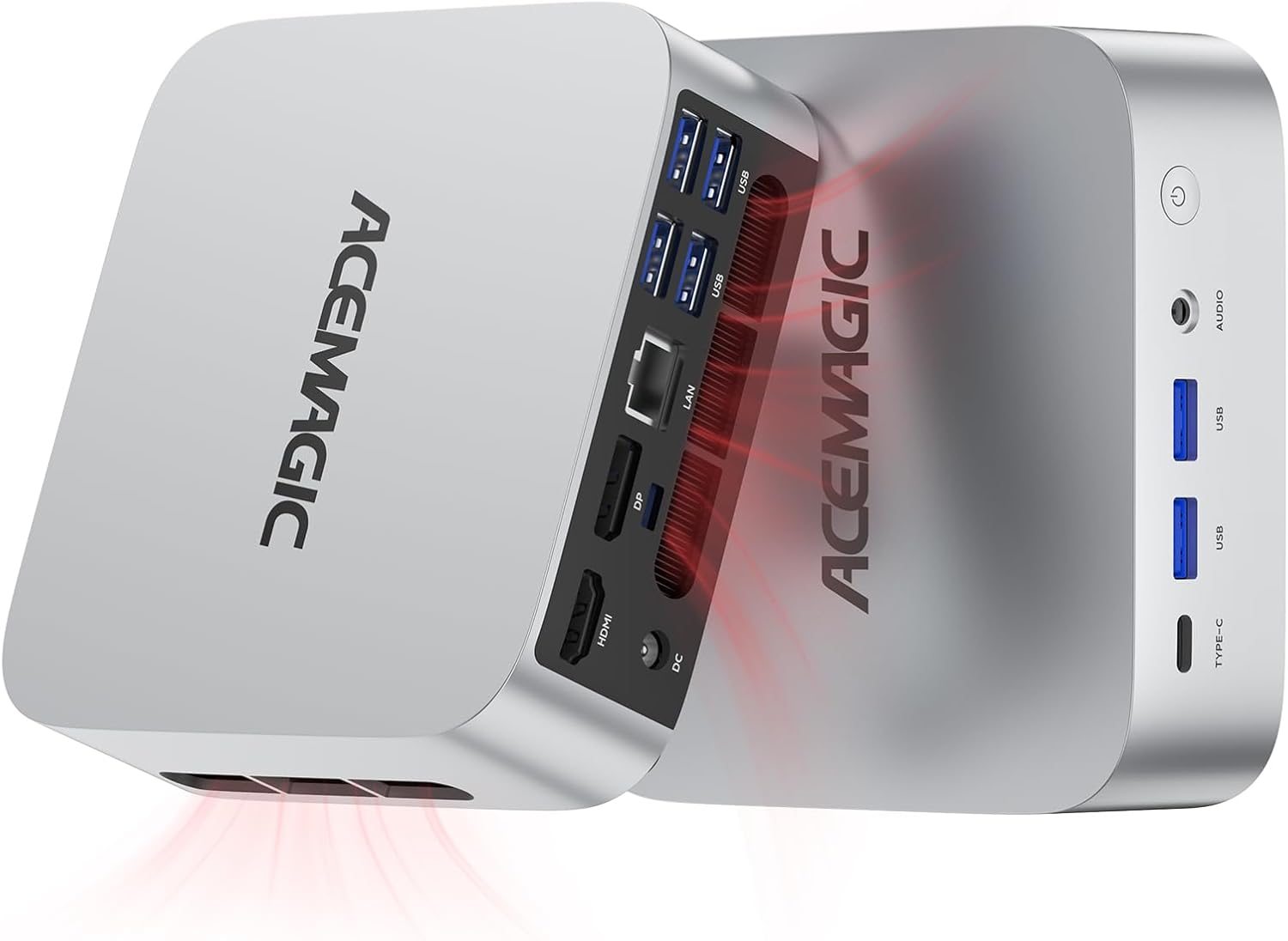 | 4.7/5 (139 reviews) | $459.99 | Intel Core i9-11900H | 32GB DDR4 | Integrated Intel UHD Graphics |
| KAMRUI Essenx E2 Mini PC |  | 4.5/5 (201 reviews) | $229.99 | Intel Celeron N95 | 16GB DDR4 | Intel UHD Graphics 600 |
| Beelink Ser5 MAX Mini PC |  | 4.6/5 (603 reviews) | $319.00 | AMD Ryzen 7 6800U | 24GB LPDDR5 | AMD Radeon Graphics 680M |
| HP Pro 400 G9 Mini PC Desktop Computer |  | 4.6/5 (71 reviews) | $409.99 | Intel Celeron | 16GB DDR5 | Integrated Intel UHD Graphics |
| GMKtec Mini PC Workstation |  | 4.6/5 (80 reviews) | $959.99 | Intel Core i9-13900HK | 64GB DDR5 | Integrated Intel Iris Xe Graphics |
This Roundup is reader-supported. When you click through links we may earn a referral commission on qualifying purchases.



