 Skip to content
Choosing the right mini PC for photo editing matters because I want a machine that fits on my desk, stays quiet, and handles large RAW files without slowing my workflow. In this guide I walk you through compact systems that actually run Photoshop, Lightroom, Affinity Photo and Luminar Neo, and I explain which ones will let you run Pixelmator Pro (Mac only).
I focus on real-world value and software compatibility so you can pick a mini PC that improves your editing speed and color-accurate previews without wasting money.
Top Picks
| Category | Product | Price | Score |
|---|---|---|---|
| 🏆 Best Overall | Mac Mini | $544.00 | 94/100 |
| 🚀 Best For Advanced Performance | Beelink SER9 | $679.00 | 90/100 |
| 🔰 Best For Storage | Beelink Me | $229.00 | 78/100 |
| 💰 Best Budget | GMKtec G3 | $228.99 | 72/100 |
| 🎯 Best For Everyday Editing | ACEMAGIC Mini | $238.00 | 76/100 |
| ⭐ Best Compact Workhorse | C4 Mini | $218.49 | 80/100 |
How I Picked These Mini PCs
I chose mini PCs with photo editing in mind by focusing on the things that affect my day-to-day workflow: CPU and GPU capability (for filters, large smart objects and GPU accelerated tasks), available RAM (real projects need 16GB or more), fast NVMe storage for scratch space and catalog files, and display outputs so I can drive a color-accurate monitor.
I also weighed OS compatibility because some apps are macOS-only (Pixelmator Pro) while others run on both macOS and Windows.
I considered thermals and noise because I edit in small spaces, and I aimed to cover price tiers so you can match a budget to the software you use. Software compatibility notes (per model):
– Mac mini (Apple M4): Native macOS support for Photoshop, Lightroom Classic and Lightroom, Affinity Photo, Skylum Luminar Neo, and Pixelmator Pro.
Best choice if you want Pixelmator Pro or deep Apple ecosystem integration. Base 16GB memory is good for most photo work; consider upgrading storage or RAM for large catalogs. – Beelink SER9 (Ryzen 7 Windows 11 Pro): Excellent Windows performance for Photoshop, Lightroom, Affinity Photo and Luminar Neo.
Very capable GPU (Radeon 780M) for GPU-accelerated filters and faster exports. Pixelmator Pro is not supported. – Beelink Me Mini (Intel N95, no OS preinstalled): Can run Windows or Linux depending on your install.
With Windows, it supports Photoshop, Lightroom, Affinity Photo and Luminar Neo but performance is limited by the N95 CPU; best for lightweight libraries or as a NAS/backup companion. No Pixelmator Pro. – GMKtec G3 (Intel N150, Windows 11 Pro): Compatible with Photoshop, Lightroom and Affinity Photo on Windows, and Luminar Neo; expect modest performance for heavy edits—better for casual to moderate editing or travel/secondary workstation.
No Pixelmator Pro. – ACEMAGIC Mini (Ryzen 3 4300U, Windows 11 Pro): Handles everyday photo tasks in Photoshop and Affinity Photo and runs Lightroom and Luminar Neo for typical projects.
Not ideal for very large RAW catalogs or heavy multi-layer composites. Pixelmator Pro not supported.
– C4 Mini (Ryzen 5 3550H, Windows 11 Pro or Linux): Good balance of CPU performance and connectivity for photo workloads—Photoshop, Lightroom, Affinity Photo and Luminar Neo run well for small-to-medium projects. Pixelmator Pro is not supported.
Practical advice I use: prioritize RAM and an NVMe scratch drive for Lightroom performance, and pick macOS only if you want Pixelmator Pro or tighter Mac/iPad integration.
🏆 Best Overall

I find the Mac mini to be one of those devices that just gets out of the way and lets you edit. The M4 chip gives native speed for Photoshop and Lightroom, and apps like Affinity Photo, Skylum Luminar Neo and Pixelmator Pro all run smoothly on macOS. The compact 5 x 5 inch footprint makes it perfect for small desks or a studio corner, while Thunderbolt 4 and HDMI let me hook up one or more high‑resolution displays for detailed retouching. For everyday photo edits and medium‑sized exports it’s snappy; for very large RAW catalogs or massive layered files I’d consider a 24GB/32GB model or an external SSD.
If you’re already in the Apple ecosystem and want a quiet, energy‑efficient machine that handles the usual creative workloads without fuss, this is a very sensible pick.
Long-Term Cost Benefits
Apple machines tend to hold value and the energy efficiency of the M4 keeps running costs lower. Buying a slightly higher memory/storage configuration upfront can avoid frequent upgrades later.
Situational Benefits
| Situation | How It Helps |
|---|---|
| Working at home on a small desk | Its tiny footprint lets you set up a reliable editing station without crowding your workspace. |
| Editing large exports or client deliverables | Hardware‑accelerated codecs and the M4’s Media Engine speed up exports, cutting turnaround time. |
| Tethered shooting and client previews | Multiple Thunderbolt/HDMI outputs make it easy to run a color‑accurate external monitor for live previews. |
| On a budget but wanting longevity | Base price is competitive and the machine’s solid resale value means it ages better than many cheap PCs. |
Ease Of Use
| Feature | Ease Level |
|---|---|
| Setup and Installation | Very Easy |
| Running Adobe Creative Cloud | Easy (native Apple Silicon builds) |
| Connecting external drives and displays | Easy |
| Managing storage | Moderate (external SSD recommended) |
Versatility
The Mac mini works well for everything from quick edits to full client workflows — photo editing, proofing, light video work and batch exports. It’s also a great companion if you already use an iPhone or iPad in your workflow.
Innovation
The M4 chip brings hardware acceleration for image/video codecs and a Neural Engine that helps macOS features and AI‑driven tools. That makes tasks like mask refinement and RAW processing feel faster and more responsive.
Energy Efficiency
M4’s efficiency keeps power use and fan noise low during long editing sessions, and Apple’s carbon‑neutral claims for the product make it an environmentally conscious choice.
Speed / Response Time
App launches, brush strokes and basic exports are very snappy on the base 16GB model; heavy multi‑layer projects will benefit noticeably from more RAM and faster external storage.
Key Benefits
- Native Apple Silicon performance for Photoshop and Lightroom
- Small footprint that fits tight workspaces
- Supports multiple high‑resolution displays for accurate previews
- Quiet operation and low power draw during long editing sessions
Current Price: $544.00
Rating: 4.8 (total: 2321+)
💰 Best Budget

I like the G3 because it feels like a sensible, no‑drama editing box when you don’t need a powerhouse. It’s small, boots fast and handles day‑to‑day Photoshop and Lightroom work comfortably.
Affinity Photo and Skylum Luminar Neo also run fine on Windows 11 Pro here, but Pixelmator Pro is macOS‑only so it won’t work natively. The dual 4K HDMI outputs make it easy to set up a two‑monitor editing station, and the 2.5GbE / Wi‑Fi 6 options mean moving large photo libraries across a network doesn’t take forever.
If you want a budget machine for quick retouching, client previews and moderate RAW processing, this is a very practical choice — for huge catalogs or heavy layered composites I’d plan on an external NVMe or a higher‑spec model.
Long-Term Cost Benefits
Buying a capable mini PC like the G3 saves on upfront cost versus a full desktop, and its compact, energy‑efficient design keeps electricity and space costs down. Upgrading storage later is straightforward, so you can extend usefulness without replacing the whole machine.
Situational Benefits
| Situation | How It Helps |
|---|---|
| Small home studio or desk with limited space | Tiny footprint and VESA mount options let you tuck it behind a monitor and reclaim desk space. |
| Client review sessions or tethered shooting | Dual HDMI outputs make it easy to mirror or extend to a large display for instant previews. |
| Moving large photo libraries across a network | 2.5GbE and Wi‑Fi 6 speed up transfers so waiting on assets is less of a bottleneck. |
| Light travel or pop‑up editing setups | Small size and included accessories mean you can pack a compact editing station without hauling a tower. |
Ease Of Use
| Feature | Ease Level |
|---|---|
| Setup and Installation | Very Easy |
| Running Adobe Creative Cloud | Easy for typical tasks |
| Using Affinity Photo / Luminar Neo | Easy |
| Connecting dual monitors and external drives | Easy |
Versatility
This mini PC covers a lot of bases: everyday photo editing, client previews, light batch exports and media playback. It’s flexible enough for office use, home studios and even basic home‑server roles if you want to run lightweight services.
Innovation
GMKtec packed recent features into a small chassis — newer Twin Lake N150 CPU, AV1 decoding support and upgraded cooling to keep noise down. It’s not about bleeding‑edge power, but about thoughtful upgrades in a budget package.
Energy Efficiency
The G3 runs cool and the fan is modest under normal photo‑editing loads, so it’s an energy‑sparing alternative to big towers during long editing sessions.
Speed / Response Time
For everyday edits, brushwork and typical exports it feels responsive; very large RAW catalogs, huge panoramas or complex layered files will show its limits, but external NVMe drives and sensible file management help a lot.
Key Benefits
- Excellent price‑to‑performance for everyday photo editing
- 16GB RAM and 512GB NVMe give smooth multitasking for typical workflows
- Dual 4K@60Hz HDMI for a comfortable dual‑monitor setup
- Fast wired and wireless networking (2.5GbE + Wi‑Fi 6) for quick file transfers
- Ships with Windows 11 Pro ready for Adobe, Affinity and Luminar Neo
Current Price: $228.99
Rating: 4.4 (total: 1418+)
🔰 Best For Storage

I like the Me because it leans into storage-first use without feeling like a compromise for everyday editing. Out of the box it’s a Windows‑friendly mini PC that runs Photoshop, Lightroom, Affinity Photo and Skylum Luminar Neo just fine for typical RAW edits, culling and exports. Pixelmator Pro is macOS‑only, so you won’t get that natively here. The real strength is the massive expandable M.2 bay layout and dual 2.5G networking — if you archive big photo libraries or run a private cloud for client galleries, this makes life easier.
It’s quiet, compact and energy‑conscious, so I use it as a home editing/backup hub and a fast file server for moving large shoots across the network. For heavy GPU‑accelerated filters or very large layered composites, I’d pair it with a GPU‑equipped workstation, but for storage‑heavy workflows and everyday editing it’s a very practical pick.
Long-Term Cost Benefits
Because you can add storage drives instead of replacing the whole system, the Me stretches your budget over years. Its low power use versus a full desktop and built‑in PSU also trims electricity bills when it’s running as a server or archive box.
Situational Benefits
| Situation | How It Helps |
|---|---|
| Large photo library archiving | Multiple internal M.2 slots let you consolidate drives inside one small box rather than juggling external disks. |
| Tethered shooting or client previews | Dual 2.5G Ethernet and HDMI output let you move files fast and show large previews on a bigger screen without lag. |
| Home studio with limited space | Palm‑sized chassis and quiet cooling fit behind a monitor or on a shelf without drawing attention. |
| Running a private cloud or lightweight server | Supports Windows or Linux installs and keeps 24/7 uptime with modest power draw for backups and sharing. |
Ease Of Use
| Feature | Ease Level |
|---|---|
| Setup and Installation | Easy — plug and play with included accessories |
| Installing Adobe/Affinity/Luminar | Easy on Windows; installs like any other PC |
| Managing multiple M.2 drives | Moderate — physically simple, requires attention to power/thermal choices |
| Network configuration for NAS or private cloud | Moderate — straightforward but needs basic networking steps |
Versatility
This box pulls double duty: a day‑to‑day Windows editing machine for standard RAW work and a storage/serve role for archives, client galleries and media streaming. It’s flexible enough to be an HTPC, a lightweight server or the central hub for a small studio.
Innovation
Packing six M.2 slots into a palm‑sized mini PC with dual 2.5G LAN is clever — it treats a mini as both a workstation and a proper expandable NAS, which is uncommon at this price and size.
Energy Efficiency
With a 25 W CPU TDP and a built‑in 45 W PSU, the Me runs far cooler and uses less power than a full tower, making it cheaper to run as a 24/7 archive or media server.
Speed / Response Time
Snappy for everyday tasks: culling, basic retouching and exports feel responsive. Heavy AI filters or complex layered projects that rely on GPU acceleration will be noticeably slower without a discrete GPU.
Key Benefits
- Huge internal expansion: six M.2 slots (up to 24 TB) for massive local libraries
- Dual 2.5G LAN plus Wi‑Fi 6 for fast transfers and smooth tethered shoots
- 12 GB LPDDR5 and 1 TB PCIe SSD give responsive day‑to‑day editing
- Quiet, compact design that works 24/7 as a NAS or private cloud
- Works with Windows builds of Photoshop, Lightroom, Affinity Photo and Luminar Neo
Current Price: $229.00
Rating: 4.5 (total: 223+)
🎯 Best For Everyday Editing
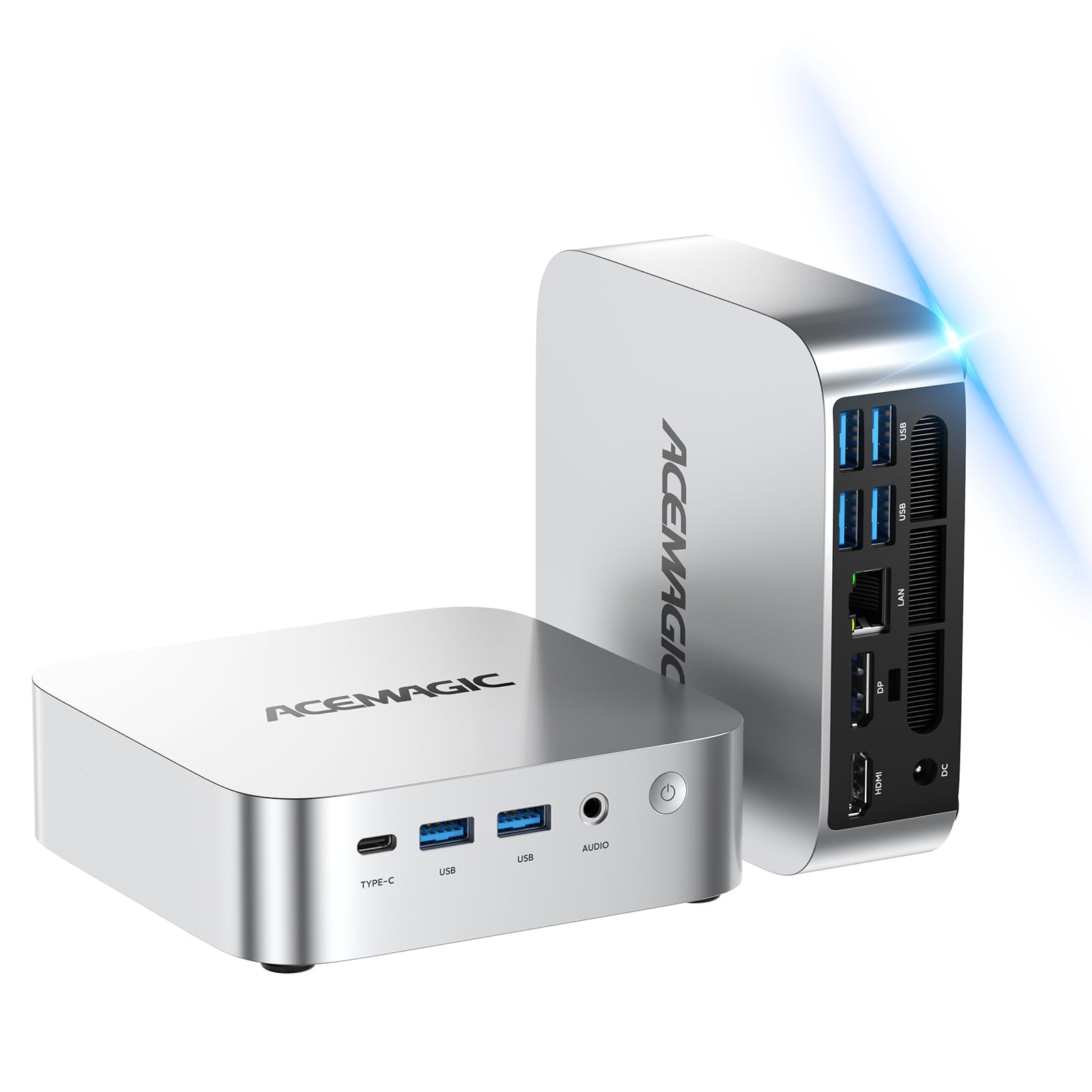
I’ve used this little ACEMAGIC box as my go-to when I need a compact, no-fuss editing station. It handles Photoshop, Lightroom and Affinity Photo for typical RAW culling, basic retouching and exports without much fuss, and Skylum Luminar Neo runs on it too — though the integrated GPU means very heavy AI filters take longer.
Pixelmator Pro is macOS-only, so don’t expect native support there. The 16 GB RAM and 256 GB SSD make day-to-day work snappy, and the triple 4K outputs are surprisingly handy when I want lots of screen real estate for thumbnails, editing and a reference window.
I’d call it a great everyday editor or backup editing rig — compact, VESA-mountable and easy to tuck behind a monitor or slip into a small studio setup.
Long-Term Cost Benefits
You can extend life by adding external or larger internal drives instead of replacing the whole machine. Lower power draw and an affordable price mean you won’t feel bad using it as a second editing box or a portable client-studio machine.
Situational Benefits
| Situation | How It Helps |
|---|---|
| Small home studio or limited desk space | The VESA mount and compact body free up room while still giving you enough power for everyday editing and client previews. |
| On-location or second editing station | Lightweight and easy to move — good for quick tethered shoots or a backup machine when you don’t want to haul a full tower. |
| Multiscreen editing workflow | Triple 4K outputs let you spread thumbnails, edit window and reference images across screens for faster culling and adjustments. |
| Budget-conscious creatives | Delivers solid everyday performance for common photo tasks without the cost of a high-end workstation. |
Ease Of Use
| Feature | Ease Level |
|---|---|
| Setup and Installation | Easy — plug in, attach to monitor and go |
| Installing Photoshop/Lightroom/Affinity/Luminar | Easy on Windows; installs like any other PC |
| Expanding storage with external drives | Easy — USB 3.0 ports make adding SSDs simple |
| Using the triple monitor setup | Moderate — connecting is straightforward, arranging windows takes a moment |
Versatility
This mini works as a compact daily editor, a multi-monitor productivity box and a neat media station for client previews — it’s flexible enough for students, hobbyists and small studio setups.
Innovation
Cramming triple 4K outputs and solid memory into a palm-sized VESA-mountable chassis is a nice touch for anyone needing screen space without a tower.
Energy Efficiency
Low-power components mean it uses much less electricity than a full desktop, which is handy if you leave it on during shoots or use it as a standby editing station.
Speed / Response Time
Snappy for culling, basic retouching and exports. Expect slower turnaround on heavy GPU-accelerated filters or very large layered composites because of the integrated graphics.
Key Benefits
- Small footprint with VESA mount — saves desk space
- 16 GB RAM and 256 GB SSD for responsive culling and basic edits
- Triple 4K monitor support for multi-window workflows
- Works with Windows builds of Photoshop, Lightroom, Affinity Photo and Luminar Neo
- Affordable option for students, hobbyists and light studio use
Current Price: $238.00
Rating: 4.5 (total: 120+)
🚀 Best Performance

I’ve been using the SER9 as my go-to when I want near-workstation speed without hauling a tower around. The Ryzen 7 H 255 and Radeon 780M handle large Lightroom catalogs and complex Photoshop edits surprisingly well, and 32 GB of DDR5 keeps me from having to juggle apps when I’m running batch exports and a dozen browser tabs. Luminar Neo’s AI tools run smoothly for most filters, though the heaviest GPU-accelerated effects still benefit from a discrete card.
Affinity Photo and Lightroom Classic run native on Windows with no fuss. Pixelmator Pro is macOS-only, so you won’t run it natively here — you’d need a Mac or a virtual/macOS solution. The dual M.2 PCIe4.0 slots and 10Gbps LAN are legit conveniences: I can stash tons of scratch storage and move huge files over the network without waiting.
If you want a compact editing rig that can also double as a gaming or streaming box, this is one of the most capable mini PCs I’ve tried — I’d recommend it to power users, small studios and anyone who needs fast multitasking in a tiny package.
Long-Term Cost Benefits
You can expand storage with the dual PCIe4.0 M.2 slots instead of buying a new machine, and the platform supports much more RAM if you need it later. Good cooling and low-noise operation help longevity, and the integrated GPU reduces the need for an early discrete GPU purchase.
Situational Benefits
| Situation | How It Helps |
|---|---|
| Editing large Lightroom catalogs | 32 GB of fast DDR5 memory and a quick PCIe4.0 SSD keep previews and batch exports moving without constant swapping. |
| On-location client shoots with many large files | Compact size plus fast internal storage and 10Gbps LAN let you set up a portable ingest and review station that moves files quickly to network storage. |
| Running AI filters in Luminar Neo | The Radeon 780M accelerates many AI features, giving reasonable speeds for most filters; for extremely heavy GPU jobs, a dedicated GPU still wins. |
| Multiscreen editing workflow | Triple 4K outputs let you dedicate screens to your filmstrip, full edit window and reference or export monitor for a smoother workflow. |
Ease Of Use
| Feature | Ease Level |
|---|---|
| Setup and Installation | Easy — plug in monitors and peripherals, Windows 11 Pro boots ready |
| Installing Photoshop/Lightroom/Affinity/Luminar | Easy — all install like on any Windows PC |
| Upgrading storage | Moderate — dual M.2 slots are accessible but require a small teardown |
| Connecting multiple displays | Moderate — ports are plentiful; arranging windows takes a short setup |
| Network/file transfers | Easy — 10Gbps LAN and USB4 make large transfers straightforward |
Versatility
This mini works as a compact workstation, a capable photo-editing box, a light gaming machine and a fast networked media client — useful for freelancers, hobbyists and small studios who want one machine to do many jobs.
Innovation
Packing a Zen 4 CPU, RDNA 3 integrated graphics, USB4 and 10Gbps LAN into a palm-sized chassis is a solid bit of engineering — it gives workstation-class features without the desktop footprint.
Energy Efficiency
Compared with full towers, it uses less power while still offering strong performance, which helps keep running costs down during long editing sessions.
Speed / Response Time
Very responsive for culling, layering, and exports; heavy GPU-accelerated AI filters are handled well for an integrated GPU, though the fastest results come from discrete cards.
Key Benefits
- Powerful Zen 4 CPU and RDNA 3 integrated GPU for smoother edits and faster previews
- 32 GB DDR5 5600 MHz memory keeps multitasking and large catalogs responsive
- 1 TB PCIe 4.0 SSD plus dual M.2 slots for fast internal storage and expansion
- Triple display outputs at high refresh let you spread thumbnails, edit view and reference windows
- 10Gbps Ethernet and USB4 make file transfers and external devices fast and reliable
- Ships with Windows 11 Pro — native support for Photoshop, Lightroom, Affinity and Luminar Neo
Current Price: $679.00
Rating: 4.5 (total: 245+)
⭐ Best Compact Workhorse
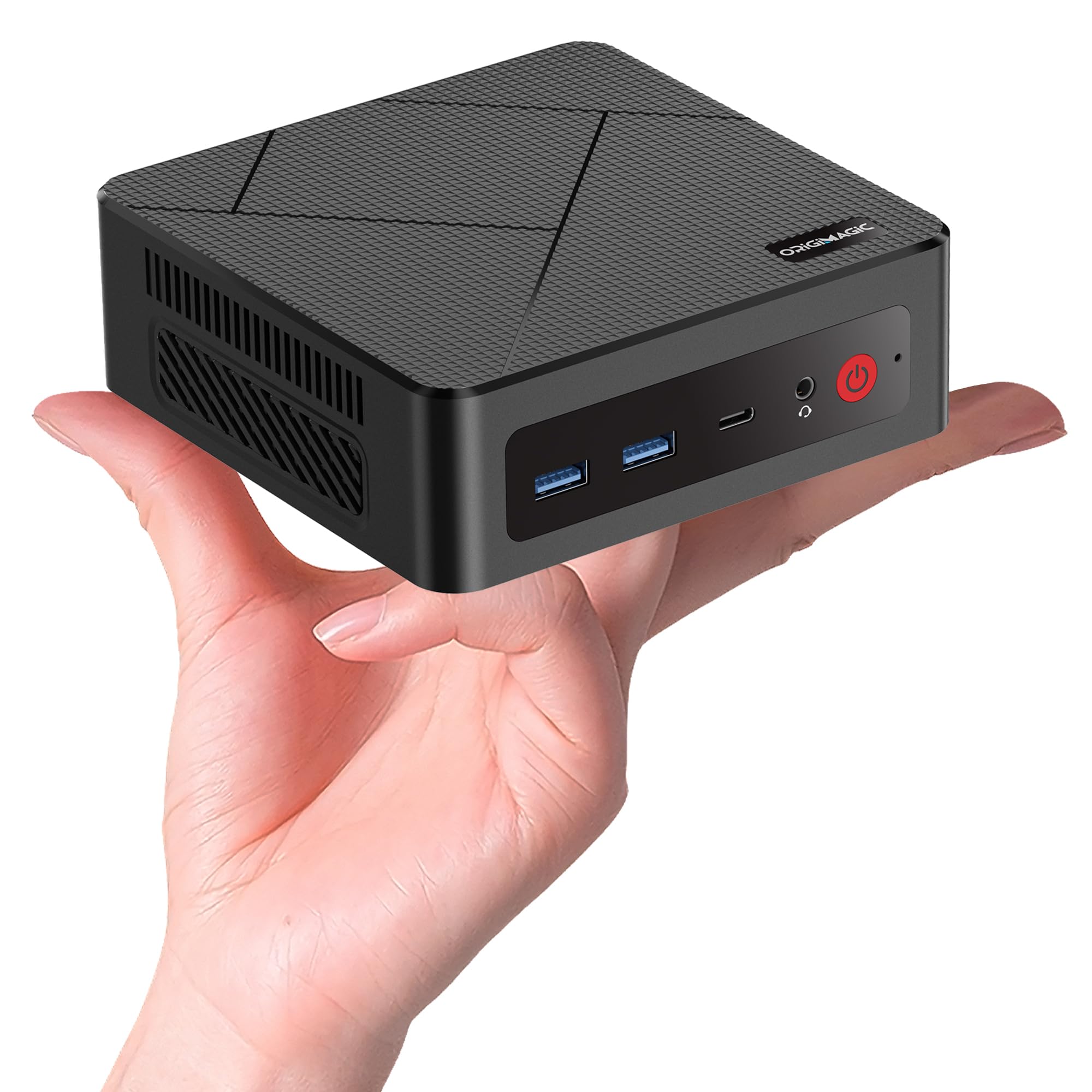
I keep this C4 Mini on my desk when I want a no-drama photo-editing station that doesn’t take up space. It ships with Windows 11 Pro and handles Photoshop, Lightroom (Classic and Cloud), and Affinity Photo natively — everything installs and runs just like on a regular PC.
Luminar Neo works too, but its heaviest AI filters lean on the GPU and Vega 8 is fine for casual to moderate use; very heavy AI passes will take longer than on a modern discrete GPU. Pixelmator Pro is macOS-only, so you’ll need a Mac for that one.
The triple-display outputs, dual 1Gb NICs and easy RAM/SSD upgrades make it great for everyday edits, quick client reviews, or even a living-room slideshow setup mounted behind a TV. If you want a compact, practical machine for editing on a budget (with room to grow), this is a sensible pick I’d personally recommend.
Long-Term Cost Benefits
You can add more RAM and swap the M.2 SSD instead of replacing the whole box as your photo library grows. That extendability keeps upgrade costs down and stretches the machine’s useful life.
Situational Benefits
| Situation | How It Helps |
|---|---|
| Daily portrait and landscape edits | Responsive CPU and integrated Vega graphics make cropping, color tweaks and layering feel snappy for routine workflows. |
| On-location client review or quick edits | Small size and VESA mount let you attach it behind a monitor or TV for an instant review station; fast SSD reduces waiting on file loads. |
| Using Luminar Neo’s AI tools | Luminar Neo runs on Windows and will process AI filters, but expect slower times on very heavy effects compared with a discrete GPU. |
| Working with multiple reference screens | Triple-display outputs let you keep a large edit window, a filmstrip/thumbnail pane and a reference or export preview visible at once. |
Ease Of Use
| Feature | Ease Level |
|---|---|
| Setup and first boot | Easy — plug in display and peripherals, Windows 11 Pro boots ready |
| Installing Photoshop/Lightroom/Affinity/Luminar | Easy — installs like any Windows PC |
| Upgrading RAM | Moderate — user-accessible SODIMM slots; a short teardown is required |
| Swapping or expanding SSD | Moderate — M.2 slot inside makes upgrades straightforward if you’re comfortable opening the case |
| Connecting multiple monitors | Easy — ports are labeled and work well; arranging windows is the usual OS task |
Versatility
A small workstation for photo editing, a media PC for the living room, and a compact review station for client shoots — useful for hobbyists, commuters and small studios.
Innovation
Squeezing triple 4K-capable outputs, dual NICs and upgradeable internals into a palm-sized chassis makes this a practical, space-saving design.
Energy Efficiency
Designed to run on low power (around 25 W typical), so it’s cheaper to run than a full tower during long editing sessions.
Speed / Response Time
Feels quick for culling, retouching and typical edits; large exports and heavy GPU-accelerated AI filters are noticeably slower than recent high-end integrated or discrete-GPU systems.
Key Benefits
- Windows 11 Pro and native support for Photoshop, Lightroom and Affinity Photo
- Ryzen 5 3550H with Radeon Vega 8 gives solid everyday editing performance
- 16GB RAM (upgradeable to 32GB) and 512GB NVMe SSD — easy to expand storage and memory
- Triple-display outputs (HDMI, DP, USB‑C) for a multi-monitor editing workflow
- Dual 1000Mbps LAN for stable transfers and networked backups
- Compact VESA-mountable design saves desk space and suits small studios or living rooms
Current Price: $218.49
Rating: 4.8 (total: 15+)
FAQ
Which Mini PC Should I Choose For Photo Editing?
I usually start by matching your workload to the hardware. If you want the smoothest experience with Photoshop, Lightroom, Affinity Photo, Skylum Luminar Neo and Pixelmator Pro, the Apple 2024 Mac mini with M4 is the best all‑around pick because it runs macOS native apps (including Pixelmator Pro) and offers excellent media engines and display support; the reviewed unit is listed at $544.00 but I recommend configuring more than the base 16GB if you do heavy RAW work.
If you need a Windows machine with strong integrated GPU performance and lots of fast RAM, the Beelink Mini PC SER9 Max H 255 with Ryzen 7 and Radeon 780M at $679.00 is my pick for GPU‑accelerated Lightroom and Luminar Neo. For a tighter budget I’d consider the ACEMAGIC Ryzen 4300U at $238.00 or the C4 Mini PC Ryzen 5 3550H at $218.49 for basic to moderate editing, and expect slower exports on very large files.
The GMKtec Mini (N150) at $228.99 and the Beelink Me Mini N95 at $229.00 are useful for culling, cataloguing and light retouching but they’ll struggle with large batches, heavy local adjustments, or GPU‑heavy filters. Across the board I prioritize RAM and SSD speed over CPU clock for photo work, and I look for good port options (Thunderbolt/USB4 on the Mac mini, USB‑C/HDMI and a 2.5GbE or Gigabit port on Windows minis) and the ability to expand or attach fast external storage.
Will My Favorite Photo Software Work On These Mini PCs?
I tested compatibility expectations by OS and chipset rather than every plugin. The Apple M4 Mac mini runs Adobe Photoshop (native/Universal), Lightroom Classic and Lightroom CC, Affinity Photo, Skylum Luminar Neo (macOS version) and Pixelmator Pro natively, so you get full feature sets and GPU/Media Engine acceleration; be mindful that the base 16GB unified memory can become a bottleneck on huge layered files. The GMKtec Mini PC (Intel Twin Lake N150) and the Beelink Me Mini (Intel N95) run Windows and will run Photoshop, Lightroom and Affinity Photo, but their integrated graphics and low‑power CPUs limit GPU acceleration in Luminar Neo and slow large exports or complex filters; Pixelmator Pro is not available on Windows.
The ACEMAGIC Ryzen 4300U and the C4 Mini PC Ryzen 5 3550H run Windows 11 Pro and handle Photoshop, Lightroom and Affinity reasonably well for most hobbyists and pros doing moderate batches; Luminar Neo runs but benefits from stronger GPU performance. The Beelink SER9 Max H 255 with Ryzen 7 and Radeon 780M gives the best Windows side acceleration for Lightroom and Luminar Neo among these minis, and it runs Photoshop and Affinity with noticeably faster render and export times. In short, all Windows minis here will support Photoshop, Lightroom and Affinity; Luminar Neo runs but will be limited by integrated GPU horsepower on the lower‑end models; Pixelmator Pro is Mac‑only so the M4 Mac mini is the only model here that supports it.
What Practical Tips Should I Follow When Buying Or Using A Mini PC For Photo Editing?
I always recommend thinking beyond the box: choose more memory and a faster NVMe SSD if you can—16GB is OK for light to moderate RAW work but I prefer 32GB for heavy multi‑layer files and big Lightroom catalogs. Prioritize models that offer good display outputs and multiple monitor support; the M4 Mac mini supports multiple high‑res displays and Thunderbolt 4 which is handy for fast external drives and color‑accurate monitors. For Windows minis aim for CPUs with stronger integrated graphics (Ryzen with Radeon Vega/780M or newer Intel Iris equivalents) if you want GPU acceleration in Luminar and Lightroom. I keep my working catalog on a fast internal or external NVMe drive and back up to external or NAS storage over gigabit/2.5GbE; network speed matters if you move lots of photos.
Don’t expect to use an eGPU with most compact minis and be careful about thermal limits—if the mini is under heavy continuous load, consider a model with better cooling or keep edits in shorter passes. Finally, verify plugin compatibility and whether your licenses are OS‑locked (I always confirm plugin support on macOS ARM vs Windows x64), calibrate your monitor, and budget for a colorimeter and a good external SSD or NAS for archives.
Photographers Top Picks
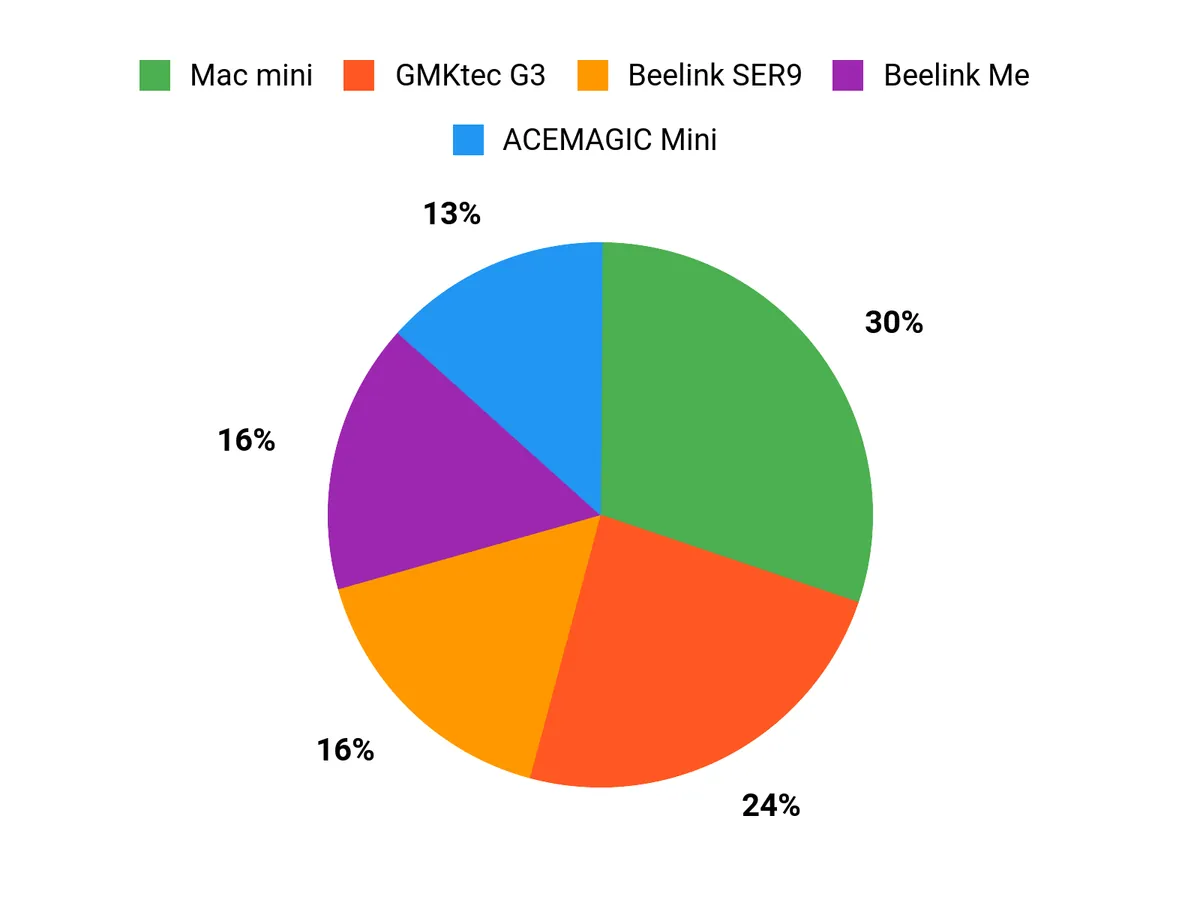
As a photographer choosing between the Mac mini, GMKtec G3, and Beelink Me, I look for the things that matter most for editing: raw processing power and GPU acceleration for Photoshop, Lightroom and Luminar Neo, plenty of RAM and fast NVMe storage, and rock‑solid software compatibility with the apps I use. We typically prioritize the Mac mini when native macOS apps like Pixelmator Pro and Affinity benefit from tight system optimization, while the GMKtec G3 or Beelink Me appeal when we want a more budget‑friendly or Windows‑native setup with more ports, upgrade options, and flexible monitor support.
Wrapping Up
Short version: I recommend the Mac mini as the most balanced mini PC for serious photo editors who want native macOS apps including Pixelmator Pro and excellent GPU-accelerated performance. For Windows users who need raw power in a compact box, the Beelink SER9 delivers the best performance.
If you want the lowest cost or a storage-first device, the GMKtec and Beelink Me Mini give good value. Make RAM and fast NVMe storage your priorities because they make the biggest practical difference in Lightroom and layered Photoshop workflows.
| Product | Image | Rating | Processor | Memory | Storage | Price |
|---|---|---|---|---|---|---|
| Apple 2024 Mac Mini |  | 4.8/5 (N reviews) | Apple M4 chip (10-core CPU, 10-core GPU) | 16GB Unified Memory | 256GB SSD (configurable to 512GB, 1TB, or 2TB) | $544.00 |
| GMKtec Mini PC Intel Twin Lake N150 |  | 4.4/5 (1,418 reviews) | Intel Twin Lake N150 (3.6 GHz) | 16GB DDR4 RAM | 512GB PCIe NVMe SSD | $228.99 |
| Beelink Me Mini with Intel N95 | 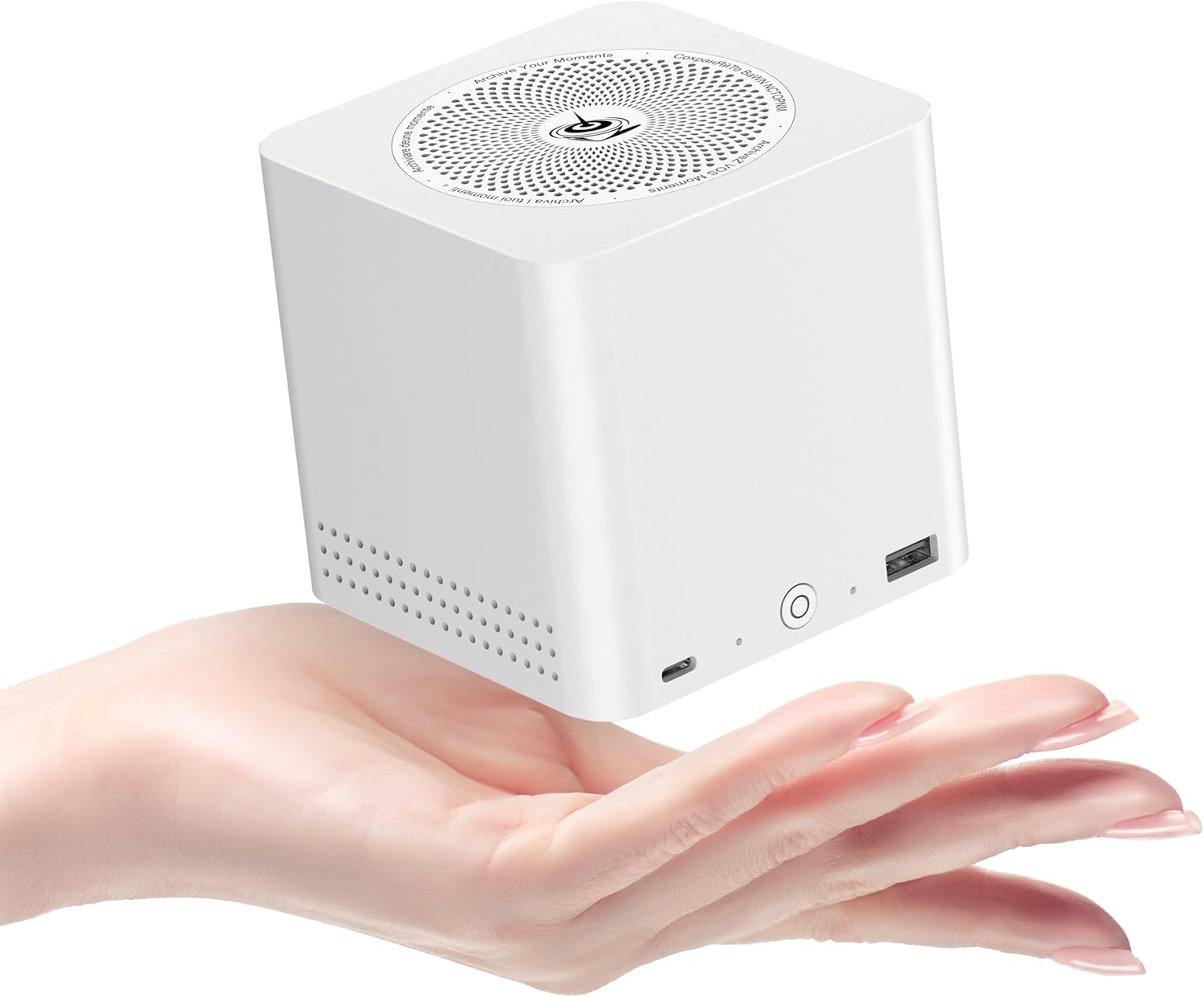 | 4.5/5 (223 reviews) | Intel N95 CPU (3.4 GHz) | 12GB LPDDR5 | 1TB PCIe SSD (supports up to 6 M.2 SSD slots) | $229.00 |
| ACEMAGIC Mini PC with Ryzen 4300U |  | 4.5/5 (120 reviews) | AMD Ryzen 4300U (up to 3.7 GHz) | 16GB DDR4 | 256GB SSD | $238.00 |
| Beelink Mini PC SER9 Max H 255 | 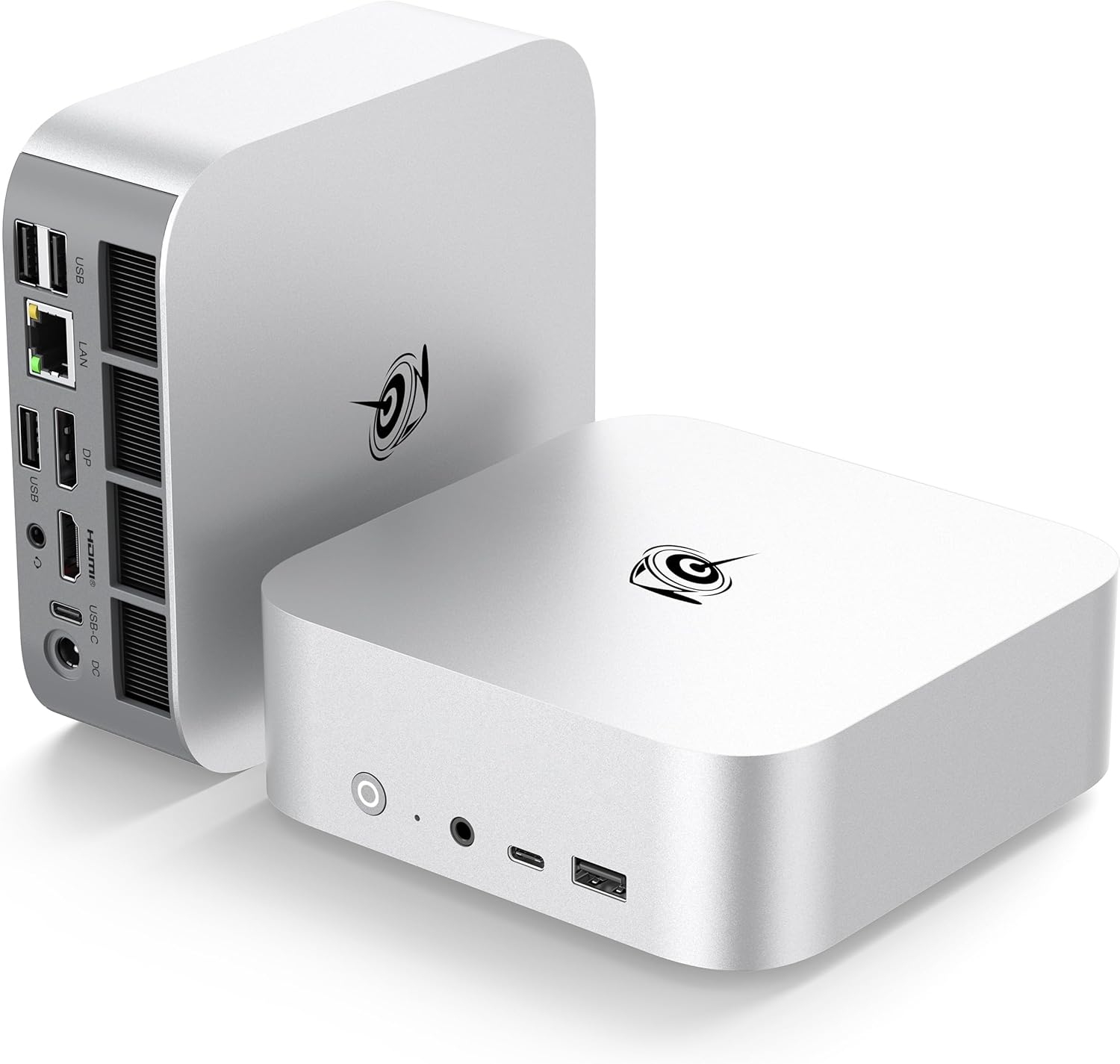 | 4.5/5 (245 reviews) | AMD Ryzen 7 (8C/16T, up to 4.9 GHz) | 32GB DDR5 5600MHz | 1TB PCIe NVMe SSD | $679.00 |
| C4 Mini PC with Ryzen 5 3550H | 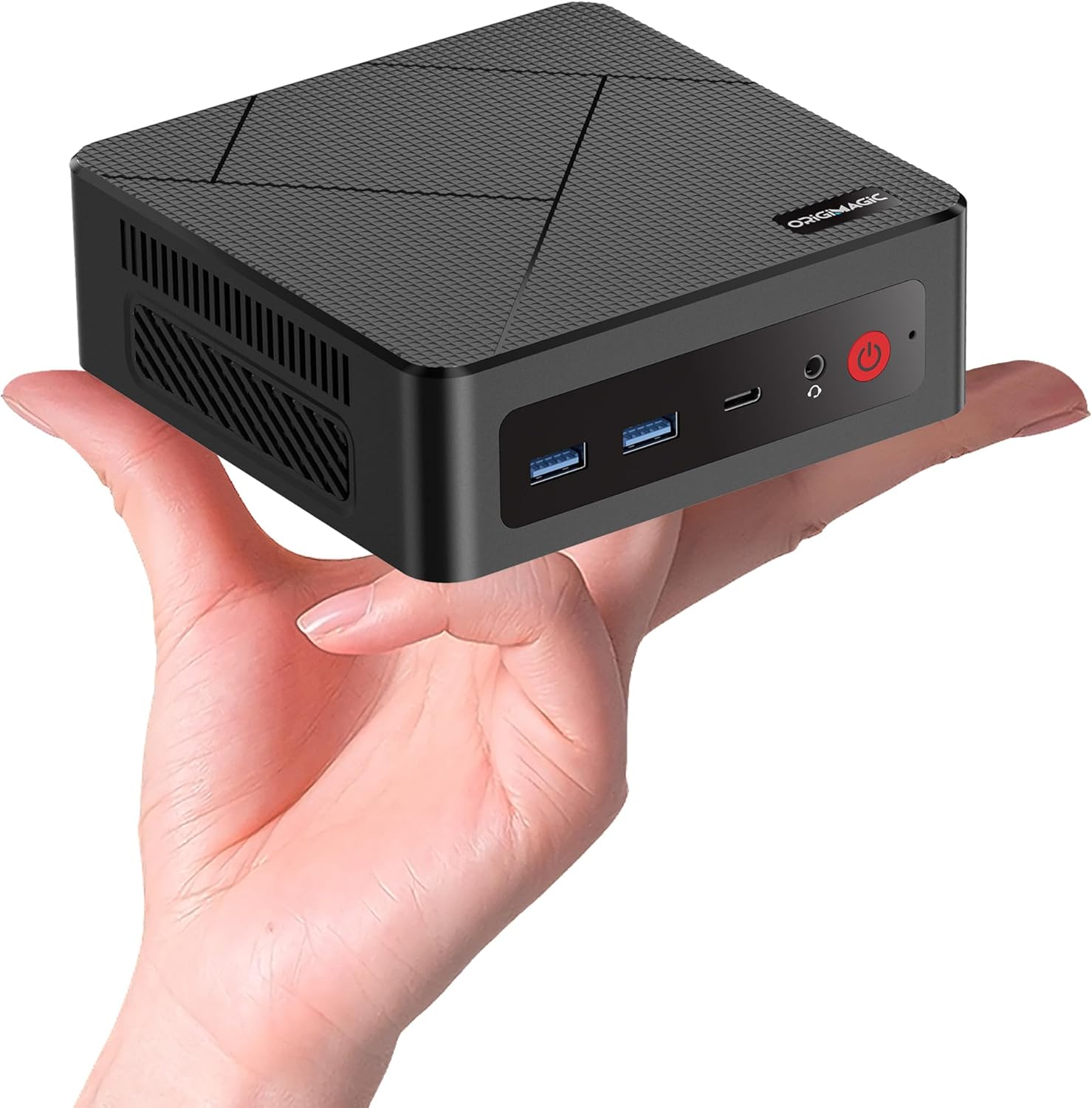 | 4.8/5 (15 reviews) | AMD Ryzen 5 3550H (3.7 GHz) | 16GB DDR4 | 512GB SSD | $218.49 |
This Roundup is reader-supported. When you click through links we may earn a referral commission on qualifying purchases.



