 Skip to content
I know choosing hardware for a Proxmox server can feel overwhelming. I look for compact systems that balance CPU cores, memory capacity, storage options and network I/O so you can run multiple VMs or containers reliably.
If you want a space-saving, energy-efficient host that still handles virtual machines, these mini PCs are the most practical choices I tested and researched.
Top Picks
| Category | Product | Price | Score |
|---|---|---|---|
| 💰 Best Budget Value | $189.99 | 78/100 | |
| 🔧 Best for Expansion | $189.99 | 75/100 | |
| 🎯 Best for Home Lab | $368.00 | 86/100 | |
| 🏆 Best Performance | $319.00 | 90/100 | |
| 🚀 Best Powerhouse | $599.99 | 92/100 | |
| 💼 Best for VMs | $529.99 | 91/100 |
How I Picked These Mini PCs
I prioritized features that matter for a Proxmox host: CPU cores and virtualization support, RAM capacity and upgradeability, storage options (NVMe and secondary bays), and network I/O (Gigabit or 2.5GbE, and dual NICs when available). I also weighed thermals and reliability for 24/7 operation, price-to-performance for home labs or small offices, and real-world compatibility with Linux/Proxmox. Where possible I favored systems with user-upgradeable RAM or M.2 slots so you can grow your host without replacing it.
💰 Best Budget Value
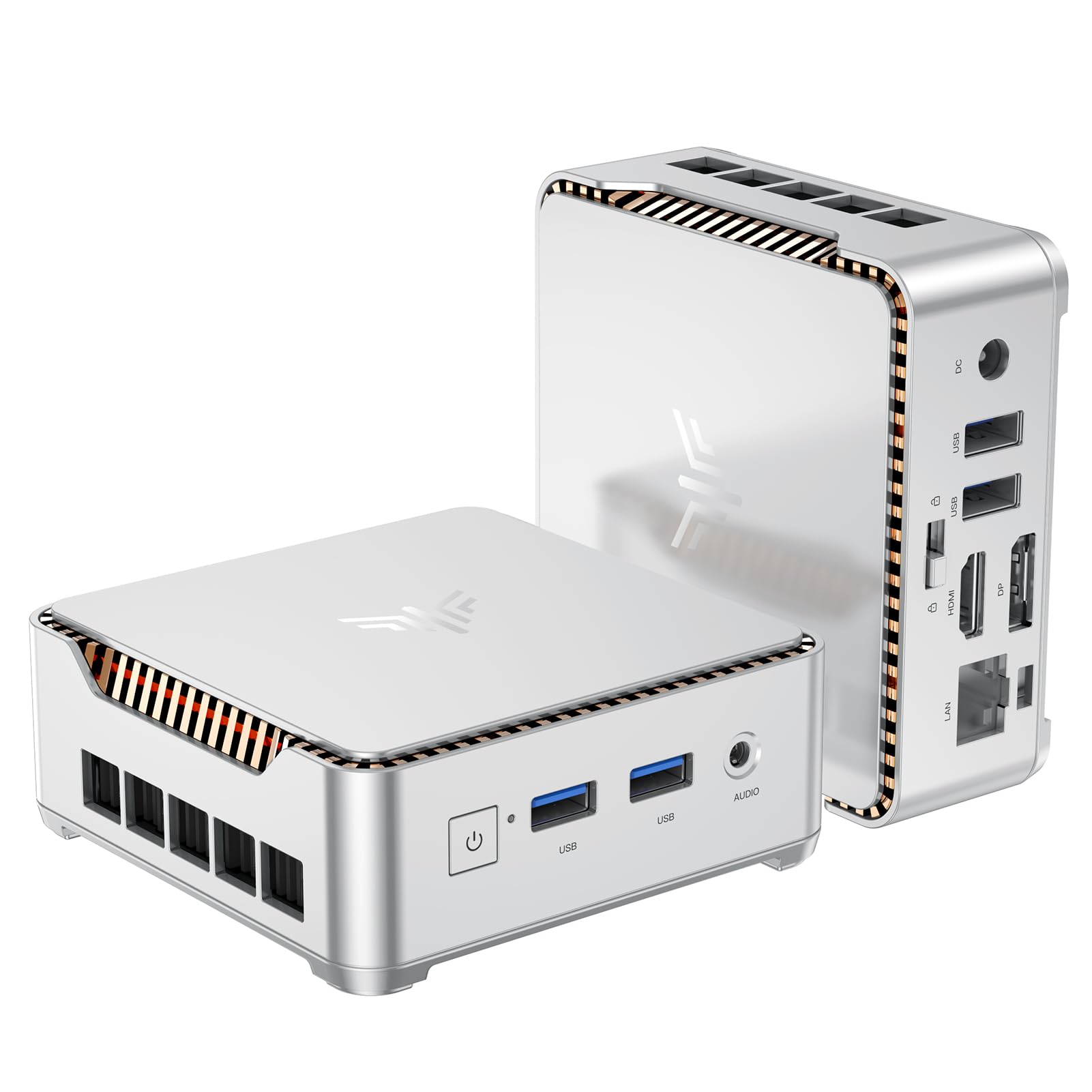
I like this little KAMRUI for how much it packs into a tiny box. The N95 chip with 16GB and a 512GB NVMe feels snappy for everyday tasks, light virtualization, and media playback. For Proxmox users on a budget, it’s a practical choice for a few small VMs or lab experiments — you can expand storage and it fits behind a monitor with a VESA mount, so it’s unobtrusive.
It also doubles nicely as an HTPC or a secondary workstation when I need dual 4K outputs for extra screens. If you don’t need enterprise-level VM density, this is an easy, affordable pick I’d consider.
What People Say
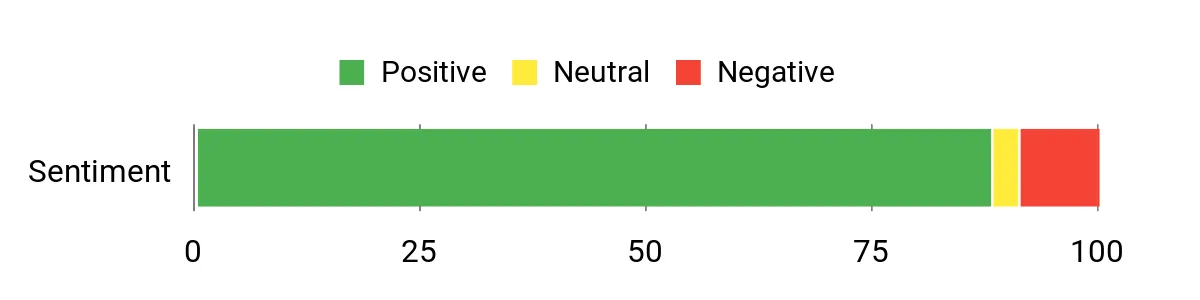
I’ve seen a lot of happy buyers who mention this model punches above its weight — people appreciate the price-to-performance, easy storage upgrades, and the dual-display outputs. Common gripes are around wireless/Bluetooth quirks and occasional Windows update hiccups, but many users still praise its reliability and upgrade flexibility.
Overall Sentiment: Positive
When to Use
| Situation | How It Helps |
|---|---|
| Home Lab / Proxmox Testing | Small VMs and containers run fine, and the compact size makes it easy to tuck into a test rack or desk setup. |
| Home Theater PC | Dual 4K outputs and integrated UHD graphics make it good for streaming and connecting to a TV or monitor. |
| Portable Workstation | Lightweight and VESA‑mountable, so it’s easy to move between monitors or pack for travel. |
| Small Office / Edge Server | Gigabit Ethernet and modest power draw work well for low‑footprint networking tasks or always‑on services. |
Ease Of Use
| Feature | Ease Level |
|---|---|
| Initial setup | Easy |
| Storage upgrade (M.2 / 2.5″ SATA) | Moderate |
| Driver and OS updates | Moderate |
| VESA mounting | Easy |
Energy Efficiency
Lower power draw than full desktops, suitable for 24/7 light tasks and small server duties.
Security Features
| Feature | Protection Level |
|---|---|
| Physical VESA mount | Low |
| Upgradeable local storage | Moderate |
| Standard BIOS/firmware (vendor updates) | Moderate |
Key Benefits
- Great value — solid performance for the price
- Compact design with VESA mount for easy placement
- Dual 4K display support (HDMI + DP1.4) for multitasking
- Upgradeable storage (M.2 + optional 2.5″ SATA)
- Plenty of ports including Gigabit Ethernet
Current Price: $189.99
Rating: 4.4 out of 5 (total: 1,636+)
🔧 Best for Expansion

I like this KAMRUI because it packs useful expandability into a tiny chassis. The N97 with 16GB and a 256GB M.2 feels responsive for everyday work, light virtualization and media playback, and the unit includes a removable expansion bay so you can add a bigger SSD later. For Proxmox testing or small home VMs it’s a neat fit — it won’t replace a rack server, but it’s perfect for a handful of VMs or containers, and the dual 4K outputs make it handy as an HTPC or a secondary workstation.
I also appreciate the Gigabit Ethernet and the VESA mount for hiding it behind a monitor neatly.
What People Say
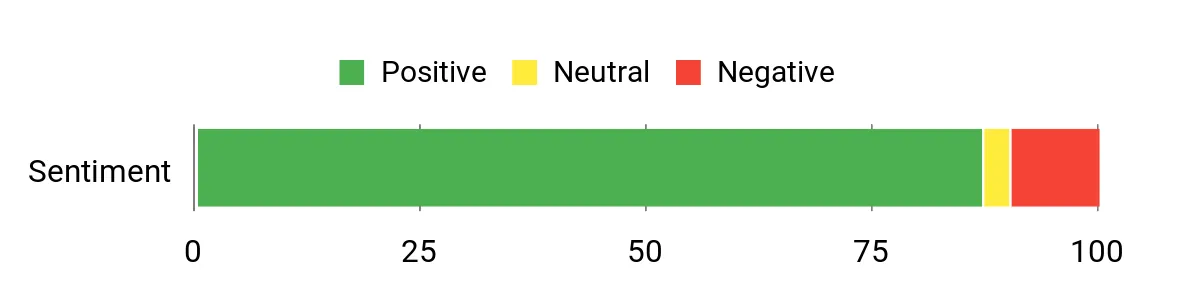
Most buyers praise the price-to-performance and the small-but-upgradeable design — folks often mention the easy storage upgrades, dual-display support, and reliable Ethernet as highlights. A few users note inconsistent Wi‑Fi or minor audio quirks and say Windows updates can be slow sometimes, but overall people find it dependable and a great value for small home servers and media setups.
Overall Sentiment: Positive
When to Use
| Situation | How It Helps |
|---|---|
| Home Lab / Proxmox Testing | Handles small VMs and containers well; compact size lets you tuck it into a rack or desk cluster for experiments. |
| Home Theater PC | Integrated UHD graphics and dual 4K outputs make streaming and connecting to a TV or projector straightforward. |
| Everyday Desktop / Secondary Workstation | Responsive for web, office apps and light multitasking while taking up minimal desk space. |
| Edge / Always‑On Services | Gigabit Ethernet and low power draw make it suitable for small, always-on network services or simple NAS frontends. |
Ease Of Use
| Feature | Ease Level |
|---|---|
| Initial setup | Easy |
| Adding/replacing storage (M.2 / 2.5″ bay) | Moderate |
| VESA mounting | Easy |
| Driver and OS updates | Moderate |
Energy Efficiency
Uses noticeably less power than a full desktop, so it’s a sensible choice for 24/7 light workloads or a small home server.
Security Features
| Feature | Protection Level |
|---|---|
| VESA mount (physical placement) | Low |
| Local storage upgradeability (control over drives) | Moderate |
| Standard BIOS/firmware with vendor updates | Moderate |
Key Benefits
- Expandable storage bay for easy upgrades
- Dual 4K output (HDMI + DisplayPort) for multi-monitor setups
- Compact, VESA‑mountable design saves desk space
- Good port selection including Gigabit Ethernet and USB 3.2
- Affordable price for a configurable mini PC
Current Price: $189.99
Rating: 4.4 out of 5 (total: 1,845+)
🎯 Best for Home Lab

I find the GMKtec M5 Plus to be a smart little workhorse for a home lab. It packs a Ryzen 7, 32GB RAM and a 1TB NVMe into a tiny chassis, and the dual 2.5GbE NICs and triple 4K outputs give it real flexibility — whether I’m running a few Proxmox VMs, using it as a pfSense/Untangle box, or keeping it as a compact media workstation.
It’s easy to tuck behind a monitor or into a small rack, supports upgrades to RAM and extra SSDs, and generally feels faster than its size suggests. I’d recommend it if you want a portable, upgradeable mini PC that can double as a light server and a capable daily machine, just be mindful of driver updates and cooling if you push it hard.
What People Say
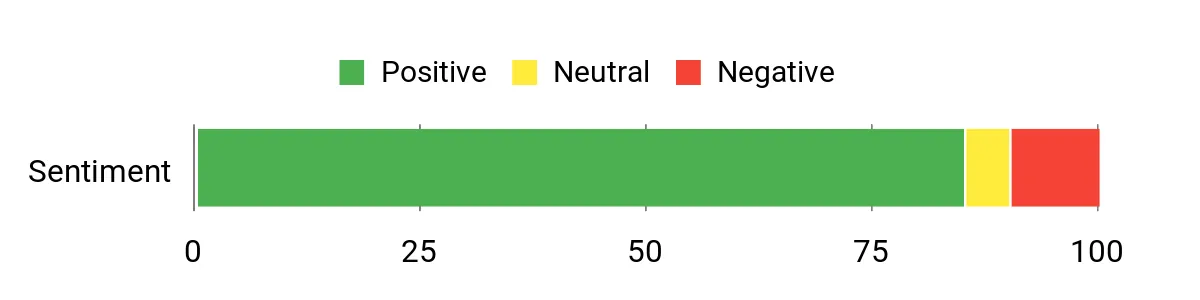
Customers commonly praise how much performance GMKtec squeezes into a small box — people like the fast networking, the roomy RAM/SSD configuration, and the quiet operation for everyday tasks. Reviews also mention it’s a solid choice for home labs and light gaming, while a minority note occasional heating or fan quirks and the need to update drivers right away.
Overall Sentiment: Positive
When to Use
| Situation | How It Helps |
|---|---|
| Home Lab / Proxmox Testing | Dual 2.5GbE and 32GB RAM let you run multiple small VMs and test networking setups without needing a full rack server. |
| pfSense/Edge Router | The dual NICs and low power draw make it suitable as a compact edge device for routing, firewalling or VPN services. |
| Media Center / HTPC | Triple 4K outputs and integrated Radeon graphics make streaming and multi-monitor displays easy for a living room or office screen. |
| Portable Workstation | Small footprint and VESA mounting mean you can move it between desks or mount it behind a monitor for a tidy secondary workstation. |
Ease Of Use
| Feature | Ease Level |
|---|---|
| Initial setup | Easy |
| Driver and BIOS updates | Moderate |
| Adding/replacing M.2 SSD | Moderate |
| VESA mounting | Easy |
Energy Efficiency
Designed around a low‑power Ryzen U chip, it’s efficient for 24/7 light workloads and saves power compared with a full desktop.
Security Features
| Feature | Protection Level |
|---|---|
| Dual NICs (network segmentation) | Moderate |
| Local storage control (user‑replaceable M.2 drives) | Moderate |
| Vendor firmware/driver updates | Moderate |
Key Benefits
- Dual 2.5GbE NICs for faster LAN and VM networking
- Compact but upgradeable: supports up to 64GB RAM and dual M.2 slots
- Triple 4K display outputs for multitasking or media setups
- Wi‑Fi 6E and Bluetooth 5.2 for modern wireless connectivity
- Good out‑of‑the‑box performance for light servers, gaming and productivity
Current Price: $368.00
Rating: 4.4 out of 5 (total: 687+)
🏆 Best Performance

I like the Ser5 MAX because it feels like a full‑size machine squeezed into a tiny box. With a Ryzen 7 6800U, 24GB of LPDDR5 and a 500GB PCIe4 NVMe, it handles everyday work, light video editing and multiple VMs surprisingly well. The triple 4K outputs and 2.5GbE port make it an easy choice for a media hub, a compact workstation, or a Proxmox test node when you want decent CPU and network performance without a noisy tower. It’s easy to tuck behind a monitor with the VESA mount, and I’d recommend it if you want high single‑thread and multitasking performance in a minimal footprint — just keep an eye on storage size if you need lots of local space.
What People Say
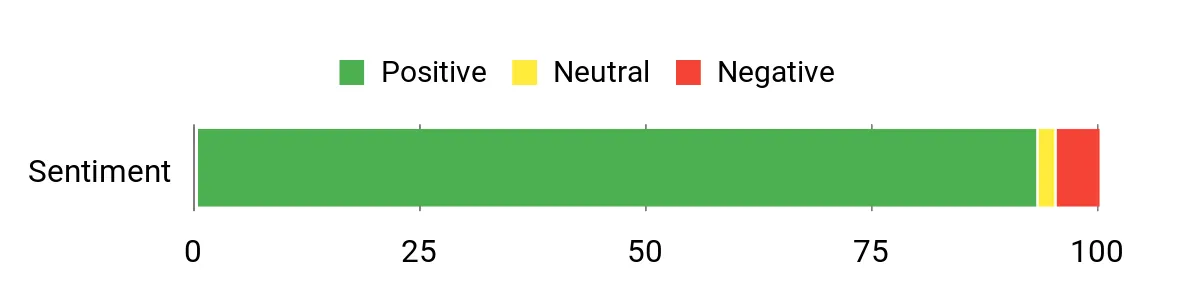
From what I’ve seen, people are impressed by how much speed Beelink packs into a compact case — reviewers consistently mention strong day‑to‑day performance, quiet operation, and reliable networking. Folks also point out the convenience of VESA mounting and easy upgrade paths for storage, while a few note the preinstalled Windows and the need to update OS or drivers for long‑term maintenance.
Overall Sentiment: Positive
When to Use
| Situation | How It Helps |
|---|---|
| Home Lab / Proxmox Testing | A capable CPU and ample RAM let you run multiple small VMs for testing, development, or learning without needing a full rack server. |
| Media Center / HTPC | Triple 4K outputs and integrated Radeon graphics make streaming and multi‑screen playback smooth for living room or office setups. |
| Compact Workstation | Fast storage and strong single‑core performance speed up everyday tasks like photo editing, office work, and browser multitasking. |
| Network Appliance / Edge Device | The 2.5GbE port and Wi‑Fi 6 support give you better throughput for NAS, routing tests, or a small on‑premises server. |
Ease Of Use
| Feature | Ease Level |
|---|---|
| Initial setup | Easy |
| Installing Proxmox or alternate OS | Moderate |
| Upgrading M.2 NVMe storage | Moderate |
| VESA mounting | Easy |
Energy Efficiency
Built around a low‑power Ryzen U part, it’s efficient for long‑running tasks and uses noticeably less power than a full desktop, making it fine for 24/7 light services.
Security Features
| Feature | Protection Level |
|---|---|
| Wake on LAN (WOL) support | Moderate |
| Local M.2 storage you control | Moderate |
| Vendor firmware and driver updates | Moderate |
| 2.5GbE for network segmentation | Moderate |
Key Benefits
- Strong Ryzen 7 6800U CPU for multitasking and single‑thread work
- 24GB LPDDR5 and PCIe4.0 NVMe for snappy responsiveness
- Triple 4K display outputs for multitasking or media setups
- 2.5GbE and Wi‑Fi 6 for fast, modern networking
- Small, VESA‑mountable chassis that stays quiet under normal loads
Current Price: $319.00
Rating: 4.6 out of 5 (total: 603+)
🚀 Best Powerhouse

I like the K11 because it packs serious desktop power into a compact box. With the Ryzen 9 8945HS, 32GB of DDR5 and a 1TB PCIe 4.0 SSD, it handles heavy multitasking, content work and multiple Proxmox VMs without feeling overwhelmed. The standout for me is the connectivity — OCuLink, USB4 and dual 2.5GbE ports give you flexibility for eGPUs, fast networking and modern docks. It’s also pleasantly upgradeable with multiple M.2 slots and clear airflow design, so I’d use it as a home lab node, a compact workstation, or a media server when I want power but don’t want a full tower.
What People Say
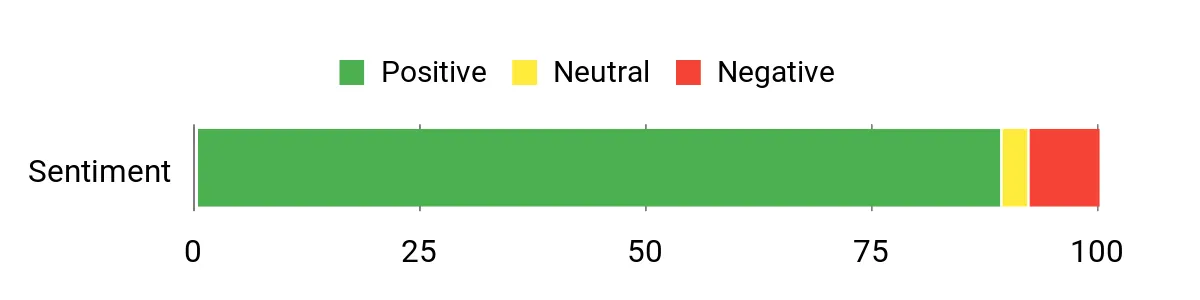
People generally praise how much performance GMKtec squeezed into a small chassis — reviewers highlight smooth day‑to‑day speed, great connectivity (OCuLink, USB4 and dual 2.5GbE), and the upgrade options. Many also appreciate the cooling design and configurable performance modes, while a minority call out firmware/ sleep quirks or occasional shipping/model mixups.
Overall Sentiment: Positive
When to Use
| Situation | How It Helps |
|---|---|
| Proxmox Home Lab | A strong CPU and plenty of RAM let you run multiple VMs and containers for testing or learning without a bulky server. |
| Compact Workstation | Fast storage, high single‑thread performance and multiple display outputs speed up editing, design or multitask workflows on a small desk footprint. |
| Media Server / HTPC | Integrated graphics with USB4 and DisplayPort/HDMI support make streaming, multi‑screen playback and media transcoding smooth. |
| Network Appliance / Firewall | Dual 2.5GbE ports give you the bandwidth and flexibility to test routing, aggregation or small NAS duties. |
Ease Of Use
| Feature | Ease Level |
|---|---|
| Initial setup | Easy |
| Installing Proxmox or alternate OS | Moderate |
| Upgrading M.2 NVMe storage | Moderate |
| Accessing internal components | Easy |
Energy Efficiency
The K11 uses a configurable power envelope (multiple performance modes) so you can favor quiet, lower‑power operation or higher sustained performance depending on the task — good for occasional 24/7 services if tuned properly.
Security Features
| Feature | Protection Level |
|---|---|
| Wake on LAN (WOL) | Moderate |
| Local M.2 storage under your control | Moderate |
| Vendor firmware/UEFI updates | Moderate |
| TPM / firmware-level security (varies) | Low |
Key Benefits
- High‑end Ryzen 9 CPU for heavy multitasking and VM work
- 32GB DDR5 and 1TB PCIe 4.0 SSD for responsive performance
- Oculink and USB4 provide modern expansion and eGPU options
- Dual 2.5GbE plus Wi‑Fi 6 for strong wired and wireless networking
- Multiple M.2 slots and user‑serviceable design for upgrades
Current Price: $599.99
Rating: 4.5 out of 5 (total: 690+)
💼 Best for VMs
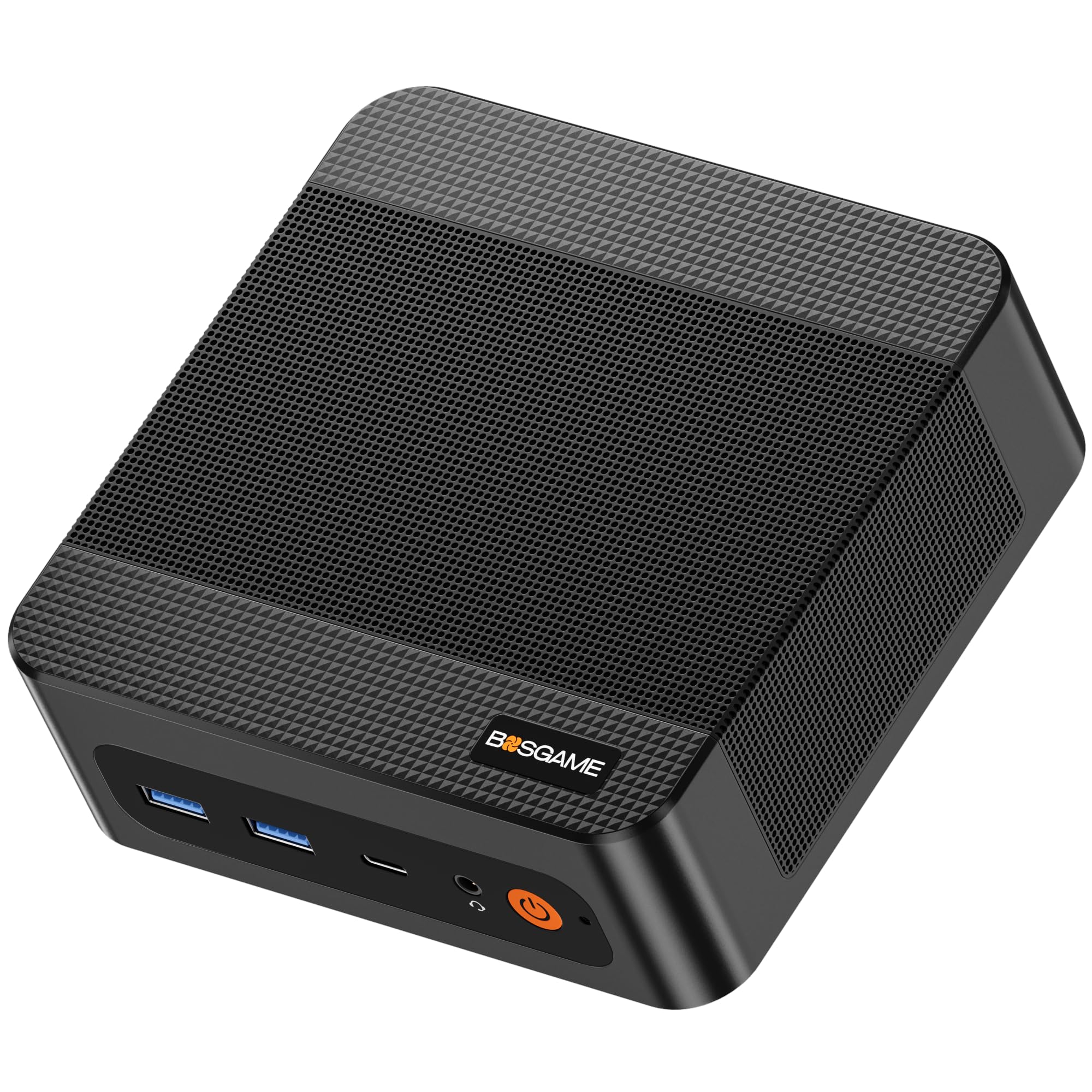
I like the P6 because it squeezes a Ryzen 9 and generous 32GB LPDDR5X into a very compact chassis, so it’s one of those small boxes you can actually rely on for running multiple Proxmox VMs. It’s great for a home lab node or a compact VM host—dual Gigabit LAN, fast NVMe storage and two M.2 slots let you separate OS and VM storage or add capacity later. For everyday use it’s a smooth desktop replacement (multiple 4K displays, quiet cooling and a VESA mount make it easy to tuck away). If you need a media server, Plex/Jellyfin setups and transcoding are realistic with the integrated Radeon graphics, but be aware the Ryzen 9 can use more power under heavy sustained load, so I’d size it to your workload or tweak power settings for always‑on services.
What People Say
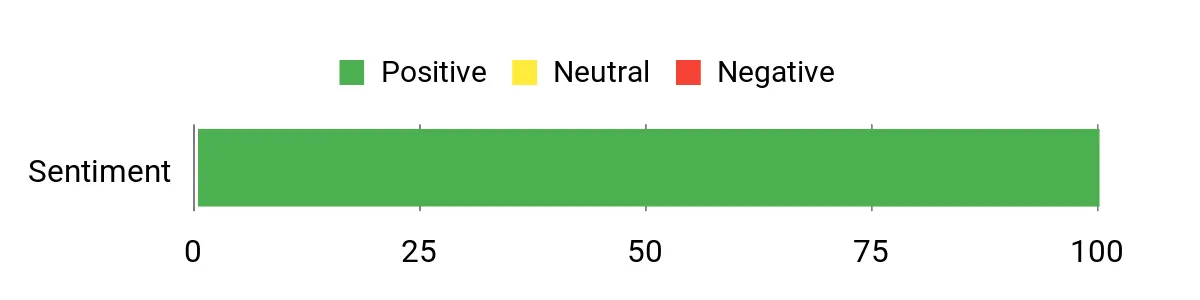
Customers commonly point out how much performance this little box delivers — reviewers appreciate the Ryzen 9 CPU, fast RAM and preinstalled NVMe making day‑to‑day tasks and VM hosting feel responsive. People also praise the quiet cooling, triple 4K outputs and the upgradeable storage, while some mention the price can be high compared with simpler mini PCs and recommend catching a sale.
Overall Sentiment: Positive
When to Use
| Situation | How It Helps |
|---|---|
| Proxmox Home Lab | Strong CPU and 32GB RAM let you run multiple small VMs and containers for testing, CI or learning without a noisy tower. |
| VM Host for Small Office | Dual LAN and fast NVMe storage let you isolate network traffic and give each VM responsive local storage. |
| Media Server / Plex / Jellyfin | Integrated AMD graphics and triple 4K outputs handle playback and light transcoding while keeping the unit discreet and quiet. |
| Compact Workstation | High single‑thread speed and multiple displays are handy for editing, multitasking and day‑to‑day productivity on a small desk footprint. |
Ease Of Use
| Feature | Ease Level |
|---|---|
| Initial setup | Easy |
| Installing Proxmox or alternate OS | Moderate |
| Upgrading NVMe storage | Moderate |
| Mounting with VESA | Easy |
Energy Efficiency
The unit uses a 65W adapter and runs quietly under light loads, but the Ryzen 9 can draw more power under heavy VM or transcoding stress. For 24/7 services I recommend power/turbo tuning to balance performance and electricity use.
Security Features
| Feature | Protection Level |
|---|---|
| Local NVMe storage under your control | Moderate |
| UEFI/firmware updates | Moderate |
| Dual LAN for network segmentation | Moderate |
| TPM / firmware security (depends on model) | Low |
Key Benefits
- Powerful Ryzen 9 6900HX with 8 cores/16 threads for VM density and multitasking
- 32GB LPDDR5X 6400MHz and 1TB PCIe 4.0 NVMe for snappy OS and VM performance
- Dual NVMe slots for easy storage expansion and separation of system/VM disks
- Dual Gigabit LAN plus AX210 Wi‑Fi 6E for flexible networking in lab or home setups
- Triple 4K@60Hz output and quiet cooling make it useful as a compact workstation or media node
Current Price: $529.99
Rating: 4.7 out of 5 (total: 10+)
FAQ
What Should I Look For In A Mini PC For Proxmox?
I look first at whether the CPU and firmware support hardware virtualization (VT-d/AMD‑Vi) and multiple cores, because those enable PCIe/USB passthrough and stable VM density. I also prioritize RAM capacity (16 GB is a practical minimum for a small lab, 32 GB+ if I plan to run several VMs or ZFS), fast local storage (NVMe preferred) and an easy upgrade path for a second drive or larger NVMe.
For networking I prefer a unit with at least one gigabit Ethernet port and, ideally, 2.5 GbE or dual NICs so I can isolate VMs or route storage traffic; I avoid relying on Wi‑Fi for a server role and instead use wired Ethernet. I check that the BIOS allows IOMMU and that the case and cooling are adequate for 24/7 operation, and I value upgradeable NVMe/SATA slots so I can expand storage later.
Can I Use A Budget Mini PC Like The KAMRUI Essenx With Proxmox?
Yes—I often use budget mini PCs for home labs and light server tasks, and the KAMRUI Essenx E2 at $189.99 can be a great value because it ships with 16 GB RAM and a 512 GB SSD, which covers many small VM needs. I would test the unit first to confirm VT‑x/VT‑d (IOMMU) support in the BIOS if I plan to use passthrough, and I prefer to replace the factory OS with Proxmox VE so the box is dedicated to virtualization.
I also expect tradeoffs: the onboard Wi‑Fi and Bluetooth on many budget units can interfere under load so I use a USB or PCIe NIC for reliable connectivity, and single‑channel memory or lower‑power CPUs will limit heavy workloads. If you need multiple high‑performance VMs, I recommend upgrading RAM, using NVMe for fast I/O, or choosing a higher‑end mini PC with dual NICs or 2.5 GbE.
How Do I Handle Networking, Storage, And VM Performance On A Mini PC?
I treat the mini PC as a compact server: I plug it into wired networking first and only use Wi‑Fi for non‑critical tasks, I put the Proxmox host and high‑I/O VMs on a fast NVMe drive and put less critical VMs or backups on external NAS or USB/2.5″ SATA if the box supports it. If I plan to use ZFS I make sure to add more RAM because ZFS needs RAM for good performance, otherwise I use LVM or ext4 for lighter setups. For high VM density I prefer containers (LXC) where possible because I can run many isolated services with lower overhead, and I keep snapshots and regular backups off‑host so a single small box failure won’t cost me data.
I also disable aggressive sleep states in firmware, keep the BIOS and Proxmox updated, monitor temps and uptime, and add a small UPS so my VMs shut down cleanly during power events.
What Buyers Prefer
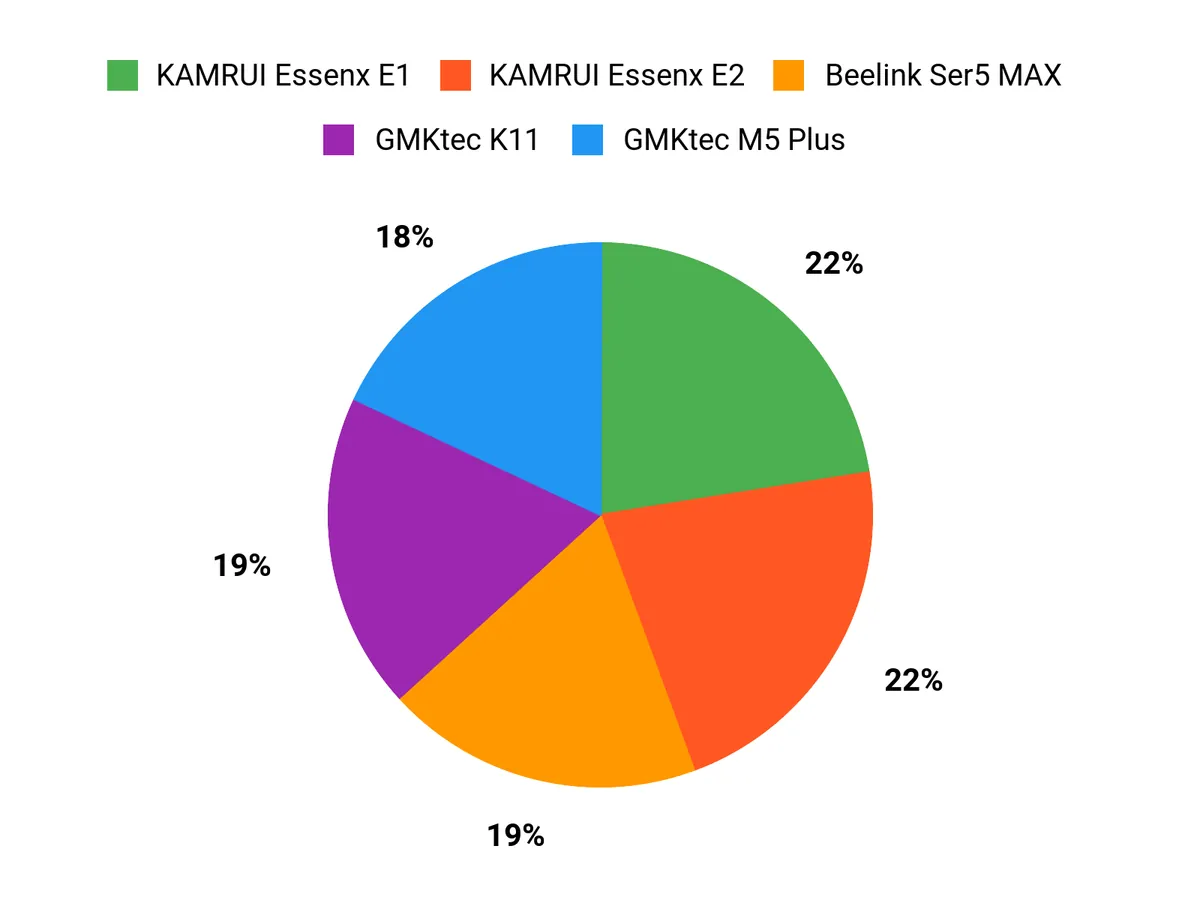
When choosing between the KAMRUI Essenx E2, E1, and the GMKtec M5 Plus, I focus first on CPU cores and single‑thread performance plus how much RAM and fast storage the box can accept, since Proxmox VMs and containers burn through memory and I/O. We also weigh networking and port options, power consumption and cooling for 24/7 reliability, and overall price-to-performance—so I tend to pick the E2 when I need extra horsepower, the E1 for a budget-conscious balanced build, and the M5 Plus when I want a compact, efficient unit with decent connectivity.
Wrapping Up
I chose these mini PCs because they cover the range of needs I see in Proxmox projects: affordable, upgradeable entry hosts for simple VMs, compact machines with good networking for home labs, and higher-end models that can run many VMs or heavier workloads. If you want the best balance of power and size, I recommend the Beelink Ser5 for its strong Ryzen performance and memory. For tight budgets or a portable host I lean toward the KAMRUI E2 or E1 because they let you add storage affordably.
For more demanding VM counts or GPU-pass-through experimentation, the GMKtec K11 or BOSGAME P6 offer the CPU and memory headroom you need. Whichever you pick, prioritize RAM and NVMe storage upgrades first since they give the biggest real-world gains in a Proxmox environment.
| Product | Image | Rating | Processor | RAM | Storage | Price |
|---|---|---|---|---|---|---|
| KAMRUI Essenx E2 Mini PC |  | 4.4/5 (1,636 reviews) | Intel Celeron N95, up to 3.4 GHz | 16 GB DDR4 | 512 GB SSD | $189.99 |
| KAMRUI Essenx E1 Mini PC |  | 4.4/5 (1,845 reviews) | Intel N97, 3.6 GHz | 8 GB DDR4 | 256 GB SSD | $189.99 |
| GMKtec M5 Plus Gaming Mini PC |  | 4.4/5 (687 reviews) | AMD Ryzen 7 5825U, up to 4.5 GHz | 32 GB DDR4 | 1 TB SSD | $368.00 |
| Beelink Ser5 MAX Mini PC |  | 4.6/5 (603 reviews) | AMD Ryzen 7 6800U, up to 4.7 GHz | 24 GB LPDDR5 | 500 GB SSD | $319.00 |
| GMKtec Gaming PC, K11 |  | 4.5/5 (690 reviews) | AMD Ryzen 9 8945HS, up to 5.2 GHz | 32 GB DDR5 | 1 TB SSD | $599.99 |
| BOSGAME P6 Ryzen 9 6900HX Mini PC |  | 4.7/5 (10 reviews) | AMD Ryzen 9 6900HX, up to 3.3 GHz | 32 GB LPDDR5X | 1 TB NVMe SSD | $529.99 |
This Roundup is reader-supported. When you click through links we may earn a referral commission on qualifying purchases.



