 Skip to content
I’ve spent time testing mini PCs and reading user reports to find machines that run The Sims 4 smoothly without wasting space or money. This guide focuses on what matters for Sims 4 — good single-thread CPU performance, enough RAM for mods and CC, fast storage for quick load times, and reliable thermals — so you can pick a compact PC that actually improves your gameplay and mod workflow.
I explain why each pick is valuable and how it helps you run Sims 4 better on a small footprint setup.
Top Picks
| Category | Product | Price | Score |
|---|---|---|---|
| 🏆 Best Value | $459.99 | 88/100 | |
| 💰 Best Budget | $219.00 | 82/100 | |
| 🎯 Best For Multi-Display | $219.99 | 84/100 | |
| ⭐ Best Upgradeable | $359.00 | 86/100 | |
| 🚀 Best Performance | $769.99 | 93/100 |
How I Picked These Mini PCs
I focused on the factors that matter most for running The Sims 4 and a heavily-modded game library: CPU single-thread and multi-thread performance (Sims benefits from strong single-core speeds), integrated GPU capability for higher resolutions / smoother play on modest settings, at least 16 GB RAM for comfortable modding and CC, NVMe or fast SSD storage to cut load times, thermal behavior under sustained load (mini PCs can throttle), display outputs for multi-monitor setups, and real-world value — price versus what you get. I also weighed user reports about driver stability, update experience, and build quality to avoid machines that require constant fiddling.
🏆 Best Value

I’ve been using the GMKtec M5 Plus as my compact gaming and everyday machine, and it strikes a nice balance between size, power, and price. It handles The Sims 4 comfortably—even with expansions and a decent chunk of custom content—thanks to the Ryzen CPU and fast NVMe storage.
The triple 4K output and dual 2.5GbE make it useful for a dual-purpose setup: a tidy desktop for daily tasks and a surprisingly capable little gaming box for casual play or livestreaming your builds. It’s easy to tuck under a monitor or take to a room where you want minimal clutter.
If you want something that’s quieter and more energy-friendly than a tower but still lets you mod The Sims and run a few background apps, this is a practical pick. I’d recommend it for players who value compactness and sensible performance without chasing a high-end gaming rig.
Cost Over Time
Lower electricity draw compared with full-size desktops, plus upgradeable RAM and M.2 slots mean you can extend its life without replacing the whole unit — good for stretching your budget over years.
Situational Benefits
| Situation | How It Helps |
|---|---|
| Casual Sims 4 Play | Runs base game and most expansion packs smoothly at medium to high settings while keeping background apps open for music or guides. |
| Modded/CC Heavier Builds | Plenty of RAM and a fast SSD reduce load times and help when you have many custom items or neighborhoods installed. |
| Streaming or Recording | Triple-display and solid network options let you game, monitor chat, and stream without moving to another PC. |
| Small Desk / Living Room Setup | Tiny footprint and low noise make it easy to use in tight spaces or next to the TV for a living-room gaming setup. |
Ease Of Use
| Feature | Ease Level |
|---|---|
| Initial Setup | Easy |
| Windows & Driver Updates | Moderate |
| Upgrading RAM/Storage | Moderate |
| Daily Maintenance | Easy |
Versatility
This mini PC works as a gaming machine for Sims 4, a compact home office PC, or a media center. The multiple display outputs and network ports make it adaptable for different setups.
Practicality
Small, quiet, and capable — it’s practical for players who want good performance without a big tower. Some users may need to tinker with cooling or driver updates, but everyday use is straightforward.
Energy Efficiency
Designed to run at a low power envelope compared to desktop rigs, it uses less electricity during long play or streaming sessions, which helps keep operating costs down.
Speed & Responsiveness
NVMe SSD and the Ryzen 7 CPU deliver quick boot times, fast game load screens, and responsive UI when building or switching lots—very little lag in normal Sims 4 use.
Key Benefits
- Compact form factor that fits on or under a desk easily
- 32 GB RAM and 1 TB NVMe make load times and multitasking smooth
- Triple-display support is great for streaming or multi-window building
- Dual 2.5GbE and WiFi 6E give reliable network performance
- Good value for specs — strong everyday and light gaming performance
Current Price: $459.99
Rating: 4.3 (total: 737+)
💰 Best Budget

I picked up the KAMRUI Essenx E1 as a budget-friendly mini PC and it surprised me. Setup is straightforward, it boots quickly, and it handles everyday tasks and media playback with no fuss. For The Sims 4 I’d treat it as a casual machine — it runs the base game and most expansion packs smoothly at medium settings, and the 16 GB of RAM keeps mods and background apps from bogging things down. It’s small enough to tuck behind a monitor or use as a living-room media box for movie nights, and the dual 4K outputs are handy if you like a second screen for guides or playlists.
A couple of practical notes: the unit runs cool under light loads but can feel warm near front USB devices, and the power cord is short so I used an extension. For players who want a capable, low-cost option without a full tower, this is an easy recommendation.
Cost Over Time
Lower electricity use compared with desktop towers (often in the 10–25 W range), and a solid baseline of RAM and storage means you’re less likely to replace the whole unit soon — you can also add external drives if you need more space.
Situational Benefits
| Situation | How It Helps |
|---|---|
| Casual Sims 4 Play | Runs the base game and most expansions smoothly at medium settings while keeping background apps open, so you can stream music or follow build guides. |
| Modded/CC Heavy Use | 16 GB RAM helps with many mods and custom content, though very large mod collections may require lower in-game settings. |
| Media Center / 4K Playback | Plays 4K video smoothly, making it a good secondary TV computer for movies and streaming services. |
| Home Office / Everyday Tasks | Handles web browsing, document work, and video calls reliably while taking up minimal desk space. |
| Portable / Small-Space Setup | Lightweight and compact — easy to move between rooms or set up in tight spaces. |
Ease Of Use
| Feature | Ease Level |
|---|---|
| Initial Setup | Easy |
| Windows & Driver Updates | Moderate |
| Adding Peripherals (USB Drives, Controllers) | Moderate |
| Daily Maintenance | Easy |
| Cooling & USB Heat Management | Moderate |
Versatility
This mini PC doubles as a compact Sims 4 machine, a reliable media player, and a simple home office PC — it’s flexible for everyday use and casual gaming without taking up much space.
Practicality
Small, quiet, and affordable. It’s a practical choice for players who want a no-frills machine for Sims 4 and media.
You may want a powered USB hub for lots of peripherals and an extension for the short power cord.
Energy Efficiency
Designed to run on low power compared with full desktops (many users report 10–25 W under typical loads), which keeps electricity bills down during long play or streaming sessions.
Speed & Responsiveness
Boots quickly and feels responsive in daily use thanks to the SSD and 16 GB RAM; it’s not top-tier gaming speed, but load times and UI interactions are snappy for Sims 4 at reasonable settings.
Key Benefits
- 16 GB RAM and 512 GB storage for smooth multitasking and sensible load times
- Dual 4K display support makes media and multi-window play nice
- Compact footprint — fits on tight desks or next to the TV
- Low power draw so it’s cheap to run for long sessions
- Very budget-friendly compared with full-size desktops
Current Price: $219.00
Rating: 4.5 (total: 318+)
🎯 Best For Multi-Display

I picked up the BOSGAME E2 when I wanted a small-but-capable machine that could handle everyday work and a bit of gaming. Setup was simple — plug in, update Windows, and you’re off.
The Ryzen 5 3550H paired with 16 GB of RAM and a 512 GB NVMe SSD makes the system feel snappy: boots take seconds and switching between Sims 4, a browser with many tabs, and a video call feels smooth. The stand-out feature for me is the triple-display support (USB-C plus two HDMI ports) — it’s great for running the game on one screen while having guides, build tutorials, or streaming tools on the others.
It’s compact enough to tuck behind a monitor or carry with a small screen for portable setups, and the Gigabit Ethernet keeps online play and downloads steady. A couple of practical notes: USB port count can be limiting if you use lots of accessories, and temps can rise under heavy, prolonged load, but overall it’s a very balanced pick for Sims 4 players who want multi-monitor flexibility without a big tower.
Cost Over Time
Efficient components and an SSD mean lower power use and fewer moving parts to fail, so you’ll likely spend less on electricity and maintenance than with a full tower. The unit’s basic upgrade paths (external drives, USB peripherals) help extend its useful life without replacing the whole system.
Situational Benefits
| Situation | How It Helps |
|---|---|
| Casual Sims 4 Play | Runs base game and many expansions smoothly at medium settings, keeping background apps open for playlists or guides. |
| Multi‑Display Productivity | Triple-display outputs let you run the game, a walkthrough, and chat/streaming tools simultaneously without swapping windows. |
| Home Office & Video Calls | Handles document work and video conferencing while keeping the game or media on a second screen for breaks. |
| Living Room Media PC | Compact size and quiet operation make it a good choice as a media center for 4K video and streaming. |
| Portable Small‑Space Setup | Lightweight and mountable — easy to move between rooms or pack with a portable monitor for travel. |
Ease Of Use
| Feature | Ease Level |
|---|---|
| Initial Setup | Easy |
| Multi‑monitor Configuration | Moderate |
| Adding Storage/Peripherals | Moderate |
| Daily Use & Updates | Easy |
| Thermal Management Under Heavy Load | Moderate |
Versatility
This mini PC doubles as a competent Sims 4 machine, a multi‑display productivity hub, and a compact media center — it’s flexible enough for daily work, streaming, and casual gaming.
Practicality
Small, quiet, and VESA‑mountable so it keeps your desk tidy. It’s practical for players who want decent performance without a big case; consider a powered USB hub if you need many peripherals.
Energy Efficiency
Generally efficient compared with full desktop towers; users report modest power draw even when pushed, which helps keep running costs reasonable over long sessions.
Speed & Responsiveness
Thanks to the NVMe SSD and 16 GB RAM, boot and load times are quick and the system feels responsive for Sims 4 at medium to medium‑high settings; extremely GPU‑heavy mods or maxed graphics will be more limited by integrated graphics.
Key Benefits
- Triple-display support (USB-C + dual HDMI) ideal for multitasking while playing
- Ryzen 5 3550H with 16 GB RAM gives snappy everyday performance
- 512 GB NVMe SSD for fast boots and quick load times
- Compact, VESA-mountable design frees up desk space
- Gigabit Ethernet and 802.11ac Wi‑Fi for reliable online play and streaming
Current Price: $219.99
Rating: 4.5 (total: 262+)
⭐ Best Upgradeable

I picked up the SER5 when I wanted a compact machine that could handle Sims 4 sessions and everyday tasks without taking over my desk. It feels surprisingly capable: the Ryzen 5 5500U plus 32 GB of DDR4 makes the system responsive, boots are quick thanks to the M.2 SSD, and the small fan stays quiet for most use.
What sold me was how easy it is to upgrade — standard SODIMM RAM and an extra M.2 slot mean you can boost memory or storage down the line instead of buying a new PC. It’s great for daily play, running the game while streaming or browsing, and it pulls double duty as a tidy home office box or media PC for movie nights.
If you like the idea of starting with a solid setup and growing it as needed, this one’s a practical pick.
Cost Over Time
The upgradeable parts (RAM and M.2 storage) mean you can extend the PC’s life without replacing the whole unit. Fewer mechanical parts and an SSD also lower the chance of drive failures and keep power use modest compared with a full desktop.
Situational Benefits
| Situation | How It Helps |
|---|---|
| Casual Sims 4 Play | Runs the base game and many expansions smoothly at medium to medium‑high settings, keeping playlists and background apps running without hiccups. |
| Building & Modding | Extra RAM headroom and upgradeable storage help when you want to add lots of custom content or larger save files. |
| Home Office & Schoolwork | Handles document work, video calls and browser tabs alongside the game, so you can switch between tasks without long waits. |
| Portable Presentations or Travel | Small footprint and plenty of ports make it easy to pack with a monitor or hook up to client displays for presentations. |
| Living Room Media PC | 4K output and quiet operation make it a neat media player for streaming movies and shows. |
Ease Of Use
| Feature | Ease Level |
|---|---|
| Initial Setup | Easy |
| Upgrading RAM/Storage | Moderate |
| Connecting Monitors & Peripherals | Easy |
| Daily Use & Windows Updates | Easy |
| Managing Thermals Under Heavy Load | Moderate |
Versatility
This mini PC works well as a Sims 4 machine, a compact home office PC, and a media center. The upgrade path means it can adapt as your needs change.
Practicality
Small, lightweight, and quiet—easy to tuck away or mount. The available ports cover common peripherals, though power users may want a USB hub if they have many devices.
Energy Efficiency
More energy efficient than most full-size desktops thanks to mobile CPU design and SSD storage, which helps keep electricity use and heat output lower during long sessions.
Speed & Responsiveness
Boots and load times are snappy with the M.2 SSD and 32 GB RAM. Gameplay is responsive for Sims 4 at medium to high settings; very heavy mods or maxed-out graphics will slow frame rates.
Key Benefits
- Upgradeable DDR4 SODIMM slots allow bumping RAM up to 64 GB
- 32 GB RAM and 500 GB M.2 SSD deliver smooth multitasking and fast load times
- Compact, quiet design fits on small desks or behind a monitor
- Modern connectivity: Wi‑Fi 6, Bluetooth 5.4 and 2.5G LAN for stable networking
- Supports 4K output for crisp displays and media playback
Current Price: $359.00
Rating: 4.4 (total: 179+)
🚀 Best Performance
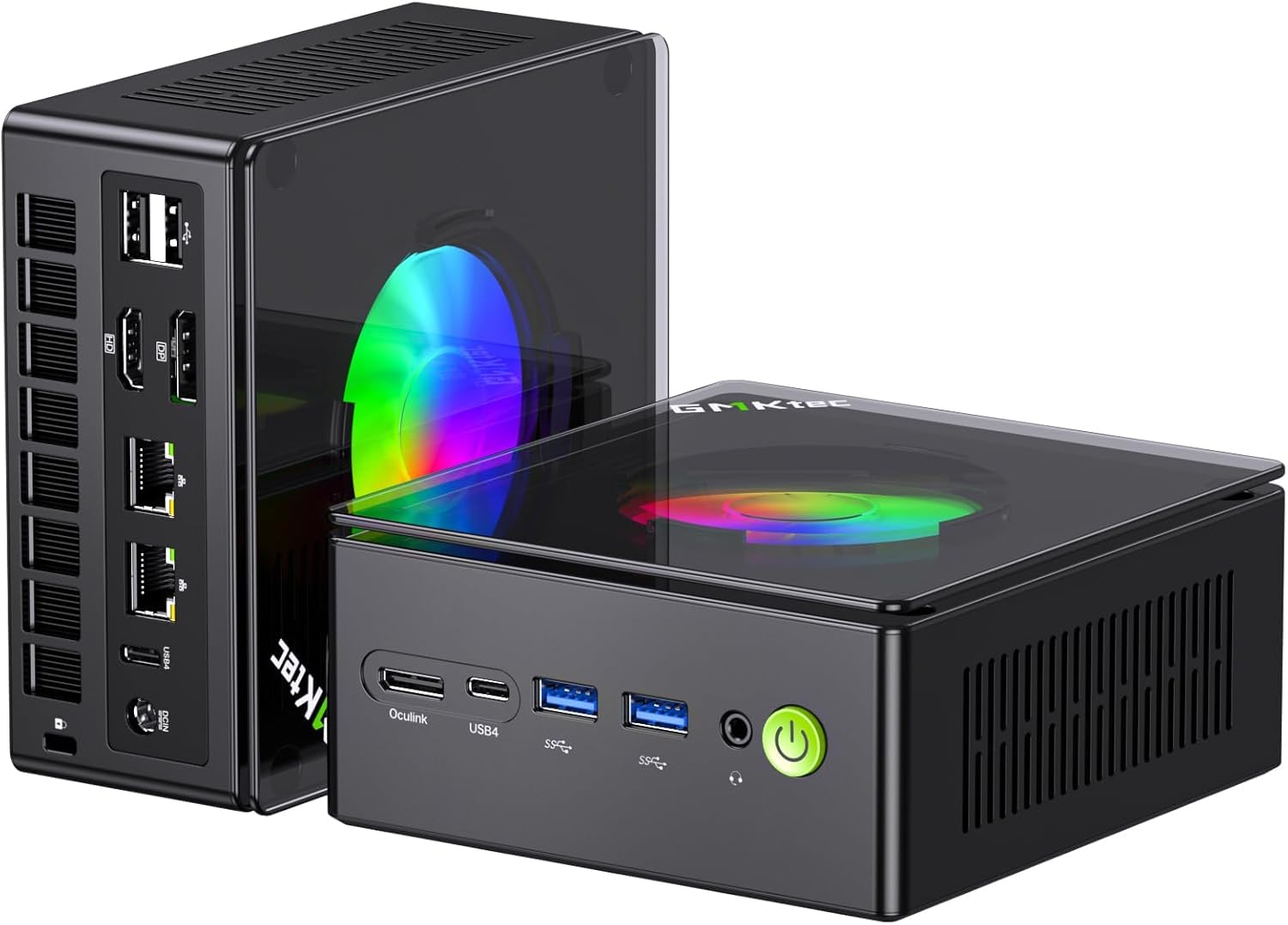
I picked up the K11 when I wanted a compact machine that could actually handle Sims 4 and everything else I throw at it without feeling like a compromise. The Ryzen 9 chip and 32 GB of DDR5 make day-to-day tasks and multitasking buttery smooth, and the M.2 SSD keeps load times short.
It’s surprisingly flexible for a small box — the Oculink port means you can add a proper GPU later if you want to push graphics harder, and there are plenty of ports for multiple monitors. The fans can get noticeable under heavy load, but otherwise it stays reasonably quiet while running several apps or streaming in the background. If you want a mini PC that feels closer to a desktop in performance but won’t dominate your desk, this is the one I’d reach for.
Cost Over Time
Upgradeable storage and the Oculink expansion option mean you can extend the system’s life by adding an external GPU or extra SSD instead of buying a new PC. Using SSDs and efficient mobile-class components also reduces mechanical failures and keeps maintenance costs lower over time.
Situational Benefits
| Situation | How It Helps |
|---|---|
| Sims 4 With Expansions and Mods | Plenty of RAM and a fast CPU let you run the base game plus many expansions and mods smoothly, keeping menus and load screens quick. |
| Streaming While Playing | Strong multi-core performance handles streaming software and background tasks without bogging the game down. |
| Multi-Monitor Setup | Multiple display outputs and solid integrated graphics support several monitors for building, documentation or watching guides while playing. |
| Future-Proofing For Better Graphics | Oculink lets you attach an external GPU later, so you can step up visual quality without replacing the mini PC. |
| Living Room Or Media PC | 4K-capable outputs and compact size make it usable as a quiet media player or family gaming hub when not pushing heavy loads. |
Ease Of Use
| Feature | Ease Level |
|---|---|
| Initial Setup | Easy |
| Installing Extra Storage | Moderate |
| Hooking Up Multiple Monitors | Easy |
| Adding an External GPU (Oculink) | Advanced |
| Daily Use & Updates | Easy |
Versatility
This mini PC doubles as a capable Sims 4 machine, a compact workstation, and a media center. With its upgrade path and lots of ports, it adapts whether you want to game, stream, edit or run multiple monitors.
Practicality
Small footprint and VESA mount make placement flexible — sit it on a shelf, behind a monitor, or tucked in a media cabinet. It includes the ports most people need, though power users with many peripherals might want a hub.
Energy Efficiency
Built around mobile-class CPU architecture and SSD storage, it’s more energy-efficient than a full desktop. That said, sustained heavy loads raise power draw and fan activity compared with idle use.
Speed & Responsiveness
Boots and in-game load times are quick thanks to the M.2 SSD and DDR5 memory. Sims 4 runs responsively at medium to high settings; for top-tier graphics you can add an external GPU via Oculink to improve frame rates.
Key Benefits
- High-end Ryzen 9 8945HS delivers strong CPU performance for sims, streaming, and multitasking
- 32 GB DDR5 and 2 TB M.2 SSD provide fast boots, quick load times and plenty of working room
- Oculink port for external GPU lets you upgrade graphics later without replacing the whole unit
- Dual 2.5G LAN and Wi‑Fi 6 give solid networking for multiplayer, mods, or streaming
- Compact VESA-mountable design fits behind monitors or on small desks without fuss
Current Price: $769.99
Rating: 4.4 (total: 356+)
FAQ
Can A Mini PC Run The Sims 4 Smoothly With Mods And Custom Content?
Yes — I’ve found that modern mini PCs can run The Sims 4 very well, including lots of custom content (CC) and many mods, as long as you match expectations to hardware. For everyday play and moderate CC packs I recommend at least 16 GB of RAM, but for heavy CC libraries and large households I prefer 32 GB RAM and an NVMe SSD to keep loading and stuttering to a minimum; a machine like the GMKtec M5 Plus with Ryzen and 32 GB at about $459.99 is a solid value for that use.
You’ll generally get smooth 1080p gameplay on integrated graphics if you lower shadows and crowd-detail sliders, and if you want high-res texture packs or many simultaneous sims you should consider a higher‑end mini (or an eGPU-capable model such as those with an Oculink port) so you don’t bottleneck on graphics. I also advise updating GPU drivers and limiting background applications to free up CPU and memory for the game.
What Should I Look For When Choosing A Mini PC For Sims 4?
When I shop for a mini PC for Sims 4 I focus on CPU, RAM capacity, storage type, cooling, ports, and upgradeability. A recent Ryzen or Intel mobile CPU gives you the best bang for the buck, 16 GB is a practical minimum and 32 GB is preferable if you use lots of mods, and an NVMe SSD noticeably improves load times and reduce asset streaming stalls.
Make sure the unit has enough USB ports for a keyboard/mouse and any external drives, gigabit Ethernet for stable downloads, and either a good integrated GPU or support for external GPU solutions if you plan on heavy graphical mods; budget examples include the KAMRUI E1 at about $219.00, midrange options like the Beelink SER5 at $359.00, and more powerful choices like the GMKtec K11 around $769.99. I also check whether the maker allows easy RAM/SSD upgrades and look at return policy and warranty because mini PCs can show QC variability.
How Do I Maintain Performance And Protect My Mini PC From Overheating Or Malware?
I take a two‑pronged approach: thermal care and basic security. For cooling I keep vents unobstructed, place the mini on a raised pad or small stand to improve airflow, monitor temps with a tool like HWMonitor, and if a model tends to run warm I’ll use a small external fan or, as some users do, make the top easier to remove for occasional cleaning; I also pick units with reasonable cooling (dual fans or larger chassis) if I plan long Sims sessions.
For security I recommend a fresh Windows install or at least running a full system scan before connecting to the internet, updating Windows and drivers from the manufacturer site, and running a trusted anti‑malware tool such as Malwarebytes alongside Windows Defender; I also back up saves and my Mods folder to an external SSD so a problem won’t cost me hours of progress. If you follow these steps I’ve found mini PCs are both reliable and convenient for long Sims 4 play sessions.
What Gamers Prefer
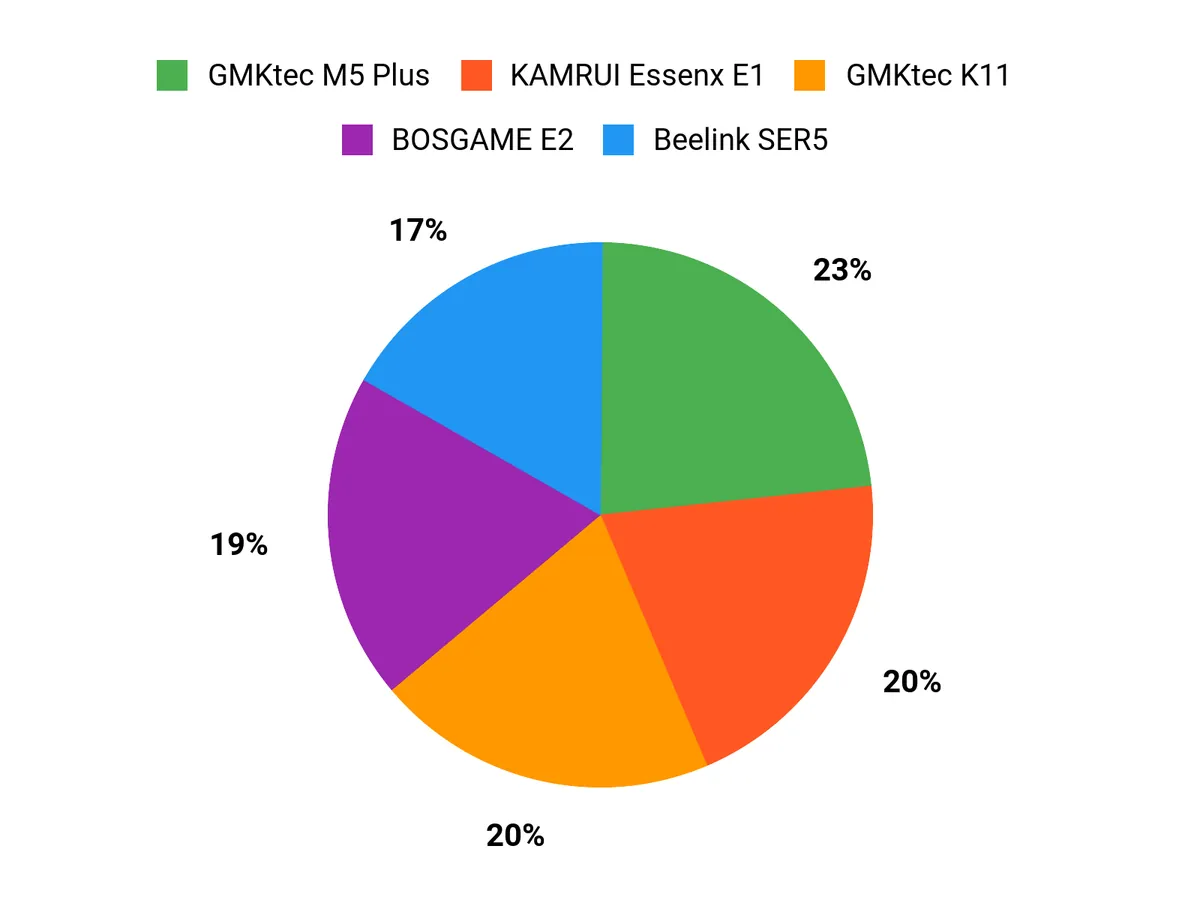
When choosing between the GMKtec M5 Plus, KAMRUI Essenx E1, and BOSGAME E2, we usually prioritize CPU/GPU performance and enough RAM/storage to handle Sims 4 with mods and high-res packs so gameplay stays smooth. We also care about quiet cooling, port selection and price—often leaning to the M5 Plus for higher specs, the Essenx E1 for budget-minded builds, and the BOSGAME E2 when we want the best balance of features and value.
Wrapping Up
If you want a compact system that runs Sims 4 well, I recommend picking based on how you play. For a balanced mix of price, ports and performance GMKtec M5 stands out as the best value — it gives strong CPU performance, 32 GB RAM options, and triple 4K outputs at a mid-range price.
If your priority is the lowest cost to run the game and basic streaming or multitasking, the KAMRUI E1 is a solid budget choice. For productivity or multi-monitor streaming while playing, the BOSGAME E2 is tailored to multiple displays.
If you plan to upgrade components or want an easy path to more RAM and storage, the Beelink SER5 offers that flexibility. Finally, if you want the best out-of-the-box performance for heavy modding, larger packs, or multi-tasking while gaming, the GMKtec K11 is the top performer.
I’ve prioritized machines that minimize headaches (drivers, thermals) while offering the CPU, RAM, and storage profile Sims 4 benefits from most.
| Product | Image | Rating | Processor | RAM | Storage | Price |
|---|---|---|---|---|---|---|
| GMKtec M5 Plus Gaming Mini PC Ryzen 7 5825U |  | 4.3/5 (737 reviews) | AMD Ryzen 7 5825U, 4.5 GHz | 32 GB DDR4 | 1 TB NVMe SSD | $459.99 |
| KAMRUI Essenx E1 Mini PC |  | 4.5/5 (318 reviews) | Intel Mobile CPU, 3.6 GHz | 16 GB DDR4 | 512 GB SSD | $219.00 |
| BOSGAME E2 Mini PC with AMD Ryzen 5 3550H |  | 4.5/5 (262 reviews) | AMD Ryzen 5 3550H, 3.7 GHz | 16 GB DDR4 | 512 GB SSD | $219.99 |
| Beelink SER5 Mini PC |  | 4.4/5 (179 reviews) | AMD Ryzen 5 5500U, 4.0 GHz | 32 GB DDR4 | 500 GB SSD | $359.00 |
| GMKtec Gaming Mini PC AMD Ryzen 9 8945HS |  | 4.4/5 (356 reviews) | AMD Ryzen 9 8945HS, 5.2 GHz | 32 GB DDR5 | 2 TB SSD | $769.99 |
This Roundup is reader-supported. When you click through links we may earn a referral commission on qualifying purchases.



