 Skip to content
I know how tight desks, tight budgets, and tight schedules can make choosing a computer feel overwhelming. Mini PCs matter because they give you a big performance punch in a tiny footprint, take up almost no desk space in dorms or shared rooms, and often cost less than a full desktop or laptop.
In this guide I focus on what students actually care about — speed for classwork and multitasking, reliable connectivity for research and video calls, quiet cooling during long study sessions, and the best value for different budgets — so you can pick a machine that fits your courses and lifestyle.
Top Picks
| Category | Product | Price | Score |
|---|---|---|---|
| 🏆 Best Performance | $459.99 | 96/100 | |
| 💼 Best for Productivity | $599.99 | 93/100 | |
| 🎨 Best for Creatives | $599.99 | 88/100 | |
| 🎓 Best for Students | $199.99 | 87/100 | |
| 🚀 Best Entry Gaming | $199.00 | 85/100 | |
| 💰 Best Value | $189.99 | 82/100 | |
| 🎯 Best Multimedia | $169.98 | 80/100 | |
| 🔰 Most Expandable | $149.00 | 79/100 | |
| 🔌 Best Connectivity | $199.00 | 81/100 | |
| ⭐ Best Ultra-Affordable | $94.00 | 73/100 |
How I Picked These Mini PCs
I evaluated each mini PC around the needs students actually use every day. My top priorities were performance for coursework (CPU and memory), real-world multitasking (ability to run browsers, office suites, and IDEs), display support (dual or triple monitor for study workflows), ports and networking (Ethernet, USB, Type-C, Wi‑Fi), storage and upgradeability, thermal/noise behavior for long study sessions, build quality and OS compatibility, and, finally, price/value.
I also considered reviewer feedback patterns — reliability and customer support comments matter for a device you’ll rely on through a semester or more. The result: a mix of premium powerhouses, compact all-rounders, and true budget options so you can match the choice to your major and budget.
🏆 Best Performance

I like that this tiny box feels like a proper desktop. The i9-11900H, 32GB of DDR4 and a 1TB SSD mean it handles heavy multitasking — from video calls and coding to photo and light video editing — without breaking a sweat.
The triple 4K outputs and lots of ports make it easy to set up a multi-monitor study station, and the quiet cooling is a real plus for late-night work. For day-to-day classes, remote labs, and creative projects, it’s a practical pick; if you want desktop-level power in a space-saving package, I’d recommend giving it a look.
What People Say
Most customers appreciate the M1 for its strong performance and ability to handle multiple apps at once, often noting the i9 processor and 32GB RAM. People also frequently praise the quiet cooling, the abundance of ports (including triple display outputs), and the value for the specs. A small number mention occasional slow boots or power quirks after long-term use, but overall feedback centers on reliability and speed.
Overall Sentiment: Positive

Long-Term Cost Benefits
Because you can upgrade RAM and add another M.2 SSD, this mini PC can stay useful longer than many sealed systems. Its low power draw compared with full-size desktops helps keep energy bills down, and the included 3-year limited warranty adds peace of mind that can reduce repair or replacement costs over the first few years.
Ease of Use
| Feature | Ease Level |
|---|---|
| Initial Setup | Easy |
| Daily Multitasking | Easy |
| Operating System Options | Moderate |
| Upgrading RAM/Storage | Moderate |
Versatility
This mini works for just about everything a student needs: document work, video calls, coding, media editing, and even light gaming. With triple-display support it’s great for research or any workflow that benefits from multiple windows open at once.
Practicality
It saves desk space, mounts easily behind a monitor, and the mix of USB, HDMI, DP and Type-C ports means you rarely need adapters. Being quiet and reasonably power efficient makes it well suited to shared dorms or small study areas.
Travel Friendliness
At about 2.9 lb it’s portable enough to move between home and campus, but it still needs a power adapter and isn’t as grab-and-go as a laptop. I’d call it dorm-portable rather than daily-carrier friendly.
Key Benefits
- Desktop-grade performance in a palm-sized chassis
- Triple 4K display support for efficient multitasking
- Lots of ports including 2.5G LAN and USB Type-C
- Upgradeable RAM and extra M.2 slot for long-term use
Current Price: $459.99
Rating: 4.7 out of 5 (total: 139+)
💰 Best Value
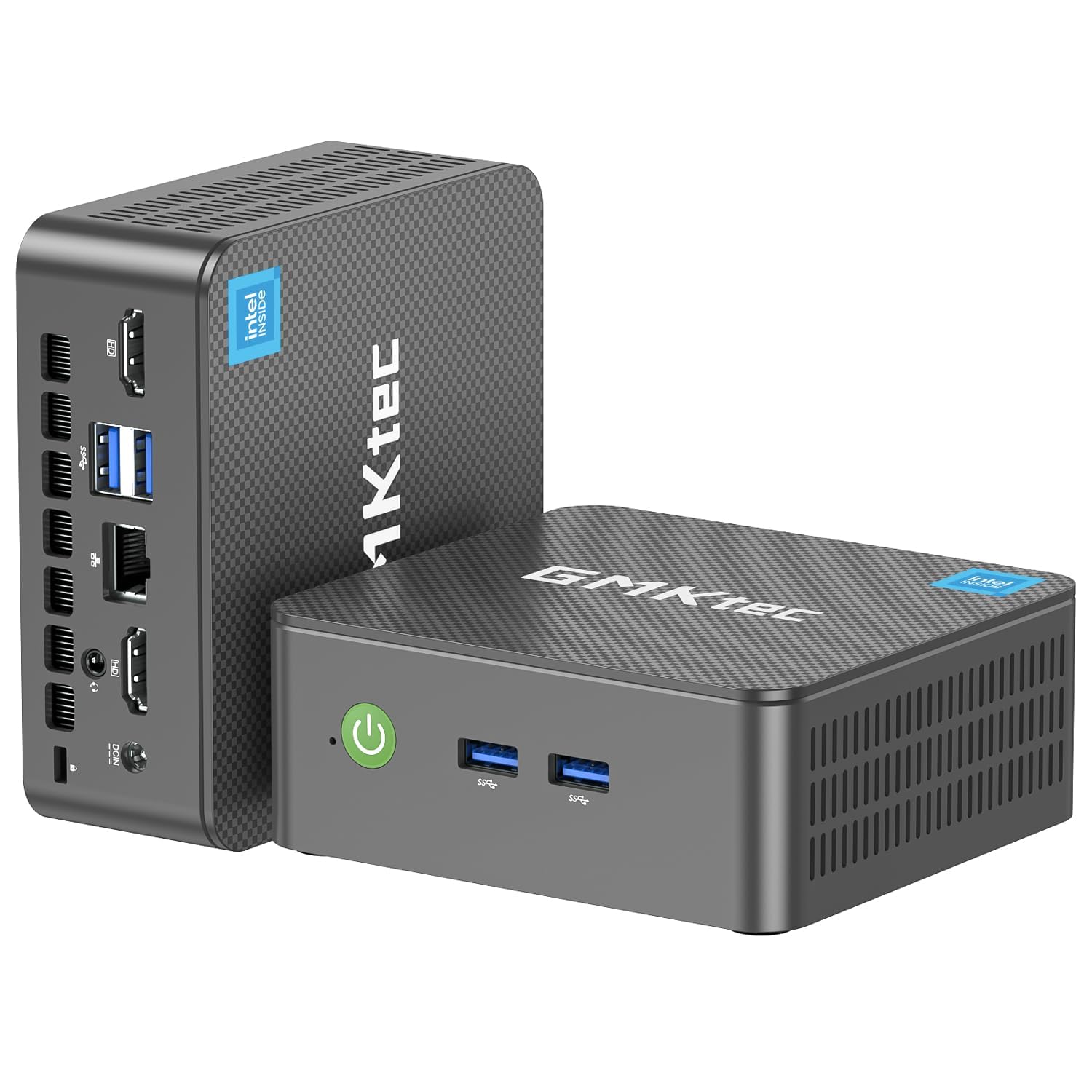
I like that this little box gives you real desktop capability without taking over your desk. The Intel N95 with 16GB of RAM and a 512GB SSD handles web research, video calls, document work and even smooth 4K playback.
It’s great for a dorm or small study nook — plug in two monitors, a keyboard and you’re set for classes, group projects and streaming. For the price, it’s a practical pick if you want a quiet, space-saving machine that covers everyday student needs and light creative work.
What People Say
Buyers frequently mention the compact size and surprisingly capable performance for the price, noting it handles multiple browser tabs, office suites and 4K video smoothly. People also value the port assortment and dual-monitor support, and several reviews praise responsive customer support when issues pop up. A minority report shipping or specification mix-ups and occasional hardware problems, but most customers highlight the unit’s value and everyday reliability.
Overall Sentiment: Positive

Long-Term Cost Benefits
This mini PC’s solid baseline specs (16GB RAM and 512GB SSD) mean you’re less likely to need immediate upgrades, and lower power draw compared with a full desktop helps keep running costs down. The included one‑year warranty and generally positive support experiences reported by buyers can reduce unexpected repair expenses in the first year.
Ease of Use
| Feature | Ease Level |
|---|---|
| Initial Setup | Easy |
| Daily Multitasking | Easy |
| 4K Media Playback | Easy |
| Upgrading RAM/Storage | Moderate |
Versatility
This mini works well for study sessions, online lectures, media streaming and light content creation. It can double as a small home server or a compact media center, and the VESA mount option makes it suitable for tight setups.
Practicality
It frees up desk space, mounts behind monitors easily, and the mix of wired Ethernet and wireless options keeps connections flexible. The included HDMI cable and VESA mount are practical touches for a simple out-of-the-box setup.
Travel Friendliness
It’s light and small enough to move between home and campus, but you’ll still need a monitor and peripherals so it’s more of a portable desktop than a true on-the-go laptop replacement.
Key Benefits
- Strong everyday performance for browsing, office apps and streaming
- Dual 4K@60Hz HDMI outputs make multitasking with two monitors easy
- Good selection of ports (USB 3.2, audio jack, Ethernet) for peripherals
- Compact, VESA-mountable design saves desk space
Current Price: $189.99
Rating: 4.3 out of 5 (total: 1,597+)
🎯 Best Multimedia
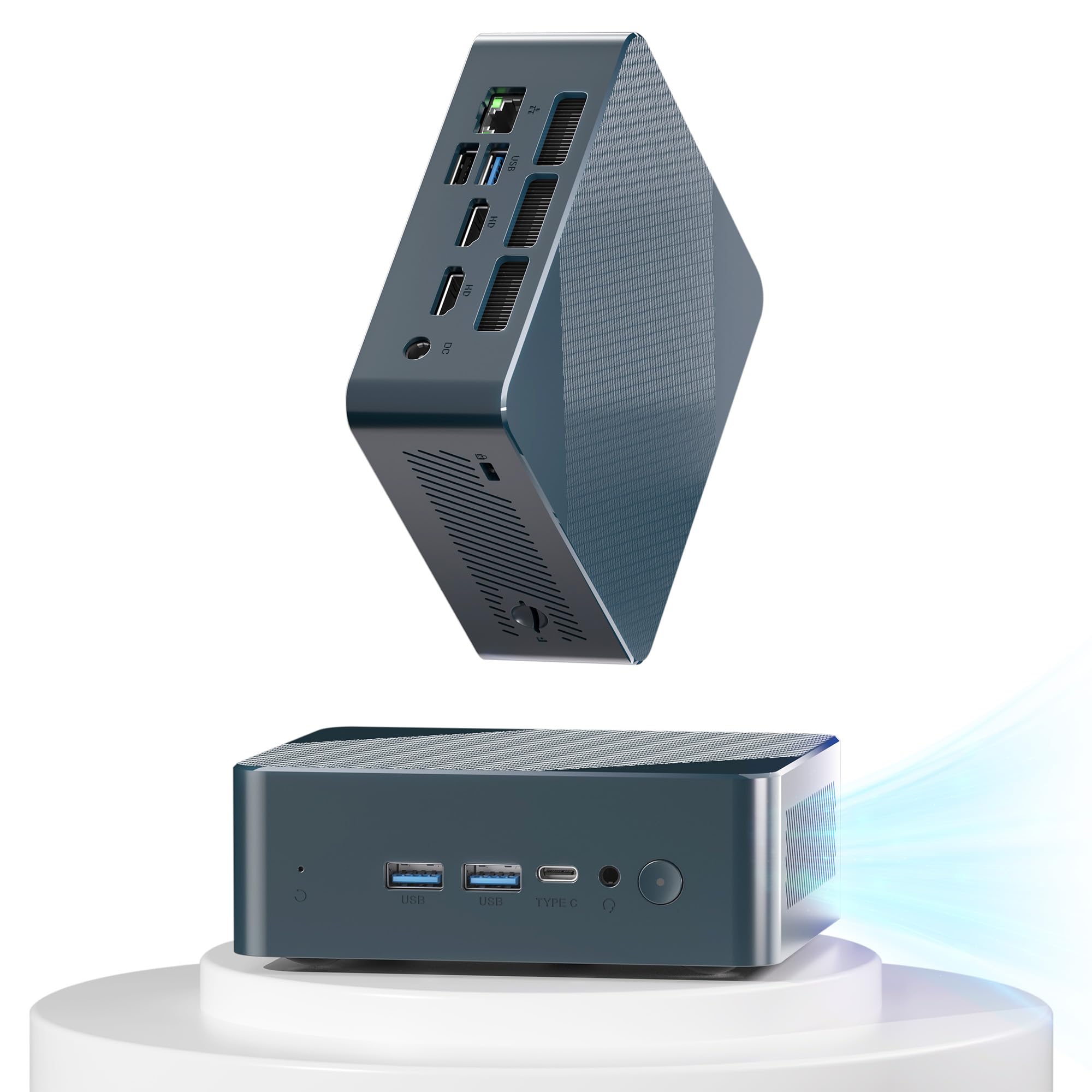
I like that this little box punches above its weight for everyday student tasks and media work. The Ryzen 5 3550H with 16GB of RAM and a 512GB SSD handles web research, video lectures, 4K streaming and light video edits without making a fuss. It’s easy to tuck into a dorm desk or set up as a compact media server at home, and the multiple HDMI/Type‑C outputs mean you can run two or three displays for study sessions or spreadsheets. If you want a practical, space-saving desktop for classes, streaming and casual creative work, this is a sensible, affordable pick — just be ready to do a quick driver check if you tinker with OS installs or upgrades.
What People Say
Customers commonly praise the compact size and surprisingly solid performance for the price, calling out smooth 4K playback and reliable day‑to‑day use. Many appreciate the port selection and upgrade options (bigger SSD or more RAM), while a few mention driver quirks or extra steps when reinstalling an OS.
Overall, most buyers see it as a dependable, quiet little machine that’s good value for media and student work.
Overall Sentiment: Positive

Long-Term Cost Benefits
Because the unit supports larger M.2 SSDs and additional RAM, I see it as a device you can stretch over several years by upgrading storage or memory instead of replacing the whole system. Its lower power draw compared with a full desktop means smaller electricity bills, and the included one‑year warranty helps limit repair costs early on.
Ease of Use
| Feature | Ease Level |
|---|---|
| Initial Setup | Easy |
| Daily Productivity & Streaming | Easy |
| Installing Linux / Media Server | Moderate |
| Upgrading RAM/Storage | Moderate |
Versatility
This mini PC works well for lectures, remote study, media streaming, casual content creation and small home server tasks. It’s flexible enough to serve as a student workstation, a compact entertainment box or a simple development rig with upgrades.
Practicality
The small footprint and broad port selection (USB‑A, USB‑C, dual HDMI, Ethernet) make it practical for tight desks and multi‑monitor setups. It’s easy to integrate with existing peripherals and networked gear without needing adapters.
Travel Friendliness
It’s light and tiny, so I don’t hesitate to move it between home and campus, but you’ll still need a monitor and peripherals — it’s a portable desktop rather than a laptop replacement.
Key Benefits
- Strong everyday performance for browsing, document work and 4K playback
- Triple‑display support (HDMI + Type‑C) for multitasking and presentations
- Compact, quiet design fits small desks and media setups
- Upgradeable storage and RAM for longer useful life
Current Price: $169.98
Rating: 4.5 out of 5 (total: 58+)
🔰 Most Expandable

I like how the KAMRUI E1 balances small size with practical expandability. It boots quickly, handles web work, video lectures and 4K streaming without fuss, and the dual‑display support is handy for study sessions or spreadsheets.
Because it accepts larger M.2 SSDs and extra storage, I see it working as a dorm‑desk PC, a compact home office machine, or even a lightweight media server for movie nights. If you want a tiny desktop that you can upgrade down the road, this is a solid, budget‑minded pick I’d recommend for students.
What People Say
Buyers often highlight the value for money: it feels faster than its price suggests, boots quickly and handles everyday tasks smoothly. People like the port variety and the ability to add more SSD storage, and many note solid 4K playback and stable Wi‑Fi.
A few mention minor pains like a short power cord, occasional driver fiddling or mixed experiences with long‑term support.
Overall Sentiment: Positive

Long-Term Cost Benefits
Because the E1 supports larger M.2 SSDs and common DDR4 modules, you can extend its useful life by upgrading storage or memory instead of replacing the whole machine. Its low power consumption also keeps running costs down, and the compact, serviceable design makes DIY fixes and upgrades cheaper than buying a new desktop.
Ease of Use
| Feature | Ease Level |
|---|---|
| Initial Setup | Easy |
| Daily Productivity & Streaming | Easy |
| Upgrading SSD | Moderate |
| Installing a different OS (Linux/custom) | Moderate |
Versatility
This mini PC covers student needs well: lectures, remote classes, document work, streaming and light content tasks. Its upgrade path also means it can double as a small home server or media box for special occasions like group movie nights.
Practicality
The compact footprint and wide set of ports make it easy to fit into a cramped dorm desk or shared apartment setup. Dual‑display support and Gigabit Ethernet are practical for presentations, research and stable streaming.
Travel Friendliness
It’s small and lightweight so moving it between home and campus is straightforward, but you still need a monitor and peripherals — it’s portable for a desktop, not a laptop replacement.
Key Benefits
- Upgradeable storage (M.2 PCIe/SATA up to 2TB) and straightforward RAM options
- Good port selection: HDMI, DP, Gigabit Ethernet and multiple USB ports
- 4K@60Hz dual‑display support for multitasking and presentations
- Low power draw and compact design fit small study spaces
Current Price: $149.00
Rating: 4.5 out of 5 (total: 183+)
🚀 Best Entry Gaming
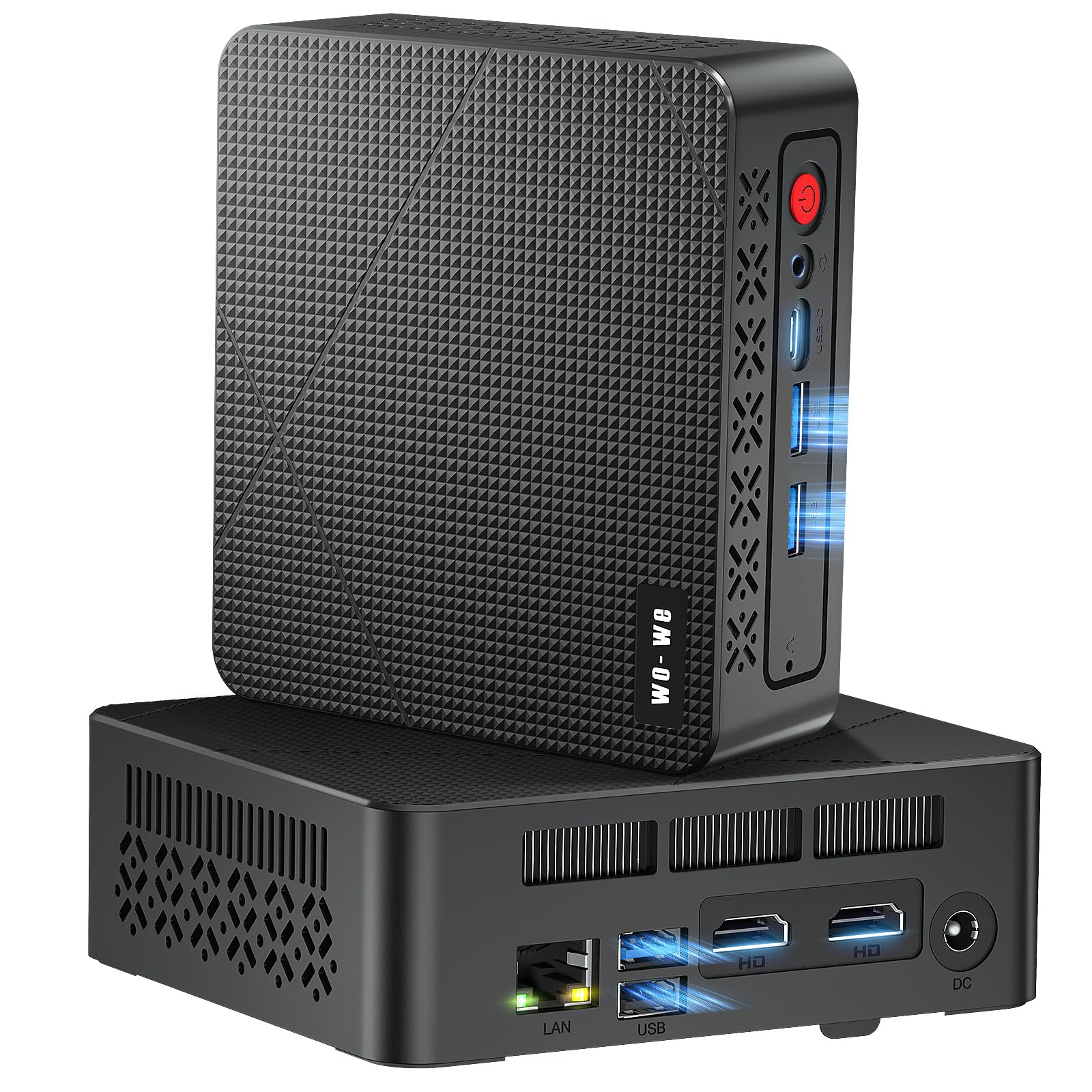
I appreciate how the wo-we P6 squeezes useful power into a tiny box. It’s snappy for web work, video lectures and streaming, and it’ll happily run two or three displays for research or multitasking.
For casual gaming and multimedia projects it punches above its weight, and the quiet fan plus lots of ports makes it easy to tuck into a dorm setup or hook to a TV for movie nights. If you want a budget desktop that’s more capable than a basic stick PC but still compact, this is one I’d suggest checking out.
What People Say
Most buyers praise the value-for-money: people find it fast enough for study, streaming and light gaming while staying compact and quiet. Customers often point out the easy multi-monitor setup, stable Ethernet/Wi‑Fi and the roomy 16GB/512GB config.
A minority mention heating worries or isolated early failures, but overall impressions skew toward ‘surprisingly capable’ for the price.
Overall Sentiment: Positive

Long-Term Cost Benefits
Because it uses standard DDR4 and an M.2 PCIe SSD, you can extend the machine’s life by adding more RAM or a larger drive instead of replacing the whole unit. The low power draw and modest parts mean running costs are small, and the compact, serviceable design keeps upgrade and repair costs reasonable over time.
Ease of Use
| Feature | Ease Level |
|---|---|
| Initial Setup | Easy |
| Daily Productivity & Streaming | Easy |
| Light Gaming | Moderate |
| Upgrading SSD/RAM | Moderate |
Versatility
This mini PC works well as a dorm desktop, a small home office machine and a living‑room HTPC. With multiple display outputs and plenty of ports it can handle research work, video streaming, casual game sessions and even light content creation for class projects.
Practicality
The tiny footprint and VESA‑style mounting options make it easy to fit on a crowded desk or hide behind a monitor. Gigabit Ethernet and multiple USB ports are practical for reliable video calls, external drives and frequent peripheral swapping.
Travel Friendliness
It’s lightweight and easy to move between home and campus, but you still need a monitor, keyboard and mouse. It’s portable for a desktop replacement setup rather than a laptop substitute.
Key Benefits
- Good performance for everyday tasks and light gaming thanks to the Ryzen 5 3550H
- Triple‑screen support (2×HDMI 2.0 + USB‑C 4K) for multitasking and presentations
- 16GB DDR4 + 512GB M.2 NVMe SSD gives a responsive feel out of the box
- Nine versatile ports (USB‑A, USB‑C, RJ45) cover most student peripherals
- Quiet cooling and a very small footprint save desk space
Current Price: $199.00
Rating: 4.6 out of 5 (total: 22+)
💼 Best for Productivity

I like how the Elite 805 balances real performance with a compact footprint — it feels like a proper desktop that won’t dominate a dorm desk. It handles long research sessions, video calls and multitasking across two 4K displays without getting fussy, and the quiet design keeps background noise down during lectures. For group projects or media playback it’s reliable, and because it supports up to 64GB RAM and large PCIe SSDs you can upgrade it over time instead of replacing it.
If you want a mini PC that’s built for focused productivity and occasional creative work, this is one I’d recommend looking at.
What People Say
Buyers commonly note how easy the unit is to set up and how sharp the display output looks on external monitors. People appreciate the reliable Wi‑Fi and the number of fast USB ports, which makes hooking up drives and peripherals painless.
Overall impressions focus on solid everyday performance and a quiet, compact design that fits small workspaces.
Overall Sentiment: Positive

Long-Term Cost Benefits
Because it accepts standard DDR4 memory and M.2 PCIe SSDs (up to 64GB and multiple TBs of storage), you can extend the PC’s life by upgrading components rather than replacing the whole system. Low power draw and a quiet, serviceable layout also help keep running and maintenance costs down.
Ease of Use
| Feature | Ease Level |
|---|---|
| Initial Setup | Easy |
| Daily Productivity & Video Calls | Easy |
| Multi‑monitor Configuration | Easy |
| Upgrading RAM/Storage | Moderate |
Versatility
I find this mini PC works well as a dorm or small home office machine — it’s equally happy handling spreadsheets, group presentations and streaming. With dual 4K outputs and lots of ports it can also double as a compact media hub for movie nights or a second workstation for light creative tasks.
Practicality
The small footprint fits on crowded desks and the mix of USB‑C and multiple USB‑A ports makes connecting external drives, webcams and dongles straightforward. Built‑in Ethernet ensures reliable classroom or library connections when Wi‑Fi gets flaky.
Travel Friendliness
It’s light and easy to move between a dorm and home, but remember you’ll still need a monitor, keyboard and mouse at each location. I treat this as a portable desktop replacement rather than something to use on the go like a laptop.
Key Benefits
- Strong day-to-day performance with Ryzen 5 and responsive PCIe SSD
- Dual 4K display support for multitasking and presentations
- Built-in Wi‑Fi 6 and plentiful USB ports for stable connectivity
- Quiet operation suitable for study spaces and video calls
- Upgradeable RAM and storage options extend usable life
Current Price: $599.99
Rating: 4.8 out of 5 (total: 8+)
⭐ Best Ultra-Affordable

I appreciate how small and unassuming the NucBox G5 is — it slides into a dorm setup or shared study space without taking up real estate. For everyday student needs like web research, notes, video calls and streaming lectures it’s more than capable, and the 4K output makes it handy for movie nights or connecting to a big monitor for presentations.
It’s a sensible pick if you want something inexpensive that feels like a real desktop rather than a tablet; just remember you’ll need a keyboard, mouse and monitor, and a small hub or Bluetooth peripherals can stretch the limited USB ports. If you want an ultra-budget option that still handles multitasking and media smoothly, this is one I’d recommend considering.
What People Say
Most buyers highlight the tiny size and surprisingly capable performance for basic tasks like schoolwork, video streaming and light multitasking. People often point out the value — you’re getting 8GB RAM and a 256GB SSD at a low price — and many appreciate the clear 4K output.
A few users note limited USB ports and occasional OS-update headaches, but overall impressions skew toward “solid for the price.”
Overall Sentiment: Positive

Long-Term Cost Benefits
Low power consumption and the use of an SSD help keep running costs down and give responsive everyday performance without frequent replacements. If you need more storage later you can usually swap the SSD or add external drives, which stretches the device’s useful life and delays the need for a full upgrade.
Ease of Use
| Feature | Ease Level |
|---|---|
| Initial Setup | Easy |
| Daily Browsing & Office Tasks | Easy |
| Media Playback & 4K Output | Easy |
| Adding Storage or Upgrades | Moderate |
Versatility
I find this little box works as a dorm-room desktop, a compact media streamer for movie nights, and a lightweight home office machine. It’s not built for heavy gaming or video editing, but it handles remote desktop sessions, document work and streaming with no fuss.
Practicality
Its tiny size makes it easy to tuck behind a monitor or in a locker, and the included Wi‑Fi and Bluetooth remove the need for extra dongles in many setups. If you rely on a bunch of wired peripherals, plan for a small USB hub because the built-in ports are limited.
Travel Friendliness
It’s extremely easy to move between home and campus in a backpack, but remember it’s a desktop replacement — you’ll need a display and input devices at each location or carry them along. For portability within the house or between dorm and home it’s a great compromise.
Key Benefits
- Very compact footprint that fits tight desks and shared spaces
- Good everyday performance for browsing, streaming and office apps
- Built-in 4K display support for sharp external monitor output
- Solid-state storage (256GB SSD) for snappy boot and app load times
- Wi‑Fi 5 and Bluetooth 4.0 for reliable wireless connections at home or campus
Current Price: $94.00
Rating: 4.8 out of 5 (total: 11+)
🎨 Best for Creatives
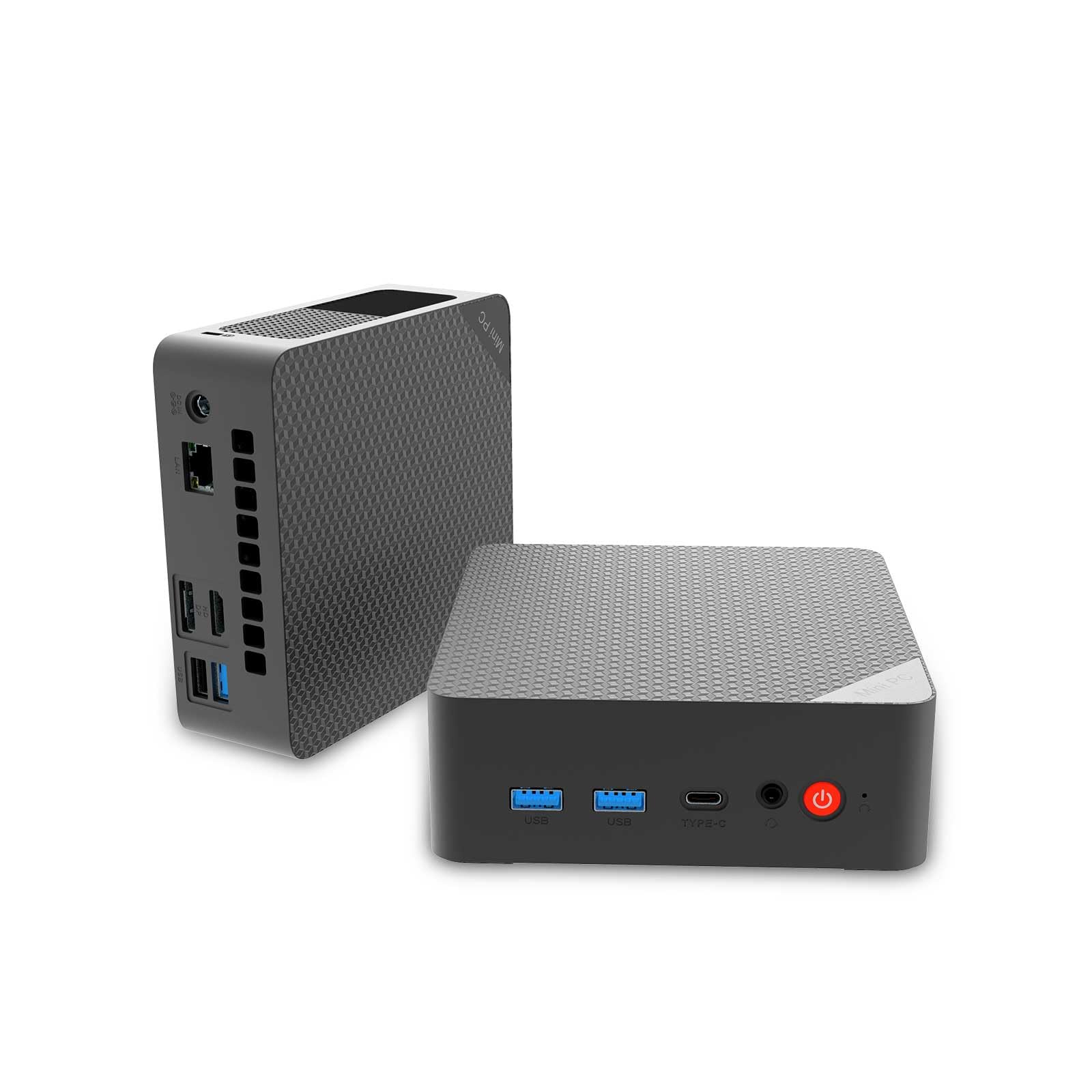
I like how this compact QAZIPO packs a Ryzen 5 3500U and 16 GB of RAM into a tiny box that hardly takes up desk space. It handles research, note-taking, video calls and light creative work smoothly, and the triple 4K outputs are great when I want multiple windows open for a project. Windows 11 comes ready to go, it includes a VESA mount, and there are enough ports for a typical study setup — just watch for Type‑C behavior on some units. If you want a small desktop that covers classes, media and casual creative tasks, this one makes a lot of sense.
What People Say
Across reviews people praise the tiny size and unexpectedly responsive performance for everyday work and study. The combination of 16 GB RAM and an NVMe SSD gets mentioned a lot as the reason apps and multitasking feel fast. Buyers also like the port selection and multi-monitor capability; a few note quirks with Type‑C display output on certain units and suggest double-checking connections.
Overall Sentiment: Positive

Long-Term Cost Benefits
The efficient Ryzen CPU and SSD help keep power use low while delivering a responsive experience, which reduces the pressure to replace the machine quickly. Dual M.2 slots and standard components mean you can add storage or upgrade later, stretching the device’s usefulness for several years.
Ease of Use
| Feature | Ease Level |
|---|---|
| Initial Setup | Easy |
| Daily Browsing & Office Tasks | Easy |
| Multitasking & Light Creative Apps | Easy to Moderate |
| Multi-Monitor Configuration | Moderate |
| Adding Storage or Hardware Upgrades | Moderate |
Versatility
This mini PC works well as a dorm-room desktop, a compact media streamer for movie nights, and a tidy workstation for photo editing or class projects. It’s versatile for study, presentations and light creative tasks but not aimed at heavy 3D rendering or high-end gaming.
Practicality
The small footprint and included VESA mount make it easy to save desk space or mount behind a monitor. Port selection covers most peripherals, though you might want a small USB hub if you rely on many wired devices.
Type‑C PD is handy for charging but double-check whether it handles display output for your setup.
Travel Friendliness
It’s lightweight and simple to move between home and campus, but remember it’s a desktop: you’ll need access to a monitor, keyboard and mouse where you go. For moving between rooms or taking it home for holidays it’s a very manageable option.
Key Benefits
- Quad-core Ryzen 5 3500U gives noticeably better multi-threaded performance than basic N-series chips
- 16 GB dual-channel RAM and 512 GB NVMe SSD for snappy multitasking and fast boot times
- Triple 4K display support (HDMI, DisplayPort, Type‑C PD for data/charging) for expanded productivity
- Compact design with VESA mount makes it easy to tuck behind a monitor or save desk space
- Good wireless connectivity with dual-band Wi‑Fi and Bluetooth plus a full set of USB and Ethernet ports
Current Price: $599.99
Rating: 4.7 out of 5 (total: 31+)
🔌 Best Connectivity

I like how this tiny QAZIPO squeezes a capable Intel N100, 16 GB of RAM and a 512 GB NVMe drive into a pocket-sized desktop that barely takes up desk space. For daily study, video calls, streaming and juggling documents it feels snappy, and the triple 4K outputs mean I can run a browser, notes app and lecture video at once.
The dual LAN ports and wake-on-LAN features also make it useful if you ever want to run a small NAS, soft router or remote-access box. If you want a compact, well-connected machine for classes and light media work, this is an easy yes from me.
What People Say
I see reviewers repeatedly praise the small footprint and quiet operation — it’s a common theme. People point to the 16 GB RAM and NVMe SSD as the reason everyday tasks feel smooth, and buyers often mention the flexible port layout (especially the Ethernet options and multiple video outputs). A few users do note minor issues like occasional disk noise or that very heavy workloads can slow things down.
Overall Sentiment: Positive

Long-Term Cost Benefits
Because it uses an efficient N100 CPU and an NVMe SSD, it keeps electricity use low and stays useful for basic tasks for years. The ability to add storage or swap drives and the VESA-mountable design mean you can upgrade or repurpose it instead of replacing the whole setup, which spreads the cost over a longer period.
Ease of Use
| Feature | Ease Level |
|---|---|
| Initial Setup | Easy |
| Daily Browsing & Office Tasks | Easy |
| Multitasking & Video Calls | Easy to Moderate |
| Multi-Monitor Configuration | Moderate |
| Adding Storage or Upgrading RAM | Moderate |
Versatility
This mini PC works well as a dorm or apartment desktop, a media center for movie nights, and even a compact home-office machine. The extra Ethernet port and PXE/wake-on-LAN support make it handy for light server tasks like a home NAS or soft router, while the triple-display outputs are great for multitasking during study sessions.
Practicality
The VESA mount and small footprint make it easy to free up desk space, and the mix of USB, HDMI/DP and Type‑C covers most peripherals. If you rely on many wired accessories you might want a small USB hub, and note that analog-only monitors need adapters.
Travel Friendliness
It’s lightweight and simple to move between home and campus, but you’ll need a monitor, keyboard and mouse wherever you go. For students who shuttle between dorm, library and home, it’s a very manageable desktop option.
Key Benefits
- Dual LAN (2.5 Gbps + 1 Gbps) for fast wired networking and small-server use
- 16 GB RAM and 512 GB PCIe M.2 SSD for responsive multitasking and quick boot times
- Triple 4K60Hz outputs (HDMI, DisplayPort, Type‑C) make multi-window studying simple
- Built-in Wi‑Fi 6 and Bluetooth 5.2 for solid wireless connectivity
- Compact VESA-friendly design saves desk space and tucks behind a monitor
Current Price: $199.00
Rating: 4.5 out of 5 (total: 69+)
🎓 Best for Students

I like how this little NIMO packs a 12th Gen Intel N100 with 16 GB of RAM and a 1 TB SSD into a tiny desktop that doesn’t hog desk space. For daily studying, video calls, streaming lectures and juggling documents it feels responsive, and the triple 4K outputs mean I can keep notes, a browser and a lecture video all visible at once.
It’s also handy for movie nights or prepping a presentation — plug into a TV and you’ve got an instant media center. Between the compact size, solid wireless options and the included 2-year support, it’s an easy pick if you want a no-fuss desktop for campus life and light creative work.
What People Say
Most people point out how surprisingly capable and quiet the unit is for its size, and many highlight the value it offers given the RAM and 1 TB SSD. Reviewers frequently mention the easy setup and the triple‑monitor support as useful for study sessions and productivity.
A few buyers remind you that it’s aimed at everyday tasks rather than heavy-duty video rendering or demanding games.
Overall Sentiment: Positive

Long-Term Cost Benefits
Its energy-efficient chip and SSD mean low power use and quick boots, so you save on electricity and time. The 2-year support and common upgrade paths (storage or peripherals) help you keep using the machine longer instead of replacing it quickly, stretching your overall cost-per-year down.
Ease of Use
| Feature | Ease Level |
|---|---|
| Initial Setup | Easy |
| Daily Study & Office Tasks | Easy |
| Multitasking & Video Calls | Easy to Moderate |
| Multi-Monitor Configuration | Moderate |
| Adding Storage or Upgrading RAM | Moderate |
Versatility
This mini PC works well as a dorm or apartment workstation, a compact media hub for movie nights, and a simple home‑office machine for essays and online classes. The triple screen support is great for study setups, while Wi‑Fi 6 and Bluetooth make it easy to pair accessories without hunting for adapters.
Practicality
The small footprint and VESA‑style friendly design free up desk space, and the mix of USB 3.x, Type‑C and multiple video outputs covers most peripherals and displays. If you use many wired accessories you might add a small USB hub, and very old monitors may need adapters for modern video ports.
Travel Friendliness
It’s compact and light enough to toss in a backpack when you need to move between dorm, library and home, though you’ll still need a monitor or TV and a keyboard/mouse at each location. For students who don’t want a laptop but do want a portable desktop setup, it’s a practical choice.
Key Benefits
- 12th Gen Intel N100 with 16 GB RAM and 1 TB SSD for smooth everyday performance
- Triple-display 4K output (two HDMI + USB‑C) for multitasking and presentations
- Wi‑Fi 6 and Bluetooth 5.2 for reliable wireless connections
- Very small footprint and light enough to move between dorm and home
- 2-year technical support plus a 90-day return window for peace of mind
Current Price: $199.99
Rating: 4.8 out of 5 (total: 5+)
FAQ
How Do I Choose The Right Mini PC For Schoolwork And Budget?
When I help students pick a mini PC I start by matching the hardware to what they actually do every day: web research, Office work and video calls need much less than photo or video editing, 3D modeling, or heavier programming tasks. I look first at CPU, RAM, and SSD — aim for at least 8–16 GB of RAM and an SSD (256 GB minimum) for a smooth experience, and choose a stronger CPU if you plan to edit video or run virtual machines.
If you need a real performance jump for creative work or heavy multitasking, models like the ACEMAGIC M1 with an Intel Core i9-11900H, 32 GB RAM and 1 TB SSD (example price $459.99) give desktop-class power in a tiny box, while mainstream students often get excellent value from N100/N95 or Ryzen-based minis around $150–$250. I also check connectivity: wired Ethernet (2.5 G is a nice plus), Wi‑Fi 6, DisplayPort/HDMI ports and whether Type‑C supports video.
Finally I weigh warranty, return policy and real-world reviews — if it has solid cooling and a good return window I’m more comfortable recommending it.
Can A Mini PC Handle College Software, Coding And Light Gaming?
Yes — but it depends on the configuration and the workload. I’ve seen mini PCs with high-end mobile chips like an i9 and 32 GB RAM handle photo and video editing, 3D modeling and data analysis smoothly, while lower-power N100/N95 or Ryzen 3/5 units are excellent for coding, Office suites, browser-heavy research and streaming.
Integrated graphics in most minis will handle 4K video and casual or older games fine, but won’t replace a discrete GPU for AAA gaming or heavy GPU compute. If you need to compile code, run VMs or train small ML models, I recommend more RAM and a faster CPU or consider cloud compute for the heaviest tasks.
A practical tip I use: confirm whether the vendor supports easy RAM/SSD upgrades and whether the Type‑C port supports display output if you plan to use a laptop-style single‑cable setup.
What Practical Setup, Port And Reliability Issues Should Students Watch For?
I always tell students to check ports and real-life reliability before buying: verify the number and type of USB ports, HDMI/DP outputs for multiple monitors, and whether Ethernet and Wi‑Fi standards are modern (Wi‑Fi 6 and 2.5 G LAN are great if available). Expect tiny fans — many minis are quiet, but some units can be audible under sustained load, so I test for noise and heat in the return window.
For portability and desk space I like VESA-mountable units that can hide behind a monitor. Backups matter: use cloud sync or an external SSD and enable Windows or OS backups. Also be aware that preinstalled OS images sometimes need driver updates or a clean install for long-term stability, so I keep a recovery USB ready and check the seller’s support policy. Finally, read recent user feedback for any shutdown or boot issues and confirm the return/warranty terms so you can swap or return the unit if it doesn’t meet expectations.
Students Top Picks
We usually prioritize a mix of performance, portability, and value when picking between the ACEMAGIC M1, GMKtec G3S, and Getorli 3550H for school — things like how well it handles multitasking and online classes, how small and quiet it is to carry between dorm and lecture hall, and how many ports or upgrade options it offers. In practice I’ll reach for the Getorli 3550H for heavier multitasking or light gaming, choose the ACEMAGIC M1 for the most compact, unobtrusive setup, and pick the GMKtec G3S when I want the best balance of price, connectivity, and expandability.

Wrapping Up
I tried to balance raw power, everyday usability, and price so students can pick a mini PC that fits their classes and desk setup. The ACEMAGIC M1 is the pick if you want a desktop-class experience in a tiny box — great for video editing, heavy multitasking, or engineering work.
The HP Elite 805 is ideal if you want quiet reliability and professional I/O for long study sessions. If your focus is creative work and multi-monitor setups, the QAZIPO Ryzen option gives a strong spec sheet.
On a tighter budget, the NIMO N100 and GMKtec G3S deliver excellent everyday performance without grabbing too much space or cash. And if you only need a basic home/streaming machine, the NucBox G5 shows how little you can spend while still getting a functional desktop.
If you tell me your main use (programming, design, gaming, or just note-taking and streaming), I can narrow this to the single best pick for your situation.
| Product | Image | Rating | Processor | RAM | Storage | Connectivity | Price |
|---|---|---|---|---|---|---|---|
| ACEMAGIC M1 Mini PC | 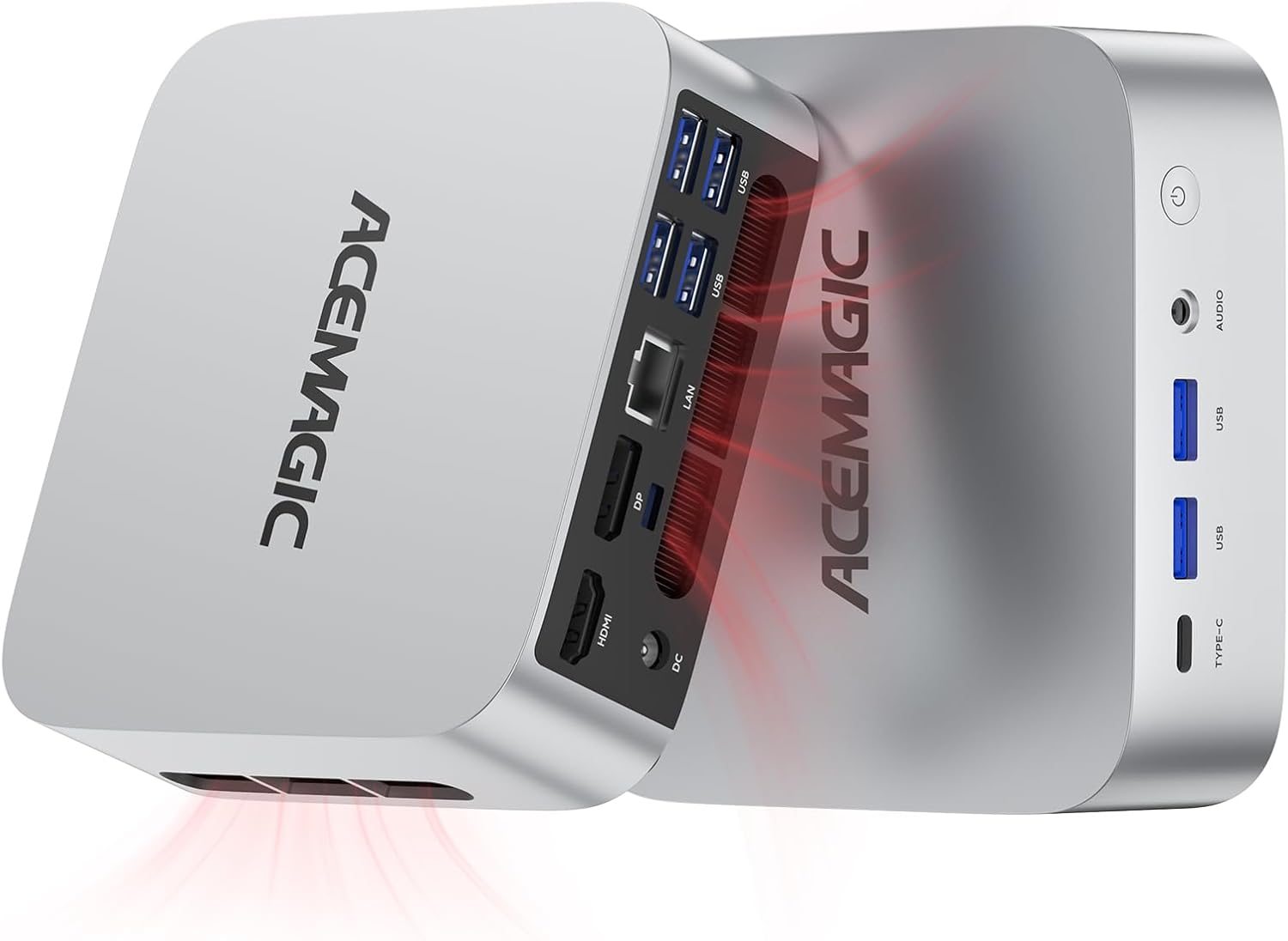 | 4.7/5 (139 reviews) | Intel Core i9-11900H (4.9 GHz) | 32 GB DDR4 | 1 TB SSD | WiFi 6, Bluetooth 5.2, 2.5G LAN | $459.99 |
| GMKtec Mini PC N95 |  | 4.3/5 (1,597 reviews) | Intel N95 (Up to 3.4 GHz) | 16 GB DDR4 | 512 GB SSD | WiFi 5, Bluetooth 5.0 | $189.99 |
| Getorli Mini PC | 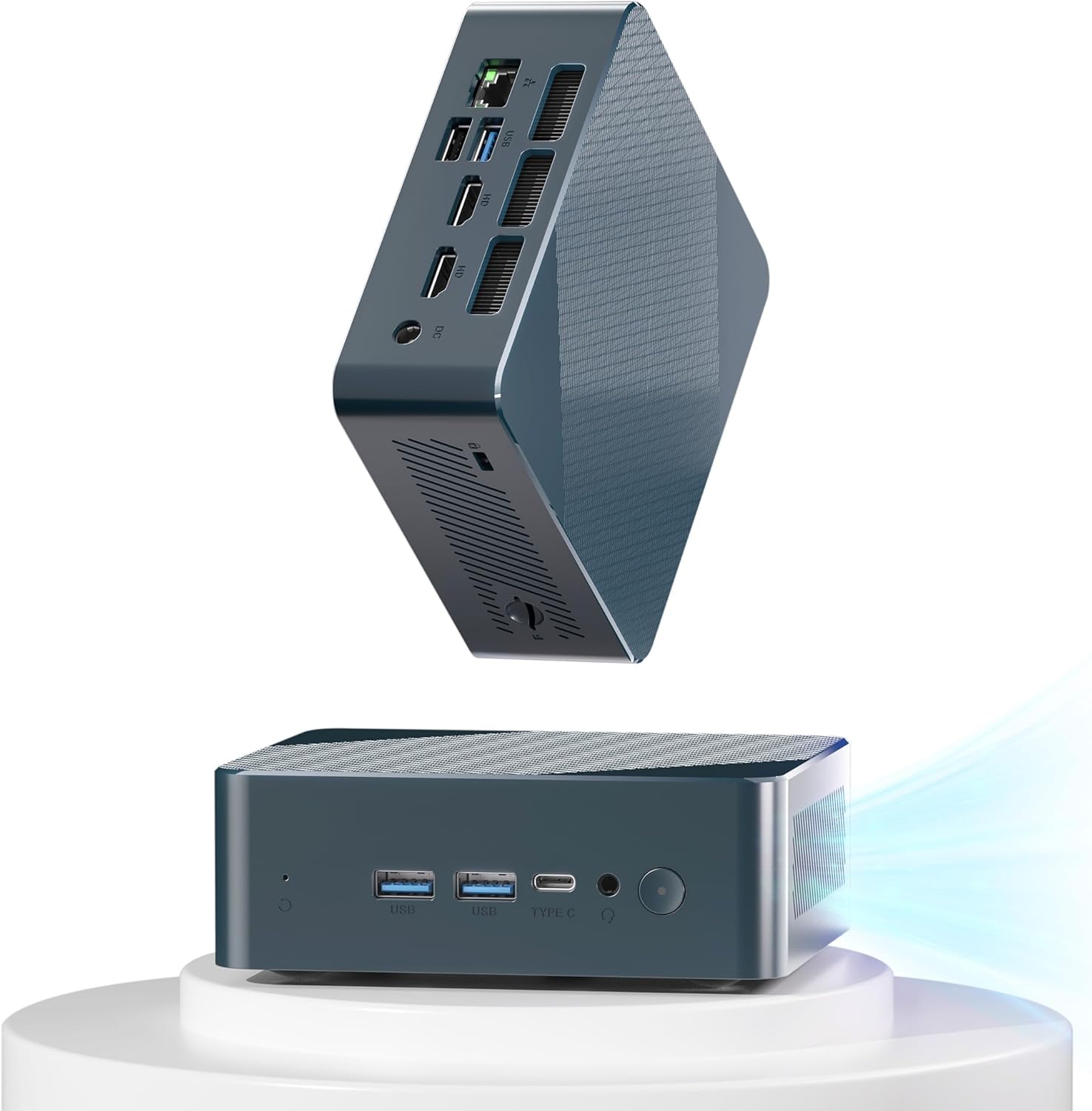 | 4.5/5 (58 reviews) | AMD Ryzen 5 3550H (3.7 GHz) | 16 GB DDR4 | 512 GB SSD | WiFi 5, Bluetooth 5.0 | $169.98 |
| KAMRUI Essenx E1 Mini PC |  | 4.5/5 (183 reviews) | Intel N150 (3.6 GHz) | 8 GB DDR4 | 256 GB SSD | WiFi 6, Bluetooth | $149.00 |
| wo-we P6 Mini Gaming PC | 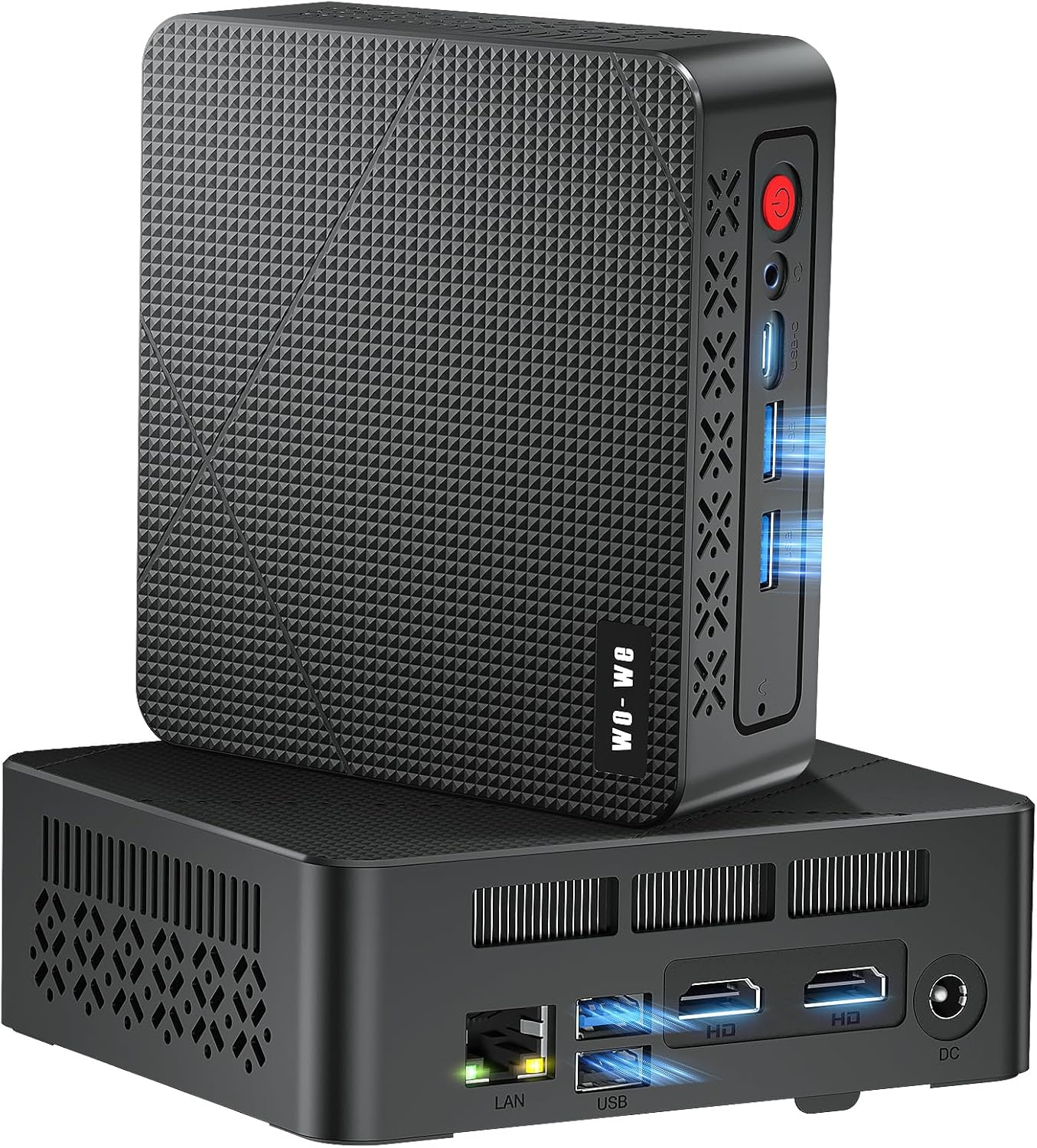 | 4.6/5 (22 reviews) | AMD Ryzen 5 3550H (3.7 GHz) | 16 GB DDR4 | 512 GB SSD | WiFi 5, Bluetooth 5.0, Ethernet | $199.00 |
| HP Elite 805 Mini PC |  | 4.8/5 (8 reviews) | AMD Ryzen 5 (3.9 GHz) | 16 GB DDR4 | 512 GB SSD | WiFi 6, Bluetooth | $599.99 |
| Mini PC NucBox G5 |  | 4.8/5 (11 reviews) | Intel J4125 (2.0 GHz) | 8 GB DDR4 | 256 GB SSD | WiFi 5, Bluetooth 4.0 | $94.00 |
This Roundup is reader-supported. When you click through links we may earn a referral commission on qualifying purchases.



