 Skip to content
I know how tight a budget can be and how many of us need a compact, reliable computer that doesn’t break the bank. In this guide I focus on capable mini PCs that cost under $200 and still cover the essentials — dual monitors, quiet operation, reasonable multitasking, and upgrade options.
Whether you’re a student, working from home, running a small business, streaming media or using a secondary travel rig, I’ll explain the trade-offs and help you pick a machine that fits your use case and budget.
Top Picks
| Category | Product | Price | Score |
|---|---|---|---|
| 🏆 Best for Upgrades | $189.99 | 90/100 | |
| 💰 Best Budget Dual-Monitor | $159.99 | 88/100 | |
| 🎯 Best Home Office | $189.99 | 87/100 | |
| 🔰 Best Starter | $149.00 | 84/100 | |
| ⭐ Best All-Rounder | $169.98 | 91/100 | |
| 💼 Best Budget Workhorse | $145.20 | 82/100 | |
| 🚀 Best Windows Performer | $189.00 | 92/100 | |
| 🔁 Best Refurb Bargain | $115.56 | 78/100 |
How I Picked These Mini PCs
We screened mini PCs that cost under $200 and focused on practical, everyday value. I prioritized: reliable real-world performance (not just synthetic specs), dual‑monitor support and useful ports for productivity, upgradability (M.2/2.5″ slots or extra RAM where available), quiet cooling and build quality for continuous use, and positive patterns in customer feedback about reliability and support. Price-to-performance balance mattered most — I favored units that give you more usable memory, storage, or connectivity at this price point.
Finally, I considered how well each model fits common use cases: students/homework, office productivity, streaming/HTPC, light creative work and casual gaming.
🏆 Best for Upgrades
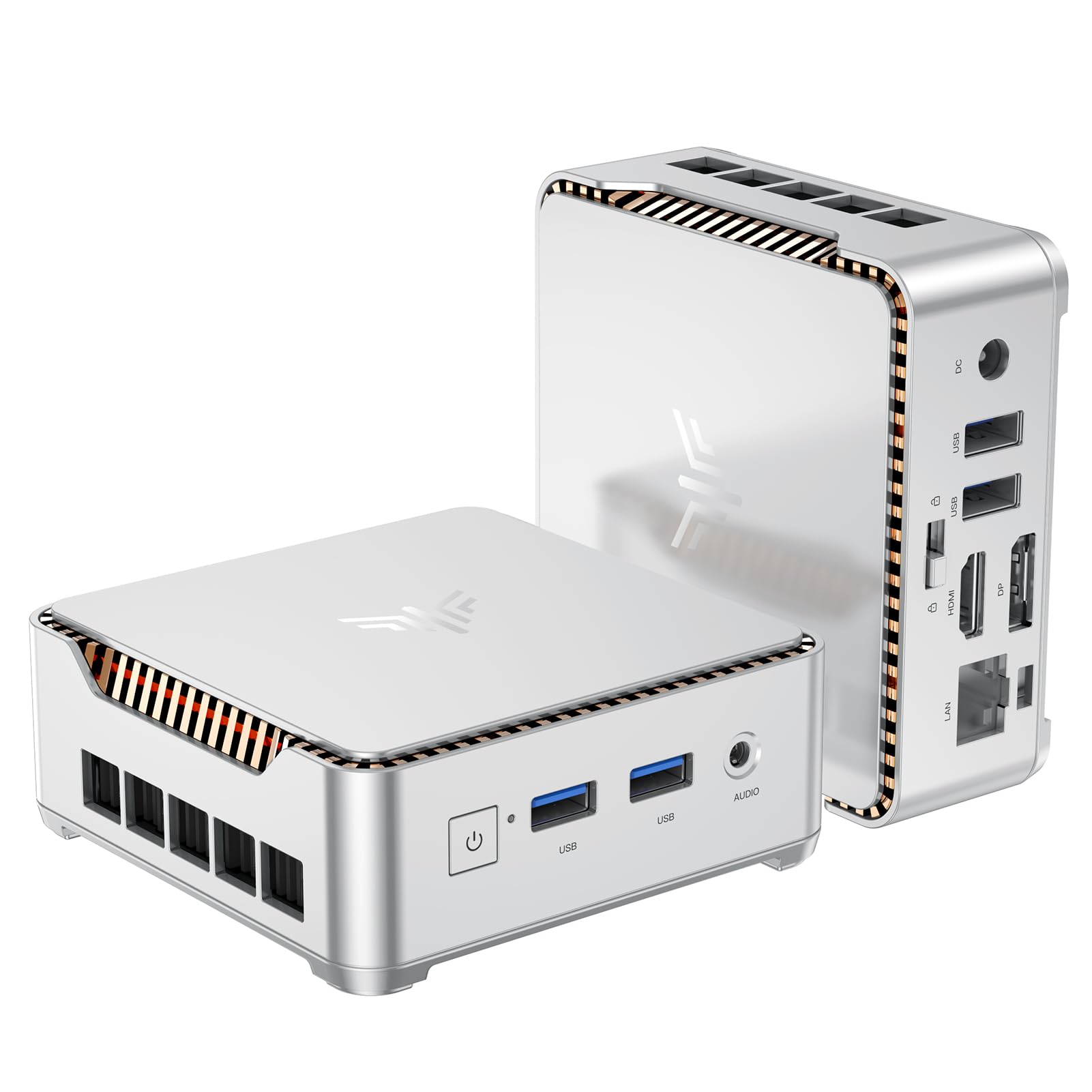
I like that this little KAMRUI E2 doesn’t try to be flashy — it just works. It’s small enough to tuck behind a monitor but powerful enough for everyday work: web browsing, document editing, streaming and light photo or video work. The dual display support (HDMI 2.0 + DP 1.4) makes it handy for a two-monitor setup, and it’s built so you can easily add more storage via the M.2 slot or 2.5″ bay.
For anyone who wants a neat, upgrade-friendly desktop for home, study or remote work, this is the kind of machine I’d recommend when space and budget matter.
What People Say
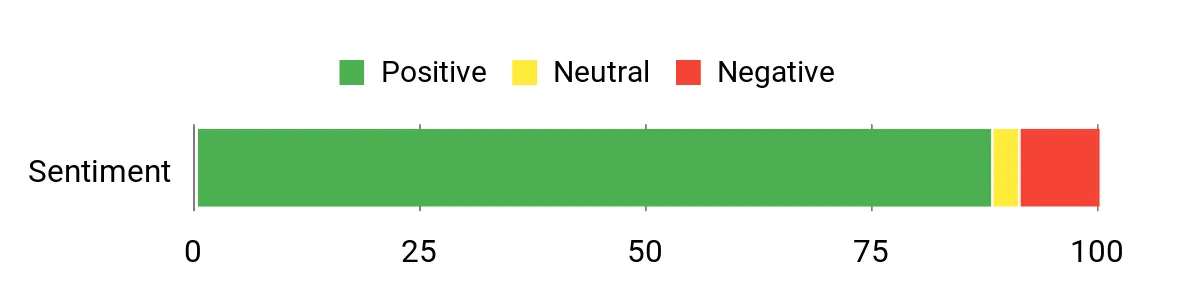
Across many reviews people praise the E2 for giving strong value — fast boot, solid everyday performance and very usable dual-monitor support. A lot of users highlight how straightforward it is to expand storage, and many appreciate the tiny size for desks or travel.
A few customers note occasional Wi‑Fi/bluetooth interference or quirky Windows update behavior, but the overall tone is that it punches above its price point.
Overall Sentiment: Positive
Where It Fits
| Situation | How It Helps |
|---|---|
| Student Dorm or Small Desk | Takes up almost no room, runs study apps and streaming, and you can add storage if library of files grows. |
| Work From Home / Office | Dual-monitor support speeds up multitasking and the Ethernet port keeps meetings stable when Wi‑Fi is flaky. |
| Freelance/Light Creative Work | Fast SSD and integrated graphics handle photo edits and multitab workflows; extra storage slot helps with large project files. |
| Remote or Portable Setup | Lightweight and easy to carry in a padded bag, so you can plug into different monitors without hauling a laptop. |
| Streaming & Home Theater | 4K output and small footprint make it a neat media hub for streaming movies under a TV or on a media shelf. |
Setup & Maintenance
| Feature | Ease Level |
|---|---|
| Out-of-box Setup | Easy |
| Adding an M.2 or 2.5″ Drive | Easy |
| Windows Updates & System Maintenance | Moderate |
| Dual Monitor Configuration | Easy |
| Bluetooth Audio Pairing | Moderate |
Versatility
Flexible enough for students, remote workers, small business tasks and casual creators — I find it handles most day-to-day jobs without fuss.
Practicality
It’s a practical pick when you need a full desktop experience in a tiny package: ports for peripherals, Ethernet for stable connections and room to expand storage later.
Travel Friendliness
Very travel-friendly — it’s light (about 1.34 pounds) and compact, so tossing it in a padded bag makes it an easy portable workstation.
Key Benefits
- Compact footprint that fits behind a monitor or in tight desks
- Dual 4K output for efficient multitasking across two screens
- Easy storage expansion with M.2 NVMe and a 2.5″ bay
- Good out-of-the-box value for day-to-day office and streaming tasks
Current Price: $189.99
Rating: 4.4 (total: 1,636+)
💰 Best Budget Dual-Monitor

I like that the E1 keeps things simple: a tiny box that slips behind a monitor but still drives two 4K displays and handles daily work without fuss. For study sessions, video calls or streaming, it boots quickly, stays quiet and gives you enough ports to connect a keyboard, external drive and Ethernet. The M.2 slot means you can add more storage down the line, and the VESA mount makes it easy to tuck into tight setups.
If you want a no-nonsense, budget-friendly mini PC for students, remote work or a home media hub, this is a solid pick I’d recommend checking out.
What People Say
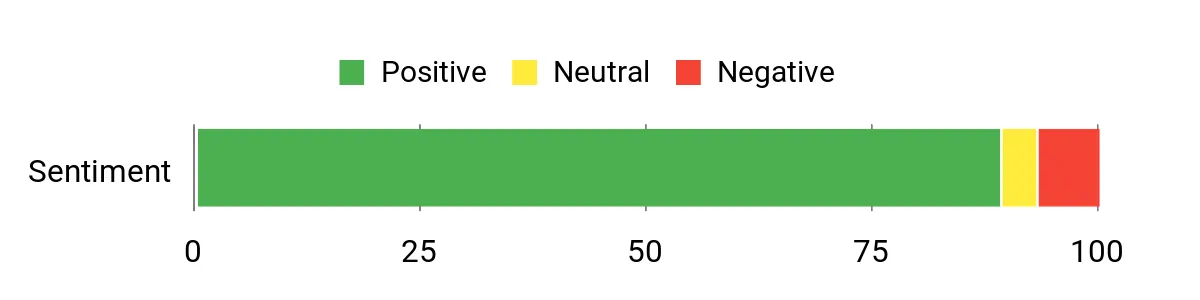
Most buyers appreciate how much this little box delivers for the price: smooth everyday performance, fast boot times and dependable dual-monitor support. People often call out the expandability (M.2 SSD) and the stable Ethernet connection, while also noting the unit is very quiet. A minority report Wi‑Fi limits, slow Windows updates or occasional DOA units, but overall customers feel it offers strong value for typical home and office tasks.
Overall Sentiment: Positive
Where It Fits
| Situation | How It Helps |
|---|---|
| Student Dorm or Small Desk | Tiny footprint frees up workspace, runs study apps and streaming, and you can add a larger SSD if your files grow. |
| Work From Home / Office | Dual-display output and Ethernet keep meetings and multitasking smooth while saving room on your desk. |
| Streaming & Home Theater | 4K-capable video output and quiet operation make it a neat media hub for a living-room or secondary TV setup. |
| Freelance / Light Creative Work | Fast SSD and integrated graphics handle photo edits and multitab workflows; extra storage helps with larger project files. |
| Portable/Remote Use | Lightweight and compact so you can move it between locations and plug into local displays without hauling a laptop. |
Setup & Maintenance
| Feature | Ease Level |
|---|---|
| Out-of-box Setup | Easy |
| Dual Monitor Configuration | Easy |
| Installing or Upgrading M.2 SSD | Easy |
| Windows Updates & System Maintenance | Moderate |
| Wi‑Fi & Bluetooth Pairing | Moderate |
Versatility
I find it flexible enough for students, remote workers, small-business tasks and casual content consumption — it covers most everyday needs without fuss.
Practicality
Ports, Ethernet and upgrade options make it a practical choice when you want a full desktop feel in a tiny package, especially for desks with limited space.
Travel Friendliness
Travel-friendly due to its compact size and light weight (about 1.79 pounds); easy to slip into a padded bag and plug into any monitor.
Key Benefits
- Dual 4K output for productive multi-monitor setups
- Compact, VESA-mountable design that saves desk space
- M.2 SSD allows straightforward storage upgrades
- Quiet operation with a small, efficient fan
Current Price: $159.99
Rating: 4.5 (total: 357+)
🎯 Best Home Office

I like how the AK1 balances size and capability: it’s a tiny cube you can tuck behind a monitor but it still drives two 4K displays, boots fast and stays whisper‑quiet during video calls. For everyday work, studying or light content tasks I found the built‑in SSD and responsive CPU make multitasking smooth, and the extra M.2 slot means you can expand storage later if you need to.
The VESA mount and handful of ports make it easy to set up a neat, space-saving home office or media corner, and the Gigabit Ethernet keeps meetings stable when Wi‑Fi gets flaky. If you want a compact PC that behaves like a full desktop for remote work, streaming and student use, this is one I’d recommend trying.
What People Say
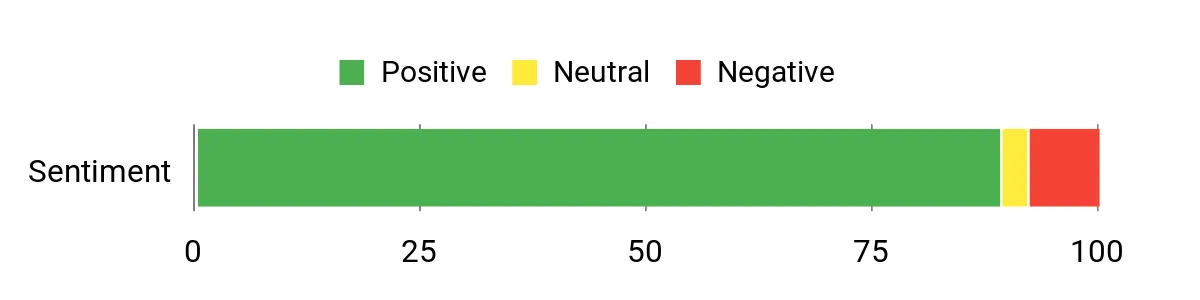
Customers frequently praise how much performance this small unit delivers for the price — people note quick boot times, smooth everyday multitasking and dependable dual‑monitor support. Many also mention the easy upgrade path (extra M.2 slot) and that it runs quietly.
A smaller group report flaky onboard Wi‑Fi or isolated customer‑service issues, but most buyers feel it’s a solid value for home office and media use.
Overall Sentiment: Positive
Where It Fits
| Situation | How It Helps |
|---|---|
| Student Dorm or Small Desk | Tiny footprint frees up workspace while handling study apps, video lectures and streaming; you can add storage as your files grow. |
| Work From Home / Office | Dual-display capability and Ethernet keep productivity apps and video calls running smoothly without a bulky tower taking up room. |
| Streaming & Home Theater | 4K video output and quiet operation make it a handy media hub for a living room or bedroom setup. |
| Freelance / Light Creative Work | Fast SSD and capable CPU let you edit photos, manage multiple browser tabs and run light content tools without constant slowdowns. |
| Portable Office Between Locations | Small, lightweight and easy to move so you can plug it into different displays when you’re switching workspaces or traveling. |
Setup & Maintenance
| Feature | Ease Level |
|---|---|
| Out-of-box Setup | Easy |
| Dual Monitor Configuration | Easy |
| Installing or Upgrading M.2 SSD | Easy |
| Windows Updates & System Maintenance | Moderate |
| Wi‑Fi & Bluetooth Pairing | Moderate |
Versatility
I find it flexible enough for students, remote workers and small‑business tasks — it handles web browsing, office apps, streaming and light creative work without fuss.
Practicality
Plenty of ports, Ethernet and upgrade options give it a practical edge for anyone who wants a full‑desktop feel in a tiny package, especially where desk space is limited.
Travel Friendliness
Very travel-friendly thanks to its compact size and light weight; it’s easy to pack in a bag and plug into local displays when you need a temporary workstation.
Key Benefits
- Dual 4K output for productive multi-monitor setups
- Fast M.2 SSD with room to expand storage
- Compact, VESA-mountable design that saves desk space
- Quiet operation and reliable Ethernet for meetings
Current Price: $189.99
Rating: 4.4 (total: 925+)
💰 Best Budget Dual-Monitor

I like how the E1 packs useful power into a tiny box. It boots quickly, drives two 4K displays at once and handles everyday tasks—browsing, video calls, streaming and light content editing—without making a fuss. The 8GB RAM and 256GB M.2 SSD feel snappy for schoolwork and remote work, and there’s room to expand storage later if you need it.
For a small desk or a media corner, its VESA mount and solid port selection make setup tidy, so I’d recommend it if you want a compact PC that behaves like a proper desktop on a budget.
What People Say
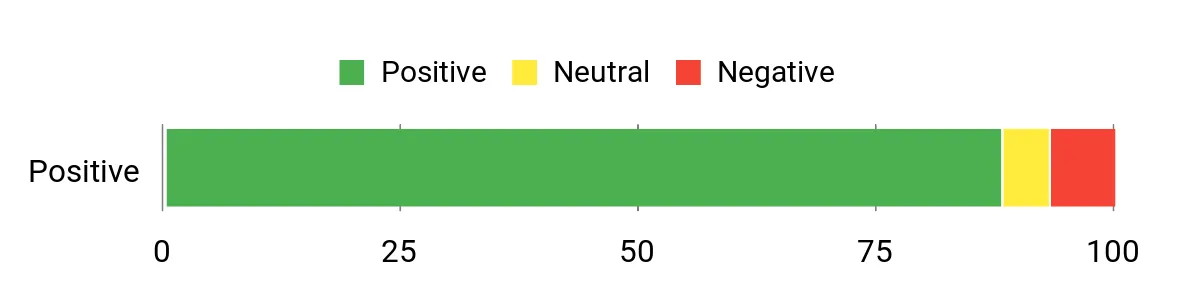
Across reviews people praise how much this little machine delivers for the price — fast boot times, smooth web browsing and reliable 4K playback come up a lot. Buyers also like the upgrade options and the range of ports, while a few mention short power cords, occasional louder fans, or customer‑service hiccups.
Overall most owners treat it as a dependable budget workhorse for home, study and light media tasks.
Overall Sentiment: Positive
Where It Fits
| Situation | How It Helps |
|---|---|
| Student Dorm or Small Desk | Small footprint saves space while handling research, lectures and streaming; you can add storage later as coursework grows. |
| Work From Home / Office | Dual-monitor support and Ethernet keep video calls and productivity apps steady without a bulky tower taking up desk real estate. |
| Streaming & Media Corner | 4K@60Hz playback and integrated graphics make it a handy, quiet media hub for watching shows or casting to a TV. |
| Freelance / Light Creative Work | Fast SSD and a responsive CPU let you edit photos, juggle browser tabs and run light content tools without constant slowdowns. |
| Portable Office Between Locations | Lightweight and easy to move, so you can plug into different monitors or meeting rooms when you’re switching workspaces. |
Setup & Maintenance
| Feature | Ease Level |
|---|---|
| Out-of-box Setup | Easy |
| Dual Monitor Configuration | Easy |
| Installing or Upgrading M.2 SSD | Easy |
| Windows Updates & System Maintenance | Moderate |
| Wi‑Fi & Bluetooth Pairing | Moderate |
Versatility
I find the E1 flexible enough for students, remote workers and casual media setups — it handles everyday office apps, streaming and light creative tasks without fuss.
Practicality
Plenty of ports, Ethernet and the VESA mount make it easy to integrate into a tidy workspace or attach to a monitor for a nearly invisible desktop replacement.
Travel Friendliness
Very travel-friendly thanks to its compact size and low weight; it’s easy to slip into a bag and plug into local displays when you need a temporary workstation.
Key Benefits
- Twin Lake N150 delivers solid everyday performance
- Dual 4K@60Hz output via HDMI 2.0 and DisplayPort
- 8GB DDR4 + 256GB M.2 SSD with upgrade options
- Stable Wi‑Fi, Bluetooth and Gigabit Ethernet for meetings
- Compact, VESA-mountable design with plenty of ports
Current Price: $149.00
Rating: 4.5 (total: 183+)
⭐ Best All-Rounder
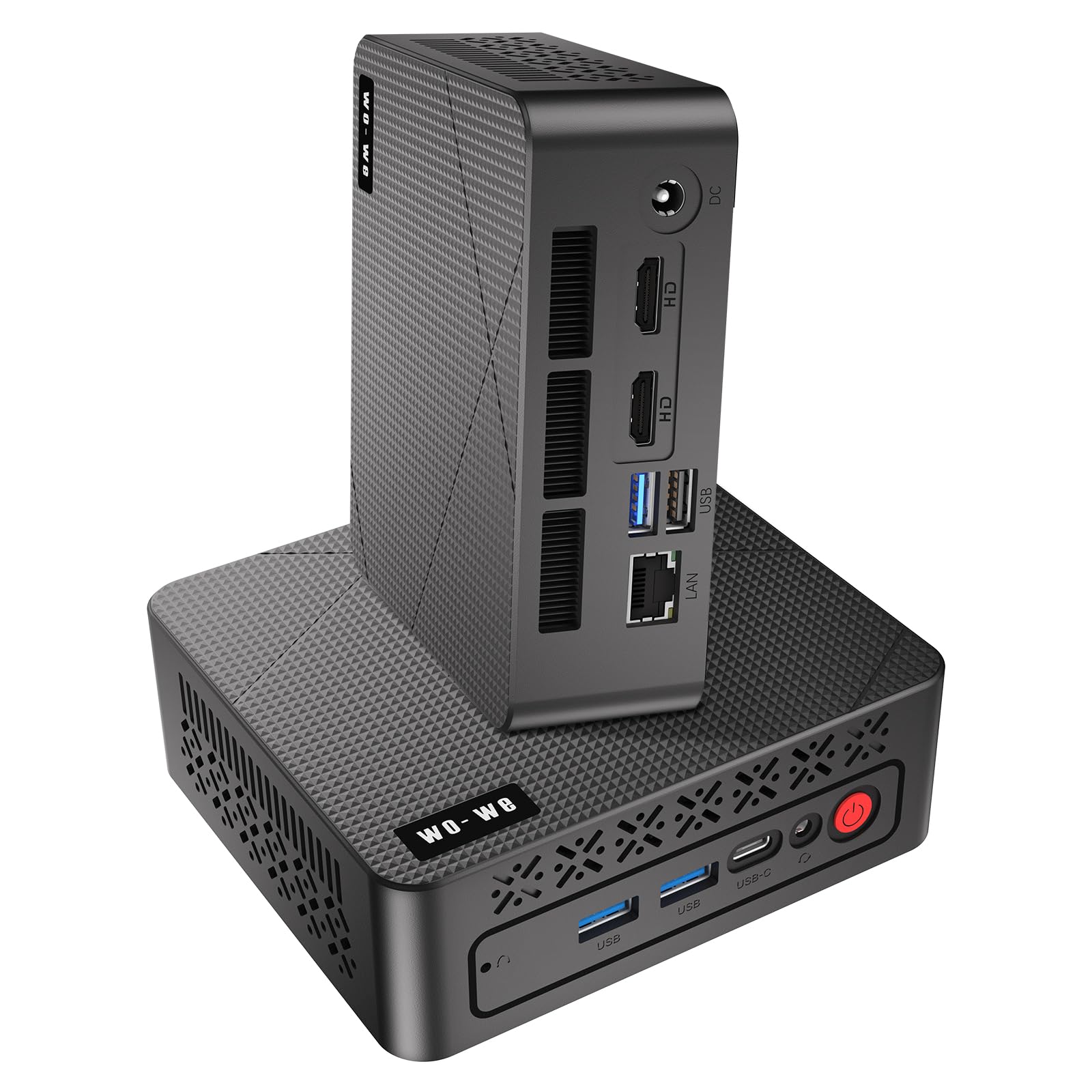
I like how the P6 squeezes a surprisingly capable desktop into a tiny box. With a Ryzen 5 3550H, Vega 8 graphics, 16GB of RAM and a 512GB NVMe SSD it feels quick for everyday work, streaming and light gaming.
The triple 4K outputs (2×HDMI + USB-C) make multitasking across monitors effortless, and the VESA mount keeps my desk tidy. It’s quiet in normal use and has a useful selection of ports, so for students, remote workers or anyone wanting a compact media PC I’d reach for this as a flexible, all-round pick.
What People Say
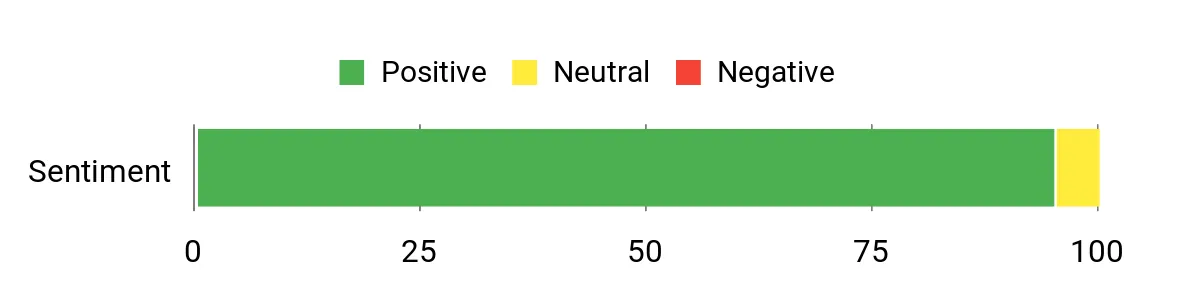
Customers generally notice how much performance the P6 delivers for its size — people like the snappy feel, responsive SSD and the ability to run multiple displays. Reviews also highlight how quiet it is in normal use and how well it handles streaming, office work and light gaming.
A handful of owners mention driver or support hiccups and a slower initial Windows setup, but most treat those as manageable trade-offs for the value.
Overall Sentiment: Positive
Where It Fits
| Situation | How It Helps |
|---|---|
| Student Dorm or Small Desk | Small footprint and VESA mount free up desk space while providing enough power for research, video lectures and light media editing. |
| Work From Home / Office | Triple‑monitor support and Ethernet make multitasking and video calls steadier, so you can run spreadsheets, chat apps and browser tabs at once. |
| Streaming & Media Center | 4K outputs and integrated graphics deliver smooth playback and a neat, mountable setup behind a TV for a clean media corner. |
| Light Gaming & Editing | Vega 8 graphics and a fast SSD handle casual and mid‑level games and short video edits without feeling sluggish. |
| Portable Kiosk or Secondary Workstation | Lightweight and easy to move between rooms or mounts, so you can repurpose a monitor or TV into a proper workstation quickly. |
Setup & Maintenance
| Feature | Ease Level |
|---|---|
| Out-of-box Setup | Moderate |
| Triple Monitor Configuration | Easy |
| Installing or Upgrading M.2 SSD / RAM | Easy |
| Driver Support & Fresh OS Install | Moderate |
| Wi‑Fi & Ethernet Connection | Easy |
Versatility
I find the P6 versatile — it handles schoolwork, office tasks, media streaming and light gaming without needing a full desktop, so it fits a lot of everyday use cases.
Practicality
Plenty of ports, a VESA mount and a quiet fan mean it integrates cleanly into a desk, mounted display or living‑room setup without adding clutter.
Travel Friendliness
Fairly travel-friendly thanks to its small size and low weight; it’s easy to move between rooms or take to another location if you need a temporary workstation.
Key Benefits
- Solid Ryzen 5 3550H performance for multitasking and light content work
- 16GB RAM and 512GB NVMe SSD keep everyday tasks responsive
- Triple 4K display support for productive multi‑monitor setups
- Compact, VESA-mountable chassis saves desk or TV space
- Quiet cooling and a broad port selection (USB‑A, USB‑C, HDMI, RJ45)
Current Price: $219.99
Rating: 4.8 (total: 38+)
⭐ Best All-Rounder

I like how the E4 crams a capable Ryzen 5 3550H, 16GB of RAM and a 512GB NVMe into a tiny box. In daily use it feels snappy for web work, spreadsheets, video calls and streaming, and the triple 4K outputs make multitasking across monitors painless.
Dual Gigabit Ethernet plus Wi‑Fi and Bluetooth keep things reliable for remote work or a small home server, and the VESA mount helps hide it behind a monitor for a clean setup. It won’t replace a gaming desktop, but for students, freelancers, home‑office setups and media streaming it’s a very practical compact choice I’d reach for.
What People Say
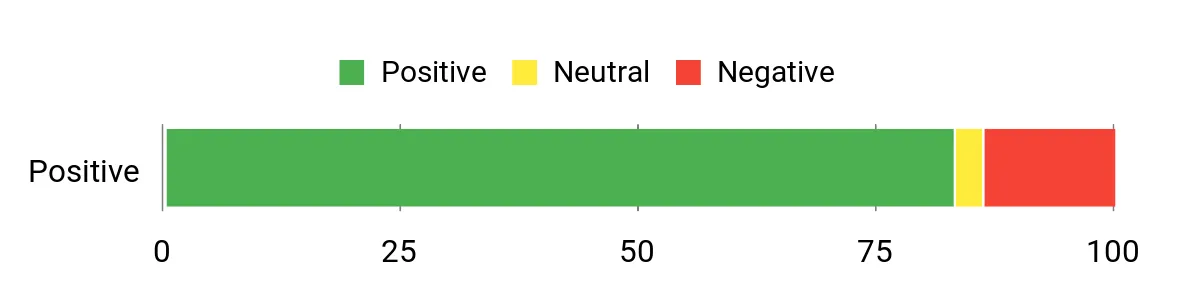
I see lots of buyers appreciate how much this little box does: people often call out the quick SSD, solid day‑to‑day performance and the convenience of triple‑monitor support. Reviewers also like how quiet and compact it is and that ports cover most home‑office needs. A recurring caveat is heat under sustained heavy loads and a few reports of fiddly internal connectors or driver hiccups, but most owners treat those as manageable trade‑offs for the price.
Overall Sentiment: Positive
Where It Fits
| Situation | How It Helps |
|---|---|
| Student Desk or Dorm | Small footprint and VESA mount free up space while offering enough power for research, streaming lectures and light media projects. |
| Work From Home | Dual Ethernet, Wi‑Fi and triple displays make video calls, spreadsheets and browser tabs run smoothly without a bulky tower. |
| Streaming & Media Center | 4K outputs and integrated graphics handle high‑definition playback for a clean, mountable living‑room setup. |
| Freelance & Light Content Editing | Fast SSD and 16GB RAM let you edit documents, photos and short videos without long waits. |
| Secondary Workstation or Kiosk | Easy to move and mount, so you can repurpose a monitor or TV into a functional workstation quickly. |
Setup & Maintenance
| Feature | Ease Level |
|---|---|
| Out-of-box Setup | Easy |
| Triple Monitor Configuration | Easy |
| Installing or Upgrading M.2 SSD / RAM | Moderate |
| Thermal Management Under Heavy Load | Moderate |
| Driver Support & Fresh OS Install | Moderate |
Versatility
I find the E4 very versatile — it handles schoolwork, remote office tasks, streaming and light creative work without needing a full desktop.
Practicality
A good mix of ports, dual LAN and a small, mountable case make it easy to integrate on a desk, behind a monitor or into a media cabinet.
Travel Friendliness
Fairly travel‑friendly thanks to its compact size and light weight; it’s simple to move between rooms or take as a portable workstation.
Key Benefits
- Good everyday performance from Ryzen 5 3550H for multitasking and streaming
- 16GB DDR4 + 512GB NVMe SSD gives snappy app launches and file access
- Triple 4K outputs (HDMI/DP/USB‑C) for productive multi‑monitor setups
- Dual RJ45 and wireless options for stable remote‑work connectivity
- Compact, quiet design with VESA mount keeps desks and TVs tidy
Current Price: $219.00
Rating: 4.2 (total: 315+)
⭐ Best All-Rounder
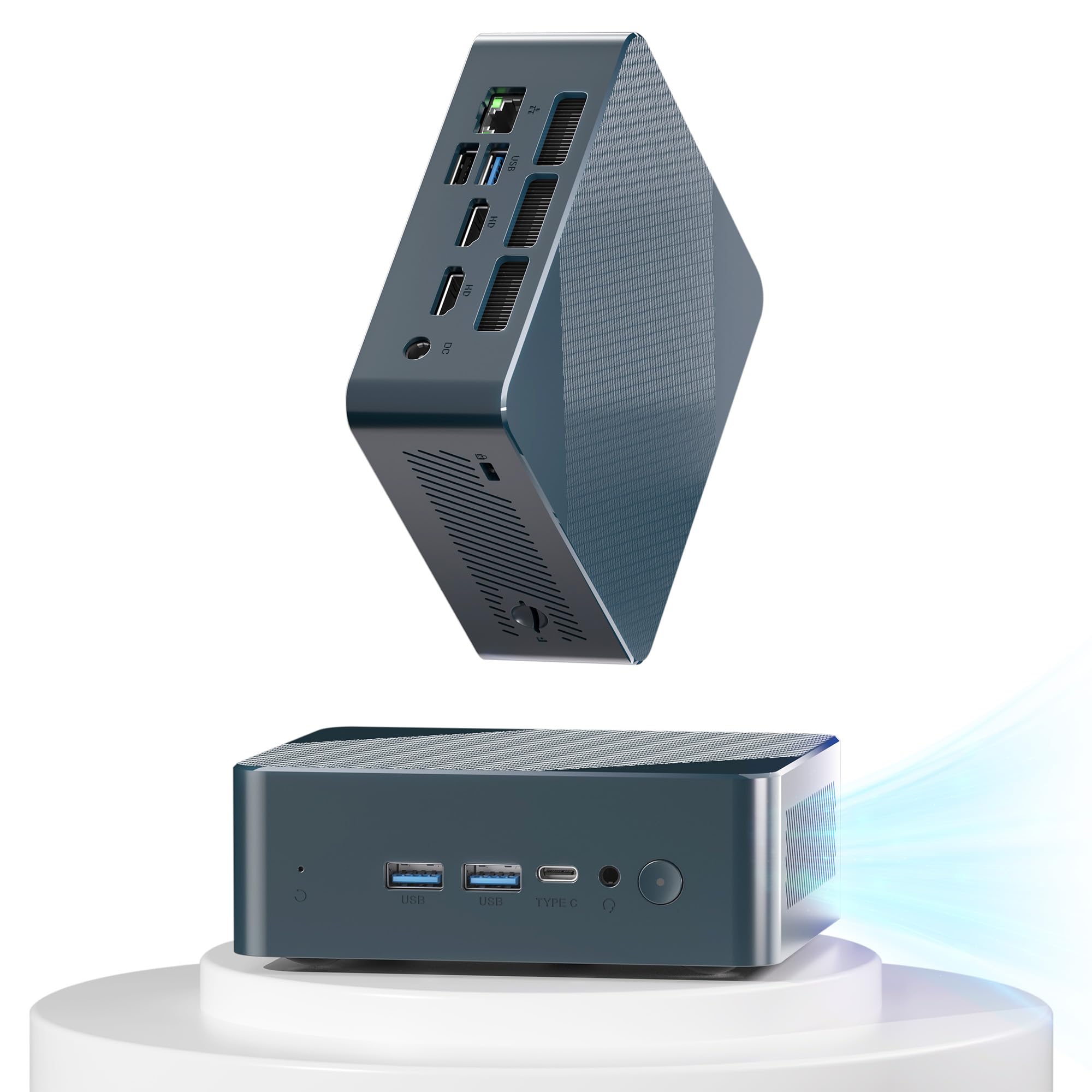
I like how this Getorli packs a Ryzen 5 3550H, 16GB of RAM and a 512GB SSD into a palm‑sized box. Day to day it feels responsive for browser work, video calls, streaming and light photo or video edits, and the ability to drive up to three 4K displays is surprisingly handy when I’m juggling research tabs and a video call. The port selection — HDMI, Type‑C, USB 3.2 and a Gigabit RJ45 — makes it easy to hook up monitors, external drives or a wired connection for stable remote‑work sessions.
It’s quiet for most tasks thanks to the smart fan design, and the SSD/RAM can be upgraded later if you want more breathing room. I’d recommend it for students, home‑office setups, freelancers and anyone who wants an affordable, compact machine for productivity and streaming rather than heavy gaming.
What People Say
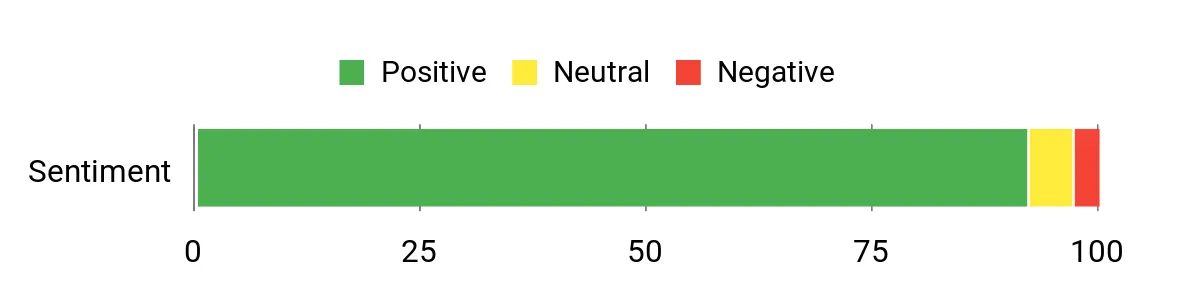
Across reviews people tend to praise how much this little PC delivers for the price — the fast SSD, roomy 16GB RAM and compact build come up a lot. Owners appreciate the multiple display outputs and solid connectivity, and several note that upgrading storage or RAM is straightforward. Common downsides mention occasional driver or OS setup quirks and that the fan can be noticeable with heavier display loads, but most buyers find those manageable given the value.
Overall Sentiment: Positive
Where It Fits
| Situation | How It Helps |
|---|---|
| Student Desk or Dorm | Tiny footprint and good multitasking power for research, streaming lectures and light media projects without taking up much space. |
| Work From Home | Multiple displays, wired LAN and reliable ports help keep video calls, spreadsheets and browser tabs running smoothly. |
| Streaming & Media Center | 4K@60Hz outputs and integrated Radeon graphics handle high‑definition playback for a compact living‑room setup. |
| Freelance & Light Content Editing | 16GB RAM and a fast SSD let you edit photos, short videos and documents without long waits. |
| Home Server / Media Server | Quiet operation and upgradeable storage make it a sensible low‑power option for a small media or file server. |
Setup & Maintenance
| Feature | Ease Level |
|---|---|
| Out‑of‑box Setup | Easy |
| Multi‑Monitor Configuration | Easy |
| Upgrading SSD / RAM | Moderate |
| Driver Support & Fresh OS Install | Moderate |
| Noise/Thermal Behavior Under Heavy Load | Moderate |
Versatility
I find the Getorli very versatile — it comfortably covers studying, remote work, media playback and light creative tasks without needing a bulky desktop.
Practicality
Good port selection, compact size and upgrade options make it easy to integrate on a desk, behind a monitor or in a media cabinet.
Travel Friendliness
Fairly travel‑friendly because of its small size and light weight; it’s easy to move between rooms or pack as a portable workstation.
Key Benefits
- Solid everyday performance from Ryzen 5 3550H for multitasking and media
- 16GB DDR4 + 512GB SSD gives quick app load times and smooth multitasking
- Triple 4K@60Hz output support for roomy multi‑monitor workflows
- Plenty of ports (HDMI, Type‑C, USB 3.2, Gigabit LAN) for home‑office setups
- Compact, relatively quiet design with upgrade paths for storage and RAM
Current Price: $169.98
Rating: 4.5 (total: 58+)
⭐ Best All-Rounder
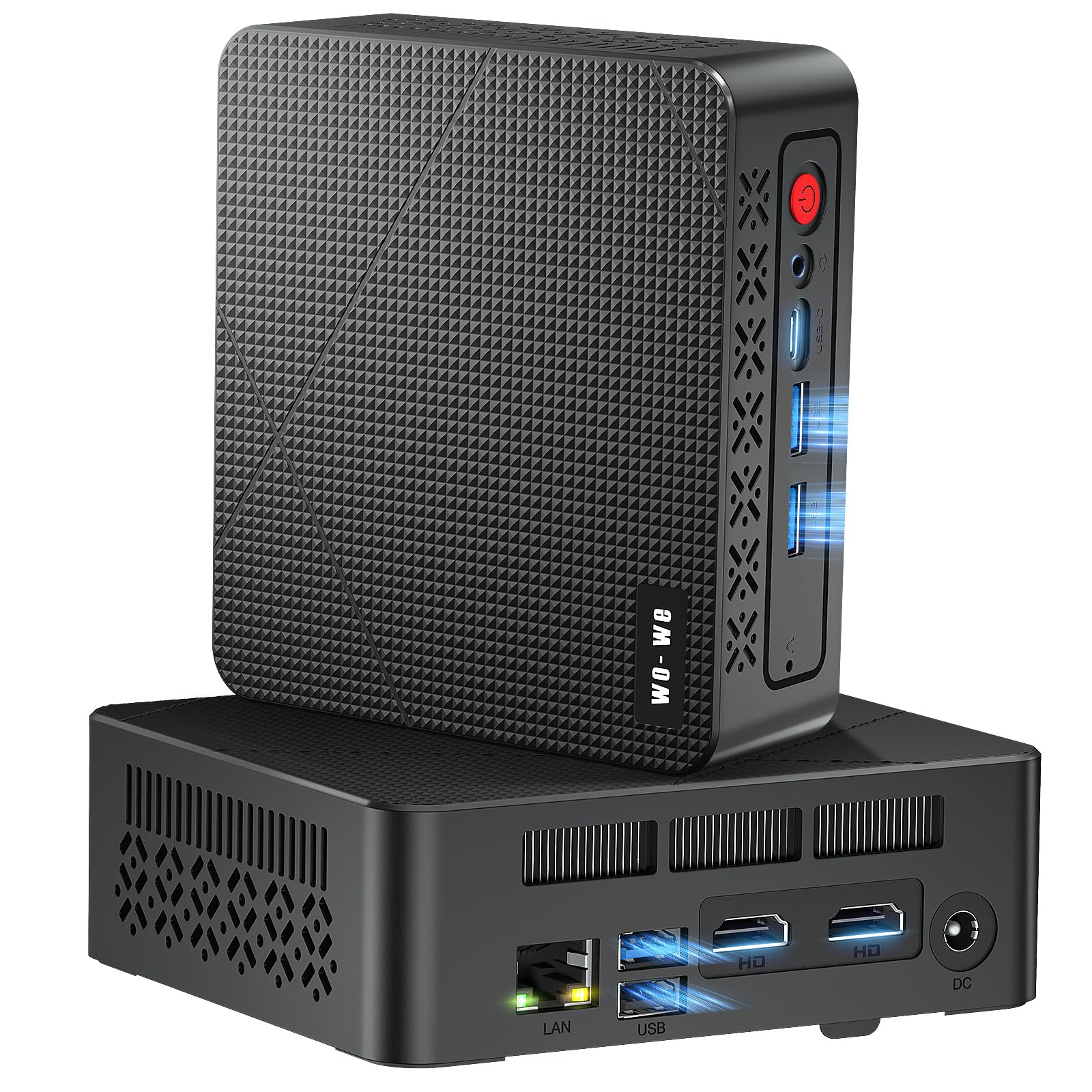
I like how the wo-we P6 packs a Ryzen 5 3550H, 16 GB of RAM and a 512 GB PCIe SSD into a palm‑sized box. For day‑to‑day work it feels snappy for browser tabs, video calls and streaming, and the triple‑display support (2×HDMI + USB‑C) is unexpectedly handy when I’m juggling research windows and a meeting.
The port selection — USB 3.2, USB‑C, Gigabit RJ45 and audio — makes it simple to hook up monitors, wired networking or external drives, and the small footprint means it tucks behind a monitor or sits on a dorm desk without stealing space. The fan is quiet for routine tasks, storage and RAM are upgradeable, and the included one‑year warranty gives extra peace of mind; I’d suggest it for students, freelancers and remote workers who want a compact, affordable productivity and streaming machine.
What People Say
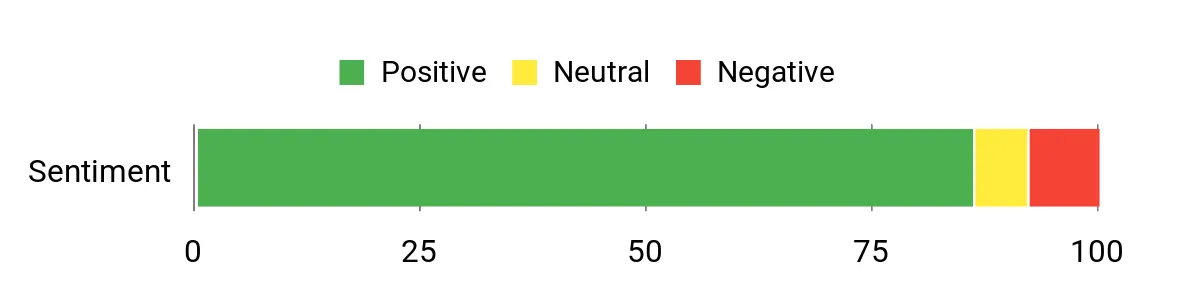
Across reviews people commonly note that the P6 delivers a lot for the price: solid responsiveness, roomy 16 GB memory and fast SSD come up a lot. Buyers appreciate the multiple display outputs and the compact build, and many say setup is straightforward.
A minority mention thermal or reliability hiccups under heavy load, but most reviewers find the value and daily performance convincing.
Overall Sentiment: Positive
Where It Fits
| Situation | How It Helps |
|---|---|
| Student Desk or Dorm | Small footprint and enough power for research, streaming lectures and light media projects without cluttering limited space. |
| Work From Home | Multiple displays, wired LAN and dependable ports keep video calls, spreadsheets and browser tabs running smoothly. |
| Streaming & Media Center | 4K@60Hz outputs and integrated graphics let you run a compact living‑room PC for high‑definition playback. |
| Freelance & Light Editing | 16 GB RAM and a fast NVMe SSD make photo edits, short video trims and document work faster than typical budget machines. |
| Portable Workstation | Lightweight and easy to move between rooms or pack for temporary remote work where a full desktop isn’t practical. |
Setup & Maintenance
| Feature | Ease Level |
|---|---|
| Out‑of‑box Setup | Easy |
| Multi‑Monitor Configuration | Easy |
| Upgrading SSD / RAM | Moderate |
| Driver Support & Fresh OS Install | Moderate |
| Noise / Thermal Behavior Under Heavy Load | Moderate |
Versatility
I find the P6 quite versatile — it comfortably handles studying, remote work, streaming and light creative tasks without needing a larger desktop.
Practicality
Compact size, VESA mounting potential and a sensible set of ports mean it fits easily on a desk, behind a monitor or in a small media cabinet.
Travel Friendliness
Fairly travel‑friendly thanks to its small size and light weight; it’s easy to move between rooms or take as a compact workstation.
Key Benefits
- Good everyday performance from Ryzen 5 3550H for multitasking and media
- 16 GB DDR4 + 512 GB PCIe NVMe SSD gives fast app load times and smooth switching
- Triple 4K@60Hz outputs (2×HDMI + USB‑C) for multi‑monitor workflows
- Compact, VESA‑friendly design that saves desk space
- Range of ports (USB 3.2, USB‑C, RJ45) and quiet cooling for typical office or media use
Current Price: $199.00
Rating: 4.6 (total: 22+)
⭐ Best All-Rounder

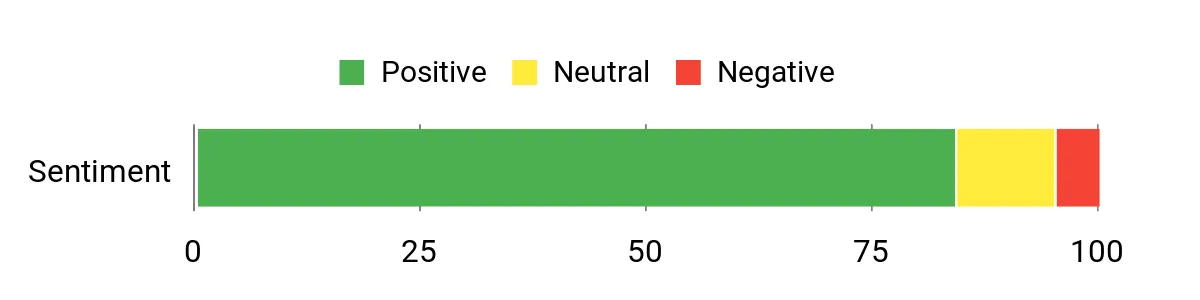
I like how compact this little machine is — it crams a Ryzen 5 3550H, 16 GB of RAM and a 512 GB NVMe drive into a palm‑sized box that still handles everyday tasks smoothly. For me it’s great for juggling browser tabs, video calls and streaming, and the ability to drive three 4K@60Hz displays (two HDMI + USB‑C) makes multitasking painless when I’ve got research, chat and a meeting window open.
The I/O — USB 3.2 ports, Gigabit Ethernet and a headphone jack — means hooking up peripherals is straightforward, and the VESA mount keeps my desk tidy. It’s easy to upgrade RAM or storage if you want more breathing room, and while it’s not a powerhouse for heavy content creation, it’s a very practical, space‑saving pick for students, freelancers and compact home setups.
What People Say
Most buyers praise the P6 for offering impressive value — plenty of memory and a fast NVMe drive make everyday browsing, streaming and light editing feel snappy. People often mention the triple‑display support and compact, mountable case as big pluses.
On the flip side, a few users note driver availability and occasional BIOS or fit‑and‑finish quirks, and some would swap the stock SSD later for faster storage.
Overall Sentiment: Positive
Where It Fits
| Situation | How It Helps |
|---|---|
| Student Desk or Dorm | Fits neatly in small spaces, boots quickly for research and streaming lectures, and you can mount it behind a monitor to save room. |
| Work From Home | Multiple monitors and wired LAN keep video calls and multitasking stable without a bulky tower. |
| Freelance & Light Editing | 16 GB RAM and an NVMe SSD speed up photo work and short video edits compared to basic budget rigs. |
| Streaming & Media Center | Triple 4K outputs and integrated Vega graphics make it a compact option for high‑definition playback. |
| Portable Secondary Workstation | Lightweight and small enough to move between rooms or bring along when you need a temporary desk setup. |
Setup & Maintenance
| Feature | Ease Level |
|---|---|
| Out‑of‑box Setup | Easy |
| Multi‑Monitor Configuration | Easy |
| Upgrading RAM / SSD | Moderate |
| Driver Support & Fresh OS Reinstall | Moderate |
| Noise and Temperatures Under Heavy Load | Moderate |
Versatility
I find the P6 very adaptable — it works well for study sessions, remote work, streaming and light creative tasks without taking up much space.
Practicality
Its VESA mount, compact footprint and sensible port mix make it easy to tuck behind a monitor or squeeze onto a crowded desk.
Travel Friendliness
Fairly travel‑friendly — it’s light and small, so moving it between locations is simple if you need a compact desktop away from home.
Key Benefits
- Solid everyday responsiveness from the Ryzen 5 3550H for productivity and media
- 16 GB DDR4 and a 512 GB PCIe NVMe SSD for quick app load times and smooth multitasking
- Triple 4K@60Hz output (2×HDMI + USB‑C) makes multi‑monitor setups easy
- Small, VESA‑compatible design that helps keep desks and dorms uncluttered
- Good selection of ports (USB 3.2, USB‑C, Gigabit LAN) with quiet cooling during normal use
Current Price: $199.00
Rating: 4.5 (total: 72+)
💼 Best Budget Workhorse

I like how the BEASTCOM M1 squeezes a lot into a tiny box — 16 GB of RAM and a 512 GB M.2 SSD make everyday tasks feel snappy, and the Intel N100 handles streaming, document work and light content tasks without drama. It’s small enough to tuck behind a monitor with the included VESA mount but still gives you plenty of ports for wired Ethernet, Bluetooth and multiple displays, which is handy for a home office or media corner.
For daily use I reach for it when I want a low‑profile desktop for video calls, research or watching 4K shows; on special occasions it doubles as a portable media hub when I need to move a setup between rooms. If you want a compact, affordable machine that covers most bases without taking up desk real estate, the M1 is an easy recommendation — just be mindful that very heavy multitasking can show its limits.
What People Say
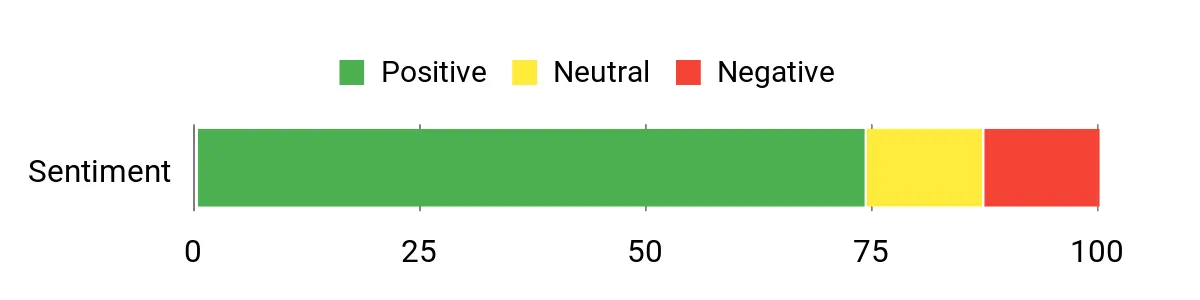
Buyers commonly praise the M1 for its compact size and solid everyday performance — people notice quick boot times, smooth streaming and reliable Wi‑Fi/SSD performance. Many appreciate the VESA mount and multiple ports for multi‑monitor setups.
A smaller group flags occasional slowdowns under heavy simultaneous loads and rare hardware hiccups like power adapter issues.
Overall Sentiment: Positive
Where It Fits
| Situation | How It Helps |
|---|---|
| Student Desk or Dorm | Small footprint and quick startup make it great for tight spaces; it handles research, video lectures and streaming without hogging room. |
| Work From Home | Wired Ethernet and multiple display support keep video calls and multitasking stable, while the VESA mount helps tidy a home office. |
| Freelance & Light Editing | 16 GB RAM and an SSD speed up photo edits and short video tweaks compared with basic budget PCs. |
| Streaming & Media Center | 4K output and capable integrated graphics make this a compact media player for movies, music and casual streaming. |
| Portable Secondary Workstation | It’s light and easy to move between rooms or bring along when you need a temporary desktop setup elsewhere. |
Setup & Maintenance
| Feature | Ease Level |
|---|---|
| Out‑of‑box Setup | Easy |
| Multi‑Monitor Configuration | Easy |
| VESA Mounting | Easy |
| Upgrading RAM / SSD | Moderate |
| Troubleshooting Power or Driver Issues | Moderate |
Versatility
I find the M1 quite versatile — it’s equally at home as a study machine, a compact office PC or a living‑room media player, and it handles those roles without taking much space.
Practicality
The VESA mount, small footprint and sensible port selection make it practical for cramped desks, shared spaces and anyone who wants a no‑fuss compact desktop.
Travel Friendliness
It’s travel‑friendly in the sense that it’s lightweight and small to pack, though you’ll still need to bring a display and power brick if you want a full setup away from home.
Key Benefits
- 16 GB RAM and 512 GB M.2 SSD for responsive everyday multitasking and fast boots
- Compact, VESA‑mountable design keeps desks tidy and makes placement flexible
- 4K UHD output and support for multiple displays makes media and work setups easier
- Good mix of connectivity: Ethernet, Wi‑Fi, Bluetooth and several USB ports
- Preinstalled Windows 11 Pro for a familiar, ready‑to‑use experience
Current Price: $145.20
Rating: 4.1 (total: 10+)
🚀 Best Windows Performer

I appreciate how the V1 packs a surprisingly capable 12th Gen Intel N95 into a very small chassis. With 16 GB of RAM and a 512 GB M.2 SSD it wakes quickly, handles multitasking for work or study, and drives two 4K displays for spreadsheet work or streaming. The VESA mount and compact footprint make it easy to tuck behind a monitor or move between rooms when I need a temporary workstation.
Cooling and noise are solid for day‑to‑day use, so it’s one I reach for when I want a low‑profile desktop for video calls, research, or as a media box — I’d only steer clear if you need a machine for demanding gaming or heavy 4K video renders.
What People Say
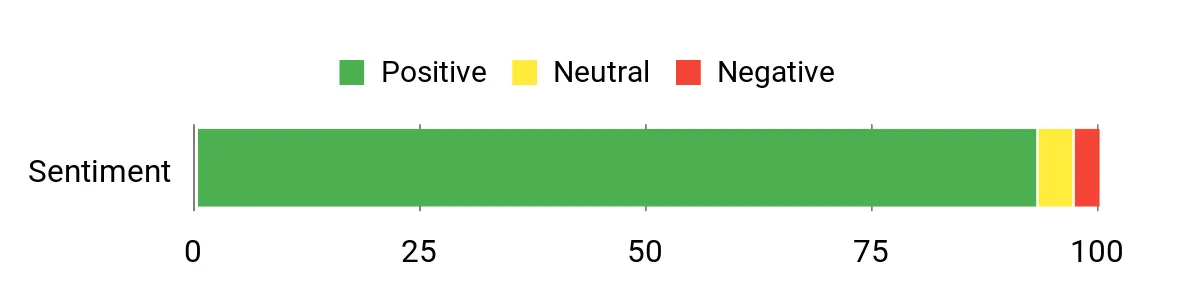
Customers often point to the V1’s compact size and surprisingly quick responsiveness — people like fast boot times, quiet cooling, and the convenience of a ready‑to‑use Windows 11 Pro setup. Praise also shows up for the dual 4K display support and reliable Wi‑Fi/Ethernet connections, while a few users note minor gripes about network throughput or the limitations of integrated graphics under heavy workloads.
Overall Sentiment: Positive
Where It Fits
| Situation | How It Helps |
|---|---|
| Student Desk or Dorm | Small footprint and quick startup make it ideal for tight spaces; it handles research, video lectures and streaming without fuss. |
| Work From Home | Wired Ethernet, stable Wi‑Fi and dual‑monitor support keep video calls and multitasking steady during the workday. |
| Freelance & Light Editing | 16 GB RAM and an SSD speed up photo edits and basic content tasks compared with older budget PCs. |
| Streaming & Media Center | 4K UHD output and integrated Intel graphics make it a neat, compact media player for movies and shows. |
| Portable Secondary Workstation | It’s light and easy to move; pair it with a monitor and you’ve got a quick temporary workstation wherever you need it. |
Setup & Maintenance
| Feature | Ease Level |
|---|---|
| Out‑of‑box Setup | Easy |
| Multi‑Monitor Configuration | Easy |
| VESA Mounting | Easy |
| Upgrading RAM / SSD | Moderate |
| Troubleshooting Network or Driver Issues | Moderate |
Versatility
I find the V1 very versatile — it works as a study PC, a compact office machine or a living‑room media hub, and it switches roles without fuss.
Practicality
The VESA mount, small footprint and sensible port selection make it practical for cramped desks, shared spaces and no‑nonsense setups.
Travel Friendliness
It’s easy to pack and light to carry, though you’ll still need a display and power brick for a full setup away from home.
Key Benefits
- 12th Gen Intel N95 up to 3.4 GHz for snappy everyday performance
- 16 GB DDR4 and 512 GB M.2 SSD for smooth multitasking and fast boots
- Dual 4K output (HDMI + DisplayPort) for multitasking or crisp media playback
- Compact VESA‑mountable design with plenty of ports including Gigabit Ethernet
- Windows 11 Pro preinstalled and an upgraded cooling design for quiet operation
Current Price: $189.00
Rating: 4.6 (total: 318+)
🔰 Best Starter

I like how the G2 Plus gives you a full desktop feel in a tiny box. With the N150 CPU, 12 GB of DDR5 and a 512 GB SSD it wakes quickly, handles everyday multitasking and can drive three 4K screens for spreadsheets, video calls or a neat media setup.
The dual Gigabit Ethernet and Wi‑Fi 6 mean stable connections for work from home or a small streaming server, and the VESA mount makes it easy to hide behind a monitor. It’s a great pick if you want a compact, no‑fuss machine for studying, light content work or as a living‑room media PC — I’d skip it only if you need heavy gaming or pro video rendering.
What People Say
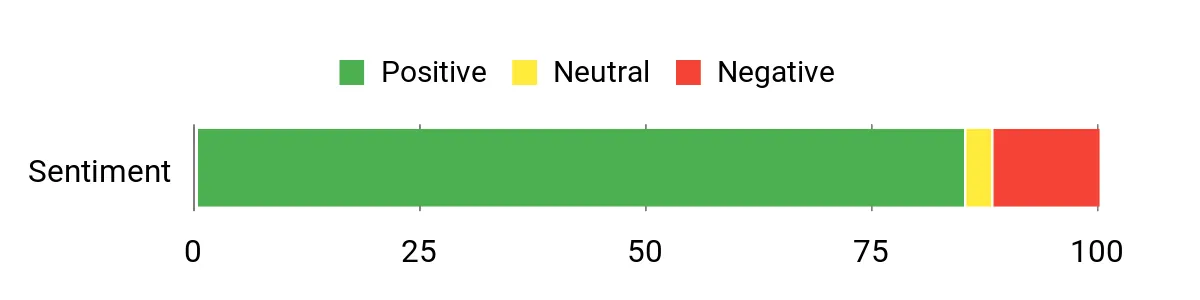
Most buyers like the small footprint, quick boot times and how many ports are packed into such a compact unit. People frequently praise its streaming and multi‑display handling, plus the responsive customer support some customers report.
A minority mention issues like shipping mixups, occasional fan noise or heat under sustained heavy load.
Overall Sentiment: Positive
Where It Fits
| Situation | How It Helps |
|---|---|
| Student Desk or Dorm | Small size and fast startup fit tight spaces, while the SSD and DDR5 keep research, note taking and streaming smooth. |
| Work From Home | Stable wired and wireless networking plus multi‑monitor support keeps video calls and multitasking reliable during the day. |
| Home Media & Streaming | Triple 4K outputs and AV1 playback capability make it a handy media player or light Plex/streaming server. |
| Office or Monitoring | Dual Gigabit LAN, wake‑on‑LAN and compact VESA mounting make it easy to use for kiosks, signage or light server tasks. |
| Portable Secondary Workstation | It’s light to move between rooms or offices — pair it with any monitor and you’ve got a ready‑to‑work setup in minutes. |
Setup & Maintenance
| Feature | Ease Level |
|---|---|
| Out‑of‑box Setup | Easy |
| Multi‑Monitor Configuration | Easy |
| VESA Mounting | Easy |
| Upgrading RAM / SSD | Moderate |
| Troubleshooting Fan or Thermal Issues | Moderate |
Versatility
I find the G2 Plus really flexible — it easily switches between student work, remote office duty and a compact media hub without feeling out of place.
Practicality
The small footprint, VESA mount and sensible port layout make it practical for cramped desks, shared spaces and tidy setups.
Travel Friendliness
It’s light and easy to pack, but remember you’ll still need a display and the power adapter for a full setup on the road.
Key Benefits
- Intel Twin Lake N150 (burst to 3.6 GHz) for snappy day‑to‑day performance
- 12 GB DDR5 and 512 GB M.2 SSD for fast boots and smooth multitasking
- Triple 4K output (2× HDMI + 1× DP) for multi‑monitor productivity or media
- Dual Gigabit Ethernet plus Wi‑Fi 6 and Bluetooth 5.2 for reliable connectivity
- Compact VESA‑mountable design with plenty of USB ports and a 1‑year warranty
Current Price: $229.99
Rating: 4.3 (total: 1,597+)
🔁 Best Refurb Bargain

I like this Prodesk because it gives you solid everyday performance without taking up desk space. The Core i3-6100T paired with 8 GB DDR4 and a 256 GB SSD wakes quickly, handles browser tabs, video calls and document work, and stays whisper-quiet.
As a renewed unit it’s a smart way to get useful ports and multiple video outputs for a cheap home office, student setup or media PC. I’d recommend it when you want a dependable, no-fuss mini tower for general use rather than heavy creative workloads.
What People Say
I’ve noticed most buyers appreciate the small footprint, quick boot times and the fact it handles browsing, documents and streaming without fuss. People often highlight how quiet it runs and how many ports are packed into a small case.
At the same time, customers occasionally report missing accessories, variable refurb quality, or a disappointing Wi‑Fi dongle—so expect some variability with renewed units.
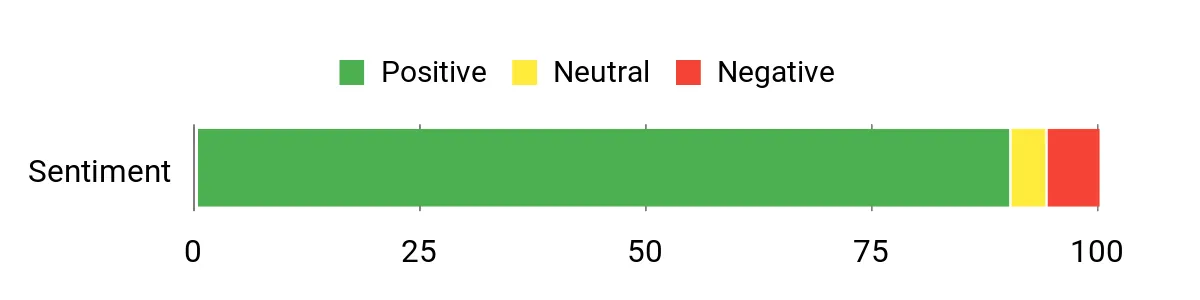
Overall Sentiment: Positive
Where It Fits
| Situation | How It Helps |
|---|---|
| Student Desk or Dorm | Small footprint and fast SSD boots mean study sessions and research are ready quickly, even on cramped desks. |
| Work From Home | Stable performance for video calls, email and office apps plus multiple video outputs for a dual‑monitor setup. |
| Home Media & Streaming | Quiet operation and decent integrated graphics handle streaming, light media playback and Plex client duties. |
| Small Office / Kiosk | Compact design and plenty of ports make it easy to tuck away for point‑of‑sale, signage or monitoring tasks. |
| Workshop or Secondary Machine | Its size and reliability make it a useful secondary PC for running lightweight tools or controlling machines in dusty spaces (with care). |
Setup & Maintenance
| Feature | Ease Level |
|---|---|
| Out‑of‑box Setup | Easy |
| Windows 10 Updates & Drivers | Moderate |
| Upgrading RAM / SSD | Moderate |
| Network Setup (Wi‑Fi dongle or adapter) | Moderate |
| Troubleshooting Refurb Issues | Moderate |
Versatility
I find it versatile for students, home office users and anyone who needs a compact general‑purpose PC that’s affordable and reliable.
Practicality
The slim case, sensible port selection and low noise make it practical for small desks, shared rooms and utility setups.
Travel Friendliness
It’s light and small enough to move between rooms, but you’ll still need a display and power adapter for a full portable setup.
Key Benefits
- Compact refurbished mini tower that fits tight desks or behind a monitor
- Intel Core i3-6100T with 8 GB DDR4 and 256 GB SSD for responsive everyday use
- Windows 10 Pro preinstalled and suitable for office, study, and light media tasks
- Multiple USB 3.0 ports and several video outputs for multi-monitor or peripheral setups
- Excellent value for budget buyers who want a ready-to-use refurb with a short warranty
Current Price: $115.56
Rating: 4.6 (total: 129+)
🚀 Best Windows Performer

I’ve been impressed by how much this tiny box can handle. The Alder Lake N95 paired with 16 GB of RAM and a 256 GB SSD keeps everyday multitasking smooth — browser tabs, video calls and document work all feel snappy.
The dual 4K output (HDMI + DP) and VESA mount are surprisingly useful: I mounted it behind a monitor to free desk space and gained a compact all‑in‑one feel. It’s quiet in regular use, has a good set of ports and gigabit Ethernet, so it works equally well for study sessions, remote work, streaming movies or light creative tasks.
If you want a space‑saving Windows machine that actually performs, this is a solid pick.
What People Say
Most buyers like how small and quiet the unit is, plus how easy it is to set up right out of the box. Folks frequently mention the solid everyday performance, dual‑monitor support and the convenience of the VESA mount.
Common drawbacks are the need for extra USB hubs or longer cables for certain setups, but overall people feel it’s a great value for a compact Windows machine.
Overall Sentiment: Positive

Where It Shines
| Situation | How It Helps |
|---|---|
| Student Desk or Dorm | Small footprint and quick boot times make study sessions easy, and dual‑monitor support helps with research and note taking. |
| Work From Home | Stable performance for video calls, office apps and multitasking, plus Ethernet and plenty of ports for peripherals. |
| Streaming & Home Media | Dual 4K outputs and integrated Intel UHD graphics handle streaming and media playback without fuss. |
| Freelance / Light Creative Work | Enough RAM and a responsive SSD for photo edits, content review and multitasking on the go. |
| Small Workspace or Kiosk | VESA mounting and compact size let you hide the PC behind a monitor for a tidy, professional setup. |
Setup & Maintenance
| Feature | Ease Level |
|---|---|
| Out‑of‑box Setup | Easy |
| Windows 11 Updates & Drivers | Moderate |
| Connecting Peripherals (monitor, keyboard, mouse) | Easy |
| Upgrading Storage (M.2 / 2TB support) | Moderate |
| Mounting with VESA | Easy |
Versatility
I find this mini PC versatile — it’s compact enough for cramped desks, capable for remote work and streaming, and flexible enough to serve as a secondary machine or dedicated media box.
Practicality
The small size, sensible port layout and quiet cooling make it a practical daily driver for students, home offices and anyone needing a no‑fuss Windows PC.
Travel Friendliness
It’s light and pocketable for moving between rooms or offices, but you’ll still need a monitor, power and peripherals to get a full setup going.
Key Benefits
- Alder Lake N95 CPU (up to 3.4 GHz) for responsive everyday performance
- 16 GB DDR4 RAM and 256 GB SSD for smooth multitasking and fast boots
- Dual 4K monitor support via HDMI + DisplayPort for productivity or media
- Compact VESA‑mountable chassis saves desk space and stays quietly cooled
- Good connectivity: USB 3.2, USB 2.0, Gigabit Ethernet, audio jack and Bluetooth
- Ships with Windows 11 Pro and includes a 1‑year limited warranty
Current Price: $189.99
Rating: 4.6 (total: 117+)
FAQ
Which Mini PC Under $200 Should I Choose For Students, Remote Work, Freelance And Home Streaming?
I usually tell people to pick a mini PC based on the work you actually do rather than the brand hype. If you need reliable web browsing, Zoom/Teams calls, document work and streaming, models like the KAMRUI Essenx E2 ($189.99) or the KAMRUI E1 ($159.99) give you a strong balance of CPU, RAM and SSD for the money.
If you want quieter operation and slightly better expansion options at a similar price point, alternatives such as the ACEMAGICIAN / ACEMAGIC models (~$189.00–$189.99) or the BEASTCOM M1 ($145.20) are worth a look. I focus on three hardware points: a minimum of 8 GB RAM but preferably 16 GB for multitasking, an SSD (256–512 GB) for snappy boot and app load times, and dual monitor support if you work with multiple windows. Also check whether the model has an extra M.2 or 2.5″ bay and whether RAM is user-upgradeable, because upgradeability extends the life of a sub-$200 mini PC.
Can A Mini PC Under $200 Handle Video Calls, Remote Work, Light Editing And Casual Gaming?
In my experience, yes for most day-to-day tasks. These mini PCs handle video calls, office apps, cloud work, and 4K video playback fine; many reviewers specifically praised models running Windows 11 or lightweight Linux for those uses. For light photo editing or short video edits they’re usable, but they’re not designed for heavy renders or modern AAA gaming at high settings.
Two practical tips I always give are to use Ethernet when possible for stable streaming and large updates, and to consider an external USB Wi‑Fi 6 adapter if the built‑in wireless is slow or interferes with Bluetooth (some users fixed Wi‑Fi/Bluetooth conflicts with a $29.99 USB adapter). Also, expect single‑channel RAM in some cheap models which can slightly reduce integrated GPU performance — if you plan to game or do heavier graphics work, aim for a dual‑channel 16 GB configuration or an AMD Ryzen option near the top of the $200 range.
What Should I Inspect Before Buying And How Easy Is It To Upgrade Or Fix Problems?
I always check the following before I buy: exact ports (HDMI/DP/USB types), whether there’s a spare M.2 slot or a 2.5″ bay for extra storage, whether RAM is soldered or a SODIMM you can upgrade, the wireless standard (Wi‑Fi 5 vs Wi‑Fi 6) and whether Windows 11 is preinstalled. From what I’ve seen with budget mini PCs, adding an M.2 NVMe or a 2.5″ SSD and swapping in another RAM stick is often straightforward, but some models use single‑channel RAM or uncommon connectors so read the spec sheet and user reviews first. If something goes wrong, test the unit right away and keep a copy of the OEM drivers because a clean reinstall can solve many issues; also be mindful reviewers reported mixed support quality so I always check the return policy and warranty before buying. Finally, keep the unit well ventilated, avoid stacking papers on it, and use a padded bag if you travel with it — mini PCs are compact but can be sensitive to rough handling.
What Customers Prefer
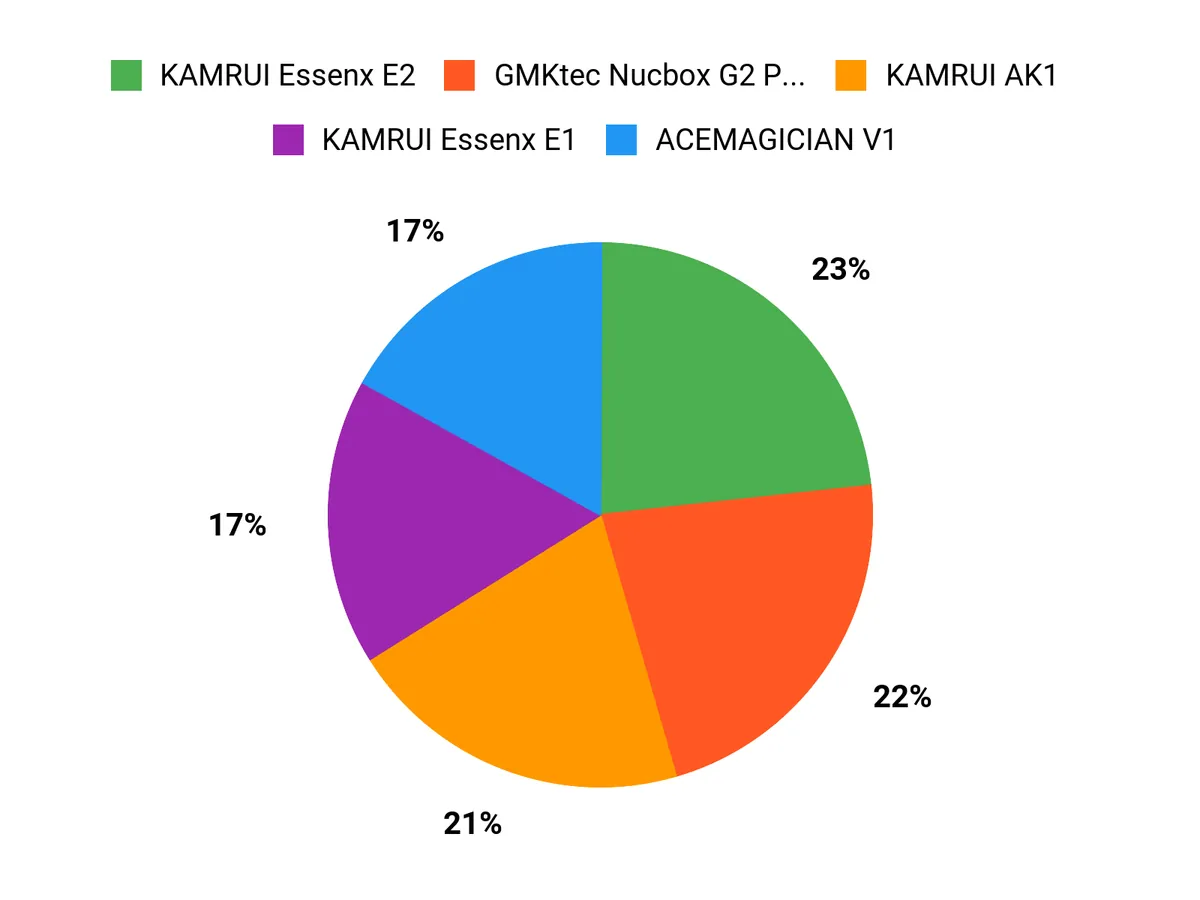
When choosing between the KAMRUI Essenx E2, E1, and AK1 we focus on the balance between performance and price — more RAM and a snappier CPU for heavy multitasking or streaming, or a lower-cost model when the main needs are web browsing and schoolwork. We also pay attention to ports, connectivity, and quiet operation, so our pick usually comes down to use case: budget and portability for students, extra horsepower and I/O for freelancers and office users.
Wrapping Up
I built this list so you can get a practical mini PC that actually works for daily tasks without overspending. Key takeaways: if you want upgrade options and dual-drive storage, pick the KAMRUI E2; if you need the cheapest reliable dual-monitor setup, the KAMRUI E1 at $159.99 is a smart choice; if you prefer a stronger CPU for light gaming or heavier multitasking, the AMD-based Getorli 3550H gives the best all-around performance under $200.
I recommend choosing based on the ports and upgrade path you need (extra SSD slot or RAM), because those are the features that keep a <$200 mini PC useful for longer. If you want, tell me which features matter most to you (ports, upgradeability, quietness, or gaming) and I’ll help you narrow the list further.
This Roundup is reader-supported. When you click through links we may earn a referral commission on qualifying purchases.



