 Skip to content
You need a reliable, compact server platform that fits a rack, a desk, or the back of a monitor while still delivering the performance and connectivity your office or professional workloads require. Mini PCs reduce space, power draw and noise while giving you options for dual LAN, multiple NVMe slots, VESA mounting and quiet 24/7 operation.
In this guide you’ll find models that balance cost, expandability and sustained performance so you can pick a small form factor server that matches your priorities — whether that’s running virtual machines, a Plex or NAS service, lightweight AI inferencing or simply handling office workloads with minimal footprint.
Top Picks
| Category | Product | Price | Score |
|---|---|---|---|
| 🏆 Best Budget | ACEMAGIC V1 | $199.00 | 84 |
| 💰 Best for NAS | Beelink ME | $279.20 | 87 |
| 🎯 Best for Business | HP Pro 400 | $409.99 | 86 |
| 🚀 Best Performance | GMKtec Workstation | $959.99 | 92 |
| ⭐ Best for Edge/AI | GEEKOM GT2 | $949.90 | 93 |
| 🔰 Best for AI | MINISFORUM M1 Pro | $1,079.00 | 91 |
| 💼 Best for Office | HP Elite 805 | $599.99 | 88 |
| 🎨 Best for Content | GMKtec K11 | $719.99 | 89 |
| 🏅 Most Expandable | GMKtec EVO-T1 | $1,111.49 | 94 |
| 🔌 Best Connectivity | ASUS NUC 14 | $1,337.99 | 90 |
How We Picked These Mini PCs
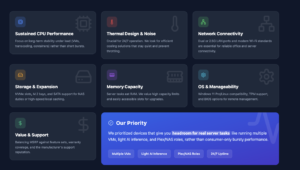
You want a mini PC that balances sustained performance, reliability and the I/O you need for server roles. We evaluated models on:
– Sustained CPU performance: how the CPU behaves under long workloads (VMs, transcoding, containers).
– Thermal design and noise: quieter, well-cooled machines are better for 24/7 server use. – Network connectivity: dual or 2.5G LAN, Wi‑Fi standards and port variety for office connectivity. – Storage and expansion: NVMe slots, M.2 bays, SATA or 2.5″ drive support for NAS or local cache.
– Memory capacity and upgradeability: server use benefits from more RAM and accessible slots. – OS and manageability: preinstalled Windows 11 Pro or Linux compatibility, TPM and BIOS options.
– Value and support: MSRP vs. features, warranty and brand support experience.
We prioritized devices that give you headroom for real server tasks (multiple VMs, light AI inference, Plex/NAS roles) rather than consumer-only bursty performance.
🏆 Best Budget

ACEMAGIC Vista V1
If you need a tiny, no-fuss machine for light server duties or a neat office workstation, this mini PC is worth a look. You can mount it behind a monitor, tuck it on a shelf, or keep it on your desk and forget about it — it runs quietly and boots quickly. For everyday server roles like a small file server, print server, or a lightweight media server, the 16 GB RAM and 512 GB SSD give you enough headroom without taking up rack space.
It comes with Windows 11 Pro preinstalled, but if you prefer Linux for server work you can reinstall; a few users mentioned driver steps for wireless on some distros. Overall, it’s a practical, budget-friendly pick when you want something compact, low-power, and easy to live with.
What People Say
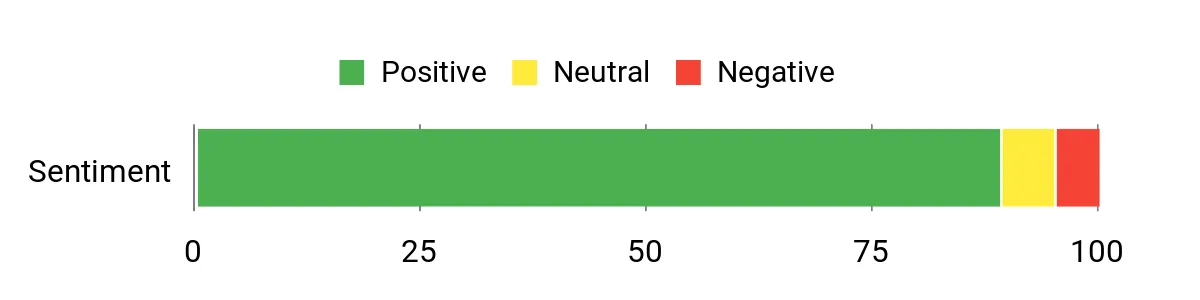
Customers consistently praise how small, quiet, and affordable the Vista V1 is, calling it a great value for basic office and home use. People like the VESA mount and dual-display support, and many note quick boot times and reliable day-to-day performance.
A few users point out that if you switch to Linux you may need to handle some network drivers manually, but overall feedback focuses on simplicity and usefulness for light tasks.
Overall Sentiment: Positive
Long-Term Cost Benefits
Because it uses a low-power N150 processor and efficient cooling, this mini PC costs less to run than full-size desktops over time. Its small footprint reduces space costs, and the ability to upgrade storage or RAM means you can extend its useful life rather than replacing it.
Return On Investment
If you deploy several units as office terminals, kiosks, or small servers, the upfront savings and low energy use translate to a quick payback compared with larger machines. For basic server roles where extreme CPU power isn’t required, you get useful uptime and lower operating costs.
Situational Benefits
| Situation | How It Helps |
|---|---|
| Home Office | Keeps your workspace tidy and quiet while handling file syncing, backups, and video calls without eating desk space. |
| Small Business Server | Handles lightweight tasks like print hosting, local file shares, or basic domain services with low power draw and easy mounting. |
| Digital Signage / Media Player | Dual 4K output and small size let you drive displays cleanly and hide the unit behind screens or in tight enclosures. |
| Classroom / Lab | Affordable enough to deploy multiple units for student workstations or lab machines that need to run simple apps or development tools. |
Ease Of Use
| Feature | Ease Level |
|---|---|
| Initial Setup | Easy |
| Windows 11 Pro Use | Easy |
| OS Reinstallation (Linux) | Moderate |
| Hardware Upgrades (SSD/RAM) | Moderate |
| VESA Mounting | Easy |
Versatility
This mini PC fits many roles — from a compact desktop to a small media or file server. It’s not aimed at heavy compute or high-end virtualization, but for everyday office applications, digital signage, and light edge tasks it’s flexible.
Energy Efficiency
The N150 platform is power-efficient and the small chassis runs cool, so you’ll see lower electrical consumption compared with standard desktops, making it a sensible option for always-on scenarios.
Speed & Response Time
For everyday tasks the system feels snappy: quick boots, responsive office apps, and smooth 4K video playback. Don’t expect desktop-class single-thread performance for heavy compilation or large database workloads.
Reliability
Build quality and passive/low-noise cooling make it reliable for constant use, though if you plan mission-critical server duties consider redundancy and backups since this is a budget device.
Key Benefits
- Compact metal body with VESA mount — saves desk and wall space
- Good value — solid specs (16 GB RAM, 512 GB SSD) for the price
- Quiet cooling and low power draw, suitable for always-on use
- Dual 4K display support for monitoring or light media tasks
- Built-in Gigabit Ethernet plus Wi‑Fi and Bluetooth for flexible networking
Current Price: $199.00
Rating: 4.5 (total: 372+)
🏆 Best Budget

KAMRUI E1
If you want a compact, no-nonsense mini PC for light server duties or a tidy office desktop, the KAMRUI E1 is an appealing option. You get a 12th Gen N150 chip that handles everyday multitasking, 16 GB of RAM and a roomy 1 TB SSD so storage and responsiveness aren’t constant worries.
It boots with Windows 11 Pro preinstalled (and supports Linux and PXE for more advanced setups), so you can drop it into a small file server, a monitoring station, or use it as a remote workstation. The dual 4K outputs and VESA mount make it easy to hide behind a screen or tuck on a shelf, and the small footprint means you can deploy several without reworking your workspace. If you need something low‑power, quiet, and practical for routine server or office roles, this is a sensible, budget-friendly pick you can rely on for everyday use.
What People Say
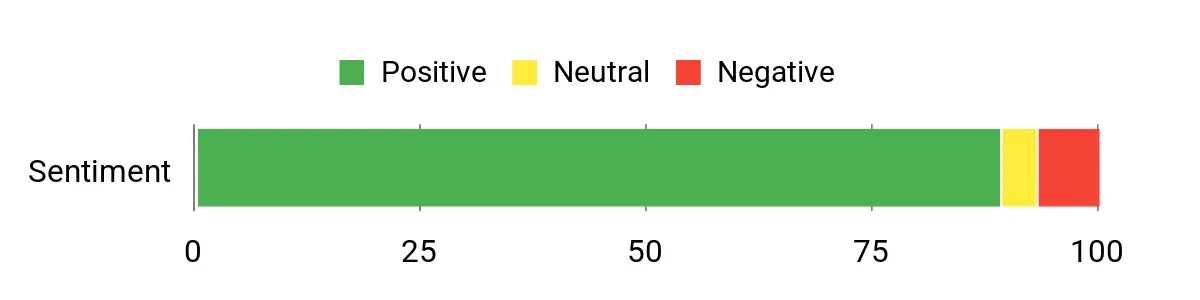
Most buyers highlight how small and surprisingly capable the E1 is for day-to-day tasks — people like the quiet operation, fast boot times, and the fact it ships with Windows 11 Pro. Reviewers often mention the roomy 1 TB SSD and 16 GB RAM as welcome for multitasking and storage, and many appreciate the VESA mount and dual 4K outputs. A few users note you should be mindful of driver or OS tweaks if you switch to Linux, but overall the consensus is practical performance at a fair price.
Overall Sentiment: Positive
Long-Term Cost Benefits
Low TDP and efficient cooling mean lower electricity use compared with full-size desktops, and the large built-in SSD plus upgrade paths reduce the need for early replacements. That keeps operating costs down over several years.
Return On Investment
For small deployments—office terminals, monitoring stations, or light servers—the modest upfront cost plus low power draw gives a quick payback versus larger machines. You get usable uptime and fewer infrastructure demands for routine tasks.
Situational Benefits
| Situation | How It Helps |
|---|---|
| Home Media / Living Room | Drives a big screen with crisp 4K output while staying out of sight; small size and quiet fan behavior keep the setup unobtrusive. |
| Small Office Server | Handles file sharing, print services, and light domain tasks using minimal space and power; Gigabit Ethernet ensures stable network access. |
| Edge/Monitoring Station | Dual-display support and steady performance let you run dashboards and signage without a bulky workstation. |
| Travel / Portable Workstation | Easy to pack and quick to set up as a secondary machine when you need a consistent Windows 11 Pro environment on the go. |
Ease Of Use
| Feature | Ease Level |
|---|---|
| Initial Setup | Easy |
| Windows 11 Pro Experience | Easy |
| Switching to Linux / Advanced Network Boot | Moderate |
| Hardware Upgrades (SSD/RAM) | Moderate |
| VESA Mounting | Easy |
Versatility
This mini PC works as a compact desktop, media player, lightweight server, or edge device — flexible enough for many everyday roles though not meant for heavy virtualization or CPU‑bound enterprise workloads.
Energy Efficiency
The low‑power N150 platform and small chassis keep energy use modest, making it a sensible choice for devices you plan to leave on for long periods.
Speed & Response Time
Boots quickly and feels responsive for office apps, web work, and 4K playback; don’t expect desktop‑class raw single‑thread power for heavy compilation or big databases.
Reliability
Build quality, active cooling, and straightforward hardware give dependable day‑to‑day reliability; for mission‑critical services you’ll still want redundancy and regular backups.
Key Benefits
- Compact VESA‑mountable chassis saves desk or wall space
- Solid everyday performance with 16 GB RAM and 1 TB SSD
- Dual 4K display support for monitoring or multimedia use
- Windows 11 Pro preinstalled with options for Linux and Wake/Auto power
- Good connectivity: Gigabit Ethernet, dual‑band Wi‑Fi and multiple USB ports
Current Price: $229.97
Rating: 4.5 (total: 216+)
🏆 Best Budget

ACEMAGIC M1
If you need a compact box that punches above its weight, the ACEMAGIC M1 is built for you. It packs a Core i9, 32 GB of RAM and a 1 TB NVMe drive into a palm-sized chassis, so everyday workstations, media duties and light server roles all feel snappy.
You can run three 4K monitors, hook into a fast 2.5G LAN or use Wi‑Fi 6 for smooth transfers, and the upgraded cooling keeps it quiet during long stretches. For home offices, small business servers, or a portable workstation that doubles as an editing station, it’s a very practical pick — you get desktop-class speed without a full desktop footprint.
What People Say
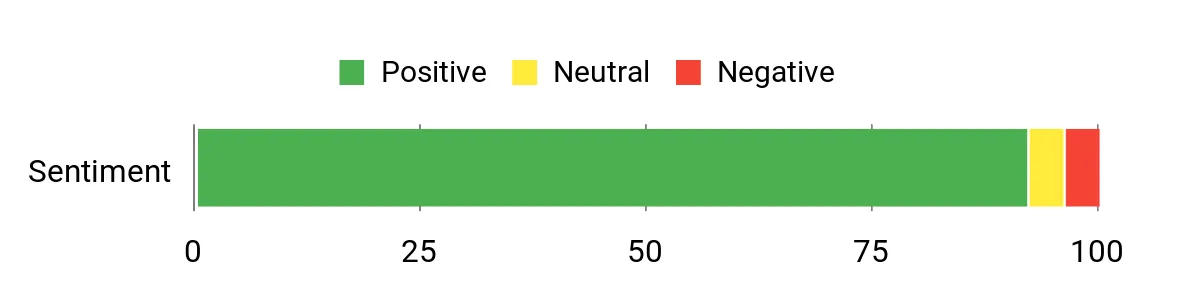
Buyers consistently praise how much power this little unit delivers for the size — people mention smooth multitasking, fast storage and reliable 4K multi‑monitor setups. Reviews also highlight the strong networking options (2.5G LAN and Wi‑Fi 6) and quiet cooling under load, while a small number of users note occasional slow boots or rare stability hiccups after heavy use.
Overall Sentiment: Positive
Long-Term Cost Benefits
Because it’s compact and upgradeable, you can add more storage or RAM instead of replacing the whole machine; that lowers lifecycle cost. The lower power draw compared with tower workstations and the included 3‑year warranty also help reduce operating and replacement expenses over time.
Return On Investment
For small office deployments or a single powerful workstation, the M1 delivers a fast return: you’re buying near‑desktop performance, solid connectivity and upgrade paths at a fraction of the space and maintenance of larger systems. That makes it a sensible investment for departments or freelancers who need performance without a big hardware budget.
Situational Benefits
| Situation | How It Helps |
|---|---|
| Home Office | Runs video calls, multiple browser tabs and office apps smoothly while staying compact and quiet enough to sit on a desk or behind a monitor. |
| Small Business / File Server | 2.5G LAN, Wi‑Fi 6 and a roomy SSD let you host file shares or light server tasks without needing a full rack server. |
| Content Creation | The i9 CPU, 32 GB RAM and fast NVMe storage speed up editing workflows and let you drive multiple displays for timelines and previews. |
| Edge / Monitoring Station | Triple display support and steady performance make it a tidy option for dashboards, signage or remote monitoring where space is limited. |
Ease Of Use
| Feature | Ease Level |
|---|---|
| Initial Setup | Easy |
| Multi‑monitor Configuration | Easy |
| Networking (2.5G LAN / Wi‑Fi 6) | Moderate |
| OS Flexibility (Windows / Linux) | Moderate |
| Hardware Upgrades (SSD / RAM) | Moderate |
Versatility
This mini PC handles many roles — from a powerful desktop replacement to a compact media center, light server, or edge device. It’s flexible enough for coding, editing and office tasks but not aimed at heavy virtualization farms.
Energy Efficiency
It’s more efficient than a full‑size desktop for typical office and media workloads, though the i9 will draw more power under sustained heavy CPU loads. For always‑on server roles, consider power usage vs.
duty cycle.
Speed & Response Time
Thanks to the i9 and a fast NVMe SSD, everyday apps, builds and file operations feel very responsive. A few users report slower cold boots on occasion, but general runtime performance is strong.
Reliability
Overall reliability is solid — the cooling design and component choices keep temperatures in check during long sessions. A small number of buyers have reported stability quirks after extended use, so for mission‑critical services pair it with backups and a tested power plan.
Key Benefits
- Desktop-class i9 performance in a palm-sized chassis
- 32 GB DDR4 and 1 TB M.2 SSD with expandability up to 4 TB
- Triple 4K outputs (HDMI, DisplayPort, Type‑C) for multitasking
- Fast networking: 2.5G LAN plus Wi‑Fi 6 and Bluetooth 5.2
- Active but quiet cooling keeps sustained workloads stable
Current Price: $459.99
Rating: 4.7 (total: 139+)
🎯 Best for Business

HP Pro 400
If you need a compact workhorse that stays out of the way, the HP Pro 400 G9 is built for business-minded users. You get a small, durable chassis with sensible internals — 16GB DDR5 and a 256GB PCIe SSD — that make day‑to‑day tasks feel responsive and keep a small office running smoothly.
Triple 4K display support and a wide selection of ports (USB‑C, DisplayPort 1.4, HDMI 2.1, Ethernet) mean hooking it into desks, meeting rooms or a light server role is straightforward. It’s quiet, easy to set up, and ready with Windows 11 Pro so you can deploy it as a desktop, a dedicated file or print server, or a compact edge node. If you want a no‑fuss, space-saving machine for standard business workloads, this one’s a practical pick you can rely on.
What People Say
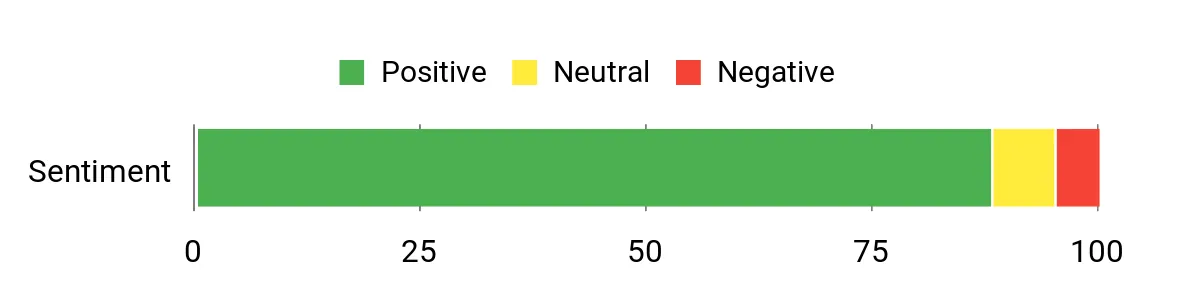
You’ll see buyers consistently praise the small footprint, quiet operation and the variety of ports that make this easy to integrate into an office. People like how straightforward the setup is and that it handles everyday business apps reliably; common caveats mention it can run warm under sustained heavy loads and the bundled keyboard/mouse are basic wired units.
Overall Sentiment: Positive
Long-Term Cost Benefits
Because it’s upgradeable and uses standard DDR5 and PCIe storage, you can boost RAM or swap drives instead of replacing the whole unit. Its modest power draw compared with tower PCs and HP’s support ecosystem help lower operating and replacement costs over time.
Return On Investment
For small offices or departments deploying multiple nodes, the Pro 400 gives a fast return: you get reliable everyday performance, easy management and fewer space or cooling concerns than full towers. That makes it a sensible choice when you need predictable performance without high purchase or maintenance overhead.
Situational Benefits
| Situation | How It Helps |
|---|---|
| Desk / Home Office | Fits neatly on or behind a monitor, runs office apps and video calls quietly, and keeps your workspace uncluttered. |
| Small Business / File Server | Fast PCIe storage and Ethernet let you host shared drives or light file services without a bulky rack server. |
| Conference Room / Digital Signage | Multiple display outputs and HDMI 2.1 make it easy to drive presentations, signage or meeting room screens. |
| Edge Node / Remote Terminal | Compact size, Windows 11 Pro and varied connectivity make it simple to deploy as an edge device or kiosk where space is limited. |
Ease Of Use
| Feature | Ease Level |
|---|---|
| Initial Setup | Easy |
| Multi‑monitor Configuration | Easy |
| Networking (Ethernet / Wi‑Fi 6) | Moderate |
| Hardware Upgrades (SSD / RAM) | Moderate |
| Remote Management | Moderate |
Versatility
This mini PC covers a lot of ground: it’s a tidy desktop replacement, a reliable office server for light duties, and a capable conference‑room or signage player. It’s not aimed at heavy virtualization or GPU‑intensive AI work, but fits most business and light server roles well.
Energy Efficiency
With a low‑power Celeron CPU and efficient components, it uses noticeably less energy than a full desktop under normal office loads. Expect higher draws during sustained heavy work, so plan power budgets accordingly for always‑on server use.
Speed & Response Time
Thanks to DDR5 RAM and a PCIe SSD, everyday tasks, app launches and file access feel snappy. It won’t match high‑end processors for heavy compute, but responsiveness for typical office and light server tasks is very good.
Reliability
Build quality and HP’s platform make it dependable for daily business use. Most users report stable uptime for office workloads; for mission‑critical services you’ll still want backups, monitoring and some attention to cooling if it’s under constant heavy load.
Key Benefits
- Compact, durable design that saves desk space
- 16GB DDR5 and PCIe SSD for snappy everyday performance
- Triple 4K display support for multi‑monitor setups
- Strong set of ports including USB‑C (20Gbps), DisplayPort and HDMI
- Comes with Windows 11 Pro and enterprise‑ready connectivity (Wi‑Fi 6, Ethernet)
Current Price: $409.99
Rating: 4.6 (total: 71+)
⭐ Best for Edge/AI
GEEKOM GT2 Mega
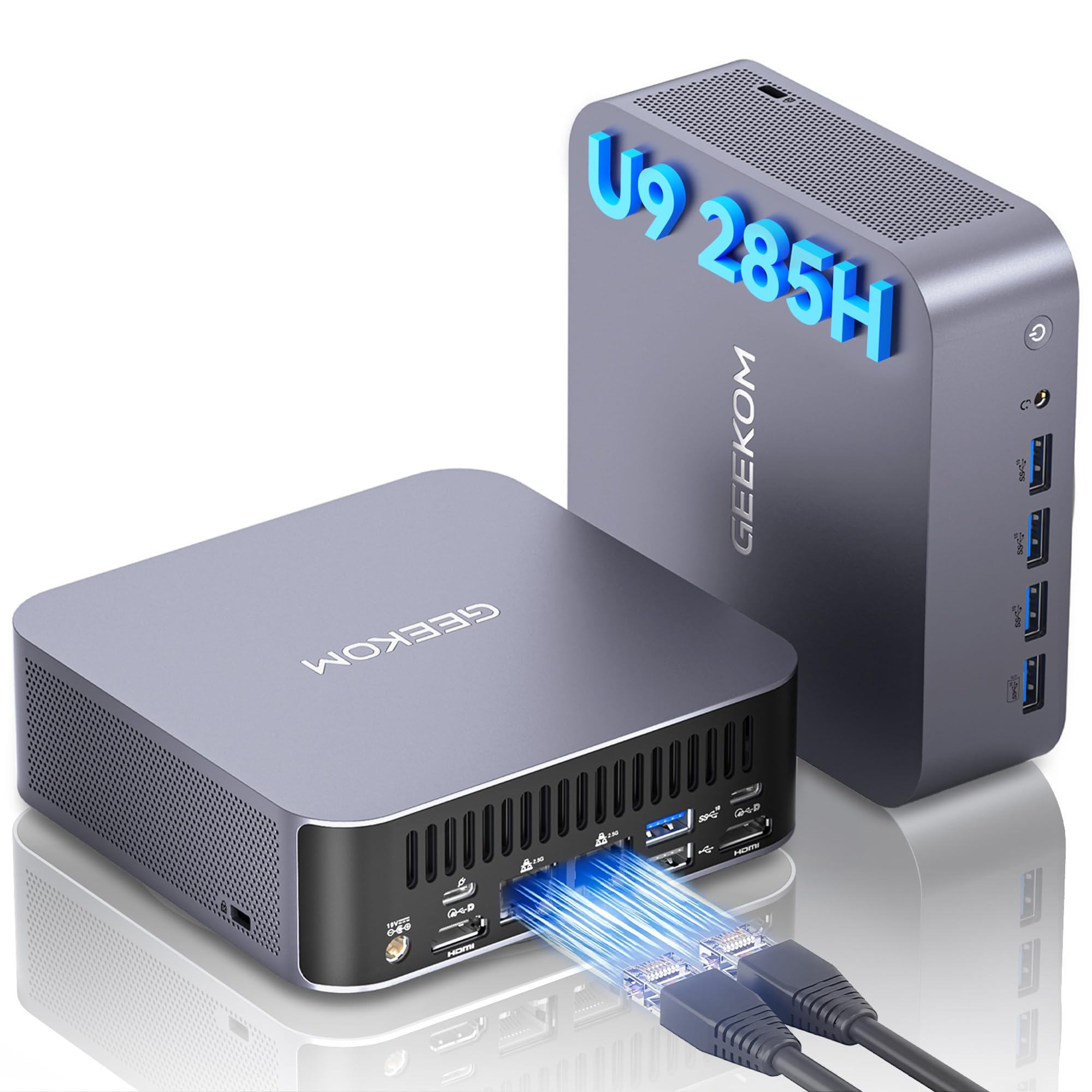
Think of this as a compact workstation that can double as an office server or an edge AI node. You get a seriously fast Intel Core Ultra 9 285H with a dedicated NPU and Intel Arc graphics, plus 32GB DDR5 and a roomy 2TB PCIe SSD so everyday tasks and heavier workloads feel responsive.
The GT2’s ports — dual 2.5G LAN, USB4, multiple display outputs and WiFi 7 — make it easy to slot into a small office, a home lab or a media setup, and the VESA mount keeps your desk tidy. If you want a small box that handles file services, light AI inference, 4K/8K displays and casual content work without fuss, you’ll probably be pleased with this one.
What People Say
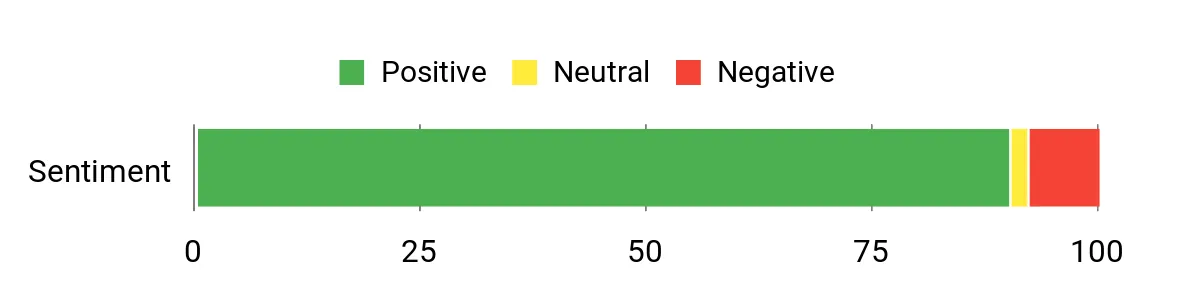
Buyers regularly highlight how much performance is packed into a tiny chassis — people praise the fast boot and app responsiveness, the wide range of ports and the ability to run multiple displays. Many note the quiet cooling and stable uptime, and reviewers who use it as a home server or NAS appreciate the dual 2.5G LAN and expandability.
A few mention occasional warmth under sustained heavy loads or small quirks with video cabling, but overall impressions skew strongly positive.
Overall Sentiment: Positive
Long-Term Cost Benefits
Because the GT2 is built with standard NVMe storage and expandable RAM slots, you can upgrade components instead of replacing the whole unit. Its lower power draw compared with full desktop towers, along with the included warranty and support, helps reduce operating and replacement costs over time.
Return On Investment
If you need a versatile node that can serve files, run light AI inference, or act as a crewing station for editing and streaming, this mini PC gives clear value: strong performance, a long usable lifespan through upgrades, and fewer space or cooling headaches than a tower. That makes it a sensible buy when uptime and flexibility matter.
Situational Benefits
| Situation | How It Helps |
|---|---|
| Home Server / NAS | Dual 2.5G LAN and roomy storage make hosting shared files, Plex or home automation services fast and reliable in a small footprint. |
| Edge AI / Inference Node | Built‑in NPU and strong CPU/GPU trio let you run lightweight models or accelerate AI tasks without needing a full rack GPU server. |
| Content Creation / Editing | DDR5 RAM, PCIe storage and Intel Arc decoding handle multi‑stream 4K/8K workflows and snappy file access for editing sessions. |
| Conference Room / Digital Signage | Multiple video outputs and USB4 support let you drive high‑resolution displays or kiosk setups while keeping hardware out of sight with VESA mounting. |
Ease Of Use
| Feature | Ease Level |
|---|---|
| Initial Setup | Easy |
| VESA Mounting / Placement | Easy |
| Multi‑monitor Configuration | Moderate |
| Hardware Upgrades (SSD / RAM) | Moderate |
| Network Aggregation / Advanced Networking | Moderate |
Versatility
This mini PC is surprisingly flexible: use it as a compact office desktop, a home or small‑business server, an edge AI node, or a content creation box. It’s not a replacement for heavy GPU servers, but it covers a lot of practical use cases well.
Energy Efficiency
The platform pushes high performance while keeping power reasonable (the CPU runs up to mid‑range wattage and users report typical draws far below a full desktop). GEEKOM’s claims of better efficiency and the GT2’s compact cooling mean lower ongoing energy costs for always‑on roles.
Speed & Response Time
With a 5.4 GHz turbo capable CPU, DDR5 memory and a PCIe SSD, you’ll notice fast boot times, quick app launches and smooth file transfers — the system feels responsive for both daily tasks and heavier jobs.
Reliability
Customers generally find the GT2 stable and well‑built; the IceBlast cooling design and three‑year warranty add confidence for 24/7 use. For mission‑critical services you’ll still want backups and monitoring, but day‑to‑day reliability scores highly.
Key Benefits
- High single‑ and multi‑core performance thanks to the Intel Core Ultra 9 285H
- Dedicated AI NPU and Intel Arc GPU for edge AI tasks and accelerated media work
- Generous 32GB DDR5 and 2TB PCIe SSD for smooth multitasking and storage
- Robust connectivity: dual 2.5G LAN, WiFi 7, dual USB4 and multiple display outputs
- Compact, VESA‑mountable design with advanced cooling and up to 3 years warranty
Current Price: $949.90
Rating: 4.5 (total: 510+)
🎨 Best for Content

GMKtec K11
If you want a tiny desktop that behaves like a proper workstation, the K11 is worth a close look. You get a Ryzen 9 8945HS, 64GB of DDR5 and a 1TB PCIe 4.0 SSD in a palm‑sized chassis, plus Oculink and multiple 4K outputs so hooking up displays or an eGPU is straightforward.
It’s handy for heavy single‑machine tasks — video editing, rendering, multitasking — and also fits neatly into a small office or a VESA‑mounted media station. For day‑to‑day work and occasional bursts of serious content work, you’ll find it fast and surprisingly flexible.
What People Say
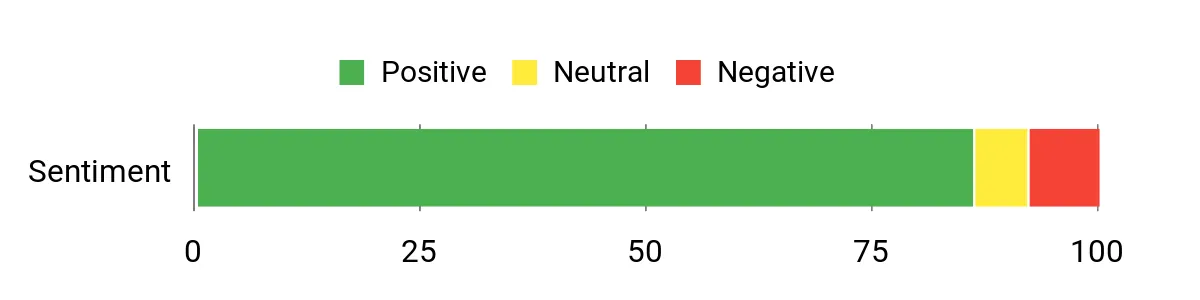
People commonly praise how much horsepower GMKtec packs into a tiny box — reviewers often mention fast boot times, smooth multitasking, and solid performance for content work. Folks also like the wide range of ports (the Oculink and dual 2.5GbE get specific nods) and the company’s responsive support, while a few call out fan noise under heavy gaming or the need for an external GPU for very demanding titles.
Overall Sentiment: Positive
Long‑Term Cost Benefits
Because the K11 uses standard NVMe drives and upgradable DDR5 slots, you can extend its life with simple upgrades instead of buying a whole new machine. Its small footprint uses less desk space and typically consumes less power than a full tower, and the one‑year warranty plus accessible support reduce unexpected replacement costs.
Return On Investment
If your work mixes day‑to‑day office tasks with content edits, streaming or light server duties, the K11 delivers performance that keeps you productive without a big workstation expense. The ability to expand storage and RAM means the unit stays useful for years, so the up‑front cost translates into long‑term utility and fewer upgrades overall.
Situational Benefits
| Situation | How It Helps |
|---|---|
| Content Creation | Ryzen 9, lots of DDR5 and fast PCIe storage speed up rendering, timeline scrubbing and export tasks so you spend less time waiting. |
| Small Office Server / NAS Front End | Dual 2.5GbE, Wi‑Fi 6 and strong CPU cores handle file serving, light virtualization and media streaming without taking much space. |
| Multi‑monitor Workstation | Multiple 4K outputs and USB4 let you run several high‑res displays for editing, dashboards or conferencing with crisp visuals. |
| Edge Deployment / Kiosk | Compact size, VESA mountability and reliable connectivity make it easy to tuck behind a monitor or into signage installations. |
Ease Of Use
| Feature | Ease Level |
|---|---|
| Initial Setup | Easy |
| VESA Mounting / Placement | Easy |
| Multi‑monitor Configuration | Moderate |
| Hardware Upgrades (SSD / RAM) | Moderate |
| BIOS / Performance Mode Tuning | Moderate |
Versatility
The K11 works as a compact desktop, a content creation box, a media server front end or a small office node — it’s flexible enough to juggle creative tasks, lightweight server duties and desktop work without feeling out of place.
Energy Efficiency
Designed around a power‑efficient Ryzen mobile chip and compact cooling, the K11 typically uses less energy than a full desktop while delivering high performance, which helps if you run it for long hours.
Speed & Response Time
With high boost clocks on the Ryzen 9, DDR5 memory and PCIe 4.0 storage, you’ll notice quick boots, fast app launches and responsive timeline work — it feels brisk for both everyday and heavier tasks.
Reliability
Overall build quality and the cooling design make the K11 dependable for daily use; reviewers report stable performance over weeks of editing and server duties, though you should still plan backups and monitor thermals for sustained heavy loads.
Key Benefits
- Top‑tier CPU performance from the AMD Ryzen 9 8945HS for multitasking and editing
- Large 64GB DDR5 memory and fast 1TB PCIe 4.0 SSD for snappy workflows
- Oculink and USB4 ports for eGPU or high‑bandwidth expansion
- Support for up to four 4K displays, ideal for editing timelines or dashboards
- Dual 2.5Gbps NIC, Wi‑Fi 6 and compact VESA‑mountable design for tidy setups
Current Price: $719.99
Rating: 4.4 (total: 162+)
💼 Best for Office

HP Elite 805
This compact HP mini is a smart pick if you want a no‑fuss office machine that can also pull double duty as a small server. You get a Ryzen 5 CPU, plenty of RAM headroom (up to 64 GB), and fast PCIe storage in a tiny chassis that stays quiet on your desk.
It’s great for everyday productivity, video calls, and handling light file‑serving or backup tasks, and the dual 4K outputs make it handy for presentations or multi‑monitor setups. If you need a reliable office node that’s easy to tuck away and upgrade later, this one balances performance and practicality nicely.
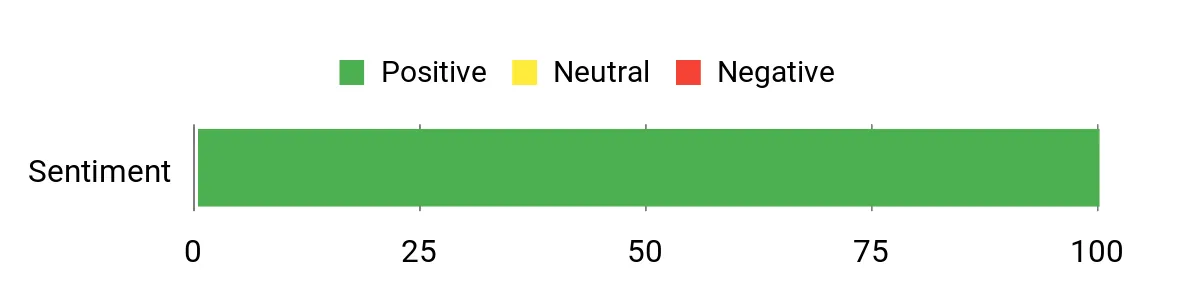
What People Say
Customers tend to praise how easy the Elite 805 is to set up and how quietly it runs; many highlight the clear display output and reliable Wi‑Fi. People also like the roomy upgrade options — more RAM and NVMe storage — and the fact it ships with Windows 11 Pro and a basic keyboard/mouse so it’s ready for work right away.
Overall Sentiment: Positive
Long‑Term Cost Benefits
Because the unit supports standard NVMe drives and upgradable DDR4 RAM, you can boost capacity and memory over time instead of replacing the whole machine. Its small footprint and efficient components usually mean lower power draw compared with a tower, and that keeps running costs down.
Add in HP’s support options and you’ve got fewer surprise replacement expenses.
Return On Investment
For office or light server use, this mini delivers the features you need without a big upfront server bill. The ability to expand RAM and storage extends usable life, so the initial purchase often pays off as the machine continues to handle everyday workloads and occasional heavier tasks without needing frequent replacement.
Situational Benefits
| Situation | How It Helps |
|---|---|
| Small Office Node | Handles file sharing, print services and light virtualization with minimal space and low noise, keeping the team productive without a full rack server. |
| Remote / Home Office | Quiet operation, strong Wi‑Fi 6 and VESA mount options let you keep a tidy workspace while running conferencing and productivity apps smoothly. |
| Meeting Room / Presentation PC | Dual 4K DisplayPort outputs and a compact form factor make hooking up to projectors or dual displays straightforward and reliable. |
| Edge Device / Kiosk | Small size, solid connectivity and Windows 11 Pro make it easy to deploy as a signage player or kiosk controller with remote management options. |
Ease Of Use
| Feature | Ease Level |
|---|---|
| Initial Setup | Easy |
| Network Configuration | Easy |
| Multi‑monitor Setup | Moderate |
| RAM / SSD Upgrades | Moderate |
| Remote Management | Moderate |
Versatility
This mini works as a day‑to‑day desktop, a compact meeting room PC, or a light server/edge node — it’s flexible enough for office tasks, media playback and small‑scale file services without feeling out of place.
Energy Efficiency
Built around efficient mobile‑class Ryzen silicon and a small cooling solution, it typically draws less power than a standard tower, which helps if you run it for long hours or deploy several around an office.
Speed & Response Time
With responsive PCIe storage and higher boost clocks on the Ryzen 5, you’ll notice quick boots, fast app launches and snappy general performance for productivity and server utilities.
Reliability
Solid build quality and conservative thermal design make it dependable for daily office workloads; users report stable performance and consistent connectivity, though you should still follow standard backup practices for critical data.
Key Benefits
- Compact, ultra‑quiet design that fits into tight workspaces
- Strong single‑threaded performance from AMD Ryzen 5 for office apps
- Support for up to 64 GB RAM and up to 4 TB PCIe storage for growth
- Front USB‑C (high bandwidth) and multiple USB‑A ports for peripherals
- Dual DisplayPort 1.4 outputs for dual 4K monitors and presentations
- Built‑in Wi‑Fi 6 and Ethernet for flexible network setups
Current Price: $599.99
Rating: 4.8 (total: 8+)
💰 Best for NAS

Beelink ME Mini N150
If you want a tiny box that can actually behave like a proper home or small‑office server, this is the one you’ll notice first. It’s built around the Intel N150 with fast LPDDR5 memory, includes a 2TB SSD + 64GB eMMC for the OS, and—critically—has six M.2 slots so you can expand storage as your needs grow. The dual 2.5G Ethernet makes copying large media libraries and handling Plex or Jellyfin streams feel much less painful, and the quiet, energy‑efficient cooling means you can run it 24/7 without a noisy fan in the room.
For day‑to‑day use you’ll get a responsive little desktop, and for special needs — backups, media server, or a lightweight VM host — it’s surprisingly capable. If you want a space‑saving NAS that won’t break the bank and is easy to tuck away, this is a solid pick.
What People Say
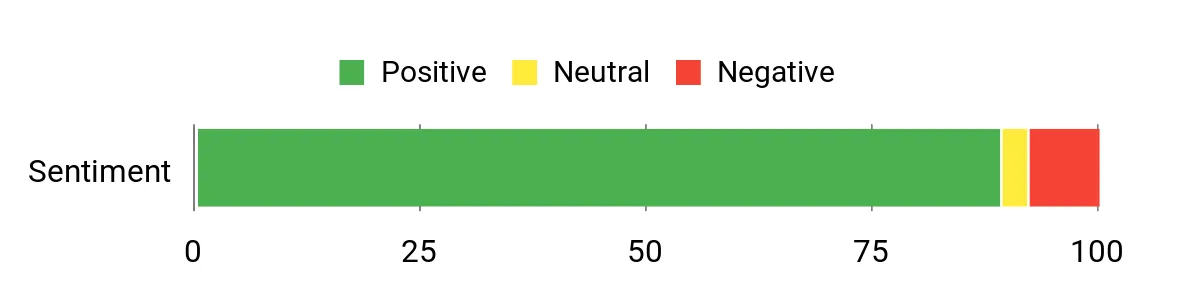
You’ll find most buyers are impressed with how much this tiny unit can handle — speedier boots, quiet operation, and the sheer number of M.2 slots get called out a lot. People also like the dual 2.5G ports for faster LAN transfers and say it’s a great value as a home NAS or media server.
A few mention occasional update hiccups or that a fresh OS install smoothed things out, but overall users appreciate the expandability and compact design.
Overall Sentiment: Positive
Long‑Term Cost Benefits
Because you can add or swap M.2 drives instead of replacing the whole machine, it’s cheaper to grow capacity over time. The low power draw and efficient cooling reduce electricity and cooling expenses compared with a full tower server, and running multiple roles (desktop + NAS) on one device lowers hardware overhead.
Return On Investment
You’re essentially getting a small, dedicated NAS plus a usable desktop in one purchase, so the initial outlay often pays for itself by consolidating hardware. The build‑in expandability and energy efficiency extend usable life, so upgrades are cheaper than a full replacement down the road.
Situational Benefits
| Situation | How It Helps |
|---|---|
| Home Media Server | Handles 4K streaming and media libraries with dual 2.5G LAN and plenty of NVMe slots for your movies and backups. |
| Small Office Backup Node | Compact always‑on storage for shared files and nightly backups without the space and power of a rack server. |
| Edge/Remote Storage | Low power, quiet operation and Wi‑Fi 6 let you deploy it near users or equipment where noise and footprint matter. |
| Test Lab / Virtualization | Support for Proxmox/ESXi and multiple M.2 drives gives you room to run small VMs or containerized services for testing. |
Ease Of Use
| Feature | Ease Level |
|---|---|
| Initial Setup | Easy |
| Installing Additional SSDs | Moderate |
| Network Configuration (link aggregation) | Moderate |
| Flashing/Installing NAS OS | Moderate |
| Routine Maintenance | Easy |
Versatility
You can use it as a quiet desktop, a dedicated Plex/Jellyfin server, a backup node, or a small virtualization host — it’s flexible enough to cover most home and small‑business server roles.
Energy Efficiency
Designed for continuous operation with an efficient N150 processor and vertical airflow, it draws much less power than a full desktop tower, making it cheap to run 24/7.
Speed & Response Time
With LPDDR5 memory and NVMe storage, everyday tasks and file operations feel responsive; dual 2.5G LAN also shortens large transfer times across your network.
Reliability
Many users report stable 24/7 performance and low temperatures in light to moderate loads; as with any always‑on device, follow good backup and power‑protection practices to avoid surprises.
Key Benefits
- Massive M.2 expansion (6 slots) so you can scale storage up to 24 TB
- Dual 2.5G Ethernet for fast file transfers and link aggregation
- 12GB LPDDR5 and NVMe SSD for snappy everyday performance
- Preconfigured compatibility with TrueNAS/UnRAID/Proxmox for NAS use
- Compact, whisper‑quiet design suitable for always‑on deployment
- Built‑in Wi‑Fi 6 and Bluetooth 5.2 for flexible placement
Current Price: $279.20
Rating: 4.5 (total: 652+)
🏅 Most Expandable

GMKtec EVO-T1
This is the kind of mini PC you’ll notice when you need serious expandability without a full tower. It packs an Intel Core Ultra 9 285H, lots of DDR5 RAM, and a roomy 2TB PCIe 4.0 SSD, but the real selling point is the expansion: three M.2 slots, Oculink for high‑bandwidth peripherals, and multi‑display 8K support. Daily, it feels snappy for office work, multitasking, or a compact workstation; for special projects like AI inference at the edge, video editing, or a multi‑VM test lab, it gives you room to grow.
If you want a compact box that can evolve with your needs rather than forcing an early upgrade, this is a solid choice.
What People Say
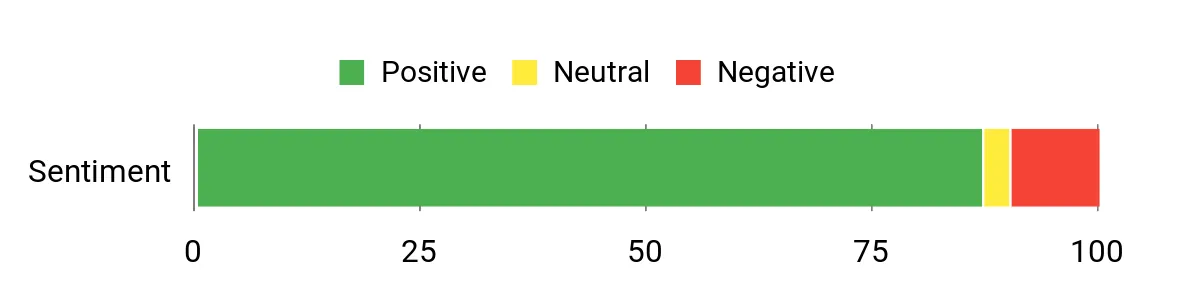
Most buyers praise the raw performance and how smoothly it handles multiple displays and heavy multitasking. Expandability — the extra M.2 slots and Oculink — gets called out a lot, as does the quiet operation for such a powerful unit. A handful of users mention occasional driver or update headaches and say documentation or manufacturer support could be better, but overall people appreciate the value and capability in a small package.
Overall Sentiment: Positive
Long-Term Cost Benefits
Because you can add high‑capacity NVMe drives and more RAM instead of replacing the whole system, you get much more life from the initial purchase. The efficient, compact design also uses less power than a full desktop workstation, so operating costs are lower if you keep it running for extended tasks or as an always‑on edge node.
Return On Investment
You’re buying a platform rather than a fixed spec box — upgrades are incremental and cheaper than swapping systems. For small teams, content creators, or homelabbers who need growth potential, that flexibility speeds up ROI because you can scale storage and memory as projects demand.
Situational Benefits
| Situation | How It Helps |
|---|---|
| Edge AI / Inference | The onboard AI NPU and strong CPU performance let you run lightweight models close to data sources, reducing latency and central compute costs. |
| Content Creation Workstation | Quad 8K output and fast NVMe storage make editing and multitasking smoother, while Oculink lets you add external GPUs or fast peripherals later. |
| Small Office Server / VM Host | High memory capacity and multiple M.2 slots let you host small VMs or shared file services without needing a rack unit. |
| Home Lab / Media Server | Plenty of storage expansion and 2.5GbE mean you can build a compact Plex or backup server that grows as your media library does. |
Ease Of Use
| Feature | Ease Level |
|---|---|
| Initial Setup | Easy |
| Installing Additional M.2 Drives | Moderate |
| Multi‑Monitor Configuration | Easy |
| BIOS/Firmware Updates | Moderate |
| Network Configuration (2.5GbE / Wi‑Fi 6) | Moderate |
Versatility
You can use it as a compact workstation, an edge AI node, a small VM host, or a media/server box — the expandability and ports make it suitable for a wide range of professional and hobbyist uses.
Energy Efficiency
Compared with full desktop towers, the EVO‑T1 consumes less power while delivering high performance, making it a reasonable choice if you need a powerful machine that runs for long periods.
Speed & Response Time
With high‑speed DDR5 memory and PCIe 4.0 NVMe storage, apps launch quickly and file operations feel immediate; the fast network interface also shortens large transfer times.
Reliability
Many users report stable performance and quiet operation under typical loads; like any compact, powerful system, keep an eye on firmware and driver updates and maintain backups to avoid issues from problematic OS updates.
Key Benefits
- High expandability with 3× M.2 slots (up to 12 TB total)
- Powerful Core Ultra 9 chip with AI NPU for accelerated inference
- 96GB DDR5 memory support for heavy multitasking and VMs
- Oculink port for high‑bandwidth eGPU or PCIe peripherals
- Quad‑screen 8K output for multi‑monitor setups and content work
- 2.5GbE plus Wi‑Fi 6 and Bluetooth 5.2 for fast networking
Current Price: $1,111.49
Rating: 4.4 (total: 317+)
🔌 Best Connectivity

ASUS NUC 14
If you need a compact server or workstation that won’t leave you hunting for adapters, this NUC is worth a hard look. You get a powerful Intel Core Ultra 7 with Intel Arc graphics, plenty of RAM and a fast NVMe drive, plus a trophy case of ports — Thunderbolt 4, dual HDMI 2.1 and a 2.5 GbE port.
It’s the kind of box you can tuck behind a monitor or mount to the back of a display and still run multiple VMs, file services, or media transcoding without feeling cramped. For everyday office tasks it’s smooth and quiet; for special projects like light AI workloads, multi‑4K signage, or a small NAS, it’s unexpectedly capable.
If you want a tidy, well‑connected machine that covers both daily work and occasional heavy lifting, this one balances power and practicality nicely.
What People Say
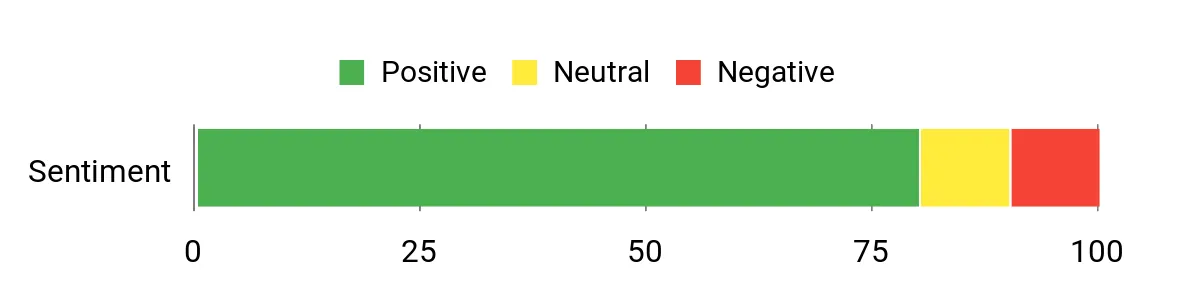
Buyers commonly praise the NUC’s connectivity and how easy it is to attach multiple high‑resolution displays and fast peripherals. People note the real-world speed — apps and VMs feel responsive — and many like that it stays quiet even under steady load.
A few mention price and occasional driver or firmware quirks, but most reviews highlight the combination of compactness, ports, and reliable performance.
Overall Sentiment: Positive
Long-Term Cost Benefits
Because it supports high‑speed NVMe storage and expandable DDR5 memory, you can extend its useful life with incremental upgrades rather than replacing the whole machine. Its low power draw compared with full towers also trims operating costs if you run it as an always‑on server or edge node.
Return On Investment
You’re paying for a dense, well‑connected platform that saves space and reduces the need for extra adapters or docks. For small teams or solo pros who value uptime, the flexibility to add RAM or storage later accelerates ROI versus buying a larger desktop that sits idle most of the day.
Situational Benefits
| Situation | How It Helps |
|---|---|
| Small Office Server / NAS | 2.5 GbE and fast NVMe storage speed up file sharing and backups, while the compact size makes it easy to place in a closet or mount behind a monitor. |
| Edge AI / Inference | The Core Ultra 7 with NPU acceleration plus strong I/O lets you run lightweight models locally to reduce latency and avoid constant cloud costs. |
| Conference Room / Digital Signage | Dual HDMI 2.1 and Thunderbolt make driving multiple 4K displays straightforward, so you can power presentations or signage without extra boxes. |
| Compact Workstation | Plenty of CPU cores and DDR5 memory handle multitasking, editing, and VM work without the footprint of a full desktop. |
Ease Of Use
| Feature | Ease Level |
|---|---|
| Initial Setup | Easy |
| VESA Mounting | Easy |
| Installing Additional RAM/Drive | Moderate |
| Multi‑Monitor Configuration | Easy |
| BIOS/Firmware Updates | Moderate |
Versatility
This NUC can be a desk‑side workstation, a compact server for file sharing or VMs, an edge AI node, or the brains behind multi‑display signage — the strong I/O makes it useful in lots of roles.
Energy Efficiency
Compared with tower workstations, the NUC offers much lower idle and sustained power draw while still delivering strong performance, which helps if you run it continuously.
Speed & Response Time
DDR5 memory and a PCIe Gen4 NVMe drive make the system feel responsive; combined with Thunderbolt and 2.5 GbE, large file transfers and app loading happen quickly.
Reliability
Most users report steady, quiet operation and dependable networking; as with any modern mini system, keeping firmware and drivers current helps avoid hiccups.
Key Benefits
- Excellent port array: 2× Thunderbolt 4, 2× HDMI 2.1, USB‑C and 2.5 GbE for fast wired networking
- Powerful 16‑core/22‑thread Intel Core Ultra 7 for multitasking and light AI workloads
- Fast storage and memory options — DDR5 RAM and PCIe Gen4 NVMe for snappy performance
- Compact, VESA‑mountable design keeps your desk clutter‑free
- Robust cooling design aimed at quiet 24/7 operation for always‑on server roles
- Ships with Windows 11 Pro for business features and easy setup
Current Price: $1,337.99
Rating: 4.6 (total: 3+)
🔰 Best for AI

MINISFORUM M1 Pro
If you need a compact machine that can act as a daily workhorse and also tackle AI or multimedia projects, this is one to consider. You get a huge amount of CPU and AI horsepower in a tiny box — plenty of RAM, a fast 2 TB NVMe, and an Intel Arc GPU that helps both graphics and AI tasks.
It’s great for an always‑on office server, a Proxmox node in a home lab, or a portable creative workstation that can drive multiple displays. The OCuLink and dual USB4 ports mean you can grow into external GPUs or fast peripherals later, and the cooling design keeps it reasonably quiet for 24/7 use. If you want a compact, upgradeable system that won’t bottleneck demanding workloads, this balances performance and practicality well.
What People Say
Customers often highlight how snappy and capable this mini PC feels—people notice fast boot and app load times and praise the AI and graphics performance. Reviews also repeatedly call out the rich I/O (USB4, OCuLink, 2.5 GbE) and the quiet, effective cooling.
A few users point out networking or driver quirks on some Linux builds, but overall feedback centers on performance and expandability.
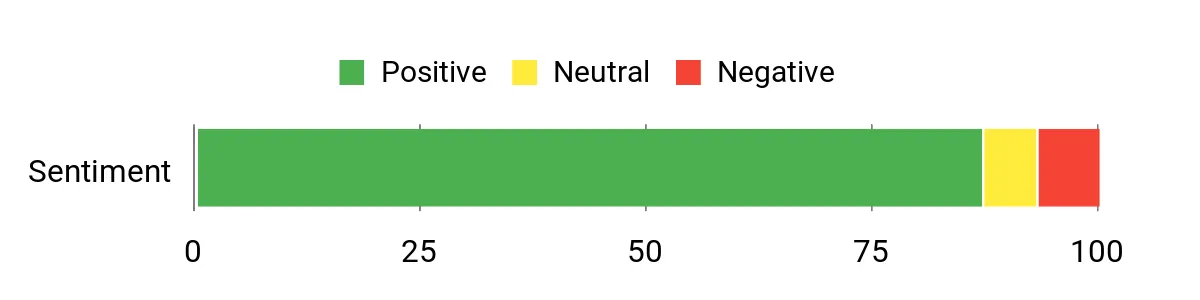
Overall Sentiment: Positive
Long-Term Cost Benefits
Because the M1 Pro supports large DDR5 upgrades and multiple M.2 slots, you can extend its useful life with incremental memory or storage additions instead of replacing the whole unit. Running a small, efficient mini PC rather than a tower also lowers electricity and cooling costs if it’s on 24/7.
Return On Investment
You’re getting dense compute and AI capability in a compact chassis, which reduces the need for separate servers or external racks. For small teams, content creators, or home labbers, the ability to add storage, memory, or external PCIe devices later speeds up payback compared with buying separate specialized machines.
Situational Benefits
| Situation | How It Helps |
|---|---|
| Small Office Server / NAS | 2.5 GbE and fast NVMe storage improve file sharing and backups, while the small footprint makes it easy to tuck into a closet or mount behind a monitor. |
| Edge AI / Inference | High TOPS combined with on‑board GPU and NPU lets you run local models with low latency, avoiding recurring cloud inference costs. |
| Creative Workstation | Plenty of CPU cores, 64 GB RAM, and multiple display outputs let you edit video, render, and multitask without a large desktop. |
| Home Lab / Virtualization | Strong multi‑core performance and expandability make it a compact Proxmox or ESXi node for running VMs and lightweight infrastructure services. |
Ease Of Use
| Feature | Ease Level |
|---|---|
| Initial Setup | Easy |
| VESA/Wall Mounting | Easy |
| Installing Additional RAM/Drive | Moderate |
| OCuLink/eGPU Setup | Moderate |
| BIOS/Firmware Updates | Moderate |
Versatility
This mini PC can be your daily office machine, a compact VM host, an AI inference node, or a multimedia workstation. The wide I/O and expansion options let you adapt it to different roles as needs change.
Energy Efficiency
Designed for a 65 W TDP with phase‑change thermal materials and efficient fans, it offers good sustained performance while keeping noise and power use lower than many full desktop workstations.
Speed & Response Time
DDR5 memory and a PCIe 4.0 NVMe drive make applications and VMs feel responsive; combined with dual USB4 and 2.5 GbE, large file transfers and multi‑display workflows move quickly.
Reliability
Most users report stable, quiet operation and responsive customer support when issues arise. Keeping firmware and drivers up to date helps avoid the occasional compatibility hiccup some users mention.
Key Benefits
- High AI throughput: 99 TOPS across CPU, NPU, and GPU for local inference and creative tasks
- Strong compute: Intel Core Ultra 9 285H with 16 cores for multitasking and VM hosting
- Plenty of memory and storage: 64 GB DDR5 and fast 2 TB PCIe 4.0 SSD with room to expand
- Generous video outputs and dual USB4 for multi‑monitor setups and fast peripherals
- OCuLink for external PCIe expansion (eGPU or specialized accelerators)
- 2.5 GbE plus Wi‑Fi 7 for low‑latency wired and wireless networking
- Thoughtful cooling keeps noise down for continuous operation
Current Price: $1,079.00
Rating: 4.5 (total: 98+)
🏅 Most Expandable
GMKtec EVO-T1
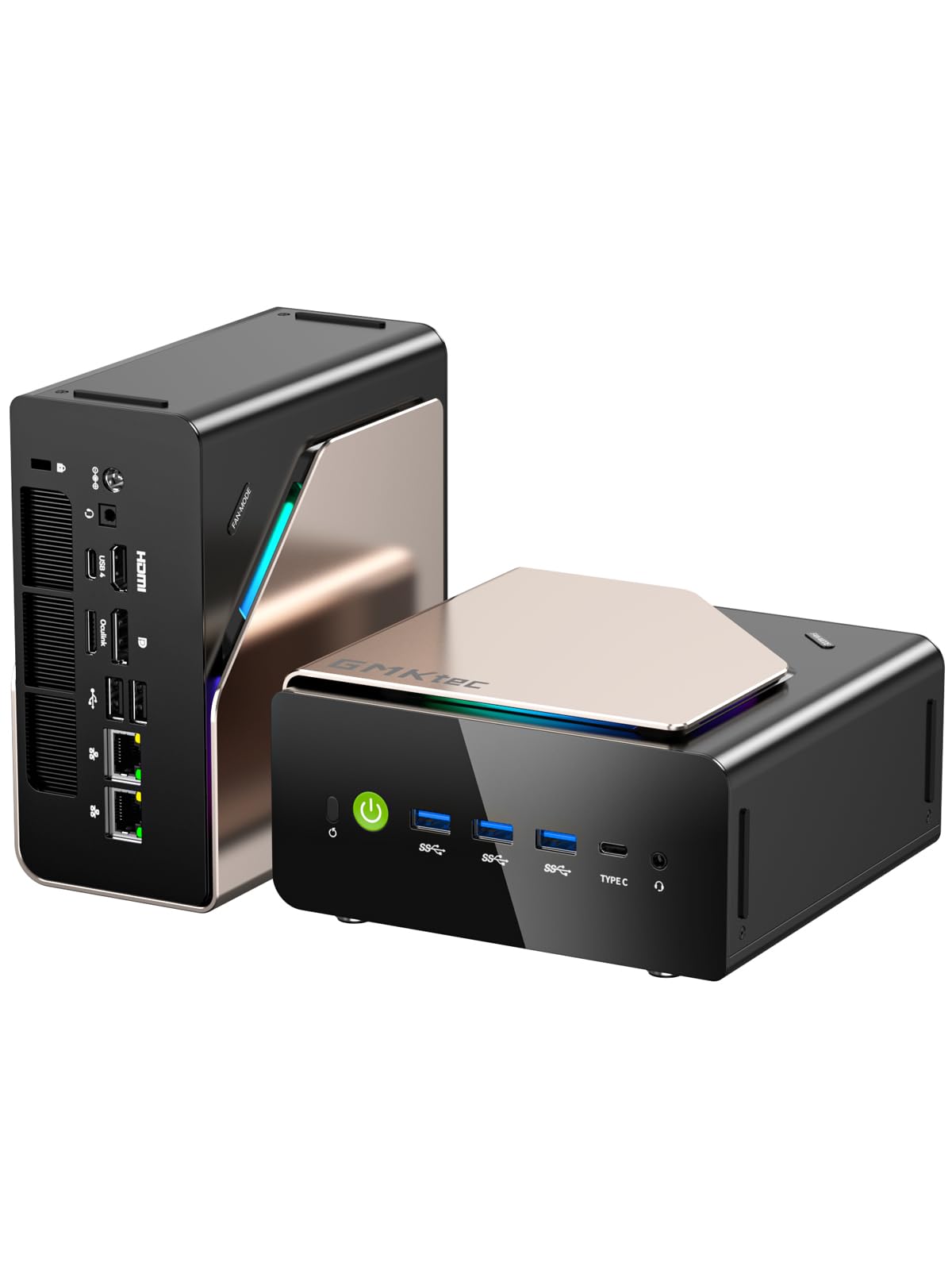
If you want a compact machine that grows with you, this EVO‑T1 is built for it. You get a high‑core Intel Core Ultra 9 with a dedicated Arc GPU, plenty of DDR5 RAM and room for multiple NVMe drives — all in a small chassis that can sit on a desk or behind a monitor. It’s great as an always‑on office server or a media/transcoding box, and it’s equally at home as a creative workstation that drives multiple displays.
The OCuLink port and triple M.2 slots make adding external GPUs or lots of storage straightforward, and the cooling design keeps things relatively quiet during sustained loads. If you want a flexible, upgradeable mini PC that won’t feel obsolete after a year or two, this is a sensible pick.
What People Say
Buyers frequently praise the EVO‑T1’s raw performance and how capable it is for its compact size — people notice fast app loads, smooth transcoding, and solid multi‑display support. Reviews also call out the generous I/O and expansion options, plus quiet operation under normal loads; a few users mention warm running temperatures or minor early‑life issues, but most highlight good customer support.
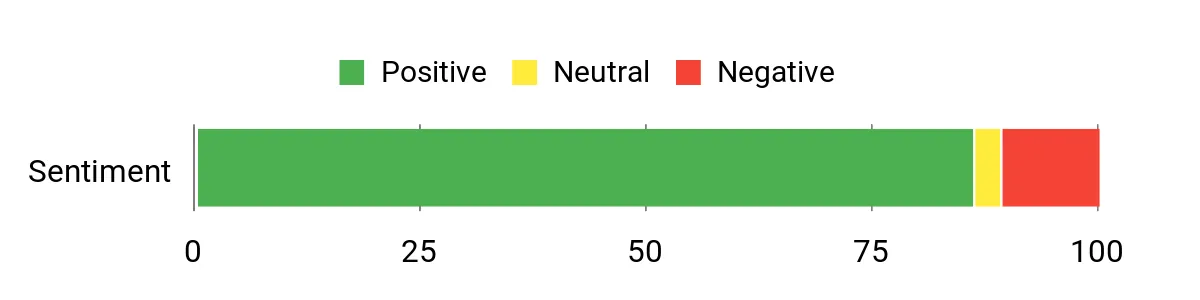
Overall Sentiment: Positive
Long-Term Cost Benefits
Since the EVO‑T1 ships with ample RAM and multiple M.2 slots, you can upgrade storage and memory over time instead of replacing the whole unit. That makes it cheaper to keep the system useful for years, and the efficient mini form factor reduces electricity and cooling expenses compared with a full desktop server.
Return On Investment
You’re packing workstation and small‑server capabilities into a tiny box, so you won’t need separate machines for storage, transcoding, and light AI or creative work. For a small team or home lab, that reduces hardware and maintenance costs and speeds up the time before the unit pays for itself.
Situational Benefits
| Situation | How It Helps |
|---|---|
| Small Office Server / NAS | 2.5 GbE and multiple M.2 slots speed up file sharing and backups while the small footprint fits neatly in limited spaces. |
| Media Transcoding / Plex/Emby | Strong CPU cores, Arc GPU acceleration and fast NVMe storage let you transcode multiple streams without a bulky rack server. |
| Edge AI / Local Inference | The 285H platform and integrated NPU/GPU capabilities are good for running local models with lower latency than cloud inference. |
| Creative Workstation / Multi‑Monitor | Quad‑screen support and a capable GPU let you edit video, run multiple timelines and keep tool windows open across displays. |
Ease Of Use
| Feature | Ease Level |
|---|---|
| Initial Setup | Easy |
| VESA/Wall Mounting | Easy |
| Installing Additional RAM/Drive | Moderate |
| OCuLink/eGPU Setup | Moderate |
| BIOS/Firmware Updates | Moderate |
Versatility
This mini PC can be a daily office machine, a compact media server, an edge AI node, or a portable creative workstation. The wide I/O and expansion options let you change roles without buying a new system.
Energy Efficiency
Compared with full towers, the EVO‑T1 uses less power while offering high sustained performance thanks to efficient cooling; that makes it a reasonable choice for 24/7 duties.
Speed & Response Time
With DDR5 memory and a PCIe 4.0 SSD, apps, VMs and large transfers feel snappy, and the 2.5 GbE port helps move big files faster on the network.
Reliability
Most users report stable, quiet operation and responsive support when needed. A small number of reviews mention isolated hardware or longevity concerns, so keeping firmware up to date and checking warranty options is sensible.
Key Benefits
- Very expandable: 3x M.2 slots and OCuLink for external PCIe expansion
- Strong CPU and GPU combo for multitasking, transcoding, and light gaming
- Large shipped memory (64 GB DDR5) and fast PCIe 4.0 SSD for responsive workloads
- Fast networking with 2.5 GbE plus Wi‑Fi 6 for low‑latency transfers
- Quad‑screen 8K display support for multi‑monitor setups
- Thoughtful cooling that keeps noise down under load
Current Price: $999.98
Rating: 4.4 (total: 303+)
🚀 Best Performance

GMKtec EVO-X2
If you want a compact box that can act like a tiny server and a desktop powerhouse, the EVO‑X2 is built for that role. You get AMD’s Ryzen AI Max+ 395 that can boost to 5.1 GHz, a massive on‑board LPDDR5X memory pool and a roomy 2 TB PCIe 4.0 SSD — all squeezed into a mini PC that still supports quad 4K/8K outputs.
It’s handy as an always‑on office server or a local LLM/edge‑AI node, but it’s also comfortable driving multiple displays for editing or multitasking on busy days. If you want one machine to handle local AI inference, fast file serving (2.5 GbE), and occasional heavy desktop work without moving to a full tower, this is a practical pick.
What People Say
People tend to highlight the EVO‑X2’s raw performance and memory capacity — reviewers often note how well it handles local models, multitasking, and multi‑monitor setups. Many like the easy access for adding NVMe drives and praise the build quality, while common gripes focus on fan noise under load and early firmware or driver rough edges.
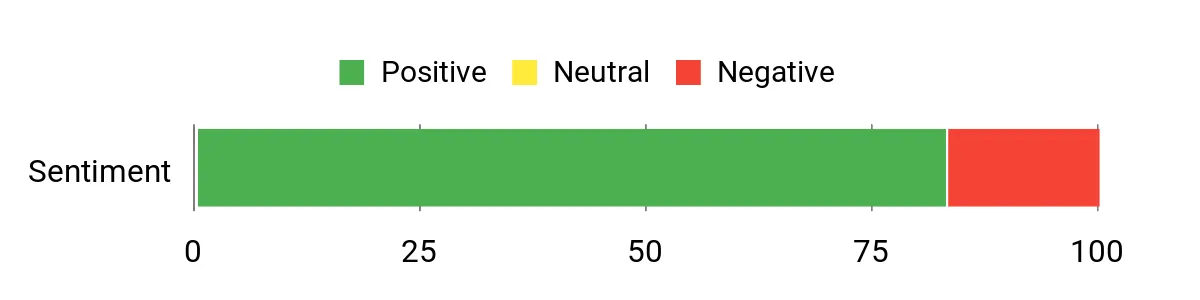
Overall Sentiment: Positive
Long-Term Cost Benefits
Because it ships with lots of memory and multiple M.2 slots, you can expand storage or repurpose the unit instead of buying new hardware as needs grow. Consolidating AI inference, file serving and desktop work into one compact system also trims your energy and maintenance costs versus running several machines.
Return On Investment
You’re getting server‑class connectivity and AI capabilities in a small chassis, so for a small team or a local inference setup you can skip renting cloud cycles and reduce hardware sprawl. That accelerates the time to recoup the purchase through saved cloud fees and lower admin overhead.
Situational Benefits
| Situation | How It Helps |
|---|---|
| Local LLM / Edge AI | Integrated AI NPU, massive LPDDR5X pool and a strong iGPU let you run inference locally with lower latency than cloud options. |
| Small Office Server / NAS | 2.5 GbE and multiple M.2 slots speed up backups and file sharing while keeping a tiny footprint on the desk or shelf. |
| Content Creation / Multi‑Monitor Work | Quad‑screen 4K/8K support and the powerful integrated graphics make editing and previewing large projects smoother. |
| Portable High‑Performance Workstation | Compact size with high single‑thread and AI performance gives you desktop‑level power you can move between desks or rooms. |
Ease Of Use
| Feature | Ease Level |
|---|---|
| Initial Setup | Moderate |
| VESA/Wall Mounting | Easy |
| Installing Additional NVMe | Easy |
| Configuring AI Drivers / Software | Moderate |
| BIOS / Firmware Updates | Moderate |
Versatility
This mini PC works as an office server, edge AI node, multi‑monitor workstation or a compact gaming/multimedia machine — its I/O and memory make it easy to switch roles without replacing hardware.
Energy Efficiency
Much more power‑efficient than a full desktop or rack server for similar single‑node tasks, making it reasonable for 24/7 use while still delivering strong sustained performance.
Speed & Response Time
Large LPDDR5X memory and a PCIe 4.0 SSD keep app loads, model inference and file operations snappy; the 2.5 GbE port further reduces network bottlenecks for big transfers.
Reliability
Most owners report solid hardware and good build quality; a minority note noise under load or early software/BIOS quirks, so keeping drivers and firmware current is a good idea.
Key Benefits
- Very strong integrated AI/CPU performance with Ryzen AI Max+ 395
- Huge on‑board memory (64 GB LPDDR5X) and fast PCIe 4.0 storage for large models and datasets
- Quad‑screen 8K output and dual USB4 for multi‑monitor creative workflows
- Fast networking with 2.5 GbE plus Wi‑Fi 7 for quick file transfers and low‑latency services
- Multiple M.2 slots and user‑accessible internals for storage expansion
- Aggressive cooling design that keeps sustained loads manageable
Current Price: $1,699.99
Rating: 4.3 (total: 14+)
🚀 Best Performance

GMKtec K10 Mini PC
If you need a compact box that can double as a workstation and a small server, this K10 is the kind of machine you’ll reach for. It packs an i9-13900HK, plenty of DDR5 memory and a fast NVMe drive, so day-to-day tasks feel instant and heavy workloads stay smooth. Use it as an always-on file server or Proxmox node, drive multiple monitors for editing sessions, or tuck it behind a monitor as a quiet desktop.
It’s a solid pick when you want desktop-class speed without a full tower on your desk.
What People Say
Customers often praise how fast and capable the K10 feels for both workstation tasks and home lab server roles. People routinely call out the quiet cooling, solid build, and the range of ports — especially the 2.5G LAN and multiple display outputs. Minor gripes tend to focus on the bulky external power brick and a wish for even higher GPU capability for serious gaming.
Overall Sentiment: Positive

Long-Term Cost Benefits
Because the K10 supports multiple M.2 drives and generous DDR5 capacity, you can expand storage and extend the unit’s life instead of replacing the whole system. Consolidating file serving, virtualization and desktop work into one compact device also reduces the number of machines you maintain and powers in steady environments.
Return On Investment
If you’re running a small team or a home lab, you’ll likely recoup costs by trimming cloud usage and reducing hardware sprawl. The combination of fast local storage, 2.5G networking and a powerful CPU speeds up tasks that would otherwise need more expensive infrastructure.
Situational Benefits
| Situation | How It Helps |
|---|---|
| Home Lab / Proxmox Server | You get enough CPU cores, RAM and NVMe speed to run many VMs or containers reliably in a compact, energy‑friendly package. |
| Small Office File Server | 2.5G Ethernet and fast NVMe storage make backups and shared file access noticeably quicker for a few users. |
| Content Creation / Multi‑Monitor Setup | Multiple HDMI/DisplayPort outputs and a strong CPU keep editing, previewing and exporting workflows responsive across several displays. |
| Industrial / POS / Embedded Use | The included COM port and broad I/O let you plug into legacy equipment and automation gear without extra adapters. |
Ease Of Use
| Feature | Ease Level |
|---|---|
| Initial Setup | Moderate |
| VESA/Desk Mounting | Easy |
| Installing Additional NVMe | Easy |
| Accessing Internal Components | Moderate |
| Driver & Firmware Updates | Moderate |
Versatility
You can switch roles between a compact desktop, a multi‑monitor workstation, a small office server or a home lab node without changing hardware — the I/O and expansion options make role changes straightforward for most users.
Energy Efficiency
With a 45W TDP CPU and modest idle consumption compared with full towers, this mini PC is a good choice for 24/7 services where power draw matters but you still need strong single‑node performance.
Speed & Response Time
The i9 CPU combined with DDR5 RAM and a PCIe NVMe SSD keeps app launches, VM tasks and file operations fast; the 2.5G LAN reduces network bottlenecks for large transfers.
Reliability
Most owners report stable, quiet operation and solid build quality; a small number note firmware or driver rough edges and the external power adapter’s size, so keeping software updated is a sensible step.
Key Benefits
- Top-tier 13th Gen Intel Core i9 performance for multitasking and server workloads
- 64 GB DDR5 and 1 TB PCIe NVMe provide fast responsiveness and roomy local storage
- 2.5G Ethernet and Wi‑Fi 6 for faster file transfers and low-latency networking
- Wide I/O: multiple USB 3.2 ports, HDMI/DisplayPort outputs and a COM port for industrial use
- Supports multiple M.2 slots for future storage expansion (up to large capacities)
- Compact, quiet operation that fits on a desk or in a small rack space
Current Price: $959.99
Rating: 4.6 (total: 80+)
🔌 Best Connectivity
ASUS NUC 14 Pro
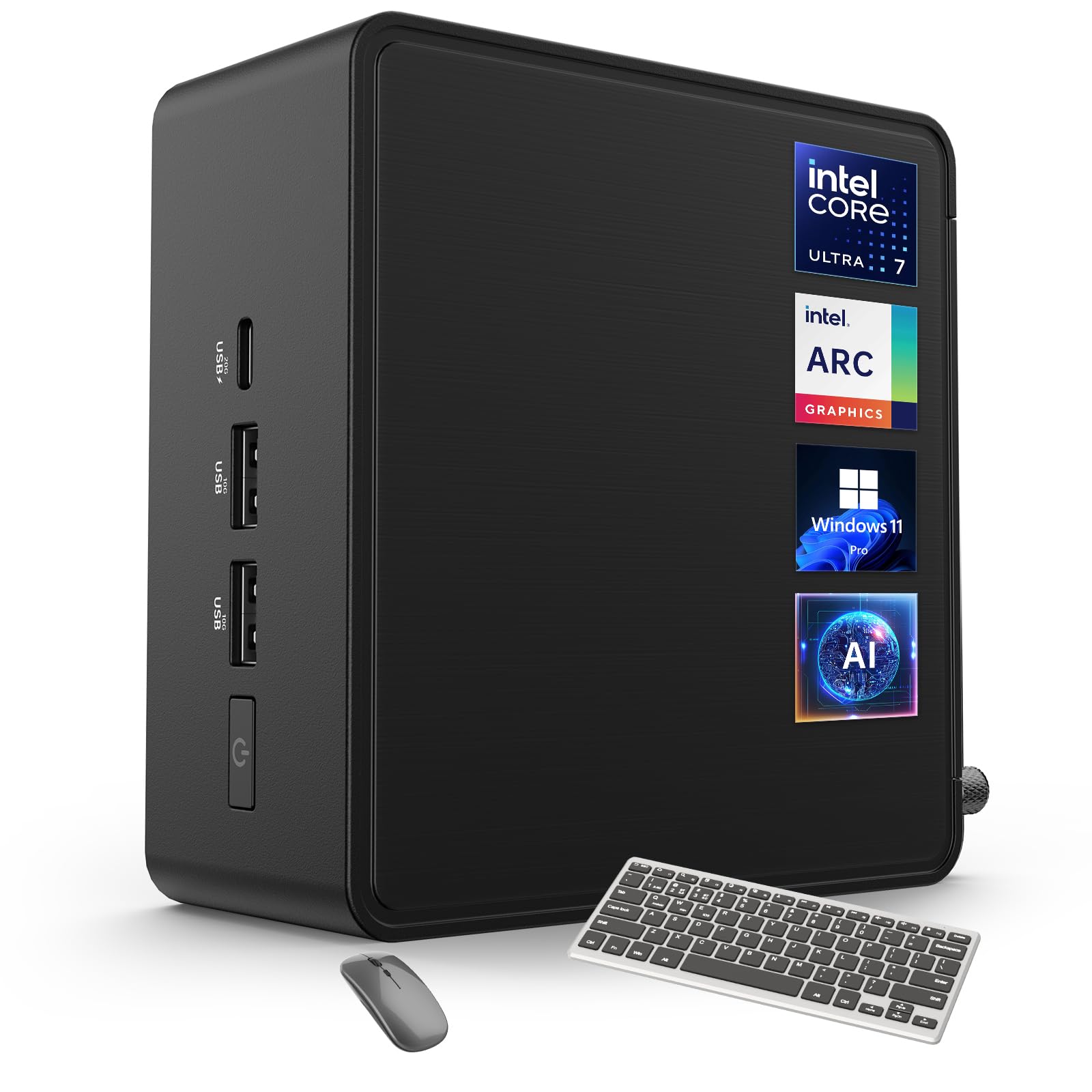
If you want a tiny machine that punches above its weight, the ASUS NUC 14 Pro is an easy one to recommend. It’s built around Intel’s Ultra 7 155H and pairs fast DDR5 memory with a roomy PCIe SSD, so everyday tasks and heavier jobs like local AI inference or hosting a few services feel smooth.
You’ll appreciate the wide I/O — Thunderbolt 4, dual HDMI, USB-C and a 2.5G Ethernet port make connecting storage, monitors and network gear painless. Mount it behind a monitor with the included VESA bracket for a clean desk, use it as an always-on small office server, or let it handle edge AI workloads where you don’t want to rely on the cloud.
What People Say
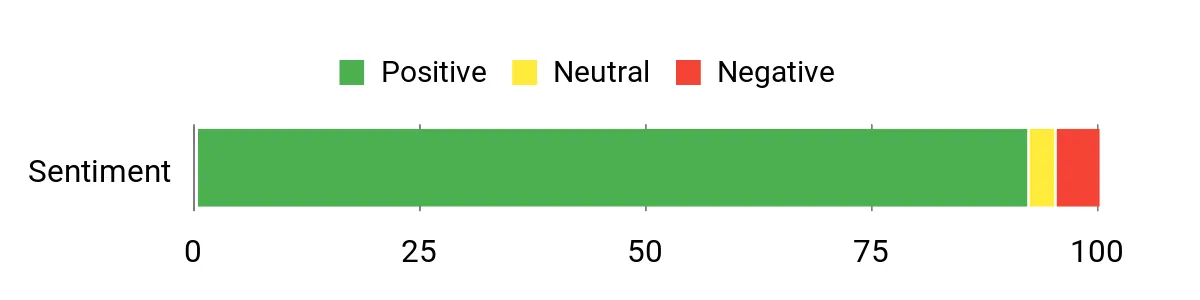
People tend to praise how much capability ASUS packs into a very small chassis — the performance, connectivity and quiet cooling come up a lot. Reviewers also highlight the convenience of Thunderbolt 4 and the fast PCIe SSD for snappy file work. A few buyers note the price and limited stock as minor drawbacks, but overall impressions center on reliability and strong I/O.
Overall Sentiment: Positive
Long-Term Cost Benefits
Because the NUC supports robust DDR5 upgrades and fast PCIe storage, you can increase useful life by upgrading components instead of buying a new system. Consolidating roles — local AI tasks, file serving and a desktop — cuts down on separate machines and cloud costs over time.
Return On Investment
You’ll often get ROI from faster local processing (less reliance on cloud inference), quicker file transfers with 2.5G networking, and by reducing the number of devices you run and maintain. For small teams, that translates to saved time and lower recurring fees.
Situational Benefits
| Situation | How It Helps |
|---|---|
| Edge AI / On‑Prem Inference | The integrated NPU and powerful CPU let you run models locally, keeping latency low and avoiding recurring cloud inference costs. |
| Small Office File Server | 2.5G Ethernet and a fast PCIe SSD make shared storage and backups feel snappy for a handful of users. |
| Multi‑Monitor Content Workstation | Dual HDMI plus Thunderbolt 4 support up to four 4K displays, so you can build an efficient editing or monitoring setup in a tiny footprint. |
| Kiosk / Digital Signage | VESA mounting, silent cooling and reliable 24/7 operation let you tuck the unit behind displays for continuous use. |
Ease Of Use
| Feature | Ease Level |
|---|---|
| Initial Setup | Easy |
| VESA/Desk Mounting | Easy |
| Installing Additional NVMe | Moderate |
| Upgrading RAM | Moderate |
| Connecting Multiple Displays | Easy |
Versatility
You can flip this between roles easily — a compact desktop, a multi‑monitor creative station, a small office file server, or an edge AI node. The broad I/O and upgrade options make role swaps straightforward for most users.
Energy Efficiency
Designed for efficient operation, the NUC’s cooling and power profile keep steady loads economical compared with larger desktop towers, which matters if you run it 24/7.
Speed & Response Time
Between the Ultra 7 CPU, DDR5 RAM and a Gen4 PCIe SSD, app launches, VM tasks and file operations feel instant; Thunderbolt and 2.5G LAN minimize bottlenecks for large transfers.
Reliability
Owners report stable, quiet operation thanks to the thermal design; keeping drivers and firmware current smooths over the occasional edge-case firmware hiccup.
Key Benefits
- AI‑ready CPU with integrated NPU and Intel Arc graphics for local inference and media tasks
- Thunderbolt 4 and dual HDMI let you drive multiple 4K displays or connect fast external storage
- 2.5G Ethernet improves file transfer speeds for small office and NAS use
- Expandable DDR5 and M.2 PCIe storage options let you grow capacity without replacing the unit
- Compact VESA‑mountable design saves desk space and fits behind monitors
- Advanced cooling designed for quiet 24/7 operation under sustained load
Current Price: $1,069.99
Rating: 4.6 (total: 3+)
⭐ Best for Edge/AI
GEEKOM A9 Max
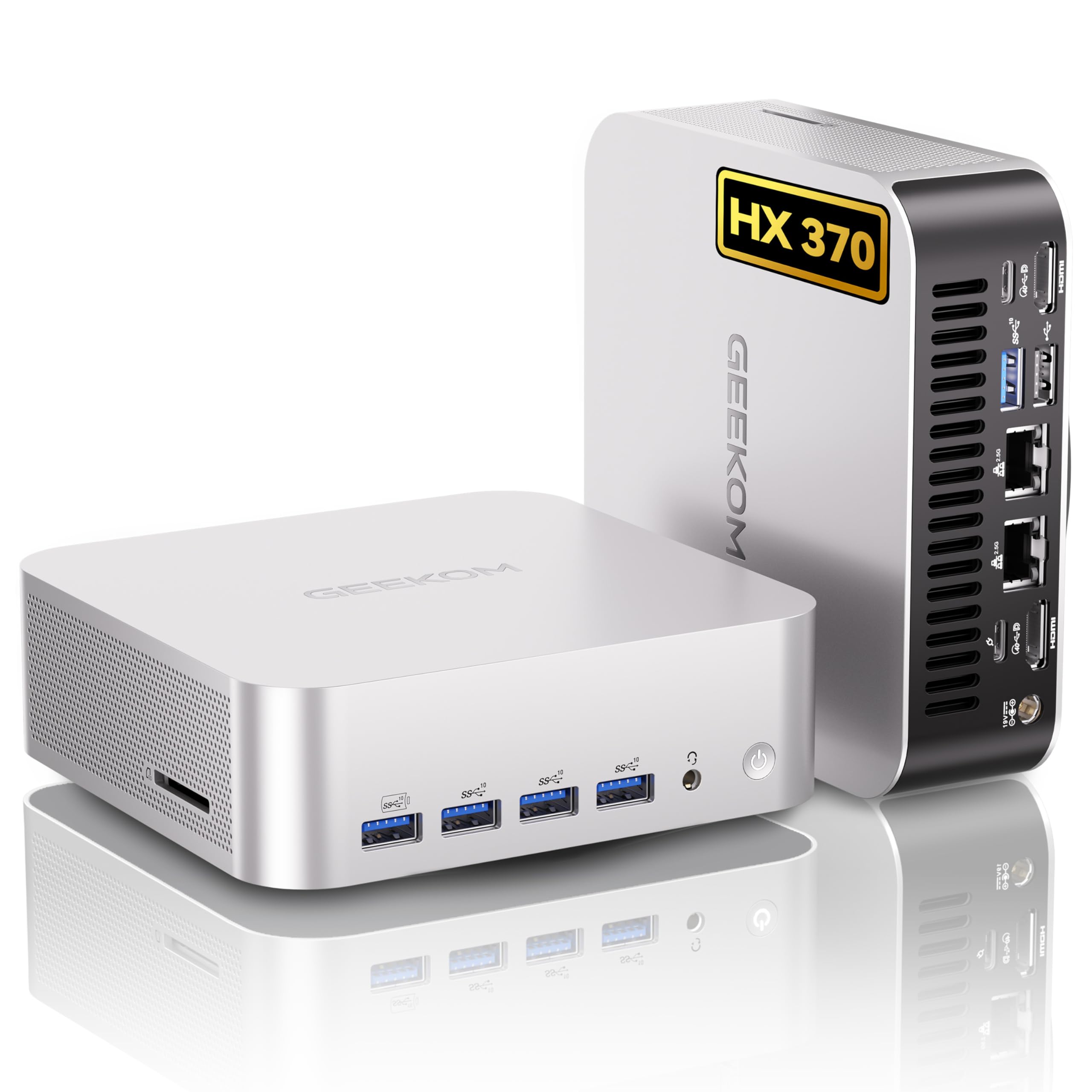
If you want a tiny box that can actually shoulder serious work, this is it. The A9 Max packs a Ryzen AI 9 HX370 and a strong integrated GPU into a palm‑sized metal chassis, so you can run local AI models, host services, or drive multi‑monitor stations without a tower.
It’s handy on your desk, tucked behind a monitor with the VESA mount, or used as an always‑on office server — and because it supports upgradable NVMe storage and lots of RAM, it grows with your needs. I’d recommend it if you want a compact machine that’s ready for AI experiments, creative tasks, and reliable small‑team services, just be mindful of initial driver setup and cooling under sustained, heavy AI loads.
What People Say
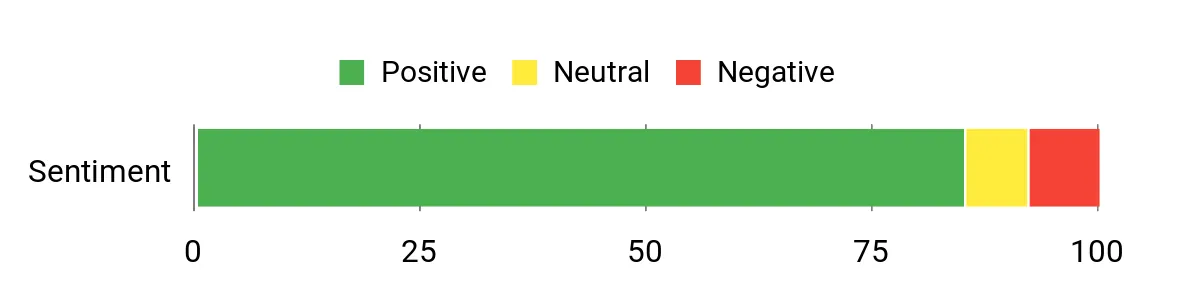
Buyers commonly highlight how much power the A9 Max squeezes into a very small case — people praise the CPU performance, fast storage, and rich set of ports. Reviews also note the energy efficiency and good build quality; a few mention an initial driver or network setup step and that under long, heavy loads the cooling can ramp up.
Overall Sentiment: Positive
Long-Term Cost Benefits
Because the A9 Max supports high‑speed NVMe drives and upgradable DDR5 memory, you can extend its useful life by swapping storage or adding RAM instead of buying a full replacement. Its efficient power profile and 54W TDP CPU also help keep running costs lower than a full desktop if you run it 24/7.
Return On Investment
You’ll see ROI from reduced cloud usage when you run inference locally, faster local file ops thanks to PCIe Gen4 storage and 2.5G networking, and by consolidating roles (workstation + server + edge node) into one small machine. For small teams that saves time, bandwidth, and monthly cloud spend.
Situational Benefits
| Situation | How It Helps |
|---|---|
| Local AI / Edge Inference | The dedicated NPU performance and strong CPU let you run models on‑prem for lower latency and fewer cloud calls. |
| Small Office File Server | Dual 2.5GbE and fast NVMe storage keep shared files and backups responsive for a handful of users. |
| Multi‑Monitor Creative Workstation | Dual HDMI 2.1 and USB4 support allow crisp 4K/8K outputs and quick external storage for editing or streaming setups. |
| Home Lab / VM Host | Plenty of CPU cores, lots of RAM capacity, and roomy SSD options make it a compact yet capable platform for virtual machines and test environments. |
Ease Of Use
| Feature | Ease Level |
|---|---|
| Initial Setup | Easy |
| Installing Additional NVMe | Moderate |
| Upgrading RAM | Moderate |
| Networking (Wi‑Fi 7 / 2.5G LAN) | Moderate |
| Deploying Local AI Models | Advanced |
Versatility
This mini PC is a real Swiss Army knife — you can use it as a compact desktop, a content‑creation box, an always‑on office server, or an edge AI node. The broad I/O and upgrade paths make it easy to repurpose as your needs change.
Energy Efficiency
With a modest TDP and efficient components, it runs noticeably cooler and draws less power than a full desktop, which matters when you keep it powered day and night.
Speed & Response Time
Thanks to the Ryzen AI CPU, DDR5 memory and PCIe Gen4 SSDs, app launches, file tasks and model inference feel snappy; USB4 and 2.5G LAN minimize transfer bottlenecks for large datasets.
Reliability
Overall owners report stable day‑to‑day performance and solid build quality. Keep firmware and drivers up to date and be aware that sustained heavy loads may make the cooling more audible.
Key Benefits
- High AI throughput from the Ryzen AI 9 HX370 (80 TOPS) for local inference and Copilot‑style tasks
- Desktop‑class DDR5 memory and dual PCIe Gen4 NVMe slots for fast storage and easy expansion
- Pro‑level I/O: dual USB4, five USB‑A Gen2, dual HDMI 2.1, dual 2.5GbE LAN — great for networked use and multiple displays
- Compact, metal chassis with VESA mount keeps your workspace tidy while offering strong thermal paths
- Windows 11 Pro out of the box with broad OS compatibility (Ubuntu, Manjaro, Android x86) for varied server or dev workflows
- 3‑year limited warranty and solid build quality for long‑term peace of mind
Current Price: $949.00
Rating: 4.4 (total: 294+)
FAQ
What Should You Look For When Choosing A Mini PC For A Professional Or Office Server?
You want a mini PC that matches the workload: prioritize CPU cores and sustained performance for virtualization, fast NVMe storage for databases and VMs, and plenty of RAM (and the ability to upgrade) for container and multi‑user workloads. Check network capability—1GbE is fine for small tasks but 2.5G or dual LAN is far better for file servers and media transcoding.
Look for adequate cooling, a solid warranty and business support, and expansion options like extra M.2 or SATA slots so you can add storage later. For budget office tasks a unit like the ACEMAGIC Vista V1 ($199.00) or the KAMRUI E1 ($229.97) is frequently adequate; if you need more headroom for VMs or heavy I/O consider mid/high‑range models such as the Beelink ME ($279.20), HP Pro 400 G9 ($409.99) or the ACEMAGIC M1 ($459.99).
Can A Mini PC Run 24/7 As A Server And How Do You Keep It Reliable?
Yes—many mini PCs are designed to run continuously, but you must prepare them. Place the unit where it gets airflow, mount it securely, keep it on a UPS and enable auto‑power‑on after outages. Use wired networking for reliability, pick SSDs with good endurance and consider RAID or off‑box NAS for redundancy. Keep the OS minimal, apply firmware and driver updates, monitor temps and logs, and schedule regular backups and snapshot tests.
Be aware some low‑cost units include consumer Wi‑Fi or drivers that need extra work on Linux (Realtek drivers are a common example), so test your chosen OS before committing to production. Practical steps that improve reliability include enabling auto start after power loss, setting conservative thermal/power profiles, and using monitoring/alerting so you catch issues early.
Which Mini PCs Are Best For Different Server Roles And Budgets?
Match the model to the role: for light office services, remote desktops and basic file shares you can use budget mini PCs like the ACEMAGIC Vista V1 ($199.00) or KAMRUI E1 ($229.97). For a compact NAS or small media server pick a model with multiple M.2 slots and dual 2.5G LAN such as the Beelink ME ($279.20). If you need virtualization, container hosts, or heavier transcoding, choose higher‑end machines with more cores and RAM headroom—examples include the ACEMAGIC M1 ($459.99), HP Pro 400 G9 ($409.99) or performance options like the GEEKOM GT2 ($949.90) and ASUS NUC 14 Pro+ ($1,337.99).
For AI inferencing or demanding workstation/server fusion tasks, look at dedicated workstation mini PCs (GMKtec and MINISFORUM high‑end models) with ample RAM and PCIe/oculink expansion. The key tip is to match hardware to workload: prioritize network and storage performance for file and media servers, CPU and memory for VMs, and cooling and power for continuous 24/7 operation.
Customer Favorites
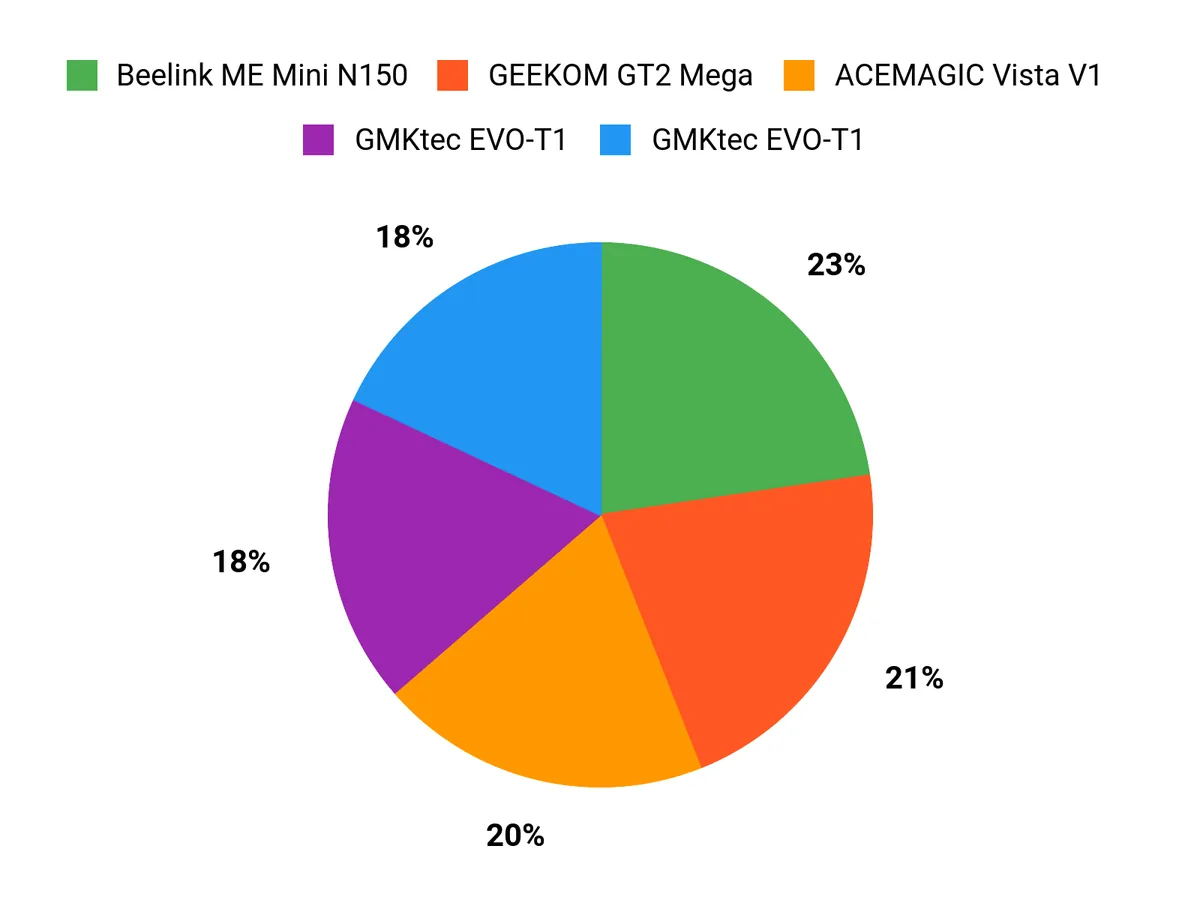
When choosing between the ACEMAGIC Vista V1, KAMRUI E1, and ACEMAGIC M1, you typically prioritize raw CPU and memory performance for server workloads, the number and speed of network and storage interfaces, and thermal reliability for 24/7 operation. You also weigh power efficiency, noise level, upgradeability (RAM and NVMe slots), and price/support to find the model that best balances throughput, expandability, and budget for your office or professional server needs.
Wrapping Up
When you choose a mini PC for a professional or office server, you’re prioritizing efficient use of space, low power draw and enough I/O and storage to do the job reliably. If you need a low-cost always-on box for simple services, the ACEMAGIC V1 or the Beelink ME give you good value.
For heavier multi‑VM workloads, media transcoding or local AI/edge tasks, aim for devices that offer higher core counts, expandability and better network options — models like the GMKtec EVO-T1, the GEEKOM GT2 and the ASUS NUC 14 Pro+ give you that headroom. Pay attention to cooling, the number and type of M.2 slots, and whether you can upgrade RAM; picking the right balance will keep your server responsive and manageable in daily office use.
| Product | Image | Rating | Price | Processor | RAM | Storage | Graphics | Connectivity |
|---|---|---|---|---|---|---|---|---|
| ACEMAGIC Vista V1 Mini PC |  | 4.5/5 (372 reviews) | $199.00 | 3.6 GHz Intel N150 | 16 GB DDR4 | 512 GB SSD | Intel UHD Graphics | Wi-Fi, Ethernet, HDMI, DisplayPort, 4 USB ports |
| KAMRUI Mini PC E1 |  | 4.5/5 (216 reviews) | $229.97 | 3.6 GHz Celeron | 16 GB DDR4 | 1 TB SSD | Intel UHD Graphics 24 EUs | Wi-Fi, HDMI, DisplayPort, USB ports |
| ACEMAGIC M1 Mini PC | 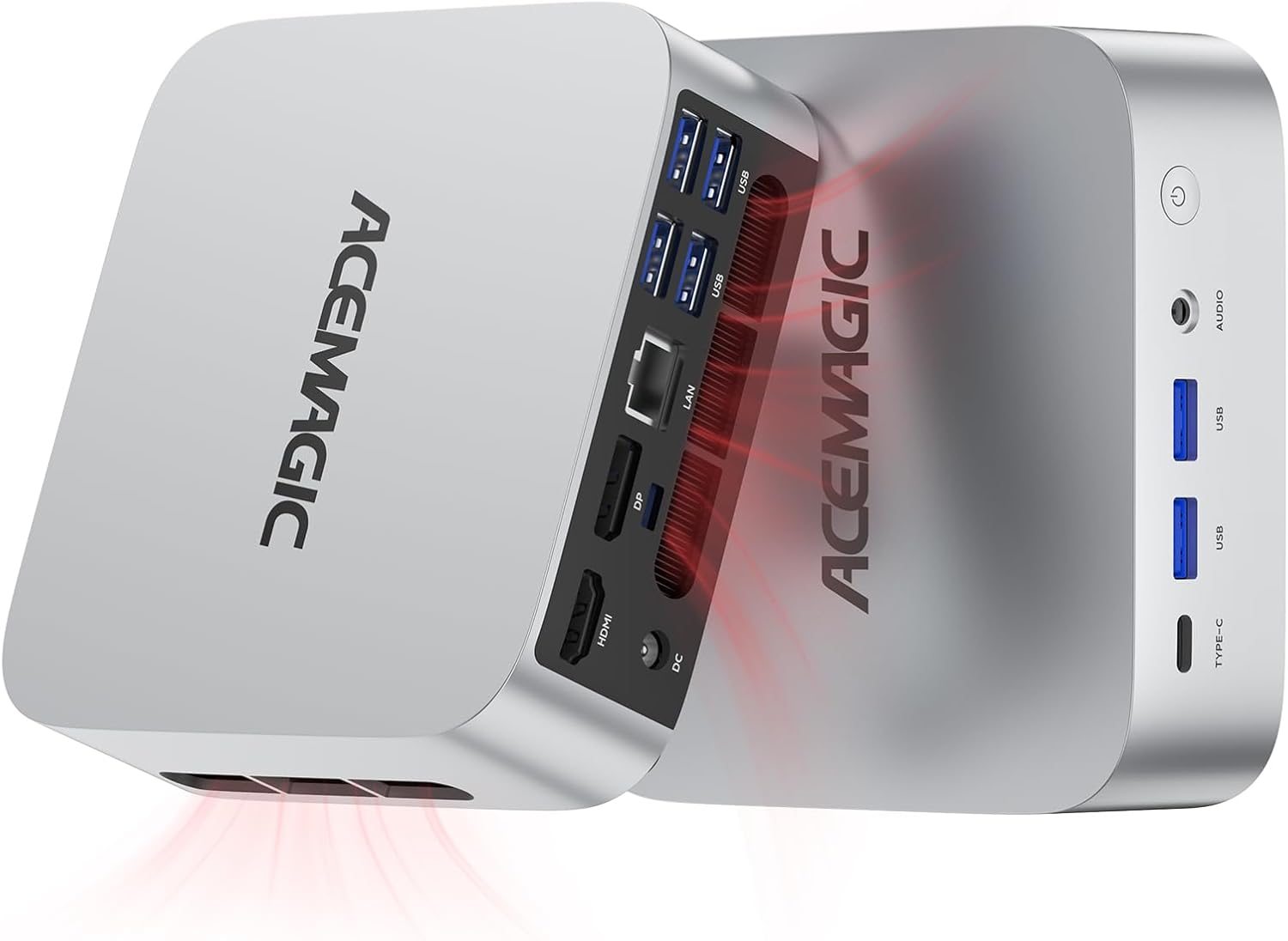 | 4.7/5 (139 reviews) | $459.99 | 4.9 GHz Intel Core i9-11900H | 32 GB DDR4 | 1 TB SSD | Intel UHD Graphics | Wi-Fi 6, Bluetooth 5.2, HDMI, DP, USB ports |
| HP Pro 400 G9 Mini PC |  | 4.6/5 (71 reviews) | $409.99 | 2.8 GHz Celeron | 16 GB DDR5 | 256 GB SSD | Integrated Graphics | Wi-Fi 6, Bluetooth 5.2, USB-C, HDMI |
| GEEKOM GT2 Mega Ai Mini PC |  | 4.5/5 (510 reviews) | $949.90 | 5.4 GHz Intel Core Ultra 9 | 32 GB DDR5 | 2 TB SSD | Intel ARC Graphics | Wi-Fi 7, USB4, Dual 2.5G LAN |
This Roundup is reader-supported. When you click through links we may earn a referral commission on qualifying purchases.



