Skip to content
No, you cannot upgrade the CPU in 99% of mini PCs because processors are soldered directly to the motherboard using BGA (Ball Grid Array) packaging. Modern mini PCs use mobile processors designed for permanent soldering, eliminating user upgradeability in exchange for compact form factors and lower costs. Critical exceptions exist: ASRock’s DeskMini X600 ($150-200 barebone) supports standard AMD AM5 socketed CPUs allowing upgrades within a 65W TDP limit; Framework Desktop ($1,099+) uses modular mainboards where you replace the entire motherboard assembly to upgrade; and Intel’s discontinued NUC 12/13 Extreme models ($1,200-1,800 used) featured LGA1700 socketed CPUs. For typical budget mini PCs, the CPU you buy is permanent—professional BGA replacement costs $200-500 plus parts, making it financially illogical. Instead, buy adequate performance initially: Intel N100 for basic tasks, AMD Ryzen 5 7535U for moderate workloads, or AMD Ryzen 7 8845HS for demanding applications. RAM and storage remain user-upgradeable in most mini PCs.
Understanding Why Mini PCs Use Soldered CPUs
The BGA packaging reality
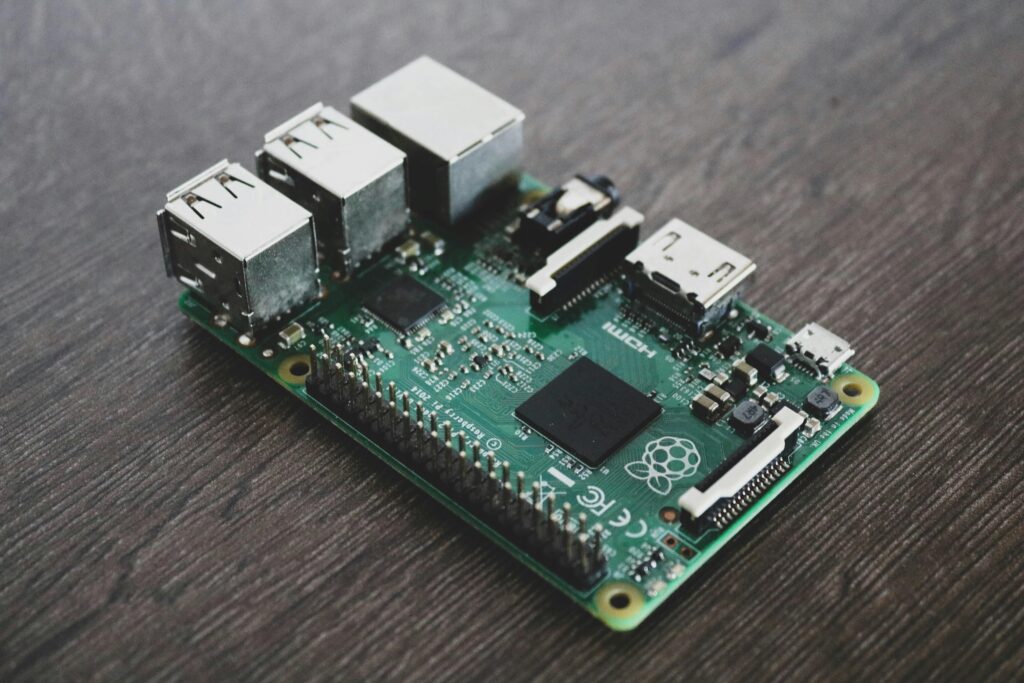
Ball Grid Array (BGA) is a surface-mount packaging technology where the CPU connects to the motherboard through hundreds of tiny solder balls on the processor’s underside rather than pins or contacts in a socket. These solder balls—each roughly 0.3-0.5mm in diameter—form permanent electrical connections when heated during manufacturing. BGA offers several advantages that make it the standard for mobile computing:
Space efficiency: BGA packages eliminate the socket height (5-10mm) and retention mechanism, allowing mini PCs to achieve 1-2 liter volumes impossible with socketed designs. The CPU sits flush against the motherboard, enabling ultra-compact chassis designs.
Thermal performance: Direct soldering provides superior heat transfer compared to socket contact pressure. This allows mobile processors to boost higher and sustain performance longer in thermally-constrained environments like mini PCs.
Electrical characteristics: Shorter signal paths and controlled impedance in BGA connections improve signal integrity, enabling higher memory speeds (DDR5-5600 and beyond) and faster interconnect technologies essential for modern CPUs.
Manufacturing cost: BGA soldering is automated and faster than socket installation, reducing production costs by $5-15 per unit—significant savings that manufacturers pass partially to consumers as lower retail prices.
Why mobile processors dominate mini PCs
Mini PCs overwhelmingly use mobile processors (laptop-grade CPUs) rather than desktop processors:
Intel naming: Core Ultra 5 226V, Core Ultra 7 256V, Core Ultra 9 288V (Lunar Lake – Series 2), N100, N305. The V suffix indicates ultra-low-power mobile designs, while H, P, and U suffixes indicate mobile designs with integrated voltage regulators and power management designed for soldering.
AMD naming: Ryzen 5 7535U, Ryzen 7 8845HS, Ryzen 9 7945HX. The U, HS, and HX suffixes indicate mobile processors with varying TDP targets (15W, 35W, 55W respectively) but all designed for BGA packaging.
These mobile processors include features unnecessary in socketed desktop CPUs: integrated memory controllers optimized for LPDDR5 (which requires soldering), advanced power gating for battery efficiency (irrelevant in desktop sockets), and tightly integrated platform controllers that assume permanent motherboard attachment.
The technical impossibility of DIY BGA replacement
Replacing a BGA CPU requires:
BGA rework station ($10,000-50,000): Professional equipment with infrared heating, precise temperature control, optical alignment systems, and X-ray verification. Consumer hot air stations ($100-500) lack the temperature uniformity and precision required—they’ll melt surrounding components before properly reflowing the CPU.
Technical expertise: Technicians require 50-100 hours of training to perform BGA work reliably. The process involves removing the old CPU without damaging motherboard traces, cleaning solder residue, applying flux, positioning the new CPU within 0.1mm tolerance, and reflowing at exact temperatures (typically 220-250°C) for precise durations.
BIOS compatibility: Even if you successfully solder a new CPU, the motherboard BIOS must include microcode and support for that specific processor. Mini PC manufacturers don’t include microcode for CPUs they never shipped with the product, meaning a physically successful swap often results in a system that won’t POST.
Cost reality: Professional BGA CPU replacement services charge $200-500 for labor plus the cost of the replacement processor. When a new mini PC costs $150-600, spending $300-700 on a CPU swap makes zero financial sense.
Pro Tip: “Before buying any mini PC, honestly assess your performance needs for 3-5 years ahead, not just current requirements. CPU performance improves 15-25% per generation, meaning today’s high-end becomes tomorrow’s mid-range. If you’re borderline on performance now, you’ll be frustrated within 18 months. Buy one tier above what you think you need—the $50-100 premium is cheaper than replacing the entire mini PC in 2 years when your soldered CPU becomes insufficient.”
The Rare Exception: Upgradeable Mini PCs
While 99% of mini PCs use soldered CPUs, a tiny segment offers upgrade paths through different approaches.
ASRock DeskMini X600 (AM5 socket)ASRock DeskMini X600 (AM5 socket)
What it is: A 1.92-liter barebone mini PC supporting AMD’s standard AM5 desktop socket, accommodating Ryzen 7000, 8000, and 9000 series processors with integrated graphics.
Specifications:
- Form factor: 155mm × 155mm × 80mm (1.92L)
- Socket: AMD AM5 (LGA1718)
- CPU support: Ryzen 8000G Series APUs, Ryzen 7000/9000 Series desktop CPUs (65W models only)
- TDP limit: 65W hard limit (BIOS and VRM restricted)
- RAM: 2× SO-DIMM DDR5 up to 96GB (6400MHz+)
- Storage: 2× M.2 NVMe slots
- Cooling: Low-profile cooler included (47mm height limit)
- Power: 120W external adapter
Upgrade path: Buy a Ryzen 5 8500G ($179) initially, then upgrade to Ryzen 7 8700G ($329), Ryzen 9000 series 65W processors, or 65W-rated Ryzen 9 7900/9900 (non-X). AMD committed to AM5 socket support through 2027+, meaning CPUs released in 2026-2027 will work with BIOS updates.
[Rest of section continues same…]
Framework Desktop (Modular Mainboard System)
What it is: A modular Mini-ITX system where you upgrade by replacing the entire mainboard assembly rather than individual CPUs, designed for long-term upgradeability and repairability.
Specifications:
- Form factor: Mini-ITX (170mm × 170mm), 4.5L total volume
- CPU: BGA-soldered AMD Ryzen AI Max (Strix Halo) processors on mainboard
- RAM: Soldered LPDDR5x (32GB, 64GB, or 128GB) – Non-upgradeable
- Storage: 2× M.2 NVMe slots
- GPU: Integrated RDNA 3.5 graphics (40 compute units)
- Expansion: PCIe x4 slot for additional NVMe or accessories
- I/O: 2× USB4, 2× DisplayPort, HDMI, 5GbE Ethernet
- Cooling: Standard 120mm fan compatibility (Noctua, Cooler Master)
- Power: Flex ATX 400W PSU
Critical limitation – Soldered RAM: Framework was forced to solder LPDDR5x memory to achieve the 256GB/s memory bandwidth required by the massive RDNA 3.5 integrated GPU. The Ryzen AI Max chip uses a 256-bit memory bus that isn’t technically feasible with socketed SO-DIMM modules. You must choose your memory capacity (32GB, 64GB, or 128GB) at purchase—RAM cannot be upgraded later. Framework CEO Nirav Patel confirmed they spent months working with AMD to explore alternatives but determined soldered RAM was unavoidable for this architecture.
The mainboard upgrade model: Unlike traditional socketed systems where you replace only the CPU, Framework Desktop requires replacing the entire mainboard PCB assembly (which includes the soldered CPU, chipset, platform controller, and RAM). This approach provides upgradeability while using BGA processors that enable compact designs and excellent thermal/electrical performance.
How it works: When Framework releases next-generation mainboards (e.g., Ryzen AI Max 2 in 2027), you purchase the new mainboard ($400-600 estimated), transfer your existing storage, cooling, PSU, and case to the new board, and sell the old mainboard ($150-300 used market value). Net upgrade cost: $250-450 versus $800-1,200 for a complete new system.
Philosophy: Framework emphasizes right-to-repair and upgradeability. The mainboard uses standard Mini-ITX mounting, standard power connectors, and modular port cards (borrowed from Framework laptops) allowing I/O upgrades independently of CPU upgrades.
Limitations: Premium pricing ($1,099+ configured for base 32GB model, $1,999 for 128GB model) compared to traditional mini PCs. Soldered RAM eliminates one traditional upgrade path—careful capacity selection at purchase is essential. First-generation product with limited long-term track record. Requires comfort with SFF desktop building—not a consumer appliance like typical mini PCs. The mainboard replacement approach is more expensive than pure CPU socket upgrades but still cheaper than full system replacement.
Who it’s for: Users prioritizing sustainability, repairability, and fighting planned obsolescence. Enthusiasts wanting modular systems. Professionals needing powerful workstations with predictable upgrade cycles and the flexibility to spread costs over time. Users who need substantial RAM (64-128GB) for AI workloads or content creation and can commit to that capacity long-term.
Intel NUC 12/13 Extreme (LGA1700 socket) – Discontinued but available used
What they were: Intel’s high-end “Extreme” NUC line featured standard LGA1700 socketed desktop CPUs (12th/13th Gen Core) before Intel sold the NUC business to ASUS in 2023.
Specifications:
- NUC 12 Extreme: 12th Gen Core i7-12700/i9-12900 (LGA1700)
- NUC 13 Extreme: 13th Gen Core i7-13700/i9-13900 (LGA1700)
- Form factor: 13.9L (larger than typical mini PCs)
- GPU: Full-length triple-slot graphics card support
- RAM: 2× DDR4 SO-DIMM up to 64GB
- Cooling: Vapor chamber + blower fan
Current status: Discontinued by Intel. Available on used market ($800-1,500 depending on configuration and condition). ASUS continues the NUC line but reverted to soldered mobile CPUs in 2024-2026 models, eliminating the upgrade path.
Upgrade path (if buying used): 12th Gen models upgrade from i7-12700 to i9-12900K. 13th Gen models upgrade to i9-13900K. Limited future-proofing since Intel abandoned LGA1700 for newer socket types.
Limitations: Large chassis (13.9L), discontinued support, used market only, expensive even used.
What You CAN Upgrade in Standard Mini PCs
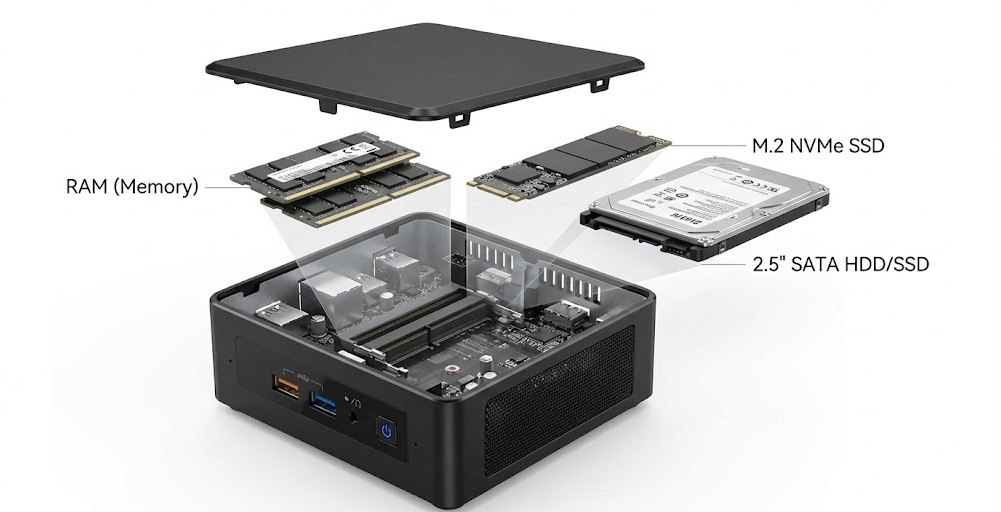
While CPUs are permanent, most mini PCs allow other component upgrades:
RAM (memory) – Usually upgradeable
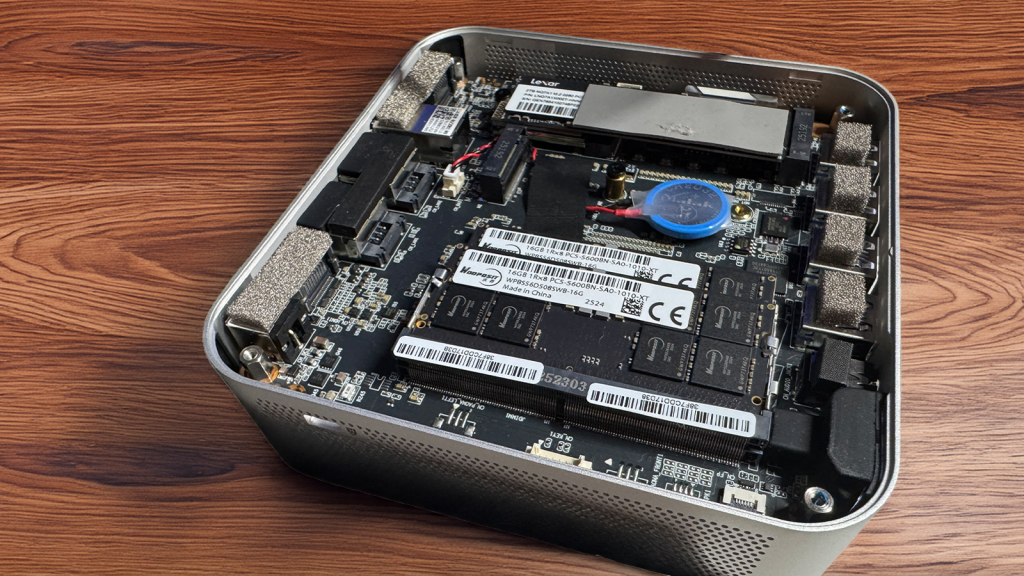
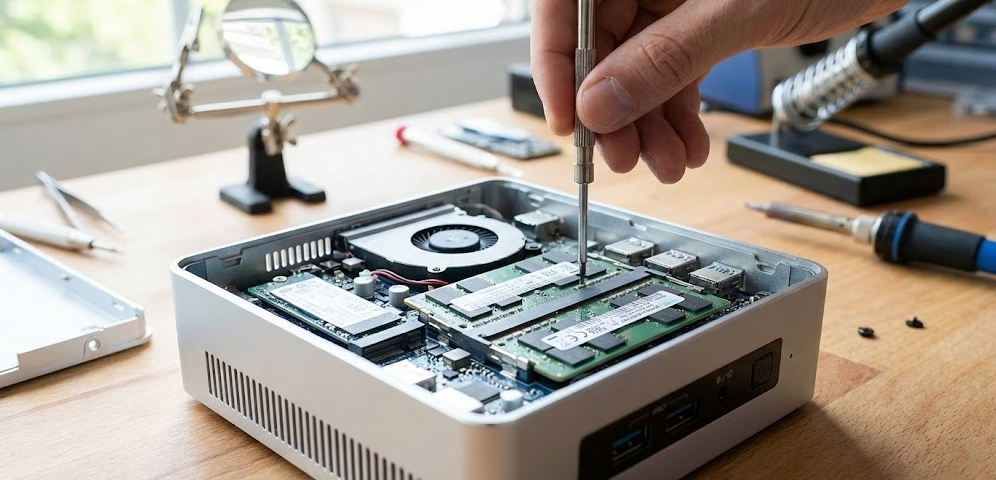
SO-DIMM slots: Most mini PCs use 2× SO-DIMM DDR4 or DDR5 slots accessible via bottom panel removal. Upgrade from 8GB to 16GB, or 16GB to 32GB by replacing modules. Cost: $25-80 depending on capacity and DDR generation.
Soldered RAM exception: Some ultra-compact models (select GMKtec units, certain GEEKOM models) use soldered LPDDR5 for maximum space efficiency and memory bandwidth. Check specifications before purchase—”LPDDR5″ usually indicates soldered, while “DDR5 SO-DIMM” indicates upgradeable.
Upgrade procedure: Power off, remove bottom panel screws, release SO-DIMM clips, remove old modules, insert new modules at 45° angle, press down until clips engage. Takes 5-10 minutes with no technical expertise required.
Storage (SSD) – Usually upgradeable
M.2 NVMe slots: Nearly all mini PCs include at least one M.2 2280 slot for NVMe SSDs. Many include two slots, allowing storage expansion without replacing the original drive.
Upgrade procedure: Power off, remove bottom panel, unscrew M.2 mounting screw, remove old drive, insert new drive, secure with screw. Takes 3-5 minutes. Clone existing drive to new drive before swapping to preserve Windows installation, or perform fresh OS installation.
Cost: 512GB NVMe SSDs cost $35-50, 1TB costs $50-80, 2TB costs $100-150 in 2026.
Wi-Fi module – Sometimes upgradeable
M.2 2230 Wi-Fi cards: Some mini PCs use standard M.2 2230 Wi-Fi 6/6E modules that can be upgraded to Wi-Fi 7 cards ($25-40) for improved wireless performance.
Soldered Wi-Fi exception: Budget models often solder Wi-Fi directly to motherboards to reduce costs. Check teardown videos or specifications before assuming upgradeability.
External GPU (eGPU) – Possible via Thunderbolt
Mini PCs with Thunderbolt 4 or USB4 ports support external GPU enclosures ($200-400 for enclosure plus GPU cost). This provides graphics upgrades without internal modification, though with 20-30% performance penalty versus native PCIe connection.
Example use case: Intel N100 mini PC with Thunderbolt + RTX 4060 eGPU = capable 1080p gaming system while maintaining 1L mini PC form factor for portability.
Should You Buy an Upgradeable Mini PC?
When upgradeable mini PCs make sense
- Long-term investment horizon: You plan to keep the system 5-7+ years and upgrade components mid-lifecycle
- Predictable upgrade needs: You know you’ll need more CPU performance in 2-3 years but budget constraints prevent buying high-end now
- Enthusiast mindset: You enjoy building, upgrading, and optimizing systems
- Business/professional use: Upgradeable systems reduce total cost of ownership over 5-year replacement cycles
- Environmental concerns: Extending system lifespan through upgrades reduces e-waste
When standard soldered mini PCs make sense
- Budget priority: Standard mini PCs cost 30-50% less than upgradeable equivalents with similar performance
- Immediate performance needs: You need specific performance now and upgrades aren’t part of your plan
- Compact size priority: Soldered designs achieve 1-2L volumes impossible with sockets
- Consumer appliance usage: You want plug-and-play simplicity without DIY building
- 3-year replacement cycle: If you replace computers every 3 years anyway, upgrade paths don’t matter
Cost analysis: Upgradeable vs soldered over 5 years
Scenario 1: Buy-and-replace approach (soldered)
- 2026: Buy Ryzen 5 7535U mini PC configured: $350
- 2029: Sell for $100, buy new Ryzen 7 9735U mini PC: $400
- Total 5-year cost: $650
Scenario 2: Socket upgrade approach (ASRock DeskMini)
- 2026: Buy ASRock DeskMini X600 + Ryzen 5 8500G + RAM + SSD: $500
- 2029: Upgrade to Ryzen 7 9700G: $250, sell old CPU: $80
- Total 5-year cost: $670
Scenario 3: Mainboard upgrade approach (Framework)
- 2026: Buy Framework Desktop configured: $1,200
- 2029: Upgrade mainboard to next-gen: $500, sell old mainboard: $200
- Total 5-year cost: $1,500
The economics favor upgradeable systems only when mid-cycle upgrades provide sufficient performance improvement to delay full system replacement beyond 5 years, or when initial high-end purchases ($800+) make replacement economics prohibitive. Framework’s approach costs more but appeals to sustainability values beyond pure economics.
Performance Comparison: Upgradeable vs Soldered Mini PCs
| Feature | ASRock DeskMini X600 (AM5) | Framework Desktop | Standard Soldered Mini PC |
|---|---|---|---|
| Initial cost (configured) | $500-700 | $1,099-1,999 | $200-600 |
| CPU upgradeability | Yes, standard AM5 socket (65W limit) | Yes, mainboard replacement | No, BGA soldered |
| Upgrade method | Replace CPU only | Replace entire mainboard | Replace entire system |
| RAM upgradeability | Yes, 2× SO-DIMM DDR5 | No, soldered LPDDR5x | Usually yes, sometimes soldered |
| Storage upgradeability | Yes, 2× M.2 NVMe | Yes, 2× M.2 NVMe | Yes, 1-2× M.2 NVMe |
| Volume/size | 1.92L | 4.5L | 0.8-2.5L |
| Noise level | Moderate (active cooling) | Moderate (120mm fan) | Low (small fan) to silent (fanless) |
| Power consumption | 45-65W TDP CPUs | 120W TDP | 15-54W TDP (mobile CPUs) |
| GPU options | Integrated only (APU requirement) | Integrated RDNA 3.5 (40 CU) | Integrated mobile GPU |
| Future-proofing | Excellent (socket longevity) | Good (modular mainboard, but RAM fixed) | None (buy adequate initially) |
| DIY assembly required | Yes (barebone kit) | Yes (component selection) | No (arrives configured) |
| Warranty | Component-level (CPU, RAM, etc.) | Standard manufacturer warranty | Full system warranty |
| Resale value | Components sell individually | Strong (sustainability appeal) | Depreciates as complete unit |
FAQ: Mini PC CPU Upgrades
Can I pay someone to replace my soldered mini PC CPU?
Technically yes, but financially no. Professional BGA rework services charge $200-500 for CPU replacement labor alone. Add the cost of a replacement mobile CPU ($150-400 if you can even source one—manufacturers don’t sell mobile CPUs to consumers), and you’re spending $350-900 to upgrade a $300-600 device. New mini PCs with better CPUs cost less and include warranty protection.
Will future mini PCs become more upgradeable?
Unlikely. Industry trends favor thinner, lighter, more thermally efficient designs—all pushing toward more integration, not less. Apple’s M-series chips solder RAM and storage onto the CPU package itself. Intel’s Meteor Lake and Lunar Lake integrate memory controllers expecting soldered LPDDR5X. The exceptions (ASRock DeskMini, Framework Desktop) serve niche enthusiast markets, not mainstream consumer demand.
Can I upgrade from Intel N100 to N305 in the same mini PC?
No. Even though both are Intel processors from the same generation, they have different physical dimensions, power delivery requirements, and BIOS support needs. The N100 and N305 are both soldered anyway—the question assumes socketability that doesn’t exist.
What about “upgrading” by replacing the entire motherboard?
In theory possible, but mini PC motherboards are highly proprietary—custom PCB shapes, non-standard mounting points, proprietary power connectors, and specialized I/O layouts. Replacement motherboards aren’t sold separately, and even if found on eBay from parted-out units, they rarely work in different chassis without extensive modification. This isn’t a practical upgrade path except for Framework Desktop, which is specifically designed for mainboard replacement.
Do modular compute sticks like Intel Compute Stick allow CPU upgrades?
No. Intel Compute Sticks (discontinued) used fully integrated BGA System-on-Chip (SoC) designs with CPU, RAM, and storage soldered to a single board. No components were user-serviceable beyond external USB accessories.
Can I use a desktop CPU in a mini PC somehow?
Only in specifically designed systems (ASRock DeskMini X600, Framework Desktop, Intel NUC Extreme). Standard mini PCs have custom motherboards, proprietary power delivery, and cooling systems designed specifically for mobile CPUs—they fundamentally cannot accommodate desktop processors physically, electrically, or thermally.
Are ARM-based mini PCs (Apple M-series, Snapdragon) upgradeable?
Absolutely not. ARM-based systems integrate even more tightly than x86 systems. Apple’s M1/M2/M3/M4 chips package CPU, GPU, RAM, and SSD controller on a single die with unified memory. Snapdragon mini PCs (rare in 2026) use similar highly-integrated designs with zero upgrade potential.
If I buy a socketed mini PC, which CPU should I start with?
Buy the highest-end CPU your budget allows within the 65W TDP limit (for DeskMini X600). The “buy cheap now, upgrade later” strategy sounds appealing but rarely works financially—you pay twice for shipping, spend time reinstalling, and sell the old CPU at 40-50% depreciation. In ASRock DeskMini X600, start with Ryzen 7 8700G if affordable. Avoid expensive high-wattage processors like 9900X that will be throttled to 65W—you’re wasting money on silicon that can’t perform to spec. Save money on RAM/storage instead (easier to upgrade, minimal reinstallation hassle).
The Bottom Line: Plan for Permanence
The mini PC CPU upgradeability question has a clear answer in 2026: with rare exceptions, plan to keep the processor you buy because replacement is technically impossible or economically irrational. For 98% of buyers, this demands careful initial purchase decisions across a 3-5 year timeframe. An Intel N100 suffices for office work through 2030, while content creators need Ryzen 7 8845HS or better initially rather than planning impossible upgrades.
The 2% pursuing upgradeable options face tradeoffs. ASRock DeskMini X600 offers true CPU socket upgradeability within a strict 65W TDP limit—perfect for APU upgrades over 5-7 years at $150-250 per upgrade. Framework Desktop provides mainboard replacement at $300-500 net per upgrade, supporting right-to-repair values, but soldered RAM means choosing your memory capacity (32GB, 64GB, or 128GB) at purchase with no future expansion. Both require higher initial costs ($500-1,999), larger sizes (2-5L), and DIY assembly versus $200-600 plug-and-play soldered mini PCs.
RAM and storage remain practical upgrade paths for standard mini PCs—adding 8GB RAM ($35) or a second 1TB NVMe ($60) takes 10 minutes with no soldering. Focus your upgrade budget there rather than impossible CPU swaps.