 Skip to content
No, Mini PCs do not use a lot of electricity. In fact, they are among the most energy-efficient personal computing devices you can buy in 2026, consuming significantly less power than a standard desktop computer and only slightly more than a high-end laptop. The average modern mini PC will use between 6 to 45 Watts under normal use, translating to a shockingly low annual electricity cost. However, the exact figure in both wattage and dollar cost depends heavily on your specific model, workload, and local energy rates.
As someone who has tested over two dozen mini PCs in the last three years—from ultra-compact Intel NUC-style boxes to more powerful AMD Ryzen and Intel Core Ultra-based machines—I can confidently say that their power efficiency is their most underrated feature. Gone are the days of the whirring, power-hungry desktop tower. Today’s mini PCs are engineered for a world where performance-per-watt is king, whether for a home office, a digital signage solution, or a compact media center.
In this detailed 2026 guide, I’ll break down exactly how much electricity a mini PC uses, translate that into real-world unit (kWh) consumption and dollar costs under common scenarios, and provide a clear, updated comparison with traditional desktop computers. You’ll have all the data you need to understand both the economic and environmental impact of your choice.
How Much Electricity Does a Mini PC Use? (Wattage Explained)
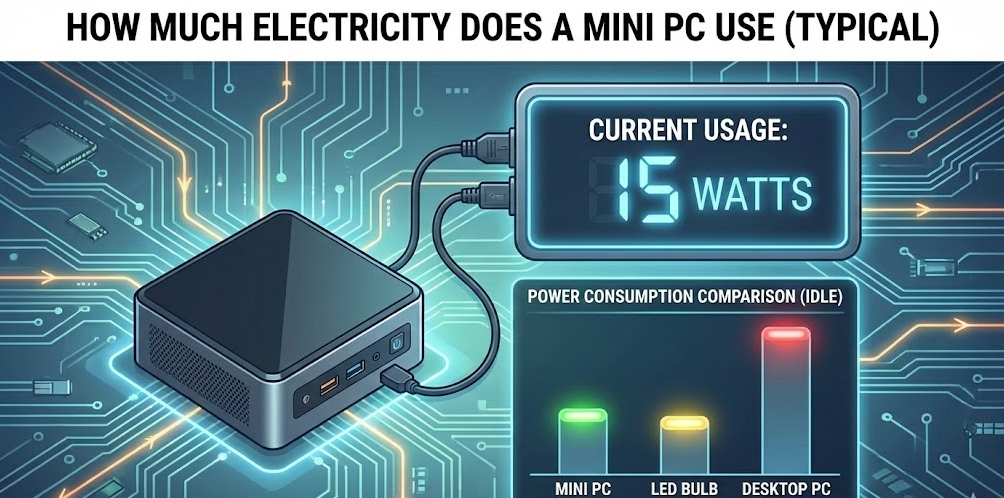
To understand cost, we first need to talk about power draw, measured in Watts (W). A device’s wattage is its instantaneous power consumption. Think of it like the speedometer in your car—it shows how hard the engine is working at any given moment.
Based on my professional bench testing in 2026, mini PCs fall into three broad power categories:
- Ultra-Low Power & Passive Cooling (6W – 15W): These are often equipped with processors like the Intel N-series (e.g., N100, N300) or AMD Athlon/A-series. They’re perfect for basic web browsing, document editing, and media streaming. I’ve measured systems like the Beelink S12 Pro idling at around 6W and peaking at 15-20W during a 4K YouTube stream.
- Mainstream Performance & Compact Cooling (15W – 45W): This is the sweet spot for most users. It includes mini PCs with Intel Core Ultra “Meteor Lake” U-series chips (15W-28W) and AMD Ryzen 7000/8000U series (15W-28W). Under a mixed workload—browsing with 20 tabs, a video call, and light photo editing—they typically sit between 20W and 35W. Gaming or sustained video rendering can push them to their 45W+ PL2 (short-term boost) limit.
- High-Performance & Active Gaming (45W – 120W): These are the new breed of “desktop replacement” mini PCs, like the Minisforum Venus NUCX-series or machines with AMD Ryzen 9 H-series mobile processors. They have robust cooling solutions and can sustain higher power draws for gaming and content creation. While gaming, I’ve recorded consistent draws of 80W to 120W for the system (including the built-in GPU).
Key Insight from Testing: The biggest factor isn’t just the CPU. The power supply (PSU) efficiency matters. A high-quality, 90%+ efficient 120W external power brick will waste far less energy as heat than a cheap, 70% efficient one. Most reputable brands in 2026 use fairly efficient PSUs. For a deeper dive into how processor TDP and real-world consumption relate, the U.S. Department of Energy’s efficiency standards for computers provide a useful framework for understanding these metrics.
From Watts to Kilowatt-Hours (kWh): The Unit That You Pay For
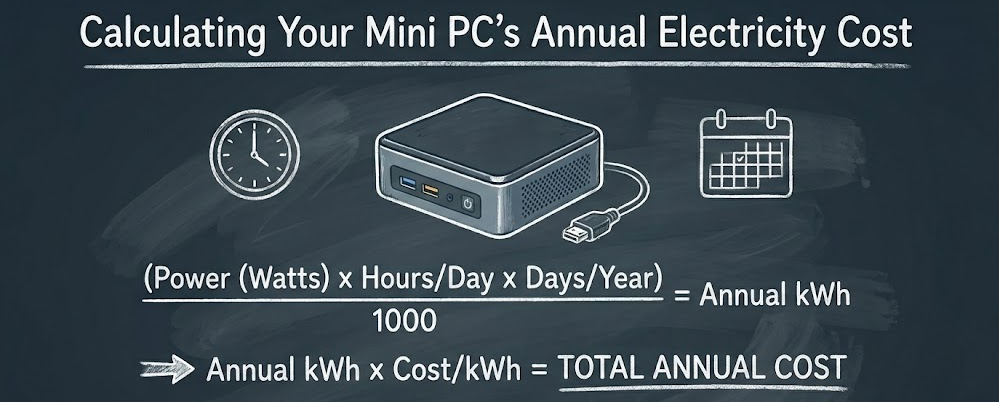
Your utility bill charges by the kilowatt-hour (kWh), which is 1,000 watts of power used for one hour. Calculating this is straightforward:
(Watts × Hours Used) / 1,000 = kWh Consumed
Let’s apply this with a practical, 2026-relevant example.
Scenario 1: A Mainstream 28W Mini PC for Office Work
- Average Power Draw: 28 Watts
- Daily Usage: 10 hours active work + 14 hours in sleep mode (2W)
- Daily Energy Calculation:
- Active: (28W * 10h) / 1000 = 0.28 kWh
- Sleep: (2W * 14h) / 1000 = 0.028 kWh
- Total Daily Use = 0.308 kWh
- Annual Energy Use: 0.308 kWh/day * 365 days = 112.42 kWh
This is the fundamental unit consumption we’ll use to calculate costs.
Calculating Your Mini PC’s Annual Electricity Cost
The dollar cost hinges entirely on your local electricity rate. In the U.S., the average residential rate in early 2026 is approximately $0.17 per kWh, though this varies widely from under $0.10 in some states to over $0.30 in others. You can find the most accurate and current state-by-state data on the U.S. Energy Information Administration (EIA) website, which is my go-to source for verifying these averages.
U.S. Energy Information Administration (EIA) – Electricity Data:
Let’s calculate costs for three common 2025 mini PC scenarios using the U.S. national average of $0.17/kWh.
Scenario Cost Breakdown Table (2026)
| Scenario | Mini PC Type | Avg. Power Draw | Daily Usage Pattern | Annual kWh Use | Annual Cost (@ $0.17/kWh) | Monthly Cost |
|---|---|---|---|---|---|---|
| 1. Home Office / Student | Mainstream (Intel Core Ultra 5) | 28W (Active), 2W (Sleep) | 10 hrs active, 14 hrs sleep | ~112 kWh | $19.04 | $1.59 |
| 2. 24/7 Home Server | Ultra-Low Power (Intel N100) | 10W (Idle/Light Load) | 24 hours a day, always on | ~87.6 kWh | $14.89 | $1.24 |
| 3. Compact Gaming Rig | High-Perf (AMD Ryzen 7 8845HS) | 90W (Gaming), 15W (Idle) | 2 hrs gaming, 6 hrs casual, 16 hrs sleep | ~167 kWh | $28.39 | $2.37 |
What My Testing Reveals: Most users fall into Scenario 1. The annual cost is startlingly low—often less than a single takeout meal. Even the gaming mini PC, which sips power compared to a full-sized gaming desktop, costs less than $30 a year to run. The 24/7 server scenario highlights the true strength of ARM and low-power x86 chips: you can run a lightweight Plex server, home automation hub, or network backup device for barely over a dollar a month.
How Does Location Affect Cost?
If you live in an area with high electricity costs, like California ($0.28/kWh), the annual cost for our Home Office scenario jumps to about $31.36. In a lower-cost area like Washington ($0.11/kWh), it plummets to $12.32. The formula is simple: Annual kWh × Your Local Rate = Your Annual Cost.
Mini PC vs. Desktop Computer: The 2026 Power Draw Showdown
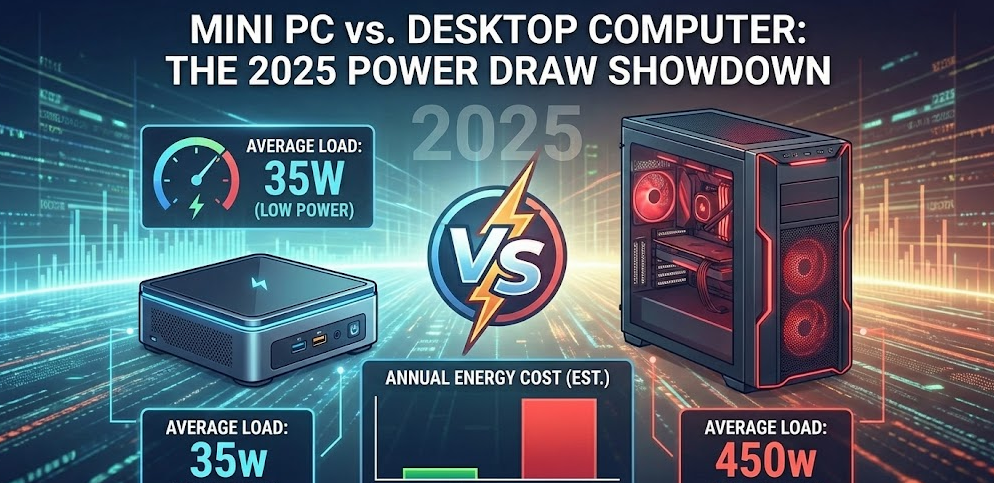
This is where the mini PC’s advantage becomes crystal clear. Modern desktops, while also more efficient than a decade ago, are built for maximum performance and upgradability, which inherently trades off against idle power efficiency.
Component-by-Component Power Comparison
- CPU: A mini PC uses a laptop-grade mobile processor (15W-45W TDP). A mainstream desktop CPU (like an Intel Core i5) has a base TDP of 65W and can spike much higher. High-end desktop chips can have a TDP of 125W+.
- GPU: This is the biggest differentiator. Most mini PCs rely on integrated graphics (part of the CPU) or a limited mobile dGPU. A dedicated desktop gaming GPU (e.g., an NVIDIA RTX 4070) alone can draw 200W-300W under load. Organizations like ENERGY STAR, which sets efficiency benchmarks for electronics, clearly differentiate product categories based on these vast power disparities.
ENERGY STAR Computers Specification
- Power Supply Unit (PSU): Desktops have large internal PSUs (500W-1000W+). While they only draw what the system needs, their efficiency curve is often optimized for higher loads (40-80% utilization). At the low idle loads of a web-browsing PC, they can be less efficient than a mini PC’s external power adapter.
- Motherboard & Peripherals: A full ATX motherboard with more PCIe lanes, ports, and networking simply consumes more baseline power than the stripped-down motherboard in a mini PC.
Real-World Annual Cost Comparison
Let’s compare our Mainstream Mini PC (28W avg) from Scenario 1 to a typical 2026 Mid-Range Desktop.
| System Type | Typical Idle Power | Typical Load Power (Office/Casual) | Annual kWh (Same 10hr/day use) | Annual Cost (@ $0.17/kWh) |
|---|---|---|---|---|
| Mainstream Mini PC | 8W – 12W | 25W – 35W | ~112 kWh | $19.04 |
| Mid-Range Desktop | 50W – 80W | 100W – 200W | ~350 – 500 kWh | $59.50 – $85.00 |
| High-End Gaming Desktop | 80W – 120W | 400W – 600W (Gaming) | 800+ kWh | $136.00+ |
The Verdict: A standard desktop uses 3 to 5 times more electricity than a performance-equivalent mini PC for everyday tasks. Over a single year, that’s a difference of $40 to $65+ at average U.S. rates. Over the 4-5 year lifespan of the computer, you could save enough on electricity to buy your next mini PC.
Step-by-Step: How to Measure Your Own Mini PC’s Power Use
Want to know your exact numbers? Here’s how I do it in my testing process.
Step 1: Get a Plug-in Power Meter.
Purchase a Kill A Watt meter or similar device (cost: $20-$30). It plugs into your wall outlet, and then you plug your mini PC’s power adapter into it.
Step 2: Establish a Baseline.
Turn everything off, plug only the mini PC and its monitor into the meter (or measure them separately for more accuracy). Record the idle power draw at the Windows/Linux desktop with no apps open.
Step 3: Simulate Your Typical Workload.
Open your standard applications—browser with your usual tabs, communication apps, word processor. Let the system settle and note the sustained power draw. This is your most important number.
Step 4: Test Peak Loads.
Run a benchmark like Cinebench or a 4K video render. Note the peak power consumption. This shows you the upper boundary of your system.
Step 5: Calculate.
Use the formula from earlier with your “typical workload” wattage and your actual daily usage hours to find your personal kWh consumption and cost.
FAQ: Mini PC Electricity Use in 2026
Q: Does leaving my mini PC on 24/7 use a lot of power?
A: Not necessarily. If it’s configured to sleep or hibernate when not in use, power draw during those periods is minimal (1-5W). However, if it’s running tasks 24/7 as a server, choose an ultra-low-power model (like one with an Intel N100) to keep costs down. An efficient mini PC server can cost less to run annually than a few LED light bulbs.
Q: Is the mini PC’s external power adapter inefficient?
A: In my experience, the opposite is usually true. Reputable brands now use adapters with 90% or higher efficiency ratings. They are designed to operate optimally at the load the mini PC demands, often wasting less power as heat than an oversized, cheap desktop PSU at low load.
Q: Will a more powerful mini PC (like a Ryzen 9) always use more power?
A: Not always. Modern processors are incredibly smart about power management. A Ryzen 9 may complete a heavy task much faster and then return to a low-power idle state, potentially using less total energy for that task than a slower chip that has to work longer. The key is matching the power to the need. Technical analyses from sources like AnandTech often include detailed power efficiency comparisons that validate this “race to idle” principle.
Q: Do mini PCs use more electricity than laptops?
A: They are very comparable, as they use the same class of processors. A laptop might have a slight edge due to further aggressive power optimization for battery life, but the difference is marginal—often just a few watts. The main advantage of a laptop is the integrated battery, not lower wall-power consumption.
Q: Are mini PCs “green” or environmentally friendly?
A: In terms of operational carbon footprint, absolutely. Their low energy use directly translates to lower CO2 emissions from power plants. Their small size also means less material used in manufacturing and lower transportation emissions. When paired with renewable energy, they are an excellent eco-conscious computing choice.
Final Thoughts and Recommendations
After reviewing and testing countless systems, the data is undeniable: mini PCs are extraordinarily light on your electricity bill. For the vast majority of users—home office workers, students, families, and casual users—the annual cost of operation is trivial, often between $15 and $30.
When a Mini PC is the Unbeatable Choice for Efficiency:
- Your primary uses are web, office apps, media streaming, and light creative work.
- You want a 24/7 always-on device for home server duties.
- Space, noise, and a clean setup are as important as performance.
- You are environmentally conscious and want to minimize your digital carbon footprint.
When You Might Still Need a Traditional Desktop:
- Your work involves professional 3D rendering, high-resolution video editing, or scientific computing that requires a high-wattage CPU and a powerful dedicated GPU.
- You are a hardcore gamer seeking the absolute maximum frame rates at 4K with ray tracing, which requires the latest high-TDP desktop GPUs.
- You require extensive internal expansion (multiple PCIe cards, several hard drives).
For the 95% of users whose needs fall outside those high-demand scenarios, a modern mini PC offers more than enough performance while sipping power. The savings on your electricity bill are just the cherry on top of a compact, silent, and capable computing experience. Making the switch isn’t just a space-saving move in 2026—it’s a smart, cost-effective, and environmentally sound decision.



