Skip to content
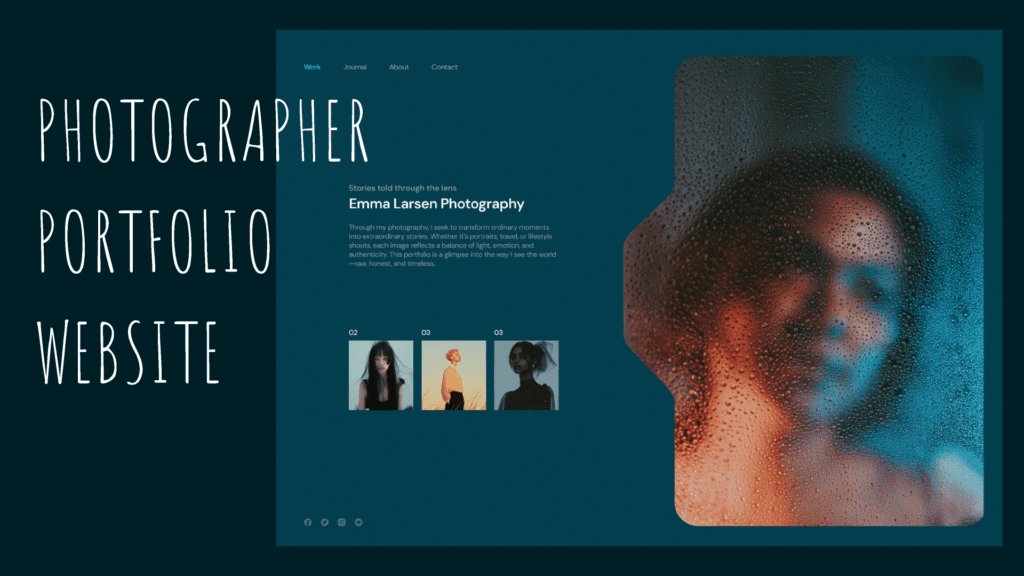
Building a professional photography portfolio website requires choosing the right platform, showcasing your best work strategically, and optimizing for client discovery. WordPress remains the strongest choice for photographers in 2026, particularly with themes like Kadence, OceanWP, or Eclipse, delivering superior SEO rankings and click-through rates compared to alternatives. The build process involves selecting managed WordPress hosting ($5-25/month), installing a photography-optimized theme, adding a gallery plugin (Envira Gallery, Modula, or NextGEN Gallery), curating 12-20 of your absolute best images using AI culling tools like Aftershoot or manual selection, and implementing SEO fundamentals including AI-powered alt text generation. Wedding photographers benefit from WordPress’s flexibility for client proofing galleries, blog integration for SEO content, and WooCommerce compatibility for print sales. Alternative platforms like Squarespace ($25-49/month) and Format ($12-40/month) offer easier setup but sacrifice SEO performance and customization; Wix provides drag-and-drop simplicity but weaker search rankings; specialized platforms like Pixpa ($8-25/month) and Zenfolio ($9-35/month) bundle client galleries and sales tools but limit growth flexibility.
Why WordPress is Best for Photography Portfolios in 2026
SEO performance that drives actual bookings
Search engine visibility directly impacts photography bookings. When couples search “wedding photographer [your city]” or “family portrait photographer near me,” your website needs to appear on Google’s first page. WordPress consistently outperforms competitors in SEO rankings.
After analyzing hundreds of photographer websites through Google Search Console data, WordPress sites with Kadence themes show the highest click-through rates and strongest organic rankings. The platform’s clean code, fast loading speeds, customizable metadata, and extensive SEO plugin ecosystem (Yoast SEO, Rank Math, All in One SEO) give photographers technical advantages competitors can’t match.
AI-driven SEO in 2026: Plugins like AltText.ai now automatically generate descriptive alt text for your images using computer vision, solving one of the biggest SEO headaches for photographers. Instead of manually writing “elegant bride portrait in natural window light” for 200+ images, AI analyzes your photos and creates optimized descriptions instantly.
Squarespace and Wix have improved SEO capabilities, but their closed ecosystems limit advanced optimization. WordPress’s open architecture allows granular control over every ranking factor—from schema markup to image lazy loading to custom permalink structures.
Unlimited customization without coding
Photography websites require visual flexibility that matches your creative vision. WordPress page builders (Elementor, Beaver Builder, Kadence Blocks) provide drag-and-drop design control rivaling Wix while maintaining full code access for developers when needed.
Want a fullscreen homepage slideshow? Custom gallery layouts? Client login areas? Blog integration? Email capture popups? WordPress handles all scenarios through themes and plugins without platform restrictions. Squarespace, Format, and Wix impose template limitations—you’re building within their design guardrails, not your own.
True ownership and portability
With WordPress, you own your content completely. Export your entire site, migrate to different hosting, switch themes, or redesign without platform permission. Squarespace, Format, and Wix lock you into proprietary systems—leaving means rebuilding from scratch and losing SEO rankings built over years.
This ownership matters for long-term business growth. As your photography business evolves, WordPress scales infinitely. Add eCommerce for print sales, membership areas for clients, booking systems, video galleries, podcasts—all possible without platform switching.
Cost efficiency over time
WordPress hosting costs $5-25/month compared to Squarespace ($25-49/month) or specialized photography platforms like Pixpa ($8-25/month) and Zenfolio ($9-35/month). Premium WordPress themes cost $59-249 one-time versus monthly platform fees compounding annually.
Year 1: WordPress ($120 hosting + $69 theme = $189) vs Squarespace ($300 annual) vs Zenfolio ($180-420 annual). Year 5: WordPress ($600 hosting) vs Squarespace ($1,500) vs Zenfolio ($900-2,100). The savings fund camera upgrades instead of website subscriptions.
Pro Tip: “Before building your portfolio, audit your existing work ruthlessly using AI culling tools. Use 2026 AI tools like Aftershoot or Narrative Select to instantly identify your sharpest, best-composed shots from a catalog of thousands. This cuts culling time by 90%. Then manually review those AI-selected images and star only ones that make you pause and think ‘this is exceptional.’ Clients would rather see 15 stunning photos than 50 good ones diluted with filler. Your worst image in the portfolio sets the quality expectation—remove anything that doesn’t represent the standard you want to attract.”
Platform Comparison for Photography Websites
| Platform | Monthly Cost | SEO Power | Customization | Client Galleries | Best For |
|---|---|---|---|---|---|
| WordPress | $5-25 | Excellent | Unlimited | Via plugins | Full control, long-term growth, SEO focus |
| Squarespace | $25-49 | Good | Moderate | Built-in | Beautiful templates, quick setup, less tech-savvy |
| Format | $12-40 | Good | Very High | Built-in | Editorial/fashion photographers, design-focused portfolios |
| Wix | $17-35 | Fair | High (design) | Via apps | Drag-and-drop ease, visual creativity |
| Showit | $24-34 | Good | Very High | Limited | Designer-level layouts, WordPress blog integration |
| Pixpa | $8-25 | Fair | Moderate | Built-in | Budget photographers, all-in-one galleries + sales |
| Zenfolio | $9-35 | Fair | Low | Built-in | High-volume wedding photographers, automated print fulfillment |
| Smugmug | $9-55 | Fair | Low | Built-in | Print sales focus, unlimited storage |
WordPress wins for photographers prioritizing SEO, customization, and long-term business growth. Format excels for high-end editorial portfolios with stunning design templates. Alternatives work for quick launches or photographers avoiding technical aspects.
Step-by-Step: Building Your WordPress Photography Portfolio

Step 1: Choose WordPress hosting
Select managed WordPress hosting optimized for performance and security:
- Budget option: Hostinger ($5-10/month) – Fast, beginner-friendly, includes free domain
- Mid-range: Bluehost ($10-15/month) – Officially recommended by WordPress.org, good support
- Premium: SiteGround ($15-25/month) – Superior speed, security, excellent customer service
- High-performance: Kinsta ($35+/month) – Enterprise-grade speed for high-traffic sites
Sign up, select a domain name (yourname.com or yournamephotography.com), and complete hosting setup. Most hosts auto-install WordPress during signup.
Step 2: Install a photography-optimized WordPress theme
Navigate to Appearance → Themes → Add New in WordPress dashboard. Search for photography themes or upload premium themes purchased from:
Top free WordPress photography themes (2026):
- OceanWP: Multipurpose theme with photography demos, WooCommerce compatible, SEO-friendly
- Neve: Lightweight, fast-loading, Elementor-compatible, mobile-optimized
- Sydney: Fullscreen homepage options, portfolio layouts, customization flexibility
- PhotoFocus Light: Minimalist parallax design, large image displays
Top premium WordPress photography themes (2026):
- Kadence Pro ($129/year): Superior SEO performance, flexible layouts, block-based design
- Eclipse by WPZOOM ($69 one-time): Clean minimalist aesthetic, infinite scroll, Instagram integration
- Divi ($89/year theme-only or $249 lifetime): Visual builder, unlimited customization, massive community. Note: The $89 tier includes theme and builder only. The $249 lifetime plan remains the best value in the WordPress ecosystem with lifetime updates and support. The newer Divi Pro bundle ($287/year) includes cloud storage and AI design tools, but the lifetime plan covers most photographers’ needs.
- Caldera ($79 one-time): Wedding-specific design, client proofing, booking integration
Install your chosen theme and activate it. Most include demo content you can import to match example layouts, then customize with your branding.
Step 3: Add essential photography plugins
WordPress extends functionality through plugins. Install these essential photography tools:
Gallery plugins (choose one):
- Envira Gallery ($99.50/year for Pro features): While a cheaper Basic plan exists ($29/year), you need the Pro plan ($99.50/year) for essential features like albums, right-click protection, Lightroom integration, and social sharing. The Basic tier lacks functionality most photographers require.
- Modula ($39-199/year): Speed-optimized, custom hover effects, right-click protection, EXIF data display
- NextGEN Gallery (free/$99-399/year): Most feature-complete, Lightroom integration, client proofing, print sales
SEO plugins (choose one):
- Rank Math (free/$59+/year): Comprehensive SEO toolkit, schema markup, keyword tracking
- Yoast SEO (free/$99/year): Industry standard, content analysis, XML sitemaps, breadcrumbs
- AltText.ai ($19-99/month): AI-powered alt text generation using computer vision—analyzes your images and writes SEO-optimized descriptions automatically, saving hours of manual work
Performance plugins:
- WP Rocket ($59-299/year): Caching, image lazy loading, database optimization
- ShortPixel (free/100 images monthly, $4.99+/month paid): Automatic image compression and optimization
Contact form plugin:
- WPForms (free/$49.50+/year): Contact forms, booking forms, payment integration
Install plugins via Plugins → Add New, search by name, click Install, then Activate.
Step 4: Curate your portfolio images strategically
Quality over quantity defines successful photography portfolios. Follow this curation framework:
AI culling for efficiency (2026 workflow): Use AI culling tools like Aftershoot ($12/month) or Narrative Select ($99/year) to instantly identify your sharpest, best-composed shots from catalogs of thousands. These tools analyze technical quality (focus, exposure, composition) and rank images automatically, cutting culling time by 90%. Export AI-selected favorites to Lightroom, then manually review for artistic merit and portfolio fit.
How many images to include: 12-20 images total for general portfolios; 15-30 for wedding photographers showing ceremony, portraits, reception, details; 10-15 per category for multi-niche photographers (portraits, commercial, events).
Selection criteria:
- Technical excellence: Perfect focus, exposure, and composition
- Emotional impact: Images that evoke feeling or tell stories
- Style consistency: Cohesive editing, lighting, and aesthetic
- Client relevance: Work matching your ideal client’s needs
What to exclude:
- Duplicate compositions from the same shoot
- Images you “almost” love—include only confident favorites
- Experimental work that doesn’t match your brand
- Dated work if your style has evolved significantly
Organization structure: Group images into logical categories (Weddings → Ceremony, Portraits, Details; Family Photography → Lifestyle, Studio, Outdoor; Commercial → Product, Corporate, Headshots). Clear categories help clients find relevant examples quickly.
Step 5: Create your portfolio galleries
Upload images to WordPress (Media → Add New) with descriptive filenames before upload (bride-groom-sunset-kiss.jpg instead of DSC_4782.jpg). This improves SEO.
Using your gallery plugin (Envira, Modula, NextGEN):
- Create a new gallery via plugin dashboard
- Add selected images via drag-and-drop
- Configure gallery settings (layout, columns, lightbox, hover effects)
- Add image titles and alt text for SEO (or use AltText.ai to generate automatically)
- Generate shortcode and paste into WordPress pages
Create dedicated pages for each category (Pages → Add New → “Wedding Photography” → Insert gallery shortcode → Publish).
Step 6: Design essential website pages
Professional photography websites require these core pages:
Homepage: Showcase your best 5-8 images in a slider or grid, brief introduction (1-2 sentences), clear call-to-action (“View Portfolio” or “Book a Session”). Avoid cluttered homepages—let images dominate.
Portfolio/Gallery page: Link to category-specific galleries or display all work in one comprehensive gallery with filtering.
About page: Your story, photography approach, credentials, personality. Include a professional photo of yourself. Write 200-300 words maximum—clients want to know you’re trustworthy and talented, not your life history.
Services page: Packages, pricing (optional but builds trust), what’s included, process from booking to delivery. Be specific about deliverables (number of edited images, turnaround time, print options).
Contact page: Contact form, email address, phone number, social media links, booking calendar integration if applicable.
Blog page (optional but highly recommended for SEO): Write about recent sessions, photography tips, behind-the-scenes content, location guides. Blogging significantly improves SEO rankings.
Step 7: Optimize for SEO
Search engine optimization drives organic traffic and bookings. Implement these fundamentals:
Image optimization:
- Compress images to 200-500KB per file without visible quality loss (use ShortPixel plugin)
- Add descriptive alt text to every image using AltText.ai for automated generation or manually write descriptions (“elegant bride portrait in natural window light” not “image1234”)
- Use descriptive filenames before uploading
Keyword optimization:
- Research keywords using Ubersuggest or Google Keyword Planner (“wedding photographer [city]”, “family portraits [neighborhood]”)
- Target one primary keyword per page
- Include keywords naturally in page titles, headings, first paragraph, image alt text
- Avoid keyword stuffing—write for humans first, search engines second
Technical SEO:
- Install Rank Math or Yoast SEO plugin and follow on-page recommendations
- Create XML sitemap (auto-generated by SEO plugins)
- Submit sitemap to Google Search Console
- Ensure mobile responsiveness (test at mobile-friendly test tool)
- Improve site speed (use WP Rocket caching, optimize images, choose fast hosting)
Content SEO:
- Blog regularly (2-4 posts monthly) about sessions, tips, local venues
- Link internally between related pages and posts
- Earn backlinks by guest posting on wedding blogs, vendor directories, local business sites
Step 8: Launch and promote
Before launching publicly:
- Test all links and contact forms
- Proofread all text (typos damage credibility)
- Verify mobile display on phones and tablets
- Check loading speed (aim for under 3 seconds)
- Test gallery functionality across browsers
After launch:
- Submit website to Google Business Profile
- List on wedding directories (The Knot, WeddingWire, Zola if wedding photographer)
- Share on social media (Instagram, Pinterest, Facebook)
- Email existing clients announcing new website
- Include URL in email signatures and business cards
Advanced Features for Wedding Photographers
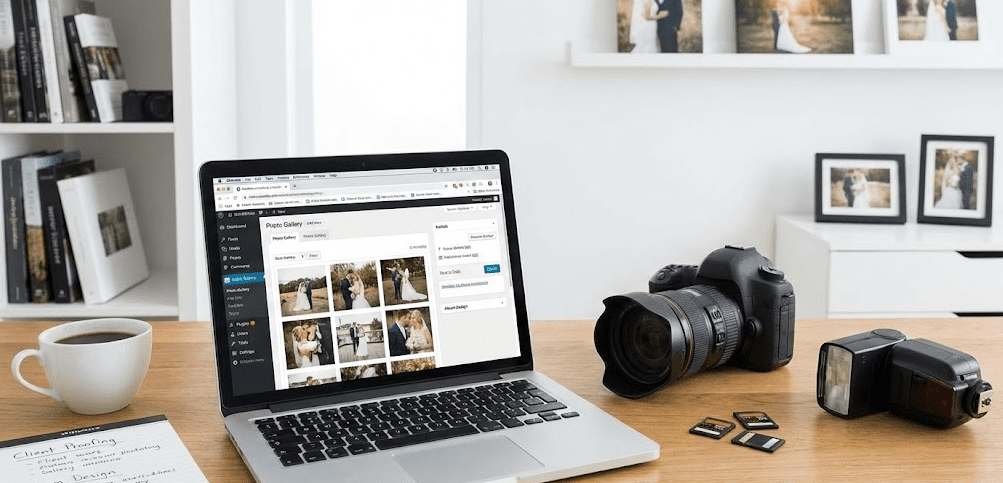
Client proofing galleries
Wedding photographers need password-protected galleries where clients select favorites for editing. Plugins handling this:
- NextGEN Pro Gallery ($99-399/year): Client galleries, image selection, comments, print ordering
- WP Customer Area (free/$79+/year): Private client areas, file sharing, messaging
- Final Tiles Grid Gallery ($21 one-time): Client proofing, favorites selection, responsive grids
Online booking and scheduling
Automate consultation bookings with calendar plugins:
- Amelia ($59-499/year): Appointment booking, payment integration, automated reminders
- Bookly (free/$89+/year): Flexible scheduling, Google Calendar sync, SMS notifications
Print sales and eCommerce
Sell prints, downloads, or albums directly from your website:
- WooCommerce (free) + gallery plugin integrations: Full eCommerce platform
- NextGEN Pro Gallery ($99-399/year): Built-in print sales, automated lab fulfillment
- Sell Media (free/$79+/year): Digital download sales, print ordering, pricing variations
Common Photography Portfolio Mistakes to Avoid
Mistake 1: Too many images diluting quality
New photographers often include 50-100 images thinking more demonstrates versatility. This dilutes impact. Clients judge by your weakest image—a 20-image portfolio with all 9/10 quality beats a 60-image portfolio with mixed 7-9/10 quality.
Mistake 2: Poor organization confusing visitors
Dumping all images into one gallery without categories frustrates visitors. Wedding clients shouldn’t scroll through product photography to find ceremony examples. Organize clearly with intuitive navigation.
Mistake 3: Slow loading speeds
Uploading 5MB RAW exports directly to WordPress creates 10+ second page loads, causing 70% of visitors to leave before images appear. Always compress images to 200-500KB using plugins or export tools.
Mistake 4: Neglecting mobile optimization
Over 60% of website traffic comes from phones. If your galleries break on mobile, load slowly, or require horizontal scrolling, you’re losing the majority of potential clients. Test mobile extensively.
Mistake 5: Generic copy that sounds like everyone else
“I’m passionate about capturing your special moments” appears on 90% of photography websites. Write specifically about your approach, style, and personality. Differentiation wins bookings.
Mistake 6: No clear call-to-action
Visitors love your work but don’t know what to do next. Every page needs clear CTAs: “Book Your Session,” “Get a Quote,” “View Full Portfolio.” Make the next step obvious.
Mistake 7: Outdated portfolios showing old work
Portfolios should reflect current skill and style. If your editing or technique improved significantly in the past year, remove older work that no longer represents your abilities.
Mistake 8: Manual alt text when AI solutions exist
Writing descriptive alt text for 200+ portfolio images wastes hours. Use AltText.ai or similar tools to generate SEO-optimized descriptions automatically, freeing time for actual photography.
FAQ: Photography Portfolio Websites
Do I really need WordPress or can I use Squarespace/Format?
WordPress isn’t mandatory—Squarespace and Format work well for photographers prioritizing simplicity over SEO and customization. Format particularly excels for editorial and fashion photographers needing design-focused portfolios. However, WordPress delivers measurably better search rankings, lower long-term costs, and unlimited growth potential. If your business goals include high Google visibility and scaling beyond basic portfolios, WordPress is worth the modest learning curve.
How much does a WordPress photography website cost?
Initial costs: Hosting ($5-25/month), domain ($10-15/year), theme ($0-249), essential plugins ($0-200/year). First year total: $150-700 depending on choices. Ongoing: $60-400/year for hosting, renewals, and plugin updates. Significantly cheaper than platform subscriptions over 3+ years.
Can I build a WordPress photography site without coding knowledge?
Yes. Modern WordPress page builders (Elementor, Kadence Blocks) and photography themes require zero coding. Drag-and-drop interfaces handle design. Where coding knowledge helps: advanced customizations, troubleshooting complex plugin conflicts, or performance optimization. But basic professional portfolios need no code whatsoever.
Should I include pricing on my photography website?
This debates endlessly. Pros of showing pricing: filters unqualified leads, builds trust through transparency, saves time on inquiries outside your budget. Cons: might discourage budget-flexible clients who’d pay more after seeing your work, reduces negotiation flexibility. Middle ground: show starting prices or price ranges (“Wedding collections start at $2,500”) without detailed breakdowns.
How many portfolio images should wedding photographers show?
15-30 images total, organized into 4-6 sections: Getting Ready, Ceremony, Portraits, Reception, Details, Candids. Show the full wedding day journey without overwhelming visitors. Include variety: wide shots and details, color and black-and-white, posed and candid. Avoid repetitive poses from the same moments.
What’s the best way to organize a multi-niche photography portfolio?
Create separate pages/galleries for each niche (Weddings, Portraits, Commercial, Events) rather than mixing everything together. Your homepage can show a curated mix with category filters or link to individual galleries. This helps visitors find relevant work quickly and positions you as specialized, not a generalist who shoots everything.
How often should I update my photography portfolio?
Review quarterly, update whenever you capture work significantly better than what’s currently shown. Remove older images that no longer represent your current skill level. Active updates signal to clients (and Google) that you’re currently working and improving.
Do I need a blog on my photography website?
For SEO, absolutely yes. Blogs provide fresh content Google indexes, target long-tail keywords (“best outdoor wedding venues [city]”), and establish expertise. For business without SEO focus, blogs are optional—your portfolio does the selling. But blogging 2-4 times monthly dramatically improves organic search visibility.
What are AI culling tools and should I use them?
AI culling tools (Aftershoot, Narrative Select) analyze thousands of images and automatically identify the sharpest, best-composed shots based on technical criteria. They cut culling time by 90%, letting you focus on artistic selection from pre-filtered options. Essential for high-volume wedding photographers; highly useful for anyone processing hundreds of images per session.
The Bottom Line: WordPress Delivers Long-Term Value
WordPress remains the strongest foundation for photography portfolio websites in 2026, particularly for photographers treating photography as a business rather than a hobby. The platform’s SEO advantages directly translate to bookings—photographers consistently ranking on Google’s first page for “[city] wedding photographer” almost universally use WordPress with optimized themes and plugins.
The initial learning curve exceeds Squarespace, Format, or Wix, requiring 4-8 hours to build a basic portfolio versus 2-3 hours on simpler platforms. However, this investment pays dividends through lower ongoing costs ($60-200/year vs $300-600/year), superior search rankings driving organic traffic, and unlimited customization enabling business growth without platform switching.
For wedding photographers specifically, WordPress’s flexibility accommodates the full client journey: portfolio viewing, blog content for SEO, client proofing galleries, online booking, print sales, and email marketing integration. Specialized platforms like Zenfolio or Pixpa bundle some features but lock you into proprietary systems limiting future growth.
The 2026 workflow improvements—AI culling tools reducing selection time by 90% and AI-powered alt text generation solving SEO optimization headaches—make professional portfolio building faster than ever. The portfolio itself matters more than the platform: 12-20 exceptional, strategically curated images on any platform outperform 60 mediocre images on the “best” platform. Start with ruthless curation using AI assistance, then build your WordPress site around showcasing those standout images through fast-loading galleries, mobile-optimized layouts, and SEO fundamentals that help ideal clients discover your work.