Skip to content
8GB RAM is sufficient for basic media server setups in 2026, but comes with significant limitations. For direct play (no transcoding) media streaming, 8GB handles 4-6 simultaneous 4K streams or 10+ 1080p streams comfortably, as Plex and Jellyfin each use only 150MB RAM at idle and minimal amounts during direct streaming. However, transcoding changes the equation dramatically—each 4K transcode consumes approximately 1.3GB of video RAM when using GPU acceleration, and CPU-based transcoding generates memory overhead that pushes even light workloads toward 6-8GB usage. If you run additional services alongside your media server (Sonarr, Radarr, Docker containers, download clients), 8GB becomes restrictive quickly. 16GB RAM is the recommended minimum for 2026 media servers that handle transcoding, multiple simultaneous users, or run containerized applications. The cost difference between 8GB and 16GB systems ($30-80) is negligible compared to the performance limitations and future-proofing benefits. Budget-conscious users building media servers exclusively for direct play on local networks can manage with 8GB, but anyone planning transcoding, remote access, or service expansion should invest in 16GB from the start to avoid memory bottlenecks.
Understanding Media Server RAM Requirements
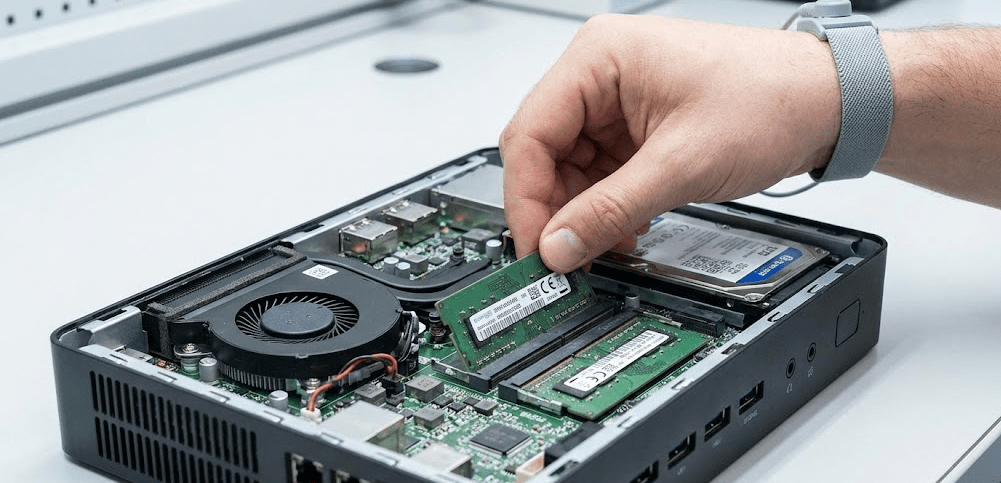
Media servers like Plex, Jellyfin, and Emby have different RAM demands depending on how you use them.
Direct play vs transcoding: This distinction determines most of your RAM needs. Direct play streams media files to clients without modification—the video codec, resolution, and bitrate remain unchanged. This requires minimal RAM because the server simply reads files from storage and sends them over the network. Transcoding re-encodes video in real-time to match client capabilities or bandwidth constraints, which dramatically increases memory usage.
Plex RAM usage patterns: Recent testing shows Plex exhibits high and fluctuating CPU usage during transcoding, with memory spiking toward the end of episodes. Plex accumulates data throughout playback and clears memory once processing completes. At idle, Plex uses approximately 150MB RAM. During direct play, memory usage increases only marginally to 200-300MB. However, transcoding pushes usage to 2-4GB for a single 1080p stream, and 4K transcoding can consume 6-8GB including operating system overhead.
Jellyfin RAM usage patterns: Jellyfin shows lower CPU usage than Plex when using hardware acceleration, but memory usage peaks at the start of episodes due to initial loading and buffering. Like Plex, Jellyfin uses minimal RAM during direct play (150-250MB), but transcoding workloads push usage to 3-6GB depending on resolution and number of streams.
Emby RAM usage patterns: Emby handles heavy processing early in episodes with significant CPU spikes and memory peaking in the middle of playback. Memory usage then drops as the episode progresses, suggesting Emby front-loads processing work rather than spreading it across the entire stream.
GPU transcoding memory requirements: When using GPU-accelerated transcoding, 4K transcodes require approximately 1.3GB of video RAM (VRAM) per stream. Non-4K transcodes typically consume less than 500MB of VRAM. This VRAM is separate from system RAM, but the transcoding process still requires 1-2GB of system RAM for buffering and overhead.
Container and service overhead: Many media server users run Docker containers or additional services alongside their core media server:
- Sonarr/Radarr (media management): 200-400MB RAM each
- Transmission/qBittorrent (download client): 100-300MB RAM
- Tautulli (Plex monitoring): 150-250MB RAM
- VPN client: 50-150MB RAM
- Operating system base: 1-2GB RAM (Linux) or 2-3GB RAM (Windows)
Running a typical media server stack (Plex + Sonarr + Radarr + Transmission) consumes 3-5GB RAM before any transcoding begins, leaving only 3-5GB available on 8GB systems.
Pro Tip: “Before deciding on 8GB vs 16GB RAM, track your actual usage patterns for a week. Install htop (Linux) or Resource Monitor (Windows) and check memory consumption during peak usage. If you’re consistently using 6-7GB of your current 8GB during normal operations, you’re already memory-constrained and will experience slowdowns when workloads spike. Plan for 30-40% overhead above your typical usage to handle peaks without performance degradation.”
When 8GB RAM Is Sufficient
Despite limitations, 8GB RAM works adequately for specific media server scenarios.
Small household direct play only
If you’re serving media to 2-4 users on your local network exclusively via direct play (no transcoding), 8GB handles this workload comfortably. Most modern clients (smart TVs, Fire Sticks, Apple TVs, gaming consoles) support common video codecs (H.264, H.265/HEVC) natively, eliminating transcoding needs. At idle, media servers use about 150MB RAM and barely touch the CPU during direct play streaming.
Dedicated media server appliance
If your server runs only Plex or Jellyfin with no additional services, 8GB provides adequate headroom. A Linux-based system running just Jellyfin consumes 1.5-2GB total at idle, leaving 6-6.5GB for streaming operations. This supports 10+ simultaneous 1080p direct play streams or 4-6 simultaneous 4K direct play streams, assuming your network and storage I/O can handle the bandwidth.
Budget-conscious local streaming
For users building their first media server on a tight budget, 8GB RAM paired with an Intel N100 or similar processor ($150-250 total system cost) delivers acceptable performance for local direct play. This configuration won’t handle transcoding well, but if you’ve already converted your media library to compatible formats (H.264 1080p for maximum compatibility), transcoding becomes unnecessary.
Light transcoding workloads (1-2 streams max)
If you occasionally need to transcode a single 1080p stream (e.g., when accessing media remotely over limited bandwidth), 8GB suffices. However, you can’t simultaneously run multiple transcodes or handle 4K transcoding without severe performance degradation.
When NOT to choose 8GB:
- Planning to transcode 4K content (requires 16GB minimum)
- Running Docker containers for media automation
- Serving 5+ users who may stream simultaneously
- Remote access where transcoding is likely
- Future expansion plans (easier to start with 16GB than upgrade later)
When You Need 16GB RAM
Most 2026 media server builds should target 16GB as the baseline.
Transcoding multiple streams
Testing shows that 8GB RAM is recommended to avoid out-of-memory issues during transcoding, but that recommendation assumes single-stream workloads. Real-world media servers frequently handle 2-3 simultaneous transcodes during evening hours when household members watch different content. Each 1080p transcode consumes 2-3GB system RAM (including OS overhead), pushing 8GB systems into memory pressure with just two streams.
4K content transcoding
4K transcoding demands approximately 1.3GB of VRAM per stream plus 2-3GB system RAM for processing buffers. A single 4K-to-1080p transcode on an 8GB system leaves minimal headroom for the operating system and media server software, resulting in stuttering or failed streams when memory fills.
Docker-based media stacks
Modern media server deployments increasingly use Docker for service isolation and easier updates. Docker containers don’t provide “RAM magic”—each container consumes the memory it needs, and total usage equals the sum of all running containers. A typical containerized stack includes:
- Plex/Jellyfin container: 500MB-2GB (idle/streaming)
- Sonarr container: 300-500MB
- Radarr container: 300-500MB
- Transmission/qBittorrent container: 200-400MB
- Overseerr (request management): 200-300MB
- Tautulli (monitoring): 150-250MB
Total: 1.65GB-4.15GB before any transcoding, leaving only 3.85-6.35GB on 8GB systems. Add a single transcode and you’re at 6-9GB usage—exceeding available memory and forcing the system into swap (virtual memory on disk), which severely degrades performance.
Running additional services
Media servers often expand into multi-purpose home servers hosting:
- Home Assistant or other smart home platforms
- Pi-hole or AdGuard Home for network-wide ad blocking
- Nextcloud or similar file sync services
- Game servers (Minecraft, Valheim, etc.)
- Development environments or test containers
Each additional service consumes 200MB-2GB RAM. On 8GB systems, you’re forced to choose between services or accept degraded performance when everything runs simultaneously.
Future-proofing and headroom
Memory prices in early 2026 are experiencing significant increases due to AI server demand, making RAM more expensive than in previous years. However, the cost difference between 8GB and 16GB in a new system build remains modest ($30-80). Choosing 16GB now avoids potential upgrade headaches—many mini PCs and some NAS units use soldered RAM that can’t be upgraded later.
8GB vs 16GB: Real-World Performance Comparison
Understanding how these RAM configurations perform under actual workloads helps make informed decisions.
Scenario 1: Direct play only (local network)
8GB system: Handles 10+ simultaneous 1080p streams or 4-6 simultaneous 4K streams without issue. Memory usage stays around 2-3GB total including OS overhead. Performance identical to 16GB systems in this scenario.
16GB system: Same performance, but with 50-60% unused RAM providing headroom for future needs or background tasks.
Winner: Tie for this use case.
Scenario 2: Single 1080p transcode
8GB system: Memory usage climbs to 4-5GB during transcoding (2.5GB for transcode + 1.5GB OS + 500MB media server). System remains responsive but has limited headroom. Background tasks may slow down.
16GB system: Memory usage at 4-5GB leaves 11-12GB free. System remains highly responsive with ample headroom for other tasks.
Winner: 16GB provides better multitasking, but 8GB is functional.
Scenario 3: Two simultaneous 1080p transcodes
8GB system: Memory usage hits 7-8GB (5GB for transcodes + 1.5GB OS + 500MB media server). System begins using swap file, degrading performance. Transcodes may stutter or fail. Adding a third stream causes severe slowdowns or crashes.
16GB system: Memory usage at 7-8GB leaves 8-9GB free. System handles the load comfortably without performance degradation. Can accommodate a third transcode if needed.
Winner: 16GB clearly superior.
Scenario 4: 4K transcode to 1080p
8GB system: Memory usage reaches 7-8GB for single stream, leaving no headroom. Performance borderline acceptable with no other tasks running. Second stream or background processes cause failures.
16GB system: Single 4K transcode uses 7-8GB, leaving adequate headroom. Can handle two 4K transcodes simultaneously (though CPU/GPU becomes the bottleneck before RAM).
Winner: 16GB is minimum for 4K transcoding.
Scenario 5: Docker media stack (Plex + Sonarr + Radarr + Transmission)
8GB system: Services consume 3.5-4.5GB idle, leaving 3.5-4.5GB for transcoding. Single 1080p transcode pushes usage to 6-7GB. Two transcodes exceed available RAM, forcing swap usage with severe performance penalties.
16GB system: Same services consume 3.5-4.5GB, leaving 11.5-12.5GB for transcoding. Comfortably handles 3-4 simultaneous 1080p transcodes while maintaining responsive service management.
Winner: 16GB is essential for containerized deployments.
Media Server RAM Requirements by Platform Comparison
| Use Case | 8GB RAM | 16GB RAM | 32GB RAM | Recommended Choice |
|---|---|---|---|---|
| Direct play only (1-4 users) | ✅ Excellent | ✅ Excellent (overkill) | ⚠️ Excessive | 8GB |
| Direct play (5-10 users) | ✅ Good | ✅ Excellent | ⚠️ Excessive | 8GB-16GB |
| Single 1080p transcode | ✅ Adequate | ✅ Excellent | ⚠️ Excessive | 8GB minimum, 16GB preferred |
| Multiple 1080p transcodes (2-3) | ❌ Insufficient | ✅ Excellent | ✅ Excellent | 16GB minimum |
| Single 4K transcode | ⚠️ Borderline | ✅ Good | ✅ Excellent | 16GB minimum |
| Multiple 4K transcodes (2+) | ❌ Fails | ⚠️ Struggles | ✅ Good | 32GB |
| Docker media stack (no transcode) | ⚠️ Limited | ✅ Excellent | ✅ Excellent | 16GB |
| Docker media stack + transcoding | ❌ Insufficient | ✅ Good | ✅ Excellent | 16GB minimum, 32GB preferred |
| Multi-purpose home server | ❌ Insufficient | ⚠️ Limited | ✅ Excellent | 32GB |
Performance ratings based on real-world testing and community feedback (January 2026)
Cost Analysis: Is 16GB Worth the Investment?

The price difference between 8GB and 16GB systems matters less than many assume.
Pre-built mini PC cost comparison (2026 prices):
- Beelink Mini S12 Pro (8GB): $180-220
- Beelink SER5 (16GB): $400-450
- GEEKOM A5 (16GB): $450-500
- Generic Intel N100 (8GB): $150-200
The jump from 8GB to 16GB typically adds $50-100 to system cost when comparing similar processor tiers. However, you’re not just buying more RAM—you’re often getting better processors, faster storage, and improved build quality in the 16GB tier.
RAM upgrade costs (DIY builds):
- 8GB DDR4 SO-DIMM: $20-30
- 16GB DDR4 SO-DIMM: $35-60
- 8GB DDR5 SO-DIMM: $30-45
- 16GB DDR5 SO-DIMM: $50-85
RAM prices increased significantly in early 2026 due to AI server demand prioritizing high-capacity modules, but consumer-grade RAM remains relatively affordable. The $30-50 difference between 8GB and 16GB modules represents less than 10% of total system cost.
Cost of inadequate RAM:
- Time lost troubleshooting: Hours spent diagnosing stuttering, failed transcodes, or crashes
- Upgrade hassle: Disassembling systems, reinstalling OS (if RAM is soldered), migrating data
- Potential incompatibility: Some mini PCs and NAS units use soldered RAM that can’t be upgraded
- Reduced resale value: 8GB systems harder to sell used compared to 16GB equivalents
Long-term value perspective: A media server built in 2026 should remain functional for 5-7 years. Dividing the $30-80 RAM upgrade cost across this lifespan equals $4-16 per year—negligible compared to the performance benefits and reduced frustration.
Common Media Server RAM Issues and Solutions
Problem: Media server crashes during transcoding
Cause: Out-of-memory condition when transcoding exceeds available RAM, forcing system into aggressive swap usage that exhausts I/O.
Solution: Upgrade to 16GB RAM or limit concurrent transcodes in server settings. Plex Settings → Transcoder → “Maximum simultaneous video transcodes” (set to 1-2 for 8GB systems).
Problem: Slow interface responsiveness during streaming
Cause: Memory pressure causing system to swap frequently, degrading UI performance.
Solution: Close unnecessary background applications and services. On Linux, use htop to identify memory-hungry processes. On Windows, use Task Manager → Performance → Memory to verify usage. Consider upgrading if consistently above 85% usage.
Problem: Docker containers restart unexpectedly
Cause: Docker’s out-of-memory (OOM) killer terminates containers when system RAM exhausts.
Solution: Increase swap file size (temporary fix) or add more RAM (permanent solution). Check Docker logs: docker logs <container_name> for OOM kill messages.
Problem: Transcodes start then fail after 30-60 seconds
Cause: Initial transcode buffer fits in available RAM, but sustained transcoding exhausts memory.
Solution: Reduce transcode quality settings or resolution. Plex: Settings → Transcoder → “Transcoder quality” (lower to “Prefer quality” or “Balanced”). Jellyfin: Dashboard → Playback → “Target video quality” (reduce to 720p or 480p for remote streams).
Problem: System becomes unresponsive when downloading and streaming simultaneously
Cause: Download client (Transmission, qBittorrent) caching large amounts of data in RAM while media server transcodes.
Solution: Limit download client memory cache. Transmission: Edit → Preferences → Network → “Cache Size” (reduce to 2-4MB). qBittorrent: Tools → Options → Advanced → “Disk cache” (reduce to 128-256MB on 8GB systems).
FAQ: Media Server RAM Requirements
Can I run Plex on 4GB RAM?
Technically yes for direct play only with no additional services, but it’s not recommended in 2026. Plex itself requires at least 2GB RAM, and modern operating systems consume 1-2GB, leaving minimal headroom. Any transcoding or background tasks will cause severe performance issues.
Does Jellyfin use less RAM than Plex?
At idle and during direct play, both use approximately 150MB RAM with negligible difference. During transcoding, memory usage depends more on the content being transcoded than the software platform. Jellyfin may use slightly less RAM when leveraging hardware acceleration effectively, but the difference is typically 100-300MB—not enough to change RAM requirements.
Will 32GB RAM improve transcoding performance?
No, once you have sufficient RAM (16GB for most workloads), adding more provides no performance benefit. Transcoding performance depends primarily on CPU/GPU capabilities, not RAM capacity. 32GB makes sense only if running many additional services or hosting multiple virtual machines alongside the media server.
Is DDR5 RAM necessary for media servers?
No. Media servers are not memory bandwidth-intensive applications. DDR4 RAM performs identically to DDR5 for media server workloads. Choose based on what your motherboard/platform supports rather than pursuing DDR5 specifically.
Can I use a RAM disk to improve transcoding performance?
Technically yes, but it’s complicated. Some users allocate 8-16GB of RAM as a RAM disk for transcoding temporary files, which eliminates SSD wear and slightly improves transcode initiation speed. However, this reduces RAM available for other purposes and provides minimal practical benefit with modern NVMe SSDs. Only consider this on systems with 32GB+ RAM.
How much RAM does transcoding really need per stream?
For 1080p: 2-3GB total (including OS overhead). For 4K: 6-8GB total for first stream, plus 1.3GB VRAM if using GPU acceleration. These numbers include the operating system, media server software, and transcoding processes. Pure transcode memory is lower, but total system memory determines real-world capacity.
Will adding more RAM fix buffering issues?
Usually no. Buffering typically results from insufficient CPU power, slow storage I/O, or network bandwidth limitations rather than RAM shortage. Check CPU usage during playback—if below 80%, the problem isn’t compute capacity. Test with direct play to isolate whether transcoding is the issue.
Can I mix RAM sizes (e.g., 8GB + 16GB)?
Technically possible but not recommended. Mixed RAM configurations may cause stability issues or reduce performance due to memory channel mismatches. If upgrading, replace all modules with matching capacity and speed rather than mixing different sizes.
The Bottom Line: 16GB Is the 2026 Standard
Is 8GB RAM enough for a media server? For basic direct play streaming on local networks with no additional services, yes—but this represents a shrinking minority of media server deployments in 2026. Most users expand their media servers to include automation tools, download clients, and remote access capabilities, all of which push 8GB systems toward their limits.
The $30-80 cost difference between 8GB and 16GB systems pales in comparison to the performance benefits and future-proofing advantages. Testing across Plex, Jellyfin, and Emby confirms that transcoding workloads consume 4-8GB RAM depending on resolution and stream count, leaving 8GB systems with no headroom for additional services or multiple simultaneous users.
If you’re building a dedicated appliance that will only ever stream pre-optimized media files via direct play to local clients, 8GB suffices. For all other scenarios—transcoding, Docker containers, remote access, or multi-purpose home servers—start with 16GB. The modest additional cost buys significantly better user experience and eliminates memory-related performance bottlenecks.
As 2026 memory prices climb due to AI infrastructure demand, purchasing adequate RAM upfront becomes even more important. Upgrading later will cost more and may not be possible on systems with soldered memory modules increasingly common in mini PCs and compact NAS units.
For those on tight budgets, consider buying a previous-generation system with 16GB RAM rather than a new system with 8GB. The performance difference from CPU generations matters less than having adequate RAM for your actual workloads.