 Skip to content
I like compact, affordable machines that can quietly handle everyday work and media, so I spent time evaluating the KAMRUI P1 Mini PC to see if it delivers.
On paper it stands out because it ships with 16GB DDR4 RAM 512GB M.2 SSD at a great price point, which makes it attractive as an HTPC, a space-saving office box, or a Bluetooth for Business endpoint. In this review I explain what it does well, and where it lacks.
If you want a short answer, I think at the $300 price point, this small form factor PC really shines due to amazing value for money, tried & tested performance for this model (100s of Amazon reviews), which is important for these chinese machines, and for being extremely energy efficient.
TL;DR
| Feature | Verdict |
|---|---|
| Performance | ⭐️⭐️⭐️⭐️ ⏱️ – Solid everyday speed and snappy multitasking for office work and light editing |
| Ease of Use | ⭐️⭐️⭐️⭐️⭐️ 🎯 – Plug and play setup with Windows 11 ready and smooth, even for non technical users |
| Value | ⭐️⭐️⭐️⭐️ 💸 – $297.00 gets a lot of RAM and SSD for the price, strong bang for basic to mid level uses |
| Connectivity | ⭐️⭐️⭐️ 🔌 – Good wireless, Ethernet and Bluetooth for business but expect a limited number of physical ports |
| Media / HTPC | ⭐️⭐️⭐️⭐️🎬 – Excellent for HTPC duties and dual 4K playback, compact and low power for a living room setup |
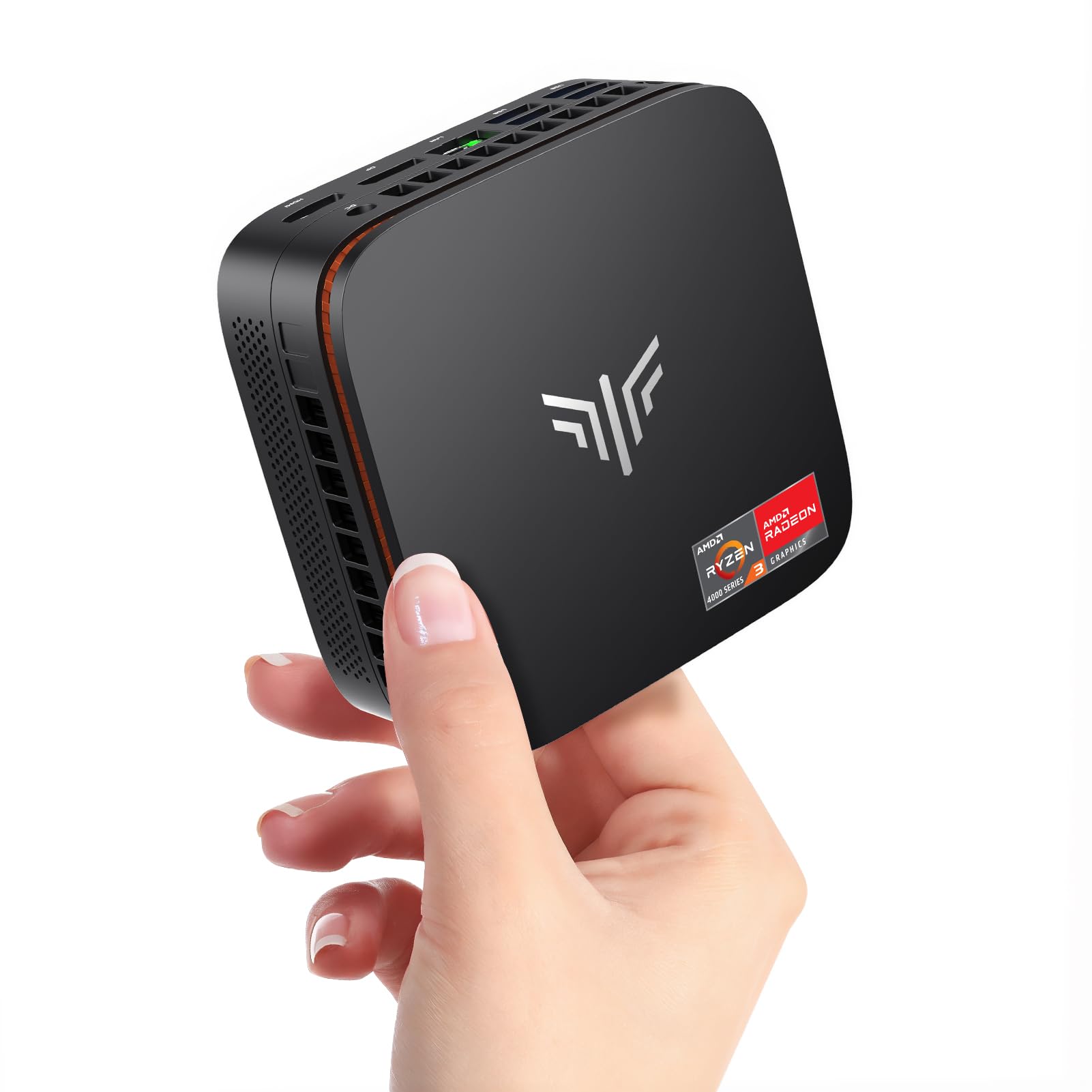
I like machines that tuck out of sight and just work, and the KAMRUI P1 fits that mold. The listing leans on an AMD Ryzen 4300U (Beats 3500U/3200U/N150, Up to 3.7 GHz) Mini Computer configuration paired with 16GB DDR4 RAM and a roomy 512GB M.2 SSD, which makes day to day tasks feel responsive and media playback smooth.
Setup is straightforward: connect power, HDMI and WiFi or Ethernet and you’re ready to go. It’s great as a compact HTPC for dual 4K streaming, a quiet office box for spreadsheets and video calls, or a little business endpoint using Bluetooth for Business accessories.
I’d recommend it when you want a no-fuss, energy efficient mini PC that covers most everyday and light pro needs without taking up desk space.
| Pros | Cons |
|---|---|
| ✅ 16GB DDR4 RAM and 512GB M.2 SSD included | ❌ Limited number of physical ports for heavy peripheral setups |
| ✅ Small Pc Dual 4K capable for media and presentations | ❌ Not suitable for heavy gaming or CPU intensive workloads |
| ✅ Quiet, energy efficient operation and easy setup | ❌ Power cord and some accessories may feel basic |
Long-Term Value
Because it draws little power and uses integrated components, the P1 keeps running costs down and avoids the frequent upgrades a bulky desktop might need. The 512GB SSD is faster and more durable than spinning drives, and the included 16GB of RAM reduces the need for immediate memory upgrades, so you can expect a lower total cost of ownership over a typical small business or home media lifecycle.
Situational Benefits
| Situation | How It Helps |
|---|---|
| Home Media and HTPC | Plays 4K movies smoothly, stays quiet in living areas, and mounts behind a TV to save space while handling streaming and local media playback. |
| Small Office or Remote Work | Fast enough for video calls, email and spreadsheets, with Ethernet as a reliable fallback and Bluetooth for business headsets and peripherals. |
| Light Server or Backup Node | Low power draw and compactness make it practical as a small Ubuntu server, NAS client or backup machine that can run continuously without major energy costs. |
Ease Of Use
| Feature | Ease Level |
|---|---|
| Initial Setup | Easy |
| Daily Use | Effortless |
| Software Updates | Moderate |
| Upgrades | Limited |
Versatility
This mini PC covers a surprising range of roles: from HTPC and home office duty to a small server or kiosk. It won’t replace a gaming rig, but for the tasks it targets it adapts well thanks to its dual 4K support, networking options and modest upgrade paths.
Durability
The P1 feels solid for its size and runs cool under light to moderate loads. The compact case and efficient components reduce stress on internals, though heavy continuous workloads will highlight its limits compared with larger desktops.
Practicality
I appreciate the mounting options and the small footprint. It’s easy to tuck behind a monitor or place on a shelf, and the combination of WiFi, Bluetooth and Ethernet covers most real world connectivity needs without extra adapters.
Travel Friendliness
At roughly 13.7 ounces and pocket friendly dimensions, it’s fairly portable for short trips or moving between rooms. Remember to pack the power brick and possibly a short HDMI cable; it’s portable but not a laptop replacement.
Key Benefits
-
Generous memory and fast M.2 storage for multitasking
-
Dual 4K playback makes it a solid HTPC option
-
WiFi and Ethernet give flexible connectivity
-
Compact, low power design that mounts behind monitors
Current Price: $297.00
Rating: 4.5 (total: 350+)
FAQ
Is The KAMRUI P1 Good For Home And Office Use?
I use the KAMRUI P1 as a daytime workhorse and a living room streamer, and it handles both roles well. The Home P1 4300U/16GB+512GB configuration gives you plenty of memory and a fast M.2 drive so Office tasks, web browsing and video calls feel smooth, and the Small Pc Dual 4K capability means it works nicely as an HTPC for movies and presentations. Setup over WiFi is simple, but I prefer plugging the unit into Ethernet for the most reliable streaming or conference calls.
Can It Run Games Or Heavy Applications?
The unit is listed as an AMD Ryzen 4300U (Beats 3500U/3200U/N150, Up to 3.7 GHz) Mini Computer and in my experience it is great for light gaming and everyday creative tasks, but it isn’t a desktop replacement for demanding 3D games or heavy video rendering. I’ve seen casual titles run fine and the system performs impressively for its price, yet if you plan to push CPU or GPU intensive workloads you’ll notice the limits and might need a dedicated desktop.
What Should I Know About Ports, Upgrades And Networking?
It’s compact by design, so physical ports are limited and I recommend a powered USB hub if you plan to attach multiple external drives or peripherals; the 512GB M.2 SSD is fast but you may want extra storage for large media libraries. Networking is a strength: WiFi and Bluetooth are convenient, and the built in Ethernet port is handy for stable streaming or office use.
A few practical tips I follow are to give Windows time for initial updates, consider mounting it behind a monitor to save desk space, and check the power cable length in case you need an extension.
Why Customers Choose
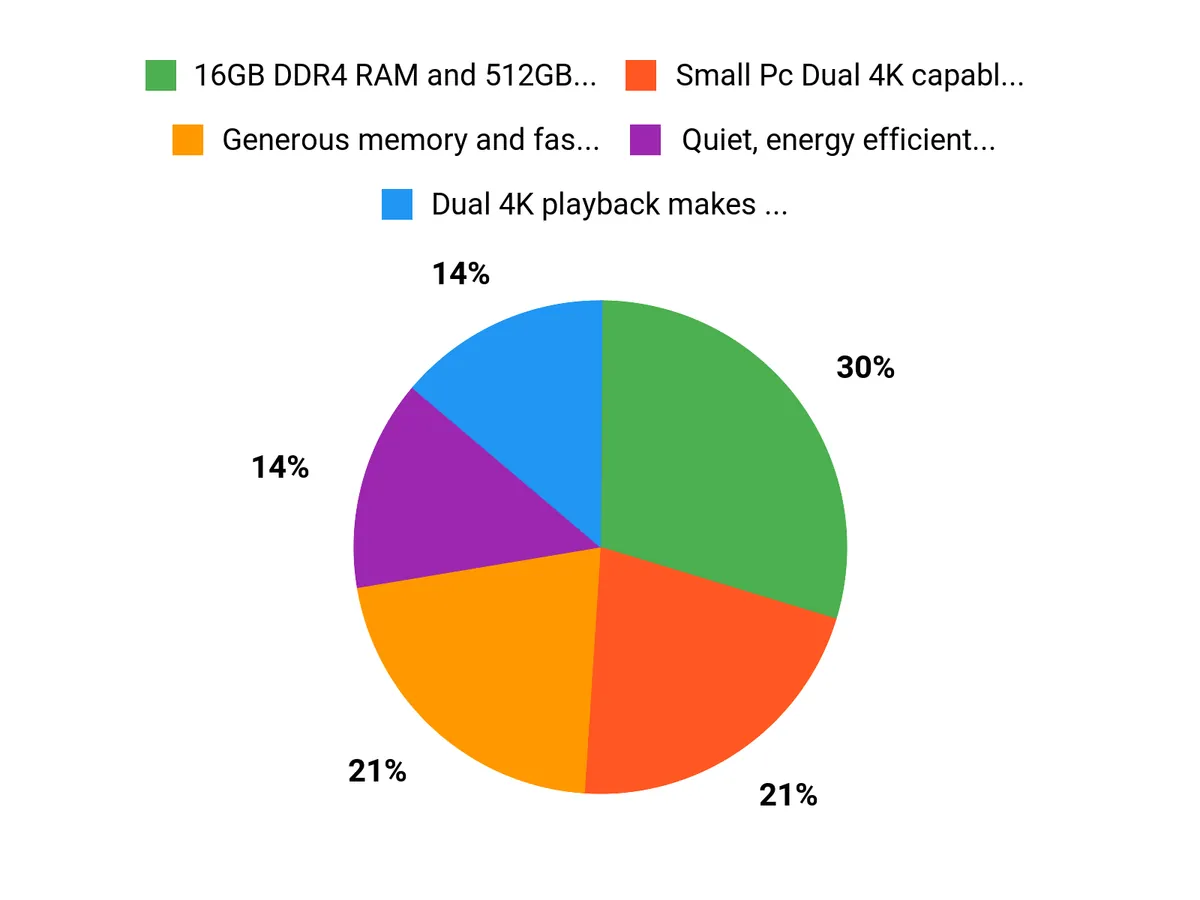
I think customers choose the KAMRUI P1 because it squeezes generous specs like 16GB DDR4 RAM and a 512GB M.2 SSD into a tiny, energy efficient box that still handles Small Pc Dual 4K media and everyday Office work. We also appreciate the flexible connectivity with WiFi, Bluetooth for Business and Ethernet, quiet operation and straightforward setup, which makes it a practical HTPC or compact office machine.
Wrapping Up
I found the KAMRUI P1 Mini PC to be a very compelling ultra budget option for anyone who needs a compact HTPC, a Small Pc Dual 4K workstation or a Bluetooth for Business capable machine. For $297.00 you get a generous 16GB DDR4 RAM and 512GB M.2 SSD that make day to day tasks and media playback feel smooth, and the unit is easy to set up and quiet in regular use. The small catch is that the form factor brings limited physical ports and it is not a substitute for a full desktop when it comes to heavy gaming or CPU intensive workloads, and some spec listings are inconsistent enough that I recommend double checking the exact CPU details before you buy. Overall I would recommend the KAMRUI P1 for home media setups, compact offices and anyone who values a tiny, ready to use Windows machine at a budget price.
This Roundup is reader-supported. When you click through links we may earn a referral commission on qualifying purchases.



