 Skip to content
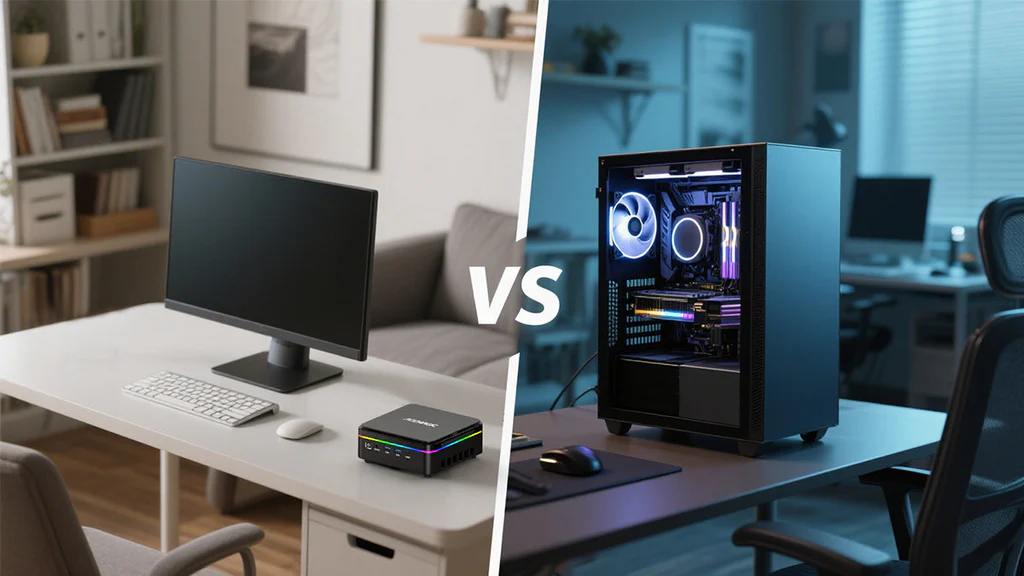
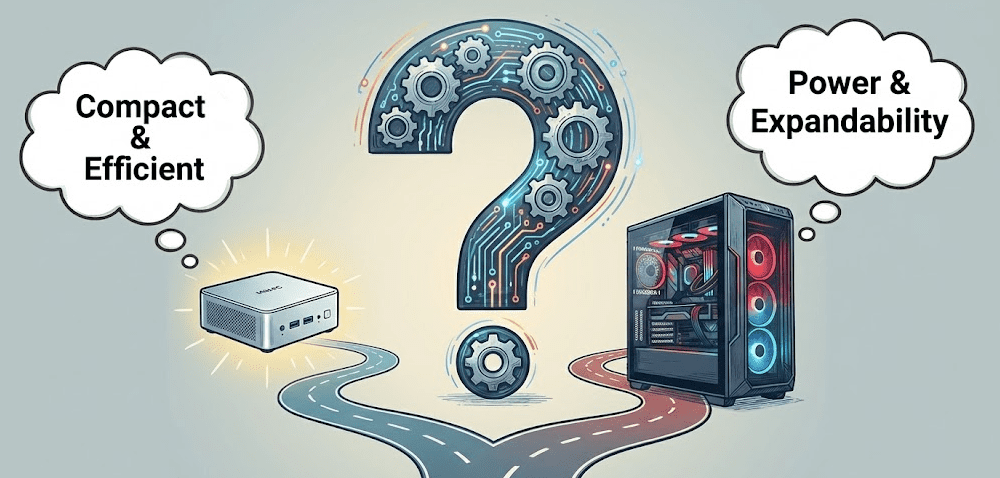
For most everyday users in 2026, a mini PC is all the computer you’ll ever need — but a traditional desktop still wins decisively for gaming, heavy rendering, and long-term upgradability. The right choice comes down to your workload, workspace, and how future-proof you need your setup to be. But there are a few important nuances worth understanding before you make a decision you’ll live with for the next 5+ years.
What Exactly Are We Comparing?
Before diving into pros and cons, it helps to be clear about what each category actually means in 2026.
Mini PC
A mini PC is a compact desktop computer roughly the size of a paperback book or smaller. It packs a CPU, RAM, storage, and connectivity into a tiny chassis — but requires you to supply your own monitor, keyboard, and mouse. Modern mini PCs from brands like GEEKOM, Minisforum, ASUS, and Apple (Mac mini) now offer surprisingly capable performance in palm-sized packages, with the latest Intel Core Ultra Series 3 (Panther Lake) chips beginning to appear in compact systems as of early 2026.
Traditional desktop
A traditional desktop is a full-size tower (or small form factor case) built around standard ATX or mATX components. It prioritizes raw power, expandability, and repairability over space savings. Think of it as the Swiss Army knife of computing — bulkier, but capable of almost anything with the right parts.
Mini PC vs Desktop: Side-by-Side Comparison
Core specs and use case overview
| Category | Mini PC | Traditional Desktop |
|---|---|---|
| Size | Palm-sized to paperback book | Full tower to compact SFF |
| CPU type | Mostly mobile-class chips | Full desktop CPUs |
| GPU | Integrated or laptop-grade dGPU | Full desktop GPU support |
| RAM | Up to 64GB (SO-DIMM) | Up to 128GB+ (DIMM) |
| Upgradability | RAM + SSD only (mostly) | CPU, GPU, RAM, storage, PSU |
| Power draw | 15–65W typical | 150–600W+ |
| Noise | Near-silent at idle | Moderate to loud under load |
| Multi-monitor | 2–4 displays via HDMI/DP/USB-C | 2–6+ with dedicated GPU |
| Price range | $150–$1,500 | $300–$3,000+ (build or prebuilt) |
| Best for | Office, media, light creative | Gaming, rendering, engineering |
Detailed Pros and Cons
Mini PC pros
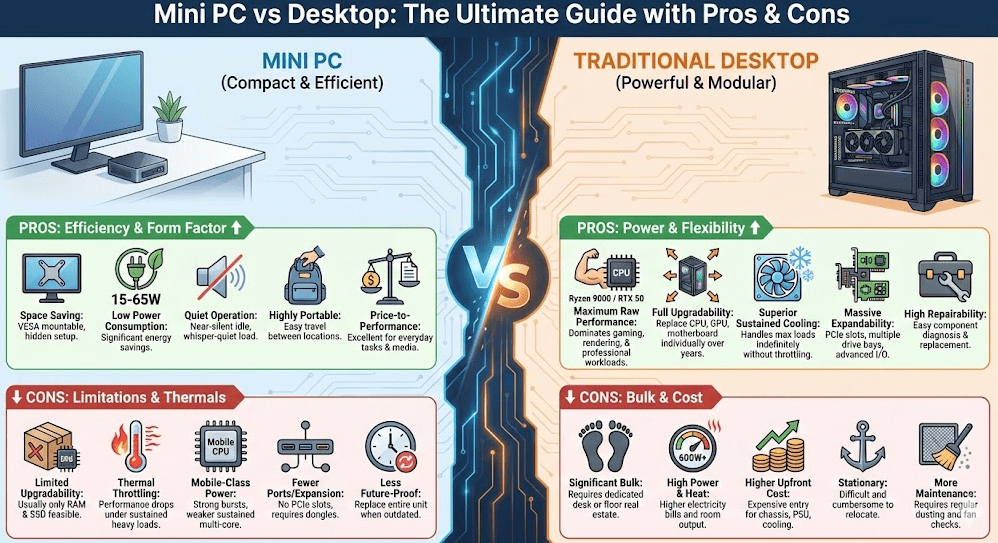
- Space efficiency: Fits behind a monitor on a VESA mount, under a TV, or on the corner of the smallest desk. For home offices, compact apartments, and clean desk setups, the size advantage is transformative.
- Low power consumption: Most mini PCs consume 15–65W under load compared to 150–600W+ for a desktop with a dedicated GPU. Over a year of daily use, that adds up to real savings on electricity bills.
- Quiet operation: Designed for low noise — near-silent at idle and whisper-quiet under typical office loads. Ideal for shared spaces, video calls, and recording environments.
- Portability: Small enough to slip into a bag. You can take the same machine between your home desk, office, and travel setup.
- Price-to-performance for everyday tasks: A $400–$600 mini PC handles documents, web, streaming, video calls, light photo editing, and even casual gaming without breaking a sweat.
- Clean cable management: Fewer components mean fewer cables. Most mini PCs need just power, a display cable, and a USB hub to be fully functional.
Mini PC cons
- Limited upgradability: Most mini PCs allow only RAM and SSD swaps. You cannot replace the CPU, add a dedicated GPU, or significantly expand the system over time.
- Thermal throttling under sustained loads: The compact chassis means less cooling headroom. Extended rendering, video exports, or gaming sessions can push temperatures and cause throttling, reducing performance over time.
- Mobile-class CPU limitations: Most mini PCs use laptop-grade processors. They perform excellently for bursts of work but fall behind desktop chips in sustained multi-core workloads.
- Fewer ports: Limited physical space means fewer USB ports, no PCIe expansion slots, and limited audio options — often requiring a hub or dock for complex setups.
- Less future-proof: You can’t swap out aging components. When the machine becomes outdated, you replace the whole unit.
Traditional desktop pros
- Maximum raw performance: Full desktop CPUs (AMD Ryzen 9000 series) and high-end GPUs (RTX 50-series, RX 9000-series) deliver performance no mini PC can match for gaming, 3D rendering, video production, and scientific workloads. It’s also worth noting that Intel’s new Core Ultra Series 3 chips — debuted at CES 2026 — are currently mobile processors appearing in laptops and mini PCs, not traditional desktop CPUs, so desktop AMD and Intel Core platforms still define the ceiling of raw desktop performance for now.
- Full upgradability: CPU, GPU, RAM, storage, PSU, cooling — everything is replaceable and improvable. A well-chosen desktop can be upgraded component by component over 7–10 years.
- Better sustained performance: Large cases allow serious cooling solutions — big air towers, 240mm+ AIO liquid coolers — meaning desktop chips can sustain full clock speeds indefinitely under load.
- Expandability: PCIe slots for GPUs, capture cards, sound cards, 10GbE networking, NVMe RAID, and more. Desktops grow with your needs.
- More ports and storage bays: Multiple USB ports, front-panel connectors, room for 3–4 storage drives, and full-size GPU outputs for complex multi-monitor setups.
- Repairability: Individual components can be diagnosed and replaced without touching the rest of the system.
Traditional desktop cons
- Size and bulk: Even compact SFF desktops are noticeably larger than mini PCs. A mid-tower requires dedicated desk or floor space and significantly more cable management.
- Higher power consumption and heat: Desktops generate more heat and noise, especially under gaming or rendering loads. A high-end desktop can cost $100–$200 more annually in electricity vs a mini PC.
- Higher upfront cost: To match a mid-range mini PC’s performance in a desktop build, you’re also paying for a case, PSU, motherboard, and cooling — components that don’t exist in a mini PC.
- Less portable: Desktops are essentially stationary. Moving them between locations is a chore.
- More maintenance: More fans, more dust filters, more components to monitor and maintain over time.
Performance Deep Dive
Everyday productivity workloads
For documents, spreadsheets, web browsing, video calls, email, and light multitasking, a modern mini PC is genuinely indistinguishable from a desktop in day-to-day use. A $400–$500 mini PC with a Ryzen 7 or Intel Core i7 and 16GB RAM handles these tasks with ease. As Tom’s Hardware’s hands-on mini PC workstation testing found, a compact mini PC with a high-end mobile CPU can match single-threaded scores comparable to desktop processors like the Core i9-14900K in CPU-intensive tasks — making it a genuinely serious productivity machine for most office users.
Creative and professional workloads
For photo editing (Lightroom, Photoshop), casual video editing (1080p–4K), and UI/UX design work, a well-specced mini PC holds up fine. Where things start to diverge is in sustained export times and GPU-accelerated tasks — a desktop with a dedicated RTX GPU will finish a 4K export noticeably faster and stay at peak performance throughout.
Gaming
This is where desktops pull away clearly. While newer integrated GPUs (like AMD’s Radeon 890M in mini PCs) can manage 1080p gaming at medium settings for lighter titles, a desktop with a dedicated mid-range GPU like an RTX 4060 or RX 7600 delivers 2–3x the frame rates at higher settings. PCMag’s 2026 Windows mini PC testing highlights that even the best gaming-oriented mini PCs are best suited for casual titles rather than demanding AAA releases at high settings — a good reality check if gaming is your priority.
Heavy rendering, CAD, and engineering
No mini PC currently competes with a workstation desktop for multi-threaded rendering, large simulation workloads, or complex CAD assemblies. Desktop CPUs with 16–24 cores and workstation GPUs (RTX 4000/5000 Ada series) exist in a league of their own. If this describes your work, a desktop isn’t just a preference — it’s a requirement.
Who Should Buy What?
Choose a mini PC if:
- Your work is primarily office tasks, web, streaming, and light creative work.
- Desk space and clean aesthetics matter to you.
- You value near-silent operation for calls, recordings, or shared spaces.
- You want low energy bills and an eco-friendlier setup.
- You’d like the option to move your PC between locations easily.
- You don’t plan to run games at high settings or sustained heavy workloads.
Choose a traditional desktop if:
- You game seriously and want high frame rates at 1080p, 1440p, or 4K.
- You render video, work in 3D, or run engineering/simulation software regularly.
- You want to upgrade components individually over 7–10 years.
- You need multiple PCIe devices — capture cards, pro audio, additional GPUs.
- Performance per dollar is your top priority and size is no concern.
In my opinion, the decision is actually straightforward for most people once you write down your actual use cases. The confusion usually comes from overestimating your needs — most office and home users convince themselves they need a desktop and end up with a $1,000 machine running Chrome and Zoom all day.
Step-by-Step: How to Decide Between Mini PC and Desktop
Step 1: List your top 5 daily tasks
Be honest. If your list is “email, documents, video calls, Netflix, and occasional photo edits,” a mini PC handles that perfectly and saves you money, space, and noise.
Step 2: Check GPU requirements
If any task on your list requires a dedicated GPU — modern gaming, professional video grading, 3D modeling, AI/ML work — lean toward a desktop. If integrated graphics cover your needs, a mini PC wins on every other metric.
Step 3: Assess your upgrade timeline
If you replace your PC every 3–5 years and don’t tinker, a mini PC is lower total cost of ownership. If you want to swap components gradually over a decade, a desktop gives you that flexibility.
Step 4: Measure your actual desk space
It sounds obvious, but measure before buying. If a compact desk or a hidden-mount setup is your goal, that constraint alone may settle the debate.
Step 5: Set a real budget including peripherals
Both a mini PC and a desktop need a monitor, keyboard, mouse, and potentially a USB hub. A $500 mini PC plus $300 in peripherals = $800 all-in. A $500 desktop build plus the same peripherals = $800+ without a GPU factored in. Always calculate total cost, not just the price of the box.
Real-World Scenarios
Home office and remote work
A mini PC is almost always the right call here. It’s quiet during calls, invisible on the desk, uses minimal power, and handles every professional tool from Microsoft 365 to Slack to Figma without hesitation. Based on my professional experience reviewing setups, it’s the single most common upgrade that genuinely improves daily work quality.
Gaming setup
A dedicated gaming desktop wins this category clearly. Even a mid-range build with an RTX 4060 and a Ryzen 5 7600 outperforms the best mini PCs for gaming workloads and gives you room to upgrade the GPU in 2–3 years when something faster comes along.
Content creation and video editing
This one genuinely depends on scale. A mini PC handles 1080p and casual 4K editing in Premiere or DaVinci Resolve. For professional color grading, heavy effects work, or 6K+ footage, a desktop with a dedicated GPU and more cooling headroom is the better investment. Tom’s Guide’s 2026 best mini PC roundup consistently places mini PCs at the top for light to moderate creative work, but recommends desktops once professional-grade GPU tasks enter the picture.
Living room / home theater
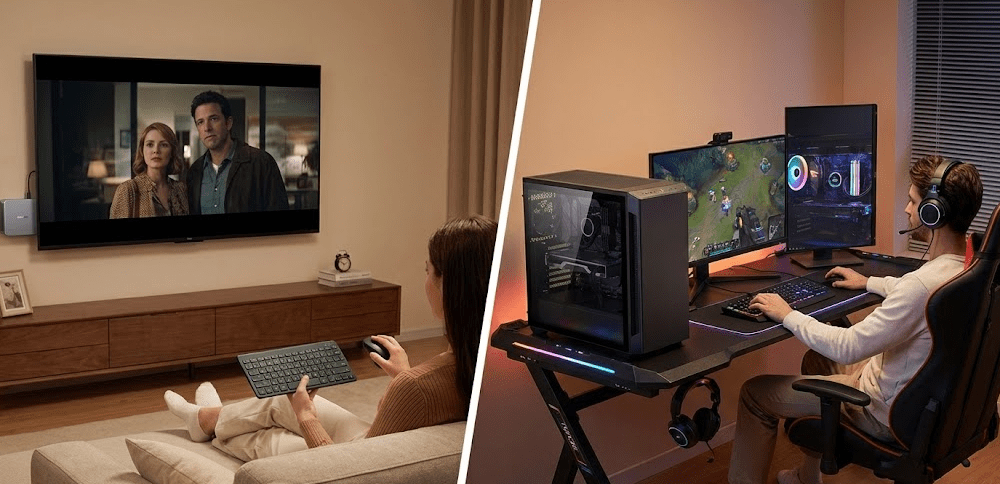
Mini PC, no contest. It mounts invisibly behind a TV, runs silently, plays 4K content natively, and handles light emulation without any of the bulk or noise of a desktop tower.
Students and dorm setups
Mini PCs are perfect for students — compact, affordable, quiet, and powerful enough for every academic task. The ability to pack it into a bag for semester breaks is a genuine quality-of-life win that a desktop simply can’t offer.
For a practical, side-by-side visual comparison of how mini PCs hold up against traditional desktops in real-world use, this YouTube breakdown of Mini PC vs Real PC does an excellent job of stress-testing both categories across productivity and gaming workloads — well worth watching before you finalize your decision.
FAQ: Mini PC vs Desktop
Is a mini PC as powerful as a desktop?
For everyday tasks, yes — a modern mini PC is effectively as fast as a desktop for office work, web, and light creative tasks. For sustained heavy workloads like gaming, rendering, or engineering software, a full desktop with a dedicated GPU still has a significant performance edge.
Can a mini PC replace a desktop for gaming?
For casual or older games at 1080p medium settings, some high-end mini PCs can manage. For serious AAA gaming at high settings or 1440p+, a desktop with a discrete GPU is the right tool. Mini PCs are not gaming rigs by design.
Are mini PCs more reliable than desktops?
Mini PCs are generally reliable and well-suited to office environments. Desktops are easier to repair when something does fail, since individual components are replaceable. Mini PCs are more dependent on the whole unit functioning correctly.
Do mini PCs support multiple monitors?
Yes — most modern mini PCs support 2–4 monitors via HDMI, DisplayPort, and USB-C. Desktops with dedicated GPUs can support even more displays and higher refresh rates across more demanding resolutions.
Which is cheaper: a mini PC or a desktop?
Mini PCs are generally cheaper for equivalent everyday performance because you’re not paying for a large case, a high-wattage PSU, or a dedicated GPU. A desktop becomes more cost-effective only once you need serious GPU performance.
Can I upgrade a mini PC like a desktop?
Only partially — most mini PCs allow RAM and SSD upgrades but not CPU or GPU swaps. If long-term component upgradability is important, a desktop is the better platform.
Which uses less electricity: a mini PC or desktop?
Mini PCs use dramatically less power — typically 15–65W versus 150–600W+ for a gaming desktop. For always-on or daily-use scenarios, this adds up to meaningful savings on your electricity bill over time.
Are mini PCs good for working from home?
Absolutely. In my experience, mini PCs are one of the best work-from-home setups available in 2026 — they’re quiet, compact, energy-efficient, and powerful enough for every professional task most people encounter daily.
Final Thoughts
The mini PC vs desktop debate used to be simple: desktops for power, mini PCs for convenience. In 2026, that line has blurred significantly. Modern mini PCs from brands like GEEKOM, Minisforum, and ASUS now deliver genuine performance that would have required a full tower just a few years ago — making them the smarter, simpler choice for the majority of users.
That said, if gaming, rendering, or long-term upgradeability are on your wishlist, a traditional desktop remains irreplaceable. The good news is that both categories offer excellent value at their price points — it just comes down to knowing which category your actual workload falls into.



