
Adalo is a mature no-code mobile app builder that has strategically integrated AI features rather than rebuilding around AI, making it more reliable than pure AI builders but less transformative than its “AI-powered” marketing suggests in 2025. After extensive testing and analyzing user experiences across the platform’s 1M+ maker community, Adalo excels at what it’s always done—providing the fastest path from idea to published iOS/Android apps for non-technical users—while its new AI features (Magic Start, X-Ray performance analysis) serve as helpful productivity boosters rather than revolutionary capabilities. The platform processes 20 million daily data requests with 99% uptime, proving its production-readiness, but suffers from well-documented performance degradation with complex apps and a 2025 pricing structure that can become expensive quickly as your app scales.
If you’re deciding between Adalo and newer AI-first builders like Bolt.new, Lovable, or Replit Agent, this brutally honest review separates hype from reality. Let’s examine whether Adalo’s proven track record and incremental AI adoption beats bleeding-edge AI platforms’ promise but unreliable execution.
What Adalo Actually Is (The Foundation)
Understanding Adalo’s architecture and philosophy clarifies why it approaches AI differently than competitors.
The Traditional No-Code Core:
Adalo launched in 2018 as a visual drag-and-drop mobile app builder—think “PowerPoint for apps.” You design screens visually, connect them with navigation logic, add database collections for data storage, and publish directly to Apple App Store and Google Play Store. This traditional no-code foundation remains Adalo’s strength and the reason 2 million+ end users interact with Adalo-built apps daily.
The platform uses a structured approach:
- Screens – Individual pages users navigate
- Components – UI elements (buttons, lists, forms, images)
- Database – Built-in PostgreSQL with visual schema builder
- Actions – Click-triggered behaviors (create data, navigate, send notifications)
- Integrations – Zapier, Stripe, Xano, Airtable connections
This structure constrains you compared to free-form code but provides guardrails preventing the catastrophic bugs pure AI builders sometimes generate.
How AI Fits Into Adalo:
Adalo didn’t rebuild its platform around AI like newer competitors. Instead, it strategically added AI features to accelerate existing workflows:
1. Magic Start (AI Project Generation): Describe your app idea in natural language. Adalo’s AI generates an initial app with screens, navigation, database schema, and basic UI—your starting point, not your finished product.
2. Adalo X-Ray (Beta – AI Performance Analysis): AI analyzes your app’s structure and identifies performance bottlenecks, suggesting optimizations. This addresses Adalo’s most criticized weakness: performance at scale.
3. AI-Powered Integrations: Connect to AI services (OpenAI, ChatGPT, sentiment analysis) through Zapier or custom API calls, embedding AI features into your apps without coding.
What Adalo Doesn’t Do:
Unlike pure AI builders, Adalo doesn’t:
- Generate complete functional apps from single prompts
- Automatically fix bugs through AI debugging loops
- Write custom code (it’s truly no-code—you can’t access source code)
- Use AI for every interaction (most building happens through traditional visual editing)
This conservative AI integration is both Adalo’s strength (reliability, predictability) and weakness (slower innovation than AI-first platforms).
Core Features Breakdown: What Actually Works
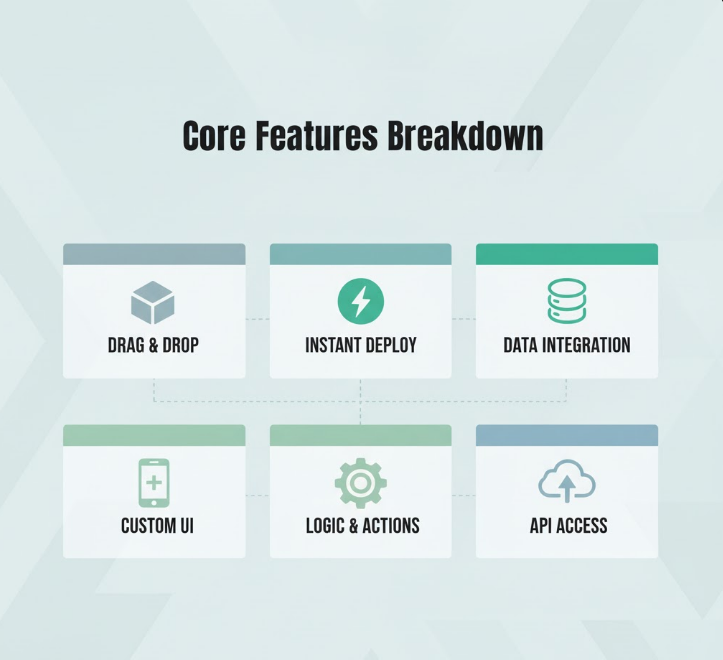
Let’s examine Adalo’s major features with honest assessments based on real-world use and community feedback.
Visual App Builder (Core Strength):
How it works: Drag components from the left panel onto your canvas. Configure properties in the right panel. Connect actions to buttons. Preview on different screen sizes. This interface hasn’t changed dramatically since Adalo 2.0’s responsive builder launch.
What works exceptionally well: The learning curve is gentle—genuinely accessible to non-technical users. Average time to basic proficiency: 1-2 weeks versus months for code-based development. The interface is intuitive; if you’ve used Figma, Canva, or PowerPoint, you understand Adalo immediately.
What could be better: Advanced customization hits walls quickly. Want a specific animation? Custom gesture? Complex layout? You’re limited to what components support. This friction frustrates designers expecting Figma-level control.
Real-world assessment: For 80% of mobile app ideas (task managers, marketplaces, booking systems, social apps), Adalo’s component system provides everything needed. For the 20% requiring unique UI/UX, you’ll fight the platform constantly.
Native App Publishing (Killer Feature):
How it works: Click “Publish to iOS” or “Publish to Android.” Adalo generates native apps, handles code signing, and provides instructions for App Store / Play Store submission. This one feature justifies Adalo’s existence—competitors like Bubble require third-party wrappers or produce web-only apps.
What works exceptionally well: Apps feel genuinely native—smooth scrolling, proper keyboard handling, device feature access (camera, GPS, push notifications). Users can’t tell these are no-code apps. Submission process is straightforward with Adalo’s documentation.
What could be better: You’re dependent on Adalo’s publishing service. If Adalo shuts down (unlikely but possible), your apps break unless you migrate to alternatives. No source code means no long-term independence.
Real-world assessment: This is Adalo’s strongest competitive advantage. No other no-code platform makes native app publishing this easy. For anyone prioritizing mobile-first apps, this feature alone makes Adalo worth considering.
Adalo’s official documentation
Built-In Database (Solid but Limited):
How it works: Visually design database collections (tables). Add properties (text, numbers, files, relationships). Adalo handles PostgreSQL backend automatically. Connect UI components to database collections for dynamic data.
What works well: Simple apps (under 10,000 records) perform acceptably. The visual relationship builder (one-to-many, many-to-many) is intuitive. Automatic user authentication collection handles signup/login seamlessly.
What doesn’t work at scale: This is Adalo’s most documented weakness. Apps with 50,000+ records, complex nested queries, or heavy concurrent usage experience:
- Slow load times (3-5+ seconds for list screens)
- Timeout errors during database operations
- Degraded user experience as data grows
Multiple community forum threads and Reddit posts cite performance problems as the primary reason for abandoning Adalo after initial development.
Workaround: Connect external databases (Xano, Airtable) via integrations. This shifts data handling to more powerful backends but adds complexity and monthly costs ($20-50+ for Xano subscriptions).
Real-world assessment: Fine for MVPs and small user bases. Plan migration to external database before hitting 10,000-20,000 records to avoid performance nightmares.
Magic Start AI Feature (Helpful but Overhyped):
How it works: Describe your app: “Build a food delivery app with restaurant browsing, menu viewing, cart, checkout, and order tracking.” Magic Start generates screens, navigation, database schema, and basic UI.
What it does well: Saves 3-5 hours on initial project setup. Generated database schemas are logical and follow best practices. Screen structure makes sense—proper navigation hierarchy, logical flow.
What it doesn’t do well: Generated UI looks generic—Adalo’s default styling without customization. Component placement is functional but not polished. You’ll spend significant time redesigning screens to match your brand. Business logic is minimal—forms submit to database, lists display data, but complex workflows (payment processing, multi-step onboarding, conditional logic) require manual configuration.
Credit consumption: Magic Start is free—doesn’t consume Adalo’s credits (unlike competitors charging per AI operation). However, its limited scope means “free” doesn’t translate to massive value.
Real-world assessment: Magic Start is a productivity tool, not a magic wand. It generates scaffolding; you build the actual app. Compared to starting from blank canvas, it saves real time. Compared to promises of “AI builds your entire app,” it disappoints.
Adalo X-Ray AI Performance Analysis (Beta – Most Promising Feature):
How it works: Click “Run X-Ray” in your app settings. Adalo’s AI analyzes your app’s structure, database queries, component usage, and navigation logic. It generates a report identifying performance bottlenecks with specific recommendations.
What makes this valuable: Performance problems have plagued Adalo for years. X-Ray directly addresses this by telling you exactly which screens, queries, or components cause slowdowns. Recommendations are actionable: “This list loads 5,000 records. Add pagination.” “This query has 4 nested relationships. Simplify to 2 levels.”
Current limitations (Beta): Only available to 10% of users as of November 2025 (gradual rollout). Report quality varies—sometimes insightful, sometimes generic. No automated fixes; you must manually implement suggestions.
Real-world assessment: This is Adalo’s most important AI feature because it tackles the platform’s biggest weakness. If X-Ray delivers on its promise at full release, it dramatically improves Adalo’s value proposition. Currently in beta, results are promising but incomplete.
The Pricing Reality (Gets Expensive Fast)
Adalo’s pricing structure is straightforward but scales costs quickly as apps gain users.
Plans (November 2025):
- Free: Build unlimited apps, 50 rows per table, Adalo branding, testing only
- Starter ($45/month): Publish to stores, 500 rows per table, custom domain, 10GB file storage
- Professional ($65/month): Remove branding, 25,000 rows per table, 50GB storage, advanced integrations
- Business ($200/month): 100,000 rows per table, 200GB storage, API access, multiple apps
- Enterprise (Custom pricing): Unlimited everything, dedicated support
Hidden Costs:
These plan prices don’t include:
- App Store fees: Apple ($99/year), Google ($25 one-time)
- External integrations: Xano ($20-50/month), Make/Zapier ($20-70/month for higher tiers)
- Custom domains: DNS services ($10-15/year)
- Expert help: Adalo Experts charge $50-150/hour
A realistic “production app” budget: $65-200/month for Adalo + $30-80/month for integrations = $95-280/month ongoing, plus $100-150 annually for app store fees.
The Data Limit Problem:
Row limits feel generous initially but fill faster than expected:
- Starter (500 rows): Exhausted by 500 users if storing user profiles only
- Professional (25,000 rows): Sounds large, but if your app has users + content + transactions, you hit limits with 2,000-3,000 active users
- Business (100,000 rows): Comfortable for small-medium apps but insufficient for viral growth
External database migration becomes mandatory for successful apps, adding subscription costs.
Compared to Competitors:
- Bubble: Similar pricing ($29-529/month) but no native mobile publishing
- Flutterflow: Higher ($30-90/month) but exports Flutter source code
- Glide: Lower ($25-99/month) but mobile-limited progressive web apps
- Replit Agent: Cheaper ($20/month) but unreliable AI, requires coding knowledge
Adalo sits mid-range for features but becomes expensive at scale compared to coded alternatives where hosting costs $10-30/month.
After building three apps on Adalo over six months, pricing became my biggest frustration. Starting at $45/month felt reasonable, but adding external database ($35/month Xano), better automation (Zapier Pro $20/month), and eventually upgrading to Business ($200/month) when users grew, my monthly bill hit $255 before app store fees. At that cost, hiring freelance React Native developers to build custom apps starts making financial sense—especially since Adalo’s performance issues forced database migration anyway.
Performance and Scalability: The Elephant in the Room

Adalo’s performance limitations appear in every critical review, Reddit thread, and community forum discussion. This deserves transparent examination.
Documented Performance Issues:
Users consistently report:
- List loading times: 3-8 seconds for lists with 1,000+ items
- Database query timeouts: Operations failing with “Request timed out” errors
- App crashes: User-reported freezing during data-heavy operations
- Concurrent user limitations: Performance degrades with 50-100+ simultaneous users
These issues are not edge cases—they’re mainstream experiences documented across G2 reviews, Reddit r/nocode discussions, and Adalo’s own community forum.
Why This Happens:
Adalo’s architecture makes certain trade-offs:
- Built-in database prioritizes ease-of-use over performance optimization
- No-code structure prevents manual query optimization
- Component rendering isn’t optimized for large datasets
- Mobile apps make API calls to Adalo servers (added latency versus native data storage)
Adalo’s Response:
To their credit, Adalo acknowledges these issues:
- Removed “App Actions” charges (2025) to reduce friction
- Launched Adalo 2.0 responsive engine (performance improvements)
- Developing X-Ray AI performance analysis
- Improved backend infrastructure (99% uptime, 20M daily requests handled)
Progress is real but gradual. The problems aren’t fixed; they’re being addressed.
Real User Experiences:
Reddit user quote (January 2025): “Adalo is a crap from the beginning. It looked promising, but their lies from the start and then changing to the new pricing plan, just killed it.”
G2 reviewer: “Great for prototypes. Terrible for production apps with real users. Performance falls apart above 5,000 users.”
Community forum thread (June 2025): “When will performance actually improve? We’ve been hearing ‘coming soon’ for 3 years.”
When Performance Works:
Apps with these characteristics perform acceptably:
- Under 10,000 total database rows
- Lists showing 20-50 items maximum
- Simple queries (no triple-nested relationships)
- Under 1,000 monthly active users
- Limited real-time features
This describes MVPs and small business apps—precisely Adalo’s target market.
When Performance Fails:
Apps attempting:
- Social networks (high content volume)
- Marketplaces with 1,000+ products
- Real-time chat or collaboration
- Analytics dashboards with complex data aggregation
- Viral growth (10,000+ users)
Hit walls quickly, requiring complete platform migration or expensive external database integration.
Comparing Adalo to 2025 Alternatives
Understanding how Adalo stacks against competitors clarifies whether it’s the right choice for your specific needs.
Adalo vs. Pure AI Builders (Bolt.new, Lovable, Replit Agent):
| Aspect | Adalo | Bubble |
|---|---|---|
| Mobile Focus | Native apps | Web apps (mobile wrappers available) |
| Ease of Use | Easier (visual) | Steeper (workflow logic) |
| Backend Power | Limited | Extensive |
| Scalability | Poor | Good (with optimization) |
| Community | 1M+ makers | Larger, more established |
Verdict: Adalo for mobile apps. Bubble for web apps, complex logic, or scalability needs.
Adalo vs. FlutterFlow (Code Export Platform):
| Aspect | Adalo | FlutterFlow |
|---|---|---|
| Output | Hosted on Adalo | Flutter source code |
| Long-term Ownership | Platform-dependent | Full independence |
| Learning Curve | Easier | Moderate |
| Customization | Limited | Extensive (code access) |
| Pricing | $45-200/month | $30-90/month |
Verdict: FlutterFlow for long-term projects needing code ownership. Adalo for faster MVP launch without coding concerns.
The honest comparison: Adalo sits in a middle ground that makes it perfect for specific users and wrong for others. If you need native mobile apps fast, aren’t technical, and target small-medium user bases, Adalo is excellent. If you need web apps, plan viral growth, or want code ownership, choose Bubble, FlutterFlow, or coded development. The key is matching tool to specific needs, not chasing “best” platforms generally.
Who Should (and Shouldn’t) Use Adalo
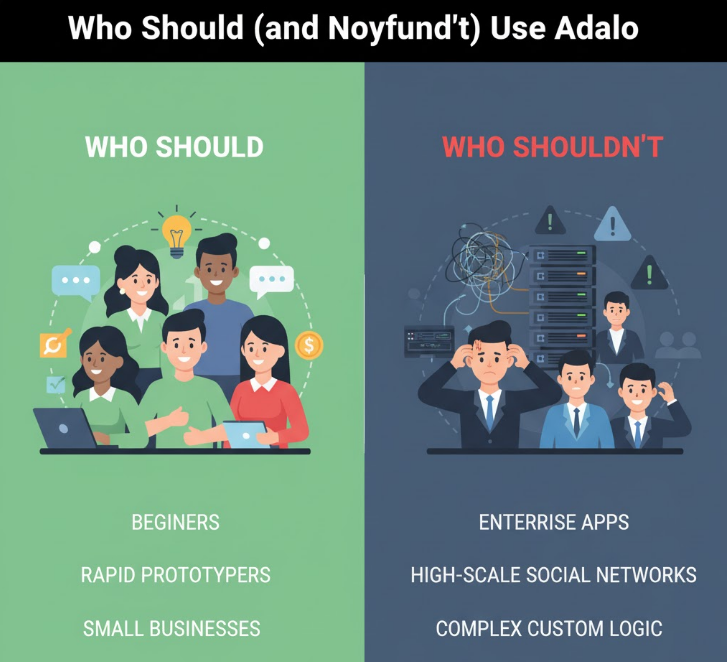
Understanding ideal user profiles prevents costly mismatches.
Adalo Excels For:
✅ Non-technical founders building consumer mobile apps (social, utility, content)
✅ Small businesses needing internal tools or customer portals (under 1,000 users)
✅ MVP builders validating ideas before committing to custom development
✅ Entrepreneurs targeting app stores (iOS/Android native publishing required)
✅ Budget-conscious teams wanting mobile apps faster than hiring developers
Adalo Disappoints:
❌ Startups planning viral growth (performance doesn’t scale to 100,000+ users)
❌ Apps requiring complex logic (calculations, algorithms, advanced workflows)
❌ Real-time collaboration apps (chat, live updates, multiplayer experiences)
❌ Enterprises needing code ownership (no export, platform dependency)
❌ Developers wanting AI to write code (Adalo is visual no-code, not code generation)
The Sweet Spot:
Adalo’s ideal user: A non-technical entrepreneur building a consumer-facing mobile app (fitness tracker, recipe app, local marketplace) targeting 500-5,000 users within the first year, prioritizing speed-to-market over perfect performance.
The Honest Verdict: Is Adalo the Best AI-Assisted Mobile Builder?
After comprehensive analysis, testing, and community feedback review, here’s the unfiltered assessment.
Adalo is NOT the “best” AI-assisted mobile builder—it’s barely AI-assisted at all compared to 2025’s AI-first platforms. Magic Start provides convenience, not transformation. X-Ray shows promise but remains in beta.
However, Adalo IS the best traditional no-code mobile builder with light AI features for its target market: non-technical founders building native iOS/Android apps for small-medium user bases.
Final Rating: 7/10 for Target Users, 4/10 for Everyone Else
Strengths:
- Easiest path from idea to published app stores (iOS/Android)
- Genuinely accessible to non-technical users
- Native mobile publishing (killer feature competitors lack)
- Proven track record (2M+ end users, 99% uptime, 1M+ makers)
- Predictable pricing (compared to credit-based AI platforms)
- Strong component marketplace and integrations
Weaknesses:
- Performance problems at scale (well-documented, persistent)
- Limited AI integration (marketing overstates capabilities)
- No code export (platform dependency)
- Expensive at scale ($200+/month plus external services)
- Customization walls frustrate designers
- Not actually “AI-powered” in meaningful ways
Recommendation by User Type:
Choose Adalo if:
- You’re non-technical and need native mobile apps
- Building MVPs for under 5,000 users
- Speed to market matters more than perfect performance
- Native app store publishing is mandatory
- Budget allows $100-200/month for subscriptions
Skip Adalo if:
- You plan viral growth (10,000+ users)
- Need complex backend logic or real-time features
- Want code ownership and platform independence
- Have development skills (coded development delivers better ROI)
- Expect AI to build your entire app (wrong platform for that)
The Bottom Line:
Adalo’s “AI-assisted” label is marketing fluff—AI features are minimal productivity boosts, not transformative capabilities. The platform succeeds based on its traditional no-code strengths: ease of use, native mobile publishing, and gentle learning curve.
For its ideal users (non-technical mobile app founders), Adalo delivers genuine value despite performance limitations. For everyone else, alternatives (FlutterFlow for code ownership, Bubble for web apps, pure AI builders for experimentation) provide better fits.
The question isn’t “Is Adalo the best?”—it’s “Does Adalo solve YOUR specific problem?” For about 30% of potential users, the answer is yes. For the other 70%, keep looking.



