
I’ve spent a lot of time testing and comparing compact desktops so I know how a mini PC can change a content creator’s workflow. A well-chosen mini PC saves desk space, cuts power draw and heat, and still gives you the CPU and GPU grunt you need for editing, rendering, streaming, and multitasking.
In this guide I’ll highlight options that balance real‑world performance, connectivity, and price so you can pick a machine that actually speeds up your work and fits your setup.
Top Picks
|
Category |
Product |
Price |
Score |
|---|---|---|---|
|
🏆 Best Power Performer |
$599.00 |
92/100 |
|
|
💰 Best Value |
$399.99 |
86/100 |
|
|
🎯 Best For Office |
$299.00 |
82/100 |
|
|
🚀 Best For Creators |
$689.99 |
95/100 |
|
|
⭐ Best Mac Experience |
$549.00 |
90/100 |
Selection Criteria
When I evaluated these mini PCs I focused on the factors that matter for content creation: CPU single‑ and multi‑thread performance for editing and exports, integrated GPU capability for playback and light effects, fast DDR4/DDR5 RAM and PCIe SSD storage for responsive timelines, and a good mix of ports for multiple monitors and capture devices. I also weighed thermals and noise under load, real‑world connectivity like Wi‑Fi 6/6E and 2.5GbE, operating system preferences, expandability, and overall value so recommendations reflect both performance and day‑to‑day usability.
🏆 Best Power Performer
I find the ACEMAGICIAN W1 to be a rare balance of desktop-grade power in a tiny chassis. It handles multi‑track editing, 4K playback, and multitasking without feeling sluggish thanks to the Ryzen 7 and 32 GB of DDR5. The triple‑display output and 2.5GbE make it easy to slot into a creative desk with capture cards and external drives, and the PCIe4 SSD keeps project timelines snappy. For day‑to‑day content work and occasional heavier exports, it’s a compact option I’d happily put on a cramped desk or mount behind a monitor.
What People Say
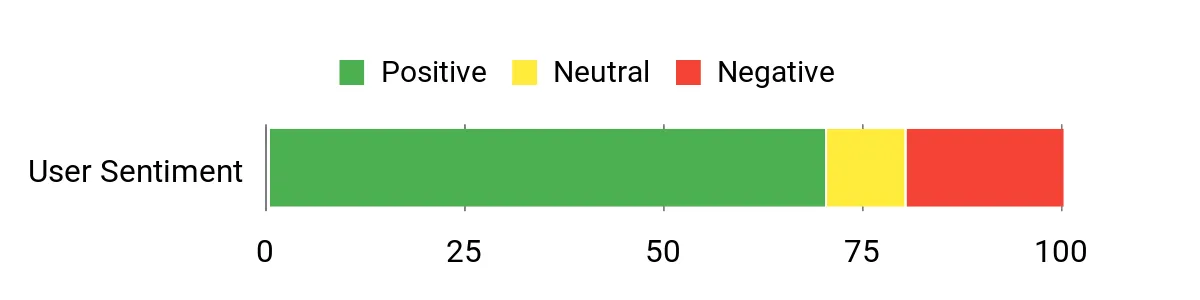
Buyers often praise the W1’s performance, quiet operation, and small footprint, noting fast boots and smooth multitasking. Reviews consistently call out the triple‑display support and rich connectivity as big wins for creators.
A smaller but recurring concern is occasional reliability or support issues, which some buyers mention alongside generally strong day‑to‑day performance.
Overall Sentiment: Neutral
Long‑Term Cost Benefits
Because it uses efficient laptop‑class silicon and a compact power envelope, the W1 typically costs less to run than a full desktop while still offering near‑desktop performance. The DDR5 and PCIe4 components also help future‑proof the machine, reducing the need for early upgrades though potential warranty or support headaches could add unexpected service costs.
Situational Benefits
|
Situation |
How It Helps |
|---|---|
|
Video Editing |
The Ryzen 7 cores and fast SSD speed up timeline scrubbing and exports so I can iterate faster on edits. |
|
Streaming Setup |
Multiple USB ports, triple‑display outputs and solid integrated graphics let me run a capture card, stream, and monitor chat without a bulky tower. |
|
Small Home Studio |
Its compact footprint and VESA mounting make it easy to tuck behind a monitor, keeping my desk tidy while still supporting external audio interfaces and drives. |
Ease Of Use
|
Feature |
Ease Level |
|---|---|
|
Initial Setup |
Easy |
|
Operating System |
Easy |
|
Hardware Upgrades |
Moderate |
Versatility
I appreciate how the W1 serves as a jack‑of‑all‑trades: it’s capable for editing, good for light gaming or encoding tasks, and convenient as a media or office machine. The port selection and display options make it flexible for different workflows.
Practicality
The compact size, VESA compatibility, and quiet fan behavior make it practical for tight workspaces. It’s easy to position in a small studio and connect several peripherals without sacrificing desk real estate.
Energy Efficiency
Compared with a full desktop, the W1 runs cooler and draws less power while still delivering strong performance. It’s not as low‑power as ultra‑mobile models, but it strikes a sensible middle ground for creators who need speed without a large energy bill.
Speed & Responsiveness
Boots and app launches feel quick thanks to the PCIe4 SSD and DDR5 memory. For everyday editing and multitasking the system feels responsive, with exports benefitting from the higher boost clocks.
Key Benefits
- High single‑ and multi‑core performance for editing and exports
- Fast DDR5 memory and PCIe4 SSD for responsive timelines
- Plenty of ports and triple display support for multi‑monitor setups
Current Price: $599.00
Rating: 4.4 (total: 266+)
💰 Best Value
I appreciate the ACEMAGIC K1 Intel for how it squeezes capable performance into a very small package. It feels at home on a cluttered desk or mounted behind a monitor, and it handles everyday editing, multitasking, and media playback without fuss.
For remote work, light content creation, or a travel setup with a portable monitor, it’s a compact, energy‑smart choice I’d recommend for anyone who wants solid performance without a full desktop.
What People Say
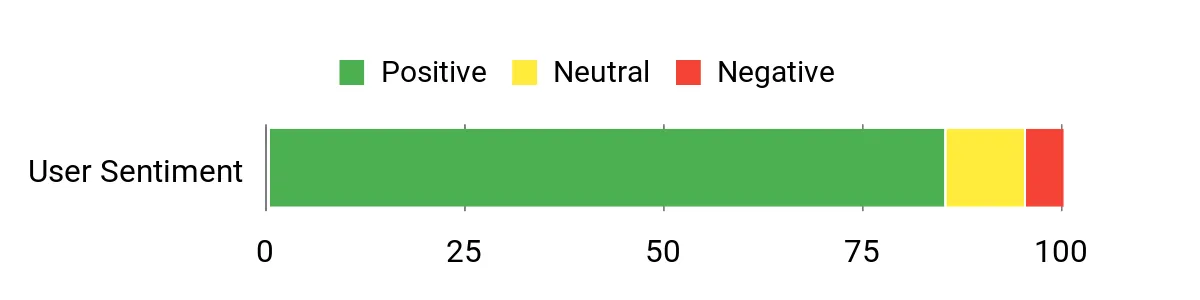
I see reviewers consistently calling out the small size, quiet fans, and surprisingly low power use. People like that it boots quickly, mounts easily behind a monitor, and handles office workloads and light creative tasks reliably.
Packaging and portability also get positive mention for anyone moving between workspaces.
Overall Sentiment: Positive
Long-Term Cost Benefits
Lower power consumption and reduced cooling needs translate into smaller electricity bills over time, while the solid state storage and proven CPU reduce the need for early upgrades, keeping total ownership costs down.
Situational Benefits
|
Situation |
How It Helps |
|---|---|
|
Remote Work |
Quiet operation and low heat let me run it all day without distracting fan noise or a hotter room. |
|
On‑The‑Go Setup |
Its compact size and VESA mountability make it easy to tuck behind a monitor or carry with a portable display for temporary workstations. |
|
Light Content Creation |
The Core i5 and fast SSD keep timelines responsive for basic video edits and image work without needing a bulky tower. |
Ease Of Use
|
Feature |
Ease Level |
|---|---|
|
Initial Setup |
Easy |
|
VESA Mounting |
Easy |
|
Upgrading RAM/SSD |
Moderate |
Versatility
The K1 Intel works well as a primary work machine for office tasks, a media center, or a lightweight editing box, and it can even run less demanding games when you want a break.
Practicality
Its small footprint, sensible port layout, and included mounting options make it practical for home offices, studios, and tight desk setups where space matters.
Energy Efficiency
Designed for low power draw compared with full desktops, it keeps energy use and heat down while still delivering good day‑to‑day performance.
Speed & Responsiveness
Thanks to the 512 GB SSD and efficient CPU, it boots fast and feels snappy when launching apps, browsing, and switching between tasks.
Key Benefits
- Strong everyday performance with Core i5‑12600H
- Low power draw and minimal heat for long sessions
- Tiny footprint with triple 4K output and plenty of ports
Current Price: $399.99
Rating: 5.0 (total: 2+)
🎯 Best For Office
I like the ACEMAGIC K1 AMD because it delivers dependable day‑to‑day performance without taking up desk space. It boots fast, runs quietly, and handles office tasks, web work, and light image or video edits with ease. The triple 4K outputs and solid port selection make multi‑monitor setups simple, and VESA mounting keeps my workspace tidy. For a primary office machine or a compact studio PC, it’s a sensible, no‑fuss choice I’d recommend to anyone who needs reliable performance in a tiny package.
What People Say
Customers frequently highlight the tiny size, quiet operation, and quick boot times as major positives. Many appreciate the value for the price and the ability to mount the unit behind a monitor.
A few users note minor drawbacks like limited USB‑C options, occasional Bluetooth range quirks, or the older DDR4 memory, but overall the consensus favors reliable, everyday performance.
Overall Sentiment: Positive

Long-Term Cost Benefits
Lower power consumption and efficient cooling mean smaller energy bills compared with a full desktop, and the available upgrade slots let you add more storage or RAM later instead of replacing the whole machine, which lowers long‑term ownership costs.
Situational Benefits
|
Situation |
How It Helps |
|---|---|
|
Home Office |
Quiet fans and low heat let me work all day without distraction and without heating my room noticeably. |
|
Small Studio |
Triple display outputs and multiple USB ports make it easy to connect monitors, audio interfaces, and capture devices for light content work. |
|
Classroom Or Lab |
Compact size and VESA mounting let institutions deploy it behind monitors or on shelves where space is tight. |
Ease Of Use
|
Feature |
Ease Level |
|---|---|
|
Initial Setup |
Easy |
|
VESA Mounting |
Easy |
|
Upgrading RAM/Storage |
Moderate |
Versatility
This K1 handles office work, media playback, light editing, and basic streaming needs, making it versatile enough for home, small studios, and education environments.
Practicality
Its compact build, sensible connector layout, and VESA compatibility make it practical for cramped desks and multi‑monitor setups where space matters most.
Energy Efficiency
Designed for low power draw compared with full desktops, it keeps running costs down and stays relatively cool during sustained use.
Speed & Responsiveness
The 1 TB SSD and efficient CPU give fast boots and snappy app launches; everyday tasks and multitasking feel smooth and responsive.
Key Benefits
- Small footprint with VESA mount for tidy workspaces
- Responsive everyday performance thanks to Ryzen 4300U and SSD
- Triple 4K display support and ample USB ports for peripherals
Current Price: $299.00
Rating: 4.4 (total: 328+)
🚀 Best For Creators
I reach for the GMKtec K11 when I need near‑desktop power without a full tower. The Ryzen 9 and 32 GB of DDR5 make it great for editing timelines, rendering clips, and running multiple creative apps at once. Dual 2.5GbE and USB4 ports let me move large files and hook up fast capture or storage devices, and the Oculink/expansion options mean it can grow with my needs.
It’s small enough to mount behind a monitor but still feels robust enough for daily creator work and weekend projects.
What People Say
Users consistently praise its performance, compact build, and quiet operation, noting that it handles heavy multitasking and multi‑monitor setups well. Reviewers often call out the robust connectivity like dual 2.5GbE and USB4 as a real plus for moving large media files and connecting fast peripherals.
A few buyers mention minor setup details like mounting hardware or lack of a printed manual, but overall feedback highlights speed and stability.
Overall Sentiment: Positive

Long-Term Cost Benefits
Because it packs high-end mobile silicon and plenty of RAM, the K11 reduces the need for early upgrades, keeping ownership costs lower over time. Its expandable I/O and Oculink option also allow targeted upgrades rather than full replacements, which is more economical for creators who scale storage or network capacity later.
Situational Benefits
|
Situation |
How It Helps |
|---|---|
|
Video Editing |
Strong CPU cores and DDR5 memory speed up renders and keep scrubbing smooth on 4K timelines. |
|
Remote Production |
Dual 2.5GbE and fast I/O let you transfer large footage quickly and stream with low latency. |
|
Compact Studio |
VESA mounting and a small footprint keep the desk clear while supporting multiple monitors and audio gear. |
Ease Of Use
|
Feature |
Ease Level |
|---|---|
|
Initial Setup |
Easy |
|
VESA Mounting |
Moderate |
|
Hardware Expansion |
Moderate |
Versatility
This mini PC handles editing, streaming, light AI tasks, and even desktop replacement roles, making it a versatile choice for creators who want one compact system that does many jobs.
Practicality
The mix of ports, dual NICs, and mountable design makes it practical for tight setups, shared studios, or remote workstations where space and performance both matter.
Energy Efficiency
While it delivers strong performance, the K11 uses efficient mobile silicon that keeps power draw and heat lower than comparable full‑size desktops, which helps during long editing sessions.
Speed & Responsiveness
Boots and app launches are quick thanks to the SSD and DDR5, and multitasking remains responsive even with multiple 4K streams and browser tabs open.
Key Benefits
- High single‑ and multi‑core performance for editing and rendering
- Fast DDR5 memory and responsive storage for smooth timelines
- Pro‑grade connectivity (dual 2.5GbE, USB4, Oculink) for creative workflows
Current Price: $689.99
Rating: 4.9 (total: 17+)
⭐ Best Mac Experience
I reach for the Mac mini when I want a small, dependable workstation that just works with my Apple gear. The M4 chip delivers smooth multitasking, fast app launches, and excellent media playback, so editing photos, working on documents, or running a few streams feels effortless.
Its multiple Thunderbolt ports make hooking up high‑res displays and fast storage easy, and the tiny footprint means it slips neatly beside or behind a monitor. If you want macOS performance and tight ecosystem integration without a laptop form factor, this is a great compact choice.
What People Say
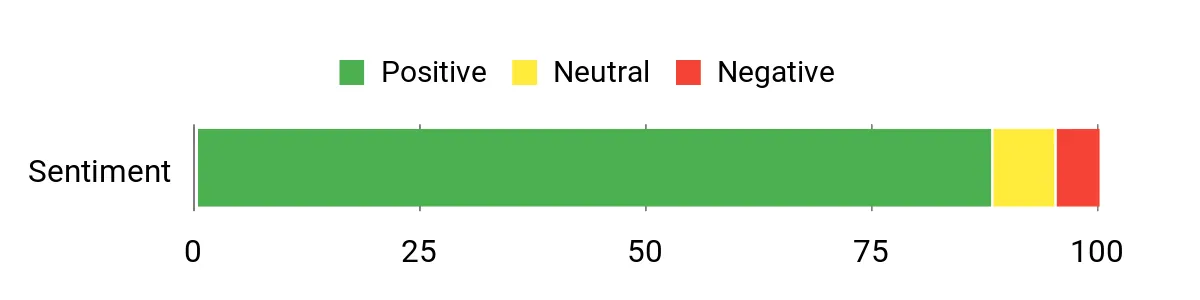
Customers frequently highlight the Mac mini’s speed, quiet operation, and compact size as major advantages. Many appreciate how well it plays with other Apple devices and how fast common creative apps run. The base storage is a recurring note—buyers often recommend budgeting for extra internal or external storage if you work with large media libraries.
Overall Sentiment: Positive
Long-Term Cost Benefits
The Mac mini’s longevity, strong resale value, and efficient performance mean it can serve as a reliable desktop for years, reducing replacement frequency. Upgrading internal storage or memory later is limited and can be expensive, so planning storage needs up front helps avoid higher costs down the road.
Situational Benefits
|
Situation |
How It Helps |
|---|---|
|
Photo And Video Editing |
Hardware acceleration in the M4 speeds up rendering and playback, letting me edit smoothly without a bulky desktop. |
|
Apple Ecosystem Workflow |
Seamless file sharing and device handoff with iPhone and iPad streamline tasks like importing footage and continuing projects across devices. |
|
Space-Constrained Desks |
The tiny case and VESA/desk placement options free up space while still supporting multiple high‑resolution displays. |
Ease Of Use
|
Feature |
Ease Level |
|---|---|
|
Setup & Migration |
Easy |
|
Daily Use |
Easy |
|
Hardware Upgrades |
Difficult |
Versatility
The Mac mini works well as a primary creative machine, a compact edit station, or a media server, and its Thunderbolt I/O makes it adaptable to many workflows.
Practicality
Its small footprint, quiet cooling, and solid port selection make it practical for a home studio, office desk, or workshop where space and noise matter.
Energy Efficiency
The M4 delivers strong performance with good power efficiency, so it stays cool and uses less energy than comparable desktop PCs during typical creative tasks.
Speed & Responsiveness
Apps launch quickly and multitasking feels fluid thanks to unified memory and the fast media engines, which helps speed up everyday creative work.
Key Benefits
- Strong M4 performance for editing and multitasking
- Seamless integration with iPhone and iPad workflows
- Multiple Thunderbolt 4 ports for displays and fast peripherals
Current Price: $549.00
Rating: 4.8 (total: 2579+)
FAQ
What Should I Prioritize When Choosing A Mini PC?
I look first at the processor and memory because they determine how quickly I can edit and render. Prioritize a multi‑core CPU and at least 16 GB of RAM for basic editing, 32 GB if you work with large timelines or 4K footage, and a PCIe SSD for fast project load times.
Also pay attention to ports and display outputs so you can connect capture devices and multiple monitors, and choose an OS that matches your apps and workflow. In this guide you’ll see options across budgets, typically from around $299.00 to $689.99, so match performance to the work you actually do.
Can A Mini PC Handle Video Editing And Rendering?
Yes, many mini PCs are surprisingly capable for editing and even rendering, especially models with high‑end mobile silicon or Apple’s M4. For smooth timeline playback I rely on fast RAM, hardware acceleration when available, and using proxy workflows when exporting large projects.
Keep in mind sustained heavy renders push thermals, so choose a unit with good cooling and give it space to breathe; adding fast external storage or a NAS also helps move and store large media files efficiently.
How Do Upgrades, Reliability, And Support Affect Long‑Term Value?
I consider upgradeability and warranty as part of the total cost of ownership because being able to add RAM or another M.2 drive extends a mini PC’s useful life. Check for accessible SSD and memory slots before buying and keep regular backups so you’re not vulnerable to hardware failures.
Also check warranty and seller reputation, since post‑sale support can vary between brands; paying a bit more for better support or an extended warranty can be worth it if you depend on the machine for client work.
What Buyers Prefer
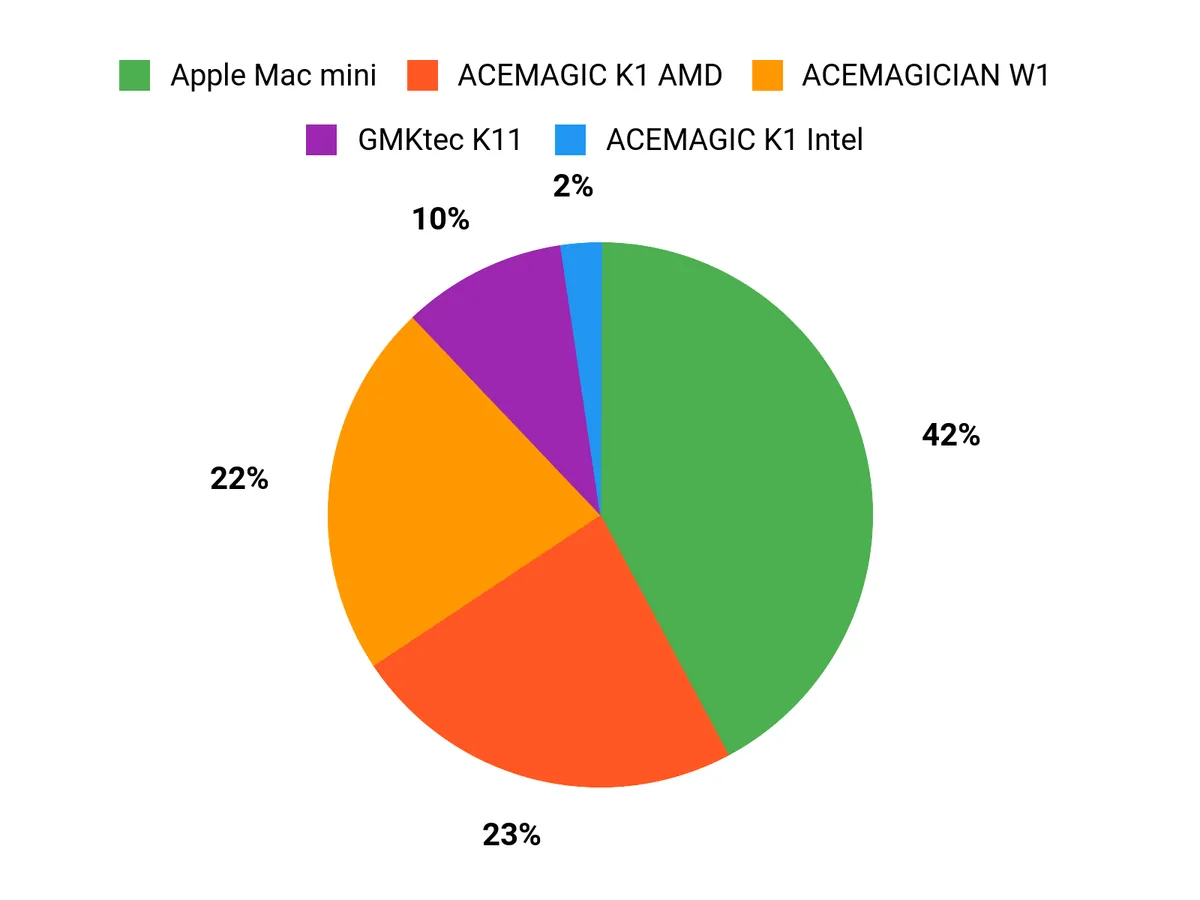
When choosing between the ACEMAGICIAN W1, ACEMAGIC K1 Intel, and ACEMAGIC K1 AMD I see buyers trade off raw performance, price, and power efficiency—picking the W1 for heavy editing, the K1 Intel for the best value, and the K1 AMD for a quiet, space‑saving office rig. They also look closely at ports and multi‑display support, upgrade options for SSD and RAM, and the reliability and support that keep a creator’s workflow running smoothly.
Wrapping Up
If I had to boil this down, I’d say choose the mini PC that matches the work you do most often. The ACEMAGICIAN W1 and GMKtec K11 pack the most on‑chip performance for demanding timelines and multi‑monitor setups, the Intel ACEMAGIC K1 balances capable cores with a very attractive price, and the lower‑cost ACEMAGIC K1 AMD is a compact, quiet option for everyday office and media tasks. The Apple Mac mini with M4 is the best pick if you’re already invested in Apple’s ecosystem and want excellent media acceleration and system polish.
I recommend thinking first about whether you need raw CPU/GPU power, macOS integration, or the best value for a secondary workstation, and then pick the mini PC here that aligns with that priority.
| Product Name | Image | Rating | Processor | RAM | Storage | Graphics | Connectivity | Price |
|---|---|---|---|---|---|---|---|---|
| ACEMAGICIAN W1 Mini PC |
 |
4.4/5 (266 reviews) | AMD Ryzen 7 H 8745HS (Up to 4.9 GHz) | 32 GB DDR5 | 1 TB SSD | AMD Radeon 780M | USB4, WiFi 6E, Bluetooth 5.2, 6 USB 3.0 ports, 2.5GbE | $599.00 |
| ACEMAGIC K1 Mini PC |
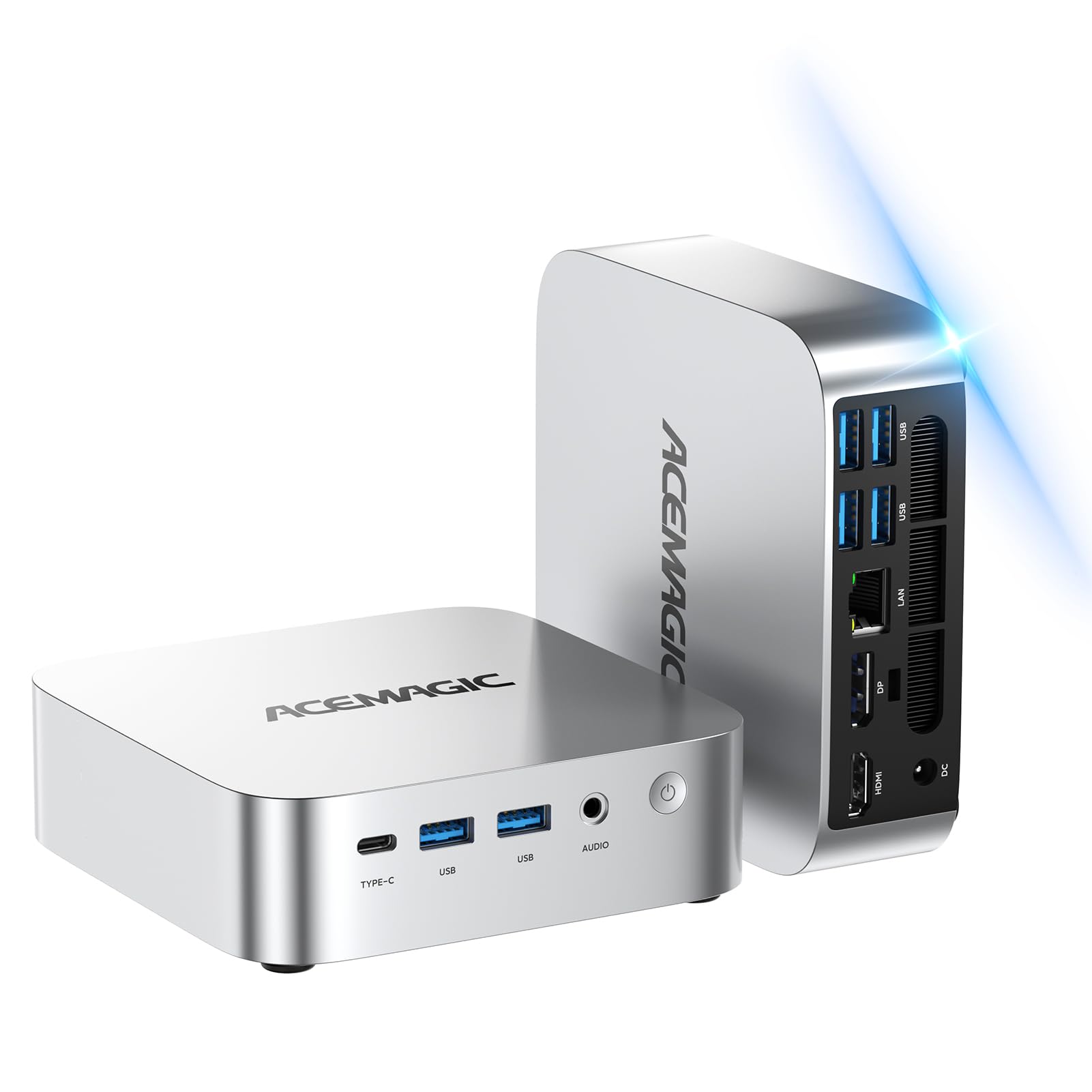 |
5.0/5 (2 reviews) | Intel Core i5-12600H (Up to 4.5 GHz) | 16 GB DDR4 | 512 GB SSD | Integrated Graphics | WiFi 6, Bluetooth 5.2, 6 USB 3.0 ports | $399.99 |
| ACEMAGIC K1 Mini PC AMD Ryzen |
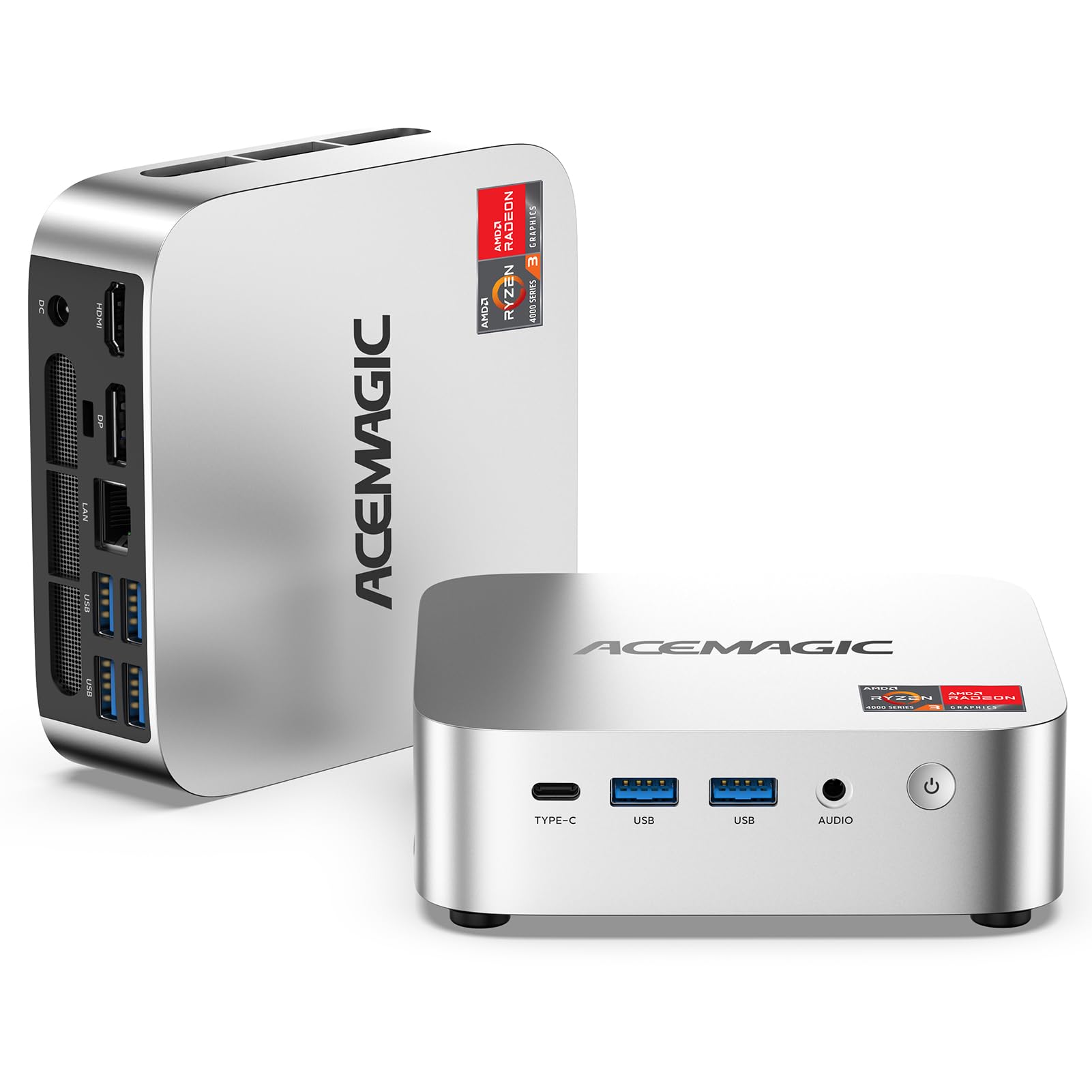 |
4.4/5 (328 reviews) | AMD Ryzen 4300U (Turbo 3.7 GHz) | 16 GB DDR4 | 1 TB SSD | AMD Radeon Graphics | WiFi 802.11ac, 7 USB 3.0 ports | $299.00 |
| GMKtec Gaming PC, K11 |
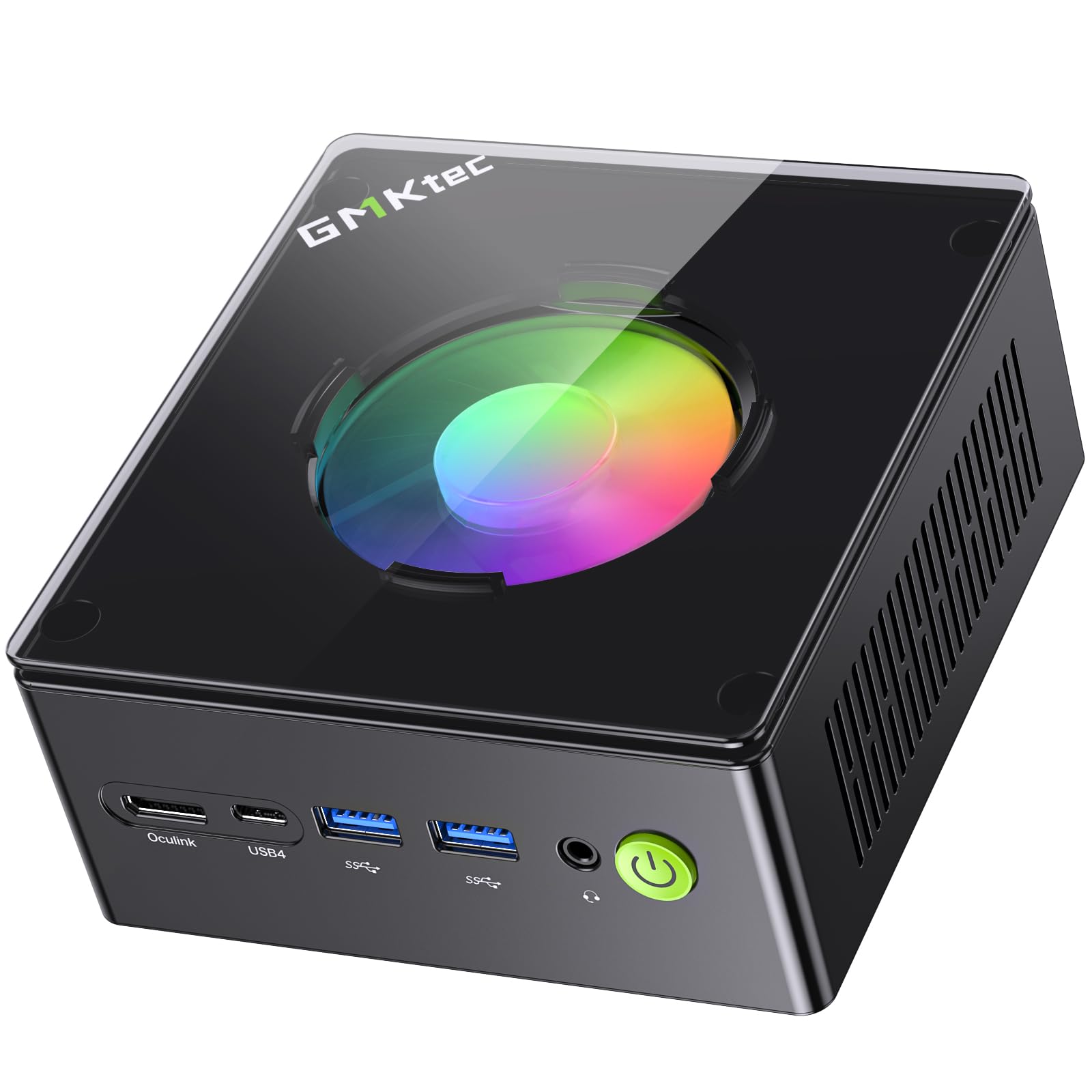 |
4.9/5 (17 reviews) | AMD Ryzen 9 8945HS (Up to 5.2 GHz) | 32 GB DDR5 | 512 GB SSD | Integrated Radeon Graphics | Dual 2.5GbE LAN, HDMI, DisplayPort, USB4 | $689.99 |
| Apple 2024 Mac Mini |
 |
4.8/5 (N/A reviews) | Apple M4 Chip (10-core CPU & GPU) | 16 GB Unified Memory | 256 GB SSD | Integrated | Gigabit Ethernet, Wi-Fi 6E, Bluetooth 5.3, Thunderbolt 4 | $549.00 |
This Roundup is reader-supported. When you click through links we may earn a referral commission on qualifying purchases.



