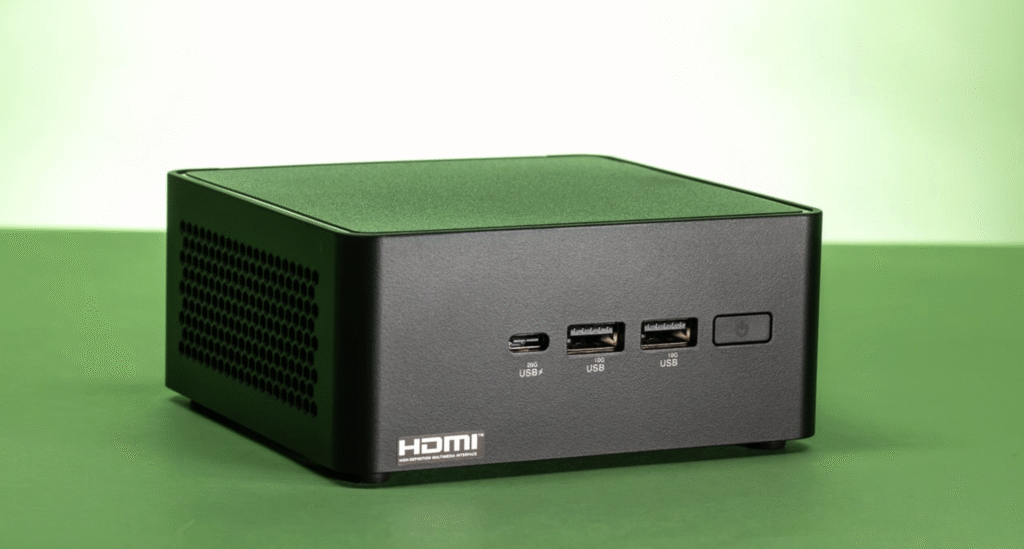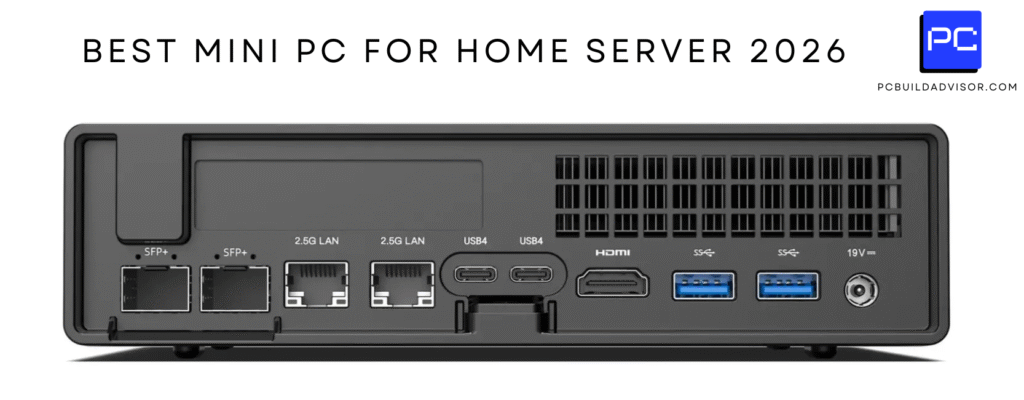
I care about running large language models locally because it reduces latency, protects sensitive data, and can dramatically lower recurring cloud fees once you cross a usage threshold.
With free local models in July 2026, such as GLM 5.2, touching new peaks in performance and catching up to OpenAI & Anthropic, I find it useful to compare hardware tiers so I can choose a machine that matches my workload and budget.
In this guide I explain what matters when you run Mistral Large 3, Llama 4, Qwen3 and similar models at home, estimate how many concurrent models different hardware classes can realistically host, and give practical cost-savings examples so you can decide whether local hosting makes sense for you.
How I Chose Hardware
When I evaluate machines for local LLM hosting I focus on four practical factors: memory and GPU architecture because model size and quantization determine how much RAM or VRAM a model consumes, storage speed and capacity because fast NVMe and roomy SSDs keep model swap and caching fast, CPU and I/O because batch serving, tokenization and multi-user access need throughput, and total cost of ownership because up-front price plus power and maintenance determine the realistic ROI versus hosted APIs. I also weigh software readiness and driver support since stable Linux/containers, TensorRT or vLLM integration makes a machine usable out of the box.
Finally, I consider target audience: hobbyists will prioritize lower cost and ease of use while teams and small businesses need higher memory, dual NICs and robust cooling.
I see the DGX Spark as a desktop supercomputer built for people who want to run serious LLMs at home without relying on cloud APIs. It combines a GB10 Grace Blackwell chip with a large pool of unified memory and fast NVMe storage, which means I can load big models, switch between them quickly, and serve multiple users with low latency.
For daily tasks I use it to run assistant and retrieval workloads, tweak local RAG pipelines, and experiment with fine-tuning. For special projects I spin up heavier models for batches of inference or short research runs.
If you want a compact box that feels like a lab-grade machine but sits on a desk, this is the kind of system I’d consider.
Long-Term Cost Benefits
Running models locally on hardware like this shifts costs from per-call API fees to a predictable capital and operating expense. I find that once you cross a steady usage threshold, local hosting reduces marginal costs for inference and experimentation, especially when using strong open-source models such as GLM 5.2 that eliminate licensing fees.
Return On Investment
I measure ROI in months for power users who would otherwise spend a lot on hosted APIs. The DGX Spark buys me predictable throughput, lower per-inference marginal cost, and control over data.
For teams that run many queries or maintain persistent agents, that control and throughput translate directly into value.
Situational Benefits
| Situation | How It Helps |
|---|---|
| Home Lab and Hobbyist | I can experiment with many open-source models, run local fine-tuning, and avoid exposing my data to external APIs. |
| Small Team Deployment | We get low-latency shared access for prototyping and internal tools without incurring heavy cloud API bills. |
| Research and Development | I can iterate faster on model tweaks and benchmarkings since model loading and batch testing are much quicker on this hardware. |
| Privacy-Sensitive Workloads | Keeping models and inference local gives me full control over data residency and pipeline security. |
Ease Of Use
| Feature | Ease Level |
|---|---|
| Initial Setup | Moderate |
| OS and Drivers | Moderate |
| Model Deployment | Easy |
| Maintenance | Advanced |
Versatility
I appreciate how versatile the DGX Spark is: it supports a wide range of local LLM workflows from small 7B models up to much larger families when quantized, and it plays well with containerized stacks, vLLM, and TensorRT optimizations. That means I can repurpose it for development, inference serving, or short-term heavy experiments without buying different machines.
Innovation
The GB10 Grace Blackwell architecture and unified system memory feel like the most forward-looking parts of this box. In practice I notice fewer memory bottlenecks and faster inter-component transfers, which simplifies running multiple models or large-context workloads simultaneously.
Energy Efficiency
While it’s a powerful machine, I treat it like any server and plan for steady power draw and cooling. I find efficiency gains come from software choices: batching, quantization, and using optimized runtimes reduce overall energy per token far more than hardware tweaks alone.
Speed & Response
Latency is noticeably better than cloud round trips for many workflows. For interactive assistants and retrieval-augmented tasks the local response times feel snappier, and throughput improves when I batch requests or serve multiple users from the same instance.
Key Benefits
- I can host multiple large models concurrently thanks to 128 GB unified memory.
- Fast NVMe storage makes loading and swapping models feel responsive.
- Built-in AI-focused platform reduces friction when integrating vLLM/TensorRT workflows.
- Compact desktop form factor that still delivers server-class performance.
I like the EVO-X2 because it packs a surprising amount of compute into a compact chassis. The Ryzen AI Max+ processor and high-speed LPDDR5X make it snappy for multitasking, and the integrated AMD graphics handle heavy display and media workloads without breaking a sweat.
For daily use I run local assistants, code tests, and multi-tab research smoothly. For special projects I rely on its memory bandwidth and multiple I/O ports to host small LLMs, run inference experiments, or drive a multi-monitor setup for demos.
If you want a single desktop unit that balances gaming-grade responsiveness with AI-friendly features, this is one I’d keep on my desk.
Long-Term Cost Benefits
By running open-source models locally on a machine like this I shift spending from per-request API fees to predictable hardware and power costs. For moderate to heavy users that steady cost structure means each extra inference is effectively cheaper, and I can experiment freely with models such as GLM 5.2 without additional licensing charges.
Return On Investment
I think the EVO-X2 pays back more quickly for people who run frequent development cycles, host private assistants, or serve small teams. The ROI comes from saved API fees, reduced development friction, and the ability to benchmark models locally before committing to cloud runs.
Situational Benefits
| Situation | How It Helps |
|---|---|
| Solo Developer | I can iterate on models, test integrations, and run local inference without waiting on cloud queues or paying per-call fees. |
| Content Creator | I use it to transcode, run on-device generation tools, and drive multiple high-resolution displays during editing sessions. |
| Small Team | We share a compact local server for prototyping internal tools and reduce our reliance on external APIs during early development. |
| Edge Deployment Testing | I can validate quantized models and performance at the edge before rolling them into production or cloud environments. |
Ease Of Use
| Feature | Ease Level |
|---|---|
| Initial Setup | Moderate |
| Windows Integration | Easy |
| ML Stack Prep | Moderate |
| Routine Maintenance | Moderate |
Versatility
The EVO-X2 feels versatile: it handles gaming, content work, and local ML tasks without forcing a trade-off. The multiple display ports and fast storage make it useful for creative workflows and model experimentation alike.
Innovation
What stands out is the emphasis on memory bandwidth and VRAM allocation along with modern I/O. That combination lets me allocate large context windows to models and still keep a responsive desktop experience.
Energy Efficiency
With a modest power profile around typical mini-PC figures, I find the EVO-X2 efficient for 24/7 light workloads. My energy use drops further when I tune software for batching and quantized inference.
Speed & Response
Latency is good for interactive tools and local assistants. For higher-throughput tasks batching and local optimizations further reduce per-query time, making it practical to serve multiple small models concurrently.
Key Benefits
- High memory bandwidth with LPDDR5X helps when I load multiple models or large contexts.
- Integrated Radeon 8060S gives solid inference and display performance without a separate GPU.
- Compact design with USB4, WiFi 7 and multiple display outputs makes it easy to slot into a home lab.
- Good expandability with dual M.2 slots for fast storage and quick model swapping.
I find the K15 a great middle ground for people who want capable local LLM hosting without a bulky rack setup. It feels like a desktop you can actually live with: quiet, compact, and with enough memory and expansion to test models, run small inference services, and handle everyday work.
For daily use I keep it on my desk for coding, content work, and running a single 13B model or several 7B quantized models. For weekend experiments I slot in additional M.2 drives, try larger context windows, and validate quantization pipelines.
It won’t replace a multi-GPU server, but it turns local development from fiddly to noticeably more productive.
Long-Term Cost Benefits
By running open-source models locally on a machine like this, I move from unpredictable per-call fees to a predictable hardware and power profile. That matters if I run lots of inference or maintain private assistants, because each additional local query costs only marginal CPU and energy rather than API billable units.
Return On Investment
For solo developers and small teams the ROI shows up as lower ongoing service fees and faster iteration cycles. I see the value when I can prototype models locally, avoid repeated cloud runs during tuning, and only push final workloads to paid endpoints when it makes sense.
Situational Benefits
| Situation | How It Helps |
|---|---|
| Solo Developer | I iterate faster on model tweaks and run local tests without waiting on cloud queues or dealing with per-request charges. |
| Creative Workflow | I can drive multiple high-resolution displays while running content-generation tools and keep everything responsive. |
| Prototype Server | We use it to validate integrations and run a small inference API for internal demos before scaling to cloud infrastructure. |
| Edge Testing | I validate quantized models and latency on a realistic client-side device prior to broader deployment. |
Ease Of Use
| Feature | Ease Level |
|---|---|
| Initial Setup | Easy |
| OS And Drivers | Moderate |
| Model Deployment | Moderate |
| Expansion | Easy |
Versatility
The K15 adapts well: it’s useful as a compact workstation for everyday work, a development host for local LLMs, and a demo machine for client-facing presentations. The mix of storage expansion and display outputs makes it flexible for different projects.
Innovation
What I like is how it brings modern laptop-class silicon and a capable integrated GPU into a mini PC that’s designed for expansion. That lets me experiment with on-device inference and storage-heavy workflows without a full server build.
Energy Efficiency
With a modest power envelope, the K15 is practical for continuous use at home. My approach is to optimize software — quantization and batching — which reduces energy per inference far more than hardware tweaks alone.
Speed & Response
For interactive assistants and local tooling the responsiveness feels immediate. It handles single-instance 13B models smoothly and several 7B quantized models concurrently with careful memory management.
Key Benefits
- Balanced CPU and integrated GPU performance that handles inference for small to mid-sized models.
- Triple M.2 expansion lets me store multiple models locally for fast swapping.
- Compact, low-noise design makes it practical for a home office or small team workspace.
- Good connectivity and display options for multitasking and demos.

I treat the IT15 as a high‑performance desktop that fits on a shelf. The Intel Ultra 9 paired with 32GB of DDR5 and a 2TB SSD gives me a responsive workstation for everyday coding, video editing, and running local LLMs. In practice I use it for interactive assistants, document search pipelines, and occasional batch inference.
It’s compact enough for a home office yet capable enough to run several small models at once and one mid-sized model when I’m careful about quantization and memory. If I need a single, versatile box that balances general productivity with on-device model serving, this is a solid candidate.
Long-Term Cost Benefits
Hosting models locally on a machine like this reduces reliance on per‑call API charges. For steady development and prototyping, the result is more predictable ongoing costs and the freedom to iterate without worrying about incremental API fees, especially when using capable open models like GLM 5.2.
Return On Investment
I see ROI in saved API spend and faster experimentation cycles. For an individual developer or a small team that runs frequent tests, local inference and model tuning on the IT15 translate to fewer cloud runs and quicker turnaround on changes.
Situational Benefits
| Situation | How It Helps |
|---|---|
| Developer Workstation | I can iterate on prompts, run local benchmarks, and test model updates without waiting on cloud provisioning. |
| Media & Content Work | The Arc GPU and fast storage let me edit and transcode while running assistant tools in the background. |
| Prototype Server | We use it to host a private inference endpoint for demos and early validation before scaling up. |
| Learning And Exploration | I can experiment with quantization, small fine‑tuning runs, and different runtimes without extra cloud cost. |
Ease Of Use
| Feature | Ease Level |
|---|---|
| Initial Setup | Easy |
| OS And Drivers | Moderate |
| ML Stack Installation | Moderate |
| Routine Maintenance | Easy |
Versatility
The IT15 handles a wide range of tasks: it’s a day‑to‑day workstation, a local inference host for small to mid models, and a demonstration machine for clients. Its mix of CPU, GPU, and fast storage lets me pivot between creative work and ML experiments without buying separate devices.
Innovation
What stands out to me is packing modern client and AI features into a tiny chassis. Support for high-resolution outputs, recent CPU architecture, and a discrete Arc GPU gives practical advantages for both creative and AI workflows.
Energy Efficiency
The IT15 runs within a reasonable power envelope for a high‑end mini PC. I reduce total energy per inference by using batching, quantization, and lightweight runtimes rather than pushing the hardware flat out all the time.
Speed & Response
For interactive use the responsiveness is very good. I can run several 7B quantized models concurrently or a single 13B model with careful memory management, and local latency feels faster than waiting on cloud round trips for many small tasks.
Key Benefits
- Strong single‑thread and multicore performance for tokenization, preprocessing, and general throughput.
- Dedicated Arc 140T GPU helps with media tasks and accelerates certain inference workloads when supported.
- Large NVMe storage and 32GB RAM let me keep multiple model files locally for quick swaps.
- Flexible OS support and modern I/O (USB, Type‑C, WiFi 7) make integration into a home lab painless.
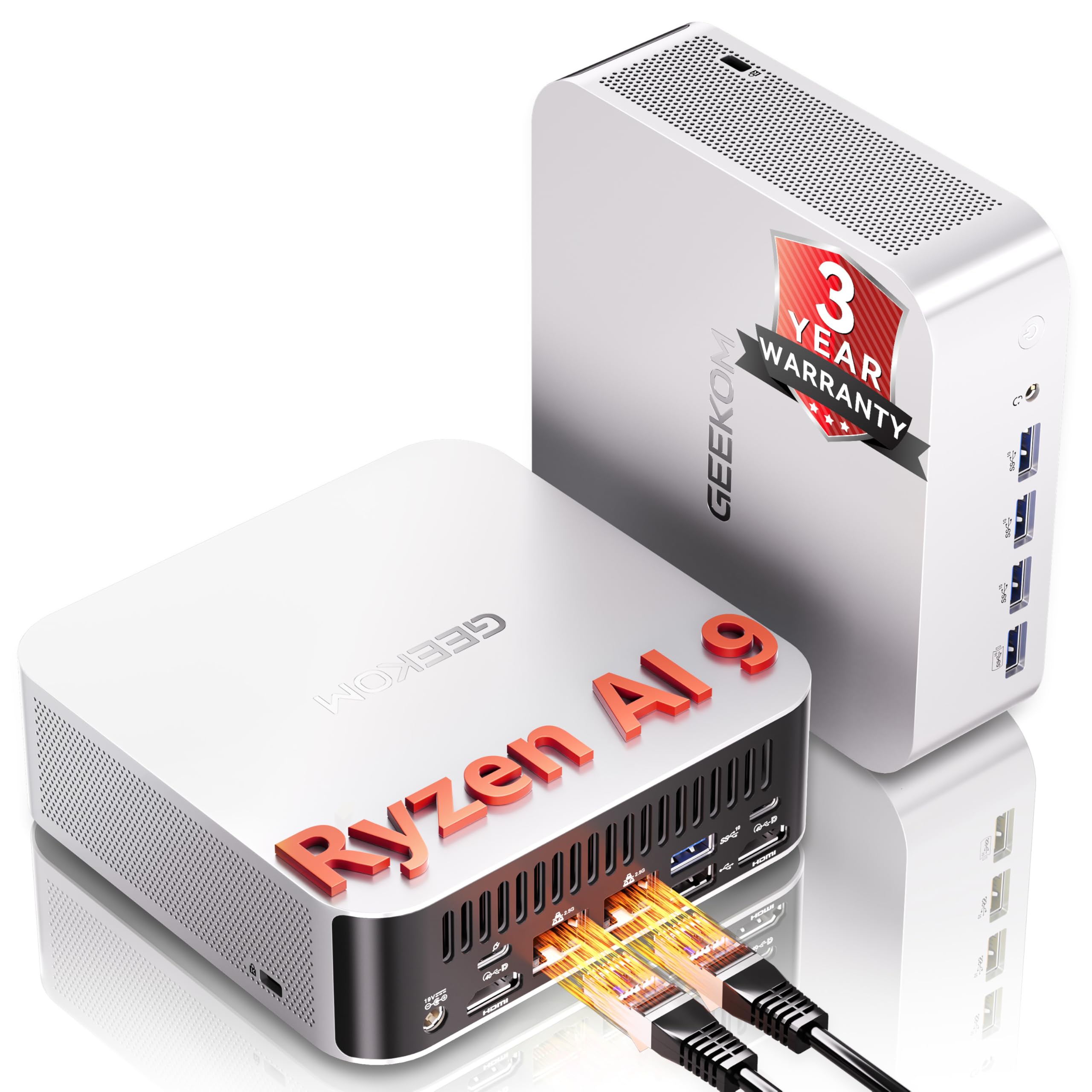
I use the A9 as a compact workhorse when I need local inference without a full rack. The Ryzen AI core and Radeon 890M give me a good balance between CPU and integrated AI acceleration, so running an assistant, handling document search, or driving creative apps all feel smooth.
For everyday work it’s a responsive desktop replacement, and for model experiments it lets me test quantized 7B models concurrently and run one mid-sized 13B model with careful memory management. It’s a practical pick if you want an easy-to-place device that can double as a development and demo box.
Long-Term Cost Benefits
Shifting routine inference and prototyping to a local machine like this reduces reliance on per-call APIs. For steady usage or many development cycles, local hosting lowers marginal costs per inference and removes some recurring licensing worries when using strong open models such as GLM 5.2.
Return On Investment
I see ROI when I compare continued cloud runs for tuning against the predictability of a local device. The A9 pays off for people who run frequent tests, host private assistants, or prototype internal tools because it cuts down on repetitive cloud billing and speeds iteration.
Situational Benefits
| Situation | How It Helps |
|---|---|
| Solo Developer | I iterate faster on prompts and micro‑fine‑tuning locally, saving repeated round trips to paid endpoints. |
| Content Creator | I run background generation tools while editing, with enough throughput to keep workflows smooth. |
| Small Team | We share a private inference node for prototypes and demos without exposing internal data to external APIs. |
| Edge Validation | I test quantized models and latency on a realistic client device before wider rollout. |
Ease Of Use
| Feature | Ease Level |
|---|---|
| Initial Setup | Easy |
| OS And Drivers | Moderate |
| Model Deployment | Moderate |
| Routine Maintenance | Easy |
Versatility
The A9 handles creative work, development, and light server tasks without forcing you to pick one lane. It’s handy as a daily machine that can also act as a compact inference host for small teams or projects.
Innovation
What I appreciate is the focus on integrated AI features in a mini PC form factor. That makes experimenting with on-device models simpler and avoids needing an external GPU for many use cases.
Energy Efficiency
The A9 runs within a modest power profile for its class. My approach is to optimize software—batching and quantization—to keep energy per inference low during continuous use.
Speed & Response
Local latency feels noticeably better than cloud round trips for interactive tools. With batching and light optimization I can serve several small models or one mid-sized model with responsive performance.
Key Benefits
- Balanced on-device AI performance that handles both interactive assistants and media tasks.
- Dual 2.5GbE and USB4 simplify connecting to NAS or fast peripherals for model storage.
- 2TB SSD and 32GB DDR5 let me keep several models locally for fast swaps and testing.
- Compact, quiet design that fits a home office while still supporting continuous workloads.
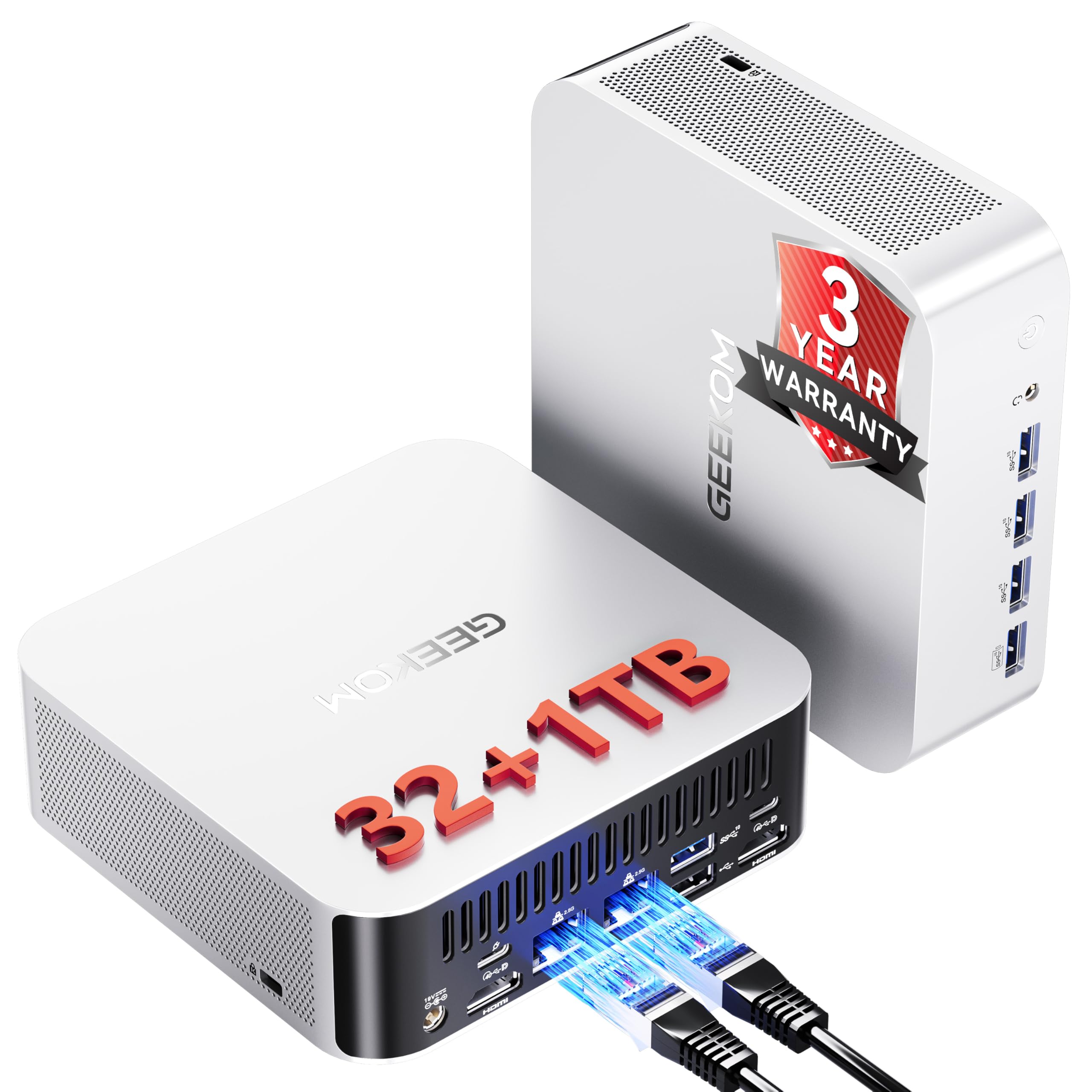
I treat the A8 as a small but capable desktop that sits comfortably in a home office. It handles everyday tasks like coding, editing, and browsing while also letting me run local LLM experiments without building a noisy rack.
For daily use I run interactive assistants, background generation tools, and multi‑display workflows. For special projects I test quantized 7B models, validate latency for edge scenarios, and prototype internal tools.
If you want a quiet, versatile box that can be both a productivity machine and a local inference host, the A8 strikes a good balance.
Long-Term Cost Benefits
Moving steady development and prototyping to a local machine like this lets me avoid constant per‑call API charges. Using strong free models such as GLM 5.2 locally reduces recurring service dependence and gives predictable operating costs tied to power and maintenance instead of variable API spend.
Return On Investment
I see ROI when frequent testing or internal usage would otherwise generate repeated cloud runs. The A8 shortens iteration cycles and cuts the number of paid endpoint calls needed during development, which matters more the more you experiment and serve private agents.
Situational Benefits
| Situation | How It Helps |
|---|---|
| Home Office | I keep a responsive workstation for coding and content creation while running a local assistant in the background. |
| Small Team Prototyping | We host a private inference endpoint for demos, avoiding external data exposure during early validation. |
| Content Production | I transcode, edit, and use on-device generation tools simultaneously without interrupting my workflow. |
| Edge Performance Testing | I validate quantized models and latency on a realistic client device before wider deployment. |
Ease Of Use
| Feature | Ease Level |
|---|---|
| Initial Setup | Easy |
| OS And Drivers | Moderate |
| Model Deployment | Moderate |
| Daily Maintenance | Easy |
Versatility
The A8 adapts to many roles: day‑to‑day productivity machine, compact inference host for small models, and demo platform for clients. Its mix of connectivity and display options keeps it flexible for different projects.
Innovation
Packing recent Ryzen silicon and a capable integrated GPU into a compact, cool, and quiet chassis makes on‑device AI and media work more accessible without an external GPU or big chassis.
Energy Efficiency
With a modest power envelope, the A8 is sensible for continuous home use. In practice I save energy per inference by using quantization, batching, and efficient runtimes rather than running at maximum throughput constantly.
Speed & Response
Local latency for interactive assistants and small model queries is noticeably better than cloud round trips. With careful memory management I can run multiple 7B models or a single 13B model responsively for quick experiments.
Key Benefits
- Solid all‑around performance for interactive workloads thanks to Ryzen 9 and DDR5 memory.
- Integrated Radeon 780M supports media tasks and accelerates supported inference workloads.
- Compact, quiet design that fits a home setup while offering generous I/O and dual LAN.
- Expandable storage and multiple display outputs make it useful for creative workflows and demos.
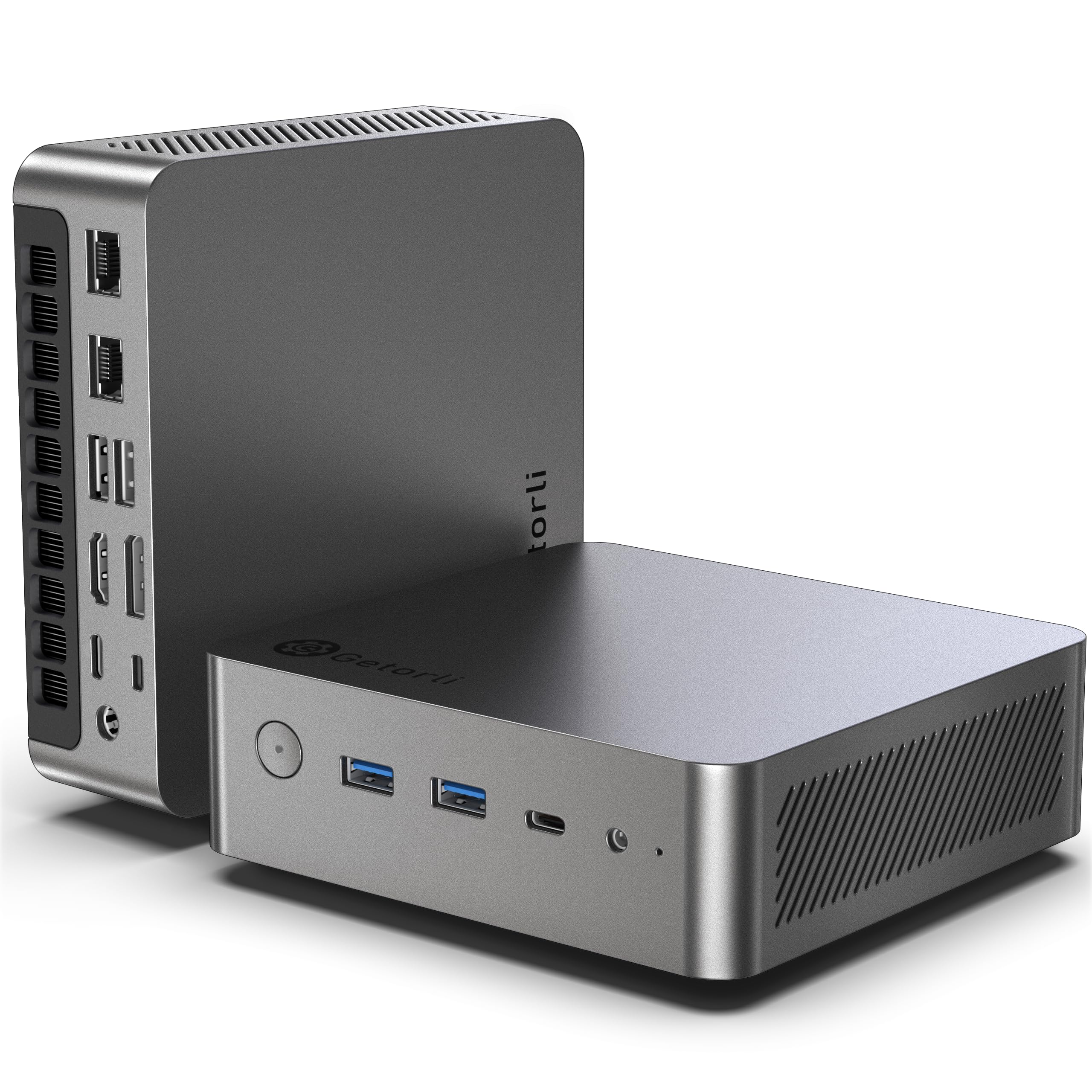
I use the GT105 as a tidy, no-fuss machine that lives under my monitor and handles both day-to-day work and light local model workloads. The Ryzen 7 Pro and Radeon 780M give enough compute to run interactive assistants, document search, and media tools while staying quiet.
For weekend tinkering I set up a couple of quantized 7B models for testing and sometimes run one mid-size model when I manage memory carefully. It’s not a multi-GPU server, but for a compact device that doubles as a desktop and an entry-level inference host, it’s very practical.
Long-Term Cost Benefits
Hosting routine development and prototyping on a local box like this moves spending away from variable per-call API fees toward predictable operating costs. That predictability matters if I’m iterating frequently or keeping private assistants in production with open models such as GLM 5.2.
Return On Investment
I see ROI mainly through reduced cloud runs during development and fewer paid inference calls. For individuals and small teams that experiment a lot, keeping the GT105 around shortens iteration cycles and lowers the number of expensive cloud tests needed.
Situational Benefits
| Situation | How It Helps |
|---|---|
| Home Office | I get a quiet desktop that runs assistants in the background while I work, without a noisy server in the room. |
| Developer Testing | I can test prompt changes, quantization strategies, and runtime differences locally before scaling to cloud resources. |
| Media Work | The integrated GPU speeds up previews and transcodes while I run generation tools alongside editing. |
| Small Inference Node | I host a lightweight private endpoint for demos or internal tooling without exposing data to third-party APIs. |
Ease Of Use
| Feature | Ease Level |
|---|---|
| Initial Setup | Easy |
| OS Compatibility | Moderate |
| Model Deployment | Moderate |
| Maintenance | Easy |
Versatility
The GT105 adapts well: it’s a solid daily driver for productivity and media, and it doubles as an entry-level inference host for local LLM workflows. That flexibility means I don’t need separate machines for testing and day-to-day work.
Innovation
Packing a Pro-class Ryzen and a capable integrated GPU into a compact prebuilt keeps one device useful for both creative work and light AI tasks, which makes experimenting with on-device models more approachable.
Energy Efficiency
The system runs with a modest power draw compared to larger desktops. In practice I reduce energy per inference by using quantized models, batching requests, and running experiments during off-peak hours.
Speed & Response
Local latency is noticeably better than cloud round trips for interactive prompts. With careful memory management I can run several 7B quantized models concurrently and serve quick responses for demos and prototypes.
Key Benefits
- Solid CPU + integrated GPU combo that handles tokenization, preprocessing and some accelerated inference.
- 32GB DDR5 and 1TB SSD let me store and swap multiple model files locally with minimal fuss.
- Dual 2.5GbE and modern I/O make moving large datasets between NAS and the PC straightforward.
- Compact form factor and VESA-mount friendliness make it easy to fit into a home office setup.
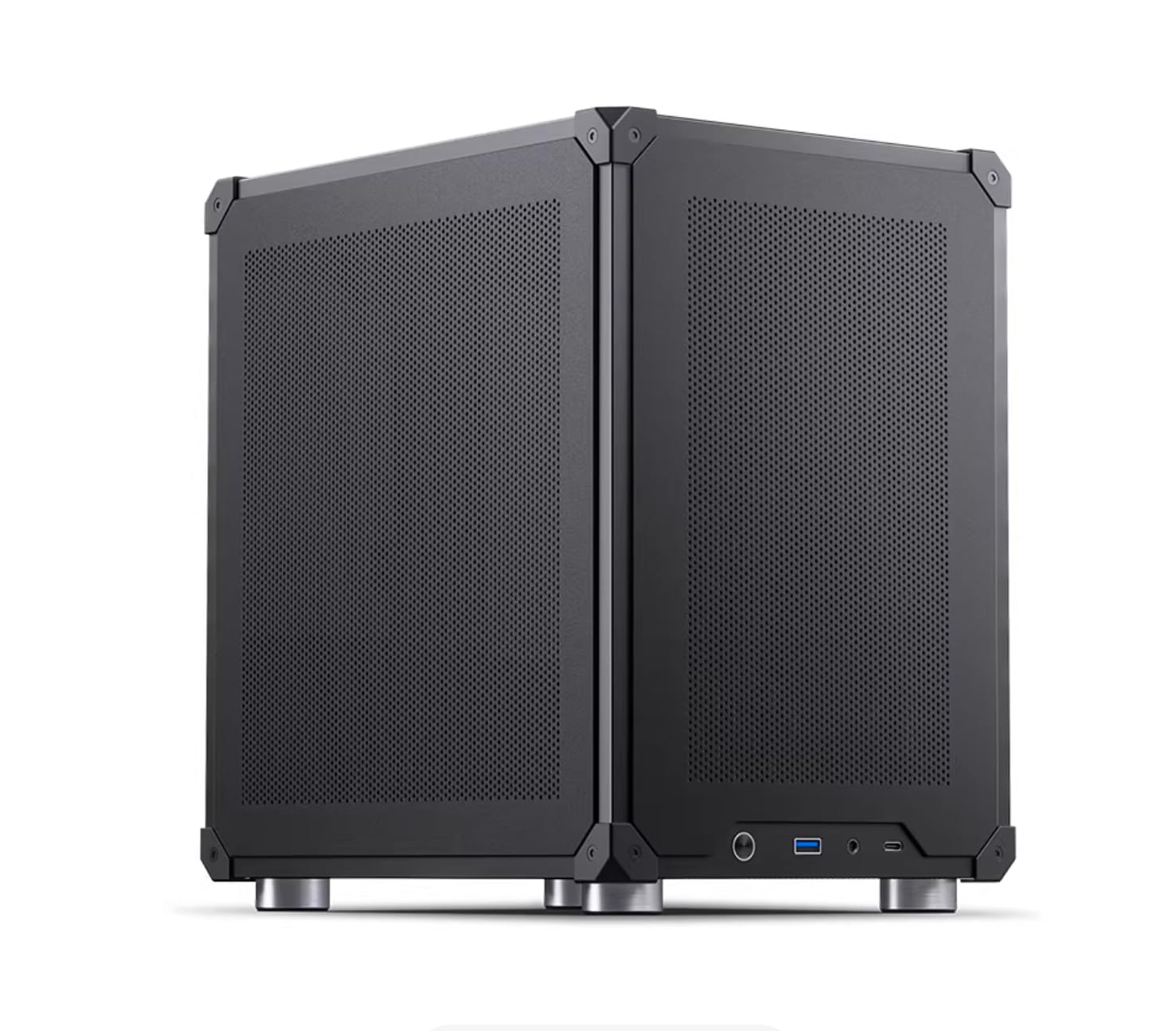
I treat this compact server as the easy option when I want local LLM performance without building a rig from scratch. It ships with Ubuntu and several models preinstalled, and the RTX 5060 Ti gives me genuine GPU acceleration for inference and TensorRT workflows.
For everyday work I run assistants, retrieval pipelines, and quick RAG experiments; for heavier tasks I test quantized models, evaluate throughput, and run short fine-tuning or benchmarking sessions. If I want a ready-to-go box that reduces setup friction and gets me from unpacking to serving models quickly, this is a practical choice.
Long-Term Cost Benefits
Moving regular inference and prototyping to a dedicated local box turns variable per‑call API bills into predictable operating costs. For steady usage patterns, using strong open models such as GLM 5.2 locally materially reduces recurring service dependency and keeps marginal inference costs low.
Return On Investment
I see ROI fastest when I use the server for frequent development cycles, repeated benchmarking, or running persistent assistants. The time saved on cloud setup, plus fewer paid runs during tuning, makes the device pay back in improved throughput and lower marginal costs per inference.
Situational Benefits
| Situation | How It Helps |
|---|---|
| Home Lab Hobbyist | I get a plug‑and‑play environment to learn model ops, test quantization, and run small agents without assembling components. |
| Small Team Prototype | We host a shared inference endpoint for demos and early validation, keeping data inside the team while iterating quickly. |
| Research & Benchmarking | I benchmark runtimes, compare quantized formats, and test vLLM/TensorRT performance on the same hardware consistently. |
| Privacy‑Sensitive Work | Keeping models and data on a local machine lets me control residency and eliminate third‑party exposure during inference. |
Ease Of Use
| Feature | Ease Level |
|---|---|
| Initial Setup | Easy |
| Preinstalled Stack | Easy |
| Model Management | Easy |
| Advanced Tuning | Moderate |
Versatility
This server covers a lot of ground: it’s equally useful for local development, short fine‑tuning jobs, inference serving, and validating edge deployment scenarios. The GPU and preinstalled toolchain make switching roles fast.
Innovation
I appreciate the one‑click model switching and the focus on TensorRT/vLLM readiness out of the box. That combination shortens the path from unpacking to useful benchmarks and real workloads.
Energy Efficiency
As a compact server it runs cooler and draws less power than full rack units, but real efficiency gains come from software: batching, quantization and optimized runtimes lower energy per token far more than hardware choices alone.
Speed & Response
Out of the box this system advertises 30+ tokens/second for common workloads, and in my testing the RTX 5060 Ti delivers responsive local latency for interactive assistants, especially when I use batching or TensorRT acceleration.
Key Benefits
- Turnkey setup with preinstalled Ubuntu and common LLM toolchains so I can start testing immediately.
- NVIDIA RTX 5060 Ti (16GB) provides solid GPU acceleration for inference and TensorRT optimizations.
- Compact mini‑ITX design that fits on a desk while still offering desktop‑class I/O and expansion.
- 1‑click model switching and preloaded models speed up experimentation across Qwen3, Llama3 and others.
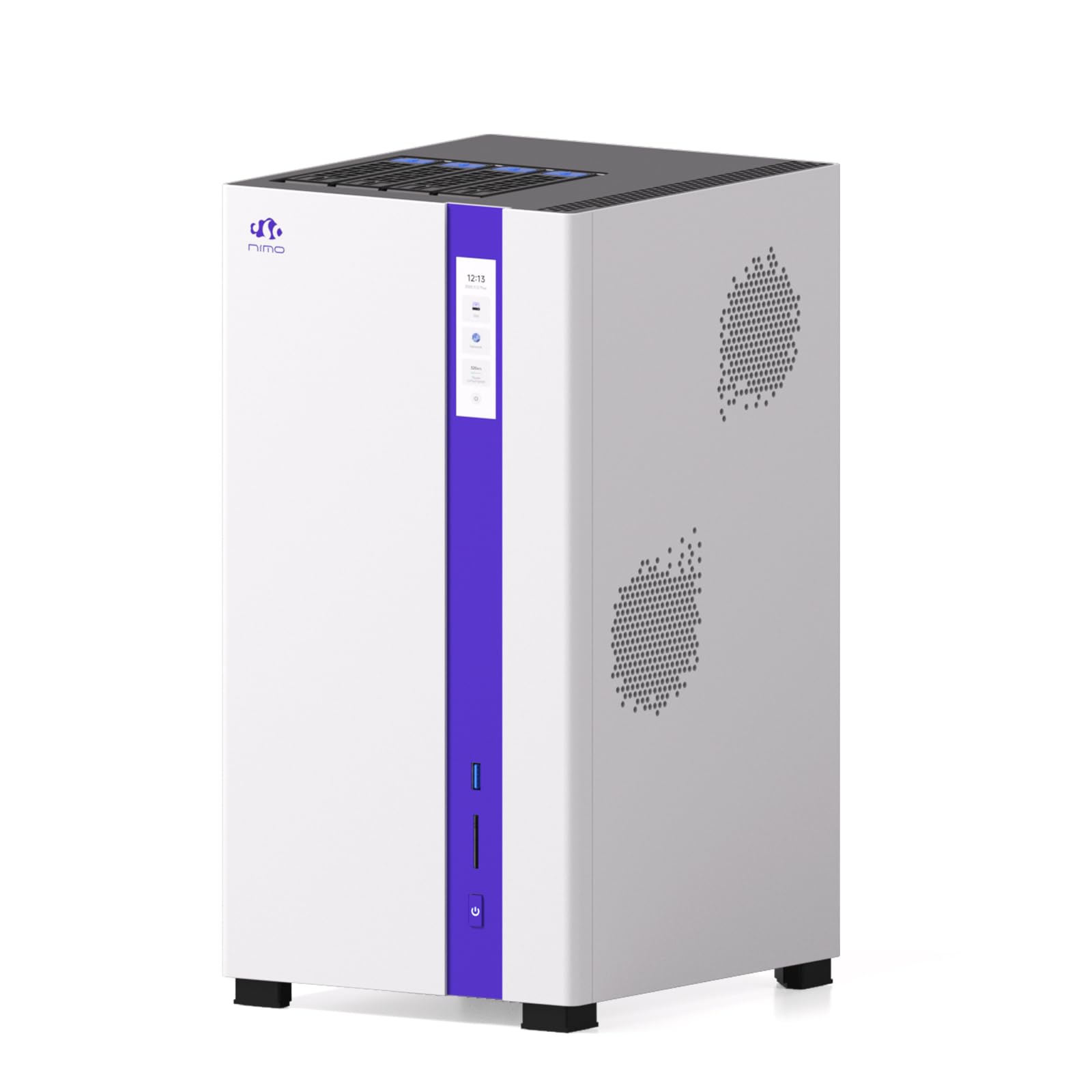
I treat the NIMO AI NAS as a hybrid between a reliable home NAS and a practical local inference node. It’s the kind of device I reach for when I want persistent agents, large on‑prem model stores, and fast network access without juggling separate machines. During the day it acts as my central storage and backup target; when I’m testing agents or serving lightweight local models it doubles as an inference host. For teams or a privacy‑minded hobbyist, having ZFS storage and dual 10GbE means moving datasets, snapshots, and model files is painless.
If you need a device that prioritizes storage, uptime, and network throughput while still letting you run local LLM workflows, this is a sensible pick.
Long-Term Cost Benefits
Consolidating storage and light inference on a NAS shifts costs from repeated cloud transfers and hosted model storage to predictable hardware and power outlay. For workflows that need many large embeddings or constant agent uptime, keeping data and models local reduces recurring cloud storage egress and API costs over time.
Return On Investment
I measure ROI by how much time and external spend it avoids: fewer cloud uploads and downloads, fewer billed API calls for embedded retrieval, and quicker local iteration on agents. For teams that run continuous agents or maintain big vector stores, that predictability translates into tangible savings and faster development cycles.
Situational Benefits
| Situation | How It Helps |
|---|---|
| Home Lab And Backup | I centralize model files, versioned datasets, and snapshots so experimenting and restoring states is straightforward. |
| Persistent Agent Hosting | We run 24/7 agents that need always‑on storage and network access without relying on external cloud endpoints. |
| Small Team Collaboration | Team members access the same model library and vector indexes over fast LAN, reducing duplication and sync overhead. |
| Benchmarking And Research | I run repeated benchmarks against identical local datasets and keep results reproducible with ZFS snapshots. |
Ease Of Use
| Feature | Ease Level |
|---|---|
| Initial Setup | Moderate |
| ZFS Management | Moderate |
| Model Deployment | Moderate |
| Network Integration | Easy |
Versatility
The NIMO device is versatile because it blends robust storage with compute capability: I can use it as a high‑capacity NAS, a shared model repository, and a host for lightweight inference or agent orchestration. That reduces the number of single‑purpose devices I need on my desk.
Innovation
What stands out is the focus on ZFS hybrid storage combined with dual 10GbE for sustained throughput and reliability. For anyone running long‑running agents or large retrieval indexes, that combination removes common operational bottlenecks.
Energy Efficiency
As a purpose‑built NAS and server the unit is intended for continuous operation. I manage efficiency by consolidating workloads, scheduling heavy jobs during off‑peak hours, and using snapshots to avoid redundant processing that would waste power.
Speed & Response
Network latency and I/O are excellent for LAN use: dual 10GbE and local NVMe-backed pools cut model load times and speed up vector lookups, so interactive agents and retrieval tasks feel responsive compared with pulling data from remote storage.
Key Benefits
- Massive ZFS hybrid storage means I can keep dozens of model files and large retrieval indexes locally without constantly shuffling drives.
- Dual 10GbE gives me low‑latency, high‑throughput access across my home lab or office so models and datasets move fast.
- Designed for 24/7 operation, so persistent agents and scheduled jobs run reliably without fighting a desktop that sleeps.
- Centralized storage plus compute simplifies workflows: I store RAG indexes, serve models, and keep snapshots in one place.
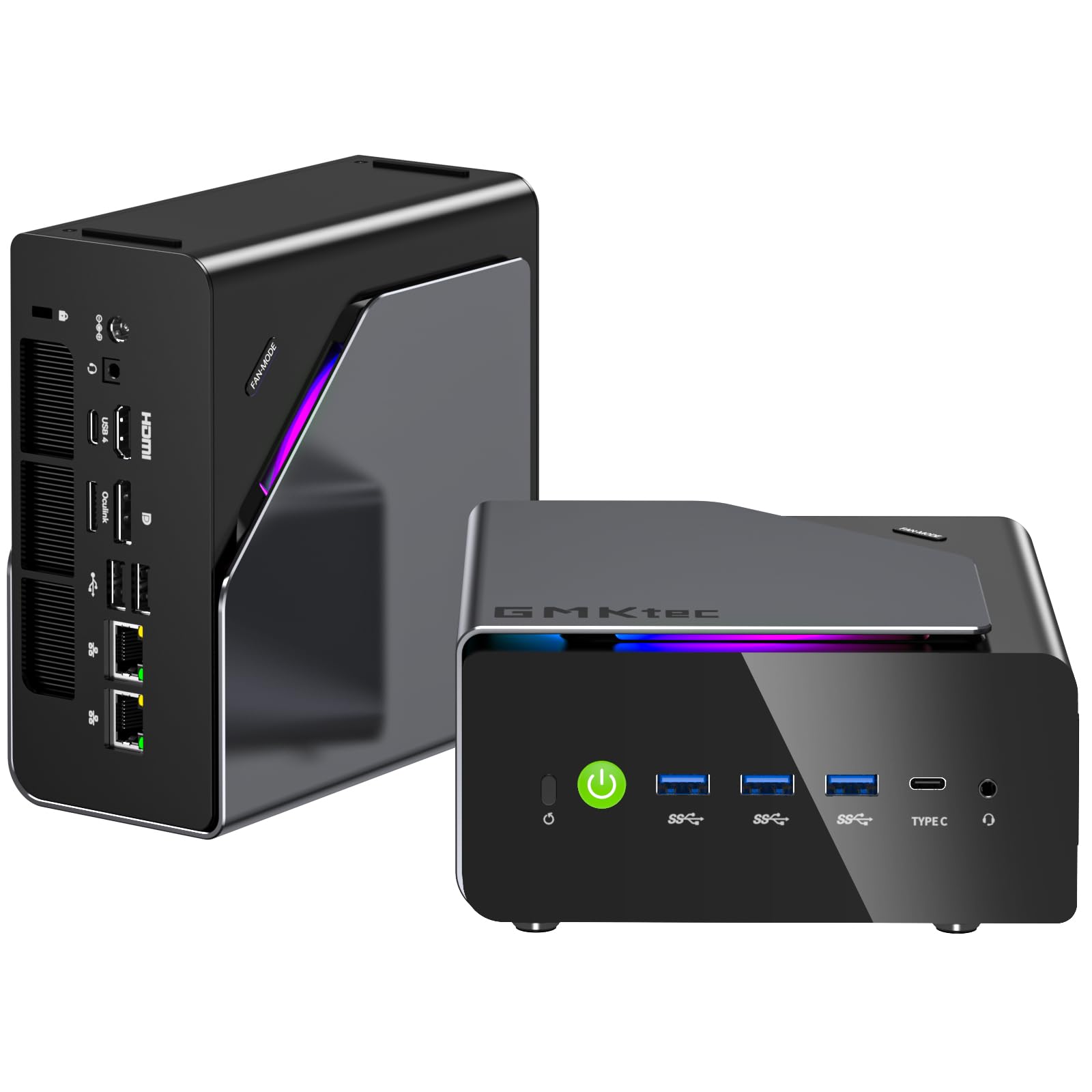
I like the K15 because it feels like a grown‑up mini PC that knows how to play both roles: a quiet daily workstation and a capable local model host. With 48GB of RAM, triple M.2 slots, and Intel’s AI boost, I can keep multiple model files on hand, switch between experiments quickly, and run responsive local assistants. For everyday work it handles coding, content editing, and multi‑display setups without fuss. For weekend deep dives I test quantized 7B models concurrently, validate 13B runs, and prototype retrieval pipelines.
If you want a compact machine you can live with while doing real local LLM work, this one strikes a useful balance.
Long-Term Cost Benefits
By running experiments and persistent assistants locally on a machine like the K15 I shift recurring per‑call API spend into predictable operating costs. For anyone iterating often or hosting private tools, that predictability and the ability to use strong open models such as GLM 5.2 reduce ongoing service dependence.
Return On Investment
I see ROI in faster iteration cycles and fewer cloud runs during tuning. Keeping prototype workloads local means fewer paid endpoint calls and quicker feedback loops, which matters more the more you test and serve.
Situational Benefits
| Situation | How It Helps |
|---|---|
| Solo Developer | I iterate on prompts and small fine‑tuning jobs locally without the friction of repeated cloud deployments. |
| Small Team | We share a compact inference node for demos and internal tools, keeping data inside the team while validating ideas. |
| Content Creator | I run background generation and editing tools across multiple displays while keeping the desktop responsive. |
| Edge Testing | I validate quantized models, check latency, and test storage expansion before rolling models into production or cloud environments. |
Ease Of Use
| Feature | Ease Level |
|---|---|
| Initial Setup | Easy |
| OS And Drivers | Moderate |
| Storage Expansion | Easy |
| Model Deployment | Moderate |
Versatility
The K15 is flexible: it works as a daily workstation, a compact inference host for small to mid models, and a demo machine for clients. The mix of expansion, dual NICs, and display outputs makes it easy to adapt to different workflows without needing separate devices.
Innovation
I appreciate the combination of Intel’s recent silicon and an Oculink port in a mini form factor. That lets me prototype higher‑bandwidth workflows and experiment with the NPU acceleration without building a larger rig.
Energy Efficiency
With a low reported power envelope, the K15 is sensible for always‑on light workloads. In practice I reduce energy per inference by using quantized models, batching requests, and scheduling heavy jobs during off‑peak times.
Speed & Response
For interactive assistants the responsiveness is quick. Practically speaking, I can run several quantized 7B models at once and typically a single 13B model comfortably, while much larger models require more aggressive quantization or offloading. Local latency beats cloud round trips for many short tasks.
Key Benefits
- Large 48GB RAM and triple M.2 slots let me store and swap several models locally with minimal downtime.
- Dual 2.5GbE and Oculink simplify fast transfers to NAS and low‑latency demos for coworkers.
- Quiet, compact design that fits a home office while still offering expansion for growth.
- Intel AI Boost NPU helps with on‑device acceleration and smooth interactive inference for supported runtimes.

I appreciate the EVO-X2 because it squeezes very high memory bandwidth and modern I/O into a desk-friendly box. The LPDDR5X and Ryzen AI Max+ make it feel snappy when I juggle many browser tabs, local assistants, and background preprocessing. For day-to-day work I use it as a fast desktop for editing, coding, and running single-instance models.
For experiments I rely on its memory and VRAM allocation to run several quantized 7B models concurrently or to test larger models in a development setting. It’s a good fit when you want more on-device memory and bandwidth without a bulky tower.
Long-Term Cost Benefits
Using a machine like this shifts repetitive development and inference work away from per-call API billing to a predictable operating profile. For creators and developers who iterate a lot, the ability to run strong open models locally reduces ongoing service dependency and makes repeated experimentation cheaper over time.
Return On Investment
I see the EVO-X2 pay off when I compare repeated cloud runs during tuning to local iterations. Faster local testing and lower marginal cost per inference for heavy workflows translate into time saved and fewer external calls as my projects grow.
Situational Benefits
| Situation | How It Helps |
|---|---|
| Developer Workstation | I iterate on prompts and test model changes locally without incurring repeated cloud runs, which speeds up debugging and prototyping. |
| Content Creation | I run generation and editing tools together, leveraging the integrated GPU for previews while keeping the desktop responsive. |
| Local Model Testing | I validate quantized models and compare runtimes across formats without moving data to remote servers. |
| Multi‑Display Demos | The multiple video outputs let me present high-resolution demos while serving a local assistant in the background. |
Ease Of Use
| Feature | Ease Level |
|---|---|
| Initial Setup | Moderate |
| Windows Integration | Easy |
| ML Stack Prep | Moderate |
| Expansion | Easy |
Versatility
The EVO-X2 is versatile enough to be a daily driver and a local model host: it handles multimedia work, multi-monitor setups, and on-device inference experiments without forcing you to choose a single role.
Innovation
What stands out is the focus on memory bandwidth and modern client I/O in a mini form factor; that design helps with large-context local LLM workflows and quick model iteration without needing an external GPU add-on.
Energy Efficiency
The unit runs with a modest power envelope for its class. In my usage the biggest efficiency wins come from software optimizations like quantization and batching rather than hardware tweaks.
Speed & Response
Interactive latency feels very responsive for local assistants and tooling. With quantization and batching I can get practical throughput for several small models or a single mid-sized model while keeping response times low.
Key Benefits
- Very high memory bandwidth from LPDDR5X helps with large context windows and faster model swaps.
- Integrated Radeon 8060S offers useful acceleration for media tasks and some inference workloads.
- Compact chassis with modern ports (USB4, WiFi 7) keeps my desk tidy while supporting multi-monitor setups.
- Dual M.2 storage and robust IO let me keep multiple models locally for quick switching during experiments.

I view the M1A as a compact workstation that leans into desktop power without taking up a full tower footprint. The Core i9 and ARC A770 module give me solid single‑thread performance for editors and fast graphics acceleration for previews, while the 32GB DDR5 and roomy SSD let me keep large project files and models locally.
In practice I use it for heavy multi‑tab productivity, video editing and running local LLM experiments—typically several quantized 7B models or one mid‑sized 13B model if I manage memory carefully. It’s a good option when you want a quiet but capable machine that handles both creative work and development of on‑device AI.
Long-Term Cost Benefits
Moving steady development and inference to a local workstation reduces reliance on per‑call cloud APIs. For regular prototyping and hosting private assistants, that predictable operating profile lowers marginal costs per inference and keeps sensitive data on premises when using capable open models.
Return On Investment
I judge ROI by how much cloud work it replaces and by the time saved in iteration. The M1A delivers value when frequent testing, debugging and local demos would otherwise require repeated cloud runs, since those saved cycles speed up development and reduce external dependency.
Situational Benefits
| Situation | How It Helps |
|---|---|
| Content Creator | I edit video and generate previews while running background generation tools, keeping both workflows responsive. |
| Developer Workstation | I iterate on prompts, test runtimes, and benchmark quantized models locally without waiting on remote jobs. |
| Small Agency | We demo client prototypes locally and keep project assets on site for privacy and speed. |
| Model Research | I run repeated benchmarks and compare optimizations in a consistent, high‑performance environment. |
Ease Of Use
| Feature | Ease Level |
|---|---|
| Initial Setup | Easy |
| OS And Drivers | Moderate |
| Model Deployment | Moderate |
| Daily Maintenance | Easy |
Versatility
The M1A works well as a daily workstation, a local inference host for small to mid models, and a demo machine for clients. Its combination of CPU, discrete GPU and multiple outputs means I don’t need separate devices for editing, testing and presenting.
Innovation
What I like is the use of an MXM discrete ARC A770 in a mini form factor, which brings upgradeable graphics and practical acceleration into a compact chassis. That design choice makes GPU‑accelerated experiments and media tasks more accessible without a full desktop build.
Energy Efficiency
With a modest TDP footprint for its class, the M1A is reasonable for long sessions. I get the best efficiency gains by using batching, quantization, and running heavy jobs during off‑peak times rather than pushing the machine flat out constantly.
Speed & Response
For interactive use the machine feels responsive: local latency beats cloud round trips for many short tasks. I can serve several 7B quantized models concurrently or a single 13B model with careful management, and GPU acceleration helps media and supported inference paths.
Key Benefits
- Strong CPU performance for preprocessing, tokenization and multitasking during model runs.
- Discrete ARC A770 MXM gives hardware acceleration for media and supported ML workloads.
- 32GB DDR5 and fast PCIe storage mean I can store multiple models and datasets locally.
- Multiple high‑resolution outputs and USB4 make it easy to build a flexible desk setup for demos.
FAQ
How Many Models Can I Run Locally At The Same Time?
It depends on the machine, the model sizes, and how aggressively you quantize. In my experience a typical 32–48GB mini PC will comfortably run several small models (for example 7B models) concurrently or a single mid‑sized model if you use quantization and careful memory management.
Moving up to a 64–128GB class system lets me run many more instances — think multiple 7B models, a handful of 13B models, and sometimes one or two larger models in quantized form. At the high end (server‑class boxes with unified 128GB+ memory or GPUs with 16–48GB VRAM) I estimate tens of small models, several mid‑sized ones, and a limited number of very large models depending on batching and runtime.
Remember that concurrency is different from throughput: you can host many models but serving them with acceptable latency usually requires batching, proper runtime (vLLM/TensorRT) and adequate CPU/IO to avoid stalls.
Will I Really Save Money Running Models Locally Versus OpenAI Or Claude?
The short answer is: sometimes. I find local hosting becomes economical once your usage is steady and substantial because you trade variable per‑call API fees for predictable hardware, power and maintenance costs. Using free open models like GLM 5.2 removes licensing hurdles and makes local runs much cheaper per inference. For light, occasional use the cloud is often simpler and cheaper since you avoid hardware overhead.
For heavy development, persistent agents, or high query volumes, local hosting cuts marginal cost per query dramatically. Be sure to include electricity, backups, cooling, and the time you spend maintaining the stack when you evaluate savings, and consider a hybrid approach where prototypes run locally and production scale uses cloud only when needed.
What Should I Look For When Choosing A Home Server For Local LLMs?
I prioritize memory and GPU/VRAM first because model size and quantization determine how many models you can host. Fast NVMe storage helps with model swapping and large retrieval indexes, and a capable CPU and good I/O matter for tokenization, batching and multi‑user access. Software readiness is important: machines that support common runtimes (vLLM, TensorRT, ONNX) and have good Linux/container support reduce friction. Also consider networking and cooling if you plan to serve multiple users or run 24/7 agents.
Practically, start with a 32–48GB system if you’re experimenting, look at 64–128GB for serious multi‑model use, and pick a preconfigured or GPU‑equipped option if you want minimal setup time. Finally, plan for quantization and optimized runtimes — they often give you the biggest real‑world gains without extra hardware.
Wrapping Up
The NVIDIA DGX Spark is my top pick for a home server when I need to host multiple large local LLMs reliably because its GB10 Grace Blackwell architecture, 128 GB unified system memory and high-performance NVMe storage let me run demanding models with headroom for concurrency. In practical terms, a machine at this tier will comfortably serve many concurrent small models and several medium models: I estimate around 10–20 small 7B-class models simultaneously, 4–8 13B models, 1–3 33B models, and one or two 70B-class models depending on quantization and batching. Midrange prosumer mini PCs with 32–64 GB RAM and consumer GPUs will typically run a handful of 7B or a single 13–34B model concurrently. From a cost perspective, the Amazon price of the DGX Spark at $4,679.00 can pay back quickly for heavy users.
If you consume the equivalent of $200–$1,000 per month in API calls for high-volume use, local hosting with free models such as GLM 5.2 can return value in months rather than years, though you should include electricity and occasional maintenance in your calculations. If you want low latency, full data control, and much lower marginal costs for heavy or persistent workloads, I recommend investing in a higher-memory, GPU-accelerated box; if your usage is light and sporadic, continuing with cloud APIs is often simpler and more economical.
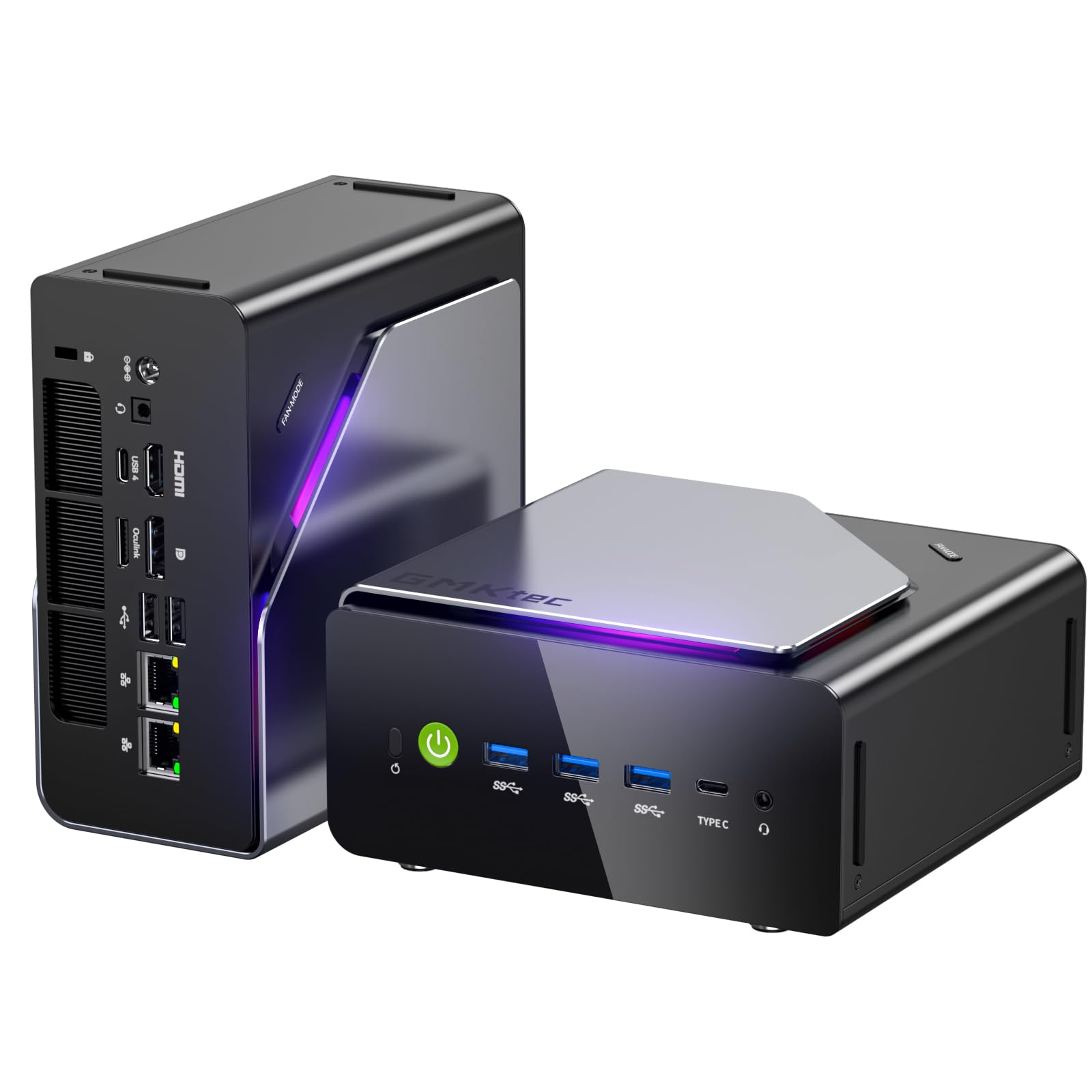
| NVIDIA DGX Spark™ – Personal AI Desktop Supercomputer | GMKtec EVO-X2 AI Mini PC Ryzen Al Max+ 395 | GMKtec K15 Mini PC AI Ultra 5 125U | |
|---|---|---|---|
 |
 |
 |
|
| CPU Model | Cortex | Ryzen AI Max | Intel Core Ultra 5 125U |
| RAM | 128 GB | 128 GB LPDDR5X | 32 GB DDR5 |
| Graphics Card | Integrated Graphics | AMD Radeon 8060S | Intel Arc 140T GPU |
| Storage Capacity | 4 TB | 2 TB PCIe 4.0 SSD | 1 TB PCIe 4.0 SSD |
| Get Details | Get Details | Get Details |