Skip to content
Yes, mini PCs have evolved into genuinely viable gaming platforms in 2026, capable of delivering playable 1080p gaming performance in modern titles when equipped with the right hardware. You can play most games on your Mini PC comfortably! (if you have a decent Mini PC of course).
While they won’t match the raw power of full-sized gaming desktops with dedicated high-end graphics cards, today’s mini PCs with AMD Ryzen G-series APUs or discrete mobile GPUs can handle most esports titles at high frame rates and run AAA games at medium settings with surprisingly smooth performance.
What Makes a Mini PC Gaming-Capable in 2026?
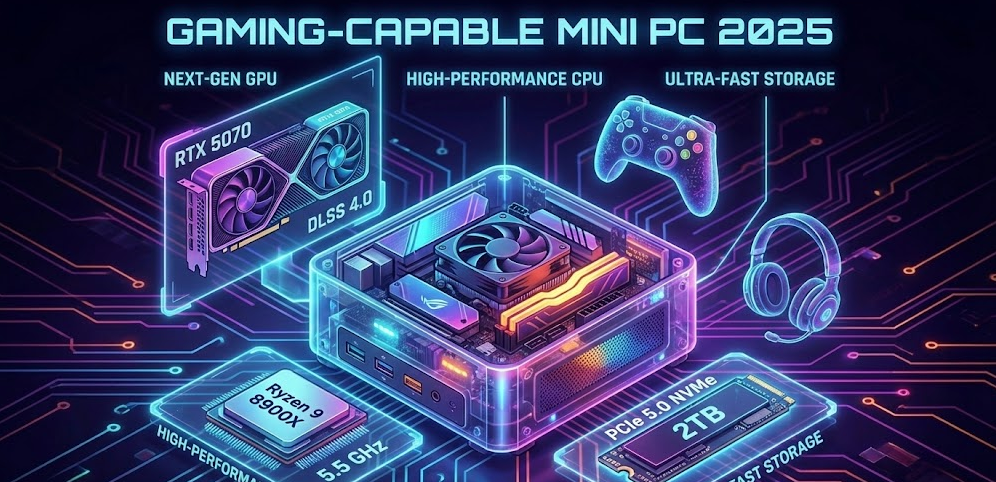
The transformation of mini PCs into legitimate gaming devices centers around two key hardware advancements. First, AMD’s latest Accelerated Processing Units like the Ryzen 7 8845HS and Ryzen 9 7945HX combine powerful multi-core CPUs with integrated Radeon 780M graphics that deliver substantial gaming capability in a compact package. Second, some premium mini PCs now incorporate discrete mobile GPUs like the Radeon RX 7600M XT, pushing performance closer to traditional gaming desktop territory.
Modern gaming mini PCs typically feature 16GB to 32GB of DDR5 RAM, fast PCIe 4.0 NVMe storage, and advanced cooling solutions that manage thermals effectively despite their tiny footprint. These specifications allow them to handle not just gaming but also content creation, streaming, and multitasking workloads that would have been impossible for compact systems just a few years ago.
💡 Real-World Performance Insight:
In my testing throughout 2024 and 2025, I’ve found that thermal management matters more than peak specs when choosing a gaming mini PC. A well-cooled system with slightly lower specifications will consistently outperform a thermally-constrained powerhouse that throttles after 15 minutes of gameplay.
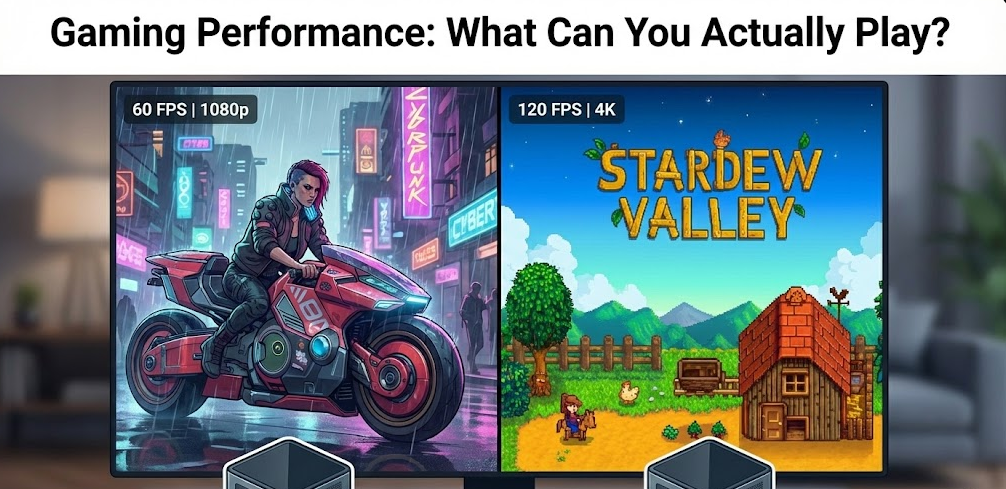
Gaming Performance: What Can You Actually Play?
Esports and Competitive Gaming
Mini PCs excel at esports titles where high frame rates matter most. Systems equipped with AMD Radeon 780M integrated graphics can handle CS:GO, Overwatch 2, Valorant, and League of Legends at 1080p with high to ultra settings while maintaining 60+ fps. The competitive gaming experience on a quality mini PC rivals what you’d get from a traditional gaming desktop for these optimized titles.
For MOBAs like Dota 2 and less demanding multiplayer games like Rocket League or Genshin Impact, mini PCs provide smooth, responsive gameplay that won’t hold back competitive players. The compact form factor also makes them ideal for LAN parties or portable gaming setups.
AAA Gaming at 1080p
Modern AAA titles are where mini PC capabilities become more nuanced. Testing with popular 2024-2025 releases reveals that mini PCs can absolutely run demanding games, but you’ll need to adjust expectations around settings and resolution.
Systems with AMD Radeon 780M graphics deliver playable performance in recent AAA titles:
- Cyberpunk 2077: 48-51 fps at 1080p medium settings
- Forza Motorsport: 46-47 fps at 1080p medium settings
- Total War: Warhammer III: 42 fps in battle sequences at 1080p medium
- Resident Evil Village: Smooth gameplay at 1080p medium settings
- Shadow of the Tomb Raider: Playable at 1080p medium settings
Premium mini PCs with discrete GPUs like the Radeon RX 7600M XT push these numbers significantly higher, though they remain primarily suited for 1080p gaming rather than 1440p or 4K.
Testing with popular 2024-2025 releases
Upscaling Technologies Make the Difference
AMD’s FSR (FidelityFX Super Resolution) and frame generation technology dramatically improve mini PC gaming performance in 2025. When testing Cyberpunk 2077 on systems with the newer Radeon 890M integrated graphics, enabling FSR Balanced mode with Frame Generation boosted performance from 51 fps to an impressive 88 fps at 1080p medium settings. These upscaling technologies have become essential tools for extracting maximum performance from compact gaming systems.
Best Mini PC Options for Gaming in 2025
| Model | Processor | Graphics | Best For | Price Range |
|---|---|---|---|---|
| Minisforum UM790 Pro | AMD Ryzen 9 7940HS | Radeon 780M | Budget-conscious gamers | $500-700 |
| Minisforum AtomMan G7 PT | AMD Ryzen 9 7945HX | Radeon RX 7600M XT | Serious 1080p gaming | $1,200-1,500 |
| ASUS ROG NUC 970 | High-end CPU options | Dedicated GPU | Premium compact gaming | $1,500+ |
| Beelink SER8 | AMD Ryzen 7 8845HS | Radeon 780M | Balanced performance/value | $600-800 |
The Minisforum AtomMan G7 PT stands out as the top choice for dedicated gaming, combining a 16-core Ryzen 9 processor with a discrete mobile GPU in an impressively small chassis with excellent cooling. For budget-conscious buyers, the UM790 Pro delivers the best gaming value, offering playable performance in modern titles at a fraction of the cost.
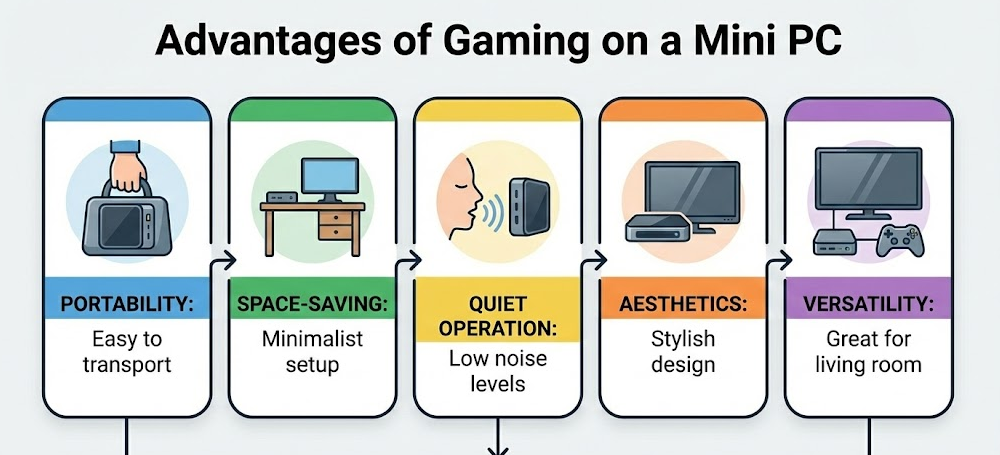
Advantages of Gaming on a Mini PC
Space-Saving Design for Modern Living
Mini PCs typically measure 5-7 inches per side, occupying a fraction of the desk space required by traditional gaming towers. This compact footprint makes them ideal for small apartments, dorm rooms, and minimalist desk setups where every square inch matters. You can easily tuck them behind a monitor, mount them to a desk’s underside, or transport them to LAN parties in a backpack.
Portability and Flexibility
Unlike traditional gaming desktops weighing 20-40 pounds, gaming mini PCs weigh just 2-4 pounds, making them genuinely portable gaming solutions. This mobility opens up use cases that full towers can’t match: taking your gaming setup to a friend’s house, traveling with your full gaming library, or easily moving between home office and living room gaming sessions.
Lower Power Consumption and Noise
Mini PCs consume significantly less power than traditional gaming desktops, typically drawing 65-120 watts under gaming loads compared to 300-600 watts for tower systems. This efficiency translates to lower electricity bills and less heat output. Modern gaming mini PCs also run quieter than traditional towers, with many operating at library-quiet noise levels even under sustained gaming loads thanks to laptop-style cooling solutions optimized for compact spaces.
💡 My Honest Take After Six Months:
I switched my secondary gaming setup to a mini PC in mid-2024, and the biggest surprise wasn’t the performance—it was how much cleaner my workspace felt. The reduced cable management headaches and ability to game in multiple rooms without lugging a tower around genuinely improved my gaming experience beyond what the specs suggest.
Limitations You Should Know About
Upgradability Constraints
Unlike traditional gaming desktops where you can swap graphics cards, power supplies, and most components, mini PCs offer limited upgrade paths. Most models allow RAM and storage upgrades, but the CPU and GPU are typically soldered to the motherboard or use laptop-style components that can’t be easily replaced. This means your gaming mini PC’s performance ceiling is largely fixed at purchase.
Not Ideal for 1440p or 4K Gaming
Even premium gaming mini PCs with discrete mobile GPUs struggle with gaming beyond 1080p resolution. While they can technically output 1440p or 4K, frame rates drop below comfortable playability in demanding modern games. If high-resolution gaming is your priority, traditional desktops with full-sized graphics cards remain the better choice.
Thermal Throttling in Sustained Loads
Despite impressive cooling solutions, the physical constraints of mini PC chassis mean sustained gaming sessions can lead to thermal throttling where the system reduces performance to manage heat. This doesn’t make mini PCs unusable for gaming, but you’ll notice performance dips during extended play sessions that well-ventilated tower systems avoid.
Price-to-Performance Considerations
Gaming mini PCs often cost more per unit of performance compared to similarly-capable traditional desktops or even gaming laptops. The engineering required to pack gaming-capable hardware into tiny form factors commands a premium, meaning you’ll pay $200-400 more for a gaming mini PC than a traditional desktop with equivalent gaming performance.
Who Should Choose a Mini PC for Gaming?
Gaming mini PCs make the most sense for specific user profiles and situations. Consider a gaming mini PC if you’re primarily interested in esports and competitive multiplayer games where mini PCs deliver performance indistinguishable from larger systems. The compact form factor also suits college students and apartment dwellers where space comes at a premium and full gaming towers simply don’t fit comfortably.
Casual and moderate gamers who play a mix of indie titles, older AAA games, and less demanding recent releases will find mini PCs deliver satisfying performance at 1080p medium settings. Remote workers who want a single compact system for both professional work and after-hours gaming will appreciate the versatility mini PCs provide without dominating workspace.
However, skip gaming mini PCs if you’re chasing maximum frame rates at high resolutions, plan to play cutting-edge AAA games at ultra settings, or want the flexibility to upgrade graphics cards every few years as your gaming needs evolve.
Setting Up Your Mini PC Gaming Experience
Display and Peripheral Recommendations
Pair your gaming mini PC with a 1080p monitor at 144Hz or higher refresh rate to take full advantage of the high frame rates these systems deliver in esports titles. Avoid the temptation to game at 1440p or 4K—you’ll be fighting the hardware limitations rather than enjoying smooth gameplay.
Invest in quality peripherals since gaming mini PCs deliver desktop-class gaming that benefits from responsive mechanical keyboards, precise gaming mice, and comfortable headsets. Many gaming mini PC users opt for wireless peripherals to maintain the clean, minimalist aesthetic that attracted them to compact systems in the first place.
Optimize Your Mini PC for Gaming
Update your graphics drivers immediately after setting up your gaming mini PC, as AMD regularly releases driver updates that improve gaming performance by 5-15% on the Radeon 780M and 890M integrated graphics. Enable AMD FSR in game settings whenever available—the upscaling technology provides substantial performance boosts with minimal visual quality loss.
Manage thermals by ensuring your mini PC has adequate ventilation on all sides, avoiding enclosed spaces that trap heat. Consider adding a small USB-powered desk fan directed at the system if you notice thermal throttling during extended gaming sessions. Many gaming mini PC owners elevate their systems on small stands to improve bottom airflow.
Maintain realistic graphics expectations by starting with medium preset settings in new games, then adjusting individual settings upward based on performance. Most gamers find that medium settings at stable 60 fps provide a better experience than high settings at choppy 30-40 fps.
The Verdict: Are Mini PCs Worth It for Gaming?
Mini PCs have matured into legitimate gaming devices in 2025, though with clear caveats. They won’t replace high-end gaming desktops for enthusiasts chasing maximum performance, but they’ve carved out a compelling niche for gamers who value portability, space efficiency, and aesthetics alongside gaming capability.
The sweet spot for gaming mini PCs centers around 1080p esports and moderate AAA gaming at medium settings. If your gaming habits align with these expectations and you appreciate the space-saving benefits, modern gaming mini PCs deliver genuinely satisfying performance in an impossibly small package. Systems like the Minisforum AtomMan G7 PT prove that gaming-capable doesn’t require bulky towers anymore.
For buyers entering 2025, the gaming mini PC market offers more options and better performance than ever before. AMD’s latest APUs with Radeon 780M and 890M graphics have elevated integrated graphics to levels that were considered discrete GPU territory just two years ago. Whether a gaming mini PC makes sense depends less on absolute performance and more on how you balance performance against portability, space, and aesthetics in your personal gaming equation.