
I know how important a reliable, compact workstation is when you spend hours writing code, running containers, compiling projects, or maintaining dev environments. In this guide I walk you through mini PCs that balance CPU power, RAM, fast storage, and ports so you can run IDEs, Docker, virtual machines, and multiple monitors without wasting desk space.
Choosing the right mini PC can give you a portable workstation that still handles heavyweight developer tasks and helps you maximize productivity whether you code locally, run CI jobs, or remote into servers.
Top Picks
|
Category |
Product |
Price |
Score |
|---|---|---|---|
|
💰 Best Budget Value |
$228.99 |
80 |
|
|
🔰 Best Compact Design |
$218.49 |
76 |
|
|
⭐ Best Midrange Performer |
$339.00 |
88 |
|
|
🚀 Best For Heavy Development |
$679.00 |
94 |
|
|
🎯 Best For AI Workloads |
$1,199.00 |
92 |
|
|
🔧 Best For Multitasking |
$389.00 |
90 |
How I Picked These Mini PCs
I focused on the factors that actually matter for software engineers: CPU capability for compiling and container builds, amount and type of RAM for running IDEs and multiple VMs, fast NVMe storage for quick project loads and swap performance, and a healthy complement of I/O (USB, Ethernet, HDMI/DisplayPort) so you can connect monitors and dev peripherals. I also weighed real-world signals such as build quality, thermal behavior, user-reported reliability, and value for the price.
For each pick I considered who it best serves — a budget-minded developer, a multitasker, someone running AI or heavy virtualization — and rated the machine for day-to-day developer workflows.
💰 Best Budget Value

I’ve been using this little GMKtec G3 as my everyday coding box when I want something small, quiet and reliable. It boots fast thanks to the NVMe SSD, handles my IDE, a few terminals and multiple browser tabs without complaining, and I love that it can run two 4K monitors when I need the screen real estate.
It’s small enough to mount behind a monitor for a clutter-free desk and versatile enough to double as a media PC for presentations or testing web builds on a TV. If you want a no-fuss, budget-friendly machine for development, light containers and general productivity, this is the kind of mini PC I reach for.
Long-Term Cost Benefits
Because it uses standard M.2 storage and has upgradeable RAM options, I can extend its life by swapping drives or adding capacity instead of replacing the whole box. Lower power draw than a full tower also keeps electricity costs down over time.
Situational Benefits
|
Situation |
How It Helps |
|---|---|
|
Working From Home |
Its small footprint frees up desk space, and WiFi 6 plus 2.5GbE give me smooth remote sessions and fast file transfers for syncing projects. |
|
Client Presentations |
Dual HDMI outputs make hooking up to a projector or client display straightforward; I can run slides on one screen and notes on the other. |
|
Travel or Temporary Setups |
Lightweight and easy to pack, I can set it up anywhere with just a monitor, keyboard and mouse — ideal for working from a hotel or coworking space. |
|
Quick Test Server |
I often spin up a small VM or local container on it for testing — the SSD and 16GB RAM keep builds and tests snappy enough for lightweight workloads. |
Ease of Use
|
Feature |
Ease Level |
|---|---|
|
Initial Setup |
Very Easy |
|
Daily Maintenance |
Easy |
|
Upgrading Storage/RAM |
Moderate |
|
Connecting Peripherals |
Easy |
Versatility
I use it as my lightweight dev machine, a media center for streaming demos, and sometimes as a tiny test server. It feels flexible enough for most non-heavy-duty engineering tasks.
Practicality
Practical for anyone who wants a tidy desk, quick boot times and enough power for coding, debugging and day-to-day productivity without a jumbo desktop.
Energy Efficiency
Runs cooler and uses less power than a full desktop. The fan is quiet and it throttles thermals well, which is handy when the machine sits on my desk all day.
Speed & Responsiveness
Thanks to the 512GB NVMe SSD and 16GB RAM, boot and app launch times are quick and the system stays responsive for typical development tasks.
Key Benefits
- Solid everyday performance with 16GB RAM and NVMe storage
- Very compact — easy to tuck behind a monitor or carry between desks
- Plenty of ports: dual 4K HDMI, multiple USB3 and 2.5GbE for fast networking
- Excellent price-to-performance for casual dev work and office use
Current Price: $228.99
Rating: 4.4 (total: 1418+)
🔰 Best Compact Design
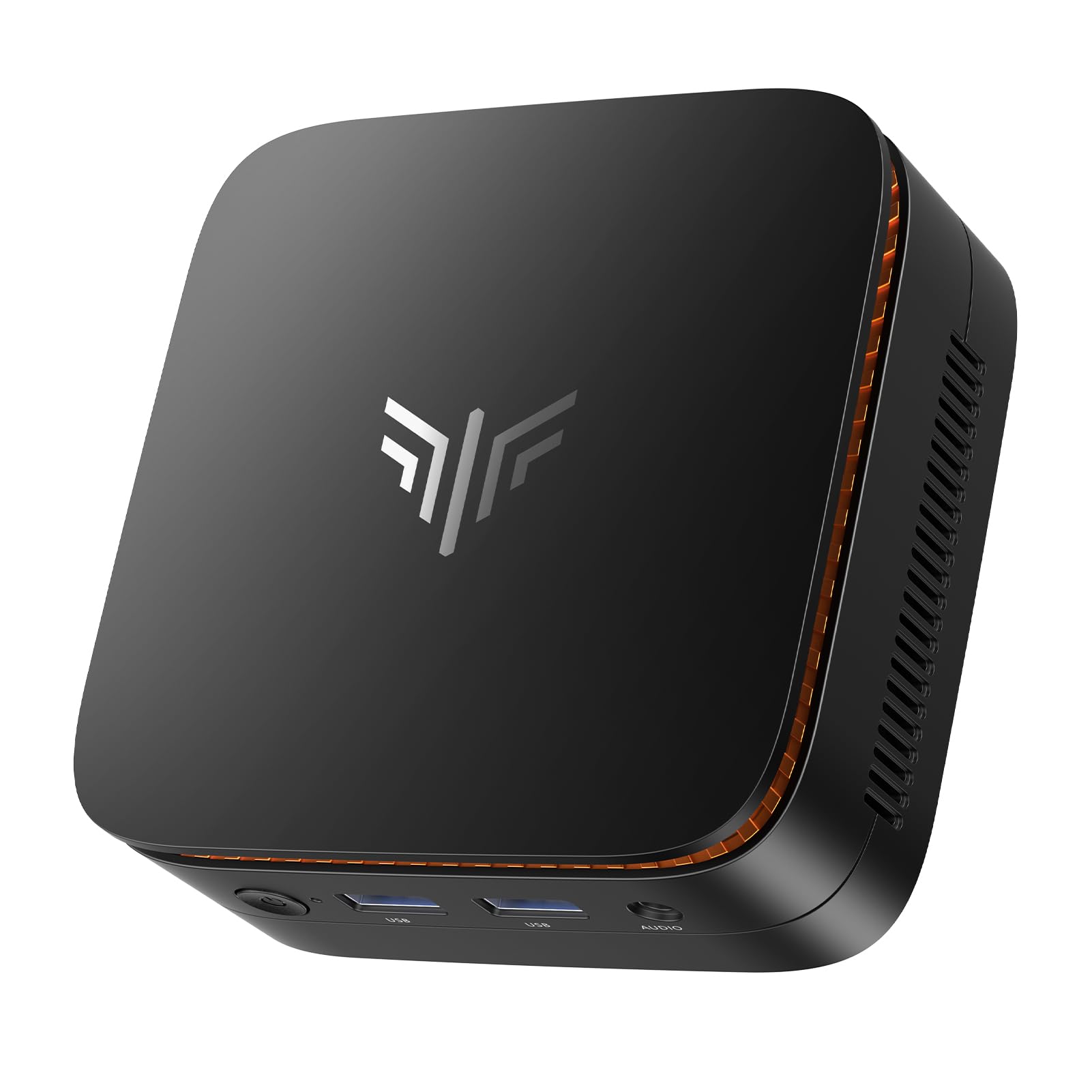
I picked up the KAMRUI Essenx E1 when I wanted a genuinely small machine that still behaves like a proper desktop. It boots quickly, the 16GB RAM and M.2 SSD keep my IDEs and browser tabs feeling snappy, and supporting two 4K displays makes multitasking painless when I’ve got code, docs and a terminal open.
It’s small enough to mount behind a monitor or tuck on a bookshelf, but has enough ports and expandability to handle occasional light video work, media-server duties, or a dedicated dev box for side projects. If you want a compact, no-drama machine that’s easy to live with day-to-day, this is one I recommend reaching for.
Long-Term Cost Benefits
You can upgrade the SSD and keep the same chassis for years, which is cheaper than replacing the whole PC. Lower power draw compared with full towers reduces electricity costs if you run it for long sessions or as a home server.
Situational Benefits
|
Situation |
How It Helps |
|---|---|
|
Working From Home |
Its tiny footprint and quiet cooling make it easy to keep on a small desk, and the Ethernet plus dual-band Wi‑Fi mean stable remote work and video calls. |
|
Client Demos or Presentations |
Dual 4K outputs let you mirror a presentation while keeping notes or demos on your main screen, so switching between materials is seamless. |
|
Light Development & Testing |
16GB RAM and an NVMe-ready M.2 slot give enough headroom for editors, local containers and quick build cycles for small-to-medium projects. |
|
Home Server / NAS Duties |
Expandable storage and Wake-on-LAN/auto power-on features let you use it as a low-power always-on box for backups or streaming. |
Ease of Use
|
Feature |
Ease Level |
|---|---|
|
Initial Setup |
Very Easy |
|
Daily Use |
Easy |
|
Upgrading Storage |
Moderate |
|
Mounting/VESA Install |
Easy |
Versatility
I use it as my compact dev station, a small media PC for testing UI on a TV, and occasionally as a lightweight home server — it adapts to several roles without fuss.
Practicality
Practical for tidy desks and small offices: plenty of ports, easy mounting options, and enough power for everyday development tasks and multimedia use.
Energy Efficiency
It draws far less power than a desktop tower and runs quietly. That makes it suitable for 24/7 light server use or long coding sessions without a noisy fan distraction.
Speed & Responsiveness
With the N97 processor, 16GB RAM and an M.2 SSD, boot and app launches feel quick and responsive for coding, debugging and running small containers.
Key Benefits
- Very compact design that frees up desk space without sacrificing ports
- Dual 4K output for comfortable multi-window development setups
- Expandable storage (M.2 slot supports SATA/NVMe up to 2TB)
- Good out-of-the-box memory and SSD for smooth everyday coding and browsing
Current Price: $218.49
Rating: 4.4 (total: 1564+)
⭐ Best Midrange Performer

I grabbed the Beelink SER5 Pro when I wanted a compact machine that actually keeps up with day-to-day development. It boots fast, the 16GB RAM plus PCIe SSD mean editors, local containers and multiple browser tabs don’t slow me down, and the triple 4K outputs make arranging code, docs and test UIs painless. The small size and VESA mount make it easy to hide behind a monitor or free up desk space, and the 2.5G LAN/Wi‑Fi 6 combo keeps remote debugging and file transfers smooth.
For me it’s a dependable midrange dev box — capable enough for heavier web projects and light VM work, but still easy to live with every day.
Long-Term Cost Benefits
You can upgrade RAM and storage later, so the chassis stays useful as your needs grow. Running a small, efficient mini PC instead of a full tower also lowers electricity use if it’s on for long workdays or serving files.
Situational Benefits
|
Situation |
How It Helps |
|---|---|
|
Working From Home |
Quiet operation and a tiny footprint keep your workspace tidy, while stable wired and wireless networking makes video calls and remote sessions less flaky. |
|
Multi-Monitor Development |
Triple 4K outputs let you put an editor, browser and terminal on separate screens so context switching feels minimal. |
|
Local Testing & Containers |
16GB RAM and a fast SSD handle local containers and small VMs for testing without needing a larger desktop. |
|
Home Server / Media PC |
Wake-on-LAN and auto power-on plus expandability mean it works well as a low-power NAS or media server when you need always-on functionality. |
Ease of Use
|
Feature |
Ease Level |
|---|---|
|
Initial Setup |
Very Easy |
|
Daily Use |
Easy |
|
Upgrading RAM/Storage |
Moderate |
|
Mounting/VESA Install |
Easy |
|
Noise & Cooling |
Quiet |
Versatility
I use it as my daily dev station, an occasional lightweight media machine, and sometimes as a small home server. It switches roles without much fuss, which is handy when my workflow changes.
Practicality
Small but well-equipped: enough ports for external drives and dongles, VESA mounting for tidy setups, and sensible expandability if you need extra RAM or storage down the line.
Energy Efficiency
It draws far less power than a typical tower and runs quietly, so it’s comfortable for long coding sessions and reasonable to leave on for background tasks or light server duties.
Speed & Responsiveness
The Ryzen 7 5825U with a PCIe SSD delivers quick boot times, fast app launches and responsive editing — builds and tests feel noticeably smoother than on older entry-level mini PCs.
Key Benefits
- Strong midrange CPU (Ryzen 7 5825U) for fast compile and test cycles
- 16GB DDR4 and 500GB PCIe SSD for snappy boot and app load times
- Triple 4K display support to spread code, terminals and previews across screens
- 2.5G LAN plus Wi‑Fi 6 and Bluetooth 5.2 for reliable networking and peripherals
- Very small footprint with VESA mount — saves desk space while keeping ports accessible
Current Price: $339.00
Rating: 4.4 (total: 238+)
🚀 Best For Heavy Development

When I started using the SER9 Max I was looking for a compact machine that could handle heavy development tasks without turning my desk into a noisy server rack. It boots in seconds, the 32GB DDR5 memory and PCIe4.0 SSD keep editors, containers and local VMs responsive, and the triple 4K outputs make juggling code, docs and test UIs effortless. The 10Gbps LAN and USB4 port are great when I need fast file transfers or to offload builds to a NAS.
It’s bulky enough for serious work but small enough to tuck behind a monitor or carry between home and office.
Long-Term Cost Benefits
The SER9’s dual M.2 slots and RAM headroom mean you can upgrade storage and memory instead of replacing the whole machine. It also uses far less power than a full tower during daily use, which adds up if it’s on for long build or CI tasks.
Situational Benefits
|
Situation |
How It Helps |
|---|---|
|
Heavy Local Builds & VMs |
Plenty of cores and 32GB DDR5 handle parallel builds and a handful of local VMs without bogging down, so you can test services locally. |
|
Multi-Monitor Debugging |
Triple 4K outputs let you put an IDE, a browser with live UI and a terminal on separate screens to reduce context switching. |
|
Large File Transfers |
10Gbps LAN and USB4 ports speed up moving large artifacts, VMs or datasets between machines and NAS systems. |
|
Quiet Shared Workspace |
The cooling design keeps noise low, so it won’t distract teammates during meetings or pairing sessions. |
Ease of Use
|
Feature |
Ease Level |
|---|---|
|
Initial Setup |
Easy |
|
Daily Use |
Very Easy |
|
Upgrading RAM/Storage |
Moderate |
|
Networking Configuration |
Easy |
|
Noise & Cooling |
Quiet |
Versatility
I switch this between intense dev sessions, local test servers and occasional media tasks. It’s capable enough to run as a compact dev workstation, a quiet test host, or a media/streaming box when I’m giving demos.
Practicality
The SER9 packs a broad set of ports—HDMI, DisplayPort, USB4, multiple USB-A and a 10Gbps LAN—so I rarely need hubs. VESA mounting and a small footprint make it easy to keep a clean desk.
Energy Efficiency
Compared with a desktop tower, it uses noticeably less power under typical coding workloads and stays cool, which makes it fine to keep on for builds, CI triggers or as a lightweight server.
Speed & Responsiveness
Between the Ryzen H-series cores, DDR5 memory and PCIe4 SSD, boot and app launch times are quick and interactive tasks — editing, running tests, spinning up containers — feel responsive.
Key Benefits
- High-performance Ryzen 7 H 255 (8C/16T) — fast compile and parallel build cycles
- 32GB DDR5 5600MHz and PCIe4.0 1TB SSD for snappy app launches and quick I/O
- 10Gbps Ethernet and USB4 for fast transfers and low-latency remote debugging
- Triple 4K/240Hz outputs let you spread editor, terminal and preview windows across monitors
- Quiet, compact design that still exposes plenty of ports and upgrade slots
Current Price: $679.00
Rating: 4.5 (total: 245+)
🎯 Best For AI Workloads
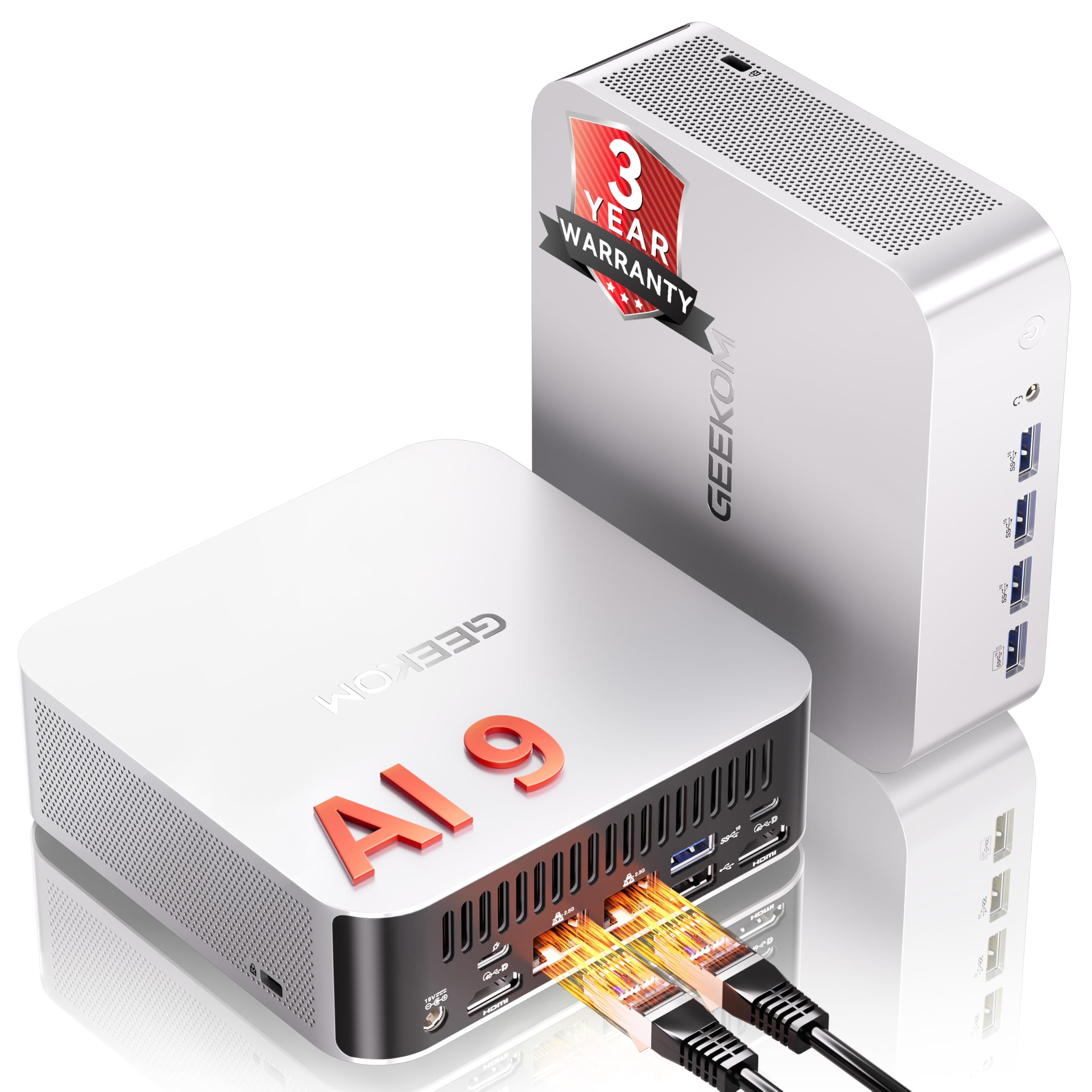
I like using the A9 Max when I need a small machine that can actually keep up with modern AI experiments and serious multitasking. Out of the box it feels polished: fast storage, plenty of RAM and a chip designed for on-device AI.
For daily coding it’s responsive — editors, containers and a browser with many tabs run smoothly — and when I want to tinker with local LLMs or run image-generation jobs it handles them better than most mini PCs I’ve tried. It’s also slim enough to hide behind a monitor for demos or to carry between desks, which makes it handy for client presentations or quick on-site debugging.
Long-Term Cost Benefits
Because the A9 Max supports high RAM and extra NVMe slots, I can upgrade memory or add another SSD later instead of buying a new machine. That plus efficient everyday power draw and a three-year warranty means lower replacement and maintenance costs over time.
Situational Benefits
|
Situation |
How It Helps |
|---|---|
|
Running Local LLMs or AI Inference |
The dedicated AI acceleration and plenty of RAM make small-to-medium model inference and experimentation practical without needing cloud credits. |
|
Daily Development & Multitasking |
Fast DDR5 memory and a roomy NVMe drive keep IDEs, containers and browsers responsive, so switching between builds and tests feels smooth. |
|
Client Demos or On-Site Work |
Compact size and VESA compatibility make it easy to mount or pack, while the full set of modern ports means fewer adapters during presentations. |
|
Media Work & Light Rendering |
Integrated Radeon 890M handles 4K playback and lighter rendering tasks, so editing previews and exports are quicker than on typical ultrabooks. |
Ease of Use
|
Feature |
Ease Level |
|---|---|
|
Initial Setup |
Easy |
|
Daily Use |
Very Easy |
|
Installing Drivers/OS Tweaks |
Moderate |
|
Upgrading RAM/Storage |
Moderate |
|
Port & Peripheral Management |
Easy |
Versatility
I switch this between coding, local AI experiments, light media editing and the odd gaming test. It’s flexible enough to act as a compact workstation, a demo rig, or a media box depending on the day.
Practicality
The A9 Max packs modern ports (USB4, multiple USB-A, HDMI 2.1, SD reader, dual 2.5GbE), so I rarely need adapters. Its VESA mount compatibility and small footprint make it easy to keep a tidy desk or a travel-friendly kit.
Energy Efficiency
For normal coding and light tasks it uses noticeably less power than a full tower. Under sustained AI or gaming loads it draws more and the fans kick in, so keep that in mind for long training or render runs.
Speed & Responsiveness
Between the Ryzen AI CPU, DDR5 memory and NVMe storage the system boots and loads apps quickly; interactive tasks like compiling, running containers or serving local models feel snappy.
Key Benefits
- Flagship Ryzen AI 9 HX 370 with strong on-device AI acceleration for local models
- 32GB DDR5 and 2TB NVMe give roomy memory and fast I/O for projects and datasets
- Generous I/O (USB4, HDMI 2.1, dual 2.5GbE) so you can plug directly into modern setups
- Desktop-class storage and dual M.2 slots let you expand without swapping systems
- 3-year warranty provides some peace of mind for long-term use
Current Price: $1,199.00
Rating: 4.4 (total: 322+)
🔧 Best For Multitasking
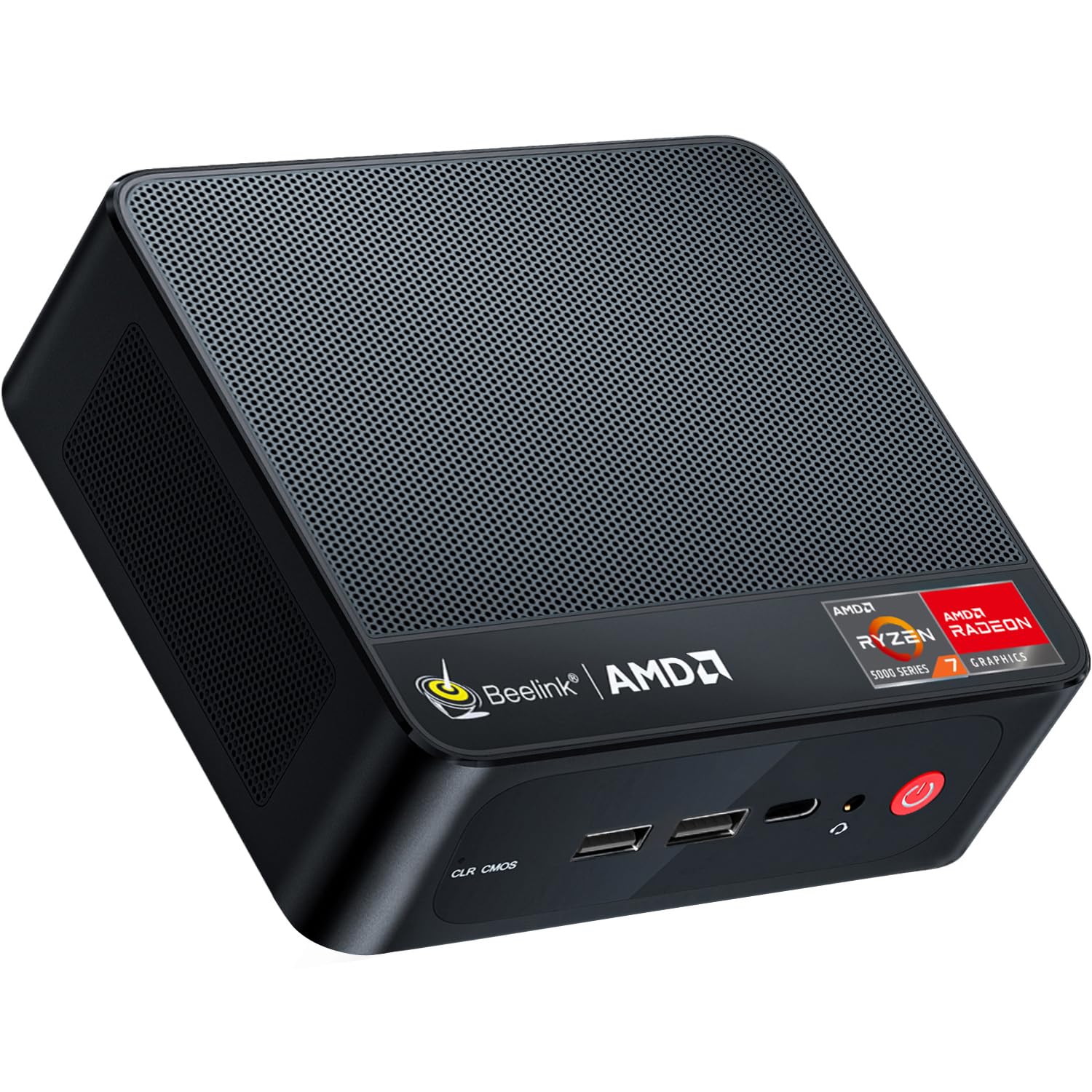
I like this little Beelink because it balances real desktop power with a tiny footprint. For day-to-day coding, running IDEs, containers or a few VMs, it feels responsive and stays quiet on the desk.
The triple-display support and 2.5Gb LAN mean I can set up a proper multi-monitor workstation without a bulky tower, and the PCIe 4.0 SSD makes project switches and builds feel snappy. It’s also small enough to tuck behind a monitor or toss in a bag when I need to move between home and a client site.
If you want a compact machine that handles heavy multitasking and keeps your workspace tidy, this is a practical pick.
Long-Term Cost Benefits
Because the SER5 Max has room for additional M.2 storage and solid onboard specs, I can expand capacity later instead of replacing the whole system. Its low power draw for everyday work also helps keep running costs down compared with a full desktop.
Situational Benefits
|
Situation |
How It Helps |
|---|---|
|
Daily Development & Multitasking |
Multiple cores, plenty of RAM and a fast SSD mean IDEs, terminals, browsers and containers coexist without constant swapping. Builds and tests feel less interruptive. |
|
Multi‑Monitor Productivity |
Triple display output lets me keep code, docs and a running app visible at once, which speeds debugging and context switching. |
|
Portable Desk Setup |
Its small size and VESA‑friendly form factor make it easy to mount behind a monitor or pack for a quick on‑site change of workspace. |
|
Light Media Editing and Design |
Integrated Radeon graphics handle 4K playback and light editing tasks, so previewing video or UI work is smoother than on many ultrabooks. |
Ease of Use
|
Feature |
Ease Level |
|---|---|
|
Initial Setup |
Easy |
|
Daily Use |
Very Easy |
|
Installing Linux or Replacing OS |
Easy |
|
Upgrading Storage |
Moderate |
|
Managing Ports & Peripherals |
Easy |
Versatility
I switch this between coding, running local containers, light media tasks and occasional gaming tests. It works as a compact workstation, a travel-friendly dev box or a tidy home office hub depending on what I need.
Practicality
The SER5 Max includes a generous assortment of ports and a VESA-mountable design, so I rarely need adapters and it fits into a clean, space-saving setup. That makes cable management and desk real estate much easier.
Energy Efficiency
For everyday development it uses noticeably less power than a full desktop. Under heavy, sustained loads it draws more and the cooling ramps up, but for normal work it’s efficient and cheap to leave running.
Speed & Responsiveness
Thanks to the Ryzen 7 CPU and PCIe 4.0 SSD, the system boots quickly and interactive tasks like compiling, launching containers or switching branches feel snappy.
Key Benefits
- AMD Ryzen 7 6800U delivers strong multi-core performance for compiling and multitasking
- 24GB LPDDR5 plus a 500GB PCIe 4.0 SSD keeps apps, containers and projects responsive
- Triple 4K display support via HDMI, DP and USB‑C for a proper multi-monitor setup
- 2.5Gbps LAN and WiFi 6 provide reliable, fast networking for remote builds and transfers
- Compact, low-profile design that fits beside or behind a monitor and runs quietly
Current Price: $389.00
Rating: 4.4 (total: 323+)
FAQ
Is a Mini PC Powerful Enough For Programming, Compiling, And Running VMs?
I hear this concern a lot. In my experience a modern mini PC can handle most software engineering tasks like coding, compiling moderately sized projects, running local container workloads, and even light virtual machines.
For example, the GMKtec G3 Plus with an Intel N150, 16GB DDR4 RAM and a 512GB PCIe M.2 SSD (around $228.99) is perfectly capable for web development, debugging, IDEs, small Docker containers and database testing. If you routinely run large parallel builds, many heavy VMs, or local ML training, you’ll notice limits in CPU cores, sustained thermal headroom, and memory—those workloads benefit from Ryzen/Intel H-series or desktop-class machines and 32GB+ RAM. A practical approach I use is to keep fast local storage and enough RAM for my daily workflow, and offload very heavy CI/build or GPU jobs to a dedicated server or cloud instance so the mini PC stays responsive.
What Should I Look For When Buying A Mini PC For Software Engineering?
When I pick a mini PC I focus on three things: CPU cores/threads for parallel builds and responsiveness, RAM for multitasking and containers, and fast storage for project files and virtual disks. I also care about ports and networking—multiple display outputs (dual 4K HDMI or DP), several USB 3.x ports or a USB‑C with power/data, and a wired NIC; having 2.5GbE or Gigabit is a big plus for fast file transfers to NAS or dev servers.
Check upgradability too: can you add RAM or a second M.2 NVMe later? Read reviews for thermal performance because sustained loads can throttle some tiny boxes. Finally, consider OS support and regional power adapter details (some units ship a US plug by default), warranty and vendor support so you don’t get stuck with driver or BIOS issues.
How Do I Set Up A Mini PC For An Efficient Development Workflow?
I set mine up so it stays fast and reliable: I install the OS of choice (or dual-boot), enable WSL2 or a lightweight Linux VM for native-like tooling if I’m on Windows, and put source and build caches on an NVMe drive to speed I/O. I keep 1–2GB of swap or zram configured as a safety net and use IDE settings to limit background indexing when compiling large projects.
For heavier builds I use SSH to a remote builder or CI runner so my mini PC isn’t taxed. I make sure BIOS and drivers are up to date, disable unnecessary startup services, and give the unit good airflow to avoid thermal throttling.
Finally, I back up critical work to cloud or a NAS and test the mini PC with a stress or compile job so I understand when it will start to struggle and can plan upgrades or cloud offload accordingly.
What Developers Prefer
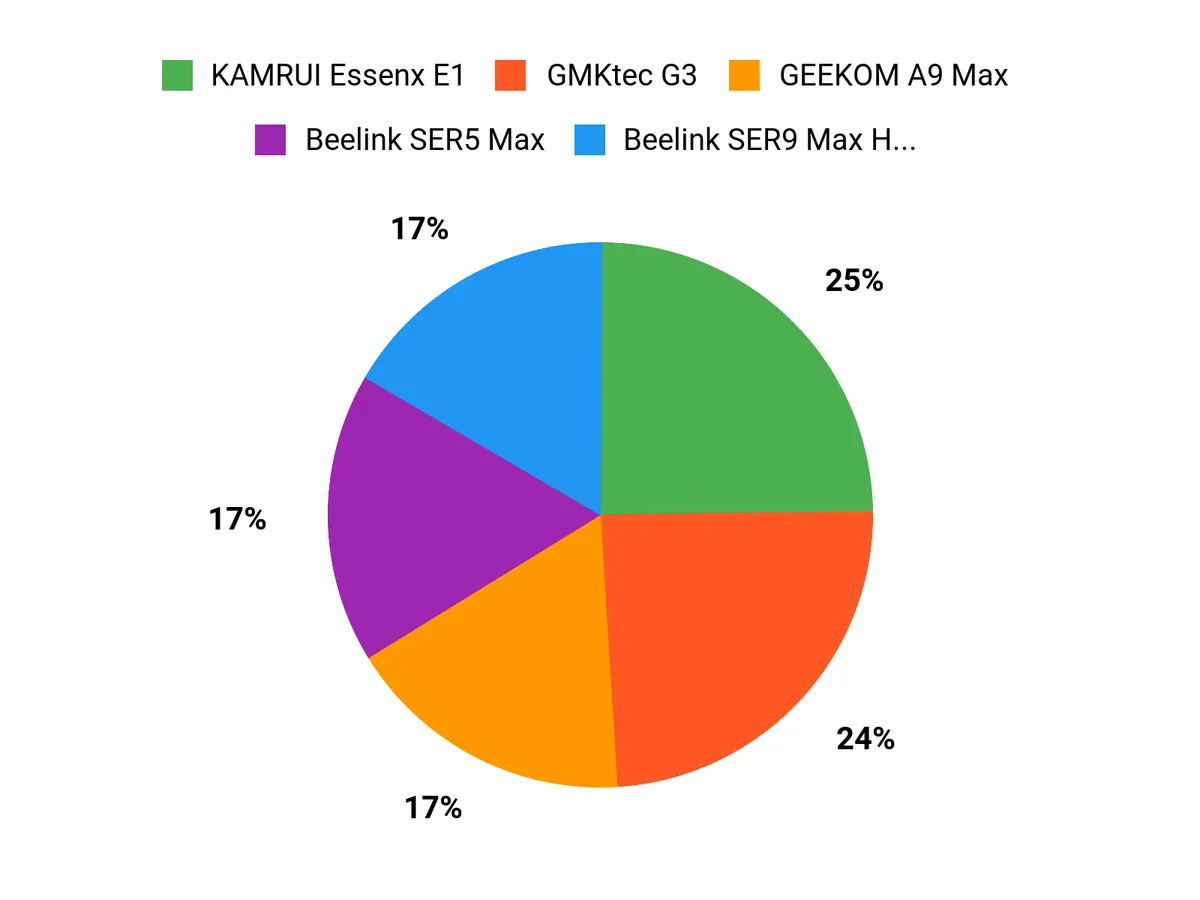
We usually prioritize raw CPU performance, RAM and storage capacity, cooling and I/O when choosing between the GMKtec G3, KAMRUI Essenx E1, and Beelink SER5 Pro. In practice that means we pick the Beelink SER5 Pro for heavy compiling and containers, the GMKtec G3 when we want a balanced mix of ports and expandability, and the KAMRUI Essenx E1 when budget and ultra-compact size are the top concerns.
Wrapping Up
To pick the right mini PC for programming you need to match the machine to your workload. If you want the most computing power for heavy compilation, VMs, or local testing of AI models, the Beelink SER9 and GEEKOM A9 give the highest performance and ample RAM and storage.
If you want a strong daily driver that multitasks well without breaking the bank, the Beelink SER5 and SER5 Max hit a solid sweet spot. For tight budgets or hidden, portable setups where you still need 16 GB and NVMe storage, the GMKtec G3 and KAMRUI E1 offer excellent value. I recommend choosing the machine whose strengths align with your typical tasks — more CPU cores and RAM for builds and VMs, larger NVMe for local repositories and containers, and good Ethernet/Wi‑Fi if you rely on fast networked workflows.
| Product | Image | Rating | Processor | RAM | Storage | Price |
|---|---|---|---|---|---|---|
| GMKtec Mini PC |
 |
4.4/5 (1,418 reviews) | Intel Twin Lake N150 (3.6 GHz, 4 cores) | 16 GB DDR4 | 512 GB PCIe M.2 SSD | $228.99 |
| KAMRUI Essenx E1 Mini PC |
 |
4.4/5 (1,564 reviews) | N97 (3.6 GHz, 4 cores) | 16 GB DDR4 | 256 GB M.2 SSD | $218.49 |
| Beelink Mini PC SER5 Pro |
 |
4.4/5 (238 reviews) | AMD Ryzen 7 5825U (up to 4.5 GHz, 8 cores) | 16 GB DDR4 | 500 GB SSD | $339.00 |
| Beelink Mini PC SER5 Max H 255 |
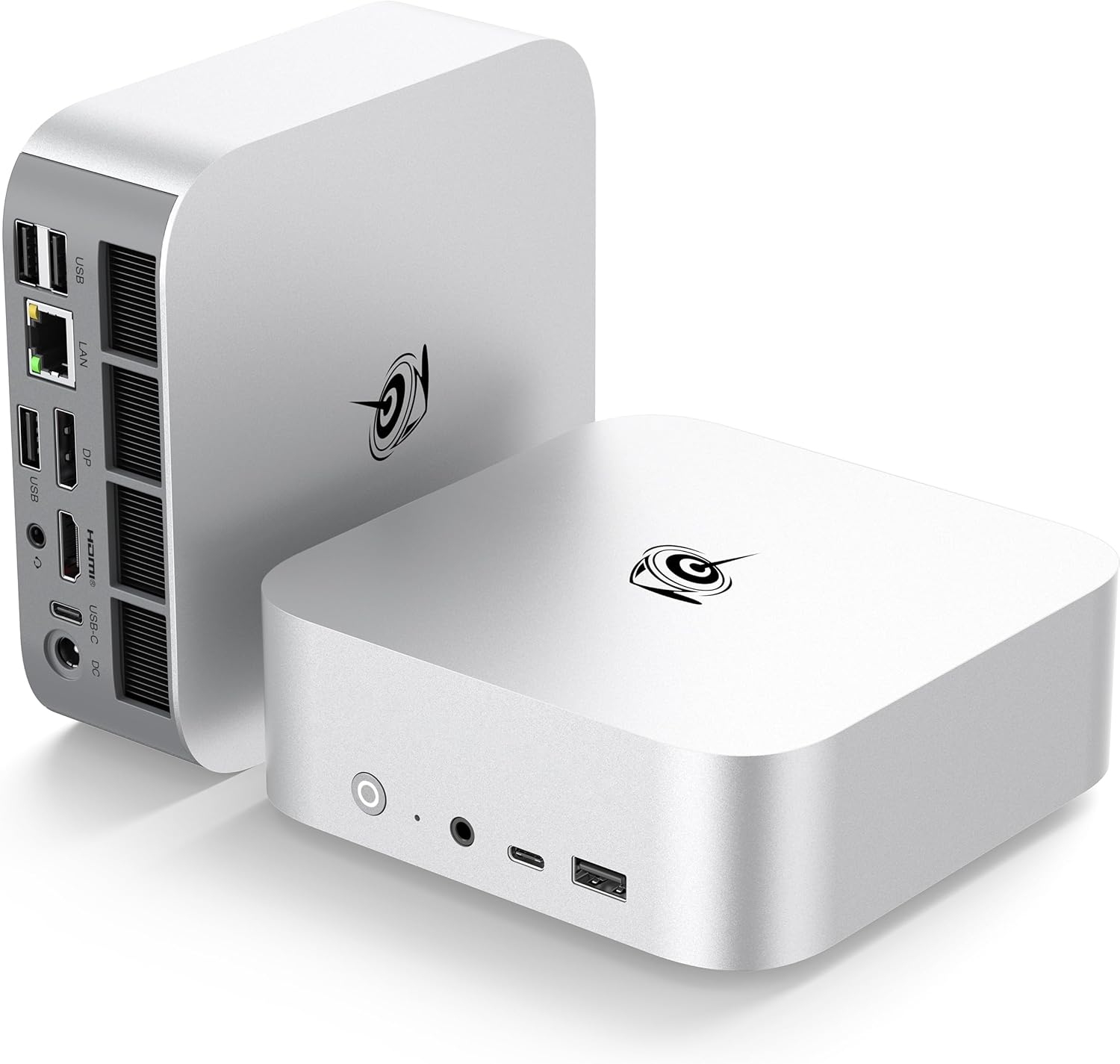 |
4.5/5 (245 reviews) | AMD Ryzen 7 6800U (up to 4.7 GHz, 8 cores) | 24 GB DDR5 | 1 TB PCIe4.0 SSD | $679.00 |
| GEEKOM A9 Max AI Mini PC |
 |
4.4/5 (322 reviews) | AMD Ryzen AI 9 HX 370 (5.1 GHz) | 32 GB DDR5 | 2 TB SSD | $1,199.00 |
This Roundup is reader-supported. When you click through links we may earn a referral commission on qualifying purchases.



