Skip to content
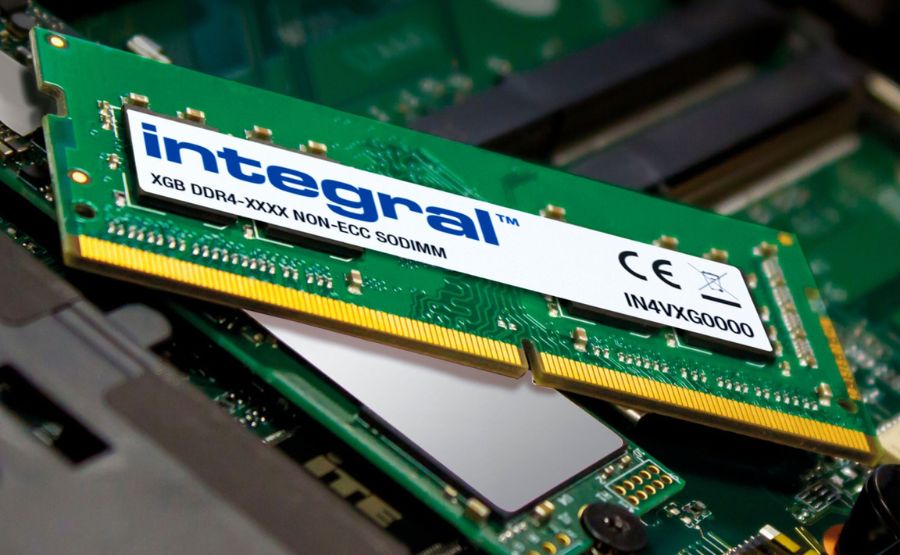
No. Desktop RAM and laptop RAM are physically incompatible and cannot be plugged into each other’s slots under any normal circumstances. Desktop computers use full-size DIMM modules (approximately 5.25 inches long with 288 pins for DDR4/DDR5), while laptops use smaller SO-DIMM modules (approximately 2.66 inches long with 260 or 262 pins). The slots are a completely different size and shape, the pin counts do not match, and a desktop DIMM will not physically fit into a laptop memory slot even if you apply force. This is not a compatibility question with a workaround: it is a physical impossibility.
It is one of the most natural questions to ask when you have spare desktop RAM sitting in a drawer and a laptop that needs more memory. The sticks look similar, they serve the same purpose, and they even carry the same DDR4 or DDR5 label on the packaging. Surely there must be a way to use one in the other?
There is not, and understanding exactly why helps you avoid the mistake of buying the wrong type, damaging a slot by forcing a module, or spending money on adapters that deliver questionable results. This guide explains the complete physical and electrical difference between desktop and laptop RAM, what you should buy instead, and what the rare adapter options actually do and do not deliver.
The Physical Difference: Why It Simply Does Not Fit
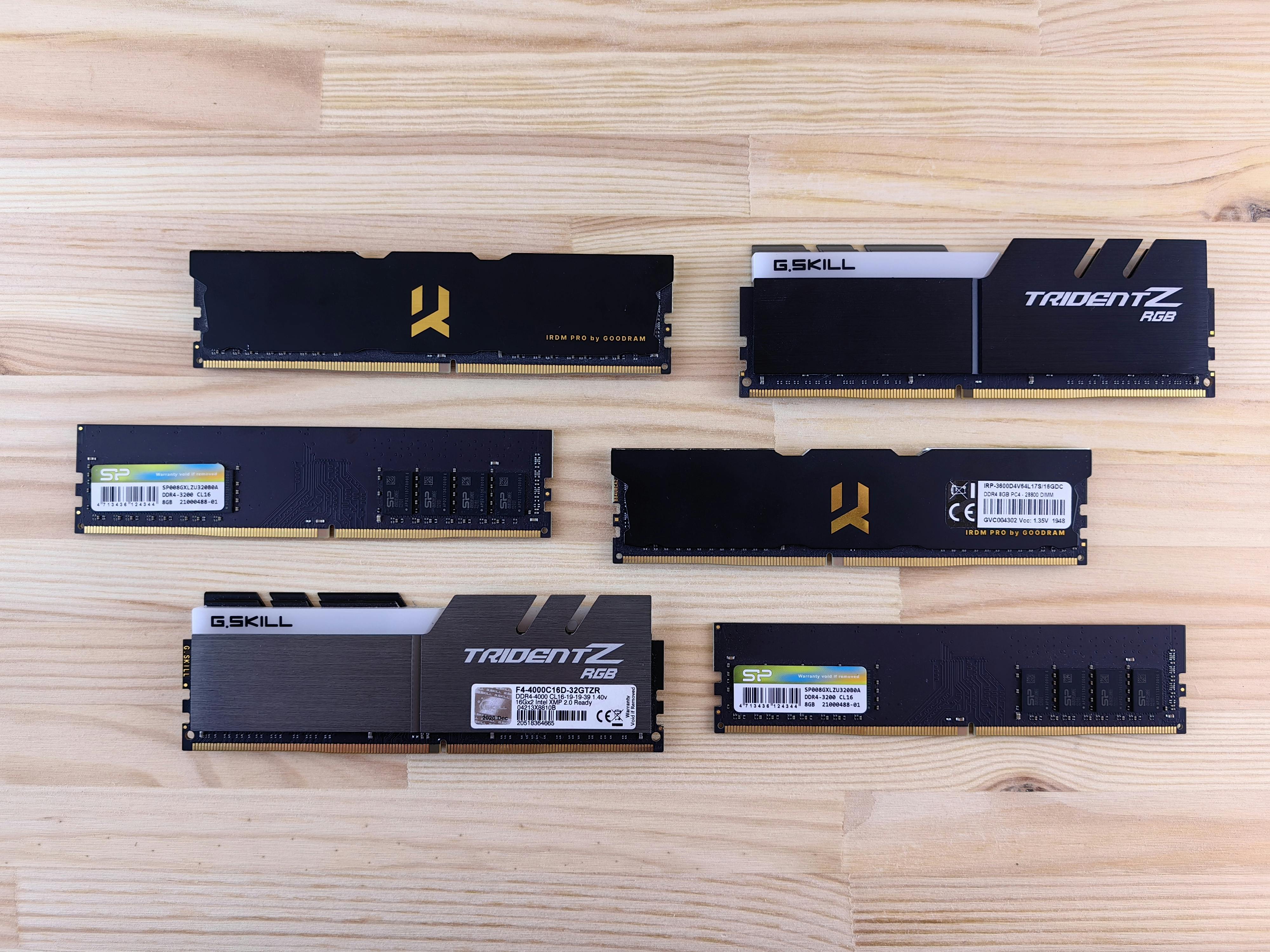
Side-by-side comparison of larger desktop DIMM RAM (5.25 inches) and smaller laptop SO-DIMM RAM (2.66 inches) with labels
The most immediate reason you cannot plug desktop RAM into a laptop is pure physical size. A full-size desktop DIMM module is almost exactly twice the length of a laptop SO-DIMM module. Trying to insert one into the other’s slot is like trying to fit a bread loaf into a sandwich bag slot. It does not fit, and attempting to force it risks permanently damaging the slot.
Here is the precise dimensional difference between the two formats:
| Specification | Desktop DIMM | Laptop SO-DIMM |
|---|---|---|
| Physical Length | ~133mm (5.25 inches) | ~67.6mm (2.66 inches) |
| Physical Height | ~30 to 40mm | ~18mm |
| DDR4 Pin Count | 288 pins | 260 pins |
| DDR5 Pin Count | 288 pins | 262 pins |
| Notch Position | Different location than SO-DIMM | Different location than DIMM |
| Fits in laptop slot? | No | Yes |
| Fits in desktop slot? | Yes | No |
The notch cut into the connector edge of each module type is positioned at a different location specifically to prevent incorrect insertion. Even if you somehow forced a desktop DIMM into a laptop slot (which you cannot, because it is physically too large), the notch alignment would prevent a full connection. The engineering is intentionally incompatible in every dimension simultaneously.
Why They Are Different in the First Place

DIMM and SO-DIMM RAM modules size comparison with measurements
Desktop and laptop RAM serve the same fundamental function but are engineered around completely different constraints.
Desktop RAM (DIMM — Dual Inline Memory Module) is designed for a stationary machine with no weight limit, no battery, and relatively generous space inside the chassis. Desktop DIMMs are larger because size is not a constraint, and the extra PCB area allows for more signal traces and physical robustness. Desktop RAM also has more headroom for overclocking and higher-speed SKUs compared to standard laptop memory.
Laptop RAM (SO-DIMM — Small Outline Dual Inline Memory Module) is engineered around three priorities that desktop RAM ignores entirely: minimum physical size, low power consumption, and heat efficiency. A laptop running on battery cannot sustain the power draw of full-size desktop memory. As Corsair’s memory documentation explains, SO-DIMMs use the same fundamental memory chips as their desktop counterparts, just arranged on a smaller PCB with tighter constraints on power and heat. The chips themselves are the same technology; the packaging around them is what differs.
CAMM2 / LPCAMM2 (The Newest Format): As covered in the laptop RAM installation guide, premium 2024 and 2026 Windows laptops increasingly use CAMM2 or LPCAMM2 modules. The JEDEC standard now includes two variants: LPCAMM2, which uses low-power LPDDR5x memory and appears in thin-and-light premium laptops, and CAMM2, which uses standard DDR5 and appears in mobile workstations and gaming laptops where maximum performance matters more than battery efficiency. Both are flat boards that screw onto the motherboard and use a unique connector incompatible with either desktop DIMM or SO-DIMM slots. If your new laptop uses either CAMM2 variant, neither desktop DIMM nor SO-DIMM will fit in it.
Do They Use the Same DDR Generation Label?
Yes, and this is the source of nearly all confusion. Both desktop and laptop RAM carry the same DDR generation labels (DDR4, DDR5), the same speed ratings (3200 MHz, 4800 MT/s), and even the same total capacities (16GB, 32GB). Looking at the specifications on a box without reading the form factor is how most people end up buying the wrong type.
The DDR generation tells you the memory technology generation. The form factor (DIMM or SO-DIMM) tells you the physical format. Both pieces of information are required, and they are independent of each other. A DDR5-4800 DIMM and a DDR5-4800 SO-DIMM use the same memory chips running at the same speed but packaged in formats that are completely incompatible with each other’s slots.
What to look for when buying laptop RAM:
The packaging or product listing must specifically say SO-DIMM or SODIMM to be correct for a laptop. If the listing says DIMM, UDIMM, RDIMM, or just DDR4/DDR5 without a form factor qualifier, it is almost certainly a full-size desktop module. Every major retailer (Newegg, Amazon, B&H, Crucial, Corsair’s own store) lists the form factor clearly in the product title and specifications. If you do not see SO-DIMM in the product name, do not assume.
What About SO-DIMM to DIMM Adapters?
Adapters that allow a laptop SO-DIMM to be physically installed into a desktop DIMM slot do exist on the market, primarily on Amazon and AliExpress. They are small PCBs that accept a SO-DIMM module and plug into a standard desktop DIMM slot. Rick’s Daily Tips notes that these adapters do physically work in some scenarios but come with significant caveats that make them impractical for most users.
What these adapters do:
They solve the physical size mismatch only. The SO-DIMM module snaps into the adapter, and the adapter slides into the desktop’s DIMM slot.
What these adapters do not solve:
- The SO-DIMM will run at its rated speed and voltage, which may or may not be compatible with the desktop motherboard’s memory controller requirements
- Mixing SO-DIMM modules (via adapter) with native desktop DIMM modules in the same system is highly problematic and frequently causes boot failures or instability, because the voltage and timing profiles are different
- BIOS/UEFI memory training on desktop systems is not designed to accommodate SO-DIMM modules and may refuse to complete POST
The practical verdict on adapters:
These are niche hobby items for users who want to repurpose spare laptop SO-DIMM modules in a desktop test bench or secondary system, and even then only when using exclusively SO-DIMM modules with no desktop RAM mixed in. They are not a path to using desktop RAM in a laptop under any circumstances. There is no adapter that allows desktop DIMM to fit into a laptop SO-DIMM slot because the desktop module is simply too large for any adapter to bridge.
Can Desktop and Laptop RAM Be Mixed in the Same System?
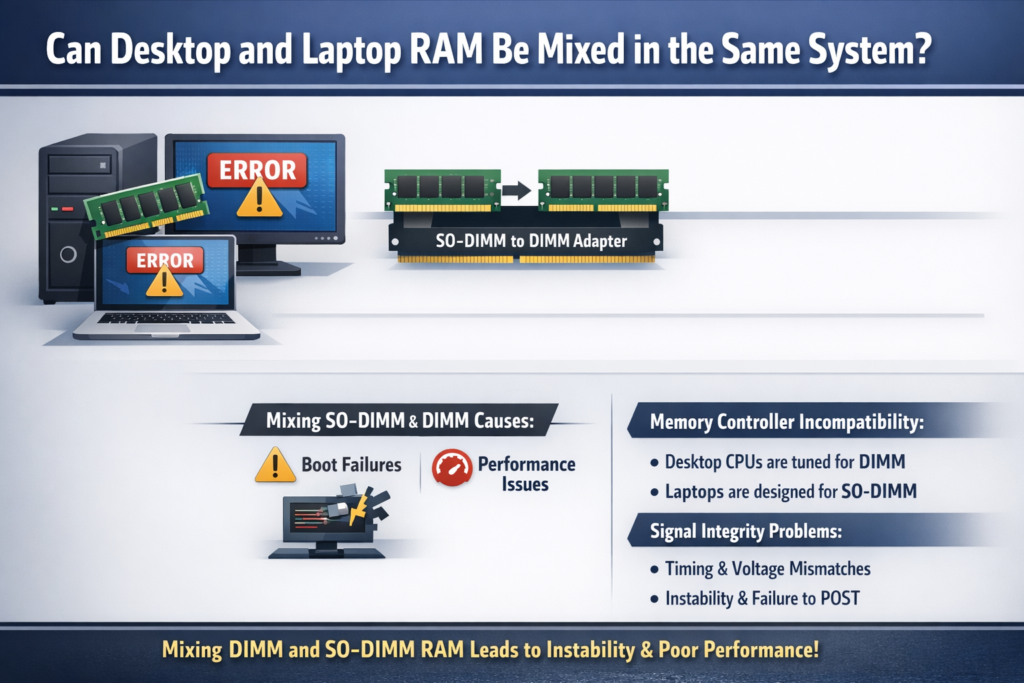
No, for either direction. You cannot mix DIMM and SO-DIMM in a laptop, and mixing them in a desktop (even with the SO-DIMM adapter described above) consistently causes instability. Community testing documented on Reddit shows that running SO-DIMM modules alongside desktop DIMM modules in the same system via adapter results in boot failures during memory training in most configurations, and those that do boot experience significant performance degradation due to timing and voltage mismatches.
The fundamental issue is that memory controllers in both laptops and desktops are designed and validated for their own specific memory type. A desktop CPU’s memory controller is tuned to work with desktop DIMM electrical characteristics. Introducing SO-DIMM electrical profiles into that environment creates signal integrity problems that manifest as instability or outright failure to POST.
Performance Comparison: Desktop vs. Laptop RAM at the Same Speed
A common follow-up question is whether desktop RAM is faster or more powerful than laptop RAM of the same speed rating. The answer is nuanced.
As hardware researchers and overclocking communities have consistently demonstrated, the memory chips used on desktop DIMM and laptop SO-DIMM modules are frequently identical components from the same manufacturers (Samsung, Hynix, Micron). At the same rated speed with the same timings, the actual memory performance is essentially the same because the underlying chips are the same.
The real-world differences come from the ecosystem each format operates in:
| Factor | Desktop DIMM | Laptop SO-DIMM |
|---|---|---|
| Voltage | 1.1V (DDR5), 1.2V (DDR4) | Same, but lower-voltage LPDDR variants available |
| Overclocking headroom | Higher (more PCB area, better thermal dissipation) | Lower (thermal and power constraints) |
| Max rated speeds available | Higher (DDR5 up to 8000+ MT/s) | Slightly lower typical ceiling on standard SO-DIMM |
| Real-world performance at identical specs | Essentially equal | Essentially equal |
| Battery impact | Not applicable | Low-voltage LPDDR variants extend battery life |
| LPDDR5x (CAMM2 / LPCAMM2) bandwidth | Not available in desktop | Up to 68.3 GB/s on LPCAMM2 |
The practical takeaway: if a desktop and a laptop both have DDR5-4800 memory, their memory performance at those identical specs is not meaningfully different. Desktop RAM tends to have more options at the extreme high end (8000+ MT/s overclocked kits) because desktop platforms have the power and thermal headroom for it, but those extremes are irrelevant for laptop users since that RAM cannot be used in a laptop regardless.
What You Should Buy Instead
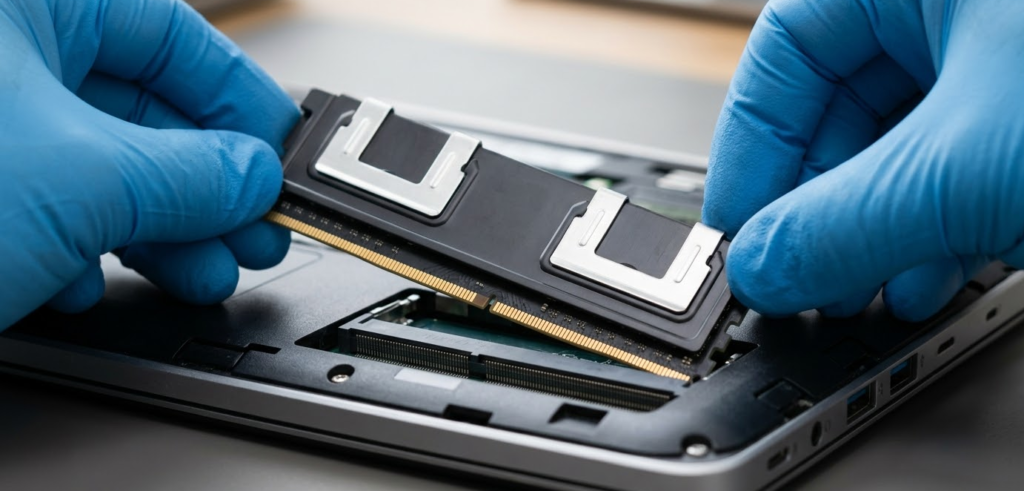
If you need to upgrade your laptop’s RAM, the correct purchase path is straightforward.
Step 1: Confirm your laptop has upgradeable RAM
A significant number of modern laptops have soldered RAM that cannot be upgraded at all. Verify upgradeability before buying anything using the Crucial System Scanner at crucial.com or the manufacturer’s specifications page. Never rely solely on Task Manager’s form factor display, as it is known to report incorrect information on many laptops.
Step 2: Identify your memory format
Your laptop uses one of four formats:
- SO-DIMM DDR4: Laptops made roughly 2017 to 2022
- SO-DIMM DDR5: Most upgradeable laptops made 2022 to present
- LPCAMM2: Premium thin Windows laptops and ultrabooks from 2024 onward, using LPDDR5x for maximum power efficiency (Dell XPS, newer ThinkPad X1, etc.)
- CAMM2: Mobile workstations and performance-focused laptops from 2024 onward, using standard DDR5 for maximum throughput (Dell Precision, HP ZBook, etc.)
Step 3: Find the correct compatible module
Use the Crucial Compatibility Checker with your exact laptop model number. It returns a curated list of confirmed compatible modules for your specific machine, eliminating any guesswork about speed, capacity, or form factor.
Step 4: Buy from reputable brands
Stick to Crucial, Kingston, Corsair, or G.Skill for SO-DIMM modules. For CAMM2 or LPCAMM2, use Crucial’s compatibility tool or the manufacturer’s official recommended module list, as the CAMM2 ecosystem is still maturing and cross-brand compatibility requires verification.
Quick Visual Guide: How to Tell Them Apart in Your Hand
If you are holding two RAM sticks and are not sure which is which, here is how to tell at a glance without any tools:
Desktop DIMM:
- Significantly longer, roughly the width of an adult hand
- Taller profile with more circuit board height
- Notch on the gold connector edge is positioned closer to the center
- Often has a heatspreader (metal cover) on premium models
Laptop SO-DIMM:
- Roughly half the length of a desktop DIMM, about the length of a finger
- Shorter overall profile
- Notch on the gold connector edge is offset to one side
- Typically no heatspreader; chips are visible on one or both sides
CAMM2 / LPCAMM2:
- Flat rectangular board, larger than SO-DIMM but much thinner than either slot-based format
- Has screw holes visible at the corners or edges
- No gold connector edge along the bottom; connector is on the underside face
- Completely unlike either DIMM or SO-DIMM in appearance
Frequently Asked Questions
Can I use desktop DDR4 RAM in a laptop DDR4 slot?
No. DDR4 desktop DIMM and DDR4 laptop SO-DIMM carry the same DDR4 generation label but are physically incompatible. Desktop DDR4 DIMM is 133mm long with 288 pins. Laptop DDR4 SO-DIMM is 67.6mm long with 260 pins. They will not fit in each other’s slots under any circumstances.
What happens if I try to force desktop RAM into a laptop slot?
The desktop DIMM is physically too large to enter the laptop SO-DIMM slot. Attempting to force it will bend or break the slot’s retaining clips, potentially damage the slot contacts on the motherboard, and render the memory slot permanently unusable. Do not attempt this.
Is there an adapter to use desktop RAM in a laptop?
No. While SO-DIMM to DIMM adapters exist (for using laptop RAM in a desktop), there is no reverse adapter for using desktop DIMM in a laptop SO-DIMM slot. The desktop DIMM is nearly twice the physical size of the slot, making a bridging adapter physically impossible regardless of electrical compatibility.
Does desktop RAM perform better than laptop RAM?
At the same speed rating and timings, the performance difference is negligible because both formats use the same underlying memory chips. Desktop platforms support higher-speed overclocked kits due to more power and thermal headroom, but the actual memory chips doing the work are the same technology. For the same rated specifications, desktop and laptop RAM perform essentially identically.
I bought RAM but it does not fit in my laptop. What happened?
You most likely purchased a full-size desktop DIMM instead of a laptop SO-DIMM. Check the product listing: if it does not say SO-DIMM explicitly in the product title or specifications, it is almost certainly a desktop module. Return it and purchase a module specifically labeled SO-DIMM. Use the Crucial Compatibility Checker with your laptop model to find a confirmed compatible module.
Can I use laptop RAM in my desktop?
With a SO-DIMM to DIMM adapter, it is technically possible in some configurations, but only using exclusively SO-DIMM modules with no desktop RAM mixed in. Results are inconsistent, and mixing SO-DIMM and DIMM modules in the same system causes instability in most cases. Practically speaking, you are better served purchasing native desktop DIMM modules for your desktop.
My desktop and laptop both say DDR5. Can I swap the RAM between them?
No. Both devices using DDR5 memory means they use the same memory generation, but the physical format is still different. The desktop uses DDR5 DIMM (288 pins, 133mm) and the laptop uses DDR5 SO-DIMM (262 pins, 67.6mm). They are entirely incompatible despite sharing the DDR5 generation name.
What is CAMM2 and LPCAMM2, and can desktop RAM be used with them?
CAMM2 and LPCAMM2 are the newest laptop memory formats introduced in 2024 and 2026, using flat modules that screw onto the motherboard rather than clipping into angled slots. CAMM2 uses standard DDR5 and appears in mobile workstations and performance laptops. LPCAMM2 uses low-power LPDDR5x and appears in premium thin-and-light laptops. Neither format is compatible with desktop DIMM or laptop SO-DIMM modules. They use entirely different connectors and are not interchangeable with any prior memory format.
What RAM should I actually buy for my laptop?
Go to crucial.com, use the free Compatibility Checker, and enter your exact laptop model number. It will tell you the correct form factor (SO-DIMM DDR4, SO-DIMM DDR5, CAMM2, or LPCAMM2), the maximum supported capacity, and the specific modules confirmed compatible with your machine. This is the single most reliable purchase path and takes under two minutes.
Bottom Line
Desktop RAM cannot be plugged into a laptop under any circumstances. The physical size difference alone makes it impossible: a desktop DIMM is approximately twice the length of a laptop SO-DIMM, carries a different pin count, and uses a notch position that does not align with a laptop slot. The 2026 landscape adds CAMM2 and LPCAMM2 as two additional laptop-exclusive memory formats that are equally incompatible with desktop DIMM modules. The confusion arises almost entirely from all of these formats sharing the same DDR generation labels (DDR4, DDR5), which describes the memory technology but says nothing about the physical form factor.
When buying RAM for a laptop, always verify the product listing explicitly says SO-DIMM, CAMM2, or LPCAMM2 as appropriate before purchasing. This hands-on 2026 test of DDR5 laptop RAM in a desktop via adapter is an excellent visual demonstration of exactly why mixing these formats causes problems, and why buying the correct form factor for your specific machine is always the right call.