 Skip to content
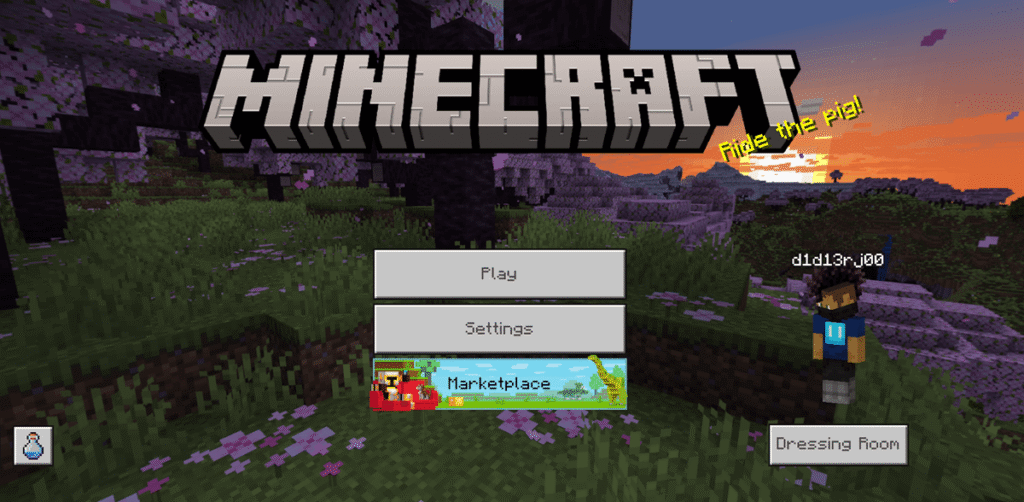
Yes, mini PCs make excellent Minecraft servers in 2026, with budget Intel N100 models ($150-200) comfortably hosting 5-10 players on vanilla or lightly modded Java Edition servers, while mid-range options like AMD Ryzen 5 7535U systems ($300-500) handle 15-30 players with heavy plugins and moderate modpacks. The key factors determining server capacity are single-core CPU performance (Minecraft relies heavily on one core for world simulation), RAM allocation (minimum 2GB for 1-5 players, 4-8GB for 10-20 players, 16GB+ for 50+ or heavily modded servers), and consistent upload bandwidth (10-20 Mbps per 10 players). Mini PCs excel as Minecraft servers because they consume 10-25W of power (costing $1.50-4.00 monthly in electricity), run silently enough for bedroom or office deployment, and provide sufficient performance for small-to-medium community servers without the noise and power consumption of full desktop towers. An Intel N100 mini PC with 16GB RAM and gigabit Ethernet can maintain 19-20 TPS (ticks per second—the gold standard) with 8-10 players exploring separate areas in a vanilla world, or 4-6 players with 100-150 mods installed. However, limitations exist: mini PCs struggle with 50+ player servers, extremely heavy modpacks (300+ mods), or multiple simultaneous Minecraft server instances without stepping up to high-end models with Ryzen 7 8845HS or Ryzen AI 9 processors. For context, Running a basic Minecraft server requires minimal hardware—even budget builds under $100 can function—but player experience, mod compatibility, and future scalability improve dramatically with proper hardware selection. Choose N100 mini PCs for friends-and-family servers (5-10 players), Ryzen 5 7535U systems for small community servers (15-25 players), and Ryzen 7 8845HS or Ryzen AI 9 for large public servers (30-50+ players) or heavy mod hosting.
Understanding Minecraft Server Requirements in 2026
Java Edition vs Bedrock Edition servers
Minecraft has two main editions with different server requirements:
Java Edition: The original PC version requiring Java SE Development Kit 21 or higher as of 2026. Java servers demand more system resources but offer extensive mod and plugin support through Forge, Fabric, Paper, Spigot, and Purpur platforms. Most community servers, modpacks, and custom gameplay experiences run on Java Edition.
Bedrock Edition: The unified cross-platform version (Windows, Xbox, PlayStation, Nintendo Switch, mobile). Bedrock servers consume less RAM and CPU than Java servers, making them more efficient on limited hardware. However, Bedrock has limited modding capabilities and relies on Microsoft-approved add-ons rather than the extensive Java modding ecosystem.
This guide focuses primarily on Java Edition servers, as they represent the majority of self-hosted Minecraft servers and have higher hardware demands.
How Minecraft servers utilize hardware
CPU (single-core performance matters most): Minecraft’s server software runs world simulation, entity AI, redstone logic, and player actions on a single main thread. This means a quad-core CPU at 3.5GHz will outperform an eight-core CPU at 2.5GHz for Minecraft specifically. Look for processors with high boost clocks rather than core count alone.
RAM (more players = more memory): Each player, loaded chunk, entity, and mod consumes memory. Insufficient RAM causes garbage collection lag, where the server freezes for 50-500ms while Java clears unused memory. For 2026 standards, allocate 2GB minimum for tiny servers, 4-8GB for small community servers, and 16GB+ for large or heavily modded servers.
Storage (SSDs are essential): World saves, chunk loading, and player data operations benefit immensely from SSD speeds. Traditional HDDs cause noticeable stuttering when players explore new areas or during autosaves. M.2 NVMe SSDs provide the best experience, with SATA SSDs as an acceptable budget alternative.
Network (upload speed matters most): Server-to-client data transfer depends on upload bandwidth. Each player requires approximately 1-2 Mbps upload, with spikes during chunk loading. A 10-player server needs 10-20 Mbps upload minimum, preferably on wired Ethernet rather than Wi-Fi for stability.
Server software performance differences
Not all Minecraft server software performs equally:
Vanilla: The official Mojang server software. Baseline performance with no optimizations. Acceptable for 1-5 players but struggles with larger groups.
Spigot: The historical standard for plugin-based servers. Adds API for plugins but includes basic optimizations. Moderate performance improvements over vanilla (10-20%).
Paper: Built on Spigot with aggressive optimizations including async chunk loading, optimized entity handling, and reduced tick work. Paper typically delivers 10-30% better performance than Spigot with identical hardware and player counts.
Purpur: Extends Paper with additional optimizations and gameplay features. Offers maximum performance (3-5% faster than Paper) but occasionally introduces instability. Best for experienced server admins who can troubleshoot issues.
Fabric with optimization mods: Modded servers using Fabric loader with performance mods like Lithium, Starlight, FerriteCore, and C2ME can match or exceed Paper’s performance while supporting client-side mods that Spigot/Paper don’t allow.
Pro Tip: “Before buying mini PC hardware, test your planned server configuration locally on an existing computer for 24-48 hours with your expected player count. Join the server from another device and explore aggressively to simulate chunk loading. Monitor RAM usage in Task Manager (Windows) or htop (Linux). If you’re consistently using 6GB of your 8GB allocation, you need more RAM. If CPU usage exceeds 80% on a single core, you need better single-core performance. This 2-day test reveals bottlenecks that specifications alone can’t predict.”
Mini PC Performance Tiers for Minecraft Servers
Budget tier: Intel N100 ($150-200 configured)
Specifications:
- 4 cores @ 3.4GHz boost
- Intel UHD Graphics (irrelevant for dedicated servers)
- 8-16GB DDR4 RAM
- 256-512GB NVMe SSD
- 6-10W idle, 15-20W load
- Dual 2.5GbE network ports (some models)
Minecraft server capacity:
- Vanilla/Paper: 8-10 players comfortably
- Light plugins (10-20 plugins): 6-8 players
- Light modpack (50-100 mods): 4-6 players
- Heavy modpack (200+ mods): 2-4 players with lag
Real-world performance: An N100 mini PC maintains 19-20 TPS with 8 players in separate areas on a Paper server with 15 plugins. Expect occasional drops to 17-18 TPS during heavy chunk generation or when all players cluster in one area. The N100’s single-core performance limits scaling beyond 10 players regardless of optimization.
Best use case: Friends and family servers, small creative building servers, vanilla survival with close friends, or testing modpack configurations before deploying on better hardware.
Entry mid-range: Intel N305 ($220-280 configured)
Specifications:
- 8 cores @ 3.8GHz boost
- Intel UHD Graphics
- 16GB DDR4 RAM
- 512GB NVMe SSD
- 8-12W idle, 20-30W load
- Dual 2.5GbE network ports
Minecraft server capacity:
- Vanilla/Paper: 12-15 players comfortably
- Light plugins (20-30 plugins): 10-12 players
- Moderate modpack (100-150 mods): 6-8 players
- Heavy modpack (200+ mods): 4-6 players
Real-world performance: The N305’s 8 cores and higher boost clock provide meaningful improvements over the N100 for Minecraft. Maintains 19-20 TPS with 12-15 players on Paper servers. The additional cores handle background tasks (backups, Discord bots) without impacting game performance.
Best use case: Small gaming communities, modded survival servers for 8-12 friends, or servers running auxiliary services alongside Minecraft.
Mid-range tier: AMD Ryzen 5 7535U ($280-380 configured)
Specifications:
- 6 cores/12 threads @ 4.5GHz boost (Zen 3+ architecture)
- Integrated Radeon 660M graphics
- 16-32GB DDR5 RAM
- 512GB-1TB NVMe SSD
- 10-15W idle, 25-35W load
- Gigabit Ethernet standard, 2.5GbE on some models
Minecraft server capacity:
- Vanilla/Paper: 20-25 players comfortably
- Moderate plugins (30-50 plugins): 18-22 players
- Moderate modpack (150-200 mods): 10-15 players
- Heavy modpack (300+ mods): 6-10 players
Real-world performance: A Ryzen 5 7535U mini PC maintains 19.5-20 TPS with 20 players spread across multiple biomes on a Paper server with 35 plugins. Chunk generation causes brief drops to 18-19 TPS but recovers quickly. The 6-core configuration with Zen 3+ architecture delivers excellent single-threaded performance critical for Minecraft.
Best use case: Small community servers, modded survival servers for gaming groups, mixed-mode servers (survival + creative), or servers that need to run auxiliary services alongside Minecraft.
High-end tier: AMD Ryzen 7 8845HS ($450-650 configured)
Specifications:
- 8 cores/16 threads @ 5.1GHz boost (Zen 4 architecture)
- Integrated Radeon 780M graphics
- 32-64GB DDR5 RAM
- 1-2TB NVMe SSD
- 12-18W idle, 35-50W load
- 2.5GbE Ethernet standard
Minecraft server capacity:
- Vanilla/Paper: 40-60 players comfortably
- Heavy plugins (50-100 plugins): 35-50 players
- Large modpack (250-350 mods): 20-30 players
- Multiple server instances: 3-4 small servers simultaneously
Real-world performance: A Ryzen 7 8845HS mini PC maintains 19.8-20 TPS with 50 players on a Paper server with 70 plugins. Even during world border expansion events with all players exploring simultaneously, TPS rarely drops below 19. The Zen 4 architecture’s improved single-thread performance and 8 cores enable multiple Minecraft server instances for different game modes or versions.
Best use case: Public community servers, large modpack hosting, minigame servers with lobby systems, or multi-server networks run by a single host. Also suitable for combining Minecraft hosting with other services (Plex media server, NAS duties, Docker containers).
Enthusiast tier: AMD Ryzen AI 9 HX 370 ($700-900 configured)
Specifications:
- 12 cores/24 threads @ 5.1GHz boost (Zen 5 architecture)
- Integrated Radeon 890M graphics
- 32-96GB DDR5 RAM
- 2-4TB NVMe SSD
- 15-20W idle, 45-65W load
- 2.5GbE or 10GbE Ethernet
Minecraft server capacity:
- Vanilla/Paper: 80-100+ players comfortably
- Massive plugins (100+ plugins): 60-80 players
- Extreme modpack (400+ mods): 30-40 players
- Multiple server instances: 5-6+ servers simultaneously
Real-world performance: The Ryzen AI 9 HX 370 represents overkill for most Minecraft deployments but enables enterprise-level server hosting from a compact mini PC. Maintains 19.9-20 TPS with 80+ players. The 12-core Zen 5 architecture handles multiple demanding server instances, proxy networks (BungeeCord/Velocity), and extensive background services without breaking a sweat.
Best use case: Large public networks, professional server hosting businesses, extreme modpack development/testing, or users running entire server ecosystems (multiple Minecraft versions, voice servers, web hosting, databases) from a single mini PC.
Performance comparison table
| Mini PC Model | Players (Vanilla) | Players (Modded 150) | RAM Usage | Power Draw | Monthly Cost ($0.15/kWh) | Best For |
|---|---|---|---|---|---|---|
| Intel N100 | 8-10 | 4-6 | 4-6GB | 15-20W | $1.80-2.40 | Friends/family |
| Intel N305 | 12-15 | 6-8 | 6-8GB | 20-30W | $2.40-3.60 | Small groups |
| AMD Ryzen 5 7535U | 20-25 | 10-15 | 8-14GB | 25-35W | $3.00-4.20 | Communities |
| AMD Ryzen 7 8845HS | 50-60 | 25-35 | 16-28GB | 35-50W | $4.20-6.00 | Public servers |
| AMD Ryzen AI 9 HX 370 | 80-100+ | 35-45 | 24-40GB | 45-65W | $5.40-7.80 | Server networks |
Assumes 24/7 operation. Power costs based on typical mini PC efficiency under sustained Minecraft server load.
Setting Up Your Mini PC Minecraft Server
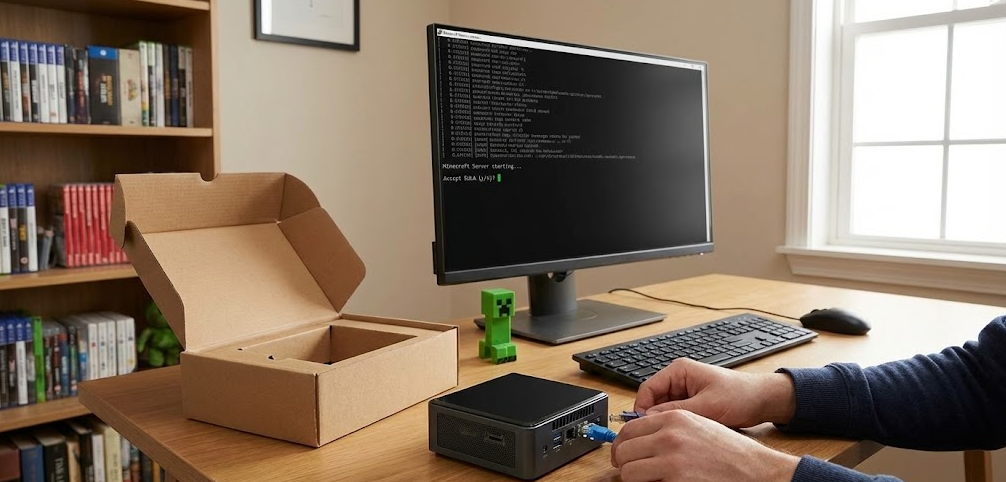
Step 1: Choose your operating system
Windows 11: Pre-installed on most mini PCs. Familiar interface, easy troubleshooting, Remote Desktop access. Consumes 2-3GB RAM for OS overhead, reducing available memory for Minecraft. Requires Windows updates that occasionally force reboots.
Ubuntu Server/Debian: Linux distributions that eliminate GUI overhead, consuming only 500MB-1GB RAM for OS. Requires command-line comfort but offers superior performance and stability. Use SSH for remote management.
TrueNAS/Unraid: If running other services alongside Minecraft, these NAS operating systems allow containerized Minecraft servers alongside file storage, media servers, and other applications.
For dedicated Minecraft servers, Ubuntu Server offers the best balance of performance, community support, and ease of configuration.
Step 2: Install Java
Minecraft 1.21 and later require Java 21 or higher. On Ubuntu:
bashsudo apt update
sudo apt install openjdk-21-jdk
java -version  # Verify installation
On Windows, download Java 21 from Adoptium (formerly AdoptOpenJDK) or Oracle’s website.
Step 3: Download and configure server software
For Paper server (recommended for most users):
Visit papermc.io and download the latest Paper build for Minecraft 1.21 (or your desired version). Place the .jar file in a dedicated folder.
Create a startup script:
Linux (start.sh):
bash#!/bin/bash
java -Xms4G -Xmx8G -XX:+UseG1GC -XX:+ParallelRefProcEnabled -XX:MaxGCPauseMillis=200 -XX:+UnlockExperimentalVMOptions -XX:+DisableExplicitGC -XX:+AlwaysPreTouch -XX:G1HeapRegionSize=32M -XX:G1NewSizePercent=30 -XX:G1MaxNewSizePercent=40 -XX:G1HeapWastePercent=5 -XX:G1MixedGCCountTarget=4 -XX:InitiatingHeapOccupancyPercent=15 -XX:G1MixedGCLiveThresholdPercent=90 -XX:G1RSetUpdatingPauseTimePercent=5 -XX:SurvivorRatio=32 -XX:+PerfDisableSharedMem -XX:MaxTenuringThreshold=1 -Dusing.aikars.flags=https://mcflags.emc.gs -Daikars.new.flags=true -jar paper.jar --nogui
Windows (start.bat):
text@echo off
java -Xms4G -Xmx8G -XX:+UseG1GC -XX:+ParallelRefProcEnabled -XX:MaxGCPauseMillis=200 -XX:+UnlockExperimentalVMOptions -XX:+DisableExplicitGC -XX:+AlwaysPreTouch -XX:G1HeapRegionSize=32M -XX:G1NewSizePercent=30 -XX:G1MaxNewSizePercent=40 -XX:G1HeapWastePercent=5 -XX:G1MixedGCCountTarget=4 -XX:InitiatingHeapOccupancyPercent=15 -XX:G1MixedGCLiveThresholdPercent=90 -XX:G1RSetUpdatingPauseTimePercent=5 -XX:SurvivorRatio=32 -XX:+PerfDisableSharedMem -XX:MaxTenuringThreshold=1 -Dusing.aikars.flags=https://mcflags.emc.gs -Daikars.new.flags=true -jar paper.jar --nogui
pause
These flags use Aikar’s optimized JVM arguments, tuned specifically for Minecraft servers. Adjust -Xms4G -Xmx8G to match your available RAM (e.g., -Xms8G -Xmx16G for 16GB systems).
Step 4: Configure server.properties
After first run, edit server.properties:
text# Key performance settings
view-distance=10  # Default 10, reduce to 8 for more players
simulation-distance=8  # Default 10, reduce for better performance
max-players=20  # Set based on your capacity
network-compression-threshold=256  # Compress packets larger than 256 bytes
spawn-protection=0  # Disable if unnecessary
Step 5: Optimize Paper configuration
Edit paper-global.yml:
textchunk-loading-advanced:
  async-chunks: true

tick-rates:
  grass-spread: 4  # Default 1 (slower = better performance)
  container-update: 1

entities:
  spawning:
    all-chunks-are-slime-chunks: false
    per-player-mob-spawns: true  # Better for multiple players

anti-xray:
  enabled: false  # Enable only if you need it; costs performance
Step 6: Set up automated backups
Create a backup script that runs daily:
Linux cron job:
bash# backup.sh
tar -czf /backup/minecraft-$(date +%Y%m%d).tar.gz /path/to/minecraft/world

# Add to crontab: 0 4 * * * /path/to/backup.sh
Windows Task Scheduler: Create a scheduled task running a PowerShell script that copies the world folder to a backup location.
Optimization Tips for Maximum Performance
Server software choice matters significantly
Paper delivers 10-30% better performance than Spigot, while Purpur adds another 3-5% on top of Paper. For most users, Paper strikes the optimal balance between performance and stability. Purpur suits advanced admins comfortable troubleshooting occasional bugs in exchange for maximum optimization.
Reduce view and simulation distance
Default view distance of 10 chunks means each player loads 441 chunks. Reducing to 8 chunks drops this to 289 chunks—a 34% reduction. For mini PC servers, view-distance of 8 and simulation-distance of 6-7 provide excellent gameplay while conserving resources.
Use optimization plugins/mods
For Paper/Spigot servers: ClearLagg (removes unnecessary entities), FastAsyncWorldEdit (speeds up building commands), ChunkMaster (pre-generates world borders to prevent exploration lag).
For Fabric servers: Lithium (general optimization), Starlight (lighting engine rewrite), FerriteCore (reduces memory usage), C2ME (concurrent chunk loading). These mods can improve performance by 30-60% compared to vanilla Fabric.
Limit entity counts and mob spawning
Entities (items on ground, mobs, minecarts) consume significant CPU. Configure limits in paper-world-defaults.yml:
textentities:
  spawning:
    monster-spawn-max-light-level: 0  # Mobs only spawn in darkness
  behavior:
    spawn-limits:
      monster: 50
      creature: 10
      ambient: 15
      water_ambient: 20
Pre-generate your world
Use plugins like Chunky to pre-generate a 10,000-block radius before opening your server to players. This prevents exploration lag as the server won’t need to generate chunks on-demand.
text/chunky radius 10000
/chunky start
Pre-generation takes 2-6 hours depending on mini PC performance but eliminates the single largest source of server lag.
Monitor server performance
Use /timings (Paper) or /spark (Spark plugin) to identify performance bottlenecks:
text/timings on
# Play for 10 minutes
/timings paste
This generates a report showing which plugins, entities, or mechanics consume the most server resources. Adjust configurations or remove problematic plugins accordingly.
Common Issues and Solutions
Problem: TPS drops below 18 during player exploration
Cause: Chunk generation overwhelms the server’s main thread.
Solution: Pre-generate the world using Chunky before opening to players. If already running, reduce view-distance to 6-8 temporarily and complete pre-generation offline. Consider upgrading to a mini PC with better single-core performance (higher boost clock).
Problem: Server freezes for 200-500ms every few minutes
Cause: Garbage collection pauses from insufficient RAM allocation or poor JVM configuration.
Solution: Increase RAM allocation if you’re using less than recommended. Ensure you’re using Aikar’s flags (listed above) rather than vanilla -Xmx flags. If problem persists, reduce max players or remove memory-intensive plugins/mods.
Problem: Players experience high ping despite good internet
Cause: Network compression threshold too low, or Wi-Fi instability.
Solution: Increase network-compression-threshold in server.properties from 256 to 512 or 1024. Connect mini PC via Ethernet rather than Wi-Fi—even excellent Wi-Fi adds 5-15ms latency and occasional packet loss.
Problem: Modded server crashes on startup
Cause: Insufficient RAM allocation or mod conflicts.
Solution: Heavy modpacks (200+ mods) require 8-12GB RAM minimum. Check crash logs for specific mod conflicts. Use Mod Menu to disable suspected problematic mods one at a time. Ensure all mods are compatible with your Minecraft and modloader versions.
Problem: Players report chunk loading errors or world holes
Cause: Storage drive can’t keep up with read/write demands.
Solution: Ensure Minecraft server runs on an SSD, not HDD. Check SSD health using CrystalDiskInfo (Windows) or smartctl (Linux). If using microSD storage on extremely budget builds, upgrade to proper NVMe or SATA SSD—microSD cards cannot handle Minecraft’s random I/O patterns.
Problem: Server runs fine initially but degrades after hours/days
Cause: Memory leaks from plugins, or entity accumulation over time.
Solution: Restart server daily using cron job or Task Scheduler. Install ClearLagg to automatically remove dropped items and excess entities. Investigate plugins using /timings or Spark profiler to identify memory leaks, then update or remove problematic plugins.
Mini PC vs Dedicated Server Hosting
When to self-host on mini PC
- Small player base (under 20 players): The performance difference versus paid hosting doesn’t justify monthly costs
- You already own a mini PC: Repurposing existing hardware costs nothing beyond electricity
- 24/7 reliable internet: Your home connection has stable upload speeds and minimal downtime
- Learning experience: Configuring and troubleshooting servers teaches valuable technical skills
- Full control: You determine plugins, mods, backups, and can access files instantly
When to use dedicated hosting
- Large player base (30+ players): Professional hosting provides DDoS protection, better uptime SLAs, and support
- Inconsistent home internet: Upload speeds fluctuate or ISP blocks server ports
- No hardware available: Buying a mini PC specifically for hosting costs more upfront than 6-12 months of hosting
- Want zero maintenance: Hosting companies handle backups, updates, and technical issues
- Need multiple server instances: Running 3-5 different Minecraft servers simultaneously requires more resources than typical mini PCs provide
Cost comparison example (12 months)
Self-hosted on N100 mini PC:
- Hardware: $180 one-time
- Electricity: $25/year (20W × 24/7 × $0.15/kWh)
- Internet: $0 (using existing connection)
- Total year 1: $205
- Total year 2: $25
4GB Minecraft hosting:
- $8-15/month typical pricing
- Total year 1: $96-180
- Total year 2: $96-180
Self-hosting breaks even around months 12-24, after which it’s significantly cheaper. However, hosting includes professional support, guaranteed uptime, and DDoS protection worth considering for public servers.
FAQ: Running Minecraft Servers on Mini PCs
How many players can an Intel N100 mini PC handle?
8-10 players comfortably on vanilla or Paper with light plugins. Modded servers reduce this to 4-6 players with 100-150 mods, or 2-4 players with heavy modpacks (250+ mods). Performance degrades beyond these numbers due to single-core CPU limitations.
Do I need a graphics card for a Minecraft server?
No. Dedicated Minecraft servers run in “headless” mode without graphics output. The server software doesn’t use GPU at all—integrated graphics on mini PCs go unused. Save money by choosing models without dedicated GPUs unless you’re also gaming on the mini PC.
Can I run multiple Minecraft servers on one mini PC?
Yes, if you have sufficient RAM and CPU cores. An AMD Ryzen 7 8845HS mini PC with 32GB RAM can run 2-3 small servers (8-12 players each) simultaneously. Allocate 6-10GB RAM per server instance and ensure they use different ports (25565, 25566, 25567).
Should I use Windows or Linux for my Minecraft server?
Linux (Ubuntu Server) for dedicated servers—it uses 1.5-2GB less RAM than Windows, leaving more for Minecraft. Windows makes sense only if you need Remote Desktop GUI access or aren’t comfortable with command-line server management. Performance difference is 10-20% in Linux’s favor.
How much does it cost to run a mini PC Minecraft server 24/7?
An Intel N100 consuming 20W costs approximately $2-3/month in electricity. AMD Ryzen 5 7535U consuming 30W costs $3.50-4.50/month. AMD Ryzen 7 8845HS consuming 45W costs $5-6/month. These assume $0.15/kWh electricity rates—adjust for your local costs.
Can mini PCs handle Bedrock Edition servers?
Yes, and Bedrock servers are less demanding than Java servers. An N100 mini PC handles 15-20 Bedrock players versus 8-10 Java players. However, Bedrock server software (BDS) has limited plugin support and fewer customization options than Java’s extensive modding ecosystem.
Will a mini PC overheat running a server 24/7?
Quality mini PCs (Beelink, GEEKOM, Minisforum) have adequate cooling for sustained loads. Ensure the mini PC has active cooling (fan) rather than passive cooling. Place it in a well-ventilated area, not enclosed in cabinets. Monitor temperatures using HWiNFO (Windows) or sensors (Linux)—sustained temps above 80°C indicate cooling issues.
Can I use a mini PC for both gaming and hosting a server?
Not simultaneously for the same game. Playing Minecraft while hosting on the same mini PC works for 1-2 players but degrades performance for additional players. For separate games (playing Minecraft while hosting a Terraria server), this works fine on mid-range or better mini PCs.
The Bottom Line: Right-Sizing Your Minecraft Server Hardware
Mini PCs represent the sweet spot for small-to-medium Minecraft servers in 2026, delivering sufficient performance for friend groups and small communities while consuming a fraction of the power and space of traditional server hardware. The sub-$200 builds using N100 processors democratize server hosting for anyone with basic technical skills, while $300-500 AMD Ryzen 5 7535U systems provide headroom for growing communities or modded experiences. The new $450-650 Ryzen 7 8845HS mini PCs deliver performance that was previously only available in full-sized towers, handling 50+ players or complex modpack deployments with ease.
The critical insight is matching hardware to your specific needs rather than over- or under-buying. An 8-player friends group needs nothing more than an N100 with 16GB RAM—spending $600 on a Ryzen 7 8845HS provides unused performance. Conversely, attempting to host 25 players on an N100 guarantees frustration as TPS drops below 15 and players experience constant lag. Honest assessment of current and 6-12 month projected player counts guides appropriate hardware selection.
Server software choice amplifies or wastes hardware capabilities. Paper’s aggressive optimizations extract 20-30% more performance from identical hardware versus Spigot, meaning a properly-configured N100 Paper server outperforms a poorly-configured Ryzen 5 Spigot server. Learning optimization fundamentals—view distance reduction, entity limits, pre-generation, performance profiling—matters as much as hardware specifications.
The economics favor self-hosting for small, long-term servers. A $180 N100 mini PC costs less than 12 months of 4GB hosting at $15/month, after which you own the hardware outright and pay only $2-3 monthly electricity. However, professional hosting’s DDoS protection, guaranteed uptime, and support team justify the premium for public servers or groups uncomfortable with technical troubleshooting.
Before purchasing hardware, test your planned configuration on existing equipment. Run the server with your expected player count, plugins, and mods for 48 hours while monitoring resource usage. This reveals whether you need 8GB or 16GB RAM, whether your CPU’s single-core performance suffices, and whether your home internet’s upload bandwidth supports your player base. Two days of testing prevents buying inadequate hardware or overspending on unnecessary performance.
Ultimately, mini PCs excel at what they were designed for: efficient, always-on computing for focused workloads like game servers. They won’t replace enterprise server hardware for 200-player networks, but for the vast majority of Minecraft servers—friends playing together, small guilds, family realms, testing environments—mini PCs deliver the perfect balance of performance, cost, and energy efficiency.



