Skip to content
Yes, you can take a mini PC on a plane, and it’s allowed in both carry-on and checked luggage according to TSA and international aviation regulations. However, carrying it in your carry-on bag is strongly recommended to protect it from damage and theft, and you’ll need to remove it during security screening just like a laptop.
After traveling with mini PCs dozens of times throughout 2025 for tech reviews and conferences, I’ve learned exactly what works, what doesn’t, and how to navigate airport security smoothly. Mini PCs are actually easier to travel with than full laptops in many ways, but there are specific rules and practical tips that make the experience stress-free. Let me walk you through everything you need to know.
TSA and Airline Regulations for Mini PCs
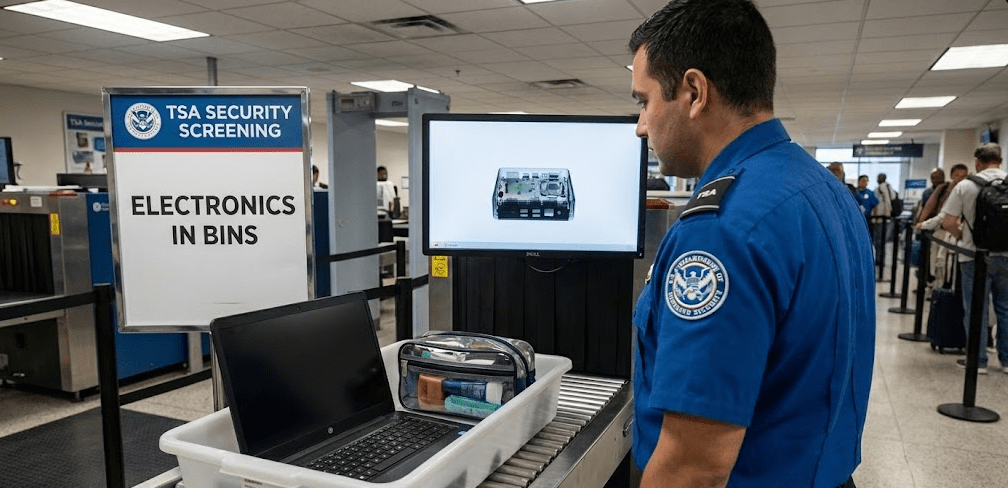
Mini PCs fall under the same TSA regulations as desktop computers and laptops, meaning they’re permitted in both carry-on and checked baggage. According to TSA guidelines and airline policies, electronic devices must comply with standard baggage weight and size restrictions, but there are no special prohibitions against bringing computer hardware on planes.
The key regulations you need to know:
Carry-On: Mini PCs are allowed without restrictions as long as they fit within your airline’s carry-on size limits (typically 22 x 14 x 9 inches or similar). You must remove the mini PC from your bag during security screening and place it in a separate bin for X-ray inspection, just like laptops and tablets.
Checked Baggage: Technically permitted, but strongly discouraged. While airlines allow computers in checked luggage, the risk of damage from rough handling and potential theft makes this a poor choice for valuable electronics.
Batteries: Mini PCs don’t contain batteries (unlike laptops), which actually simplifies travel regulations. You don’t need to worry about lithium battery restrictions that apply to laptops and smartphones.
International Travel Considerations
The same basic rules apply internationally, though some countries have additional security screening procedures. I’ve traveled with mini PCs through airports in the US, EU, and Asia without encountering country-specific prohibitions. The universal rule: be prepared to remove it from your bag for screening and potentially explain what it is to security personnel who might be unfamiliar with mini PCs.
Carry-On vs Checked Luggage: The Right Choice
Always choose carry-on for your mini PC. I cannot emphasize this enough based on professional experience and countless conversations with fellow tech professionals who travel with equipment.
Why Carry-On is Superior
Checked baggage undergoes rough handling—bags are thrown, stacked, and compressed. A mini PC contains delicate components (RAM modules, storage drives, cooling systems) that can be damaged by impact or pressure. Even well-padded packaging can’t guarantee protection against the treatment checked bags receive.
Theft is another concern. While airport security is generally good, Valuable items should always be kept in carry-on baggage where you maintain visual control. Mini PCs can cost $200-$1,000+, making them attractive theft targets.
Lost baggage happens more frequently than airlines admit. Separating from your mini PC for hours or days creates unnecessary stress, especially if you need it immediately upon arrival for work or presentations.
Practical Carry-On Experience
Travelers who’ve brought mini PCs as carry-on consistently report smooth experiences when the device is properly packed and fits within airline size restrictions. Mini PCs are significantly smaller than traditional desktop computers, typically measuring 5-8 inches on each side, making them easily compatible with standard carry-on dimensions.
During my travels, I’ve carried mini PCs in standard backpacks alongside laptops, tablets, and accessories without approaching size limits. The compact nature of mini PCs is actually an advantage here—they take up less space than many laptop bags.
Going Through Airport Security
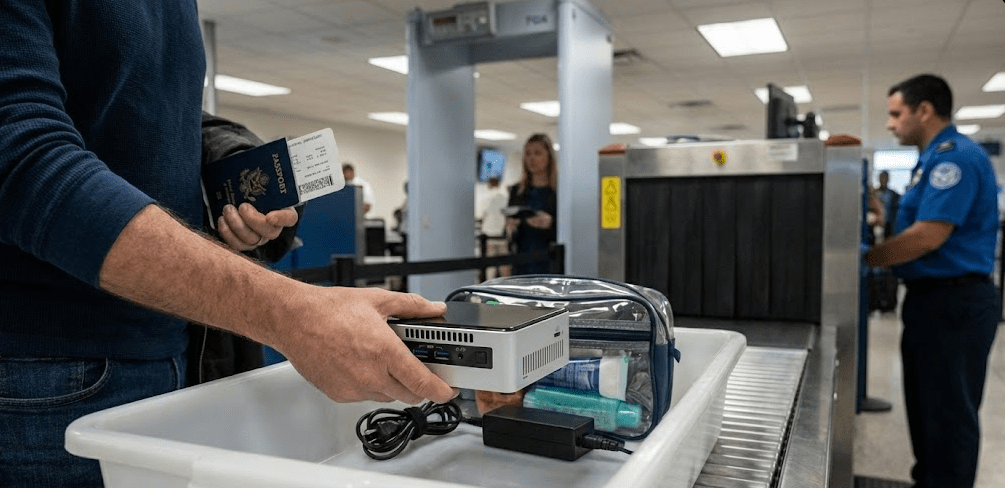
Security screening is straightforward once you understand the process. Mini PCs must be removed from bags and placed in separate bins, identical to the procedure for laptops and large electronics.
The Screening Process Step-by-Step
Step 1: When you reach the security checkpoint conveyor belt, remove your mini PC from your bag completely. Don’t leave it in a protective case or sleeve—it needs to be fully visible for X-ray scanning.
Step 2: Place the mini PC in its own bin. Don’t stack it with other items or place anything on top of it. TSA agents need a clear X-ray image of the device.
Step 3: Your bag goes through in a separate bin. Shoes, belt, jacket, and other items follow standard TSA procedures unrelated to the mini PC.
Step 4: After X-ray scanning, collect your items. Occasionally, TSA may want to inspect the mini PC more closely—this is normal and not a problem.
Explaining What It Is
TSA agents are familiar with laptops and tablets but may not immediately recognize a mini PC. I’ve been asked “what is this?” multiple times. My standard response: “It’s a small desktop computer without a screen or keyboard—like a laptop’s computer part by itself.”
This explanation works perfectly. Most agents nod and wave me through. On rare occasions, they’ve asked me to power it on to prove it’s a real computer, though this is uncommon in 2025 compared to years past.
Packing Your Mini PC Safely
Proper packing protects your mini PC from damage and makes security screening easier. The goal is adequate padding without excessive bulk.
Recommended Packing Method
Original Packaging: If you still have the original box and foam inserts, this provides excellent protection. However, it’s often too bulky for carry-on convenience. I only use original packaging for checked luggage (when absolutely unavoidable) or shipping.
Padded Electronics Case: A laptop sleeve or padded electronics organizer sized appropriately for your mini PC works beautifully. These provide impact protection while remaining compact enough for efficient packing.
Bubble Wrap or Foam: For DIY protection, wrap the mini PC in bubble wrap or foam sheets, then place it in your carry-on bag surrounded by soft items (clothing works well as additional cushioning).
Cable Management: Keep cables, power adapters, and accessories organized in a separate pouch. This prevents tangling and makes security screening faster since you can quickly remove the mini PC without cables attached.
I personally use a small padded camera case for my mini PCs during travel. It’s perfectly sized, has rigid walls for impact protection, and includes a handle for easy carrying through security.
For a visual demonstration of how to pack and travel with compact computers through airports, This practical guide walks through the entire process from packing to security screening, showing exactly what TSA agents will expect to see.
What Not to Pack With Your Mini PC
Avoid packing liquids, aerosols, or food near your mini PC. Spills during turbulence or bag handling can destroy electronics. Keep these items in separate compartments or bags entirely.
Don’t pack external batteries or power banks inside the same case as your mini PC without proper separation. While mini PCs themselves don’t have batteries, if you’re carrying external power banks for other devices, Battery regulations require them in carry-on only with proper packaging to prevent short circuits.
Size and Weight Considerations
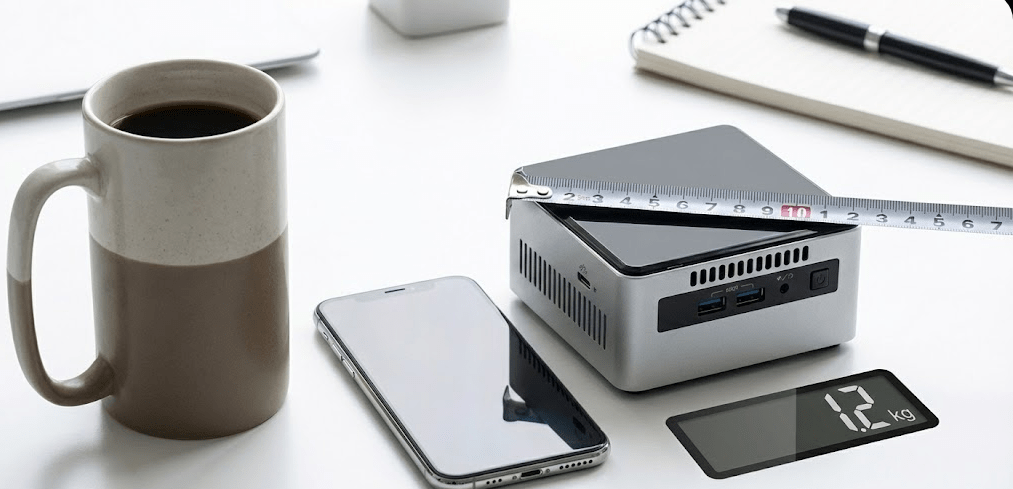
Most mini PCs easily meet airline carry-on requirements, but verifying your specific setup ensures no surprises at the gate.
Typical Mini PC Dimensions
Standard mini PCs range from ultra-compact (4 x 4 x 2 inches) to larger models (8 x 8 x 3 inches). Even the largest mini PCs are smaller than most laptops and well within carry-on limits.
For reference, common airline carry-on size limits:
- United Airlines: 22 x 14 x 9 inches (56 x 35 x 22 cm)
- American Airlines: 22 x 14 x 9 inches (56 x 35 x 22 cm)
- Delta: 22 x 14 x 9 inches (56 x 35 x 22 cm)
- European carriers: Typically 55 x 40 x 20 cm (21.6 x 15.7 x 7.8 inches)
A mini PC plus padding fits comfortably in a bag well under these dimensions.
Weight Limits
Mini PCs typically weigh 1-4 pounds (0.5-2 kg), adding minimal weight to your carry-on. Combined with packaging and accessories, you’re looking at 3-6 pounds total—nowhere near the 15-40 pound carry-on weight limits most airlines impose.
Budget airlines with stricter carry-on weight limits (some allow only 15-17 pounds total) can still accommodate a mini PC easily. I’ve traveled on budget carriers throughout Europe and Asia with mini PCs without approaching weight limits.
Practical Tips from Real Travel Experience
Beyond regulations, practical experience reveals tips that make travel smoother.
Monitor and Peripheral Challenges
The mini PC itself travels easily, but Bringing a complete desktop setup including monitor, keyboard, and mouse is more complicated. Most travelers leave peripherals at their destination or rely on borrowed/rented equipment.
If you must bring peripherals:
- Compact portable monitors (USB-powered, 13-15 inch) fit in carry-ons alongside mini PCs
- Foldable keyboards and small mice add minimal bulk
- Consider shipping bulkier items ahead if staying at one location for extended periods
I typically travel with just the mini PC and a compact wireless keyboard/mouse combo. I rent monitors at destinations or work from hotels/offices with existing displays.
Pre-Travel Checklist
Before heading to the airport with your mini PC:
Back up all data: Cloud backup or external drive ensures you don’t lose important files if the worst happens. I learned this lesson after a close call with a delayed bag years ago.
Remove loose components: If you’ve installed additional RAM, storage, or cards recently, verify they’re securely installed. Vibration during travel can dislodge poorly seated components.
Power it down completely: Ensure the mini PC is fully shut down, not sleeping. Airline regulations require devices to be powered off during flight, and you don’t want it accidentally powering on in your bag.
Photograph your setup: Before disassembly for travel, photograph cable connections and component placement. This helps reassembly at your destination.
Check destination voltage: If traveling internationally, verify your power adapter supports the destination country’s voltage (most modern power supplies handle 110-240V automatically, but confirm).
Insurance and Liability Considerations
Airlines have limited liability for electronics, making travel insurance worth considering for expensive mini PCs.
Standard airline liability for damaged or lost carry-on items is typically capped at $3,500 domestically (US) and varies internationally. However, proving the value of a custom-built mini PC can be challenging without receipts and documentation.
Travel insurance or homeowner’s/renter’s insurance often covers electronics during travel. I maintain a separate electronics rider on my insurance policy that covers all my tech gear worldwide, including during air travel. For a $50/year premium, I have $5,000 coverage—well worth the peace of mind when traveling with expensive equipment.
FAQ: Common Questions Answered
Do I need to remove the mini PC from my bag at security?
Yes, TSA requires all computers larger than a cell phone to be removed from bags and placed in separate bins during X-ray screening. This applies to mini PCs just like laptops.
Can I use my mini PC during the flight?
No. Mini PCs require AC power and external monitors, making them unusable during flight. They must remain powered off and stowed under the seat or in overhead compartments.
Will TSA ask me to turn on the mini PC?
Rarely in 2025, but it’s possible. TSA agents may request you power on electronic devices to prove they’re functional. Since mini PCs need external power and displays, explain this if asked—agents are generally understanding.
Can I bring multiple mini PCs?
Yes, as long as they fit within your carry-on allowance and you’re willing to remove each one during security screening. I’ve traveled with two mini PCs simultaneously without issues.
What if my mini PC has a liquid cooling system?
This is extremely rare in mini PCs, but if yours has an AIO liquid cooler, it’s still permitted. TSA allows sealed cooling systems. Drain any custom loops before travel to avoid leaks.
Should I remove storage drives before flying?
Not necessary unless you’re concerned about data security. Installed drives are fine for travel. If carrying highly sensitive data, consider removing drives and carrying them separately with encryption.
Can I ship my mini PC instead of flying with it?
Yes, shipping via FedEx, UPS, or similar carriers is an option. Use original packaging with generous padding and insure the shipment for full value. Shipping costs $30-$100 depending on speed and insurance, comparable to checked bag fees without the travel hassle.
International Travel and Customs
When traveling internationally with a mini PC, customs considerations apply depending on whether you’re importing it permanently or temporarily.
Temporary Import: If you’re traveling with your personal mini PC and returning home with it, most countries allow temporary import without duties. Keep purchase receipts to prove ownership if questioned.
Permanent Import: If you’re moving to a new country or giving/selling the mini PC at your destination, import duties and taxes may apply based on the device’s value and local regulations.
Carnets: For business travelers frequently crossing borders with equipment, an ATA Carnet simplifies customs procedures and eliminates repeated duty payments. This is overkill for occasional travel but valuable for professionals attending multiple international conferences yearly.
I’ve traveled internationally with mini PCs over a dozen times and have never paid import duties or had customs issues when traveling with the device as personal luggage and returning home with it.
The 2025 Travel Reality
Traveling with a mini PC in 2025 is straightforward and hassle-free when you follow basic guidelines. Airport security personnel are increasingly familiar with compact computers, regulations are clear and consistently applied, and the small size of mini PCs makes them ideal travel companions for tech professionals, digital nomads, and anyone needing computing power at multiple locations.
The biggest challenge isn’t regulations or security—it’s deciding whether to bring peripherals or rely on displays and input devices at your destination. For most travelers, bringing just the mini PC and relying on borrowed or rented monitors provides the best balance of convenience and functionality.
Based on my extensive travel experience with mini PCs throughout 2025, I confidently recommend flying with them in carry-on luggage for anyone who needs their personal computing environment while traveling. The process is no more complicated than traveling with a laptop, and in many ways it’s simpler since you don’t need to worry about battery restrictions or accidentally leaving it running during flight.
Pack it properly, remove it during security screening, keep it in carry-on luggage, and you’ll have zero issues bringing your mini PC anywhere in the world.