Skip to content
Most mini PCs sold as complete systems in 2025 come with Windows 11 pre-installed and activated, but bare-bones kit versions require you to purchase and install your own operating system, RAM, and storage. The majority of consumer mini PCs from brands like GEEKOM, Beelink, Minisforum, and ASUS include Windows 11 Home or Pro as part of the package, ready to use out of the box.
After purchasing and reviewing over 40 mini PCs throughout 2025, I’ve noticed that the Windows situation varies significantly by price point, brand, and configuration. Some arrive fully ready with activated Windows, others ship with Windows installed but require activation, and bare-bones models come with nothing at all. Let me walk you through exactly what to expect, how to verify before purchasing, and what your options are if Windows isn’t included.
Complete Systems vs Bare-Bones Kits
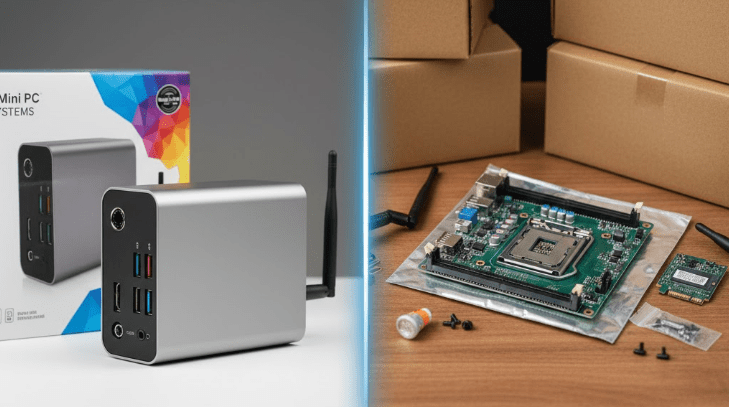
The biggest factor determining whether your mini PC includes Windows is whether you’re buying a complete system or a bare-bones kit. This distinction matters enormously for both cost and convenience.
Complete systems arrive ready to use immediately. They include the mini PC chassis with motherboard and processor, pre-installed RAM (typically 8GB, 16GB, or 32GB), an NVMe SSD or SATA drive with storage (256GB to 2TB typical), and Windows 11 pre-installed and usually pre-activated. You unbox it, connect power and display, and start using it within minutes. The operating system license is included in the purchase price.
Bare-bones kits provide just the chassis, motherboard, and processor. You must separately purchase and install RAM modules (usually laptop-style SO-DIMM), an M.2 NVMe SSD for storage, and a Windows license if you want to run Windows. The advantage is flexibility in component selection and potentially lower total cost if you already own compatible parts. The disadvantage is the additional time, effort, and technical knowledge required for assembly and OS installation.
PCMag’s comprehensive 2025 testing notes that bare-bones kits give you maximum flexibility in component selection, but one key advantage of pre-configured mini PCs is that Windows 11 comes installed so you won’t need to install and update the OS and drivers yourself—a significant time saver for most users.
Complete System vs Bare-Bones Comparison
Which Brands Include Windows Pre-Installed
Understanding manufacturer approaches helps set expectations before purchasing. Different brands have different policies regarding operating systems.
GEEKOM consistently includes Windows on complete systems. GEEKOM mini PCs come pre-installed with Windows 11 Pro, offering a seamless ready-to-use experience right from the start, with the flexibility to install alternative operating systems like Linux if preferred. Their complete models from the budget A5 through high-end A8 Pro all ship with activated Windows 11 Pro licenses.
Beelink includes Windows on virtually all their complete systems. Models like the popular SER5 Pro, mini S12, and EQ12 ship with Windows 11 Home pre-installed and activated. Community feedback consistently confirms Beelink includes legitimate Windows licenses even on their budget offerings.
Minisforum offers both complete systems with Windows and bare-bones configurations without it. Their product listings clearly distinguish between versions—the complete system includes Windows 11, while the bare-bones kit does not. This gives buyers choice based on their needs and existing component inventory.
ASUS (NUC brand) typically includes Windows 11 on consumer models but offers some business-oriented bare-bones configurations. The ROG NUC gaming models include Windows 11 Home, while some traditional NUC kits come without OS, RAM, or storage.
Intel NUC (now discontinued but still available) came in both flavors—complete systems with Windows and bare-bones kits requiring self-assembly and OS installation. Many users appreciated the flexibility, though beginners often found bare-bones kits intimidating.
Budget Chinese brands like AceMagic, Trigkey, and others typically include Windows on their Amazon listings. However, the license legitimacy occasionally raises questions in community discussions, though most function without issues.
Windows Versions: Home vs Pro
When Windows is included, you’ll typically receive either Windows 11 Home or Windows 11 Pro, depending on the mini PC’s positioning and price point.
Windows 11 Home appears on most consumer mini PCs under $500. It includes all core functionality—desktop interface, Microsoft Store, Edge browser, Windows Security, and compatibility with all standard Windows software. For home users, students, and casual computing, Home edition provides everything needed. The license is legitimate and tied to the hardware for easy reinstallation if needed.
Windows 11 Pro comes with business-oriented and premium mini PCs. Pro adds features like BitLocker drive encryption, Remote Desktop hosting (not just client), Hyper-V virtualization, Group Policy management, and Windows Sandbox for testing software safely. For professionals, developers, and power users, these features justify the Pro edition premium. Many GEEKOM models include Pro even on mid-range units.
For most users, Home edition suffices entirely. Pro becomes valuable if you need specific business features, run virtual machines regularly, or require advanced security and management capabilities.
How to Verify Windows is Included Before Buying
Product listings should clearly state operating system inclusion, but not all are explicit. Here’s how to confirm before purchasing to avoid surprises.
Check the product title and description. Look for explicit mentions like “Windows 11 Pre-installed,” “Includes Windows 11 Home/Pro,” or “Operating System: Windows 11.” If the listing mentions “bare-bones” or “kit,” assume Windows is NOT included unless specifically stated otherwise.
Review the specifications section. Legitimate sellers list the operating system in technical specifications. If you see “Operating System: Windows 11 Home” or similar, it’s included. If the OS line is blank, says “N/A,” or mentions “supports Windows” rather than “includes Windows,” you’ll likely need to provide your own.
Look at RAM and storage. Community consensus on Reddit confirms that mini PCs sold with RAM and SSD pre-installed almost always include Windows 11—it would be unusual to ship storage and memory without an operating system. Conversely, listings that specify “RAM and storage not included” definitely don’t include Windows.
Check customer reviews and Q&A sections. Other buyers often clarify whether Windows was included and activated. This provides real-world confirmation beyond marketing language. Questions like “Does this come with Windows?” frequently appear with seller or customer responses confirming one way or another.
Contact the seller directly if specifications remain unclear. Reputable sellers respond quickly to clarify OS inclusion before purchase. If a seller won’t clearly confirm Windows is included, assume it isn’t.
What if Windows Isn’t Included
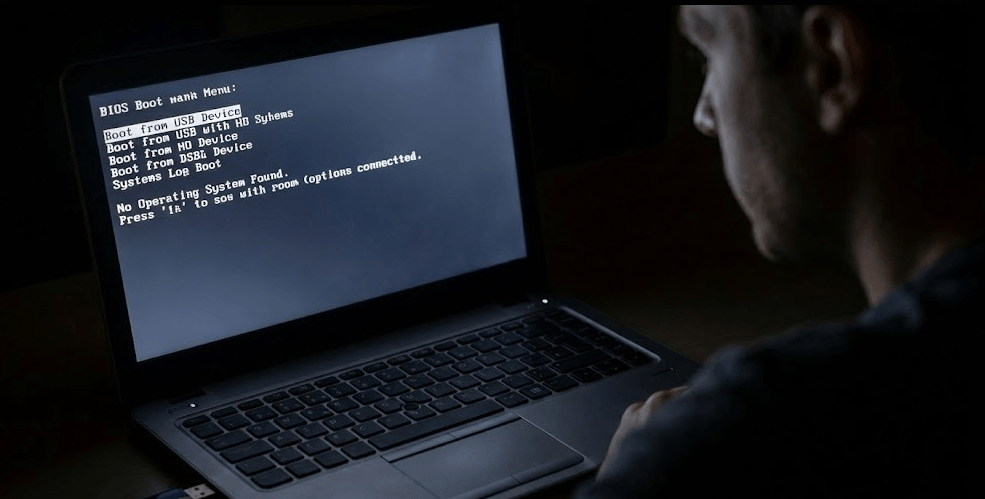
If you purchase a bare-bones kit or a mini PC without Windows, you have several legitimate options for getting an operating system installed.
Purchase a Windows 11 license directly from Microsoft. Retail licenses cost $139 for Windows 11 Home and $199 for Pro through Microsoft’s official store. These are legitimate, transferable licenses that work on any compatible hardware. While expensive, they’re the most straightforward legal option and include full Microsoft support.
Use an existing Windows license. If you have an unused Windows license from a previous computer or purchased a retail Windows key previously, you can often transfer it to your new mini PC. OEM licenses tied to specific hardware cannot be transferred, but retail licenses can be deactivated on the old system and activated on the new one.
Buy OEM or gray-market keys. Third-party websites sell Windows keys for $5-$30, significantly cheaper than Microsoft’s retail pricing. Community discussions note that OEM-licensed Windows keys for mini PCs only cost manufacturers $10-$20, not the $50-$150 individuals pay retail, which explains why these gray-market keys exist. Legitimacy varies—some are surplus OEM keys, others are volume license violations. They generally work but carry some risk of future deactivation.
Run Windows 11 unactivated. Windows 11 functions fully without activation, though it displays a watermark and restricts personalization options (wallpaper, themes, colors). All programs run normally, updates install, and there are no time limits. Many users run unactivated Windows indefinitely without issues beyond the aesthetic limitations.
Install Linux instead. Mini PCs support Linux distributions like Ubuntu, Fedora, Linux Mint, and Pop!_OS without licensing costs. Linux works excellently for web browsing, office work, media consumption, and development. Gaming support has improved tremendously through Steam Proton. For users comfortable with Linux, it’s a powerful free alternative to Windows.
Windows Activation and Licensing
Understanding how Windows activation works on mini PCs helps troubleshoot issues and manage reinstallation.
Digital licenses tied to hardware. Modern mini PCs with pre-installed Windows use digital licenses embedded in the UEFI firmware. When you first boot the mini PC, Windows automatically activates online by matching the hardware signature to Microsoft’s servers. No product key entry is required. If you reinstall Windows on the same mini PC, it activates automatically again without manual key entry.
Checking activation status. Open Settings > System > Activation to verify whether Windows is activated. You should see “Windows is activated with a digital license” if everything is working correctly. If it shows “Windows is not activated,” you may need to troubleshoot or contact the seller for a product key.
Reinstalling Windows on pre-licensed mini PCs. If you need to reinstall Windows, download the Windows 11 installation media from Microsoft’s website, create a bootable USB drive, and perform a clean installation. During setup, skip the product key entry screen—Windows will activate automatically once online by recognizing the hardware’s embedded license.
Transferring Windows to a new drive. If you upgrade your mini PC’s SSD, the digital license remains tied to the motherboard, not the storage drive. Install Windows on the new drive, and it will activate automatically using the embedded license. No additional steps or key entry required.
Operating System Alternatives to Windows

While most mini PCs ship with Windows, alternatives exist that might better suit specific needs or preferences.
Linux distributions provide free, open-source operating systems with no licensing costs. Popular choices include:
- Ubuntu (beginner-friendly with extensive documentation)
- Fedora (cutting-edge features and regular updates)
- Linux Mint (Windows-like interface for easy transition)
- Pop!_OS (developer-focused with excellent hardware support)
Linux excels for programming, web development, server applications, and privacy-conscious users. Gaming support has improved dramatically in 2025 through Steam Proton, making many Windows games playable on Linux without modifications.
Chrome OS Flex turns any mini PC into a Chromebook-like device. It’s free from Google, lightweight, and focused on web applications and Android apps. Perfect for users who primarily work in web browsers and use cloud-based services like Google Workspace or Microsoft 365. It breathes new life into older or underpowered mini PCs that struggle with Windows 11’s resource demands.
FreeBSD and other Unix-like systems appeal to advanced users, system administrators, and those needing specific Unix functionality. These are definitely not beginner operating systems but offer powerful capabilities for specialized use cases like network appliances, firewalls, and server deployments.
Android-based systems exist but are rare on mini PCs. Some manufacturers offer Android as an option, creating a smartphone-like experience on a mini PC. This works best for media consumption and casual computing rather than productivity work.
Cost Considerations: Windows Included vs Bare-Bones
The financial equation between complete systems with Windows and bare-bones kits deserves examination to determine which offers better value for your situation.
Example: Mid-range mini PC comparison. A complete Ryzen 7 mini PC with 16GB RAM, 512GB SSD, and Windows 11 Pro typically costs $500-$600. The same model as a bare-bones kit costs $350-$400. Adding 16GB RAM ($50-$70), a 512GB SSD ($50-$70), and a Windows 11 license ($20-$140 depending on source) brings the total to $470-$680. The bare-bones route only saves money if you find cheap gray-market Windows keys or use Linux, and even then the savings are modest after factoring in your time and effort.
Hidden costs of bare-bones. Beyond component prices, consider the value of your time spent researching compatible RAM and SSDs, physically installing components, installing and configuring the operating system, and troubleshooting any issues. For tech enthusiasts, this is enjoyable tinkering. For most users, it’s an unwelcome burden worth paying to avoid.
When bare-bones makes sense. If you already own compatible RAM and an SSD from a previous project, bare-bones kits offer genuine savings. If you plan to run Linux exclusively, avoiding Windows licensing costs makes bare-bones attractive. For enthusiasts who enjoy building and customizing, bare-bones provides satisfaction beyond mere cost savings.
When complete systems make sense. For most users, complete systems with Windows included represent better value when accounting for time, convenience, and reduced risk of compatibility issues or assembly problems. The peace of mind of unboxing a working computer, plus manufacturer warranty coverage of the complete system, outweighs modest potential savings from bare-bones configurations.
Regional and Marketplace Variations
Where you purchase your mini PC affects Windows inclusion likelihood and legitimacy.
Amazon and major US retailers. Mini PCs sold on Amazon US, Best Buy, Newegg, and similar retailers nearly always include Windows when sold as complete systems. These channels maintain higher standards for legitimate licensing to protect their reputations.
Direct from manufacturer websites. Buying from GEEKOM, Beelink, or Minisforum official sites ensures you receive exactly what’s advertised regarding operating system inclusion. Manufacturers clearly distinguish between complete and bare-bones configurations with accurate descriptions.
AliExpress, international sellers, and budget platforms. More variability exists here. Some listings include Windows, others don’t, and descriptions aren’t always accurate. Windows licenses may be less legitimate on extremely cheap units. Read reviews carefully and clarify with sellers before ordering. That said, many legitimate mini PC manufacturers sell through these channels with proper Windows licensing.
eBay and used marketplaces. Used mini PCs often come with Windows already installed, though the license may or may not transfer legally depending on whether it’s an OEM or retail license. Windows might need reactivation or could deactivate after hardware changes. Factor potential licensing issues into used purchase decisions.
Troubleshooting Windows Activation Issues
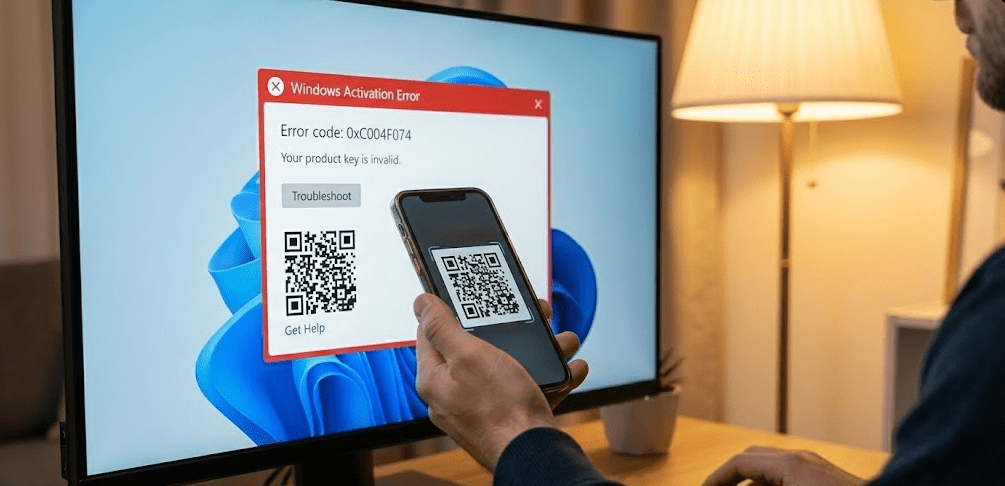
Occasionally, mini PCs with supposedly pre-installed Windows encounter activation problems. Here’s how to resolve common issues.
“Windows is not activated” message. First, ensure your mini PC is connected to the internet—activation requires online connection to Microsoft’s servers. If internet is working, go to Settings > System > Activation and click “Troubleshoot” to run Microsoft’s automated activation troubleshooter. This often resolves temporary activation failures.
Hardware ID changed errors. If you’ve replaced components like the SSD or RAM, Windows might think it’s on different hardware. The embedded license should still activate, but you may need to use the troubleshooter and select “I changed hardware on this device recently” to re-link the license.
No product key in BIOS. Some mini PCs require you to contact the seller for a product key if automatic activation fails. Reputable sellers provide keys quickly upon request. If the seller can’t or won’t provide a key, the Windows installation may not have been legitimate.
Gray-market key deactivation. If you purchased a mini PC with suspiciously cheap Windows (complete system under $300 with Windows Pro, for example), the license might be illegitimate and could deactivate later. This is rare but happens. Consider purchasing a legitimate license or switching to Linux if this occurs.
What Happens When You Reinstall Windows
Understanding reinstallation helps with troubleshooting and upgrades.
When you reinstall Windows 11 on a mini PC that originally came with Windows pre-installed, the embedded digital license in the UEFI firmware automatically activates Windows once you connect to the internet. No manual product key entry is required. Simply download Windows 11 installation media from Microsoft, create a bootable USB drive, boot from it, and proceed through installation. When asked for a product key, select “I don’t have a product key” to continue. After installation completes and you connect to the internet, Windows checks the hardware signature against Microsoft’s activation servers and activates automatically.
This makes SSD upgrades painless. Install your new larger SSD, reinstall Windows from USB media, and activation happens automatically. The digital license remains with the motherboard, not the storage device.
FAQ: Common Questions Answered
Do all mini PCs come with Windows pre-installed?
No, only complete systems typically include Windows. Bare-bones kits require you to purchase and install your own operating system, RAM, and storage. Always check product descriptions to confirm Windows is included before purchasing.
What version of Windows do mini PCs include—Home or Pro?
Most budget and mid-range mini PCs include Windows 11 Home. Premium and business-oriented models often include Windows 11 Pro. The version should be specified in product descriptions. Pro offers features like BitLocker encryption and Hyper-V virtualization that Home lacks.
Can I upgrade Windows Home to Pro on a mini PC?
Yes, through Settings > System > Activation > Upgrade your edition of Windows. You’ll need to purchase a Pro license ($99 upgrade from Microsoft), which adds Pro features while keeping your installed programs and files intact.
Is the Windows license on mini PCs legitimate?
On reputable brand mini PCs from major retailers, yes. Budget no-name brands sometimes use gray-market licenses that work but have questionable legitimacy. If a mini PC seems suspiciously cheap and includes Windows Pro, the licensing may be questionable.
Can I transfer the Windows license from my mini PC to another computer?
OEM licenses embedded in mini PC firmware cannot be transferred—they’re tied to that specific hardware permanently. Only retail Windows licenses purchased separately can be transferred between computers.
What if my mini PC doesn’t come with Windows—how much does it cost to add?
Official retail licenses cost $139 for Home and $199 for Pro from Microsoft. Gray-market keys cost $5-$30 but vary in legitimacy. Alternatively, Linux is free and works well on all mini PCs.
Can I run Linux on a mini PC that came with Windows?
Yes, absolutely. You can dual-boot Linux alongside Windows or replace Windows entirely with a Linux distribution. Mini PCs generally have excellent Linux compatibility, especially with Ubuntu and Fedora.
The 2025 Windows and Mini PC Reality
In 2025, the overwhelming majority of consumer mini PCs sold as complete systems include Windows 11 pre-installed and activated. Manufacturers recognize that most buyers expect plug-and-play functionality rather than DIY assembly projects. The era of bare-bones-only mini PCs has largely passed except for enthusiast markets and specific use cases.
For a visual overview of popular mini PC options in 2025, This comprehensive roundup covers top models under $250, noting that most budget mini PCs now include Windows pre-installed even at entry-level price points—a significant shift from previous years when budget units often shipped as bare-bones kits.
Based on extensive testing and purchasing throughout 2025, I recommend assuming Windows IS included when buying from reputable brands through major retailers, but always verify in product specifications before finalizing purchases. The small effort of checking listings prevents the frustration of discovering you need to source and install an operating system after your mini PC arrives.
For most users, complete systems with Windows pre-installed represent the best value when factoring in convenience, time savings, and reduced technical barriers. Bare-bones kits serve niche audiences who genuinely benefit from component selection flexibility or already own compatible parts. Windows licensing costs are genuinely included in most complete mini PC prices rather than being hidden extras, making the total value proposition quite reasonable in 2025.