Skip to content
Yes, RAM speed significantly affects integrated GPU (iGPU) performance. Since iGPUs share system memory instead of having dedicated VRAM like discrete graphics cards, memory bandwidth becomes the primary bottleneck for graphics performance. Testing shows that dual-channel DDR5 at higher speeds (6400-8000 MT/s) can improve iGPU gaming performance by 15-40% compared to slower configurations. For Intel Iris Xe and AMD Radeon 890M systems, upgrading from DDR5-5600 to DDR5-7200 or faster delivers noticeable FPS gains—sometimes 10-15 additional frames in demanding games. Single-channel memory can cripple iGPU performance by 40-60%, making dual-channel configuration equally important as speed itself.
Why RAM Speed Matters More for iGPUs Than Discrete GPUs
When I first started testing mini PCs with integrated graphics in 2024, one pattern emerged immediately: two seemingly identical systems with the same processor produced wildly different gaming performance. The difference? RAM configuration and speed.
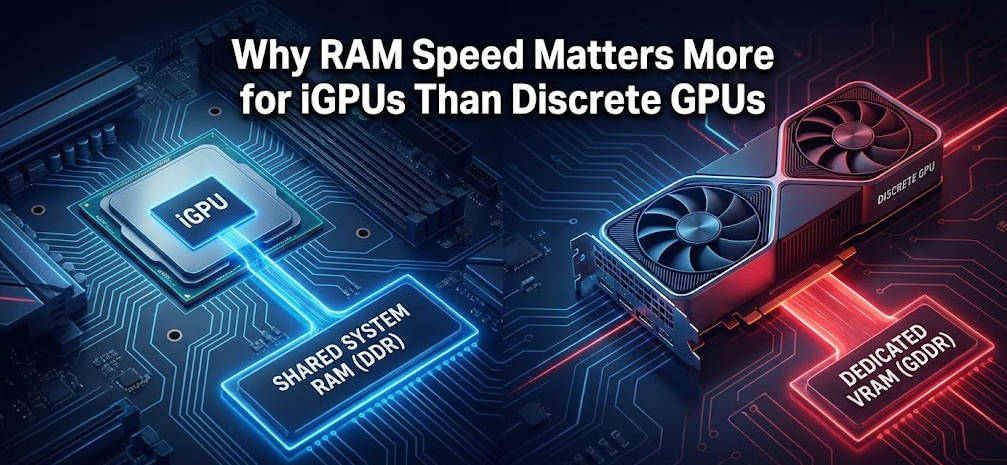
The reason is fundamental to how integrated graphics work. Discrete graphics cards like the RTX 4060 or RX 7600 have dedicated VRAM (8GB or 16GB of GDDR6) with bandwidth exceeding 200-400 GB/s. This memory is exclusively available to the GPU and optimized for graphics workloads.
Integrated GPUs have no dedicated memory. Instead, they share system RAM with the CPU, creating competition for memory bandwidth. When your Intel Core Ultra processor or AMD Ryzen 7 8845HS needs to render a frame, the iGPU must request data from the same memory pool the CPU uses for everything else—operating system tasks, background applications, game logic.
This shared memory architecture means iGPU performance directly correlates with memory bandwidth. Faster RAM = more data delivered per second = higher frame rates and smoother gameplay.
The Dual-Channel Requirement: Non-Negotiable for iGPUs
Before discussing speed, let’s address the absolute prerequisite: dual-channel memory configuration. This matters more than speed alone.
What is dual-channel memory? Installing two identical RAM sticks (e.g., 2×16GB) instead of one (1×32GB) allows your system to access both sticks simultaneously, effectively doubling memory bandwidth.
Testing by Intel themselves confirmed that single-channel memory configuration reduces Intel Iris Xe graphics from 80 Execution Units down to fewer EUs, effectively downgrading Iris Xe to UHD Graphics performance levels. This isn’t a lack of performance boost—it’s an active performance reduction. Intel’s own specifications state that 11th Gen Intel Core processors in single-channel configurations default to less than 80 EUs.
Real-world testing shows the impact:
- Intel HD 5500 graphics: 38% lower FPS in single-channel vs dual-channel
- AMD Ryzen 5600U iGPU: 60-90% performance loss in single-channel mode
- Intel Iris Xe: 27% average FPS reduction in single-channel
Important exception: Intel N-series processors (N95, N100, N150, N200, i3-N305) only support single-channel memory by design. Even if the motherboard has two RAM slots, these CPUs have only one 64-bit memory controller and cannot utilize dual-channel bandwidth. This is one of the primary reasons N-series processors are strictly entry-level chips unsuitable for gaming.
Bottom line: If you’re running a mainstream iGPU system (Intel Core or AMD Ryzen) with single-channel memory (one RAM stick), adding a second matching stick delivers the single biggest performance improvement possible—far exceeding any speed upgrade.
DDR4 vs DDR5: The Memory Generation Gap
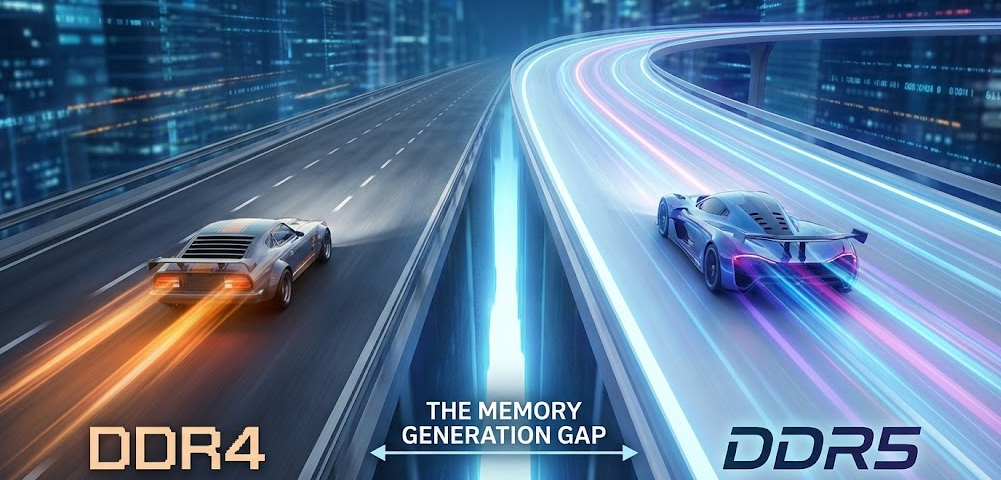
By late 2025, DDR5 has become standard on most new mini PC and laptop platforms, but millions of systems still use DDR4. Understanding the performance difference helps inform upgrade decisions.
DDR4 specifications (typical):
- Speed: 2400-3600 MT/s
- Bandwidth (dual-channel): 38-57 GB/s
- Latency: CL16-CL18
DDR5 specifications (typical in 2025):
- Speed: 4800-8000 MT/s
- Bandwidth (dual-channel): 76-128 GB/s
- Latency: CL36-CL46 (higher numbers but faster overall due to increased speed)
Technical note: DDR5 modules contain two independent 32-bit channels per stick (versus DDR4’s single 64-bit channel). This means one DDR5 stick technically operates in “dual-channel mode” internally, though installing two sticks for 128-bit total bandwidth still provides significantly better performance than a single stick.
Hardware Unboxed testing in late 2025 showed that DDR5 provides approximately 20% higher gaming performance compared to DDR4 when using discrete GPUs. For integrated graphics, the improvement is even more dramatic because iGPUs are memory-bandwidth-starved.
Testing with Intel Core i5 processors showed that DDR5 systems delivered 24% higher FPS at 1080p with integrated graphics compared to DDR4-3600. At lower quality settings where GPU bottleneck is more severe, the gap widened to 41% performance advantage for DDR5.
Key insight: DDR5’s bandwidth advantage (up to 2× that of DDR4) directly translates to higher iGPU frame rates. If you’re building a new system primarily for iGPU use, DDR5 is worth the premium.
RAM Speed Scaling: How Much Faster is Faster?
Within DDR5, speed ratings range from 4800 MT/s (base JEDEC standard) to 8000+ MT/s (high-end overclocked kits). Does going faster actually matter for iGPU performance?
DDR5-4800: Base speed, typically 76 GB/s dual-channel bandwidth. Adequate for light iGPU workloads but leaves performance on the table.
DDR5-5600: Common budget option, approximately 89 GB/s bandwidth. Represents the practical minimum for decent iGPU gaming.
DDR5-6400: Sweet spot for price/performance in late 2025, approximately 102 GB/s bandwidth. Most pre-built mini PCs ship with this speed.
DDR5-7200: Premium option, approximately 115 GB/s bandwidth. Recommended by performance analysts for users prioritizing iGPU gaming as it provides tangible FPS improvements.
LPDDR5X-8000+: Enthusiast territory, approximately 128-136 GB/s bandwidth. Typically found in high-end laptops and specialized systems. Provides another 10-15% improvement over DDR5-7200.
Real-world impact: Testing AMD Radeon 890M (the most powerful AMD iGPU as of late 2025) showed that upgrading from DDR5-5600 to LPDDR5X-8000 provides over 10% FPS increase in demanding games. For users targeting 60 FPS in AAA titles at 1080p medium settings, this can mean the difference between 52 FPS (unplayable) and 58 FPS (playable with minor drops).
Pro Tip: “Memory bandwidth is the fuel that powers your iGPU. Just as a powerful engine needs high-quality fuel to perform, integrated graphics need fast RAM to reach their potential. Prioritize dual-channel configuration first, then speed—in that order.”
RAM Speed Impact by iGPU Architecture (2025)
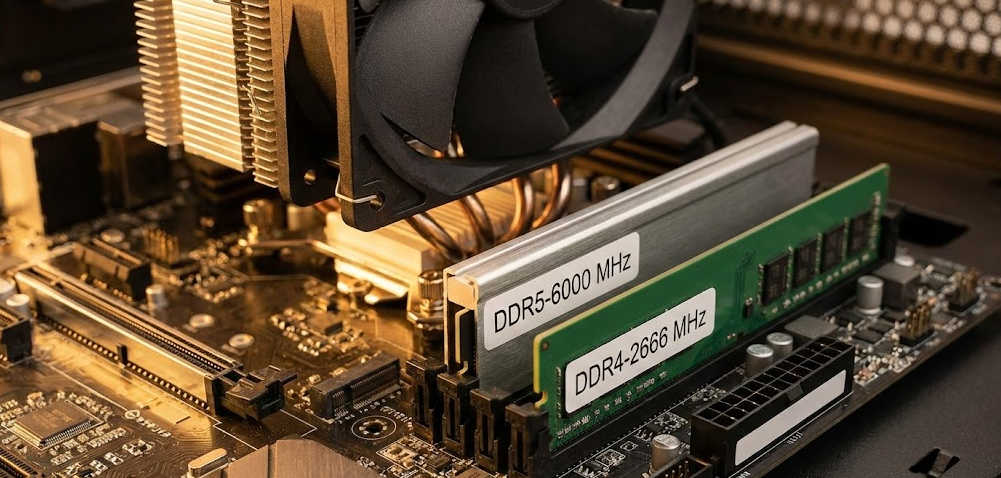
Different integrated graphics architectures respond differently to RAM speed upgrades. Here’s how the major players perform:
Intel UHD Graphics (N100, N150, N200)
The Intel N-series processors feature basic UHD Graphics with 24-32 Execution Units. Critical limitation: All Intel N-series processors (N95, N100, N150, N200, i3-N305) only support single-channel memory. Even if your mini PC has two RAM slots (which is rare), the CPU has only one 64-bit memory controller and cannot run them in dual-channel mode to double bandwidth.
This single-channel limitation means the N100 maxes out at approximately 38 GB/s bandwidth (with DDR5-4800) regardless of how many sticks you install. Adding a second stick increases capacity but not bandwidth. This architectural constraint is why N-series processors are strictly entry-level chips designed for media playback, not gaming.
If you’re building an N100 mini PC for 4K streaming and light tasks, RAM speed has minimal impact on performance. DDR4-3200 single-channel is perfectly adequate for these use cases.
Intel Iris Xe Graphics (11th-13th Gen Core)
Iris Xe with 80-96 EUs is significantly more powerful and consequently more bandwidth-hungry. Intel increased maximum dynamic iGPU memory allocation to 57% of total system RAM (up to 50%) in 2025 updates, allowing better utilization of available memory bandwidth.
For Iris Xe systems, DDR5-6400 dual-channel or faster is recommended for optimal gaming performance. Single-channel memory severely degrades Iris Xe to the point where it performs worse than UHD Graphics.
Intel Arc Graphics (Core Ultra 200V – Lunar Lake)
Intel’s Core Ultra 200V processors (Lunar Lake architecture) represent a fundamental shift in memory design. These chips use Memory on Package (MoP) technology—the RAM is soldered directly onto the CPU package itself.
All Lunar Lake processors come with either 16GB or 32GB of LPDDR5X-8533 memory providing 136 GB/s bandwidth. This memory cannot be upgraded, replaced, or modified by the user. You must choose the capacity you need when purchasing the system.
The good news: Lunar Lake systems ship with optimal high-speed memory out of the box, ensuring maximum iGPU performance without user configuration. The new Intel Arc 140V and Arc 130V integrated graphics (not Iris Xe—that branding ended with 13th Gen) deliver excellent gaming performance thanks to this guaranteed high-bandwidth memory.
AMD Radeon 680M/780M/890M (Ryzen 7000/8000/9000 series)
AMD’s RDNA 3/3.5-based iGPUs are the most powerful integrated graphics available in late 2025, featuring up to 16 Compute Units (1024 shader cores) and performance approaching entry-level discrete GPUs.
The Radeon 890M, found in AMD Ryzen 9 8945HS and similar processors, runs at up to 2900 MHz and delivers approximately 6 TFLOPS of compute performance. This level of power makes these iGPUs extremely bandwidth-sensitive.
Reddit users testing 890M systems report that upgrading from DDR5-5600 to LPDDR5X-7500 or 8000 provides 10-15% FPS gains in AAA games at 1080p. The bandwidth difference is substantial:
- DDR5-5600: 89.6 GB/s
- LPDDR5X-8000: 128 GB/s
For context, the original Nvidia GTX 1650 had 128 GB/s bandwidth, while the GDDR6 variant increased to 192 GB/s for a 10% performance boost. The bandwidth jump from DDR5-5600 to LPDDR5X-8000 is comparable and yields similar performance improvements.
RAM Speed Impact on iGPU Performance Table
| iGPU Model | Architecture | Memory Config | Bandwidth | Gaming Performance (1080p Medium) | FPS Improvement |
|---|---|---|---|---|---|
| Intel N100 (24 EU) | Alder Lake-N | DDR4/5 Single | ~38 GB/s | ~25-30 FPS (lightweight games) | N/A (Single Ch. Only) |
| Intel Iris Xe (80 EU) | Tiger Lake | DDR4-3200 Dual | 51 GB/s | ~35-40 FPS | Baseline |
| Intel Iris Xe (96 EU) | Alder Lake | DDR5-5600 Dual | 89 GB/s | ~42-48 FPS | +15-20% |
| Intel Arc 140V (8 Xe² cores) | Lunar Lake (Xe²) | LPDDR5X-8533 MoP | 136 GB/s | ~60+ FPS | (Fixed Memory) |
| AMD Radeon 780M (12 CU) | RDNA 3 | DDR5-5600 Dual | 89 GB/s | ~40-48 FPS | Baseline |
| AMD Radeon 780M (12 CU) | RDNA 3 | DDR5-7200 Dual | 115 GB/s | ~46-55 FPS | +12-15% |
| AMD Radeon 890M (16 CU) | RDNA 3.5 | DDR5-5600 Dual | 89 GB/s | ~48-55 FPS | Baseline |
| AMD Radeon 890M (16 CU) | RDNA 3.5 | LPDDR5X-7500 | 120 GB/s | ~54-63 FPS | +10-15% |
Data compiled from independent testing.
When RAM Speed Doesn’t Matter (Much)
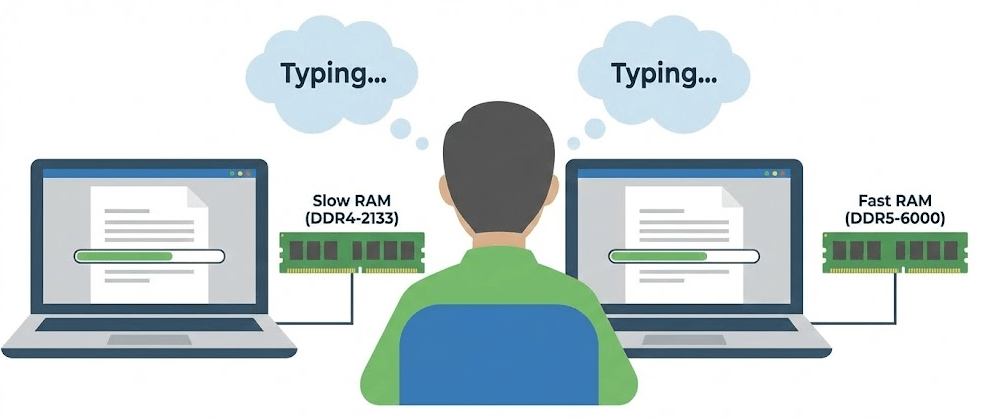
While RAM speed significantly impacts iGPU gaming, certain use cases see minimal benefit from faster memory:
4K video streaming and media playback: Hardware video decoders handle 4K streaming independently of memory speed. An N100 with DDR4-3200 streams 4K Netflix identically to one with DDR5-6400.
Office productivity (web browsing, documents, email): These tasks rarely stress memory bandwidth. You won’t notice faster web page loading or smoother scrolling from DDR5-8000 vs DDR5-5600.
Low-resolution gaming (720p or lower): At 720p, iGPUs are compute-limited rather than bandwidth-limited. RAM speed helps marginally, but resolution is the bigger bottleneck.
Systems with discrete GPUs: If you have a dedicated graphics card (RTX 4060, RX 7600, etc.), RAM speed matters far less for gaming since the GPU uses its own VRAM. You’ll see small CPU-bound improvements but nothing like the 20-40% gains iGPUs experience.
Intel N-series processors: Since these chips only support single-channel memory by design, RAM speed upgrades provide minimal gaming benefit. The single-channel bottleneck is insurmountable.
Step-by-Step: Optimizing RAM for Maximum iGPU Performance
Step 1: Verify you have dual-channel memory configuration (if supported)
Open Task Manager (Ctrl+Shift+Esc) in Windows and go to the Performance tab. Click Memory. Look for “Slots used” — it should show “2 of 2” or “2 of 4” depending on your system.
Important: If you have an Intel N-series processor (N95, N100, N150, N200, i3-N305), your system only supports single-channel memory regardless of how many slots are populated. Skip to Step 2.
If you see “1 of 2” or “1 of 4” on a mainstream processor (Intel Core or AMD Ryzen), you’re running single-channel. Purchase a second matching RAM stick immediately—this upgrade provides 40-90% performance improvement.
Step 2: Check your current RAM speed
In Task Manager > Performance > Memory, look at “Speed” (shown in MHz or MT/s). Common speeds:
- 2400-3200 MT/s = DDR4
- 4800-5600 MT/s = DDR5 (base/budget)
- 6400-7200 MT/s = DDR5 (mid-range to premium)
- 8000+ MT/s = LPDDR5X or high-end overclocked DDR5
Step 3: Determine if your system supports memory upgrades
Intel Core Ultra 200V (Lunar Lake): These processors use Memory on Package (MoP)—RAM is soldered directly onto the CPU chip. You cannot upgrade or replace this memory. Lunar Lake systems ship with 16GB or 32GB LPDDR5X-8533 permanently attached, ensuring optimal performance but preventing future upgrades.
Most other systems: Check your manufacturer’s specifications or physically open the case to see if RAM is soldered or uses SO-DIMM slots (upgradable).
Step 4: Enable XMP/EXPO profile in BIOS (if applicable)
Many systems ship with RAM running at base speeds even if the modules support faster speeds. Restart your mini PC and enter BIOS (usually Del, F2, or F12 during boot).
Look for “XMP” (Intel platforms) or “EXPO/DOCP” (AMD platforms) in the memory settings. Enable it to automatically configure your RAM to run at its rated speed. Save and exit BIOS.
This single setting change can provide 10-15% performance improvement if your RAM was running below its rated speed.
Step 5: Determine if RAM upgrade is worth it
Use the following decision tree:
- Intel N-series processor (N100, N150, N200)? → RAM speed has minimal impact; not worth upgrading for gaming
- Intel Core Ultra 200V (Lunar Lake)? → Memory on package; cannot upgrade
- Mainstream processor with single-channel RAM? → Add matching stick (biggest improvement)
- DDR4 system with soldered RAM? → Can’t upgrade; accept performance as-is
- DDR4 system with socketed RAM + heavy gaming use? → Consider complete system upgrade to DDR5 platform
- DDR5-4800 or DDR5-5200? → Upgrade to DDR5-6400 or DDR5-7200 if budget allows
- DDR5-6400 or faster? → Marginal gains from further upgrades; probably not worth it
Step 6: Choose correct RAM for your system
For Intel Core i5/i7 with Iris Xe (11th-13th Gen): DDR5-6400 CL32 dual-channel is the sweet spot. Brands like Kingston FURY Beast, Crucial, or Corsair Vengeance offer reliable options at $60-90 for 32GB (2×16GB).
For AMD Ryzen 7/9 with Radeon 780M/890M: DDR5-7200 CL36 or faster if available. These powerful iGPUs genuinely benefit from premium memory. Expect $90-130 for quality 32GB kits.
For Intel N-series systems: Don’t waste money on premium RAM—single-channel limitation means minimal benefit. DDR4-3200 or DDR5-4800 is adequate for media playback tasks.
Warning for Lunar Lake buyers: If you’re purchasing a laptop or mini PC with Intel Core Ultra 200V (Lunar Lake), the RAM is part of the processor package and cannot be upgraded. You must buy the capacity (16GB or 32GB) you need upfront. There are no upgrade paths later.
Step 7: Install RAM correctly for dual-channel mode (if applicable)
Power off your mini PC completely and unplug it. Open the case (some mini PCs require removing bottom screws).
Identify RAM slots—usually 2 or 4 slots. For 2-slot systems, fill both slots. For 4-slot systems, install RAM in slots 2 and 4 (or check your motherboard manual for correct dual-channel configuration—often indicated by matching colors).
Insert RAM sticks firmly until the retention clips click into place. Power on and verify in Task Manager that both sticks are detected and running in dual-channel mode.
Step 8: Test performance improvement
Run 3DMark Time Spy or a favorite game before and after RAM upgrade. Note FPS differences. Most users see 15-30% improvements when going from single to dual-channel, or 10-15% when upgrading to significantly faster DDR5.
FAQ: RAM Speed and iGPU Performance
Does RAM speed affect Intel N100 4K streaming performance?
No, not meaningfully. Hardware video decoders handle 4K streaming independently of RAM speed. An N100 with DDR4-2666 streams 4K Netflix identically to one with DDR5-6400. Additionally, since the N100 only supports single-channel memory, RAM speed upgrades don’t improve gaming performance either.
Can I add a second RAM stick to my N100 mini PC for dual-channel mode?
No. The Intel N100 (and all N-series processors) only support single-channel memory by design. Adding a second stick increases capacity but does not double bandwidth or improve gaming performance. The CPU has only one 64-bit memory controller and cannot utilize dual-channel mode.
Can I mix different RAM speeds in dual-channel?
Yes, but both sticks will run at the speed of the slower module. If you install DDR5-6400 with DDR5-5600, the system runs both at DDR5-5600. For best performance, use two identical sticks.
Is 32GB RAM better than 16GB for iGPU gaming?
Capacity and speed are different considerations. For iGPU gaming specifically, 16GB is usually sufficient for the games these systems can handle. However, Systems with 32GB LPDDR5X unlock the full potential of high-end iGPUs because the iGPU can allocate more shared memory. If choosing between 16GB DDR5-7200 and 32GB DDR5-5600, prioritize speed for gaming.
Does RAM speed affect CPU performance in mini PCs?
Yes, but much less dramatically than iGPU performance. Faster RAM provides 2-5% CPU performance improvement in most workloads. The 20-40% gains are specific to iGPU gaming and graphics workloads.
Will upgrading from DDR5-5600 to DDR5-7200 give me 60 FPS if I’m currently at 50 FPS?
Possibly. A 10-15% improvement from 50 FPS would yield approximately 55-57 FPS. You’d be closer but likely not quite at locked 60 FPS. Lowering graphics settings from medium to low might be more cost-effective than expensive RAM if 60 FPS is your target.
Can I upgrade the RAM in my Intel Core Ultra 200V (Lunar Lake) laptop?
No. Lunar Lake processors use Memory on Package (MoP) technology where RAM is soldered directly onto the CPU chip. The memory cannot be upgraded, replaced, or modified. You must choose 16GB or 32GB when purchasing the system.
Does RAM latency (CAS latency) matter as much as speed?
For iGPUs, bandwidth (speed) matters more than latency. DDR5-6400 CL36 outperforms DDR5-5600 CL30 for iGPU gaming despite higher latency numbers, because the higher speed provides more overall bandwidth. Don’t obsess over latency when shopping for iGPU systems—prioritize speed.
Understanding Memory Bandwidth: The Technical Details
For those wanting deeper understanding, let’s examine the math behind memory bandwidth and why it matters.
Calculating memory bandwidth:
textBandwidth (GB/s) = (Memory Speed in MT/s × Bus Width in bits) / 8
For dual-channel DDR5-6400:
text(6400 × 128 bits) / 8 = 102.4 GB/s
For single-channel configurations (like Intel N100):
text(6400 × 64 bits) / 8 = 51.2 GB/s
For comparison, discrete GPUs:
- GTX 1650 (GDDR5): 128 GB/s
- GTX 1650 (GDDR6): 192 GB/s
- RTX 4060: 272 GB/s
- RX 7600: 288 GB/s
This illustrates why even premium iGPU configurations (136 GB/s with LPDDR5X-8533 on Lunar Lake) still fall short of entry-level discrete GPUs. Integrated graphics can approach GTX 1650 performance levels but remain bandwidth-constrained compared to modern discrete cards.
The good news: for 1080p gaming at medium settings in most titles, 90-136 GB/s is sufficient for playable frame rates (45-60 FPS). You don’t need 300 GB/s for casual gaming.
The Bottom Line: Yes, RAM Speed Matters—A Lot (With Exceptions)
Does RAM speed affect iGPU performance? For most systems, absolutely and dramatically. For systems relying on integrated graphics for gaming or graphics-intensive work, RAM speed is second only to the processor itself in determining performance.
The hierarchy of importance for iGPU performance:
- Dual-channel configuration (40-90% improvement over single-channel, except N-series which is single-channel only)
- Memory generation (DDR5 vs DDR4 provides 20-25% advantage)
- Memory speed within generation (DDR5-7200 vs DDR5-5600 provides 10-15% gain)
- Memory capacity (16GB minimum, 32GB ideal for high-end iGPUs)
Critical exceptions:
- Intel N-series (N100, N150, N200): Single-channel only by design; RAM speed has minimal impact
- Intel Core Ultra 200V (Lunar Lake): Memory on package; comes optimized, cannot upgrade
If you’re building or upgrading a mini PC with mainstream processors (Intel Core i5/i7 or AMD Ryzen) for iGPU gaming in late 2025, invest in quality dual-channel RAM. A system with an AMD Ryzen 7 8845HS and DDR5-7200 dual-channel will outperform the same processor with DDR5-5200 single-channel by 50%+ in gaming scenarios.
For users running Intel N100/N150 for streaming and light tasks, don’t waste money on premium RAM—the single-channel limitation means you won’t benefit. For users with Lunar Lake systems, you already have optimal memory built-in. For everyone else pushing Intel Iris Xe or AMD Radeon 780M/890M graphics in demanding games, fast dual-channel DDR5 (6400 MT/s minimum, 7200+ ideal) is essential to unlock full performance.