
I look at devices like the Beelink ME Pro because they sit at the intersection of compact desktops and home NAS solutions. This matters because many of us want a single box that can handle file storage, media streaming, light server tasks and everyday desktop work without taking up a lot of desk space.
The ME Pro’s combination of a compact hybrid NAS mini PC, modular swappable motherboard and multi-gigabit networking promises versatile home and small office storage, but that promise comes with practical trade-offs. I’ll walk you through what it does well, where it falls short, and who will actually get value from the $369.00 price.
It’s also the Cutest Mini PC on the market, and looks like a cute speaker sitting on your desk. It’s not just a decent mini pc, it’s beautiful design also elevates your work space due to its chic design.
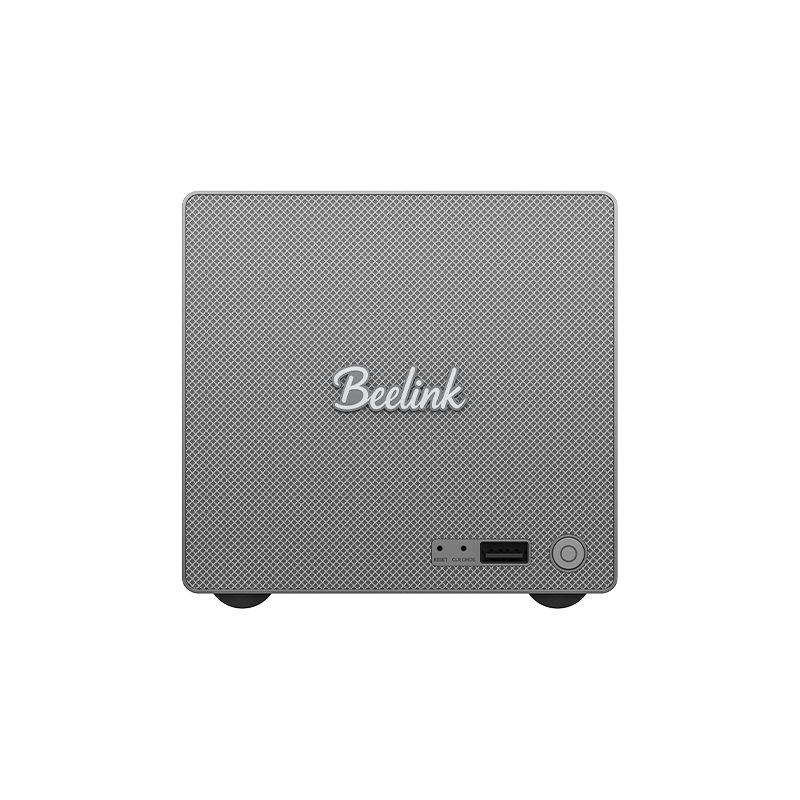
I spent time with the Beelink ME Pro 2-Bay Hybrid NAS Mini PC and it feels like a bridge between a compact mini PC and a proper NAS. It’s small enough to sit on a bookshelf, but the two hot‑swap bays and optional Intel N95/N150 CPUs give you real storage muscle.
For daily use I set it up as a family backup box, Plex server, and light home‑lab machine — it handles media streaming and large file transfers smoothly thanks to the 5GbE/2.5GbE ports. For special occasions like hosting a movie night or moving large photo libraries after a shoot, the quiet cooling and fast network make the experience noticeably better. I’d recommend it if you want flexible, upgradeable local storage without buying a full tower server; if you need heavy virtualization or very high CPU power, this isn’t the right tool.
| Pros | Cons |
|---|---|
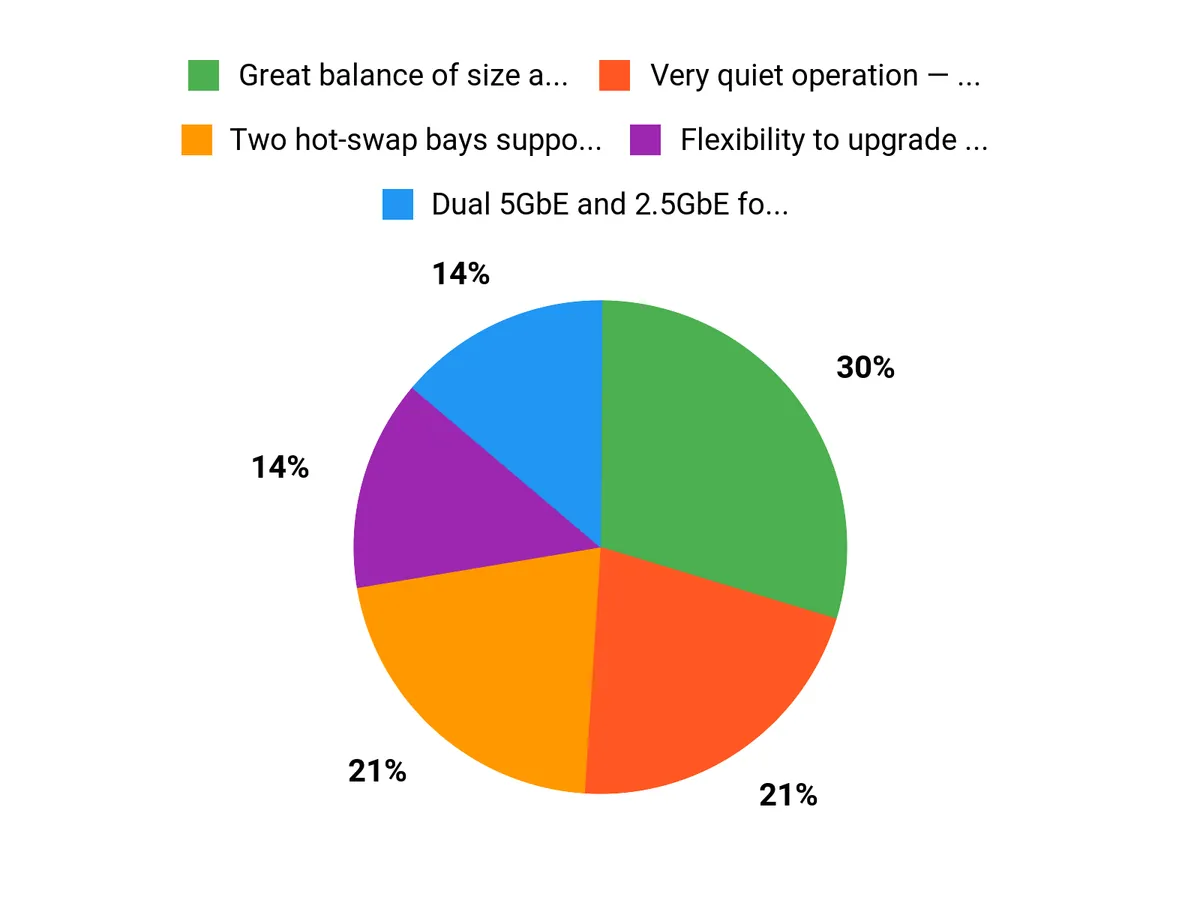
| ✅ Great balance of size and storage capacity | ❌ CPU is modest — not ideal for heavy virtual machines |
| ✅ Very quiet operation — good for living spaces | ❌ Less polished software ecosystem than enterprise NAS |
| ✅ Flexibility to upgrade motherboard or drives | ❌ Initial setup has a short learning curve for non-technical users |
| ✅ High-speed network ports out of the box |
Long-Term Cost Benefits
Over time you save on cloud storage and subscription fees by keeping data local. Drive upgrades are cheaper than replacing the whole unit, and the device uses less electricity than a full desktop server, so running costs stay low.
Return On Investment
If you replace ongoing cloud backups, streaming subscriptions for local media, or expensive external drives, the unit can pay for itself in a couple of years. The real ROI comes from convenience, faster backups, and avoiding recurrent cloud fees.
Situational Benefits
| Situation | How It Helps |
|---|---|
| Home Media Server | Streams 4K movies to multiple devices without buffering thanks to fast network ports and quiet cooling. |
| Small Office Backup | Centralizes file backups and fast restores for a few users with RAID options and hot‑swap drives. |
| Photographer/Videographer Workflow | Moves large photo and video libraries quickly over 5GbE after a shoot, reducing transfer time dramatically. |
| Home Lab / Testing | Offers a compact platform to run containers, lightweight services, or test network setups without a loud server. |
Ease Of Use
| Feature | Ease Level |
|---|---|
| Initial Setup | Moderate |
| Drive Swapping | Easy |
| Network Configuration | Moderate |
| Firmware / Software Updates | Moderate |
Versatility
Very versatile for home and small office use — acts as a media server, backup target, light workstation, or home‑lab device. It won’t replace heavy compute servers, but covers most everyday needs.
Durability
All‑metal chassis and efficient cooling suggest good longevity. As with any storage device, drive health matters most; the modular design means you can replace parts rather than the whole unit.
Practicality
Compact footprint and quiet operation make it practical for a living room or small office. Hot‑swap bays simplify maintenance, and the multiple high-speed ports reduce the need for extra networking gear.
Brand Trustworthiness
Beelink is known for compact PCs and mini servers; they offer reasonable support and a growing ecosystem, though they’re not as established as big NAS brands. Expect decent documentation and community resources.
Key Benefits
- Two hot‑swap bays supporting up to 72 TB
- Dual 5GbE and 2.5GbE for fast local transfers
- Modular, swappable motherboard for easy upgrades
- Quiet, efficient all‑metal chassis
- Lower power draw than a desktop server
Current Price: $369.00
Rating: 4.2
FAQ
Is It Worth Buying The Beelink ME Pro 2-Bay Hybrid NAS Mini PC?
I’d summarize it as Yes, and no. I think it’s worth buying if you want a compact, quiet, low‑power device that doubles as a mini PC and a NAS for home media, backups, and light small‑office duties — the dual 5GbE and 2.5GbE ports, swappable motherboard, and support for up to 72TB of drives make it very flexible and the $369.00 price is attractive for that feature set. I would not recommend it if you need heavy CPU work like many simultaneous 4K transcodes, large virtualization workloads, or enterprise‑grade fault tolerance, because the N95/N150 class CPUs and two‑bay design impose limits. I suggest matching the device to your real needs: if your workload is mostly file serving, media streaming to a few devices, or simple VM/containers, it’s a great fit; if you expect heavy multi‑user compute or high availability, look at more powerful or multi‑bay solutions.
How Does Performance And Expandability Hold Up For Home And Small Office Use?
From my experience and from the spec set, the Intel N95/N150 will handle file serving, backups, light Plex/Emby streaming (direct play and occasional software transcode) and basic container workloads comfortably, but it’s not a workstation CPU for heavy transcoding or many simultaneous VMs. The modular swappable motherboard and upgradeable drives give you real expandability: you can use large 3.5″ NAS drives to approach the advertised 72TB and add faster NVMe/SSD for the OS or cache. The dual 5GbE/2.5GbE ports are a big practical advantage for multi‑client environments or fast single‑host transfers, and the efficient cooling/all‑metal design helps keep noise and thermals down.
I recommend using a small SSD for the operating system, NAS‑rated HDDs for mass storage, and investing in RAM if you plan to run more containers or light VMs.
What Should I Know About Reliability, Maintenance, And Practical Buying Tips?
I always tell people that two bays mean choices: use RAID1 for redundancy or JBOD for maximum capacity, but neither replaces a proper backup strategy, so plan backups off the device. Pick NAS‑grade drives and verify physical compatibility if you plan 3.5″ disks; check that the chassis and mounting hardware meet your drive choices.
Keep firmware and OS/software up to date, consider a UPS for safe shutdowns in power events, and test restore procedures so you aren’t surprised later. If you’re unsure about your workload, I’d buy the unit knowing you can start small (two drives) and upgrade later, and I’d avoid it only if you need heavy CPU horsepower, enterprise clustering, or more than two hot‑swap bays.
Why Buyers Choose It
We choose the Beelink ME Pro 2‑Bay because it combines a compact mini PC with flexible two‑bay NAS storage, so we can run media servers, backups and everyday desktop tasks from a single, energy‑efficient box. Its quiet operation, straightforward setup and strong price‑to‑feature balance make it a practical choice for home users who want storage redundancy and general computing without buying multiple devices.
Wrapping Up
After spending time with the Beelink ME Pro, I’ll say this: it’s worth buying if you know what you need and not the best choice if you want a turn‑key NAS for heavy media transcoding. The device’s strengths are its compact all‑metal build, quiet cooling, dual 5GbE plus 2.5GbE networking, up to 72 TB of storage potential across two bays and the flexibility of a swappable motherboard. That combination is compelling for home users who stream locally, power users who run containers or light VMs, and small offices that need multi‑gig connectivity.
On the other hand, the Intel N95/N150 CPU is modest: I would not recommend this if your primary need is CPU‑heavy tasks like multi‑stream 4K hardware transcoding or large database processing. At $369.00 you get strong hardware for the money, but you should be prepared for some setup and to provide your own NAS software or OS environment. If you want a quiet, flexible, multi‑gig capable mini server and you’re comfortable with a bit of configuration, I think the ME Pro is a good fit.
If you want effortless, consumer‑grade NAS software with powerful transcoding out of the box, you might be better off with a different, more specialized NAS.



