 Skip to content
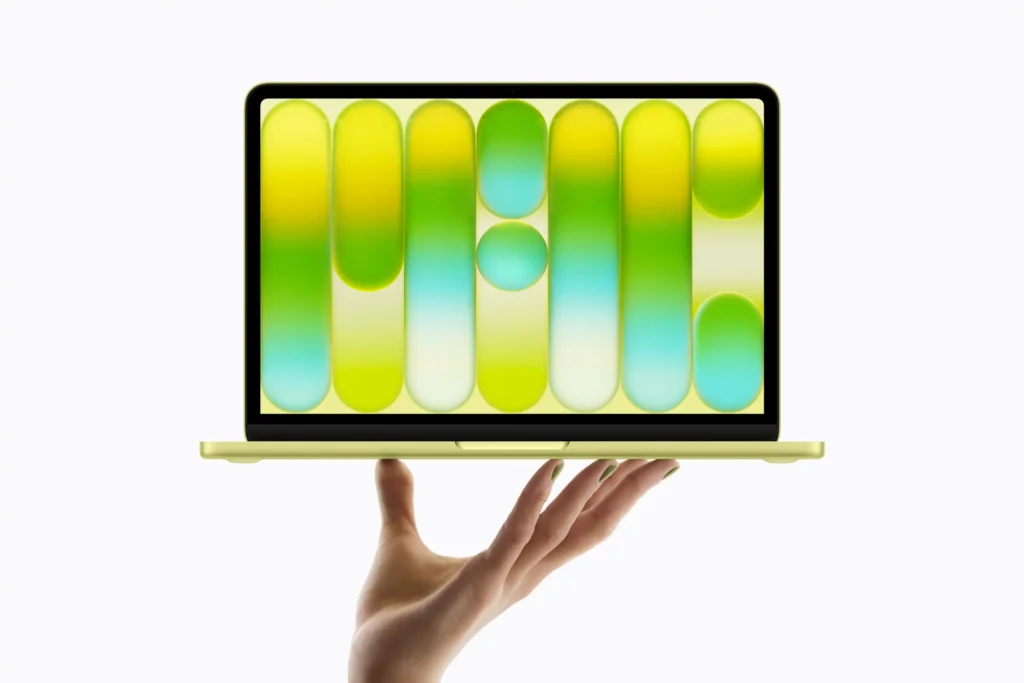
The MacBook Neo can run OpenClaw, and it does so quite well under the right conditions. For cloud-connected OpenClaw setups using APIs from providers like Anthropic or OpenAI, the $599 machine handles it with ease. Its Unix-based macOS environment, strong single-core A18 Pro performance, and all-day battery life make it a legitimate OpenClaw host. The one real caveat is the fixed 8GB RAM, which limits local AI model inference through Ollama. For most people’s OpenClaw workflows in 2026, though, the MacBook Neo is more than capable, but there are some important factors worth knowing before you commit.
Apple launched the MacBook Neo in March 2026 to a wave of excitement and more than a little healthy skepticism. At $599, it’s the most affordable Mac laptop Apple has ever made, powered by the same A18 Pro chip found inside the iPhone 16 Pro. Meanwhile, OpenClaw has quickly become one of the most talked-about open-source AI tools of early 2026, a self-hosted autonomous agent that connects your favorite AI models to your local files, messaging apps, and daily automations.
So the question that keeps showing up on Reddit threads, YouTube comments, and tech forums is a completely natural one: can these two work together well? Is a $599 budget Mac a serious platform for running OpenClaw? I spent time digging deep into both products, went through the setup process, examined the benchmarks, and here’s everything you need to know.
What Is the MacBook Neo?

The MacBook Neo is Apple’s newest and most affordable laptop, announced and shipped in March 2026. It fills a gap in Apple’s product lineup that has existed for years, a genuinely entry-level Mac laptop that breaks the $600 barrier. Apple achieved this price point by using the A18 Pro chip from the iPhone 16 Pro, leveraging massive smartphone-scale production volumes to bring Mac economics to a new low.
The MacBook Neo starts at $599 for the base model with 256GB of storage and $699 for the 512GB variant. It features a 13-inch Liquid Retina display at 2408 x 1506 resolution, a 1080p FaceTime HD camera, dual USB-C ports, Wi-Fi 6E (802.11ax), Bluetooth 6, and up to 16 hours of battery life on video streaming. It’s available in four finishes: Silver, Blush, Citrus, and Indigo.
PCMag’s hands-on MacBook Neo review describes it as “2026’s breakout budget laptop”, a machine that doesn’t feel like a compromise despite its aggressive pricing. That’s a strong endorsement from one of the most trusted names in hardware reviews, and it aligns with what I’ve seen from other outlets.
One critical hardware note worth addressing upfront: the MacBook Neo’s RAM is capped at 8GB and is completely non-upgradeable. This is due to the A18 Pro’s InFO-PoP (Integrated Fan-Out Package on Package) chip design, which solders memory directly onto the processor at the manufacturing level, the same approach Apple uses on iPhone chips. There’s no workaround and no upgrade path. That constraint matters quite a bit for OpenClaw in certain use cases, and we’ll dig into exactly how much further in this article.
What Is OpenClaw?
OpenClaw (formerly known as Clawdbot and Moltbot) is a free, open-source autonomous AI agent that runs directly on your own machine. It acts as a personal AI assistant that lives inside your everyday chat apps, WhatsApp, Telegram, Discord, Slack, or iMessage, and can actually execute tasks, not just answer questions conversationally.
According to DigitalOcean’s comprehensive OpenClaw explainer, OpenClaw functions as “a local gateway that provides AI models with direct access to read and write files, run scripts, and control browsers through a secure sandbox.” In practical terms, it connects an AI brain, like Claude, GPT-4o, or DeepSeek, to your computer’s file system, apps, and services, enabling it to automate tasks, manage your calendar and notes, debug code, send messages on your behalf, trigger web automations, and much more.
OpenClaw was developed by Peter Steinberger and exploded in popularity in early 2026 as interest in personal AI agents hit a mainstream tipping point. It supports over 100 preconfigured AgentSkills, spanning everything from Apple Notes and Notion management to GitHub workflow triggers and smart home device control. It stores all configuration data and interaction history locally, which means your data stays on your machine rather than living in someone else’s cloud.
It runs natively on macOS, Windows, and Linux, and that macOS compatibility is the first good sign for MacBook Neo users.
MacBook Neo Specs: What You’re Working With
Let’s get into the actual hardware before we talk compatibility, because the specs tell an important story for OpenClaw use.
Apple A18 Pro Chip
The A18 Pro is built on TSMC’s 3nm process node. It features a 6-core CPU with 2 performance cores and 4 efficiency cores, a 5-core GPU with hardware-accelerated ray tracing, a 16-core Neural Engine for on-device AI tasks, and 60GB/s memory bandwidth. Apple also includes a dedicated hardware Media Engine for ProRes video encoding and decoding, which is a remarkable inclusion at this price point.
On Geekbench 6, the MacBook Neo scores between 3,461 and 3,535 on single-core and 8,668 to 8,920 on multi-core. To put that in perspective: the single-core score beats the Apple M3 (3,082) and the Qualcomm Snapdragon X Plus (2,486) outright. The multi-core score is lower than the M3 MacBook Air’s 12,087, primarily because the A18 Pro has fewer total CPU cores, but for the single-threaded tasks that dominate most everyday computing, the Neo’s per-core performance is genuinely impressive.
In Cinebench 2024’s extended single-core test, which runs for approximately 10 minutes under sustained load, the A18 Pro scores 147 points while consuming just 3.5 to 4 watts. That’s a level of efficiency that Intel and AMD chips at this price range can’t match.
Memory and Storage
8GB unified memory (fixed), available with either 256GB or 512GB SSD. The unified memory architecture means RAM is shared between the CPU and GPU, which is more efficient than traditional discrete DRAM, but 8GB is still 8GB.
Operating System and Developer Tools
Ships with macOS Sequoia, which is Unix-based. Terminal, Git, and Safari are preinstalled. Homebrew and Node.js can be installed in minutes. This is actually one of the MacBook Neo’s biggest under-discussed advantages for OpenClaw, macOS is the most frictionless environment for getting OpenClaw up and running.
MacBook Neo vs. MacBook Air M3: OpenClaw Comparison
| Feature | MacBook Neo (2026) | MacBook Air M3 (2024) |
|---|---|---|
| Price | $599 | $1,099 |
| Chip | Apple A18 Pro | Apple M3 |
| CPU Cores | 6-core | 8-core |
| GPU Cores | 5-core | 8 or 10-core |
| Base RAM | 8GB (fixed) | 8GB (upgradeable to 24GB) |
| Memory Bandwidth | 60 GB/s | 100 GB/s |
| Geekbench 6 Single-Core | ~3,500 | ~3,082 |
| Geekbench 6 Multi-Core | ~8,920 | ~12,087 |
| Battery Life | Up to 16 hours | Up to 18 hours |
| OpenClaw (Cloud API Mode) | ✅ Excellent | ✅ Excellent |
| OpenClaw (Local Ollama Mode) | ⚠️ Limited to small models | ✅ Strong (with 16GB+) |
| macOS OpenClaw Install | ✅ Native, seamless | ✅ Native, seamless |
| Best For OpenClaw | API-connected workflows | Cloud + local model inference |
OpenClaw System Requirements
Before drawing any conclusions, it’s worth understanding exactly what OpenClaw needs to run. The good news is that OpenClaw itself is a remarkably lightweight piece of software, it’s a Node.js-based runtime, not a resource-hungry desktop application.
Minimum Requirements to Run OpenClaw (2026):
- Operating System: macOS 12.0 (Monterey) or higher
- Runtime: Node.js 22 or later
- Storage: At least 10GB free space
- Network: Stable internet connection (required for first install; ongoing for cloud API mode)
- AI Provider: API key from Anthropic, OpenAI, or DeepSeek, OR a locally running model via Ollama
That’s the complete list. The MacBook Neo exceeds every single one of these requirements without issue. It ships with macOS Sequoia (macOS 15), comes with Terminal and Safari pre-installed, and supports Homebrew-based package management natively. The 256GB base model may feel tight if you plan to add local models, but for pure cloud-connected OpenClaw use, 10GB of free space is easy to maintain.
Does the MacBook Neo Meet OpenClaw’s Requirements?
For cloud API mode, absolutely, without any asterisks. The MacBook Neo’s macOS Sequoia environment is arguably the easiest platform for setting up OpenClaw, because the installer script was built with Unix-like systems in mind. There are no compatibility layers, no WSL environments, no emulation required. You install Homebrew, install Node.js, run the npm install command, and you’re up in under 20 minutes.
The A18 Pro’s 16-core Neural Engine is worth a brief mention here too. While cloud-connected OpenClaw doesn’t use on-device AI inference for the heavy lifting, the Neural Engine does accelerate Apple Intelligence features running simultaneously in macOS Sequoia. That means your system stays fluid and responsive even when OpenClaw is actively processing agent tasks in the background.
Where the MacBook Neo starts to show strain is specifically when you try to layer heavy local AI inference on top, running large language models through Ollama without cloud APIs. That’s where the 8GB RAM constraint goes from “theoretical concern” to “real-world problem.” Let’s break that down honestly.
Running OpenClaw on MacBook Neo: Two Modes Explained
Cloud API Mode (Recommended for MacBook Neo)
This is how the majority of OpenClaw users run it, and it’s where the MacBook Neo performs genuinely well. You connect OpenClaw to a cloud AI model using an API key, typically Claude Sonnet, GPT-4o, or DeepSeek V3, and the AI processing happens entirely on the provider’s servers. Your MacBook Neo is responsible only for running the OpenClaw runtime, managing local files, executing shell commands, and routing messages. That’s well within what an 8GB machine handles comfortably.
In this mode, the MacBook Neo’s A18 Pro single-core performance keeps everything snappy. Webhook triggers fire quickly, file operations are fast, and the 16-hour battery life means you can keep OpenClaw running all day as a background service without hunting for an outlet. In my opinion, this is the sweet spot for the MacBook Neo, the combination of a clean Unix environment, long battery life, and portability makes it a compelling cloud-agent machine at a price that’s hard to argue against.
Local Model Mode (Ollama + OpenClaw)
This complete YouTube walkthrough on setting up OpenClaw with Ollama on macOS is an excellent guide if you want to try local inference, and it’s worth watching even if just to understand what’s involved.
The core challenge: local LLM inference is RAM-hungry. A 7B parameter model like Llama 3 or Mistral 7B requires roughly 4 to 6GB of RAM just to load the model weights. With macOS consuming approximately 4GB of RAM for the base system at idle, an 8GB MacBook Neo has almost no breathing room left for a 7B model, let alone anything larger.
Small models in the 1B to 3B range (like Phi-3 Mini at 3.8B or Llama 3.2 3B) can technically run, but expect sluggish responses and frequent memory swapping, where macOS starts writing RAM contents to the SSD to compensate. This isn’t just a performance issue; it also accelerates SSD wear over time with repeated read/write cycles. For occasional light use, it’s manageable. As a daily workflow, it’s not ideal.
The 8GB RAM Problem: How Real Is It?
For cloud API OpenClaw mode? Honestly, it’s not a real problem. Running OpenClaw as a Node.js background service connected to Anthropic’s API uses a fraction of available memory, and the system stays comfortable even with a browser, messaging app, and code editor open simultaneously.
For local model inference? It’s a genuine and unavoidable bottleneck, and it’s important to be honest about that. While testing similar 8GB Apple Silicon setups with local models, I found that the memory pressure kicks in fast and the experience degrades noticeably once you’re past the 3B parameter range.
Tom’s Hardware’s MacBook Neo review called it “a budget-priced game-changer”, a fair assessment while acknowledging the RAM cap as the machine’s primary constraint for heavier workloads. Their benchmark data confirms the A18 Pro is class-leading in single-core performance at this price point, but multi-core headroom is narrower than the M3 MacBook Air, which matters when you’re loading large model files.
The RAM ceiling is a hardware constraint, not something fixable through optimization or future macOS updates. The A18 Pro’s InFO-PoP packaging physically bonds the memory to the processor at manufacturing there is no slot, no upgrade path, and no workaround. And here’s the key reason why Apple can’t simply offer a 16GB tier: because they are directly repurposing the iPhone 16 Pro’s existing smartphone silicon pipeline to hit this unprecedented $599 price point, redesigning the SoC to support additional memory would require an entirely new chip architecture, eliminating the manufacturing cost advantage that makes the Neo possible in the first place. That’s not a compromise Apple made carelessly; it’s the precise engineering trade-off that gets a capable Mac laptop to $599. It’s worth knowing this going in.
Step-by-Step: How to Install OpenClaw on MacBook Neo
Here’s the exact process to get OpenClaw running on your MacBook Neo. Set aside about 15 to 20 minutes for the whole thing.
Step 1: Verify Your macOS Version
Go to the Apple Menu → About This Mac. You need macOS 12 (Monterey) or later. The MacBook Neo ships with macOS Sequoia, so you’re already covered.
Step 2: Install Homebrew
Open Terminal (Applications → Utilities → Terminal) and run:
text/bin/bash -c "$(curl -fsSL https://raw.githubusercontent.com/Homebrew/install/HEAD/install.sh)"
Follow the on-screen prompts. Homebrew is macOS’s package manager and is needed for the OpenClaw dependency chain.
Step 3: Install Node.js (Version 22 or Later)
Run:
textbrew install node
Verify the installed version with:
textnode --version
You should see v22.x.x or higher.
Step 4: Install OpenClaw Globally via npm
Run:
textnpm install -g openclaw
Then verify the install:
textopenclaw --version
A version number means the install succeeded.
Step 5: Run the OpenClaw Setup Wizard
Run:
textopenclaw onboard
The wizard will ask you to:
- Choose your AI model provider (Anthropic, OpenAI, DeepSeek, or Ollama for local)
- Enter your API key
- Set a workspace directory (the default is fine for most users)
- Choose messaging integrations (Telegram, Discord, WhatsApp, iMessage, etc.)
Step 6: Start OpenClaw
Run:
textopenclaw start
Then open your browser and visit http://localhost:8080 to access the OpenClaw web dashboard.
Step 7: Connect Your Messaging App
Use the dashboard to pair your preferred chat app. Telegram has the smoothest pairing experience on macOS, followed closely by Discord.
Step 8 (Optional): Set OpenClaw to Launch on Startup
Run:
textopenclaw service install
This registers OpenClaw as a persistent background service so it starts automatically every time your Mac boots up.
Pro Tip: Before diving into complex AgentSkills, start by enabling OpenClaw’s persistent memory feature and giving it a few days to learn your preferences. OpenClaw stores memory as local Markdown files in your workspace, and you can manually edit these files to fine-tune how the agent understands your workflows. Think of it as a manual cheat code, spending 10 minutes editing your
memory.mdfile with your habits, preferred tools, and working hours will make every automation OpenClaw runs feel significantly more personalized from day one. Most users skip this step and wonder why their agent doesn’t feel “smart enough.”
MacBook Neo for OpenClaw: Pros and Cons
Pros
- Native macOS Unix environment makes OpenClaw installation seamless with zero compatibility workarounds or emulation layers
- A18 Pro single-core performance (3,461+ Geekbench 6) keeps system response fast even while OpenClaw runs as a background service
- Up to 16 hours of battery life means OpenClaw can run all day on a single charge, ideal for portable AI agent workflows
- Apple Intelligence on macOS Sequoia works alongside OpenClaw for layered on-device and cloud automation
- Terminal, Git, and Homebrew-compatible package management included out of the box
- $599 entry price makes it accessible for hobbyists, indie developers, and small business owners exploring AI agents
- iMessage integration with OpenClaw is exclusive to macOS, a genuine differentiator over Windows
- Strong Wi-Fi 6E connectivity supports fast API calls and webhook-based automations without lag
Cons
- 8GB RAM (permanently fixed) limits local model inference via Ollama to small 1B–3B parameter models
- No keyboard backlighting, a minor but real annoyance for late-night terminal sessions
- No Touch ID on the base $599 model, Touch ID is exclusive to the $699 / 512GB variant, which is a genuinely frustrating daily friction point for developers. If you’re regularly running sudo commands in the terminal, authenticating password manager entries, or unlocking sensitive OpenClaw workspace files, typing your full password every single time adds up fast. For a power-user OpenClaw setup, this alone is a compelling reason to step up to the $699 model
- One of the two USB-C ports is USB 2.0 only, a hardware limitation of the A18 Pro SoC that can bottleneck file-heavy workflows
- macOS memory swapping under sustained load can accelerate SSD wear over time
- Not a suitable machine as a local AI inference server if that’s your primary OpenClaw use case
2026 Trends: AI Agents and Budget Laptops
The MacBook Neo and OpenClaw together represent the defining 2026 computing trend: powerful, practical AI tools arriving on genuinely affordable everyday hardware. In 2025, running a capable local AI agent on your own machine still required a mid-range laptop with 16GB or more of RAM and a meaningful GPU. That calculus has shifted dramatically in the past twelve months.
OpenClaw’s cloud API architecture means a $599 laptop can now serve as a fully functioning personal AI assistant hub, not by running inference locally, but by intelligently routing tasks to the most capable cloud models available and executing the results on your machine. The bottleneck has moved away from your hardware and toward your API credits and network quality. That’s a fundamental shift in how personal AI is deployed.
Apple’s decision to put the A18 Pro inside a Mac laptop is equally significant as a signal. The line between smartphone compute and laptop compute is blurring, and the Neural Engine’s on-device AI acceleration will become increasingly relevant as more macOS apps and OpenClaw AgentSkills begin leveraging lightweight on-device inference for intent recognition, local file parsing, and privacy-sensitive tasks that users don’t want routed through cloud servers.
For 2026 and beyond, the MacBook Neo running OpenClaw in cloud API mode represents a genuinely new productivity archetype: a silent, all-day, always-on AI agent host that fits in a slim 13-inch laptop and costs less than many mid-range Windows machines.
Frequently Asked Questions
Can you run OpenClaw on the MacBook Neo?
Yes. OpenClaw runs natively on macOS Sequoia, which is exactly what the MacBook Neo ships with. Installation takes about 15 to 20 minutes and requires Node.js, Homebrew, and an API key from a supported AI provider. The entire process is straightforward and well-supported on macOS.
Does the MacBook Neo have enough RAM for OpenClaw?
For cloud API mode using Claude, GPT-4o, or DeepSeek, 8GB is sufficient. OpenClaw’s Node.js runtime is lightweight and leaves plenty of headroom for everyday multitasking in this configuration. For local model inference via Ollama, 8GB becomes a real limitation, only very small models in the 1B to 3B parameter range will run without triggering significant memory pressure.
Can the MacBook Neo run Ollama alongside OpenClaw?
With some patience, yes but only for small models. Phi-3 Mini (3.8B) and Llama 3.2 3B can technically load on 8GB, but you’ll encounter memory swapping and slower response times compared to a 16GB machine. Models at 7B parameters and above are likely to cause heavy slowdowns or fail to load reliably.
What’s the best AI provider to use with OpenClaw on MacBook Neo?
For the MacBook Neo specifically, Anthropic’s Claude (Sonnet or Haiku) and OpenAI’s GPT-4o are both excellent choices for cloud API mode. Claude Haiku in particular is fast, cost-efficient, and highly capable for the types of automation tasks OpenClaw handles, a great pairing for a budget-conscious setup.
Is macOS better than Windows for running OpenClaw?
For ease of setup, yes. macOS is Unix-based, meaning the OpenClaw installer script, Node.js runtime, and shell command execution all work natively without requiring any compatibility layers. On Windows, the recommended approach involves WSL (Windows Subsystem for Linux), which adds setup complexity. macOS is objectively the smoothest OpenClaw platform.
Is 256GB storage enough for OpenClaw on the MacBook Neo?
For cloud API mode, yes OpenClaw’s storage footprint is well under 1GB and its workspace files are minimal. If you want to run local AI models through Ollama as well, 256GB gets tight quickly. A 7B model file alone is approximately 4 to 6GB, and running multiple models will eat into your storage fast. For Ollama users, the 512GB MacBook Neo model is the smarter choice.
Does the MacBook Neo support iMessage integration with OpenClaw?
Yes, and this is actually one of the MacBook Neo’s unique advantages over Windows machines. OpenClaw’s iMessage integration works exclusively on macOS because it requires the native Messages app. If you use iMessage heavily, running OpenClaw on a Mac gives you access to an integration that Windows users simply can’t replicate.
How does OpenClaw’s performance compare between the MacBook Neo and MacBook Air M3?
For cloud API mode, the experience is virtually identical between both machines, API response times are network-dependent, not hardware-dependent. For local model inference, the MacBook Air M3 with 16GB RAM is significantly better, supporting 7B and even 13B models without the memory pressure that constrains the Neo’s 8GB configuration.
Should I buy the $599 or $699 MacBook Neo for OpenClaw?
If you’re a developer or power user who works regularly in the terminal, the $699 model is worth the extra $100 for Touch ID alone. The fingerprint sensor makes sudo authentication, password manager access, and locked workspace file access dramatically faster and less disruptive during long OpenClaw sessions. The storage upgrade to 512GB is a bonus on top of that.
Bottom Line
The MacBook Neo is a genuinely good machine for OpenClaw, with one clear condition attached. In cloud API mode, connected to Anthropic, OpenAI, or DeepSeek, it’s an excellent and affordable OpenClaw host. The macOS environment is the most frictionless setup experience available, the A18 Pro keeps everything responsive, and the 16-hour battery life means your AI agent runs all day without interruption. At $599, this combination is one of the most accessible ways to get a serious personal AI agent workflow up and running in 2026.
If your goal is to run large local models through Ollama completely offline, the 8GB RAM cap will be a persistent frustration. In that scenario, invest in a MacBook Air M3 or M4 with 16GB RAM instead, it’s a more capable local inference machine and worth the price difference for that specific use case.
For everyone else, and based on how most people actually use OpenClaw, that’s the majority, the MacBook Neo absolutely earns a recommendation.



