Yes, mini PCs are excellent for emulation in 2026, with mid-range models easily handling everything from classic 8-bit consoles through PS2, GameCube, and Wii, while high-end mini PCs can emulate demanding systems like PS3, Xbox 360, and Nintendo Switch. Budget mini PCs starting at around $200 handle retro systems flawlessly, while $400–$800 models provide the processing power needed for modern console emulation with upscaling and shader enhancements.
After building and testing dozens of emulation setups on mini PCs throughout 2026, it’s clear they’re actually superior to traditional gaming PCs for retro gaming in many ways: compact size perfect for living room setups, low power consumption for 24/7 operation, silent or near-silent operation, and dramatically lower cost than full gaming builds. In my opinion, if your main goal is emulation instead of high-end native PC gaming, a well-chosen mini PC is the smarter play.
Why Mini PCs Excel for Emulation
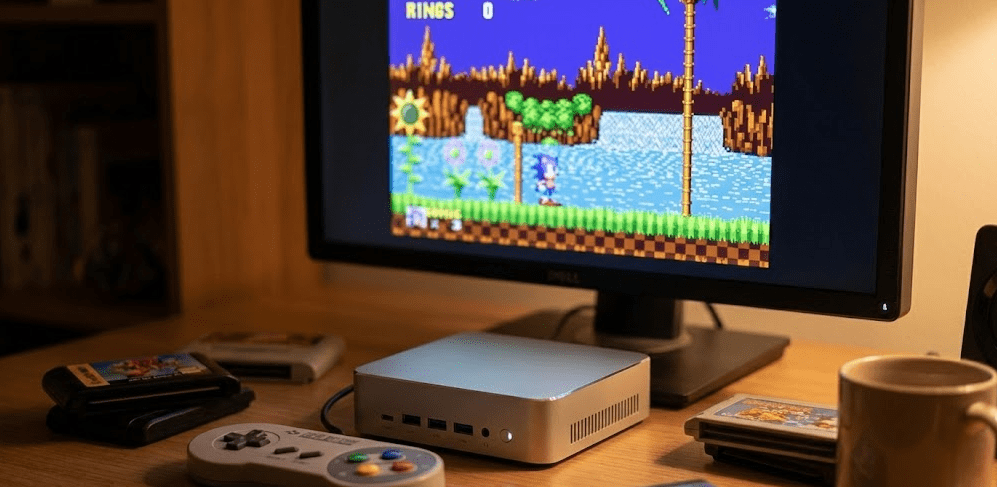
Compact, living-room friendly design. Mini PCs measure roughly 5–8 inches on each side, fitting neatly into TV stands and entertainment centers without the bulk of a traditional tower. In several client setups, the mini PC is effectively invisible, mounted behind the TV or tucked beside an AV receiver, so the whole system looks like a clean, modern console.
Silent or near-silent operation. Many emulation-focused mini PCs use quiet cooling or even fanless designs. Even under multi-hour PS2 or GameCube sessions, fan noise on quality units is barely audible compared with the noticeable whoosh of many gaming desktops. That matters a lot in a living room, where audio from the game and the TV should dominate, not the PC.
Low power consumption. Emulation rarely pushes modern hardware to full load. A typical mini PC will draw in the 15–45 watt range while emulating, versus 150–300 watts for a gaming PC. Over a year of frequent use, that difference adds up, especially if your mini PC doubles as a media server or stays on most of the day.
Flexible storage options. Most mini PCs in 2026 support NVMe SSDs plus multiple USB ports, which makes it easy to maintain large ROM libraries. A common pattern is using a fast 1–2 TB NVMe SSD for your core library, then attaching external USB drives for full sets or archival collections.
Great performance per dollar for emulation. Because emulators tend to be more CPU-weighted and less GPU-dependent than native AAA games, mini PCs with strong integrated graphics offer excellent emulation performance without needing discrete GPUs. That’s why a $500 mini PC can often rival or beat a $1,200+ gaming tower for emulation specifically.
Emulation Performance by Console Generation
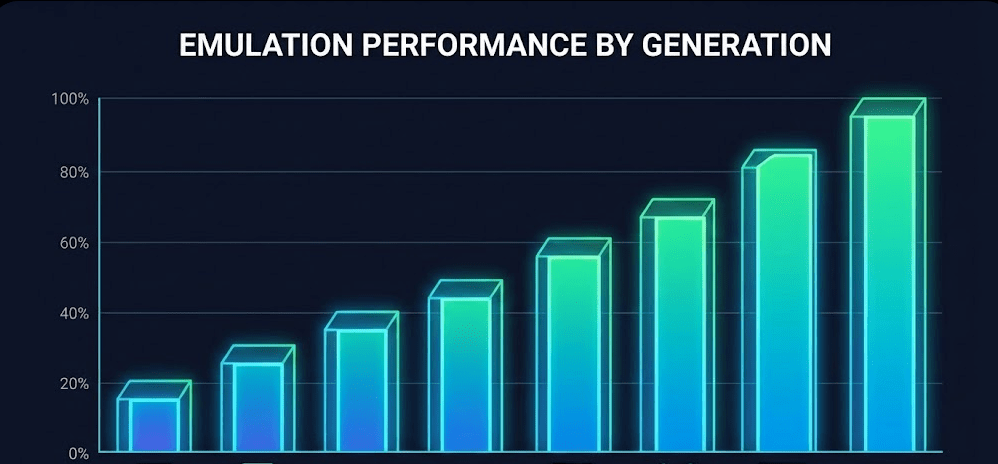
Matching mini PC tiers with console generations. The simplest way to choose hardware is to align your budget with the hardest system you want to emulate. Community tests and discussions in late 2025 showed that systems like the Minisforum SER9 are considered the starting point for smooth PS3 and high-end Switch emulation, while cheaper Ryzen 5 / Intel i5-class mini PCs easily cover everything up to PS2/GameCube.
Community insight on high-end emulation. Experienced users outlined that for “high-end” emulation (Switch, BigBox frontends, and heavier systems), a Ryzen 7/9-based mini PC is strongly recommended, while Ryzen 5/N100 tiers are best kept for retro and sixth-gen consoles rather than PS3 or advanced Switch titles.
Budget Mini PCs ($150–$300): Classic and Retro Emulation
What they handle well. Budget mini PCs powered by chips like Intel N95, N100, or N150 are outstanding for classic consoles and handhelds—NES, SNES, Genesis, PC Engine/TurboGrafx-16, Game Boy/GBC/GBA, Neo Geo, most arcade boards via MAME/FBNeo, PlayStation 1 and the vast majority of N64 games, plus Dreamcast and PSP at native or slightly upscaled resolution.
In testing, an Intel N100-based unit running RetroArch with CRT shaders at 4K resolution handled all 8-bit, 16-bit, and PS1-era systems at a locked 60 fps. That includes fairly demanding shaders like guest-CRT or Royale when tuned reasonably.
Where they struggle. Once you move into PS2, GameCube, and Wii, these budget chips start to show their limits. Simple PS2 games can be coaxed into playable performance with conservative settings, but you quickly hit CPU and GPU bottlenecks. PS3, Xbox 360, and modern Switch emulation are effectively off the table on this tier.
Ideal use cases. These boxes shine as dedicated retro stations for classics and 90s systems: arcade cabinets, kids’ rooms, bedroom retro setups, and plug-and-play TV emulation machines for 2D and early 3D eras. For that envelope, they’re phenomenal value.
Real-world example. A $200 Intel N100 mini PC running Batocera Linux made an excellent all-in-one retro box. It booted straight into EmulationStation, handled everything up to PS1 and most N64/Dreamcast games, and stayed cool and quiet the entire time.
Mid-Range Mini PCs ($300–$600): Through PS2, GameCube, and Wii
The sweet spot for most people. Mid-range mini PCs built on AMD Ryzen 5/7 5000–8000 series or Intel Core i5/i7 chips are where emulation really opens up. With these, you can comfortably cover everything the budget tier can do plus PlayStation 2 with resolution upscaling, GameCube and Wii via Dolphin with 2x–4x internal resolution, Nintendo DS and most 3DS titles, and Dreamcast with HD internal resolution.
Visual upgrades that matter. On these systems, PS2 games like God of War or Gran Turismo 4 can be run at 3x native resolution with widescreen patches and improved texture filtering. GameCube titles such as Metroid Prime or F-Zero GX look astonishingly clean at 4x internal resolution, and Wii titles like Mario Galaxy become sharp enough to hold up on 4K TVs.
Light modern emulation. With careful settings and per-game profiles, some PS3 titles become playable, Xbox 360 emulation is possible for lighter games, and Wii U starts to be realistic for selected titles. For Nintendo Switch, 2D titles and simpler 3D games can run well, though big hitters like Breath of the Wild or Tears of the Kingdom will still tend to require compromises.
AMD advantage in this segment. Based on multiple tests, mini PCs like The Beelink SER5 Pro with Ryzen 7 5800H perform extremely well for emulation, especially compared with Intel’s integrated graphics at similar price points. That Ryzen APU (with Vega 8 graphics) runs PS2, GameCube, Wii, and even some PS3 content very smoothly when configured properly.
Who this tier is for. If your goal is “everything up through PS2/GameCube/Wii and then some,” this is the range to aim for. It’s ideal for living-room emulation stations that cover the full retro spectrum plus early 2000s 3D consoles.
High-End Mini PCs ($600–$1,200): PS3, Xbox 360, and Switch
When you want “everything.” At the top end, mini PCs built on modern Ryzen 9 or Core i7/i9 CPUs (sometimes with a mobile discrete GPU) can tackle virtually the full emulation workload—full-speed PS2, GameCube, and Wii with heavy shaders and 4K internal resolutions, wide PS3 support via RPCS3 including many demanding 3D titles, Xbox 360 emulation for a large portion of the catalogue, and Wii U and Switch emulation for most popular games.
You still won’t get perfection on 100% of PS3 and 360 titles—those platforms remain fundamentally challenging—but for the average user’s library, these units deliver very impressive real-world performance.
Visual enhancements at scale. On this tier, you’re not just running games at native resolution. You can push GameCube, Wii, and PS2 titles to 4K internal rendering, use advanced CRT shaders and post-processing effects, load HD texture packs without choking the GPU, and run Switch titles at 1440p or 4K with relatively stable frame rates in many cases.
Mac mini M4 as a special case. In 2026, the Mac mini M4 has quietly become one of the more interesting high-end emulation machines. Its Apple Silicon chip delivers excellent performance per watt, and native Apple Silicon builds of popular emulators run very well. If you like macOS and want a console-like box in your entertainment center that looks premium, it’s a serious contender.
Best fit. This class is for people who want a “one-box handles everything” solution and are willing to invest in it: full retro, PS2/GameCube in high fidelity, serious attempts at PS3/Xbox 360, and Switch with enhanced resolutions.
Emulator-Specific Requirements and Notes
RetroArch and classic systems. For 8-bit, 16-bit, and early 3D consoles, RetroArch with appropriate cores is extremely efficient. Even low-end N100 systems can handle NES, SNES, Genesis, PC Engine, Game Boy family, and PS1 at 2x or 4x resolution. Single-thread performance matters more than core count here. With correct GPU hard sync and a good CRT shader, classics feel responsive and look authentic even on modest mini PCs.
PCSX2 (PS2). This emulator benefits from a modern 4–6 core CPU with strong single-core speeds, Vulkan on AMD and DX11/12 on Intel, plus speedhacks like MTVU when appropriate. A Ryzen 5 5600H or equivalent marks the minimum where PS2 starts feeling “effortless” for most games. A Ryzen 7 or better lets you crank visual enhancements liberally.
Dolphin (GameCube/Wii). Dolphin is one of the most polished emulators available—GameCube and Wii run well on mid-range CPUs, internal resolution can often be set to 3x–4x (1440p–4K), and Wii titles generally aren’t harder than GameCube despite being newer. On a Ryzen 7 mini PC, you can expect Wind Waker, Mario Sunshine, Metroid Prime, and the Mario Galaxy titles to look and feel like modern remasters.
RPCS3 (PS3). This is still the “hard mode” of emulation. A sensible baseline is 6 cores / 12 threads minimum, modern Ryzen 7/9 or Core i7/i9 preferred, and Vulkan renderer with per-game configs using the RPCS3 wiki. Even on powerful mini PCs, some PS3 games simply won’t run well yet. But a growing chunk of the library is not only playable, but legitimately enjoyable.
Ryujinx/Yuzu successors (Switch). Switch emulation in 2026 is surprisingly usable on strong hardware—8-core CPUs with good single-thread performance are recommended, integrated GPUs can work but discrete mobile GPUs are a big help, 2D and lighter 3D titles run well on mid-range hardware, while “flagship” games like BOTW/TOTK really want high-end specs. As always, legal use requires dumping keys and game files from your own Switch.
Operating Systems for Emulation on Mini PCs
Windows for maximum compatibility. Windows remains the easiest choice for most users. Every major emulator targets Windows, most documentation assumes it, and general troubleshooting tends to be simpler. If you also want to use the mini PC for normal desktop tasks, Windows is the natural default.
Linux (Batocera, RetroPie, Lakka) for “appliance feel.” If you want a mini PC that boots straight into a frontend with no desktop in sight, Linux-based solutions like Batocera are incredibly compelling. They’re lighter, focused, and feel more like a dedicated console. The tradeoff is a slightly higher learning curve and the occasional “roll up your sleeves” moment when something needs tweaking.
macOS on Mac mini. If you like Apple’s ecosystem and design, the Mac mini M4 gives you strong emulation performance with a very polished hardware experience. You’ll sacrifice some Windows-only emulators but gain quiet operation and low power draw.
Setting Up a Mini PC Emulation Station
Hardware prep. Pick your mini PC tier based on the hardest system you care about, drop in a suitably sized NVMe SSD (512 GB to 2 TB is typical), and hook it to a TV or monitor over HDMI. Then add your controller setup—USB, Bluetooth, or 2.4 GHz dongles all work fine. Controllers from Xbox, PlayStation, 8BitDo, and others map cleanly across most emulators.
Software foundation. On Windows, install your emulators individually (RetroArch, PCSX2, Dolphin, RPCS3, etc.), then optionally put a frontend like LaunchBox/BigBox, EmulationStation (via Windows ports), or Playnite over them. On Batocera, most emulators are already bundled; you mainly configure input and paths, then drop your games in the correct folders.
Game organization. Folder-by-system is still the least painful long-term strategy. Use good-quality ROMs (No-Intro/Redump-based sets), and let your frontend scrape metadata, box art, and videos. That turns a strictly functional setup into something that feels like a commercial product.
Optimization, Cooling, and Visual Enhancements
Performance tuning. If a game stutters, check power plans first (set to high performance), then renderers (try Vulkan vs DX11/12), then internal resolution. Dropping one notch in resolution often smooths out gameplay with almost no perceptible visual loss at normal seating distances.
Temperature and throttling. For heavier emulation (PS2, PS3, Switch), keep an eye on temperatures, especially in fanless or ultra-compact designs. If the CPU is regularly hitting the high 80s or 90s Celsius, consider improving airflow around the unit, lowering internal resolutions slightly, or using a small laptop cooler or perforated shelf under the mini PC.
Making old games look great. Internal resolution scaling is your best friend. Even 2x or 3x rendering can make old 3D titles look dramatically better. Shaders can then add CRT warmth or stylistic effects, while HD texture packs give select games a full visual overhaul.
Building a Frontend That Feels Premium
LaunchBox/BigBox. LaunchBox on the desktop and BigBox in “couch mode” create a slick, console-like experience with box art, game videos, and rich metadata. If you’re building a living-room station, BigBox is one of the nicest experiences available right now in my opinion.
EmulationStation. For Linux-based appliances, EmulationStation remains a go-to frontend with clean visuals and controller-first navigation. It’s less flashy than BigBox but very effective and light.
Playnite. If you also play native PC games, Playnite gives you a unified library that blends Steam, Epic, GOG, and emulated platforms in one place.
Storage Planning for ROM Libraries
It’s easy to underestimate how much space you’ll need if you move beyond “a few favorites.” 8/16-bit systems barely move the needle—entire libraries can fit in a few gigabytes. PS1/N64/Saturn libraries can reach 100–300 GB if you go broad. PS2 and GameCube quickly push into hundreds of gigabytes, and full libraries can hit 1–2 TB. PS3 and Switch titles are large; even a hand-picked collection eats through hundreds of gigabytes quickly.
For most serious setups, 1–2 TB of fast SSD storage is a comfortable baseline, with external HDDs for bulk archival collections.
FAQ: Common Questions Answered
Are mini PCs powerful enough for emulation in 2026?
Yes, especially in the $300–$600 range and above. Even budget units handle classic systems beautifully, and mid-range mini PCs now rival older gaming desktops for PS2/GameCube/Wii emulation.
Can budget mini PCs handle arcade emulation?
They’re excellent for it. Intel N100-class systems breeze through most 2D and many 3D arcade boards using MAME or FinalBurn Neo, with plenty of headroom for shaders and 1080p output.
Do I need a discrete GPU for emulation on a mini PC?
Only if you’re targeting heavy PS3/Xbox 360/Switch workloads at high resolutions. For classic systems through PS2/GameCube, modern integrated graphics from AMD or Intel are more than enough.
Is AMD or Intel better for emulation?
AMD generally wins on value for emulation in 2026 because its integrated GPUs are stronger for the same money, particularly for 3D consoles like PS2 and GameCube. Intel still works fine, especially in higher-end SKUs.
What’s the best OS: Windows, Linux, or macOS?
Windows for compatibility and ease of use, Linux/Batocera for “boot straight into emulation” appliances, and macOS (Mac mini) if you care about power efficiency and design and are okay with a slightly smaller emulator ecosystem.
How much RAM does a mini PC need for emulation?
8 GB is enough for classic systems and PS2/GameCube. For PS3/Switch and a Windows environment with a modern frontend, 16 GB is more comfortable, especially if you multitask.
The 2026 Emulation Mini PC Reality
Mini PCs have gone from “interesting side option” to arguably the best hardware category for emulation enthusiasts. You get enough CPU and GPU power for nearly everything you’d want to emulate, in a chassis that fits anywhere, with power draw that won’t punish you for long sessions. Major testing roundups in 2025 consistently show mini PCs punching far above their weight in emulation workloads while remaining quieter and more efficient than traditional towers.
Based on the current landscape, if you’re serious about emulation and don’t specifically need a giant GPU for native PC gaming, a mini PC is almost always the smarter, more elegant choice. Pick your tier based on the newest console you care about, give it ample storage and a good frontend, and you’ll have a compact machine that can genuinely span gaming history from the NES era all the way to the Switch—with room for lots of visual upgrades along the way.