You might be in the market for a Mini PC in 2026, and trying to budget for it. We have you covered!
Mini PC prices in 2026 range from $130 to $2,500 depending on your needs. Budget options with Intel N100 processors cost $150-250 and handle basic computing, streaming, and office work perfectly.

How Much Does a Mini PC Cost in 2026 – Infographic Summary. All Rights Reserved. PCBuildAdvisor.com
Mid-range gaming and content creation mini PCs with AMD Ryzen or Intel Core processors run $400-800. Professional video editing, AI workloads, and powerful homelab setups require $800-1,500 investments.
For basic home use, plan to spend $200-300. For college work and streaming, budget $250-400. For 1080p gaming, expect $450-700. For 4K video editing and AI servers, allocate $800-1,200. Understanding these price tiers helps you avoid overspending on unnecessary performance or buying underpowered hardware that frustrates daily use.
Understanding Mini PC Price Tiers (2026)
The mini PC market has matured significantly by 2026, with clearly defined price segments serving specific use cases. Unlike a decade ago when “mini PC” meant compromised performance, today’s compact computers deliver desktop-class capabilities at every price point.
Budget Tier ($130-$250): Entry-level systems with Intel N95/N100/N150/N200 processors, 8-16GB RAM, and 256-512GB storage. These handle web browsing, office productivity, 4K video streaming, and basic multitasking without breaking a sweat.
Value Tier ($250-$450): AMD Ryzen 5 (6000-7000 series) or Intel Core i3-i5 (11th-12th Gen) systems with 16GB RAM and 512GB SSDs. Capable of light content creation, casual gaming at 1080p, and running multiple applications simultaneously.
Performance Tier ($450-$800): Modern Intel Core i5-i7 (12th-13th Gen) or AMD Ryzen 7 (7000-8000 series) with 32GB RAM and 1TB NVMe storage. These systems handle serious gaming, video editing, and professional workflows.
Premium Tier ($800-$1,500): High-end processors like Intel Core i9, Intel Core Ultra, or AMD Ryzen 9 with 32-64GB RAM, 1-2TB storage, and specialized features. Built for 4K video editing, AI workloads, virtualization, and demanding professional applications.
Workstation Tier ($1,500+): Enterprise-grade systems with top-tier processors, 64-96GB RAM, multiple drive bays, and professional support. Reserved for mission-critical business applications, heavy AI inference, and professional content creation studios.
Understanding these tiers prevents the two most common mistakes: overpaying for features you’ll never use, or buying underpowered hardware that becomes frustrating within months.
Pro Tip: “Don’t base your mini PC budget on today’s needs—plan for tomorrow’s. If you’re on the fence between 8GB and 16GB RAM, or 256GB and 512GB storage, always choose the higher spec. The extra $50-100 investment prevents having to replace your entire system in 18 months when your needs inevitably grow.”
Home Use: $150-$300 Budget
For basic home computing—web browsing, email, document editing, Netflix, YouTube, and video calls—budget mini PCs deliver everything you need without waste.
Recommended Models:
GEEKOM Mini Air12 Lite – $199: Intel N100, 8GB DDR4, 256GB storage. This represents the absolute sweet spot for home use in 2026. The N100 handles 4K streaming effortlessly, runs dozens of browser tabs, and operates silently with its fanless design.
Beelink Mini S12 Pro – $150-180: Intel N100, 16GB DDR4, 512GB SSD. Slightly older but frequently on sale, this delivers exceptional value when found under $200. The extra RAM and storage make it more future-proof than the GEEKOM.
ACEMAGIC Entry Models – $130-170: Various Intel N95/N100 configurations. These are the cheapest viable options, often found on sale. Quality control can be variable, but they work perfectly for basic computing.
What you get at this price: Dual 4K display support, Wi-Fi 6, Bluetooth 5.2, multiple USB ports, and enough performance for office applications, streaming services, and light multitasking. Power consumption stays under 10W, costing approximately $10-15 annually in electricity for 24/7 operation.
What you sacrifice: No gaming beyond casual browser games, limited video editing capability, slower multitasking with heavy applications, and typically non-upgradeable RAM on budget models.
Who should buy: Seniors, students doing basic schoolwork, secondary PCs for bedrooms/kitchens, digital signage, and anyone whose primary activities are web-based.
Office Work & Productivity: $250-$450
Professional office work demands more than budget systems provide—faster application launches, smooth multitasking with Microsoft Office, better video conferencing, and the ability to handle light data analysis or presentations.
Recommended Models:
Dell Optiplex Micro (Refurbished 11th-12th Gen) – $280-380: Intel Core i5-11500T to i5-12500T, 16GB RAM, 256-512GB SSD. Refurbished business-class systems offer enterprise build quality, excellent port selection, and proven reliability at mid-range prices. By 2026, these newer generations are entering refurb markets.
HP Elite Mini 800 G9 – $380-480: Intel Core i5-i7 12th-13th Gen, 16GB RAM, 256GB+ SSD. New business systems come with warranties, official support, and TPM 2.0 for enhanced security—important for business use.
GEEKOM A7 – $450-550: AMD Ryzen 7 7735HS / 7840HS, 32GB RAM, 512GB-1TB SSD. These consumer-focused systems deliver better raw performance than business PCs at similar prices, though they lack enterprise manageability features. By 2026, Ryzen 7000 series has dropped into this price tier.
What you get at this price: Fast application performance, comfortable multitasking with 10-20 browser tabs plus Office apps, excellent video conferencing quality, support for 2-3 monitors, TPM 2.0 security, and usually upgradeable RAM and storage.
What you sacrifice: Limited gaming capability (basic esports titles at low settings only), minimal video editing power beyond simple cuts, and no AI acceleration for modern workloads.
Who should buy: Office workers, remote employees, small business owners, students running CAD or engineering software, and anyone needing reliable performance for professional applications.
College & School: $200-$400
Students need versatility—writing papers, researching online, attending virtual classes, light creative projects, and entertainment during downtime.
Recommended Budget (High School/Undergrad): $250-350
GEEKOM Mini Air12 – $249: Intel N100, 16GB DDR5, 256GB SSD. The DDR5 provides better future-proofing than DDR4 alternatives. Sufficient for Google Workspace, Microsoft Office online, video calls, and streaming.
Beelink S12 Max – $280-320: Intel N100, 16GB RAM, 512GB SSD. More storage for project files and installed applications. The extra $30-50 over base models prevents storage anxiety.
Recommended Budget (Engineering/Design Students): $500-700
ACEMAGIC M2 – $520: Intel Core i7-12650H / Core Ultra 5 125H, 32GB RAM, 512GB SSD. By 2026, Intel Core Ultra processors appear in student-budget systems, offering better performance and efficiency than older Core i9 chips.
GEEKOM A8 – $560-650: AMD Ryzen 9 7840HS / 7940HS, 32GB DDR5, 1TB SSD. Excellent for engineering simulations, 3D modeling, and video projects. The 32GB RAM handles virtual machines for computer science students.
What students actually need: Enough storage for assignments and media (512GB minimum), sufficient RAM for research with 30+ browser tabs (16GB+), reliable video conferencing, and ability to run specialized software for their major.
Student-specific considerations: Portability isn’t a concern with mini PCs—they’re for dorm rooms or home use. Focus budget on performance and storage rather than size. Consider refurbished business systems for better warranties and support.
Streaming (4K Media, YouTube, Netflix): $150-$300
4K streaming requires surprisingly little processing power thanks to hardware video decoders built into modern processors. The real requirements are reliable networking and proper codec support.
Recommended Models:
Any Intel N100/N150/N200 mini PC – $150-250: All modern Intel N-series processors include hardware acceleration for H.265/HEVC, VP9, and AV1—the codecs used by Netflix, YouTube, Disney+, and other streaming services. Playback is effortless with CPU usage under 10%.
Beelink EQ14 – $200-250: Intel N150, 16GB RAM, 512GB storage, 2.5GbE networking. The faster networking helps with high-bitrate 4K content and local media streaming from NAS devices.
For Plex/Jellyfin client use (watching media from your server): Any N100+ mini PC works perfectly. When acting as a Plex client, the mini PC only decodes video for display (Direct Play mode)—the Plex server handles any necessary transcoding. Even $150 systems play 4K Blu-ray remux files smoothly when directly playing without server-side transcoding.
What you get at this price: Flawless 4K streaming from all services, HDR support (verify HDMI 2.0+ output), Dolby audio passthrough, silent or near-silent operation, and low power consumption (5-10W).
What you sacrifice: Nothing for streaming purposes. These systems are overpowered for media playback alone. Consider spending less and using savings on better speakers or upgrading your TV.
Who should buy: Home theater PC (HTPC) builders, cord-cutters replacing cable boxes, Plex/Jellyfin client users, and anyone building a dedicated streaming device for their living room TV.
Gaming: $450-$1,200
Gaming mini PCs span the widest price range because “gaming” means different things to different people. Esports titles at 1080p? AAA games at 4K ultra settings? Emulation?
1080p Casual/Esports Gaming ($450-$650):
ACEMAGIC W1 – $489: AMD Ryzen 7 8745HS (marketed as “H 255” in some regions), Radeon 780M integrated graphics, 32GB RAM. Plays esports titles (Valorant, CS2, League of Legends) at 1080p high settings, 60-120 FPS. Light AAA games at 1080p medium achieve 30-45 FPS. Note: The H 255 is a China-market designation identical to the 8745HS.
GMKtec K8 – $500-600: AMD Ryzen 7 8845HS, Radeon 780M. Slightly more powerful than the W1, achieving 10-15% better frame rates in demanding titles. Good for casual gamers who want reliable 1080p performance.
1080p AAA Gaming ($650-$900):
Unfortunately, integrated graphics still can’t handle modern AAA titles at high settings. You need external graphics via Thunderbolt eGPU enclosures ($300+) plus a GPU ($400-800), pushing total cost to $1,350-$1,700. At that point, consider traditional desktops instead.
Realistically for mini PCs: Plan $500-650 for solid 1080p esports and casual gaming. Accept that cutting-edge AAA titles won’t run well. Consider cloud gaming services (Xbox Game Pass, GeForce NOW) as supplements for demanding games.
What you get: 60+ FPS in esports titles, 30-45 FPS in most AAA games at medium settings, excellent emulation (PS2, GameCube, Wii), retro gaming, and indie games. Quiet operation, low power consumption, and compact desk footprint.
What you sacrifice: No ray tracing, limited graphics settings in demanding titles, and lower frame rates than dedicated gaming PCs. Mini PCs are compromises—excellent for specific gaming niches, not replacements for gaming desktops.
Video Editing: $500-$1,200
Video editing performance depends on resolution, codec, effects complexity, and timeline length. A YouTuber editing 1080p vlogs needs far less power than a professional cutting 4K commercials.
1080p YouTube/Social Media ($500-$700):
GEEKOM A7 – $550-650: AMD Ryzen 7 7735HS / 7840HS, 32GB RAM, 512GB SSD. Handles 1080p H.264/H.265 editing smoothly in DaVinci Resolve or Premiere Pro. By 2026, Ryzen 7000 series has replaced older 5000 series in this price tier.
ACEMAGIC M2 – $520: Intel Core i7-12650H / Core Ultra 5, 32GB RAM. Intel QuickSync hardware acceleration provides faster exports than AMD alternatives at this price point. Good for frequent uploaders prioritizing render times.
4K Video Editing ($700-$1,200):
GEEKOM A8 – $650-750: AMD Ryzen 9 7840HS / 7940HS, 32GB DDR5, 1TB SSD. Handles 4K editing with proxies or optimized media. Real-time playback of 1-2 streams without rendering. Export times are acceptable for hobbyists.
GMKtec K11 – $700-800: Intel Core i9-13900HK / Core Ultra 7 155H, 64GB DDR5, 1TB SSD. This represents the ceiling for mini PC video editing. By 2026, Intel Core Ultra processors provide better efficiency and AI acceleration. Handles multiple 4K streams, complex color grading, and faster exports than older alternatives.
What you need: Minimum 32GB RAM (4K editing fills memory quickly), 512GB+ SSD (project files grow fast), and modern processors with hardware video acceleration. Don’t compromise on RAM—16GB causes constant frustration with 4K timelines.
Storage strategy: Use the internal SSD for OS and applications. Edit from fast external SSDs (USB 3.2 Gen 2 or Thunderbolt). Archive completed projects to larger HDDs or NAS.
AI Server & Local LLM: $350-$1,500
Running local AI models—Large Language Models (LLMs), image generation (Stable Diffusion), or voice assistants—requires specific hardware depending on model size.
Entry-Level AI Experimentation ($350-$500):
Dell Precision 3620 (Refurbished) – $350: 7th Gen Intel Core i5-i7, 16-32GB RAM, add RTX 3060 12GB ($200 used). This $350 base + $200 GPU combo runs smaller models (7B parameters) locally. Perfect for learning and experimentation.
wo-we P6 – $220: AMD Ryzen 5 3550H, 16GB RAM. For CPU-only inference with tiny models or testing workflows before investing in serious hardware.
Serious Local AI ($700-$1,200):
Beelink EQR6 – $389: AMD Ryzen 7 6800U, 24GB RAM. Best budget option with enough RAM for moderate models. Runs 13B models slowly but functional for personal use.
MINISFORUM AI X1 Pro-370 – $1,000: AMD Ryzen AI 9 HX 370, 64GB RAM, NPU acceleration. Built specifically for AI workloads with on-device neural processing. Runs 30B+ models with reasonable inference speeds.
GMKtec AI Mini PC EVO-T1 – $1,111: Intel Core Ultra 7 155H, 96GB RAM, 2TB storage. Maximum capacity for massive models. The 96GB RAM allows loading 70B parameter models entirely into memory for fastest inference. Intel Core Ultra processors in 2026 provide enhanced NPU capabilities.
What determines AI PC cost: RAM capacity is critical—more RAM = larger models = better capabilities. A $500 system with 16GB runs 7-13B models. A $1,000 system with 64GB runs 30-65B models. Storage matters for model libraries (some total 100GB+).
Practical advice: Start with a $400-600 system to learn AI workflows. Upgrade to $1,000+ systems only if you’re committed to local AI after 3-6 months of experimentation. Cloud API services (OpenAI, Anthropic) remain cheaper for casual use.
Homelab & Virtualization: $400-$1,200
Homelabs run multiple virtual machines, containers, and services simultaneously—requiring more CPU cores, RAM, and storage than typical desktop use.
Entry Homelab ($400-$600):
Beelink SER7 – $500-600: AMD Ryzen 7 7735HS / 7840HS, 32GB RAM, 512GB SSD. Runs Proxmox with 3-5 VMs comfortably. By 2026, Ryzen 7000 series provides better efficiency than older 5000 series. Enough for Home Assistant, Pi-hole, Plex, and a few Docker containers.
Intel NUC 12/13 (Refurbished) – $450-550: Core i5-i7, 32-64GB RAM upgrades available. Proven reliability for 24/7 operation. Intel QuickSync benefits Plex transcoding workloads.
Serious Homelab ($700-$1,200):
Minisforum UM790 Pro – $650-750: AMD Ryzen 9 7940HS, 32GB DDR5 (upgradeable to 64GB), 1TB SSD, dual 2.5GbE. Eight cores / sixteen threads handle 8-12 VMs. Dual networking enables network aggregation or separate management networks.
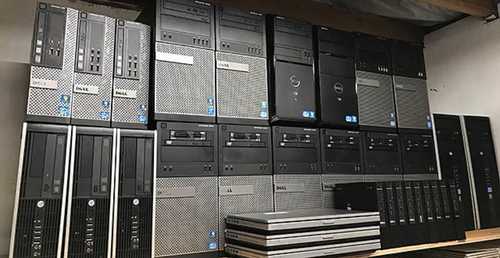
Cluster Option – Multiple Budget Nodes ($400 total for 8 nodes): Buying used/refurbished mini PCs in bulk creates high-availability clusters cheaper than single powerful systems. Eight $50 nodes provide redundancy and learning opportunities for distributed computing.
Homelab priorities: RAM > CPU cores > storage. Plan for 8GB RAM per major VM (Windows) or 2-4GB per Linux VM. Storage can be expanded via USB/NAS, but RAM is often non-upgradeable.
Power consumption matters: Running 24/7, a 65W homelab costs $60-80 annually. A 15W mini PC costs $15-25 annually. Factor electricity costs into your budget—efficient hardware pays for itself over 3-5 years.
Plex Server & Media Server: $200-$600
Plex servers need different specs depending on whether you’re serving media with Direct Play (no transcoding) or transcoding for multiple users simultaneously.
For Plex Client Only (Direct Play) – $150-$250:
Any Intel N100/N150 mini PC handles Plex client duties. If your mini PC is only watching media from a Plex server elsewhere, even the cheapest systems work flawlessly. The Plex server does any necessary transcoding—your client just decodes video for display.
Light Transcoding Server (1-2 Streams) – $300-$450:
GEEKOM Air12 – $300-350: Intel N100, 16GB RAM. When configured as a Plex server, Intel QuickSync handles 1-2 simultaneous 1080p transcodes. Perfect for small households where 2+ people rarely stream simultaneously.
Beelink Mini S12 Pro – $220-280: Intel N100, 16GB RAM. Frequently found under $250 on sale. The $150 price mentioned in some sources reflects older promotional pricing, but current $220-280 range still offers excellent value for basic Plex server duty.
Heavy Transcoding Server (3+ Streams) – $500-$800:
Beelink SER7 – $550-650: AMD Ryzen 7 7840HS, 32GB RAM. Handles 4-5 simultaneous transcodes. By 2026, Ryzen 7000/8000 series has replaced older 5000 series in this tier. The extra CPU cores prevent bottlenecks when multiple family members stream different content.
GEEKOM A8 – $650-750: AMD Ryzen 9 7940HS, 32GB RAM, 1TB SSD. Powerful enough for 5-7 transcodes or 4K transcoding to multiple clients. Overkill for most users but future-proof for growing families.
Storage considerations: Mini PCs typically include 256-512GB internal storage—enough for Plex server software and metadata, but not for media libraries. Budget $100-300 for external USB 3.0 HDDs (8-16TB) or invest in NAS systems for centralized storage.
What you actually need: Intel QuickSync (Intel processors) or AMD VCN (AMD processors) for hardware transcoding, 16GB+ RAM, and fast networking (Gigabit minimum, 2.5GbE preferred for 4K streaming).
Mini PC Price Comparison Table by Use Case (2026)
| Use Case | Budget Range | Recommended Specs | Example Models | What You Can Do | What You Can’t Do |
|---|---|---|---|---|---|
| Home Use | $150-$300 | N100, 8-16GB RAM, 256GB SSD | GEEKOM Air12 Lite ($199), Beelink S12 Pro ($180) | Web browsing, 4K streaming, office apps, video calls | Gaming, video editing, heavy multitasking |
| Office Work | $280-$480 | Core i5/Ryzen 7, 16GB RAM, 512GB SSD | Dell Optiplex Micro ($320), GEEKOM A7 ($500) | Professional apps, multitasking, 2-3 monitors | Gaming, 4K editing, AI workloads |
| College/School | $250-$650 | N100-i7/Ultra 5, 16-32GB RAM, 512GB SSD | GEEKOM Air12 ($249), ACEMAGIC M2 ($520) | Research, assignments, video calls, light design work | High-end gaming, professional video editing |
| Streaming/HTPC | $150-$300 | N100+, 8GB RAM, 256GB SSD | Any N100 mini PC ($150-250) | 4K HDR streaming, Plex client, silent operation | Nothing—overkill for streaming |
| Gaming (1080p) | $450-$700 | Ryzen 7 w/ 780M iGPU, 16-32GB RAM | ACEMAGIC W1 ($489), GMKtec K8 ($550) | Esports 60-120 FPS, casual AAA 30-45 FPS | Ray tracing, 4K gaming, max settings AAA |
| Video Editing | $500-$1,200 | Core i9/Ultra/Ryzen 9, 32-64GB RAM, 1TB SSD | GEEKOM A8 ($700), GMKtec K11 ($800) | 1080p/4K editing, color grading, effects | Real-time 8K, extremely complex timelines |
| AI Server/LLM | $350-$1,500 | 32-96GB RAM, modern CPU, NPU optional | Beelink EQR6 ($389), GMKtec EVO-T1 ($1,111) | 7-70B model inference, local AI development | Training large models, cloud-scale inference |
| Homelab/Proxmox | $450-$1,200 | Ryzen 7-9, 32-64GB RAM, 1TB+ SSD | Beelink SER7 ($550), Minisforum UM790 Pro ($750) | 3-12 VMs, containers, home services | Enterprise workloads, extreme scale |
| Plex Server | $220-$800 | QuickSync CPU, 16-32GB RAM, + external storage | GEEKOM Air12 ($300), Beelink SER7 ($600) | 1-7 transcodes, 4K direct play, metadata | Dozens of streams, cloud-scale operation |
Prices reflect typical 2026 market conditions based on current trends and verified sources.
Hidden Costs to Consider

Operating System ($0-$139): Windows 11 Home costs $139 retail, though many mini PCs include Windows licenses. Linux is free. Consider this if buying barebones systems.
Storage Expansion ($50-$300): Mini PCs with 256GB SSDs feel cramped within months. Budget $80-150 for 1TB external SSDs or $50-100 for 2TB HDDs.
RAM Upgrades ($30-$150): If buying 8GB systems, plan to upgrade to 16GB ($40-60) or 32GB ($80-120) within the first year.
Peripherals ($50-$200): Keyboard, mouse, monitor, and cables add up. Budget at least $100 for basic accessories if starting from scratch.
Accessories ($20-$100): VESA mounts ($15-30), USB hubs ($25-40), cooling pads ($20-35), and external Bluetooth/WiFi adapters if needed.
Extended Warranties ($30-$100): Consumer mini PCs typically include 1-year warranties. Extended warranties ($40-80) provide peace of mind for 24/7 operations.
When to Spend More (and When to Save)
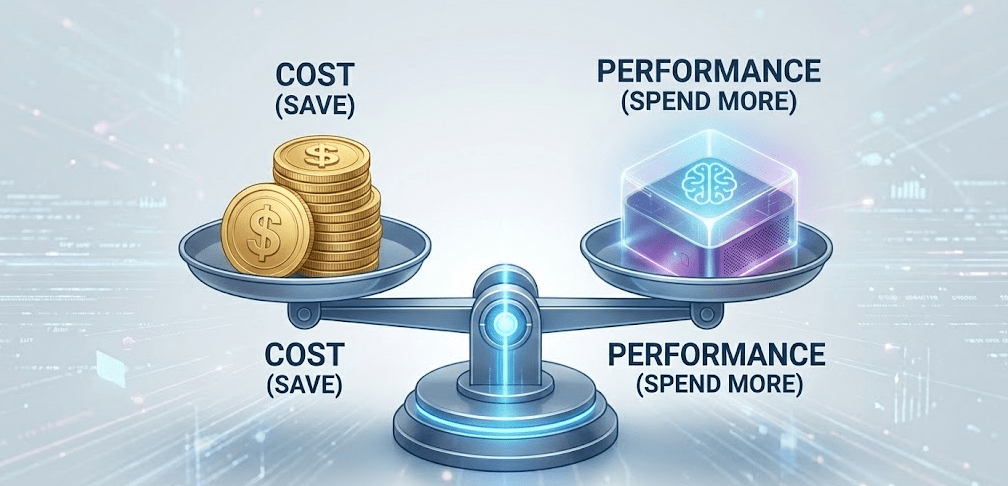
Spend more if:
- Your workload will grow (student becoming professional, hobbyist becoming content creator)
- You need 24/7 reliability (servers, homelabs, business use)
- You’re buying for 4-5+ year lifespan
- Upgradability is limited (soldered RAM, no expansion)
- Electricity costs are high (efficient hardware pays for itself)
Save money if:
- Your needs are static (dedicated streaming box, basic office work)
- It’s a secondary/backup system
- You plan to upgrade in 2-3 years anyway
- The system is for a child/elderly user with basic needs
- You’re experimenting before committing to a use case
The $200 rule: If debating between two models $200 apart, choose the more expensive one unless you’re absolutely certain the cheaper option meets your needs. Upgrading entire systems later costs more than the initial $200 savings.
FAQ: Mini PC Costs
Are mini PCs worth the cost compared to laptops?
For desktop use, yes. A $400 mini PC typically outperforms a $600 laptop because it doesn’t compromise for portability. You get better cooling (more performance), easier upgrades, and lower cost. However, laptops include built-in displays, keyboards, and batteries—factor those costs ($200-400) if you need them.
Do mini PCs increase in price every year?
Generally no—they decrease as technology advances. Intel N100 mini PCs cost $300-400 in 2023, but dropped to $150-250 by 2026. However, tariffs and supply chain issues can cause temporary price spikes. One Reddit user noted potential 15-20% price increases in early 2026 due to supply constraints.
Should I buy refurbished or new mini PCs?
Refurbished business-class systems (Dell, HP, Lenovo) from 2-4 years ago offer excellent value at 40-60% discounts. They include enterprise build quality and often remaining warranty coverage. New consumer systems provide latest technology, full warranties, and longer support lifecycles. For basic use, refurbished saves money. For cutting-edge features or 5+ year ownership, buy new.
What’s the cheapest usable mini PC in 2026?
Around $130-150 for Intel N95/N100 systems during sales. Below $130, quality becomes questionable. The Beelink S12 Pro frequently drops to $150-170, making it the best entry point.
Do more expensive mini PCs last longer?
Not necessarily. A $200 Beelink can run 24/7 for 5+ years with proper care. A $1,500 system has no inherently longer lifespan. What matters: quality fans and cooling (not price), SSD endurance ratings, and your maintenance habits (cleaning dust, updating software). Business-class systems often last longer due to better component selection, but consumer systems with good reviews perform similarly.
Is $1,000+ ever justified for a mini PC?
Yes, for specific use cases: professional 4K video editing ($700-1,200 systems provide real value), AI development with local models (RAM capacity justifies cost), multi-VM homelabs (8+ VMs need power), and businesses requiring official support and warranties. For general use? No—you’re paying for capabilities you won’t use.
How much should I budget for a “good” all-around mini PC?
$500-700 is the sweet spot in 2026. This gets you AMD Ryzen 7 (7000/8000 series) or Intel Core i7/Core Ultra processors, 32GB RAM, 512GB-1TB SSD, and handles 80% of use cases comfortably. Spend less only if you have very basic needs. Spend more only if you have specific demanding workloads.
The Bottom Line: Matching Budget to Real Needs
How much does a mini PC cost? The answer depends entirely on what you’re actually doing with it. A $180 Intel N100 system delivers everything most people need for daily computing, streaming, and basic productivity. Spending $600-800 makes sense only if you have specific demands—gaming, video editing, or running multiple virtual machines.
The biggest mistake buyers make isn’t spending too much or too little—it’s spending without understanding their actual requirements. A $1,200 mini PC sitting on a desk used only for email and web browsing represents $900 of wasted money. A $200 mini PC struggling to edit videos because the buyer “wanted to save money” costs more in frustration and eventual replacement.
Use this guide as a framework: identify your primary use case, check the recommended budget range, and select models within that tier. If your needs span multiple categories (college student who games and edits videos), budget for the most demanding use case. The extra $200-300 provides headroom for all activities rather than excelling at one and failing at others.
As of early 2026, mini PC pricing offers incredible value across all tiers. Technology advances have pushed Ryzen 7000/8000 series and Intel Core Ultra processors into mid-range pricing, while Intel N-series provides excellent budget options. Whether you’re spending $150 or $1,500, ensure every dollar aligns with features you’ll actually use—not specifications that look impressive on paper but sit idle in reality.