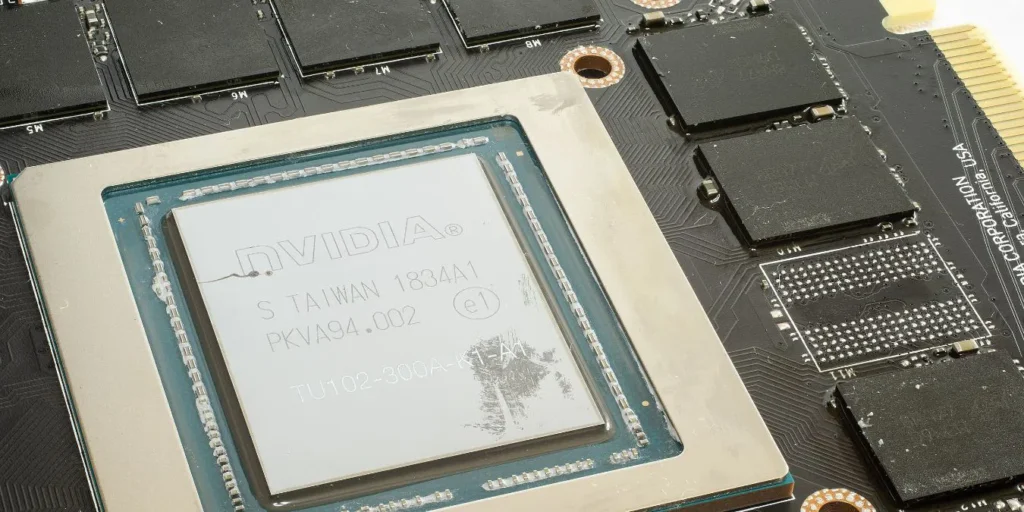
No, VRAM and GPU are not the same thing, but they are closely connected. The GPU (Graphics Processing Unit) is the processor that handles all graphical calculations, while VRAM (Video Random Access Memory) is the dedicated memory that lives on the GPU and stores the data it needs to do its job. Think of the GPU as the engine and VRAM as the fuel tank sitting right next to it.
That said, there is a bit more nuance to this worth understanding, especially if you are trying to make a smart buying decision for gaming, creative work, or AI in 2026.
What Is a GPU?
A GPU is a specialized processor designed to handle graphics and visual computing tasks at high speed. Unlike a CPU, which is built for general-purpose computing with a handful of powerful cores, a GPU uses thousands of smaller cores optimized for parallel processing. This makes it exceptionally good at tasks like rendering game environments, processing video, running 3D simulations, and increasingly, training and running AI models.
Every computer has some form of GPU. On budget machines it is typically an integrated GPU built into the CPU, sharing system memory. On gaming PCs, workstations, and creative rigs, it is usually a dedicated graphics card from Nvidia or AMD with its own processor, power connection, cooling system, and most importantly, its own dedicated memory, which is where VRAM comes in.
What Is VRAM?
VRAM, which stands for Video Random Access Memory, is a specialized type of memory built directly onto your graphics card. Its sole job is to store graphical data that the GPU needs immediate access to, including textures, shaders, frame buffers, 3D models, and lighting data. Because VRAM sits physically close to the GPU chip and is engineered specifically for high-bandwidth tasks, it can transfer data to the GPU far faster than regular system RAM ever could.
As Corsair’s memory guide explains it, VRAM is essentially just RAM for your GPU, with the V standing for Video. It is the same broad concept as system RAM but purpose-built for one very specific job: feeding visual data to your graphics processor as fast as possible.
The most common types of VRAM today are GDDR6, GDDR6X, and the newest GDDR7, which was introduced with Nvidia’s RTX 50-series and represents a major leap in memory bandwidth for consumer cards. High-end professional data center cards, like Nvidia’s H100 or B200 accelerators, use HBM (High Bandwidth Memory), which stacks memory chips vertically for even greater bandwidth at a much higher cost.
GPU vs VRAM: What Is the Real Difference?
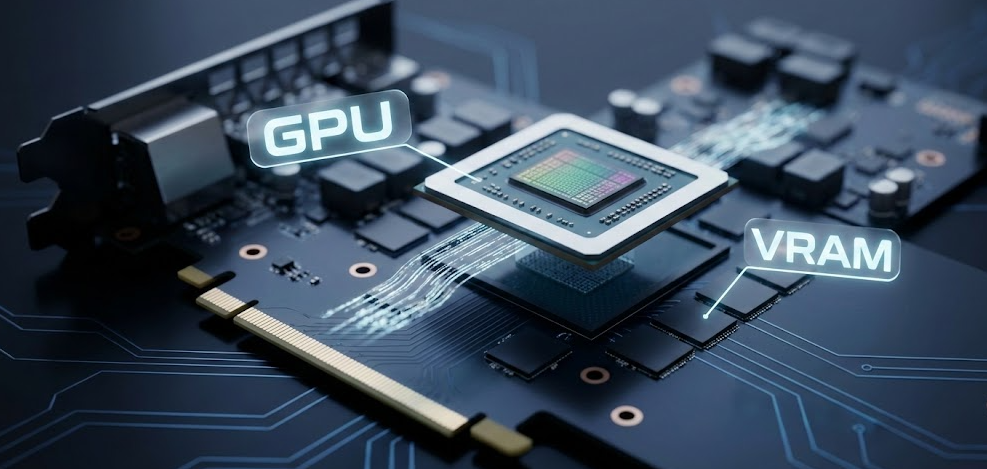
The simplest way to understand the relationship is this: the GPU is the worker, and VRAM is the workbench right in front of it. The GPU cannot efficiently process what it cannot immediately reach, so VRAM exists to keep everything the GPU needs within arm’s reach at all times.
Here is a clear breakdown of how they differ:
| Feature | GPU | VRAM |
|---|---|---|
| What it is | A processor (graphics chip) | Dedicated memory on the graphics card |
| Primary job | Executes graphical calculations and rendering | Stores graphical data for fast GPU access |
| Works with | VRAM, PCIe bus, display outputs | The GPU chip directly |
| Upgradable separately | No (it is the card itself) | No (fixed to the GPU, cannot be upgraded alone) |
| Examples | Nvidia RTX 5080, AMD RX 9070 XT | 16GB GDDR7, 16GB GDDR6 |
| Performance impact | Determines how fast graphics are rendered | Determines how much graphical data can be loaded at once |
| Speed | Processes billions of operations per second | Operates at extremely high bandwidth (up to 1+ TB/s on high-end cards) |
The key takeaway is that you cannot separate the two in practice. When you buy a GPU, you get whatever VRAM is soldered onto that card. You cannot swap or upgrade the VRAM without replacing the entire graphics card.
How GPU and VRAM Work Together
When you launch a game or load a video editing project, your system loads asset data from your storage drive into system RAM. From there, the CPU passes the relevant graphical data across the PCIe bus to your GPU’s VRAM. Once that data is sitting in VRAM, the GPU can access it almost instantly during rendering, without having to go back to the slower system RAM repeatedly.
This is why VRAM capacity matters so much in 2026. Modern games at 4K resolution with high-texture packs can easily demand 12GB to 16GB of VRAM. If your GPU runs out of VRAM mid-scene, it has to start spilling data back into system RAM, which is dramatically slower. The result is stuttering, frame drops, and poor performance, even if your GPU chip itself is powerful enough to handle the workload.
Based on my experience testing multiple GPU generations, VRAM saturation is one of the most common and frustrating performance bottlenecks, and it is one that does not always show up clearly in basic benchmark scores.
VRAM vs System RAM: Key Differences
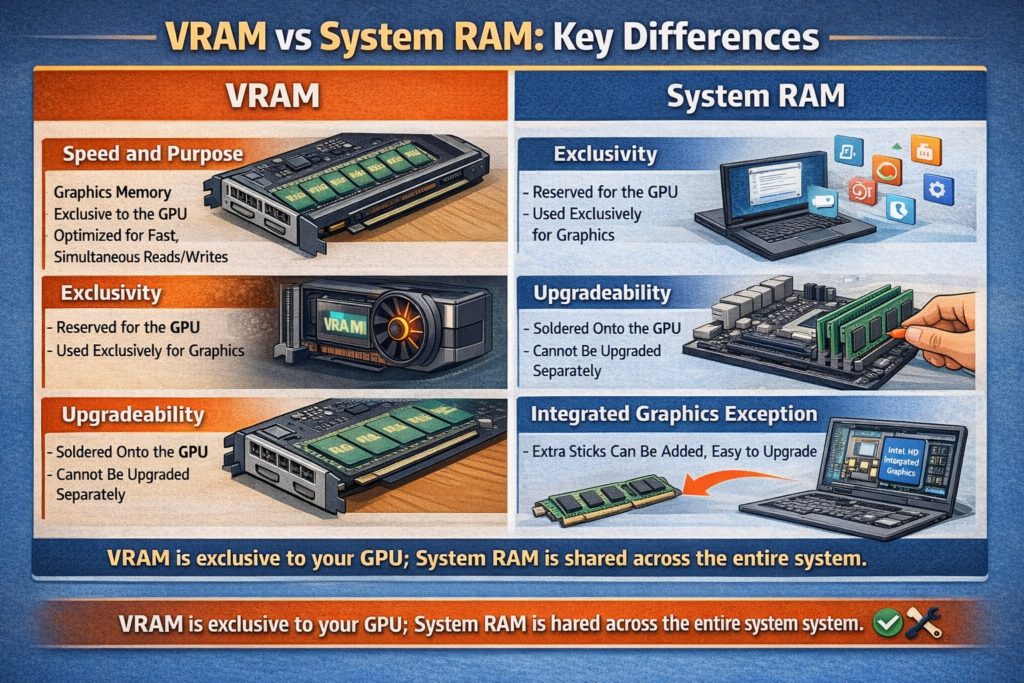
People often confuse VRAM with regular system RAM, and understandably so since both are types of memory. Here is how they differ in practice.
Speed and purpose. VRAM uses a dual-port architecture that allows simultaneous read and write operations, something standard system RAM is not built to do. This makes VRAM far faster for graphical workloads. System RAM, on the other hand, is tuned for lower latency to serve the CPU across a wide range of general computing tasks.
Exclusivity. System RAM is shared across every process running on your computer, from your browser tabs to your operating system. VRAM is exclusively reserved for the GPU. Nothing else touches it.
Upgradeability. You can add more RAM sticks to most desktops and many laptops. VRAM is soldered directly to the graphics card PCB and cannot be increased without buying a new GPU.
Integrated graphics exception. On systems with integrated graphics, like entry-level laptops or machines using Intel integrated graphics or AMD APUs, there is no dedicated VRAM. Instead, the integrated GPU borrows a portion of your system RAM to use as video memory. This works but is notably slower and reduces the memory available to the rest of your system.
How Much VRAM Do You Actually Need in 2026?
This is one of the most common questions when buying a GPU, and the answer depends entirely on what you are doing with it.
| Use Case | Minimum VRAM | Recommended VRAM |
|---|---|---|
| 1080p casual gaming | 8GB | 8GB to 12GB |
| 1440p gaming (medium to high settings) | 12GB | 12GB to 16GB |
| 4K gaming (high/ultra settings) | 16GB | 16GB to 24GB |
| Video editing (1080p to 4K) | 8GB | 12GB to 16GB |
| 3D rendering and visual effects | 12GB | 16GB to 24GB |
| AI image generation (Stable Diffusion, etc.) | 8GB | 12GB to 24GB |
| Running local LLMs (7B to 13B models) | 8GB | 16GB to 24GB |
| Professional AI and ML training | 24GB | 48GB to 80GB (workstation class) |
In my opinion, 16GB of VRAM is the new comfortable minimum for anyone building a serious gaming or creative workstation in 2026. The 8GB cards that were considered adequate in 2022 are already showing their limits in modern game releases and AI applications.
Pro Tip: When comparing GPUs, do not just look at the core count or clock speed. Check the VRAM amount AND the memory bandwidth measured in GB/s. A card with 16GB of slower GDDR6 can actually underperform a 12GB card with faster GDDR7 bandwidth in certain workloads. Both numbers matter, and with GDDR7 now in consumer cards, the bandwidth gap between generations is wider than ever.
Does More VRAM Mean a Better GPU?
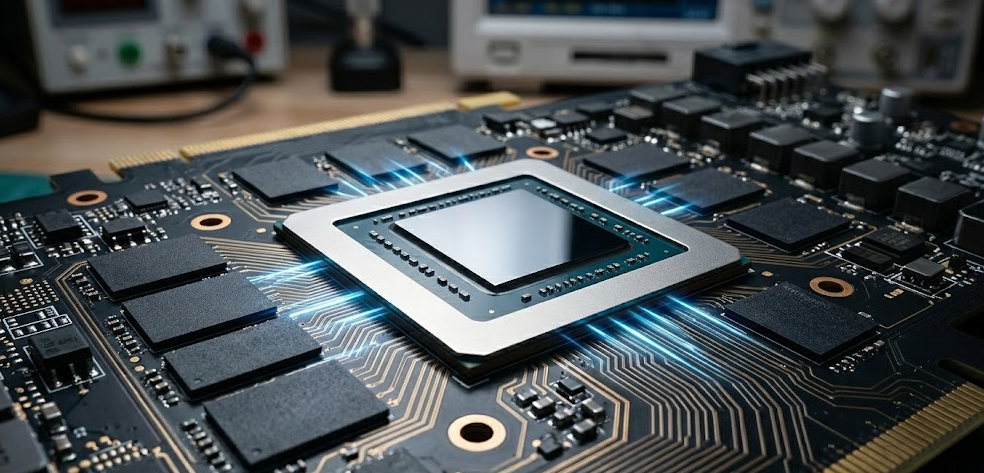
Not necessarily, and this is a common misconception worth clearing up. VRAM is just one piece of the GPU performance puzzle. A GPU with 24GB of VRAM but weaker shader cores will still lose to a GPU with 12GB of VRAM and faster processing cores in most gaming benchmarks, as long as the 12GB card does not hit its memory limit.
The GPU chip architecture, core count, clock speeds, memory bandwidth, and cooling solution all play major roles in real-world performance. VRAM becomes the deciding factor primarily when you are running workloads large enough to push past the card’s memory capacity.
For AI workloads specifically, the calculus flips somewhat. Running large language models or training neural networks is almost entirely memory-constrained, meaning a card with more VRAM will often win even if its raw compute specs are lower, since the entire model needs to fit into VRAM to run efficiently. Cable Matters’ breakdown of VRAM and gaming performance explains this distinction well, noting that raw GPU power and memory capacity serve very different roles depending on the workload.
A Quick Note on Apple Silicon and Unified Memory
If you use a Mac with Apple Silicon (M1, M2, M3, or M4), the GPU and VRAM concept works a little differently. Apple Silicon uses a unified memory architecture, where the CPU and GPU share the same physical memory pool. There is no separate GDDR VRAM chip. Instead, the GPU accesses the same high-bandwidth memory pool as the CPU.
This is why a Mac Mini M4 with 24GB or 32GB of unified memory can actually run AI models and graphics tasks that would normally require a dedicated GPU with 16GB or more of VRAM on a traditional Windows PC. The unified pool is fast enough for the GPU to use efficiently, which is exactly why developers running local AI agents often prefer Apple Silicon for real-time inference without needing a massive, expensive discrete GPU.
2026 Trends: Why VRAM Is More Important Than Ever
VRAM is no longer just a gaming concern. A few trends in 2026 have made it a critical spec across a much wider range of users.
AI workloads are driving demand. Running local AI models, image generators, and coding assistants directly on your GPU requires keeping model weights in VRAM. As models grow larger and more capable, the VRAM floor keeps rising. What 8GB handled comfortably in 2023 barely runs a mid-sized model today.
4K and 8K content creation. Video editors and motion graphics artists working in 4K or 8K timelines are routinely hitting VRAM limits that were unthinkable just three years ago.
Ray tracing and path tracing. Real-time ray tracing dramatically increases the amount of scene data the GPU must hold in VRAM at any moment, pushing requirements higher for modern games.
Nvidia and AMD have taken different approaches to this pressure in their latest generations. Nvidia equipped its flagship RTX 5090 with a massive 32GB of ultra-fast GDDR7 VRAM to feed the AI beast, while AMD opted to maximize value and raster efficiency, capping its flagship RX 9070 XT at 16GB of GDDR6. As Tom’s Hardware’s GPU hierarchy coverage notes, the two brands are clearly targeting different priorities this generation, with Nvidia leaning heavily into AI compute headroom and AMD focusing on price-to-performance for traditional gaming workloads.
GDDR7 raises the bandwidth ceiling. With GDDR7 now available in consumer cards via the RTX 50-series, memory bandwidth has taken a significant leap forward. This matters not just for frame rates but for the speed at which AI inference can run on local hardware, a trend that will only grow through the rest of 2026.
Frequently Asked Questions
Is VRAM the same as GPU memory?
Yes, VRAM and GPU memory refer to the same thing. VRAM is the dedicated memory built into a graphics card that the GPU uses to store and quickly access graphical data during rendering.
Can I increase my GPU’s VRAM?
No. VRAM is soldered directly onto the graphics card and cannot be upgraded or expanded. The only way to get more VRAM is to buy a new graphics card with a higher capacity.
Is RAM the same as VRAM?
No. RAM is general-purpose system memory used by the CPU for all computing tasks. VRAM is specialized memory on the GPU dedicated exclusively to graphics processing. They are separate components and adding more of one does not affect the other.
Does VRAM affect FPS in gaming?
Yes, but only up to the point where your GPU runs out of it. If your game’s VRAM demand stays within your card’s capacity, more VRAM will not improve your frame rate. But if your game exceeds your VRAM limit, performance will drop sharply as the GPU starts pulling data from much slower system RAM.
What happens when you run out of VRAM?
When a GPU exhausts its VRAM, it begins offloading data to system RAM via the PCIe bus. This causes major performance drops, stuttering, and in some cases crashes or severely degraded visual quality. It is one of the most common causes of unexpected frame rate drops in modern games.
Is integrated GPU VRAM the same as dedicated VRAM?
No. Integrated GPUs do not have dedicated VRAM. They borrow a portion of system RAM, which is slower and reduces the memory available to other programs. Dedicated GPUs have their own high-speed VRAM that does not compete with system resources.
How do I check how much VRAM my GPU has?
On Windows, right-click the desktop, select Display Settings, scroll down to Advanced Display Settings, then click Display Adapter Properties. Your VRAM will be listed as Dedicated Video Memory. On a Mac, go to Apple Menu > About This Mac > More Info and look under the Graphics section.
Does VRAM matter for video editing?
Yes. Video editing software like Adobe Premiere Pro, DaVinci Resolve, and After Effects all use the GPU heavily for rendering previews and exports. Higher VRAM allows you to work with higher resolution footage and more complex effects without slowdowns.
What is GDDR7 and which GPUs use it?
GDDR7 is the latest generation of graphics memory, offering significantly higher bandwidth than GDDR6 and GDDR6X. It was introduced with Nvidia’s RTX 50-series, including the RTX 5070, 5080, and 5090. It represents the new high-end standard for consumer GPU memory in 2026.
Bottom Line
VRAM and GPU are not the same thing, but they are inseparable partners. The GPU is the processor that does the heavy lifting, and VRAM is the high-speed memory beside it that makes all of that heavy lifting possible without bottlenecks. When shopping for a graphics card in 2026, pay attention to both: the GPU architecture determines what the card can do, and the VRAM capacity and type determine how much it can handle at once. For most users today, 16GB of VRAM is the practical sweet spot, with 24GB to 32GB recommended for serious AI workloads, 4K content creation, or future-proofing a high-end build.