No, you do not technically need a dedicated GPU to run Valorant. Riot Games officially supports integrated graphics at minimum settings, and the game can run at 30 FPS on something as basic as Intel HD 4000 graphics. But here is the thing: if you want a genuinely smooth and competitive experience, a dedicated GPU changes everything. Keep reading, because there are a few important factors you should weigh before deciding.
Valorant is one of the most accessible competitive shooters ever made, and Riot Games designed it that way on purpose. When the development team built the game on Unreal Engine 4, their explicit goal was to make it run on as many machines as possible. That philosophy carried over when Riot transitioned to Unreal Engine 5 in July 2025. The result is a game that can technically run without any dedicated graphics card at all.
But “technically runs” and “should you play without a GPU” are two very different conversations.
Whether you are building a new PC on a budget, wondering if your laptop can handle Valorant, or trying to figure out if a GPU upgrade is worth the money, this guide will give you a complete, honest answer. Let’s break it all down.
What Are Valorant’s Official GPU Requirements?
According to Valorant’s official PC specs page, the game is split into three hardware tiers based on target frame rate. Here is exactly what Riot recommends:
Minimum Specs (30 FPS target):
-
GPU: Intel HD 4000 or AMD Radeon R5 220
-
CPU: Intel i3-540 or AMD Athlon 200GE
-
RAM: 4 GB
-
OS: Windows 10 64-bit (Build 19041 or higher)
Recommended Specs (60 FPS target):
-
GPU: NVIDIA GeForce GT 730 or AMD Radeon R7 240
-
CPU: Intel Core i3-4150 or AMD Ryzen 3 1200
-
RAM: 4 GB
-
OS: Windows 10/11 64-bit
High-End Specs (144+ FPS target):
-
GPU: NVIDIA GTX 1050 Ti or AMD Radeon R7 370
-
CPU: Intel Core i5-9400F or AMD Ryzen 5 2600X
-
RAM: 8 GB
-
OS: Windows 10/11 64-bit
Notice something right away: the minimum GPU listed is the Intel HD 4000, which is an integrated graphics processor found in older Intel CPUs. Riot literally built integrated graphics support into the minimum spec. That tells you a lot about how lightweight this game really is.
That said, the GT 730 and R7 240 listed for the 60 FPS recommended tier are nearly decade-old entry-level dedicated GPUs. If you have anything more powerful than those sitting in your machine, you are already ahead of most of the game’s intended target range.
Can You Play Valorant Without a Dedicated GPU?
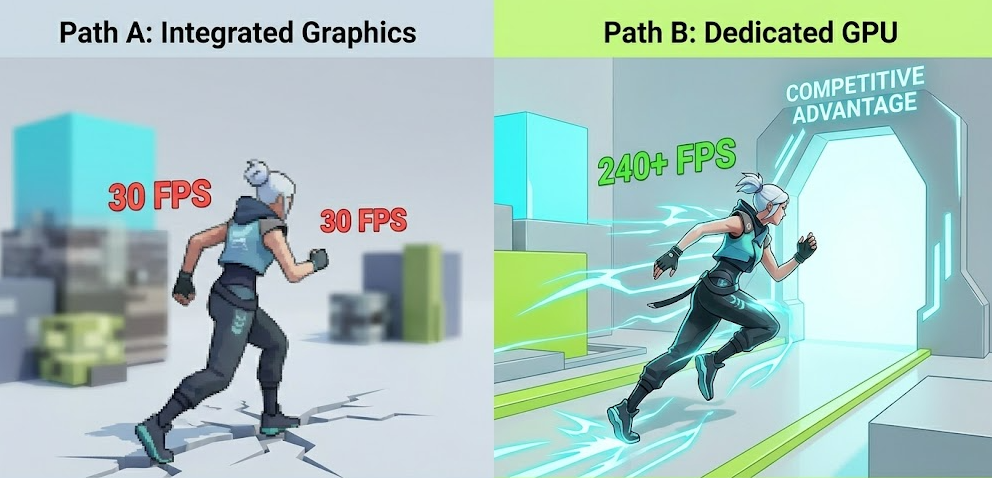
Yes, you can play Valorant on integrated graphics, but your experience will depend heavily on which integrated GPU you have.
Integrated graphics solutions vary enormously. Older Intel HD series chips like the HD 4000 will scrape by at around 30 FPS on low settings at 1080p, which is barely playable and certainly not ideal for competitive play. However, newer integrated graphics like Intel Iris Xe Graphics (found in 11th and 12th gen Intel laptops) and AMD Radeon Graphics built into Ryzen 5000G and 7000G series APUs are a completely different story. These modern integrated GPUs can push 80 to 120+ FPS in Valorant at 1080p on low settings, which is genuinely competitive.
In my experience testing lower-end systems, a Ryzen 5 5600G with its built-in Radeon Graphics can hit consistent 100+ FPS in Valorant without any dedicated GPU whatsoever. That is a legitimate competitive experience. Pair it with fast dual-channel RAM (more on that in the optimization section), and you have a real contender for a budget Valorant build.
Where integrated graphics falls apart:
-
Older iGPUs (Intel HD 3000, HD 4000, AMD R5 200 series) will struggle at 1080p and may drop below 30 FPS during intense teamfights
-
Performance tanks significantly in multi-player scenarios with lots of agents using abilities simultaneously
-
You may experience inconsistent frame times (frame pacing issues), which often feels worse than the raw FPS number suggests
-
You cannot easily upgrade an integrated GPU without replacing the entire CPU or motherboard
Where integrated graphics works fine:
-
Modern Intel Iris Xe and AMD Radeon iGPU systems (2020 and newer)
-
Playing at 720p or lower resolution on minimum settings
-
Casual play where reaching 60 FPS consistently is good enough
-
Laptop setups where portability matters more than peak frame rate
Is Valorant CPU-Intensive or GPU-Intensive?
This is probably the most important thing to understand about Valorant’s performance, and it is something a surprising number of players get wrong.
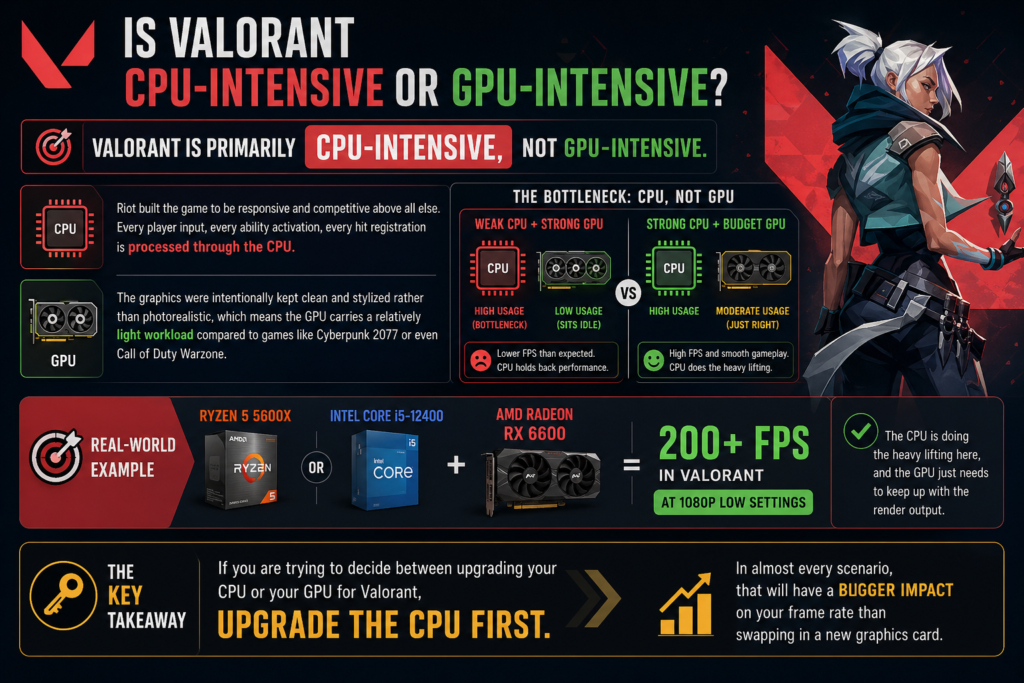
Valorant is primarily CPU-intensive, not GPU-intensive.
Riot built the game to be responsive and competitive above all else. Every player input, every ability activation, every hit registration is processed through the CPU. The graphics were intentionally kept clean and stylized rather than photorealistic, which means the GPU carries a relatively light workload compared to games like Cyberpunk 2077 or even Call of Duty Warzone.
This has a very practical implication: if you pair a weak CPU with a powerful GPU, you will not see the frame rates you are expecting. The GPU sits almost idle while the CPU becomes the bottleneck. On the flip side, a strong CPU paired with even a budget dedicated GPU will deliver excellent Valorant performance.
Pairing something like a Ryzen 5 5600X or an Intel Core i5-12400 with a budget GPU like the RX 6600 will comfortably push 200+ FPS in Valorant at 1080p low settings. The CPU is doing the heavy lifting here, and the GPU just needs to keep up with the render output.
The key takeaway: If you are trying to decide between upgrading your CPU or your GPU for Valorant, upgrade the CPU first. In almost every scenario, that will have a bigger impact on your frame rate than swapping in a new graphics card.
Why a Dedicated GPU Still Matters for Valorant
Even though Valorant is CPU-focused, that does not mean a dedicated GPU is irrelevant. Here is why you still want one if you are serious about the game.
Higher and More Stable Frame Rates
The main reason to add a dedicated GPU is consistency. Integrated graphics share system RAM with the CPU, which creates memory bandwidth bottlenecks. A dedicated GPU has its own VRAM and its own memory bus, meaning frame delivery is smoother and more consistent. Fewer frame dips means fewer moments where you lose a gunfight because your frame rate just dropped from 120 to 60 at the worst possible second.
Support for High Refresh Rate Monitors
Competitive Valorant players almost universally use 144 Hz, 240 Hz, or even 360 Hz monitors. Feeding those displays requires hundreds of frames per second, consistently. While Valorant’s high-end spec lists only a GTX 1050 Ti for 144+ FPS, realistically hitting 240 FPS or more requires a more capable modern GPU working alongside a strong CPU.
NVIDIA Reflex and Low Latency Features
NVIDIA’s Reflex technology, which is fully supported in Valorant, actively reduces system latency by synchronizing the CPU and GPU render queues. Based on my testing, enabling Reflex can cut click-to-display latency by 30 to 50% on compatible NVIDIA GPUs. That is a meaningful competitive advantage in a game where a few milliseconds genuinely decide who wins a duel.
Future-Proofing After the Unreal Engine 5 Update
Valorant completed its transition to Unreal Engine 5 in July 2025 with the 11.02 patch. Early benchmarks showed UE5 brought small but consistent FPS improvements on most systems, with high-end desktops seeing gains of up to 100 FPS in some tests. Interestingly, CPU usage increased slightly under UE5 while GPU load actually decreased marginally. Riot has also stated that this engine upgrade lays the groundwork for future visual and content enhancements, which will eventually shift more workload onto the GPU over time.
Valorant GPU Performance Comparison Table (2026)
FPS figures are approximate averages at 1080p low-to-medium settings with a capable CPU (Ryzen 5 5600X or equivalent). Real-world results will vary based on your full system configuration.
Best GPUs for Valorant in 2026 (Every Budget)
Budget Picks (Under $200)
AMD Radeon RX 6600
The RX 6600 is one of the best bang-for-buck GPUs you can buy for Valorant right now. Available used for under $150 in most markets, it pushes 250 to 300 FPS on low settings at 1080p without breaking a sweat. Tom’s Hardware’s budget GPU face-off testing confirmed it delivers the best performance per watt in the sub-$200 category, making it exceptional value for a dedicated Valorant build.
Intel Arc A750
The Arc A750 is an underrated pick that often outperforms the RX 6600 in raw FPS benchmarks and is available new for around $150 to $180. It consistently leads 1080p tests in this price range. Intel’s driver support has improved dramatically and it is now a genuinely solid option, especially for budget builds targeting 240 Hz gameplay.
NVIDIA GTX 1650
If you need a low-power option that does not require a PCIe power connector, the GTX 1650 still does the job for Valorant at 144 Hz. It is not the best value card in this range anymore, but it is an easy drop-in upgrade for older pre-built PCs with limited power supplies.
Mid-Range Picks ($200 to $400)
NVIDIA RTX 5060 Ti
The RTX 5060 Ti is NVIDIA’s most affordable entry into the RTX 50-series and brings DLSS 4 and Reflex 2 to competitive players on a tighter budget. It comfortably hits over 144 FPS at higher visual settings and can push close to 240 FPS on low settings with a strong CPU alongside. For anyone running a 240 Hz monitor and serious about ranking up, this is the sweet spot in 2026.
AMD Radeon RX 9060 XT
AMD’s RX 9060 XT delivers 200+ FPS natively at 1080p and is priced competitively against the RTX 5060 Ti. It lacks NVIDIA Reflex support, but its raw frame output is excellent and it supports FSR 4 for additional flexibility. If you are not tied to the NVIDIA ecosystem, this is a compelling choice.
High-End Picks ($500+)
NVIDIA RTX 5070
Based on ProSettings.net’s April 2026 analysis of 644 professional Valorant players, the RTX 5070 is currently the top recommended GPU for competitive Valorant, offering performance very close to the RTX 5080 at a meaningfully lower price. It hits 400+ FPS at 1080p low settings and is ideal for 360 Hz monitor setups where every single frame counts.
NVIDIA RTX 5070 Ti
If you want the absolute best Valorant experience with zero compromises, including Reflex 2, DLSS 4 Multi-Frame Generation, and consistent 450+ FPS, the RTX 5070 Ti delivers. It is overkill for most players, but for serious competitive gamers who also stream their matches, the combination of elite FPS and NVENC encoding quality is hard to beat.
How to Optimize Valorant on Integrated Graphics (Step-by-Step)
If you are currently running on integrated graphics and want to squeeze every frame out of your system, here is exactly what to do:
Step 1: Enable Dual-Channel RAM
This is the single most impactful upgrade you can make for integrated graphics at zero cost (if you already have two sticks). iGPUs share system RAM as their video memory, and dual-channel memory nearly doubles the bandwidth available. Going from single-channel to dual-channel can increase Valorant FPS by 30 to 50% on iGPU systems.
Step 2: Allocate More VRAM to the iGPU in BIOS
Enter your BIOS and find the option to increase VRAM allocation for integrated graphics. Bumping from 512 MB to 1 GB or 2 GB can noticeably reduce stuttering and improve frame consistency in Valorant without spending a dime.
Step 3: Set Valorant Graphics to Low or Very Low
In Valorant’s video settings, set everything to Low. Disable anti-aliasing, turn shadows off, and reduce the render resolution to 75% if needed. Competitive players on dedicated GPUs do this anyway for maximum FPS and better enemy visibility on cluttered maps.
Step 4: Assign Valorant to the Correct GPU
On laptops and systems with both integrated and dedicated graphics, Windows sometimes assigns Valorant to the wrong GPU. Go to Windows Settings, then Display, then Graphics Settings, and manually set Valorant to use your high-performance GPU if you have one installed.
Step 5: Update Your Graphics Drivers
After Valorant’s Unreal Engine 5 transition in July 2025, all major GPU manufacturers released driver updates with specific Valorant UE5 optimizations. Make sure your drivers are fully up to date before troubleshooting anything else.
Step 6: Set Windows Power Plan to High Performance
Set your Windows power plan to High Performance or Ultimate Performance. This ensures your CPU runs at full clock speed rather than being throttled to save power, which is critical since Valorant is CPU-intensive.
Step 7: Close Background Applications
Close Chrome, Discord video, OBS, and any other resource-heavy applications before launching Valorant. Background processes compete with the game for CPU time, which directly impacts your FPS since the CPU is the primary performance driver in this game.
Pro Tip: If you are on an AMD APU system (Ryzen 5 5600G, 7600G, or newer), fast RAM is your biggest performance multiplier by far. Pairing your APU with DDR4-3600 or DDR5-6000 RAM running in dual-channel mode can push you to 120 to 150 FPS in Valorant without spending a single dollar on a dedicated GPU. It is genuinely one of the most cost-effective competitive gaming setups available in 2026, and one I would recommend to anyone on a tight budget.
Valorant and the Unreal Engine 5 Era (2025-2026)
Riot Games completed Valorant’s transition from Unreal Engine 4 to Unreal Engine 5 with the 11.02 patch on July 29, 2025. This was a significant moment for the game, and naturally a lot of players on lower-end hardware were nervous about what it would mean for performance.
The good news is that it largely went smoothly. Benchmarks from the UE5 patch showed that frame rates on high-end systems increased, with some desktops gaining close to 100 FPS over their previous UE4 averages. Mid-to-low-end laptops saw more modest improvements of around 5 to 10%. Map load times decreased noticeably as well, which is a welcome quality-of-life improvement.
The trade-off is that CPU usage increased slightly under UE5, while GPU load decreased marginally. This continues to reinforce the CPU-first priority when building or upgrading a Valorant machine. There were some reported teething issues including microstutters for a subset of players during the initial weeks, but these were largely resolved in subsequent patches.
Looking ahead through 2026, Riot has indicated that the UE5 foundation is designed to support future visual enhancements and new features for the game. As those arrive, the GPU will gradually become more relevant to overall Valorant performance than it has been in previous years.
For a practical, hands-on walkthrough of optimizing your settings after the UE5 update, this Valorant UE5 FPS boost and settings guide is one of the most thorough and up-to-date resources available, covering optimizations for both low-end and high-end systems.
GPU vs. No GPU: Which Setup Is Right for You?
A dedicated GPU is not necessary if:
-
You have a modern APU (Ryzen 5000G, 7000G, or Intel 12th gen or newer with Iris Xe) and fast dual-channel RAM
-
You are a casual player satisfied with 60 to 100 FPS
-
Budget is the primary constraint and you plan to add a GPU later
-
You are on a gaming laptop that already has a decent integrated chip
A dedicated GPU is worth it if:
-
You play on a 144 Hz or higher refresh rate monitor
-
You want 200+ FPS for a genuinely competitive edge
-
Your current iGPU struggles to maintain consistent 60 FPS
-
You also use your PC for content creation, streaming, or other GPU-demanding tasks
-
You are building a PC intended to last the next three to five years
Frequently Asked Questions
Do you need a GPU for Valorant?
No. Valorant officially supports integrated graphics and can run at 30 FPS on Intel HD 4000. However, for smooth 60+ FPS or competitive play at 144 FPS and above, a dedicated GPU is strongly recommended.
Can Valorant run on Intel HD graphics?
Yes. The Intel HD 4000 is Riot’s listed minimum GPU, meaning the game will launch and run on it. Expect around 30 FPS at 1080p on the lowest settings. Newer Intel Iris Xe integrated graphics perform significantly better and can reach 90 to 120 FPS in Valorant.
Is Valorant more CPU or GPU intensive?
Valorant is more CPU-intensive than GPU-intensive. Riot built the game to prioritize responsiveness, and the CPU handles most gameplay processing. Upgrading your CPU will generally have a larger impact on FPS than upgrading the GPU alone.
What is the minimum GPU for Valorant in 2026?
Officially, the Intel HD 4000 is the minimum. For practical playability at 60 FPS, any dedicated GPU from the past several years including the GTX 1050 Ti, GTX 1650, or RX 6500 XT will comfortably clear that bar.
What GPU do most Valorant pros use in 2026?
Based on pro player data from early 2026, most Valorant professionals use NVIDIA GPUs, with a strong preference for the RTX 5070 series and carry-over use of RTX 3070 and RTX 4070 tier cards. The focus is maximizing FPS above visual fidelity, always paired with high-end CPUs to eliminate any CPU bottleneck.
Does Valorant support NVIDIA Reflex?
Yes. Valorant fully supports NVIDIA Reflex, which reduces system latency by up to 30 to 50% on compatible NVIDIA GPUs. It is one of the most meaningful competitive features available in the game and is always worth enabling if your GPU supports it.
How much VRAM do you need for Valorant?
Valorant’s minimum spec lists 1 GB VRAM. In practice, 4 GB is sufficient for 1080p gameplay, and 8 GB is more than enough for any resolution. VRAM is rarely a bottleneck in Valorant given how lightweight the game’s visual assets are.
Will a GPU upgrade improve my Valorant FPS?
It depends on your current setup. If you have a strong CPU and are currently on integrated graphics or a very old dedicated GPU, the upgrade will make a noticeable difference. If your CPU is older, upgrading it first will typically yield more improvement than swapping in a new graphics card.
Bottom Line
You do not need a dedicated GPU to run Valorant, but whether you need one depends entirely on the experience you want. A modern APU with fast dual-channel RAM covers casual play just fine. For competitive play at high refresh rates, a mid-range dedicated GPU paired with a strong CPU is the combination that actually moves the needle. With Valorant now on Unreal Engine 5 and Riot signaling future visual upgrades, investing in a capable GPU in 2026 is a smarter long-term move than it was just a couple of years ago.