I know fitting three monitors on a sit‑stand desk can feel like juggling: you need enough width and depth, reliable lifting power, and a surface that won’t wobble when you stand. In this guide I walk you through practical options so you can pick a desk that supports triple displays, improves posture, and keeps your cables and accessories under control. I focus on what matters most for multi‑monitor setups so you spend less time guessing and more time working comfortably.
Top Picks
|
Category |
Product |
Score |
|---|---|---|
|
🏆 Best Overall |
95/100 |
|
|
💰 Best Value |
89/100 |
|
|
💼 Best With Storage |
84/100 |
|
|
🎯 Best Ergonomic |
90/100 |
|
|
🔰 Best For Gamers |
82/100 |
|
|
⭐ Best Compact |
80/100 |
|
|
🚀 Best Feature-Rich |
88/100 |
How I Picked These Desks
I evaluated desks based on the real needs of a three‑monitor setup: usable width and depth to fit monitor stands or a triple mount, a rated weight capacity that covers the combined weight of monitors and arms, and a stable frame that minimizes wobble when standing. I checked lifting mechanism quality and height range so you can sit and stand comfortably, and I considered extras like power outlets, drawers, keyboard trays, or programmable controls that make daily use smoother.
I also weighed ease of assembly, warranty, and price so you can match the desk to your space, budget, and technical needs.
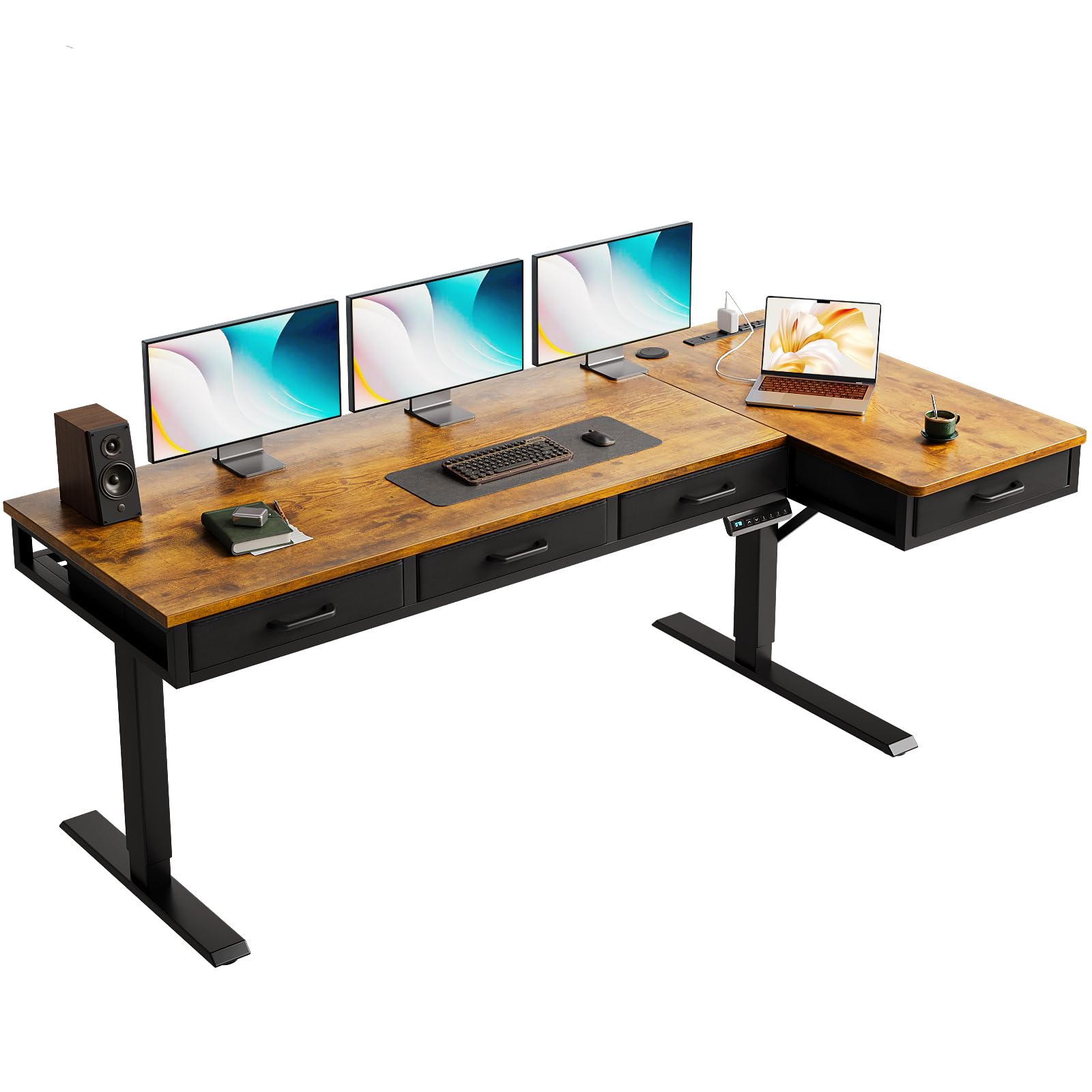
I like the OffiGo L‑Desk because it blends a roomy L‑shaped surface with handy built‑in power and storage. It gives me enough real estate for three monitors or a monitor arm plus laptop, while the four drawers keep papers and peripherals out of sight.
The electric lift covers a wide height range so I can switch between sitting and standing without fiddling with a crank, and the sturdy steel base helps reduce wobble when everything is up high. For everyday work, video calls, or creative sessions the desk feels practical and well thought out, and I’d recommend it if you want a tidy, powered workstation that doubles as a storage hub.
What People Say
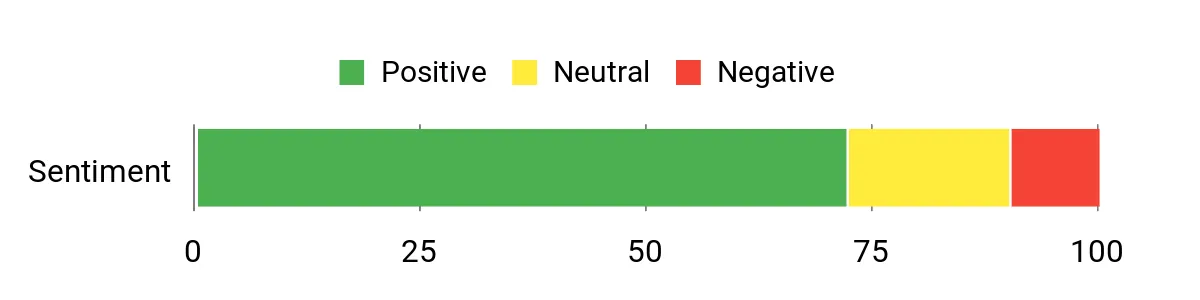
People tend to praise the desk’s roomy layout and the convenience of integrated power and USB ports, which cut down on clutter. Many also note it feels solid once assembled, though a few mention assembly takes some time and works best with two people.
The drawers and polished finish are often called out as practical touches that improve day‑to‑day use.
Overall Sentiment: Positive
When It Helps
|
Situation |
How It Helps |
|---|---|
|
Three‑Monitor Workstation |
The long L‑shaped surface and deep tabletop let me position three screens or a monitor arm without crowding, keeping my main workspace clear. |
|
Home Office With Limited Outlets |
Built‑in power and USB ports mean I don’t have to run extra extension cords, which simplifies cable routing and keeps devices charged. |
|
Those Who Need Storage Nearby |
The four integrated drawers store stationery, chargers, and documents so I can keep frequently used items within reach without cluttering the desktop. |
Health Benefits
|
Benefit |
Description |
|---|---|
|
Reduced Sitting Time |
The electric height adjustment encourages regular sit‑stand changes, which helps break up long periods of sitting. |
|
Improved Posture Options |
Being able to fine‑tune desk height helps align screens and keyboard to a more ergonomic position, easing neck and shoulder strain. |
|
Less Reach Strain |
The L‑shape keeps monitors and inputs within a comfortable reach zone, reducing awkward stretching during long sessions. |
Ease Of Use
|
Feature |
Ease Level |
|---|---|
|
Electric Height Adjustment |
Easy |
|
Assembly |
Moderate |
|
Drawer Access |
Easy |
|
Cable Management |
Moderate |
Versatility
This desk adapts well to many roles: a developer’s multi‑monitor rig, a hybrid worker who needs charging and storage, or a creative setup with space for drawing tablets. The L shape and customizable layout make it straightforward to carve out a dedicated zone in different rooms.
Comfort
With a generous depth and a height range that accommodates both seated and standing positions, the desk supports comfortable monitor placement and a relaxed forearm angle. The roomy surface reduces the need to cram equipment together, which helps me keep a comfortable posture all day.
Problem Solving
I find this desk addresses common pitfalls for triple‑monitor buyers: it provides enough surface area and depth to avoid cramped screens, includes outlets to prevent messy cable clusters, and offers a solid base to minimize wobble. If you check monitor arm compatibility and plan the assembly, it solves most setup headaches I’ve seen.
Key Benefits
- Large L-shaped surface fits triple-monitor setups and multiple accessories
- Built-in USB and power outlets keep devices charged and reduce clutter
- Four drawers provide concealed storage for documents and peripherals
- Electric height adjustment makes sit‑stand transitions quick and simple
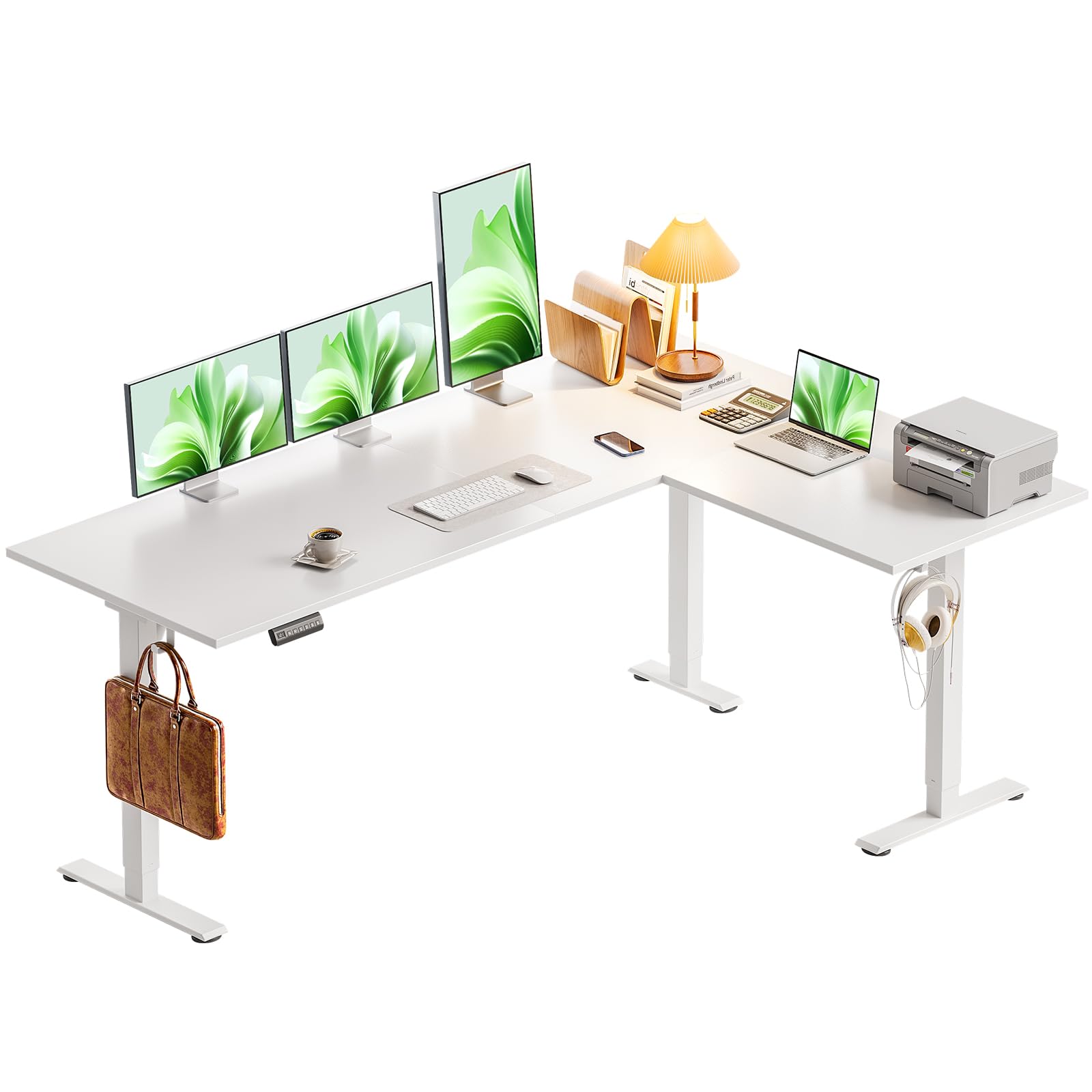
I appreciate the Casaottima L‑Desk for its roomy, reversible corner design that gives you lots of usable surface without taking over the room. The electric lift moves smoothly and quietly, and the deep tabletop means I can place three monitors, a keyboard, and still have space for notes or a tablet.
It’s a practical pick for a home office or gaming setup where you want a large footprint and a clean, simple look. Assembly takes some time and is easier with a partner, but once it’s set up the desk stays steady and feels ready for daily use.
What People Say
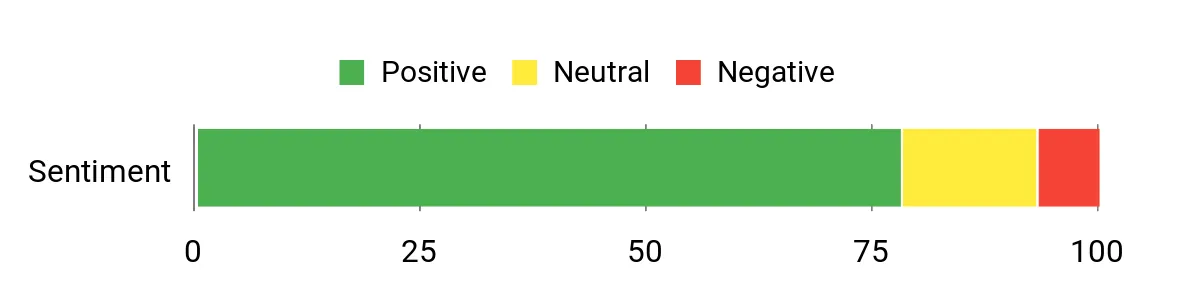
Customers commonly highlight the generous workspace and the smooth, quiet electric lift, noting how much easier it is to switch positions during the day. People also praise the desk’s sturdiness once assembled and the clear, labeled parts that make construction straightforward.
A few mention the tabletop arrives in sections and recommend careful alignment during setup.
Overall Sentiment: Positive
When It Helps
|
Situation |
How It Helps |
|---|---|
|
Triple‑Monitor Setup |
The deep and wide surface gives enough room for three screens or a multi‑monitor arm while leaving space for peripherals and documents. |
|
Small Home Office Corner |
The reversible L shape lets me tuck the desk into a corner for an efficient footprint without sacrificing workspace. |
|
Long Creative Sessions |
The stable frame and large top let me spread out tools, sketchbooks, or extra displays so I can keep things organized during focused work. |
Health Benefits
|
Benefit |
Description |
|---|---|
|
More Movement |
Electric height adjustments make it easier to alternate sitting and standing, breaking up long sedentary stretches. |
|
Better Screen Alignment |
The adjustable height helps align monitors at eye level, which can reduce neck and upper back strain. |
|
Reduced Reach Strain |
A larger surface keeps items within comfortable reach, cutting down on awkward stretching during work. |
Ease Of Use
|
Feature |
Ease Level |
|---|---|
|
Electric Height Adjustment |
Easy |
|
Assembly |
Moderate |
|
Reversible Setup |
Easy |
|
Cable Routing |
Moderate |
Versatility
The desk works across roles: a developer with multiple monitors, a content creator needing extra surface, or a gamer who wants a corner battlestation. Its reversible layout and deep top make it adaptable to different room arrangements.
Comfort
With ample depth and a smooth height range, the desk supports comfortable screen placement and natural arm angles, which helps during long stretches of focused work.
Problem Solving
This desk tackles common triple‑monitor headaches by offering enough depth to avoid cramped screens, a stable steel base that minimizes wobble at standing height, and a large surface that keeps peripherals organized. Planning monitor arm placement and aligning the desk sections during assembly avoids the most frequent setup issues.
Key Benefits
- Reversible L‑shape provides flexible left or right corner placement
- Deep desktop accommodates triple monitors and accessories
- Quiet electric lift for easy sit‑stand transitions
- Solid alloy steel base reduces wobble at standing height
I like the Huuger 55 Desk when I need a deep surface for immersive work or gaming without a huge footprint. The 27.6″ depth gives me room for monitor stands, a keyboard, and a drawing tablet or controller, and the three preset heights make switching positions quick. It includes a cable tray and headphone hooks so my desk stays tidy, and the metal frame feels reassuringly sturdy for everyday use.
For a compact multi‑monitor or gaming setup I find it to be a sensible pick that balances space and functionality.
What People Say
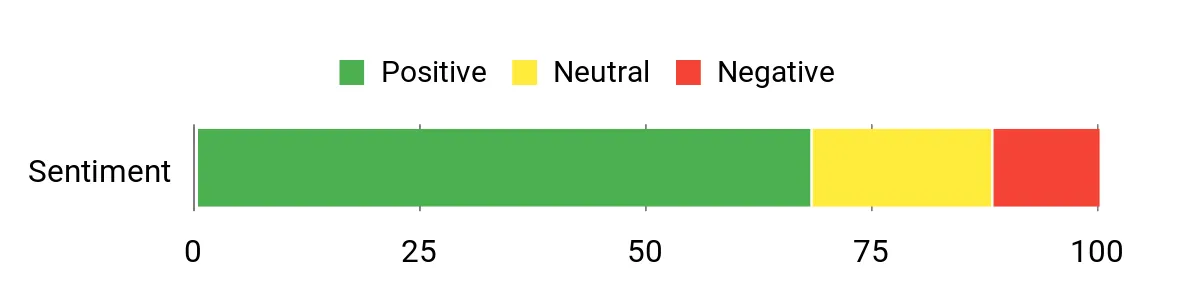
Users often note the generous desktop depth and the convenience of preset height settings, which make standing and sitting transitions smoother. People appreciate the included cable tray and hooks for keeping wires and headsets out of the way, and many find the frame solid once assembled.
A common comment is that assembly requires some effort but pays off in a stable, roomy workspace.
Overall Sentiment: Positive
When It Helps
|
Situation |
How It Helps |
|---|---|
|
Multi‑Monitor Desk |
The wide and deep top can accommodate multiple screens, and the extra depth helps keep keyboards and peripherals from crowding the displays. |
|
Gaming Sessions |
A deep surface and headphone hooks create a tidy play area with room for controllers, headsets, and a mouse pad without feeling cramped. |
|
Shared Home Office |
Preset heights let different users quickly switch to their preferred standing or sitting positions, making the desk flexible for multiple people. |
Health Benefits
|
Benefit |
Description |
|---|---|
|
More Frequent Movement |
Preset height options encourage short standing breaks that interrupt long sitting periods. |
|
Better Screen Positioning |
The adjustable height helps align monitors to eye level, which can ease neck and shoulder tension. |
|
Reduced Reach Strain |
A deeper top keeps tools and input devices within comfortable reach, lowering awkward stretching. |
Ease Of Use
|
Feature |
Ease Level |
|---|---|
|
Height Presets |
Easy |
|
Assembly |
Moderate |
|
Cable Management |
Easy |
|
Accessory Hooks |
Easy |
Versatility
This desk works well as a compact multi‑monitor station, a gamer’s setup, or a focused home‑office surface. Its depth and accessory features make it adaptable to different workflows and room layouts.
Comfort
With a roomy depth and reachable surface area, the desk supports comfortable arm positioning and relaxed screen viewing, which helps during long work or play sessions.
Problem Solving
I find the Huuger addresses common small‑space issues by offering extra depth for monitor clearance and built‑in cable organization to reduce clutter. Its preset heights and sturdy frame mitigate wobble and make sit‑stand transitions straightforward, though I usually recommend checking monitor arm compatibility for heavier triple‑screen setups.
Key Benefits
- Deep 27.6″ desktop fits larger monitors and peripherals
- Three preset heights for fast sit‑stand transitions
- Cable management tray and hooks keep accessories organized
- Steel frame supports heavier setups up to recommended capacity
I like the VIVO L‑Desk for its roomy corner footprint and programmable memory controls that make switching between sitting and standing effortless. The T‑shape legs give the whole setup a solid feel, and the laminated top hides everyday wear while providing a smooth surface for multiple monitors, a laptop, and accessories.
It’s a solid choice for an office, reception area, or a home workstation where you want reliable ergonomics and the convenience of saved height presets. If you want a desk that feels built for serious daily use, this one balances size, stability, and ergonomic features nicely.
What People Say
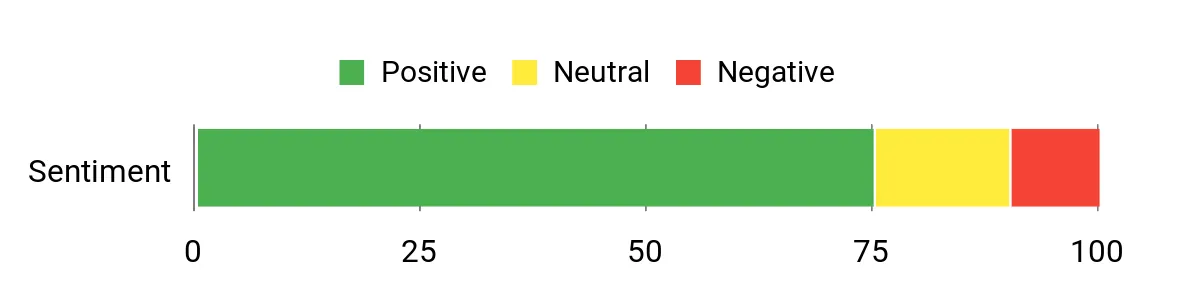
Customers frequently mention the useful memory presets and how smoothly the desk moves between heights, which makes it easy to adopt a sit‑stand routine. Many appreciate the extra surface area for monitors and peripherals and describe the frame as steady once assembled.
A common note is that assembly takes some time and benefits from a helper, but the finished desk generally feels robust.
Overall Sentiment: Positive
When It Helps
|
Situation |
How It Helps |
|---|---|
|
Corner Office Setup |
The reversible L shape tucks neatly into a corner while offering a wide work area for three monitors or a monitor arm plus laptop. |
|
Shared Workstation |
Programmable presets let multiple users switch quickly to their preferred sitting or standing heights without manual adjustments. |
|
Reception Or Meeting Space |
A large surface and professional finish create a tidy, functional area for short meetings, check‑ins, or multi‑device demonstrations. |
Health Benefits
|
Benefit |
Description |
|---|---|
|
More Movement |
Saved height presets encourage frequent sit‑stand transitions, which helps break up long periods of sitting. |
|
Better Neck Alignment |
Adjustable height and a large surface allow monitors to be positioned at eye level, reducing neck strain. |
|
Reduced Arm Reach |
The corner layout keeps peripherals within a comfortable reach zone, lowering awkward stretching during long tasks. |
Ease Of Use
|
Feature |
Ease Level |
|---|---|
|
Programmable Controls |
Easy |
|
Assembly |
Moderate |
|
Cable Management |
Moderate |
|
Height Range Adjustment |
Easy |
Versatility
This desk fits many roles: a developer needing screens, a hybrid worker who wants presets, or a small office wanting a corner workstation. Its reversible design lets you adapt placement to the room layout.
Comfort
With a broad corner top and smooth height adjustment, the desk supports natural screen placement and comfortable arm positions, making longer work sessions less fatiguing.
Problem Solving
I find this desk solves the usual triple‑monitor headaches by offering ample surface area, reliable height presets, and a sturdy frame that minimizes wobble when raised. Planning monitor arm placement and assembling with a second person avoids the most common setup snags.
Key Benefits
- Programmable memory controller for quick height presets
- Large L-shaped surface fits multi‑monitor setups
- T‑shape alloy steel base improves stability
- Laminated top resists wear and cleans easily
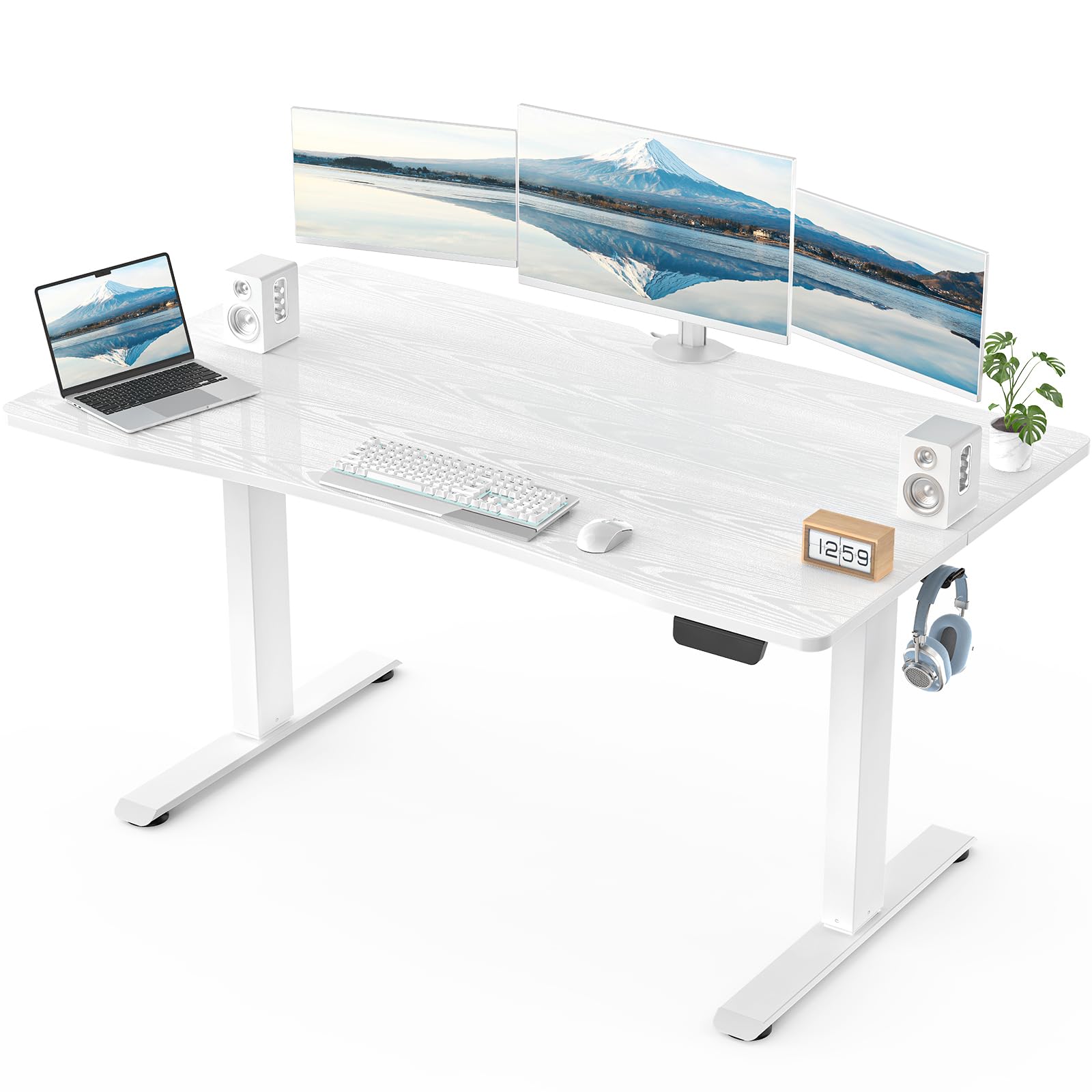
I find the Veken 55 Desk to be a solid option when I want a simple, reliable sit‑stand surface without extra bells and whistles. The 28‑inch depth gives enough room for a triple‑monitor layout or a monitor arm plus keyboard, and the painted top cleans up easily after long work sessions.
The frame feels sturdy once it’s together, and the height range covers most seated and standing needs. Assembly takes a bit of time but the instructions are straightforward, so it’s a practical pick for a compact multi‑monitor or gaming setup where you want function over flash.
What People Say
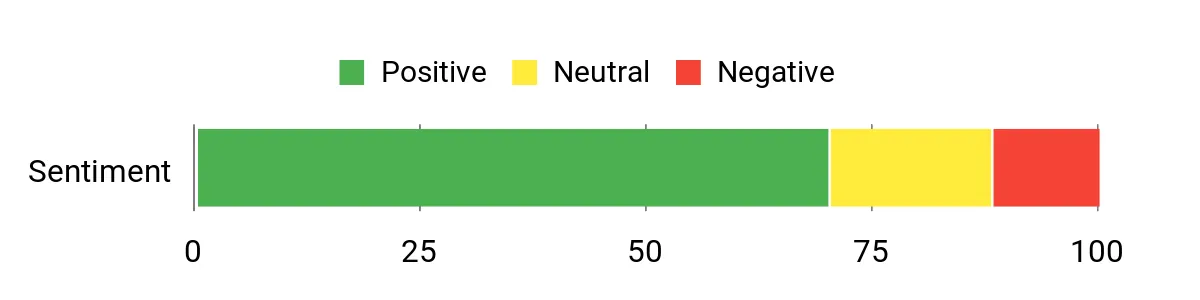
People often mention the desk’s generous depth and how useful the adjustable height is for alternating between sitting and standing. Many say the frame becomes solid after assembly and that the surface is easy to maintain. A recurring note is that putting it together requires some effort but results in a dependable workspace.
Overall Sentiment: Positive
When It Helps
|
Situation |
How It Helps |
|---|---|
|
Compact Multi‑Monitor Setup |
The 55×28 top gives enough footprint to place three monitors or a monitor arm while leaving space for a keyboard and notes. |
|
Gaming Station |
Deep surface and reachable accessory layout let me keep controllers, headsets, and a large mouse pad without feeling cramped. |
|
Student Or Study Desk |
Adjustable height accommodates different tasks like typing, reading, or sketching, and the simple finish is easy to keep tidy. |
Health Benefits
|
Benefit |
Description |
|---|---|
|
More Movement |
Electric adjustments encourage short standing breaks that reduce prolonged sitting. |
|
Better Screen Alignment |
Height tuning helps position monitors at eye level to ease neck tension. |
|
Lower Reach Strain |
A deep top keeps frequently used items within comfortable reach, reducing awkward stretching. |
Ease Of Use
|
Feature |
Ease Level |
|---|---|
|
Height Adjustment |
Easy |
|
Assembly |
Moderate |
|
Cable Management |
Moderate |
|
Surface Care |
Easy |
Versatility
This desk fits varied roles: a developer needing screen real estate, a gamer wanting depth for peripherals, or a student needing a flexible study surface. Its straightforward design adapts well to different rooms and setups.
Comfort
With a roomy depth and a reasonable height range, the desk supports comfortable monitor placement and natural arm positioning for extended work or play sessions.
Problem Solving
I see this desk solving common small‑space issues by offering extra depth to avoid cramped screens and a sturdy frame that limits wobble. Planning monitor placement and allowing time for careful assembly prevents most setup headaches.
Key Benefits
- Deep 28″ desktop fits multiple monitors and accessories
- Electric height adjustment for quick sit‑stand changes
- Cold‑rolled steel frame offers dependable stability
- Low‑key, easy‑to‑clean painted surface
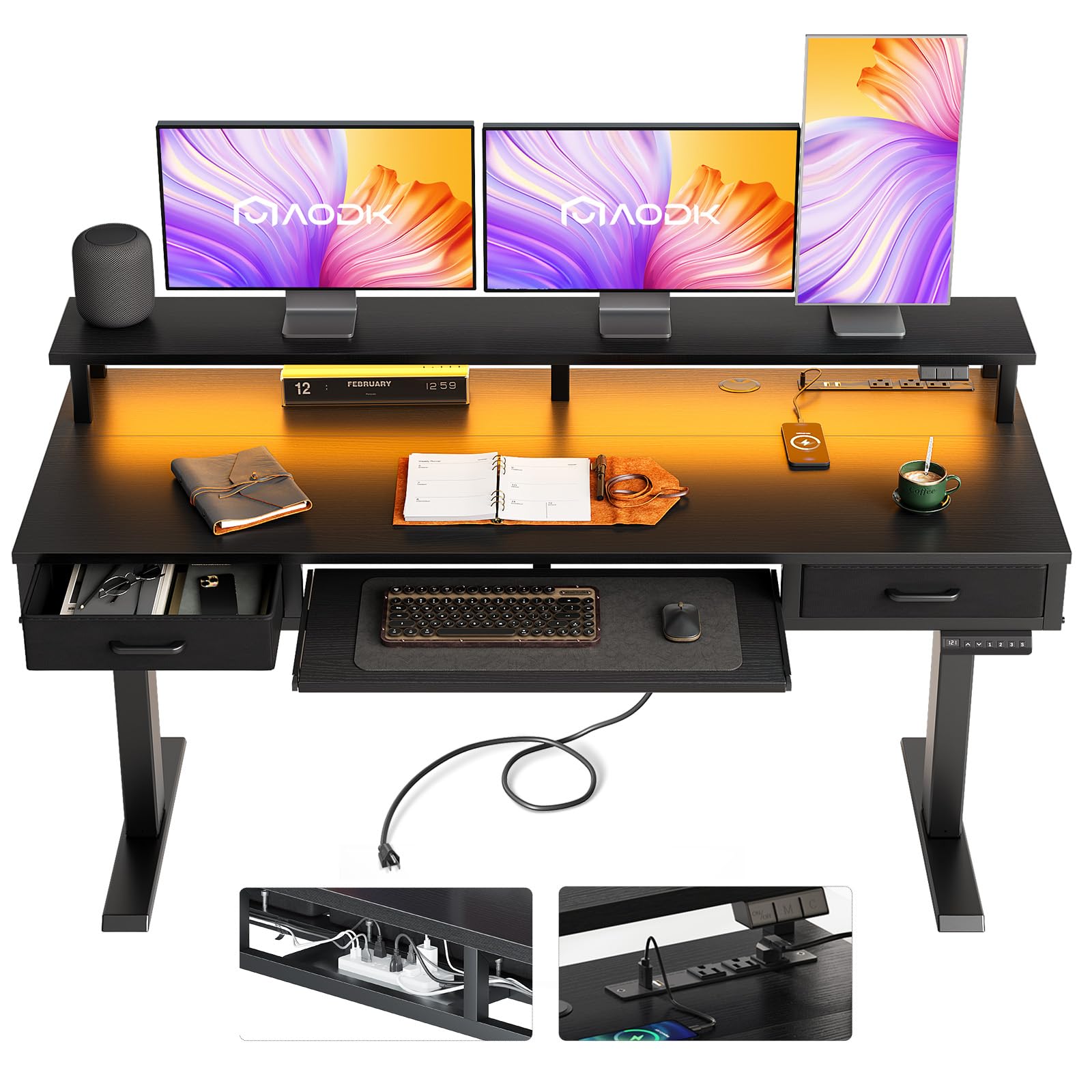
I like the AODK 63 Desk when I want a workstation that packs storage and useful extras into a single footprint. The built‑in keyboard tray frees up the main surface for three monitors or a monitor arm, while the drawers tuck away paperwork and peripherals.
Integrated USB outlets and LED lights add convenience for long work or streaming sessions, and the electric lift moves smoothly enough for quick sit‑stand changes. It’s a good fit for someone who wants an all‑in‑one desk that looks polished and keeps daily clutter under control.
What People Say
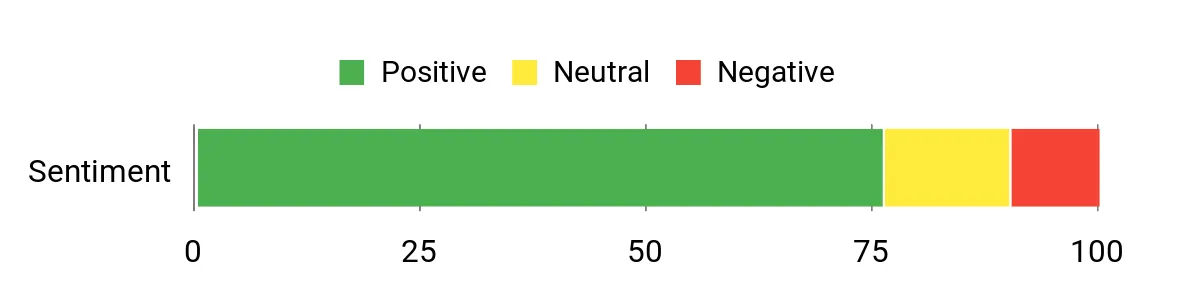
People commonly praise the desk’s polished look and the convenience of built‑in power and lighting, which make long work or streaming sessions easier. Many mention the smooth movement and the helpful storage, though a few note the keyboard tray is a bit tight for larger setups.
Assembly questions are occasional but often resolved with support.
Overall Sentiment: Positive
When It Helps
|
Situation |
How It Helps |
|---|---|
|
Multi‑Monitor Desk |
The main top and keyboard tray arrangement keep monitors and input devices organized so three screens can fit without crowding the workspace. |
|
Content Creation Or Streaming |
LED lighting and built‑in USB ports simplify device setup and improve visibility for video calls or live streams. |
|
Home Office With Limited Storage |
The drawers and tray provide immediate storage for chargers, notes, and peripherals so the desktop stays clear during focused work. |
Health Benefits
|
Benefit |
Description |
|---|---|
|
Frequent Movement |
Electric height adjustment makes it easy to switch between sitting and standing, encouraging short movement breaks. |
|
Improved Ergonomics |
Adjustable height and a separate keyboard tray help align screens and hands to reduce neck and wrist strain. |
|
Less Cluttered Reach |
Nearby drawers reduce the need to twist or reach for items, which helps maintain a neutral posture over time. |
Ease Of Use
|
Feature |
Ease Level |
|---|---|
|
Electric Lift |
Easy |
|
Keyboard Tray |
Easy |
|
Assembly |
Moderate |
|
Drawer Access |
Easy |
Versatility
This desk fits a range of users: a remote worker needing tidy cable and power management, a streamer who wants on‑desk lighting, or a gamer who values an integrated keyboard tray and storage.
Comfort
With an accessible height range and a separate keyboard tray, the desk supports comfortable hand positions and screen placement, which helps during extended sessions at the desk.
Problem Solving
I find this desk solves common setup headaches by combining power, lighting, storage, and a keyboard tray so you don’t have to juggle multiple accessories. The main caveat is to check keyboard size and plan assembly time to avoid small fit issues.
Key Benefits
- Integrated keyboard tray preserves main desktop space
- Built‑in USB outlets and LED lighting for convenience
- Two drawers offer nearby storage for accessories
- Electric lift provides easy sit‑stand transitions
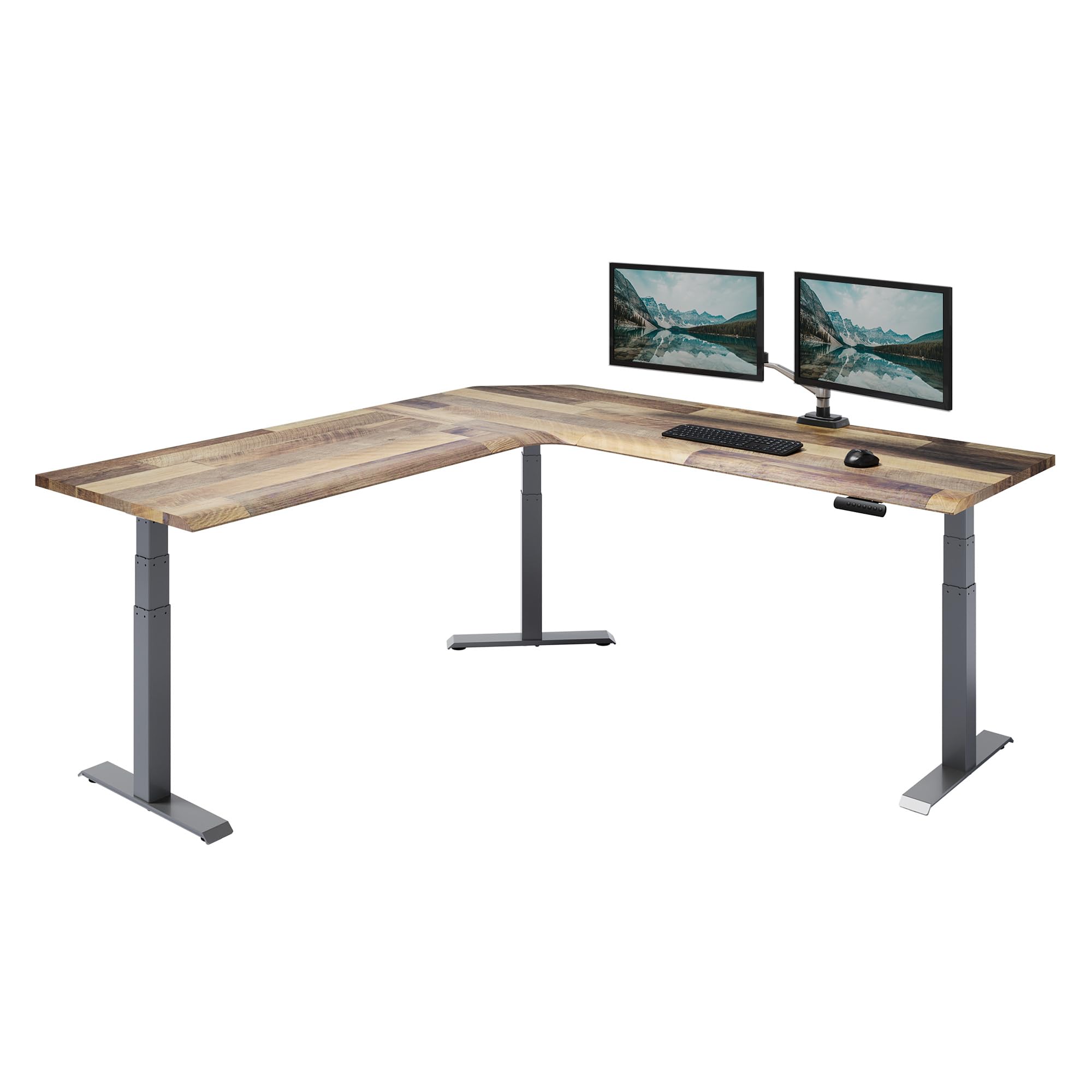
I appreciate the Vari ComfortEdge for setups where surface area and reliability matter most. The 80×80 L shape gives me room for three large monitors, a laptop, and peripheral zones for meetings or creative work. The programmable memory controller makes switching heights quick, and the laminated reclaimed wood top feels durable while keeping a professional look.
It ships in multiple boxes and benefits from careful staging during assembly, but once it’s together the desk behaves like a long‑term centerpiece for a busy office or home studio. I recommend it when you want a high‑capacity, ergonomic corner solution that will hold up to daily use.
What People Say
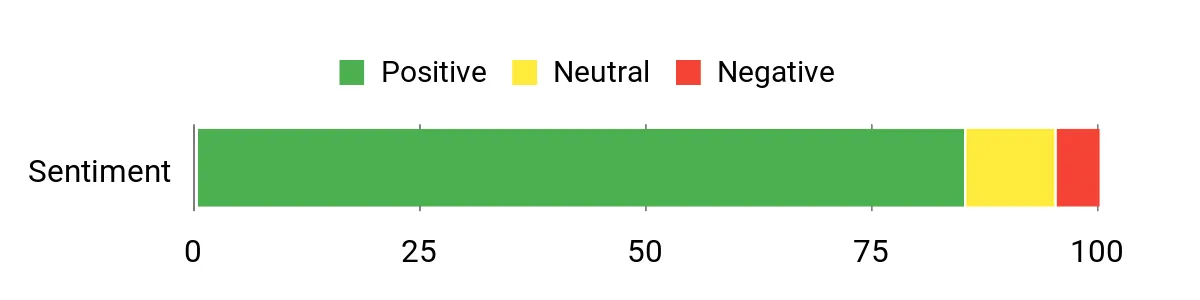
People often highlight how solid and roomy the desk feels once assembled, and the memory presets get called out as genuinely useful for day‑to‑day switching. Many appreciate the professional finish and the lifetime warranty, though several note the desk is heavy and assembly takes planning because it ships in multiple boxes.
Overall Sentiment: Positive
When It Helps
|
Situation |
How It Helps |
|---|---|
|
Executive Corner Office |
The large L footprint creates a commanding workspace where I can spread documents, multiple displays, and meeting materials without crowding. |
|
Hybrid Team Workstation |
Programmable presets let different teammates switch quickly to their ergonomic settings, making shared use simple and efficient. |
|
Creative Studio |
The broad surface accommodates drawing tablets, reference screens, and audio gear so I can jump between tasks without rearranging gear. |
Health Benefits
|
Benefit |
Description |
|---|---|
|
More Frequent Movement |
Saved height presets remove friction from standing breaks, encouraging regular sit‑stand changes throughout the day. |
|
Better Posture |
A wide surface and height tuning make it easier to place monitors at eye level and keep wrists and shoulders in neutral positions. |
|
Reduced Reaching |
Corner design keeps tools within easy reach, cutting down on twisting and stretching that add strain over time. |
Ease Of Use
|
Feature |
Ease Level |
|---|---|
|
Programmable Controls |
Easy |
|
Assembly (Multiple Boxes) |
Moderate |
|
Cable Management |
Easy |
|
Height Range Adjustment |
Easy |
Versatility
This desk works as an executive setup, a collaborative corner station, or a creative hub. Its large footprint and programmable heights make it simple to adapt from solo deep‑work sessions to small group reviews.
Comfort
With a broad top and a smooth programmable lift, the desk lets me align multiple displays and position input devices comfortably, which helps during long focused work or long meeting days.
Problem Solving
I see this desk solving the main triple‑monitor problems: it provides enough surface and depth to avoid cramped screens, a strong base to limit wobble at standing height, and memory presets to remove guesswork when switching positions. Planning assembly space and confirming monitor arm compatibility prevents the typical setup issues.
Key Benefits
- Massive 80×80 L‑shape provides expansive space for triple monitors and collaborative work
- Programmable memory controller for fast, repeatable height settings
- Heavy‑duty alloy steel base and laminated top for long‑term stability
- Lifetime warranty and robust construction for office‑grade reliability
FAQ
Will This Desk Fit Three Monitors?
I always tell people to measure your monitor widths and bases or arms before committing. Add the widths together and leave room for speakers, a keyboard, and a bit of breathing space, and compare that total to the desk’s usable width; also confirm the tabletop depth so screens and a keyboard aren’t too close to the edge.
If you plan to use monitor arms, check clamp or grommet compatibility and the desk’s edge clearance, and make sure the combined weight of monitors and arms is within the desk’s rated capacity.
How Do I Reduce Wobble With Three Screens?
I start by centering the heaviest gear over the desk’s main support and spreading weight evenly across the surface. Tighten all fasteners during assembly, use a sturdy monitor arm or clamp mounts when possible, and add rubber pads or leveling feet if the floor is uneven.
If you still see movement at standing height, recheck mounting points and consider switching to a desk with a T‑frame or heavier base for better rigidity.
What Should I Know About Assembly And Setup?
I recommend planning your assembly with enough space and a second pair of hands for large L‑shaped tops, and laying out parts and hardware first so nothing gets lost. Route cables and place power strips or built‑in outlets before filling drawers or attaching accessories, test the electric lift and test stability at the desk’s maximum height, and adjust monitor positioning to eye level so you don’t have to readjust ergonomics later.
Wrapping Up
If I had to summarize for someone mounting three monitors, I’d first check width and depth, then confirm the weight capacity and frame stability. For a premium, trouble‑free choice the Vari L‑Desk stands out for size and warranty, while Casaottima gives the best balance of price and reliable electric lift.
If you need built‑in storage I lean toward OffiGo, and for gamers who want deep desktops and hooks Huuger is a smart pick. VIVO is my recommendation when programmable ergonomics matter, Veken works when space is tight, and AODK is ideal if you want extras like a keyboard tray and lights.
Whatever you choose, verify monitor arm compatibility and test the desk’s height range against your chair so you avoid the most common mistakes: insufficient depth, under‑rated weight capacity, and overlooking cable management.
| Product Name | Image | Height Adjustment Range | Material Type | Special Highlights |
|---|---|---|---|---|
| OffiGo 63 Inch L Shaped Electric Standing Desk |
 |
30 to 47.6 inches | Engineered Wood with Alloy Steel |
|
| Casaottima 63 Inch Electric L-Shaped Standing Desk |
 |
27.9 to 46.1 inches | Engineered Wood with Alloy Steel |
|
| Huuger 55 x 28 Large Electric Standing Desk |
 |
28.3 to 46.5 inches | Engineered Wood with Steel |
|
| VIVO Corner Standing Desk |
 |
29 to 48 inches | Engineered Wood with Alloy Steel |
|
| Veken 55 x 28 Inch Electric Standing Desk |
 |
27.9 to 45 inches | Engineered Wood with Cold-Rolled Steel |
|
| AODK Electric Standing Desk |
 |
29.9 inches and above | Engineered Wood with Alloy Steel |
|
| Vari ComfortEdge L-Shape Electric Standing Desk |
 |
25 to 50.5 inches | Engineered Wood with Alloy Steel |
|
This Roundup is reader-supported. When you click through links we may earn a referral commission on qualifying purchases.