 Skip to content
I know choosing the right laptop for day trading can feel overwhelming because you depend on speed, screen space, and rock-solid connectivity every trading session. I focus on the features that matter most to traders—fast performance for multiple charting apps, crisp and roomy displays for simultaneous windows, reliable networking for low-latency execution, and battery life or portability when you’re on the move.
With the right laptop you’ll spend less time fighting your setup and more time making informed trades, which is why I put these picks together.
Top Picks
| Category | Product | Price | Score |
|---|---|---|---|
| 🏆 Best Overall | $1,449.00 | 97/100 | |
| 🚀 Best Power-to-Weight | $1,349.00 | 93/100 | |
| 💼 Best Portable | $1,049.00 | 90/100 | |
| 🎯 Best Multitasking Value | $529.99 | 88/100 | |
| 🔰 Best for Trading Desks | $499.00 | 85/100 | |
| 💰 Best Big-Screen Budget | $477.46 | 78/100 | |
| ⭐ Best Web-Only Traders | $178.99 | 70/100 |
How I Chose These Laptops
When I evaluate laptops for day trading I focus on a handful of high-impact factors so your setup stays responsive and reliable. I prioritize display quality and size because multiple charts and platform windows are easier to manage on bright, high-resolution panels or with external monitor support. I weigh CPU and memory next since charting engines, backtesting tools, and many browser tabs demand consistent performance; fast NVMe storage shortens load times and keeps data snappy. Connectivity and ports are essential for low-latency trading and multi-monitor setups, so I look for strong Wi‑Fi, Ethernet/docking options or Thunderbolt support.
Finally I balance battery and portability against price so you can match a machine to whether you trade from a desk, a café, or while traveling.
🏆 Best Overall
I reach for this MacBook Pro when I want a laptop that just gets out of the way and lets me focus on trading. The M5 chip keeps multiple charting apps, browsers, and data feeds responsive, while the 14.2″ Liquid Retina XDR display gives me the clarity I need for tiny candlesticks and heatmap colors.
It’s portable enough to move between a coffee shop and my trading desk, yet powerful enough to run external displays and handle heavier analysis when I need it. If you value a calm, reliable daily driver that lasts through long sessions, this is the one I’d recommend.
Long-Term Value
Buying quality hardware and efficient chip architecture reduces the need for frequent upgrades, and Apple laptops often keep strong resale value, lowering your total ownership cost over time.
Situational Benefits
| Situation | How It Helps |
|---|---|
| On the Road | Lightweight enough to carry and long battery life means I can trade during travel without worrying about outlets. |
| Multi‑Monitor Desk | Thunderbolt 4 and HDMI support let me drive two high‑res external displays for advanced chart layouts. |
| High‑Volume Monitoring | The M5 chip stays cool and quiet under load, so continuous data feeds and alerts don’t cause throttling or distracting fan noise. |
| Video Calls and Analysis | Center Stage camera and clear speakers make it easy to host or join trade debriefs without extra kit. |
Saves Time
Fast app launches, quick NVMe storage, and responsive multitasking mean less waiting for charts or exports, so I can act on setups faster.
Ease Of Use
| Feature | Ease Level |
|---|---|
| Setup | Easy |
| macOS Navigation | Very Easy |
| Connectivity (Displays/Peripherals) | Moderate |
| Battery Management | Easy |
Versatility
This laptop handles everything from browser‑based trading to local backtesting, light media work, and casual content creation, so it fits traders who do more than just monitor charts.
Responsiveness
Apps and charts open almost instantly and switching between multiple workspaces is snappy, which helps reduce costly delays during fast markets.
Performance
The 10‑core M5 provides headroom for heavy multitasking and running local indicators or research tools without lag.
Key Benefits
- Consistently fast performance for multiple trading apps and browser tabs
- Bright, high‑contrast 14.2″ display that makes charts easy to read
- Excellent battery life so you’re not hunting chargers midsession
Current Price: $1,449.00
Rating: 4.7 (total: 290+)
💰 Best Big-Screen Budget
I reach for this HP when I need lots of screen for charts without spending a small fortune. The 17.3″ panel makes it easy to tile multiple charts and a news feed, and the Ryzen 5 with 16GB of RAM handles browser‑heavy trading platforms comfortably. It’s a bit heavier, so I mostly use it at a desk or on a trading table, but the fast charge and large storage mean I don’t waste time shuffling files or hunting for outlets. For traders who value screen real estate and sensible performance on a budget, this is a practical pick.
Long-Term Value
Lower upfront cost and durable baseline specs reduce the need for early upgrades, while energy certifications can slightly lower running costs over time compared with less efficient models.
Situational Benefits
| Situation | How It Helps |
|---|---|
| Desktop Replacement | The big screen and ample storage let me replace a bulky desktop setup without losing valuable workspace for charts and docs. |
| Budget Trading Starter | For someone starting with web and platform-based trading, it provides the performance needed for multiple tabs and indicators without a high price tag. |
| Streaming And Research | The large display makes side‑by‑side streaming, news, and research easy to follow while monitoring positions. |
| On-the-Go Sessions | Fast charge to 50% in about 45 minutes helps when I need a quick top-up before a midday session, though the chassis weight makes long commutes less ideal. |
Saves Time
NVMe storage and responsive memory keep app launches and data loads quick, and the fast‑charge feature reduces downtime when you need to get back to monitoring markets fast.
Ease Of Use
| Feature | Ease Level |
|---|---|
| Setup | Easy |
| Typing Comfort | Easy |
| Display Layouts | Easy |
| Port Selection | Moderate |
Versatility
Good for traders who run browser platforms, spreadsheets, and light research tools. It’s not aimed at heavy video rendering or high‑end gaming but handles everyday trading workflows well.
Responsiveness
Generally snappy for chart updates and platform interactions; you may see small slowdowns if you push many CPU‑heavy background tasks at once.
Performance
The Ryzen 5 paired with 16GB LPDDR5 delivers reliable multitasking for live quotes, alerts, and multiple browser windows without frequent stutters.
Key Benefits
- Large 17.3″ screen for multi‑window chart layouts and watchlists
- 16GB LPDDR5 and 512GB NVMe SSD keep multiple platforms and tabs responsive
- Fast charging and solid battery life for extended sessions away from a power source
Current Price: $477.46
Rating: 4.4 (total: 422+)
⭐ Best Web-Only Traders
I reach for this Chromebook when I need a simple, portable machine for browser‑based trading and research. It boots fast, stays light in a backpack, and handles web platforms and streaming without fuss. It won’t replace a powerful Windows or macOS laptop for heavy local analysis, but for monitoring positions, running a web terminal and keeping alerts visible, it’s a low‑hassle choice that’s easy to move between home and a café.
Long-Term Value
Lower upfront cost plus Chrome OS’s low maintenance means fewer repairs and less need to upgrade frequently, which keeps total ownership expenses down.
Situational Benefits
| Situation | How It Helps |
|---|---|
| Web-Only Trading | Runs browser-based terminals and charting platforms smoothly, making it ideal if you trade through cloud brokers. |
| Travel Trading | Lightweight design and quick wake/boot cycles get you back into a session fast while you’re away from your desk. |
| Secondary Backup Rig | Keeps you connected if your main laptop has issues; it’s enough for emergency order entry and monitoring. |
| Basic Research And Notes | Good for reading news, watching streams, and keeping trade journals without draining resources. |
Saves Time
Quick startup, automatic Chrome OS updates, and snappy web performance reduce idle time so I can get back to watching setups faster.
Ease Of Use
| Feature | Ease Level |
|---|---|
| Setup | Very Easy |
| Navigating Chrome OS | Easy |
| Installing Web Apps | Easy |
| Portability | Very Easy |
Versatility
Best for cloud workflows, streaming, and light productivity. It’s not suited for heavy local backtesting or multi‑VM setups, but it covers most web‑based trading needs.
Responsiveness
Responsive for single or a few browser windows and web terminals; performance degrades when many tabs or local apps run at once.
Performance
The quad‑core processor and SSD provide solid everyday speed, though 4GB RAM is a limiting factor for heavy multitasking.
Key Benefits
- Very affordable for traders who use browser platforms
- Lightweight and portable for trading on the move
- Fast boot and solid web performance for cloud-based tools
Current Price: $178.99
Rating: 4.7 (total: 25+)
🎯 Best Multitasking Value
I reach for the NIMO when I want strong multitasking without blowing the budget. The 32GB of RAM and 1TB SSD make it easy to run several charting platforms, multiple browser windows, and research documents at once.
The 15.6″ FHD IPS screen is comfortable for tiled layouts and the numeric keypad helps when I’m entering quick notes or sizing positions. It can heat up under sustained load, so I keep it on a cooling pad during long sessions, but for daily trading, students, or anyone juggling many tabs it’s a surprisingly capable and practical option.
Long-Term Value
Strong base specs reduce the need to upgrade soon, and ample storage plus a fast processor means the laptop stays useful for longer before replacement is necessary.
Situational Benefits
| Situation | How It Helps |
|---|---|
| Multi‑Window Trading | 32GB RAM and the FHD screen let me tile multiple charts and a news feed without slowdowns. |
| Research And Backtesting | The 1TB SSD speeds up loading datasets and exports so analysis flows without long waits. |
| Student Or Side Hustle | Good performance for schoolwork, streaming, and trading tools, so one machine covers several needs. |
| Quick Onsite Sessions | Light enough for short trips and the battery life is decent for a few hours away from a desk. |
Saves Time
Fast SSD and ample RAM cut down app load times and reduce swapping, so I spend less time waiting and more time watching setups.
Ease Of Use
| Feature | Ease Level |
|---|---|
| Setup | Easy |
| Multitasking | Very Easy |
| Display Arrangement | Easy |
| Portability | Moderate |
Versatility
Handles web platforms, desktop terminals, spreadsheets and light gaming. Not targeted at pro video editing, but covers most trader workflows comfortably.
Responsiveness
Charts and browser tabs refresh quickly and switching apps feels immediate thanks to the RAM and SSD.
Performance
The Ryzen 5 with 32GB DDR4 delivers reliable performance for dozens of tabs, indicators, and occasional local analysis tasks.
Key Benefits
- Abundant 32GB RAM for heavy multitasking and many browser tabs
- 1TB SSD gives fast storage and room for data, logs, and downloads
- Comfortable 15.6″ FHD display with backlit keyboard and fingerprint sign-in
Current Price: $529.99
Rating: 4.9 (total: 16+)
🚀 Best Power-to-Weight
I reach for the GeekBook X16 Pro when I want laptop power without the bulk. The 16‑inch 2.5K 16:10 screen gives extra vertical space for charts, and the Core Ultra 9 plus 32GB of RAM keeps multiple trading platforms and browser tabs responsive.
At about 2.8 pounds it’s easy to move between my desk and a café, yet it has the ports and battery life to act as a proper trading workstation when I plug into a dock. It’s a good fit for traders who want desktop-class specs in a travel-friendly package.
Long-Term Value
High‑end components and roomy storage reduce the need for upgrades soon, and a durable magnesium alloy build helps the machine stay reliable through frequent travel.
Situational Benefits
| Situation | How It Helps |
|---|---|
| Mobile Trading | Lightweight design and long battery life let me monitor markets all day without feeling weighed down. |
| Desk With Multiple Displays | USB4 and powerful graphics support driving external monitors for multi‑chart setups once docked. |
| Power Users | 32GB RAM and a fast SSD mean heavy browser loads, desktop terminals, and local tools run without swapping. |
| Frequent Travel | Compact size and robust battery life make it easy to keep trading during trips or between workspaces. |
Saves Time
Fast storage, generous memory, and a responsive CPU cut app load and switch times so I can act on setups quickly instead of waiting for the machine to catch up.
Ease Of Use
| Feature | Ease Level |
|---|---|
| Setup | Easy |
| Display Scaling | Moderate |
| Portability | Very Easy |
| Docking/External Monitors | Moderate |
Versatility
Great for traders who switch between travel and a multi‑monitor desk, and capable for content work, research, and light media tasks beyond trading.
Responsiveness
App and chart redraws feel immediate for most workflows thanks to the high‑end CPU and memory configuration.
Performance
The Intel Core Ultra 9 with LPDDR5x memory delivers strong single‑ and multi‑threaded performance for charting, backtesting, and multitasking.
Key Benefits
- Outstanding power in a light, travelable chassis
- High‑resolution 16:10 display for more chart real estate
- Large 2TB SSD and 32GB RAM for smooth multitasking and storage
Current Price: $1,349.00
Rating: 4.7 (total: 4+)
🔰 Best for Trading Desks
I reach for this IdeaPad when I want a reliable desk laptop that balances price and features. The 15.6″ FHD touchscreen makes arranging charts and dragging indicators easy, and the numeric keypad is handy for quick size or position entries.
It boots fast, the 16GB RAM keeps multiple platforms and browser tabs smooth, and the port selection (USB‑C, HDMI, SD card) makes hooking up an external monitor straightforward. It’s a bit hefty for long commutes, so I mostly use it on a trading desk or with a dock for a two‑monitor setup.
Long-Term Value
Solid baseline specs reduce the need for early upgrades, and the fast NVMe storage plus ample memory keeps the machine useful for several years before replacement.
Situational Benefits
| Situation | How It Helps |
|---|---|
| Desk With External Monitors | HDMI and USB‑C let me plug into a dock or monitor to expand chart layouts across multiple screens easily. |
| Touch Interaction | The touchscreen speeds up dragging, zooming and quick on‑screen adjustments when I’m reviewing setups. |
| Everyday Multitasking | 16GB RAM handles browser platforms, spreadsheets and research tabs without frequent swapping. |
| Portable Desk Replacement | It’s portable enough to move between rooms or short trips, while offering the power you expect from a desktop replacement. |
Saves Time
Fast NVMe storage and responsive memory shorten app and chart load times, so I spend less time waiting and more time monitoring setups.
Ease Of Use
| Feature | Ease Level |
|---|---|
| Setup | Easy |
| Touchscreen Controls | Easy |
| Connecting Monitors | Moderate |
| Battery Management | Moderate |
Versatility
Good for traders who need a desktop‑style workspace, and capable for office apps, research and light media tasks; not intended as a high‑end gaming or rendering rig.
Responsiveness
Chart redraws and platform interactions are generally smooth; occasional heavier tasks may introduce small delays but nothing that disrupts trading flow.
Performance
The Core i5‑1235U with 16GB RAM provides solid everyday performance for multiple terminals, browser tabs and spreadsheet work.
Key Benefits
- FHD 15.6″ touchscreen and numeric keypad for efficient charting and input
- 16GB RAM and 512GB SSD keep platforms and data responsive
- Wi‑Fi 6 and a good mix of ports make multi‑monitor and peripheral setups simple
Current Price: $499.00
Rating: 4.5 (total: 273+)
💼 Best Portable
I pick the MacBook Air when portability and battery life matter as much as performance. The M4 chip keeps browser terminals and charting apps smooth, while the 13.6″ Liquid Retina display makes small candlesticks and color heatmaps easy to read. It’s light enough to carry between home and a café, and when I need more screen space I can hook up a monitor via Thunderbolt. For traders who move around and still want a dependable daily driver, this strikes a nice balance.
Long-Term Value
Apple devices tend to hold resale value and receive OS updates for years, so the initial premium often translates to lower total ownership cost over time.
Situational Benefits
| Situation | How It Helps |
|---|---|
| Travel Trading | Light weight and long battery life let me monitor positions through long travel days without hunting for outlets. |
| Coworking Or Cafés | Fast wake and quiet operation make it easy to jump into a session when I find a seat and reliable Wi‑Fi. |
| Docked Desk Setup | Thunderbolt ports let me connect external displays and peripherals quickly for expanded chart layouts. |
| Video Reviews And Meetings | The 12MP Center Stage camera and four‑speaker audio make calls and trade debriefs clearer without extra gear. |
Saves Time
Fast app launches, instant wake, and unified memory reduce waiting between charts and tools so I can react to setups quickly.
Ease Of Use
| Feature | Ease Level |
|---|---|
| Setup | Very Easy |
| macOS Navigation | Very Easy |
| Connecting External Monitors | Moderate |
| Battery Management | Easy |
Versatility
Great for browser‑based trading, local analysis, streaming news and light content work; not targeted at heavy Windows‑only applications or sustained high‑end GPU workloads.
Responsiveness
Apps and charts open quickly and switching between workspaces feels fluid, which helps during fast market moves.
Performance
The M4 with 16GB unified memory handles multiple charting platforms and tabs smoothly, though the Pro/Max silicon offers higher sustained performance for very heavy local processing.
Key Benefits
- Lightweight design and long battery life for all‑day sessions
- 16GB unified memory keeps multiple tabs and trading apps responsive
- Clear Liquid Retina display and improved webcam for monitoring and calls
Current Price: $1,049.00
Rating: 4.8 (total: 5,799+)
FAQ
What Specs Should I Prioritize For Day Trading?
I focus first on a fast CPU, plenty of memory, and a speedy SSD because charting platforms and multiple browser tabs eat resources. For most traders 16GB RAM is a practical minimum and I prefer NVMe storage so apps and data load quickly.
A crisp, sizable display or the ability to drive external monitors matters more than a tiny spec boost, and I also check for reliable Wi‑Fi or an Ethernet port and enough Thunderbolt/HDMI ports for docks and extra screens.
Do I Need To Spend A Lot Or Will A Budget Laptop Work?
It depends on your workflow. If you trade from a web terminal and keep a few tabs open, a lightweight Chromebook or budget laptop (for example around $178.99 or $477.46) can handle it and saves money, but if you run multiple desktop terminals, backtests, or local data feeds I recommend investing in a more capable machine like higher‑end Windows laptops or a MacBook Pro (around $1,449.00) for smoother multitasking and longer useful life.
How Do I Set Up A Reliable Trading Laptop Environment?
I make connectivity and redundancy a priority: use wired Ethernet when possible, keep a secondary device or phone hotspot for backup, and use a UPS if you trade from home. I close nonessential apps, set power options to avoid sleep during sessions, keep plenty of free SSD space, and connect at least one external monitor for expanded chart layouts.
Regularly updating the OS and your trading platform, plus keeping a recent backup, reduces surprises when markets move.
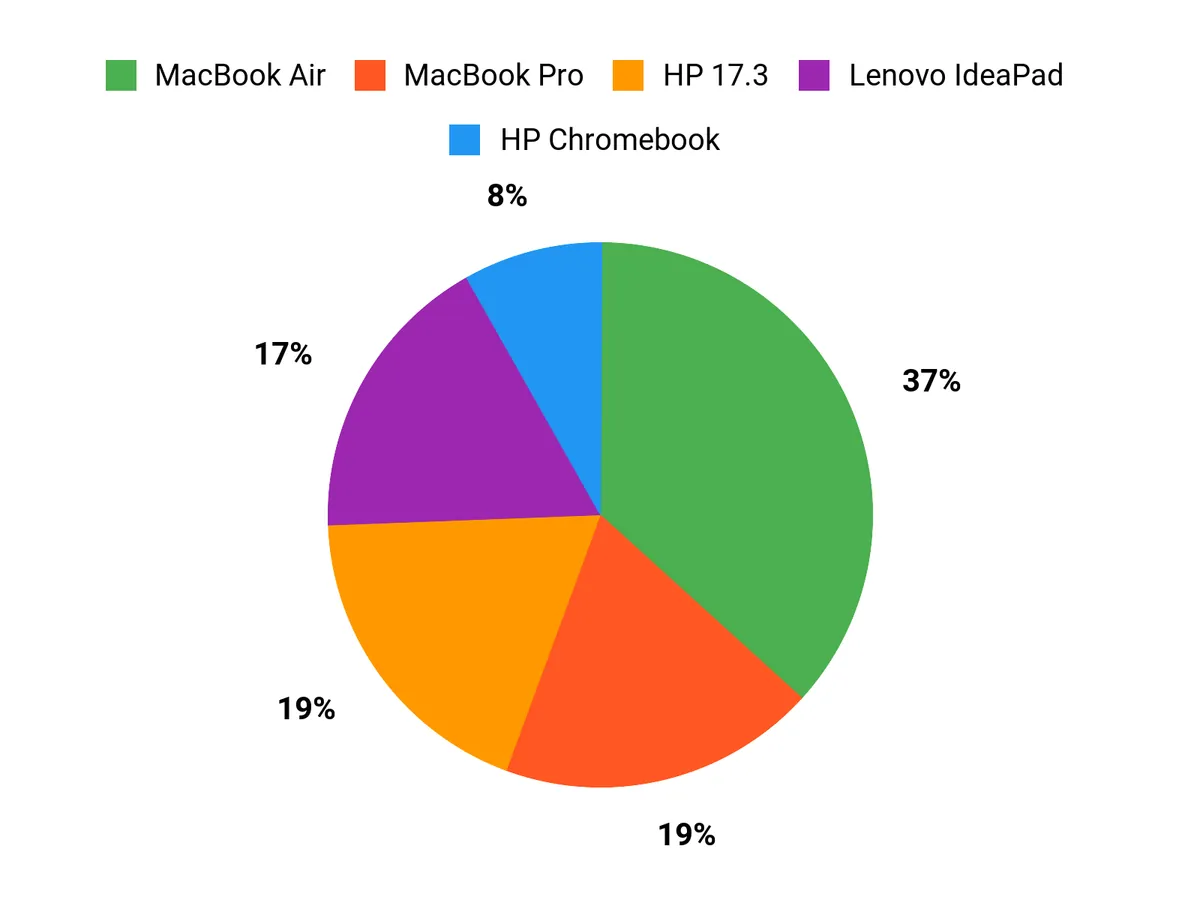
What Buyers Prefer
I find that buyers usually prioritize whatever matches their trading style: if performance, battery life and a premium display matter most they lean toward the MacBook Pro. If they want the largest workspace for the price they pick the HP 17.3, and if portability and low cost for web‑based trading are the main concerns they opt for the HP Chromebook.
Wrapping Up
In short, I picked machines that solve the everyday pain points of day trading: the MacBook Pro is my top pick if you want the fastest, most reliable all‑around experience and you value display fidelity and long battery life. If you need desktop-class performance in a light chassis the GEEKOM X16 Pro balances power and portability well. The MacBook Air is the best pick when portability and quiet battery life matter most.
For traders on a budget, the NIMO and Lenovo IdeaPad give strong multitasking and display options for the price, while the HP 17.3 is an affordable choice when screen real estate is your priority. If you only run web-based platforms, the HP Chromebook will do the job cheaply but expect limitations for heavy multitasking.
Whatever you choose, pairing a solid laptop with at least one external monitor and a reliable network connection will give you the clearest path to smoother trading sessions.
| Product Name | Image | Rating | Price | Processor | RAM | Storage | Screen Size | Battery Life | Operating System |
|---|---|---|---|---|---|---|---|---|---|
| Apple 2025 MacBook Pro Laptop |  | 4.7/5 (N reviews) | $1,449.00 | Apple M5 chip | 16 GB Unified Memory | 512 GB SSD | 14.2 Inches | Up to 24 hours video streaming | Mac OS |
| HP 17.3 inch Laptop |  | 4.4/5 (422 reviews) | $477.46 | AMD Ryzen 5 7520U | 16 GB LPDDR5 | 512 GB SSD | 17.3 Inches | 7.15 hours | Windows 11 Home |
| HP 2026 Lightweight Portable Chromebook | 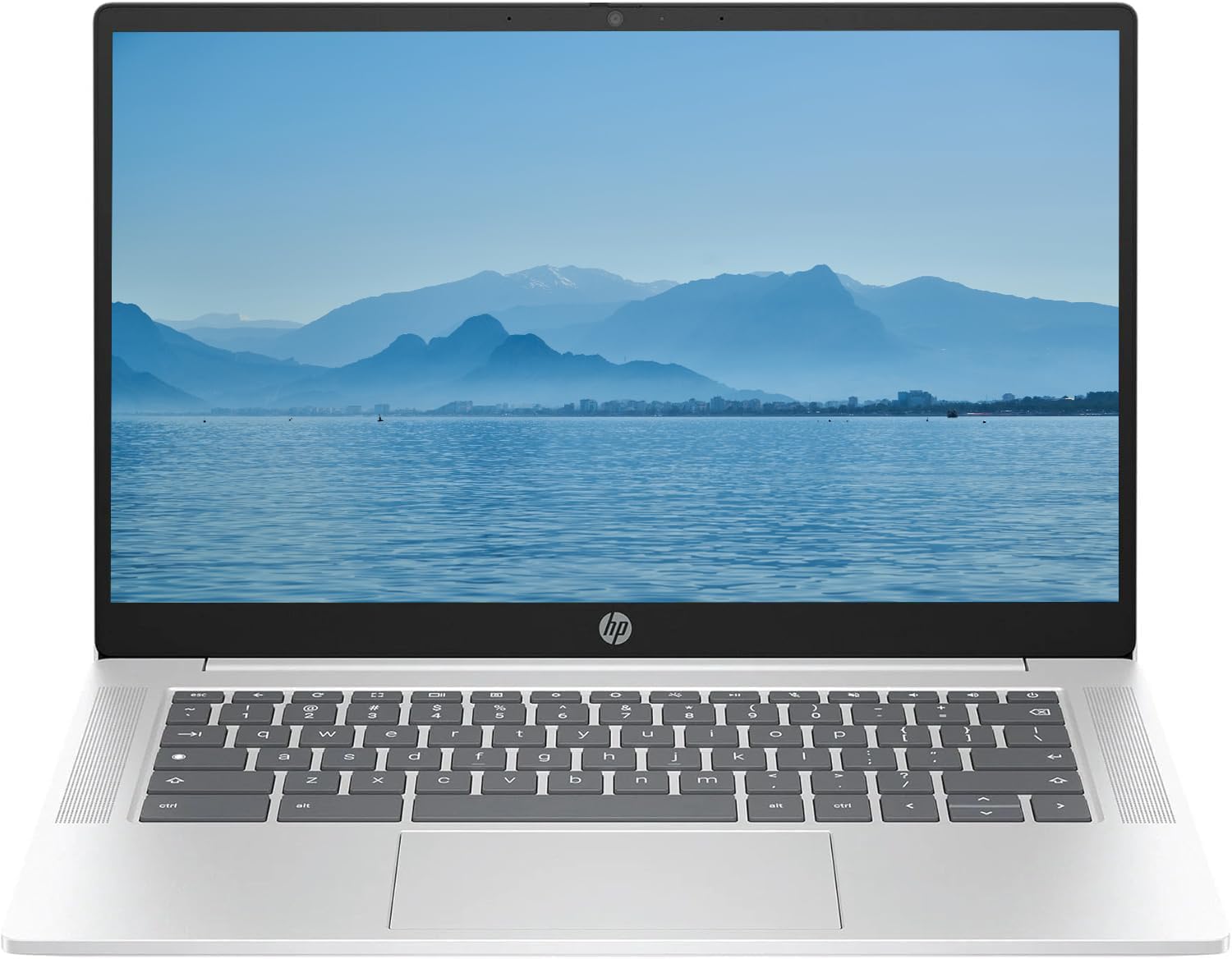 | 4.7/5 (25 reviews) | $178.99 | Intel Quad-Core N | 4 GB DDR5 | 128 GB SSD | 14 Inches | N/A | Chrome OS |
| NIMO 15.6” IPS FHD Laptop | 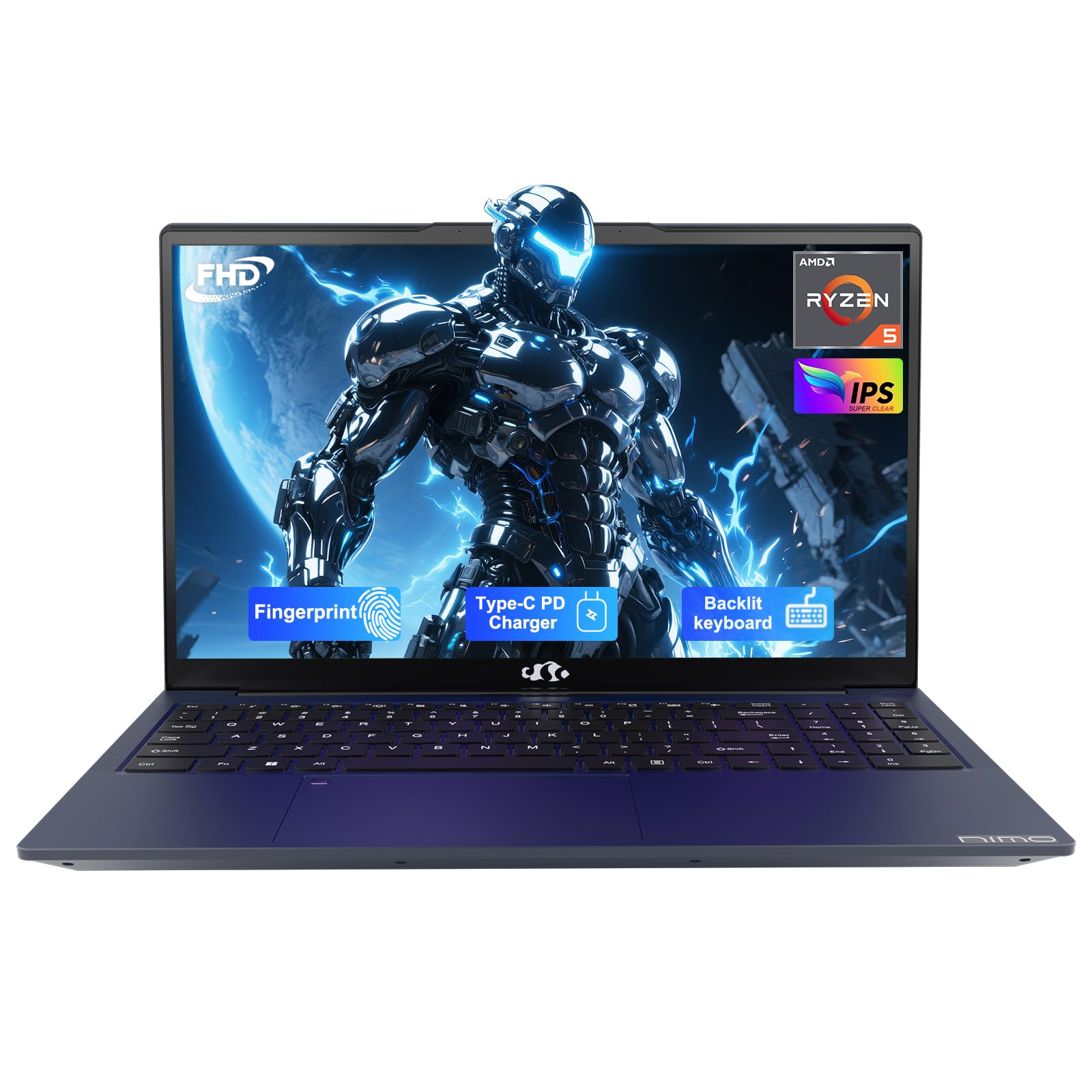 | 4.9/5 (16 reviews) | $529.99 | AMD Ryzen 5 | 32 GB DDR4 | 1 TB SSD | 15.6 Inches | 9 hours | Windows 11 |
| GEEKOM GeekBook X16 Pro | 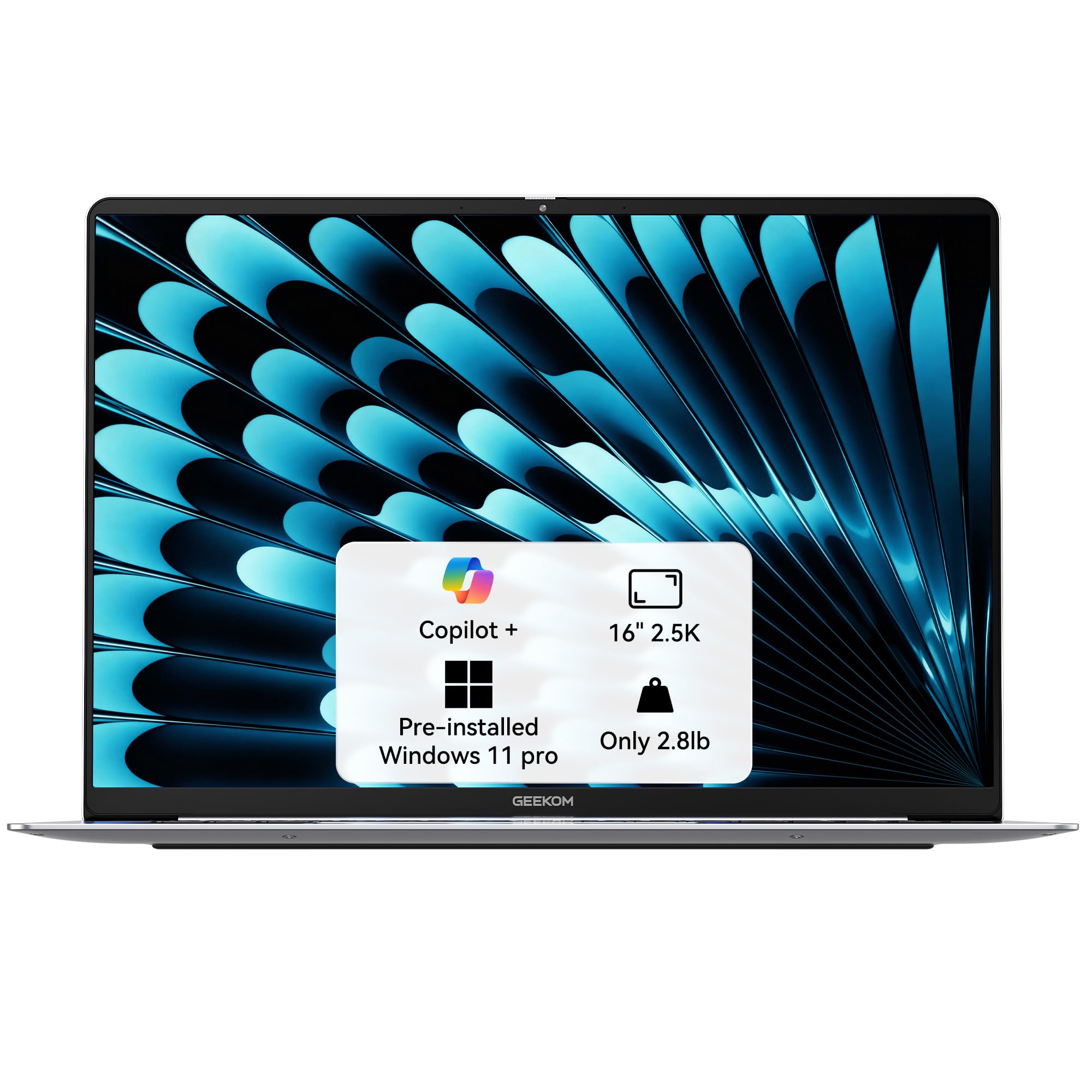 | 4.7/5 (N reviews) | $1,349.00 | Intel Core Ultra 9 185H | 32 GB LPDDR5x | 2 TB SSD | 16 Inches | Up to 17 hours | Windows 11 Pro |
| Lenovo IdeaPad 1i Laptop | 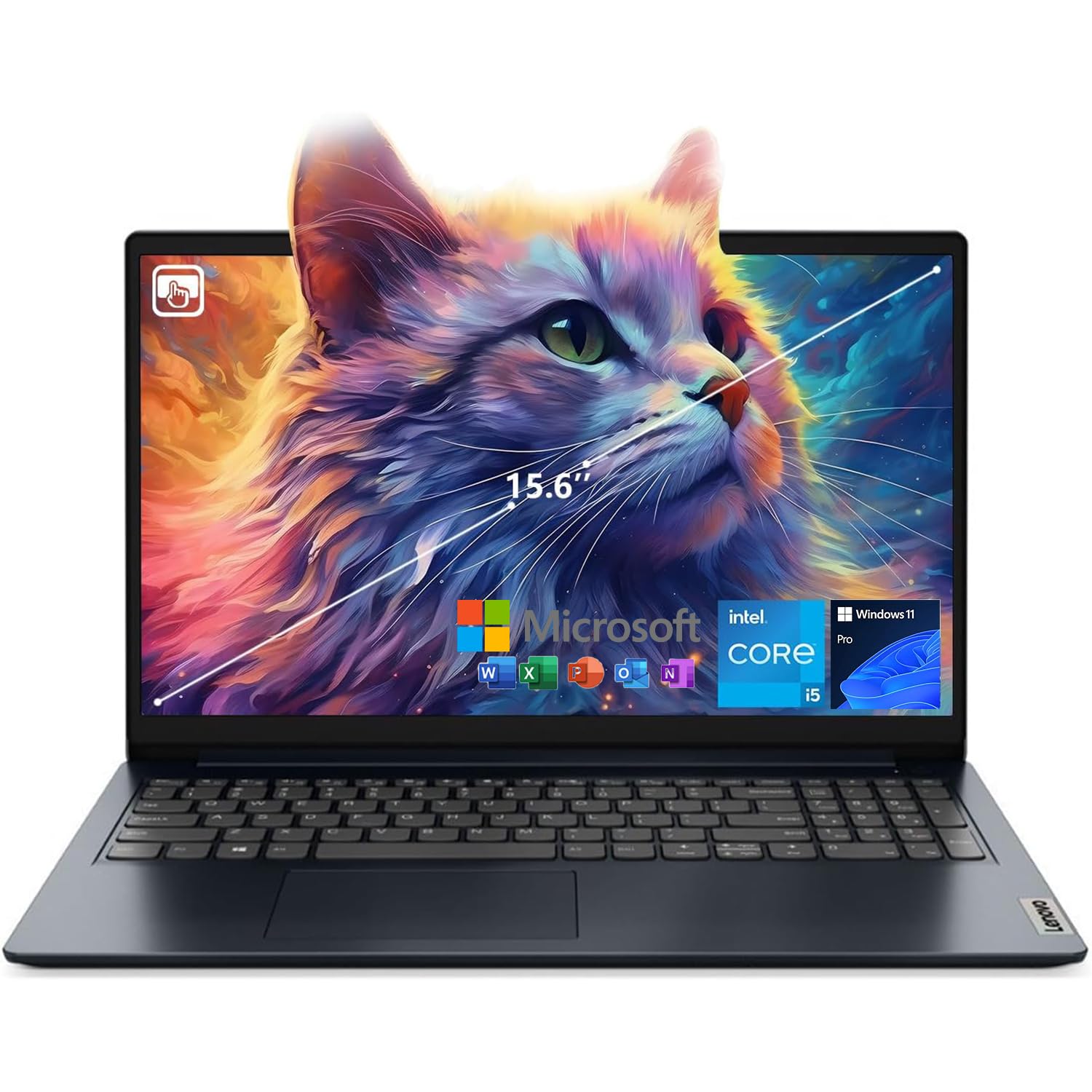 | 4.5/5 (273 reviews) | $499.00 | Intel Core i5-1235U | 16 GB DDR4 | 512 GB SSD | 15.6 Inches | N/A | Windows 11 Home |
| Apple 2025 MacBook Air 13-inch |  | 4.8/5 (N reviews) | $1,049.00 | Apple M4 chip | 16 GB Unified Memory | 512 GB SSD | 13.6 Inches | Up to 18 hours video streaming | Mac OS |
This Roundup is reader-supported. When you click through links we may earn a referral commission on qualifying purchases.



