 Skip to content
Choosing the right laptop matters because engineering work mixes heavy computation, CAD and simulation, long study sessions, and a need to carry a machine between classes and labs. I’ve put together this list to help you balance raw performance, battery life, display quality, and budget so you can focus on coursework instead of fighting slow compile times or cramped screens. Read on and I’ll point out which models suit different workflows so you can pick a laptop that actually helps you get engineering work done efficiently.
Top Picks
| Category | Product | Price | Score |
|---|---|---|---|
| 🏆 Best Budget | $329.98 | 78/100 | |
| 🎯 Best for macOS Users | $1,093.71 | 96/100 | |
| 💼 Best Storage Bundle | $439.99 | 80/100 | |
| 💰 Best Value Multitasking | $369.99 | 86/100 | |
| 🚀 Best Big-Screen Power | $1,139.00 | 90/100 | |
| ⭐ Best High-End Performance | $999.99 | 89/100 | |
| 🔰 Best Ultraportable OLED | $1,248.99 | 92/100 | |
| 🎨 Best Touchscreen | $799.99 | 85/100 |
How I Picked These Laptops
I focused on the things that actually affect an engineering student’s day to day: CPU and memory for compiling and simulations, fast SSD storage for project files and virtual machines, a clear screen for CAD and diagrams, battery life for long lab sessions, and build weight for commuting. I prioritized machines that balance those needs at different price points, so you’ll see a mix of ultraportables for mobility, large-screen models for workspace comfort, and budget picks that still deliver the specs you need. I also weighed real-world user feedback on reliability and heat management to avoid picks that look good on paper but frustrate you in class.
🏆 Best Budget
I like this Dell as the pragmatic pick for engineering students who need a dependable machine without breaking the bank. It pairs a roomy 15.6″ Full HD screen with a 512GB SSD and 8GB of RAM, so booting, note-taking, and running lighter compiles feel snappy.
The numeric keypad and backlit keyboard make long lab sessions easier, and Dell’s onsite service is a comfort when you need quick repairs. It isn’t meant for heavy 3D rendering, but for everyday coursework, coding, and document-heavy projects it hits the essentials.
Long-Term Savings
Lower upfront cost reduces student debt pressure, and the SSD plus mainstream Intel hardware keeps the laptop useful for several years. Onsite service can cut repair wait time and avoid replacement costs.
When It Helps Most
| Situation | How It Helps |
|---|---|
| Lecture Notes & Coding | Fast boot from the SSD and a roomy screen make multitasking between IDEs, browsers, and PDFs comfortable. |
| Lab Work and Reports | Numeric keypad and a full-sized keyboard speed up data entry and report writing. |
| Travel Between Classes | At about 4.2 pounds it’s portable enough for a backpack, though I keep a charger handy because battery life is moderate. |
| Budget-Conscious Setups | Affordable price lets you allocate funds to peripherals like external storage, a mouse, or an Ethernet adapter for lab networks. |
Educational Value
This machine runs Windows 11 smoothly and handles common engineering tools such as MATLAB, Python environments, and office suites. It’s a solid platform for learning and coursework, though power users doing large simulations or heavy CAD will notice limits.
Ease Of Use
| Feature | Ease Level |
|---|---|
| Setup and OS | Easy |
| Typing and Keyboard | Easy |
| Port Selection | Moderate |
| Battery Management | Moderate |
| Display Adjustments | Easy |
Versatility
It handles everyday engineering student needs well: coding, spreadsheets, video calls, and note-taking. It’s not a workstation, but it’s versatile enough to serve as a primary device for most classwork and a secondary machine for heavier tasks.
Practicality
The Dell balances screen size and portability for campus life, and the large SSD means less juggling of external drives. Expect average battery life, so plan to use a charger for long lab or library days.
Best For
Beginner to Intermediate
Key Benefits
- Great value for the spec mix: 512GB SSD and 8GB RAM at a low price
- 15.6″ Full HD screen and enlarged ergonomic keyboard with numeric keypad
- Windows 11 compatibility and Dell onsite service for practical support
Current Price: $329.98
Rating: 4.4/5 (total: 628+)
🎯 Best for macOS Users
I reach for the 15″ MacBook Air when I want a laptop that stays out of my way and simply gets work done. The M4 chip makes compiling, multitasking, and running creative tools feel instantaneous, while the Liquid Retina display gives me room to keep code, notes, and diagrams visible side by side.
It’s light enough to carry between classes and quiet enough for libraries. If you use an iPhone or iPad, the ecosystem adds time-saving conveniences.
Bear in mind that some Windows-only engineering tools may need alternatives or a cloud VM, but for most coursework, development, and design tasks this is a very capable, future-proof choice.
Long-Term Savings
Strong performance and macOS support mean the MacBook Air stays useful for several years, reducing upgrade frequency. Good resale value helps recoup cost when you do replace it.
When It Helps Most
| Situation | How It Helps |
|---|---|
| Coding and Development | Fast CPU and ample RAM make compiling and running local dev environments snappy, so I spend less time waiting and more time iterating. |
| Design and Visualization | The 15.3″ display and accurate colors let me preview layouts and CAD screenshots without needing an external monitor for quick checks. |
| All-Day Classes | Long battery life and a lightweight chassis let me take notes and work between lectures without hunting for outlets. |
| Cross-Device Workflow | Seamless integration with iPhone and iPad speeds file transfers, screenshots, and continuity tasks when I move between devices. |
Educational Value
It’s an excellent learning platform: macOS supports mainstream programming languages and tools, and the performance lets you run VMs or containers for coursework. For Swift or Apple-specific development it’s the obvious choice.
Ease Of Use
| Feature | Ease Level |
|---|---|
| Setup and Updates | Easy |
| Keyboard & Trackpad | Easy |
| Port Selection | Moderate |
| Software Compatibility | Moderate |
Versatility
Great for coding, document work, multimedia and light CAD. It’s versatile across study, design, and presentation tasks, though heavy GPU-bound simulations will benefit from a workstation-class machine.
Practicality
At around 3.3 pounds and with excellent battery life, it’s practical for daily campus life. Expect to carry a small USB-C hub if you need legacy ports or many external drives.
Best For
Intermediate to Advanced
Key Benefits
- M4 performance that handles multitasking, compiling, and light rendering smoothly
- Long battery life and fanless design for quiet work on the move
- Large, color-accurate Liquid Retina display that makes reading schematics and CAD previews easier
Current Price: $1,093.71
Rating: 4.8/5 (total: 1989+)
💼 Best Storage Bundle
I see this HP as a practical pick when storage and everyday multitasking matter more than raw workstation power. It ships with 16GB of RAM and a combination of local SSD plus 1TB OneDrive, which keeps project files accessible without juggling external drives. The full-size keyboard and numeric pad make spreadsheets and data entry less annoying, and the included earphones and 8-in-1 hub mean you can plug in peripherals right away.
It’s aimed at students who want a roomy 15.6″ screen and straightforward Windows 11 workflow rather than a high-end CAD or simulation rig.
Long-Term Savings
The 1TB cloud storage and decent RAM reduce the need for immediate upgrades, and bundled accessories lower initial spending. If you value straightforward file access and less dependence on external drives, this setup can save money and hassle over several semesters.
When It Helps Most
| Situation | How It Helps |
|---|---|
| Large Project Storage | The OneDrive allowance keeps design files and datasets accessible across devices without buying extra external drives. |
| Lecture Notes and Research | 16GB of RAM helps keep dozens of tabs, PDFs, and an IDE open at once while you take notes. |
| Remote Classes | Integrated camera with privacy shutter and included earphones make video calls simple and private. |
| Campus Connectivity | Multiple USB 3.0 ports and the included hub make it easy to connect lab instruments, thumb drives, or external displays. |
Educational Value
This laptop runs Windows 11 and handles common engineering tools for coursework, scripting, and light modeling. It’s a good platform for learning workflows, collaborating on shared files, and running standard lab software; heavy simulations may need a more powerful machine.
Ease Of Use
| Feature | Ease Level |
|---|---|
| Initial Setup | Moderate |
| Typing and Data Entry | Easy |
| Connecting Peripherals | Easy |
| Software Updates | Moderate |
Versatility
It’s versatile for document work, coding, video calls, and light multimedia. The storage arrangement and ports make it convenient for students who juggle many file types and devices, though it’s not aimed at high-end 3D rendering.
Practicality
The 15.6″ display and numeric keypad suit long report-writing sessions and spreadsheet work. Battery life and weight are typical for this class, so I plan to carry the charger for long lab days.
Best For
Beginner to Intermediate
Key Benefits
- Large effective storage with 128GB local SSD plus 1TB OneDrive for project files
- 16GB RAM supports smoother multitasking for apps and browser tabs
- Full-size keyboard with numeric keypad and camera privacy shutter for practical campus use
- Included accessories (earphones and hub) reduce extra purchases out of the box
Current Price: $439.99
Rating: 4.3/5 (total: 80+)
💰 Best Value Multitasking
I recommend the NIMO 15 when you want the most multitasking muscle for the money. Its Ryzen 5 CPU and 16GB of RAM keep dozens of browser tabs, IDEs, and documents responsive, while the 15.6″ Full HD screen gives enough room to work with split windows.
The build feels solid for daily campus use, the backlit keyboard and fingerprint reader are welcome conveniences, and the 65W Type-C charging is handy between classes. It’s not a workstation for heavy GPU rendering, but for coding, data analysis, and lecture prep it’s a very practical choice.
Long-Term Savings
Good core specs and a 2-year warranty mean you can rely on this laptop through several semesters without immediate upgrades. Fast SSD and ample RAM delay the need for costly replacements.
When It Helps Most
| Situation | How It Helps |
|---|---|
| Coding and Development | The CPU and 16GB RAM reduce compile and test cycle times so you can iterate faster on assignments and projects. |
| Research and Multitasking | Having many PDFs, browser tabs, and a VM open is smoother with the larger RAM and SSD, keeping workflow fluid during intensive study sessions. |
| Light Modeling and Visualization | The 15.6″ IPS screen is good for previewing CAD screenshots and plots, though full 3D rendering will be limited by integrated graphics. |
| On-the-Go Days | Relatively light weight and Type-C fast charging help you move between labs and lectures without long downtime. |
Educational Value
This laptop supports common engineering toolchains, scripting languages, and IDEs used in coursework. It’s a reliable platform for learning programming, data analysis, and running lightweight simulations or containerized environments.
Ease Of Use
| Feature | Ease Level |
|---|---|
| Initial Setup | Easy |
| Typing and Keyboard | Easy |
| Port Selection | Moderate |
| Battery Management | Moderate |
Versatility
Handles coding, document work, video calls, and light media well. The spec sheet makes it adaptable for many student workflows, though it won’t replace a dedicated graphics workstation for heavy rendering.
Practicality
The 15.6″ Full HD display, backlit keyboard and fingerprint sensor make daily tasks comfortable. It’s practical for campus life, but I plan to carry the charger for long days since battery reports vary.
Best For
Beginner to Intermediate
Key Benefits
- Strong multitasking thanks to Ryzen 5 and 16GB RAM
- 512GB SSD gives fast boots and roomy local storage for projects
- Backlit keyboard and fingerprint reader improve daily workflow
- 65W Type-C charging and a reported ~9-hour battery for campus use
Current Price: $369.99
Rating: 4.6/5 (total: 42+)
🚀 Best Big-Screen Power
I reach for a 17-inch laptop when screen real estate matters more than squeezing weight. The HP 17t gives you a roomy HD+ touchscreen and high memory and storage options that make side-by-side CAD previews, large spreadsheets, and multiple VMs practical. It’s a good fit for students who do heavier simulation work or who prefer a desktop-like workspace in dorms or home offices.
It’s not the lightest device for carrying every day, but for extended design or analysis sessions the display and specs are worth the trade.
Long-Term Savings
Investing in higher RAM and a large SSD delays the need for upgrades and keeps the machine useful across multiple semesters; the extra storage also reduces spending on external drives and cloud fees.
When It Helps Most
| Situation | How It Helps |
|---|---|
| CAD And Design Reviews | The big touchscreen and ample storage let you open large model previews and assets without constantly swapping files. |
| Simulations And Virtual Machines | High RAM options and a fast i7 CPU let you run VMs or larger simulations locally with fewer slowdowns. |
| Lecture Days At Home | The large screen and touchscreen controls make it easy to annotate slides, take notes, and keep reference materials visible. |
| Presentations And Group Work | HDMI output and strong audio let you connect to displays and run group demos without extra adapters. |
Educational Value
This laptop supports demanding engineering workflows—compilation, data analysis, multi-tab research, and light to moderate modeling—making it a solid learning platform for upper-level courses and capstone projects.
Ease Of Use
| Feature | Ease Level |
|---|---|
| Initial Setup | Easy |
| Touchscreen Interaction | Easy |
| Portability | Moderate |
| Thermal Management | Moderate |
Versatility
The HP 17t doubles as a study hub and a small desktop replacement: good for coding, visualization, presentations, and media. It handles a wide range of student tasks but isn’t meant to substitute a dedicated GPU workstation.
Practicality
With a 17.3″ touchscreen, HDMI and multiple USB ports, it’s practical for lab stations and home desks. The trade-off is added weight, so I plan charging and transport accordingly on long days.
Best For
Intermediate to Advanced
Key Benefits
- Large 17.3″ touchscreen that eases reading schematics and comparing windows
- High memory and storage options (up to 64GB RAM and 2TB SSD) for heavy multitasking
- Powerful Intel Core i7 processor for demanding coursework and development
- Fingerprint reader and modern connectivity (HDMI, Wi‑Fi 6) for secure, flexible setups
Current Price: $1,139.00
Rating: 4.5/5 (total: 245+)
⭐ Best High-End Performance
I turn to the HP 15 i7 when I need desktop-class performance in a 15.6″ package. With a 10-core i7, ample RAM and a large 2TB SSD it handles VMs, large datasets and multitasking without bogging down.
The full keyboard with numeric pad speeds data entry and the camera shutter adds privacy during calls. It’s heavier than ultraportables, but for capstone projects or intensive lab work I prefer the extra headroom over minimal weight.
Long-Term Savings
High RAM and large SSD keep the machine relevant for several years, reducing upgrade frequency and helping preserve resale value when you do replace it.
When It Helps Most
| Situation | How It Helps |
|---|---|
| Compiling And Development | The multi-core i7 and abundant RAM cut compile times and let you run local build environments with fewer slowdowns. |
| Virtual Machines And Simulations | Large RAM and fast storage let you host VMs or run moderate simulations locally, which is handy for coursework that needs isolated environments. |
| Data Entry And Reporting | Numeric keypad and a responsive keyboard speed spreadsheet work and large report edits. |
| Presentations And Group Work | HD display, HDMI output and solid audio let you connect to projectors and run demos without juggling adapters. |
Educational Value
This laptop supports advanced engineering toolchains, multi-tab research, local VMs and medium-scale data analysis, making it well suited for upper-level classes and capstone projects.
Ease Of Use
| Feature | Ease Level |
|---|---|
| Initial Setup | Easy |
| Typing And Numeric Entry | Easy |
| Connecting Peripherals | Easy |
| Battery And Thermals | Moderate |
Versatility
Handles coding, data analysis, multitasking and presentations well. It’s a flexible choice for students who need more local power than a typical lightweight laptop.
Practicality
The 15.6″ form factor balances screen space and mobility; I recommend it for students who carry a laptop between home and campus but mostly use it on a desk or in a dorm.
Best For
Intermediate to Advanced
Key Benefits
- Powerful 10-core Intel i7 and large RAM for demanding workloads
- 2TB SSD provides roomy, fast local storage for projects and VMs
- Full-size keyboard with numeric pad and camera privacy shutter
- Plenty of ports and Windows 11 responsiveness for campus workflows
Current Price: $999.99
Rating: 5/5 (total: 1+)
🔰 Best Ultraportable OLED
I reach for the GeekBook X14 when I want pro-level performance in something I can actually carry all day. The 2.8K OLED makes CAD previews, diagrams and slides pop, while the Intel Core Ultra 9 and 32GB of LPDDR5x keep compiles and multitasking responsive. It’s thin and light at about 2.2 pounds, yet it still has two USB4 ports and strong battery life, so it works both as a portable workstation and a dockable desktop replacement for focused study or project sessions.
Long-Term Savings
Premium components and roomy storage help the machine stay relevant for several years, reducing the need for early upgrades. A durable, high-quality screen and modern ports also preserve resale value.
When It Helps Most
| Situation | How It Helps |
|---|---|
| All-Day Lectures | Light weight and long battery life let me take notes and work between classes without hunting for an outlet. |
| On-the-Go Coding | Fast CPU and abundant RAM keep IDEs, terminals and browsers responsive, so I can iterate on code during short breaks. |
| Design Previews | The OLED’s color accuracy and high resolution make reviewing diagrams, mockups and CAD screenshots easier without an external monitor. |
| Desktop Docking | Two USB4 ports and dock support let me hook up monitors and drives quickly for long study or lab sessions. |
Educational Value
This laptop handles common engineering workflows — coding, running containers, light ML experiments and visual previews — while staying portable enough to be your daily driver for classes and study.
Ease Of Use
| Feature | Ease Level |
|---|---|
| Setup and First Boot | Easy |
| Display Calibration | Easy |
| Port/Dock Use | Easy |
| Battery Management | Moderate |
Versatility
Works well across coding, document work, light multimedia editing and presentation duties. It’s especially useful when you need a premium screen without sacrificing mobility.
Practicality
The combination of long battery life, modern ports and a lightweight build makes it a practical choice for students who move between lectures, labs and study spots frequently.
Best For
Intermediate to Advanced
Key Benefits
- Stunning 2.8K OLED display with 120Hz and 100% DCI‑P3 for clear diagrams and color-accurate previews
- High-end performance from Intel Core Ultra 9 and 32GB LPDDR5x for smooth multitasking and builds
- Ultra-light 2.2 lb chassis that’s easy to carry between classes and labs
- Generous 2TB SSD and two USB4 ports for fast local storage and modern docks
Current Price: $1,248.99
Rating: 5/5 (total: 4+)
🎨 Best Touchscreen
I pick the HP Touch 15 when I want the convenience of a touchscreen without giving up a full laptop experience. The 15.6″ FHD display makes annotating slides, navigating PDFs, and using touch-friendly apps more natural, and the Core i7 with 16GB RAM keeps everyday tasks and multitasking smooth. It’s a good midweight option for students who split time between lectures, labs, and group work, and the fast charge feature is handy on busy days.
Long-Term Savings
Strong internal specs and a solid SSD reduce the need for early upgrades, while features like Fast Charge and durable build keep daily replacement costs down over the life of the device.
When It Helps Most
| Situation | How It Helps |
|---|---|
| Lecture Note-Taking | Touchscreen and touchscreen-friendly apps let me mark up slides and diagrams quickly during class. |
| Group Projects | HD display and reliable performance make it easy to share screens, run demos, and edit documents together. |
| Lab Work | Multiple ports and solid local storage let me connect instruments or store datasets without constant external drives. |
| On-the-Go Days | Fast Charge and decent battery life reduce time tethered to outlets between classes. |
Educational Value
This laptop supports common engineering tools, IDEs, and collaboration apps used in coursework. The touchscreen adds value for note-taking, whiteboard-style brainstorming, and quick diagram edits.
Ease Of Use
| Feature | Ease Level |
|---|---|
| Setup and First Boot | Easy |
| Touchscreen Interaction | Easy |
| Connecting Peripherals | Easy |
| Battery Management | Moderate |
Versatility
Good for coding, document work, presentations and light multimedia. The touchscreen gives it extra flexibility for interactive tasks and quick edits.
Practicality
The 15.6″ screen and full keyboard balance comfort and portability. I plan to carry the charger for long lab days, but for campus use it feels like a practical all-rounder.
Best For
Beginner to Intermediate
Key Benefits
- Responsive 15.6″ FHD touchscreen for easy annotation and navigation
- Intel Core i7 and 16GB RAM for smooth multitasking and class workloads
- 512GB SSD for fast boot and roomy project storage
- HP Fast Charge and True Vision camera with shutter for practical campus use
Current Price: $799.99
Rating: 4.3/5 (total: 192+)
FAQ
What Specs Should I Prioritize As An Engineering Student?
I focus first on the things that affect real work: a multi‑core CPU for compiling and simulations, 16GB RAM if you can afford it, and a fast SSD—ideally 512GB or larger so you don’t spend time juggling external drives. A decent display (15″+ with Full HD) makes reading schematics and layouts easier, and good port selection (USB‑C/Thunderbolt, HDMI, Ethernet or an adapter) saves headaches in labs.
Integrated graphics are fine for most coursework, but if you plan serious 3D CAD or GPU compute, look for a machine with a dedicated GPU or plan to use cloud/workstation resources. Battery life and weight matter day to day: ultralights are great between classes, while larger laptops give you more sustained performance.
Should I Buy A Mac Or A Windows Laptop For Engineering?
I weigh compatibility and workflow. Macs like the 15″ MacBook Air ($1,093.71) are fantastic for battery life, display and general snappiness, and they handle many programming and data tasks well.
Some engineering apps and specialized CAD or lab software are Windows‑only, so if you rely on those natively it’s safer to choose a Windows laptop. Another option I use is a Mac for most work and a cloud Windows VM or a small Windows laptop for apps that won’t run on macOS.
Check your course and lab software list before you decide.
How Do I Balance Price, Portability, And Performance?
I start by setting a primary need: if budget is tight, aim for solid storage and enough RAM—the Dell 15 ($329.98) or NIMO 15 ($369.99) show that you can get usable performance cheaply. If you move around all day, prioritize weight and battery.
If you run heavy workloads, invest in CPU and RAM even if it raises the price. In practice I prioritize CPU and RAM first, then SSD size, then display and ports.
Consider refurbished units, extended warranties, or buying slightly higher specs so the laptop stays useful for longer, which usually saves money over time.
What Students Prefer
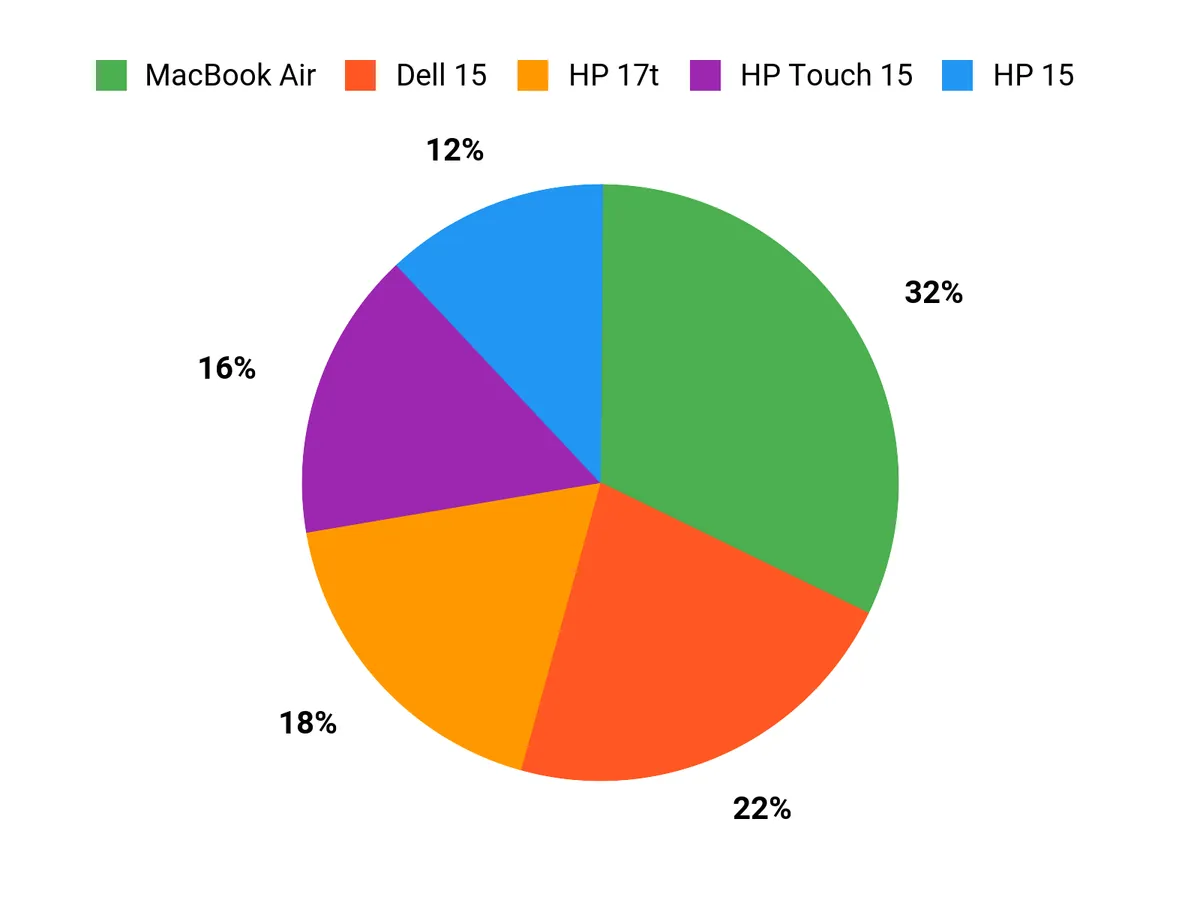
I see students mostly weighing price, performance and portability: the Dell 15 appeals when budget matters, the MacBook Air attracts those who want long battery life, a great display and tight Apple integration, and the HP 15 is chosen by students who value larger storage and ample RAM for multitasking. In short, people pick the model that best matches whether they need to save money, stay mobile all day, or keep lots of project files and apps running smoothly.
Wrapping Up
If I were picking a laptop for engineering school today I’d match the machine to how I work: choose the MacBook Air 15 for the best balance of performance, battery and display if you’re in the Apple ecosystem; pick the GeekBook X14 if you want the lightest, most visually accurate ultraportable OLED for on-the-go CAD previews; get the HP 17t when a larger screen and extra memory make sense for heavy simulation or multitasking; and consider the NIMO or the HP 15 (1.1TB) when you need a solid mix of specs on a tight budget. For basic study, the Dell 15 gives core functionality at the lowest price.
Ultimately I recommend prioritizing CPU and RAM first, then display and battery, because those choices will make the biggest difference in the long run.
| Product Name | Image | Rating | Processor | RAM | Storage | Price |
|---|---|---|---|---|---|---|
| Dell 15 Laptop DC15250 |  | 4.4/5 (628 reviews) | Intel Core i3 (6 cores, up to 900 MHz) | 8 GB DDR4 | 512 GB SSD | $329.98 |
| Apple 2025 MacBook Air 15-inch |  | 4.8/5 (N/A) | Apple M4 (10-core CPU) | 16 GB Unified Memory | 256 GB SSD | $1,093.71 |
| HP 15.6″ Business Laptop | 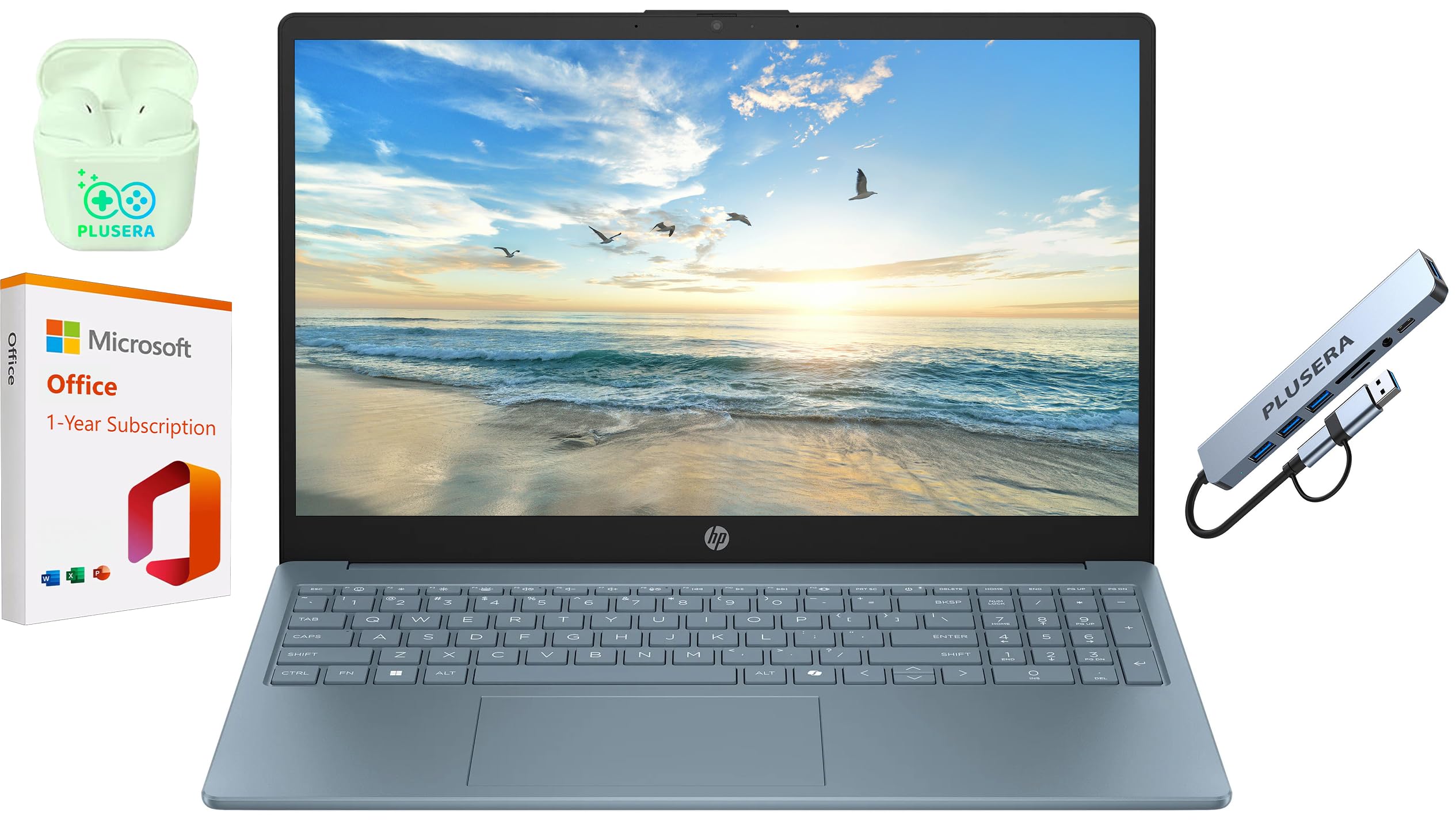 | 4.3/5 (80 reviews) | Intel N200 (Quad-Core, up to 3.7 GHz) | 16 GB DDR4 | 128 GB SSD + 1 TB OneDrive | $439.99 |
| NIMO 15.6” FHD IPS Laptop | 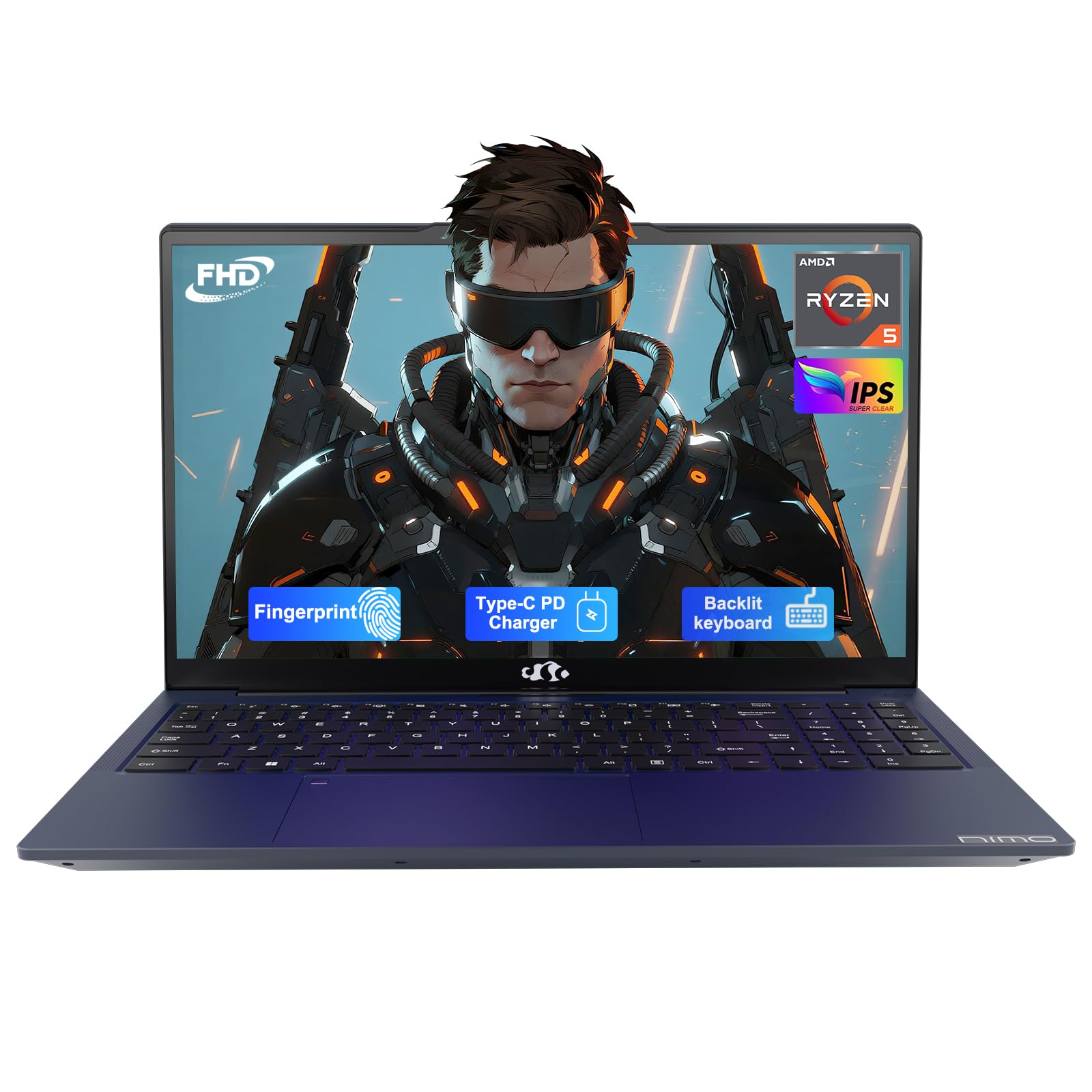 | 4.6/5 (42 reviews) | AMD Ryzen 5 (4 cores, up to 3.7 GHz) | 16 GB DDR4 | 512 GB SSD | $369.99 |
| HP Essential 17t Business Laptop |  | 4.5/5 (245 reviews) | Intel Core i7-1355U | 64 GB DDR4 | 2 TB SSD | $1,139.00 |
| HP 15.6 Business Laptop Computer | 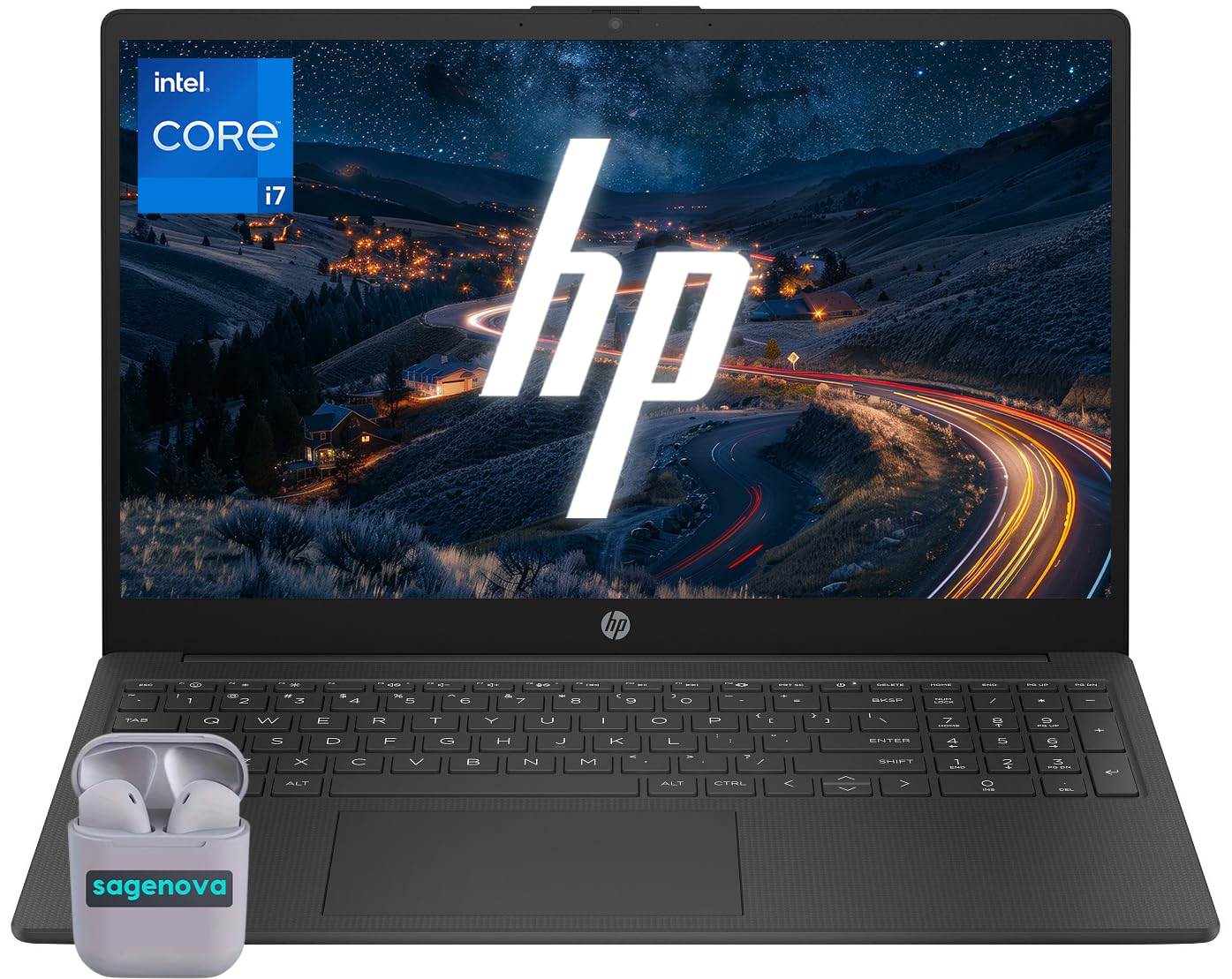 | 5.0/5 (1 review) | Intel Core i7-1355U | 40 GB DDR4 | 2 TB SSD | $999.99 |
| HP 15.6″ Touchscreen Laptop 2026 | 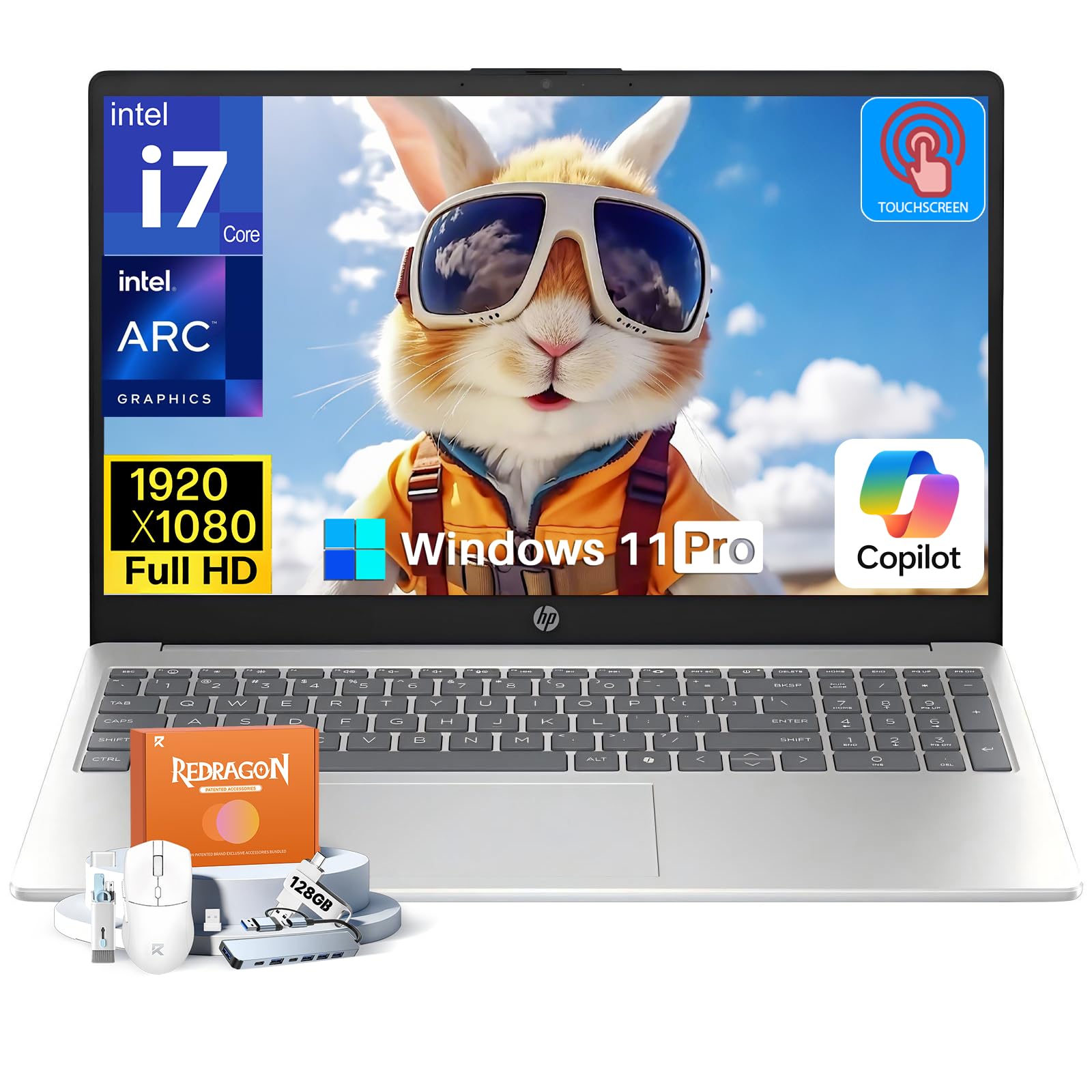 | 4.3/5 (192 reviews) | Intel Core i7-1355U (up to 5.0 GHz) | 16 GB DDR4 | 512 GB SSD | $799.99 |
| GEEKOM GeekBook X14 Pro Laptop |  | 5.0/5 (4 reviews) | Intel Core Ultra 9 (up to 5.1 GHz) | 32 GB LPDDR5x | 2 TB SSD | $1,248.99 |
This Roundup is reader-supported. When you click through links we may earn a referral commission on qualifying purchases.



