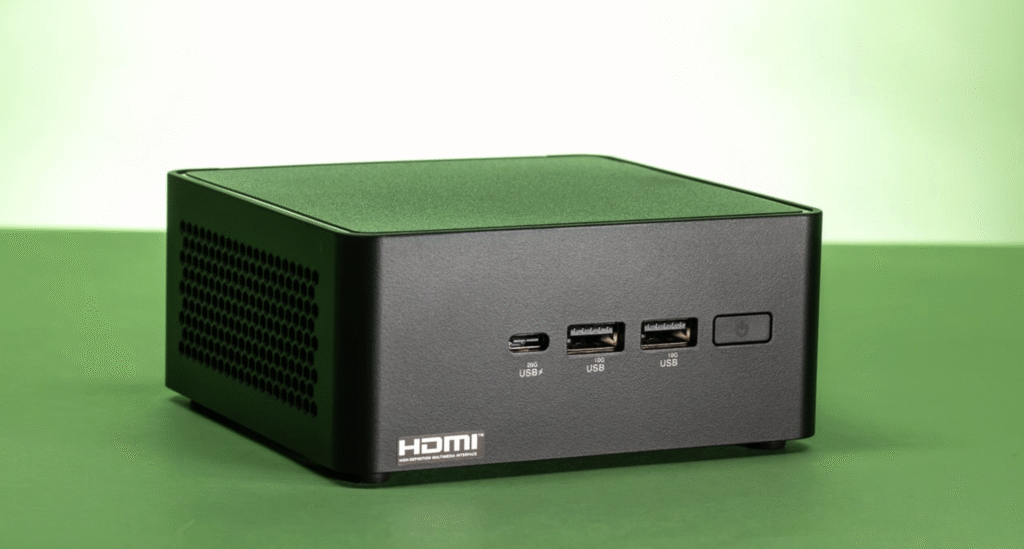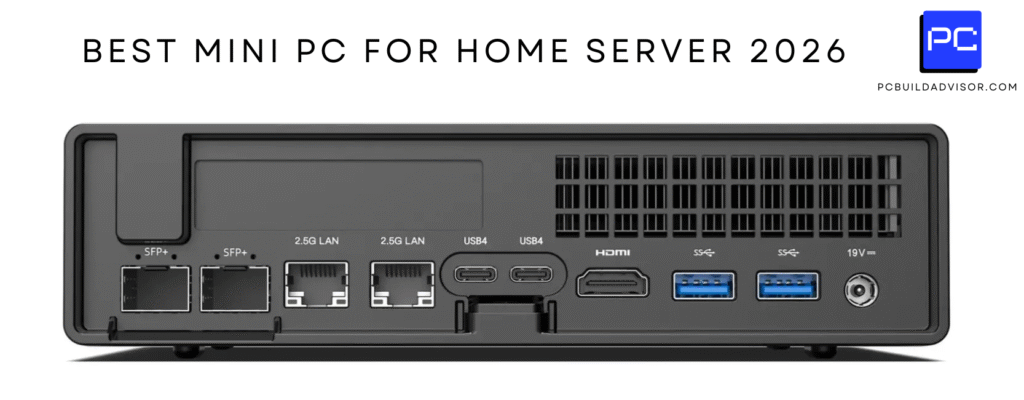
I know choosing a mini PC in mid‑2026 can feel overwhelming because these tiny desktops now span everything from quiet home‑office machines to full‑size workstation knockoffs. I put this guide together so you can quickly find a Windows mini PC that fits your priorities, whether you want raw performance, lots of ports, AI features, or a strict budget. By focusing on the latest models and clear strengths, I want to help you skip the noise and pick a compact PC that actually improves your day‑to‑day work or play.
Top Picks
| Category | Product | Score |
|---|---|---|
| 🏆 Best Overall | GEEKOM A7 | 94/100 |
| 🚀 Best Performance | MINISFORUM G1 | 96/100 |
| 🤖 Best AI Features | MINISFORUM X1 Pro | 94/100 |
| 🎨 Best for Creators | GEEKOM A8 | 93/100 |
| 🔰 Best Expandable | GMKtec K15 | 91/100 |
| 💼 Best Connectivity | GMKtec M7 | 92/100 |
| 💰 Best Midrange | GMKtec M6 | 88/100 |
| 💸 Best Budget | ACEMAGIC K1 | 85/100 |
| ⭐ Best Home Office | MINISFORUM X1 | 89/100 |
| 🎯 Best Workstation | ACEMAGIC M1A | 92/100 |
How I Picked These Mini PCs
I focused on real buyer priorities rather than raw spec sheets, weighing CPU and GPU capability, thermal design and sustained performance, I/O and display outputs, upgradability, and overall value. I also paid attention to features that matter in 2026 like USB4/USB‑C bandwidth, 2.5GbE or better networking, AI acceleration or Copilot integrations, and whether vendors offer reasonable service or warranty. When price mattered I highlighted machines that deliver the best tradeoff for their tier, from budget picks around $299 to premium systems above $1,000, so you can match cost to the workload you actually run.
I like the M6 because it balances real-world performance with a surprisingly small footprint. It uses an AMD Ryzen 7640HS and fast DDR5 memory to make everyday tasks feel snappy, while the integrated Radeon graphics handle casual gaming and photo or light video editing without fuss.
The build prioritizes connectivity: dual 2.5GbE ports, Wi‑Fi 6E, a USB4 full‑function port and multiple display outputs make it useful as a desktop, media box, or compact workstation. Dual M.2 slots and accessible SO‑DIMM RAM mean you can upgrade storage or memory later, and the dual‑fan cooling helps sustain performance during longer sessions.
If I were putting together a tidy home office or a small creative rig without a big tower, this is the kind of mini PC I’d consider.
What People Say
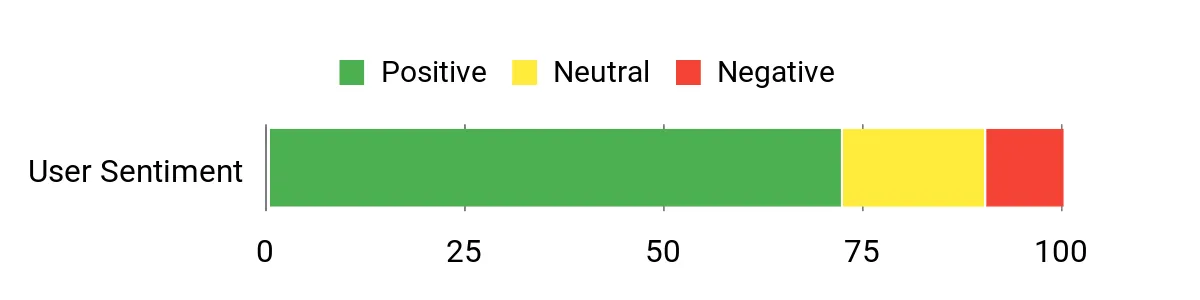
I see a lot of buyers appreciate how capable this little box feels for daily work and light creative tasks. People frequently mention the wide range of ports and the smooth networking options as standouts, and many like that it’s easy to expand storage or memory. A few users note occasional setup quirks or firmware oddities, but the overall impression leans toward capable and compact.
Overall Sentiment: Positive
Long-Term Savings
Because the M6 supports dual M.2 drives and user‑replaceable memory, you can extend its useful life by adding storage or RAM instead of replacing the whole unit. Its modest power draw also keeps energy use lower if you run it for long hours, which reduces ongoing operating costs compared with larger, less efficient desktops.
Return On Investment
For someone who needs a dependable machine for productivity, streaming, and light content work, the M6 delivers a good balance of features and upgrade options that translate into fewer replacements and less maintenance time. I count faster boot and app load times as everyday productivity gains that add up over months of use.
Situational Benefits
| Situation | How It Helps |
|---|---|
| Remote Work | Compact footprint and strong networking (dual 2.5GbE + Wi‑Fi 6E) keep video calls stable and let you multitask across several apps without a bulky system. |
| Light Creative Work | Integrated Radeon graphics and fast NVMe storage handle photo edits and shorter video exports, while dual M.2 slots let you add a scratch drive when projects grow. |
| Home Theater / Media | Multiple display outputs and a USB4 port make it simple to drive a 4K TV or multi‑monitor setup, and the cooling keeps noise low during playback. |
| Small Office Server | Low power consumption and dual 2.5GbE make it suitable for light NAS duties or a compact file server when always‑on reliability matters. |
Ease Of Use
| Feature | Ease Level |
|---|---|
| Initial Setup | Easy |
| Upgrading Storage/RAM | Moderate |
| Connectivity Setup | Easy |
| BIOS and Firmware Tweaks | Moderate |
Versatility
This mini PC adapts well across use cases: a comfortable office machine, a compact media center, or a light creative workstation. The mix of ports, upgrade slots, and decent integrated graphics means I can repurpose it as needs change without buying something new.
Practicality
Its small size and robust connectivity make it practical for desks with limited space or for mounting behind a monitor. The inclusion of USB4 and dual Ethernet adds real‑world convenience for peripherals and wired networking.
Energy Efficiency
With a typical power draw around the mid‑40 watt range and efficient Ryzen silicon, the M6 is easy on electricity compared with full‑size desktops. That makes it a sensible pick if you run the machine for many hours each day.
Speed & Responsiveness
The combination of a Ryzen 7640HS CPU, DDR5 RAM, and NVMe storage yields quick boot times and responsive app performance. Under sustained heavy loads you may see thermal limits, but the dual‑fan cooling helps maintain steady speeds for most workflows.
Key Benefits
- Strong connectivity with dual 2.5GbE and Wi‑Fi 6E
- Upgradeable storage with two M.2 slots
- Compact design that still supports multiple displays
- DDR5 memory and NVMe SSD for responsive everyday performance
I find the A7 MAX to be one of those compact machines that punches above its size. With a Ryzen 9 heart and Radeon 780M graphics it handles heavy multitasking, video editing and streaming chores without feeling strained. The dual USB4 ports, multiple HDMI outputs and VESA mount make it easy to slot into a desk, media setup or portable workstation.
The vendor cooling system and support coverage are thoughtful touches for people who want a fast, turnkey mini PC for creative work or dense office workloads. If you need a single compact box that can do both editing and day‑to‑day productivity, this is a strong contender.
What People Say
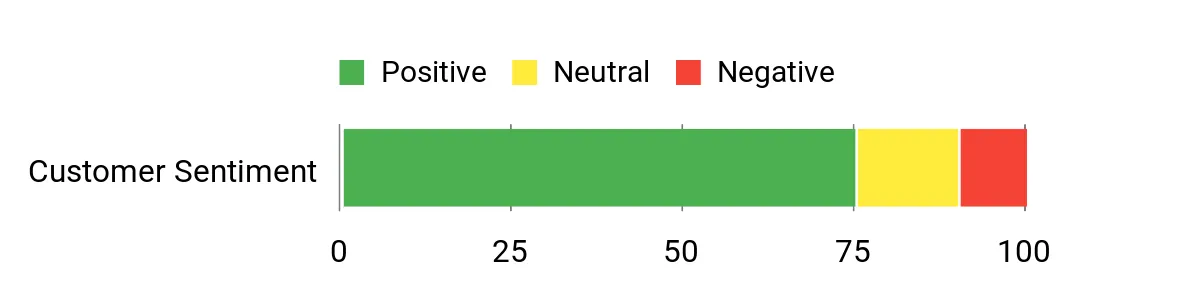
People often highlight the A7 MAX’s responsiveness for editing and heavy multitasking, and many call out the plentiful ports and display options as real advantages. Buyers also appreciate the quiet cooling under normal loads and the included support coverage, while a few mention occasional firmware or setup quirks that were resolved with updates.
Overall Sentiment: Positive
Long-Term Savings
Because the A7 MAX supports standard SSD storage and has a solid cooling design, you can keep it current through simple upgrades rather than replacing the whole machine. The extended coverage that ships with some configurations also reduces the chance of unexpected repair bills in the first few years.
Return On Investment
If you rely on a compact desktop for content creation or heavy office multitasking, the A7 MAX’s blend of CPU performance, I/O, and cooling translates into time saved on renders and less fiddling with peripherals. That smoother workflow is where I see the biggest return compared with cheaper, less capable mini PCs.
Situational Benefits
| Situation | How It Helps |
|---|---|
| Video Editing | Fast CPU cores and quick NVMe storage reduce export times, and multiple display outputs make previewing footage on a second monitor simple. |
| Multitasking Office | Ample memory bandwidth and a responsive SSD keep many browser tabs, documents and virtual meetings running smoothly at once. |
| Home Studio | USB4 and USB‑C audio interfaces connect cleanly, and the quiet cooling helps when recording or streaming. |
| Portable Workstation | Small size and VESA compatibility let you mount it behind a monitor or move between desks without a bulky tower. |
Ease Of Use
| Feature | Ease Level |
|---|---|
| Initial Setup | Easy |
| Mounting (VESA) | Easy |
| Storage Upgrade | Moderate |
| Firmware Updates | Moderate |
Versatility
The A7 MAX fits a wide range of roles from a compact editing rig to a powerful office machine. Its mix of ports and performance makes switching between use cases straightforward without needing multiple devices.
Practicality
I like how practical the A7 MAX is for small workspaces: it mounts neatly, supports several displays, and its I/O handles most peripherals without adapters, so it’s ready for real desk life.
Energy Efficiency
At typical loads the system is reasonably efficient for its performance class, which makes it a better fit for always‑on use than larger desktop alternatives that draw far more power.
Speed & Responsiveness
With a high‑clock Ryzen 9 and NVMe storage, the A7 MAX feels snappy in app switching and file handling. For longer, CPU‑heavy tasks the cooling keeps speeds steadier than many other mini systems.
Key Benefits
- High single‑thread and multi‑core performance for creators
- Robust I/O with USB4, multiple HDMI outputs and SD card slot
- Good thermal design for sustained workloads
- VESA mount and compact size for flexible placement
I appreciate the K1 for how little space it needs while still covering everyday computing needs. It pairs an efficient AMD R2544 with basic DDR4 memory and a responsive SSD, which makes web work, document editing and media playback feel smooth.
The triple 4K display capability and Type‑C output are handy when I want multiple screens for productivity or to run a small digital signage setup. It’s not aimed at heavy rendering, but for classrooms, home offices and media stations it’s a practical, unobtrusive option I’d pick when footprint and reliable connectivity matter.
What People Say
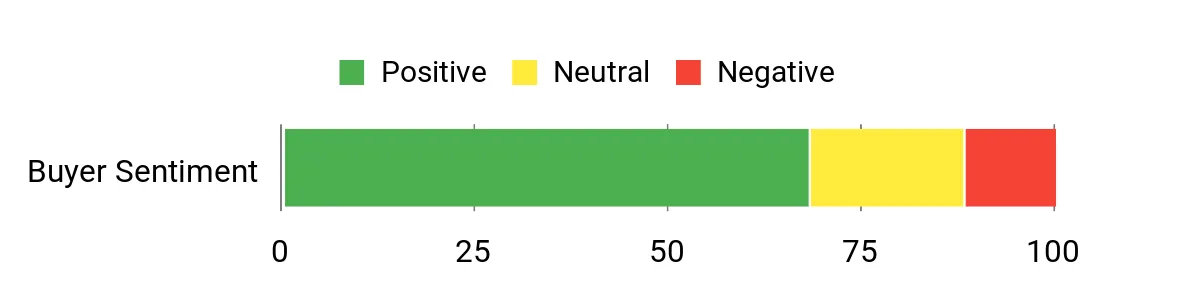
Most folks highlight how small and quiet the K1 is while still offering enough ports for multiple displays and peripherals. Customers commonly note the convenience of VESA mounting and the straightforward setup for classroom or office uses, with occasional mentions of wanting more RAM for heavier multitasking.
Overall Sentiment: Positive
Long-Term Savings
Because the K1 uses standard SSD storage and a simple cooling design, you can extend its life with modest upgrades like extra storage or more memory rather than replacing the whole unit. Its low power consumption also keeps operating costs down for machines that run daily.
Return On Investment
For anyone who needs a reliable compact machine for teaching, light editing or a media center, the K1 delivers predictable performance and easy maintenance. The time saved on setup and the ability to upgrade components give practical value over less flexible budget minis.
Situational Benefits
| Situation | How It Helps |
|---|---|
| Classroom Use | Small footprint and VESA mount let me tuck units behind monitors, and built‑in security features simplify school deployments. |
| Home Office | Triple display support and USB‑C make it easy to run productivity screens and a secondary monitor for video calls or reference docs. |
| Media Playback | 4K output and quiet fan operation make it a good choice for streaming video or running a compact home theater PC. |
| Light Server Tasks | Low power draw and SSD reliability mean it can handle lightweight NAS or always‑on services without a large electricity bill. |
Ease Of Use
| Feature | Ease Level |
|---|---|
| Initial Setup | Easy |
| Mounting (VESA) | Easy |
| Storage Upgrade | Moderate |
| Memory Upgrade | Moderate |
Versatility
The K1 adapts well to education, office and media roles thanks to its display flexibility and compact design. I find it useful when I need a single, small machine that can be repurposed across different locations.
Practicality
Its included VESA mount, quiet fan and multiple display outputs make it a very practical pick for cramped desks or mounted setups where a full desktop would be overkill.
Energy Efficiency
With a power profile in the high‑20 watt range, the K1 is energy efficient for sustained use, which makes it a sensible choice for deployments that run through the day.
Speed & Responsiveness
The R2544 paired with an NVMe SSD gives quick boot and app response for common tasks. It’s not a powerhouse for heavy rendering, but it feels responsive for browsing, documents and media playback.
Key Benefits
- Compact VESA‑friendly design for tight workspaces
- Triple 4K outputs and USB‑C for flexible display setups
- Low power draw suitable for always‑on tasks
- Fan cooling and solid‑state storage for quiet, responsive use
I see the M7 as a compact workhorse that leans into connectivity and sustained performance. The Ryzen 7 Pro paired with 32GB of DDR5 keeps heavy multitasking and multimedia smooth, while features like dual USB4 ports, HDMI 2.1 and dual 2.5GbE let me hook up fast storage, multiple high‑res displays and reliable wired networking with no fuss.
The metal chassis and upgraded fans help keep thermals in check during longer sessions, and Oculink/PCIe expansion gives room to grow if I need a faster NVMe or add‑on module. For someone who wants near‑desktop capability without a tower, this is the kind of compact system I’d pick for both daily productivity and occasional gaming.
What People Say
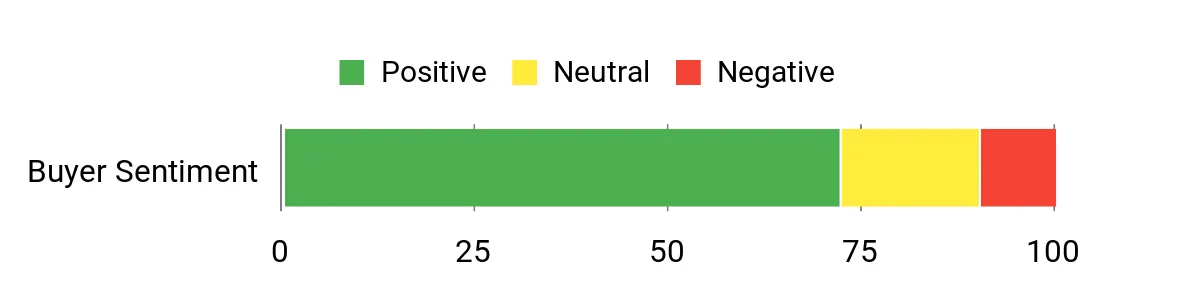
People commonly praise the M7 for its broad port selection and how it handles heavier multitasking or media work without feeling overwhelmed. Buyers also note the quieter operation under everyday use and appreciate the expansion options for storage and networking. A few mention occasional setup or firmware tweaks, but overall impressions focus on its practicality and connectivity.
Overall Sentiment: Positive
Long-Term Savings
Upgradeable storage and memory slots mean you can boost capacity or performance instead of replacing the whole unit, and solid cooling helps components age more gracefully. Reliable wired networking and fast I/O reduce time spent troubleshooting peripherals, which is a practical long‑term saving for small teams or home setups.
Return On Investment
Because the M7 handles a wide range of tasks—from office workloads to light creative jobs and casual gaming—one compact machine covers multiple needs. That consolidation reduces the number of devices you buy and manage, and the time saved on faster file transfers and smoother multitasking contributes directly to productivity.
Situational Benefits
| Situation | How It Helps |
|---|---|
| Home Office | Multiple displays and strong networking make video calls, spreadsheets and browser work feel seamless while keeping desk clutter minimal. |
| Content Creation | Fast NVMe storage, solid CPU cores and good thermal headroom speed up editing and exports for short to medium projects. |
| Casual Gaming | Integrated Radeon 680M and DDR5 allow comfortable play at modest settings, and HDMI 2.1 supports high‑refresh monitors or TVs. |
| Small Server / NAS | Dual 2.5GbE and low power draw make it suitable for lightweight always‑on services or a compact file server. |
Ease Of Use
| Feature | Ease Level |
|---|---|
| Initial Setup | Easy |
| Mounting / Placement | Easy |
| Storage Upgrade | Moderate |
| Firmware Tweaks | Moderate |
Versatility
The M7 is flexible enough to serve as a daily productivity machine, a compact creative workstation, or a media center. Its mix of ports and expansion options makes repurposing it for new tasks straightforward.
Practicality
I like that the M7 delivers desktop‑like connectivity in a small package; mounting behind a monitor or tucking it on a shelf keeps my desk tidy while still giving me plenty of real‑world ports.
Energy Efficiency
With a mid‑50 watt power profile and optimized cooling, the M7 is more efficient than many full towers while still delivering strong sustained performance, which makes it sensible for long workdays.
Speed & Responsiveness
The Ryzen 7 Pro and DDR5 combo gives quick app launches and responsive multitasking. Under sustained heavy loads the fans ramp up, but I found performance remained steady for most editing and multitasking scenarios.
Key Benefits
- Extensive I/O with dual USB4, HDMI 2.1 and dual 2.5GbE
- Strong multitasking thanks to Ryzen 7 Pro and 32GB DDR5
- Good thermal design for sustained workloads
- Expansion options including dual M.2 slots and Oculink
I think the M5 strikes a neat balance between portability and serious daily performance. The 14th‑Gen Intel HX silicon and ample RAM make multitasking, browser‑heavy work and light content editing feel fluid, while PCIe4 NVMe storage keeps file operations fast. The machine offers sensible I/O for a desk setup—HDMI, DisplayPort and Type‑C—and the cooling system is tuned to keep sustained tasks from throttling too quickly.
For someone who wants a compact PC that behaves like a full desktop for office work, streaming and occasional editing, this is an appealing option I’d consider placing on a small desk or behind a monitor.
What People Say
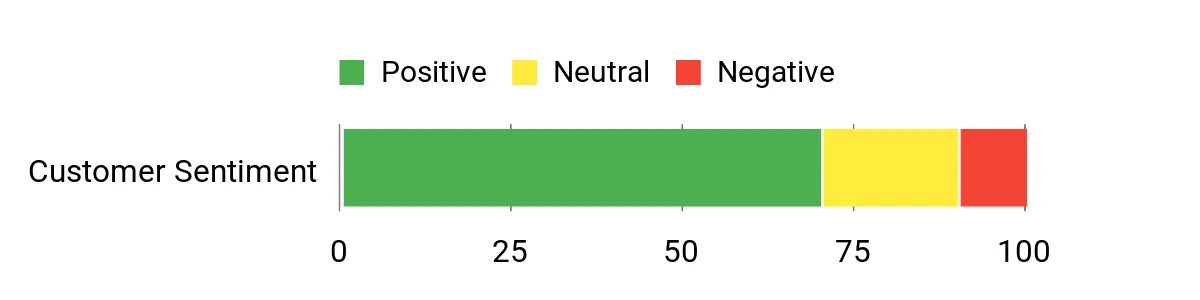
Common feedback highlights how capable the M5 feels for business and everyday creative tasks, with many users appreciating the roomy memory and fast SSD. People also note the useful selection of ports for monitors and peripherals, and several mention that the unit stays reasonably quiet during normal loads. A minority report occasional driver or setup quirks that were resolved with updates.
Overall Sentiment: Positive
Long-Term Savings
The M5 uses standard NVMe storage and user‑accessible memory, so you can upgrade capacity or add a faster SSD rather than replacing the entire system. That flexibility, combined with conservative power draw for its class, helps keep operating and refresh costs lower over time.
Return On Investment
If your day includes many tabs, video calls and periodic editing, the time saved by faster load and export times translates to real productivity gains. Consolidating tasks onto one compact, upgradeable machine also reduces the number of devices you manage.
Situational Benefits
| Situation | How It Helps |
|---|---|
| Remote Work | Solid CPU and ample RAM keep video calls, collaboration apps and heavy browsers running without constant toggling between tabs. |
| Video/Photo Editing | NVMe PCIe4 storage and fast cores shorten export and render times for short to medium projects, while multiple outputs make previewing easier. |
| Home Media | Multiple display outputs and quiet cooling suit a living‑room media PC or a compact home theater setup. |
| Classroom / Lab | Compact footprint and straightforward I/O simplify deployments where space is limited and you need reliable everyday performance. |
Ease Of Use
| Feature | Ease Level |
|---|---|
| Initial Setup | Easy |
| Mounting / Placement | Easy |
| Storage Upgrade | Moderate |
| Firmware & Driver Updates | Moderate |
Versatility
The M5 can serve as a desktop replacement, a compact editing box or a media hub. Its mix of ports and upgrade paths makes it simple to repurpose as needs change without buying another machine.
Practicality
Small size, standard connectors and reasonable expansion options mean it fits tight desks, mounted setups and small office environments without much fuss.
Energy Efficiency
With a typical power envelope around the mid‑50 watt range, the M5 is more efficient than many full towers while still delivering solid sustained performance, which helps for machines that run long hours.
Speed & Responsiveness
Boot and app response feel quick thanks to the HX cores and NVMe storage, and day‑to‑day switching between apps is smooth. Under very heavy sustained loads the fans become more audible, but performance remains usable for most workflows.
Key Benefits
- 14th‑Gen HX performance for smooth multitasking
- Generous 32GB RAM and NVMe storage for responsive workflows
- Multiple display outputs and Type‑C for flexible setups
- Compact chassis that still supports practical expansion
I see the A8 MAX as a compact desktop alternative that aims to replace a small tower for many users. Its Ryzen 9 cores and generous DDR5 memory keep heavy multitasking and development workloads feeling responsive, and the dual USB4 ports plus multiple display outputs make it easy to run high‑resolution monitors or fast external storage.
The VESA mount and quiet cooling mean it slips neatly into tight desks or behind a monitor, and the expansion options let me scale storage and memory as needs change. For a single small box that handles editing, coding and multi‑monitor productivity, I’d consider the A8 when I want near‑desktop capability without a full PC build.
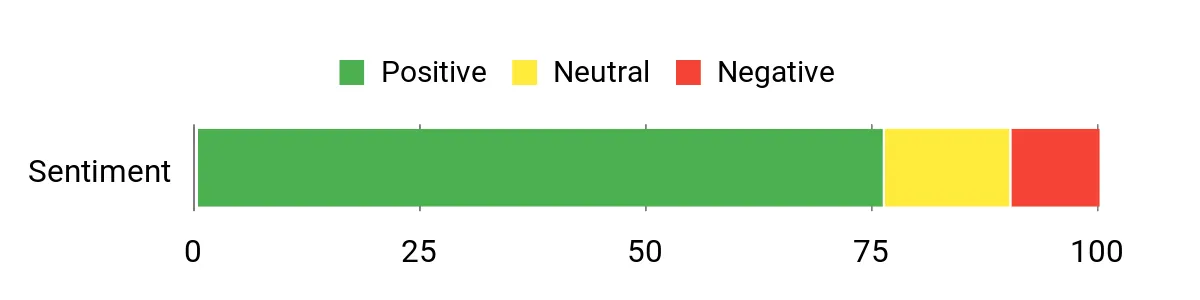
What People Say
Customers often praise how snappy the A8 feels for everyday productivity and heavier tasks like editing or development. People highlight the compact size and VESA compatibility as convenient for tight workspaces, and many appreciate the quiet operation under normal loads.
A smaller group mentions occasional setup quirks that were fixed with updates or different peripheral choices.
Overall Sentiment: Positive
Long-Term Savings
Because the A8 supports standard SSDs and memory upgrades, you can extend its usefulness by swapping or adding components rather than buying a new machine. The efficient cooling and modern I/O also reduce peripheral friction, meaning fewer adapters and less time troubleshooting over the product’s life.
Return On Investment
If your workflow mixes development, editing and multitasking, the A8’s performance and expandability translate into less waiting and fewer devices to manage. That streamlined setup is where I see most of the practical value over time.
Situational Benefits
| Situation | How It Helps |
|---|---|
| Software Development | Plenty of cores and fast storage speed up builds and local testing while multiple displays improve code and debug workflows. |
| Content Creation | Strong CPU and memory handle timeline edits and exports, and multiple outputs let me preview on external monitors. |
| Home Office | Compact footprint, VESA mount and quiet fans keep a neat desk while supporting video calls and heavy multitasking. |
| Media Playback | 8K/4K capable outputs and low noise make it a good fit for a living‑room media PC or a review station. |
Ease Of Use
| Feature | Ease Level |
|---|---|
| Initial Setup | Easy |
| Mounting (VESA) | Easy |
| Storage Upgrade | Moderate |
| Firmware & Driver Updates | Moderate |
Versatility
The A8 adapts from a developer workstation to a compact editing box or media center because of its powerful CPU, plentiful I/O and expansion paths. I find it useful when a single machine must handle varied daily tasks.
Practicality
I like how the A8 packs modern ports and mounting options into a small chassis, which makes it practical for crowded desks, shared offices or mounting behind a monitor.
Energy Efficiency
With a moderate power profile for its performance class, the A8 balances strong CPU throughput with reasonable energy use, so it’s suitable for long sessions without the overhead of a full desktop tower.
Speed & Responsiveness
The Ryzen 9 and NVMe storage deliver quick boots, fast app switching and snappy response under normal and moderately heavy loads. For sustained, very heavy renders the system holds up well compared with many other mini systems.
Key Benefits
- Desktop‑class multitasking with Ryzen 9 and DDR5
- Dual USB4 and multiple display outputs for modern I/O
- Quiet cooling and VESA mount for tidy setups
- Expandable storage and solid thermal headroom
I like the X1 Pro when I need a compact machine that can handle AI‑assisted workflows and serious multitasking. The Ryzen AI 9 and Radeon 890M give real compute headroom for editing, model inference and heavy multitasking, while 32GB of DDR5 and a PCIe 4.0 SSD keep the system feeling responsive.
Dual 2.5GbE and Wi‑Fi 7 make wired and wireless transfers noticeably faster, and features like Copilot AI, real‑time subtitle translation and a fingerprint sensor add practical value for creators and pros who want smoother workflows. If I need an all‑in‑one mini that can double as a workstation and media hub, this one fits that role nicely.
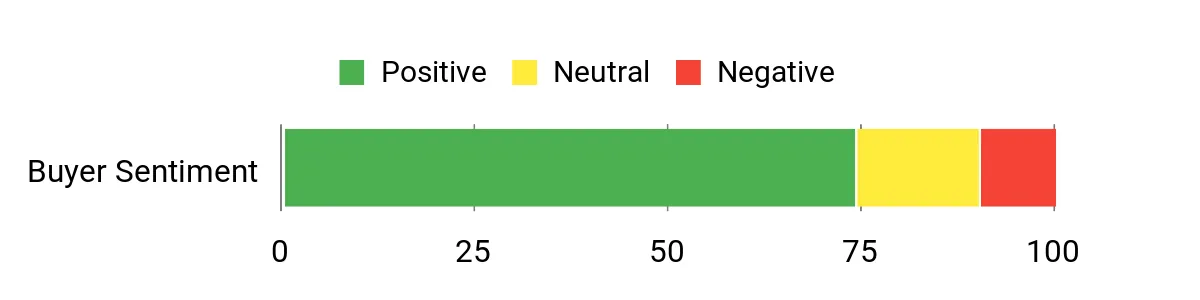
What People Say
Customers frequently note how capable the X1 Pro feels for heavier tasks that used to require a bigger box, and many call out the AI features and fast networking as real advantages. People also like the small footprint and multi‑display outputs for editing or review work, while some mention occasional connectivity oddities that were resolved with updates or troubleshooting.
Overall Sentiment: Positive
Long-Term Savings
The X1 Pro uses standard NVMe storage and user‑accessible expansion, so you can extend its useful life by swapping drives or adding memory rather than replacing the whole unit. Its modern I/O also reduces the need for adapters and external hubs over time, which cuts ongoing peripheral costs.
Return On Investment
For someone who spends time rendering, testing models or switching between heavy apps, the X1 Pro converts wait time into usable minutes. The faster workflows and consolidated hardware mean fewer devices to manage, which adds up as practical ROI in a small studio or office.
Situational Benefits
| Situation | How It Helps |
|---|---|
| AI Development | Built‑in AI acceleration and high core counts speed local model tests and inference, letting me iterate faster without cloud costs. |
| Video Review & Editing | 8K/4K outputs and a fast PCIe 4.0 SSD let me scrub footage and export timelines more quickly, while multiple displays help with timelines and preview panes. |
| Remote Collaboration | Real‑time subtitle translation and strong networking make multi‑language calls and large file shares smoother for distributed teams. |
| Compact Studio | Small footprint, VESA compatibility and quiet cooling let me mount it behind a monitor or tuck it into a tight studio desk. |
Ease Of Use
| Feature | Ease Level |
|---|---|
| Initial Setup | Easy |
| Using AI Features | Moderate |
| Storage Expansion | Moderate |
| Network Configuration | Moderate |
Versatility
The X1 Pro works as a developer workstation, compact editing rig or AI testbed, and its mix of I/O and expansion makes switching roles straightforward without new hardware.
Practicality
I appreciate the practical touches like fingerprint security, built‑in speakers and multiple display outputs that reduce reliance on extra devices and keep my desk tidy.
Energy Efficiency
Despite its performance, the system is tuned reasonably well for power use; it draws more under heavy AI loads but stays efficient during normal editing and office tasks.
Speed & Responsiveness
With PCIe 4.0 storage and fast cores, the X1 Pro boots and responds quickly, and its cooling keeps performance stable during extended exports or inference runs.
Key Benefits
- AI acceleration and Copilot features for productivity workflows
- High‑bandwidth I/O with dual 2.5GbE and Wi‑Fi 7
- Powerful CPU/GPU combo suited to editing and multitasking
- Compact build with multiple display outputs and fingerprint security
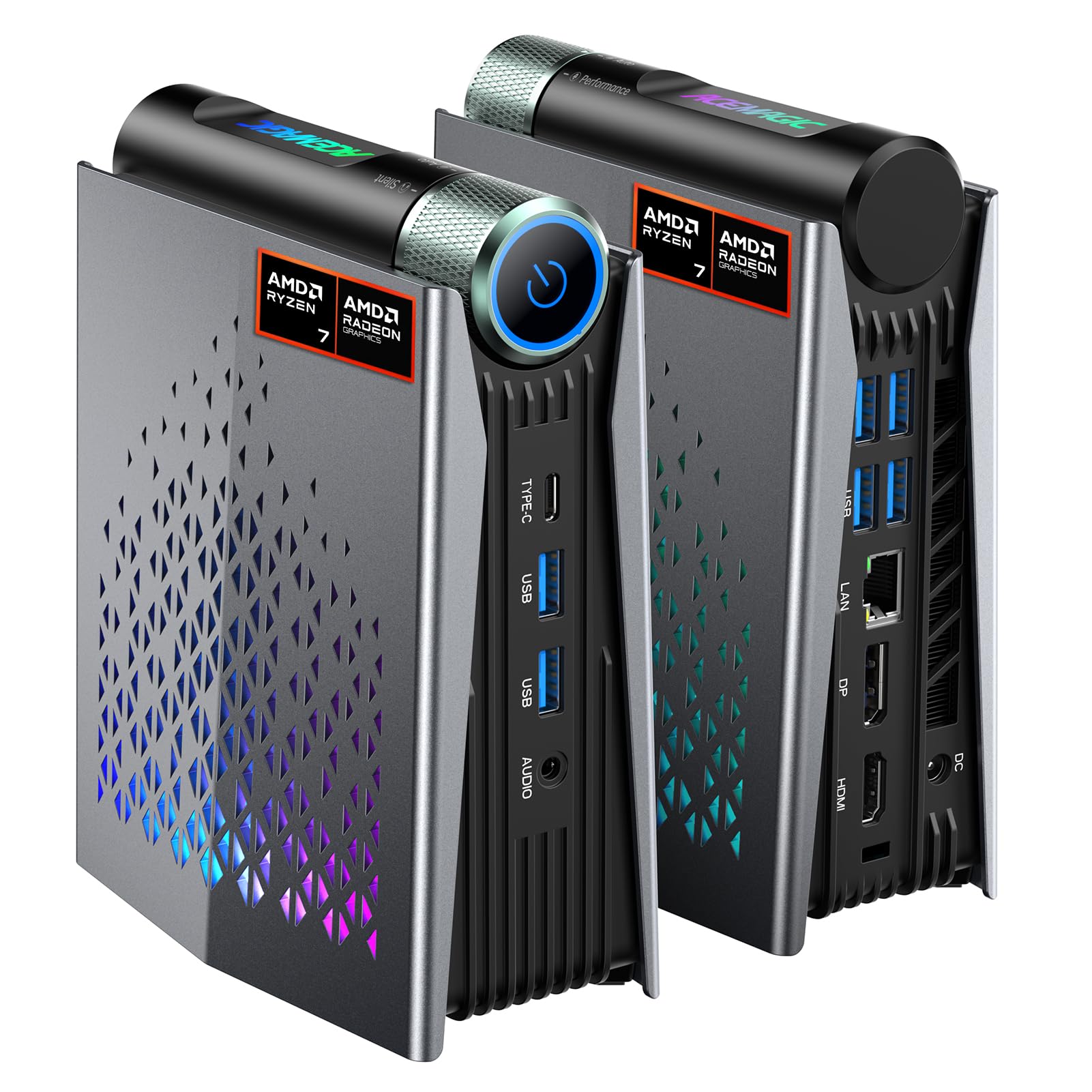
I like the S3A when I want a small desktop that still feels capable. The Ryzen 7 H 255 and LPDDR5 memory give a responsive feel for browsing, office work and light content editing, while the Radeon integrated graphics handle casual gaming and 4K playback. RGB lighting adds a bit of personality if you want it visible on a desk, and the variety of outputs makes hooking up multiple displays painless.
It’s a good pick when space is tight but you still need a machine that can multitask without fuss.
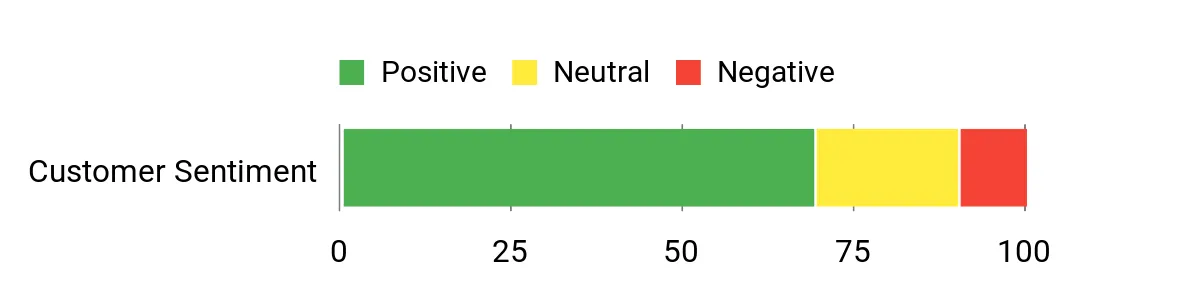
What People Say
People often point out that the S3A delivers solid day‑to‑day performance in a very small package, and many appreciate the display flexibility for multi‑monitor setups. Users like the quiet operation and the added RGB modes, while some mention wanting more memory for heavier multitasking.
Overall Sentiment: Positive
Long-Term Savings
The use of standard NVMe storage and accessible expansion paths means you can increase capacity or speed without replacing the whole unit. Keeping components upgradable extends the machine’s useful life and reduces the need for frequent full system upgrades.
Return On Investment
For someone juggling office apps, video calls and occasional edits, the S3A converts waiting time into usable minutes. Consolidating those tasks onto one compact unit reduces the number of devices to manage and simplifies desk setups.
Situational Benefits
| Situation | How It Helps |
|---|---|
| Home Office | Small footprint and multiple outputs let me run dual displays and keep a tidy desk while handling video calls and documents. |
| Light Editing | Fast NVMe storage and responsive CPU cores speed up small photo and video edits without needing a larger workstation. |
| Casual Gaming | Integrated Radeon graphics provide playable frame rates at modest settings for indie and older titles. |
| Classroom / Lab | VESA mount and compact design simplify deployments where space and noise control matter. |
Ease Of Use
| Feature | Ease Level |
|---|---|
| Initial Setup | Easy |
| RGB Controls | Easy |
| Storage Upgrade | Moderate |
| Memory Expansion | Moderate |
Versatility
The S3A shifts comfortably between roles: a compact editing station, a quiet media PC, or a reliable office machine. Its I/O and expansion options make repurposing straightforward as needs evolve.
Practicality
I value the practical touches like multiple video outputs, quiet cooling and VESA compatibility that make it simple to integrate into real desk setups or mounted displays.
Energy Efficiency
With a moderate power profile and efficient components, the S3A is suitable for daily use without the high electricity draw of a full desktop, which helps for always‑on or long‑session scenarios.
Speed & Responsiveness
Boots and app switching feel snappy thanks to PCIe4 NVMe and LPDDR5; under heavier sustained loads you may see limits, but for typical multitasking it stays responsive.
Key Benefits
- Compact, VESA‑friendly chassis for tight workspaces
- Responsive everyday performance with Ryzen 7 H 255 and LPDDR5
- Multiple display outputs including HDMI, DP and Type‑C
- Quiet fan profile and RGB options for a customizable setup
I see the G1 Pro as a rare mini that truly replaces a small tower for many users. With a Ryzen 9 HX CPU and RTX 5060 GPU it handles gaming, 3D work and heavy multitasking far better than typical minis, while 32GB of DDR5 and a PCIe 4.0 SSD keep app switching and large projects moving.
The array of video outputs, PCIe expansion and robust cooling make it practical for multi‑monitor setups and longer sessions, and its white chassis slips into both home and studio environments. If I need near‑desktop power in a compact package for gaming, content creation or development, this is one of the first minis I consider.
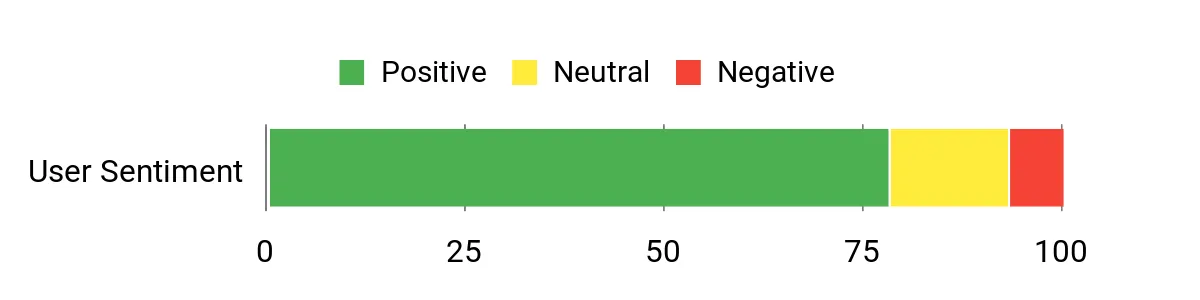
What People Say
People often point to the G1 Pro’s surprising power for its size, praising the way it runs games, editing workloads and development tasks that used to need a full desktop. Users also like the flexible I/O and expansion options, and many comment on how well it fits into a tidy desk or studio. A smaller number of customers mention occasional firmware or compatibility quirks that typically get sorted with updates or simple troubleshooting.
Overall Sentiment: Positive
Long-Term Savings
Because the G1 Pro supports standard PCIe drives and user‑accessible memory and expansion, you can upgrade storage or swap components as needs evolve instead of replacing the whole system. The consolidation of gaming and workstation duties into one machine also reduces the number of devices to maintain.
Return On Investment
If your workflow mixes development, rendering and gaming, the G1 Pro’s faster render times and reduced context switching add up to noticeable time savings. That productivity boost, combined with upgradeability, gives a clear practical return compared with juggling multiple machines.
Situational Benefits
| Situation | How It Helps |
|---|---|
| Gaming | Dedicated RTX graphics and multiple display outputs deliver high‑quality gameplay and smooth streaming without a bulky tower. |
| Content Creation | Fast cores, abundant RAM and PCIe 4.0 storage speed up editing, exports and timeline scrubbing for medium‑scale projects. |
| Development | High core counts and quick storage reduce build and test times, and multiple monitors improve code and debug workflows. |
| Studio / Review | Compact form factor, quiet cooling and multiple high‑res outputs make it easy to mount or tuck into a studio setup for review work. |
Ease Of Use
| Feature | Ease Level |
|---|---|
| Initial Setup | Easy |
| Mounting / Placement | Easy |
| Storage/Memory Upgrades | Moderate |
| Driver & Firmware Updates | Moderate |
Versatility
The G1 Pro comfortably spans roles from gaming rig to editing workstation to development box thanks to its balanced CPU/GPU combo and broad I/O, so I can repurpose it as my needs change without buying another system.
Practicality
I value the practical mix of expansion, quiet cooling and multiple display outputs that make this mini suitable for desks, mounted setups or small studios where space and noise matter.
Energy Efficiency
While it draws more under heavy GPU or CPU loads than ultra‑low‑power minis, the G1 Pro remains more efficient than equivalent full towers, offering a good compromise between performance and power use for extended sessions.
Speed & Responsiveness
With a high‑clock Ryzen HX and RTX 5060 plus PCIe 4.0 storage, boots and app switching are fast and render/export times are noticeably shorter compared with typical mini PCs, making the system feel responsive in daily work.
Key Benefits
- Desktop‑class CPU and dedicated RTX 5060 GPU for demanding tasks
- Plenty of fast memory and PCIe 4.0 storage for large projects
- Multiple high‑res outputs and expansion for multi‑monitor workflows
- Strong connectivity with 5G LAN and Wi‑Fi 7 for fast transfers
I reach for the SER5 when I want a no‑fuss compact machine that covers everyday tasks and media playback. The Ryzen 5 CPU with 16GB of RAM keeps browsers, office apps and streaming smooth, while triple‑display output is handy for a tidy multi‑monitor setup or an HTPC beside the TV.
It’s small enough to tuck on a shelf yet offers sensible ports and an NVMe drive for quick responsiveness. For classrooms, home offices or a living room media box that can also handle light gaming, this is a practical choice I’d consider.
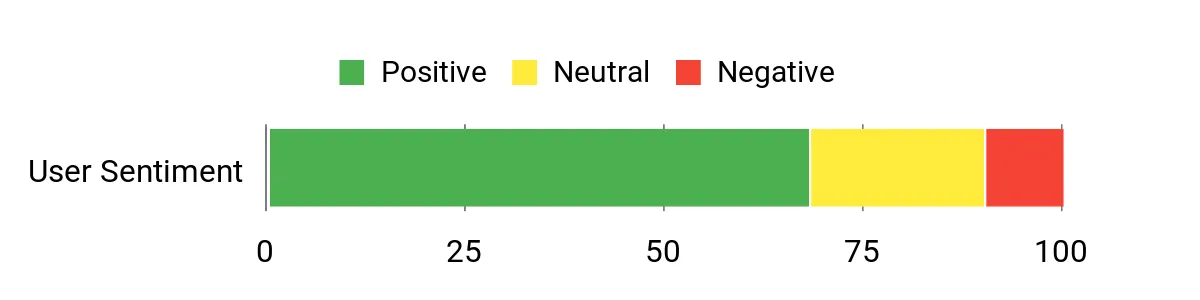
What People Say
Folks tend to appreciate how the SER5 delivers useful ports and stable media playback in a very small package. Many call out the triple‑display capability and quiet operation as strong practical advantages, while a few mention that heavier multitasking benefits from additional RAM.
Overall Sentiment: Positive
Long-Term Savings
Because the SER5 uses NVMe storage and standard memory, you can upgrade capacity or add RAM to extend its useful life instead of replacing the whole unit. Its modest power draw also keeps running costs and cooling needs lower over time.
Return On Investment
If your daily work is mostly browser, office apps and media, the SER5 gives reliable performance and easy maintenance that reduce downtime. Upgrading storage or memory later is a straightforward way to preserve value as workloads grow.
Situational Benefits
| Situation | How It Helps |
|---|---|
| Home Office | Small footprint and multiple displays let me run reference windows and video calls without crowding the desk. |
| HTPC / Media | 4K playback on multiple outputs and quiet cooling make it ideal for streaming, watching shows or running a compact media center. |
| Classroom / Lab | VESA mountability and straightforward I/O simplify deployments where space and ease of management matter. |
| Light Gaming | Integrated Radeon graphics allow playable framerates for indie and older titles, good for casual gaming sessions. |
Ease Of Use
| Feature | Ease Level |
|---|---|
| Initial Setup | Easy |
| Mounting (VESA) | Easy |
| Storage Upgrade | Moderate |
| Memory Upgrade | Moderate |
Versatility
This mini adapts well from a tidy desk PC to a media hub or classroom machine thanks to its display flexibility and standard ports, so I can repurpose it without buying a new device.
Practicality
I like that it packs useful connectors and triple‑display support into a compact chassis, making it easy to fit into small spaces or mount behind a monitor for a clean setup.
Energy Efficiency
With a moderate power profile and efficient mobile silicon, the SER5 stays economical for daily use and suitable for always‑on tasks without drawing excessive power.
Speed & Responsiveness
Boots and app switching feel responsive thanks to NVMe storage and 16GB RAM; very heavy workloads may benefit from added memory, but typical multitasking remains snappy.
Key Benefits
- Triple 4K display outputs for multitasking or media setups
- Compact, VESA‑friendly design that saves desk space
- Solid day‑to‑day performance for office apps and streaming
- Wi‑Fi 6 and Bluetooth 5.2 for modern wireless connectivity
I like the K15 when I want a compact machine that leans into AI and expandability. The Intel Core Ultra 5 and large DDR5 pool handle multitasking and inference tasks comfortably, while triple M.2 slots and USB4 make fast storage and external devices painless to add.
Dual 2.5GbE and HDMI 2.1 give me robust networking and display options for a small studio or home office, and the dual quiet fans keep sustained loads stable. If I want a single compact box that can act as a development workstation, a media hub and an AI testbed, the K15 is the kind of device I’d consider.
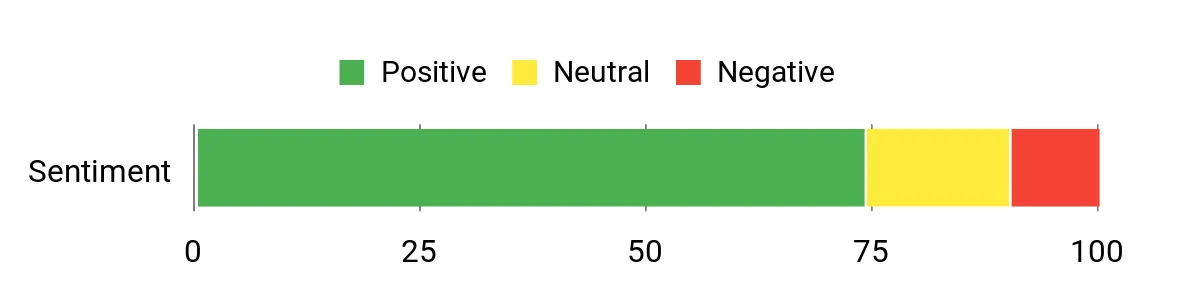
What People Say
Buyers frequently praise the K15’s responsiveness on AI workloads and heavy multitasking, and many point to the plentiful expansion slots and modern I/O as practical advantages. People also note the quiet cooling under normal loads and the convenience of strong wired networking.
A few mention initial setup or driver quirks that were resolved with updates or simple troubleshooting.
Overall Sentiment: Positive
Long-Term Savings
The triple M.2 expansion and high RAM ceiling let you upgrade storage and memory over time rather than replacing the whole machine. Modern I/O reduces the need for extra adapters, and that consolidation lowers peripheral and maintenance costs in the long run.
Return On Investment
For developers and creators who spend hours waiting on exports or model runs, the K15 turns waiting into productive time. Its upgrade path and consolidated connectivity mean fewer devices to manage, which translates into practical savings over a typical ownership cycle.
Situational Benefits
| Situation | How It Helps |
|---|---|
| AI Development | Built‑in NPU and many CPU cores speed local inference and testing so I can iterate models without always relying on cloud instances. |
| Content Creation | Fast NVMe storage options and USB4 let me move large assets quickly and preview on high‑res displays for smoother editing sessions. |
| Small Team Office | Dual 2.5GbE and robust I/O let me share large files and connect fast external drives for collaborative work without a dedicated server. |
| Media & Playback | HDMI 2.1 and multiple display outputs support high‑resolution playback and multi‑monitor review setups while keeping noise low. |
Ease Of Use
| Feature | Ease Level |
|---|---|
| Initial Setup | Easy |
| Using AI Features | Moderate |
| Storage Expansion | Moderate |
| Network Configuration | Moderate |
Versatility
The K15 shifts well between roles: I can use it as an AI testbed, a compact editing workstation or a networked media box. Its mix of expansion and ports makes repurposing straightforward as my needs evolve.
Practicality
I appreciate the practical touches like Oculink, multiple M.2 slots and front/rear audio ports that reduce the need for extra peripherals and make desk integration clean and simple.
Energy Efficiency
Despite strong performance, the platform is relatively efficient for its class. Under light to moderate use it draws modest power, and the thermal design helps avoid sustained high power spikes that raise operating costs.
Speed & Responsiveness
With DDR5 and NVMe storage, the K15 boots quickly and feels responsive when switching apps or loading large files. The AI NPU shortens certain inference tasks compared with CPU‑only setups.
Key Benefits
- Built‑in AI NPU and strong Intel Ultra CPU for inference tasks
- Triple M.2 expansion and large DDR5 headroom for upgrades
- Dual 2.5GbE and USB4 for fast networking and peripherals
- Compact chassis with effective cooling and optional RGB
I view the M1A Pro as a true mini workstation that brings desktop‑class components into a compact chassis. The 14th‑Gen i9 and ARC A770 give real rendering and encode headroom, while 32GB of DDR5 and PCIe4 storage keep projects and large files moving.
It supports multiple high‑res displays and includes practical I/O for creative workflows, and the 2‑year warranty adds peace of mind for professional use. For someone who needs serious compute in a small footprint—editing, 3D previews or multi‑display development—the M1A Pro feels like a sensible, space‑efficient alternative to a full tower.
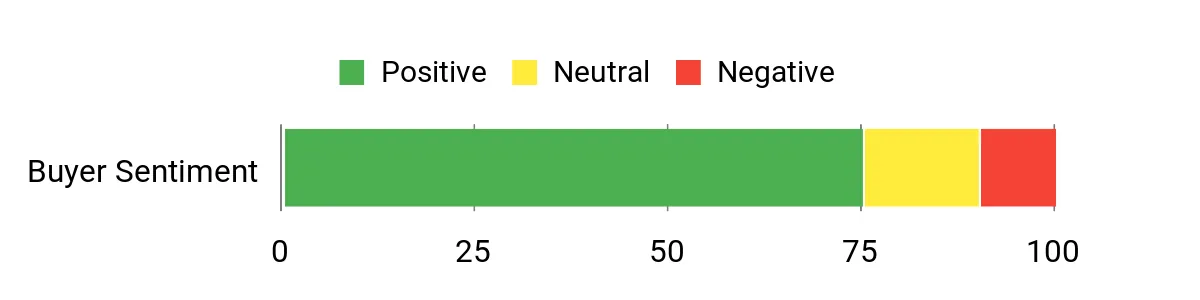
What People Say
Users commonly praise the M1A Pro for delivering near‑desktop performance in a small box, and many highlight the smooth multitasking and faster export times. People also appreciate the range of display outputs and expansion options, while a few note that driver or setup updates can be required for peak stability in specific workflows.
Overall Sentiment: Positive
Long-Term Savings
Because the M1A Pro uses standard PCIe storage and supports memory and expansion upgrades, you can keep it current by swapping drives or adding RAM instead of buying a new system. That upgrade path and consolidated functionality reduce device churn and peripheral complexity over time.
Return On Investment
When your work includes frequent renders, exports or multi‑monitor productivity, the time saved on slower tasks converts directly to practical ROI. Consolidating editing, development and occasional gaming into one capable mini also reduces the number of machines you manage.
Situational Benefits
| Situation | How It Helps |
|---|---|
| Video Editing | Discrete ARC graphics plus fast PCIe4 storage speed timeline scrubbing and shorten export times for medium‑scale projects. |
| 3D Preview & Rendering | High core counts and a dedicated GPU let me preview scenes and run local renders without needing a full desktop. |
| Multi‑Monitor Workflows | Multiple DisplayPort/HDMI outputs make it simple to drive reference, timeline and preview displays simultaneously. |
| Small Studio / Desk | Compact footprint and quiet cooling let me tuck the unit into a studio desk or mount location while keeping noise low. |
Ease Of Use
| Feature | Ease Level |
|---|---|
| Initial Setup | Easy |
| Storage/Memory Upgrades | Moderate |
| Driver & Firmware Updates | Moderate |
| Mounting / Placement | Easy |
Versatility
The M1A Pro works as a compact editing rig, a development box or a small gaming workstation. Its combination of CPU, GPU and expandability makes it easy to repurpose as needs shift without a full platform change.
Practicality
I like that it brings professional‑grade ports and expansion to a small footprint, so it fits tight desks and studio racks while supporting real‑world peripherals and multi‑display setups.
Energy Efficiency
Compared with a full tower, the M1A Pro balances strong performance with a relatively modest power envelope and tuned cooling, which helps keep energy use reasonable during long sessions.
Speed & Responsiveness
With a high‑end i9 and PCIe4 SSD, the system boots quickly and switches between heavy apps with minimal lag. Under sustained, GPU‑heavy renders the cooling keeps performance steady for typical studio workloads.
Key Benefits
- Desktop‑class CPU and discrete ARC A770 for demanding workloads
- PCIe4 NVMe storage and 32GB DDR5 for fast file access and multitasking
- Multiple display outputs for complex multi‑monitor setups
- Compact form factor with practical expansion and a 2‑year warranty
I reach for the X1 when I want a compact machine that can handle both office duties and heavier creative work. The Ryzen 7 255 with DDR5 and a PCIe SSD keeps apps and large files responsive, while USB4 and multiple display outputs let me run high‑resolution monitors without juggling adapters.
Built‑in speakers and a DMIC make quick calls or review sessions convenient, and dual 2.5GbE plus Wi‑Fi 7 keep large file transfers snappy. It’s a solid choice if you want a single compact PC that covers remote work, media playback and occasional editing without a bulky tower.
What People Say
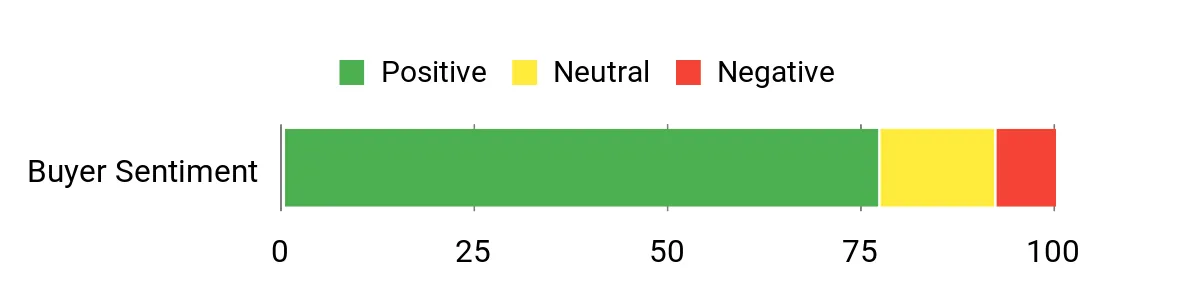
People commonly point out how the X1 feels fast for everyday use and more demanding tasks like editing or running many apps at once. Reviewers often praise the straightforward multi‑display support and the convenience of built‑in audio for calls and quick reviews.
A smaller number mention occasional driver or setup hiccups that were fixed with firmware updates or simple troubleshooting.
Overall Sentiment: Positive
Long-Term Savings
Because the X1 uses standard M.2 storage and has sensible expansion paths, you can increase capacity or swap drives as needs grow instead of replacing the whole system. That upgradeability, combined with modern I/O, reduces the need for extra hubs or adapters over the machine’s life.
Return On Investment
If your day involves lots of tabs, remote meetings and occasional editing, the time saved by faster load and transfer times adds up. Consolidating those tasks into one capable mini reduces device clutter and lowers the overhead of managing multiple machines.
Situational Benefits
| Situation | How It Helps |
|---|---|
| Home Office | Multiple displays and solid networking let me run reference windows, video calls and documents without constant window juggling. |
| Media & HTPC | 4K outputs, USB4 and built‑in speakers make streaming and local playback simple with minimal cabling. |
| Creative Work | Responsive SSD and DDR5 memory speed up small edits and scrubbing timelines for short to medium projects. |
| Remote Collaboration | Fast wired LAN and Wi‑Fi 7 reduce file transfer headaches when sharing large assets with teammates. |
Ease Of Use
| Feature | Ease Level |
|---|---|
| Initial Setup | Easy |
| Multi‑Display Setup | Moderate |
| Storage Upgrade | Moderate |
| Network Configuration | Moderate |
Versatility
The X1 moves well between roles: a tidy desk PC, a small editing box and an HTPC. Its combination of I/O, built‑in audio and compact size makes repurposing straightforward as needs change.
Practicality
I like that it packs modern ports and dual 2.5GbE into a small chassis, which keeps desks uncluttered and avoids constant adapter switching for common peripherals.
Energy Efficiency
With mobile AMD silicon and a reasonable power envelope, the X1 stays efficient for daily use and is suitable for machines that run many hours without the energy draw of a full desktop tower.
Speed & Responsiveness
Boots and app switching feel quick thanks to DDR5 and a PCIe SSD; heavier exports will take longer than on high‑end workstations, but the system remains responsive for typical multitasking.
Key Benefits
- Smooth multitasking with Ryzen 7 and DDR5 memory
- Multiple high‑res display outputs including USB4 for modern I/O
- Dual 2.5GbE and Wi‑Fi 7 for fast wired and wireless transfers
- Built‑in speakers and DMIC for simple conferencing and media
FAQ
Do Mini PCs Match Desktop Performance?
I often find that modern mini PCs can match desktop performance for many real‑world tasks, especially models with high‑end mobile CPUs or discrete GPUs. They handle web work, office apps, streaming and even photo/video editing very well, but I keep in mind that sustained heavy loads like long renders may push thermals and lead to throttling on smaller designs.
My practical tip is to choose a mini with a proven cooling solution or a model that offers discrete GPU or HX/H‑series silicon if you expect long, CPU/GPU‑intensive sessions.
Can I Upgrade Storage And RAM?
In my experience many mini PCs are designed with upgradeability in mind, and you’ll commonly find dual M.2 slots and user‑accessible RAM slots on the better models. I always check the spec sheet because some units use soldered LPDDR memory while others use SO‑DIMM DDR5 that you can swap; also confirm maximum supported sizes and whether the BIOS supports larger drives.
Upgrading storage or RAM is one of the easiest ways I extend a mini PC’s useful life and avoid replacing the whole system.
What Should I Look For When Choosing One?
I focus first on what I’ll actually do: prioritize CPU and GPU for editing or gaming, or prioritize low power and quiet cooling for an always‑on home office or HTPC. I also look at real I/O and networking like USB4/USB‑C, enough HDMI/DisplayPort outputs for my monitors, and 2.5GbE or Wi‑Fi 6E/7 if I move large files often; mount options and vendor support matter too.
My practical advice is to match the machine’s strengths to your workflow rather than chasing headline specs alone.
Wrapping Up
I built this shortlist to help you find the right Windows mini PC quickly: pick a flagship like the MINISFORUM G1 if you need desktop‑class GPU power, choose a MINI PC with AI features for future‑facing workloads, or opt for a budget model such as the ACEMAGIC K1 if price and compactness are your priorities. Each pick highlights a clear strength so you can match device to use case instead of guessing from specs alone.
If you want a single recommendation that balances performance, ports, and price, I typically point people to a balanced model from the midrange and premium lists because they handle both work and occasional creative tasks without compromise.
| Product Name | Image | Operating System | CPU Model & Speed | RAM & Storage | Graphics | Dimensions & Power Consumption |
|---|---|---|---|---|---|---|
| GMKtec Gaming Mini PC Ryzen 7640HS |
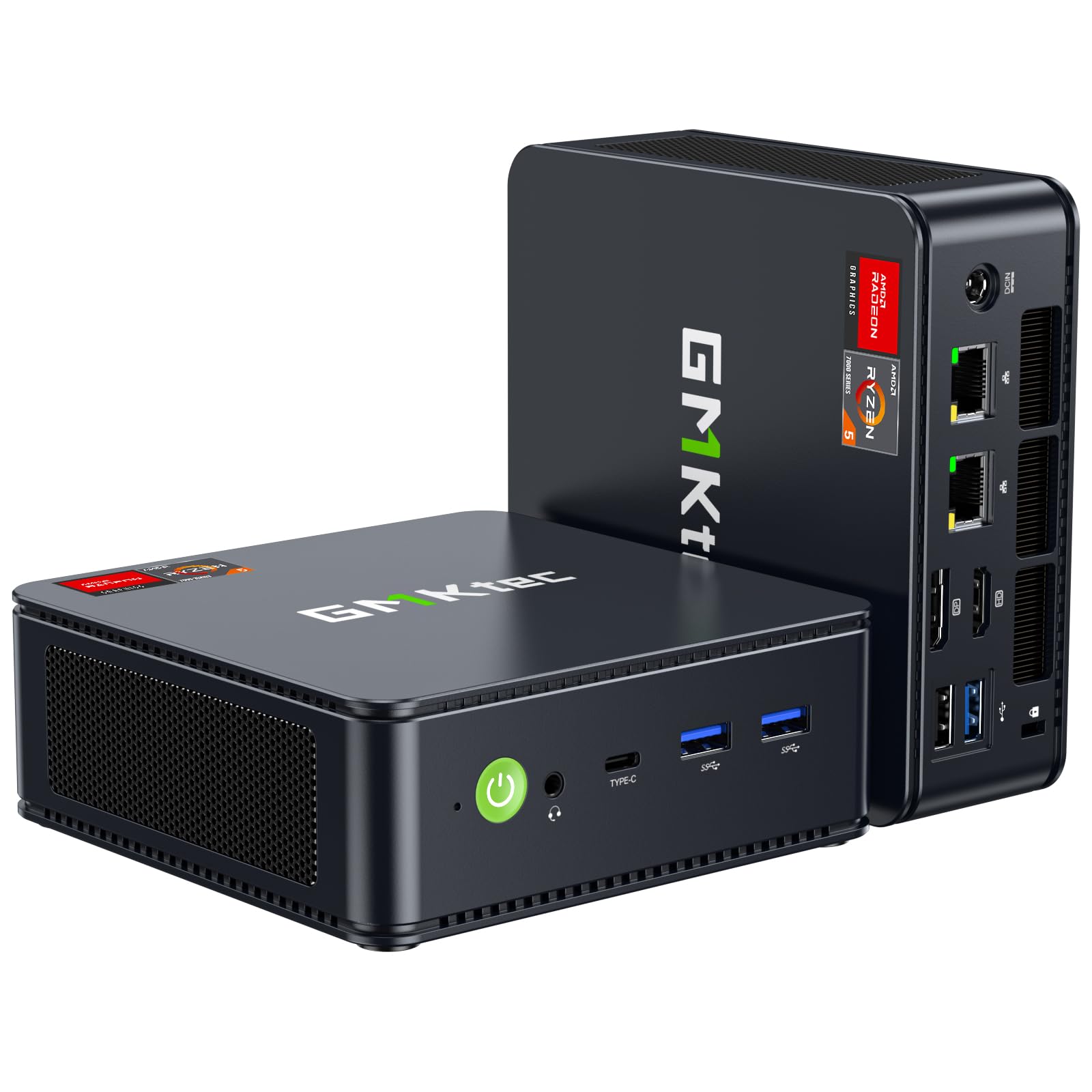 |
OS | AMD R Series, 4.5 GHz | 16 GB DDR5, 512 GB NVMe SSD | Integrated – AMD Radeon 760M | 5 x 2 x 5 inches, 45 Watts |
| GEEKOM A7 MAX |
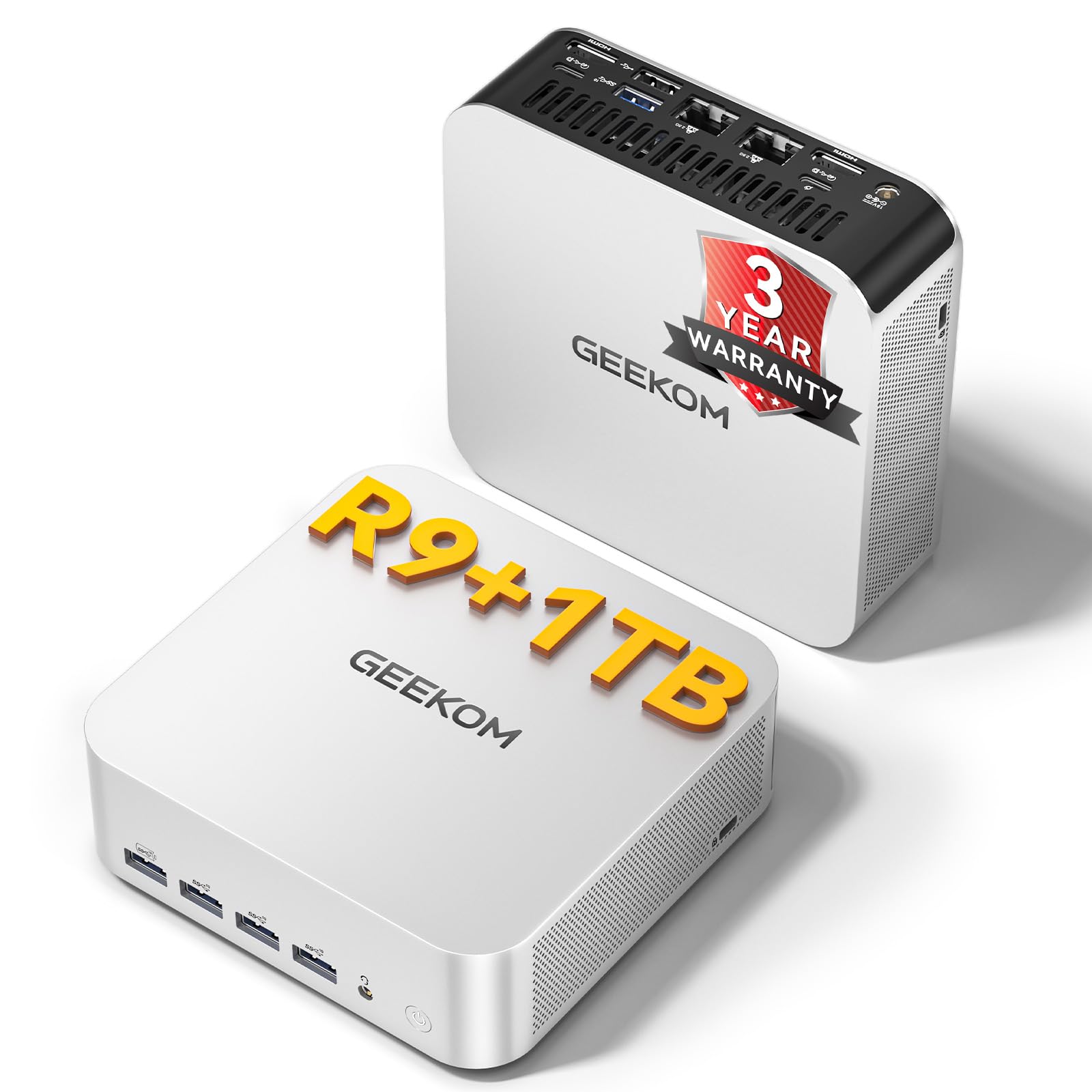 |
Windows 11 Pro | Ryzen 9, 5.2 GHz | 16 GB DDR5, 1 TB SSD (Expandable) | Integrated – AMD Radeon 780M | 5.47 x 5.2 x 1.71 inches, 54 Watts |
| ACEMAGIC K1 Mini PC |
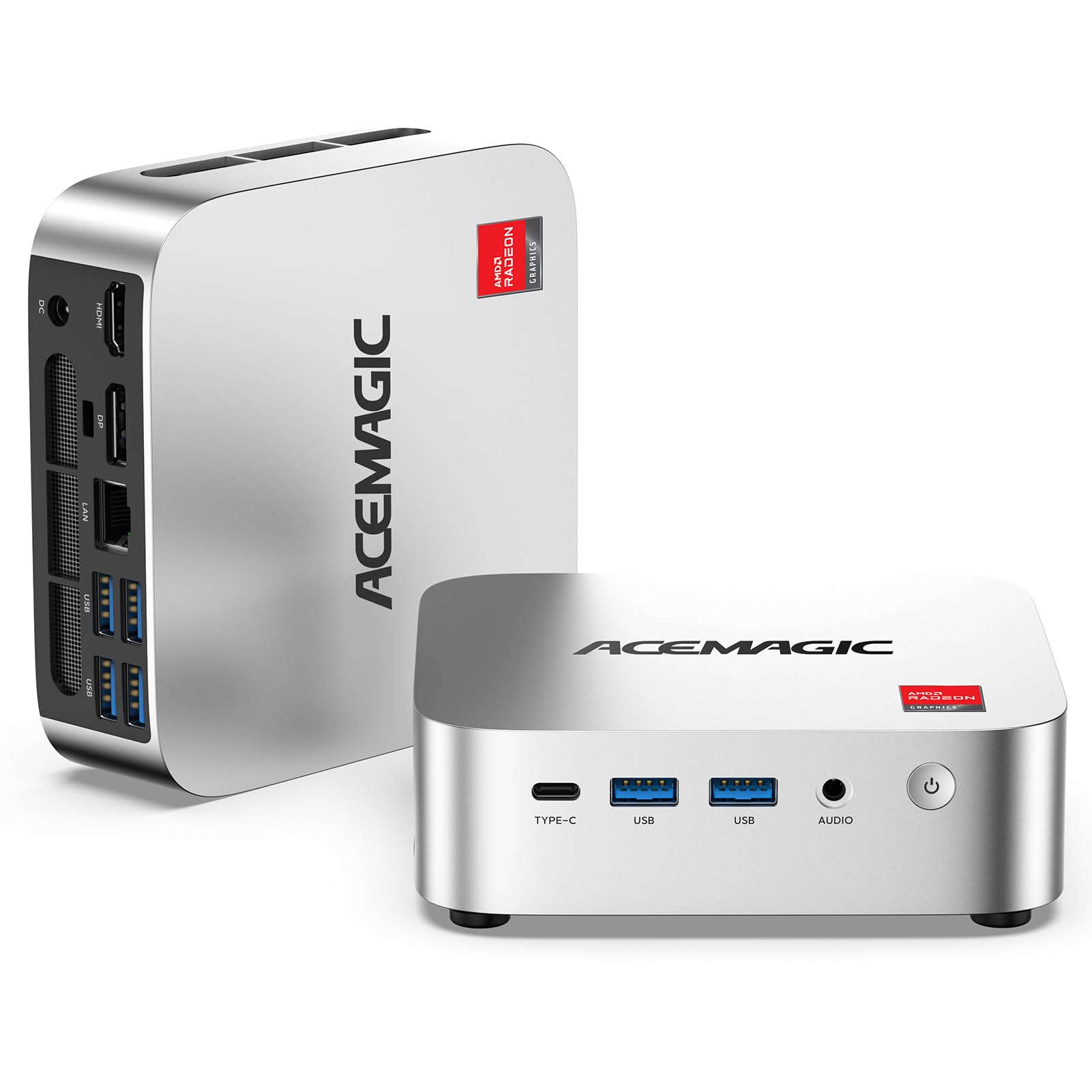 |
Windows 11 Pro | AMD R Series, 3.7 GHz | 8 GB DDR4, 256 GB SSD | Integrated – AMD Radeon Graphics | 5 x 2.6 x 2 inches, 28 Watts |
| GMKtec M7 Ultra |
 |
Windows 11 Pro | AMD Ryzen 7, 4.7 GHz | 32 GB DDR5, 512 GB SSD | Integrated – AMD Radeon 680M | 5 x 5 x 5 inch, 54 Watts |
| ACEMAGIC M5 Mini PC |
 |
Windows 11 Pro | Intel Core i5, 2.4 GHz | 32 GB DDR4, 1 TB SSD | Integrated – Intel UHD Graphics | 5.03 x 1.62 x 5.03 inches, 55 Watts |
| GEEKOM A8 MAX |
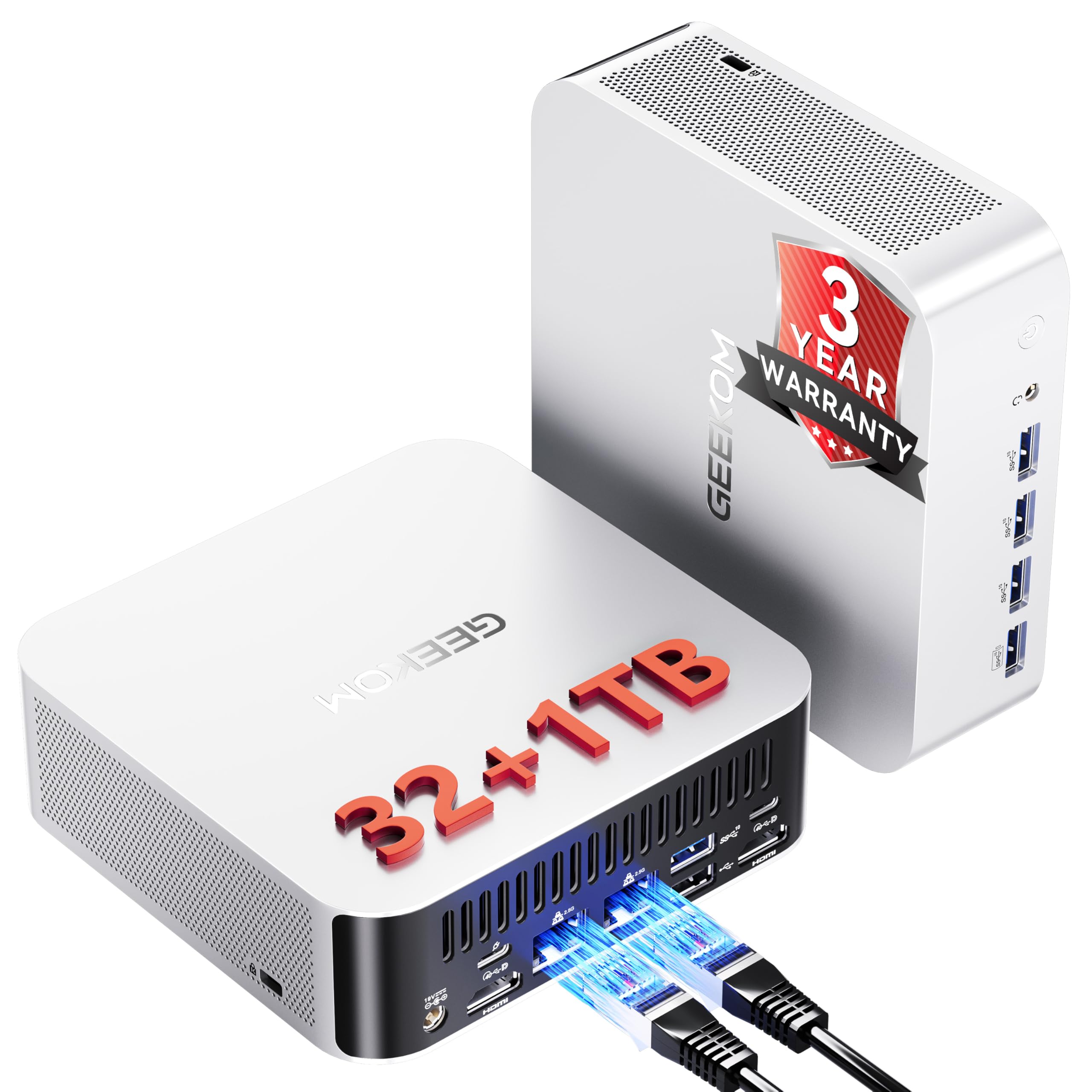 |
Windows 11 Pro | Ryzen 9, 5.2 GHz | 32 GB DDR5, 1 TB Expandable SSD | Integrated – AMD Radeon 780M | Dimensions N/A, Power N/A |
| MINISFORUM AI X1 Pro |
 |
OS | Ryzen 9, 5.1 GHz | 32 GB DDR5, 1 TB PCIe 4.0 SSD | Dedicated – AMD Radeon 890M | N/A, 65 Watts |
| MINISFORUM G1 Pro |
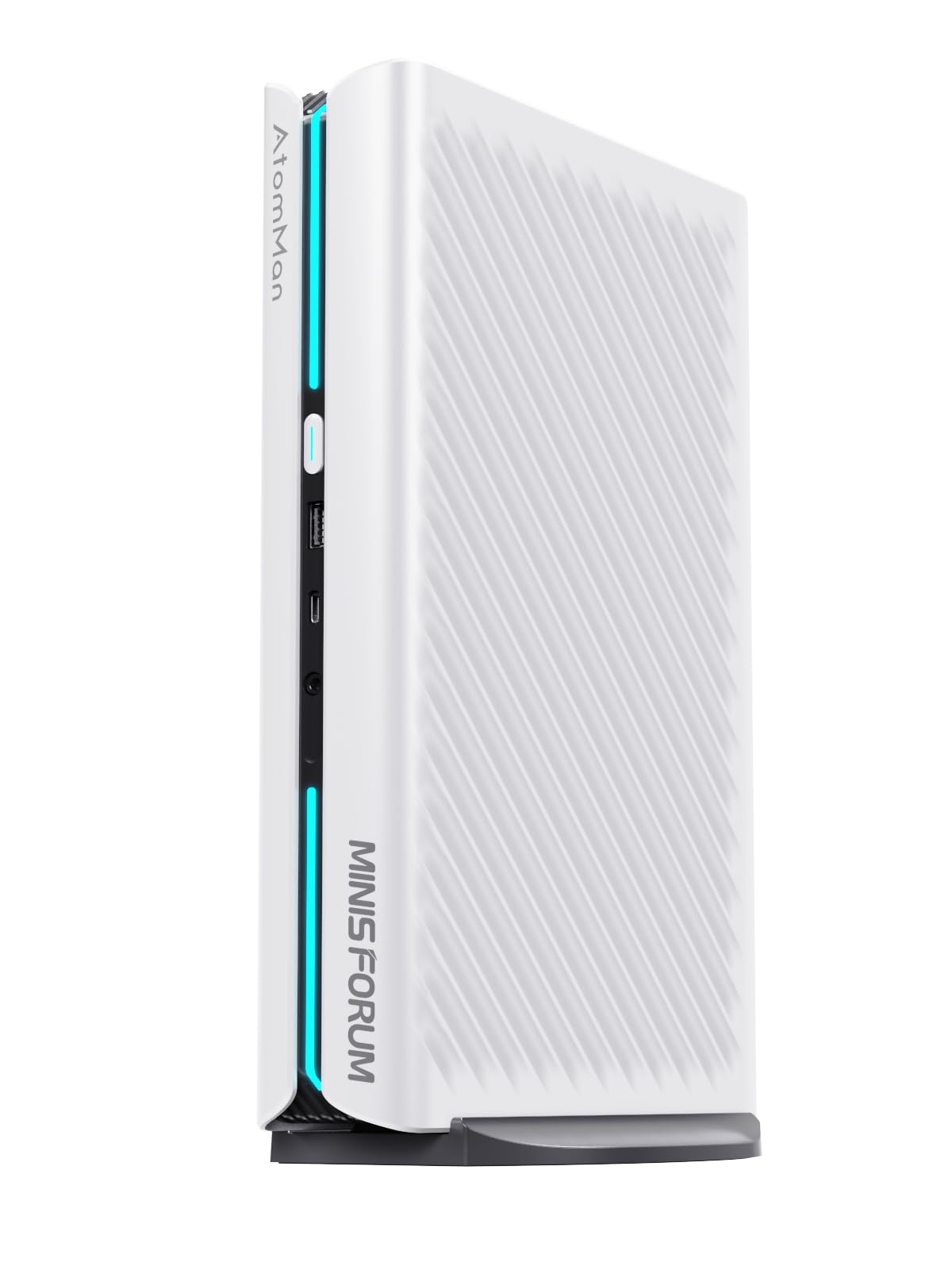 |
OS | AMD R Series, 5.4 GHz | 32 GB DDR5, 1 TB PCIe 4.0 SSD | Dedicated – GeForce RTX 5060 | N/A, unspecified |
| Beelink SER5 Mini PC |
 |
OS | AMD R Series, 4.0 GHz | 16 GB DDR4, 480 GB NVMe SSD | Integrated – AMD Radeon Graphics | 6.6 x 5.1 x 1.5 inches, 54 Watts |
| GMKtec K15 AI Mini PC |
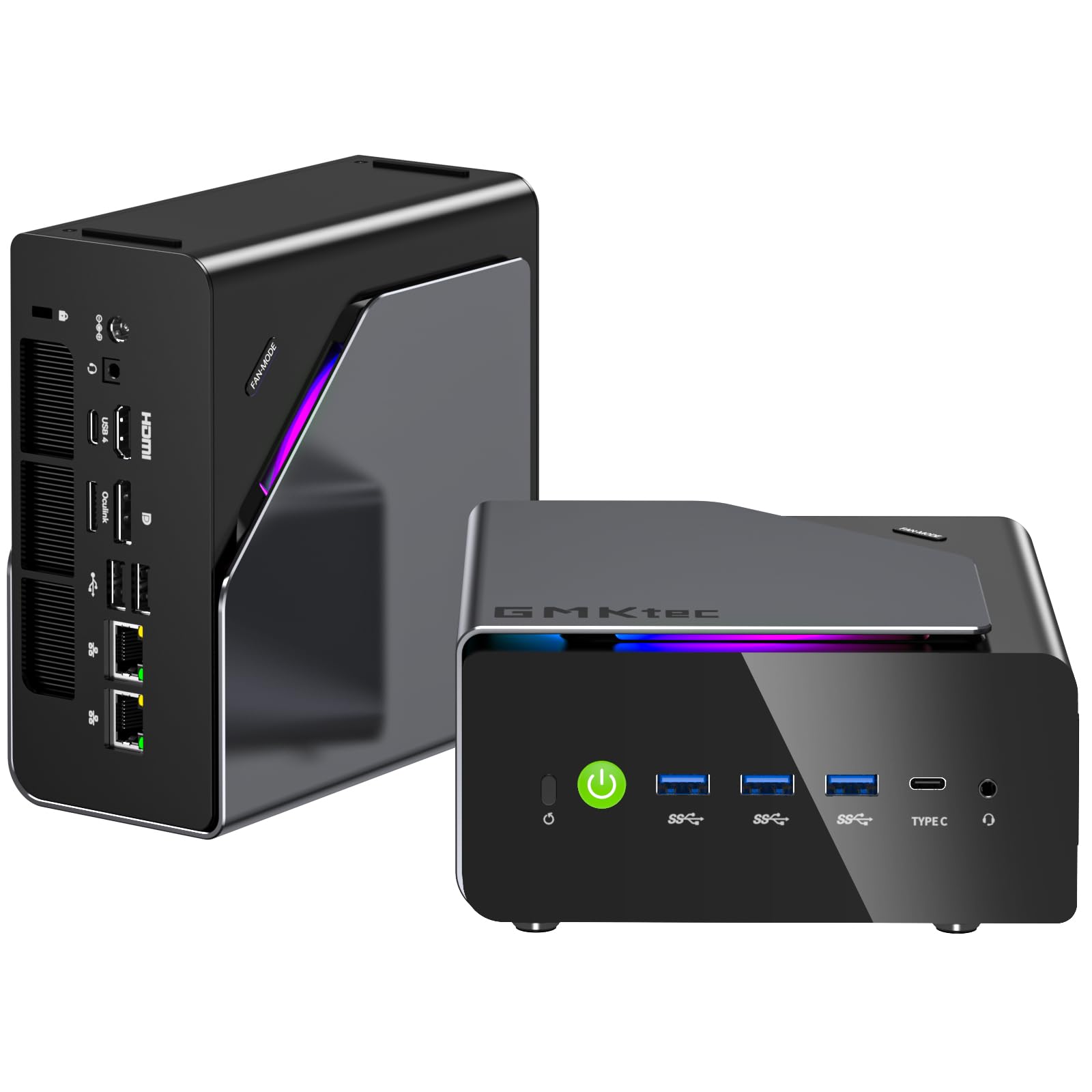 |
Windows 11 Pro | Intel Core Ultra 5, 4.3 GHz | 48 GB DDR5, 1 TB SSD | Integrated – Intel Graphics GPU | N/A, 15 Watts |
| ACEMAGIC M1A Pro AI Mini PC Workstation |
 |
Windows 11 Pro | Intel Core i9, 2.6 GHz | 32 GB DDR5, 1 TB SSD | Discrete – Intel ARC A770 GPU | Dimensions N/A, unspecified |
| MINISFORUM AI X1-255 Mini PC |
 |
OS | Ryzen 7, 4.9 GHz | 32 GB DDR5, 1 TB SSD | Integrated – AMD Radeon 780M | N/A, 65 Watts |