 Skip to content
No. A Minecraft server does not need a GPU. The Minecraft server software is entirely CPU and RAM driven. It does not render any graphics, does not output any video, and never touches the GPU at all during normal operation. A headless server running on a machine with no GPU whatsoever, or only basic integrated graphics, will run identically to the same server running on a machine with a high-end discrete GPU. The GPU is irrelevant to server performance. The hardware that actually determines how well your Minecraft server runs is, in order of importance: CPU single-core performance, total RAM, SSD storage speed, and network upload bandwidth.
Why a Minecraft Server Doesn’t Use the GPU
To understand why a GPU is completely irrelevant to a Minecraft server, it helps to understand what the server software actually does versus what the client does.
What the server does:
The Minecraft server software is responsible for simulating the game world. Every tick (the server runs at 20 ticks per second), it processes mob AI and pathfinding, handles player position and collision, manages block changes and world events, runs redstone logic, generates new chunks as players explore, and manages entity interactions. None of these operations involve drawing anything to a screen. The server has no display output. It runs entirely as a background Java process, processing game logic and communicating player states over a network connection.
What the client does:
When you sit down to play Minecraft yourself on your own computer, the client software is responsible for rendering what you see: drawing the world geometry, calculating lighting, applying shaders, rendering entities and particles, and displaying the interface. This is where the GPU is essential. The client is rendering thousands of blocks, calculating shadows, and pushing frames to your monitor at 60+ FPS. Without a GPU, the client experience is extremely poor. But none of this rendering work happens on the server side. The server never draws a single frame.
This is exactly why the Minecraft Wiki’s official server requirements page lists CPU, RAM, and storage as the key hardware components, with no GPU requirement or recommendation listed at any tier.
What Hardware Actually Matters for a Minecraft Server
Since the GPU is off the table, here is what you should actually be paying attention to when building or choosing server hardware.
CPU: The Most Important Factor
Single-core performance is what matters, not core count. This is the most important and most commonly misunderstood aspect of Minecraft server hardware. The main game loop, including chunk loading, mob AI, redstone processing, and player interactions, runs on a single thread. This means a CPU with a blazing fast single-core clock speed will outperform a CPU with many slower cores in almost every server scenario.
A 4-core CPU running at 4.5GHz will handle a Minecraft server better than a 16-core CPU at 2.8GHz. When evaluating CPUs for a Minecraft server, look at the single-core performance benchmark (sites like Passmark list single-thread ratings), not the total core count or the aggregate multi-core score.
Multi-core performance does matter at the margins: Paper and Folia (popular high-performance server software forks) can distribute some tasks across threads, and the JVM (Java Virtual Machine) itself uses multiple threads for garbage collection and I/O operations. But the primary game tick loop remains single-threaded, and single-core speed is your ceiling for server responsiveness.
Minimum viable CPU: Intel Core 2 Duo or AMD Athlon 64 x2 (adequate for 1 to 4 players)
Recommended CPU for most home servers: Intel Core i5-4690 or AMD Ryzen 5 1600 or better for 10+ players
Best CPUs for high-player-count servers: Modern Intel Core i7 or i9 CPUs with high single-core boost clocks, or AMD Ryzen 5000/7000 series with strong single-threaded performance
RAM: Your Second Most Critical Resource
RAM is the resource most directly tied to player count and world complexity. The Minecraft server process loads entire chunks into memory for all active players simultaneously. The more players you have, and the larger the area being explored, the more RAM is consumed.
As a practical starting point based on community-validated guidelines from WiseHosting’s Minecraft server requirements guide:
| Server Type | Players | RAM Recommended |
|---|---|---|
| Vanilla (small) | 2 to 10 | 4 to 5GB |
| Lightly modded | 2 to 10 | 5 to 6GB |
| Heavily modded | 2 to 10 | 8 to 12GB |
| Plugin server (medium) | 15 to 40 | 6 to 8GB |
| Large community server | 100+ | 12GB+ |
Allocating RAM properly matters as much as having it. When launching the server JAR, the -Xmx flag controls maximum heap allocation. A common mistake is running a server on a 16GB machine but only allocating 1 to 2GB to the Java process, then wondering why it performs poorly. A good general rule: allocate at least half the system’s RAM to the server process while leaving enough for the OS (around 2GB for the OS is a safe reserve).
Storage: SSD or NVMe Over HDD
Storage matters significantly for Minecraft servers because chunk loading, world saves, and chunk generation all involve constant disk reads and writes. A mechanical hard drive introduces noticeable latency into chunk generation, which players experience as rubber-banding or lag spikes when exploring new areas. WiseHosting’s server hardware guide documents this clearly:
| Storage Type | Speed | Practical Impact |
|---|---|---|
| HDD | 80 to 150 MB/s | Visible chunk load delays, lag on world gen |
| SSD | 400 to 550 MB/s | Clean, fast chunk loading for most servers |
| NVMe | 2000 to 7000 MB/s | Near-instant chunk gen, best for large servers |
For a small home server with a few friends, an SSD is sufficient and noticeably better than an HDD. For servers with 20+ active players exploring large areas simultaneously, NVMe is worth the extra cost.
How much storage do you need? For most vanilla or lightly modded worlds, 10GB of free space is a comfortable baseline. Heavily modded packs can require significantly more. Automated backups add storage requirements quickly, and the general recommendation for any serious server is a second storage drive or cloud backup destination specifically for world saves.
Network: Upload Bandwidth and Low Latency
Network performance is the fourth pillar of Minecraft server hardware, and it is frequently overlooked until it becomes a problem. The server constantly sends world state updates to every connected player. The bandwidth requirement scales with player count. WiseHosting’s bandwidth guidelines provide a practical starting point:
| Server Size | Minimum Upload | Recommended Upload |
|---|---|---|
| Small (1 to 5 players) | 10 Mbps | 20 to 50 Mbps |
| Medium (10 to 20 players) | 50 Mbps | 100 Mbps |
| Large (50+ players) | 100 Mbps+ | 1 Gbps dedicated |
Beyond raw bandwidth, latency between the server and players matters enormously for gameplay feel. A player 500ms away from the server will experience rubber-banding and delayed block interactions that no amount of CPU or RAM can fix. For geographically distributed players, a VPS hosted in a data center with low latency routing will always outperform a home server for connection quality, even if the home server has superior hardware.
A wired Ethernet connection is mandatory for any home server setup. WiFi introduces packet loss and jitter variability that creates intermittent lag for all connected players, entirely separate from the hardware performance of the machine itself.
The One Exception: Running Client and Server on the Same Machine
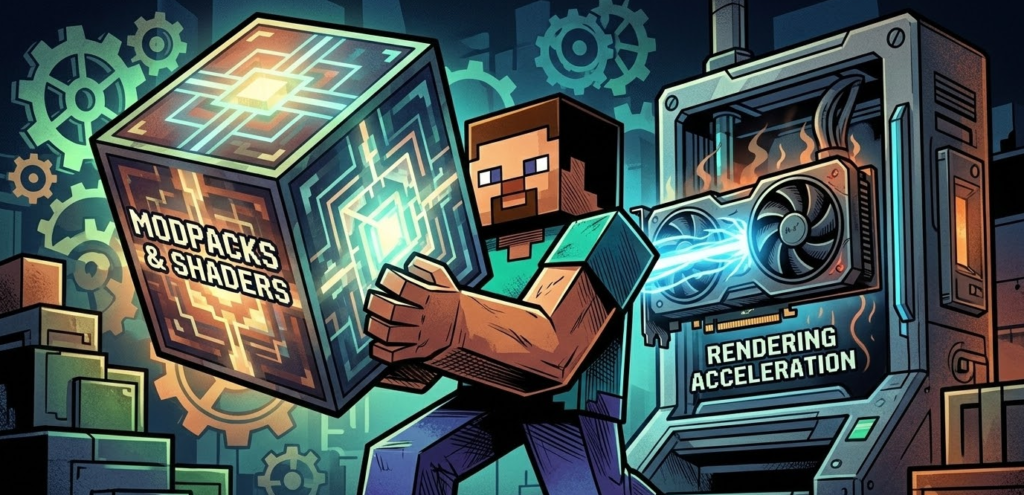
There is exactly one scenario where having a GPU on your “server” machine is relevant: when you are hosting the server and also playing on the same physical computer simultaneously.
In this configuration, the Minecraft server process runs in the background as a CPU and RAM workload while your Minecraft client runs in the foreground and uses your GPU to render the game. In this case, you need a GPU for the client experience, not for the server. The server process itself still ignores the GPU entirely. What changes is that the machine’s total CPU resources are now split between running the server tick loop and running the client rendering pipeline, which is why dedicated server machines typically outperform “play and host on one machine” setups for any meaningful player count.
If you are hosting just for one or two friends and playing yourself at the same time, a mid-range GPU and a fast CPU with at least 16GB RAM will handle both workloads. If you are hosting for five or more players and want the best experience for everyone, running the server on a dedicated machine (or a headless mini PC without a discrete GPU) and playing on a separate machine is the correct architecture.
Can a GPU Ever Help a Minecraft Server?
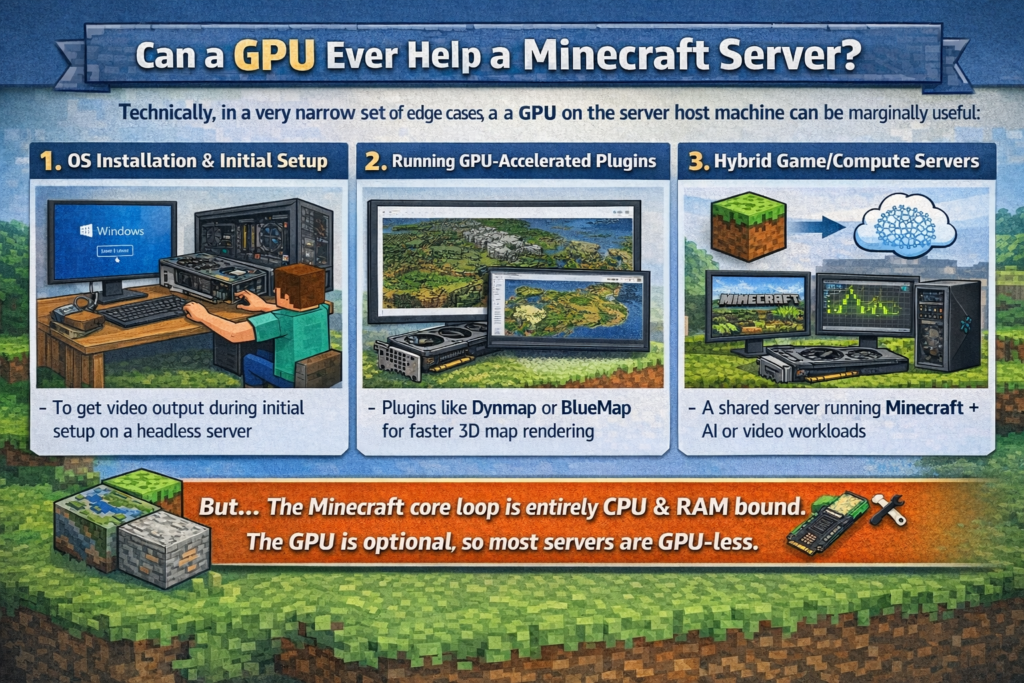
Technically, in a very narrow set of edge cases, a GPU on the server host machine can be marginally useful:
- OS installation and initial setup: When first installing the operating system and configuring the server on a machine with no display output, a GPU or integrated graphics provides the video signal needed to see the screen. Most headless server setups solve this with a remote desktop or SSH connection after initial setup
- Running GPU-accelerated plugins: A small number of specialized Minecraft server plugins or companion software (notably some map rendering tools like Dynmap and BlueMap) can optionally use GPU compute for faster rendering of the web-based world map. This is a niche use case and does not affect in-game server performance
- Hybrid game/compute servers: If the machine hosting Minecraft also runs GPU-accelerated workloads (AI inference, video transcoding, etc.) in parallel, a GPU serves those secondary tasks, not the Minecraft server itself
In all of these scenarios, the GPU is incidental or serves a non-Minecraft purpose. The core server tick loop, chunk management, and player handling remain entirely CPU and RAM bound regardless.
Official Minecraft Server Hardware Requirements by Player Count
The official Minecraft Wiki dedicated server requirements break hardware tiers down by player count across Java Edition, Bedrock Edition, and modded configurations. Note that a GPU is absent from every single tier.
Java Edition (Basic Tiers):
| Tier | Players | CPU | RAM | Storage |
|---|---|---|---|---|
| Minimum | 1 to 4 | Intel Core 2 Duo or AMD Athlon 64 x2 | 1GB | 150MB+ |
| Recommended | 5 to 10 | Intel Core 2 Duo or AMD Athlon 64 x2 | 2GB | 200MB+ |
| Best | 10+ | Intel Core i5-4690 or AMD Ryzen 5 1600 | 4GB | 200MB+ SSD |
Java Edition (Dedicated Server, Scaled by Player Count — 2026 Recommendations):
The following tiers reflect practical 2026 hardware recommendations matched to player count, using modern CPUs that are widely available and deliver strong single-core performance:
| Tier | Players | CPU | RAM | Storage |
|---|---|---|---|---|
| Acceptable | 3 to 5 | Intel Core i3-12100 or AMD Ryzen 3 3300X | 3GB | 10GB SSD |
| Recommended | 5 to 7 | Intel Core i5-12400 or AMD Ryzen 5 5600 | 5GB | 18GB SSD |
| Good | 7 to 9 | Intel Core i5-13600K or AMD Ryzen 5 7600 | 6GB | 25GB NVMe |
| Optimal | 9+ | Intel Core i7-13700K or AMD Ryzen 7 7700X | 8GB | 35GB NVMe |
For extreme server sizes approaching 100 players, requirements scale significantly further: a processor with maximum single-core boost, 60GB RAM, a 500GB NVMe SSD for active gameplay data, and 2TB HDD backup storage represent the high end of self-hosted hardware.
Recommended Hardware for Common Minecraft Server Setups (2026)
Setup 1: Small friends server (2 to 10 players, vanilla or lightly modded)
- CPU: Any modern Intel or AMD processor with a single-core boost above 3.5GHz (Intel N100 or Ryzen 5 5600U are both adequate)
- RAM: 8GB system RAM, allocate 4 to 6GB to the server
- Storage: 128GB SSD
- Network: Home broadband with 20Mbps+ upload, wired Ethernet
- GPU needed: No. A mini PC with integrated graphics is perfectly sufficient
- Example hardware: A Kamrui GK3 Plus, Beelink EQ12, or any basic mini PC handles this setup comfortably and uses less than 10W at idle
Setup 2: Medium server (10 to 30 players, modded or plugin-heavy)
- CPU: Intel Core i5-12400 or AMD Ryzen 5 5600X or better (strong single-core boost)
- RAM: 16GB system RAM, allocate 8 to 12GB to the server
- Storage: 256GB+ NVMe SSD
- Network: 100Mbps upload, wired Ethernet
- GPU needed: No
- Example hardware: A budget mini PC with a Ryzen 7 or Intel Core 12th/13th-gen chip, or a basic VPS from providers like Hetzner, OVH, or Contabo
Setup 3: Large community server (50 to 100+ players)
- CPU: Intel Core i9-13900K or AMD Ryzen 9 7950X (maximum single-core performance)
- RAM: 64GB+ ECC RAM
- Storage: NVMe SSD for active world data, HDD for automated backups
- Network: Dedicated 1Gbps uplink, data center hosting preferred
- GPU needed: No. Dedicated servers in data centers run headless with no GPU by default
- Hosting recommendation: A dedicated server rental from a provider with low-latency routing to your player base is almost always better than self-hosted hardware at this scale
Java vs. Bedrock: Does GPU Relevance Change?
No. Both Java Edition and Bedrock Edition server software operate identically with respect to GPU usage: neither uses a GPU for any server-side computation. The architectural difference between Java and Bedrock is relevant for other reasons — Bedrock servers generally handle higher player counts more efficiently and support mobile and console players, while Java servers offer deeper modding support and plugin ecosystems — but neither edition changes the fundamental reality that the server is a headless process running entirely on CPU and RAM.
Common Mistakes When Building a Minecraft Server
Overspending on a GPU while underspending on RAM: This is the single most common hardware mistake. A person building a Minecraft server who drops $300 on a GPU and buys only 8GB of RAM for a 30-player modded server will have a badly performing server. That $300 would be infinitely better spent on more RAM and a faster CPU.
Using a WiFi connection for the server machine: Wireless connections introduce variable latency and packet loss that players experience as intermittent lag. Always use a wired Ethernet connection for the machine hosting the server.
Allocating too little RAM to the Java process: Having 16GB in the machine means nothing if the server JAR is launched with only 1 to 2GB allocated. Set -Xmx to at least half your total system RAM.
Prioritizing core count over clock speed: A 12-core CPU at 2.4GHz will underperform a 4-core CPU at 4.8GHz for a Minecraft server in most scenarios. Clock speed on a single core is what drives the game tick loop.
Running the server on an HDD: Chunk loading lag from a mechanical drive is one of the most common and easily solved performance complaints. Any SSD, even an old 120GB budget unit, is a meaningful upgrade over an HDD for a Minecraft server.
Frequently Asked Questions
Does a Minecraft server need a GPU?
No. The Minecraft server software has no graphics rendering pipeline. It runs entirely on CPU and RAM, simulating game logic and communicating state over a network. A GPU is completely irrelevant to server performance.
Can I run a Minecraft server on a PC with no GPU?
Yes, perfectly. The server will run identically whether the machine has a dedicated GPU, integrated graphics only, or no display output at all. Headless servers with no monitor or GPU are the standard configuration for dedicated server hardware.
What does a Minecraft server actually use?
In order of importance: CPU single-core performance (game tick loop), RAM (chunk storage and entity tracking), SSD/NVMe storage (chunk loading and world saves), and network upload bandwidth (player state updates).
Does Minecraft Java use more resources than Bedrock for a server?
Java Edition servers are generally more RAM and CPU hungry than Bedrock edition at equivalent player counts, largely because the JVM has higher memory overhead and Java Edition’s physics and redstone simulation is more computationally intensive. Bedrock handles larger player counts more efficiently out of the box but offers less flexibility for mods and plugins.
How much RAM do I need for a 10-player Minecraft server?
For a vanilla 10-player server, 4 to 5GB allocated to the server process is a comfortable baseline. For a lightly modded 10-player server, 5 to 6GB. For heavily modded packs (like large ATM or All the Mods packs), 8 to 12GB is the realistic requirement even at low player counts.
Can a Raspberry Pi run a Minecraft server?
Yes, for small player counts. A Raspberry Pi 5 with 8GB RAM running Paper or a lightweight server fork can handle 2 to 5 players on a lightly modded or vanilla server. It is one of the most popular low-power, always-on server setups in the community. Performance degrades quickly beyond 5 players or with heavy mods. Crucially, a Pi has no discrete GPU, which is further confirmation that no GPU is needed for server hosting.
Does installing shaders on the server side require a GPU?
No. Shaders in Minecraft are a client-side rendering effect. The client processes and renders shaders using the player’s own GPU. The server has no awareness of whether players have shaders enabled and performs no additional processing for them.
What is the best cheap hardware for a Minecraft server in 2026?
For a small friends server, a budget mini PC with an Intel N100 or Ryzen 5 5600U, 16GB RAM, and a 256GB SSD is an excellent and power-efficient option for $130 to $250. These machines have no discrete GPU and do not need one. For a medium-sized server, a used desktop with a Ryzen 5 5600X or Intel Core i5-12400 and 32GB RAM provides strong single-core performance at low cost.
Should I host on a VPS or dedicated hardware at home?
For small private servers with friends who are geographically close to you, home hardware is fine. For servers with players spread across regions, a VPS or dedicated server rental in a data center provides significantly better latency for remote players. VPS providers like Hetzner (Europe) and Contabo offer dedicated server rentals with no GPU (they are not needed) at very low monthly costs.
Bottom Line
A Minecraft server needs a fast single-core CPU, sufficient RAM scaled to your player count and mod load, an SSD for smooth chunk loading, and enough upload bandwidth for your player count. A GPU plays no role in any of these requirements. The server process is purely a logical simulation engine communicating game state over a network. You can run an excellent Minecraft server on a $150 mini PC with integrated graphics, a Raspberry Pi, a headless VPS in a data center, or an old desktop with no graphics card installed. Save your GPU budget for your gaming rig, not your server. For a hands-on demonstration of building a complete dedicated Minecraft server on budget hardware with no GPU for under $75, This step-by-step build video on YouTube covers hardware selection, Ubuntu Server installation, Crafty Controller setup, and getting your first players connected from start to finish.


